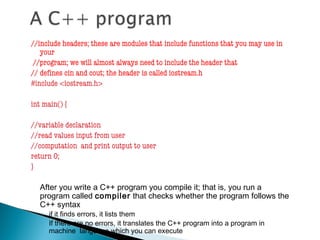
//include headers; these are modules that include functions that you may use in
your
//program; we will almost always need to include the header that
// defines cin and cout; the header is called iostream.h
#include <iostream.h>
int main() {
//variable declaration
//read values input from user
//computation and print output to user
return 0;
}
After you write a C++ program you compile it; that is, you run a
program called compiler that checks whether the program follows the
C++ syntax
◦ if it finds errors, it lists them
◦ If there are no errors, it translates the C++ program into a program in
machine language which you can execute
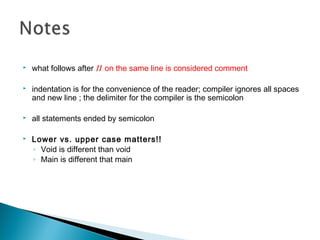
 what follows after // on the same line is considered comment
 indentation is for the convenience of the reader; compiler ignores all spaces
and new line ; the delimiter for the compiler is the semicolon
 all statements ended by semicolon
 Lower vs. upper case matters!!
◦ Void is different than void
◦ Main is different that main
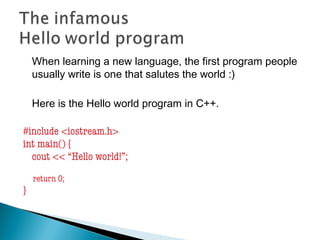
When learning a new language, the first program people
usually write is one that salutes the world :)
Here is the Hello world program in C++.
#include <iostream.h>
int main() {
cout << “Hello world!”;
return 0;
}
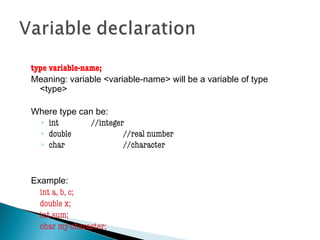
type variable-name;
Meaning: variable <variable-name> will be a variable of type
<type>
Where type can be:
◦ int //integer
◦ double //real number
◦ char //character
Example:
int a, b, c;
double x;
int sum;
char my-character;
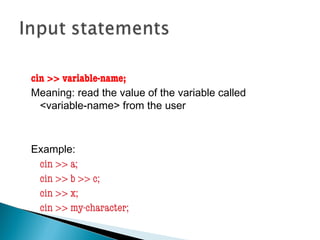
cin >> variable-name;
Meaning: read the value of the variable called
<variable-name> from the user
Example:
cin >> a;
cin >> b >> c;
cin >> x;
cin >> my-character;
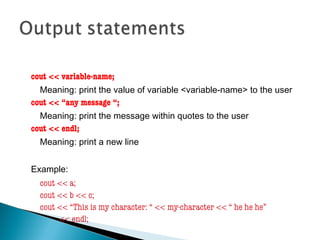
cout << variable-name;
Meaning: print the value of variable <variable-name> to the user
cout << “any message “;
Meaning: print the message within quotes to the user
cout << endl;
Meaning: print a new line
Example:
cout << a;
cout << b << c;
cout << “This is my character: “ << my-character << “ he he he”
<< endl;
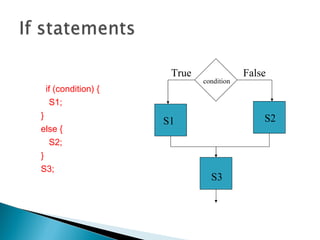
if (condition) {
S1;
}
else {
S2;
}
S3;
condition
S1 S2
S3
True False
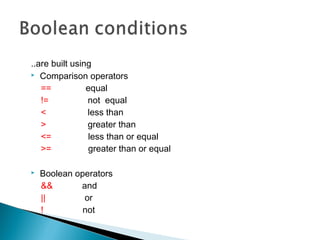
..are built using
 Comparison operators
== equal
!= not equal
< less than
> greater than
<= less than or equal
>= greater than or equal
 Boolean operators
&& and
|| or
! not
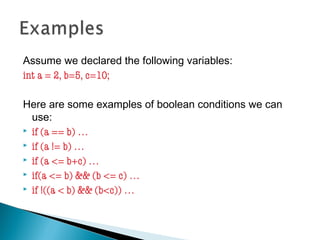
Assume we declared the following variables:
int a = 2, b=5, c=10;
Here are some examples of boolean conditions we can
use:
 if (a == b) …
 if (a != b) …
 if (a <= b+c) …
 if(a <= b) && (b <= c) …
 if !((a < b) && (b<c)) …
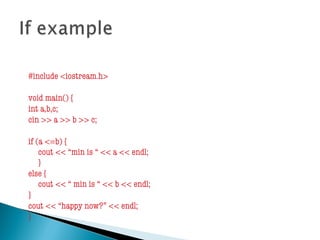
#include <iostream.h>
void main() {
int a,b,c;
cin >> a >> b >> c;
if (a <=b) {
cout << “min is “ << a << endl;
}
else {
cout << “ min is “ << b << endl;
}
cout << “happy now?” << endl;
}
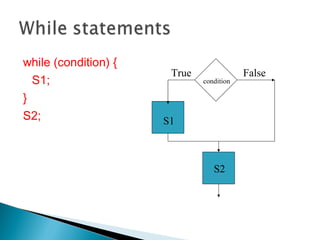
while (condition) {
S1;
}
S2;
condition
S1
S2
True False
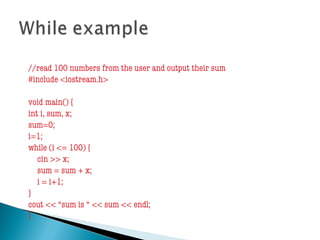
//read 100 numbers from the user and output their sum
#include <iostream.h>
void main() {
int i, sum, x;
sum=0;
i=1;
while (i <= 100) {
cin >> x;
sum = sum + x;
i = i+1;
}
cout << “sum is “ << sum << endl;
}
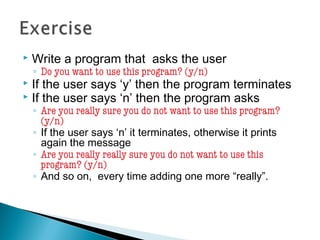
 Write a program that asks the user
◦ Do you want to use this program? (y/n)
 If the user says ‘y’ then the program terminates
 If the user says ‘n’ then the program asks
◦ Are you really sure you do not want to use this program?
(y/n)
◦ If the user says ‘n’ it terminates, otherwise it prints
again the message
◦ Are you really really sure you do not want to use this
program? (y/n)
◦ And so on, every time adding one more “really”.

C++ basics

  • 2.
    //include headers; theseare modules that include functions that you may use in your //program; we will almost always need to include the header that // defines cin and cout; the header is called iostream.h #include <iostream.h> int main() { //variable declaration //read values input from user //computation and print output to user return 0; } After you write a C++ program you compile it; that is, you run a program called compiler that checks whether the program follows the C++ syntax ◦ if it finds errors, it lists them ◦ If there are no errors, it translates the C++ program into a program in machine language which you can execute
  • 3.
     what followsafter // on the same line is considered comment  indentation is for the convenience of the reader; compiler ignores all spaces and new line ; the delimiter for the compiler is the semicolon  all statements ended by semicolon  Lower vs. upper case matters!! ◦ Void is different than void ◦ Main is different that main
  • 4.
    When learning anew language, the first program people usually write is one that salutes the world :) Here is the Hello world program in C++. #include <iostream.h> int main() { cout << “Hello world!”; return 0; }
  • 5.
    type variable-name; Meaning: variable<variable-name> will be a variable of type <type> Where type can be: ◦ int //integer ◦ double //real number ◦ char //character Example: int a, b, c; double x; int sum; char my-character;
  • 6.
    cin >> variable-name; Meaning:read the value of the variable called <variable-name> from the user Example: cin >> a; cin >> b >> c; cin >> x; cin >> my-character;
  • 7.
    cout << variable-name; Meaning:print the value of variable <variable-name> to the user cout << “any message “; Meaning: print the message within quotes to the user cout << endl; Meaning: print a new line Example: cout << a; cout << b << c; cout << “This is my character: “ << my-character << “ he he he” << endl;
  • 8.
    if (condition) { S1; } else{ S2; } S3; condition S1 S2 S3 True False
  • 9.
    ..are built using Comparison operators == equal != not equal < less than > greater than <= less than or equal >= greater than or equal  Boolean operators && and || or ! not
  • 10.
    Assume we declaredthe following variables: int a = 2, b=5, c=10; Here are some examples of boolean conditions we can use:  if (a == b) …  if (a != b) …  if (a <= b+c) …  if(a <= b) && (b <= c) …  if !((a < b) && (b<c)) …
  • 11.
    #include <iostream.h> void main(){ int a,b,c; cin >> a >> b >> c; if (a <=b) { cout << “min is “ << a << endl; } else { cout << “ min is “ << b << endl; } cout << “happy now?” << endl; }
  • 12.
  • 13.
    //read 100 numbersfrom the user and output their sum #include <iostream.h> void main() { int i, sum, x; sum=0; i=1; while (i <= 100) { cin >> x; sum = sum + x; i = i+1; } cout << “sum is “ << sum << endl; }
  • 14.
     Write aprogram that asks the user ◦ Do you want to use this program? (y/n)  If the user says ‘y’ then the program terminates  If the user says ‘n’ then the program asks ◦ Are you really sure you do not want to use this program? (y/n) ◦ If the user says ‘n’ it terminates, otherwise it prints again the message ◦ Are you really really sure you do not want to use this program? (y/n) ◦ And so on, every time adding one more “really”.