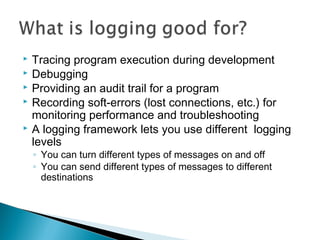
 Tracing program execution during development
 Debugging
 Providing an audit trail for a program
 Recording soft-errors (lost connections, etc.) for
monitoring performance and troubleshooting
 A logging framework lets you use different logging
levels
◦ You can turn different types of messages on and off
◦ You can send different types of messages to different
destinations
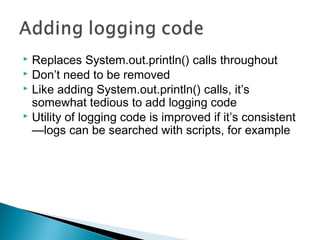
 Replaces System.out.println() calls throughout
 Don’t need to be removed
 Like adding System.out.println() calls, it’s
somewhat tedious to add logging code
 Utility of logging code is improved if it’s consistent
—logs can be searched with scripts, for example
 Provides wizards that automate the addition of
logging code
 Add import and declaration for logger
 Insert logging at start and end of methods
 Insert logging of variables and method parameters
 Log4E does not provide a logging framework
 Doesn’t configure your framework
 Doesn’t make a fresh pot of coffee
 Log4E supports three logging frameworks:
◦ Log4J
◦ Java 1.4 Logging
◦ Jakarta Commons Logging
 Log4J is the original logging framework that Java
1.4 logging is modeled after
 Jakarta Commons Logging is actually a wrapper
for logging frameworks
 We’ll use Log4J in this example because it’s
mature, well-documented and supported, and
easier to configure
 Download a zip or compressed tarfile from:
Apache.org website
 Uncompress to a local directory
 In your Eclipse project’s properties
◦ Locate Java Build Path
◦ On Libraries page, click on Add External Jars
◦ Browse for your Log4J directory, and locate the log4J
Jar file in the /dist/lib directory
◦ Press Open, followed by OK
 The easiest way to configure Log4J is to add a
log4j.properties file to your source directory.
 There are many options available which we
won’t cover here, but essentially you need to
define:
◦ A logger
◦ An appender
◦ A pattern layout
 The following example uses the default root
logger, appends to the console and prints the
date, time, message priority, thread and
message
# Logger
log4j.rootLogger=DEBUG, ConApp
# Appender
log4j.appender.ConApp=org.apache.log4j.ConsoleAppender
# PatternLayout
log4j.appender.ConApp.layout=org.apache.log4j.PatternLayout
log4j.appender.ConApp.layout.ConversionPattern=%d [%t] %-5p %c
- %m%n
 Create a simple Java application
 Ensure log4j is on class path
 Use Log4E to add several types of logging
messages
 Run program

Log4e

  • 2.
     Tracing programexecution during development  Debugging  Providing an audit trail for a program  Recording soft-errors (lost connections, etc.) for monitoring performance and troubleshooting  A logging framework lets you use different logging levels ◦ You can turn different types of messages on and off ◦ You can send different types of messages to different destinations
  • 3.
     Replaces System.out.println()calls throughout  Don’t need to be removed  Like adding System.out.println() calls, it’s somewhat tedious to add logging code  Utility of logging code is improved if it’s consistent —logs can be searched with scripts, for example
  • 4.
     Provides wizardsthat automate the addition of logging code  Add import and declaration for logger  Insert logging at start and end of methods  Insert logging of variables and method parameters
  • 5.
     Log4E doesnot provide a logging framework  Doesn’t configure your framework  Doesn’t make a fresh pot of coffee
  • 6.
     Log4E supportsthree logging frameworks: ◦ Log4J ◦ Java 1.4 Logging ◦ Jakarta Commons Logging  Log4J is the original logging framework that Java 1.4 logging is modeled after  Jakarta Commons Logging is actually a wrapper for logging frameworks  We’ll use Log4J in this example because it’s mature, well-documented and supported, and easier to configure
  • 7.
     Download azip or compressed tarfile from: Apache.org website  Uncompress to a local directory  In your Eclipse project’s properties ◦ Locate Java Build Path ◦ On Libraries page, click on Add External Jars ◦ Browse for your Log4J directory, and locate the log4J Jar file in the /dist/lib directory ◦ Press Open, followed by OK
  • 8.
     The easiestway to configure Log4J is to add a log4j.properties file to your source directory.  There are many options available which we won’t cover here, but essentially you need to define: ◦ A logger ◦ An appender ◦ A pattern layout  The following example uses the default root logger, appends to the console and prints the date, time, message priority, thread and message
  • 9.
    # Logger log4j.rootLogger=DEBUG, ConApp #Appender log4j.appender.ConApp=org.apache.log4j.ConsoleAppender # PatternLayout log4j.appender.ConApp.layout=org.apache.log4j.PatternLayout log4j.appender.ConApp.layout.ConversionPattern=%d [%t] %-5p %c - %m%n
  • 10.
     Create asimple Java application  Ensure log4j is on class path  Use Log4E to add several types of logging messages  Run program

Editor's Notes

  • #3 When programming, it’s common to put System.out.println() statements in a program to follow its execution. These are usually removed at before releasing the program to the user community, since this would fill the screen with stuff that is meaningless to them. It’s also common to add extra System.out.println() statements temporarily when debugging—to dump out state information such as variable values, for example—that might provide clues to what is going on. Some types of programs require that certain events be logged in order to provide an audit trail. Unlike previous examples, this type of information is usually written to a file. Finally, it is usually desirable to log errors that occur during the course of execution of a program.
  • #7 Jakarta Commons Logging provides a façade so you can code to a common API and switch between logging frameworks easily—in other words, you don’t have to code for either Java Logging or Log4J. That makes a lot of sense, but it’s a complication we’ll avoid here, since ultimately we have to choose between the two frameworks either way.
  • #9 Log4J configuration will be covered in little more detail later, when we explore developing an Eclipse plug-in for editing log4j configuration files. Briefly, though: Logger—you need an instance of logger to send messages. You get a root, anonymous logger automatically, but normally, you’ll want to obtain a named, child instance by calling the the root logger’s getLogger(String name) method. Appender—the appender or appenders (which are specified in the config file) directs the message to the appropriate destination. Examples are ConsoleAppender, FileAppender, SMTPAppender, which send messages, respectively, to the console, a file and by email. You can define multiple appenders, with messages sorted by priority. For example, everything goes to the console, warnings and fatal errors go to a file, and fatal errors send an email message to the system administrator. Layouts—These define the format of the message, They use conversion specifiers which are similar to the format specifier used for C printf(). Some examples are shown in the log4j config file that follows.
  • #10 Pattern layouts are similar to C printf format patterns. The following conversion specifiers are used here: %d – Date and time %t – Thread name %-5p – priority of message (p) displayed left-justified (-) in a 5 character-wide field (5) %c – Name of logger (loggers were previously called categories, hence the abbrev.) %m – Message sent by logger %n – new line character