UXPA 2013 Caroline Jarrett @cjforms
Agenda
‘Complex’ and ‘simple’ in forms
Users and usage of complex
forms
Conversation and flow in
complex forms
Appearance of complex forms
2
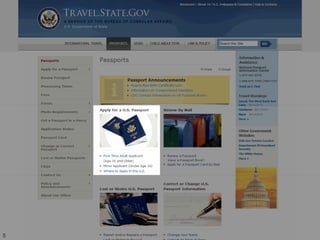
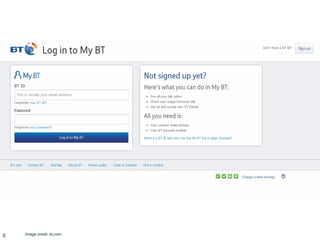
Let’s start with a few forms
• Three forms coming up….
• Is the form simple or complex?
• Why?
3
4 Image credit: step3reality.com
5
6 Image credit: bt.com
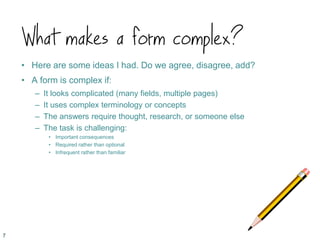
What makes a form complex?
• Here are some ideas I had. Do we agree, disagree, add?
• A form is complex if:
– It looks complicated (many fields, multiple pages)
– It uses complex terminology or concepts
– The answers require thought, research, or someone else
– The task is challenging:
• Important consequences
• Required rather than optional
• Infrequent rather than familiar
7
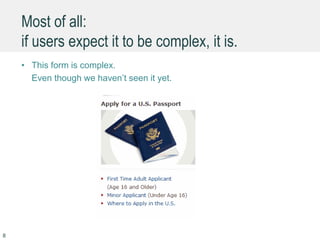
Most of all:
if users expect it to be complex, it is.
• This form is complex.
Even though we haven’t seen it yet.
8
Agenda
‘Complex’ and ‘simple’ in forms
Users and usage of complex
forms
Conversation and flow in
complex forms
Appearance of complex forms
9
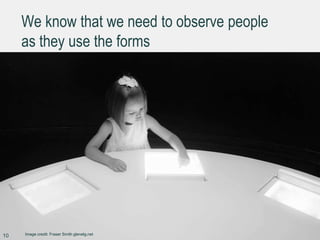
We know that we need to observe people
as they use the forms
10 Image credit: Fraser Smith glenelg.net
How to catch them at it ?
• Let’s share ideas about how to solve the problem of investigating and
observing forms in use when:
– They are completed very infrequently or
– The task is split (across people, technology or time)
– The design cycle is offset from the completion cycle.
11
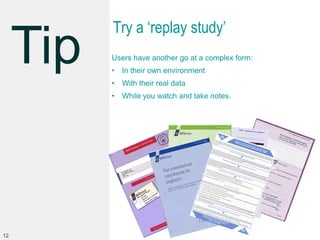
Try a ‘replay study’
Users have another go at a complex form:
• In their own environment
• With their real data
• While you watch and take notes.
12
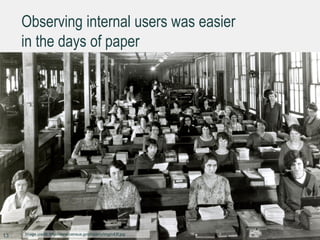
Observing internal users was easier
in the days of paper
13 Image credit: http://www.census.gov/history/img/c43f.jpg
Track a sample of forms through
your process
Look for: minimum time, maximum time, mode, errors, loops,
customer contacts, staff involvement.
But most of all: for errors.
14
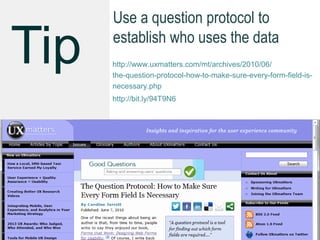
Use a question protocol to
establish who uses the data
http://www.uxmatters.com/mt/archives/2010/06/
the-question-protocol-how-to-make-sure-every-form-field-is-
necessary.php
http://bit.ly/94T9N6
15
Agenda
‘Complex’ and ‘simple’ in forms
Users and usage of complex
forms
Conversation and flow in
complex forms
Appearance of complex forms
16
To get good answers,
ask good questions
17
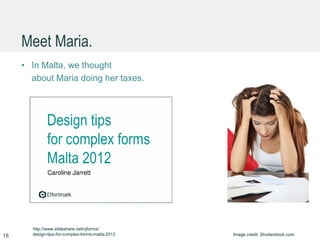
Meet Maria.
• In Malta, we thought
about Maria doing her taxes.
18 Image credit: Shutterstock.com
http://www.slideshare.net/cjforms/
design-tips-for-complex-forms-malta-2012
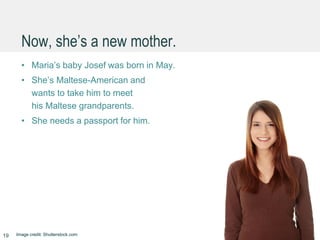
Now, she’s a new mother.
• Maria’s baby Josef was born in May.
• She’s Maltese-American and
wants to take him to meet
his Maltese grandparents.
• She needs a passport for him.
19 Image credit: Shutterstock.com
Where does the answer come from?
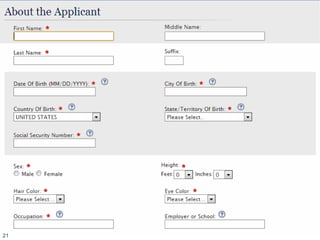
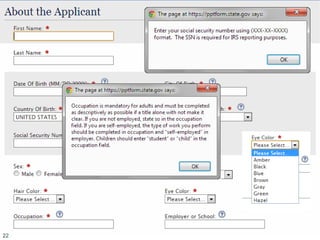
• I’m going to show you some of the questions
she has to answer.
• Where does Maria get the answer?
20
21
22
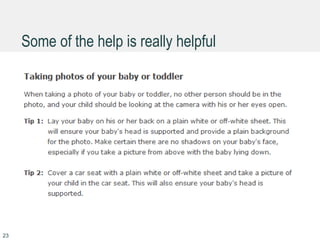
Some of the help is really helpful
23
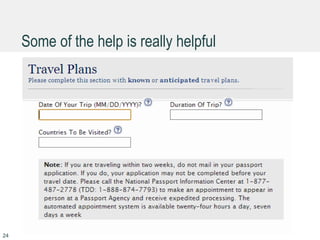
Some of the help is really helpful
24
Put just enough help where the
user needs it
25 Image credit: Flickr, Betsy Weber
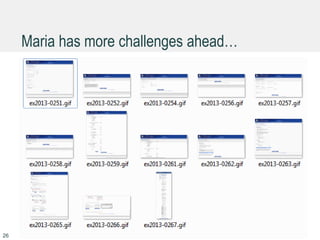
Maria has more challenges ahead…
26
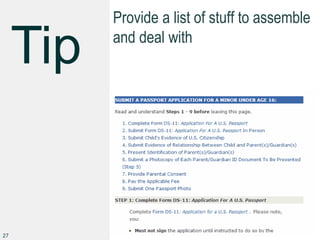
Provide a list of stuff to assemble
and deal with
27
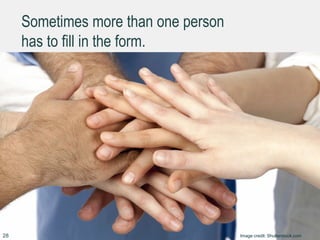
Sometimes more than one person
has to fill in the form.
28 Image credit: Shutterstock.com
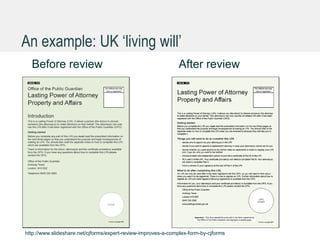
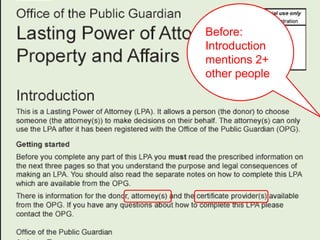
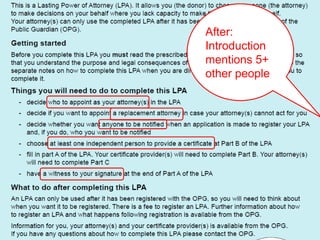
An example: UK ‘living will’
Before review After review
http://www.slideshare.net/cjforms/expert-review-improves-a-complex-form-by-cjforms
Before:
Introduction
mentions 2+
other people
After:
Introduction
mentions 5+
other people
How many people for Maria’s form?
• Hazard a guess: who is involved?
• What if Maria is a single mother?
32
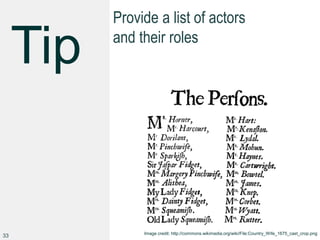
Provide a list of actors
and their roles
33 Image credit: http://commons.wikimedia.org/wiki/File:Country_Wife_1675_cast_crop.png
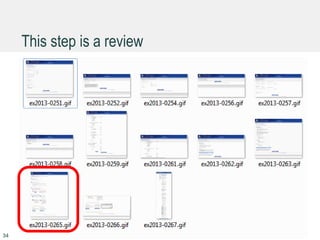
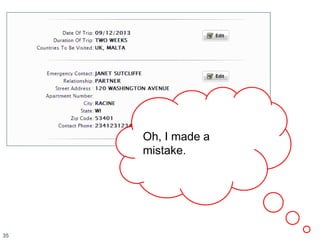
This step is a review
34
35
Oh, I made a
mistake.
36
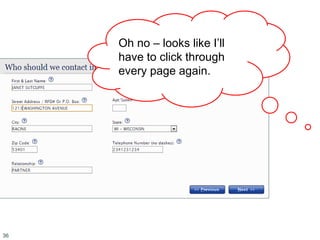
Oh no – looks like I’ll
have to click through
every page again.
37
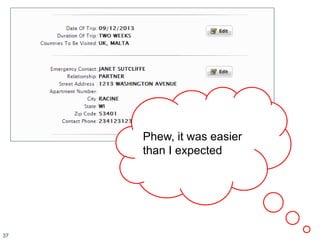
Phew, it was easier
than I expected
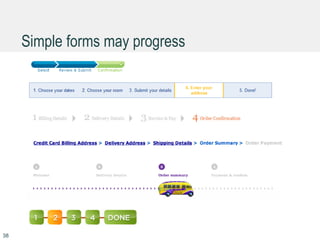
Simple forms may progress
38
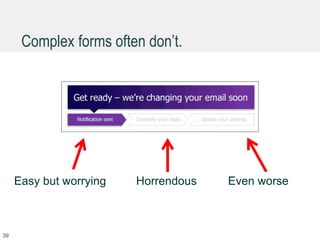
Complex forms often don’t.
39
Easy but worrying Horrendous Even worse
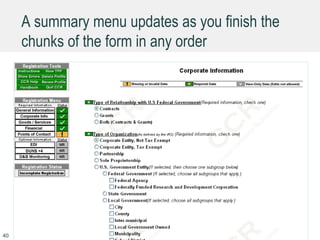
A summary menu updates as you finish the
chunks of the form in any order
40
Use summary menus rather than
progress indicators
41 Image credit: shutterstock.com
What about save-and-resume ?
• If people need to set aside their form and come back
to it, how do you handle that now?
• Can they resume on a different device?
• How do you identify them?
• How long do you keep partial attempts?
42
Work hard to ensure great save-
and-resume
43 Image credit: shutterstock.com
Agenda
‘Complex’ and ‘simple’ in forms
Users and usage of complex
forms
Conversation and flow in
complex forms
Appearance of complex forms
44
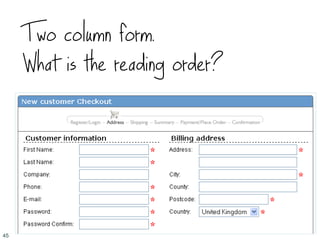
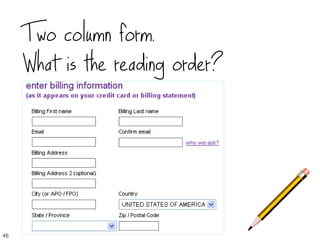
Two column form.
What is the reading order?
45
Two column form.
What is the reading order?
46
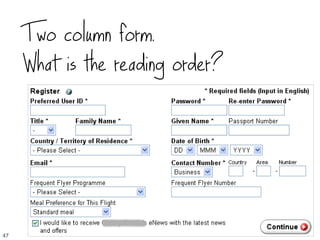
Two column form.
What is the reading order?
47
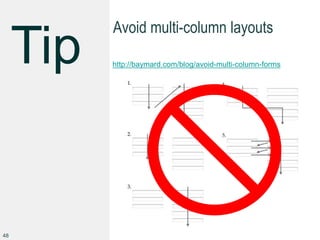
Avoid multi-column layouts
http://baymard.com/blog/avoid-multi-column-forms
48
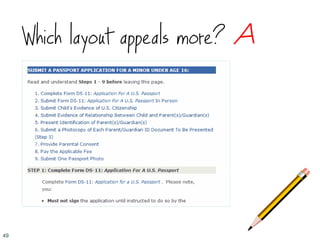
Which layout appeals more? A
49
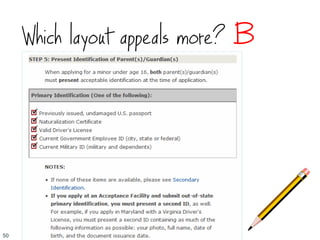
Which layout appeals more? B
50
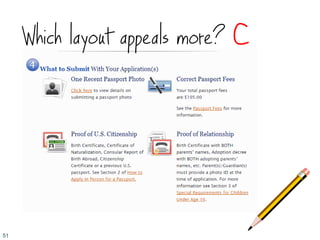
Which layout appeals more? C
51
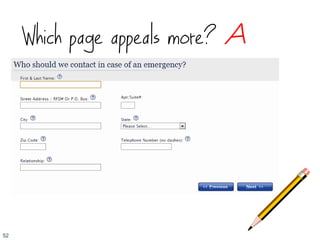
Which page appeals more? A
52
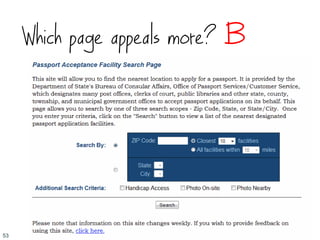
Which page appeals more? B
53
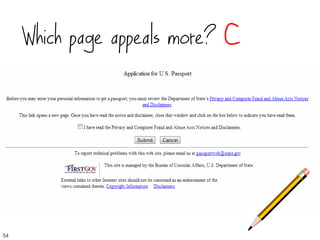
Which page appeals more? C
54
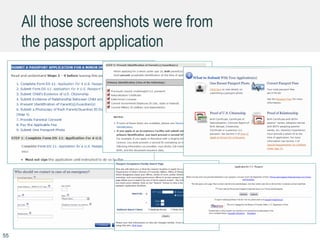
All those screenshots were from
the passport application
55
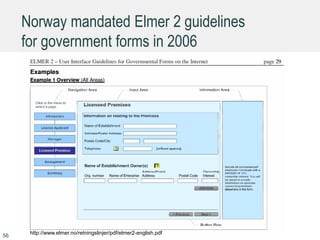
Norway mandated Elmer 2 guidelines
for government forms in 2006
56
http://www.elmer.no/retningslinjer/pdf/elmer2-english.pdf
Create a simple set of rules and
apply them everywhere
57 Image credit: Fraser Smith glenelg.net
Agenda
‘Complex’ and ‘simple’ in forms
Users and usage of complex
forms
Conversation and flow in
complex forms
Appearance of complex forms
Summary
58
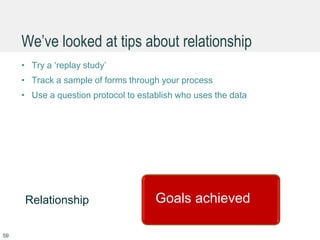
We’ve looked at tips about relationship
• Try a ‘replay study’
• Track a sample of forms through your process
• Use a question protocol to establish who uses the data
59
Goals achievedRelationship Goals achieved
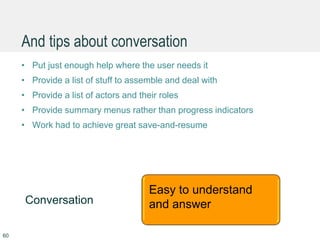
And tips about conversation
• Put just enough help where the user needs it
• Provide a list of stuff to assemble and deal with
• Provide a list of actors and their roles
• Provide summary menus rather than progress indicators
• Work had to achieve great save-and-resume
60
Conversation Goals achieved
Easy to understand
and answer
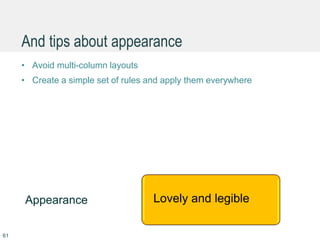
And tips about appearance
• Avoid multi-column layouts
• Create a simple set of rules and apply them everywhere
61
Appearance Goals achievedLovely and legible
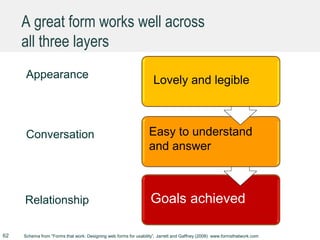
A great form works well across
all three layers
62
Appearance
Conversation
Relationship Goals achieved
Schema from “Forms that work: Designing web forms for usability”, Jarrett and Gaffney (2008) www.formsthatwork.com
Goals achieved
Easy to understand
and answer
Goals achievedLovely and legible
More tips http://www.slideshare.net/cjforms
63
Caroline Jarrett
64
twitter @cjforms
caroline.jarrett@effortmark.co.uk
www.formsthatwork.com

Design tips for complex forms by @cjforms 2013

  • 1.
    UXPA 2013 CarolineJarrett @cjforms
  • 2.
    Agenda ‘Complex’ and ‘simple’in forms Users and usage of complex forms Conversation and flow in complex forms Appearance of complex forms 2
  • 3.
    Let’s start witha few forms • Three forms coming up…. • Is the form simple or complex? • Why? 3
  • 4.
    4 Image credit:step3reality.com
  • 5.
  • 6.
  • 7.
    What makes aform complex? • Here are some ideas I had. Do we agree, disagree, add? • A form is complex if: – It looks complicated (many fields, multiple pages) – It uses complex terminology or concepts – The answers require thought, research, or someone else – The task is challenging: • Important consequences • Required rather than optional • Infrequent rather than familiar 7
  • 8.
    Most of all: ifusers expect it to be complex, it is. • This form is complex. Even though we haven’t seen it yet. 8
  • 9.
    Agenda ‘Complex’ and ‘simple’in forms Users and usage of complex forms Conversation and flow in complex forms Appearance of complex forms 9
  • 10.
    We know thatwe need to observe people as they use the forms 10 Image credit: Fraser Smith glenelg.net
  • 11.
    How to catchthem at it ? • Let’s share ideas about how to solve the problem of investigating and observing forms in use when: – They are completed very infrequently or – The task is split (across people, technology or time) – The design cycle is offset from the completion cycle. 11
  • 12.
    Try a ‘replaystudy’ Users have another go at a complex form: • In their own environment • With their real data • While you watch and take notes. 12
  • 13.
    Observing internal userswas easier in the days of paper 13 Image credit: http://www.census.gov/history/img/c43f.jpg
  • 14.
    Track a sampleof forms through your process Look for: minimum time, maximum time, mode, errors, loops, customer contacts, staff involvement. But most of all: for errors. 14
  • 15.
    Use a questionprotocol to establish who uses the data http://www.uxmatters.com/mt/archives/2010/06/ the-question-protocol-how-to-make-sure-every-form-field-is- necessary.php http://bit.ly/94T9N6 15
  • 16.
    Agenda ‘Complex’ and ‘simple’in forms Users and usage of complex forms Conversation and flow in complex forms Appearance of complex forms 16
  • 17.
    To get goodanswers, ask good questions 17
  • 18.
    Meet Maria. • InMalta, we thought about Maria doing her taxes. 18 Image credit: Shutterstock.com http://www.slideshare.net/cjforms/ design-tips-for-complex-forms-malta-2012
  • 19.
    Now, she’s anew mother. • Maria’s baby Josef was born in May. • She’s Maltese-American and wants to take him to meet his Maltese grandparents. • She needs a passport for him. 19 Image credit: Shutterstock.com
  • 20.
    Where does theanswer come from? • I’m going to show you some of the questions she has to answer. • Where does Maria get the answer? 20
  • 21.
  • 22.
  • 23.
    Some of thehelp is really helpful 23
  • 24.
    Some of thehelp is really helpful 24
  • 25.
    Put just enoughhelp where the user needs it 25 Image credit: Flickr, Betsy Weber
  • 26.
    Maria has morechallenges ahead… 26
  • 27.
    Provide a listof stuff to assemble and deal with 27
  • 28.
    Sometimes more thanone person has to fill in the form. 28 Image credit: Shutterstock.com
  • 29.
    An example: UK‘living will’ Before review After review http://www.slideshare.net/cjforms/expert-review-improves-a-complex-form-by-cjforms
  • 30.
  • 31.
  • 32.
    How many peoplefor Maria’s form? • Hazard a guess: who is involved? • What if Maria is a single mother? 32
  • 33.
    Provide a listof actors and their roles 33 Image credit: http://commons.wikimedia.org/wiki/File:Country_Wife_1675_cast_crop.png
  • 34.
    This step isa review 34
  • 35.
    35 Oh, I madea mistake.
  • 36.
    36 Oh no –looks like I’ll have to click through every page again.
  • 37.
    37 Phew, it waseasier than I expected
  • 38.
    Simple forms mayprogress 38
  • 39.
    Complex forms oftendon’t. 39 Easy but worrying Horrendous Even worse
  • 40.
    A summary menuupdates as you finish the chunks of the form in any order 40
  • 41.
    Use summary menusrather than progress indicators 41 Image credit: shutterstock.com
  • 42.
    What about save-and-resume? • If people need to set aside their form and come back to it, how do you handle that now? • Can they resume on a different device? • How do you identify them? • How long do you keep partial attempts? 42
  • 43.
    Work hard toensure great save- and-resume 43 Image credit: shutterstock.com
  • 44.
    Agenda ‘Complex’ and ‘simple’in forms Users and usage of complex forms Conversation and flow in complex forms Appearance of complex forms 44
  • 45.
    Two column form. Whatis the reading order? 45
  • 46.
    Two column form. Whatis the reading order? 46
  • 47.
    Two column form. Whatis the reading order? 47
  • 48.
  • 49.
  • 50.
  • 51.
  • 52.
  • 53.
  • 54.
  • 55.
    All those screenshotswere from the passport application 55
  • 56.
    Norway mandated Elmer2 guidelines for government forms in 2006 56 http://www.elmer.no/retningslinjer/pdf/elmer2-english.pdf
  • 57.
    Create a simpleset of rules and apply them everywhere 57 Image credit: Fraser Smith glenelg.net
  • 58.
    Agenda ‘Complex’ and ‘simple’in forms Users and usage of complex forms Conversation and flow in complex forms Appearance of complex forms Summary 58
  • 59.
    We’ve looked attips about relationship • Try a ‘replay study’ • Track a sample of forms through your process • Use a question protocol to establish who uses the data 59 Goals achievedRelationship Goals achieved
  • 60.
    And tips aboutconversation • Put just enough help where the user needs it • Provide a list of stuff to assemble and deal with • Provide a list of actors and their roles • Provide summary menus rather than progress indicators • Work had to achieve great save-and-resume 60 Conversation Goals achieved Easy to understand and answer
  • 61.
    And tips aboutappearance • Avoid multi-column layouts • Create a simple set of rules and apply them everywhere 61 Appearance Goals achievedLovely and legible
  • 62.
    A great formworks well across all three layers 62 Appearance Conversation Relationship Goals achieved Schema from “Forms that work: Designing web forms for usability”, Jarrett and Gaffney (2008) www.formsthatwork.com Goals achieved Easy to understand and answer Goals achievedLovely and legible
  • 63.
  • 64.