Sydney SharePoint User Group
Business Intelligence
with SharePoint
Nazish Qasim
Sr. SharePoint Consultant
WebVine
Agenda
»Understand BI offerings from Microsoft
»Comparison
»Walkthrough
»Demo
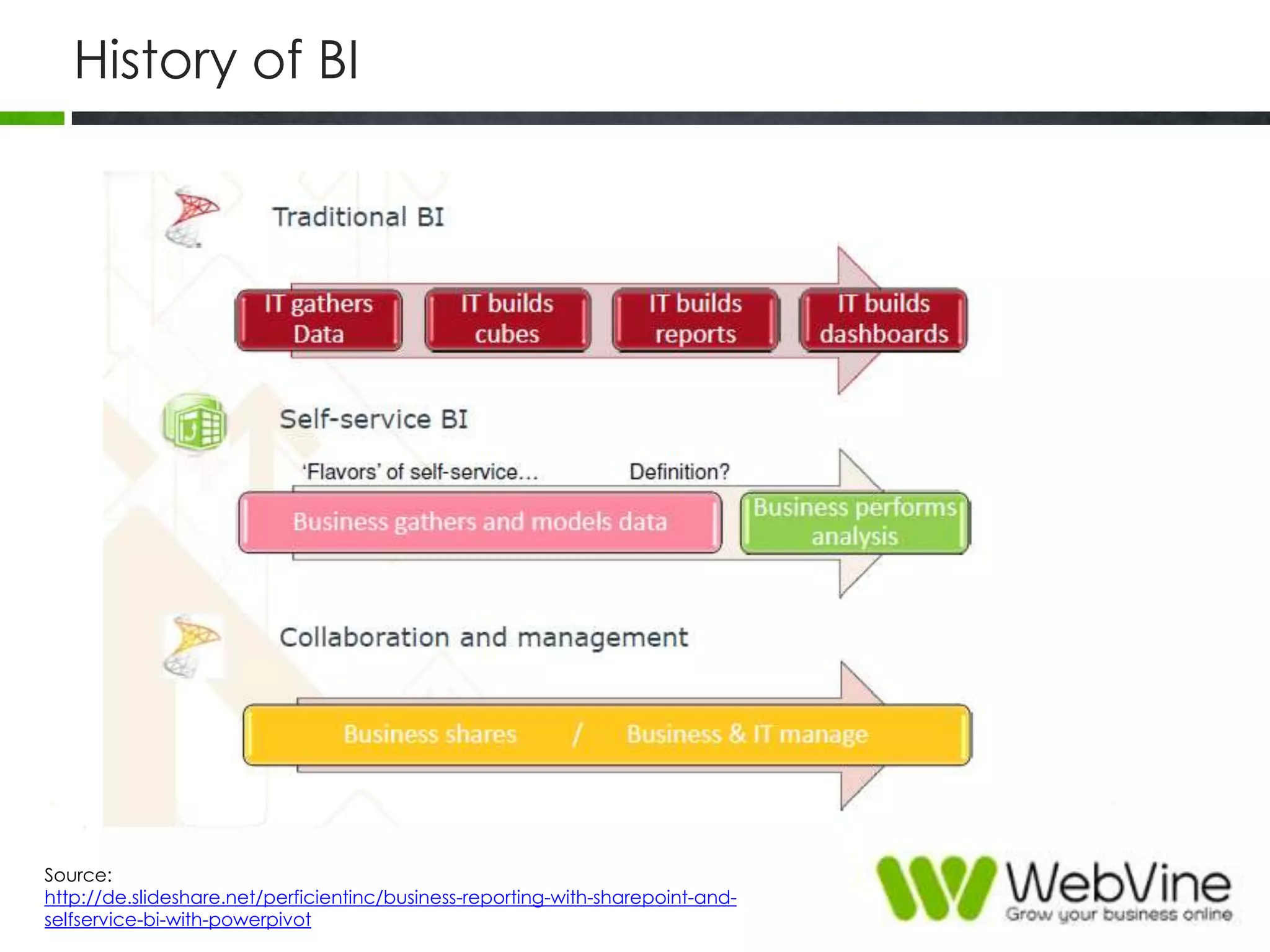
History of BI
Source:
http://de.slideshare.net/perficientinc/business-reporting-with-sharepoint-and-
selfservice-bi-with-powerpivot
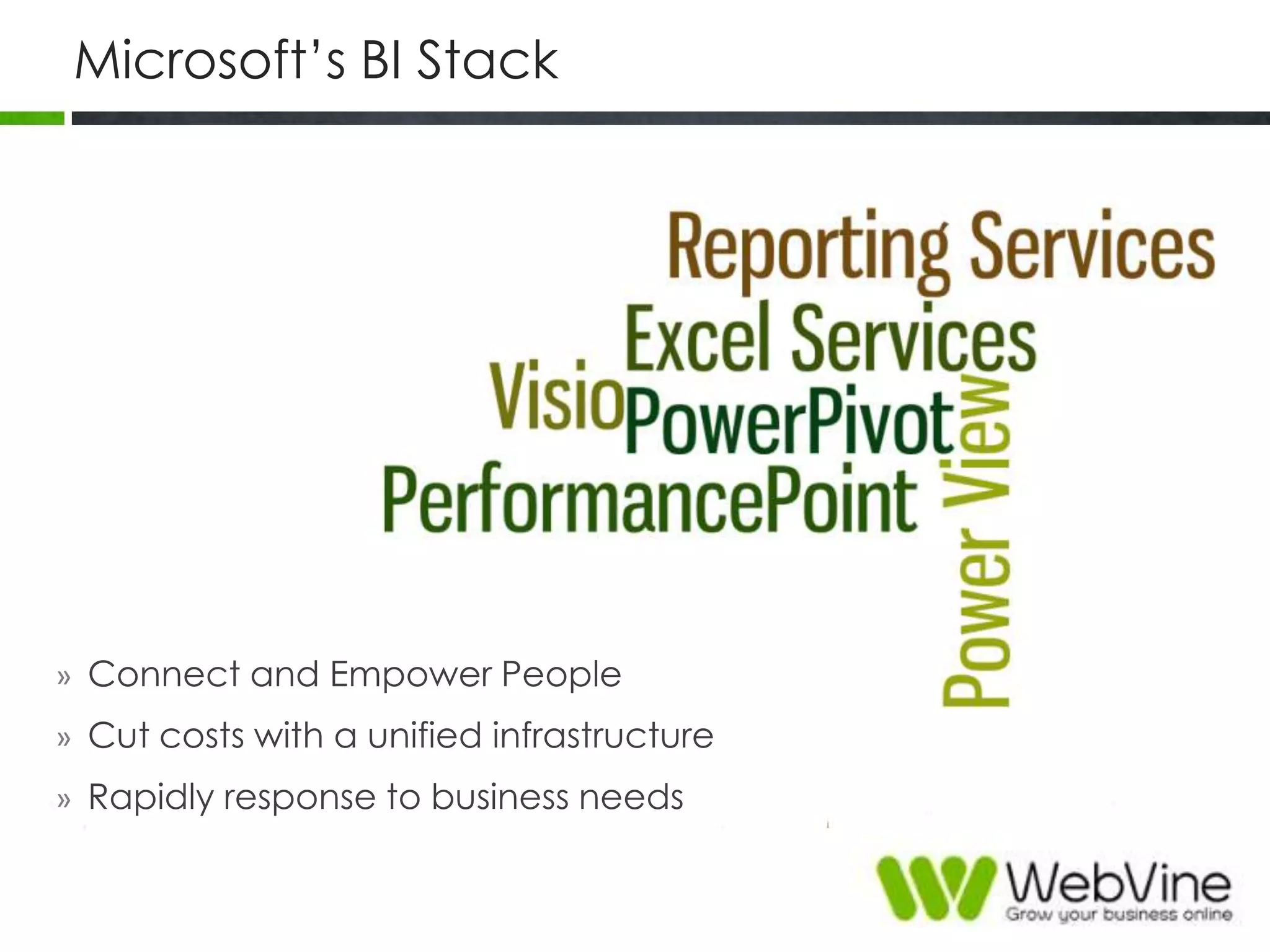
Microsoft‟s BI Stack
» Connect and Empower People
» Cut costs with a unified infrastructure
» Rapidly response to business needs
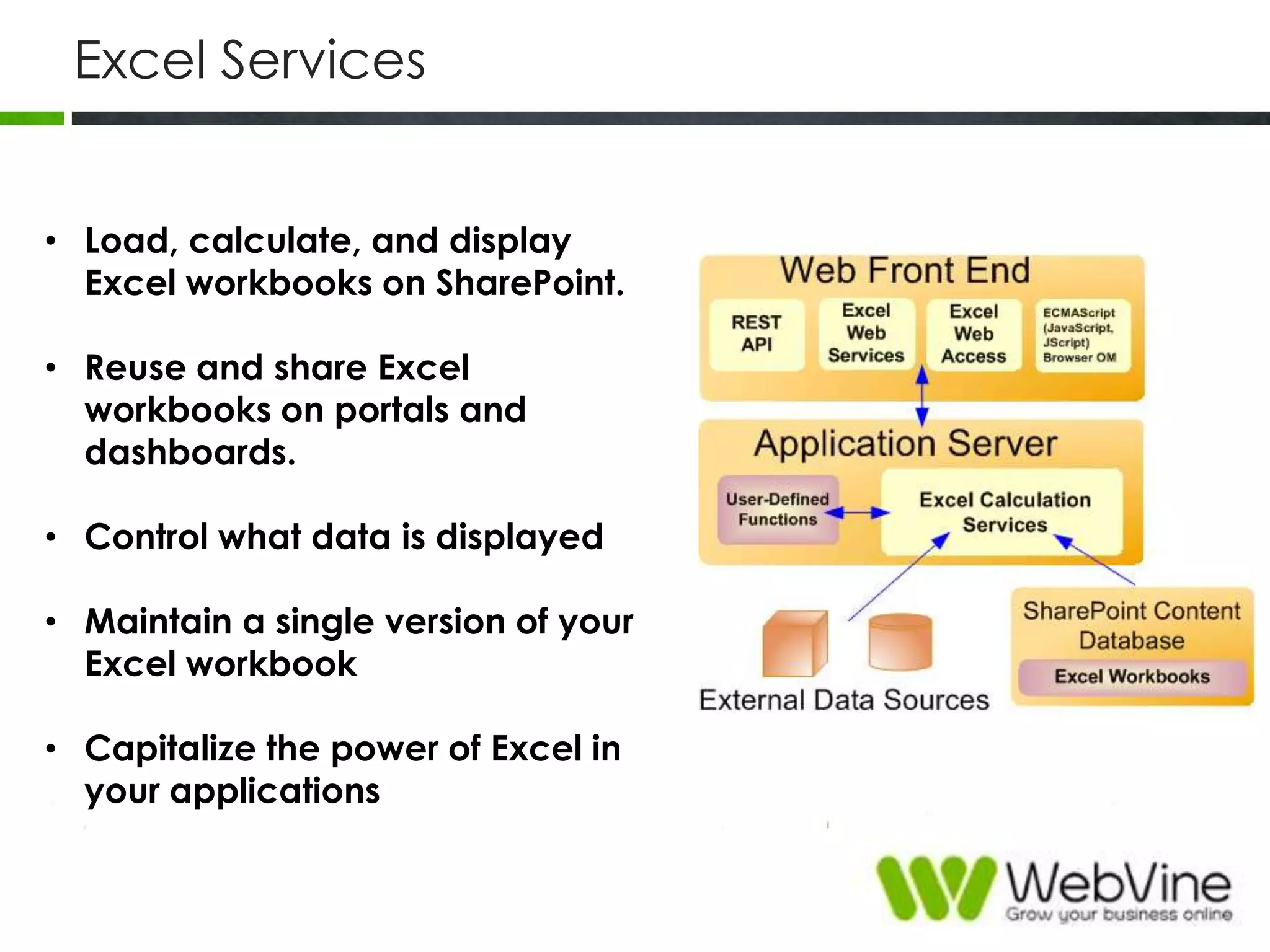
Excel Services
• Load, calculate, and display
Excel workbooks on SharePoint.
• Reuse and share Excel
workbooks on portals and
dashboards.
• Control what data is displayed
• Maintain a single version of your
Excel workbook
• Capitalize the power of Excel in
your applications
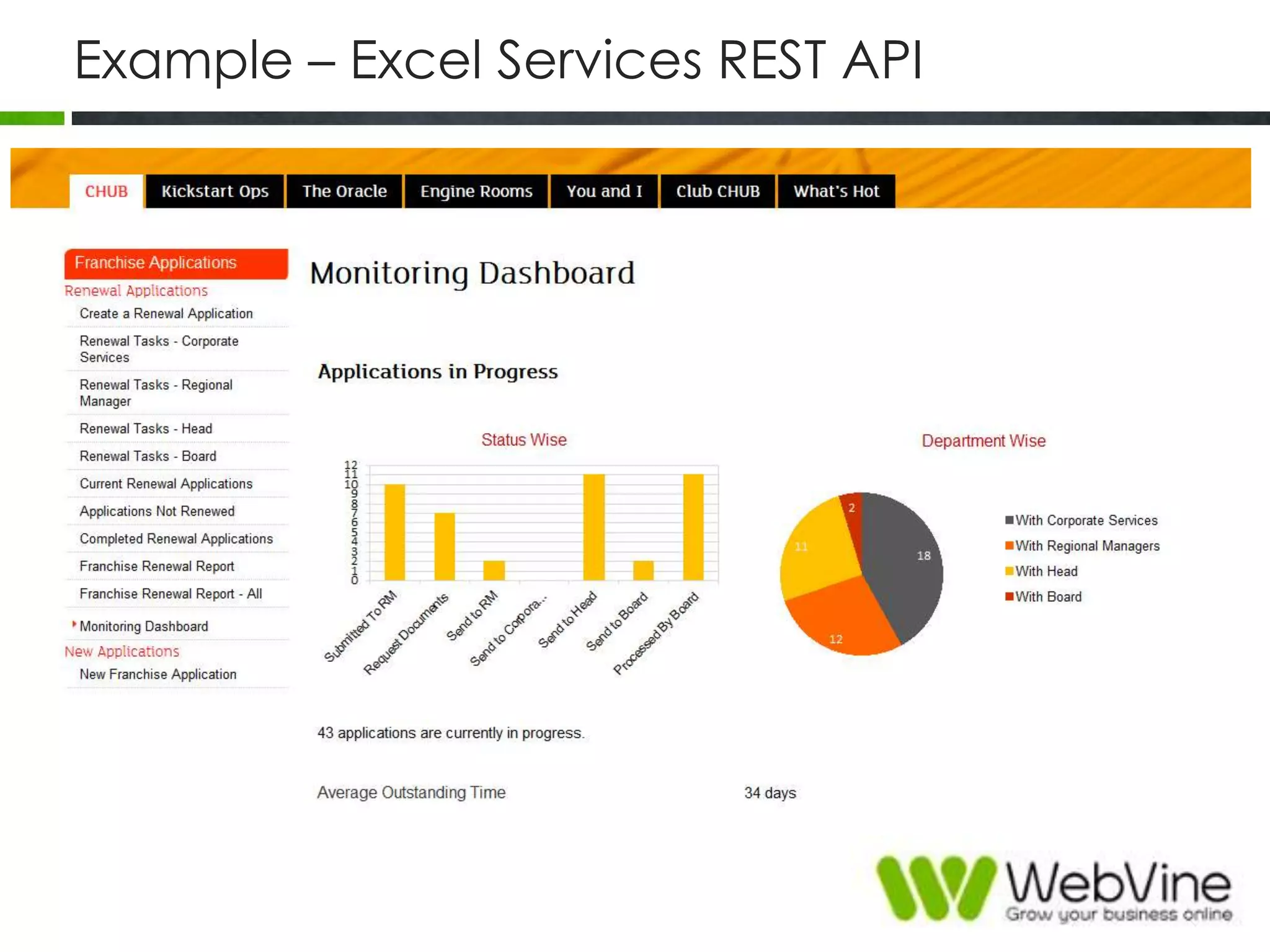
Example – Excel Services REST API
PowerPivot
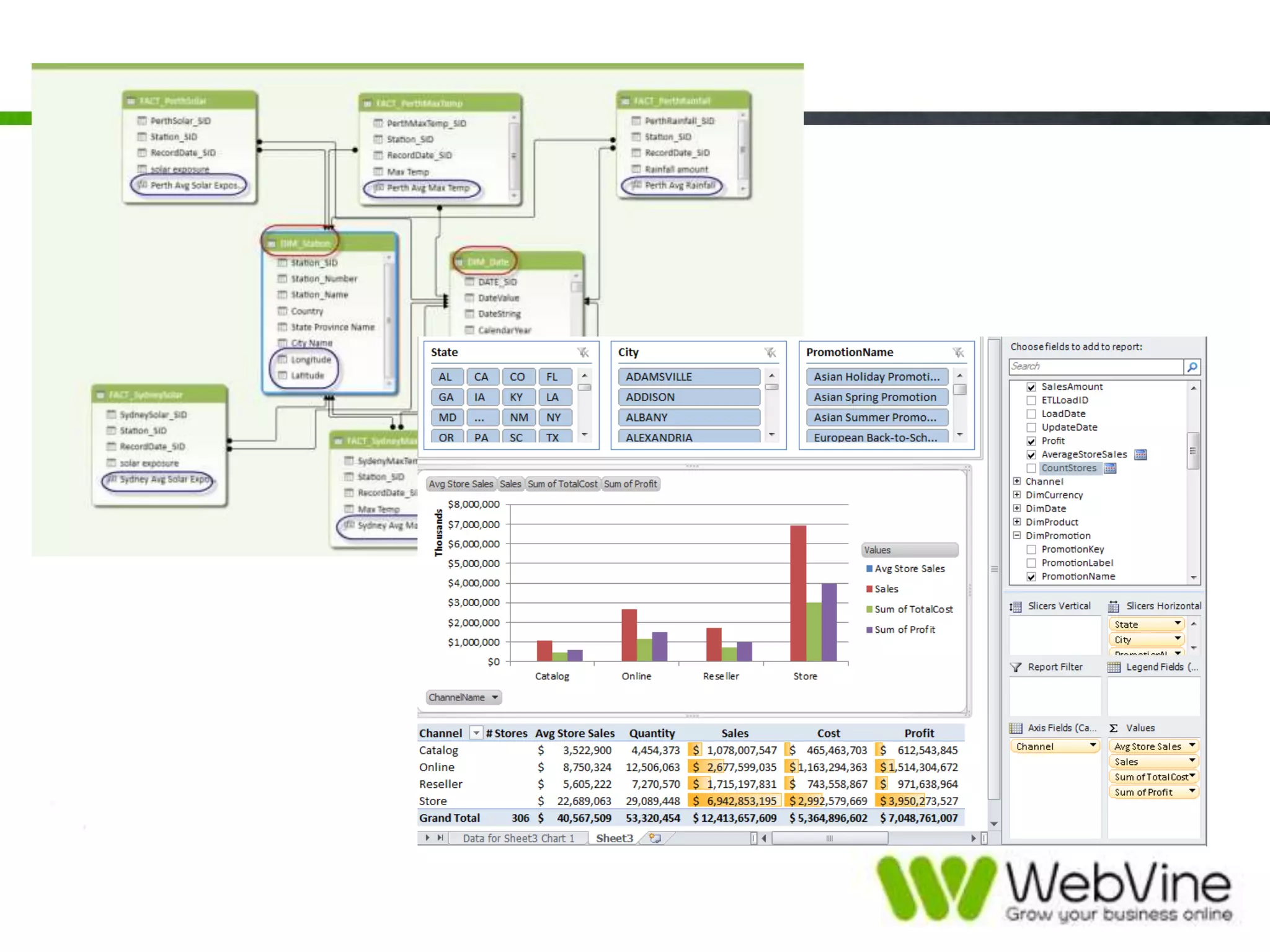
• Powerful data mashup and modeling
• In-memory technologies analytics
• Bring self-service and team BI to everyone
• Work with over a million rows of data in
seconds
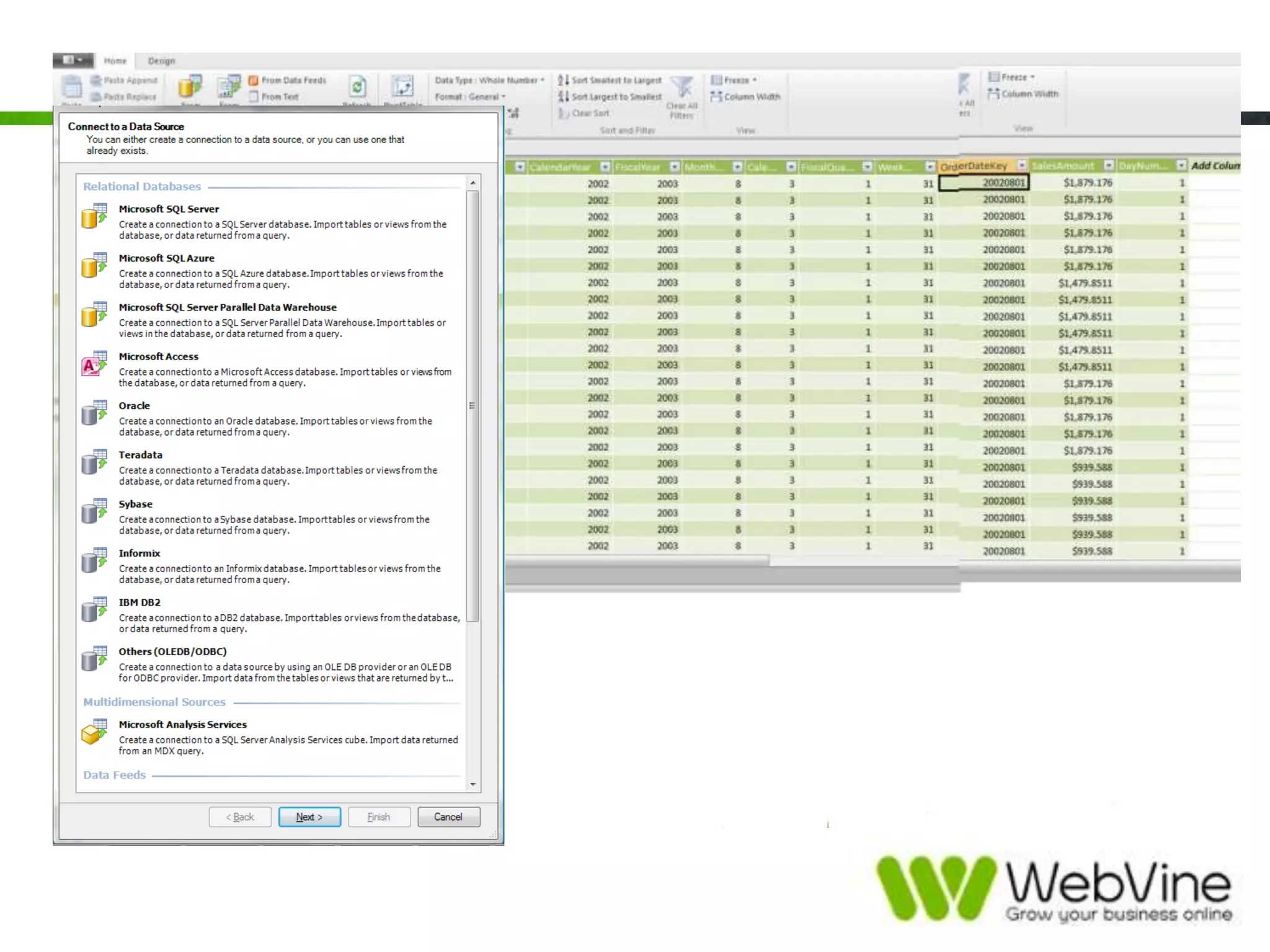
• Integrate reusable data from
heterogeneous data sources
• Connect everyone with rich integrated
features
• Comes in two flavours
PowerView
• Tool for visual data analysis
• Tool for creating highly interactive,
presentation-ready reports
• Intuitive data exploration
• Encourages ad-hoc reporting

• Comes in two versions
• Data visualization of PowerPivot models
and SQL Server Analysis Services
databases
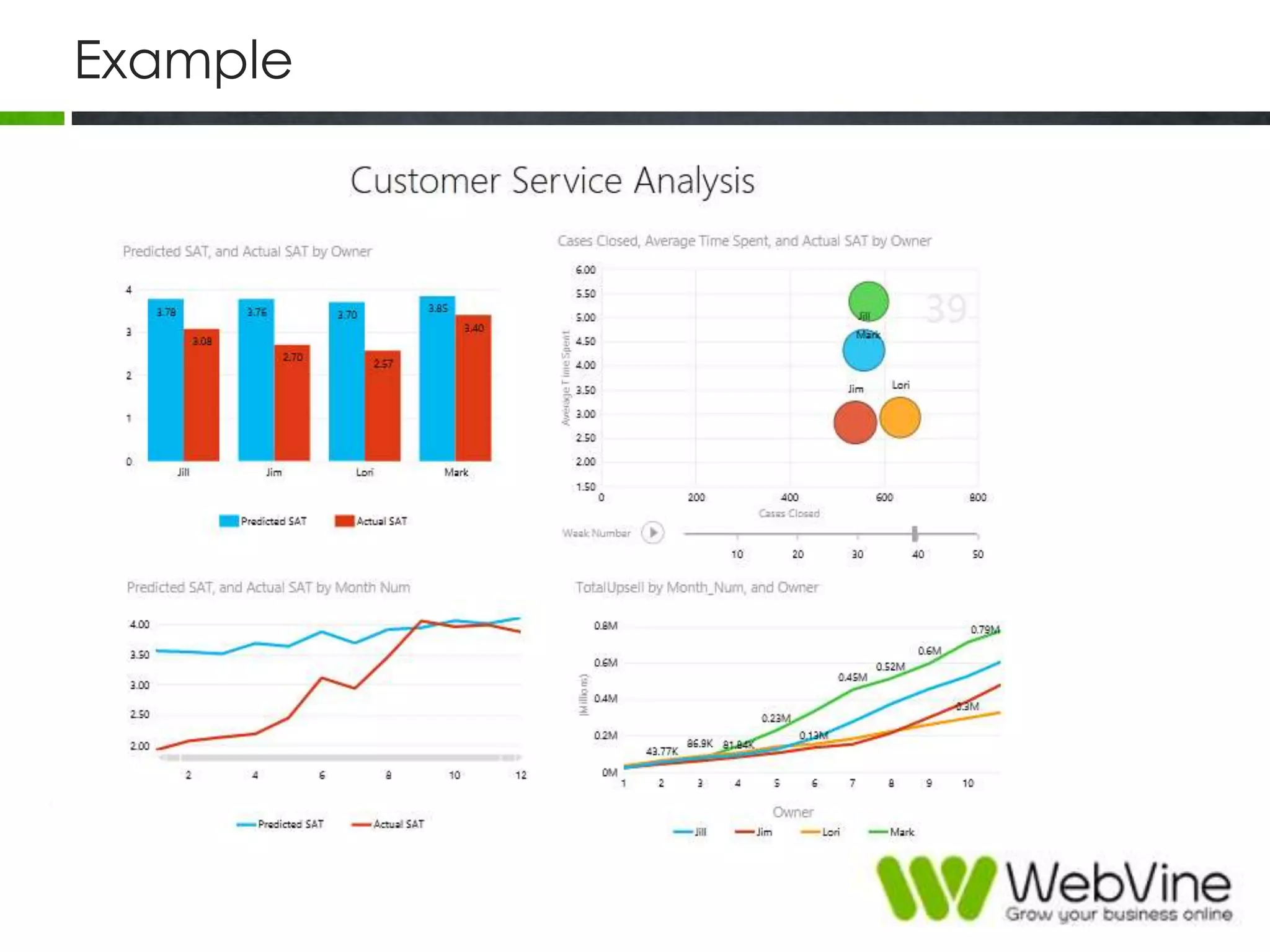
Example
PerformancePoint
• Tool to create interactive, context-driven dashboards
with balanced scorecards, key performance
indicators, analytic reports, and filters.
• Leverages SP2010‟s security
• 100% synchronized content integration between the
BI Center and Dashboard Designer
• Dashboard, dashboard components, and reports are
available for immediate use in web parts
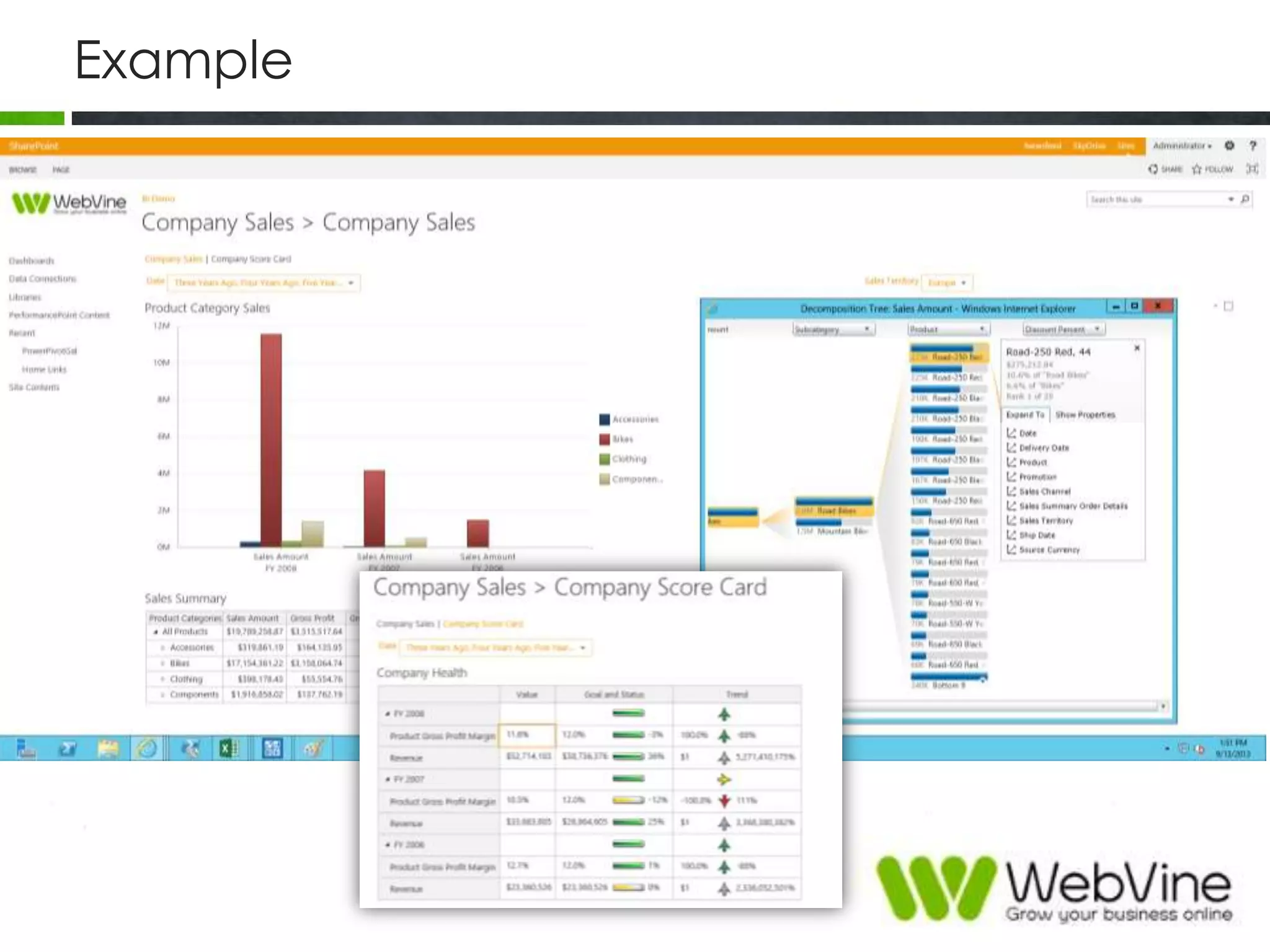
Example
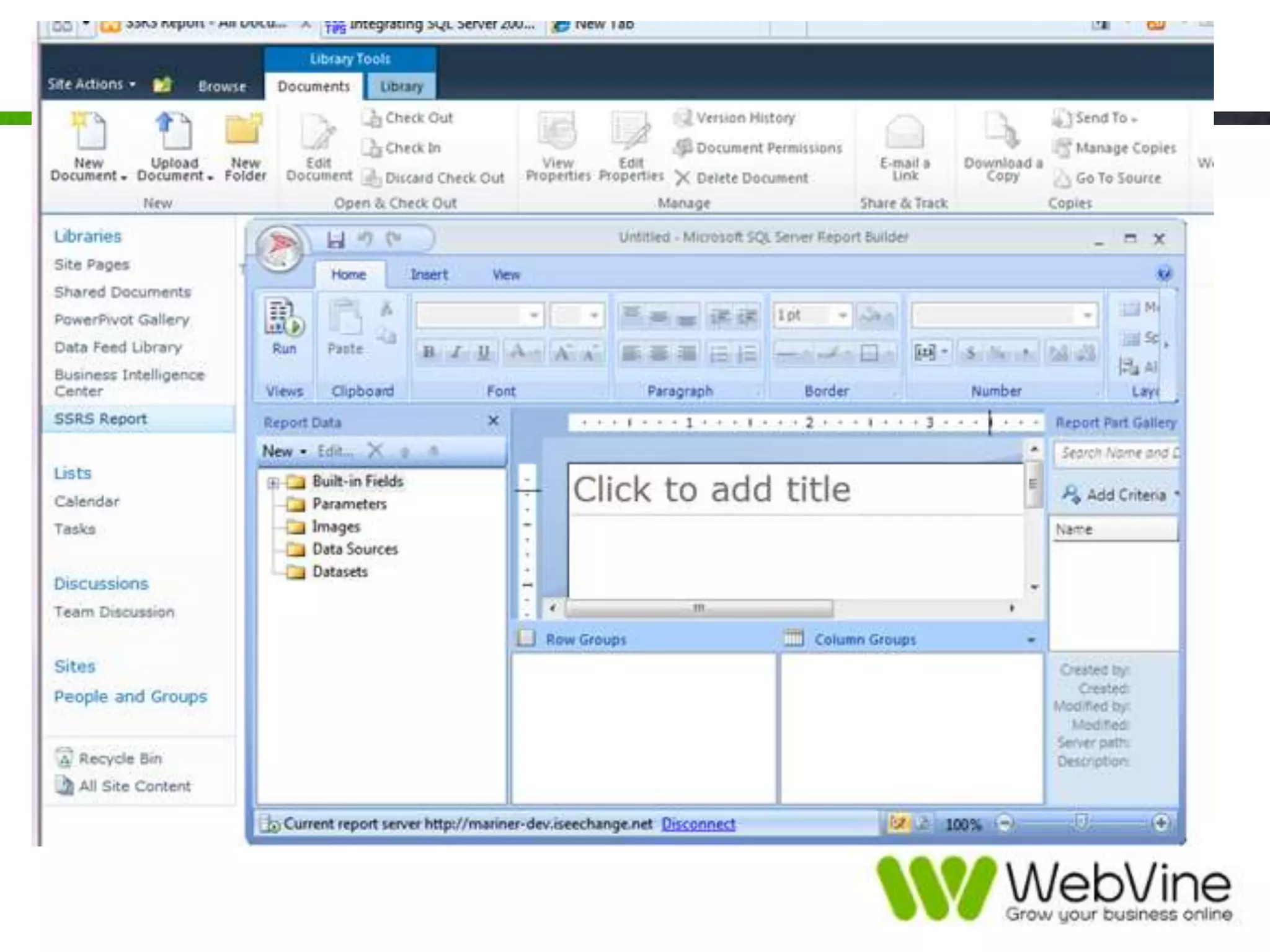
Reporting Services
• Tools and services to help you create, deploy, and manage reports
for your organization
• Programming features that enable you to extend and customize your
reporting functionality
• Create interactive, tabular, graphical, or free-form reports from
relational, multidimensional, or XML-based data sources.
• Reports can include rich data visualization, including charts, maps
• Publish reports, schedule report processing, or access reports on-
demand.
• Native mode or SharePoint mode
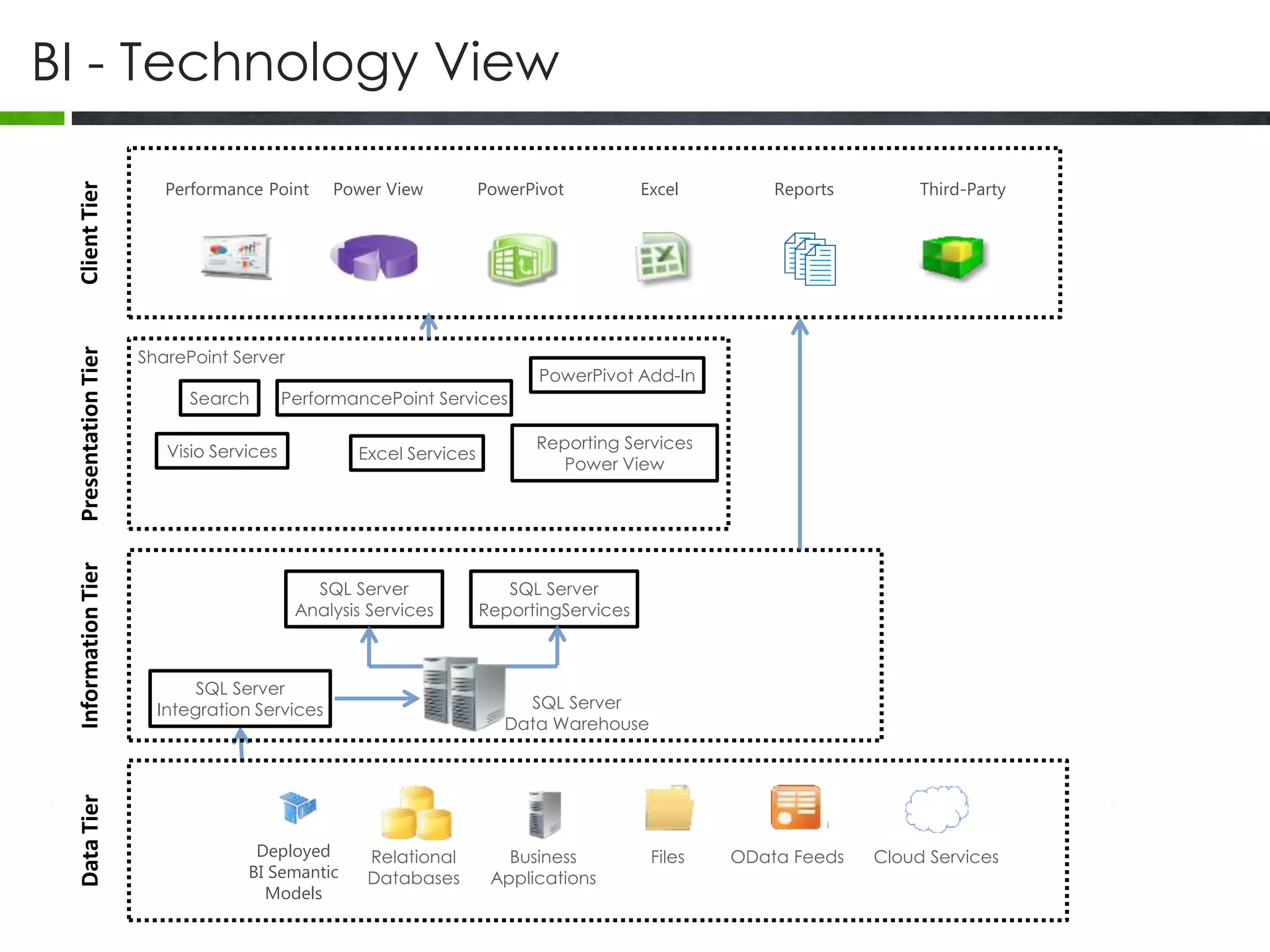
BI - Technology View
Relational
Databases
Business
Applications
Files OData Feeds Cloud ServicesDeployed
BI Semantic
Models
Third-PartyReportsExcelPowerPivotPower ViewPerformance Point
SQL Server
Data Warehouse
SQL Server
Integration Services
SQL Server
Analysis Services
SQL Server
ReportingServices
SharePoint Server
Excel Services
Search
Visio Services
PerformancePoint Services
PowerPivot Add-In
Reporting Services
Power View
DataTierInformationTierPresentationTierClientTier
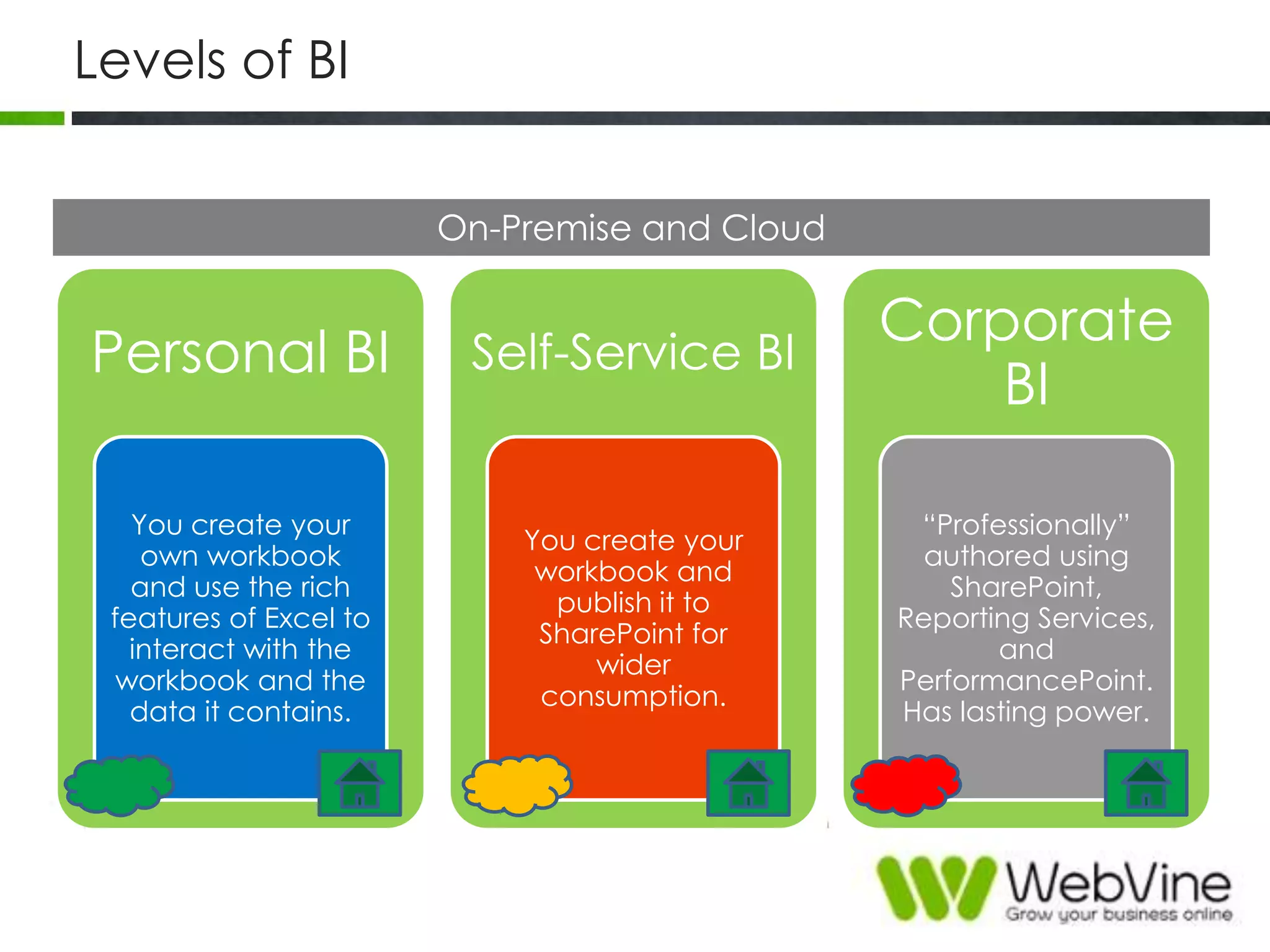
Levels of BI
On-Premise and Cloud
Personal BI
You create your
own workbook
and use the rich
features of Excel to
interact with the
workbook and the
data it contains.
Self-Service BI
You create your
workbook and
publish it to
SharePoint for
wider
consumption.
Corporate
BI
“Professionally”
authored using
SharePoint,
Reporting Services,
and
PerformancePoint.
Has lasting power.
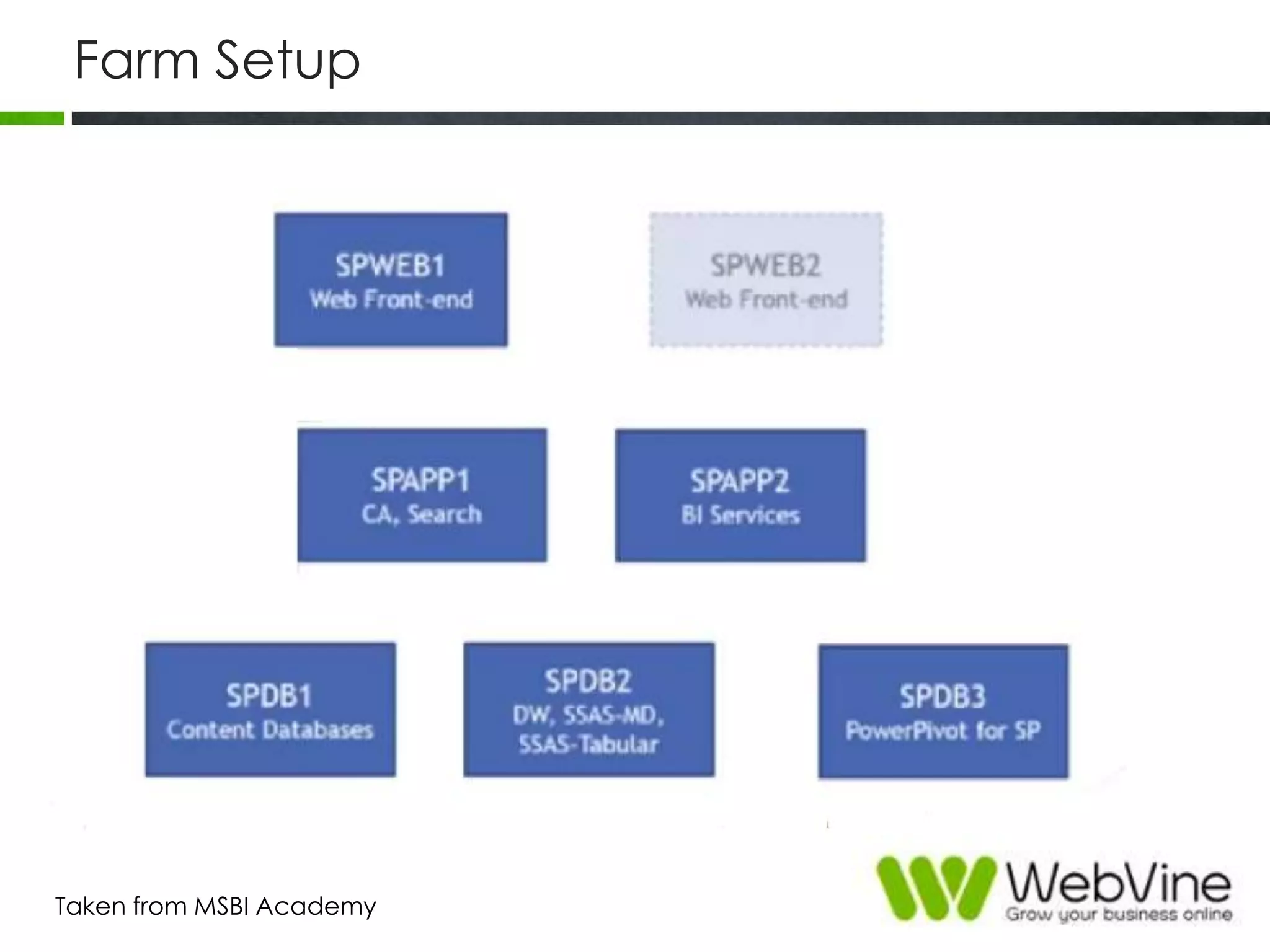
Farm Setup
Taken from MSBI Academy
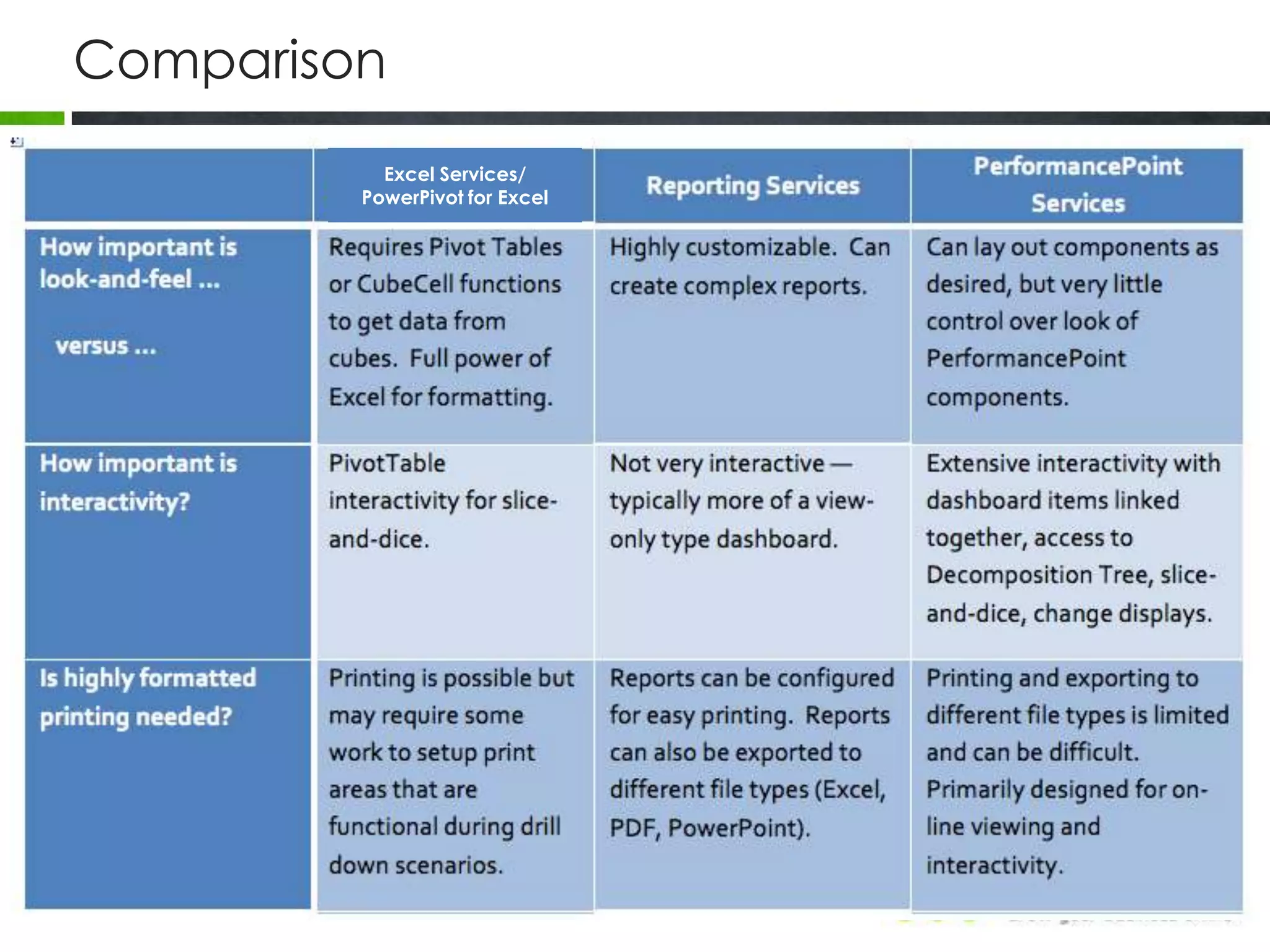
Comparison
Comparison
Excel Services/
PowerPivot for Excel
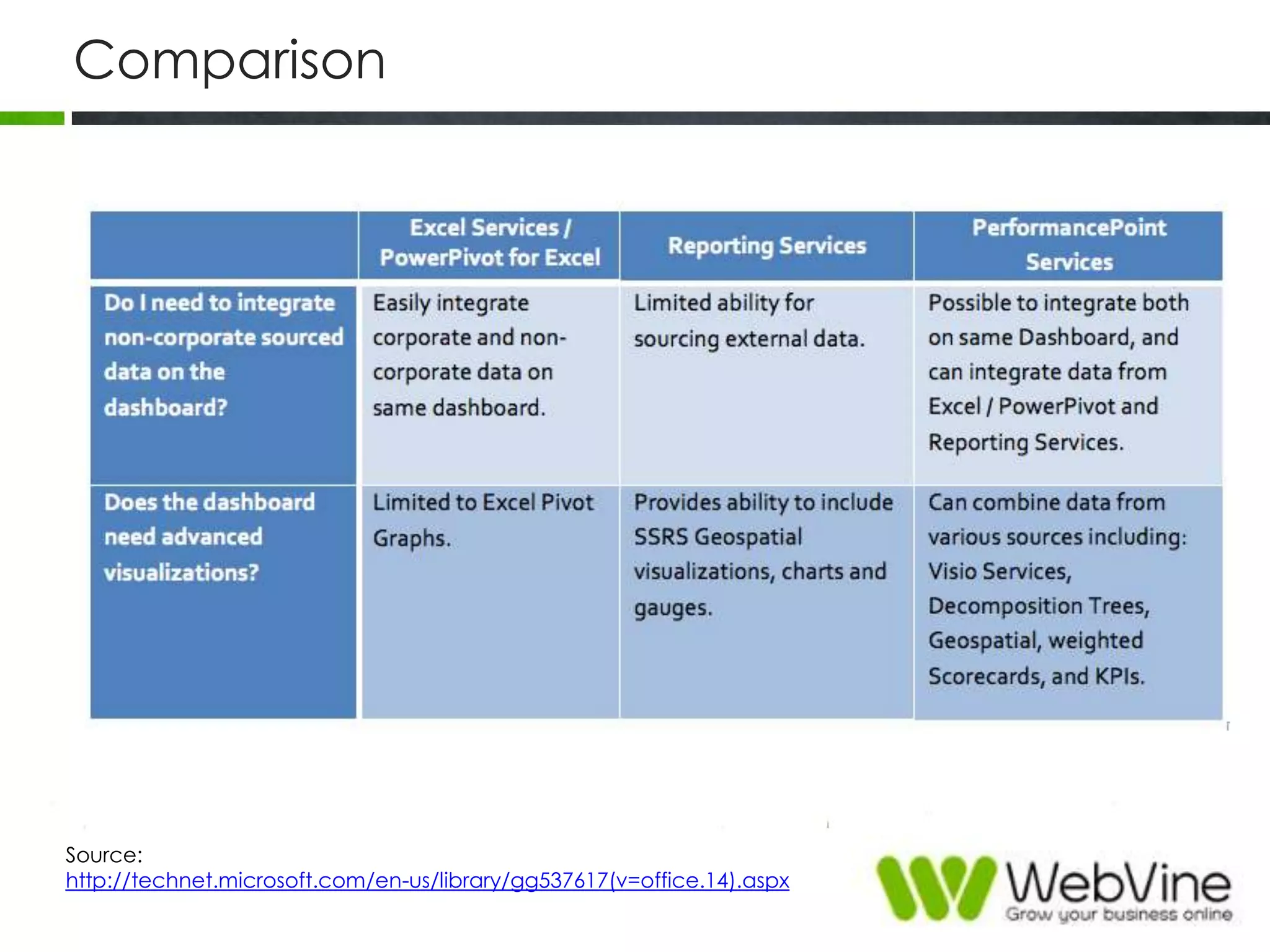
Comparison
Source:
http://technet.microsoft.com/en-us/library/gg537617(v=office.14).aspx
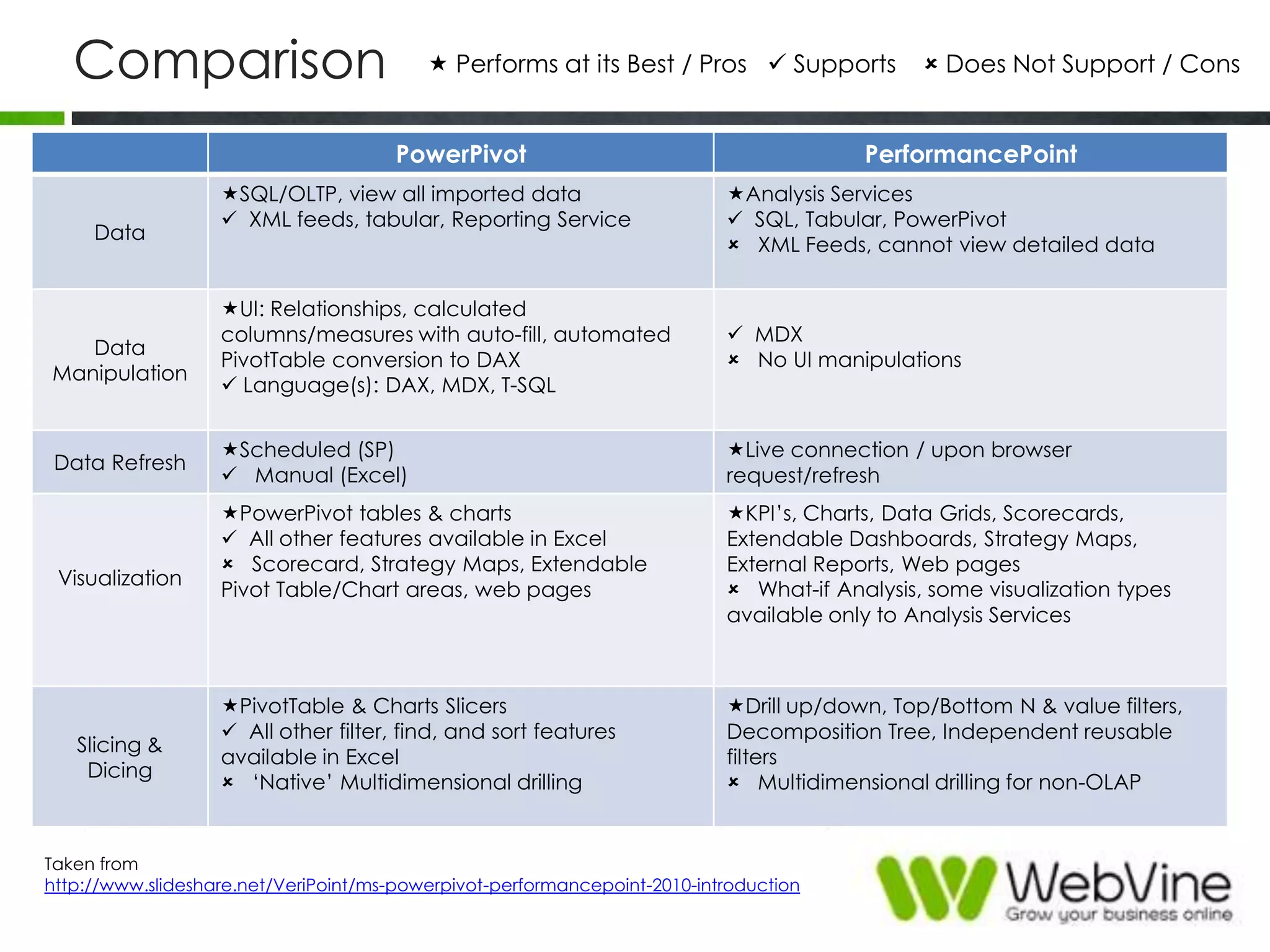
Comparison
PowerPivot PerformancePoint
Data
SQL/OLTP, view all imported data
 XML feeds, tabular, Reporting Service
Analysis Services
 SQL, Tabular, PowerPivot
 XML Feeds, cannot view detailed data
Data
Manipulation
UI: Relationships, calculated
columns/measures with auto-fill, automated
PivotTable conversion to DAX
 Language(s): DAX, MDX, T-SQL
 MDX
 No UI manipulations
Data Refresh
Scheduled (SP)
 Manual (Excel)
Live connection / upon browser
request/refresh
Visualization
PowerPivot tables & charts
 All other features available in Excel
 Scorecard, Strategy Maps, Extendable
Pivot Table/Chart areas, web pages
KPI‟s, Charts, Data Grids, Scorecards,
Extendable Dashboards, Strategy Maps,
External Reports, Web pages
 What-if Analysis, some visualization types
available only to Analysis Services
Slicing &
Dicing
PivotTable & Charts Slicers
 All other filter, find, and sort features
available in Excel
 „Native‟ Multidimensional drilling
Drill up/down, Top/Bottom N & value filters,
Decomposition Tree, Independent reusable
filters
 Multidimensional drilling for non-OLAP
 Performs at its Best / Pros  Supports  Does Not Support / Cons
Taken from
http://www.slideshare.net/VeriPoint/ms-powerpivot-performancepoint-2010-introduction
WALKTHROUGH
PerformancePoint
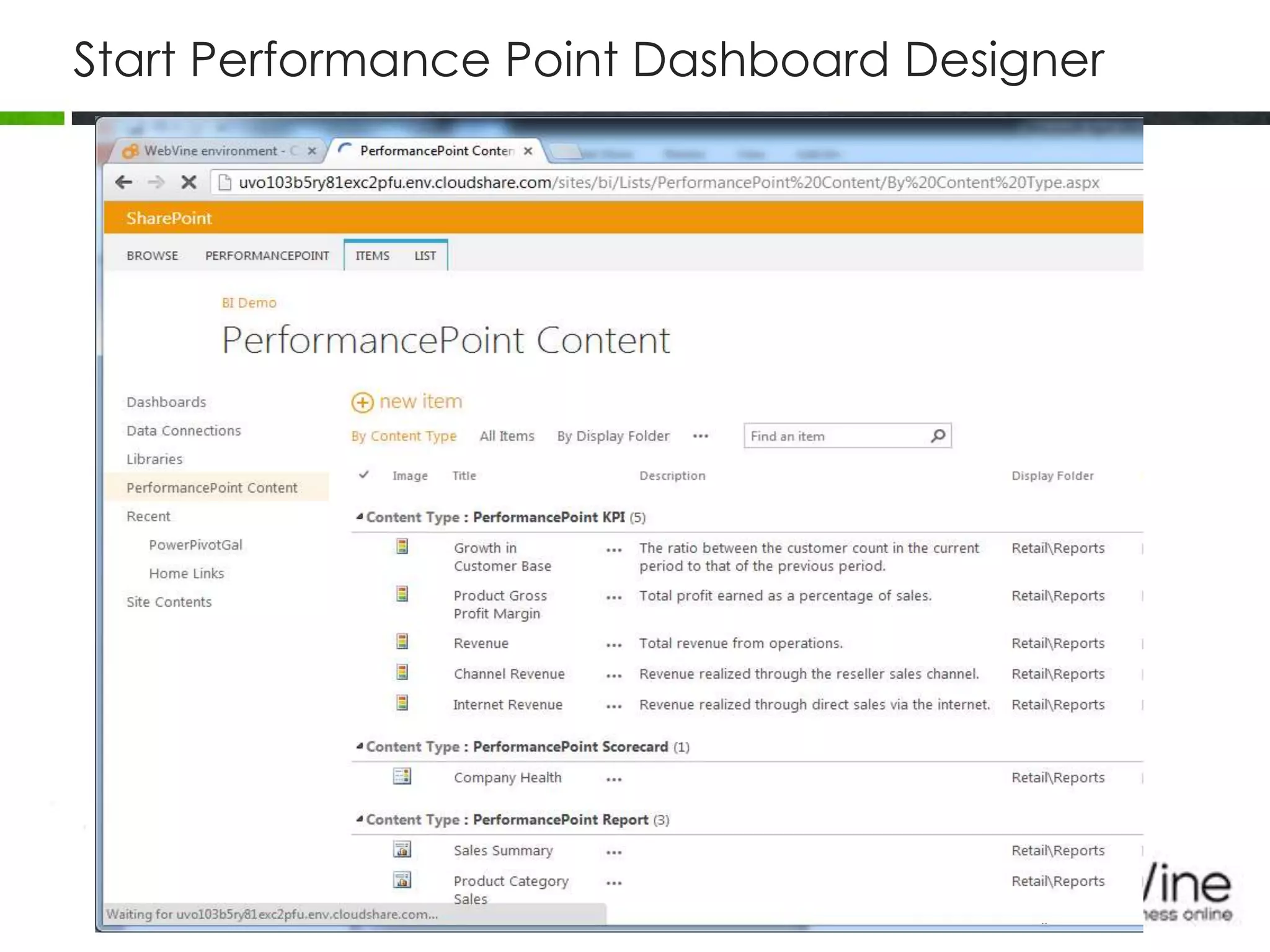
Start Performance Point Dashboard Designer
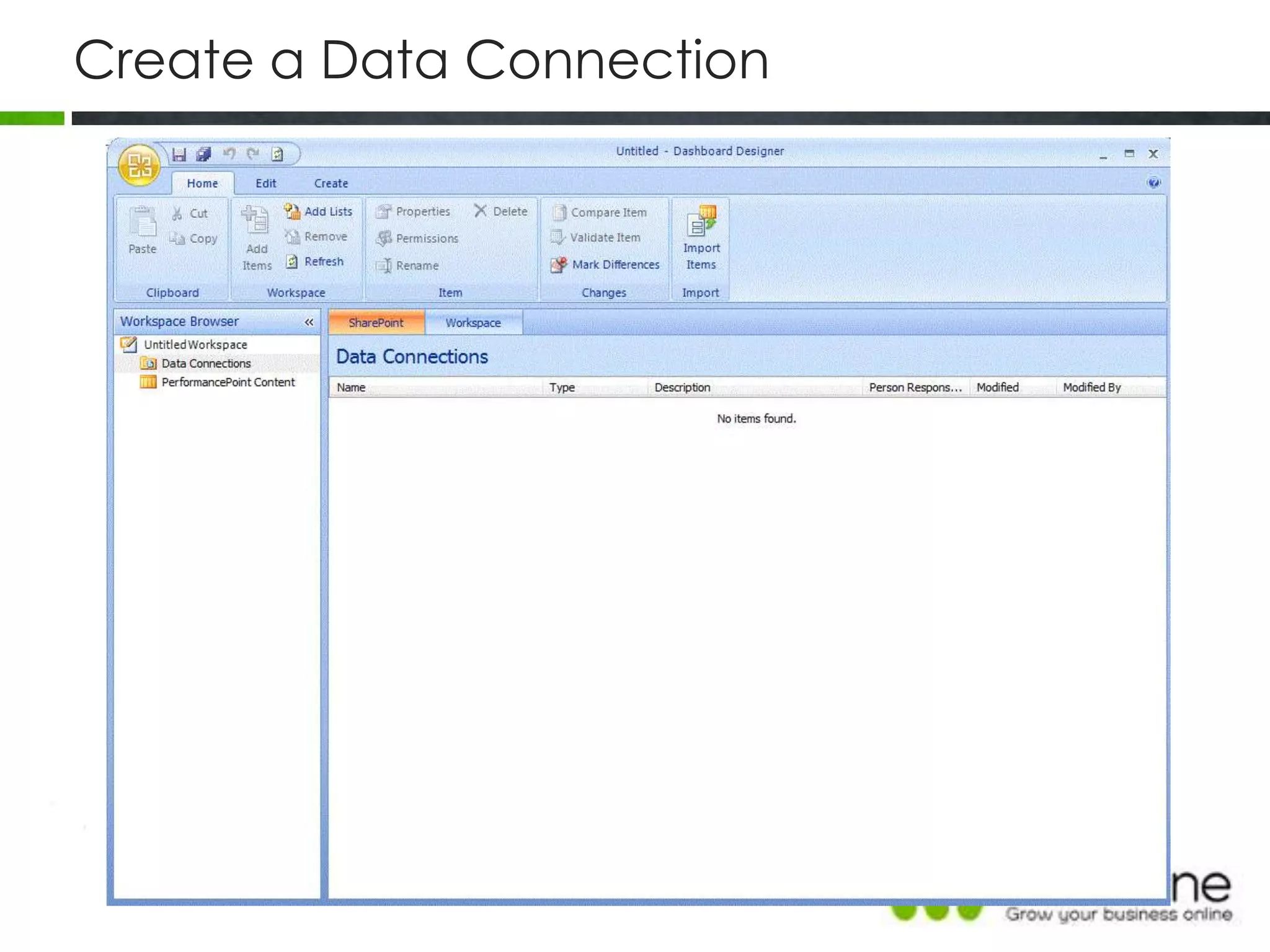
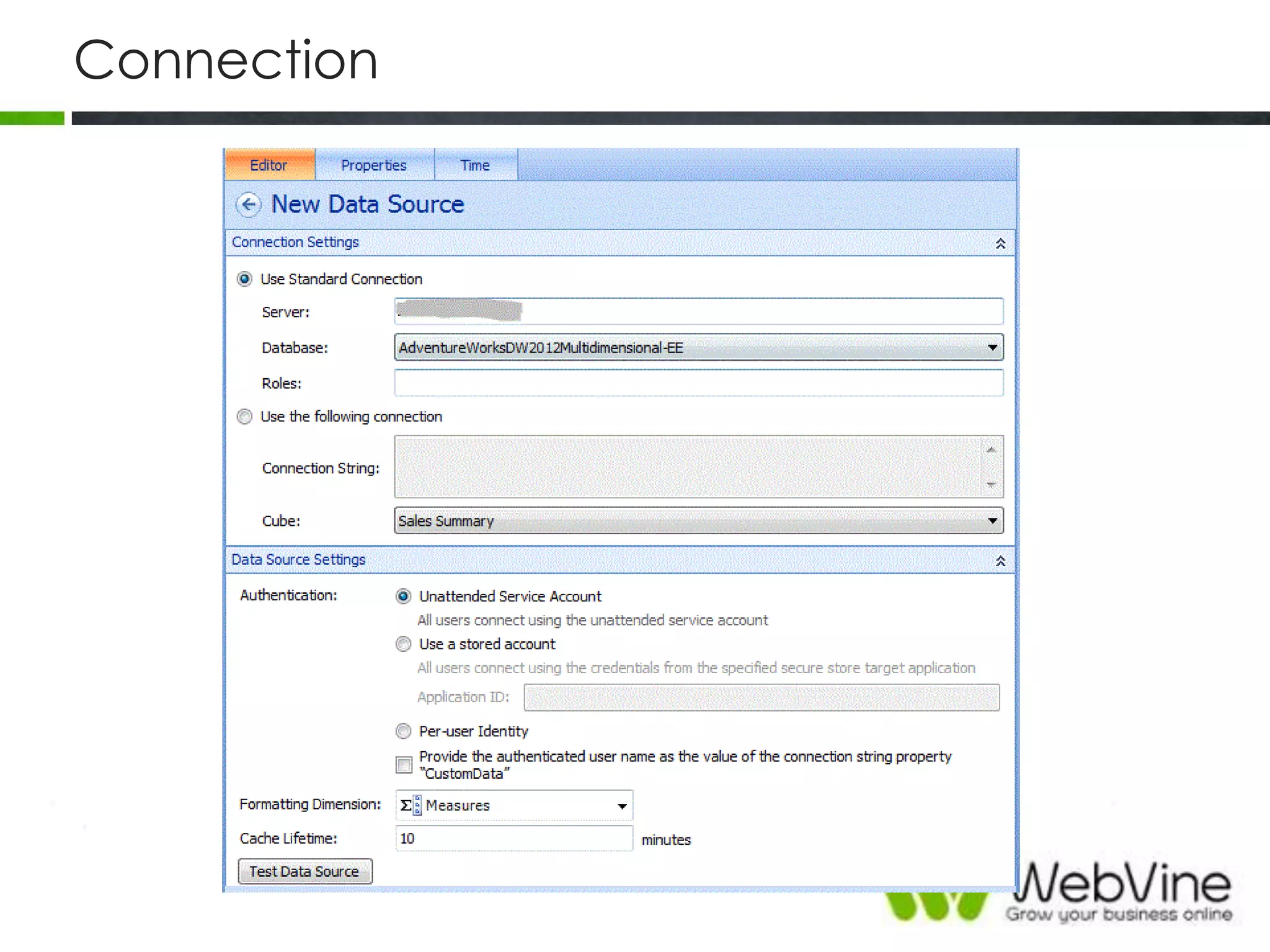
Create a Data Connection
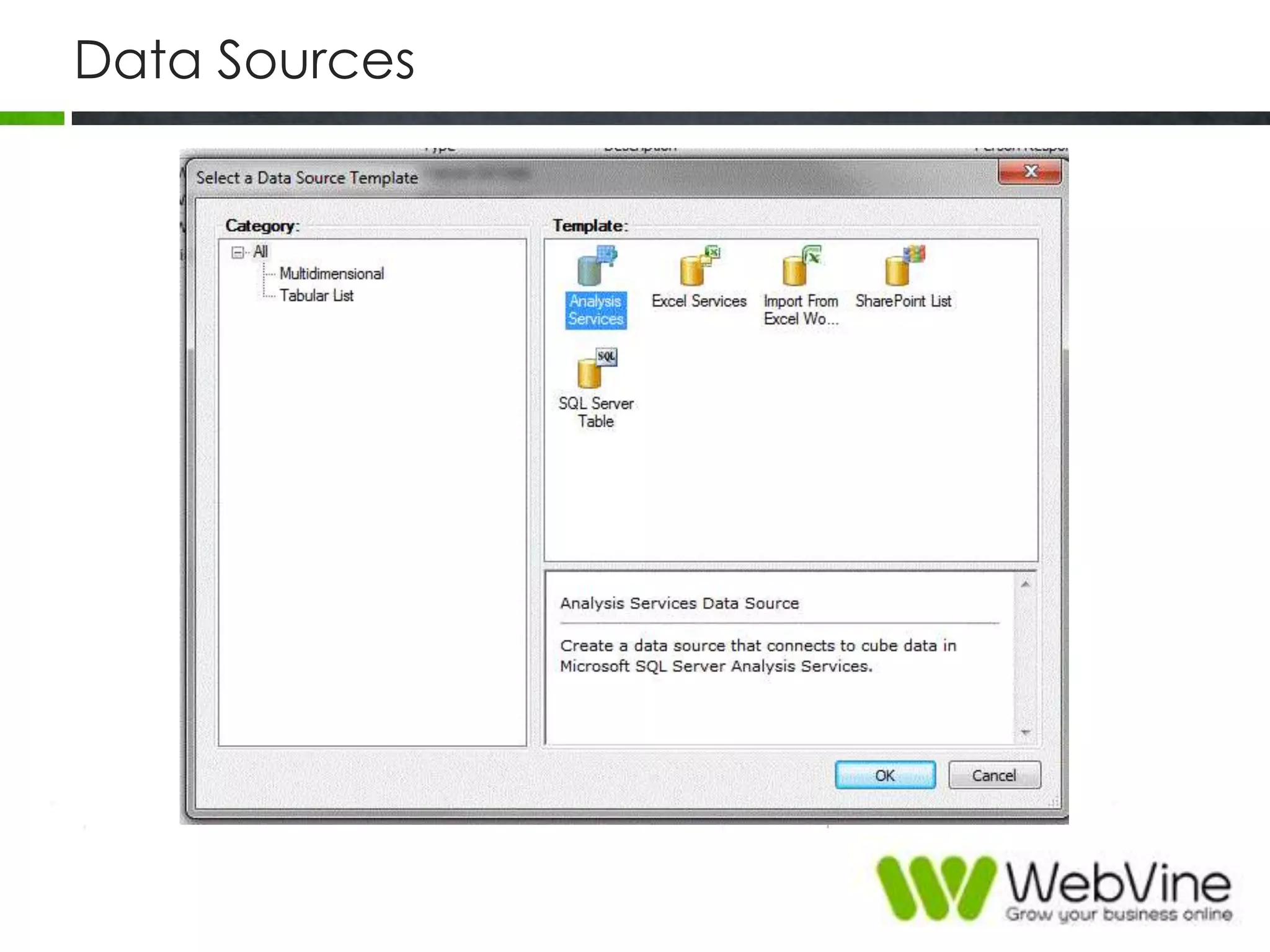
Data Sources
Connection
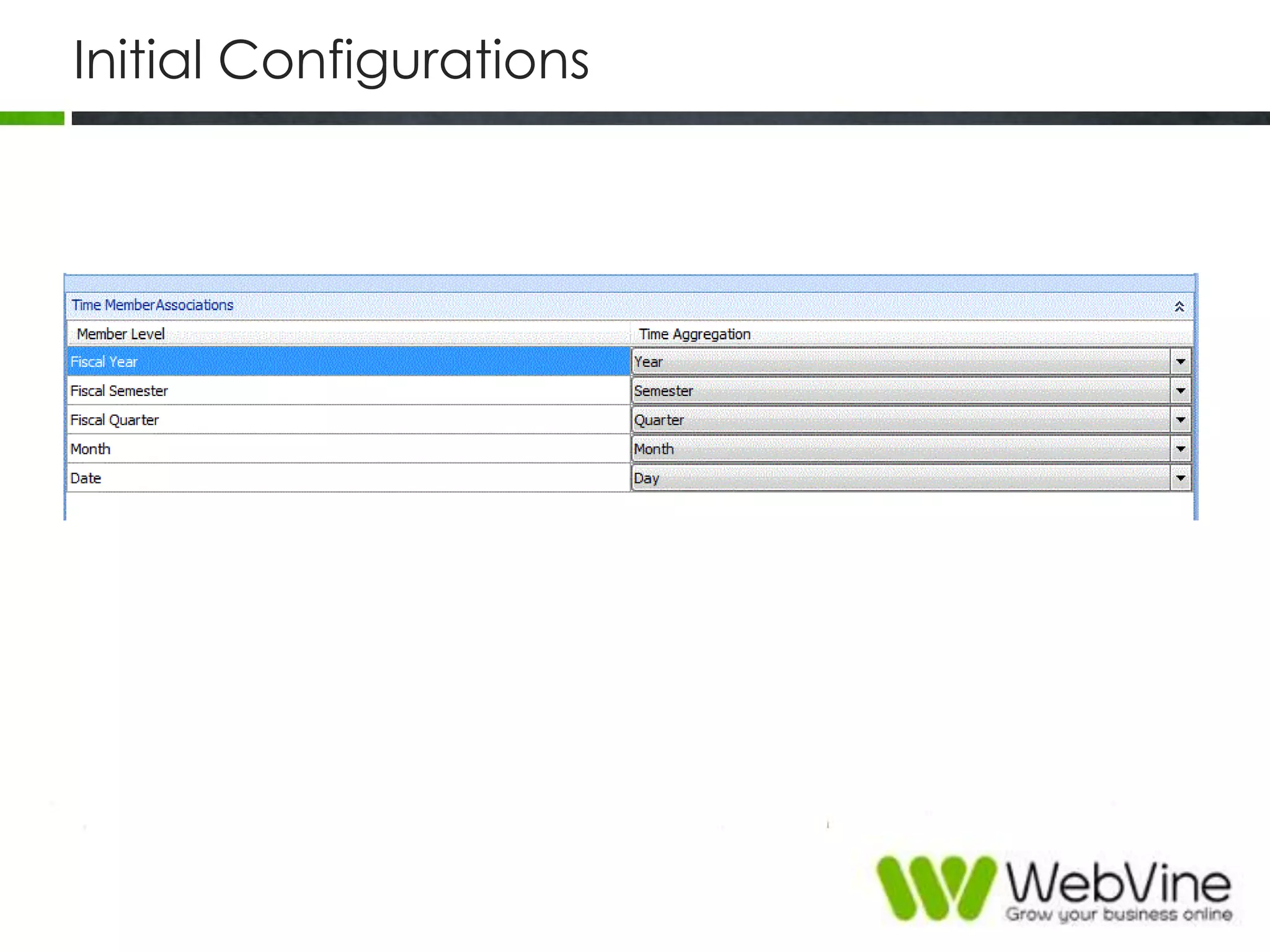
Initial Configurations
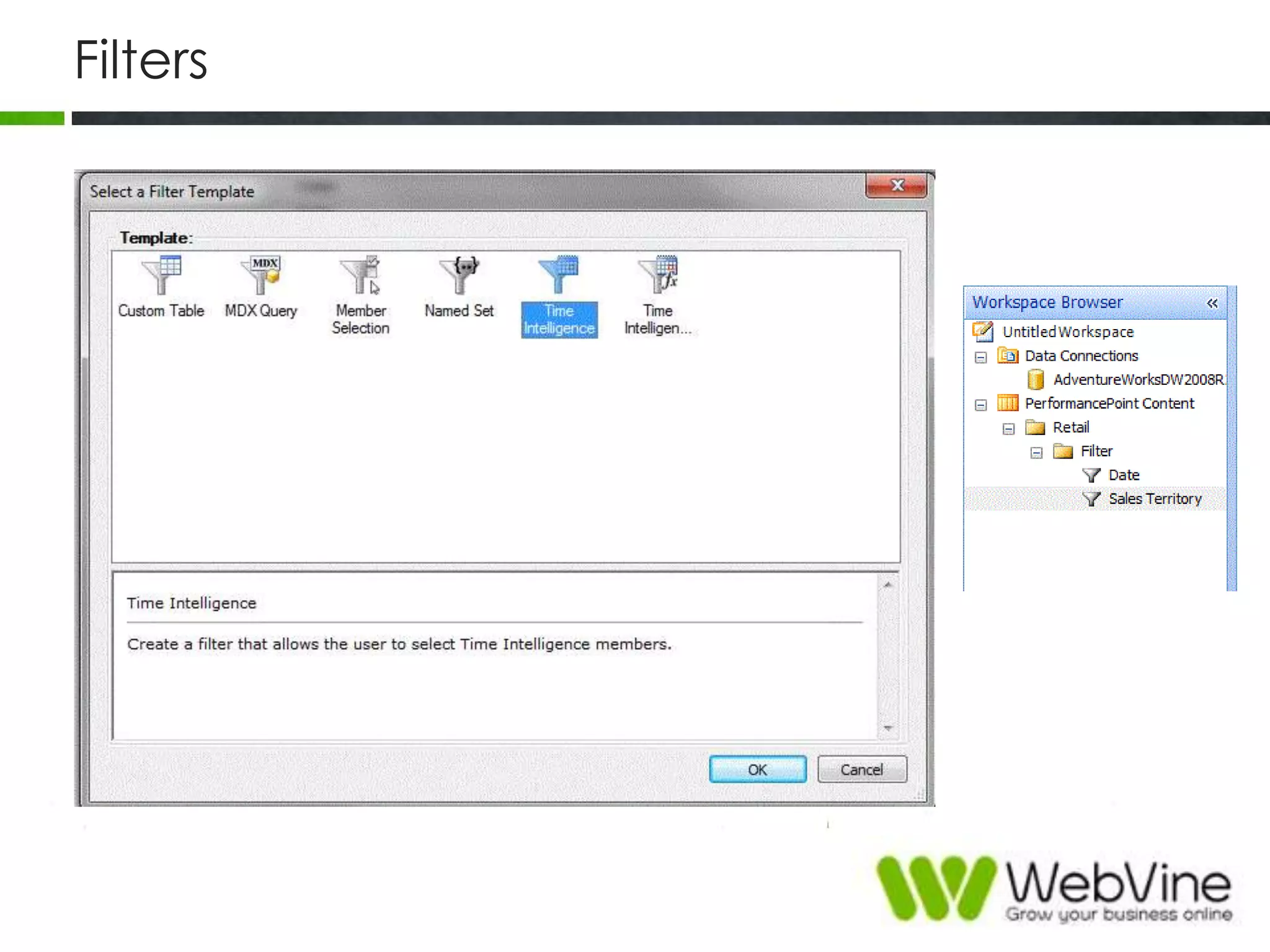
Filters
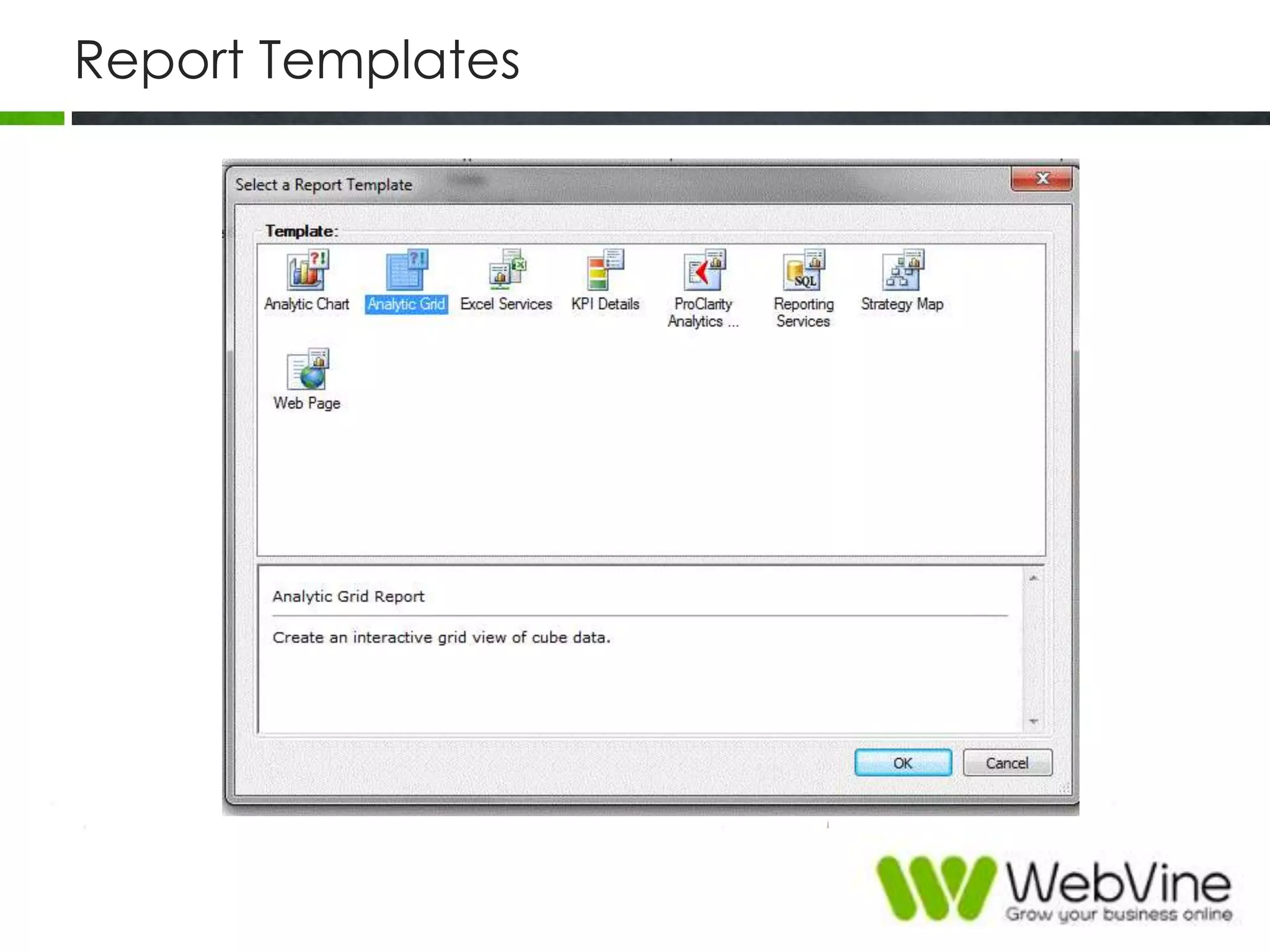
Report Templates
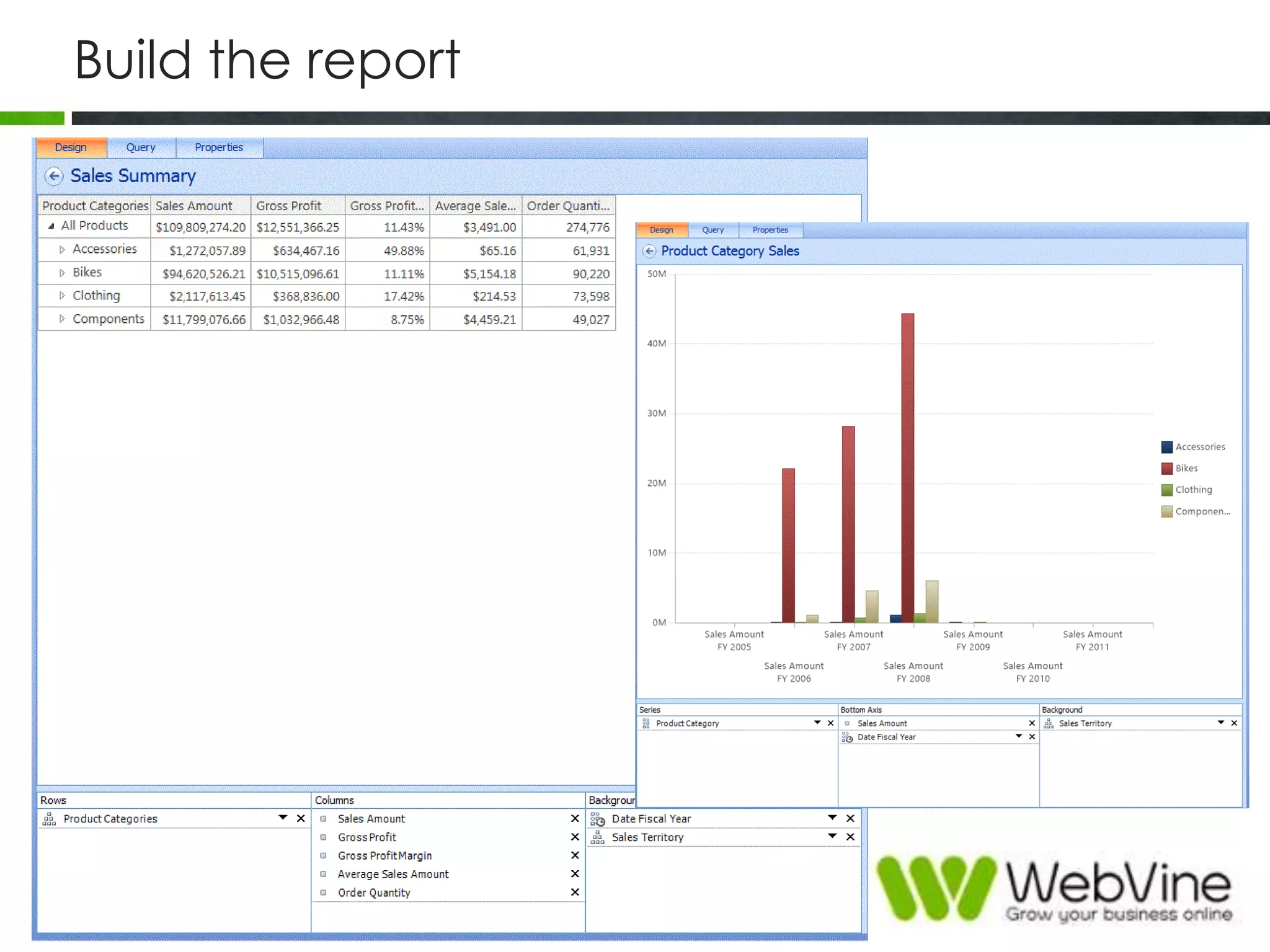
Build the report
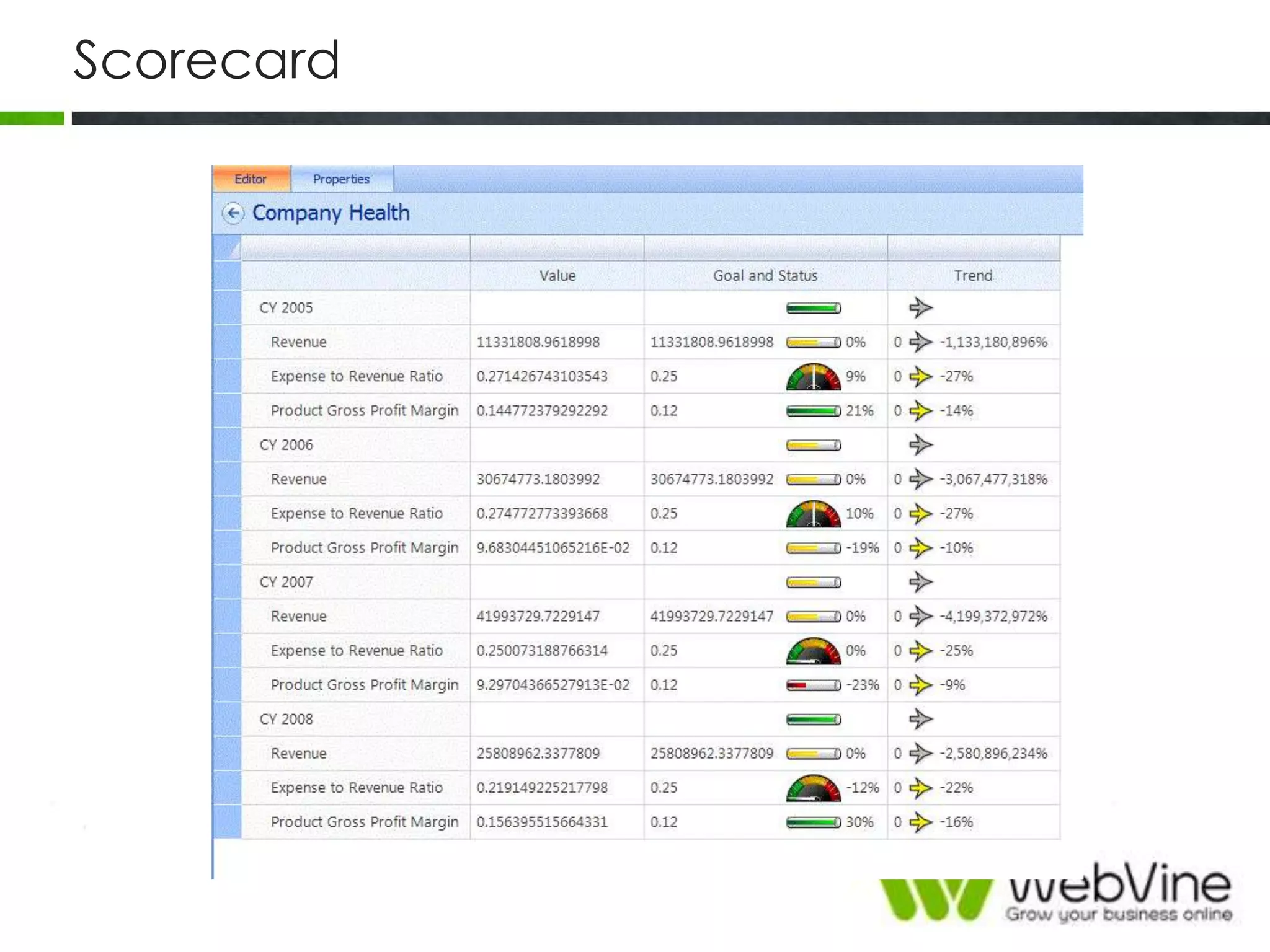
Scorecard
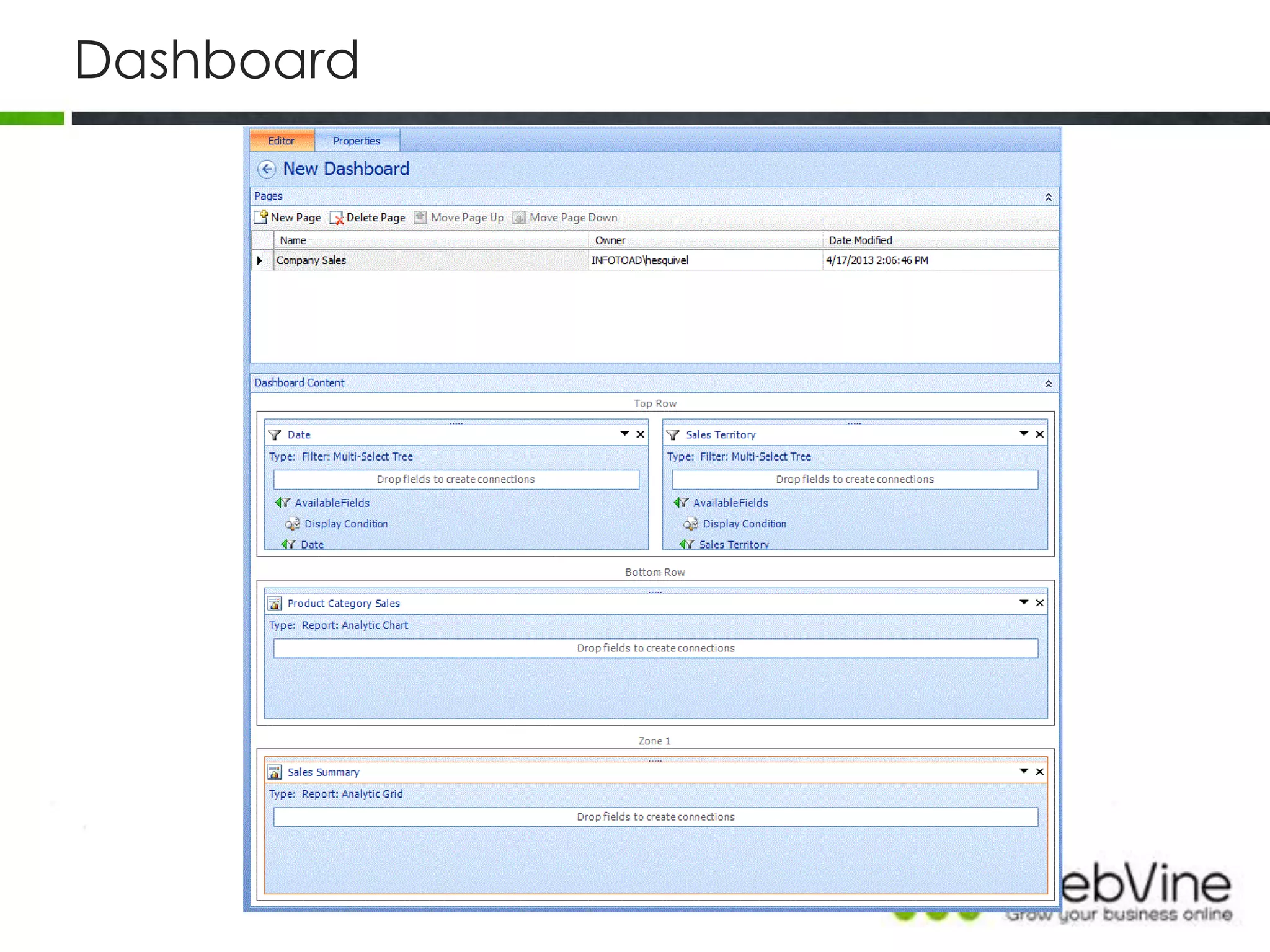
Dashboard
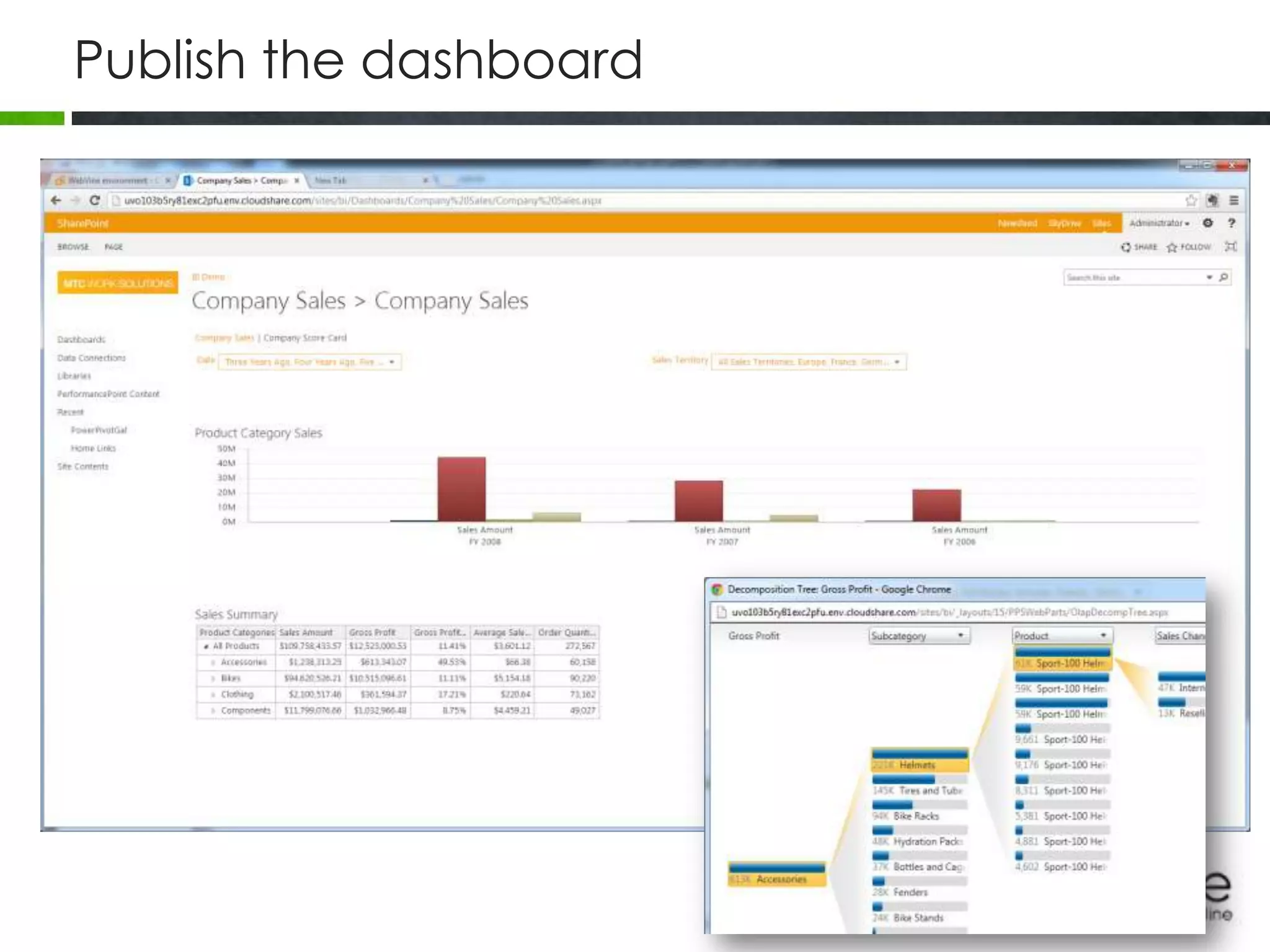
Publish the dashboard
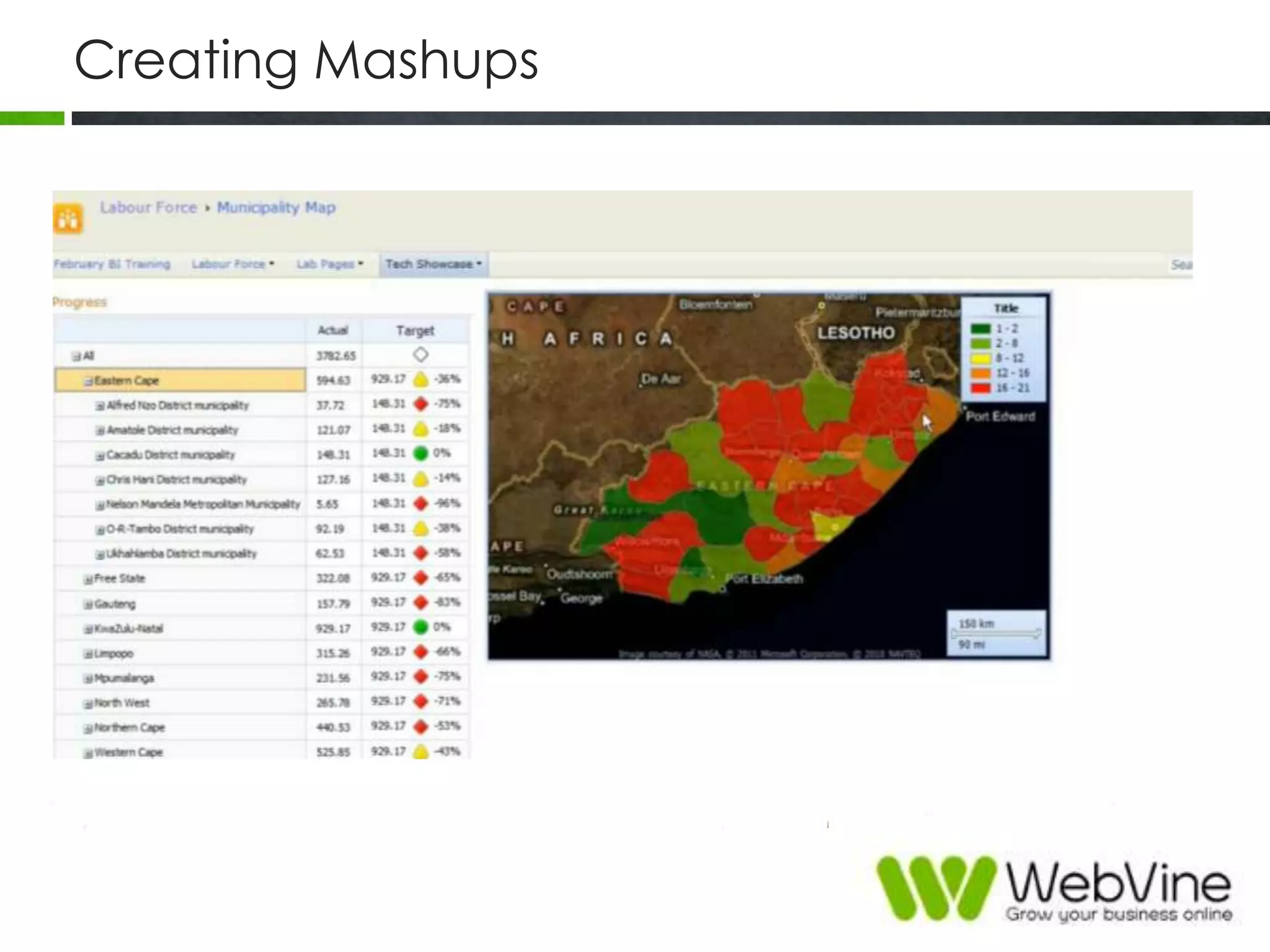
Creating Mashups
Demo
BI
Summary
• Balance between Data Management vs Analytics
• Reporting Services/Excel for operational managers
• Excel PowerPivot/View for analysts and mid-level
managers
• PerformancePoint/Reporting Services for
Corporate/Executive managers
Thank You
Phone: +61 2 9554 6057
Email: info@webvine.com.au
Web: webvine.com.au

Business Intelligence for SharePoint

  • 1.
    Sydney SharePoint UserGroup Business Intelligence with SharePoint Nazish Qasim Sr. SharePoint Consultant WebVine
  • 2.
    Agenda »Understand BI offeringsfrom Microsoft »Comparison »Walkthrough »Demo
  • 3.
  • 4.
    Microsoft‟s BI Stack »Connect and Empower People » Cut costs with a unified infrastructure » Rapidly response to business needs
  • 5.
    Excel Services • Load,calculate, and display Excel workbooks on SharePoint. • Reuse and share Excel workbooks on portals and dashboards. • Control what data is displayed • Maintain a single version of your Excel workbook • Capitalize the power of Excel in your applications
  • 6.
    Example – ExcelServices REST API
  • 7.
    PowerPivot • Powerful datamashup and modeling • In-memory technologies analytics • Bring self-service and team BI to everyone • Work with over a million rows of data in seconds • Integrate reusable data from heterogeneous data sources • Connect everyone with rich integrated features • Comes in two flavours
  • 10.
    PowerView • Tool forvisual data analysis • Tool for creating highly interactive, presentation-ready reports • Intuitive data exploration • Encourages ad-hoc reporting • Comes in two versions • Data visualization of PowerPivot models and SQL Server Analysis Services databases
  • 11.
  • 12.
    PerformancePoint • Tool tocreate interactive, context-driven dashboards with balanced scorecards, key performance indicators, analytic reports, and filters. • Leverages SP2010‟s security • 100% synchronized content integration between the BI Center and Dashboard Designer • Dashboard, dashboard components, and reports are available for immediate use in web parts
  • 13.
  • 14.
    Reporting Services • Toolsand services to help you create, deploy, and manage reports for your organization • Programming features that enable you to extend and customize your reporting functionality • Create interactive, tabular, graphical, or free-form reports from relational, multidimensional, or XML-based data sources. • Reports can include rich data visualization, including charts, maps • Publish reports, schedule report processing, or access reports on- demand. • Native mode or SharePoint mode
  • 16.
    BI - TechnologyView Relational Databases Business Applications Files OData Feeds Cloud ServicesDeployed BI Semantic Models Third-PartyReportsExcelPowerPivotPower ViewPerformance Point SQL Server Data Warehouse SQL Server Integration Services SQL Server Analysis Services SQL Server ReportingServices SharePoint Server Excel Services Search Visio Services PerformancePoint Services PowerPivot Add-In Reporting Services Power View DataTierInformationTierPresentationTierClientTier
  • 17.
    Levels of BI On-Premiseand Cloud Personal BI You create your own workbook and use the rich features of Excel to interact with the workbook and the data it contains. Self-Service BI You create your workbook and publish it to SharePoint for wider consumption. Corporate BI “Professionally” authored using SharePoint, Reporting Services, and PerformancePoint. Has lasting power.
  • 18.
  • 19.
  • 20.
  • 21.
  • 22.
    Comparison PowerPivot PerformancePoint Data SQL/OLTP, viewall imported data  XML feeds, tabular, Reporting Service Analysis Services  SQL, Tabular, PowerPivot  XML Feeds, cannot view detailed data Data Manipulation UI: Relationships, calculated columns/measures with auto-fill, automated PivotTable conversion to DAX  Language(s): DAX, MDX, T-SQL  MDX  No UI manipulations Data Refresh Scheduled (SP)  Manual (Excel) Live connection / upon browser request/refresh Visualization PowerPivot tables & charts  All other features available in Excel  Scorecard, Strategy Maps, Extendable Pivot Table/Chart areas, web pages KPI‟s, Charts, Data Grids, Scorecards, Extendable Dashboards, Strategy Maps, External Reports, Web pages  What-if Analysis, some visualization types available only to Analysis Services Slicing & Dicing PivotTable & Charts Slicers  All other filter, find, and sort features available in Excel  „Native‟ Multidimensional drilling Drill up/down, Top/Bottom N & value filters, Decomposition Tree, Independent reusable filters  Multidimensional drilling for non-OLAP  Performs at its Best / Pros  Supports  Does Not Support / Cons Taken from http://www.slideshare.net/VeriPoint/ms-powerpivot-performancepoint-2010-introduction
  • 23.
  • 24.
    Start Performance PointDashboard Designer
  • 25.
    Create a DataConnection
  • 26.
  • 27.
  • 28.
  • 29.
  • 30.
  • 31.
  • 32.
  • 33.
  • 34.
  • 35.
  • 36.
  • 37.
    Summary • Balance betweenData Management vs Analytics • Reporting Services/Excel for operational managers • Excel PowerPivot/View for analysts and mid-level managers • PerformancePoint/Reporting Services for Corporate/Executive managers
  • 38.
    Thank You Phone: +612 9554 6057 Email: info@webvine.com.au Web: webvine.com.au