Hands-On Social Media
            Class 2:
 Enhancing Your Facebook Page


                                    Jaime Olive
                        PCC AmeriCorps Member
                              pcc@parasol.org
Welcome!

Introductions
What is your experience with social media?
What is Social Media?
Media for social interaction, using web-
based technologies to transform and
broadcast media monologues into social
media dialogues.
It’s all about listening, sharing, and
engaging
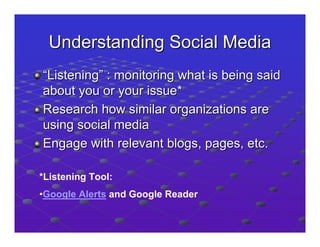
Understanding Social Media
“Listening” : monitoring what is being said
about you or your issue*
Research how similar organizations are
using social media
Engage with relevant blogs, pages, etc.

*Listening Tool:
•Google Alerts and Google Reader
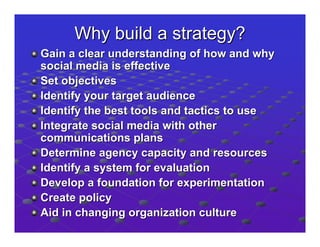
Why build a strategy?
Gain a clear understanding of how and why
social media is effective
Set objectives
Identify your target audience
Identify the best tools and tactics to use
Integrate social media with other
communications plans
Determine agency capacity and resources
Identify a system for evaluation
Develop a foundation for experimentation
Create policy
Aid in changing organization culture
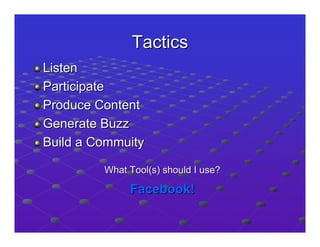
Tactics
Listen
Participate
Produce Content
Generate Buzz
Build a Commuity

         What Tool(s) should I use?

              Facebook!
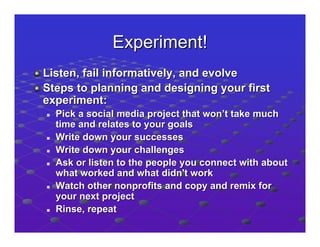
Experiment!
Listen, fail informatively, and evolve
Steps to planning and designing your first
experiment:
  Pick a social media project that won’t take much
  time and relates to your goals
  Write down your successes
  Write down your challenges
  Ask or listen to the people you connect with about
  what worked and what didn't work
  Watch other nonprofits and copy and remix for
  your next project
  Rinse, repeat
Hands-On
Profile/ Page/Group
• Profile: serve as a home base on the web
  for individuals to express themselves and
  connect with others
• Page: create a presence for a business,
  brand, or nonprofit on Facebook
• Group: organize a group of people
  around a common issue or interest
What is a Facebook Page?
• Who: organizations, businesses,
  celebrities, and bands
• What: official webpage on Facebook
• Why: help the entity communicate and
  engage with their audience, and capture
  new audiences
Page                vs.            Group
•   Branded presence on                •   Fosters group discussion
    Facebook                               around particular topic area
•   can only be created to             •   can be created by any user
    represent a real organization          and about any topic
    by an official representative of   •   Can be closed or secret
    that entity                        •   Admins’ names displayed
•   Public but can restrict            •   Actions/posts come from
    settings                               you as individual
•   allows admins to maintain a        •   no customization; only
    personal-professional                  basic apps
    distinction on Facebook
•   Analyze traffic with Insights
Privacy
• fans of your Pages will not be able to
  see or access your personal profile
• Pages cannot see the profiles of people
  who connect with them, only their
  profile photo and name
Creating a Facebook Account:

  Personal              vs.       Business
• Friend base to help         • Maintain personal –
  build audience                professional
                                distinction
                              • Easy staff turn-over
Creating Your Page


 • Upload picture
 • Edit information
Building Your Audience
•       “Like” = How people make a
    connection to your page
•   Invite your FB friends
•   Email the page URL
•   Add Page Badge to website, E-News
•   Facebook Ads
Administration
• To Access:
  –     Ads and Pages on homepage
  – Account > Manage Pages
  – Search field
• Admins can add other Admins
Content Tips
•   Post photos and video
•   Headlines are everything
•   Be concise
•   Create previews
•   Bite-sized content
Applications
•   Events, Links, Notes, Photos, Videos
•   Causes
•   Promotions
•   My Merch Store
•   Static FBML
•   Oh so many more!
Events
• Application Settings
• Create Event
• Invite People- From friends list or enter
  email addresses
• Send updates
• Post reminder on wall
Links
• Application Settings
• Attach Links
• Select Thumbnail
Notes
• Application Settings
• Use like a blog
• Post press releases
Photos
• Application Settings
• Showcase programs/activities
• Create album, edit photos
Video
•   Browse Apps
•   Add to Page
•   Application Settings
•   Load video
Resources
• Facebook Help Center: www.facebook.com/help
• Facebook support for nonprofits:
  www.facebook.com/nonprofits
• Social Media Starter Kit: www.wearemedia.org
• Blogs: www.bethkanter.org
     http://johnhaydon.com/
• Social Tools for Social Change: www.Socialbrite.org
• Social Web Strategies:
  www.facebook.com/InboundZombie
• Social Media Webinars: www.techsoup.org
• Social Media Research:
  http://www.idealware.org/topics/social-media
• Using the Causes App:
  http://exchange.causes.com/resources/nonprofits/

Building and Enhancing Your Facebook Page

  • 1.
    Hands-On Social Media Class 2: Enhancing Your Facebook Page Jaime Olive PCC AmeriCorps Member pcc@parasol.org
  • 2.
    Welcome! Introductions What is yourexperience with social media?
  • 3.
    What is SocialMedia? Media for social interaction, using web- based technologies to transform and broadcast media monologues into social media dialogues. It’s all about listening, sharing, and engaging
  • 5.
    Understanding Social Media “Listening”: monitoring what is being said about you or your issue* Research how similar organizations are using social media Engage with relevant blogs, pages, etc. *Listening Tool: •Google Alerts and Google Reader
  • 6.
    Why build astrategy? Gain a clear understanding of how and why social media is effective Set objectives Identify your target audience Identify the best tools and tactics to use Integrate social media with other communications plans Determine agency capacity and resources Identify a system for evaluation Develop a foundation for experimentation Create policy Aid in changing organization culture
  • 7.
    Tactics Listen Participate Produce Content Generate Buzz Builda Commuity What Tool(s) should I use? Facebook!
  • 8.
    Experiment! Listen, fail informatively,and evolve Steps to planning and designing your first experiment: Pick a social media project that won’t take much time and relates to your goals Write down your successes Write down your challenges Ask or listen to the people you connect with about what worked and what didn't work Watch other nonprofits and copy and remix for your next project Rinse, repeat
  • 9.
  • 10.
    Profile/ Page/Group • Profile:serve as a home base on the web for individuals to express themselves and connect with others • Page: create a presence for a business, brand, or nonprofit on Facebook • Group: organize a group of people around a common issue or interest
  • 11.
    What is aFacebook Page? • Who: organizations, businesses, celebrities, and bands • What: official webpage on Facebook • Why: help the entity communicate and engage with their audience, and capture new audiences
  • 12.
    Page vs. Group • Branded presence on • Fosters group discussion Facebook around particular topic area • can only be created to • can be created by any user represent a real organization and about any topic by an official representative of • Can be closed or secret that entity • Admins’ names displayed • Public but can restrict • Actions/posts come from settings you as individual • allows admins to maintain a • no customization; only personal-professional basic apps distinction on Facebook • Analyze traffic with Insights
  • 13.
    Privacy • fans ofyour Pages will not be able to see or access your personal profile • Pages cannot see the profiles of people who connect with them, only their profile photo and name
  • 14.
    Creating a Facebook Account: Personal vs. Business • Friend base to help • Maintain personal – build audience professional distinction • Easy staff turn-over
  • 15.
    Creating Your Page • Upload picture • Edit information
  • 16.
    Building Your Audience • “Like” = How people make a connection to your page • Invite your FB friends • Email the page URL • Add Page Badge to website, E-News • Facebook Ads
  • 17.
    Administration • To Access: – Ads and Pages on homepage – Account > Manage Pages – Search field • Admins can add other Admins
  • 18.
    Content Tips • Post photos and video • Headlines are everything • Be concise • Create previews • Bite-sized content
  • 19.
    Applications • Events, Links, Notes, Photos, Videos • Causes • Promotions • My Merch Store • Static FBML • Oh so many more!
  • 20.
    Events • Application Settings •Create Event • Invite People- From friends list or enter email addresses • Send updates • Post reminder on wall
  • 21.
    Links • Application Settings •Attach Links • Select Thumbnail
  • 22.
    Notes • Application Settings •Use like a blog • Post press releases
  • 23.
    Photos • Application Settings •Showcase programs/activities • Create album, edit photos
  • 24.
    Video • Browse Apps • Add to Page • Application Settings • Load video
  • 25.
    Resources • Facebook HelpCenter: www.facebook.com/help • Facebook support for nonprofits: www.facebook.com/nonprofits • Social Media Starter Kit: www.wearemedia.org • Blogs: www.bethkanter.org http://johnhaydon.com/ • Social Tools for Social Change: www.Socialbrite.org • Social Web Strategies: www.facebook.com/InboundZombie • Social Media Webinars: www.techsoup.org • Social Media Research: http://www.idealware.org/topics/social-media • Using the Causes App: http://exchange.causes.com/resources/nonprofits/