Presented By,
Khin Nyein Chan Thu
CMS
S
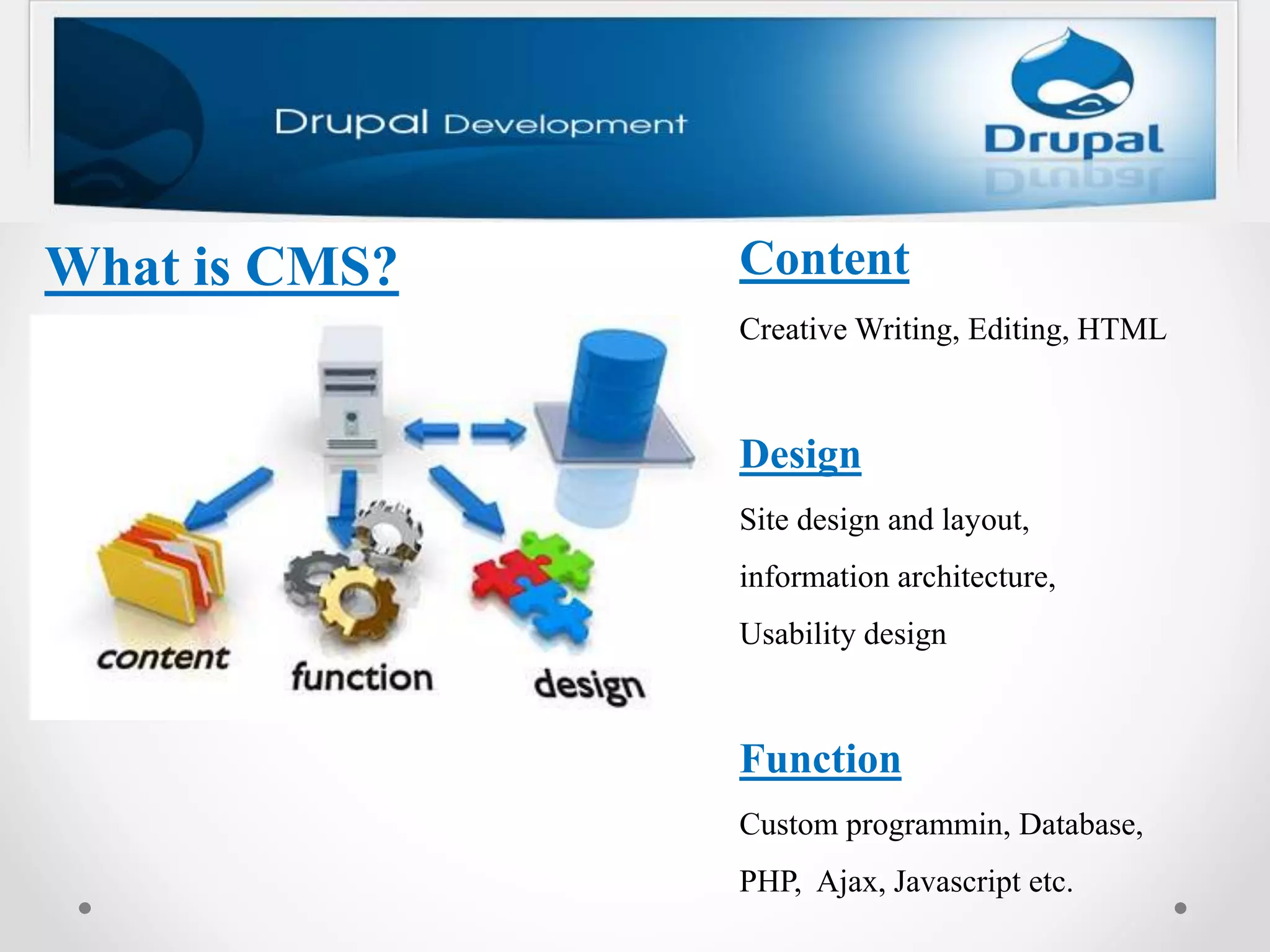
What is CMS? Content
Creative Writing, Editing, HTML
Design
Site design and layout,
information architecture,
Usability design
Function
Custom programmin, Database,
PHP, Ajax, Javascript etc.
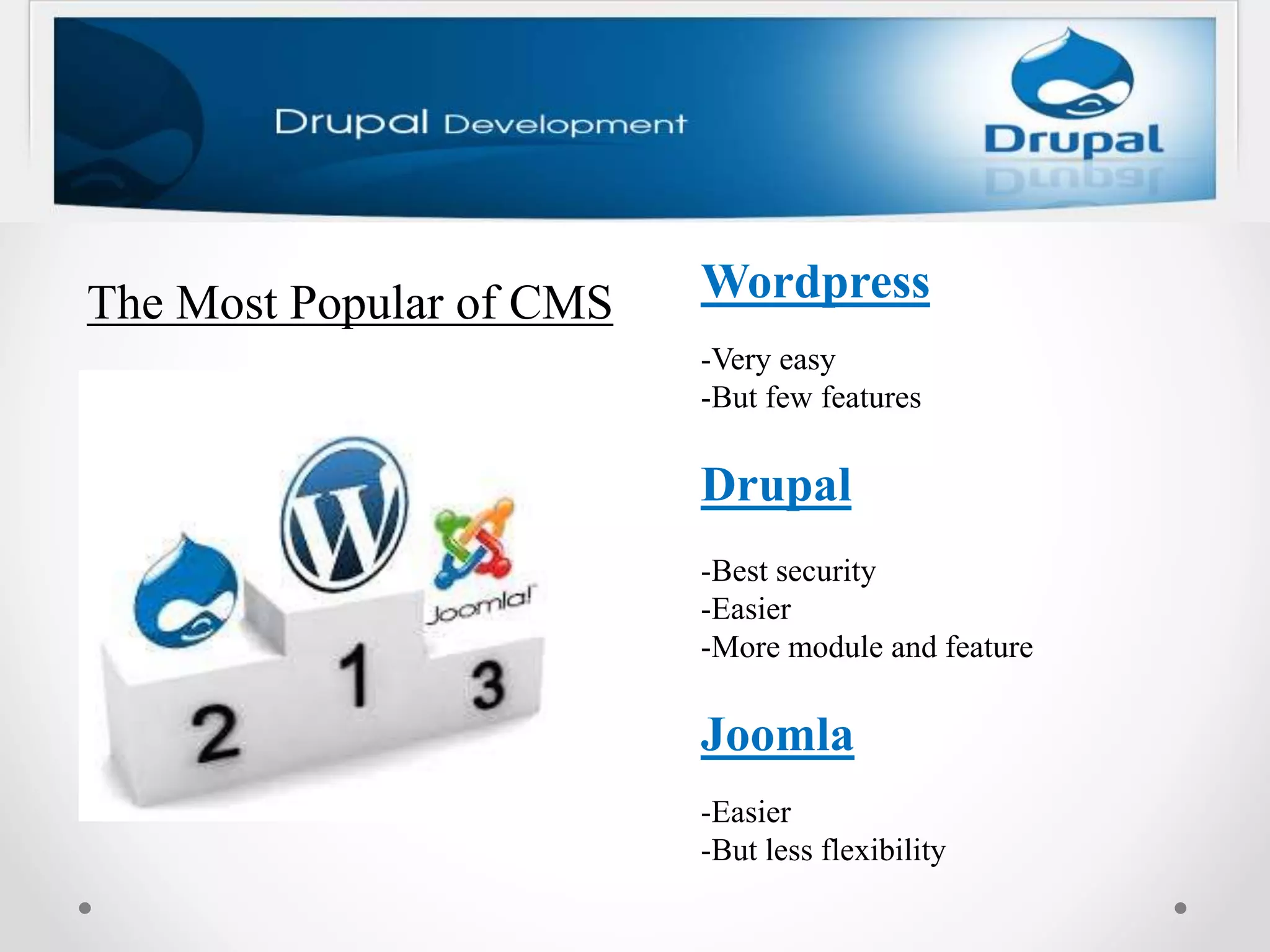
The Most Popular of CMS Wordpress
-Very easy
-But few features
Drupal
-Best security
-Easier
-More module and feature
Joomla
-Easier
-But less flexibility
Let's look at how to install Drupal 7 on XAMPP
Drupal 7 requires MySQL 5.0.15 or higher with PDO or
PostgreSQL 8.3 or higher with PDO or SQLite 3.3.7 or higher which
are included in the latest version of XAMPP, so you don't need to install
them individually.
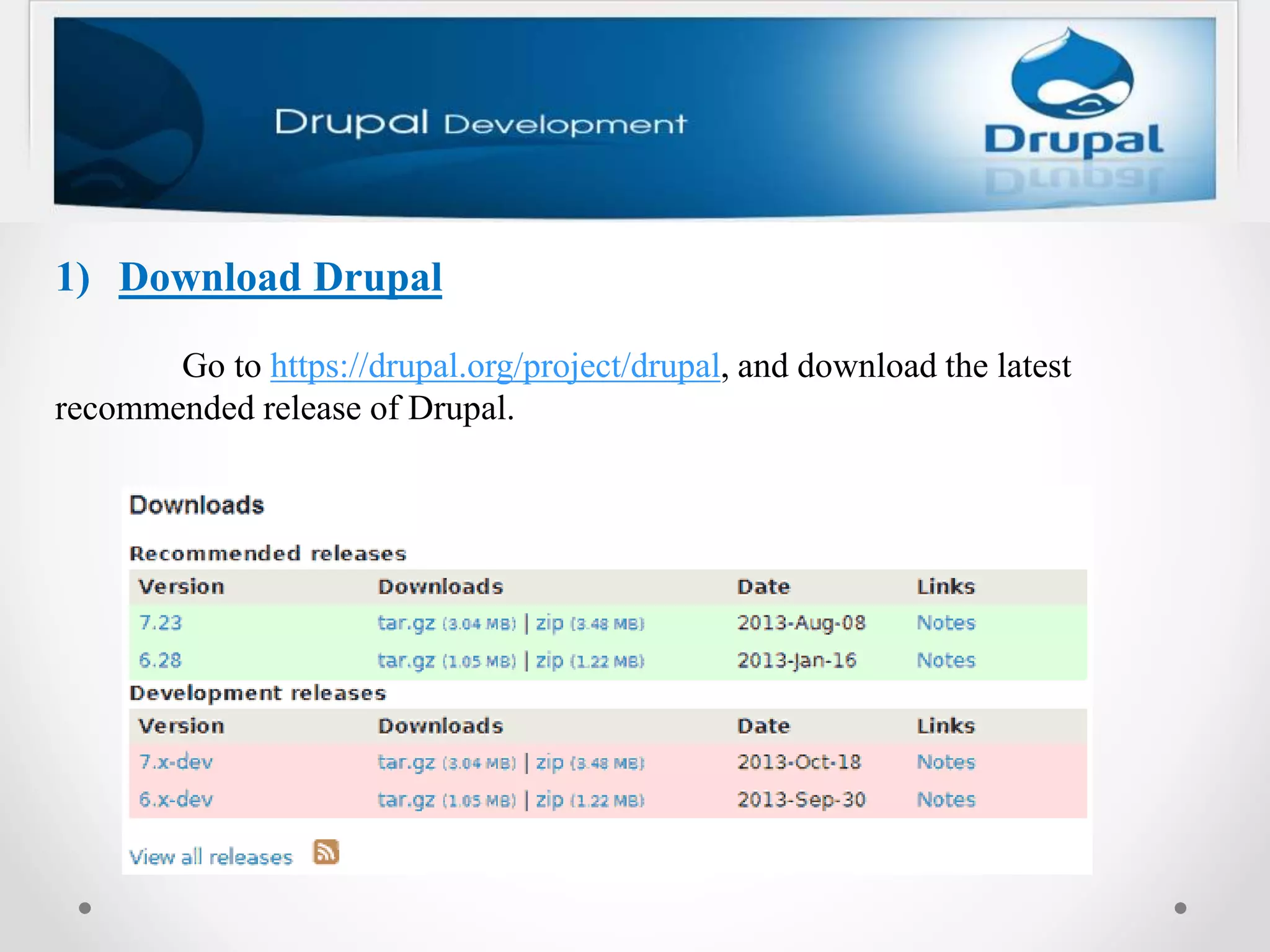
1) Download Drupal
Go to https://drupal.org/project/drupal, and download the latest
recommended release of Drupal.
2) Extract the contents
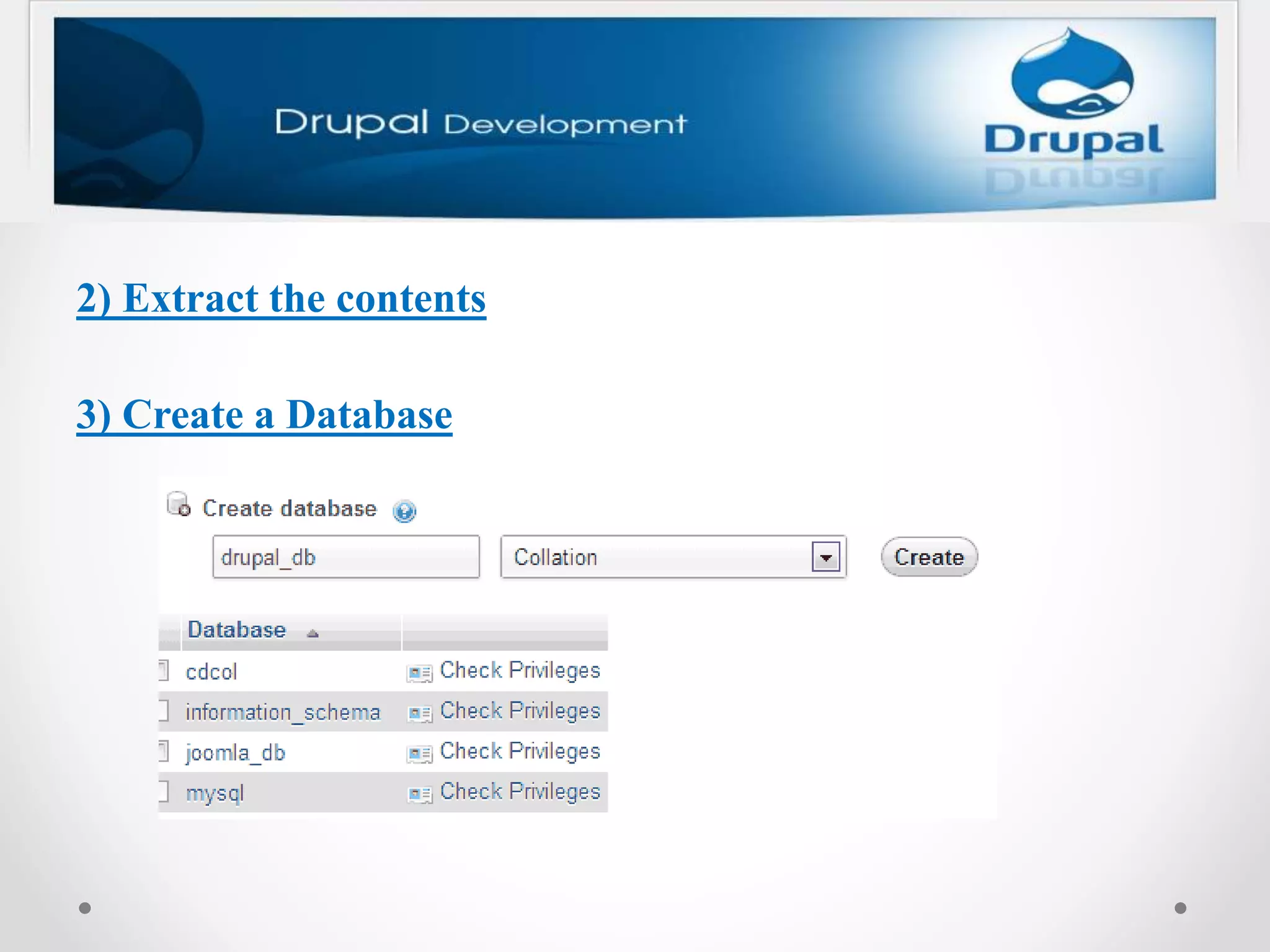
3) Create a Database
4) Keep Drupal in the "htdocs" folder of XAMPP
• The "drupal" folder should be kept inside the XAMPP's
"htdocs" folder. To do this, copy the “drupal” folder which was
mentioned in step 2, and paste it inside the “htdocs” folder.
Generally, the “htdocs” folder is found at “C:xampphtdocs”.
• The folder path should look like “C:xampphtdocsdrupal”.
• You can see the contents of the "drupal" folder.
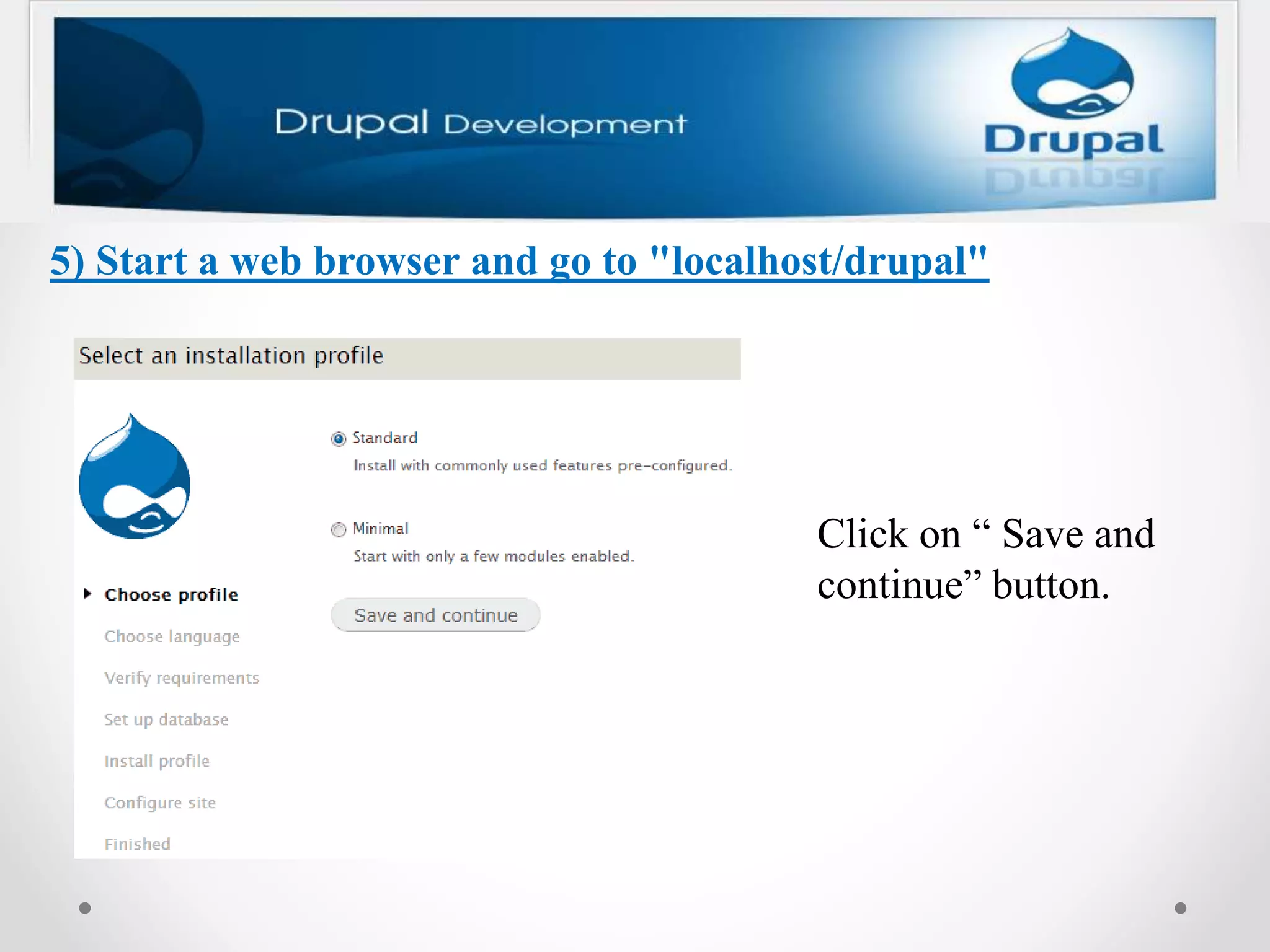
5) Start a web browser and go to "localhost/drupal"
Click on “ Save and
continue” button.
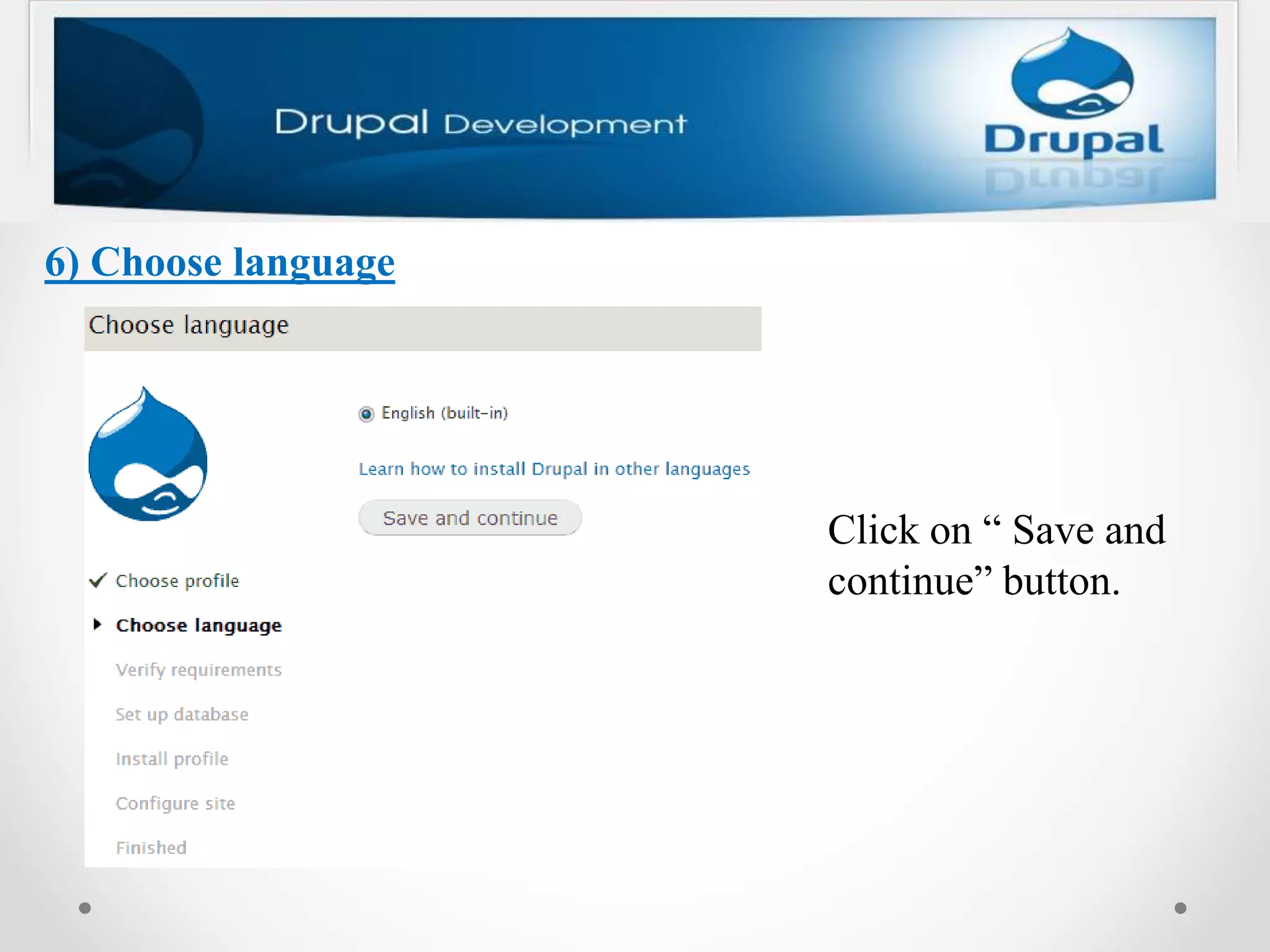
6) Choose language
Click on “ Save and
continue” button.
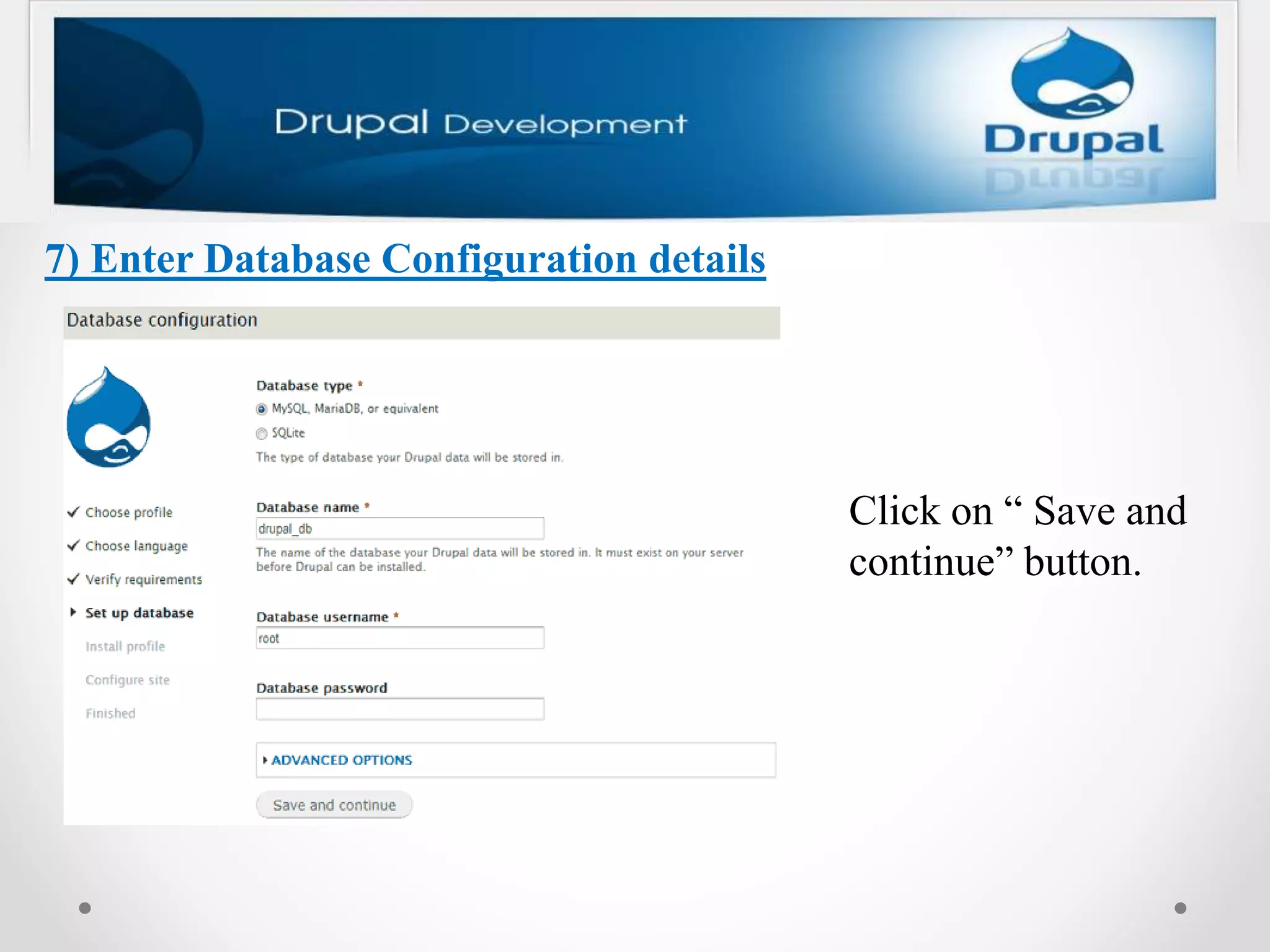
7) Enter Database Configuration details
Click on “ Save and
continue” button.
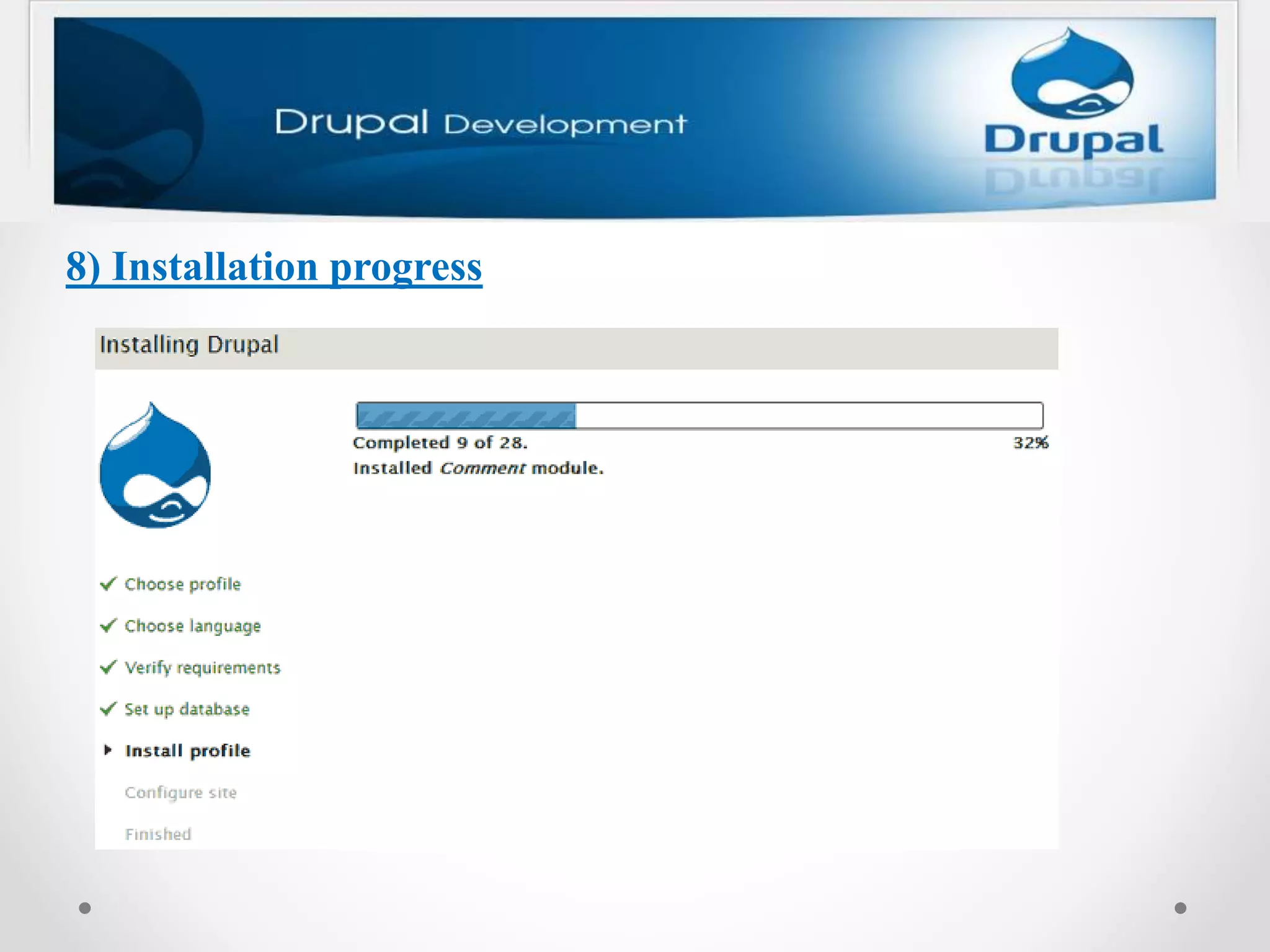
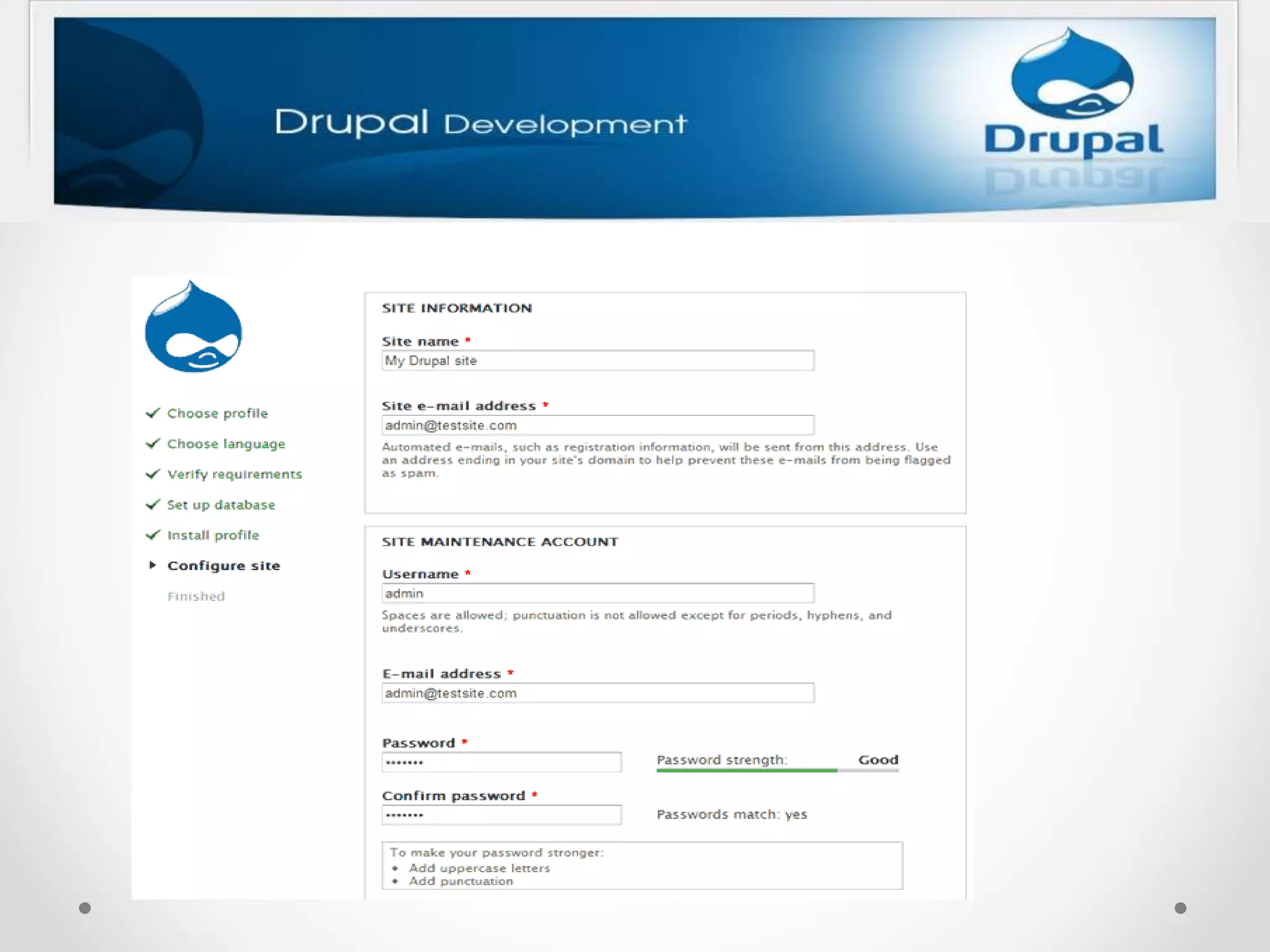
8) Installation progress
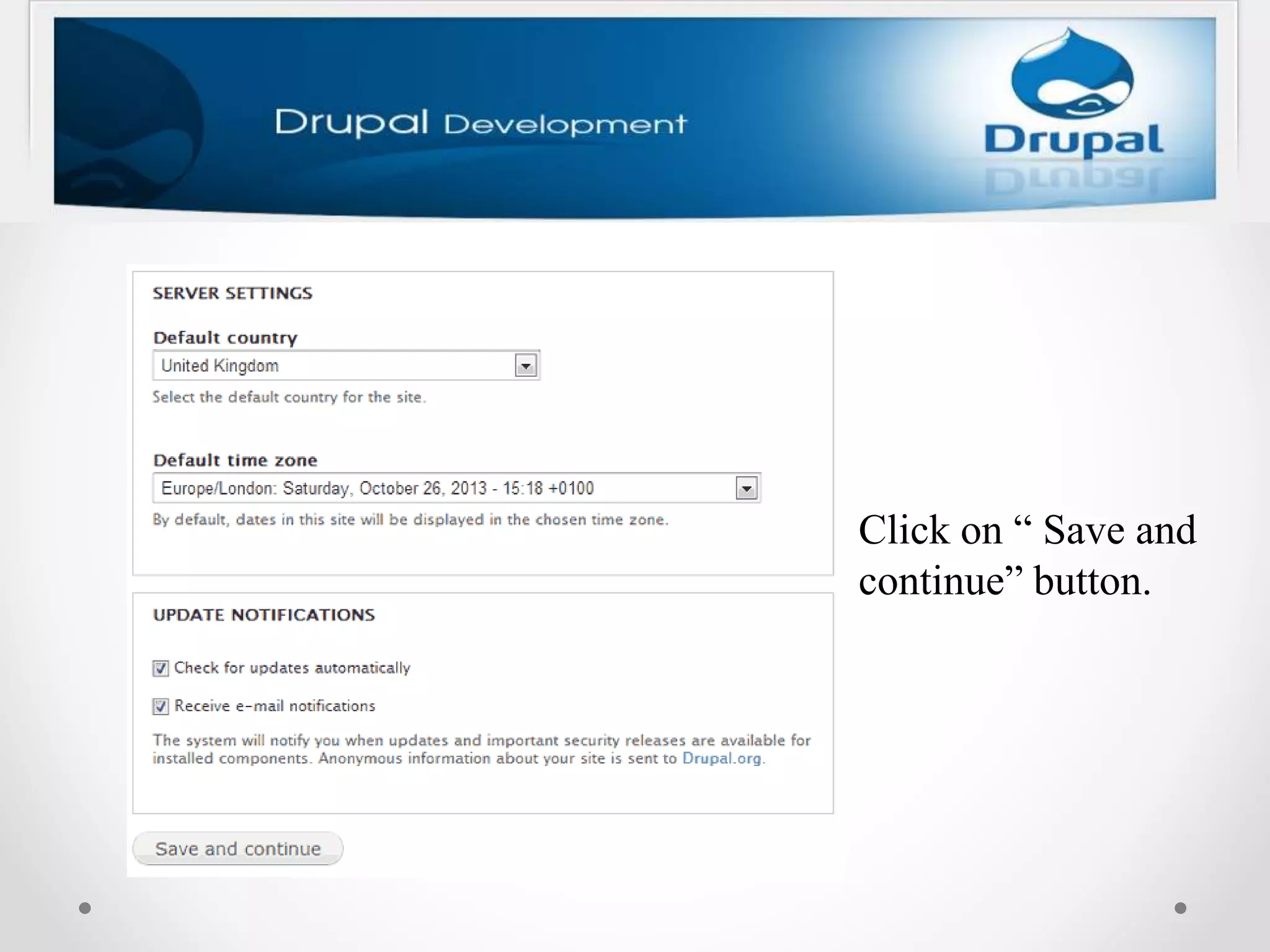
Click on “ Save and
continue” button.
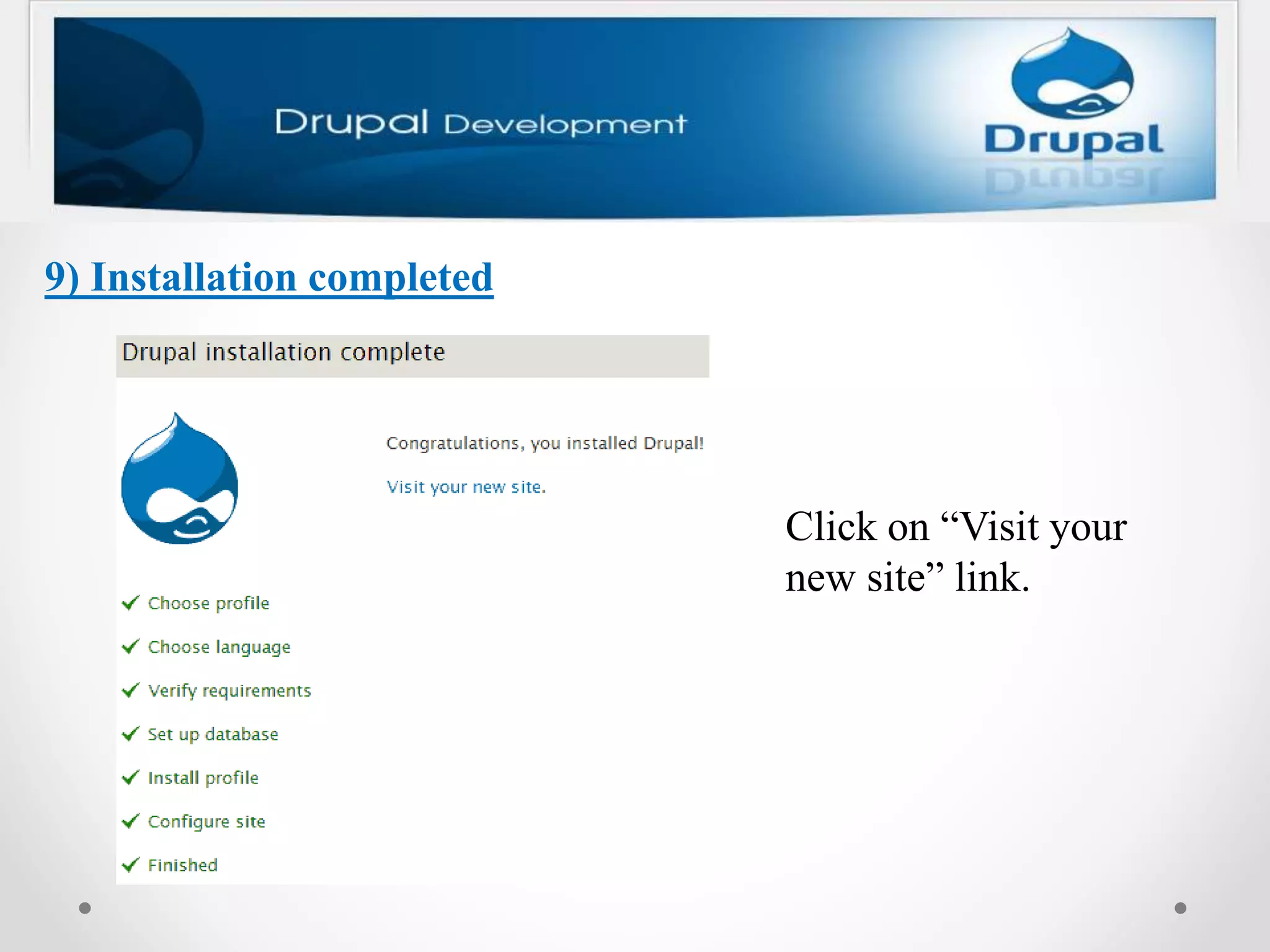
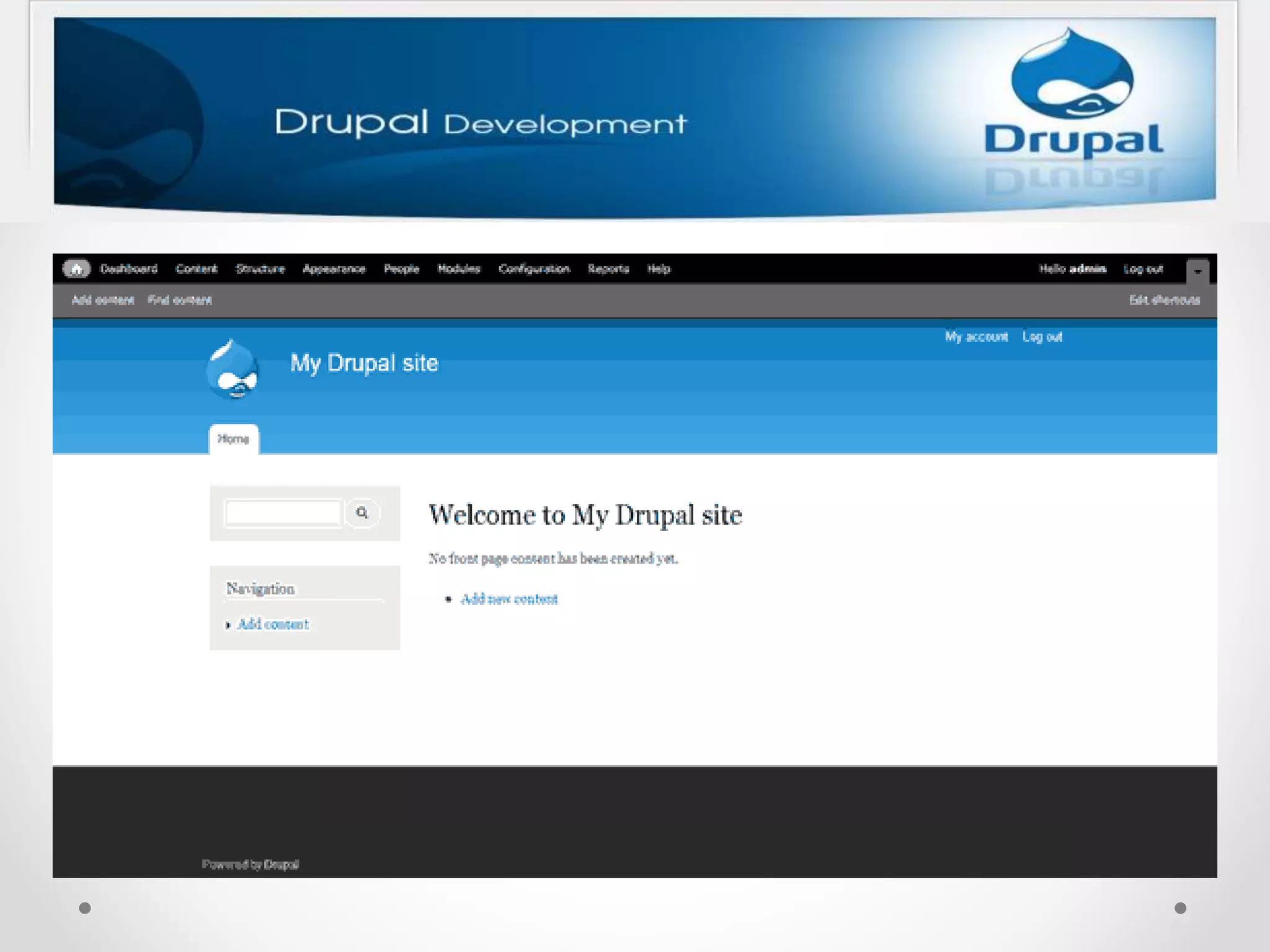
9) Installation completed
Click on “Visit your
new site” link.
1. Add new Content
2. Article
3. Add image in article
4. Basic page
5. Add user
6. Create new account
7. Comment
8. Contact
9. Structure menu
10. Poll
11.Appearence
12.Change logo
Let’s start the workshop
together.
THANKS YOU!

Drupal

  • 1.
  • 2.
    S What is CMS?Content Creative Writing, Editing, HTML Design Site design and layout, information architecture, Usability design Function Custom programmin, Database, PHP, Ajax, Javascript etc.
  • 3.
    The Most Popularof CMS Wordpress -Very easy -But few features Drupal -Best security -Easier -More module and feature Joomla -Easier -But less flexibility
  • 6.
    Let's look athow to install Drupal 7 on XAMPP Drupal 7 requires MySQL 5.0.15 or higher with PDO or PostgreSQL 8.3 or higher with PDO or SQLite 3.3.7 or higher which are included in the latest version of XAMPP, so you don't need to install them individually.
  • 7.
    1) Download Drupal Goto https://drupal.org/project/drupal, and download the latest recommended release of Drupal.
  • 8.
    2) Extract thecontents 3) Create a Database
  • 9.
    4) Keep Drupalin the "htdocs" folder of XAMPP • The "drupal" folder should be kept inside the XAMPP's "htdocs" folder. To do this, copy the “drupal” folder which was mentioned in step 2, and paste it inside the “htdocs” folder. Generally, the “htdocs” folder is found at “C:xampphtdocs”. • The folder path should look like “C:xampphtdocsdrupal”. • You can see the contents of the "drupal" folder.
  • 10.
    5) Start aweb browser and go to "localhost/drupal" Click on “ Save and continue” button.
  • 11.
    6) Choose language Clickon “ Save and continue” button.
  • 12.
    7) Enter DatabaseConfiguration details Click on “ Save and continue” button.
  • 13.
  • 15.
    Click on “Save and continue” button.
  • 16.
    9) Installation completed Clickon “Visit your new site” link.
  • 18.
    1. Add newContent 2. Article 3. Add image in article 4. Basic page 5. Add user 6. Create new account 7. Comment 8. Contact 9. Structure menu 10. Poll 11.Appearence 12.Change logo
  • 19.
    Let’s start theworkshop together.
  • 20.