IRM Summit 2014
Bridge SPE
Matthias Tristl
2IRM Summit 2014
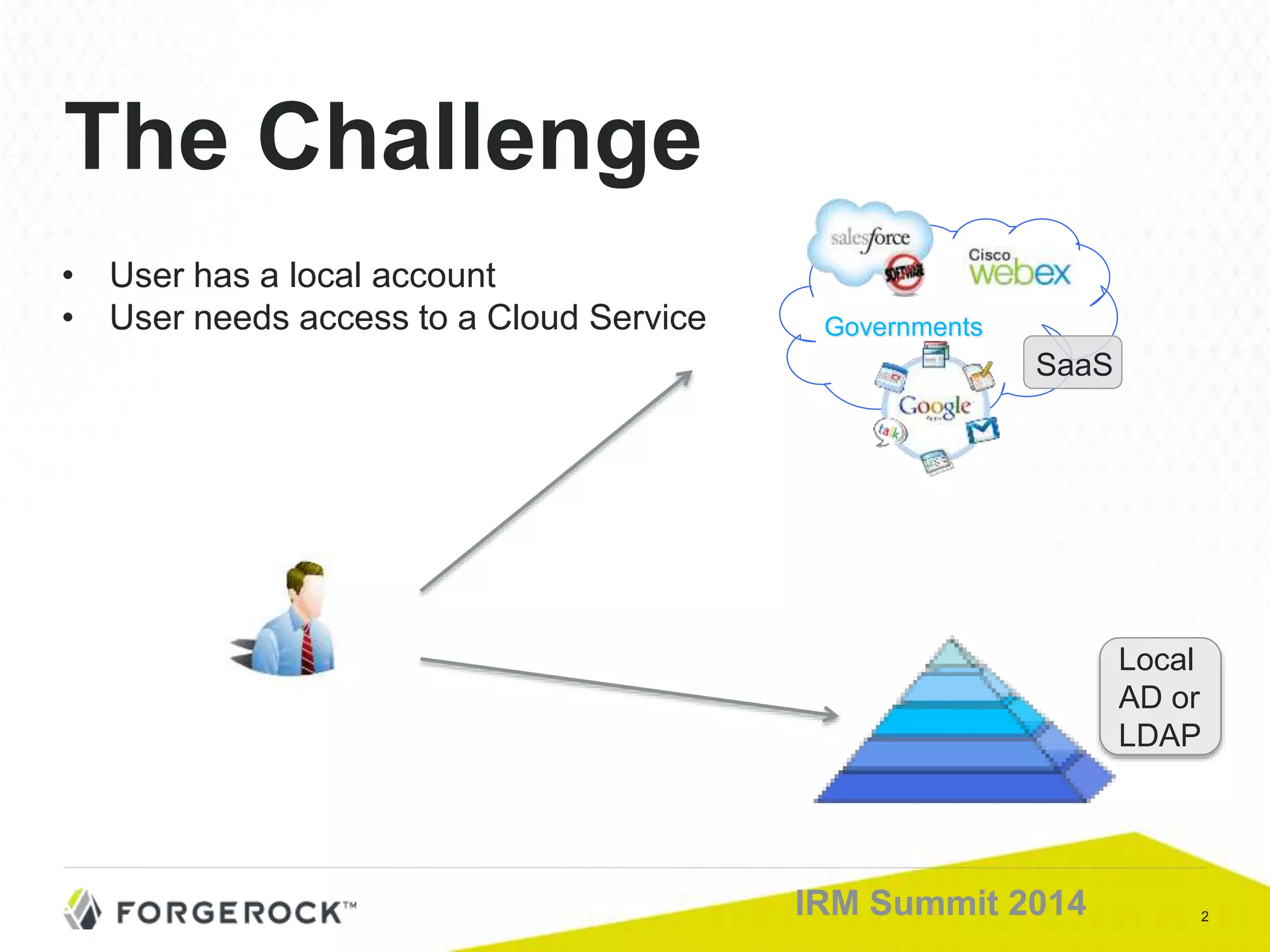
The Challenge
• User has a local account
• User needs access to a Cloud Service Governments
SaaS
Local
AD or
LDAP
3IRM Summit 2014
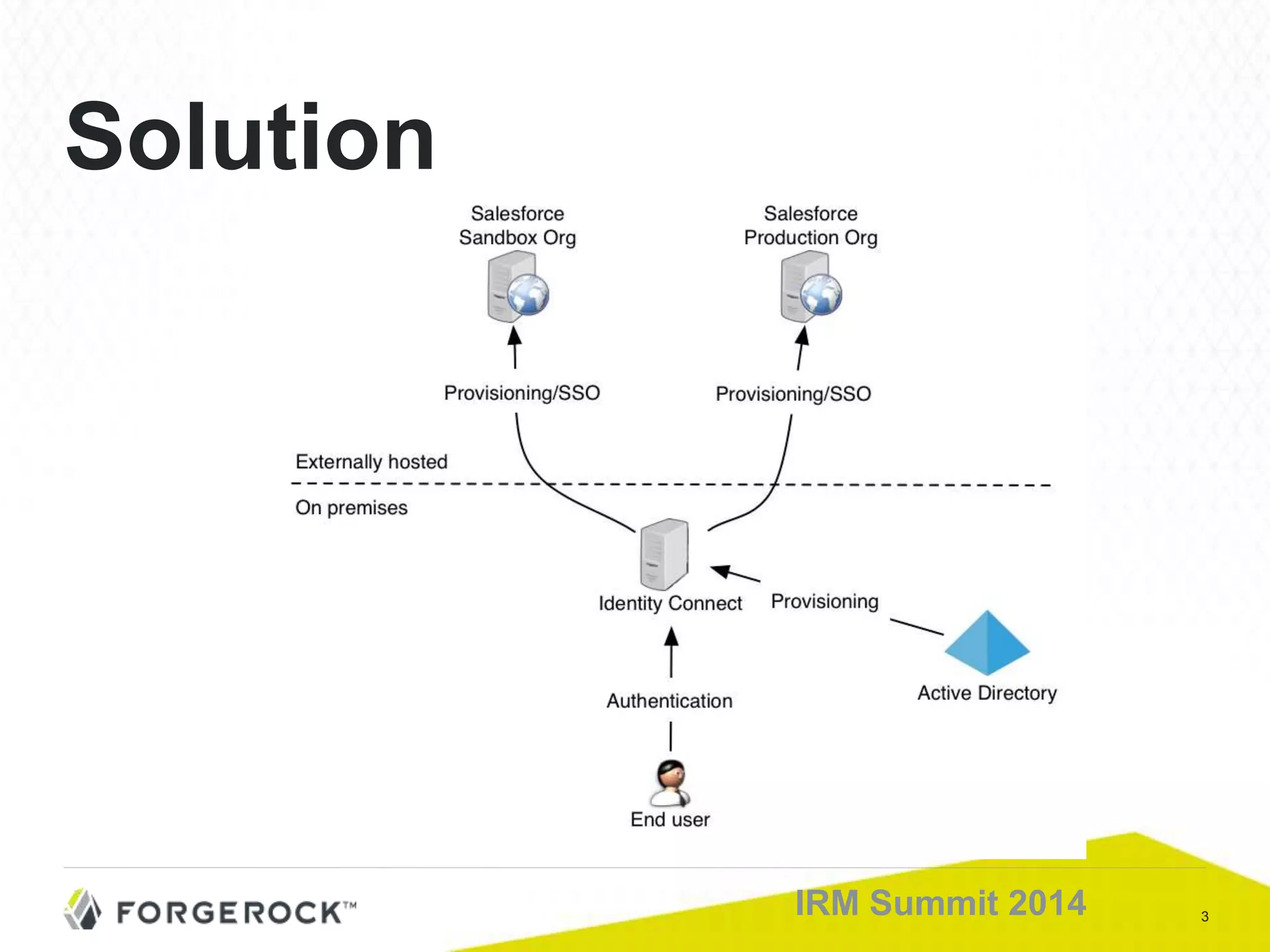
Solution
4IRM Summit 2014
What customers expect:
■ Local Action:
– Create user locally
– Give user a role / group membership
■ Results in the Cloud:
– Automatic provisioning
– Giving users the exact entitlement they need
Automatic Provisioning
into SaaS platforms
5IRM Summit 2014
What customers expect:
■ Local changes of users are reflected:
– Change attributes, entitlements or profiles
– Deactivate user
– Reactivate user
■ Process Requirements
– “One catch all” process (i.e. for initial load) for full sync
– Changes are synchronized in “near real time” like incremental sync
User Live Cycle
6IRM Summit 2014
Delegated Admin
What customers expect:
• Give a subset of administrators admin rights on CC
for:
• Configuration
• Maintenance
• Monitoring
• Privileges are given by local group membership
7IRM Summit 2014
■ Authentication strategies:
– SSO vs. Password Sync
■ SSO Challenge:
– Multi domain SSO
■ Even more comfort:
– Integrated Windows Authentication (IWA)
SSO: Local and Cloud
8IRM Summit 2014
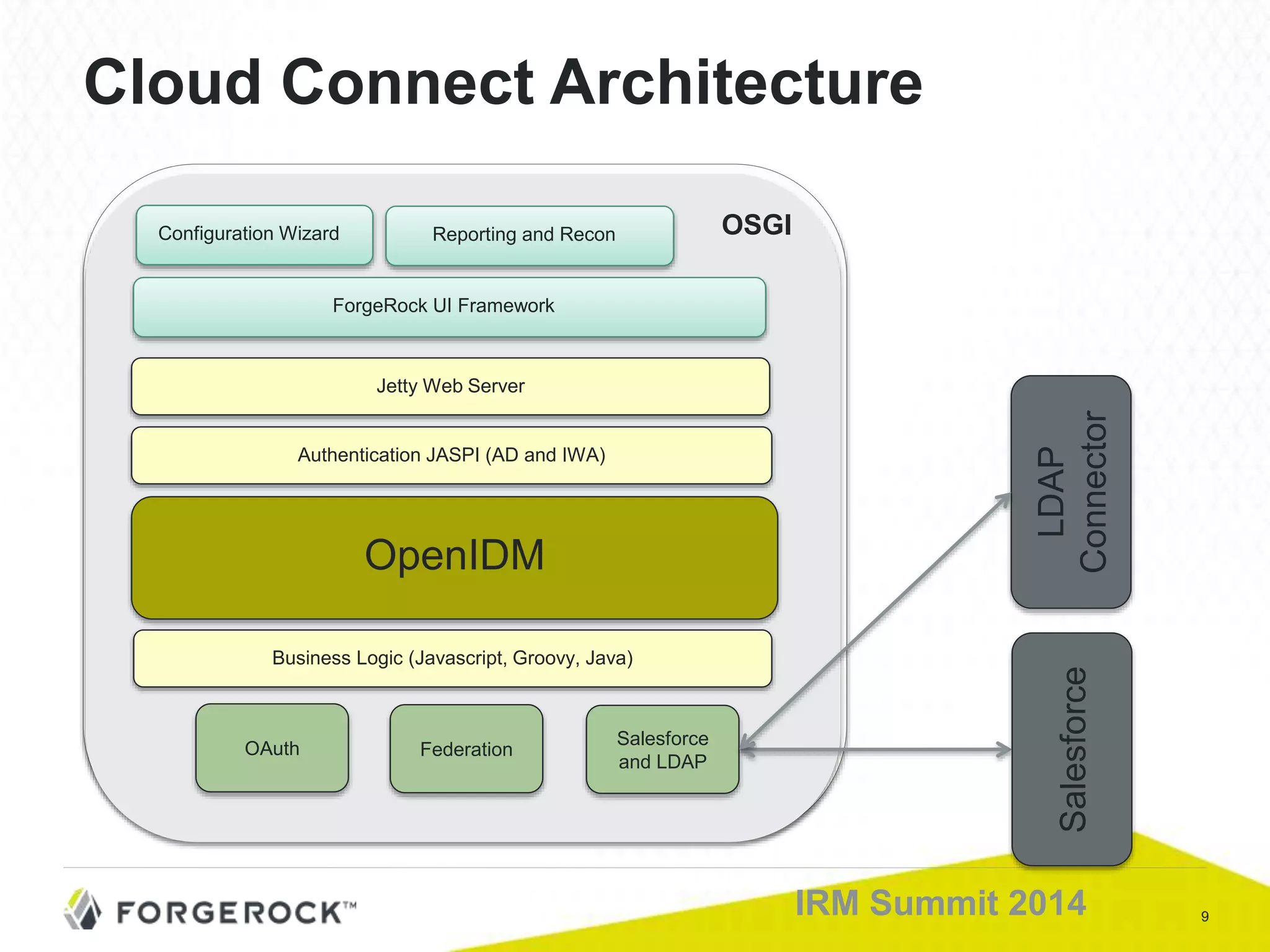
■ CC Server
■ CC Configuration UI
■ AD/LDAP connector
■ Cloud connector
■ Configuration DB: in process or remote
■ Scheduler
CC Components
9IRM Summit 2014
Cloud Connect Architecture
OSGIConfiguration Wizard
OpenIDM
Business Logic (Javascript, Groovy, Java)
Authentication JASPI (AD and IWA)
Jetty Web Server
Salesforce
and LDAP
OAuth
Salesforce
LDAP
Connector
Federation
ForgeRock UI Framework
Reporting and Recon
10IRM Summit 2014
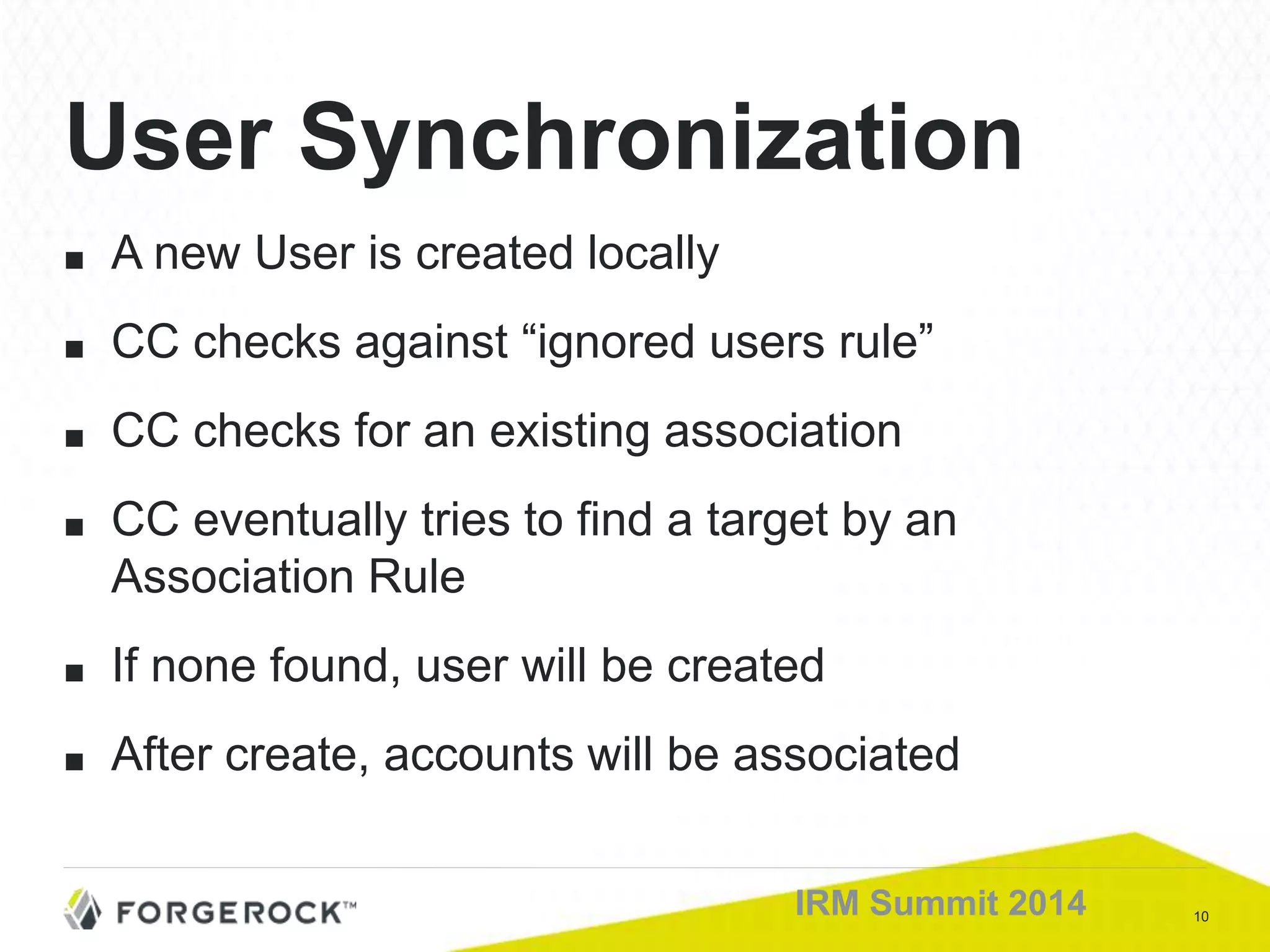
■ A new User is created locally
■ CC checks against “ignored users rule”
■ CC checks for an existing association
■ CC eventually tries to find a target by an
Association Rule
■ If none found, user will be created
■ After create, accounts will be associated
User Synchronization
11IRM Summit 2014
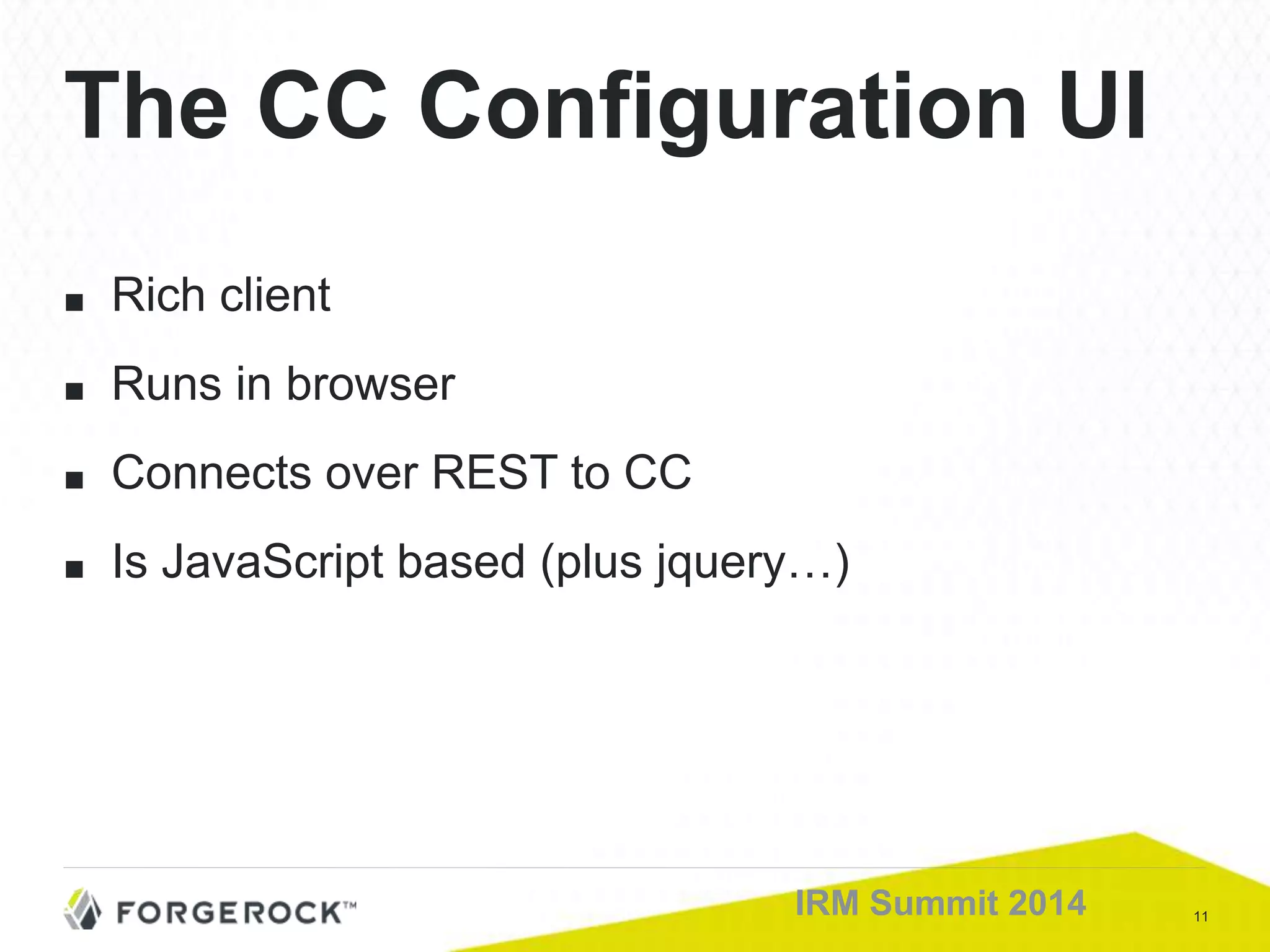
■ Rich client
■ Runs in browser
■ Connects over REST to CC
■ Is JavaScript based (plus jquery…)
The CC Configuration UI
12IRM Summit 2014
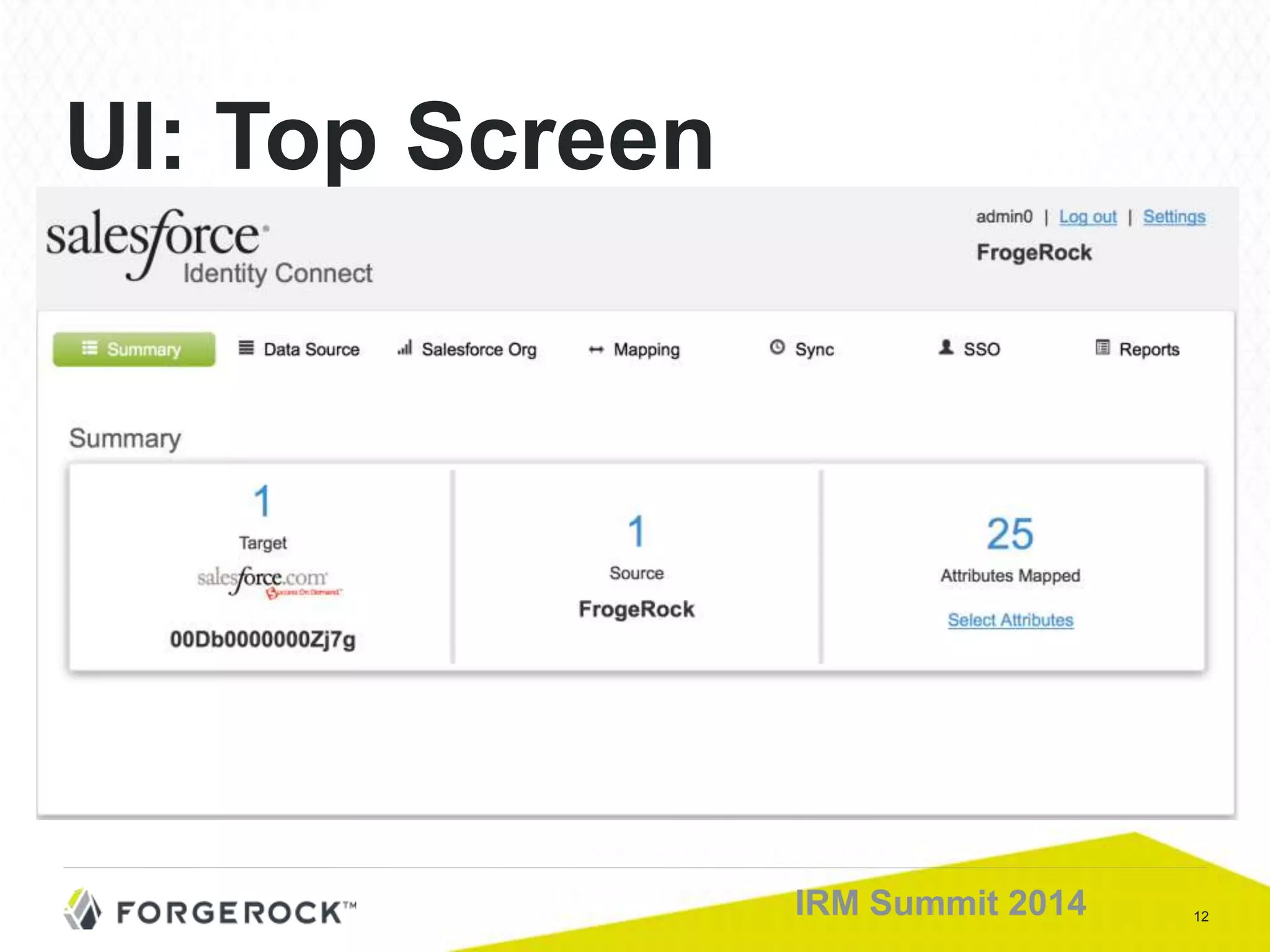
UI: Top Screen
13IRM Summit 2014
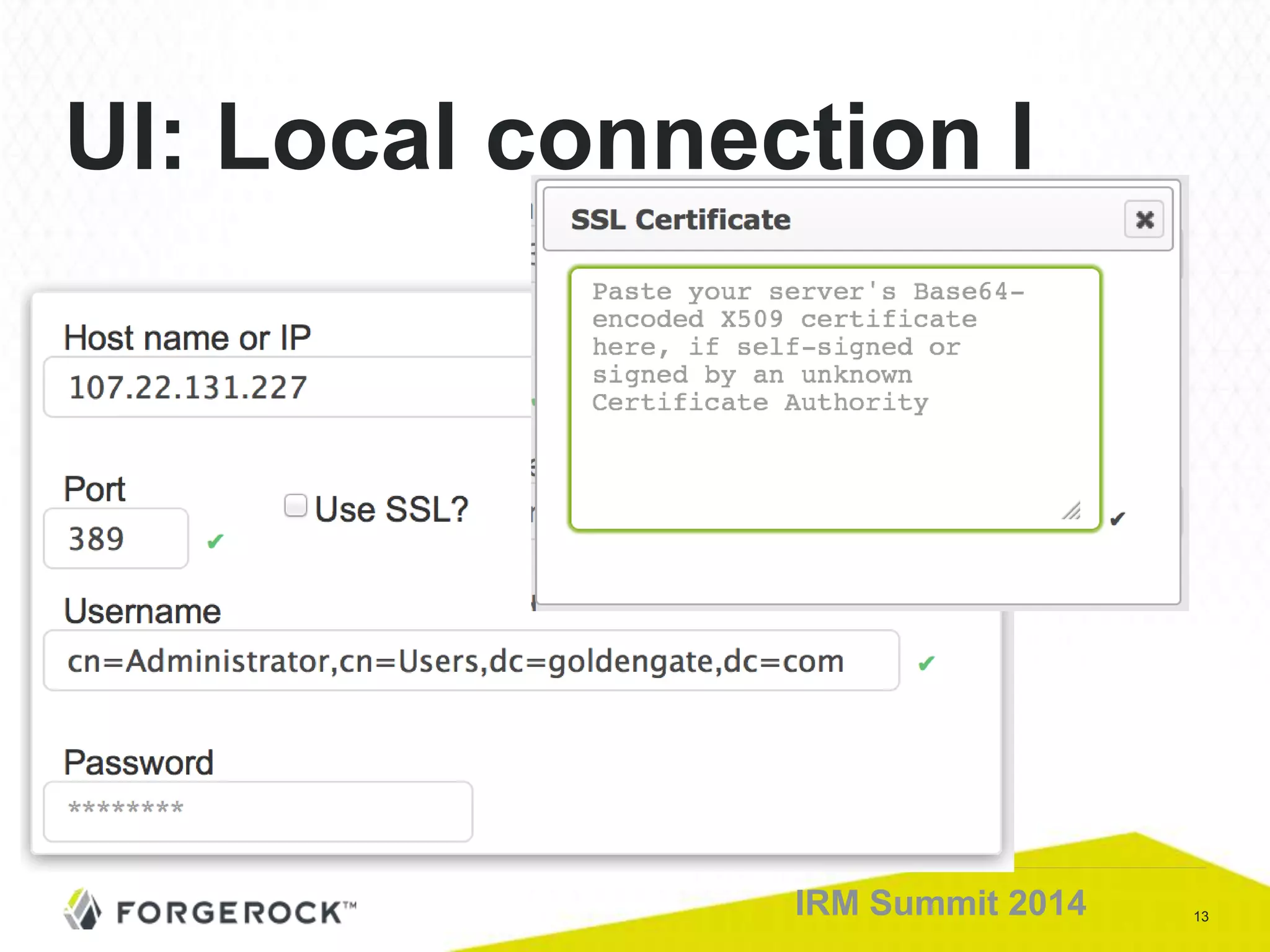
UI: Local connection I
14IRM Summit 2014
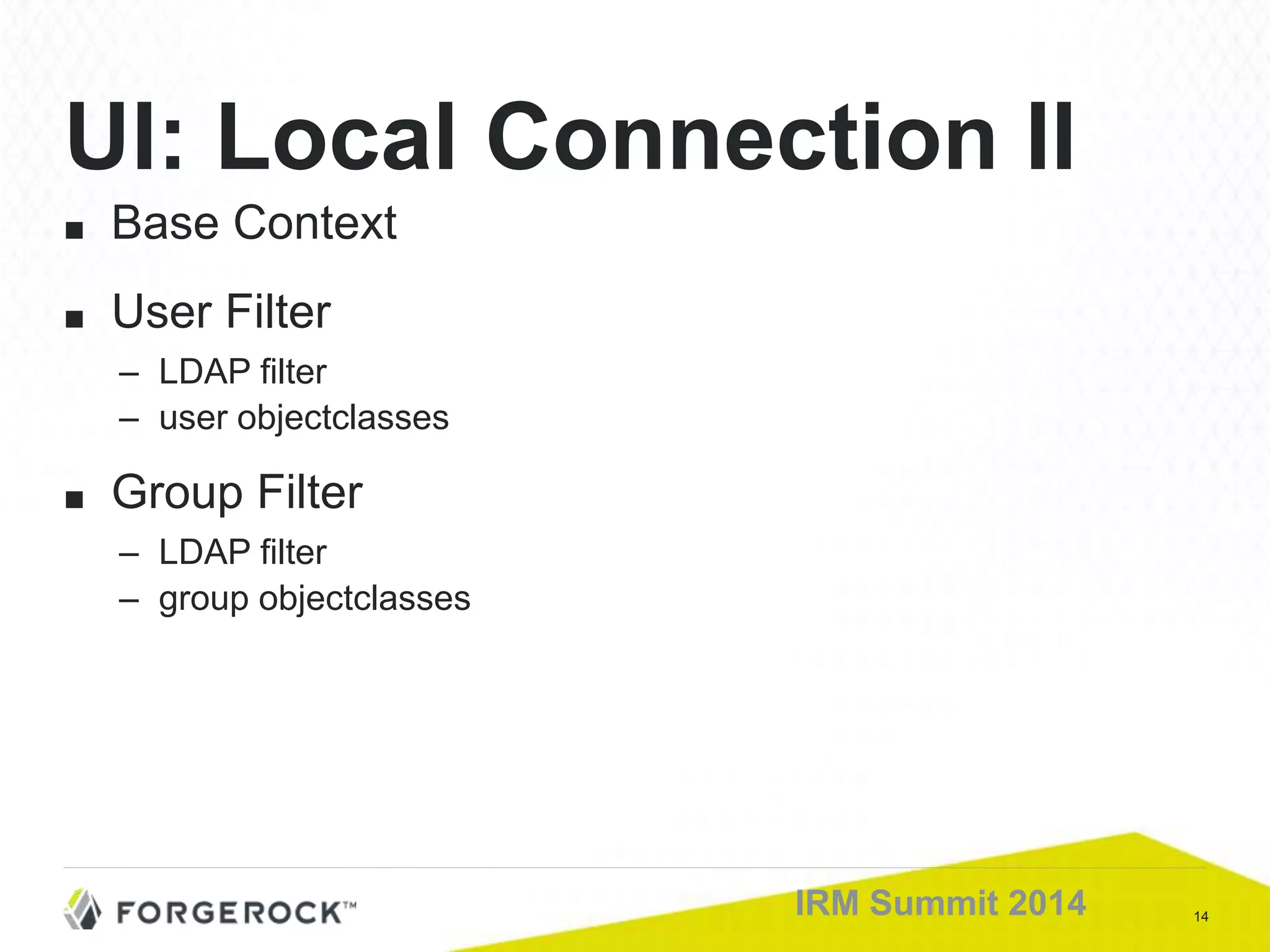
■ Base Context
■ User Filter
– LDAP filter
– user objectclasses
■ Group Filter
– LDAP filter
– group objectclasses
UI: Local Connection II
15IRM Summit 2014
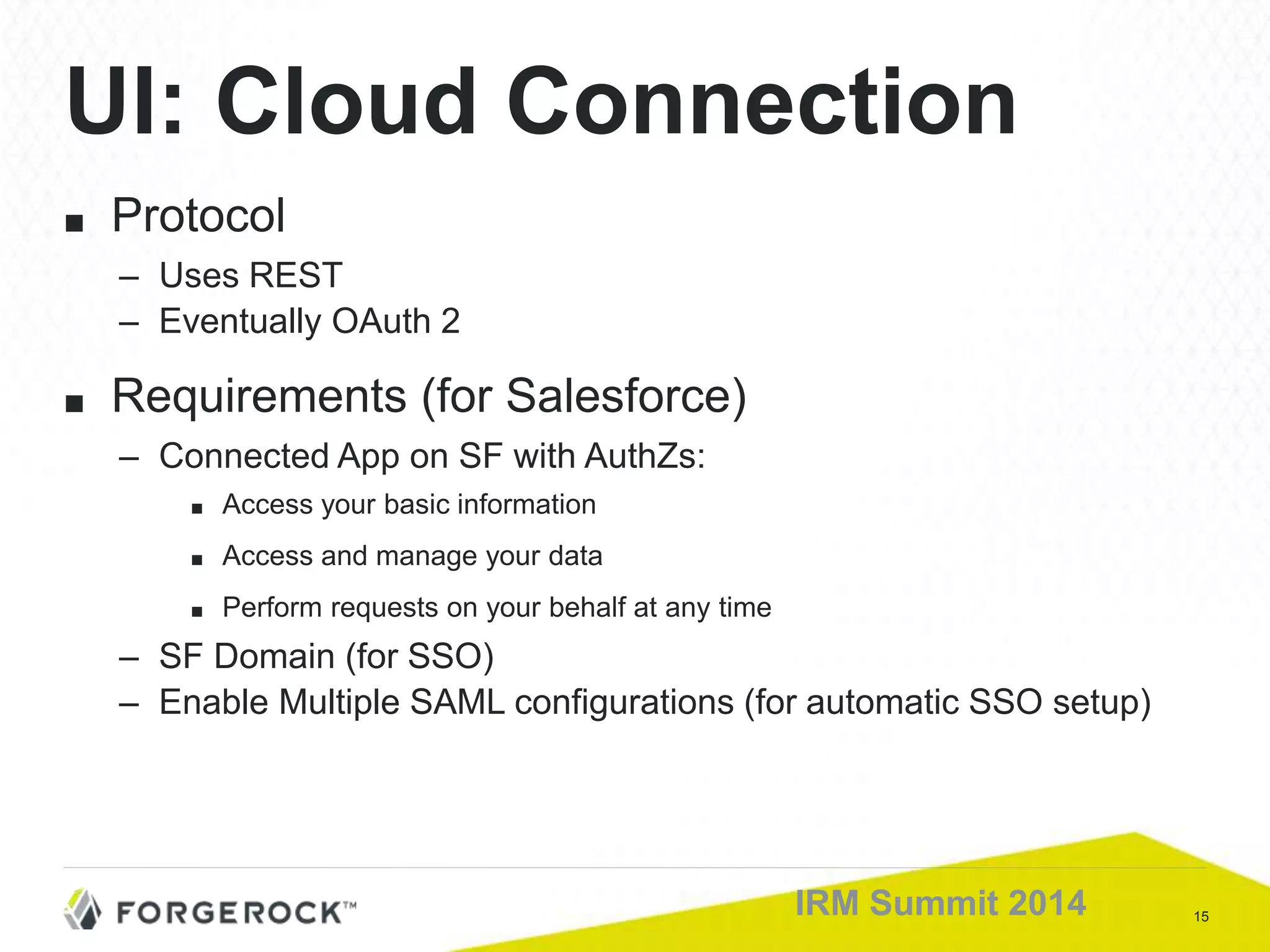
■ Protocol
– Uses REST
– Eventually OAuth 2
■ Requirements (for Salesforce)
– Connected App on SF with AuthZs:
■ Access your basic information
■ Access and manage your data
■ Perform requests on your behalf at any time
– SF Domain (for SSO)
– Enable Multiple SAML configurations (for automatic SSO setup)
UI: Cloud Connection
16IRM Summit 2014
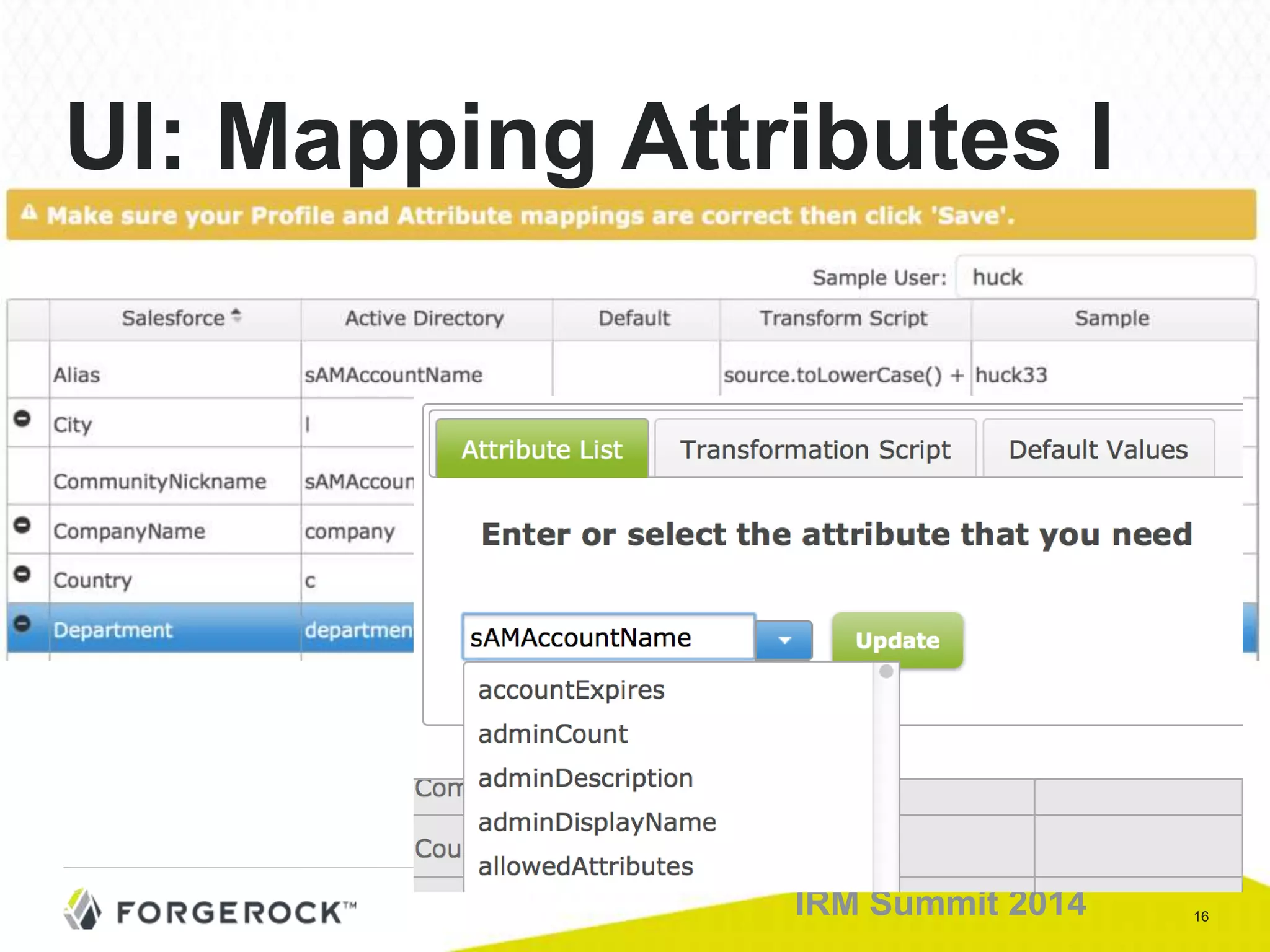
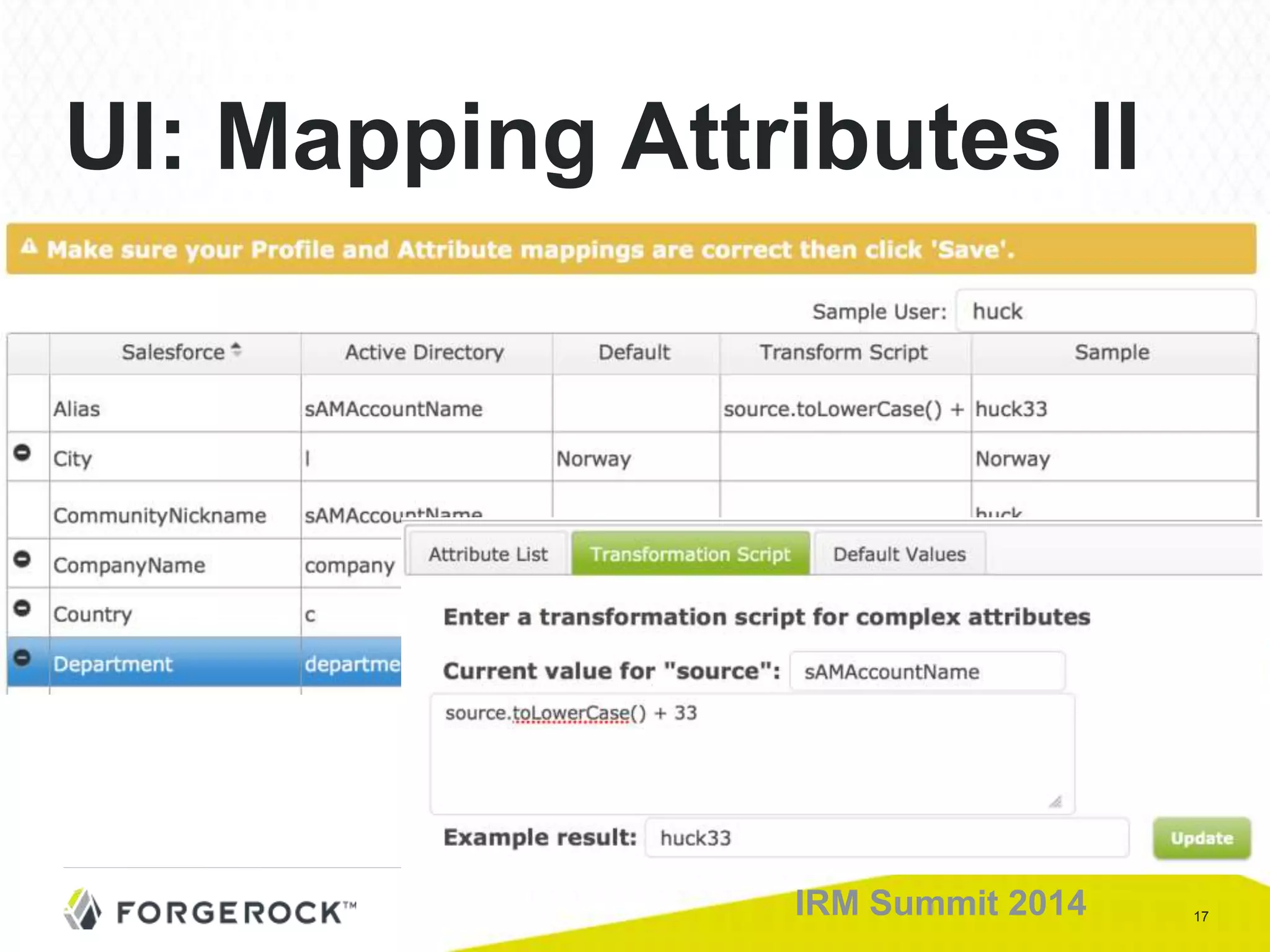
UI: Mapping Attributes I
17IRM Summit 2014
UI: Mapping Attributes II
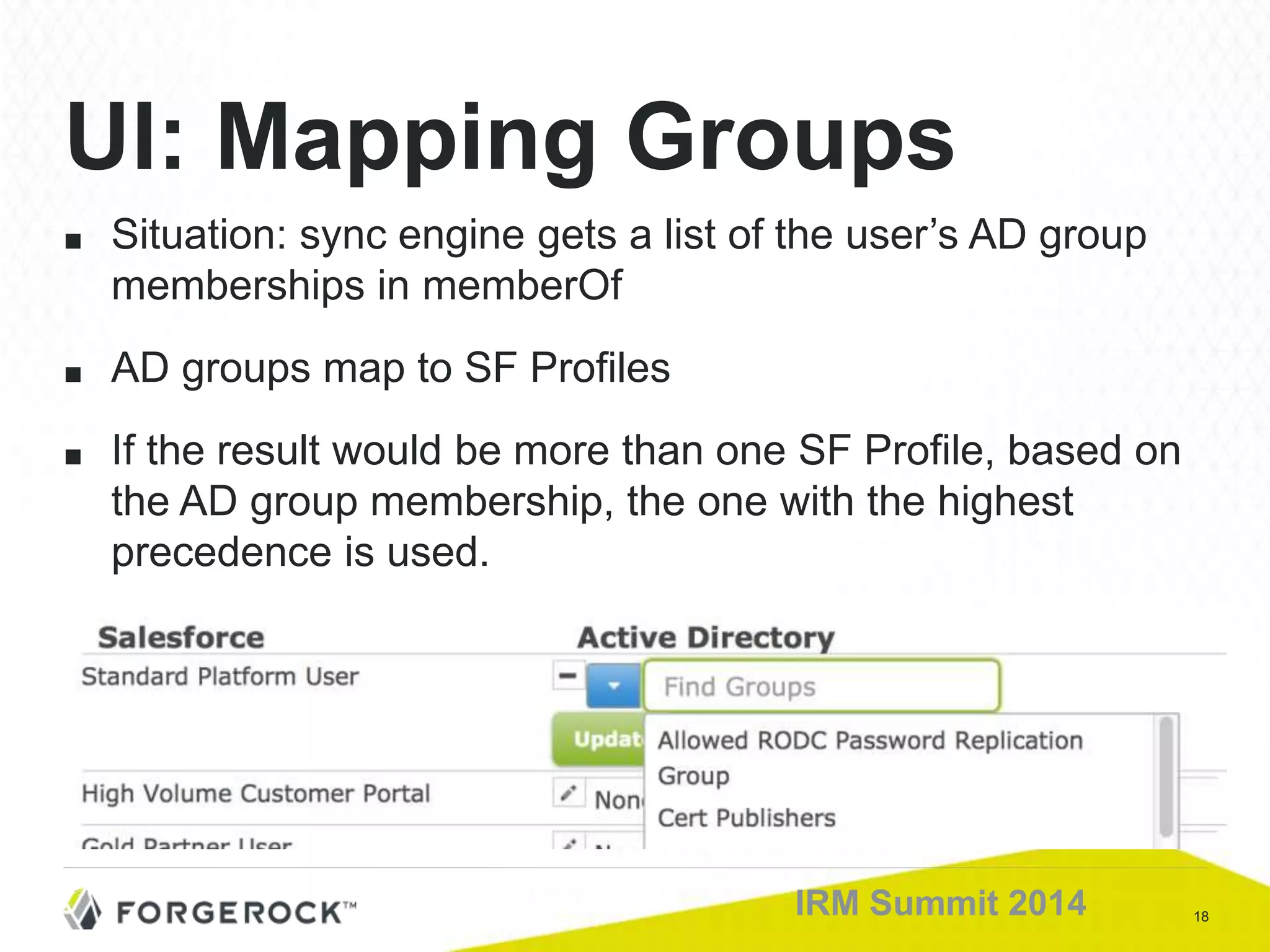
18IRM Summit 2014
■ Situation: sync engine gets a list of the user’s AD group
memberships in memberOf
■ AD groups map to SF Profiles
■ If the result would be more than one SF Profile, based on
the AD group membership, the one with the highest
precedence is used.
UI: Mapping Groups
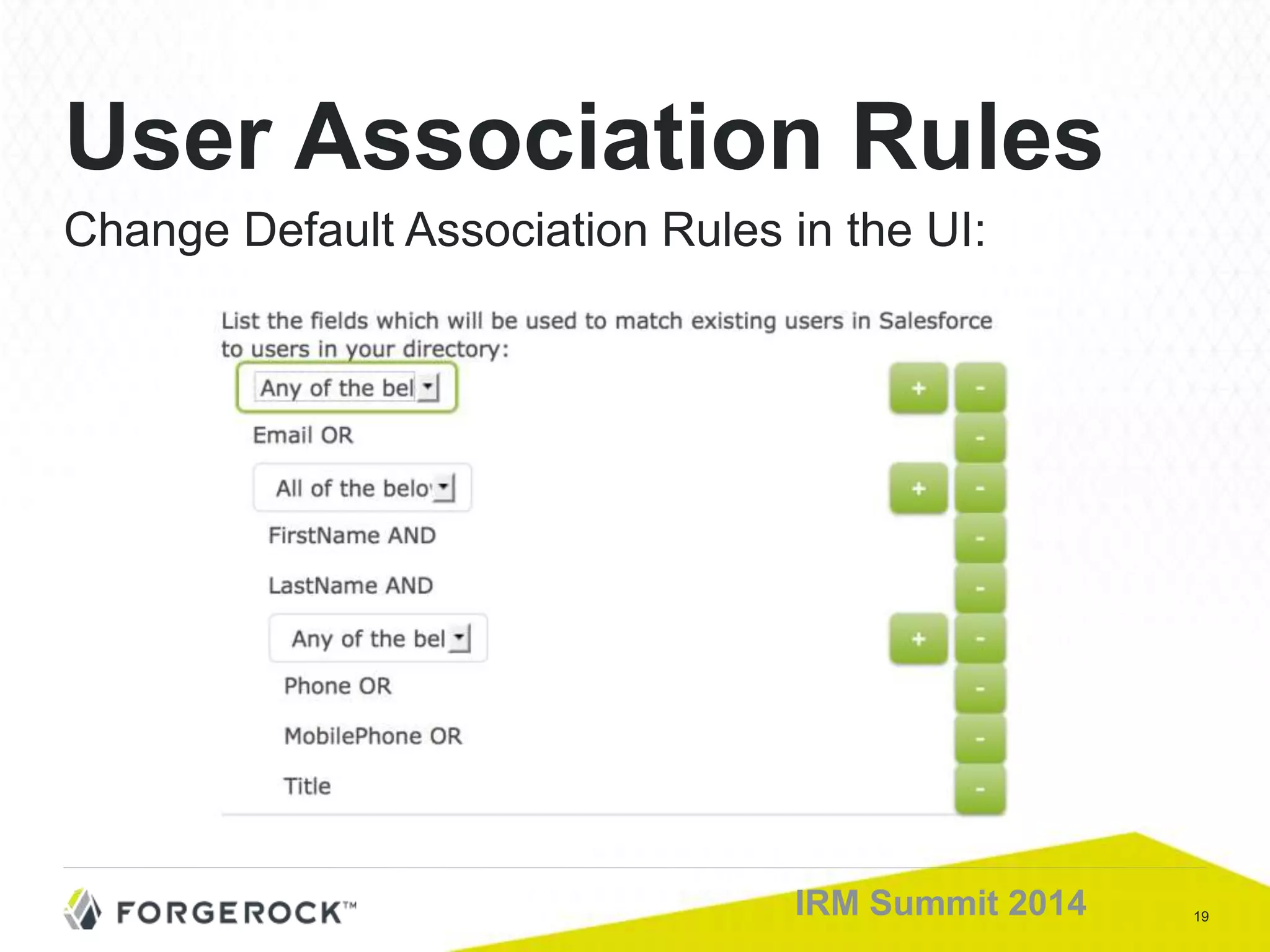
19IRM Summit 2014
Change Default Association Rules in the UI:
User Association Rules
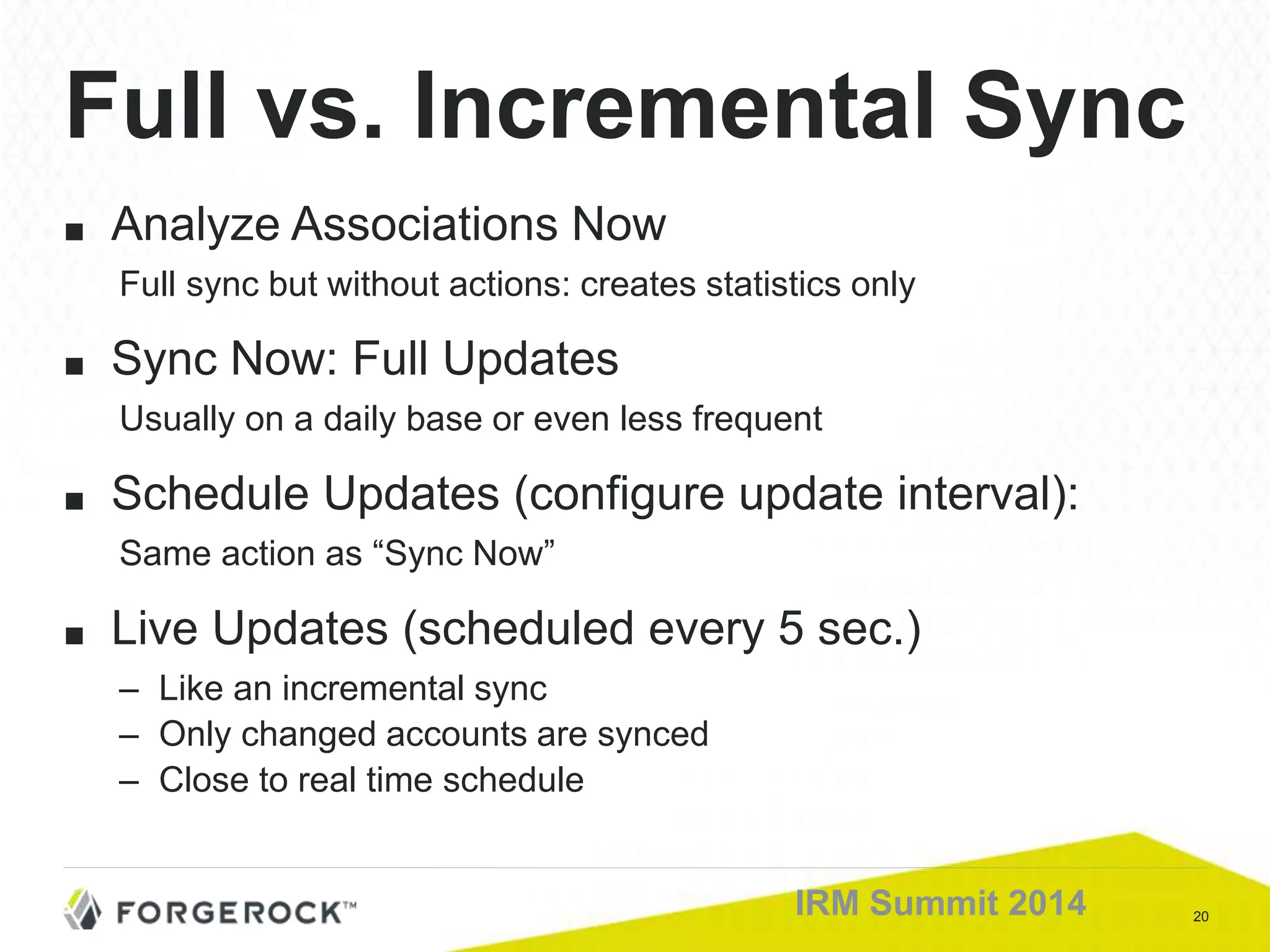
20IRM Summit 2014
■ Analyze Associations Now
Full sync but without actions: creates statistics only
■ Sync Now: Full Updates
Usually on a daily base or even less frequent
■ Schedule Updates (configure update interval):
Same action as “Sync Now”
■ Live Updates (scheduled every 5 sec.)
– Like an incremental sync
– Only changed accounts are synced
– Close to real time schedule
Full vs. Incremental Sync
21IRM Summit 2014
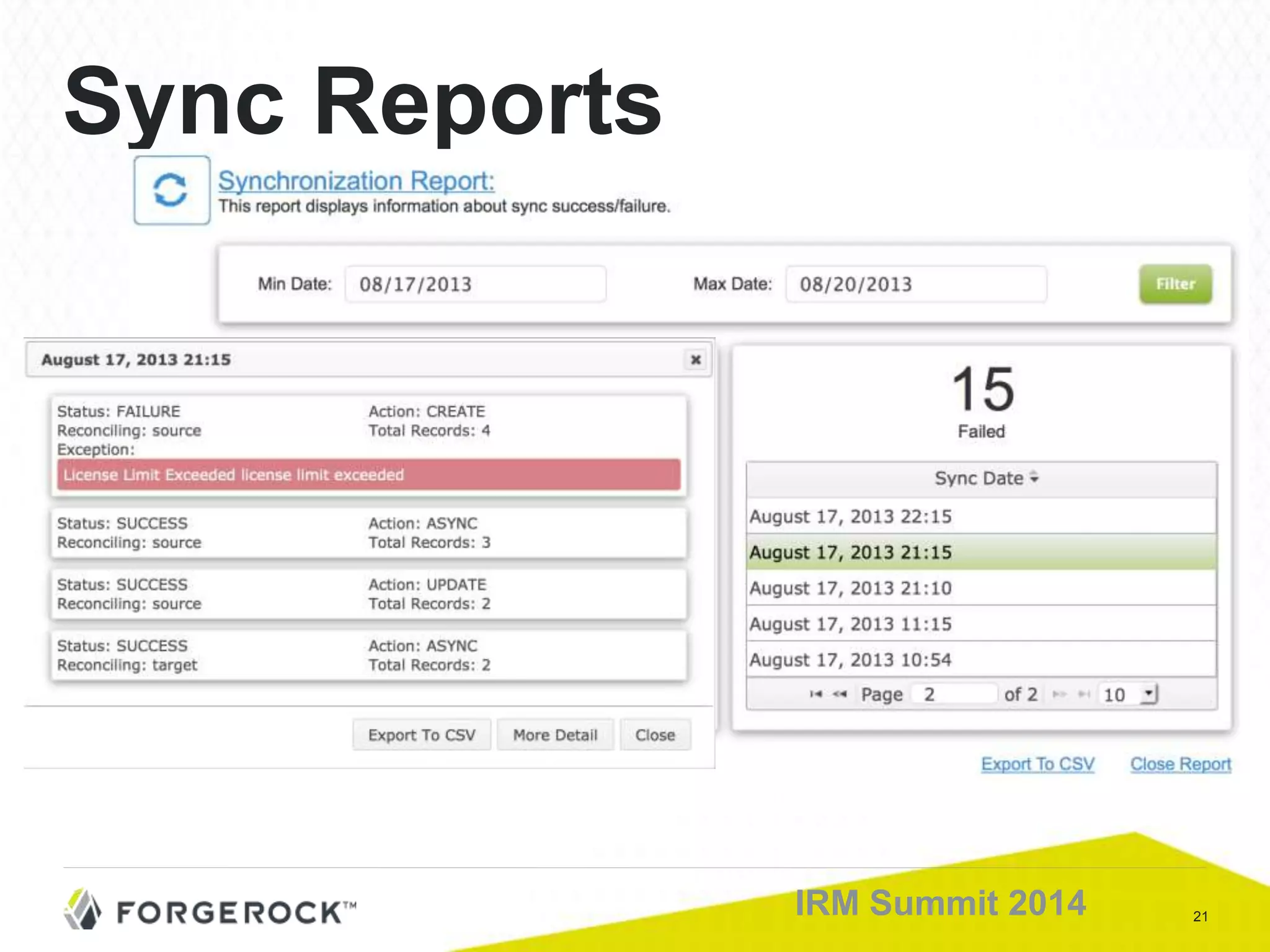
Sync Reports
22IRM Summit 2014
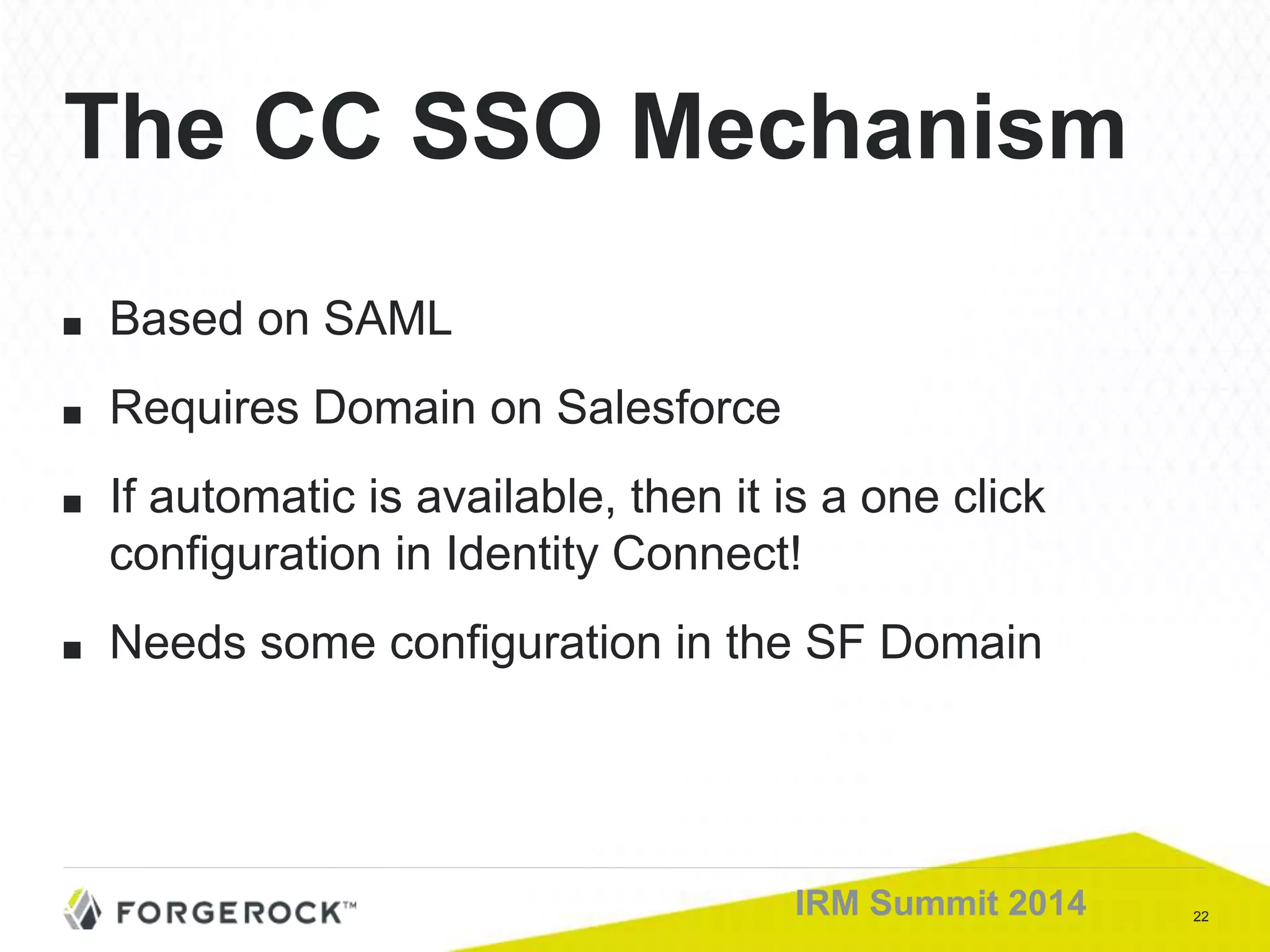
■ Based on SAML
■ Requires Domain on Salesforce
■ If automatic is available, then it is a one click
configuration in Identity Connect!
■ Needs some configuration in the SF Domain
The CC SSO Mechanism
23IRM Summit 2014
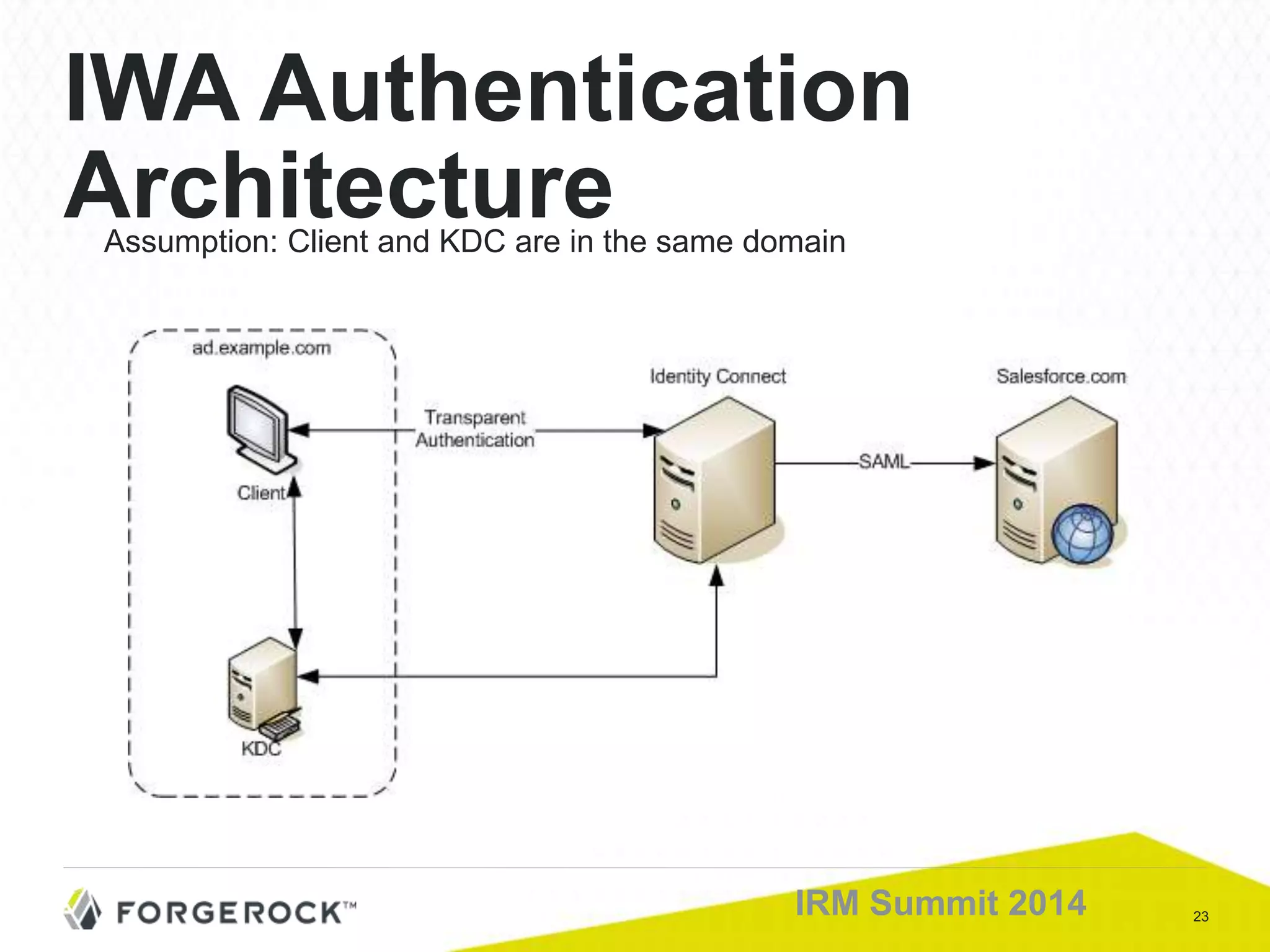
IWA Authentication
ArchitectureAssumption: Client and KDC are in the same domain
24IRM Summit 2014
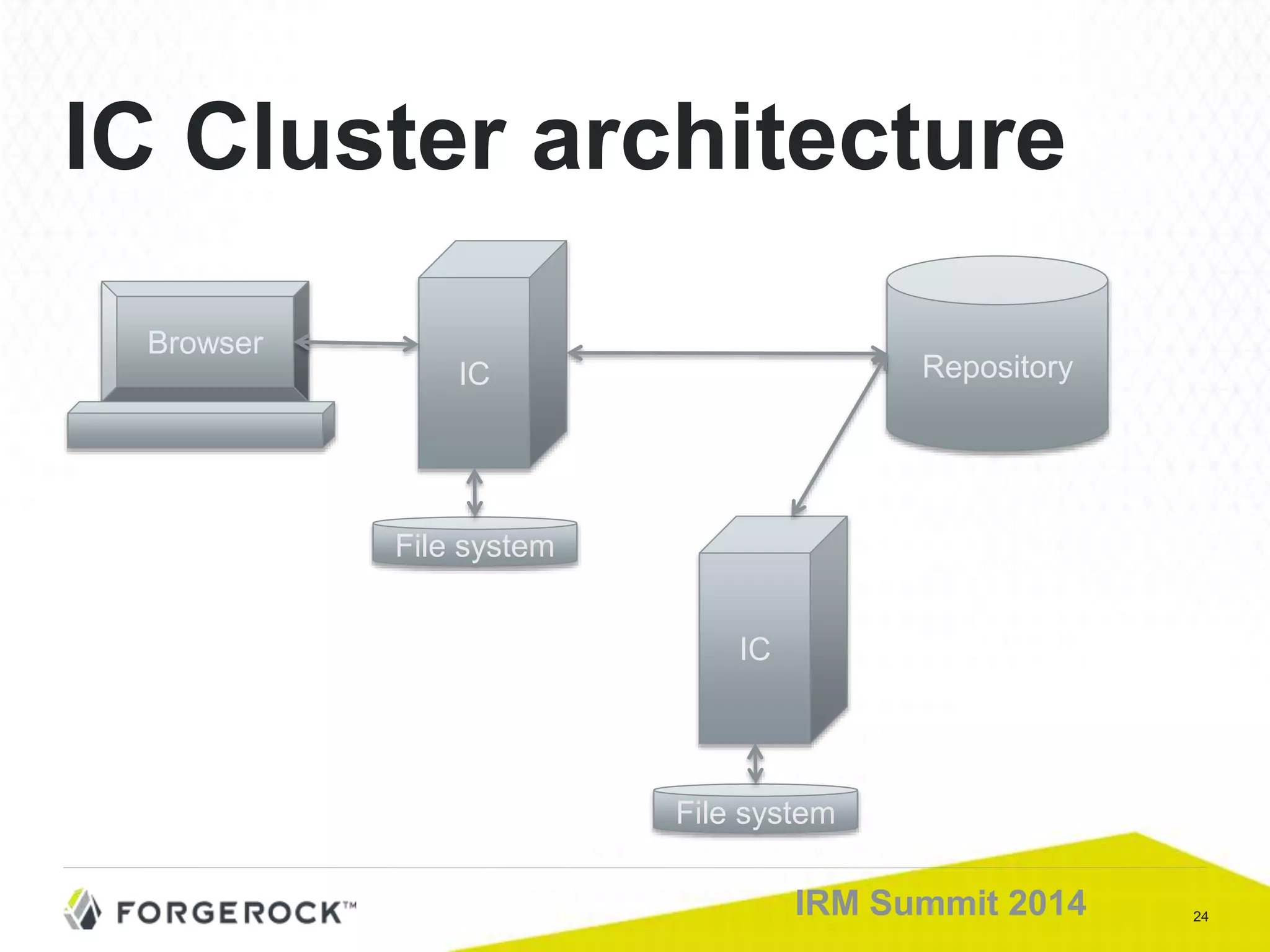
IC Cluster architecture
RepositoryIC
File system
IC
File system
Browser
25IRM Summit 2014
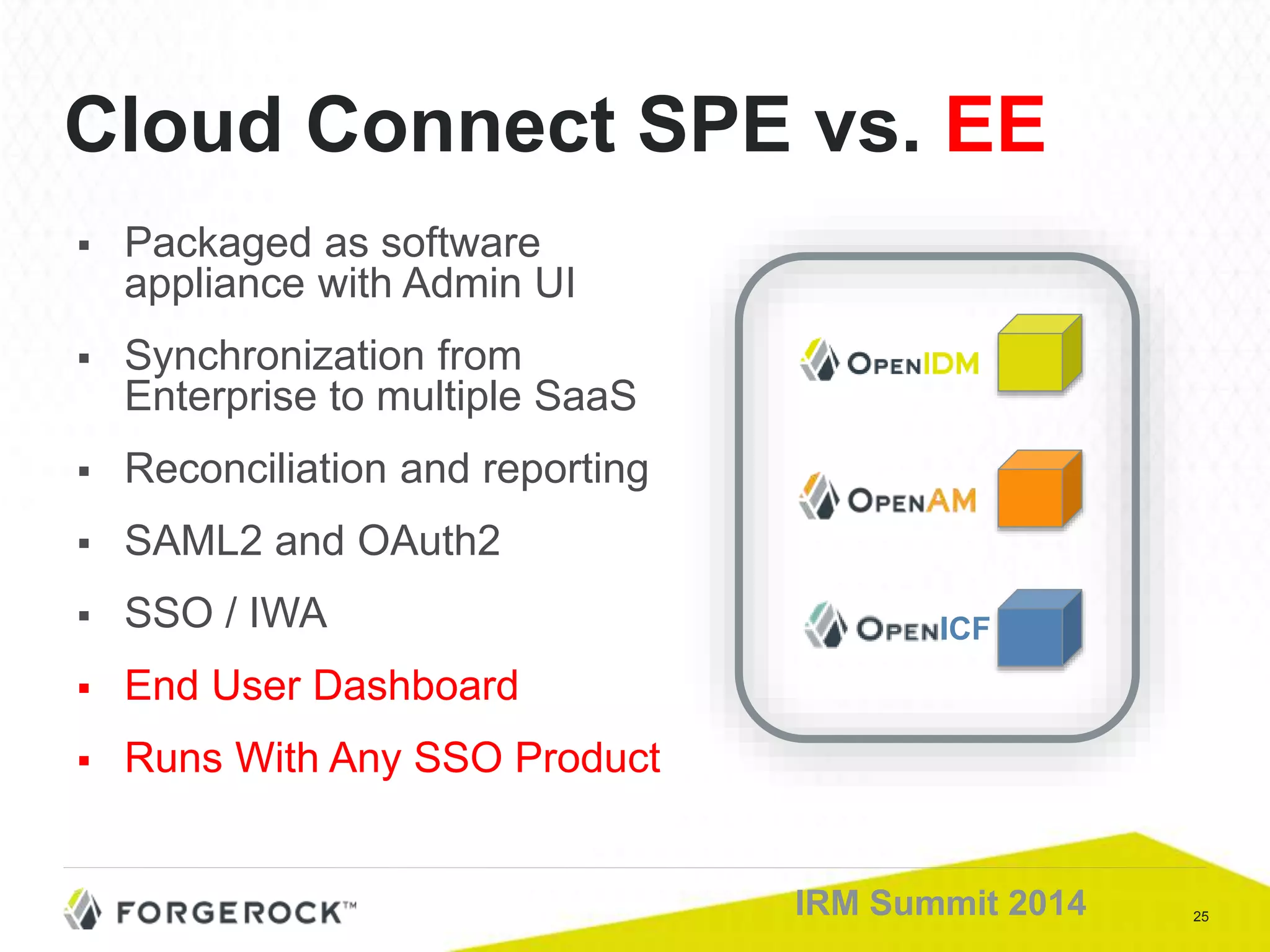
Cloud Connect SPE vs. EE
 Packaged as software
appliance with Admin UI
 Synchronization from
Enterprise to multiple SaaS
 Reconciliation and reporting
 SAML2 and OAuth2
 SSO / IWA
 End User Dashboard
 Runs With Any SSO Product
ICF

Bridge SPE: An Introduction

  • 1.
    IRM Summit 2014 BridgeSPE Matthias Tristl
  • 2.
    2IRM Summit 2014 TheChallenge • User has a local account • User needs access to a Cloud Service Governments SaaS Local AD or LDAP
  • 3.
  • 4.
    4IRM Summit 2014 Whatcustomers expect: ■ Local Action: – Create user locally – Give user a role / group membership ■ Results in the Cloud: – Automatic provisioning – Giving users the exact entitlement they need Automatic Provisioning into SaaS platforms
  • 5.
    5IRM Summit 2014 Whatcustomers expect: ■ Local changes of users are reflected: – Change attributes, entitlements or profiles – Deactivate user – Reactivate user ■ Process Requirements – “One catch all” process (i.e. for initial load) for full sync – Changes are synchronized in “near real time” like incremental sync User Live Cycle
  • 6.
    6IRM Summit 2014 DelegatedAdmin What customers expect: • Give a subset of administrators admin rights on CC for: • Configuration • Maintenance • Monitoring • Privileges are given by local group membership
  • 7.
    7IRM Summit 2014 ■Authentication strategies: – SSO vs. Password Sync ■ SSO Challenge: – Multi domain SSO ■ Even more comfort: – Integrated Windows Authentication (IWA) SSO: Local and Cloud
  • 8.
    8IRM Summit 2014 ■CC Server ■ CC Configuration UI ■ AD/LDAP connector ■ Cloud connector ■ Configuration DB: in process or remote ■ Scheduler CC Components
  • 9.
    9IRM Summit 2014 CloudConnect Architecture OSGIConfiguration Wizard OpenIDM Business Logic (Javascript, Groovy, Java) Authentication JASPI (AD and IWA) Jetty Web Server Salesforce and LDAP OAuth Salesforce LDAP Connector Federation ForgeRock UI Framework Reporting and Recon
  • 10.
    10IRM Summit 2014 ■A new User is created locally ■ CC checks against “ignored users rule” ■ CC checks for an existing association ■ CC eventually tries to find a target by an Association Rule ■ If none found, user will be created ■ After create, accounts will be associated User Synchronization
  • 11.
    11IRM Summit 2014 ■Rich client ■ Runs in browser ■ Connects over REST to CC ■ Is JavaScript based (plus jquery…) The CC Configuration UI
  • 12.
  • 13.
    13IRM Summit 2014 UI:Local connection I
  • 14.
    14IRM Summit 2014 ■Base Context ■ User Filter – LDAP filter – user objectclasses ■ Group Filter – LDAP filter – group objectclasses UI: Local Connection II
  • 15.
    15IRM Summit 2014 ■Protocol – Uses REST – Eventually OAuth 2 ■ Requirements (for Salesforce) – Connected App on SF with AuthZs: ■ Access your basic information ■ Access and manage your data ■ Perform requests on your behalf at any time – SF Domain (for SSO) – Enable Multiple SAML configurations (for automatic SSO setup) UI: Cloud Connection
  • 16.
    16IRM Summit 2014 UI:Mapping Attributes I
  • 17.
    17IRM Summit 2014 UI:Mapping Attributes II
  • 18.
    18IRM Summit 2014 ■Situation: sync engine gets a list of the user’s AD group memberships in memberOf ■ AD groups map to SF Profiles ■ If the result would be more than one SF Profile, based on the AD group membership, the one with the highest precedence is used. UI: Mapping Groups
  • 19.
    19IRM Summit 2014 ChangeDefault Association Rules in the UI: User Association Rules
  • 20.
    20IRM Summit 2014 ■Analyze Associations Now Full sync but without actions: creates statistics only ■ Sync Now: Full Updates Usually on a daily base or even less frequent ■ Schedule Updates (configure update interval): Same action as “Sync Now” ■ Live Updates (scheduled every 5 sec.) – Like an incremental sync – Only changed accounts are synced – Close to real time schedule Full vs. Incremental Sync
  • 21.
  • 22.
    22IRM Summit 2014 ■Based on SAML ■ Requires Domain on Salesforce ■ If automatic is available, then it is a one click configuration in Identity Connect! ■ Needs some configuration in the SF Domain The CC SSO Mechanism
  • 23.
    23IRM Summit 2014 IWAAuthentication ArchitectureAssumption: Client and KDC are in the same domain
  • 24.
    24IRM Summit 2014 ICCluster architecture RepositoryIC File system IC File system Browser
  • 25.
    25IRM Summit 2014 CloudConnect SPE vs. EE  Packaged as software appliance with Admin UI  Synchronization from Enterprise to multiple SaaS  Reconciliation and reporting  SAML2 and OAuth2  SSO / IWA  End User Dashboard  Runs With Any SSO Product ICF