Best Practices in Student Master Shell Design and Next Steps with OrientationBarbara Thoeming, Jack Hawkins, Douglas Renfro and Scott Bane
What are the necessary components?Course and navigation informationContent / Lessons in consistent formatInteraction tools / CollaborationFeedbackAssessment
Course InformationThis section should contain the syllabus, policies, procedures, and navigation information.  The Course Information area should remain consistent throughout the system so students know where to go to get this information in any course.
Course Information
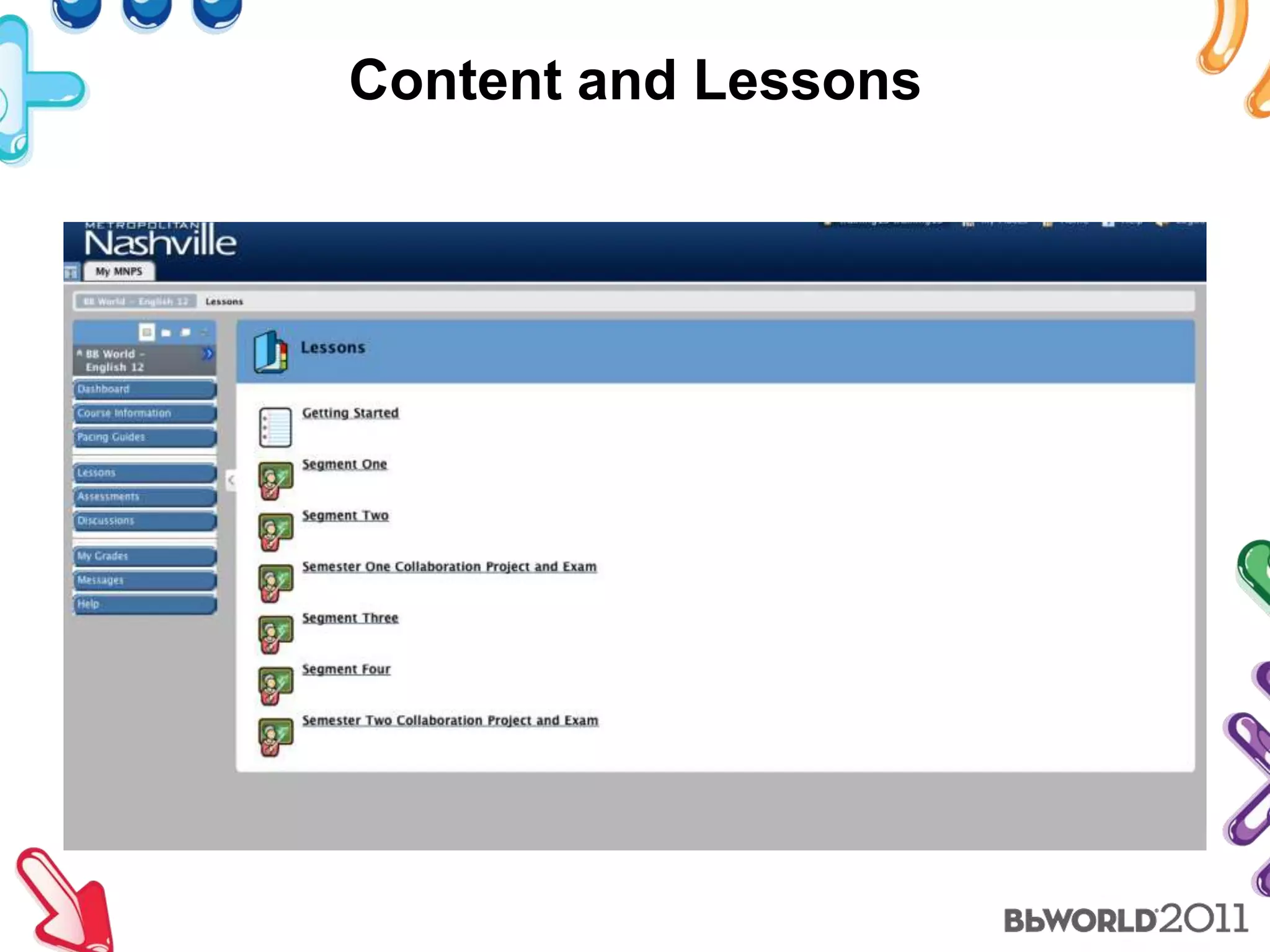
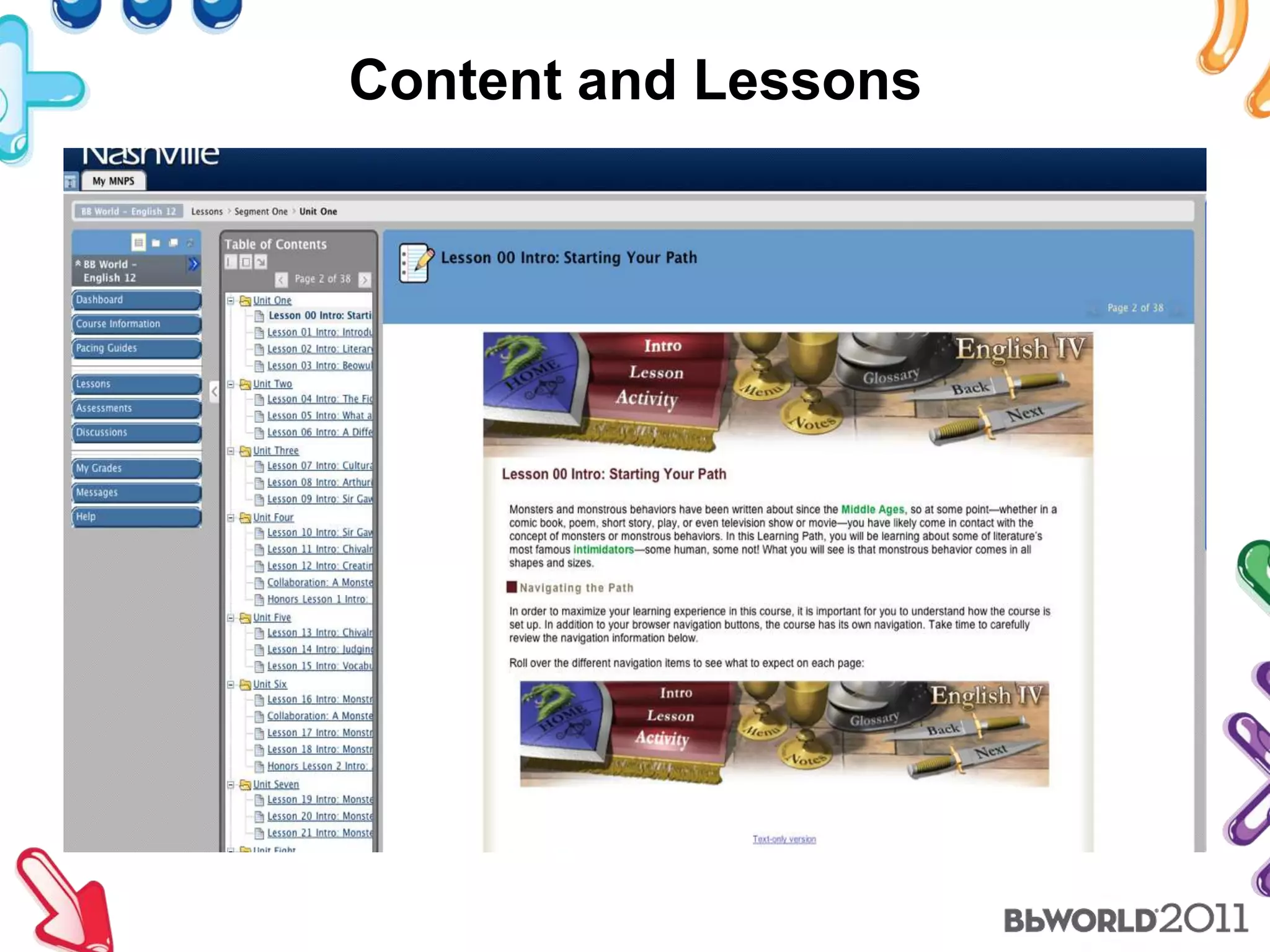
Content and LessonsSeparate content into manageable piecesContent Folders to group/chunk information and lessonsAre tools incorporated into the lessons to make content more interactive?Fonts and colors should be consistentDon’t overload the screen!  Keep it clean.Images are important in helping students visualize concepts.
Content and Lessons
Content and Lessons
Instructional Methods and Tools OnlineCooperative learning and collaboration - Projects, multimedia presentations, wikis, blogs web conferencing, discussion boardsModeling - Video clips that show a process in action or being taught, powerpoint presentationsDiscussions - Discussion board, blogs, emails, chat, web conferencing as well as journals for reflective interaction with instructorHot Spot quizzes, self tests, and drills to help with remembering informationLectures - podcasts, web conferencing, narrated PowerpointSimulations - animations, videoTutorials
Interaction and CollaborationInteraction with contentInteraction with peersInteraction with the instructor and/or tutorCollaboration can take place in a Collaborate room, through chat, discussion boards, etc. but is an important component of k12 learning
FeedbackStudents need to know where they stand on their work.  Provide clear, concise feedback using the comment area of the assessment.  Emails and/or phone calls can be used to discuss assignments when necessary.  Track student progress each week to determine if a student is working appropriately or not.  If not, communicate concerns and intervene.  Online students need to be monitored closely to help them reach success in an online environment.Respond to student emails, calls, etc within 24 hours.  If communication is received on a weekend or holiday, it should be returned on the first business day you return.Use a virtual classroom, such as Collaborate, to provide more direct interaction and feedback with students.
AssessmentAssessments should be varied just as they are in the brick and mortar classroom.essayshot spot quizzesblogsjournalsprojectsdiscussionscasestudiesresearchshort answer tests as well as multiple choice answer testscollaborative assignmentsportfolios
DashboardEverything that has been covered to this point is firmly researched based. In Metro Nashville we have recently been adding an additional component. This is the heads up page for each course that the students are enrolled. The teacher has some flexibility in determining what information will be displayed on this page.
Orientation Talking PointsFocus on size and course lengthFocus on design and ease of useWork toward an orientation that can provide the best of these three:Mobile: can pieces be viewed and accessed from any device?Social: is there an student-to-student bonding and learning element?On Demand: is it a go-to resource for ongoing training and help?
Size and Course LengthSearching for the balance of rich, effective content and a fast enough pace to keep it from being drudgeryWe like 1 hour to 90 minutes at most for core concepts
Essential ContentOur primary purpose is to equip students to have the best experience possible and limit the challenges of the new medium.Navigation best practicesCreate the proper expectationEncourage practiceProvide a show-then-do format to working with course tools
ScreenFlow – MacCamtasia – PC
After watching a video tutorial on how to post to discussion forums, they go immediately to a forum in the course and practice what they watched.
Design and Ease of Use
Search for a fit to the audienceSeems obvious but we’ve developed our third design based on student feedbackFor most students this is their first impression ever of the online classroomDesign starts as graphical elements but quickly moves into more architectural substance
Packaging is everythingNA  TOC  IAJF  KNAS  AK  FC
Packaging is everythingNATO  CIA  JFK  NASA  KFC
MobileSocialOn Demand
MobileAngel has a “syndicated content” folder we like to useMakes content pages sharable through RSSAllows simple podcast configuration for audio filesThink of the orientation as a way to add overall value to the students’ online learning experienceJust link to other useful and engaging apps as you become aware of themBb Mobile Learn App is excellent for discussions and checking progress
SocialProvide a venue for students to just “talk”A get to know you group can have a dramatic impact on future engagementIncrease their feel that there are “real people” behind the computersProvide opportunities for students to teach and learn from other studentsCascading permissions allow you to make students creators of orientation content
On DemandYou’ll never get every bit of training needed in 1 hourEncourage frequent re-use of the Orientation by making it a storehouse for all your training materialPersonal repositories allow easy sharing of great materialIf students are subscribed to a content folder, it’s easy to see when new things arriveCourse mail could work just as well
Please provide feedback for this session by emailingBbWorldFeedback@blackboard.com. The title of this session is:Best Practices in Student Master Shell Design and Next Steps with Orientation

Bb world 2011

  • 1.
    Best Practices inStudent Master Shell Design and Next Steps with OrientationBarbara Thoeming, Jack Hawkins, Douglas Renfro and Scott Bane
  • 2.
    What are thenecessary components?Course and navigation informationContent / Lessons in consistent formatInteraction tools / CollaborationFeedbackAssessment
  • 3.
    Course InformationThis sectionshould contain the syllabus, policies, procedures, and navigation information. The Course Information area should remain consistent throughout the system so students know where to go to get this information in any course.
  • 4.
  • 5.
    Content and LessonsSeparatecontent into manageable piecesContent Folders to group/chunk information and lessonsAre tools incorporated into the lessons to make content more interactive?Fonts and colors should be consistentDon’t overload the screen! Keep it clean.Images are important in helping students visualize concepts.
  • 6.
  • 7.
  • 8.
    Instructional Methods andTools OnlineCooperative learning and collaboration - Projects, multimedia presentations, wikis, blogs web conferencing, discussion boardsModeling - Video clips that show a process in action or being taught, powerpoint presentationsDiscussions - Discussion board, blogs, emails, chat, web conferencing as well as journals for reflective interaction with instructorHot Spot quizzes, self tests, and drills to help with remembering informationLectures - podcasts, web conferencing, narrated PowerpointSimulations - animations, videoTutorials
  • 9.
    Interaction and CollaborationInteractionwith contentInteraction with peersInteraction with the instructor and/or tutorCollaboration can take place in a Collaborate room, through chat, discussion boards, etc. but is an important component of k12 learning
  • 10.
    FeedbackStudents need toknow where they stand on their work. Provide clear, concise feedback using the comment area of the assessment. Emails and/or phone calls can be used to discuss assignments when necessary. Track student progress each week to determine if a student is working appropriately or not. If not, communicate concerns and intervene. Online students need to be monitored closely to help them reach success in an online environment.Respond to student emails, calls, etc within 24 hours. If communication is received on a weekend or holiday, it should be returned on the first business day you return.Use a virtual classroom, such as Collaborate, to provide more direct interaction and feedback with students.
  • 11.
    AssessmentAssessments should bevaried just as they are in the brick and mortar classroom.essayshot spot quizzesblogsjournalsprojectsdiscussionscasestudiesresearchshort answer tests as well as multiple choice answer testscollaborative assignmentsportfolios
  • 12.
    DashboardEverything that hasbeen covered to this point is firmly researched based. In Metro Nashville we have recently been adding an additional component. This is the heads up page for each course that the students are enrolled. The teacher has some flexibility in determining what information will be displayed on this page.
  • 13.
    Orientation Talking PointsFocuson size and course lengthFocus on design and ease of useWork toward an orientation that can provide the best of these three:Mobile: can pieces be viewed and accessed from any device?Social: is there an student-to-student bonding and learning element?On Demand: is it a go-to resource for ongoing training and help?
  • 14.
    Size and CourseLengthSearching for the balance of rich, effective content and a fast enough pace to keep it from being drudgeryWe like 1 hour to 90 minutes at most for core concepts
  • 15.
    Essential ContentOur primarypurpose is to equip students to have the best experience possible and limit the challenges of the new medium.Navigation best practicesCreate the proper expectationEncourage practiceProvide a show-then-do format to working with course tools
  • 17.
  • 18.
    After watching avideo tutorial on how to post to discussion forums, they go immediately to a forum in the course and practice what they watched.
  • 19.
  • 20.
    Search for afit to the audienceSeems obvious but we’ve developed our third design based on student feedbackFor most students this is their first impression ever of the online classroomDesign starts as graphical elements but quickly moves into more architectural substance
  • 21.
    Packaging is everythingNA TOC IAJF KNAS AK FC
  • 22.
  • 23.
  • 24.
    MobileAngel has a“syndicated content” folder we like to useMakes content pages sharable through RSSAllows simple podcast configuration for audio filesThink of the orientation as a way to add overall value to the students’ online learning experienceJust link to other useful and engaging apps as you become aware of themBb Mobile Learn App is excellent for discussions and checking progress
  • 25.
    SocialProvide a venuefor students to just “talk”A get to know you group can have a dramatic impact on future engagementIncrease their feel that there are “real people” behind the computersProvide opportunities for students to teach and learn from other studentsCascading permissions allow you to make students creators of orientation content
  • 26.
    On DemandYou’ll neverget every bit of training needed in 1 hourEncourage frequent re-use of the Orientation by making it a storehouse for all your training materialPersonal repositories allow easy sharing of great materialIf students are subscribed to a content folder, it’s easy to see when new things arriveCourse mail could work just as well
  • 27.
    Please provide feedbackfor this session by emailingBbWorldFeedback@blackboard.com. The title of this session is:Best Practices in Student Master Shell Design and Next Steps with Orientation

Editor's Notes

  • #24 Every mobile device that can access web applications (apps) has a Facebook app. It’s just like that NFL mobile commercial… students can access group content from their school PC, home PC, phone or tablet.