10th
INTERNET BASICS
Computer Applications
Book Code: 165
Made By:
Sumit Kumar
sksumitkumarshakya
INTERNET
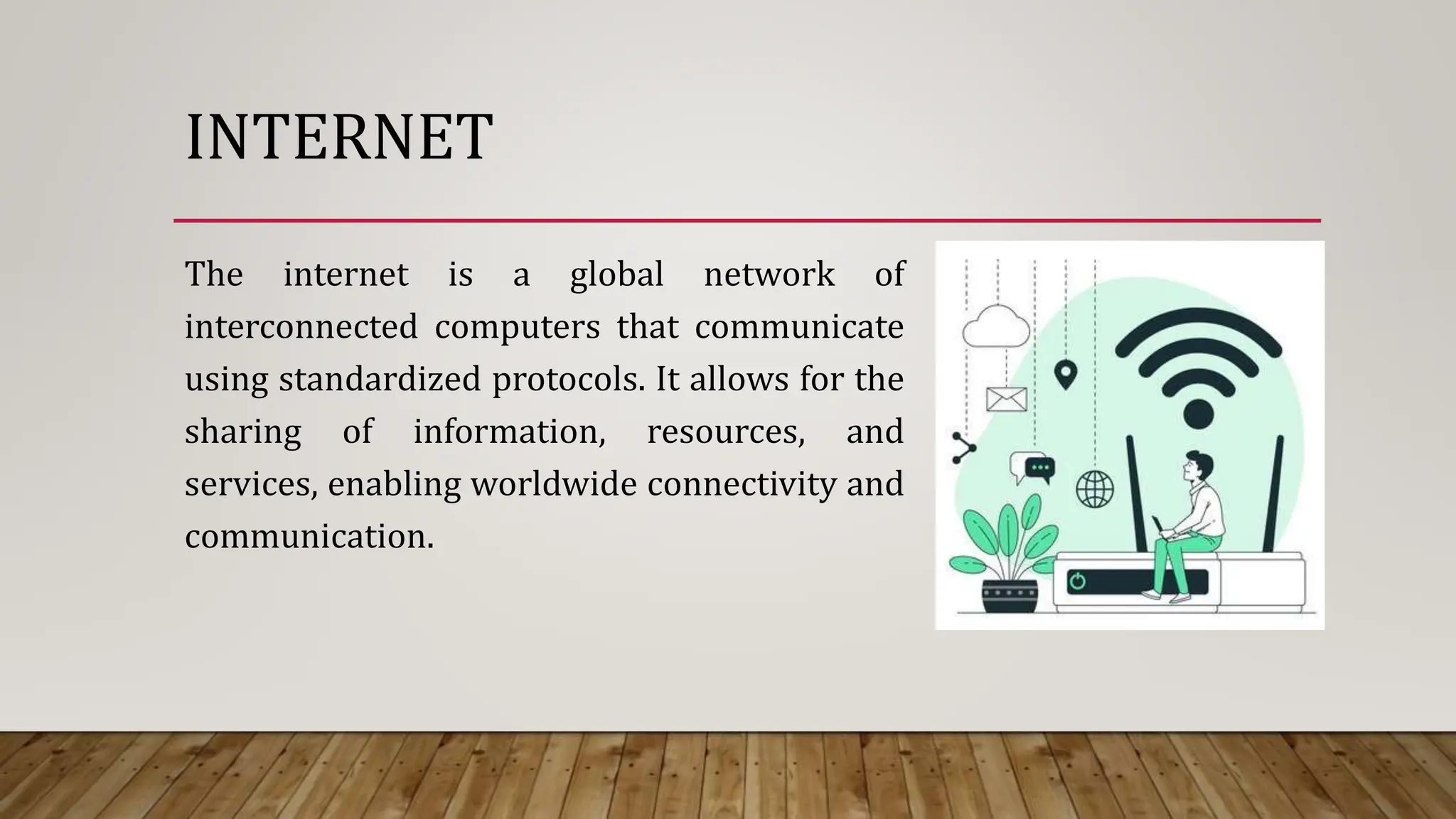
The internet is a global network of
interconnected computers that communicate
using standardized protocols. It allows for the
sharing of information, resources, and
services, enabling worldwide connectivity and
communication.
COMPUTER NETWORKING
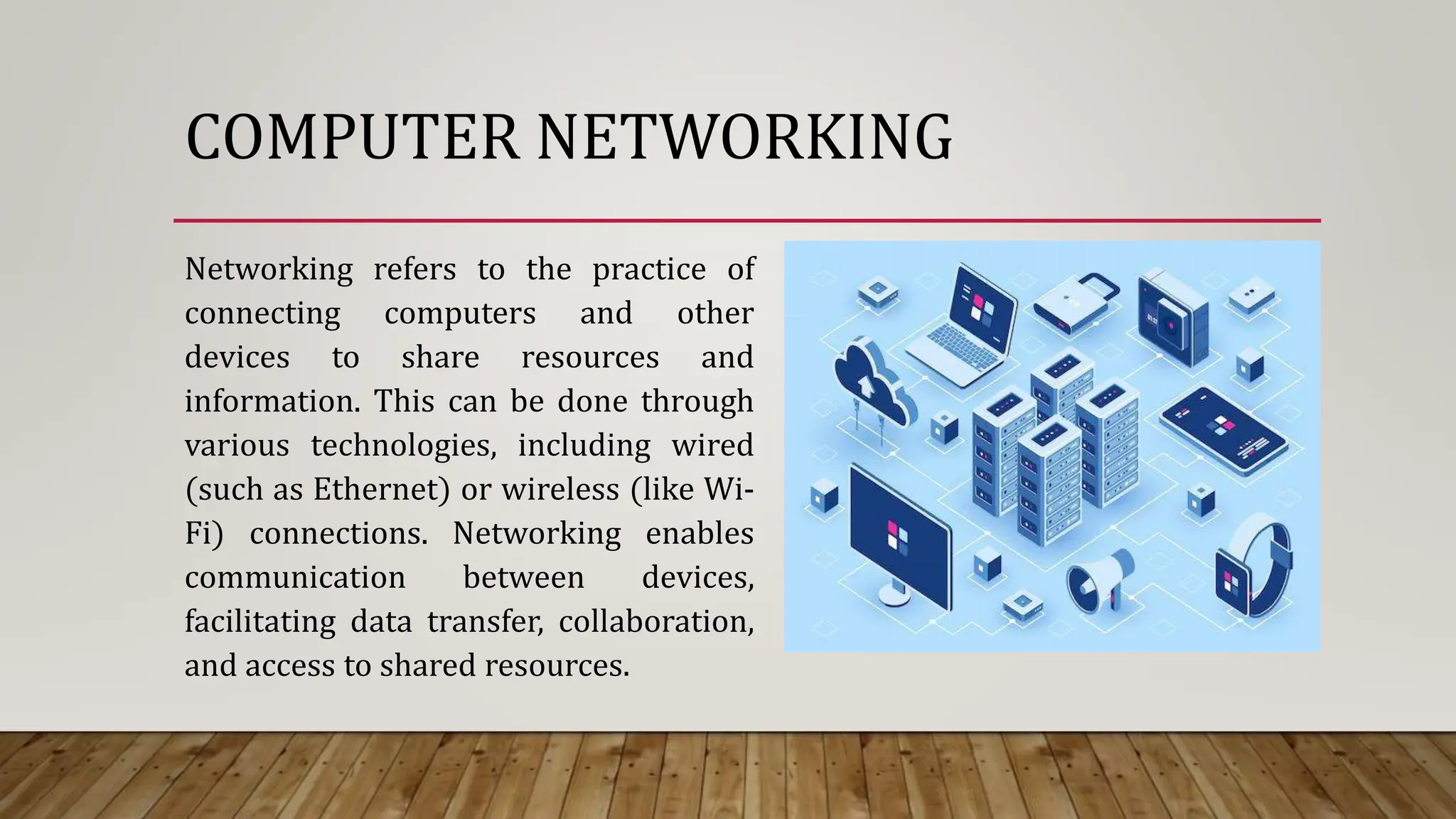
Networking refers to the practice of
connecting computers and other
devices to share resources and
information. This can be done through
various technologies, including wired
(such as Ethernet) or wireless (like Wi-
Fi) connections. Networking enables
communication between devices,
facilitating data transfer, collaboration,
and access to shared resources.
DIFFERENCE BETWEEN NETWORKING
AND INTERNET
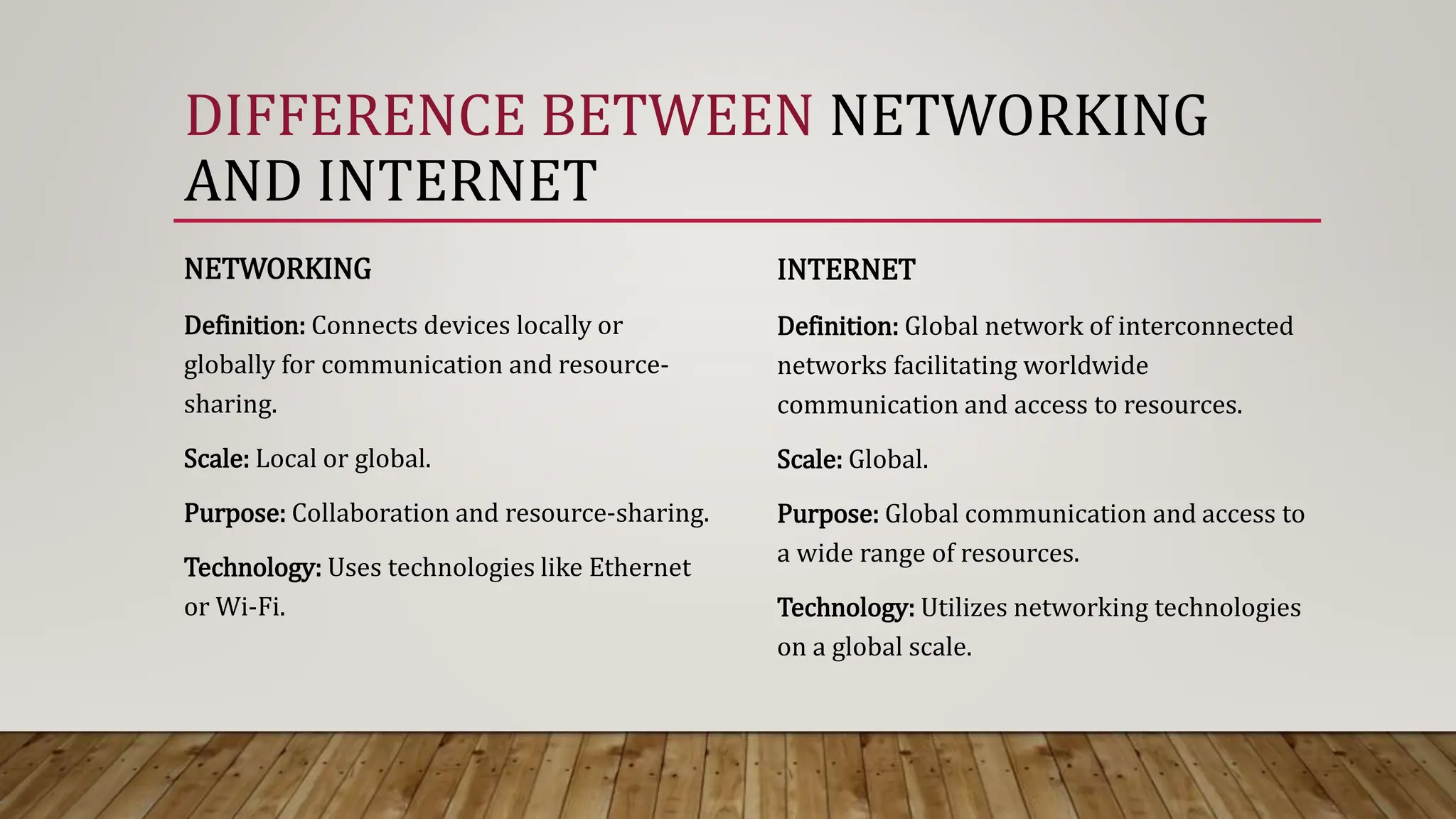
NETWORKING
Definition: Connects devices locally or
globally for communication and resource-
sharing.
Scale: Local or global.
Purpose: Collaboration and resource-sharing.
Technology: Uses technologies like Ethernet
or Wi-Fi.
INTERNET
Definition: Global network of interconnected
networks facilitating worldwide
communication and access to resources.
Scale: Global.
Purpose: Global communication and access to
a wide range of resources.
Technology: Utilizes networking technologies
on a global scale.
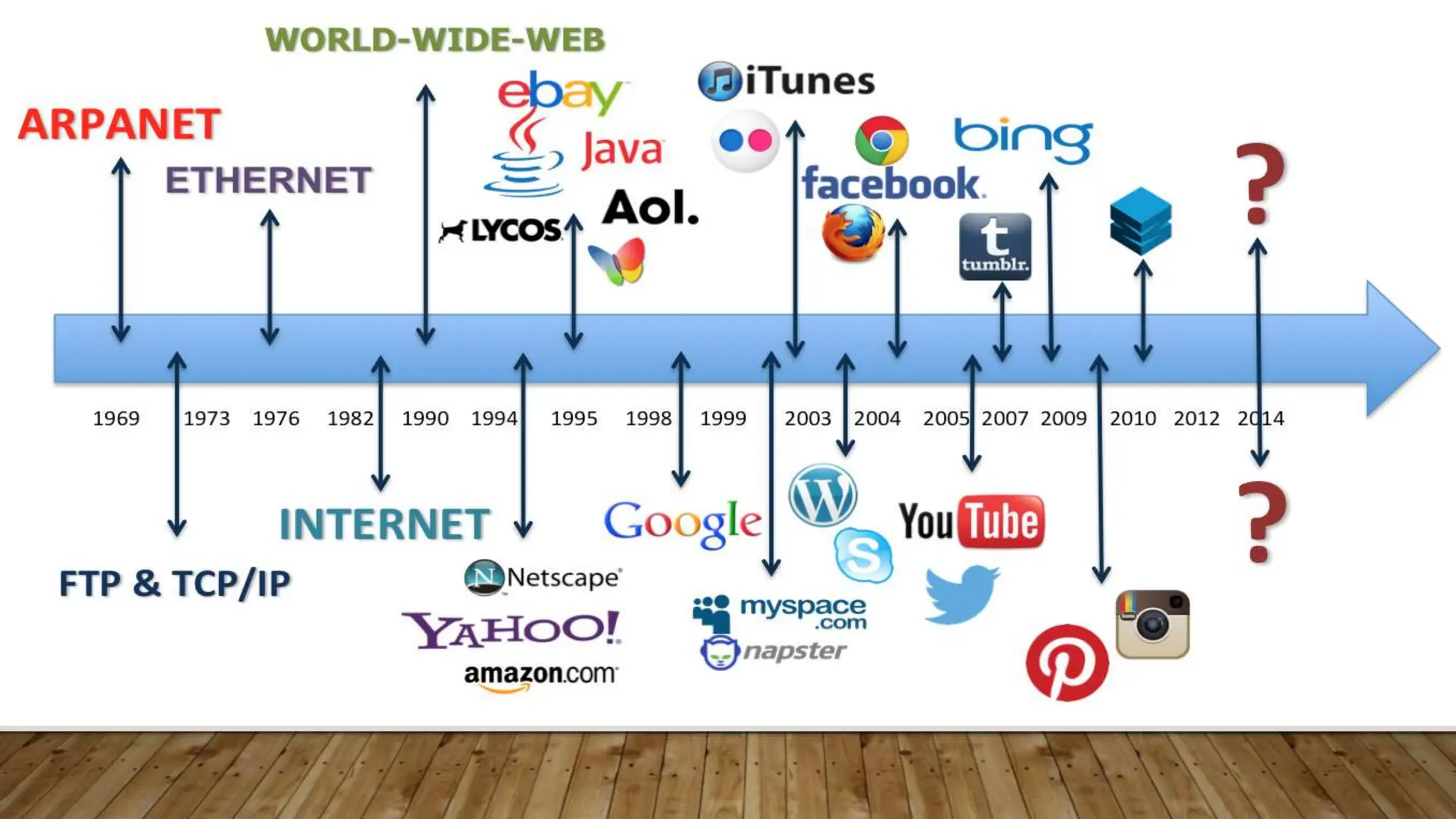
HISTORY OF INTERNET
.
THE HISTORY OF THE INTERNET DATES BACK TO THE 1960S. HERE’S A BRIEF
OVERVIEW:
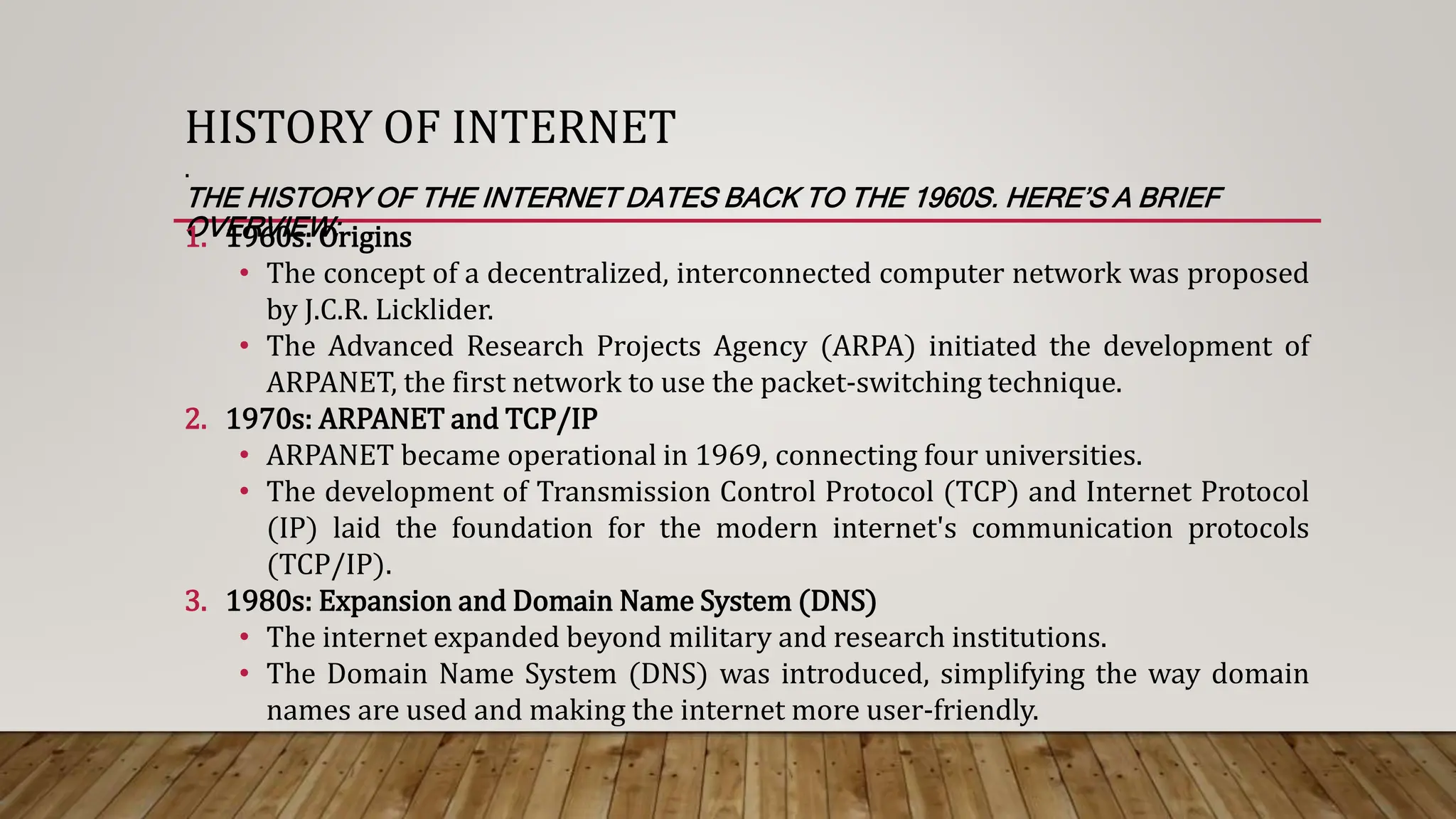
1. 1960s: Origins
• The concept of a decentralized, interconnected computer network was proposed
by J.C.R. Licklider.
• The Advanced Research Projects Agency (ARPA) initiated the development of
ARPANET, the first network to use the packet-switching technique.
2. 1970s: ARPANET and TCP/IP
• ARPANET became operational in 1969, connecting four universities.
• The development of Transmission Control Protocol (TCP) and Internet Protocol
(IP) laid the foundation for the modern internet's communication protocols
(TCP/IP).
3. 1980s: Expansion and Domain Name System (DNS)
• The internet expanded beyond military and research institutions.
• The Domain Name System (DNS) was introduced, simplifying the way domain
names are used and making the internet more user-friendly.
HISTORY OF INTERNET
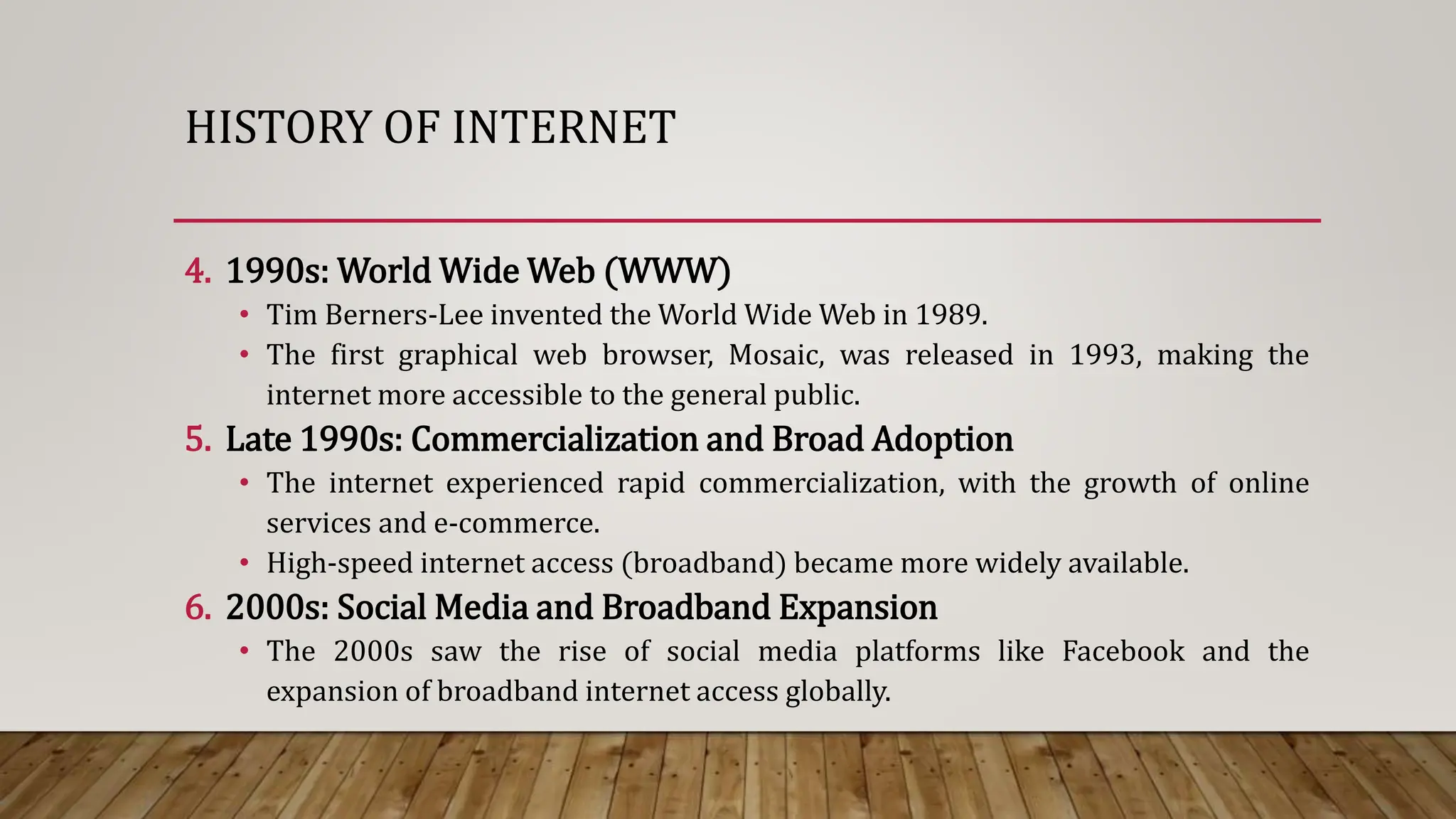
4. 1990s: World Wide Web (WWW)
• Tim Berners-Lee invented the World Wide Web in 1989.
• The first graphical web browser, Mosaic, was released in 1993, making the
internet more accessible to the general public.
5. Late 1990s: Commercialization and Broad Adoption
• The internet experienced rapid commercialization, with the growth of online
services and e-commerce.
• High-speed internet access (broadband) became more widely available.
6. 2000s: Social Media and Broadband Expansion
• The 2000s saw the rise of social media platforms like Facebook and the
expansion of broadband internet access globally.
HISTORY OF INTERNET
7. 2010s: Mobile Internet and Cloud Computing
• Mobile internet usage surged with the widespread adoption of smartphones.
• Cloud computing services became prevalent, allowing users to store and access
data online.
8. 2020s: Continued Advancements
• Ongoing advancements include the development of 5G networks, the Internet of
Things (IoT), and increased focus on internet security and privacy.
Throughout its history, the internet has evolved from a research project
to a vital global infrastructure, shaping communication, commerce, and
information dissemination.
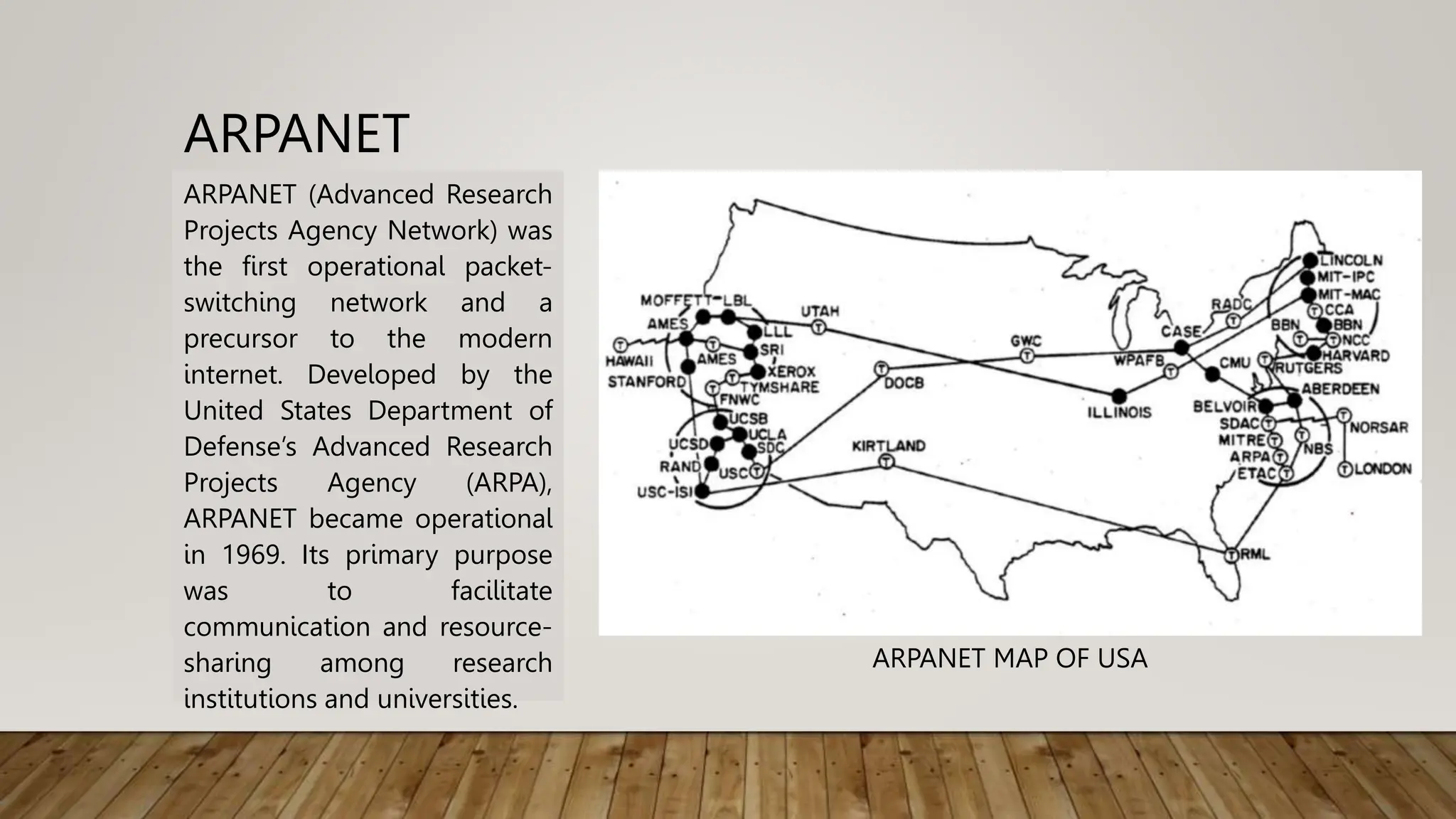
ARPANET
ARPANET (Advanced Research
Projects Agency Network) was
the first operational packet-
switching network and a
precursor to the modern
internet. Developed by the
United States Department of
Defense’s Advanced Research
Projects Agency (ARPA),
ARPANET became operational
in 1969. Its primary purpose
was to facilitate
communication and resource-
sharing among research
institutions and universities.
ARPANET MAP OF USA
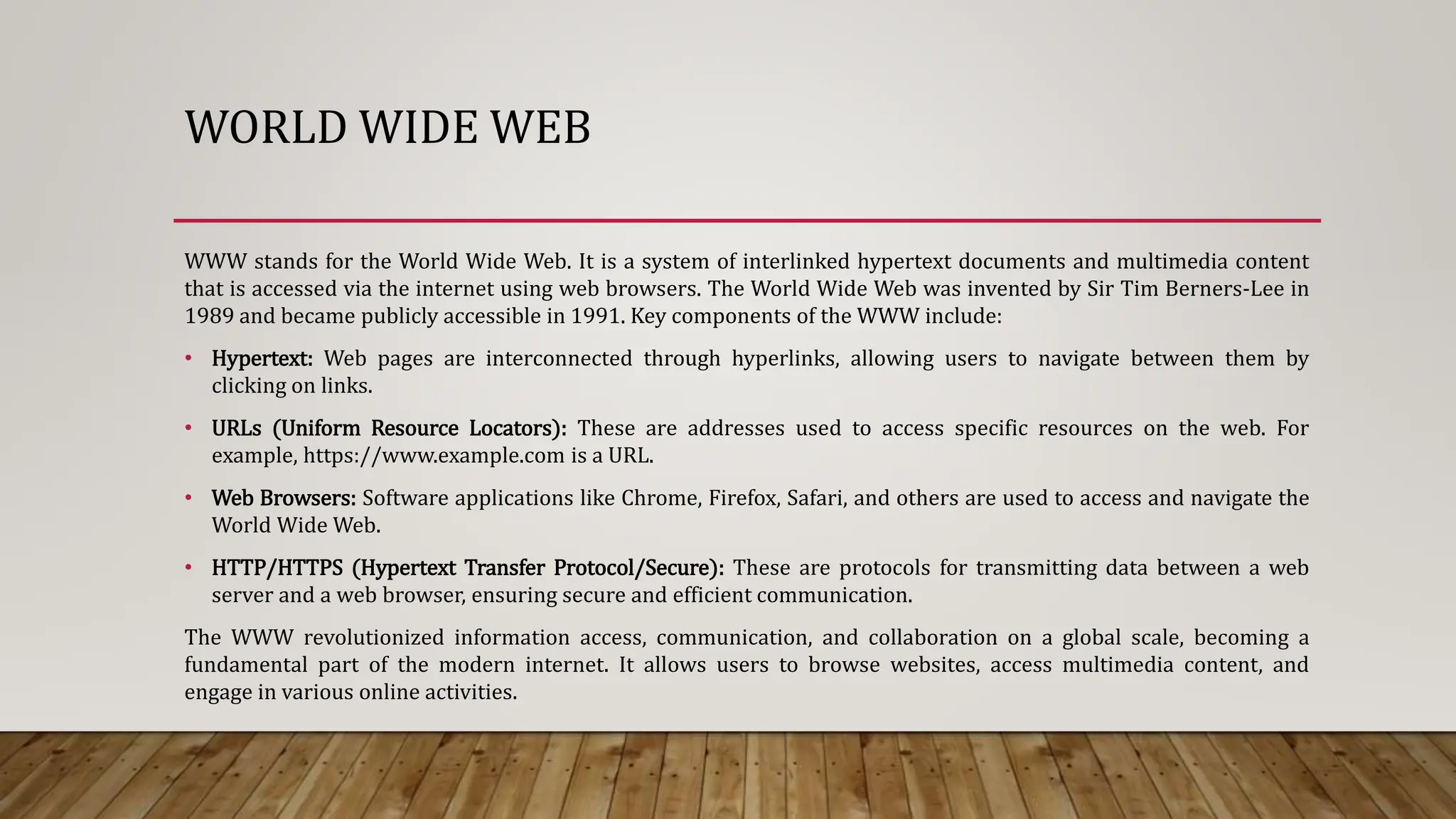
WORLD WIDE WEB
WWW stands for the World Wide Web. It is a system of interlinked hypertext documents and multimedia content
that is accessed via the internet using web browsers. The World Wide Web was invented by Sir Tim Berners-Lee in
1989 and became publicly accessible in 1991. Key components of the WWW include:
• Hypertext: Web pages are interconnected through hyperlinks, allowing users to navigate between them by
clicking on links.
• URLs (Uniform Resource Locators): These are addresses used to access specific resources on the web. For
example, https://www.example.com is a URL.
• Web Browsers: Software applications like Chrome, Firefox, Safari, and others are used to access and navigate the
World Wide Web.
• HTTP/HTTPS (Hypertext Transfer Protocol/Secure): These are protocols for transmitting data between a web
server and a web browser, ensuring secure and efficient communication.
The WWW revolutionized information access, communication, and collaboration on a global scale, becoming a
fundamental part of the modern internet. It allows users to browse websites, access multimedia content, and
engage in various online activities.
DIFFERENCE BETWEEN INTERNET AND WWW
INTERNET
• The internet is a global network of
interconnected computer networks that
spans the entire world.
• It includes various technologies and
services beyond the World Wide Web,
such as email, file transfer (FTP), instant
messaging, and more.
• The internet facilitates the exchange of
data and information globally.
WWW
• The WWW is a specific system within the
broader internet, consisting of
interlinked hypertext documents and
multimedia content.
• It uses the HTTP/HTTPS protocols for
data transfer and is accessed through
web browsers like Chrome, Firefox, and
Safari.
• The WWW allows users to navigate
between web pages using hyperlinks.
In essence, the internet is the overarching network that connects computers and networks
worldwide, while the World Wide Web is a subset of the internet that specifically deals with
interconnected web pages and multimedia content accessible through browsers. The internet
encompasses a broader range of services beyond the WWW.
WEB SERVERS
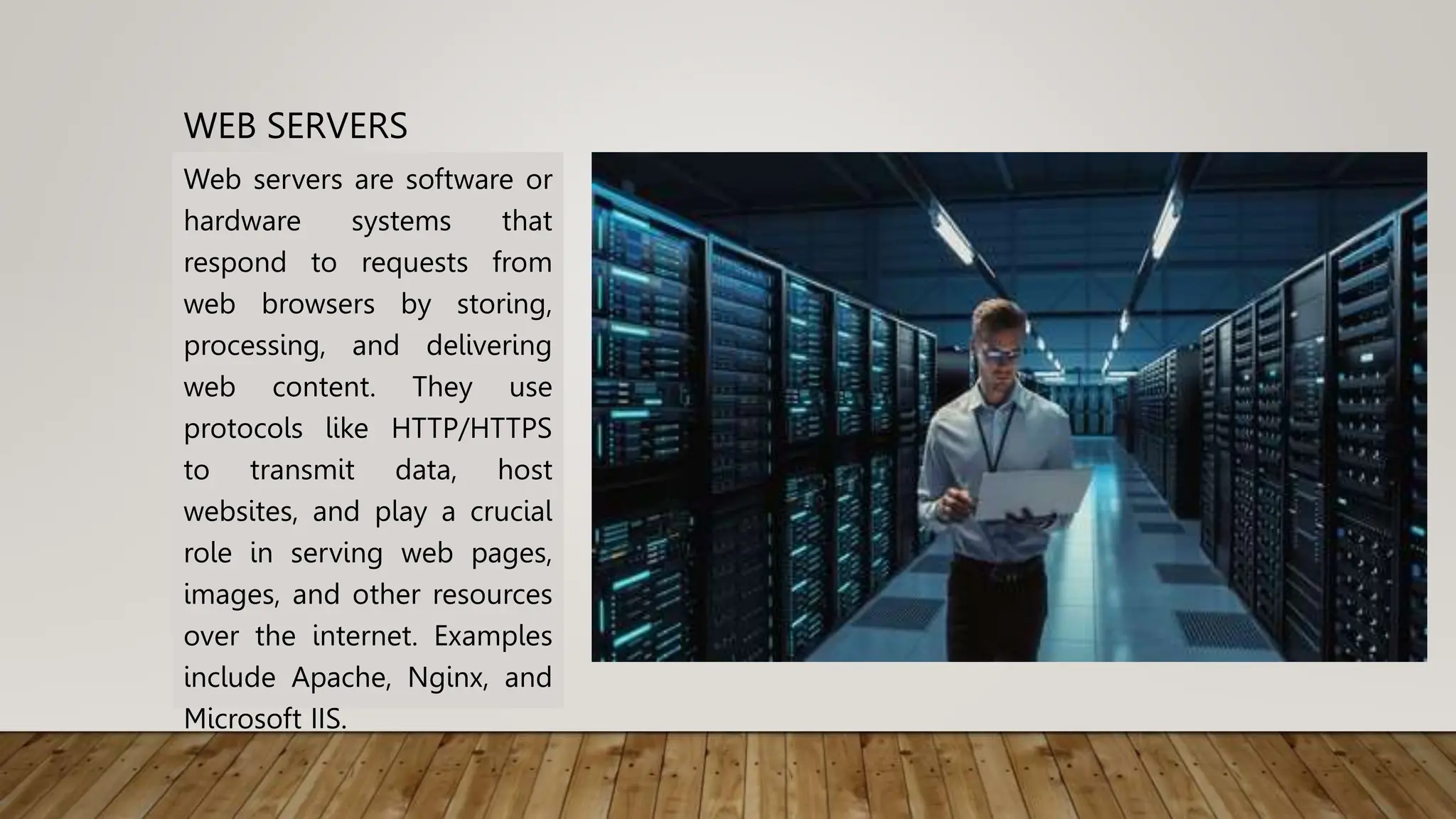
Web servers are software or
hardware systems that
respond to requests from
web browsers by storing,
processing, and delivering
web content. They use
protocols like HTTP/HTTPS
to transmit data, host
websites, and play a crucial
role in serving web pages,
images, and other resources
over the internet. Examples
include Apache, Nginx, and
Microsoft IIS.
WEB BROWSERS
Web browsers are software applications that allow users to access and navigate the
World Wide Web. They interpret and display web content, enabling users to view
websites, interact with multimedia, and navigate between pages.
Key features of web browsers include:
• Rendering Engine: Browsers use a rendering engine to interpret HTML, CSS, and
JavaScript code to display web pages correctly.
• User Interface: Browsers have a graphical user interface (GUI) that includes address
bars for entering URLs, navigation buttons (back, forward, refresh), and bookmarks.
• Tabs: Browsers support multiple tabs, allowing users to have multiple web pages
open simultaneously within a single window.
WEB BROWSERS
• Bookmarks: Users can save and organize web pages for quick access using
bookmarking features.
• Extensions/Add-ons: Browsers often support extensions or add-ons that enhance
functionality, providing additional features and customization options.
• Security Features: Web browsers implement security measures, including HTTPS
support, warnings for potentially unsafe websites, and private browsing modes.
• Cross-Platform Availability: Most browsers are available on multiple operating
systems, such as Chrome, Firefox, Safari, and Microsoft Edge.
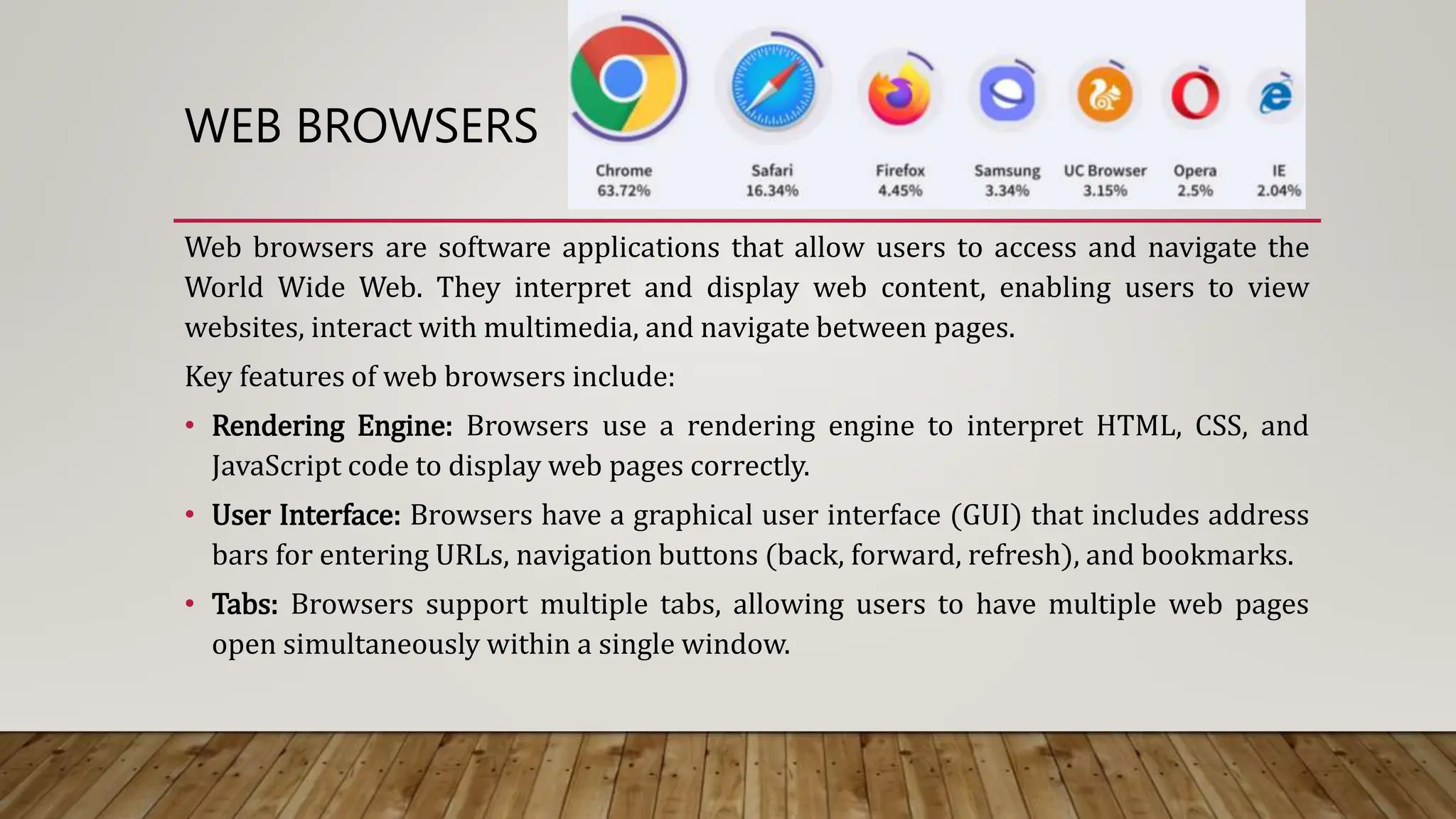
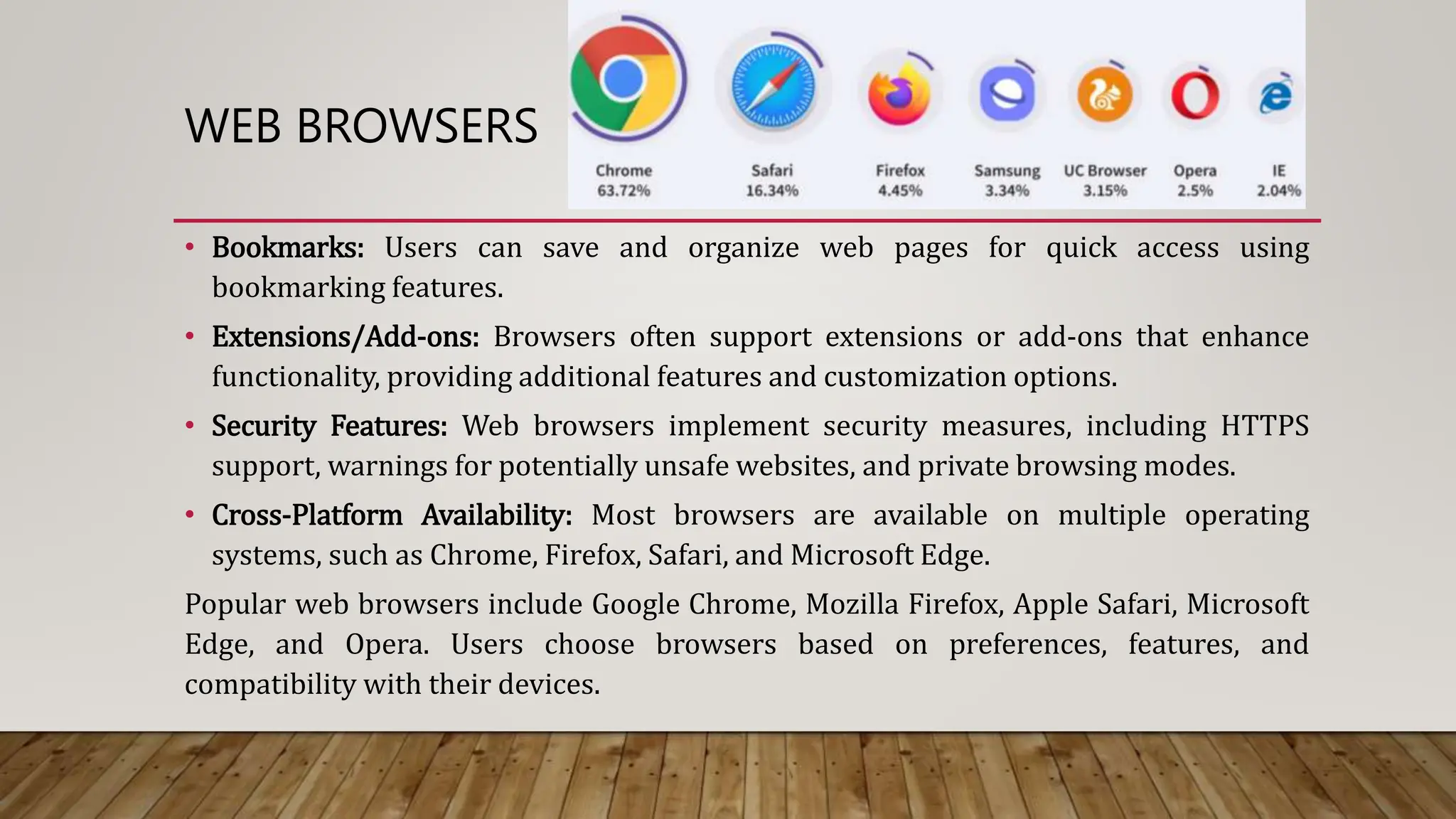
Popular web browsers include Google Chrome, Mozilla Firefox, Apple Safari, Microsoft
Edge, and Opera. Users choose browsers based on preferences, features, and
compatibility with their devices.
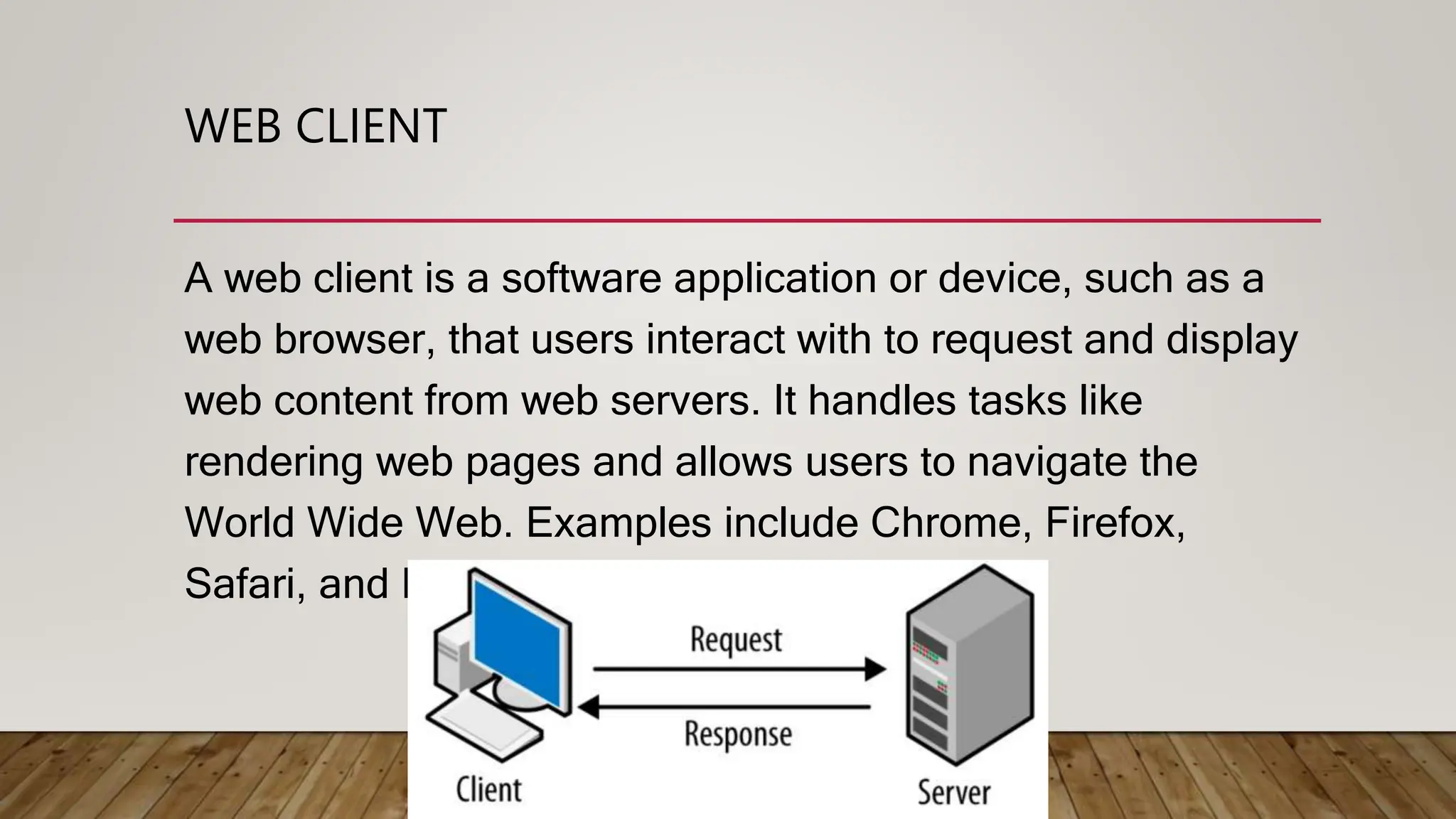
WEB CLIENT
A web client is a software application or device, such as a
web browser, that users interact with to request and display
web content from web servers. It handles tasks like
rendering web pages and allows users to navigate the
World Wide Web. Examples include Chrome, Firefox,
Safari, and Edge.
WEB ADDRESS
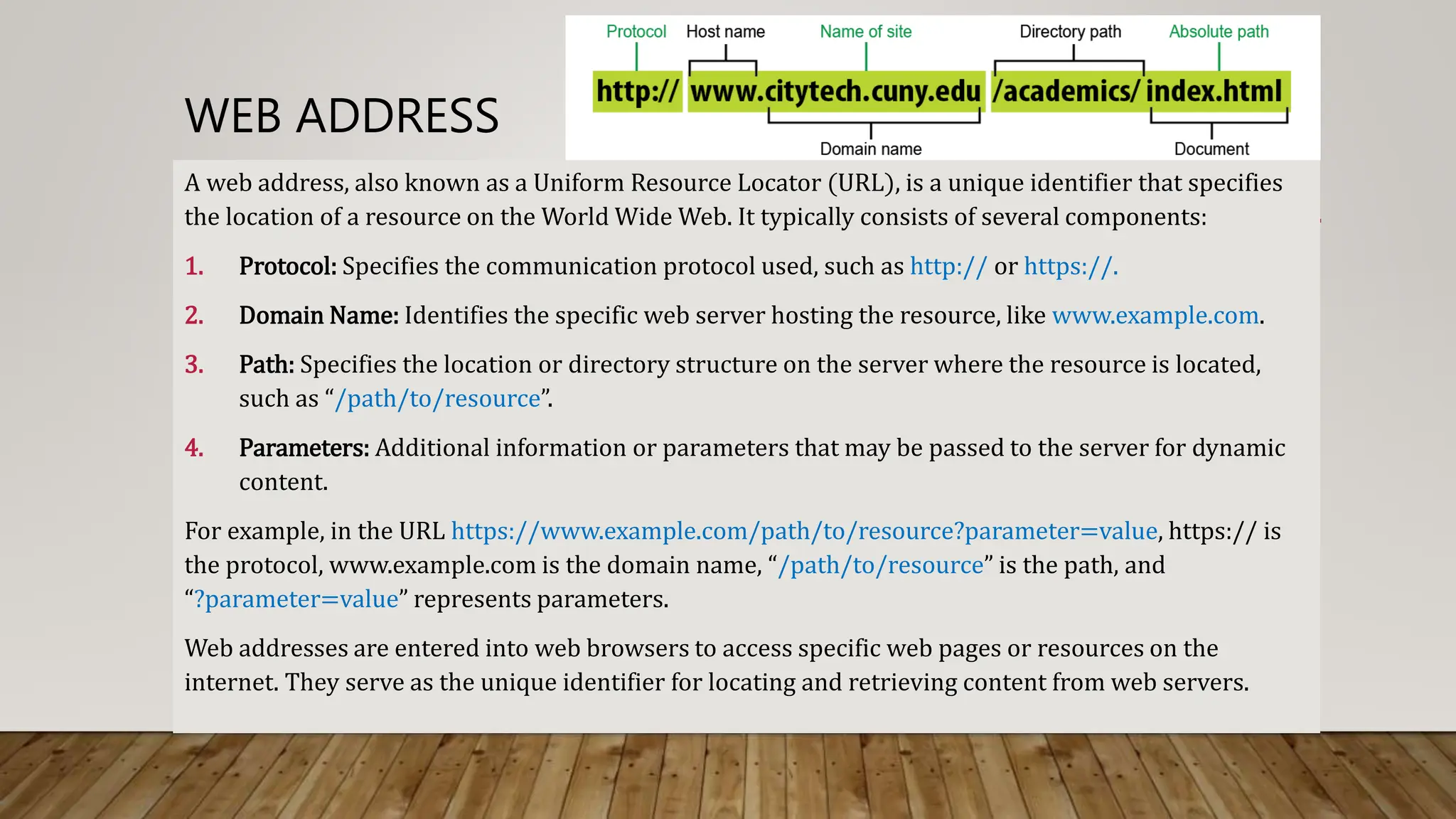
A web address, also known as a Uniform Resource Locator (URL), is a unique identifier that specifies
the location of a resource on the World Wide Web. It typically consists of several components:
1. Protocol: Specifies the communication protocol used, such as http:// or https://.
2. Domain Name: Identifies the specific web server hosting the resource, like www.example.com.
3. Path: Specifies the location or directory structure on the server where the resource is located,
such as “/path/to/resource”.
4. Parameters: Additional information or parameters that may be passed to the server for dynamic
content.
For example, in the URL https://www.example.com/path/to/resource?parameter=value, https:// is
the protocol, www.example.com is the domain name, “/path/to/resource” is the path, and
“?parameter=value” represents parameters.
Web addresses are entered into web browsers to access specific web pages or resources on the
internet. They serve as the unique identifier for locating and retrieving content from web servers.
E-MAIL (ELECTRONIC MAIL)
An email address is a unique identifier that allows electronic mail (email) to be sent
to a specific recipient. It consists of two main parts:
1. Username: The first part of the email address identifies the individual user. For
example, in username@example.com, “username” is the username.
2. Domain Name: The second part of the email address specifies the mail server
or email service provider. In username@example.com, “example.com” is the
domain name.
The "@" symbol separates the username from the domain name. Email addresses
are used for sending and receiving electronic messages, files, and other data over
the internet. Examples include john.doe@example.com or user123@gmail.com.
UPLOADING / DOWNLOADING
Uploading: Sending data from a local device to a remote server or
another device on a network.
Downloading: Receiving data from a remote server or another device
on a network to a local device.
In simpler terms, uploading is like sending files from your device to
the internet, and downloading is bringing files from the internet to
your device.
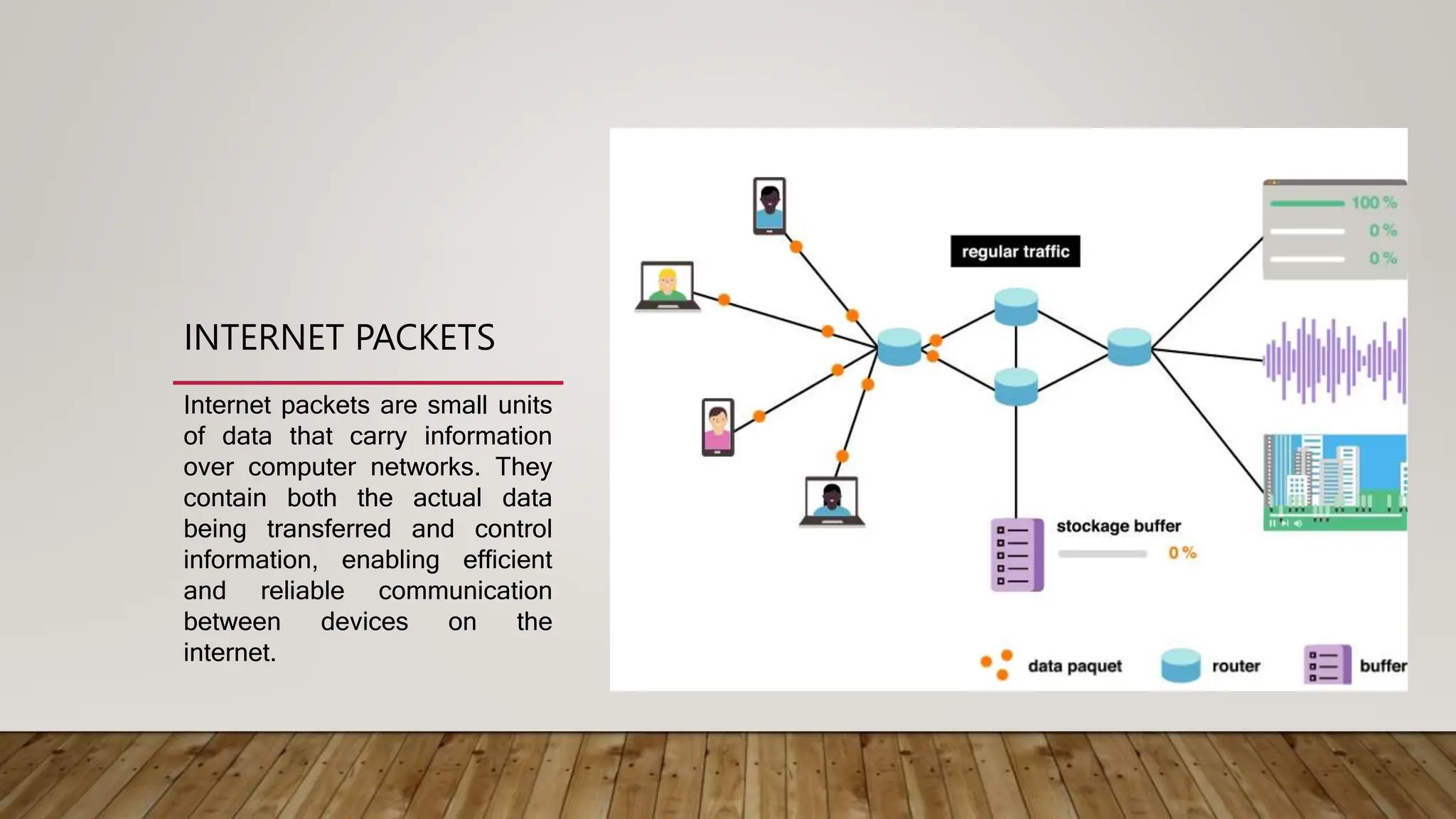
INTERNET PACKETS
Internet packets are small units
of data that carry information
over computer networks. They
contain both the actual data
being transferred and control
information, enabling efficient
and reliable communication
between devices on the
internet.
INTERNET PROTOCOLS
Internet protocols are standardized sets of rules and conventions that define how devices
communicate and exchange data on the internet. These protocols ensure consistent and efficient
communication across diverse networks. Key internet protocols include:
1. TCP/IP (Transmission Control Protocol/Internet Protocol): The foundational suite of
protocols for internet communication, responsible for data packet transmission and routing.
2. HTTP/HTTPS (Hypertext Transfer Protocol/Secure): Protocols for transferring hypertext
(web) documents on the World Wide Web.
3. FTP (File Transfer Protocol): Used for transferring files between a client and a server on a
network.
4. SMTP (Simple Mail Transfer Protocol): Manages the sending of emails between servers.
5. DNS (Domain Name System): Resolves domain names to IP addresses, facilitating human-
friendly web addressing.
INTERNET PROTOCOLS
6. DHCP (Dynamic Host Configuration Protocol): Assigns IP addresses dynamically to
devices on a network.
7. SSL/TLS (Secure Sockets Layer/Transport Layer Security): Ensures secure data
transmission over the internet, commonly used in HTTPS for secure web browsing.
8. UDP (User Datagram Protocol): Provides connectionless, fast data transmission
suitable for real-time applications.
9. IPsec (Internet Protocol Security): Ensures secure communication at the network layer
by authenticating and encrypting IP packets.
10. SNMP (Simple Network Management Protocol): Manages and monitors network
devices.
11. POP (Post Office Protocol): Retrieves incoming emails from a server to a local client
device, allowing users to download and manage their emails.
These protocols enable the internet to function as a seamless, interconnected network by
defining how data is formatted, transmitted, received, and acknowledged between devices.
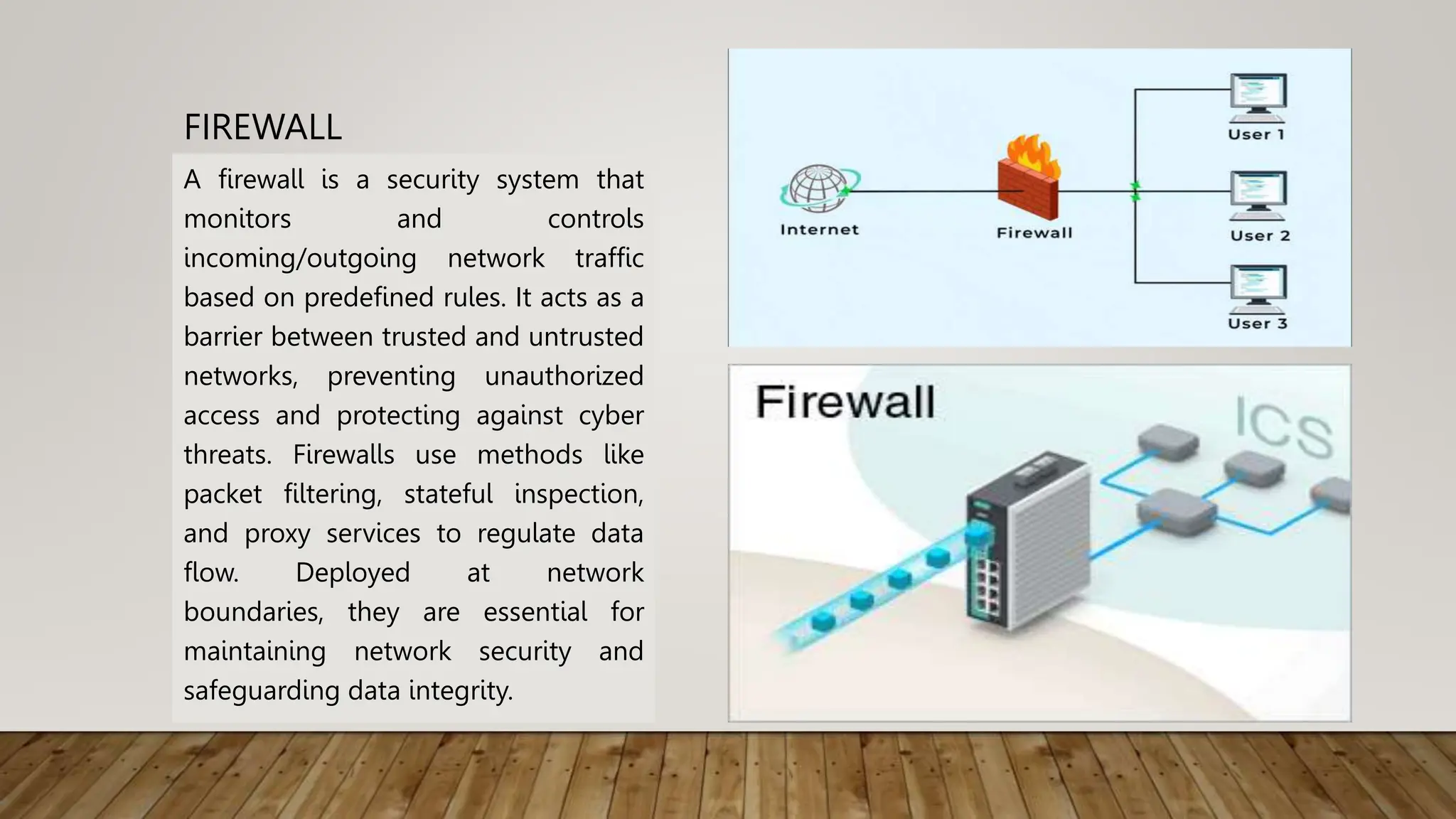
FIREWALL
A firewall is a security system that
monitors and controls
incoming/outgoing network traffic
based on predefined rules. It acts as a
barrier between trusted and untrusted
networks, preventing unauthorized
access and protecting against cyber
threats. Firewalls use methods like
packet filtering, stateful inspection,
and proxy services to regulate data
flow. Deployed at network
boundaries, they are essential for
maintaining network security and
safeguarding data integrity.
ADVANTAGES OF THE INTERNET
1. Information Access: Provides instant access to a vast amount of information on various topics.
2. Communication: Facilitates real-time communication through email, instant messaging, and video
calls.
3. Global Connectivity: Connects people worldwide, fostering global communication and
collaboration.
4. Online Education: Offers opportunities for distance learning and access to educational resources.
5. E-commerce: Enables online shopping and a global marketplace for goods and services.
6. Entertainment: Provides a wide range of entertainment options, including streaming services,
online games, and social media.
7. Work Flexibility: Supports remote work and flexible working arrangements.
8. Research and Innovation: Promotes research collaboration and accelerates innovation.
DISADVANTAGES OF THE INTERNET
1. Security Risks: Vulnerability to cyber threats such as hacking, phishing, and malware.
2. Privacy Concerns: Raises issues regarding the collection and misuse of personal information.
3. Information Overload: Excessive information can be overwhelming, leading to difficulty in finding
relevant content.
4. Addiction: Internet addiction can negatively impact mental health and productivity.
5. Digital Divide: Disparities in internet access and digital skills create inequalities.
6. Misinformation: Spread of false or misleading information on the internet.
7. Loss of Offline Interactions: Excessive internet use may lead to a decline in face-to-face social interactions.
8. Cyberbullying: The internet provides a platform for bullying and harassment.
While the internet brings numerous benefits, it also poses challenges that require careful management and
regulation to ensure a safe and inclusive digital environment.
LIMITATIONS OF THE INTERNET
1.Limited Access: Not everyone has equal access to the internet, creating a
digital divide based on geographical location, economic status, and
infrastructure.
2.Reliability Issues: Internet services may experience downtime, outages,
or slow speeds, affecting user experience.
3.Security Concerns: The internet is prone to cyber threats, including
hacking, identity theft, and data breaches.
4.Privacy Challenges: Users’ personal information is susceptible to
surveillance, tracking, and potential misuse.
5.Information Overload: The abundance of information online can lead to
difficulty in finding accurate and relevant content.
LIMITATIONS OF THE INTERNET:
6. Dependence on Infrastructure: Internet functionality relies on physical
infrastructure, and disruptions can impact connectivity.
7. Digital Literacy Gaps: Not everyone possesses the necessary skills to navigate the
internet safely and effectively, contributing to misinformation and online risks.
8. Online Addiction: Excessive internet use, including social media, gaming, or
streaming, can lead to addictive behavior and negatively impact mental health.
9. Cyberbullying: The internet provides a platform for bullying and harassment,
posing risks to users’ well-being.
10. Content Censorship: Some regions or governments restrict access to certain
websites, limiting freedom of information.
11. Environmental Impact: Data centers and digital devices contribute to energy
consumption and electronic waste, raising environmental concerns.
SECURITY ISSUES ON THE INTERNET
1. Cyberattacks: Threats like malware, ransomware, and viruses can compromise the
security of systems and data.
2. Phishing: Deceptive attempts to acquire sensitive information by posing as
trustworthy entities through emails, messages, or websites.
3. Identity Theft: Unauthorized access to personal information, leading to identity
theft and fraud.
4. Data Breaches: Unauthorized access to databases, exposing sensitive user
information.
5. Weak Passwords: Inadequate password practices make it easier for attackers to
gain unauthorized access.
6. Eavesdropping: Unauthorized interception of communication, risking the
confidentiality of sensitive data.
SECURITY ISSUES ON THE INTERNET
7. Social Engineering: Manipulating individuals to divulge confidential information or
perform actions that compromise security.
8. Distributed Denial of Service (DDoS): Overloading servers or networks to disrupt
services and cause downtime.
9. IoT Vulnerabilities: Insecure Internet of Things devices can be exploited, posing
risks to connected systems.
10. Lack of Encryption: Unencrypted data transmission exposes information to
interception and tampering.
11. Fake News and Disinformation: Spread of false information online, impacting
individuals and societies.
SECURITY ISSUES ON THE INTERNET
12. Online Scams: Fraudulent schemes aimed at deceiving users for financial gain.
13. Unsecured Wi-Fi Networks: Using unsecured Wi-Fi may expose users to
unauthorized access and attacks.
14. Inadequate Software Updates: Failure to update software leaves systems
vulnerable to known security flaws.
15. Insufficient User Awareness: Lack of awareness about online risks and security
practices contributes to vulnerabilities.
Addressing these security issues requires a combination of technological solutions,
user education, and proactive cybersecurity measures to ensure a safer online
environment.

Internet Basics Notes Class 10 CBSE.pptx

  • 1.
    10th INTERNET BASICS Computer Applications BookCode: 165 Made By: Sumit Kumar sksumitkumarshakya
  • 2.
    INTERNET The internet isa global network of interconnected computers that communicate using standardized protocols. It allows for the sharing of information, resources, and services, enabling worldwide connectivity and communication.
  • 3.
    COMPUTER NETWORKING Networking refersto the practice of connecting computers and other devices to share resources and information. This can be done through various technologies, including wired (such as Ethernet) or wireless (like Wi- Fi) connections. Networking enables communication between devices, facilitating data transfer, collaboration, and access to shared resources.
  • 4.
    DIFFERENCE BETWEEN NETWORKING ANDINTERNET NETWORKING Definition: Connects devices locally or globally for communication and resource- sharing. Scale: Local or global. Purpose: Collaboration and resource-sharing. Technology: Uses technologies like Ethernet or Wi-Fi. INTERNET Definition: Global network of interconnected networks facilitating worldwide communication and access to resources. Scale: Global. Purpose: Global communication and access to a wide range of resources. Technology: Utilizes networking technologies on a global scale.
  • 5.
    HISTORY OF INTERNET . THEHISTORY OF THE INTERNET DATES BACK TO THE 1960S. HERE’S A BRIEF OVERVIEW: 1. 1960s: Origins • The concept of a decentralized, interconnected computer network was proposed by J.C.R. Licklider. • The Advanced Research Projects Agency (ARPA) initiated the development of ARPANET, the first network to use the packet-switching technique. 2. 1970s: ARPANET and TCP/IP • ARPANET became operational in 1969, connecting four universities. • The development of Transmission Control Protocol (TCP) and Internet Protocol (IP) laid the foundation for the modern internet's communication protocols (TCP/IP). 3. 1980s: Expansion and Domain Name System (DNS) • The internet expanded beyond military and research institutions. • The Domain Name System (DNS) was introduced, simplifying the way domain names are used and making the internet more user-friendly.
  • 6.
    HISTORY OF INTERNET 4.1990s: World Wide Web (WWW) • Tim Berners-Lee invented the World Wide Web in 1989. • The first graphical web browser, Mosaic, was released in 1993, making the internet more accessible to the general public. 5. Late 1990s: Commercialization and Broad Adoption • The internet experienced rapid commercialization, with the growth of online services and e-commerce. • High-speed internet access (broadband) became more widely available. 6. 2000s: Social Media and Broadband Expansion • The 2000s saw the rise of social media platforms like Facebook and the expansion of broadband internet access globally.
  • 7.
    HISTORY OF INTERNET 7.2010s: Mobile Internet and Cloud Computing • Mobile internet usage surged with the widespread adoption of smartphones. • Cloud computing services became prevalent, allowing users to store and access data online. 8. 2020s: Continued Advancements • Ongoing advancements include the development of 5G networks, the Internet of Things (IoT), and increased focus on internet security and privacy. Throughout its history, the internet has evolved from a research project to a vital global infrastructure, shaping communication, commerce, and information dissemination.
  • 9.
    ARPANET ARPANET (Advanced Research ProjectsAgency Network) was the first operational packet- switching network and a precursor to the modern internet. Developed by the United States Department of Defense’s Advanced Research Projects Agency (ARPA), ARPANET became operational in 1969. Its primary purpose was to facilitate communication and resource- sharing among research institutions and universities. ARPANET MAP OF USA
  • 10.
    WORLD WIDE WEB WWWstands for the World Wide Web. It is a system of interlinked hypertext documents and multimedia content that is accessed via the internet using web browsers. The World Wide Web was invented by Sir Tim Berners-Lee in 1989 and became publicly accessible in 1991. Key components of the WWW include: • Hypertext: Web pages are interconnected through hyperlinks, allowing users to navigate between them by clicking on links. • URLs (Uniform Resource Locators): These are addresses used to access specific resources on the web. For example, https://www.example.com is a URL. • Web Browsers: Software applications like Chrome, Firefox, Safari, and others are used to access and navigate the World Wide Web. • HTTP/HTTPS (Hypertext Transfer Protocol/Secure): These are protocols for transmitting data between a web server and a web browser, ensuring secure and efficient communication. The WWW revolutionized information access, communication, and collaboration on a global scale, becoming a fundamental part of the modern internet. It allows users to browse websites, access multimedia content, and engage in various online activities.
  • 11.
    DIFFERENCE BETWEEN INTERNETAND WWW INTERNET • The internet is a global network of interconnected computer networks that spans the entire world. • It includes various technologies and services beyond the World Wide Web, such as email, file transfer (FTP), instant messaging, and more. • The internet facilitates the exchange of data and information globally. WWW • The WWW is a specific system within the broader internet, consisting of interlinked hypertext documents and multimedia content. • It uses the HTTP/HTTPS protocols for data transfer and is accessed through web browsers like Chrome, Firefox, and Safari. • The WWW allows users to navigate between web pages using hyperlinks. In essence, the internet is the overarching network that connects computers and networks worldwide, while the World Wide Web is a subset of the internet that specifically deals with interconnected web pages and multimedia content accessible through browsers. The internet encompasses a broader range of services beyond the WWW.
  • 12.
    WEB SERVERS Web serversare software or hardware systems that respond to requests from web browsers by storing, processing, and delivering web content. They use protocols like HTTP/HTTPS to transmit data, host websites, and play a crucial role in serving web pages, images, and other resources over the internet. Examples include Apache, Nginx, and Microsoft IIS.
  • 13.
    WEB BROWSERS Web browsersare software applications that allow users to access and navigate the World Wide Web. They interpret and display web content, enabling users to view websites, interact with multimedia, and navigate between pages. Key features of web browsers include: • Rendering Engine: Browsers use a rendering engine to interpret HTML, CSS, and JavaScript code to display web pages correctly. • User Interface: Browsers have a graphical user interface (GUI) that includes address bars for entering URLs, navigation buttons (back, forward, refresh), and bookmarks. • Tabs: Browsers support multiple tabs, allowing users to have multiple web pages open simultaneously within a single window.
  • 14.
    WEB BROWSERS • Bookmarks:Users can save and organize web pages for quick access using bookmarking features. • Extensions/Add-ons: Browsers often support extensions or add-ons that enhance functionality, providing additional features and customization options. • Security Features: Web browsers implement security measures, including HTTPS support, warnings for potentially unsafe websites, and private browsing modes. • Cross-Platform Availability: Most browsers are available on multiple operating systems, such as Chrome, Firefox, Safari, and Microsoft Edge. Popular web browsers include Google Chrome, Mozilla Firefox, Apple Safari, Microsoft Edge, and Opera. Users choose browsers based on preferences, features, and compatibility with their devices.
  • 15.
    WEB CLIENT A webclient is a software application or device, such as a web browser, that users interact with to request and display web content from web servers. It handles tasks like rendering web pages and allows users to navigate the World Wide Web. Examples include Chrome, Firefox, Safari, and Edge.
  • 16.
    WEB ADDRESS A webaddress, also known as a Uniform Resource Locator (URL), is a unique identifier that specifies the location of a resource on the World Wide Web. It typically consists of several components: 1. Protocol: Specifies the communication protocol used, such as http:// or https://. 2. Domain Name: Identifies the specific web server hosting the resource, like www.example.com. 3. Path: Specifies the location or directory structure on the server where the resource is located, such as “/path/to/resource”. 4. Parameters: Additional information or parameters that may be passed to the server for dynamic content. For example, in the URL https://www.example.com/path/to/resource?parameter=value, https:// is the protocol, www.example.com is the domain name, “/path/to/resource” is the path, and “?parameter=value” represents parameters. Web addresses are entered into web browsers to access specific web pages or resources on the internet. They serve as the unique identifier for locating and retrieving content from web servers.
  • 17.
    E-MAIL (ELECTRONIC MAIL) Anemail address is a unique identifier that allows electronic mail (email) to be sent to a specific recipient. It consists of two main parts: 1. Username: The first part of the email address identifies the individual user. For example, in username@example.com, “username” is the username. 2. Domain Name: The second part of the email address specifies the mail server or email service provider. In username@example.com, “example.com” is the domain name. The "@" symbol separates the username from the domain name. Email addresses are used for sending and receiving electronic messages, files, and other data over the internet. Examples include john.doe@example.com or user123@gmail.com.
  • 18.
    UPLOADING / DOWNLOADING Uploading:Sending data from a local device to a remote server or another device on a network. Downloading: Receiving data from a remote server or another device on a network to a local device. In simpler terms, uploading is like sending files from your device to the internet, and downloading is bringing files from the internet to your device.
  • 19.
    INTERNET PACKETS Internet packetsare small units of data that carry information over computer networks. They contain both the actual data being transferred and control information, enabling efficient and reliable communication between devices on the internet.
  • 20.
    INTERNET PROTOCOLS Internet protocolsare standardized sets of rules and conventions that define how devices communicate and exchange data on the internet. These protocols ensure consistent and efficient communication across diverse networks. Key internet protocols include: 1. TCP/IP (Transmission Control Protocol/Internet Protocol): The foundational suite of protocols for internet communication, responsible for data packet transmission and routing. 2. HTTP/HTTPS (Hypertext Transfer Protocol/Secure): Protocols for transferring hypertext (web) documents on the World Wide Web. 3. FTP (File Transfer Protocol): Used for transferring files between a client and a server on a network. 4. SMTP (Simple Mail Transfer Protocol): Manages the sending of emails between servers. 5. DNS (Domain Name System): Resolves domain names to IP addresses, facilitating human- friendly web addressing.
  • 22.
    INTERNET PROTOCOLS 6. DHCP(Dynamic Host Configuration Protocol): Assigns IP addresses dynamically to devices on a network. 7. SSL/TLS (Secure Sockets Layer/Transport Layer Security): Ensures secure data transmission over the internet, commonly used in HTTPS for secure web browsing. 8. UDP (User Datagram Protocol): Provides connectionless, fast data transmission suitable for real-time applications. 9. IPsec (Internet Protocol Security): Ensures secure communication at the network layer by authenticating and encrypting IP packets. 10. SNMP (Simple Network Management Protocol): Manages and monitors network devices. 11. POP (Post Office Protocol): Retrieves incoming emails from a server to a local client device, allowing users to download and manage their emails. These protocols enable the internet to function as a seamless, interconnected network by defining how data is formatted, transmitted, received, and acknowledged between devices.
  • 23.
    FIREWALL A firewall isa security system that monitors and controls incoming/outgoing network traffic based on predefined rules. It acts as a barrier between trusted and untrusted networks, preventing unauthorized access and protecting against cyber threats. Firewalls use methods like packet filtering, stateful inspection, and proxy services to regulate data flow. Deployed at network boundaries, they are essential for maintaining network security and safeguarding data integrity.
  • 24.
    ADVANTAGES OF THEINTERNET 1. Information Access: Provides instant access to a vast amount of information on various topics. 2. Communication: Facilitates real-time communication through email, instant messaging, and video calls. 3. Global Connectivity: Connects people worldwide, fostering global communication and collaboration. 4. Online Education: Offers opportunities for distance learning and access to educational resources. 5. E-commerce: Enables online shopping and a global marketplace for goods and services. 6. Entertainment: Provides a wide range of entertainment options, including streaming services, online games, and social media. 7. Work Flexibility: Supports remote work and flexible working arrangements. 8. Research and Innovation: Promotes research collaboration and accelerates innovation.
  • 25.
    DISADVANTAGES OF THEINTERNET 1. Security Risks: Vulnerability to cyber threats such as hacking, phishing, and malware. 2. Privacy Concerns: Raises issues regarding the collection and misuse of personal information. 3. Information Overload: Excessive information can be overwhelming, leading to difficulty in finding relevant content. 4. Addiction: Internet addiction can negatively impact mental health and productivity. 5. Digital Divide: Disparities in internet access and digital skills create inequalities. 6. Misinformation: Spread of false or misleading information on the internet. 7. Loss of Offline Interactions: Excessive internet use may lead to a decline in face-to-face social interactions. 8. Cyberbullying: The internet provides a platform for bullying and harassment. While the internet brings numerous benefits, it also poses challenges that require careful management and regulation to ensure a safe and inclusive digital environment.
  • 26.
    LIMITATIONS OF THEINTERNET 1.Limited Access: Not everyone has equal access to the internet, creating a digital divide based on geographical location, economic status, and infrastructure. 2.Reliability Issues: Internet services may experience downtime, outages, or slow speeds, affecting user experience. 3.Security Concerns: The internet is prone to cyber threats, including hacking, identity theft, and data breaches. 4.Privacy Challenges: Users’ personal information is susceptible to surveillance, tracking, and potential misuse. 5.Information Overload: The abundance of information online can lead to difficulty in finding accurate and relevant content.
  • 27.
    LIMITATIONS OF THEINTERNET: 6. Dependence on Infrastructure: Internet functionality relies on physical infrastructure, and disruptions can impact connectivity. 7. Digital Literacy Gaps: Not everyone possesses the necessary skills to navigate the internet safely and effectively, contributing to misinformation and online risks. 8. Online Addiction: Excessive internet use, including social media, gaming, or streaming, can lead to addictive behavior and negatively impact mental health. 9. Cyberbullying: The internet provides a platform for bullying and harassment, posing risks to users’ well-being. 10. Content Censorship: Some regions or governments restrict access to certain websites, limiting freedom of information. 11. Environmental Impact: Data centers and digital devices contribute to energy consumption and electronic waste, raising environmental concerns.
  • 28.
    SECURITY ISSUES ONTHE INTERNET 1. Cyberattacks: Threats like malware, ransomware, and viruses can compromise the security of systems and data. 2. Phishing: Deceptive attempts to acquire sensitive information by posing as trustworthy entities through emails, messages, or websites. 3. Identity Theft: Unauthorized access to personal information, leading to identity theft and fraud. 4. Data Breaches: Unauthorized access to databases, exposing sensitive user information. 5. Weak Passwords: Inadequate password practices make it easier for attackers to gain unauthorized access. 6. Eavesdropping: Unauthorized interception of communication, risking the confidentiality of sensitive data.
  • 29.
    SECURITY ISSUES ONTHE INTERNET 7. Social Engineering: Manipulating individuals to divulge confidential information or perform actions that compromise security. 8. Distributed Denial of Service (DDoS): Overloading servers or networks to disrupt services and cause downtime. 9. IoT Vulnerabilities: Insecure Internet of Things devices can be exploited, posing risks to connected systems. 10. Lack of Encryption: Unencrypted data transmission exposes information to interception and tampering. 11. Fake News and Disinformation: Spread of false information online, impacting individuals and societies.
  • 30.
    SECURITY ISSUES ONTHE INTERNET 12. Online Scams: Fraudulent schemes aimed at deceiving users for financial gain. 13. Unsecured Wi-Fi Networks: Using unsecured Wi-Fi may expose users to unauthorized access and attacks. 14. Inadequate Software Updates: Failure to update software leaves systems vulnerable to known security flaws. 15. Insufficient User Awareness: Lack of awareness about online risks and security practices contributes to vulnerabilities. Addressing these security issues requires a combination of technological solutions, user education, and proactive cybersecurity measures to ensure a safer online environment.