



Plugins
Join our E-Club http://bit.ly/SNMe-club to receive our
                 monthly newsletter, with practical tips to increase
                 brand awareness and strategies for more engaging
                 relationships with your clients.


                  Visit and Like our Facebook page
http://on.fb.me/KFujSu Go ahead - post your Social
 Media & WordPress questions and get answers in
                                          real time.
There’s no shortage of creative thinkers out there.
What’s a little harder to find are creative thinkers who
understand business. That’s where Supernova Media
Shines.

We are a full service web company. We provide our
customers with a uniform custom branded web
presence.

At Supernova Media we specialize in the speedy setup
of WordPress websites & blogs. All our websites are
mobile friendly, have onsite search engine optimization
and social media integration.
Moving from .com to .org

                  You need WordPress.org to run
                  plugins! Luckily, WordPress.com
                  offers a service for moving your .com
                  website to .org

                  http://en.support.wordpress.com/guid
                  ed-transfer/

                  Note: When we talk about ".org",
                  we're talking about the self-hosted
                  version of WordPress that is
                  available for free.
WordPress Plugins

A plugin is a piece of code that extends
the functionality of WordPress.

Out of the box, WordPress is pretty
bland.

Plugins extend that functionality. Think
event calendars, photo gallery, social
sharing, forms, message boards...
anything you need to make your website
awesome!
Find Plugins

               Official WordPress Plugin Repository:

               http://wordpress.org/extend/plugins/

               Read plugin descriptions, check the
               WordPress version # that it supports, check
               the ratings.

               The number of downloads can be a good
               indicator of a plugin's reputation.
Enable Debugging


  Enable debugging in
  wp_config.php to see
  if plugins are spitting
  out nasty error
  messages.
Must Have Plugins


•   Google Analytics from Yoast
•   Yoast SEO
•   Google XML Sitemap: Sitemap
    Generator
•   WP Super Cache
Mobile Plugins


            •    WPTouch Pro
            •    Wapple Architect Mobile

            Keep in mind what your users
            need when accessing your
            site in mobile.
Mobile vs. Responsive

•   Mobile Detection (DDR/Device Detection)


•   Change what gets loaded, depending on
    the device being used.


•   Responsive (Fluid)


•   Based on CSS. Checks how big the
    screen is, and displays the
    corresponding styles.
Social Media
         •   Digg Digg: Floating Share Bar

         •   Facebook for WordPress: Official Plugin

         •   Social: Lightweight plugin for sharing.

         •   Jetpack: From WordPress.com

         •   AddThis & ShareThis: Sharing widgets.

         •   Shareaholic: Sharing widgets, all in one!

         •   Dlvr.it: 3rd party for content syndication.

         •   Subscribe2: Email subscription on WP
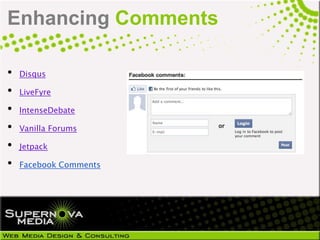
Enhancing Comments

•   Disqus

•   LiveFyre

•   IntenseDebate

•   Vanilla Forums

•   Jetpack

•   Facebook Comments
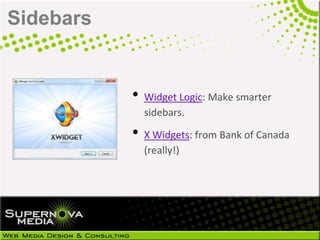
Sidebars


           • Widget Logic: Make smarter
             sidebars.

           • X Widgets: from Bank of Canada
             (really!)
Enhancing Content

•   NextGEN Gallery: Image Management

•   Portfolio Slider Pro

•   Types & Views

•   Advanced Custom Fields

•   Taxonomy Images

•   Pods CMS
Stores, Memberships, Newsletters


•   WooCommerce
•   WP Online Store
•   s2Member: Free membership plugin.
•   User Role Editor
•   Role Scoper: Supports custom taxonomies.
Events & Calendars


           •   Editorial Calendar: Plan your posts.

           •   Event Espresso: One-time fee.

           •   All In One Event Calendar
Backups, Migrations

•   Backup Buddy

•   WordPress Backup to Dropbox

•   VaultPress

•   WP Migrate DB

•   ManageWP

•   WPTwin
Securing WordPress

•   ManageWP
•   Better WP Security
•   Website Defender
•   WP Security Scan
•   Secure WordPress
•   5G Blacklist 2012
Worth reading: Hardening WordPress,11 Quick
Tips for Securing WordPress
Being Passionate comes easy when you
genuinely enjoy what you do. We offer an array
of services at Supernova Media but here’s what
we do best:

•   Web Design & Hosting
•   Social Media Training & Consulting
•   Mobile Marketing
•   Email Marketing
•   Branding
•   Virtual Tours

We know that your success is our success.
Contact Us
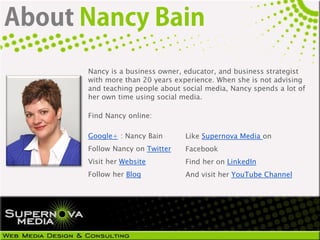
Nancy is a business owner, educator, and business strategist
with more than 20 years experience. When she is not advising
and teaching people about social media, Nancy spends a lot of
her own time using social media.

Find Nancy online:

Google+ : Nancy Bain       Like Supernova Media on
Follow Nancy on Twitter    Facebook
Visit her Website          Find her on LinkedIn
Follow her Blog            And visit her YouTube Channel

Best Wordpress Plugins

  • 1.
  • 2.
    Join our E-Clubhttp://bit.ly/SNMe-club to receive our monthly newsletter, with practical tips to increase brand awareness and strategies for more engaging relationships with your clients. Visit and Like our Facebook page http://on.fb.me/KFujSu Go ahead - post your Social Media & WordPress questions and get answers in real time.
  • 3.
    There’s no shortageof creative thinkers out there. What’s a little harder to find are creative thinkers who understand business. That’s where Supernova Media Shines. We are a full service web company. We provide our customers with a uniform custom branded web presence. At Supernova Media we specialize in the speedy setup of WordPress websites & blogs. All our websites are mobile friendly, have onsite search engine optimization and social media integration.
  • 4.
    Moving from .comto .org You need WordPress.org to run plugins! Luckily, WordPress.com offers a service for moving your .com website to .org http://en.support.wordpress.com/guid ed-transfer/ Note: When we talk about ".org", we're talking about the self-hosted version of WordPress that is available for free.
  • 5.
    WordPress Plugins A pluginis a piece of code that extends the functionality of WordPress. Out of the box, WordPress is pretty bland. Plugins extend that functionality. Think event calendars, photo gallery, social sharing, forms, message boards... anything you need to make your website awesome!
  • 6.
    Find Plugins Official WordPress Plugin Repository: http://wordpress.org/extend/plugins/ Read plugin descriptions, check the WordPress version # that it supports, check the ratings. The number of downloads can be a good indicator of a plugin's reputation.
  • 7.
    Enable Debugging Enable debugging in wp_config.php to see if plugins are spitting out nasty error messages.
  • 8.
    Must Have Plugins • Google Analytics from Yoast • Yoast SEO • Google XML Sitemap: Sitemap Generator • WP Super Cache
  • 9.
    Mobile Plugins • WPTouch Pro • Wapple Architect Mobile Keep in mind what your users need when accessing your site in mobile.
  • 10.
    Mobile vs. Responsive • Mobile Detection (DDR/Device Detection) • Change what gets loaded, depending on the device being used. • Responsive (Fluid) • Based on CSS. Checks how big the screen is, and displays the corresponding styles.
  • 11.
    Social Media • Digg Digg: Floating Share Bar • Facebook for WordPress: Official Plugin • Social: Lightweight plugin for sharing. • Jetpack: From WordPress.com • AddThis & ShareThis: Sharing widgets. • Shareaholic: Sharing widgets, all in one! • Dlvr.it: 3rd party for content syndication. • Subscribe2: Email subscription on WP
  • 12.
    Enhancing Comments • Disqus • LiveFyre • IntenseDebate • Vanilla Forums • Jetpack • Facebook Comments
  • 13.
    Sidebars • Widget Logic: Make smarter sidebars. • X Widgets: from Bank of Canada (really!)
  • 14.
    Enhancing Content • NextGEN Gallery: Image Management • Portfolio Slider Pro • Types & Views • Advanced Custom Fields • Taxonomy Images • Pods CMS
  • 15.
    Stores, Memberships, Newsletters • WooCommerce • WP Online Store • s2Member: Free membership plugin. • User Role Editor • Role Scoper: Supports custom taxonomies.
  • 16.
    Events & Calendars • Editorial Calendar: Plan your posts. • Event Espresso: One-time fee. • All In One Event Calendar
  • 17.
    Backups, Migrations • Backup Buddy • WordPress Backup to Dropbox • VaultPress • WP Migrate DB • ManageWP • WPTwin
  • 18.
    Securing WordPress • ManageWP • Better WP Security • Website Defender • WP Security Scan • Secure WordPress • 5G Blacklist 2012 Worth reading: Hardening WordPress,11 Quick Tips for Securing WordPress
  • 19.
    Being Passionate comeseasy when you genuinely enjoy what you do. We offer an array of services at Supernova Media but here’s what we do best: • Web Design & Hosting • Social Media Training & Consulting • Mobile Marketing • Email Marketing • Branding • Virtual Tours We know that your success is our success. Contact Us
  • 20.
    Nancy is abusiness owner, educator, and business strategist with more than 20 years experience. When she is not advising and teaching people about social media, Nancy spends a lot of her own time using social media. Find Nancy online: Google+ : Nancy Bain Like Supernova Media on Follow Nancy on Twitter Facebook Visit her Website Find her on LinkedIn Follow her Blog And visit her YouTube Channel