













Teams, Groups,
SharePoint, Yammer
- What should I Use
and when
Dux Raymond Sy
14 octobre 2017
#SPSParis
#SPSParis @meetdux
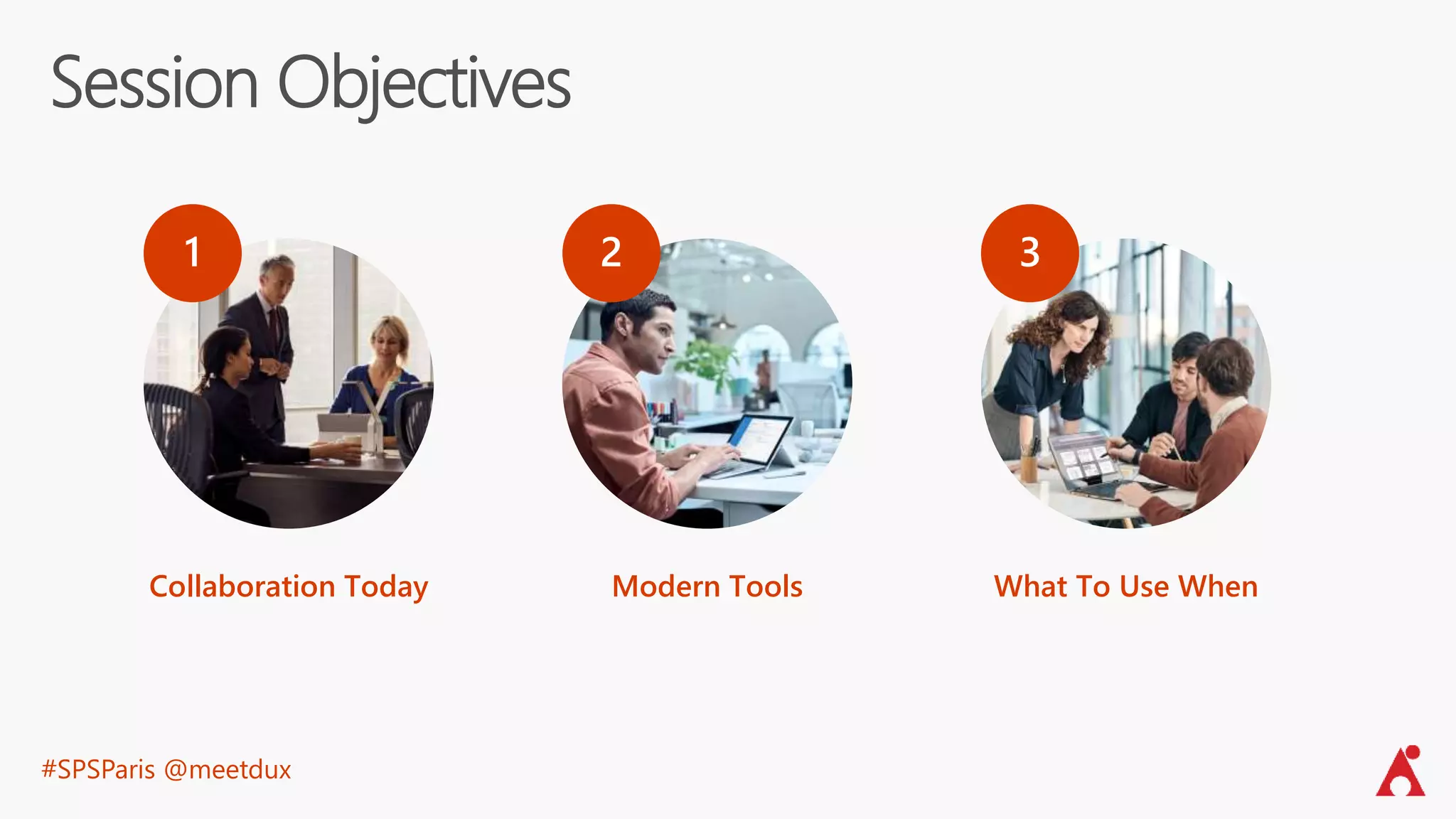
Session Objectives
Collaboration Today
1
Modern Tools
2
What To Use When
3
#SPSParis @meetdux
#SPSParis @meetdux
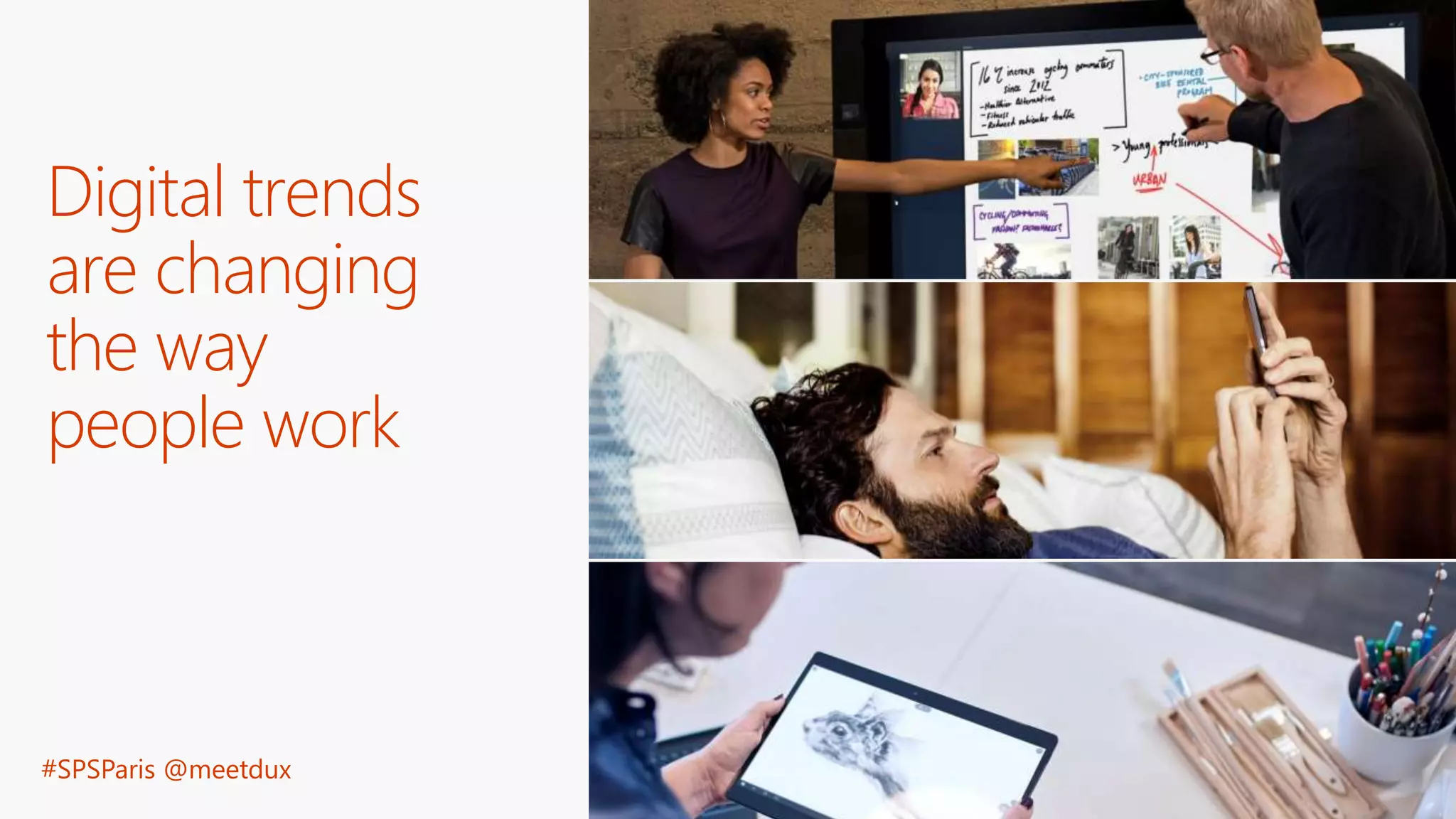
Digital trends
are changing
the way
people work
Information is more
widely available…
of the world’s data
was generated over
the last 2 years
90%
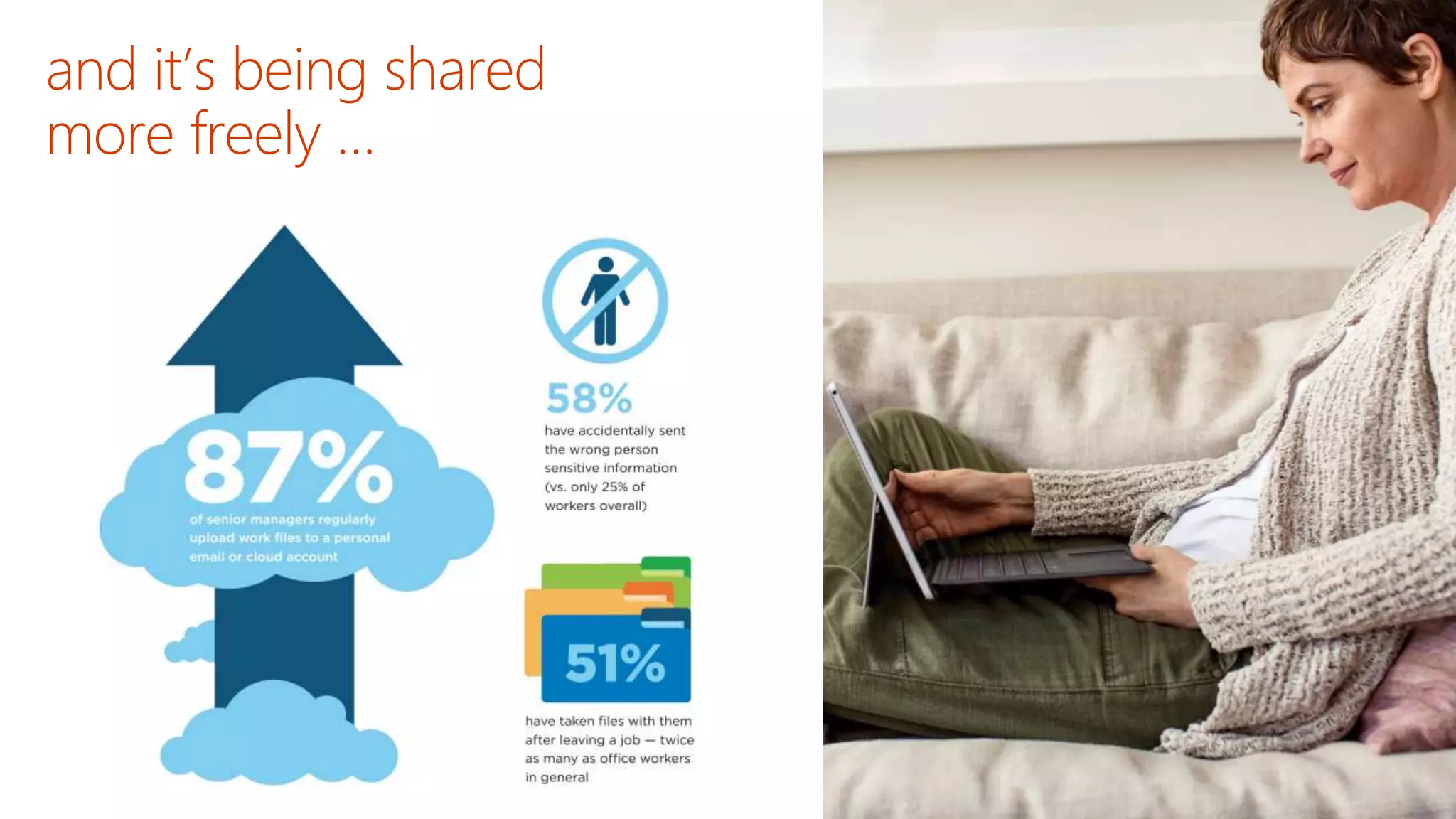
and it’s being shared
more freely …
#SPSParis @meetdux
#SPSParis @meetdux
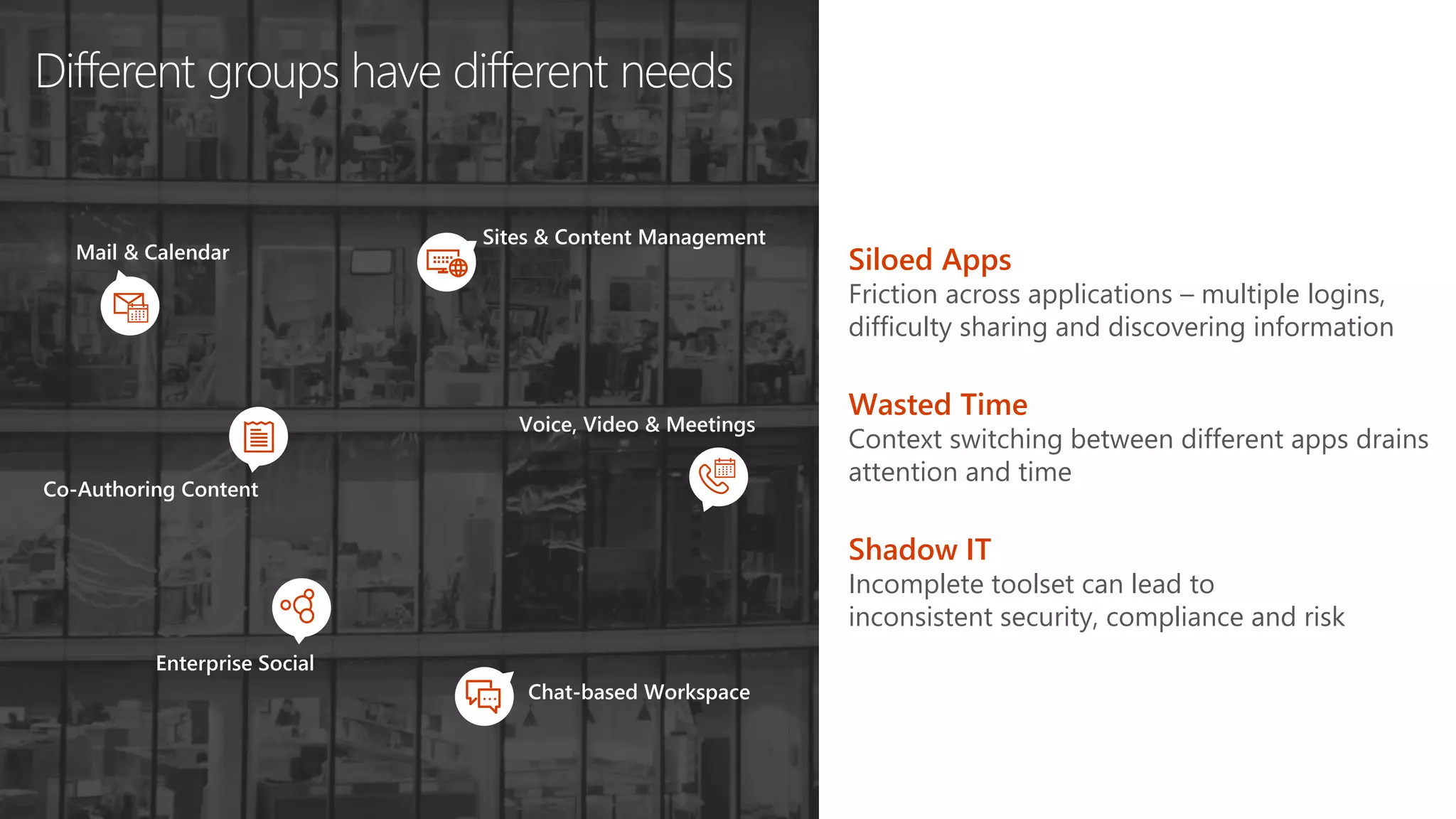
Different groups have different needs
Co-Authoring Content
Chat-based Workspace
Sites & Content Management
Enterprise Social
Mail & Calendar
Voice, Video & Meetings
Wasted Time
Context switching between different apps drains
attention and time
Shadow IT
Incomplete toolset can lead to
inconsistent security, compliance and risk
Siloed Apps
Friction across applications – multiple logins,
difficulty sharing and discovering information
#SPSParis @meetdux
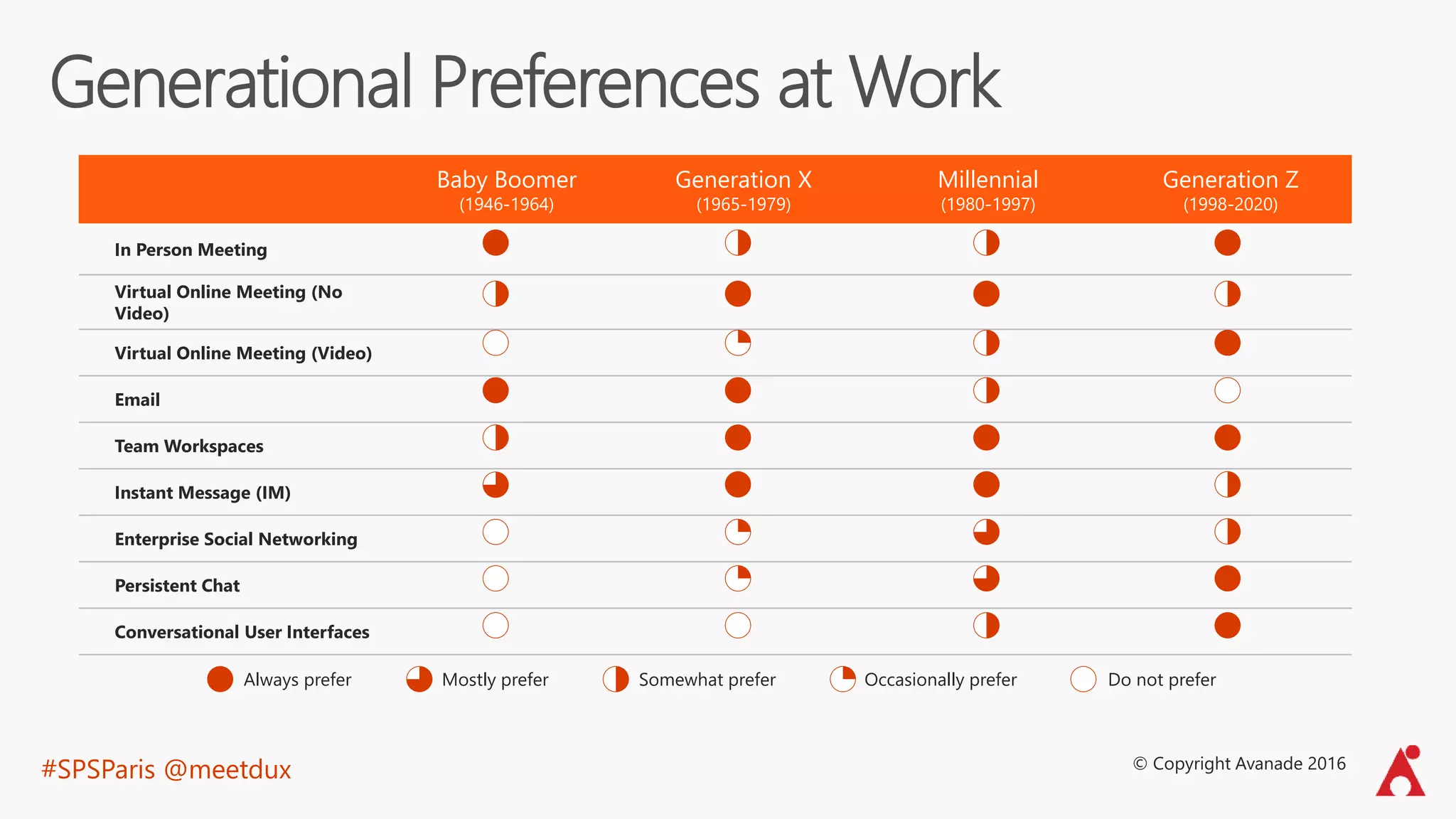
Generational Preferences at Work
Baby Boomer
(1946-1964)
Generation X
(1965-1979)
Millennial
(1980-1997)
Generation Z
(1998-2020)
In Person Meeting
Virtual Online Meeting (No
Video)
Virtual Online Meeting (Video)
Email
Team Workspaces
Instant Message (IM)
Enterprise Social Networking
Persistent Chat
Conversational User Interfaces
Mostly preferAlways prefer Somewhat prefer Occasionally prefer Do not prefer
© Copyright Avanade 2016
#SPSParis @meetdux
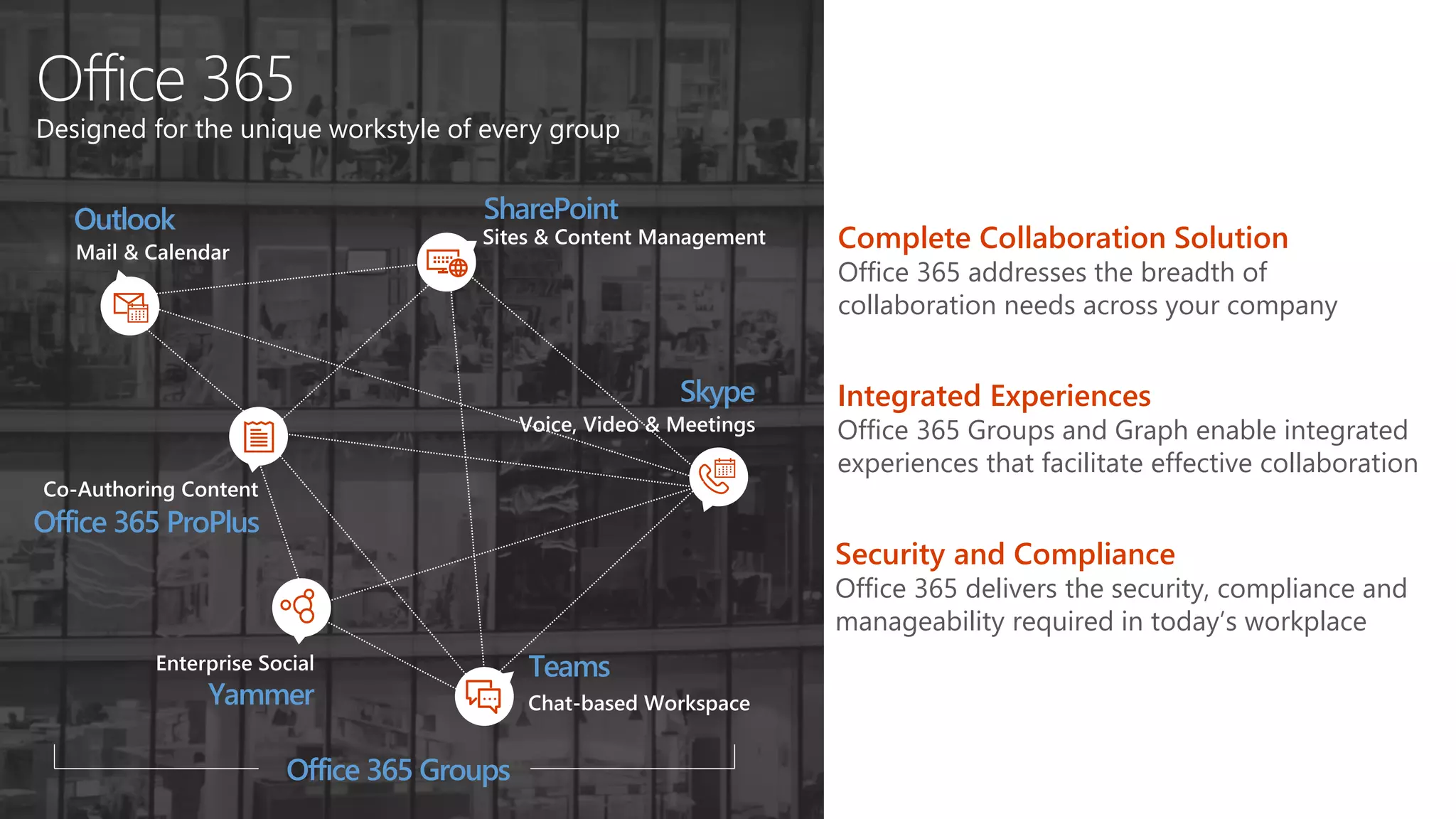
Office 365
Designed for the unique workstyle of every group
SharePoint
Teams
Office 365 ProPlus
Yammer
Outlook
Skype
Sites & Content Management
Chat-based Workspace
Co-Authoring Content
Enterprise Social
Mail & Calendar
Voice, Video & Meetings
Office 365 Groups
Complete Collaboration Solution
Office 365 addresses the breadth of
collaboration needs across your company
Integrated Experiences
Office 365 Groups and Graph enable integrated
experiences that facilitate effective collaboration
Security and Compliance
Office 365 delivers the security, compliance and
manageability required in today’s workplace
#SPSParis @meetdux
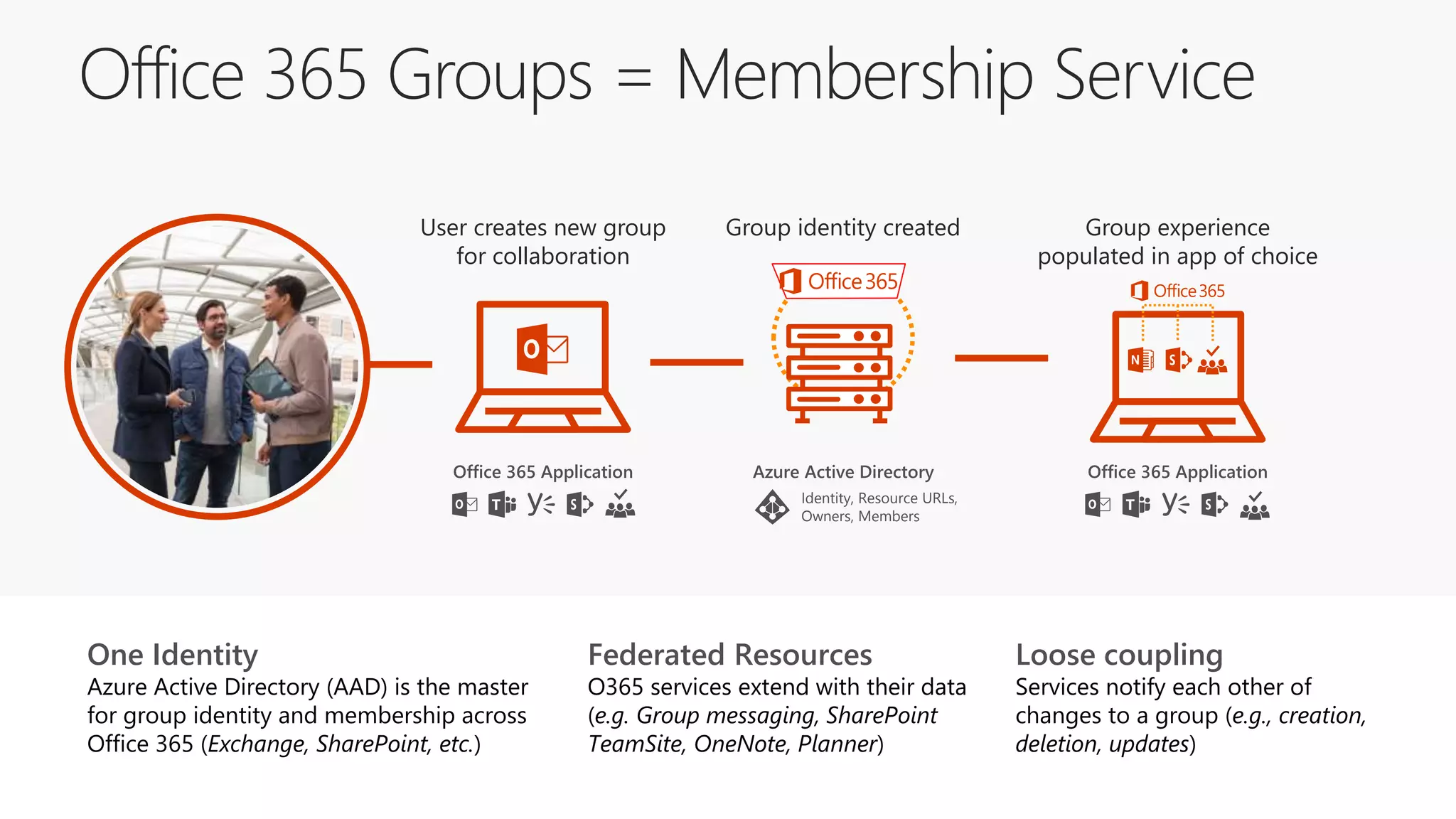
Office 365 Groups = Membership Service
User creates new group
for collaboration
Office 365 Application
Group experience
populated in app of choice
Office 365 Application
One Identity
Azure Active Directory (AAD) is the master
for group identity and membership across
Office 365 (Exchange, SharePoint, etc.)
Federated Resources
O365 services extend with their data
(e.g. Group messaging, SharePoint
TeamSite, OneNote, Planner)
Loose coupling
Services notify each other of
changes to a group (e.g., creation,
deletion, updates)
Group identity created
Azure Active Directory
Identity, Resource URLs,
Owners, Members
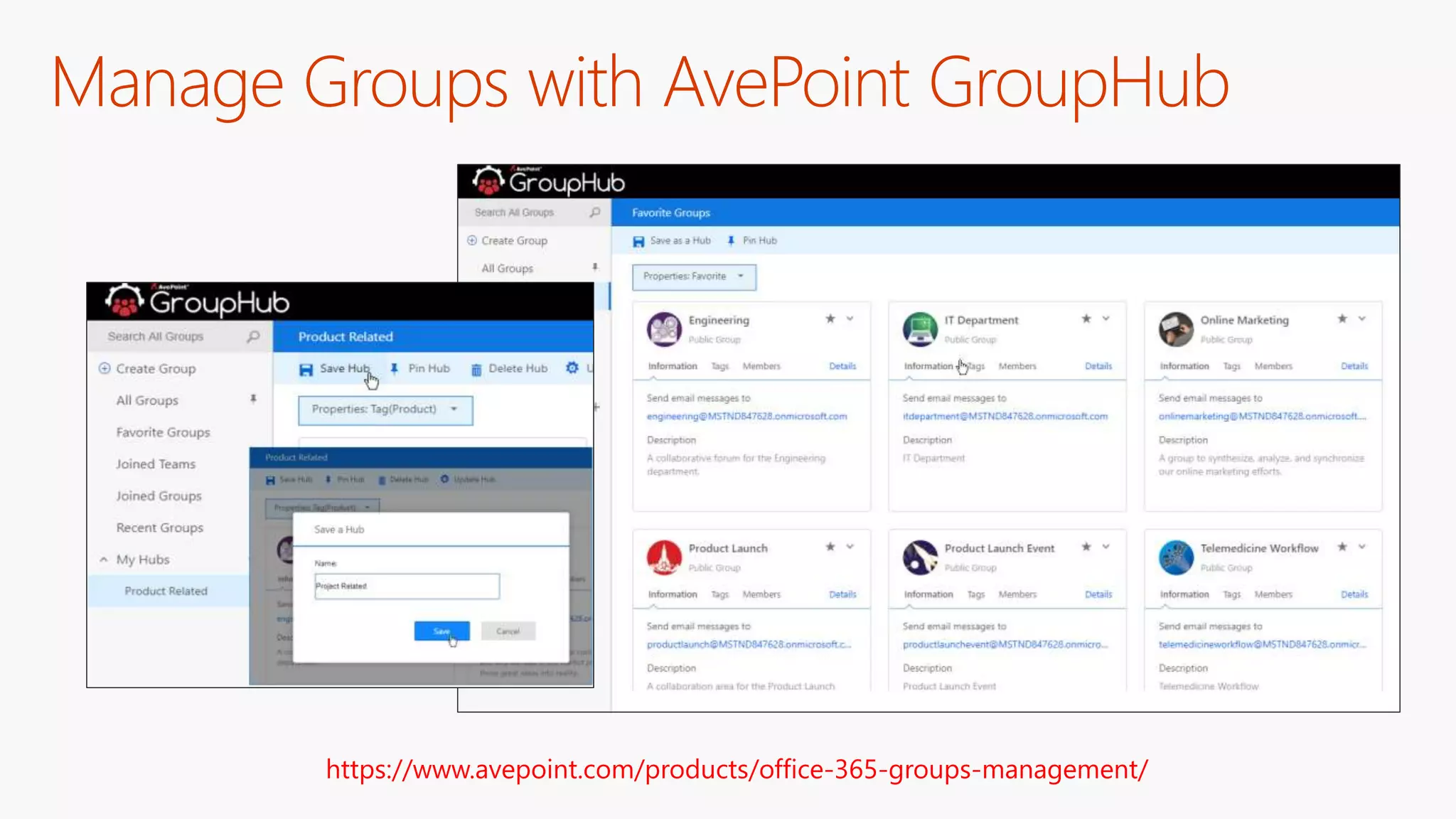
Manage Groups with AvePoint GroupHub
https://www.avepoint.com/products/office-365-groups-management/
#SPSParis @meetdux
#SPSParis @meetdux
http://aka.ms/ProductivityLibrary
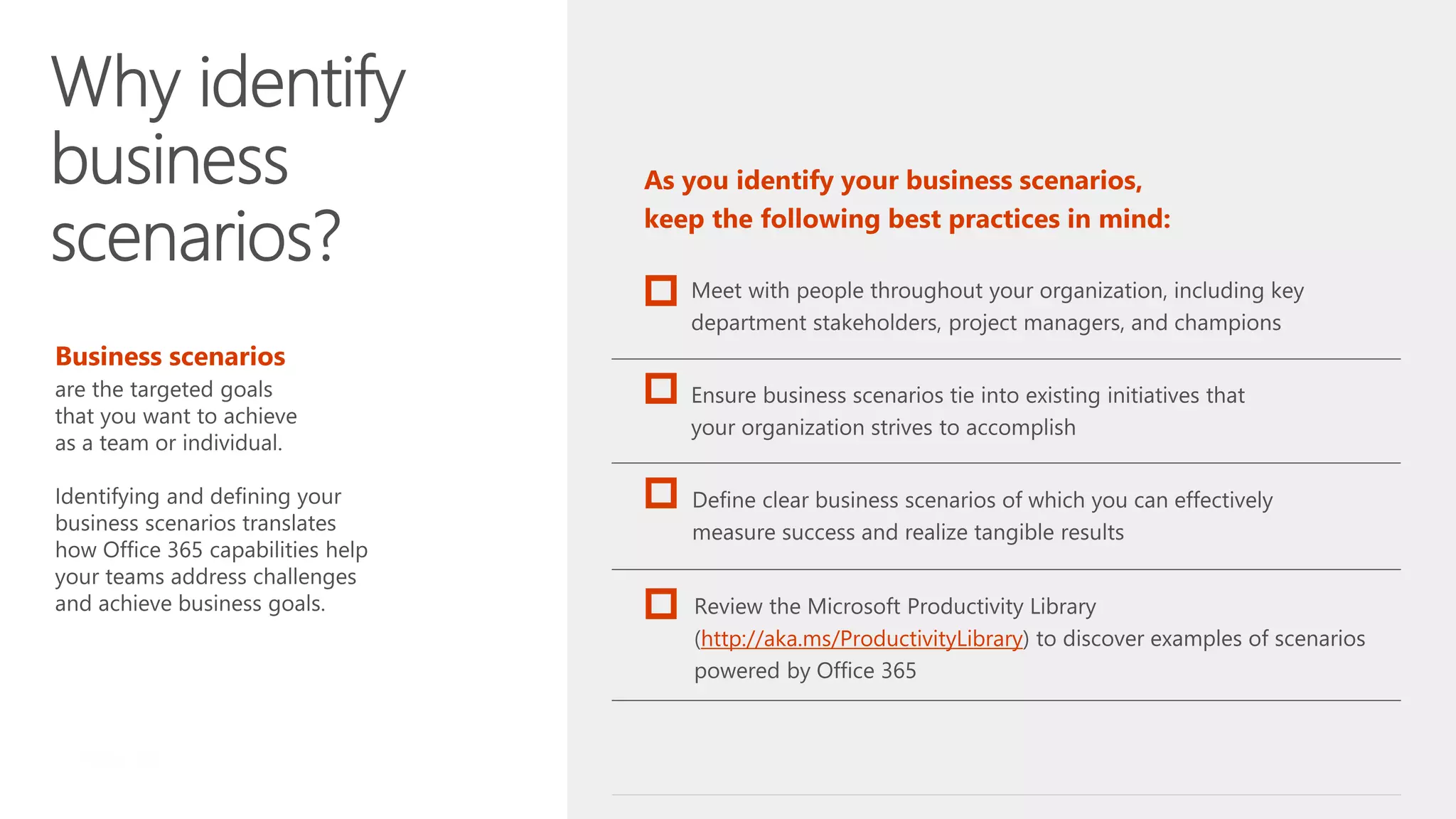
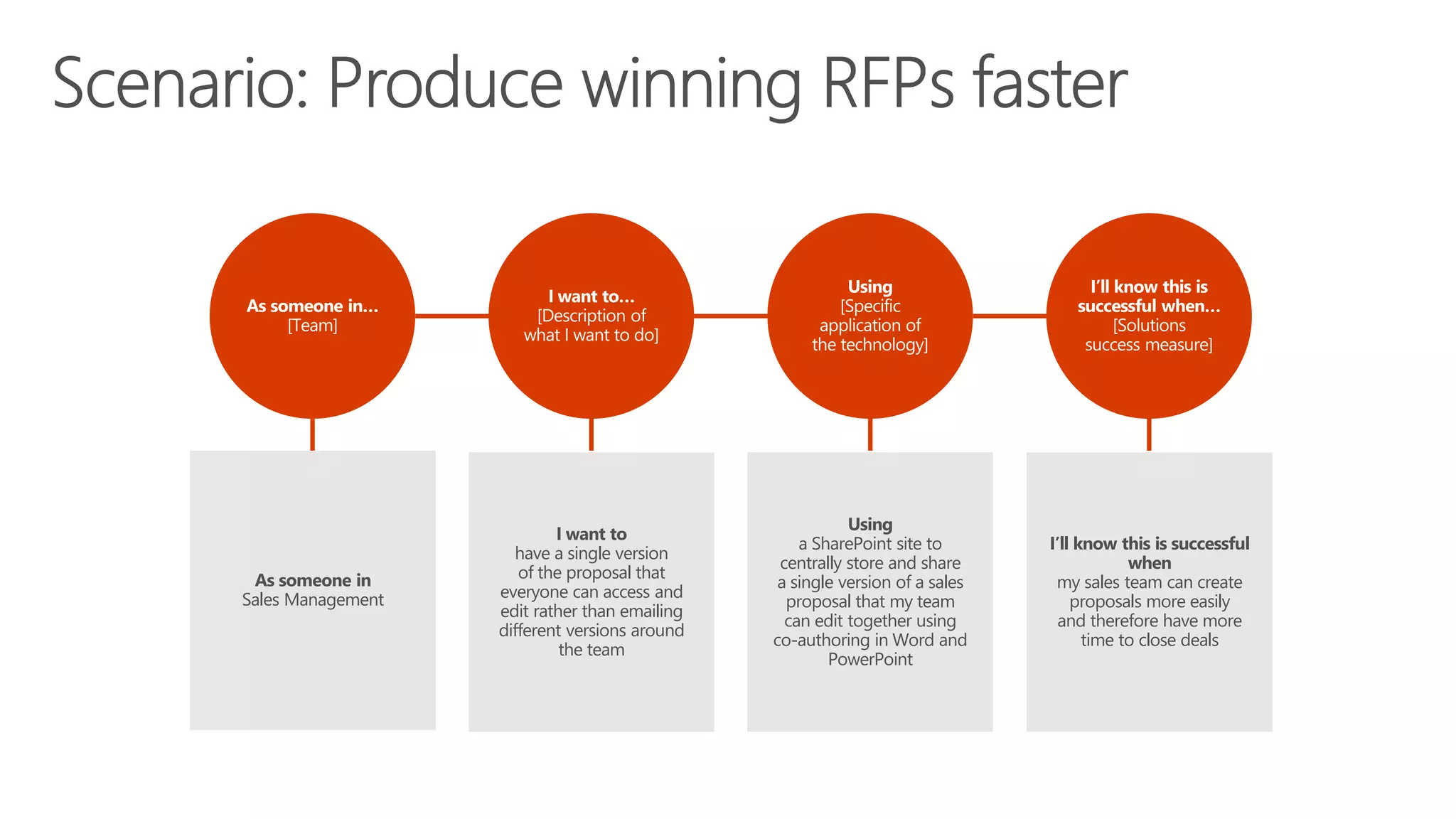
As someone in
Sales Management
I want to
have a single version
of the proposal that
everyone can access and
edit rather than emailing
different versions around
the team
Using
a SharePoint site to
centrally store and share
a single version of a sales
proposal that my team
can edit together using
co-authoring in Word and
PowerPoint
I’ll know this is successful
when
my sales team can create
proposals more easily
and therefore have more
time to close deals
#MSAUIgnite @bhainsworth @meetdux
Outlook e-mail
Skype for Business
Microsoft Teams
Office 365 Groups
OneDrive for Business
Yammer
SharePoint Sites
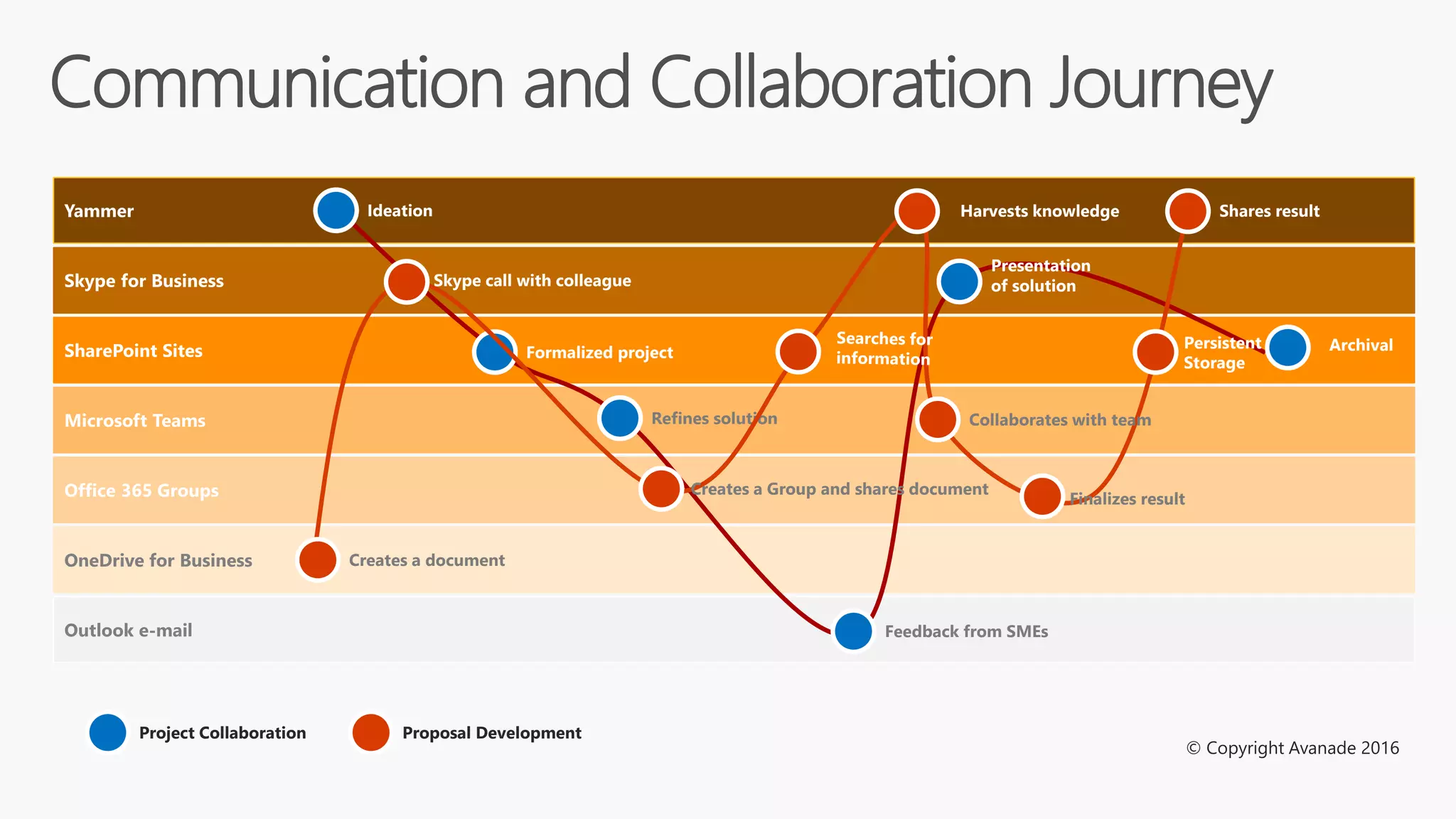
Communication and Collaboration Journey
Ideation
Formalized project
Refines solution
Presentation
of solution
Archival
Feedback from SMEs
Creates a document
Skype call with colleague
Creates a Group and shares document
Collaborates with team
Harvests knowledge
Finalizes result
Shares result
Persistent
Storage
Project Collaboration Proposal Development
© Copyright Avanade 2016
#SPSParis @meetdux
Outlook e-mail
Skype for Business
Microsoft Teams
Office 365 Groups
OneDrive for Business
Yammer
Planner
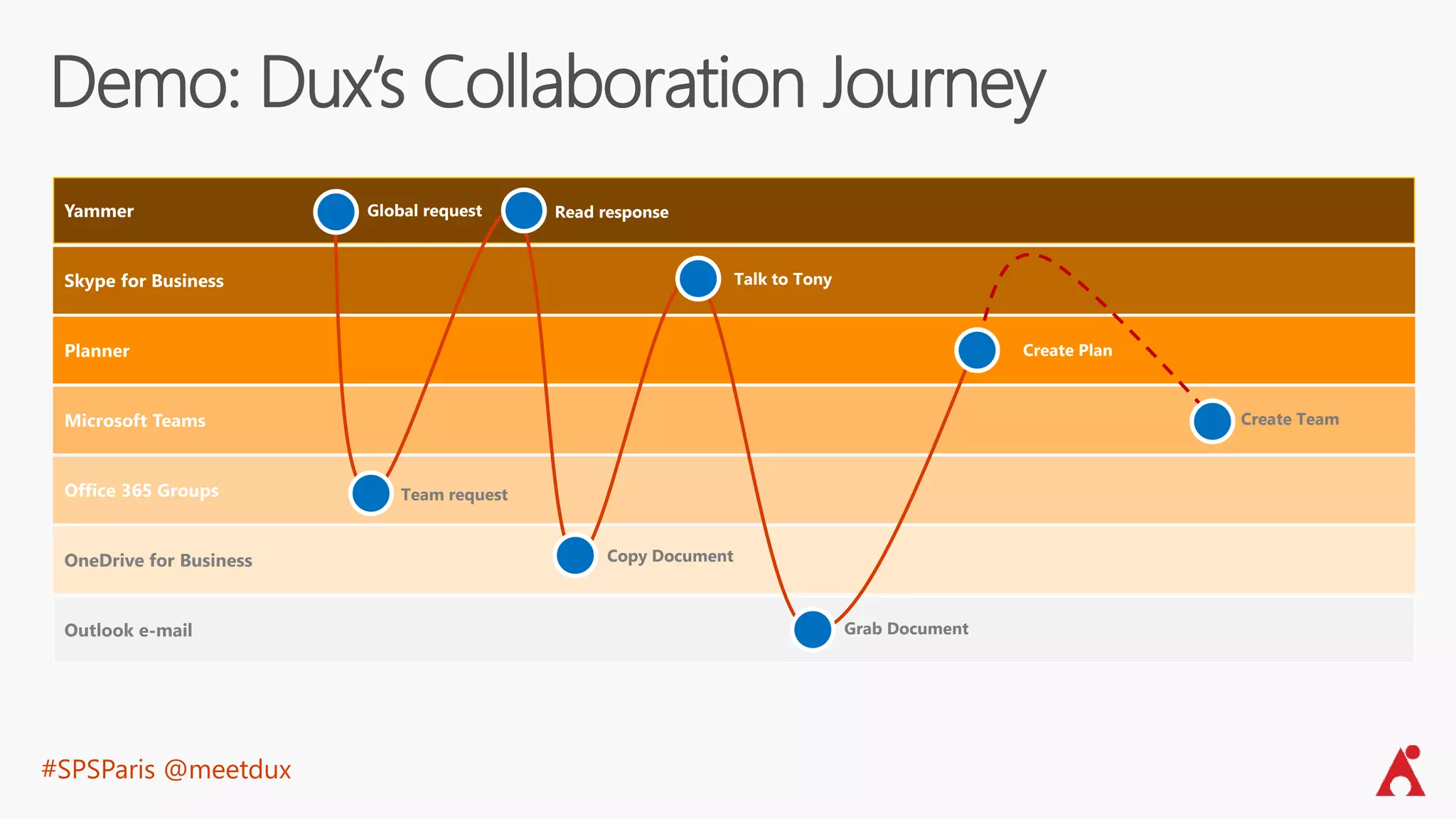
Demo: Dux’s Collaboration Journey
Global request
Create Plan
Team request
Read response
Grab Document
Copy Document
Talk to Tony
Create Team
#SPSParis @meetdux
#SPSParis @meetdux
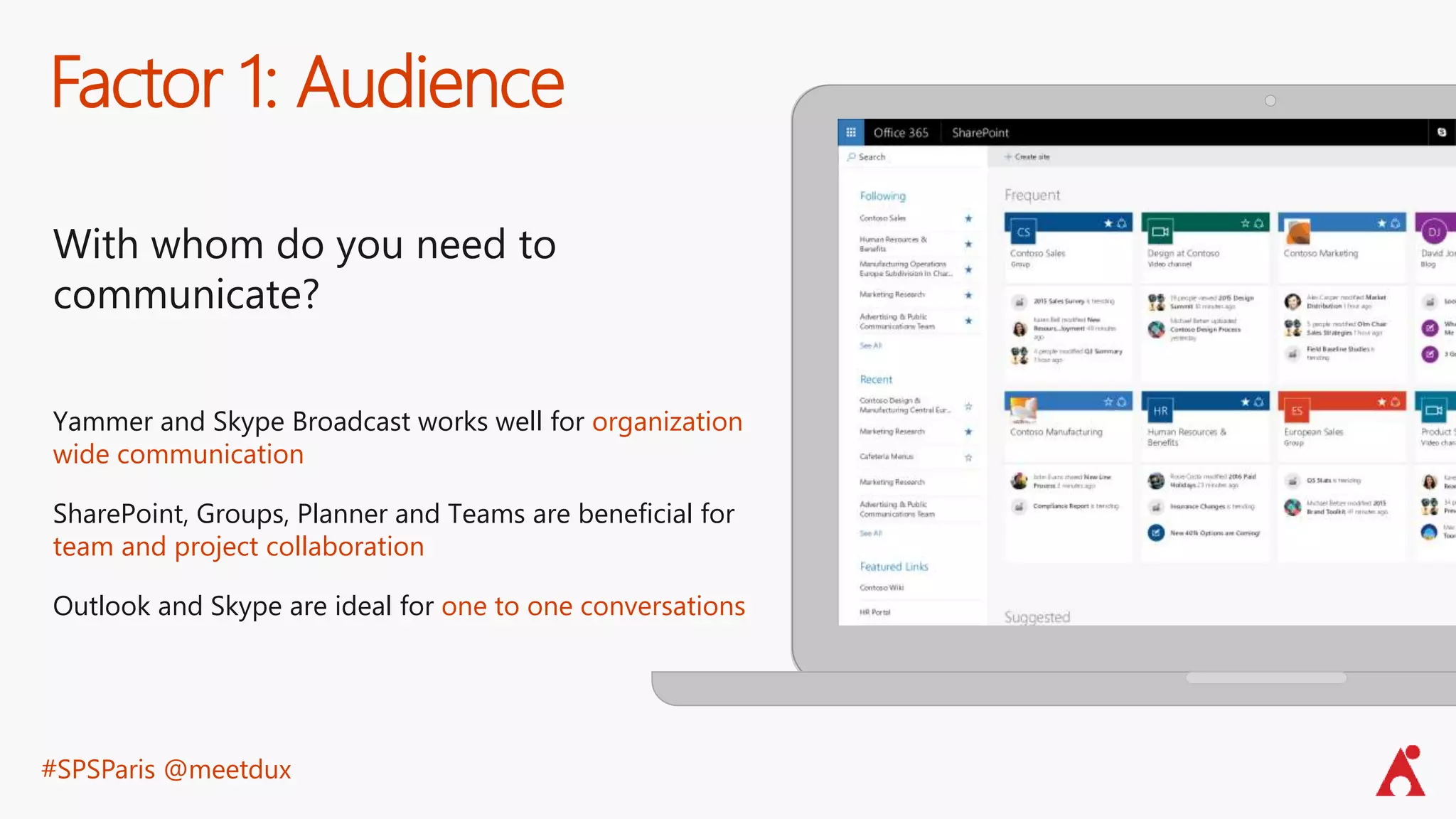
Factor 1: Audience
With whom do you need to
communicate?
Yammer and Skype Broadcast works well for organization
wide communication
SharePoint, Groups, Planner and Teams are beneficial for
team and project collaboration
Outlook and Skype are ideal for one to one conversations
#SPSParis @meetdux
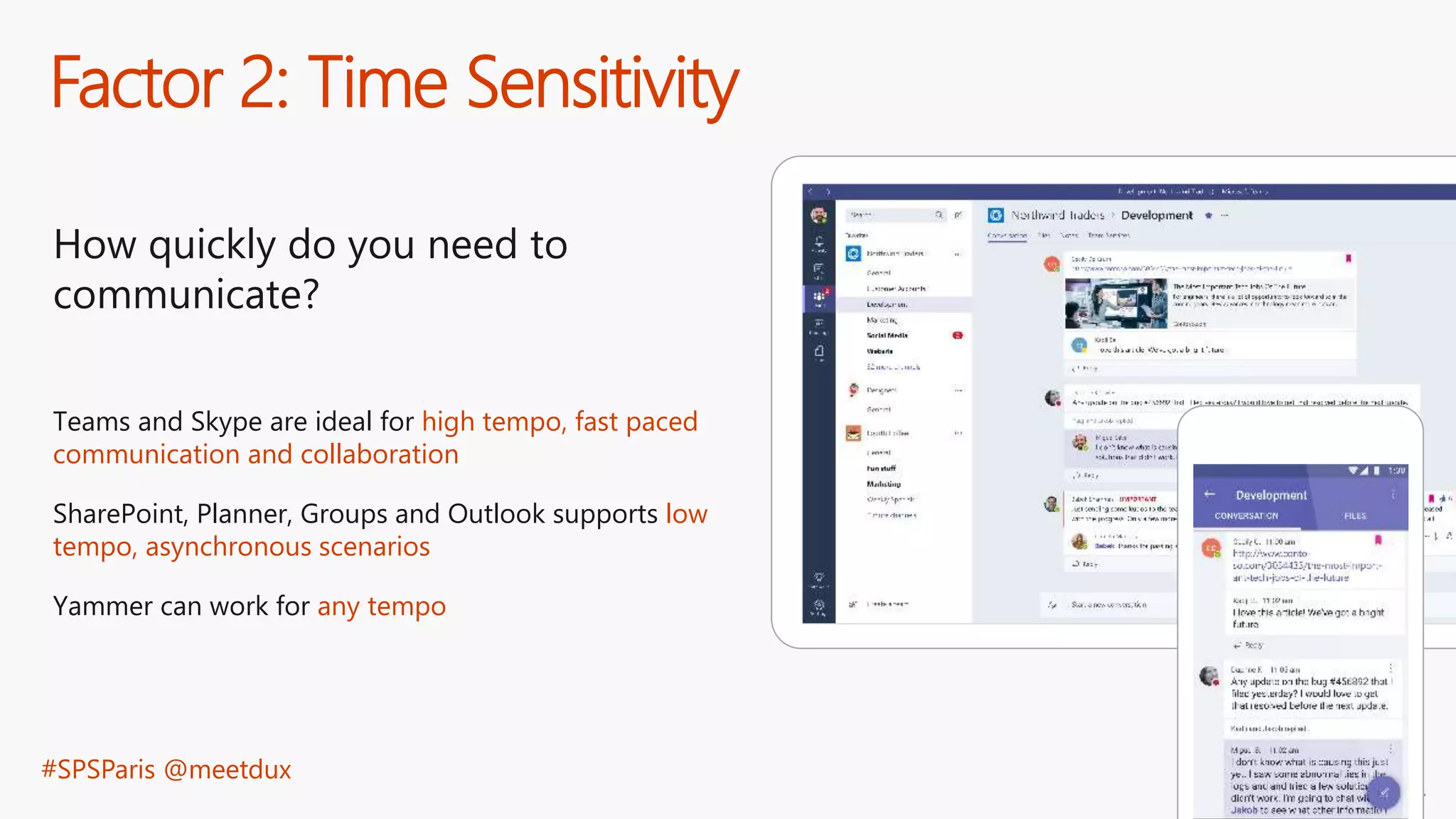
Factor 2: Time Sensitivity
How quickly do you need to
communicate?
Teams and Skype are ideal for high tempo, fast paced
communication and collaboration
SharePoint, Planner, Groups and Outlook supports low
tempo, asynchronous scenarios
Yammer can work for any tempo
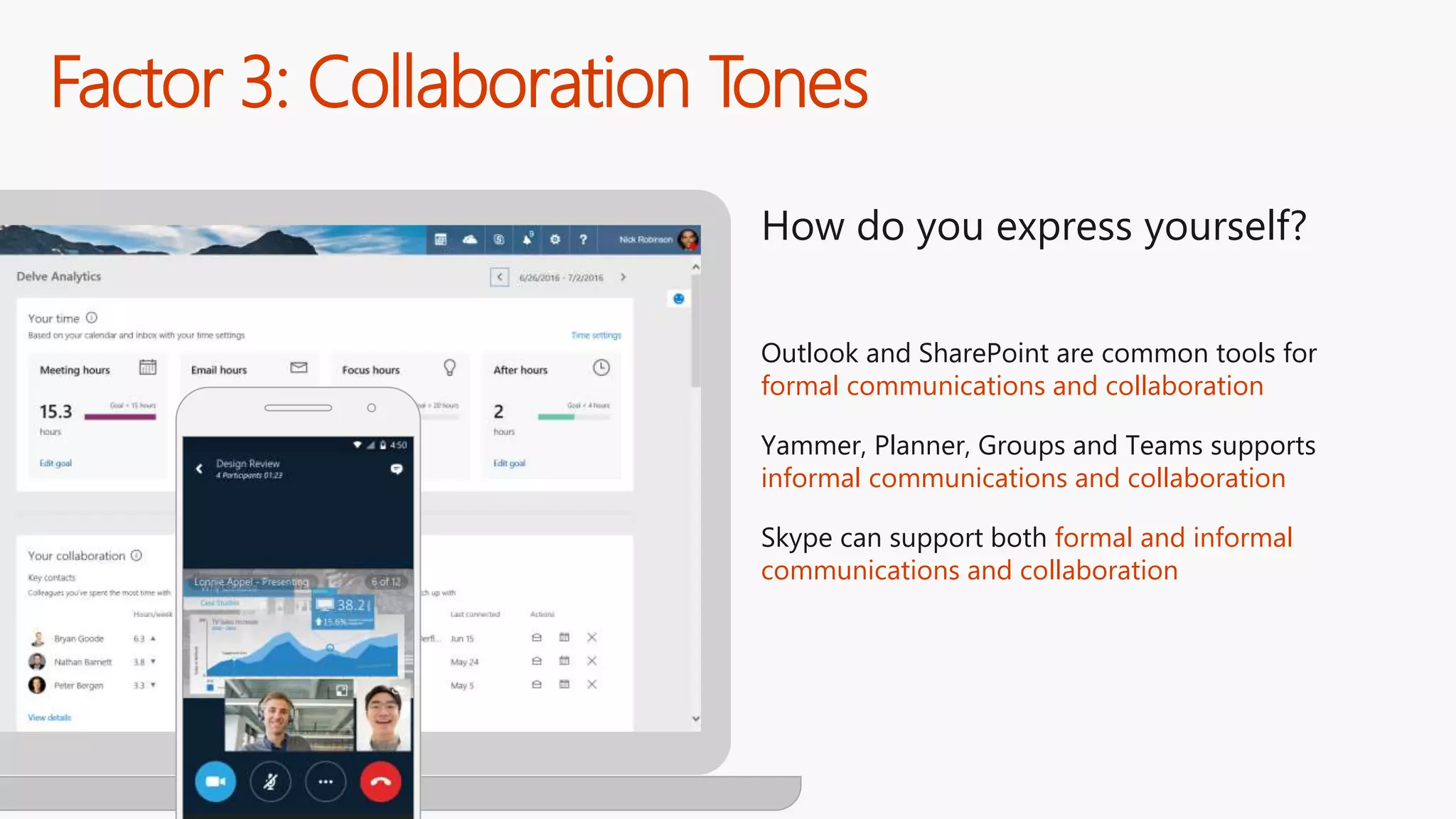
Factor 3: Collaboration Tones
How do you express yourself?
Outlook and SharePoint are common tools for
formal communications and collaboration
Yammer, Planner, Groups and Teams supports
informal communications and collaboration
Skype can support both formal and informal
communications and collaboration
#SPSParis @meetdux
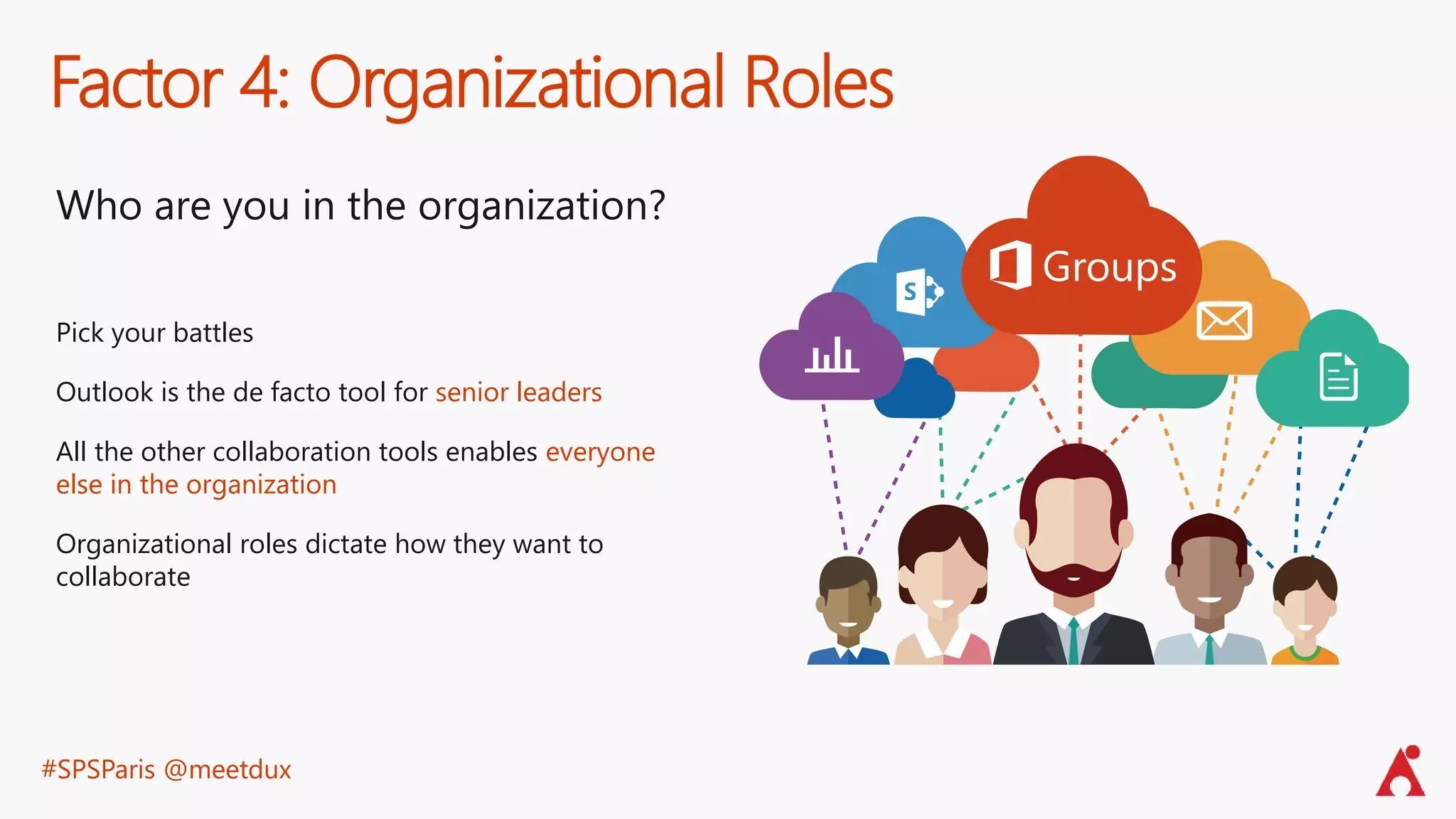
Factor 4: Organizational Roles
Who are you in the organization?
Pick your battles
Outlook is the de facto tool for senior leaders
All the other collaboration tools enables everyone
else in the organization
Organizational roles dictate how they want to
collaborate
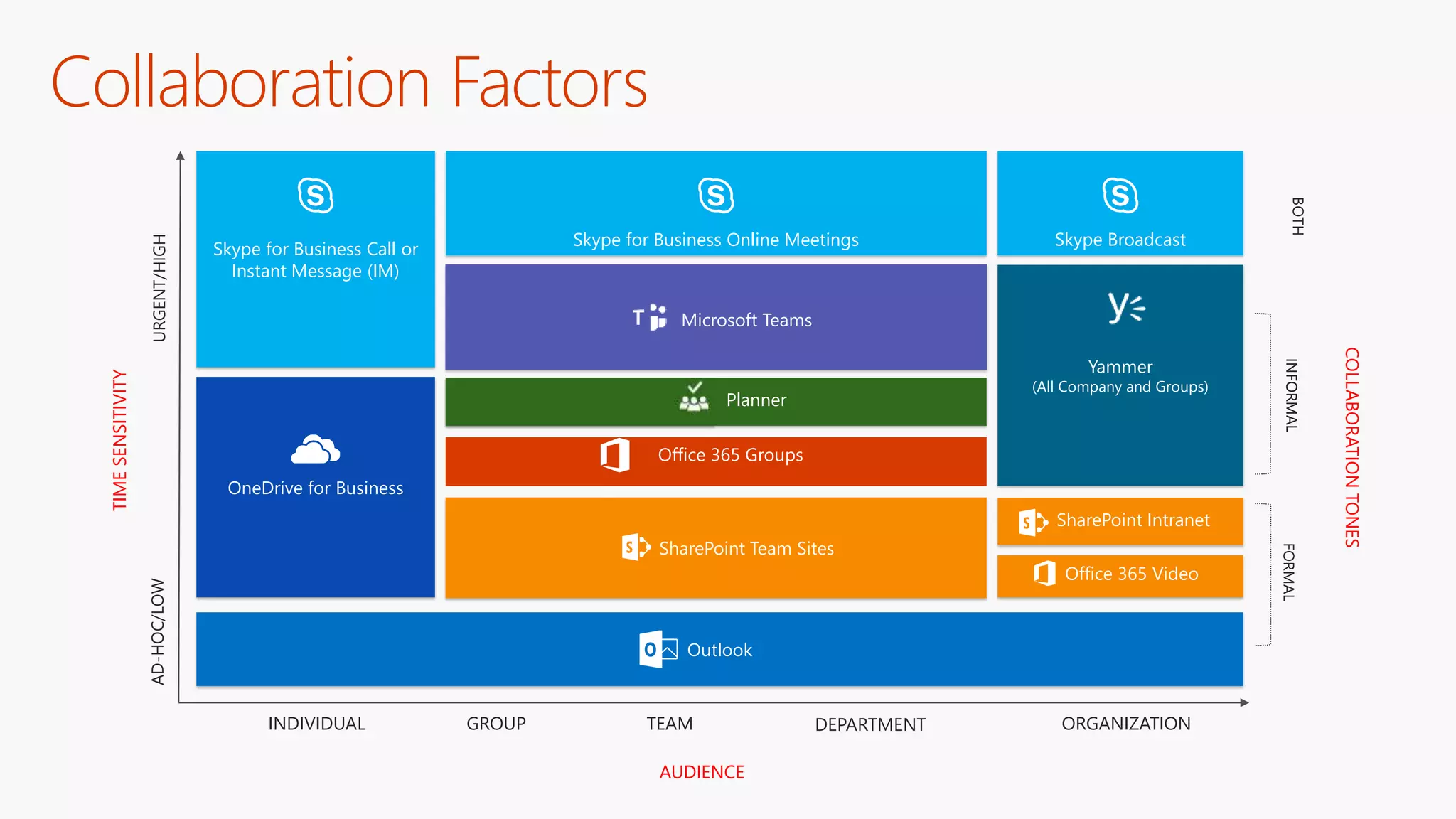
AUDIENCE
INDIVIDUAL GROUP TEAM DEPARTMENT ORGANIZATION
TIMESENSITIVITY
URGENT/HIGHAD-HOC/LOW
COLLABORATIONTONES
FORMAL
Collaboration Factors
INFORMALBOTHINFORMAL
Skype for Business Call or
Instant Message (IM)
Skype for Business Online Meetings Skype Broadcast
Yammer
(All Company and Groups)
Office 365 Groups
Outlook
OneDrive for Business
Microsoft Teams
SharePoint Team Sites
Office 365 Video
SharePoint Intranet
Planner Planner
#SPSParis @meetdux
Make it Easy
to Do the
Right Thing
#SPSParis @meetdux
Megan
Bowen
Finance Auditor
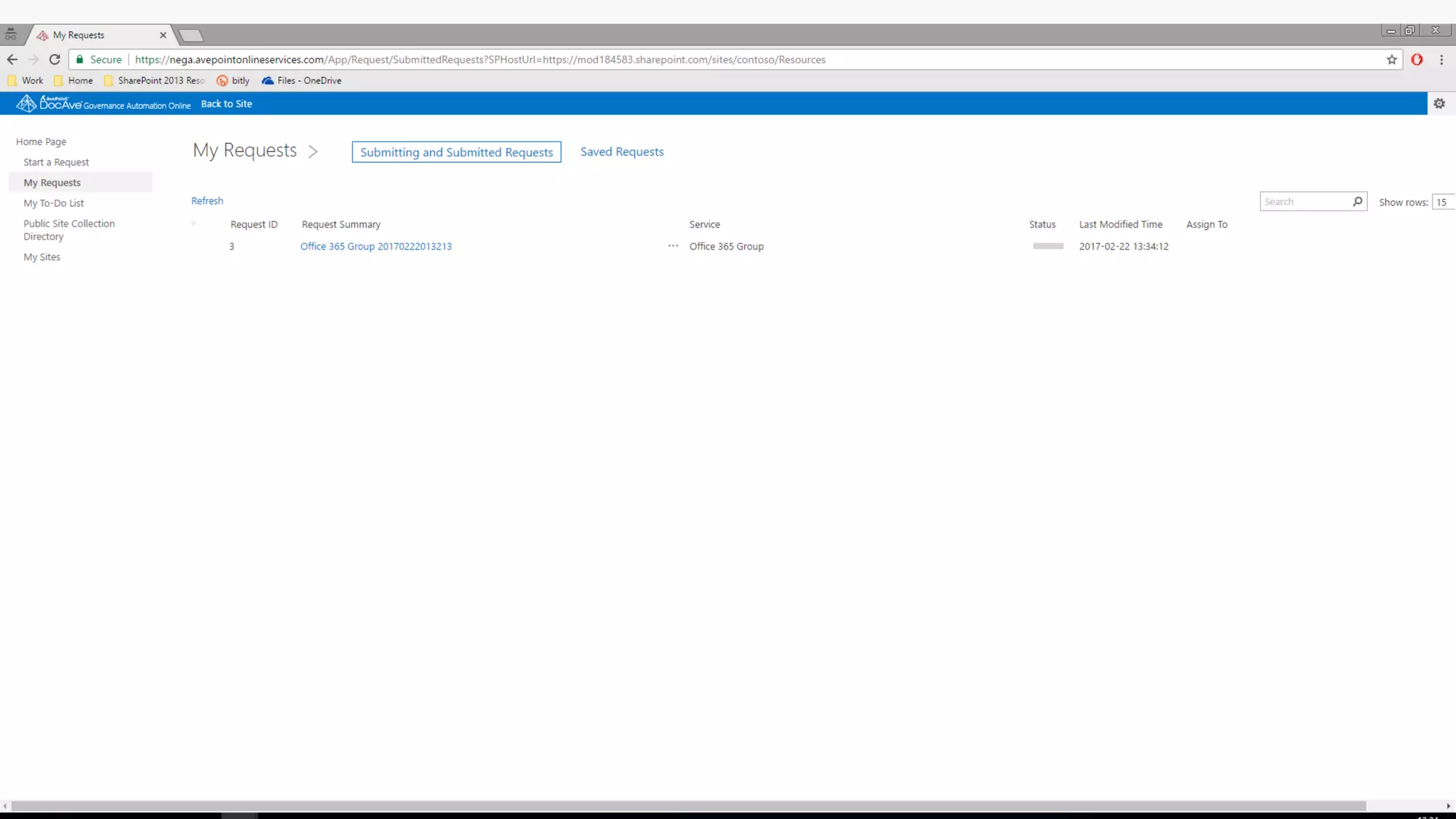
Megan completes a
Digital Workspace
request via her
company’s self-service
catalogue as she needs
to work with some
colleagues on the
departmental away day
planning
#SPSParis @meetdux
#SPSParis @meetdux
Diego Siciliani
Corporate VP for
Finance
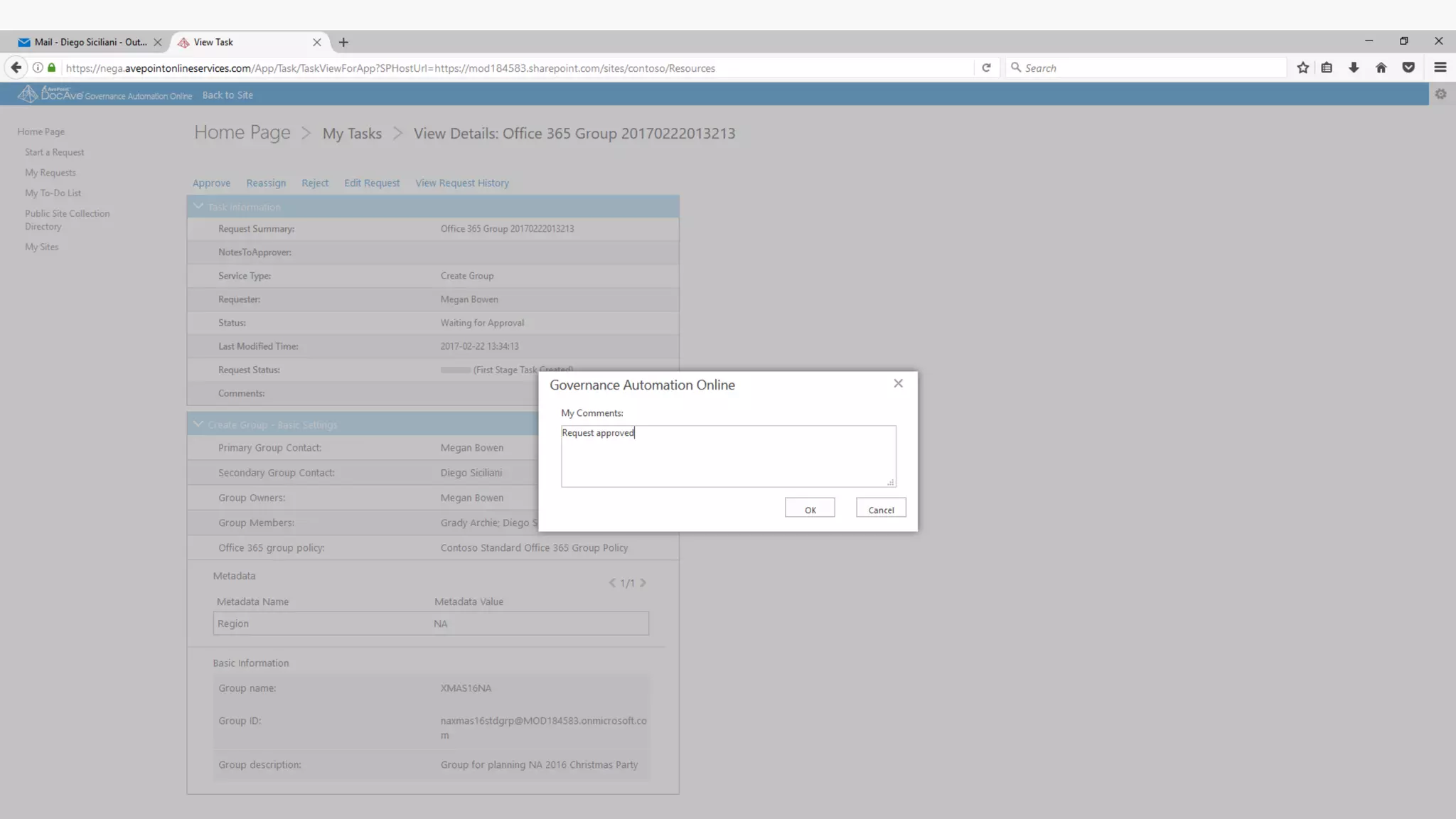
Diego is Megan’s boss.
He approves Megan’s
self-service request for a
new Office 365 Group
#SPSParis @meetdux
#SPSParis @meetdux
Megan
Bowen
Finance Auditor
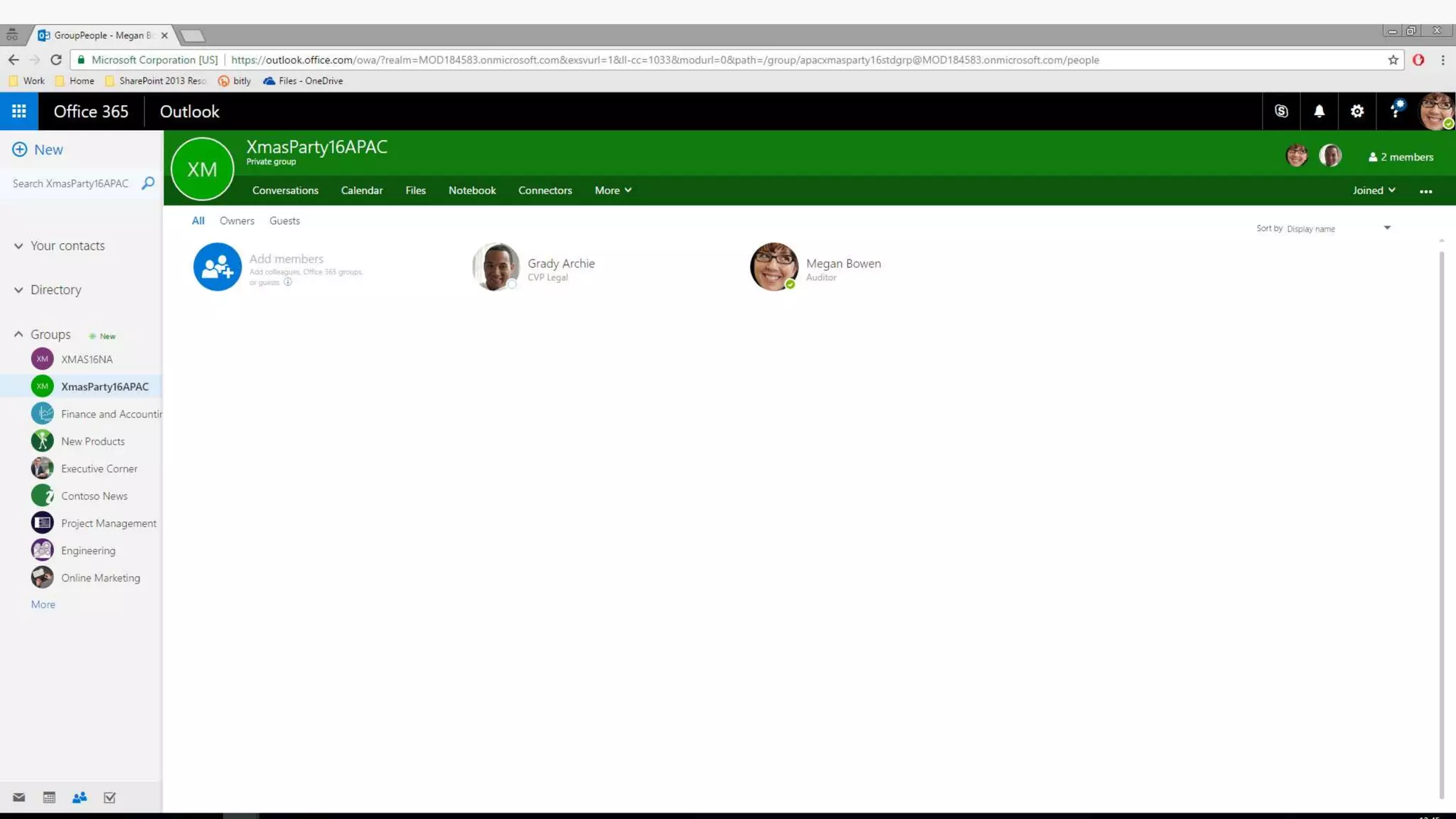
Begins to use her newly
created Office 365 Group
#SPSParis @meetdux
#SPSParis @meetdux
Allan Deyoung
Corporate Security Officer
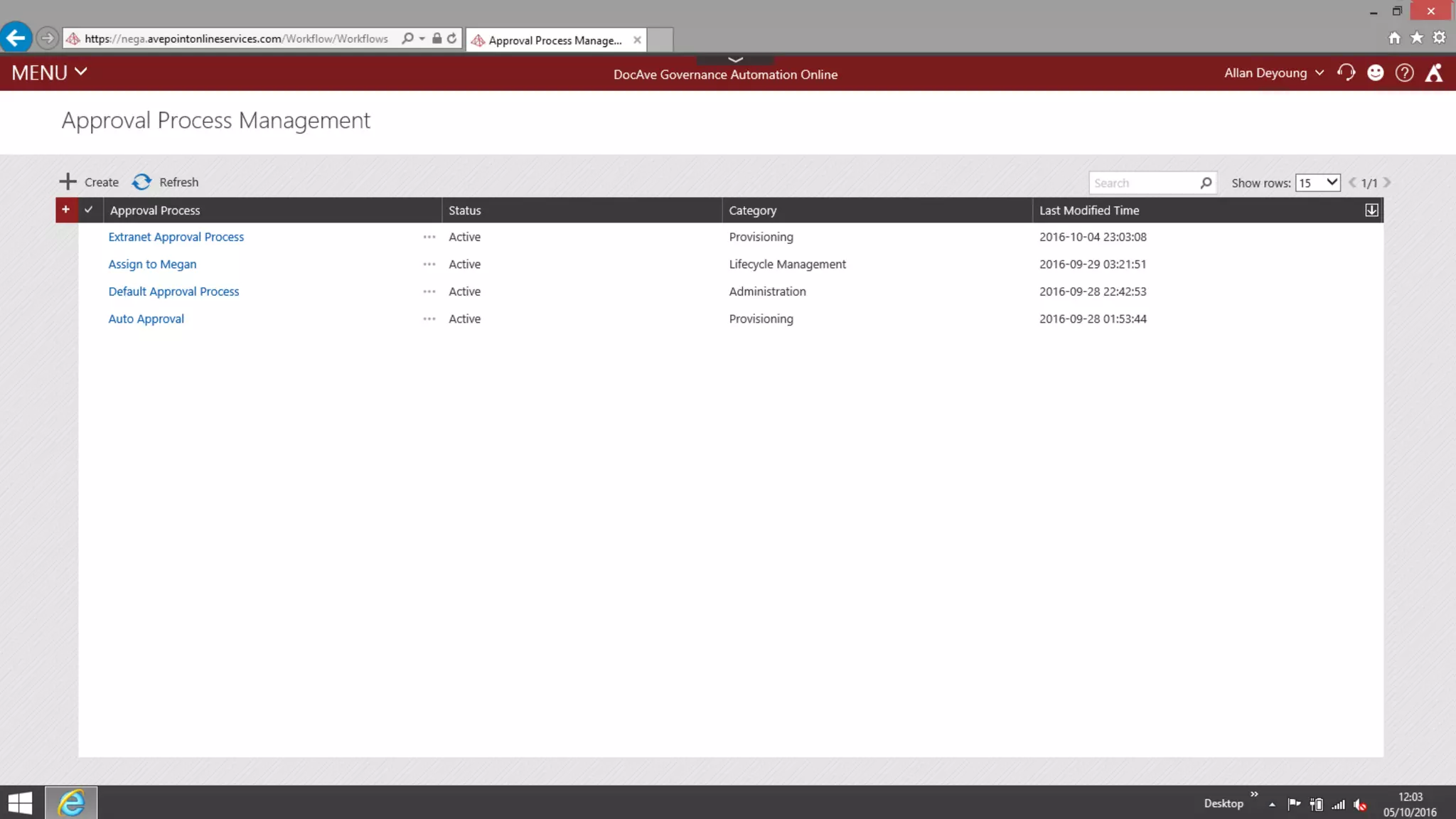
Due to the new GDPR regulation, Allan
has wants to change the approval
process before extranet sites are
created.
#SPSParis @meetdux
#SPSParis @meetdux
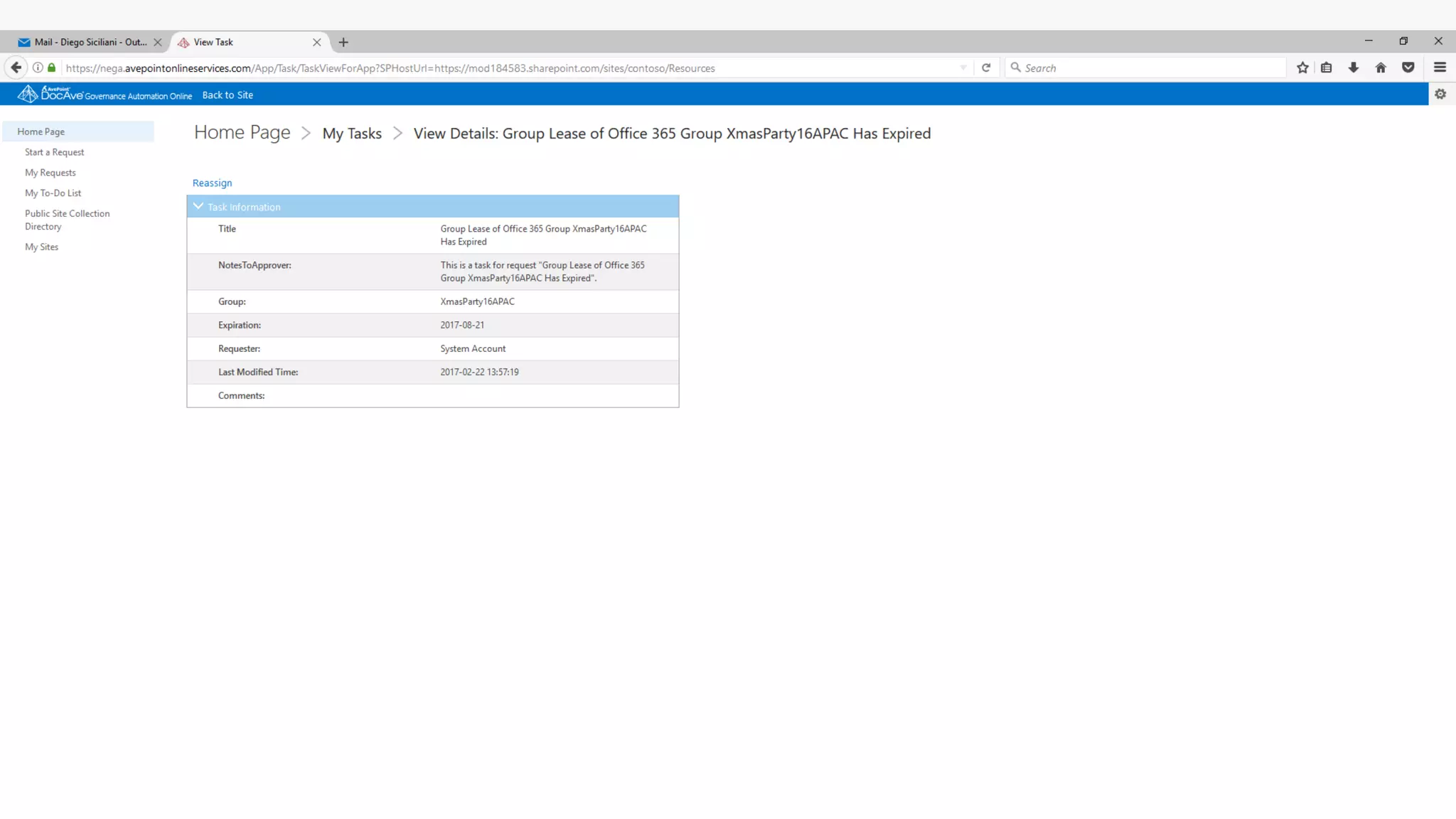
Diego Siciliani
Corporate VP
for Finance
Automatic reminder that
an Office 365 group
lease has expired.
#SPSParis @meetdux
#SPSParis @meetdux
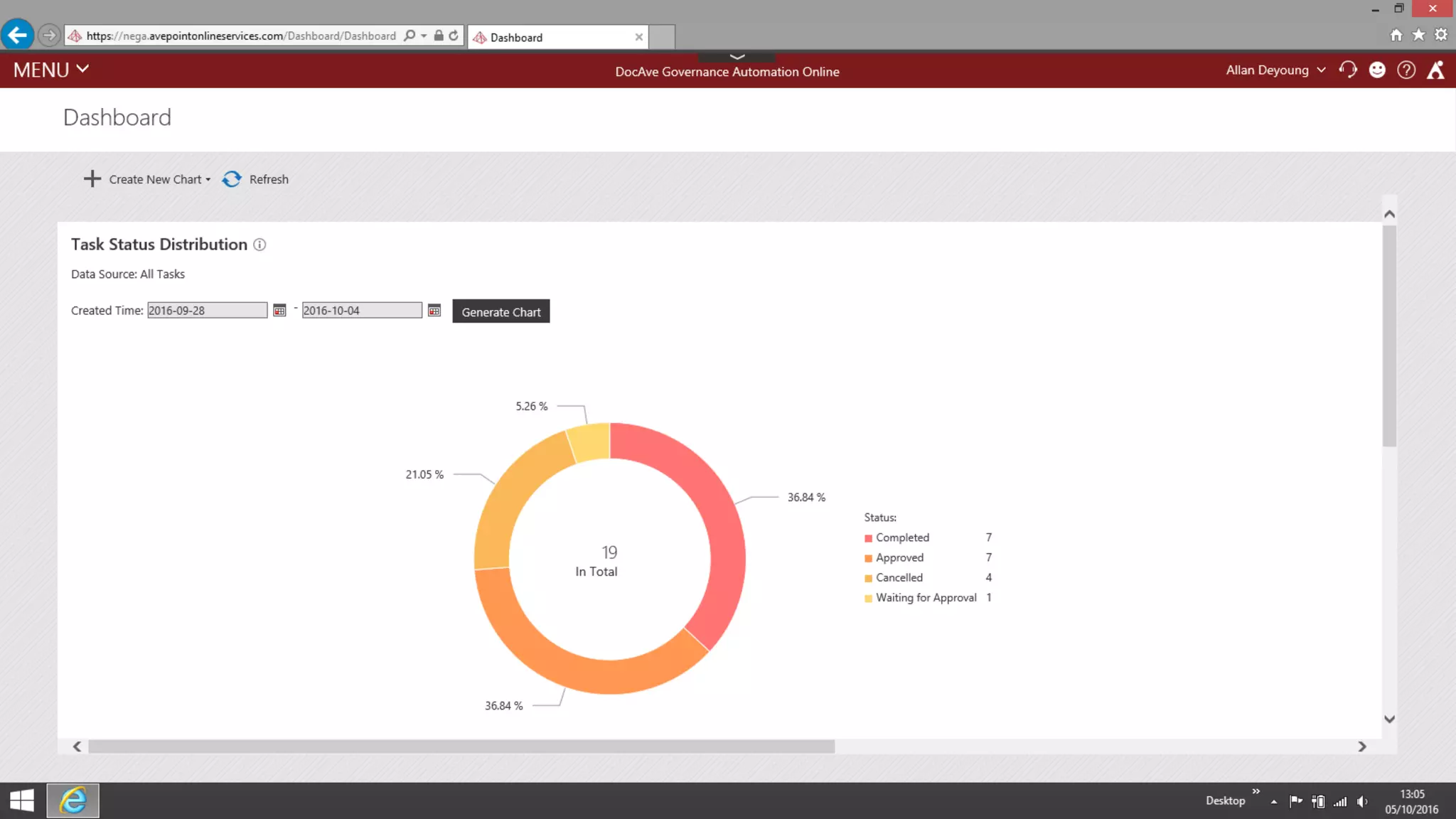
Allan Deyoung
Corporate Security Officer
Review SharePoint site usage, tasks in
flight and recertification status
#SPSParis @meetdux
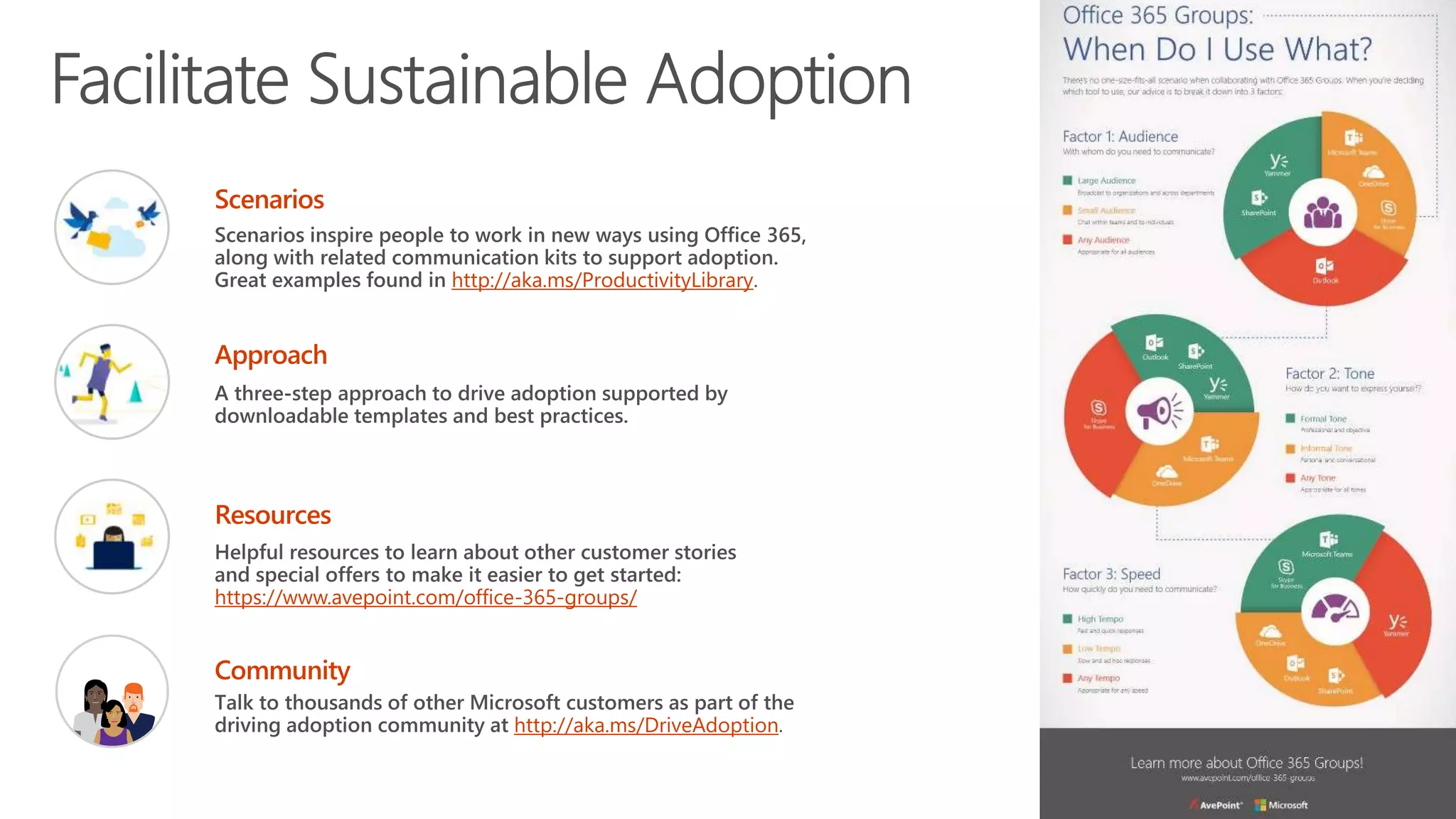
http://aka.ms/ProductivityLibrary
https://www.avepoint.com/office-365-groups/
http://aka.ms/DriveAdoption
#SPSParis @meetdux
Thank You!
Dux Raymond Sy, PMP
CTO, AvePoint Public Sector
@meetdux | http://meetdux.me
Dux.sy@avepoint.com

B4 - Teams, groups, SharePoint, Yammer - what should i use and when - Dux Raymond Sy

  • 1.
    Teams, Groups, SharePoint, Yammer -What should I Use and when Dux Raymond Sy 14 octobre 2017 #SPSParis
  • 2.
    #SPSParis @meetdux Session Objectives CollaborationToday 1 Modern Tools 2 What To Use When 3
  • 3.
  • 4.
    #SPSParis @meetdux Digital trends arechanging the way people work
  • 5.
    Information is more widelyavailable… of the world’s data was generated over the last 2 years 90%
  • 6.
    and it’s beingshared more freely …
  • 7.
  • 8.
    #SPSParis @meetdux Different groupshave different needs Co-Authoring Content Chat-based Workspace Sites & Content Management Enterprise Social Mail & Calendar Voice, Video & Meetings Wasted Time Context switching between different apps drains attention and time Shadow IT Incomplete toolset can lead to inconsistent security, compliance and risk Siloed Apps Friction across applications – multiple logins, difficulty sharing and discovering information
  • 9.
    #SPSParis @meetdux Generational Preferencesat Work Baby Boomer (1946-1964) Generation X (1965-1979) Millennial (1980-1997) Generation Z (1998-2020) In Person Meeting Virtual Online Meeting (No Video) Virtual Online Meeting (Video) Email Team Workspaces Instant Message (IM) Enterprise Social Networking Persistent Chat Conversational User Interfaces Mostly preferAlways prefer Somewhat prefer Occasionally prefer Do not prefer © Copyright Avanade 2016
  • 10.
    #SPSParis @meetdux Office 365 Designedfor the unique workstyle of every group SharePoint Teams Office 365 ProPlus Yammer Outlook Skype Sites & Content Management Chat-based Workspace Co-Authoring Content Enterprise Social Mail & Calendar Voice, Video & Meetings Office 365 Groups Complete Collaboration Solution Office 365 addresses the breadth of collaboration needs across your company Integrated Experiences Office 365 Groups and Graph enable integrated experiences that facilitate effective collaboration Security and Compliance Office 365 delivers the security, compliance and manageability required in today’s workplace
  • 11.
    #SPSParis @meetdux Office 365Groups = Membership Service User creates new group for collaboration Office 365 Application Group experience populated in app of choice Office 365 Application One Identity Azure Active Directory (AAD) is the master for group identity and membership across Office 365 (Exchange, SharePoint, etc.) Federated Resources O365 services extend with their data (e.g. Group messaging, SharePoint TeamSite, OneNote, Planner) Loose coupling Services notify each other of changes to a group (e.g., creation, deletion, updates) Group identity created Azure Active Directory Identity, Resource URLs, Owners, Members
  • 12.
    Manage Groups withAvePoint GroupHub https://www.avepoint.com/products/office-365-groups-management/
  • 13.
  • 14.
  • 15.
  • 19.
    As someone in SalesManagement I want to have a single version of the proposal that everyone can access and edit rather than emailing different versions around the team Using a SharePoint site to centrally store and share a single version of a sales proposal that my team can edit together using co-authoring in Word and PowerPoint I’ll know this is successful when my sales team can create proposals more easily and therefore have more time to close deals
  • 22.
  • 23.
    Outlook e-mail Skype forBusiness Microsoft Teams Office 365 Groups OneDrive for Business Yammer SharePoint Sites Communication and Collaboration Journey Ideation Formalized project Refines solution Presentation of solution Archival Feedback from SMEs Creates a document Skype call with colleague Creates a Group and shares document Collaborates with team Harvests knowledge Finalizes result Shares result Persistent Storage Project Collaboration Proposal Development © Copyright Avanade 2016
  • 24.
    #SPSParis @meetdux Outlook e-mail Skypefor Business Microsoft Teams Office 365 Groups OneDrive for Business Yammer Planner Demo: Dux’s Collaboration Journey Global request Create Plan Team request Read response Grab Document Copy Document Talk to Tony Create Team
  • 25.
  • 26.
    #SPSParis @meetdux Factor 1:Audience With whom do you need to communicate? Yammer and Skype Broadcast works well for organization wide communication SharePoint, Groups, Planner and Teams are beneficial for team and project collaboration Outlook and Skype are ideal for one to one conversations
  • 27.
    #SPSParis @meetdux Factor 2:Time Sensitivity How quickly do you need to communicate? Teams and Skype are ideal for high tempo, fast paced communication and collaboration SharePoint, Planner, Groups and Outlook supports low tempo, asynchronous scenarios Yammer can work for any tempo
  • 28.
    Factor 3: CollaborationTones How do you express yourself? Outlook and SharePoint are common tools for formal communications and collaboration Yammer, Planner, Groups and Teams supports informal communications and collaboration Skype can support both formal and informal communications and collaboration
  • 29.
    #SPSParis @meetdux Factor 4:Organizational Roles Who are you in the organization? Pick your battles Outlook is the de facto tool for senior leaders All the other collaboration tools enables everyone else in the organization Organizational roles dictate how they want to collaborate
  • 30.
    AUDIENCE INDIVIDUAL GROUP TEAMDEPARTMENT ORGANIZATION TIMESENSITIVITY URGENT/HIGHAD-HOC/LOW COLLABORATIONTONES FORMAL Collaboration Factors INFORMALBOTHINFORMAL Skype for Business Call or Instant Message (IM) Skype for Business Online Meetings Skype Broadcast Yammer (All Company and Groups) Office 365 Groups Outlook OneDrive for Business Microsoft Teams SharePoint Team Sites Office 365 Video SharePoint Intranet Planner Planner
  • 31.
    #SPSParis @meetdux Make itEasy to Do the Right Thing
  • 32.
    #SPSParis @meetdux Megan Bowen Finance Auditor Megancompletes a Digital Workspace request via her company’s self-service catalogue as she needs to work with some colleagues on the departmental away day planning
  • 33.
  • 34.
    #SPSParis @meetdux Diego Siciliani CorporateVP for Finance Diego is Megan’s boss. He approves Megan’s self-service request for a new Office 365 Group
  • 35.
  • 36.
    #SPSParis @meetdux Megan Bowen Finance Auditor Beginsto use her newly created Office 365 Group
  • 37.
  • 38.
    #SPSParis @meetdux Allan Deyoung CorporateSecurity Officer Due to the new GDPR regulation, Allan has wants to change the approval process before extranet sites are created.
  • 39.
  • 40.
    #SPSParis @meetdux Diego Siciliani CorporateVP for Finance Automatic reminder that an Office 365 group lease has expired.
  • 41.
  • 42.
    #SPSParis @meetdux Allan Deyoung CorporateSecurity Officer Review SharePoint site usage, tasks in flight and recertification status
  • 43.
  • 44.
  • 45.
    #SPSParis @meetdux Thank You! DuxRaymond Sy, PMP CTO, AvePoint Public Sector @meetdux | http://meetdux.me Dux.sy@avepoint.com

Editor's Notes

  • #6 Dux ask Blair: What’s your day like?
  • #7 Dux: References: Petter Bae Brandtzæg of SINTEF ICT, according to this Science Daily article:: https://www.sciencedaily.com/releases/2013/05/130522085217.htm What is Big Data? http://www-01.ibm.com/software/data/bigdata/what-is-big-data.html
  • #8 Blair will discuss: A 2013 online survey conducted by KRC Research demonstrates this point. Of the 764 employees polled, 58% of Senior Managers and Managers have accidentally sent the wrong person sensitive information (versus only 25% of workers overall). Additionally, 51% have taken files with them after leaving a job, double the amount of workers in lower-level positions. And the vast majority (87%) of Senior Managers and Managers regularly upload work files to a personal email or cloud account, primarily because taking their work computer home with them is too burdensome, or they simply prefer using their home computer. See the full report here. References: http://www.strozfriedberg.com/wp-content/uploads/2014/01/Stroz-Friedberg_On-the-Pulse_Information-Security-in-American-Business.pdf http://thehackernews.com/2016/08/dropbox-data-breach.html
  • #10 Dux
  • #11 Blair For organizations with a multi-generation workforce, it is important to understand your demographics to know how to best find the balance of tools across the generations If you are an organization that heavily relies on email, what are you doing for your new workers? Are you giving them the tools they need to be effective? Note: this is a generalization of observations, but any individual may cross multiple categories. Wired Magazine: The Next Generation of Working Practices, Herman Miller: Generations at Work EY Study on Generational Shifts
  • #12 Dux:
  • #16 Dux
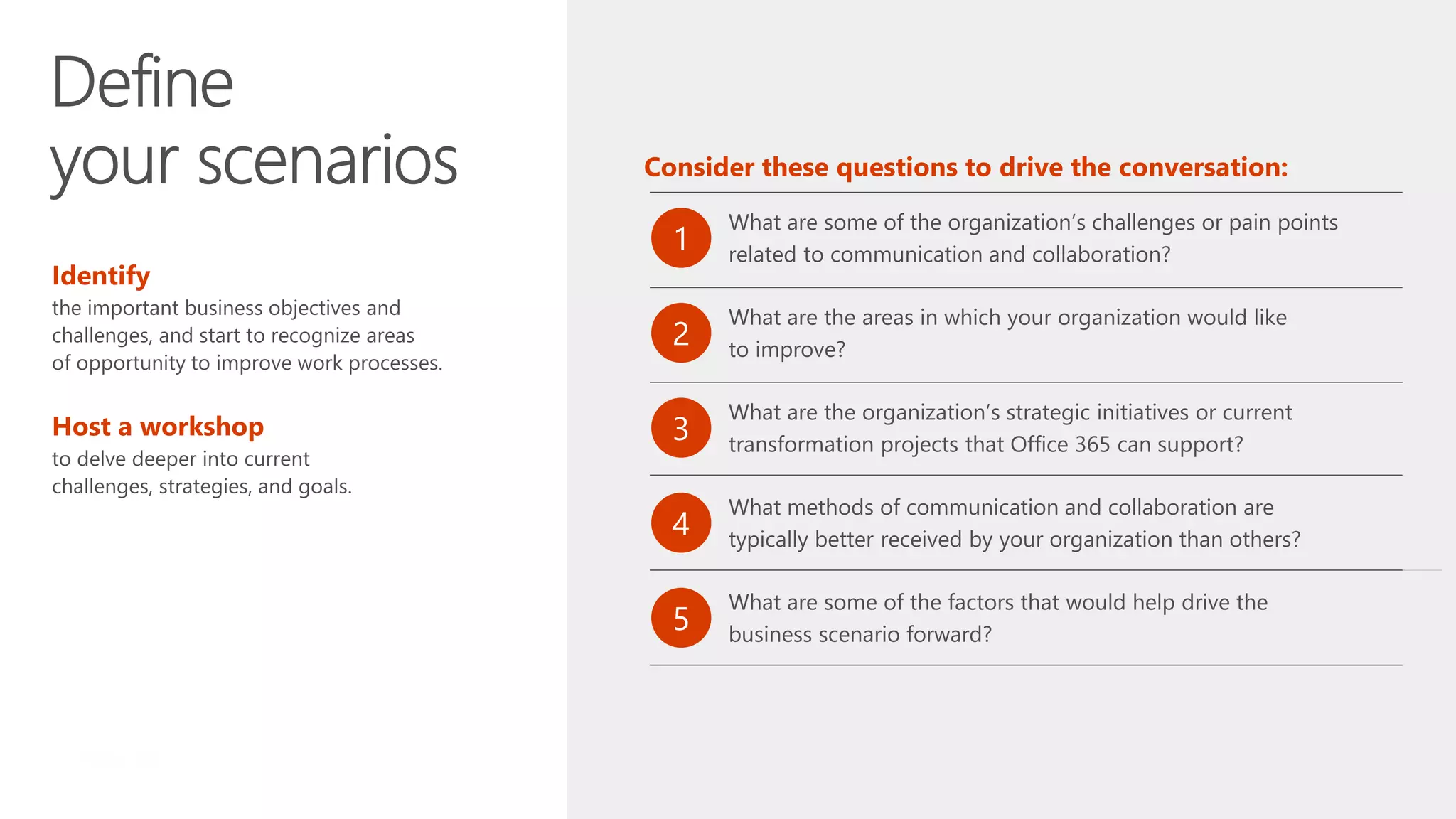
  • #17 Meet with key department stakeholders, project managers and champions. Use these questions to drive the conversations at the meeting.
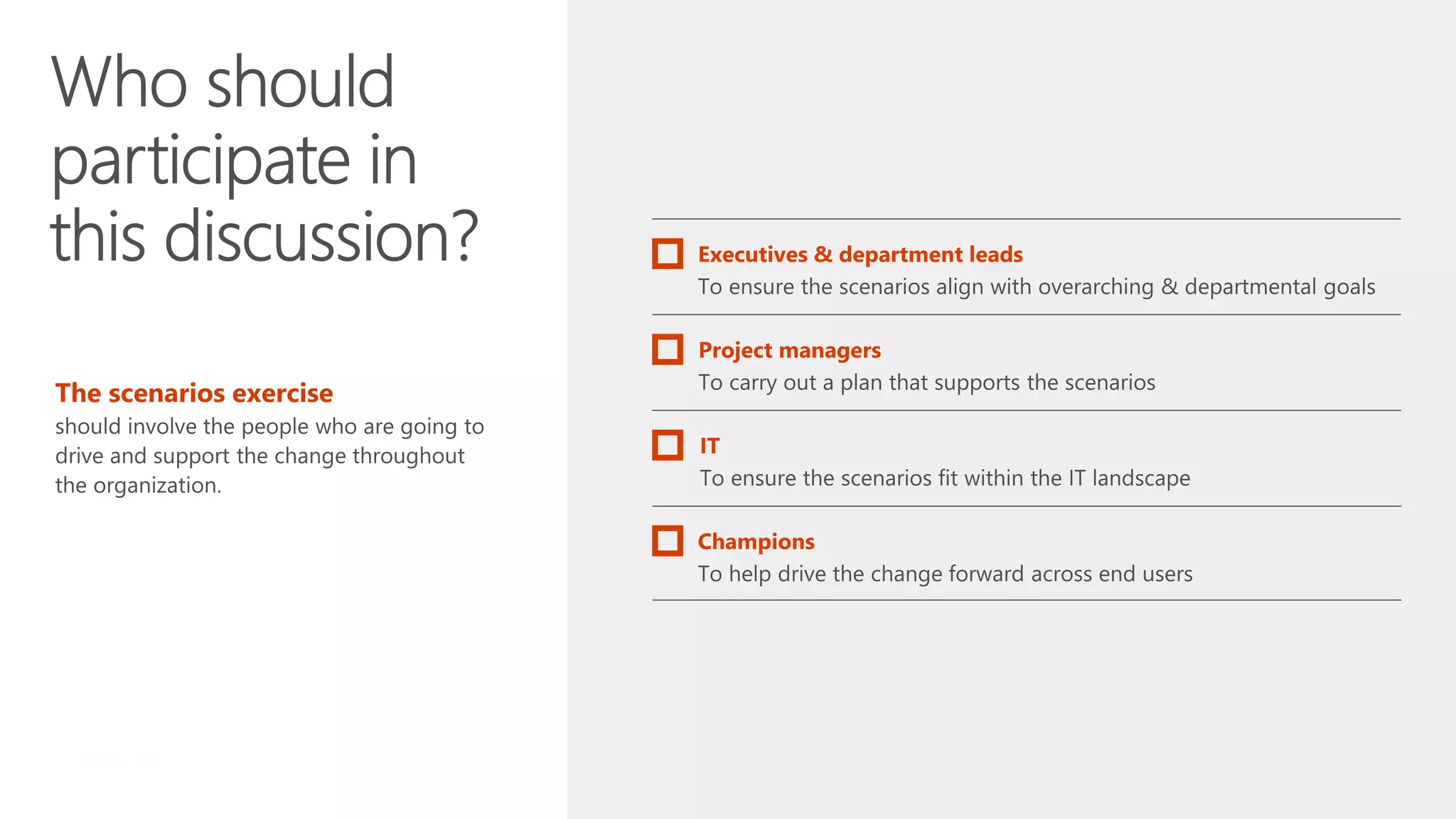
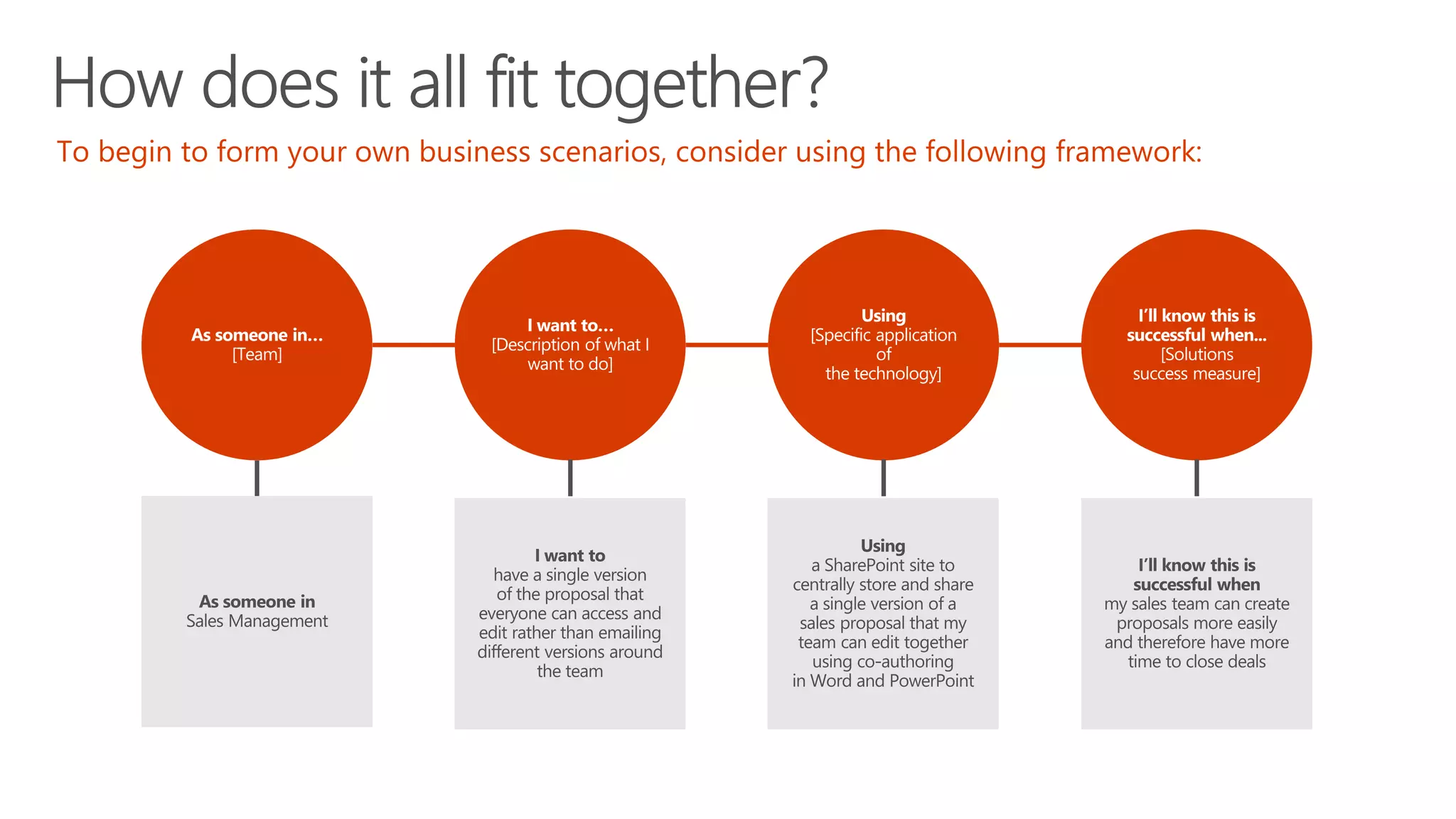
  • #19 In order to secure buy-in, involve the people who are going to drive and support the change throughout the organization. You’ll want to include department leads, the project manager, IT and other champions who can help drive the change across the team.
  • #20 You might wonder how this all fits together. Usage scenarios like a specific process will map to a business scenario. The business scenarios align to the organization’s business strategy. Let’s take a look at another example.
  • #21 Productivity Library link: https://fasttrack.microsoft.com/office/envision/productivitylibrary/produce-winning-rfps-faster
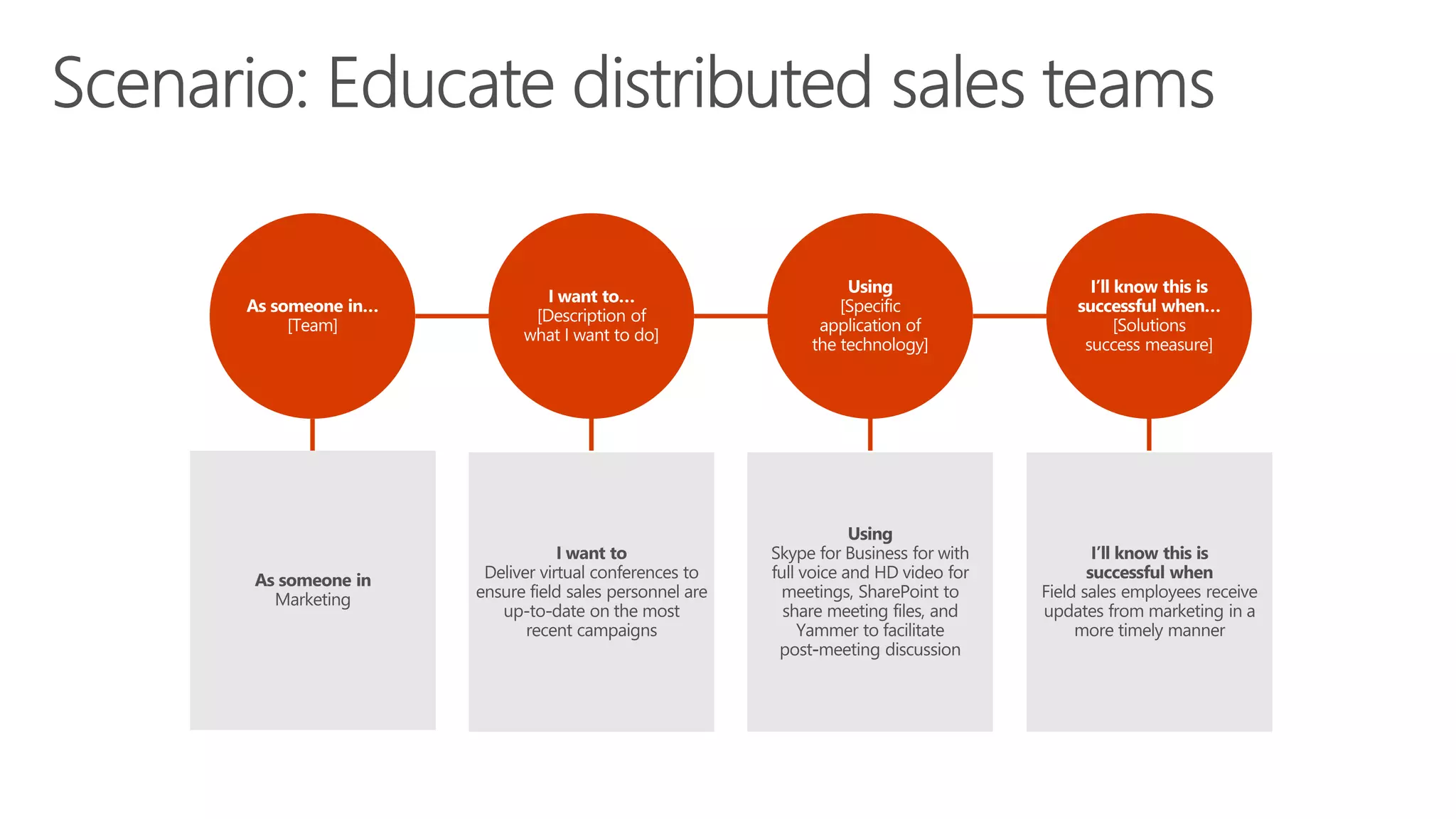
  • #22 https://fasttrack.microsoft.com/office/envision/productivitylibrary/provide-remote-sales-associates-the-ability-to-participate-in-marketing-events
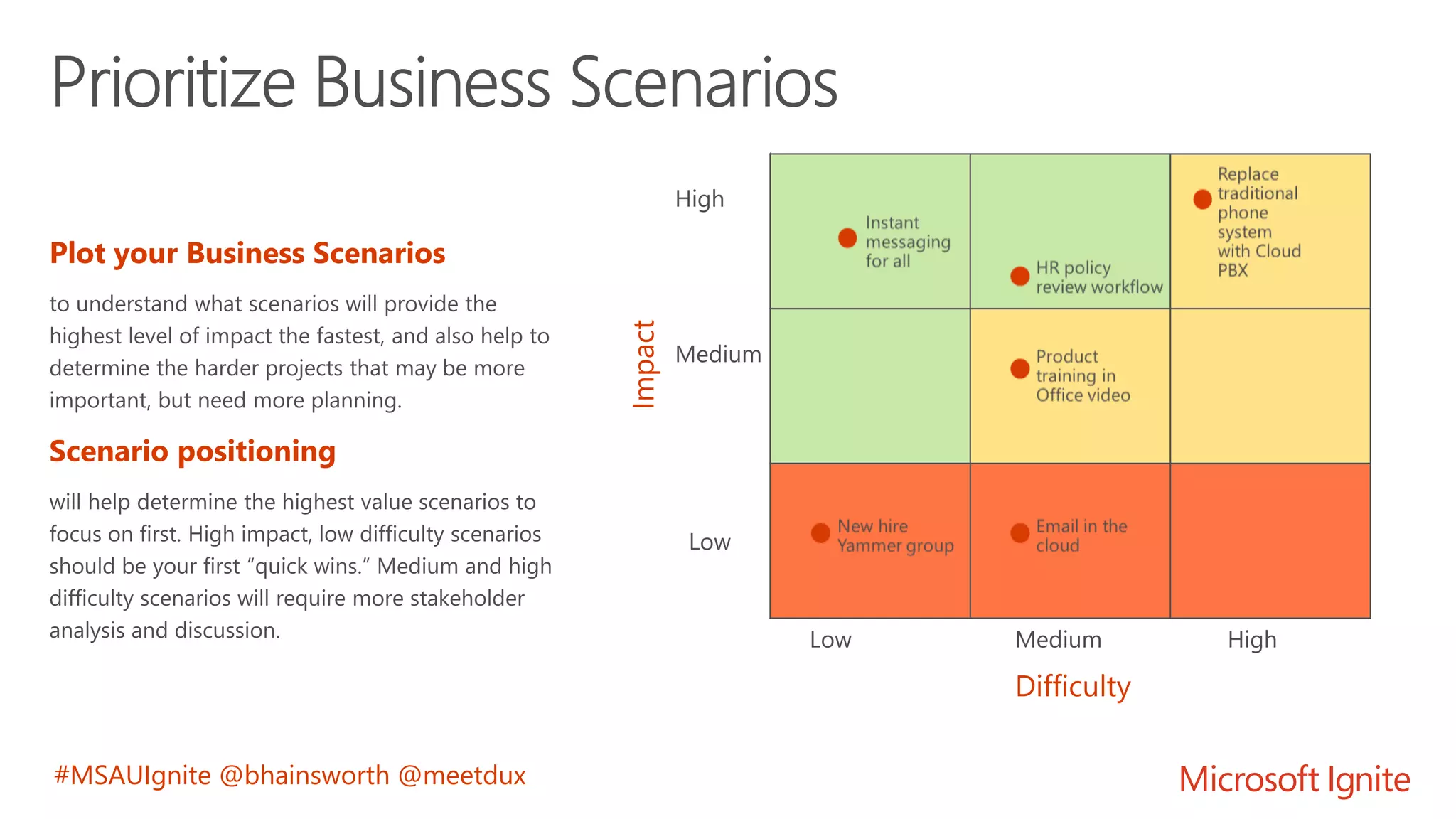
  • #23 We’ve found that adoption is better when you break things down into smaller, digestible steps. It also helps when you can start the project with something easy and straightforward (or “low hanging fruit”). Get substeps for prioritize
  • #25 Collaboration is not always a static and pre-defined process and a Digital Workplace must accommodate for all scenarios. Microsoft Teams supercharges collaboration: http://blog.avanade.com/avanade-insights/collaboration/microsoft-teams-supercharges-collaboration-for-millennials-to-boomers/
  • #27 Blair
  • #28 With whom do you need to communicate? Large Audience Yammer SharePoint Any Audience Outlook Small Audience: OneDrive for Business Skype for Business Teams
  • #29 How quickly do you need to communicate? High Tempo Skype for Business Teams Any Tempo Yammer Low Tempo Outlook SharePoint OneDrive for Business
  • #30 How do you want to express yourself? Formal Tone Outlook SharePoint Yammer Any Tone Skype for Business Informal Tone: Teams OneDrive for Business
  • #31 How do you want to express yourself? Formal Tone Outlook SharePoint Yammer Any Tone Skype for Business Informal Tone: Teams OneDrive for Business
  • #36 TechValidate survey of a State & Local Government Agency: https://www.techvalidate.com/tvid/C6C-A9B-8AE
  • #38 TechValidate survey of a State & Local Government Agency: https://www.techvalidate.com/tvid/C6C-A9B-8AE
  • #40 TechValidate survey of a State & Local Government Agency: https://www.techvalidate.com/tvid/C6C-A9B-8AE
  • #42 TechValidate survey of a State & Local Government Agency: https://www.techvalidate.com/tvid/C6C-A9B-8AE
  • #44 TechValidate survey of a State & Local Government Agency: https://www.techvalidate.com/tvid/C6C-A9B-8AE