


Be Sure To Thank Our Sponsors!
JOIN US FOR CAKE AS WE CELEBRATE 10 YEARS OF WOMEN IN SHAREPOINT WITH
A “WOMEN IN TECHNOLOGY PANEL” HEADED BY MICRSOSOFT’S CATHY DEW.
FRIDAY MARCH 15TH 2:50—3:50 IN TANEYCOMO B BALLROOM
of Women in SharePoint
Win a Surface Book courtesy of
Microsoft!
Play Vendor Bingo, Winner drawn during
closing session on Friday
Albert Hoitingh
• Solution Architect
• Motion10
• The Hague
• Working for over 25 years in IT (sigh…..)
• Microsoft MVP for Enterprise Mobility
SharePoint and
Azure
Information
Protection
• Azure Information Protection
• SharePoint
• Tips and tricks
• Office 365 Sensitivity labels
7
© 2018
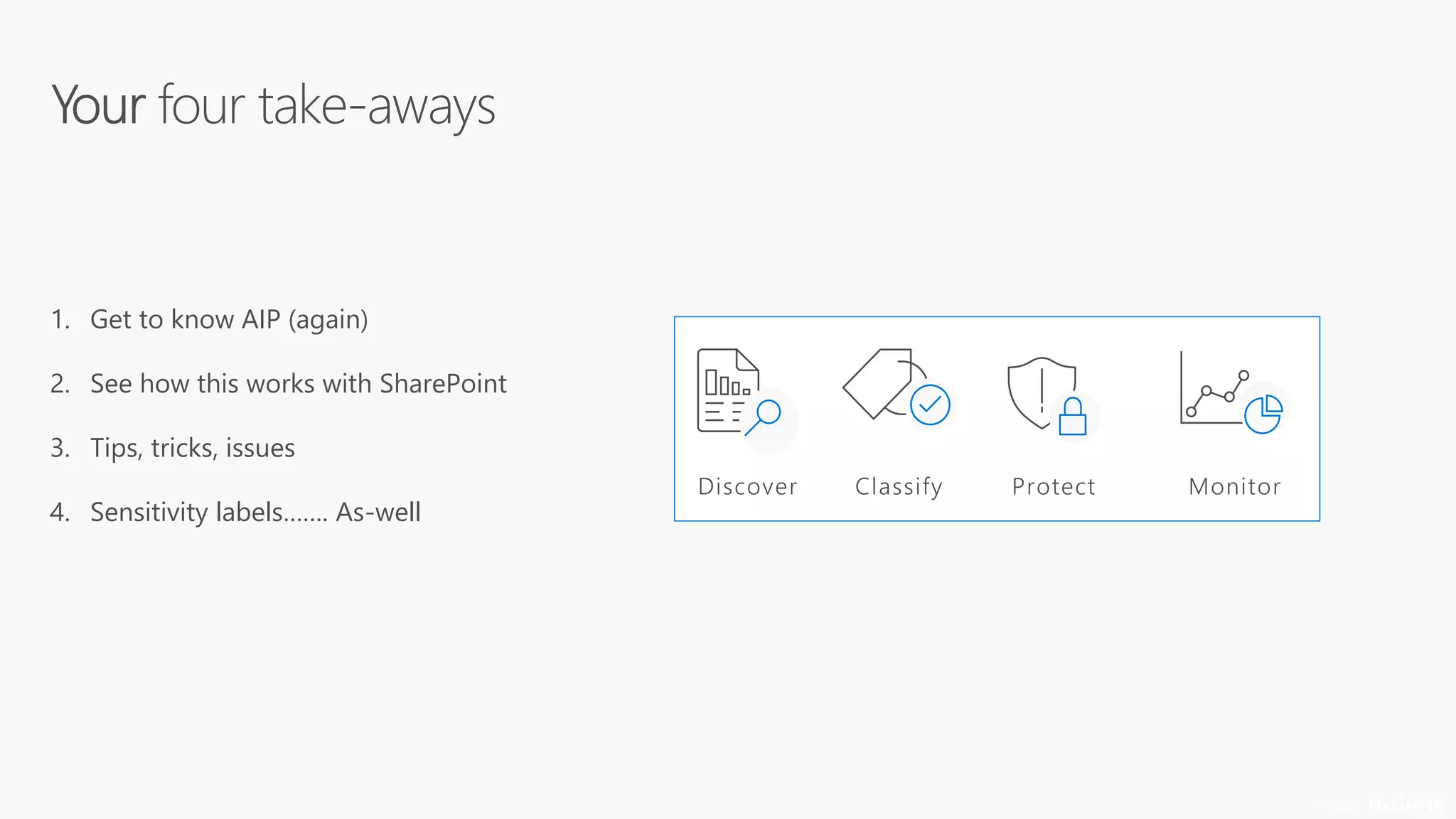
1. Get to know AIP (again)
2. See how this works with SharePoint
3. Tips, tricks, issues
4. Sensitivity labels……. As-well
© 2018
© 2018
Functionality
• Detection, classification, protection and revocation of content
• Label and protection added to content, regardless of location
• Provides functions for Office 365 message encryption and IRM
• Supports Hold Your Own Key
© 2018
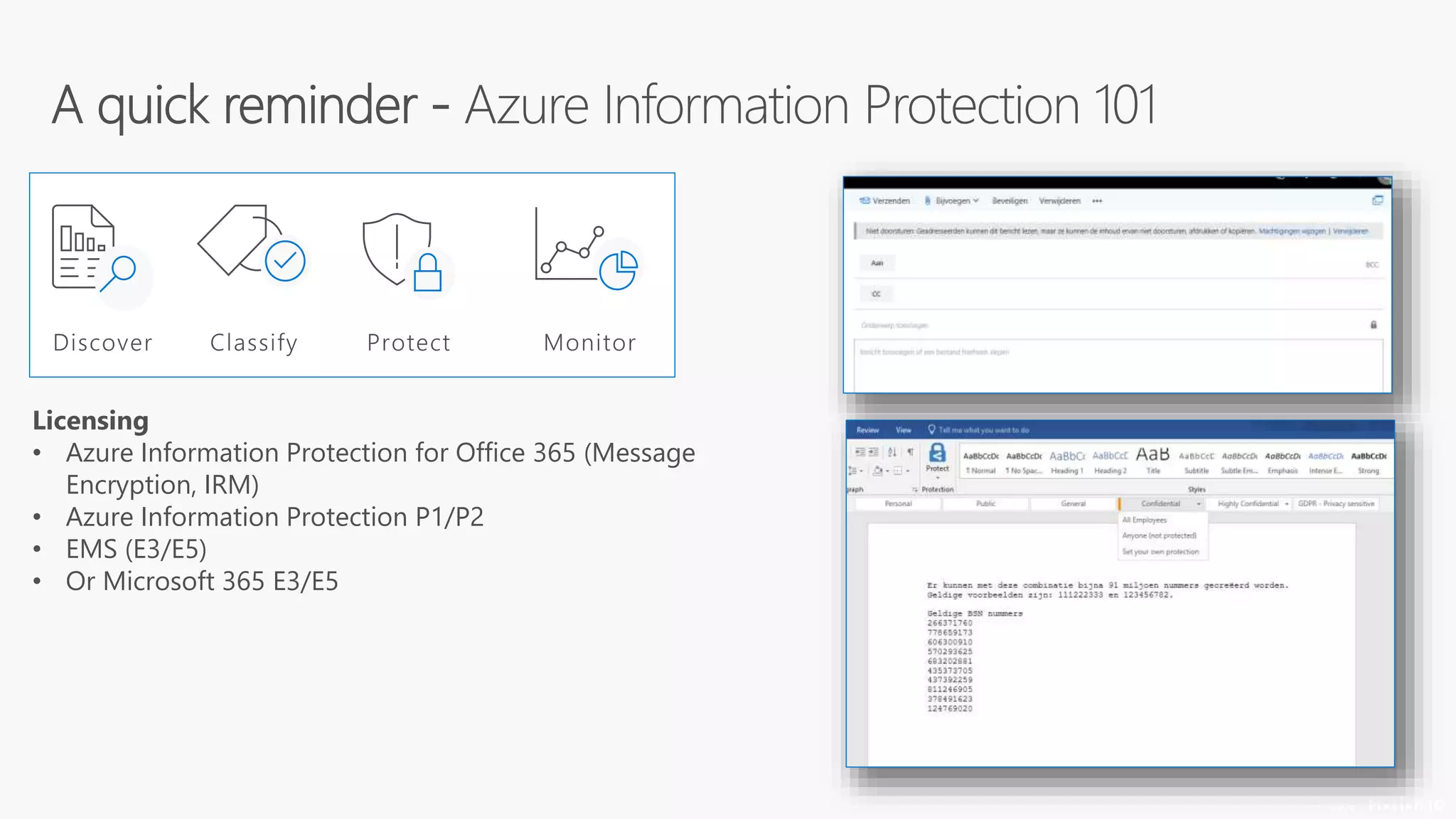
Licensing
• Azure Information Protection for Office 365 (Message
Encryption, IRM)
• Azure Information Protection P1/P2
• EMS (E3/E5)
• Or Microsoft 365 E3/E5
1
© 2018
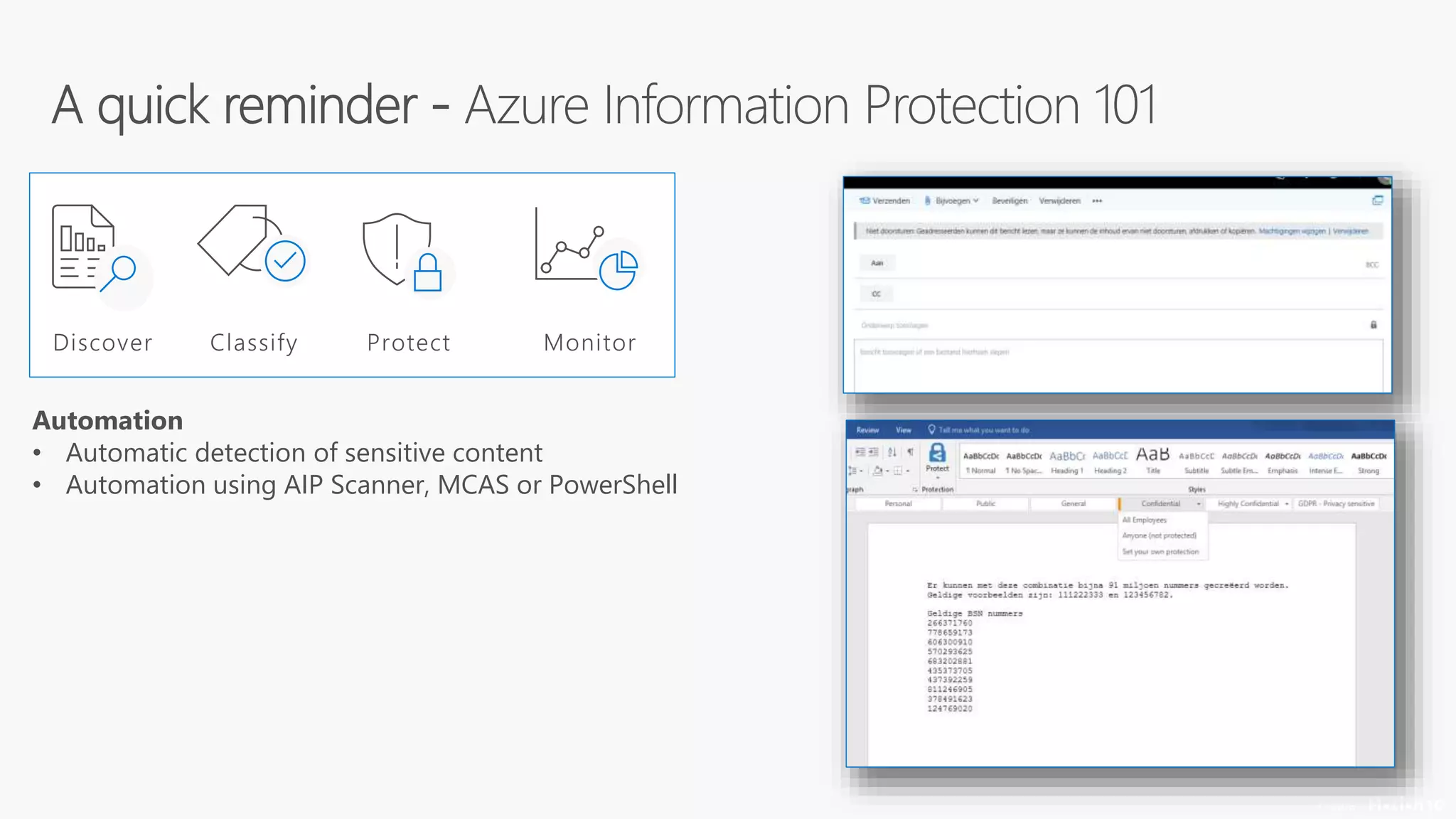
Automation
• Automatic detection of sensitive content
• Automation using AIP Scanner, MCAS or PowerShell
© 2018
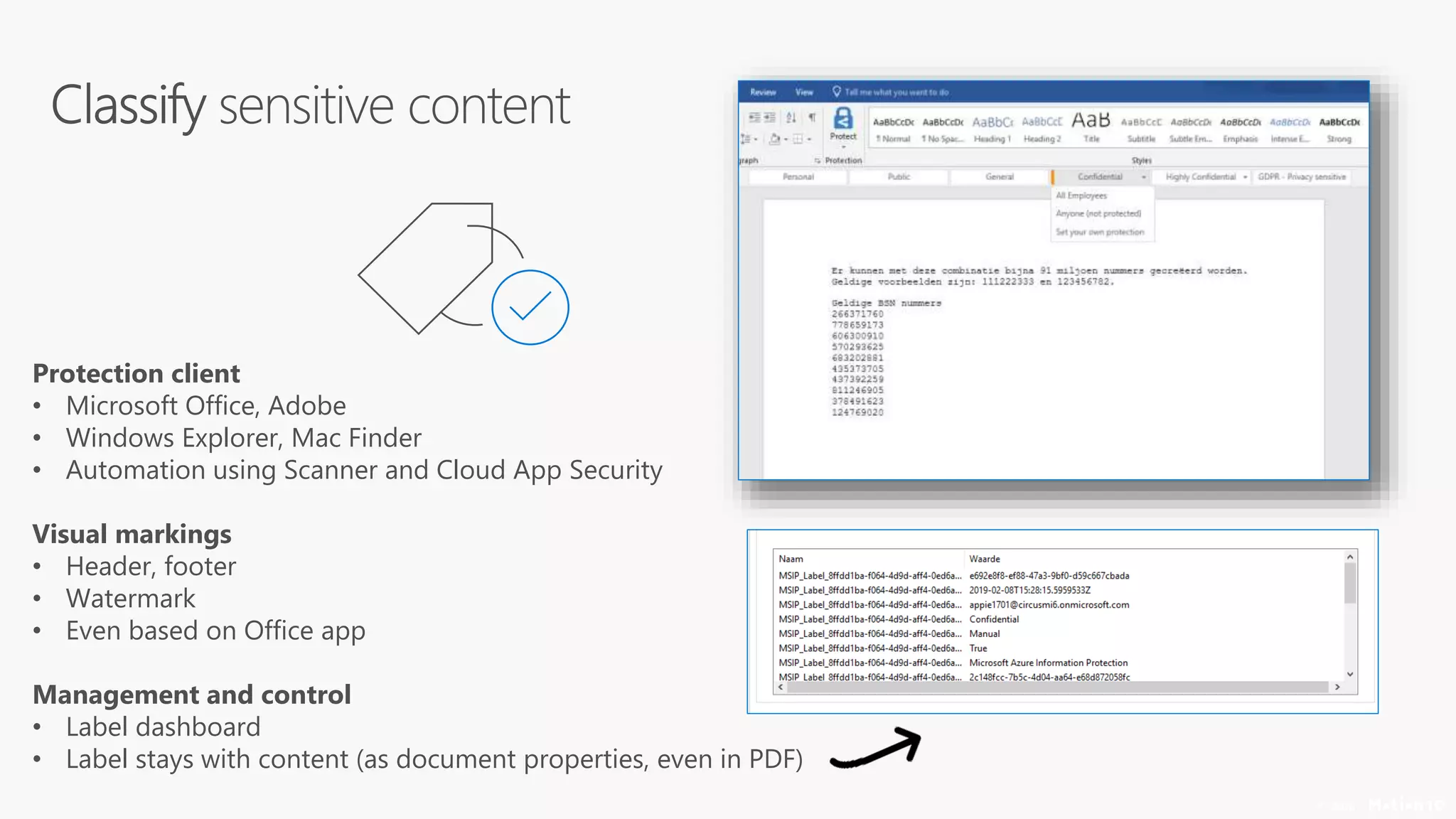
Protection client
• Microsoft Office, Adobe
• Windows Explorer, Mac Finder
• Automation using Scanner and Cloud App Security
Visual markings
• Header, footer
• Watermark
• Even based on Office app
Management and control
• Label dashboard
• Label stays with content (as document properties, even in PDF)
© 2018
Rights and permissions
• Based on label or “do it yourself”
• Standard or custom
• User, group or domain based (and “all
authenticated users”)
Wrapper
• Protection stays with content (like PDF)
Management and control
• Super-user role
• Owner stays in control
© 2018
Options
• Manually
• PowerShell
• Azure Information Protection Scanner
• Microsoft Cloud App Security
© 2018
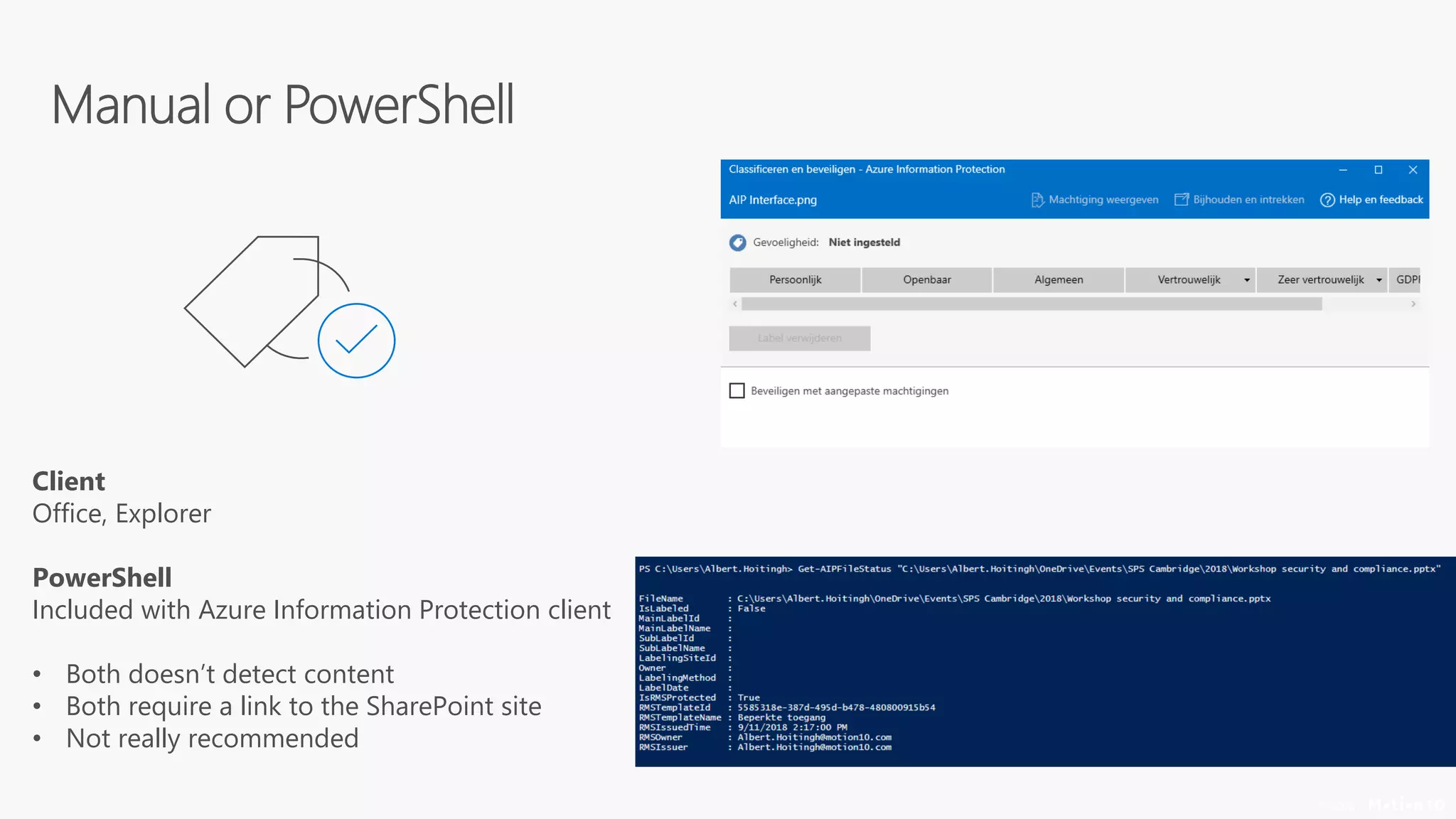
Client
Office, Explorer
PowerShell
Included with Azure Information Protection client
• Both doesn’t detect content
• Both require a link to the SharePoint site
• Not really recommended
7
© 2018
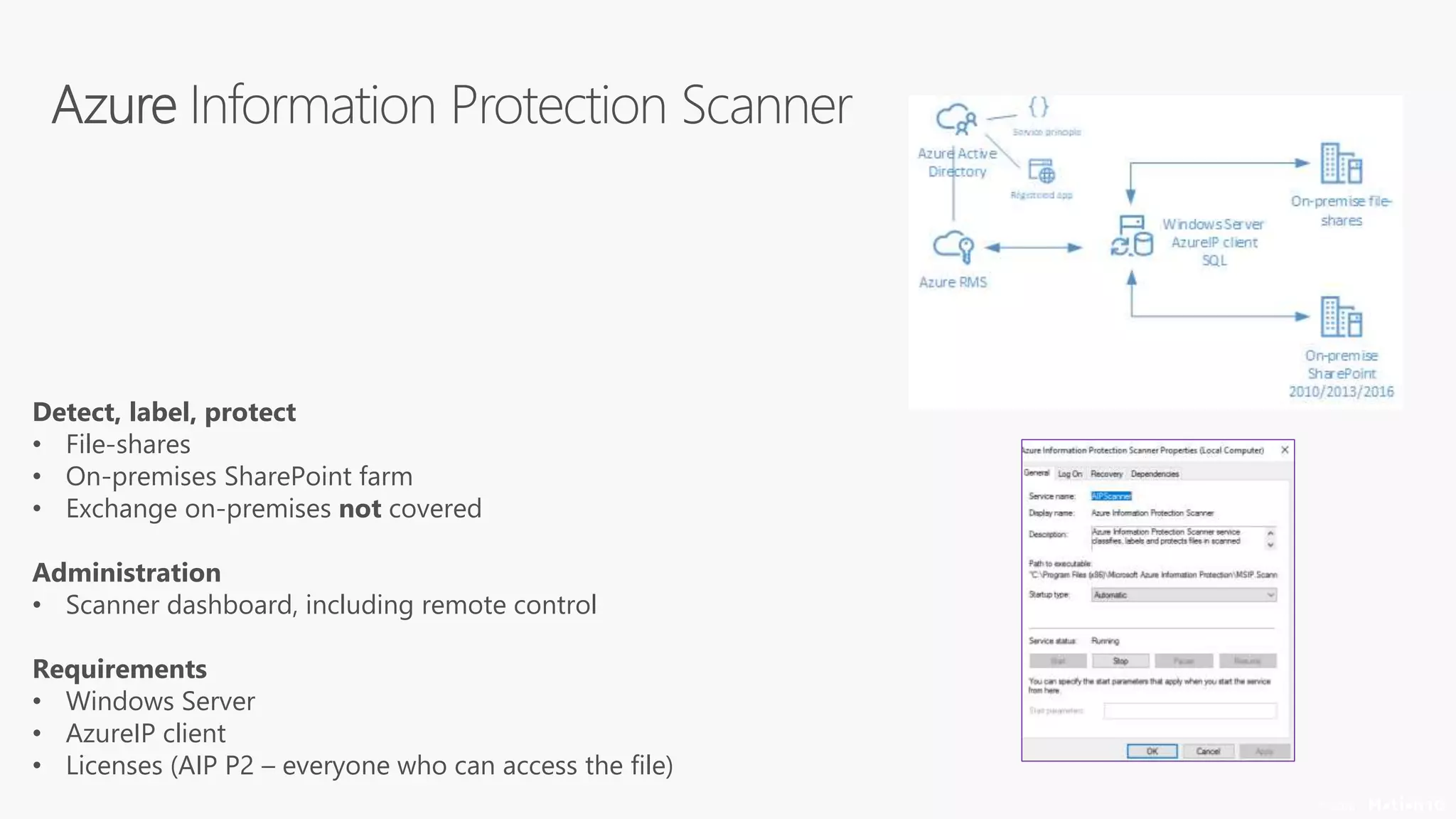
Detect, label, protect
• File-shares
• On-premises SharePoint farm
• Exchange on-premises not covered
Administration
• Scanner dashboard, including remote control
Requirements
• Windows Server
• AzureIP client
• Licenses (AIP P2 – everyone who can access the file)
© 2018
PowerShell
• Install-AIPScanner (Update-)
• Add-AIPScannerRepository (Get- | Remove-)
• Add-AIPScannerScannedFileTypes (Get- | Remove-)
• Set-AIPScannerConfiguration (Get-)
• Get-AIPScannerStatus
• Start-AIPScan
Portal (with new preview client)
• Nodes
• Profiles
Need to know
• Last “modified by”
• Owner of the file (Modified by or Scanner account)
• Preserve file details (ie. metadata)
• Logfiles on server
© 2018
Detect, label, protect
• Label and protect content in SaaS applications
• Can scan for sensitive content across SaaS applications
• Applications included are Office 365, DropBox,
OneDrive, Salesforce and more
• Can apply policies when a label is detected
Administration
• MCAS has a dedicated dashboard
• Requires an E5 license or EMS
• Max. 100 labels per day (default)
Prerequisites
• Enable the App connector for Office 365
• Supported: Word | Excel | PowerPoint | PDF (future)
https://docs.microsoft.com/en-us/cloud-app-security/azip-integration
1
© 2018
© 2018
Sync labels with a SharePoint library
• Work-around, basically
• Two-way sync, configured in portal
• 2-way sync, all labels visible, not recommended
Label is metadata
• MSIP_Label_*
• Crawled Properties
• Can also use Sensitivity (but beware the unified labels!)
• And you can use Office 365 DLP based on this property
Issues
• eDiscovery, search, previews and real-time collaboration
• Information Rights Management with Azure Information
Protection
© 2018
In a nutshell
• Aims to bring AzureIP and Office 365 together
• Offers both labels and settings for SharePoint sites
• Shown as “Sensitivity” metadata column in SharePoint
Please note…..
• The distinction between sensitivity and retention labels!
• Requires a new sensitivity client (not the AzureIP client)
• Part of Microsoft Information Protection (Windows 10)
• Rolling out now, but some features need some time
https://docs.microsoft.com/en-us/azure/information-protection/configure-policy-migrate-labels
7
© 2018
In a nutshell
• Site-classifications linked to label
• Set controls on sites based on the label
Please note…..
• Was part of the preview program, but no longer….
© 2018
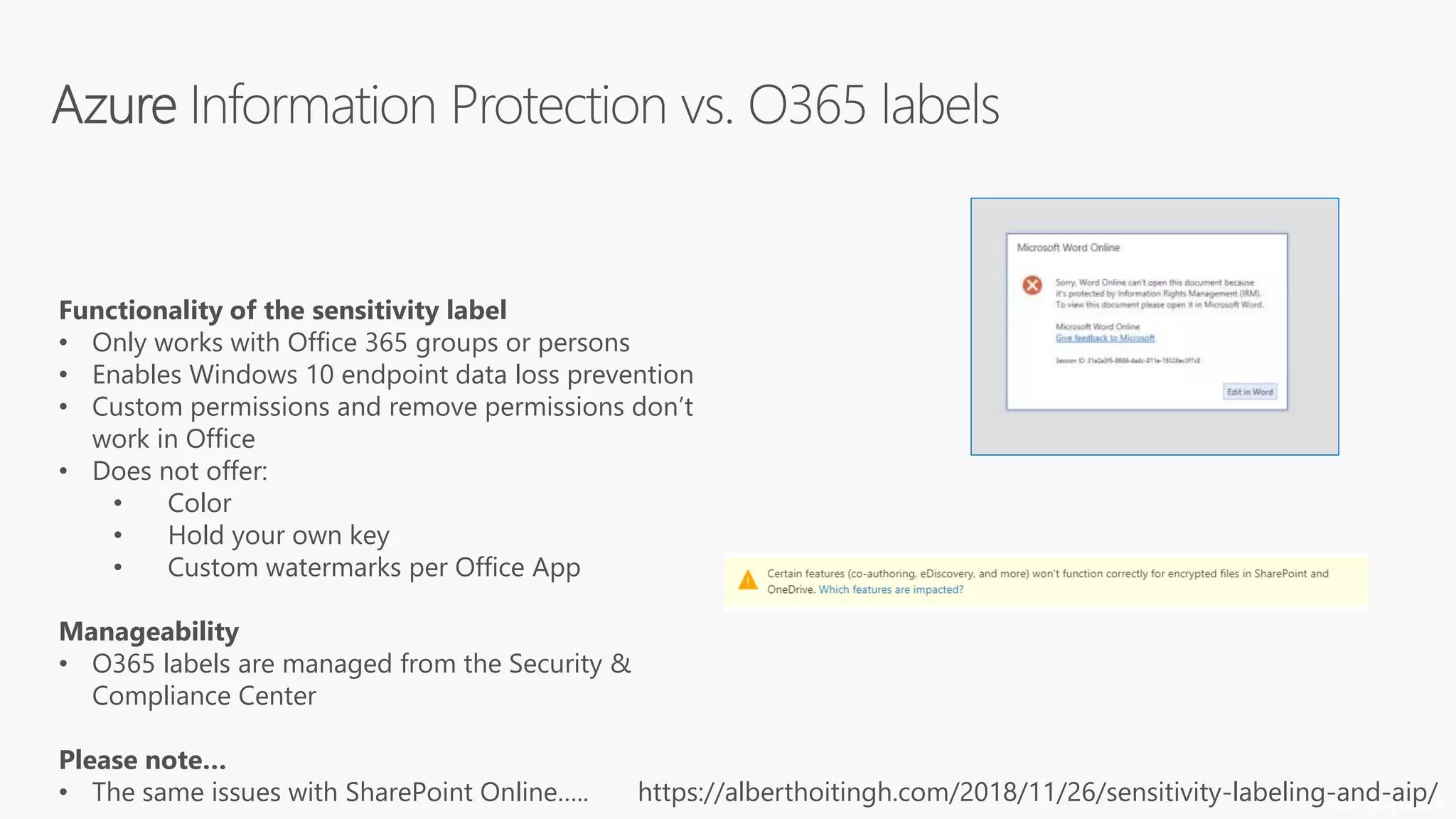
Functionality of the sensitivity label
• Only works with Office 365 groups or persons
• Enables Windows 10 endpoint data loss prevention
• Custom permissions and remove permissions don’t
work in Office
• Does not offer:
• Color
• Hold your own key
• Custom watermarks per Office App
Manageability
• O365 labels are managed from the Security &
Compliance Center
Please note…
• The same issues with SharePoint Online….. https://alberthoitingh.com/2018/11/26/sensitivity-labeling-and-aip/
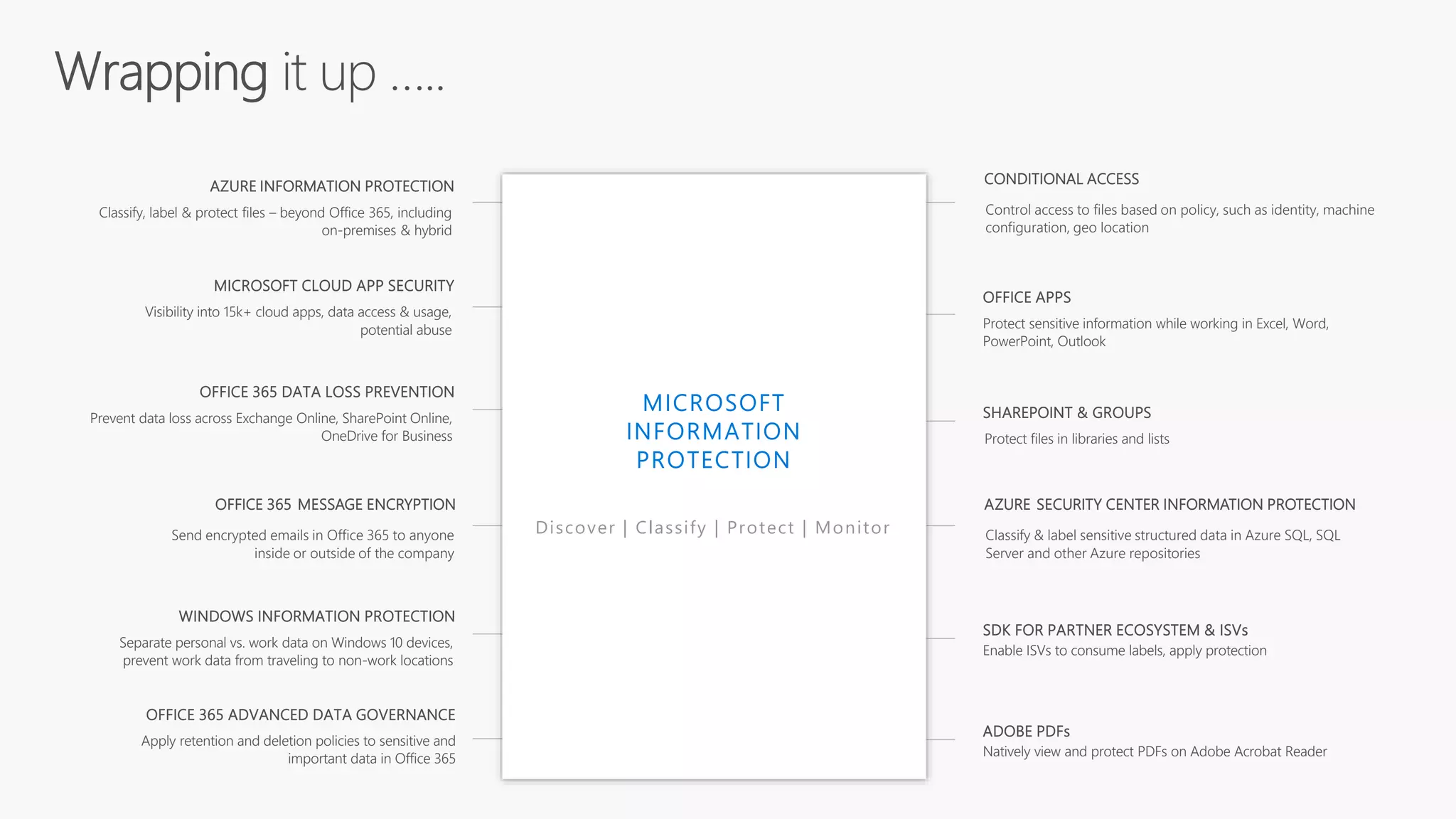
MICROSOFT CLOUD APP SECURITY
Visibility into 15k+ cloud apps, data access & usage,
potential abuse
AZURE SECURITY CENTER INFORMATION PROTECTION
Classify & label sensitive structured data in Azure SQL, SQL
Server and other Azure repositories
OFFICE APPS
Protect sensitive information while working in Excel, Word,
PowerPoint, Outlook
AZURE INFORMATION PROTECTION
Classify, label & protect files – beyond Office 365, including
on-premises & hybrid
OFFICE 365 DATA LOSS PREVENTION
Prevent data loss across Exchange Online, SharePoint Online,
OneDrive for Business
SHAREPOINT & GROUPS
Protect files in libraries and lists
OFFICE 365 ADVANCED DATA GOVERNANCE
Apply retention and deletion policies to sensitive and
important data in Office 365
ADOBE PDFs
Natively view and protect PDFs on Adobe Acrobat Reader
WINDOWS INFORMATION PROTECTION
Separate personal vs. work data on Windows 10 devices,
prevent work data from traveling to non-work locations
OFFICE 365 MESSAGE ENCRYPTION
Send encrypted emails in Office 365 to anyone
inside or outside of the company
CONDITIONAL ACCESS
Control access to files based on policy, such as identity, machine
configuration, geo location
Discover | Classify | Protect | Monitor
SDK FOR PARTNER ECOSYSTEM & ISVs
Enable ISVs to consume labels, apply protection
Thank you!

Azure information protection and SharePoint

  • 2.
    Be Sure ToThank Our Sponsors!
  • 3.
    JOIN US FORCAKE AS WE CELEBRATE 10 YEARS OF WOMEN IN SHAREPOINT WITH A “WOMEN IN TECHNOLOGY PANEL” HEADED BY MICRSOSOFT’S CATHY DEW. FRIDAY MARCH 15TH 2:50—3:50 IN TANEYCOMO B BALLROOM of Women in SharePoint
  • 4.
    Win a SurfaceBook courtesy of Microsoft! Play Vendor Bingo, Winner drawn during closing session on Friday
  • 5.
    Albert Hoitingh • SolutionArchitect • Motion10 • The Hague • Working for over 25 years in IT (sigh…..) • Microsoft MVP for Enterprise Mobility
  • 6.
    SharePoint and Azure Information Protection • AzureInformation Protection • SharePoint • Tips and tricks • Office 365 Sensitivity labels
  • 7.
    7 © 2018 1. Getto know AIP (again) 2. See how this works with SharePoint 3. Tips, tricks, issues 4. Sensitivity labels……. As-well
  • 8.
  • 9.
    © 2018 Functionality • Detection,classification, protection and revocation of content • Label and protection added to content, regardless of location • Provides functions for Office 365 message encryption and IRM • Supports Hold Your Own Key
  • 10.
    © 2018 Licensing • AzureInformation Protection for Office 365 (Message Encryption, IRM) • Azure Information Protection P1/P2 • EMS (E3/E5) • Or Microsoft 365 E3/E5
  • 11.
    1 © 2018 Automation • Automaticdetection of sensitive content • Automation using AIP Scanner, MCAS or PowerShell
  • 12.
    © 2018 Protection client •Microsoft Office, Adobe • Windows Explorer, Mac Finder • Automation using Scanner and Cloud App Security Visual markings • Header, footer • Watermark • Even based on Office app Management and control • Label dashboard • Label stays with content (as document properties, even in PDF)
  • 13.
    © 2018 Rights andpermissions • Based on label or “do it yourself” • Standard or custom • User, group or domain based (and “all authenticated users”) Wrapper • Protection stays with content (like PDF) Management and control • Super-user role • Owner stays in control
  • 15.
    © 2018 Options • Manually •PowerShell • Azure Information Protection Scanner • Microsoft Cloud App Security
  • 16.
    © 2018 Client Office, Explorer PowerShell Includedwith Azure Information Protection client • Both doesn’t detect content • Both require a link to the SharePoint site • Not really recommended
  • 17.
    7 © 2018 Detect, label,protect • File-shares • On-premises SharePoint farm • Exchange on-premises not covered Administration • Scanner dashboard, including remote control Requirements • Windows Server • AzureIP client • Licenses (AIP P2 – everyone who can access the file)
  • 18.
    © 2018 PowerShell • Install-AIPScanner(Update-) • Add-AIPScannerRepository (Get- | Remove-) • Add-AIPScannerScannedFileTypes (Get- | Remove-) • Set-AIPScannerConfiguration (Get-) • Get-AIPScannerStatus • Start-AIPScan Portal (with new preview client) • Nodes • Profiles Need to know • Last “modified by” • Owner of the file (Modified by or Scanner account) • Preserve file details (ie. metadata) • Logfiles on server
  • 20.
    © 2018 Detect, label,protect • Label and protect content in SaaS applications • Can scan for sensitive content across SaaS applications • Applications included are Office 365, DropBox, OneDrive, Salesforce and more • Can apply policies when a label is detected Administration • MCAS has a dedicated dashboard • Requires an E5 license or EMS • Max. 100 labels per day (default) Prerequisites • Enable the App connector for Office 365 • Supported: Word | Excel | PowerPoint | PDF (future) https://docs.microsoft.com/en-us/cloud-app-security/azip-integration
  • 21.
  • 23.
    © 2018 Sync labelswith a SharePoint library • Work-around, basically • Two-way sync, configured in portal • 2-way sync, all labels visible, not recommended Label is metadata • MSIP_Label_* • Crawled Properties • Can also use Sensitivity (but beware the unified labels!) • And you can use Office 365 DLP based on this property Issues • eDiscovery, search, previews and real-time collaboration • Information Rights Management with Azure Information Protection
  • 25.
    © 2018 In anutshell • Aims to bring AzureIP and Office 365 together • Offers both labels and settings for SharePoint sites • Shown as “Sensitivity” metadata column in SharePoint Please note….. • The distinction between sensitivity and retention labels! • Requires a new sensitivity client (not the AzureIP client) • Part of Microsoft Information Protection (Windows 10) • Rolling out now, but some features need some time https://docs.microsoft.com/en-us/azure/information-protection/configure-policy-migrate-labels
  • 27.
    7 © 2018 In anutshell • Site-classifications linked to label • Set controls on sites based on the label Please note….. • Was part of the preview program, but no longer….
  • 28.
    © 2018 Functionality ofthe sensitivity label • Only works with Office 365 groups or persons • Enables Windows 10 endpoint data loss prevention • Custom permissions and remove permissions don’t work in Office • Does not offer: • Color • Hold your own key • Custom watermarks per Office App Manageability • O365 labels are managed from the Security & Compliance Center Please note… • The same issues with SharePoint Online….. https://alberthoitingh.com/2018/11/26/sensitivity-labeling-and-aip/
  • 29.
    MICROSOFT CLOUD APPSECURITY Visibility into 15k+ cloud apps, data access & usage, potential abuse AZURE SECURITY CENTER INFORMATION PROTECTION Classify & label sensitive structured data in Azure SQL, SQL Server and other Azure repositories OFFICE APPS Protect sensitive information while working in Excel, Word, PowerPoint, Outlook AZURE INFORMATION PROTECTION Classify, label & protect files – beyond Office 365, including on-premises & hybrid OFFICE 365 DATA LOSS PREVENTION Prevent data loss across Exchange Online, SharePoint Online, OneDrive for Business SHAREPOINT & GROUPS Protect files in libraries and lists OFFICE 365 ADVANCED DATA GOVERNANCE Apply retention and deletion policies to sensitive and important data in Office 365 ADOBE PDFs Natively view and protect PDFs on Adobe Acrobat Reader WINDOWS INFORMATION PROTECTION Separate personal vs. work data on Windows 10 devices, prevent work data from traveling to non-work locations OFFICE 365 MESSAGE ENCRYPTION Send encrypted emails in Office 365 to anyone inside or outside of the company CONDITIONAL ACCESS Control access to files based on policy, such as identity, machine configuration, geo location Discover | Classify | Protect | Monitor SDK FOR PARTNER ECOSYSTEM & ISVs Enable ISVs to consume labels, apply protection
  • 31.

Editor's Notes