This presentation is confidential.
Classified as Confidential
eDiscovery and Microsoft Teams
Albert Hoitingh
This presentation is confidential.
Classified as Confidential
About Me
Albert Hoitingh
Sr. Consultant Microsoft Compliance, Risk & Security
InSpark
@alberthoitingh
https://linkedin.com/in/appieh
https://alberthoitingh.com
This presentation is confidential.
Classified as Confidential
Session objectives
• Look at Microsoft 365 eDiscovery options
• How to use eDiscovery with Microsoft Teams
• See what does and doesn’t work
• Demonstrate both core and advanced eDiscovery
This presentation is confidential.
Classified as Confidential
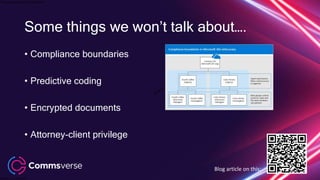
Some things we won’t talk about….
• Compliance boundaries
• Predictive coding
• Encrypted documents
• Attorney-client privilege
Blog article on this:
This presentation is confidential.
Classified as Confidential
eDiscovery
According to Wikipedia…
“Electronic discovery (also e-discovery
or eDiscovery) refers to discovery in
legal proceedings such as litigation,
government investigations, or Freedom
of Information Act requests, where the
information sought is in electronic
format (often referred to as
electronically stored information or ESI”
This presentation is confidential.
Classified as Confidential
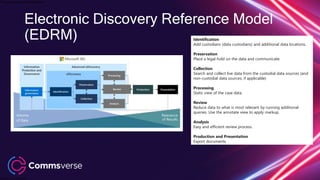
Identification
Add custodians (data custodians) and additional data locations.
Preservation
Place a legal hold on the data and communicate.
Collection
Search and collect live data from the custodial data sources (and
non-custodial data sources, if applicable)
Processing
Static view of the case data.
Review
Reduce data to what is most relevant by running additional
queries. Use the annotate view to apply markup.
Analysis
Easy and efficient review process.
Production and Presentation
Export documents
Electronic Discovery Reference Model
(EDRM)
This presentation is confidential.
Classified as Confidential
Terminology
Case Member
An eDiscovery investigator which is member of a
specific case
Custodian & custodian data
• A specific user within the Office 365 tenant, who is
part of the investigation
• Data sources of the custodian (e-mail, OneDrive,
Teams)
Microsoft Purview eDiscovery
(Standard)
Core eDiscovery, search and export content
Microsoft Purview eDiscovery
(Premium)
End-to-end workflow to preserve, collect, review,
analyze and export data
In-Place Hold
Provides granular hold capability based on query
parameters
Litigation Hold
Places all items on hold
This presentation is confidential.
Classified as Confidential
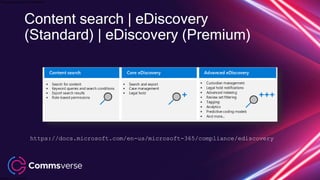
https://docs.microsoft.com/en-us/microsoft-365/compliance/ediscovery
Content search | eDiscovery
(Standard) | eDiscovery (Premium)
This presentation is confidential.
Classified as Confidential
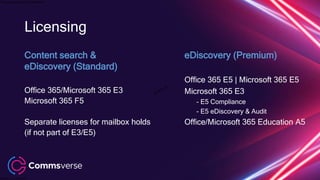
Licensing
Content search &
eDiscovery (Standard)
Office 365/Microsoft 365 E3
Microsoft 365 F5
Separate licenses for mailbox holds
(if not part of E3/E5)
eDiscovery (Premium)
Office 365 E5 | Microsoft 365 E5
Microsoft 365 E3
- E5 Compliance
- E5 eDiscovery & Audit
Office/Microsoft 365 Education A5
This presentation is confidential.
Classified as Confidential
Microsoft Teams
Information Architecture
This presentation is confidential.
Classified as Confidential
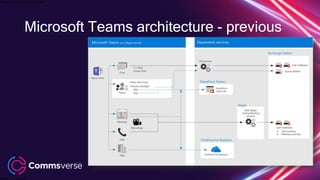
Microsoft Teams architecture - previous
This presentation is confidential.
Classified as Confidential
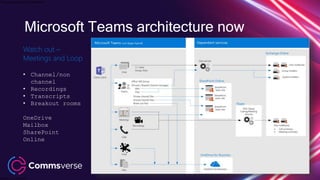
Watch out –
Meetings and Loop
• Channel/non
channel
• Recordings
• Transcripts
• Breakout rooms
OneDrive
Mailbox
SharePoint
Online
Microsoft Teams architecture now
This presentation is confidential.
Classified as Confidential
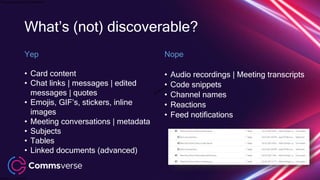
What’s (not) discoverable?
Yep
• Card content
• Chat links | messages | edited
messages | quotes
• Emojis, GIF’s, stickers, inline

images
• Meeting conversations | metadata
• Subjects
• Tables
• Linked documents (advanced)
Nope
• Audio recordings | Meeting transcripts
• Code snippets
• Channel names
• Reactions
• Feed notifications
This presentation is confidential.
Classified as Confidential
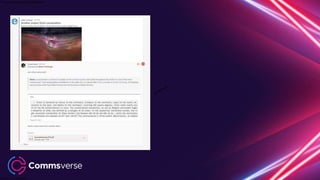
This presentation is confidential.
Classified as Confidential
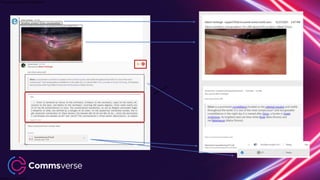
This presentation is confidential.
Classified as Confidential
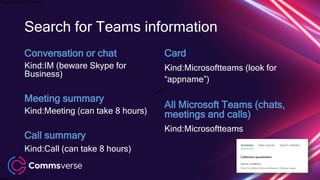
Card
Kind:Microsoftteams (look for
“appname”)
All Microsoft Teams (chats,
meetings and calls)
Kind:Microsoftteams
Search for Teams information
Conversation or chat
Kind:IM (beware Skype for
Business)
Meeting summary
Kind:Meeting (can take 8 hours)
Call summary
Kind:Call (can take 8 hours)
This presentation is confidential.
Classified as Confidential
Demo-time!
Content Search & eDiscovery (Standard)
This presentation is confidential.
Classified as Confidential
eDiscovery (Premium)
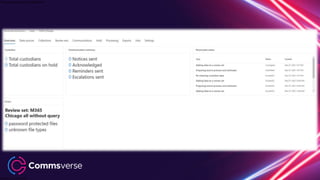
A closer look at the dashboard
This presentation is confidential.
Classified as Confidential
https://docs.microsoft.com/en-us/microsoft-365/compliance/ediscovery
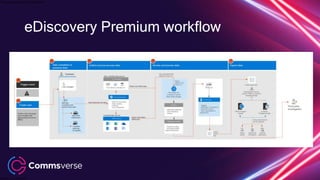
eDiscovery Premium workflow
This presentation is confidential.
Classified as Confidential
This presentation is confidential.
Classified as Confidential
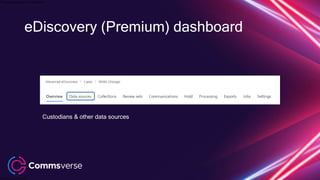
eDiscovery (Premium) dashboard
Custodians & other data sources
This presentation is confidential.
Classified as Confidential
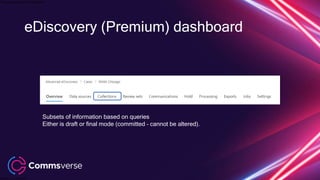
eDiscovery (Premium) dashboard
Subsets of information based on queries
Either is draft or final mode (committed – cannot be altered).
This presentation is confidential.
Classified as Confidential
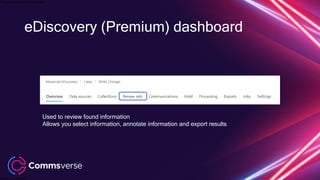
eDiscovery (Premium) dashboard
Used to review found information
Allows you select information, annotate information and export results
This presentation is confidential.
Classified as Confidential
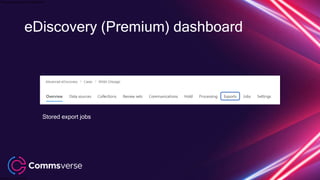
eDiscovery (Premium) dashboard
Stored export jobs
This presentation is confidential.
Classified as Confidential
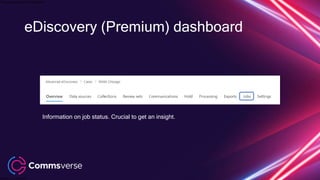
eDiscovery (Premium) dashboard
Information on job status. Crucial to get an insight.
This presentation is confidential.
Classified as Confidential
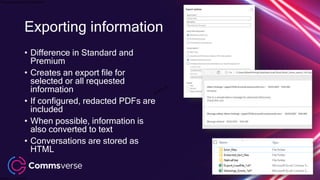
• Difference in Standard and
Premium
• Creates an export file for
selected or all requested
information
• If configured, redacted PDFs are
included
• When possible, information is
also converted to text
• Conversations are stored as
HTML
Exporting information
This presentation is confidential.
Classified as Confidential
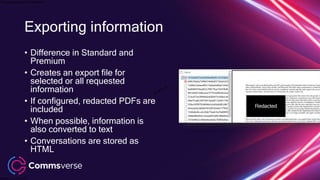
• Difference in Standard and
Premium
• Creates an export file for
selected or all requested
information
• If configured, redacted PDFs are
included
• When possible, information is
also converted to text
• Conversations are stored as
HTML
Exporting information
This presentation is confidential.
Classified as Confidential
Demo-time!
eDiscovery (Premium) and Microsoft Teams
This presentation is confidential.
Classified as Confidential
Advanced subjects
Private/shared channels, Breakout rooms and Loop
This presentation is confidential.
Classified as Confidential
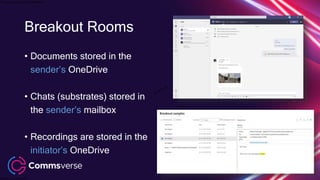
Breakout Rooms
• Documents stored in the
sender’s OneDrive
• Chats (substrates) stored in
the sender’s mailbox
• Recordings are stored in the
initiator’s OneDrive
This presentation is confidential.
Classified as Confidential
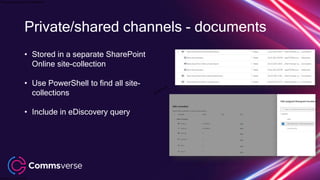
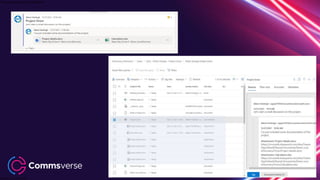
Private/shared channels - documents
• Stored in a separate SharePoint
Online site-collection
• Use PowerShell to find all site-
collections
• Include in eDiscovery query
This presentation is confidential.
Classified as Confidential
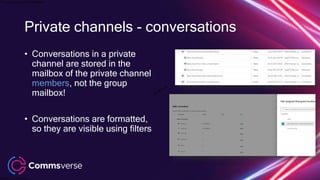
Private channels - conversations
• Conversations in a private
channel are stored in the
mailbox of the private channel
members, not the group
mailbox!
• Conversations are formatted,
so they are visible using filters
This presentation is confidential.
Classified as Confidential
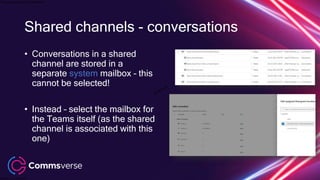
Shared channels - conversations
• Conversations in a shared
channel are stored in a
separate system mailbox – this
cannot be selected!
• Instead – select the mailbox for
the Teams itself (as the shared
channel is associated with this
one)
This presentation is confidential.
Classified as Confidential
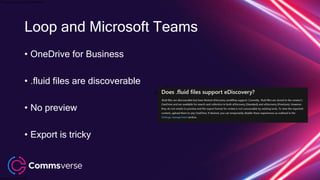
Loop and Microsoft Teams
• OneDrive for Business
• .fluid files are discoverable
• No preview
• Export is tricky
This presentation is confidential.
Classified as Confidential
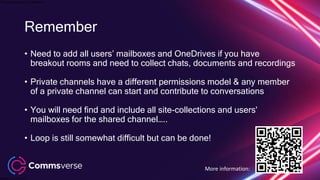
Remember
• Need to add all users’ mailboxes and OneDrives if you have
breakout rooms and need to collect chats, documents and recordings
• Private channels have a different permissions model & any member
of a private channel can start and contribute to conversations
• You will need find and include all site-collections and users'
mailboxes for the shared channel…..
• Loop is still somewhat difficult but can be done!
More information:
This presentation is confidential.
Classified as Confidential
Wrapping up
This presentation is confidential.
Classified as Confidential
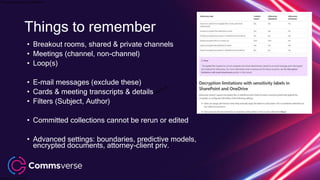
• Breakout rooms, shared & private channels
• Meetings (channel, non-channel)
• Loop(s)
• E-mail messages (exclude these)
• Cards & meeting transcripts & details
• Filters (Subject, Author)
• Committed collections cannot be rerun or edited
• Advanced settings: boundaries, predictive models,
encrypted documents, attorney-client priv.
Things to remember
This presentation is confidential.
Classified as Confidential
• Breakout rooms, shared & private channels
• Meetings (channel, non-channel)
• Loop(s)
• E-mail messages (exclude these)
• Cards & meeting transcripts & details
• Filters (Subject, Author)
• Committed collections cannot be rerun or edited
• Advanced settings: boundaries, predictive models,
encrypted documents, attorney-client priv.
Things to remember
This presentation is confidential.
Classified as Confidential
Thank you!
This presentation is confidential.
Classified as Confidential

Commsverse 2022 eDiscovery and Microsoft Teams - SlideShare.pptx

  • 1.
    This presentation isconfidential. Classified as Confidential eDiscovery and Microsoft Teams Albert Hoitingh
  • 2.
    This presentation isconfidential. Classified as Confidential About Me Albert Hoitingh Sr. Consultant Microsoft Compliance, Risk & Security InSpark @alberthoitingh https://linkedin.com/in/appieh https://alberthoitingh.com
  • 3.
    This presentation isconfidential. Classified as Confidential Session objectives • Look at Microsoft 365 eDiscovery options • How to use eDiscovery with Microsoft Teams • See what does and doesn’t work • Demonstrate both core and advanced eDiscovery
  • 4.
    This presentation isconfidential. Classified as Confidential Some things we won’t talk about…. • Compliance boundaries • Predictive coding • Encrypted documents • Attorney-client privilege Blog article on this:
  • 5.
    This presentation isconfidential. Classified as Confidential eDiscovery According to Wikipedia… “Electronic discovery (also e-discovery or eDiscovery) refers to discovery in legal proceedings such as litigation, government investigations, or Freedom of Information Act requests, where the information sought is in electronic format (often referred to as electronically stored information or ESI”
  • 6.
    This presentation isconfidential. Classified as Confidential Identification Add custodians (data custodians) and additional data locations. Preservation Place a legal hold on the data and communicate. Collection Search and collect live data from the custodial data sources (and non-custodial data sources, if applicable) Processing Static view of the case data. Review Reduce data to what is most relevant by running additional queries. Use the annotate view to apply markup. Analysis Easy and efficient review process. Production and Presentation Export documents Electronic Discovery Reference Model (EDRM)
  • 7.
    This presentation isconfidential. Classified as Confidential Terminology Case Member An eDiscovery investigator which is member of a specific case Custodian & custodian data • A specific user within the Office 365 tenant, who is part of the investigation • Data sources of the custodian (e-mail, OneDrive, Teams) Microsoft Purview eDiscovery (Standard) Core eDiscovery, search and export content Microsoft Purview eDiscovery (Premium) End-to-end workflow to preserve, collect, review, analyze and export data In-Place Hold Provides granular hold capability based on query parameters Litigation Hold Places all items on hold
  • 8.
    This presentation isconfidential. Classified as Confidential https://docs.microsoft.com/en-us/microsoft-365/compliance/ediscovery Content search | eDiscovery (Standard) | eDiscovery (Premium)
  • 9.
    This presentation isconfidential. Classified as Confidential Licensing Content search & eDiscovery (Standard) Office 365/Microsoft 365 E3 Microsoft 365 F5 Separate licenses for mailbox holds (if not part of E3/E5) eDiscovery (Premium) Office 365 E5 | Microsoft 365 E5 Microsoft 365 E3 - E5 Compliance - E5 eDiscovery & Audit Office/Microsoft 365 Education A5
  • 10.
    This presentation isconfidential. Classified as Confidential Microsoft Teams Information Architecture
  • 11.
    This presentation isconfidential. Classified as Confidential Microsoft Teams architecture - previous
  • 12.
    This presentation isconfidential. Classified as Confidential Watch out – Meetings and Loop • Channel/non channel • Recordings • Transcripts • Breakout rooms OneDrive Mailbox SharePoint Online Microsoft Teams architecture now
  • 13.
    This presentation isconfidential. Classified as Confidential What’s (not) discoverable? Yep • Card content • Chat links | messages | edited messages | quotes • Emojis, GIF’s, stickers, inline images • Meeting conversations | metadata • Subjects • Tables • Linked documents (advanced) Nope • Audio recordings | Meeting transcripts • Code snippets • Channel names • Reactions • Feed notifications
  • 14.
    This presentation isconfidential. Classified as Confidential
  • 15.
    This presentation isconfidential. Classified as Confidential
  • 16.
    This presentation isconfidential. Classified as Confidential Card Kind:Microsoftteams (look for “appname”) All Microsoft Teams (chats, meetings and calls) Kind:Microsoftteams Search for Teams information Conversation or chat Kind:IM (beware Skype for Business) Meeting summary Kind:Meeting (can take 8 hours) Call summary Kind:Call (can take 8 hours)
  • 17.
    This presentation isconfidential. Classified as Confidential Demo-time! Content Search & eDiscovery (Standard)
  • 18.
    This presentation isconfidential. Classified as Confidential eDiscovery (Premium) A closer look at the dashboard
  • 19.
    This presentation isconfidential. Classified as Confidential https://docs.microsoft.com/en-us/microsoft-365/compliance/ediscovery eDiscovery Premium workflow
  • 20.
    This presentation isconfidential. Classified as Confidential
  • 21.
    This presentation isconfidential. Classified as Confidential eDiscovery (Premium) dashboard Custodians & other data sources
  • 22.
    This presentation isconfidential. Classified as Confidential eDiscovery (Premium) dashboard Subsets of information based on queries Either is draft or final mode (committed – cannot be altered).
  • 23.
    This presentation isconfidential. Classified as Confidential eDiscovery (Premium) dashboard Used to review found information Allows you select information, annotate information and export results
  • 24.
    This presentation isconfidential. Classified as Confidential eDiscovery (Premium) dashboard Stored export jobs
  • 25.
    This presentation isconfidential. Classified as Confidential eDiscovery (Premium) dashboard Information on job status. Crucial to get an insight.
  • 26.
    This presentation isconfidential. Classified as Confidential • Difference in Standard and Premium • Creates an export file for selected or all requested information • If configured, redacted PDFs are included • When possible, information is also converted to text • Conversations are stored as HTML Exporting information
  • 27.
    This presentation isconfidential. Classified as Confidential • Difference in Standard and Premium • Creates an export file for selected or all requested information • If configured, redacted PDFs are included • When possible, information is also converted to text • Conversations are stored as HTML Exporting information
  • 28.
    This presentation isconfidential. Classified as Confidential Demo-time! eDiscovery (Premium) and Microsoft Teams
  • 29.
    This presentation isconfidential. Classified as Confidential Advanced subjects Private/shared channels, Breakout rooms and Loop
  • 30.
    This presentation isconfidential. Classified as Confidential Breakout Rooms • Documents stored in the sender’s OneDrive • Chats (substrates) stored in the sender’s mailbox • Recordings are stored in the initiator’s OneDrive
  • 31.
    This presentation isconfidential. Classified as Confidential Private/shared channels - documents • Stored in a separate SharePoint Online site-collection • Use PowerShell to find all site- collections • Include in eDiscovery query
  • 32.
    This presentation isconfidential. Classified as Confidential Private channels - conversations • Conversations in a private channel are stored in the mailbox of the private channel members, not the group mailbox! • Conversations are formatted, so they are visible using filters
  • 33.
    This presentation isconfidential. Classified as Confidential Shared channels - conversations • Conversations in a shared channel are stored in a separate system mailbox – this cannot be selected! • Instead – select the mailbox for the Teams itself (as the shared channel is associated with this one)
  • 34.
    This presentation isconfidential. Classified as Confidential Loop and Microsoft Teams • OneDrive for Business • .fluid files are discoverable • No preview • Export is tricky
  • 35.
    This presentation isconfidential. Classified as Confidential Remember • Need to add all users’ mailboxes and OneDrives if you have breakout rooms and need to collect chats, documents and recordings • Private channels have a different permissions model & any member of a private channel can start and contribute to conversations • You will need find and include all site-collections and users' mailboxes for the shared channel….. • Loop is still somewhat difficult but can be done! More information:
  • 36.
    This presentation isconfidential. Classified as Confidential Wrapping up
  • 37.
    This presentation isconfidential. Classified as Confidential • Breakout rooms, shared & private channels • Meetings (channel, non-channel) • Loop(s) • E-mail messages (exclude these) • Cards & meeting transcripts & details • Filters (Subject, Author) • Committed collections cannot be rerun or edited • Advanced settings: boundaries, predictive models, encrypted documents, attorney-client priv. Things to remember
  • 38.
    This presentation isconfidential. Classified as Confidential • Breakout rooms, shared & private channels • Meetings (channel, non-channel) • Loop(s) • E-mail messages (exclude these) • Cards & meeting transcripts & details • Filters (Subject, Author) • Committed collections cannot be rerun or edited • Advanced settings: boundaries, predictive models, encrypted documents, attorney-client priv. Things to remember
  • 39.
    This presentation isconfidential. Classified as Confidential Thank you!
  • 40.
    This presentation isconfidential. Classified as Confidential

Editor's Notes

  • #2 ASDAS
  • #3 This is optional – for 25 minute sessions, we recommend that you skip this or move it to the end of your presentation. Content comes first