June 2016
AWS IoT+ Lambda to
power a blockchain project
by Johann Romefort
About Johann
• Tech Evangelist @Stylight
• 15+ years in tech
• In Germany for 2 years
• 7 years in San Francisco
doing startups
• Organizer of many meetups
2
Agenda
3
• Overview of the project & constraints
• Configure your AWS IoT Button
• Introduction to AWS IoT
• The MQTT Client
• Connecting it to Lambda
Technologies involved
4
• AWS IoT
• Lambda
• SQS
• Node.JS
• Ethereum
Overview of the project
5
• Creation of a digital certificate of attendance on the
blockchain
• Minimal UI and input mechanism
• Scan ticket, Press button and done!
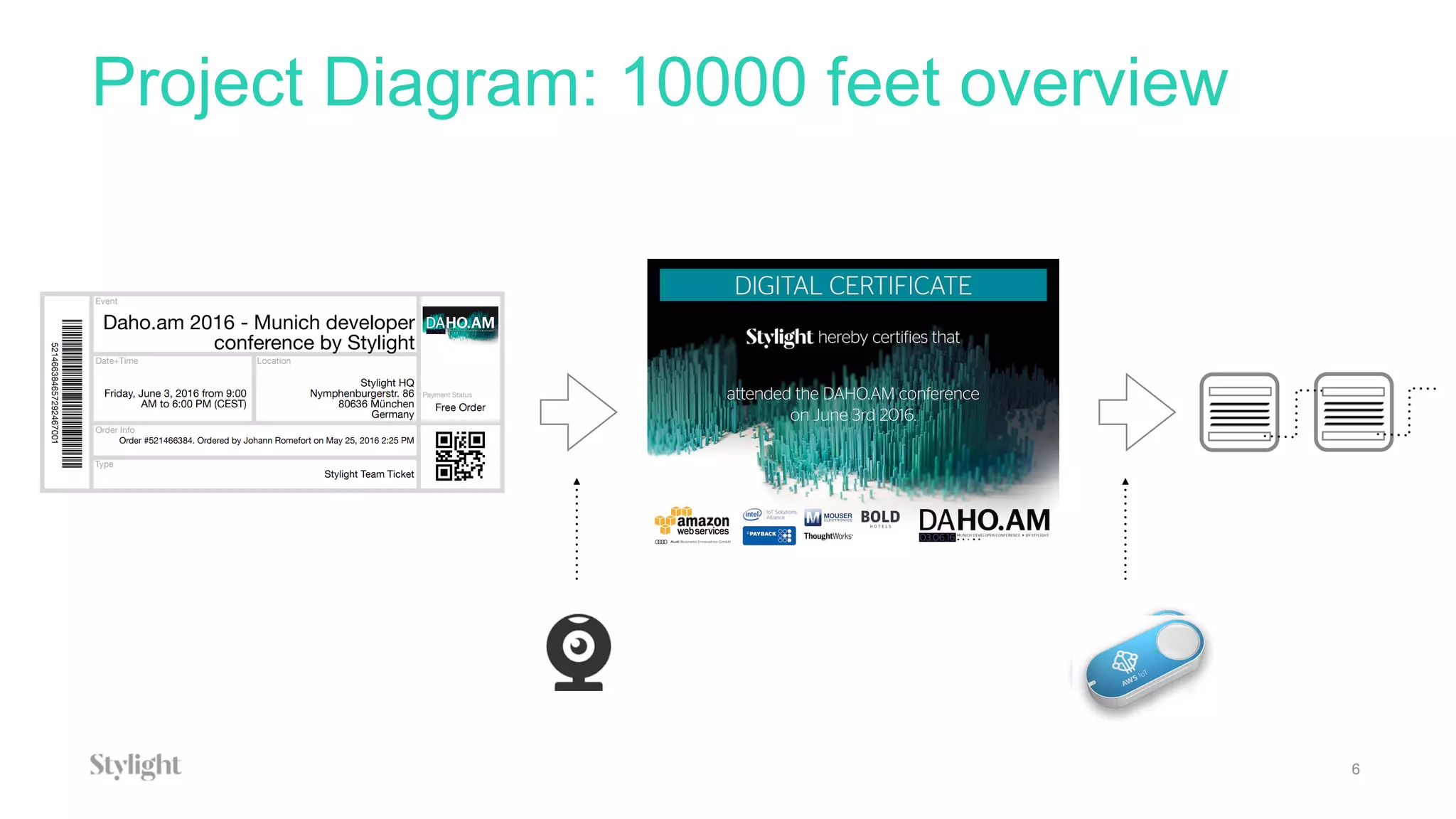
Project Diagram: 10000 feet overview
6
7
1
2
3
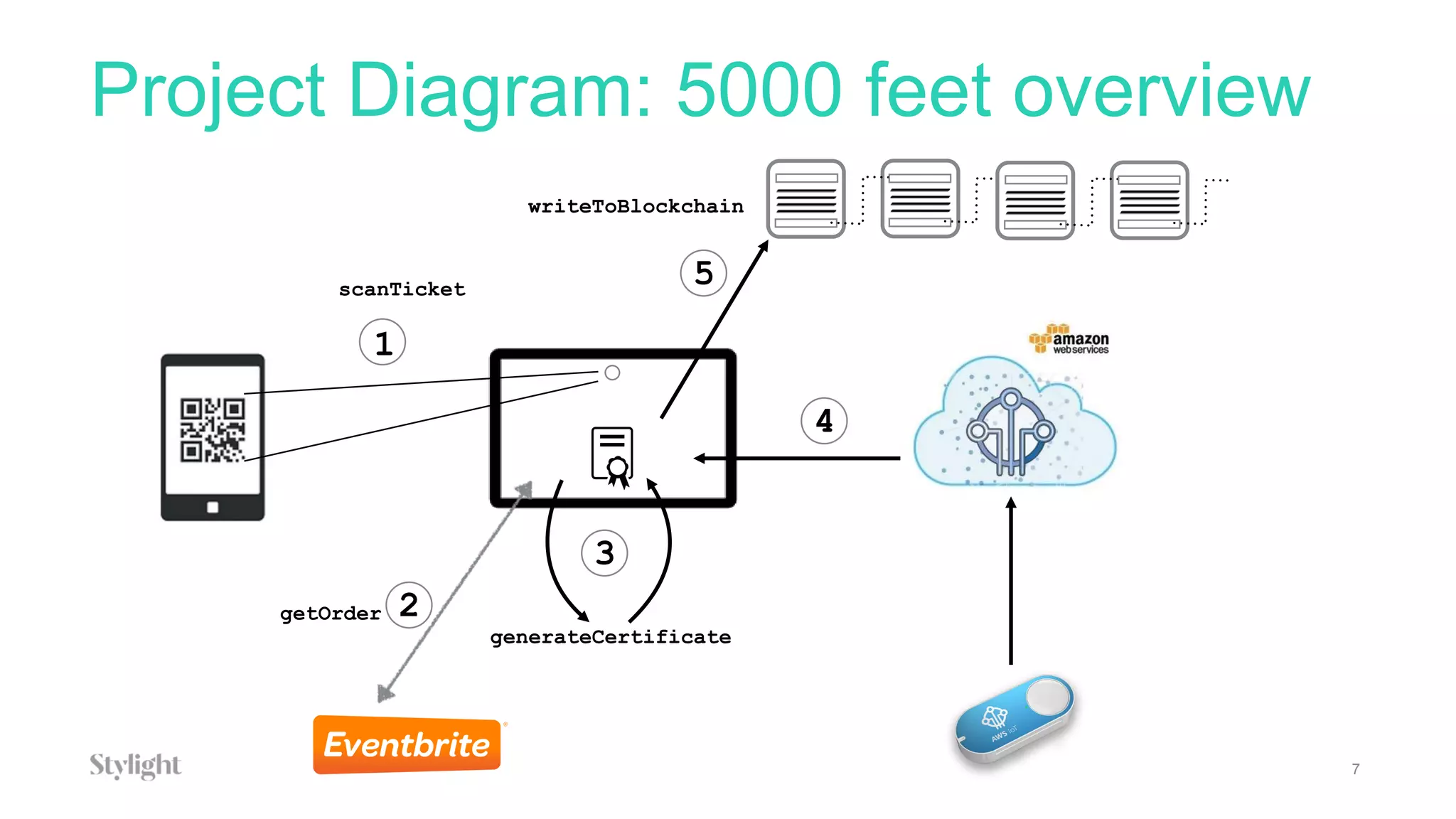
scanTicket
getOrder
generateCertificate
4
5
writeToBlockchain
Project Diagram: 5000 feet overview
Project Constraints
8
• Should run on local computer with no access possible from
outside
• No access to keyboard or touch screen
• Certificate should be easy to verify, impossible to fake,
permanent
• Serverless
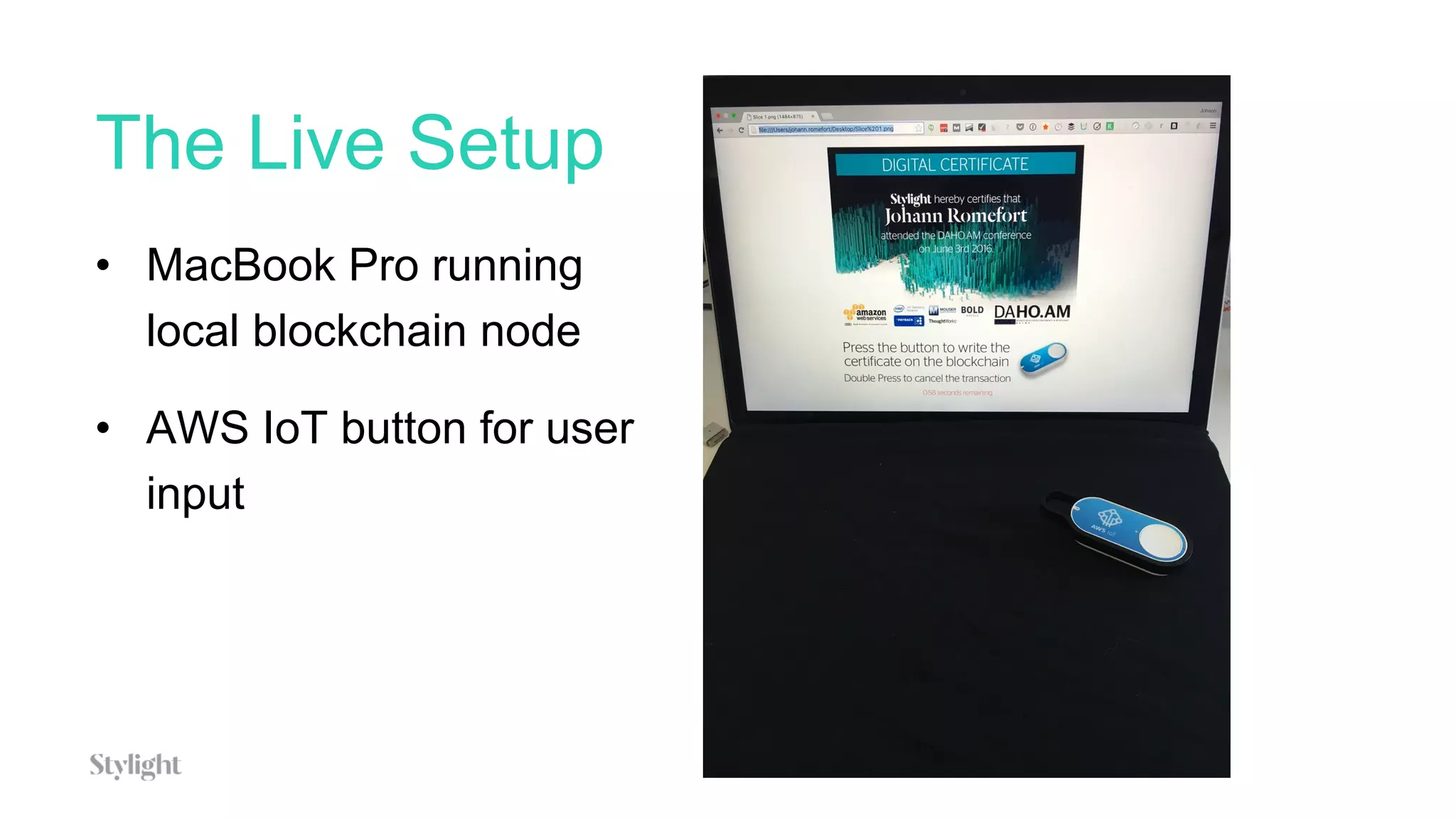
The Live Setup
• MacBook Pro running
local blockchain node
• AWS IoT button for user
input
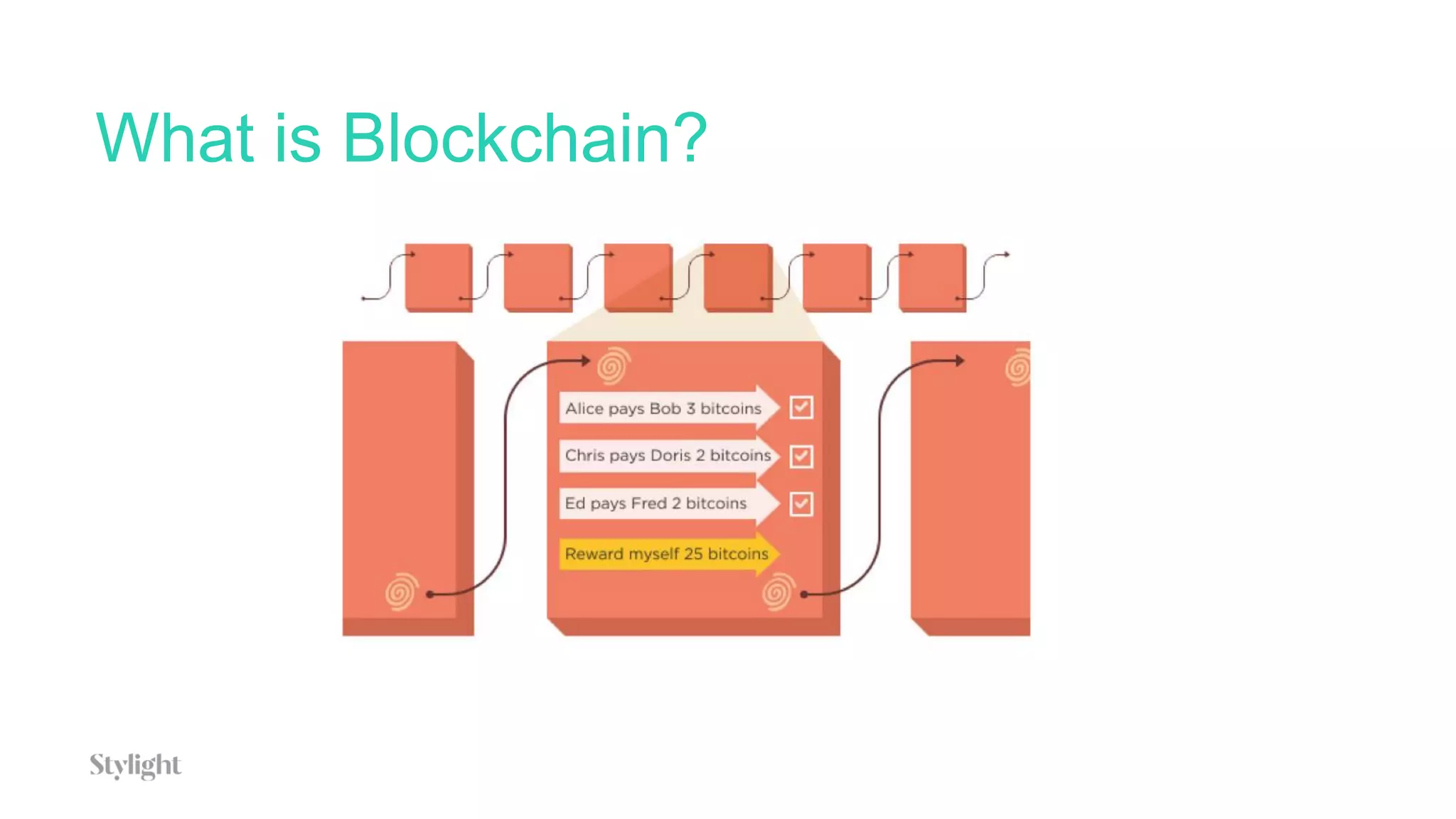
What is Blockchain?
• Blockchain is the technology behind Bitcoin
• Bitcoin was created in 2008 by Satoshi Nakamoto
• Blockchain is literally a chain of blocks.
• A blockchain is immutable – no one can change
the data once it’s been written on the chain.
What is Blockchain?
What can I do with an immutable
distributed ledger?
• Cryptocurrencies
• Property titles
• Notarised acts
• Digital Certificates
• And more…
Why AWS IoT, Button and Lambda +
SQS?
13
• Simpler input command / device one can think about
• Very simple setup
• Communication with SQS allows for a simple client
running inside a firewall and subscribing to a queue
topic in the cloud
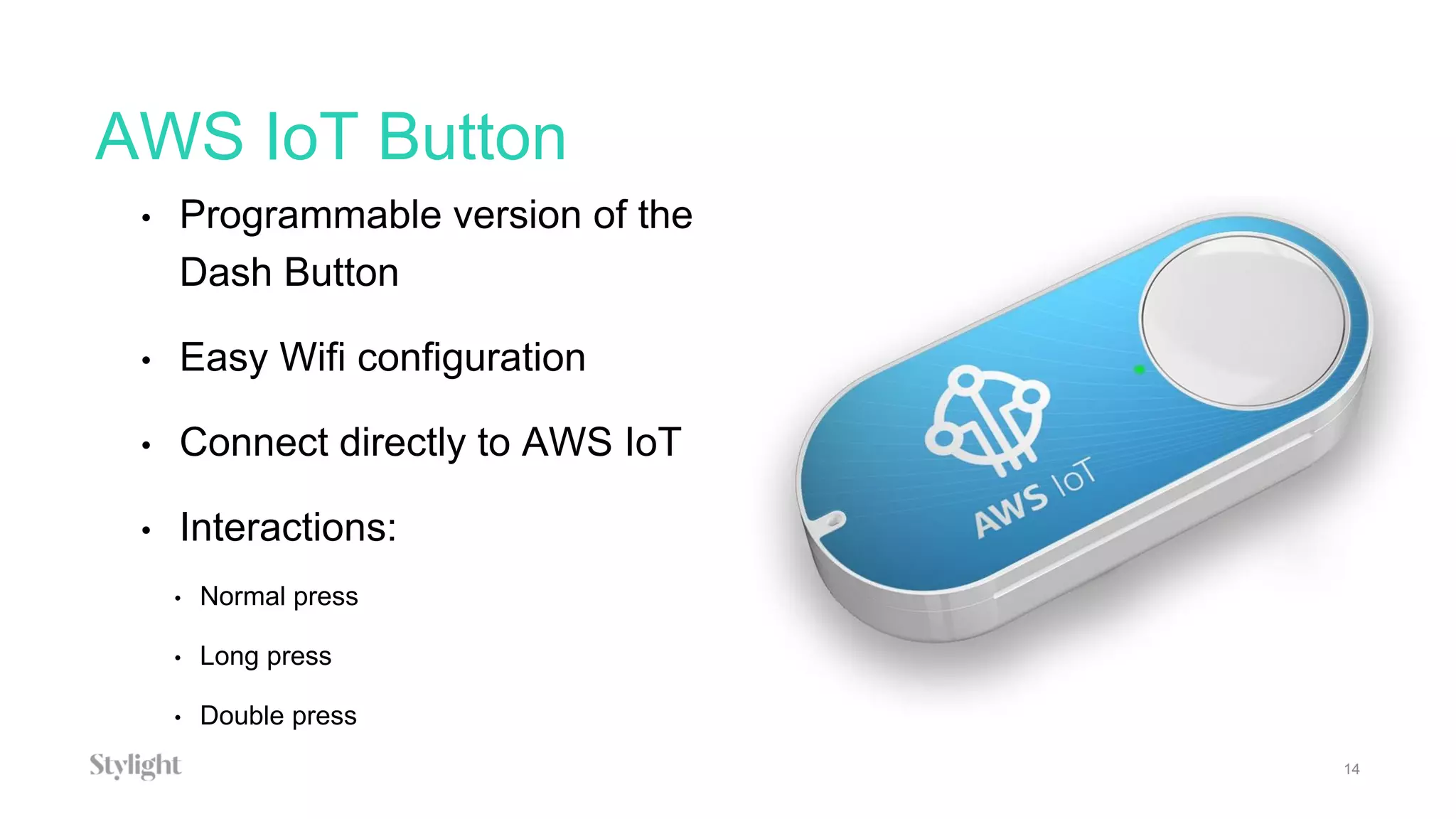
AWS IoT Button
• Programmable version of the
Dash Button
• Easy Wifi configuration
• Connect directly to AWS IoT
• Interactions:
• Normal press
• Long press
• Double press
14
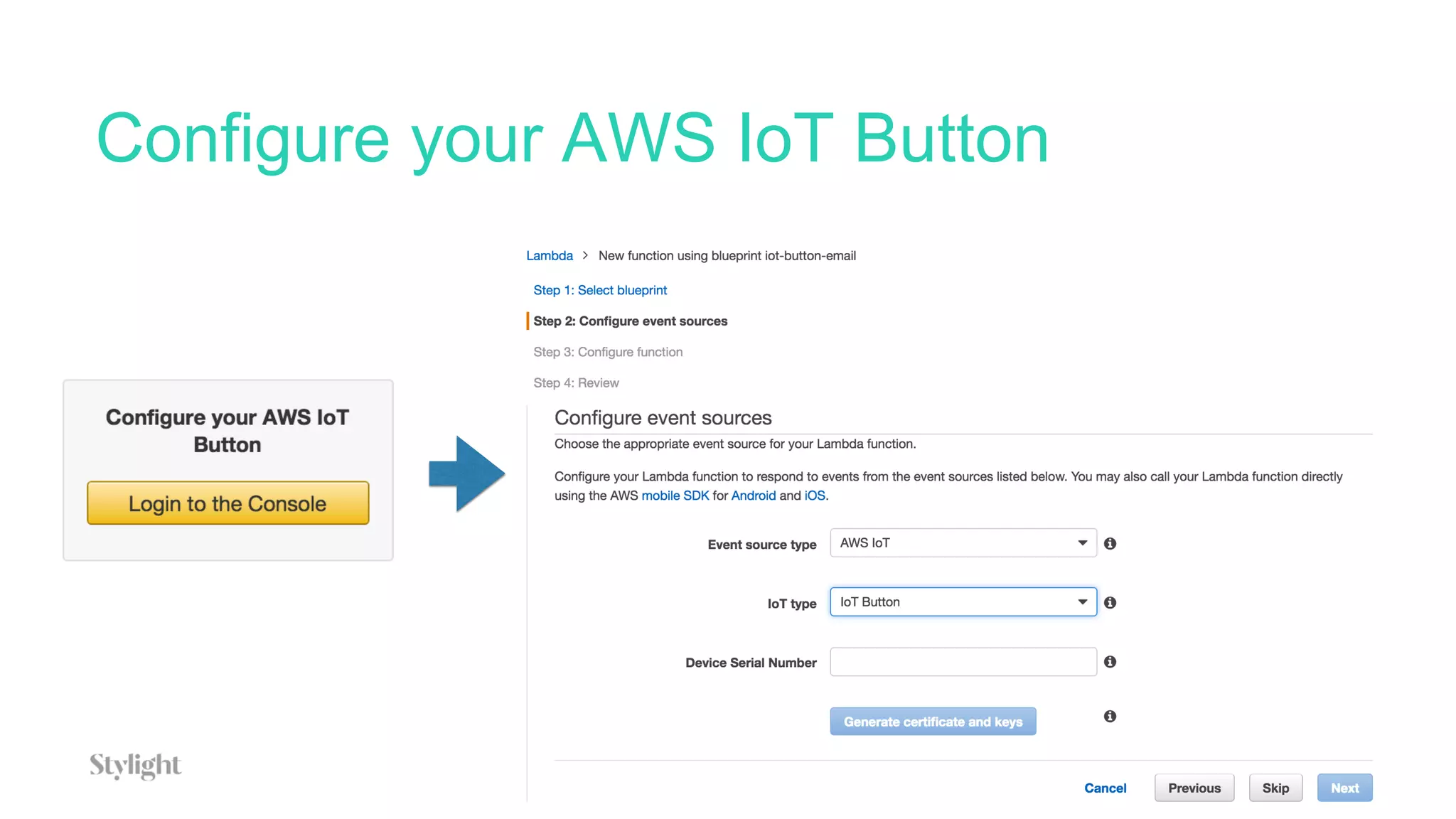
Configure your AWS IoT Button
15
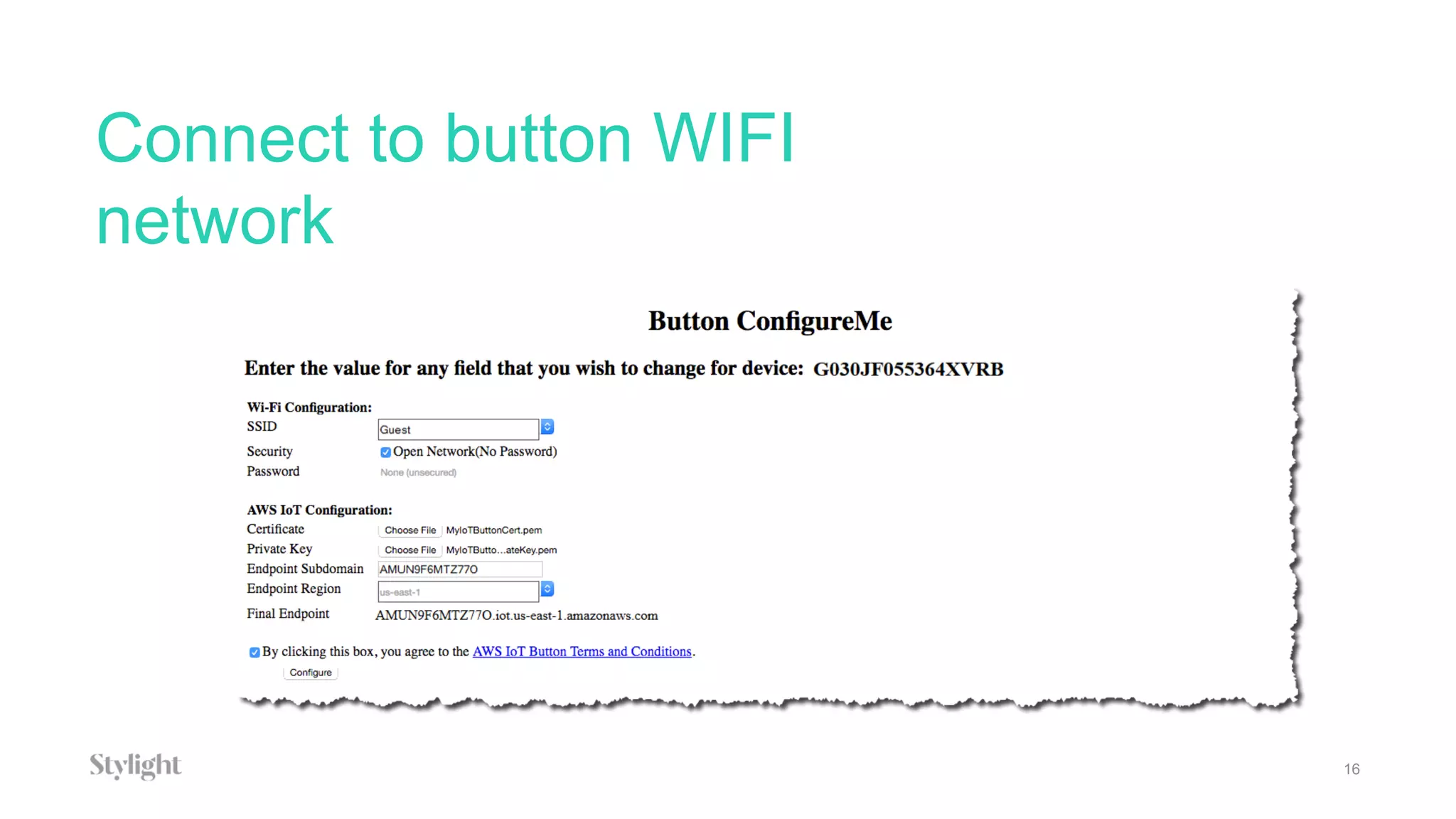
Connect to button WIFI
network
16
Introduction to AWS IoT
17
• Serverless way to connect your IoT devices and start
processing data
• Supports MQTT, HTTP
• Secure - communication through use of X.509 Certificates
• Can connect huge amount of sensors, store and process the
data in real-time
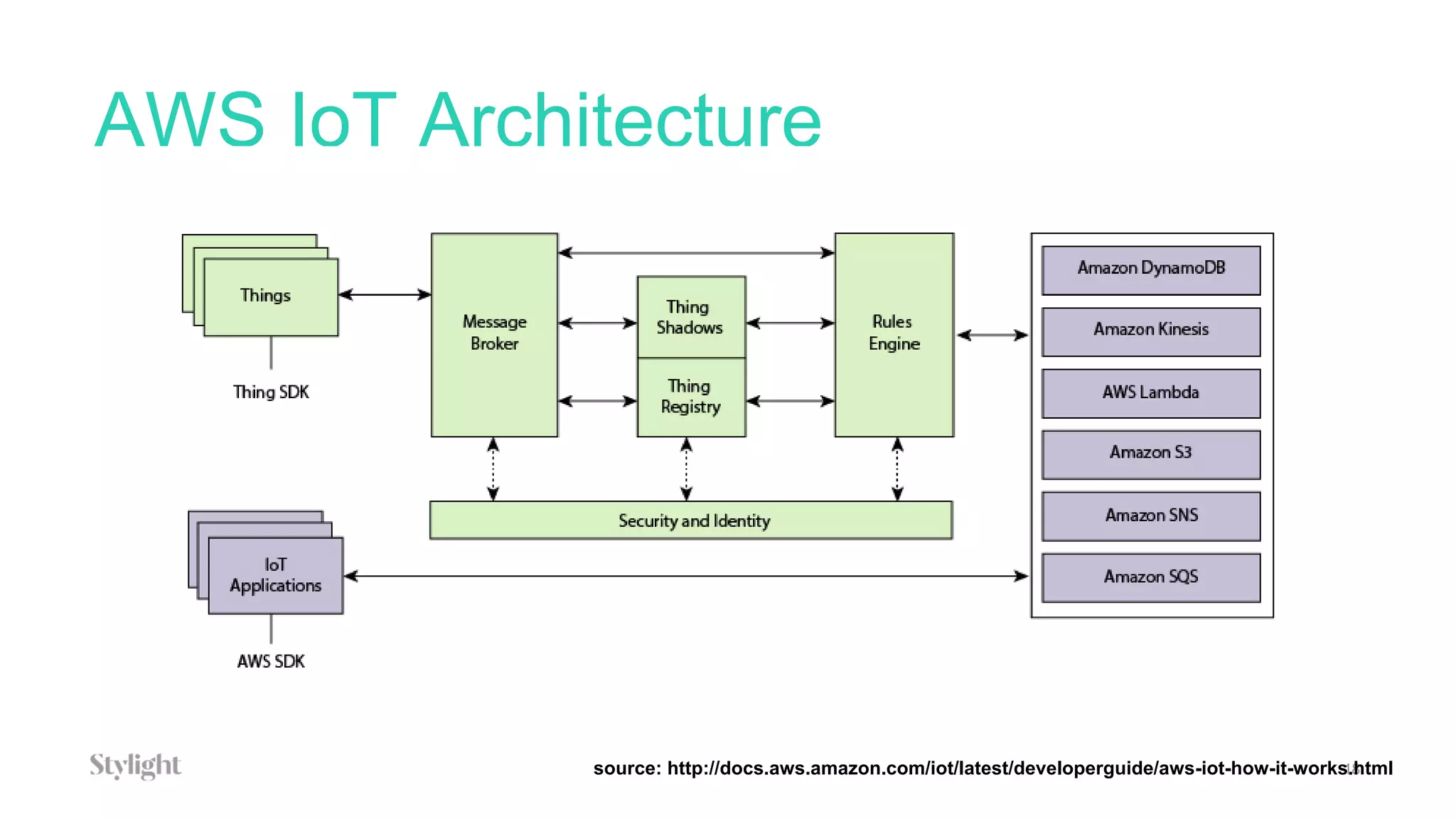
AWS IoT Architecture
18source: http://docs.aws.amazon.com/iot/latest/developerguide/aws-iot-how-it-works.html
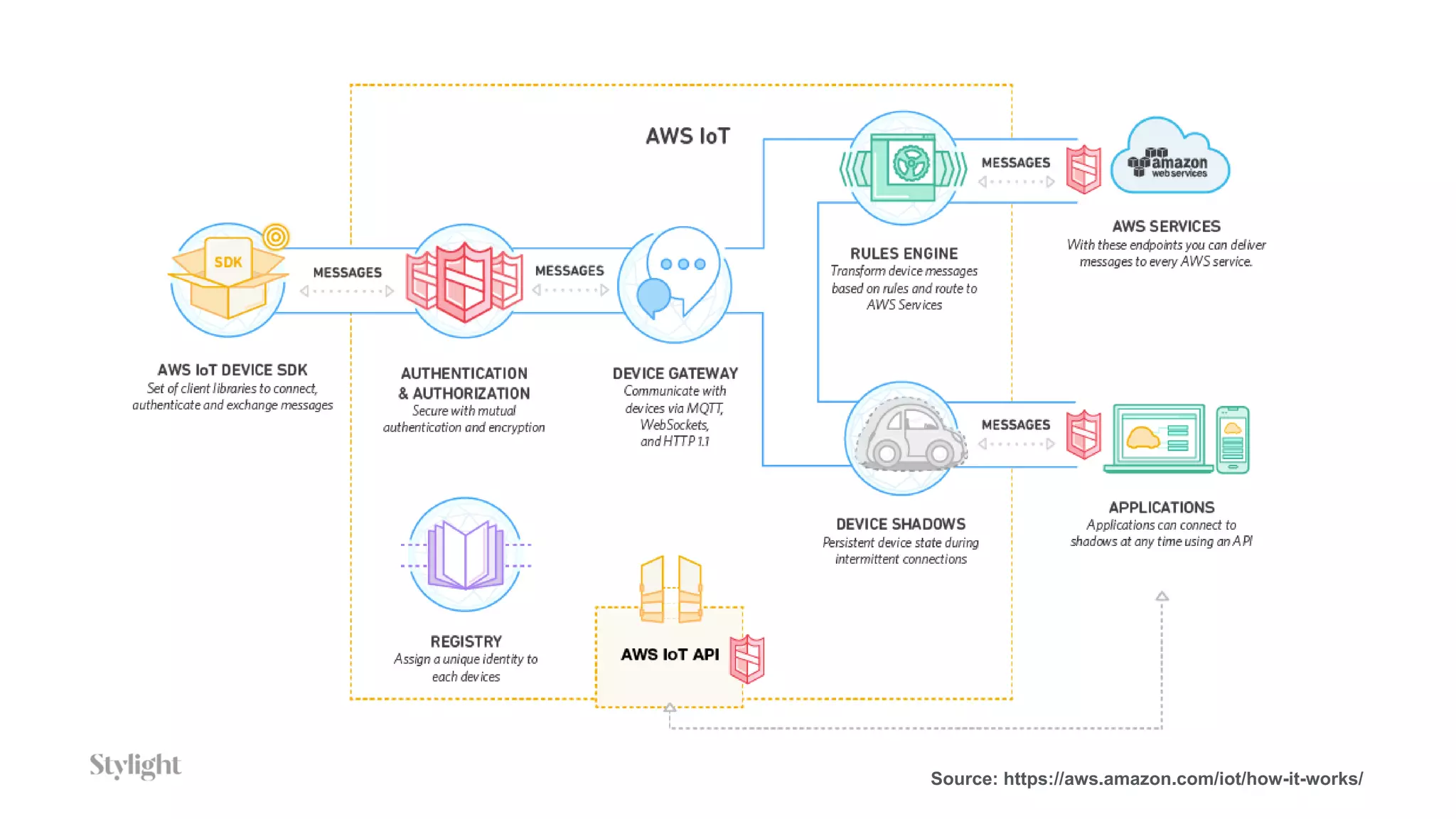
Source: https://aws.amazon.com/iot/how-it-works/
What’s a Thing?
20
• An IoT Device
• Eg: Intel Edison, Arduino Yun + sensors / actuators
• In our case an AWS IoT button
What’s the Message Broker?
21
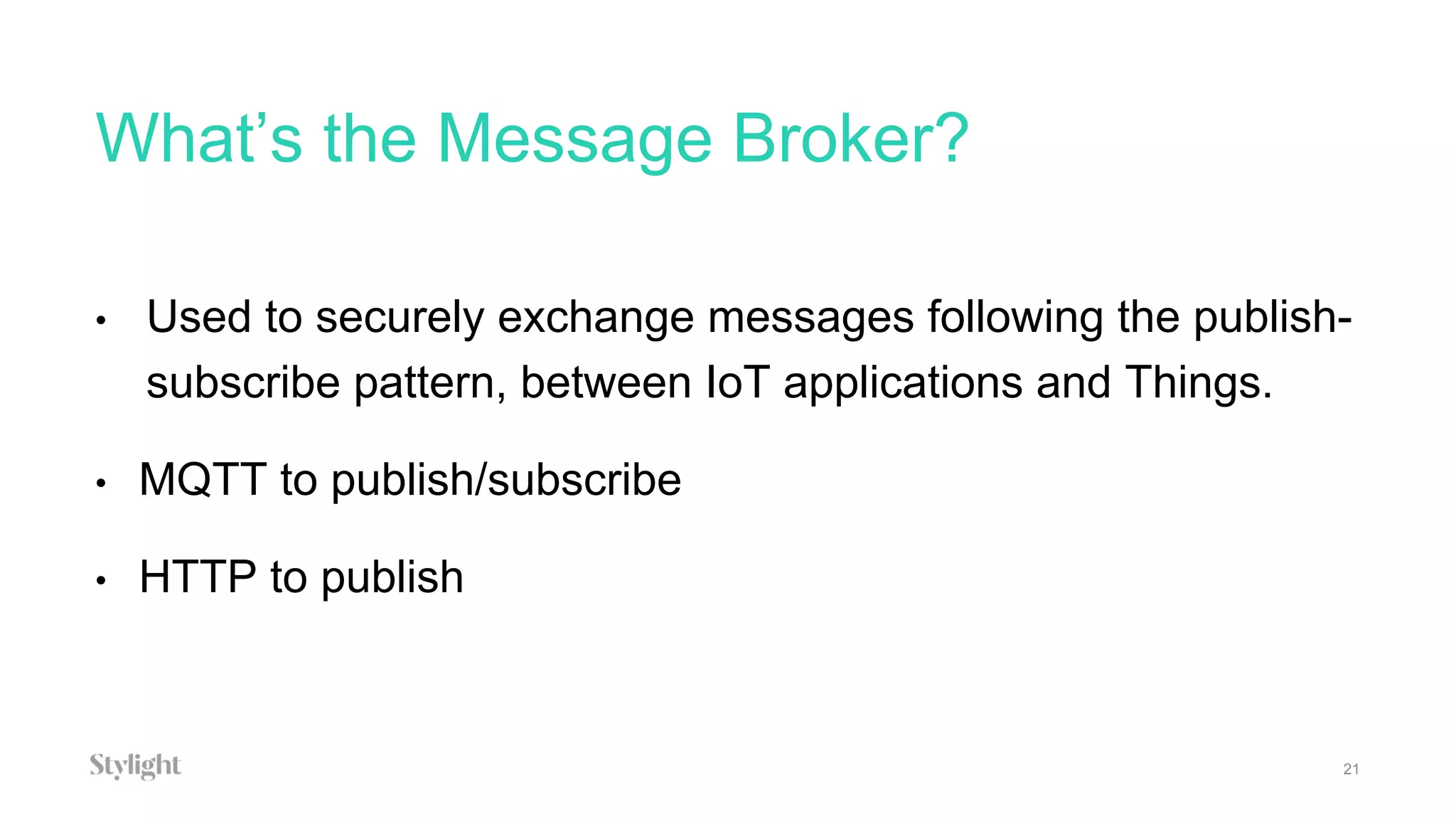
• Used to securely exchange messages following the publish-
subscribe pattern, between IoT applications and Things.
• MQTT to publish/subscribe
• HTTP to publish
What’s the Rule Engine?
22
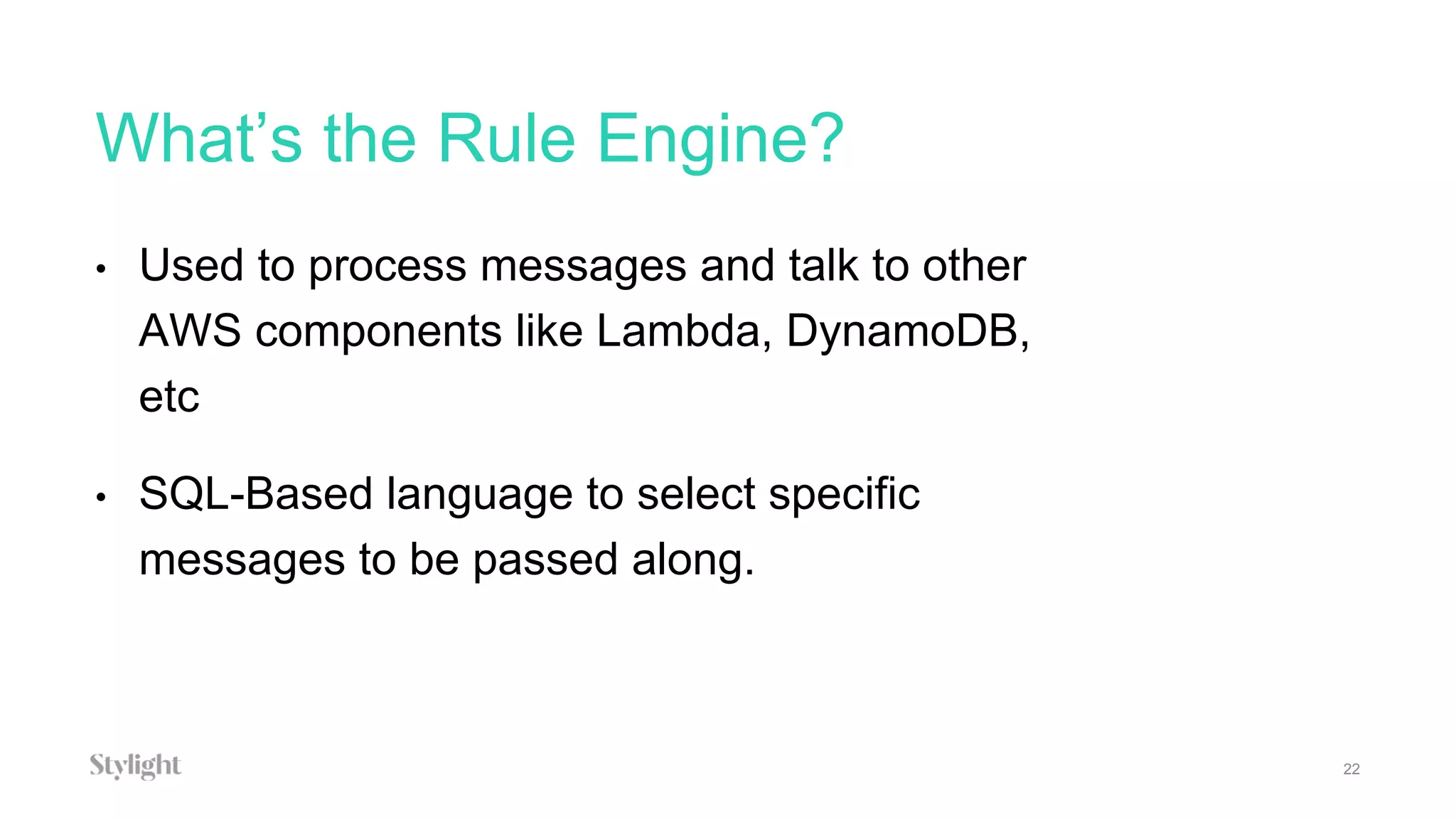
• Used to process messages and talk to other
AWS components like Lambda, DynamoDB,
etc
• SQL-Based language to select specific
messages to be passed along.
What are Thing Shadows?
23
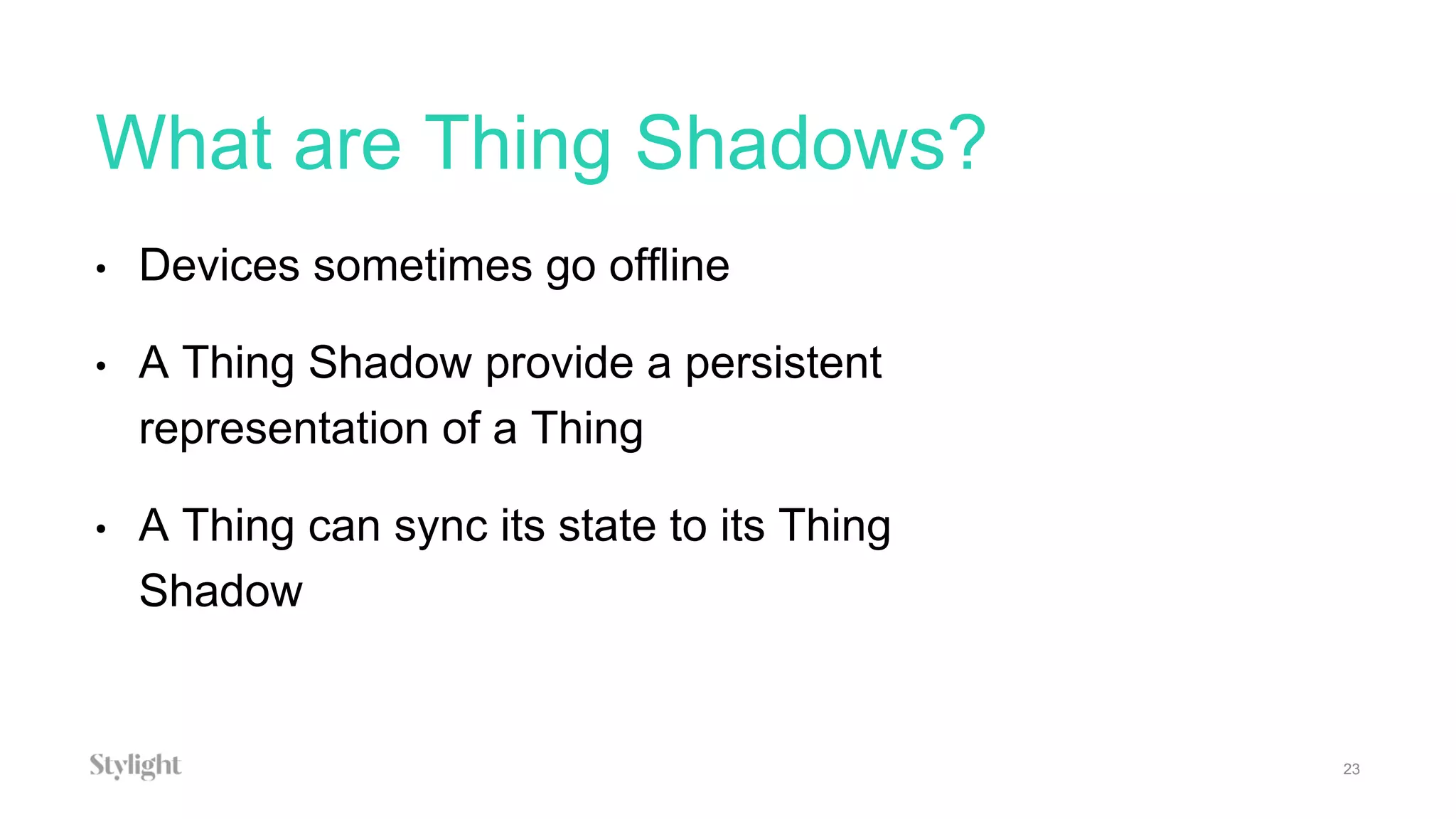
• Devices sometimes go offline
• A Thing Shadow provide a persistent
representation of a Thing
• A Thing can sync its state to its Thing
Shadow
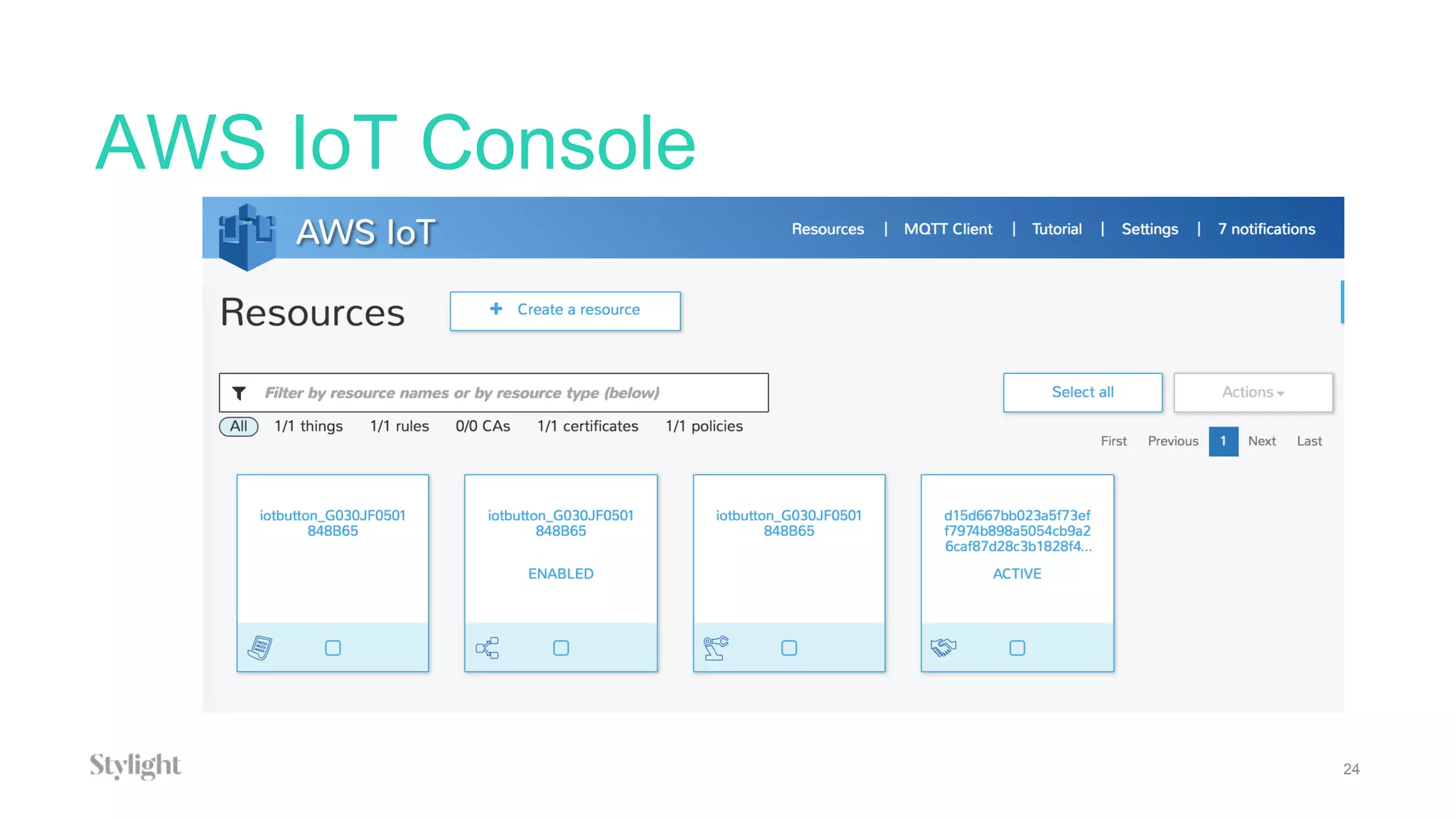
AWS IoT Console
24
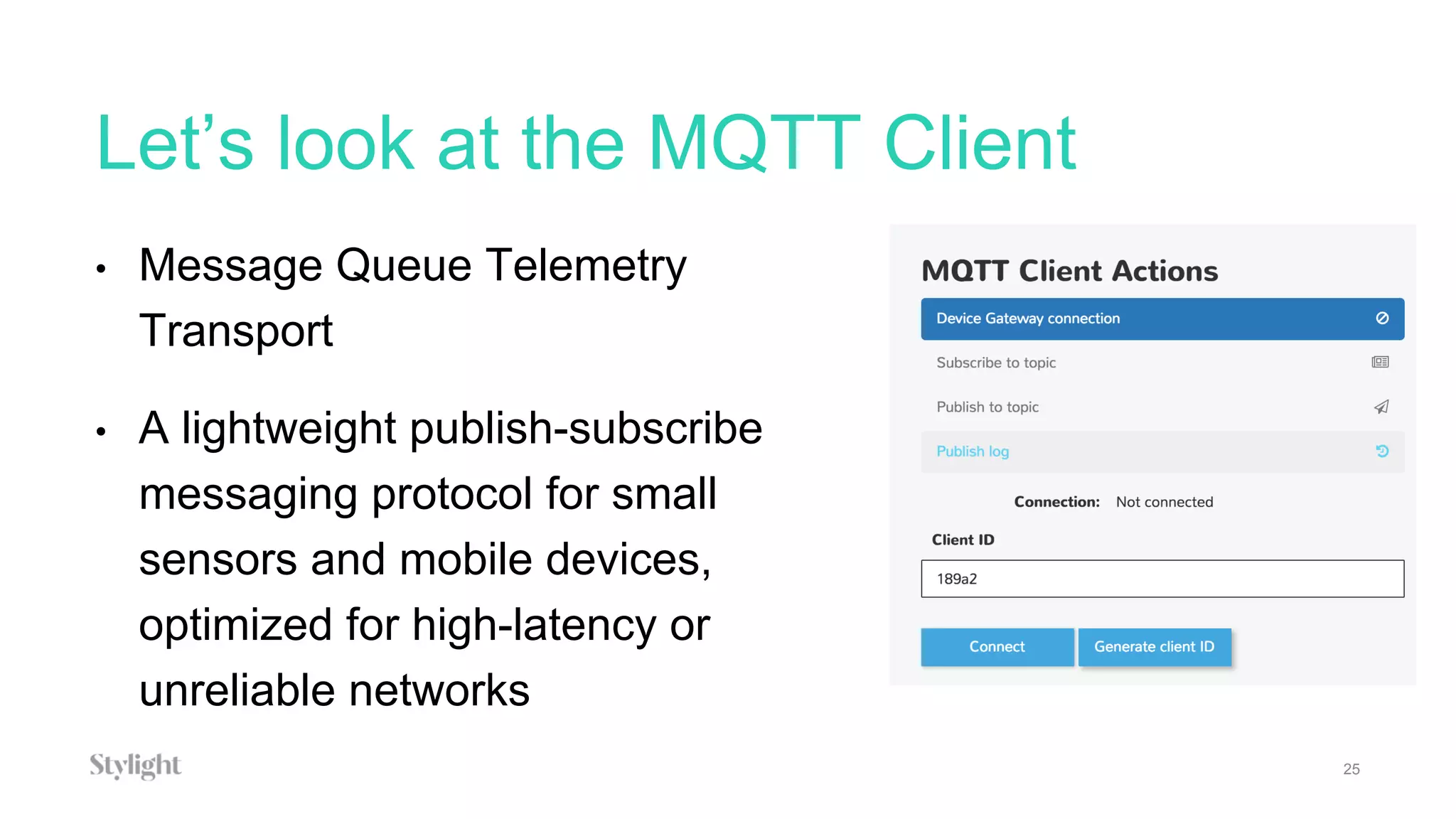
Let’s look at the MQTT Client
25
• Message Queue Telemetry
Transport
• A lightweight publish-subscribe
messaging protocol for small
sensors and mobile devices,
optimized for high-latency or
unreliable networks
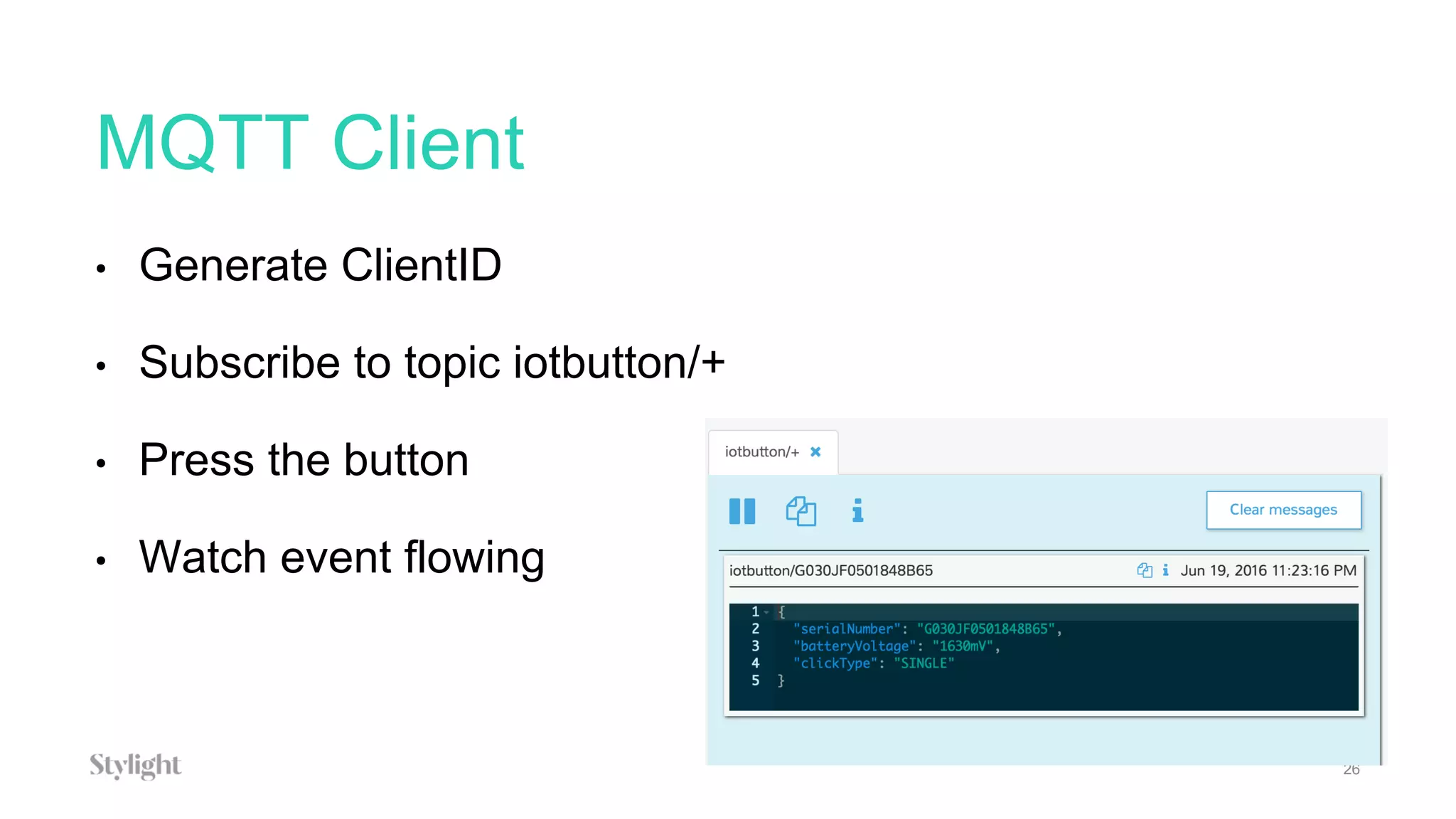
MQTT Client
26
• Generate ClientID
• Subscribe to topic iotbutton/+
• Press the button
• Watch event flowing
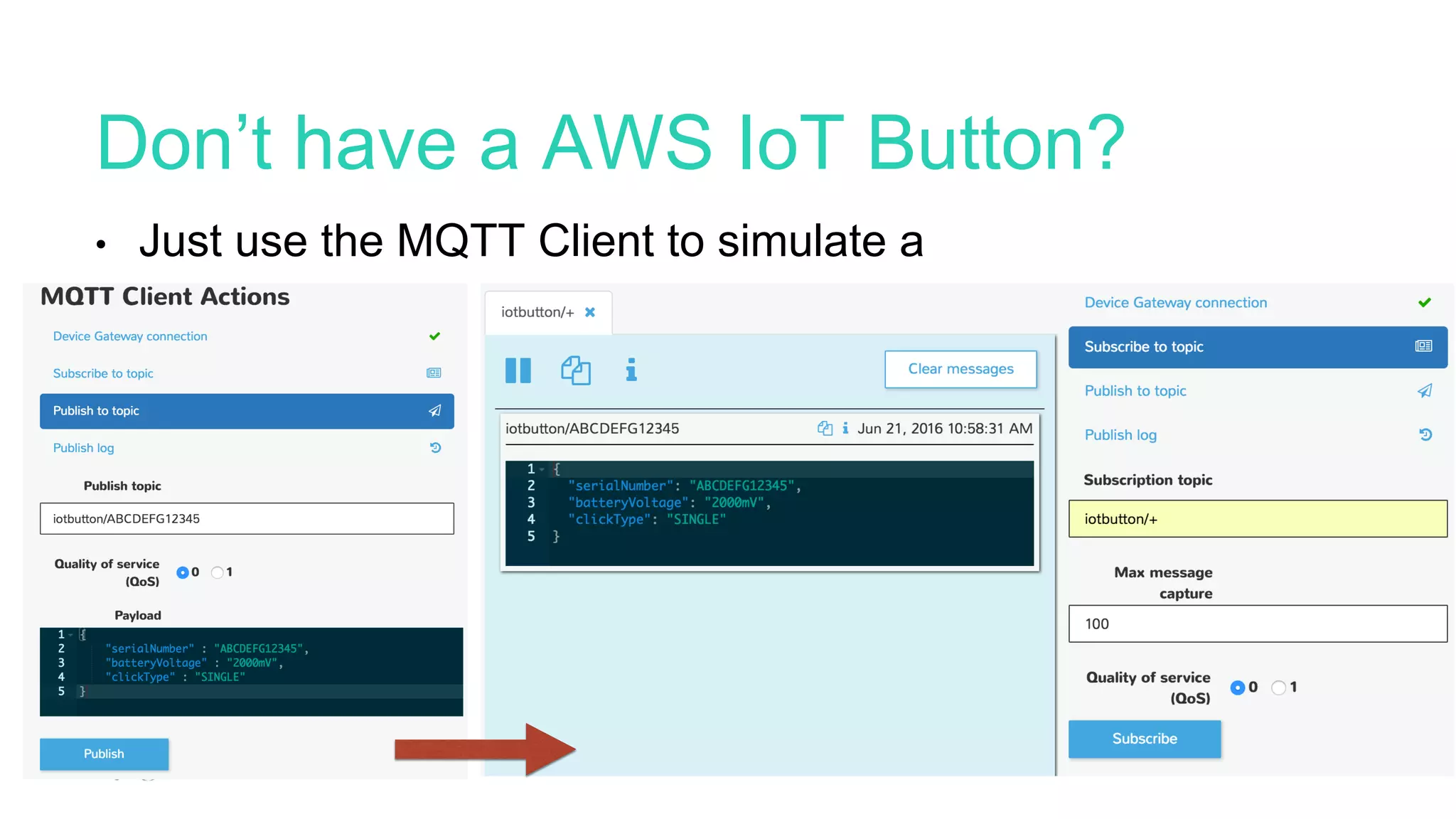
Don’t have a AWS IoT Button?
27
• Just use the MQTT Client to simulate a
payload
What do we want to do?
28
• Use the button as input device to validate the transaction
on the blockchain - Writing the transaction is a permanent
operation, certificate will be available forever.
• Send a SQS message to a topic our client is listening to.
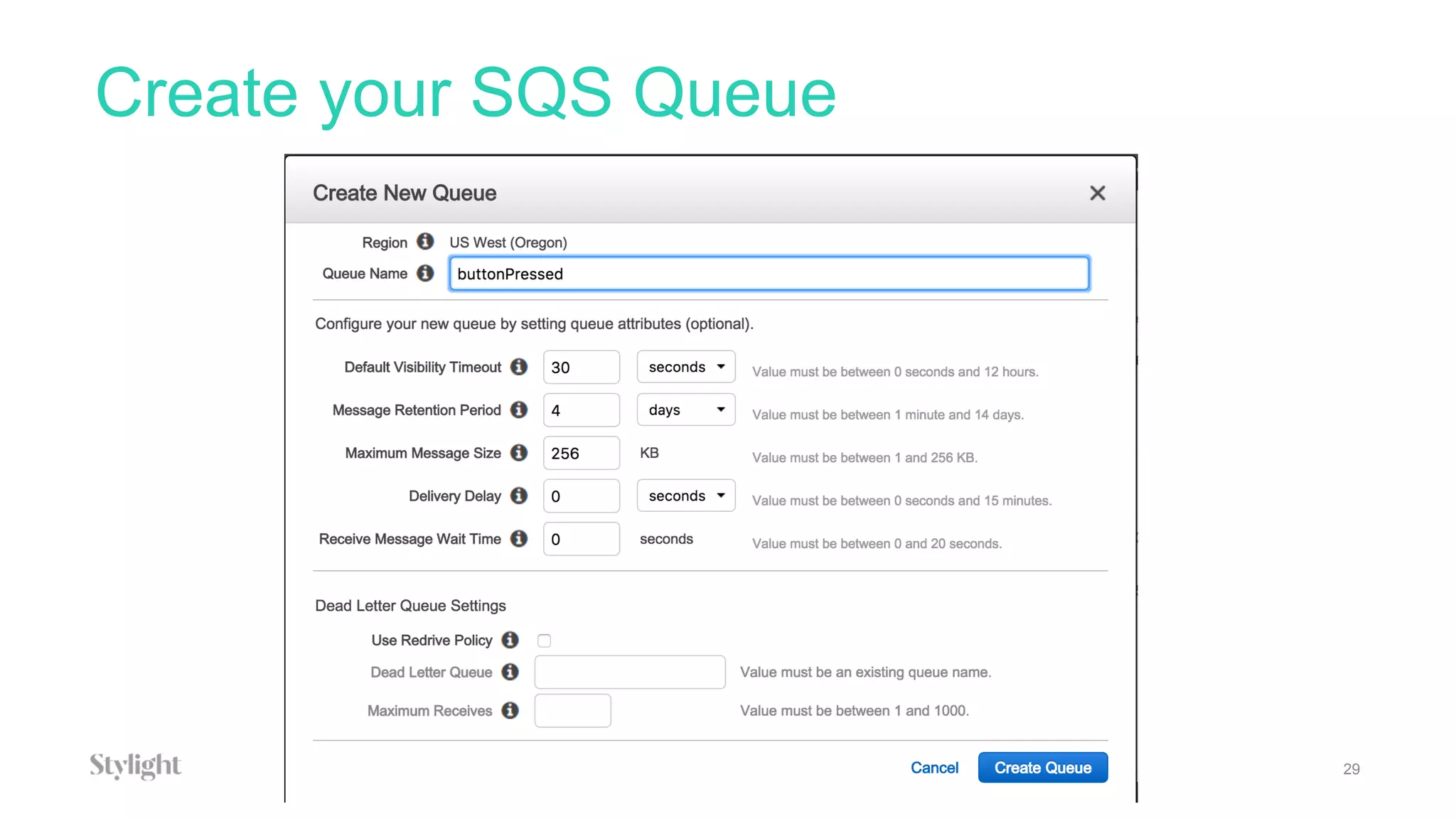
Create your SQS Queue
29
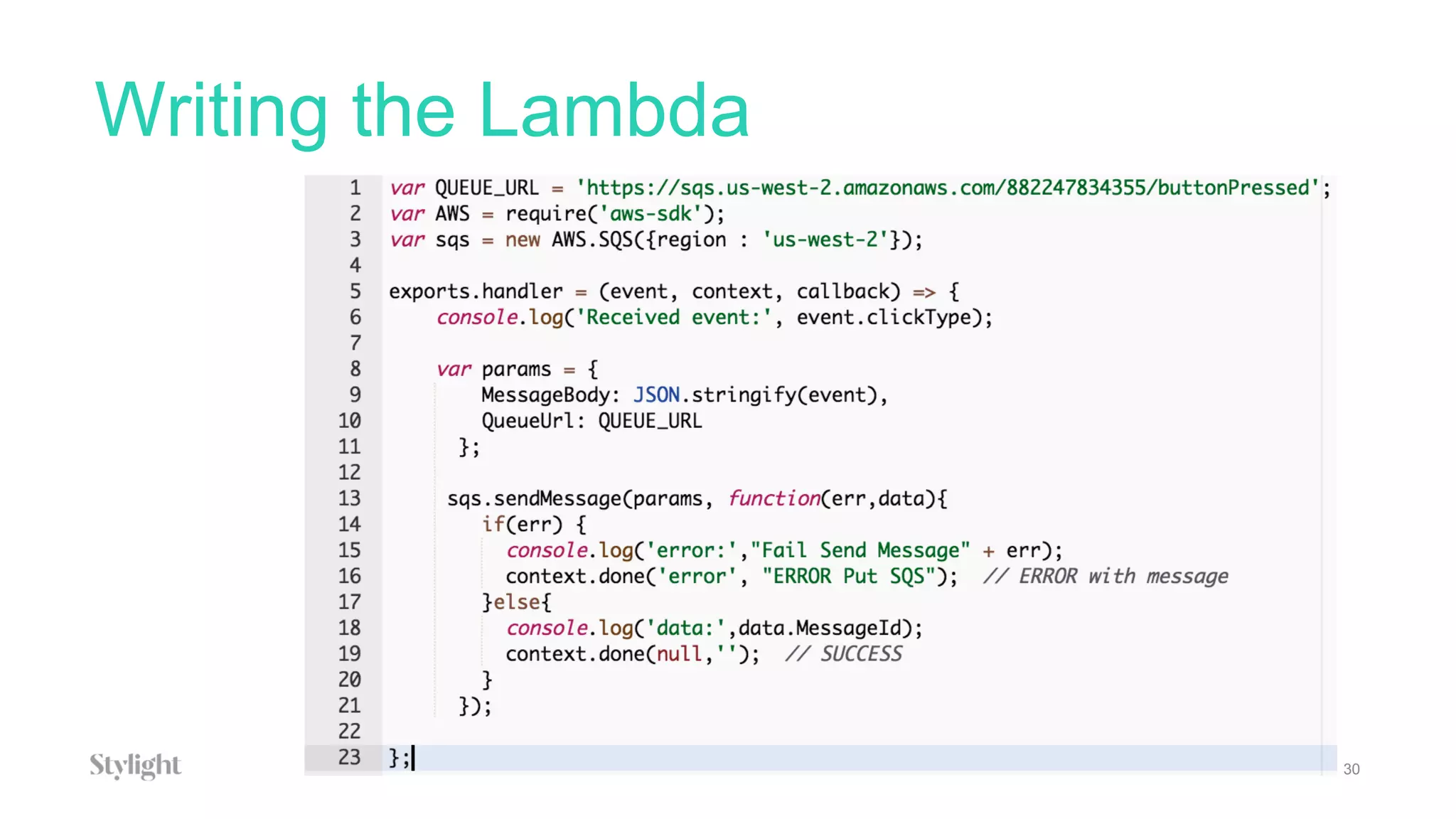
Writing the Lambda
30
Configure the Policy Document
31
{
"Version": "2012-10-17",
"Statement": [
{
"Effect": "Allow",
"Action": [
"logs:CreateLogGroup",
"logs:CreateLogStream",
"logs:PutLogEvents"
],
"Resource": "arn:aws:logs:*:*:*"
},
{
"Action": [
"sqs:SendMessage",
"sqs:GetQueueUrl"
],
"Effect": "Allow",
"Resource": "arn:aws:sqs:us-west-2:882247834355:buttonPressed"
}
]
}
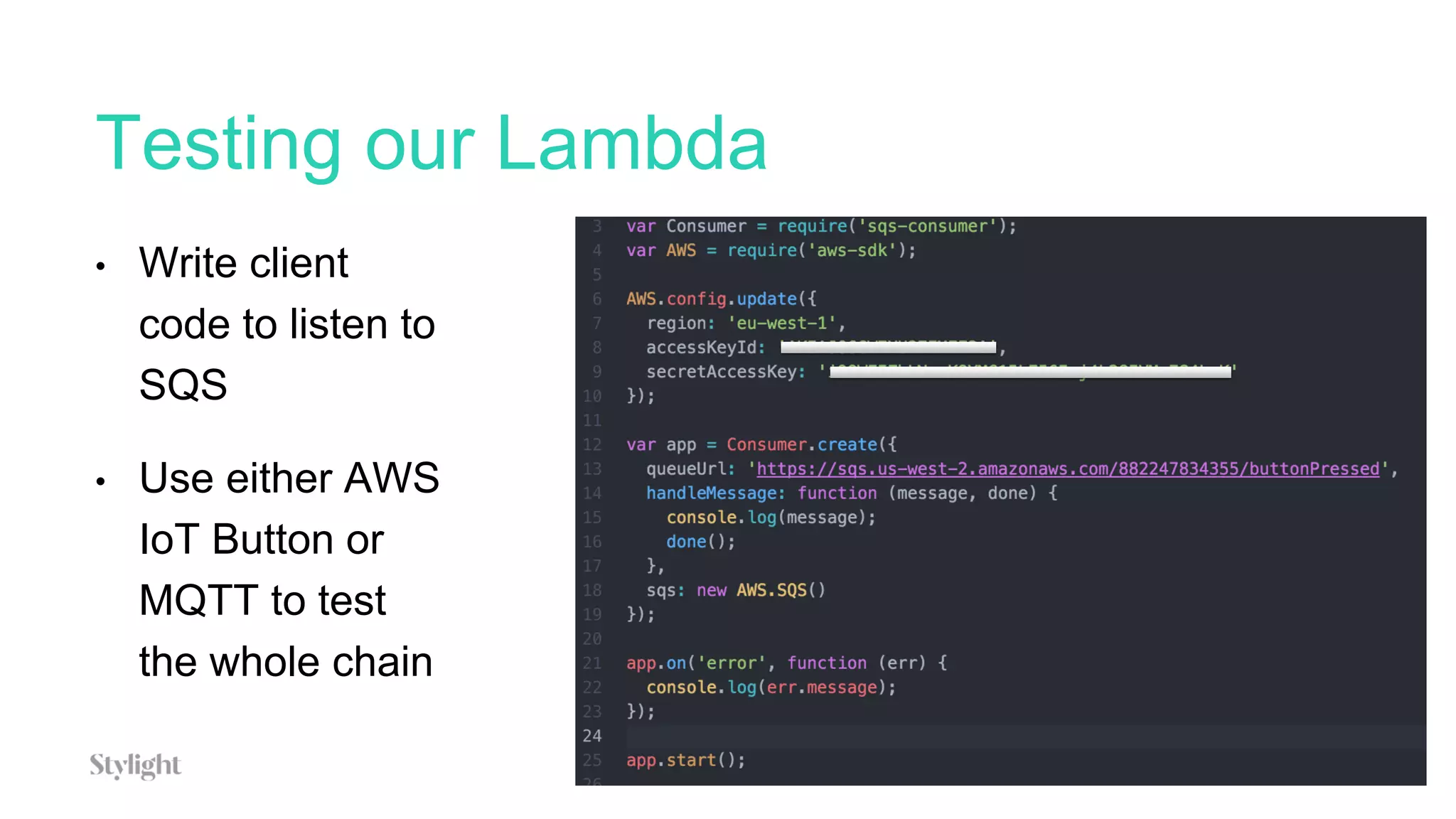
Testing our Lambda
32
• Write client
code to listen to
SQS
• Use either AWS
IoT Button or
MQTT to test
the whole chain
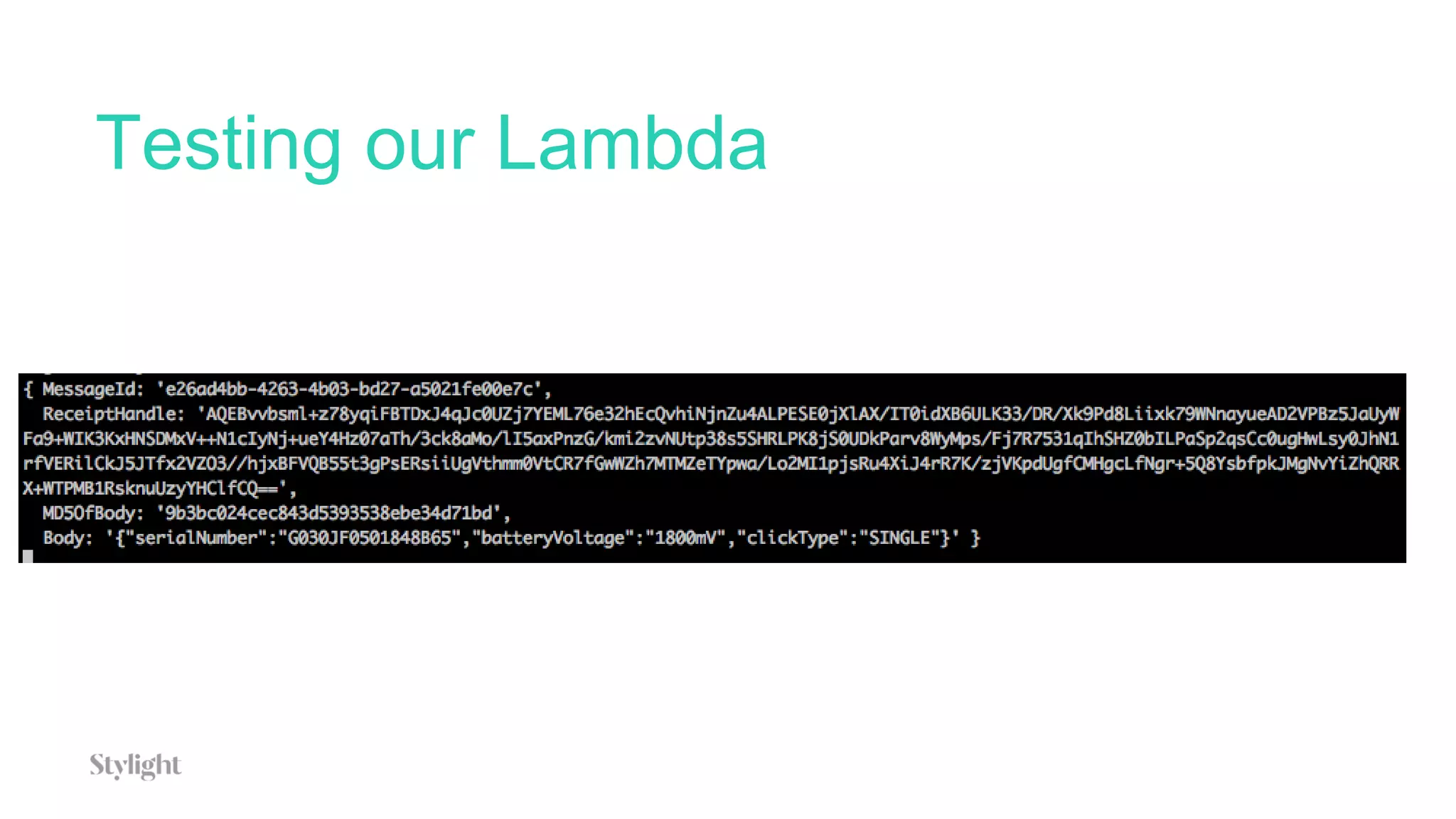
Testing our Lambda
Going further
34
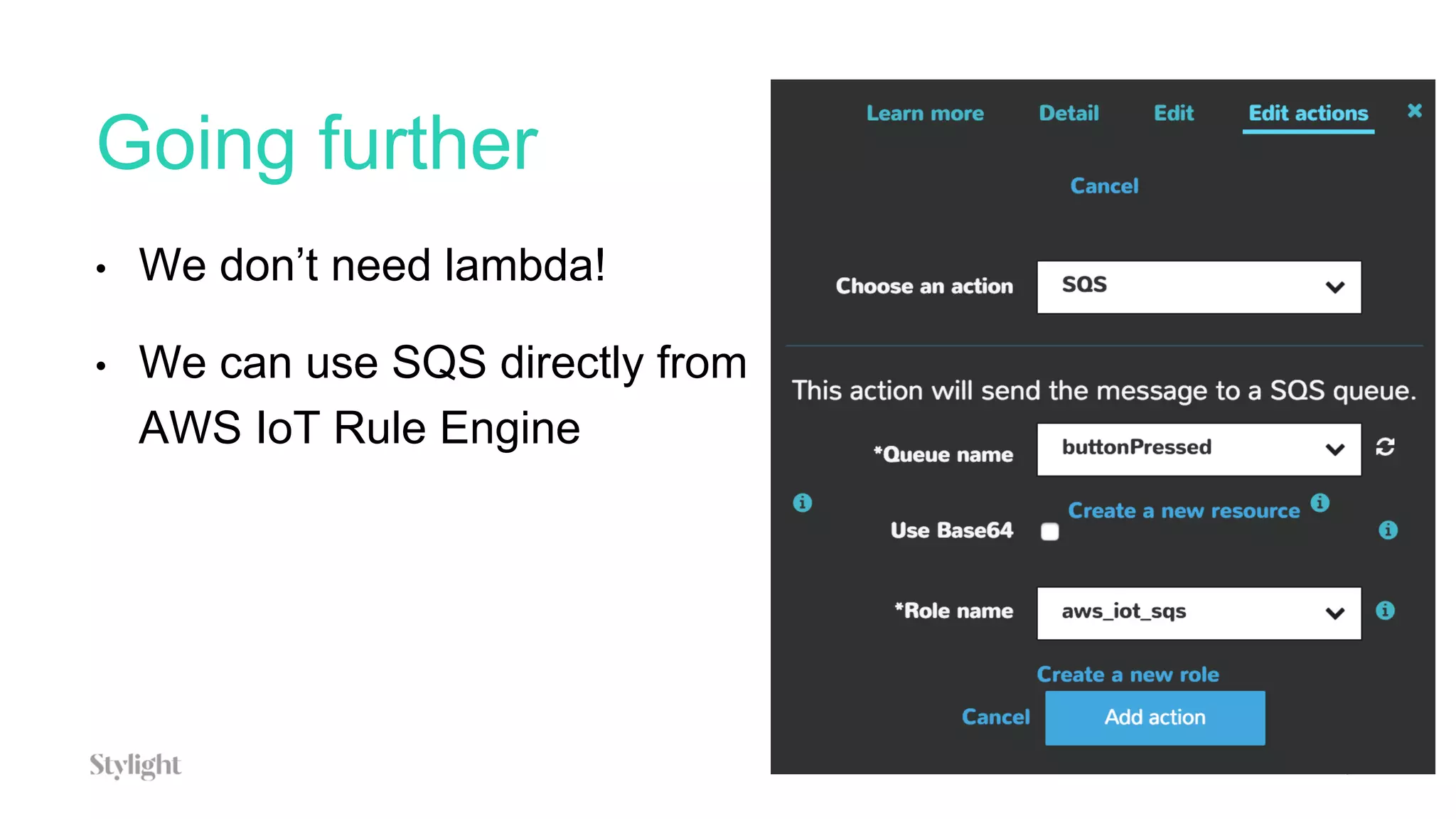
• We don’t need lambda!
• We can use SQS directly from
AWS IoT Rule Engine
Questions?
Follow me on twitter: @romefort
Check our blog: tech.stylight.com

AWS IoT Button and Lambda to power a blockchain project - AWS Serverless Web Day

  • 1.
    June 2016 AWS IoT+Lambda to power a blockchain project by Johann Romefort
  • 2.
    About Johann • TechEvangelist @Stylight • 15+ years in tech • In Germany for 2 years • 7 years in San Francisco doing startups • Organizer of many meetups 2
  • 3.
    Agenda 3 • Overview ofthe project & constraints • Configure your AWS IoT Button • Introduction to AWS IoT • The MQTT Client • Connecting it to Lambda
  • 4.
    Technologies involved 4 • AWSIoT • Lambda • SQS • Node.JS • Ethereum
  • 5.
    Overview of theproject 5 • Creation of a digital certificate of attendance on the blockchain • Minimal UI and input mechanism • Scan ticket, Press button and done!
  • 6.
    Project Diagram: 10000feet overview 6
  • 7.
  • 8.
    Project Constraints 8 • Shouldrun on local computer with no access possible from outside • No access to keyboard or touch screen • Certificate should be easy to verify, impossible to fake, permanent • Serverless
  • 9.
    The Live Setup •MacBook Pro running local blockchain node • AWS IoT button for user input
  • 10.
    What is Blockchain? •Blockchain is the technology behind Bitcoin • Bitcoin was created in 2008 by Satoshi Nakamoto • Blockchain is literally a chain of blocks. • A blockchain is immutable – no one can change the data once it’s been written on the chain.
  • 11.
  • 12.
    What can Ido with an immutable distributed ledger? • Cryptocurrencies • Property titles • Notarised acts • Digital Certificates • And more…
  • 13.
    Why AWS IoT,Button and Lambda + SQS? 13 • Simpler input command / device one can think about • Very simple setup • Communication with SQS allows for a simple client running inside a firewall and subscribing to a queue topic in the cloud
  • 14.
    AWS IoT Button •Programmable version of the Dash Button • Easy Wifi configuration • Connect directly to AWS IoT • Interactions: • Normal press • Long press • Double press 14
  • 15.
    Configure your AWSIoT Button 15
  • 16.
    Connect to buttonWIFI network 16
  • 17.
    Introduction to AWSIoT 17 • Serverless way to connect your IoT devices and start processing data • Supports MQTT, HTTP • Secure - communication through use of X.509 Certificates • Can connect huge amount of sensors, store and process the data in real-time
  • 18.
    AWS IoT Architecture 18source:http://docs.aws.amazon.com/iot/latest/developerguide/aws-iot-how-it-works.html
  • 19.
  • 20.
    What’s a Thing? 20 •An IoT Device • Eg: Intel Edison, Arduino Yun + sensors / actuators • In our case an AWS IoT button
  • 21.
    What’s the MessageBroker? 21 • Used to securely exchange messages following the publish- subscribe pattern, between IoT applications and Things. • MQTT to publish/subscribe • HTTP to publish
  • 22.
    What’s the RuleEngine? 22 • Used to process messages and talk to other AWS components like Lambda, DynamoDB, etc • SQL-Based language to select specific messages to be passed along.
  • 23.
    What are ThingShadows? 23 • Devices sometimes go offline • A Thing Shadow provide a persistent representation of a Thing • A Thing can sync its state to its Thing Shadow
  • 24.
  • 25.
    Let’s look atthe MQTT Client 25 • Message Queue Telemetry Transport • A lightweight publish-subscribe messaging protocol for small sensors and mobile devices, optimized for high-latency or unreliable networks
  • 26.
    MQTT Client 26 • GenerateClientID • Subscribe to topic iotbutton/+ • Press the button • Watch event flowing
  • 27.
    Don’t have aAWS IoT Button? 27 • Just use the MQTT Client to simulate a payload
  • 28.
    What do wewant to do? 28 • Use the button as input device to validate the transaction on the blockchain - Writing the transaction is a permanent operation, certificate will be available forever. • Send a SQS message to a topic our client is listening to.
  • 29.
  • 30.
  • 31.
    Configure the PolicyDocument 31 { "Version": "2012-10-17", "Statement": [ { "Effect": "Allow", "Action": [ "logs:CreateLogGroup", "logs:CreateLogStream", "logs:PutLogEvents" ], "Resource": "arn:aws:logs:*:*:*" }, { "Action": [ "sqs:SendMessage", "sqs:GetQueueUrl" ], "Effect": "Allow", "Resource": "arn:aws:sqs:us-west-2:882247834355:buttonPressed" } ] }
  • 32.
    Testing our Lambda 32 •Write client code to listen to SQS • Use either AWS IoT Button or MQTT to test the whole chain
  • 33.
  • 34.
    Going further 34 • Wedon’t need lambda! • We can use SQS directly from AWS IoT Rule Engine
  • 35.
    Questions? Follow me ontwitter: @romefort Check our blog: tech.stylight.com