Digitizing and Delivering
Audio and Video
Jon Dunn
Jenn Riley
IU Digital Library Program
Digital Library Brown Bag Series
February 11, 2005
Some questions to ask
when starting a project
• What is the purpose of digitization?
• Preservation/archiving
• Delivery to users: network, CD-ROM, DVD
• Both
• Who are the users and what is the use?
• Affects quality requirements
• Where are the users?
• Network bandwidth
• How will they get to the content?
• Metadata, searching, browsing
Presentation Outline
• Digitization and capture
• Audio
• Video
• Delivery
• What’s going on at IU?
• Available digital audio/video services
• Digital library projects involving audio/video
Presentation Outline
• Digitization and capture
• Audio
• Video
• Delivery
• What’s going on at IU?
• Available digital audio/video services
• Digital library projects involving audio/video
Typical Audio/Video
Workflow
Source Master file
Digitization/
Encoding
Compressed
derivative files
for delivery
Transcoding
Editing/cleaning
possible
Tools for Digitization
• Computer workstation
• Audio/video source equipment
• VCR, tape deck, turntable, etc.
• Analog-to-digital converter
• May be internal or external (connected to computer
via USB or Firewire)
• Wide range of quality: consumer, professional
• Audio/video editing, compression software
• Audio examples: Sound Forge, Bias Peak
• Video examples: Adobe Premiere, Apple Final Cut
Pro, Apple iMovie
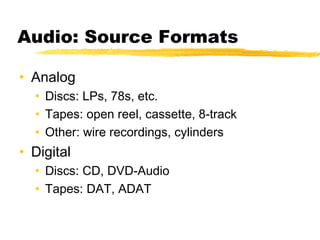
Audio: Source Formats
• Analog
• Discs: LPs, 78s, etc.
• Tapes: open reel, cassette, 8-track
• Other: wire recordings, cylinders
• Digital
• Discs: CD, DVD-Audio
• Tapes: DAT, ADAT
Digital Audio Basics
• Sampled waveform
• Pulse code modulation, or PCM
• PCM characteristics which determine quality
• Sample rate (hertz)
• Determines frequency range reproduced
• Sample rate = 2 * frequency range (Nyquist)
• Sample size (bits)
• Larger sample size = less quantization noise
• Number of channels
Digital Audio: Sampling
audio
sampling
quantization
noise
Barlow, Multimedia Systems, p. 77.
CD Audio
• Sample rate:
• 44.1 kHz (44,100 samples/second)
• Sample size:
• 16 bits
• Number of channels:
• 2 (stereo)
• Bitrate
• 44100 samples/second * 16 bits/sample * 2 channels
= 1.4112 megabits/second
Master Audio File Formats
• Two main formats (actually many more)
• WAV (Microsoft/IBM)
• AIFF (Apple)
• All essentially interchangable
• Header + sample data
• No true standard (i.e. ISO standards process) in
common use
• WAV is defacto standard
• Broadcast WAV gaining use
Audio Compression
• Most audio compression schemes for
music are lossy, based on
‘psychoacoustic’ techniques
• Based on understanding of human hearing
and audio processing
• Masking principle
• Subband coding
Audio Compression:
Masking Effect
Barlow, Multimedia Systems, p. 73.
Audio Compression:
Standards
• MPEG-1
• Layers 1, 2, and 3 (‘MP3’)
• Typically 128-384 kilobits/second (for stereo)
• MPEG-2
• Layers 1, 2, and 3 and AAC (Advanced Audio Coding)
• Typically 96-384 kilobits/second (for stereo)
• MPEG-4
• Improved AAC
• Synthetic audio
• Low bit rate parametric audio
Audio Compression:
Proprietary Formats (Codecs)
• QDesign Music
• Used with Apple QuickTime
• RealAudio
• Used with RealPlayer
• Windows Media Audio
• Used with Windows Media
• Codec: compressor/decompressor
Video: Source Formats
• Analog
• Tape: VHS, Betamax, 8mm, Hi8, Umatic,
Betacam SP
• Disc: Laserdisc, SelectaVision :-)
• Digital
• Tape: MiniDV, Digital8, DVCAM, Digital
Betacam
• Disc: Video CD, DVD
Video is just like a series of
still images, right?
• Scanned images
• Represented as grid of
Red-Green-Blue values
• Master images are
uncompressed, lossy
compression used for
derivatives
• See Jenn’s Fall 2003
Digitization of Photographs
brown bag presentation
for more info
No.
Video is somewhat like a
series of still images
• Video uses Red-Green-Blue color space
• Pixel resolution (width x height), number
of bits per pixel, and frame rate are factors
in quality
• But there’s much more to it…
Digital Video Basics
• A video signal consists of luminance and
chrominance information
• Luminance – brightness, varying from white to
black (abbreviated as Y)
• Chrominance – color (hue & saturation),
conveyed as a pair of color difference signals:
• R-Y (hue & saturation for red, without luminance)
• B-Y (hue & saturation for blue, without luminance)
• Where’s the green?
Digital Video Basics
4:2:2 sampling 4:2:0 sampling
4:1:1 sampling
4:2:2 – High End DV (Digital
Betacam, DVCPro50)
4:2:0 – MPEG 1 & 2
4:1:1 – DV and DVCAM
Digital Video Basics:
Scary Math
• Why not 4:4:4 sampling?
• 720 x 486 resolution = 349,920 pixels per frame
• 349,920 pixels x 10 bits/sample x 3 samples/pixel = 10,497,600
bits per frame
• 10,497,600 bits/frame X 29.97 frames/second = 314,613,072
bits per second
• 314,613,072 bps x 3600 seconds = ~141.58 GB/hour
• For 1920x1080 HDTV, more like 840 GB/hour
• 4:2:2 sampling drops that rate by a third with almost no
perceptible difference in quality.
• 4:2:0 and 4:1:1 drop it in half
• about 70 GB/hour for normal resolution video
Digital Video Compression
• 70 GB per hour (155 Megabits/second) 4:2:0 video is
still big and expensive
• Additional compression techniques
• Downsample from 10 bits/sample to 8 bits/sample
• Use typical image compression techniques (like JPEG)
• Interframe compression
• MPEG-2 Compression
• Good quality: 50 Megabits/second, no interframe compression
• Typical (DVD, cable box, satellite): 6-12 Megabits/second
Master Video File Formats:
No Good Choices
• Lossy
• MPEG-2
• DV
• Motion JPEG
• Motion JPEG2000
• Lossless
• QuickTime “Raw”
• Motion JPEG2000
Presentation Outline
• Digitization and capture
• Audio
• Video
• Delivery
• What’s going on at IU?
• Available digital audio/video services
• Digital library projects involving audio/video
Downloading
• User must wait for the entire file to
transfer before viewing any part of it
• Seeking within the file almost immediate
• User gets the entire file, and can use it in
any way they choose
• Quality is dependent on how long you’re
willing to make your users wait for the file
to download
Streaming
• File transferred to user in small parts, can view
once the first part has been delivered
• Seeking within the file requires communication
with the streaming server and a delay while a
new chunk of the file delivered
• User does not receive a complete re-usable
copy of the file
• Quality dependent on the network bandwidth
between the user and the streaming server
Streaming media players
• QuickTime
• Limited in codecs it can play back
• Comes with Mac operating systems
• No version for Unix/Linux
• RealPlayer
• Limited in codecs it can play back
• Free version hidden on download site
• Windows Media Player
• Limited in codecs it can play back
• Comes with Windows operating systems
• No version for Unix/Linux
• Latest version not released for Mac
Streaming servers
• Apple QuickTime/Darwin Streaming Server
• Open source (free!), uses open standards
• Streams QuickTime and MPEG-4 content
• RealNetworks Helix Universal Server
• Expensive, proprietary
• Streams Real, Windows Media, MPEG, and
QuickTime content
• Microsoft Windows Media Services
• Free with Windows Server, proprietary
• Streams Windows Media content
Other forms of delivery
• Tethered download
• DRM in effect
• iTunes, for example
• DVD
• uses MPEG-2
• ease of distribution
Presentation Outline
• Digitization and capture
• Audio
• Video
• Delivery
• What’s going on at IU?
• Available digital audio/video services
• Digital library projects involving audio/video
Digital audio and video
services at IU
• DLP
• DMNS
• DMS
• TLTC
• Radio/TV Services
Digital Library Program
(DLP)
• Can handle these
formats:
– VHS
– DVD
– Laserdisc
– CD
– Cassette
– Open reel tape
– DAT
– LPs
• Digitization and
consulting services as
part of the Digital Media
and Image Center
(DMIC)
• Contact: Kara Alexander,
Digital Media Specialist,
kalexand@indiana.edu
Digital Media Network
Services (DMNS)
• Division of UITS
• Hosts IU streaming media servers
• Service is free for IU academic and
administrative units
• Can stream Real, QuickTime, and
Windows Media content
• http://www.indiana.edu/~video/
• video@indiana.edu
Digital Media Services
(DMS)
• Division of UITS
• Digitization and derivative creation
services for still images, audio, and video
• System-wide service, based in
Indianapolis
• For-fee service
• http://dms.iu.edu/
• iudms@iu.edu
Teaching and Learning
Technologies Centers (TLTC)
• Sponsored by:
• Office of Academic Affairs
• Office of the Vice President for Information
Technology
• “Provides consulting and development for
integrating technologies into university teaching
and learning.”
• http://www.indiana.edu/~tltl/
• tltc@indiana.edu
Radio/TV Services
• Audio and video digitization in support of
public radio and public television
production services
• Performs digitization for campus units for
a fee
• Contact: Scott Carmichael,
sacarmic@indiana.edu
VARIATIONS
Digital Music Library
• Online since 1996
• Master audio file format:
• CD-quality WAV (stored in MDSS)
• Delivery audio format:
• MP2 (MPEG-1 layer 2) @ 384 Kilobits/second
• Streaming:
• IBM VideoCharger server
• http://www.dlib.indiana.edu/variations/
Variations2
Digital Music Library
• NSF-funded research project evolving into production
system for summer 2005
• Need to convert 10,000+ hours of audio from
VARIATIONS
• Master audio file format:
• CD-quality WAV
• Delivery audio formats:
• MP3 (MPEG-1 layer 3) @ 192 Kilobits/second
• MPEG-4 AAC @ 32 Kilobits/second
• Streaming:
• Apple QuickTime Streaming Server
• http://variations2.indiana.edu/
EVIA Digital Archive
• Ethnomusicology field video
• Master file formats:
• MPEG-2 @ 50 Megabits/second
• Digital Betacam tape at ATM (not really a file!)
• Delivery file formats:
• MPEG-2 @ 8 Megabits/second (on-campus, Internet2)
• MPEG-1 @ 1 Megabit/second (on-campus, Internet2)
• MPEG-4 @ 300 Kilobits/second (cable, DSL)
• Streaming:
• Apple QuickTime Streaming Server
• http://www.indiana.edu/~eviada/
Video E-Reserves Project
• Pilot tests performed Spring 2004 (2 classes)
and Fall 2004 (5 classes)
• Classes chosen for high enrollment and need to
view videos outside of class
• Pilots covered VHS and DVD
• Digitization and transcoding performed in DMIC
• 2 videos in Fall 2004 sent to DMS for comparison
Video E-Reserves
Workflow
• Master file
• MJPEG-A @ 10 Megabits/second
• Master file not kept after streaming files created and checked
• Delivery files
• MPEG-4 and RealVideo @ 1 Megabit/second
• MPEG-4 and RealVideo @ 300 Kilobits/second
• MPEG-4 and RealVideo @ 100 Kilobits/second
• MPEG-4 and RealVideo @ 40 Kilobits/second
• Streaming:
• Apple QuickTime Streaming Server
• RealNetworks Helix Universal Server
eres password
Video E-Reserves Access
UITS Streaming
Servers
eres password
course number
Demo
DAAP: Digital Audio
Archives Project
• IMLS-funded partnership:
• Johns Hopkins University Digital Knowledge Center
• IU Digital Library Program
• IU Cook Music Library
• IU School of Music
• October 2004 - September 2006
• R&D: Workflow for efficient high-quality audio
digitization
• Digitizing items from School of Music
performance archive
Sound Directions
• NEH-funded partnership:
• IU Archives of Traditional Music
• Harvard Loeb Music Library
• IU Digital Library Program
• Harvard University Library OIS
• Research and development:
• Best practices for digital audio preservation
• Creation of interoperable audio preservation packages
• http://www.dlib.indiana.edu/projects/sounddirections/
Questions?
• Jon Dunn: jwd@indiana.edu
• Jenn Riley: jenlrile@indiana.edu
• http://www.dlib.indiana.edu/workshops/
bbspring2005.htm
• Thanks to Jerry McDonough of NYU!

Digitizing and Delivering Audio and Video

  • 1.
    Digitizing and Delivering Audioand Video Jon Dunn Jenn Riley IU Digital Library Program Digital Library Brown Bag Series February 11, 2005
  • 2.
    Some questions toask when starting a project • What is the purpose of digitization? • Preservation/archiving • Delivery to users: network, CD-ROM, DVD • Both • Who are the users and what is the use? • Affects quality requirements • Where are the users? • Network bandwidth • How will they get to the content? • Metadata, searching, browsing
  • 3.
    Presentation Outline • Digitizationand capture • Audio • Video • Delivery • What’s going on at IU? • Available digital audio/video services • Digital library projects involving audio/video
  • 4.
    Presentation Outline • Digitizationand capture • Audio • Video • Delivery • What’s going on at IU? • Available digital audio/video services • Digital library projects involving audio/video
  • 5.
    Typical Audio/Video Workflow Source Masterfile Digitization/ Encoding Compressed derivative files for delivery Transcoding Editing/cleaning possible
  • 6.
    Tools for Digitization •Computer workstation • Audio/video source equipment • VCR, tape deck, turntable, etc. • Analog-to-digital converter • May be internal or external (connected to computer via USB or Firewire) • Wide range of quality: consumer, professional • Audio/video editing, compression software • Audio examples: Sound Forge, Bias Peak • Video examples: Adobe Premiere, Apple Final Cut Pro, Apple iMovie
  • 7.
    Audio: Source Formats •Analog • Discs: LPs, 78s, etc. • Tapes: open reel, cassette, 8-track • Other: wire recordings, cylinders • Digital • Discs: CD, DVD-Audio • Tapes: DAT, ADAT
  • 8.
    Digital Audio Basics •Sampled waveform • Pulse code modulation, or PCM • PCM characteristics which determine quality • Sample rate (hertz) • Determines frequency range reproduced • Sample rate = 2 * frequency range (Nyquist) • Sample size (bits) • Larger sample size = less quantization noise • Number of channels
  • 9.
  • 10.
    CD Audio • Samplerate: • 44.1 kHz (44,100 samples/second) • Sample size: • 16 bits • Number of channels: • 2 (stereo) • Bitrate • 44100 samples/second * 16 bits/sample * 2 channels = 1.4112 megabits/second
  • 11.
    Master Audio FileFormats • Two main formats (actually many more) • WAV (Microsoft/IBM) • AIFF (Apple) • All essentially interchangable • Header + sample data • No true standard (i.e. ISO standards process) in common use • WAV is defacto standard • Broadcast WAV gaining use
  • 12.
    Audio Compression • Mostaudio compression schemes for music are lossy, based on ‘psychoacoustic’ techniques • Based on understanding of human hearing and audio processing • Masking principle • Subband coding
  • 13.
  • 14.
    Audio Compression: Standards • MPEG-1 •Layers 1, 2, and 3 (‘MP3’) • Typically 128-384 kilobits/second (for stereo) • MPEG-2 • Layers 1, 2, and 3 and AAC (Advanced Audio Coding) • Typically 96-384 kilobits/second (for stereo) • MPEG-4 • Improved AAC • Synthetic audio • Low bit rate parametric audio
  • 15.
    Audio Compression: Proprietary Formats(Codecs) • QDesign Music • Used with Apple QuickTime • RealAudio • Used with RealPlayer • Windows Media Audio • Used with Windows Media • Codec: compressor/decompressor
  • 16.
    Video: Source Formats •Analog • Tape: VHS, Betamax, 8mm, Hi8, Umatic, Betacam SP • Disc: Laserdisc, SelectaVision :-) • Digital • Tape: MiniDV, Digital8, DVCAM, Digital Betacam • Disc: Video CD, DVD
  • 17.
    Video is justlike a series of still images, right? • Scanned images • Represented as grid of Red-Green-Blue values • Master images are uncompressed, lossy compression used for derivatives • See Jenn’s Fall 2003 Digitization of Photographs brown bag presentation for more info No.
  • 18.
    Video is somewhatlike a series of still images • Video uses Red-Green-Blue color space • Pixel resolution (width x height), number of bits per pixel, and frame rate are factors in quality • But there’s much more to it…
  • 19.
    Digital Video Basics •A video signal consists of luminance and chrominance information • Luminance – brightness, varying from white to black (abbreviated as Y) • Chrominance – color (hue & saturation), conveyed as a pair of color difference signals: • R-Y (hue & saturation for red, without luminance) • B-Y (hue & saturation for blue, without luminance) • Where’s the green?
  • 20.
    Digital Video Basics 4:2:2sampling 4:2:0 sampling 4:1:1 sampling 4:2:2 – High End DV (Digital Betacam, DVCPro50) 4:2:0 – MPEG 1 & 2 4:1:1 – DV and DVCAM
  • 21.
    Digital Video Basics: ScaryMath • Why not 4:4:4 sampling? • 720 x 486 resolution = 349,920 pixels per frame • 349,920 pixels x 10 bits/sample x 3 samples/pixel = 10,497,600 bits per frame • 10,497,600 bits/frame X 29.97 frames/second = 314,613,072 bits per second • 314,613,072 bps x 3600 seconds = ~141.58 GB/hour • For 1920x1080 HDTV, more like 840 GB/hour • 4:2:2 sampling drops that rate by a third with almost no perceptible difference in quality. • 4:2:0 and 4:1:1 drop it in half • about 70 GB/hour for normal resolution video
  • 22.
    Digital Video Compression •70 GB per hour (155 Megabits/second) 4:2:0 video is still big and expensive • Additional compression techniques • Downsample from 10 bits/sample to 8 bits/sample • Use typical image compression techniques (like JPEG) • Interframe compression • MPEG-2 Compression • Good quality: 50 Megabits/second, no interframe compression • Typical (DVD, cable box, satellite): 6-12 Megabits/second
  • 23.
    Master Video FileFormats: No Good Choices • Lossy • MPEG-2 • DV • Motion JPEG • Motion JPEG2000 • Lossless • QuickTime “Raw” • Motion JPEG2000
  • 24.
    Presentation Outline • Digitizationand capture • Audio • Video • Delivery • What’s going on at IU? • Available digital audio/video services • Digital library projects involving audio/video
  • 25.
    Downloading • User mustwait for the entire file to transfer before viewing any part of it • Seeking within the file almost immediate • User gets the entire file, and can use it in any way they choose • Quality is dependent on how long you’re willing to make your users wait for the file to download
  • 26.
    Streaming • File transferredto user in small parts, can view once the first part has been delivered • Seeking within the file requires communication with the streaming server and a delay while a new chunk of the file delivered • User does not receive a complete re-usable copy of the file • Quality dependent on the network bandwidth between the user and the streaming server
  • 27.
    Streaming media players •QuickTime • Limited in codecs it can play back • Comes with Mac operating systems • No version for Unix/Linux • RealPlayer • Limited in codecs it can play back • Free version hidden on download site • Windows Media Player • Limited in codecs it can play back • Comes with Windows operating systems • No version for Unix/Linux • Latest version not released for Mac
  • 28.
    Streaming servers • AppleQuickTime/Darwin Streaming Server • Open source (free!), uses open standards • Streams QuickTime and MPEG-4 content • RealNetworks Helix Universal Server • Expensive, proprietary • Streams Real, Windows Media, MPEG, and QuickTime content • Microsoft Windows Media Services • Free with Windows Server, proprietary • Streams Windows Media content
  • 29.
    Other forms ofdelivery • Tethered download • DRM in effect • iTunes, for example • DVD • uses MPEG-2 • ease of distribution
  • 30.
    Presentation Outline • Digitizationand capture • Audio • Video • Delivery • What’s going on at IU? • Available digital audio/video services • Digital library projects involving audio/video
  • 31.
    Digital audio andvideo services at IU • DLP • DMNS • DMS • TLTC • Radio/TV Services
  • 32.
    Digital Library Program (DLP) •Can handle these formats: – VHS – DVD – Laserdisc – CD – Cassette – Open reel tape – DAT – LPs • Digitization and consulting services as part of the Digital Media and Image Center (DMIC) • Contact: Kara Alexander, Digital Media Specialist, kalexand@indiana.edu
  • 33.
    Digital Media Network Services(DMNS) • Division of UITS • Hosts IU streaming media servers • Service is free for IU academic and administrative units • Can stream Real, QuickTime, and Windows Media content • http://www.indiana.edu/~video/ • video@indiana.edu
  • 34.
    Digital Media Services (DMS) •Division of UITS • Digitization and derivative creation services for still images, audio, and video • System-wide service, based in Indianapolis • For-fee service • http://dms.iu.edu/ • iudms@iu.edu
  • 35.
    Teaching and Learning TechnologiesCenters (TLTC) • Sponsored by: • Office of Academic Affairs • Office of the Vice President for Information Technology • “Provides consulting and development for integrating technologies into university teaching and learning.” • http://www.indiana.edu/~tltl/ • tltc@indiana.edu
  • 36.
    Radio/TV Services • Audioand video digitization in support of public radio and public television production services • Performs digitization for campus units for a fee • Contact: Scott Carmichael, sacarmic@indiana.edu
  • 37.
    VARIATIONS Digital Music Library •Online since 1996 • Master audio file format: • CD-quality WAV (stored in MDSS) • Delivery audio format: • MP2 (MPEG-1 layer 2) @ 384 Kilobits/second • Streaming: • IBM VideoCharger server • http://www.dlib.indiana.edu/variations/
  • 38.
    Variations2 Digital Music Library •NSF-funded research project evolving into production system for summer 2005 • Need to convert 10,000+ hours of audio from VARIATIONS • Master audio file format: • CD-quality WAV • Delivery audio formats: • MP3 (MPEG-1 layer 3) @ 192 Kilobits/second • MPEG-4 AAC @ 32 Kilobits/second • Streaming: • Apple QuickTime Streaming Server • http://variations2.indiana.edu/
  • 39.
    EVIA Digital Archive •Ethnomusicology field video • Master file formats: • MPEG-2 @ 50 Megabits/second • Digital Betacam tape at ATM (not really a file!) • Delivery file formats: • MPEG-2 @ 8 Megabits/second (on-campus, Internet2) • MPEG-1 @ 1 Megabit/second (on-campus, Internet2) • MPEG-4 @ 300 Kilobits/second (cable, DSL) • Streaming: • Apple QuickTime Streaming Server • http://www.indiana.edu/~eviada/
  • 40.
    Video E-Reserves Project •Pilot tests performed Spring 2004 (2 classes) and Fall 2004 (5 classes) • Classes chosen for high enrollment and need to view videos outside of class • Pilots covered VHS and DVD • Digitization and transcoding performed in DMIC • 2 videos in Fall 2004 sent to DMS for comparison
  • 41.
    Video E-Reserves Workflow • Masterfile • MJPEG-A @ 10 Megabits/second • Master file not kept after streaming files created and checked • Delivery files • MPEG-4 and RealVideo @ 1 Megabit/second • MPEG-4 and RealVideo @ 300 Kilobits/second • MPEG-4 and RealVideo @ 100 Kilobits/second • MPEG-4 and RealVideo @ 40 Kilobits/second • Streaming: • Apple QuickTime Streaming Server • RealNetworks Helix Universal Server
  • 42.
    eres password Video E-ReservesAccess UITS Streaming Servers eres password course number Demo
  • 43.
    DAAP: Digital Audio ArchivesProject • IMLS-funded partnership: • Johns Hopkins University Digital Knowledge Center • IU Digital Library Program • IU Cook Music Library • IU School of Music • October 2004 - September 2006 • R&D: Workflow for efficient high-quality audio digitization • Digitizing items from School of Music performance archive
  • 44.
    Sound Directions • NEH-fundedpartnership: • IU Archives of Traditional Music • Harvard Loeb Music Library • IU Digital Library Program • Harvard University Library OIS • Research and development: • Best practices for digital audio preservation • Creation of interoperable audio preservation packages • http://www.dlib.indiana.edu/projects/sounddirections/
  • 45.
    Questions? • Jon Dunn:jwd@indiana.edu • Jenn Riley: jenlrile@indiana.edu • http://www.dlib.indiana.edu/workshops/ bbspring2005.htm • Thanks to Jerry McDonough of NYU!

Editor's Notes

  • #18 All formats have audio as well, of course
  • #21 Green can be computed from Brightness (Luminance), Red, and Blue information.
  • #22 Y, R, and B are not stored for every pixel 4:2:2 sampling: Y on every pixel, R+B on every other 4:2:0 sampling: Y on every pixel, each of R and B on every fourth pixel 4:1:1 sampling: Y on every pixel, R+B on every fourth pixel
  • #29 Reiterate that codec != format != player
  • #40 Mention time it took to convert content
  • #43 Used both MPEG-4 (QuickTime) and RealVideo in part to help avoid player problems