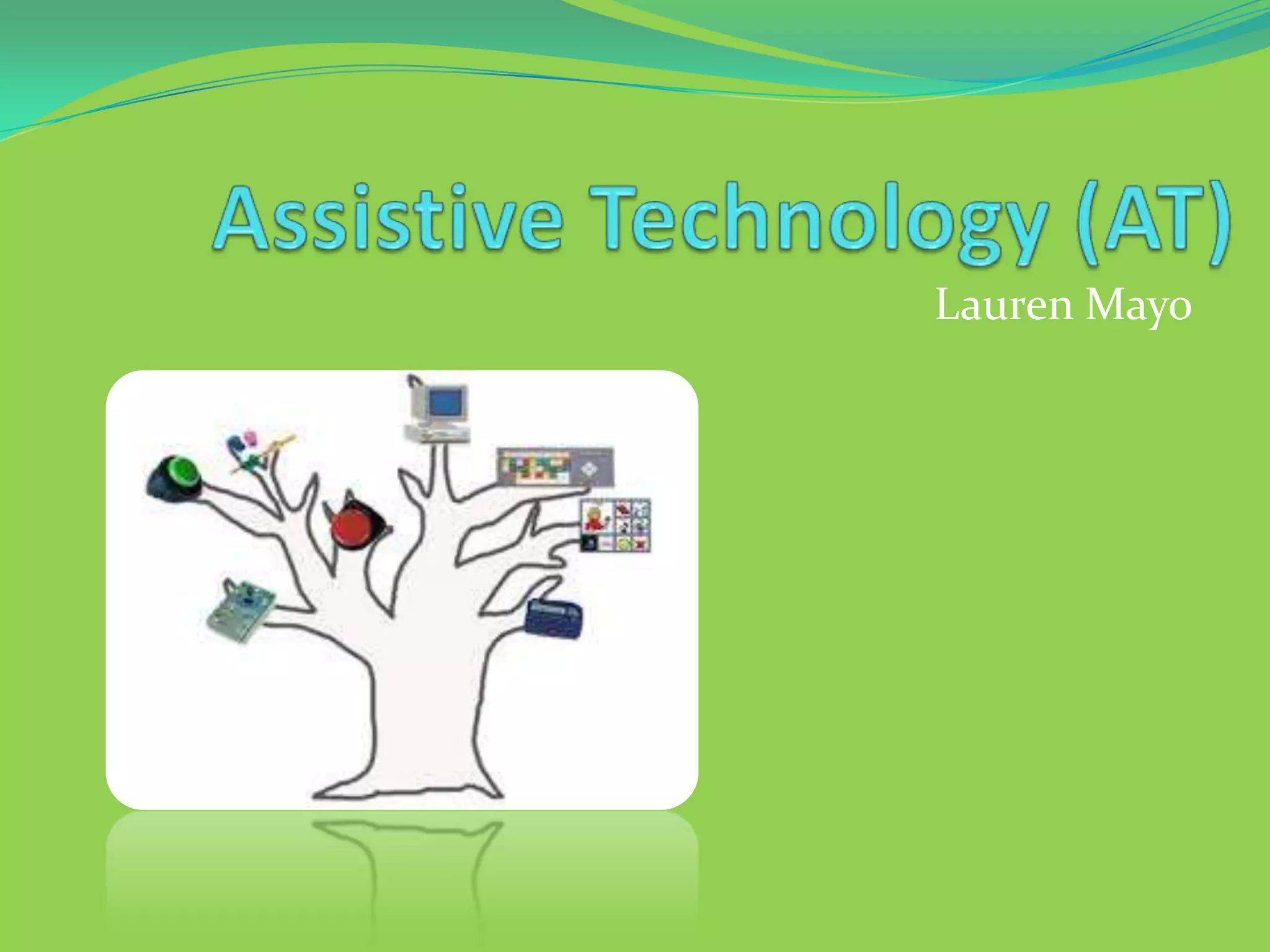
Lauren Mayo
According to the Assistive Technology Act of 1998,
assistive technology refers to
"any item, piece of equipment, or product that is
used to increase, maintain, or improve
functional capabilities of individuals with
disabilities“
Watch this video to see how AT helps people reach
their full potential!
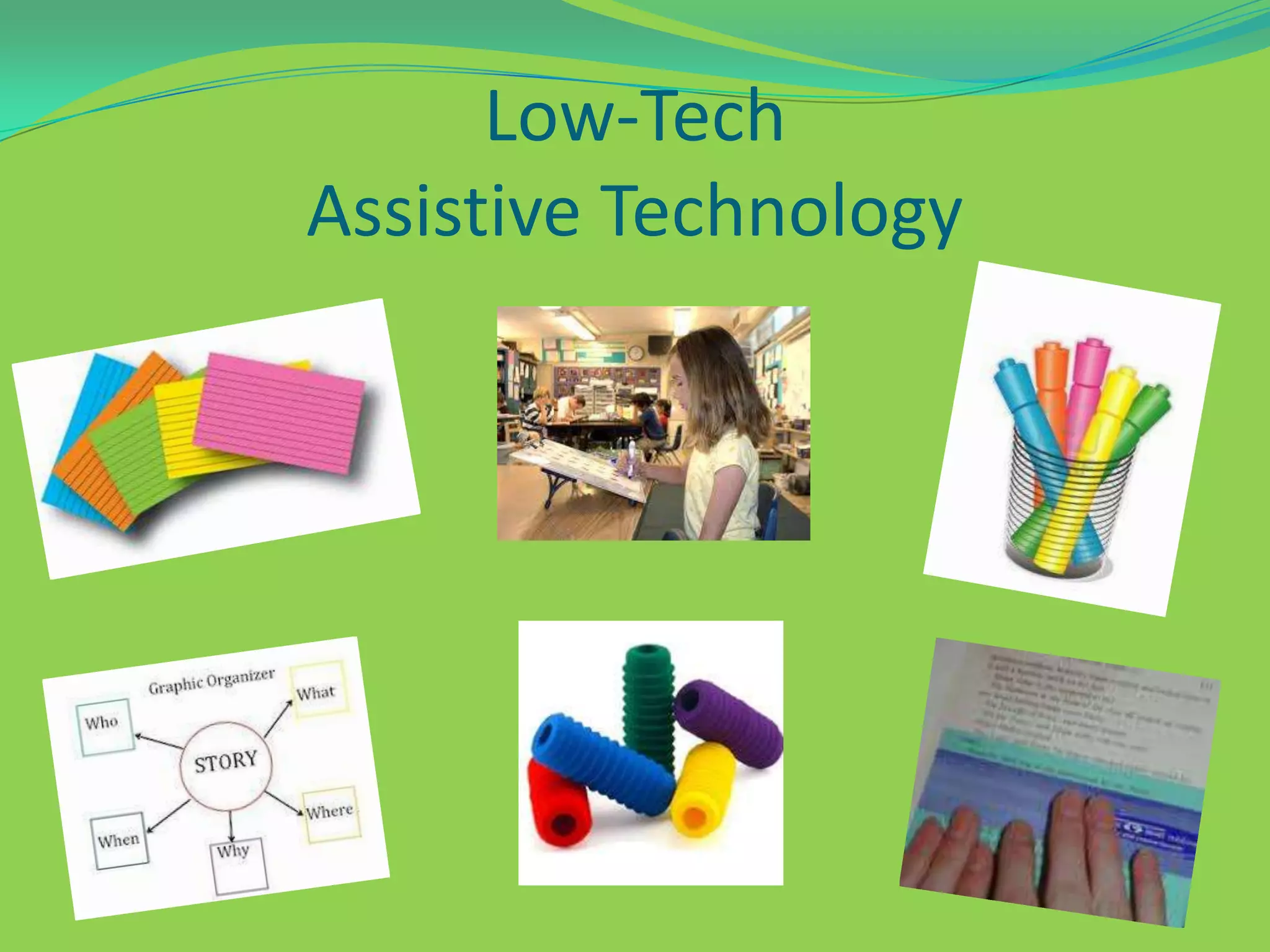
Low-Tech
Assistive Technology
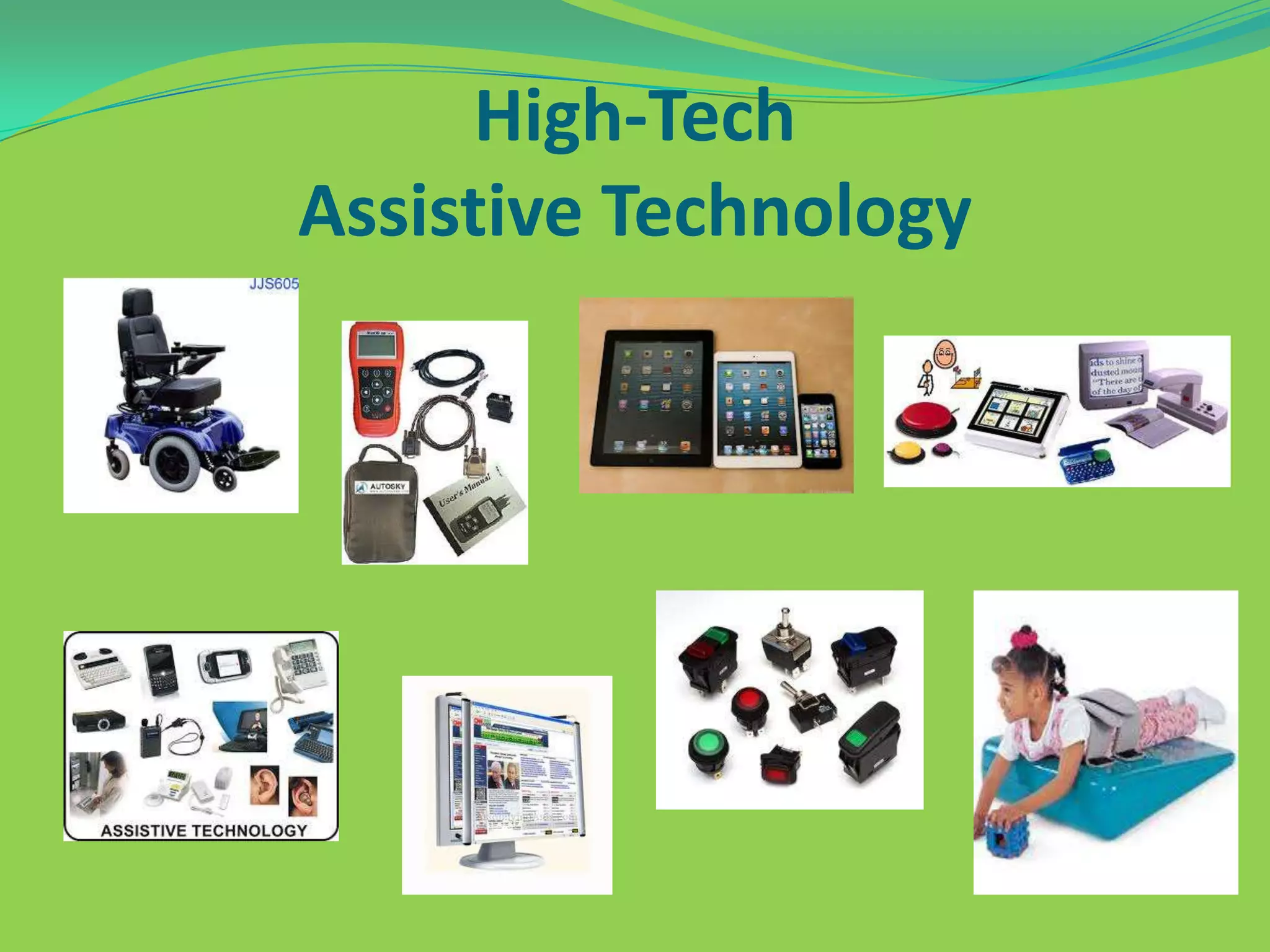
High-Tech
Assistive Technology
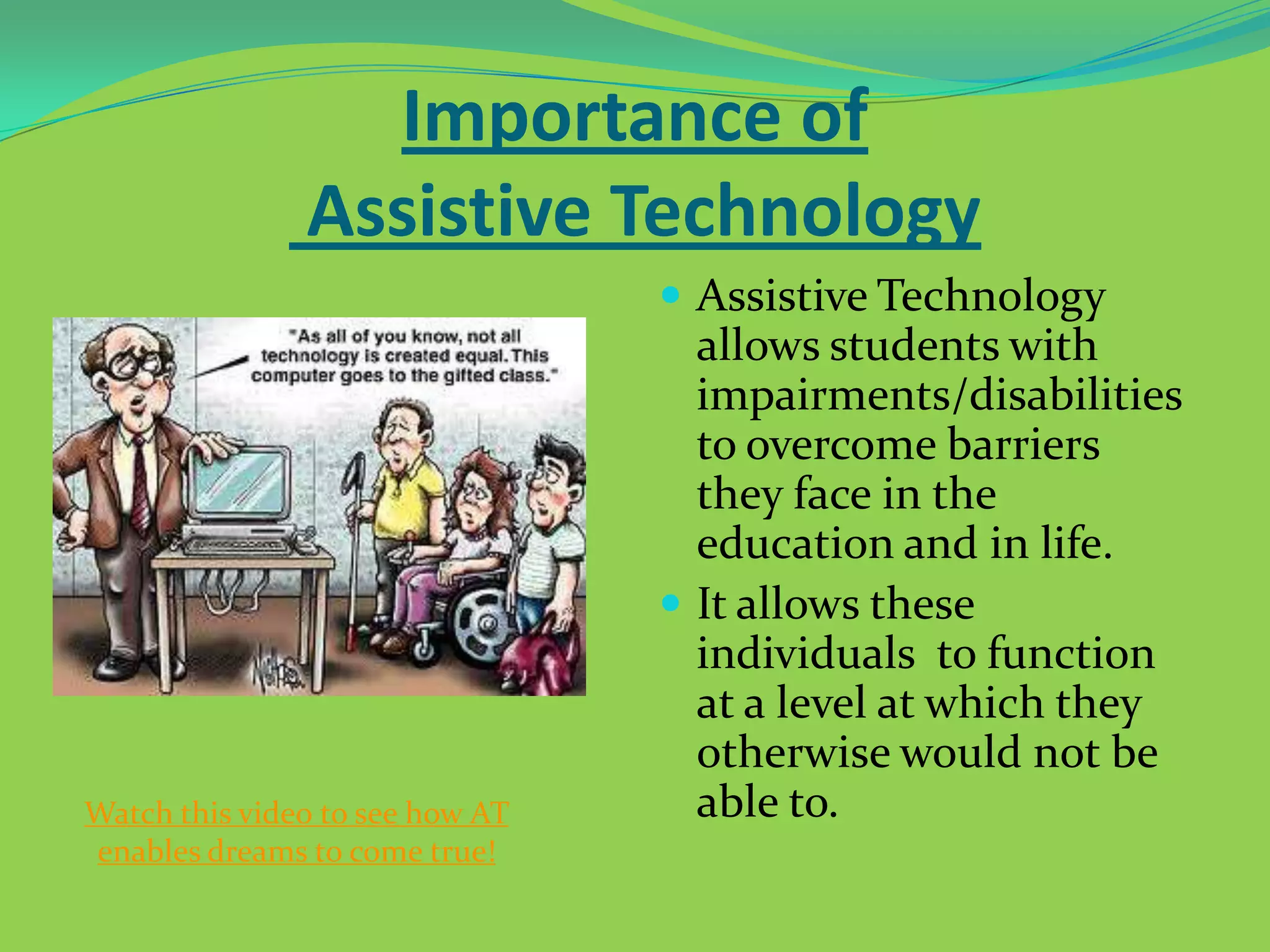
Importance of
Assistive Technology
 Assistive Technology

Watch this video to see how AT
enables dreams to come true!

allows students with
impairments/disabilities
to overcome barriers
they face in the
education and in life.
 It allows these
individuals to function
at a level at which they
otherwise would not be
able to.
Assistive Technology
in the School
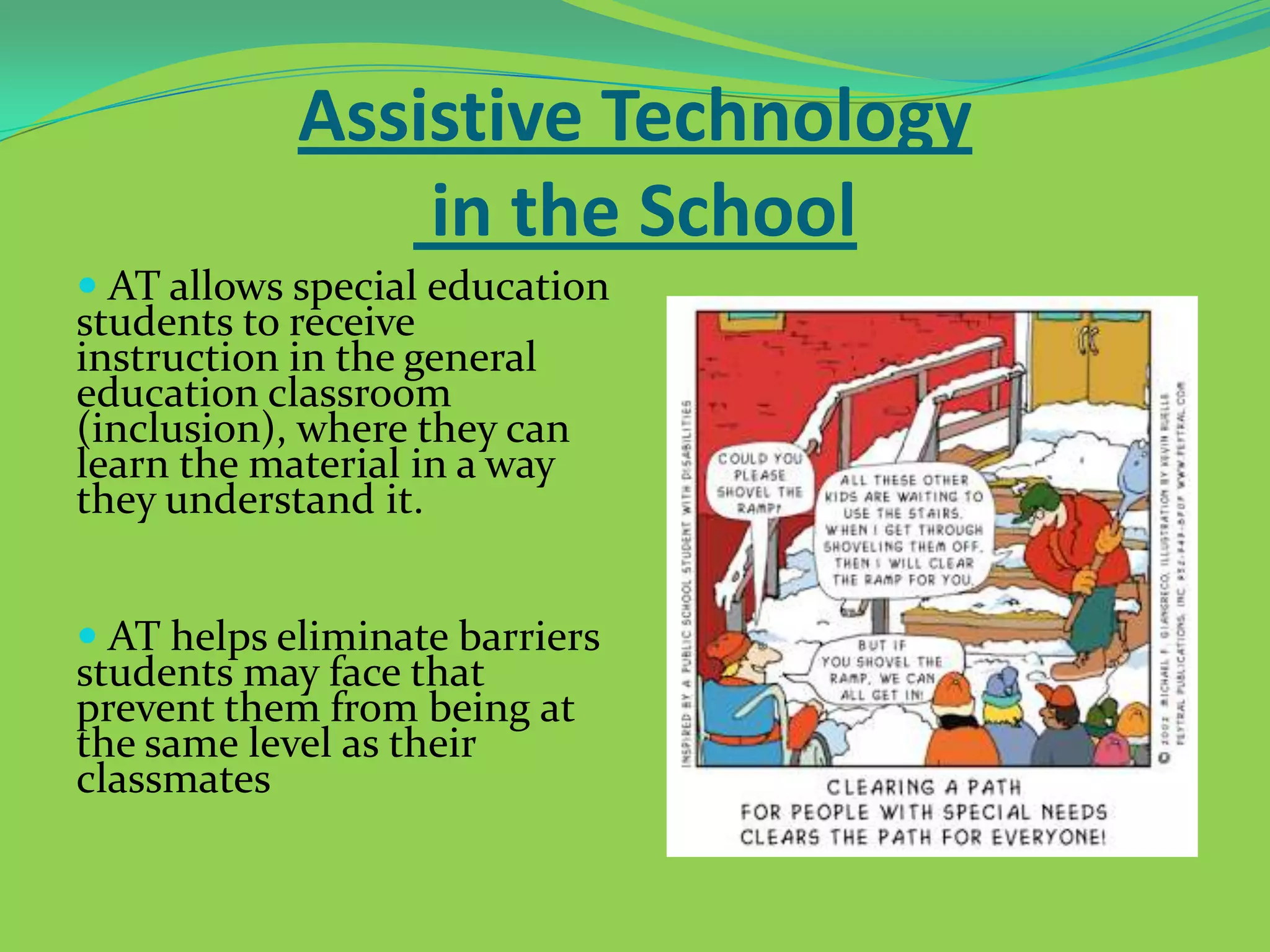
 AT allows special education

students to receive
instruction in the general
education classroom
(inclusion), where they can
learn the material in a way
they understand it.

 AT helps eliminate barriers

students may face that
prevent them from being at
the same level as their
classmates
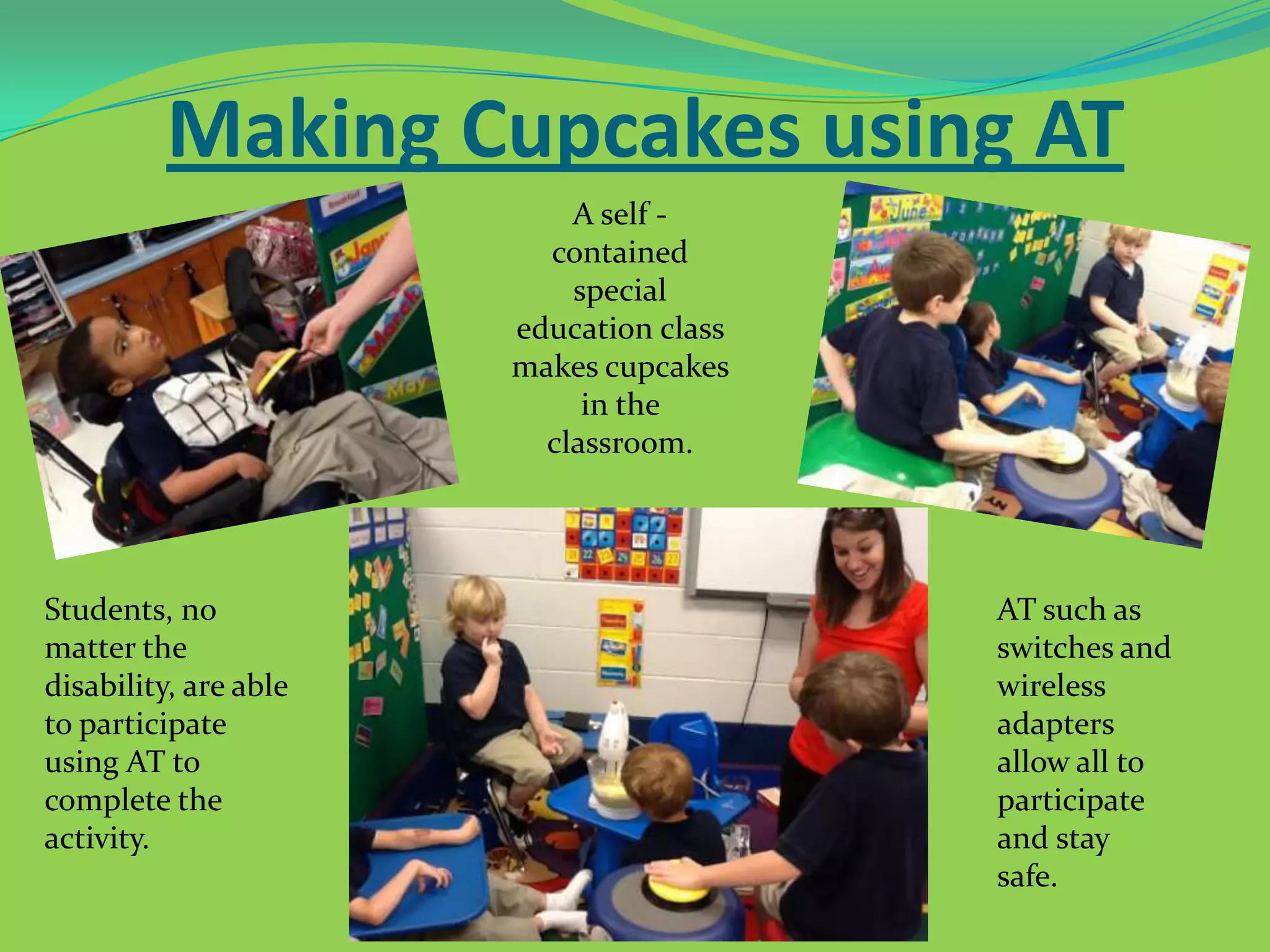
Making Cupcakes using AT
A self contained
special
education class
makes cupcakes
in the
classroom.

Students, no
matter the
disability, are able
to participate
using AT to
complete the
activity.

AT such as
switches and
wireless
adapters
allow all to
participate
and stay
safe.
Laws Regarding
Assistive Technology
 The Rehabilitation Amendments: identified

discrimination amongst individuals with disabilities
and ensured that these individuals have the same
access rights to technology and are provided with
proper adaptations.
 The Americans with Disabilities Act: broadened the

definition of those who are considered to have
disabilities and the adaptations that must be provided
for them
Laws Regarding
Assistive Technology Cont.
 The Individuals with Disabilities Act: led to the

development of the Individualized Education Plan (IEP)
and mandated that assistive technology options be
considered for students with disabilities/impairments.
 The Individuals with Disabilities Education

Improvement Act of 2004 (IDEA): maintains the right of
all children with disabilities to a free and appropriate
public education in the least restrictive environment. It is
closely aligned with the No Child Left Behind Act and
maintains that IEP teams should consider assistive
technology for students with disabilities.
IDEA
 The IDEA also describes services that a school might need

in place to ensure that the assistive technology is helpful to
the student and that it aids in their educational success.
Below is a list of these services.









Evaluation of the technology needs of the individual, including a functional evaluation in the
individual’s environment.
Purchasing, leasing or otherwise providing for the acquisition of assistive technology devices for
individuals with disabilities.
Selecting, designing, fitting, customizing, adapting, applying, maintaining, repairing or replacing of
assistive technology devices.
Coordinating and using other therapies, interventions or services with assistive technologies or devices,
such as those associated with existing education and rehabilitation plans and programs (O.T., P.T.,
Speech).
Assistive technology training or technical assistance with assistive technology for an individual with a
disability, or where appropriate, the family of an individual with disabilities.
Training or technical assistance for professionals, employers or other individuals who provide services
to employ or otherwise are substantially involved in the major life functions of individuals with
disabilities.
Example of AT for the
Visually Impaired
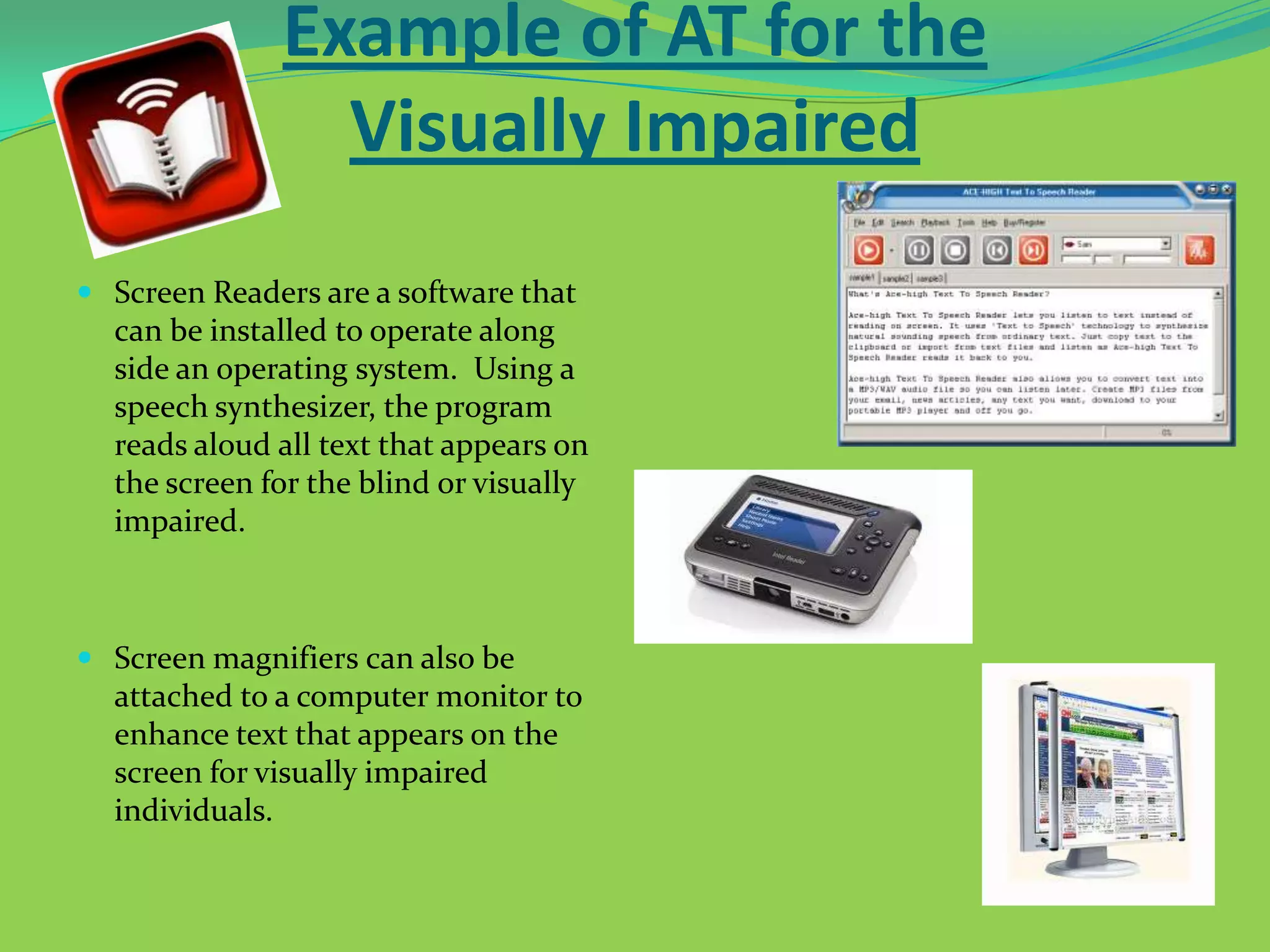
 Screen Readers are a software that
can be installed to operate along
side an operating system. Using a
speech synthesizer, the program

reads aloud all text that appears on
the screen for the blind or visually
impaired.

 Screen magnifiers can also be
attached to a computer monitor to
enhance text that appears on the
screen for visually impaired
individuals.
Example of AT for the
Physically Impaired
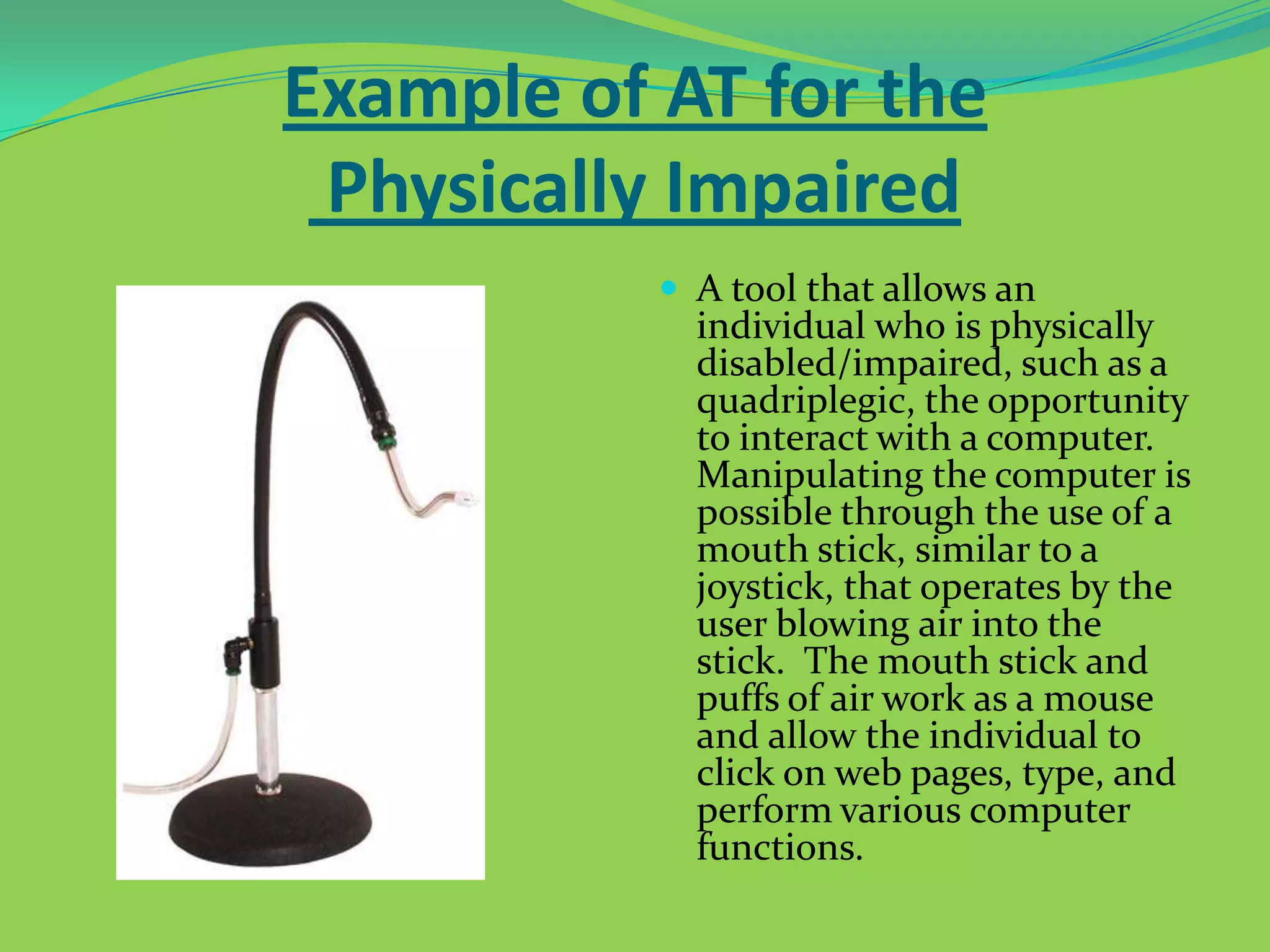
 A tool that allows an

individual who is physically
disabled/impaired, such as a
quadriplegic, the opportunity
to interact with a computer.
Manipulating the computer is
possible through the use of a
mouth stick, similar to a
joystick, that operates by the
user blowing air into the
stick. The mouth stick and
puffs of air work as a mouse
and allow the individual to
click on web pages, type, and
perform various computer
functions.
Example of AT for the Hearing
Impaired
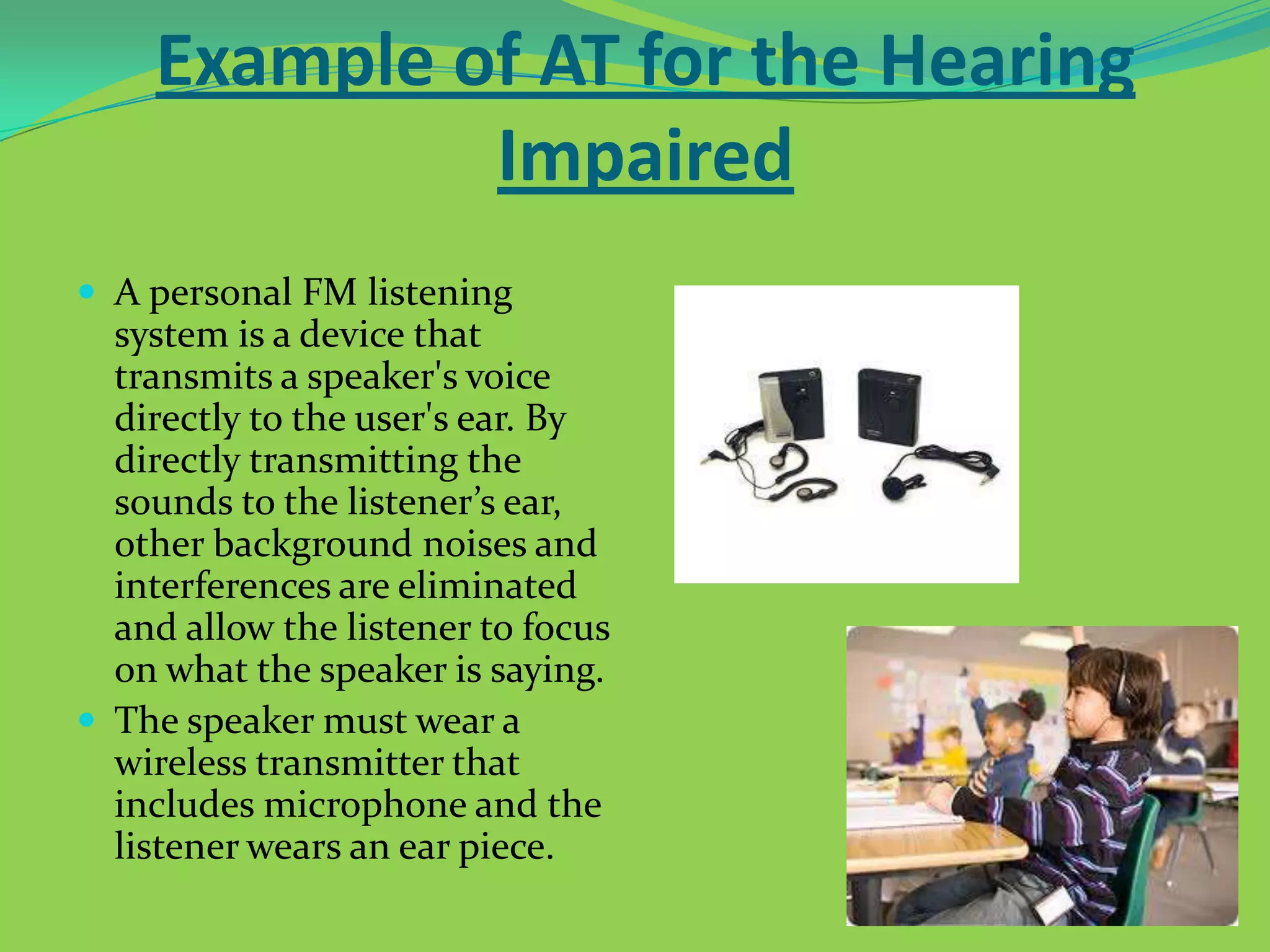
 A personal FM listening

system is a device that
transmits a speaker's voice
directly to the user's ear. By
directly transmitting the
sounds to the listener’s ear,
other background noises and
interferences are eliminated
and allow the listener to focus
on what the speaker is saying.
 The speaker must wear a
wireless transmitter that
includes microphone and the
listener wears an ear piece.
Example of AT for the
Learning Disabled
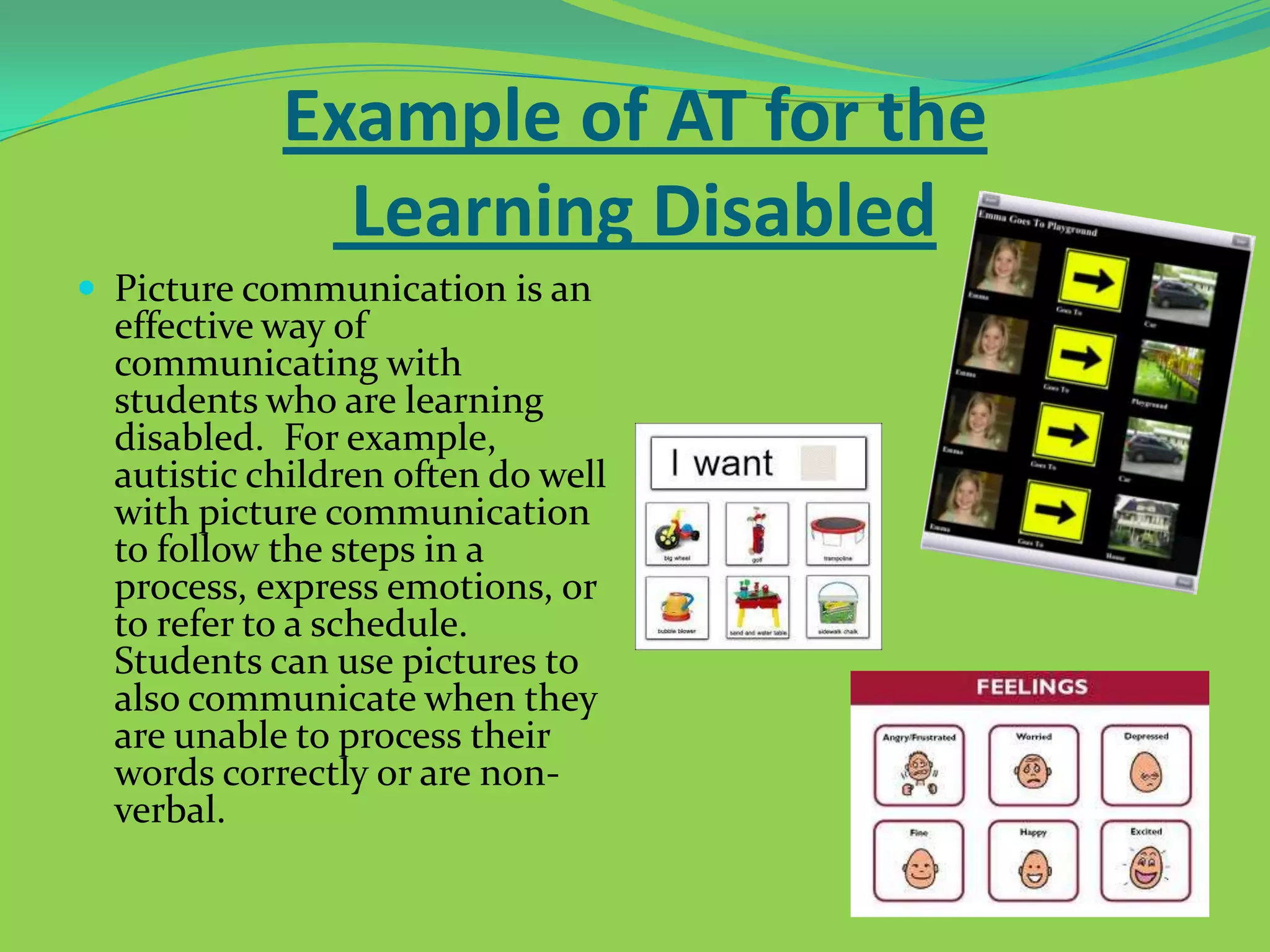
 Picture communication is an

effective way of
communicating with
students who are learning
disabled. For example,
autistic children often do well
with picture communication
to follow the steps in a
process, express emotions, or
to refer to a schedule.
Students can use pictures to
also communicate when they
are unable to process their
words correctly or are nonverbal.
Assistive Technology At Work

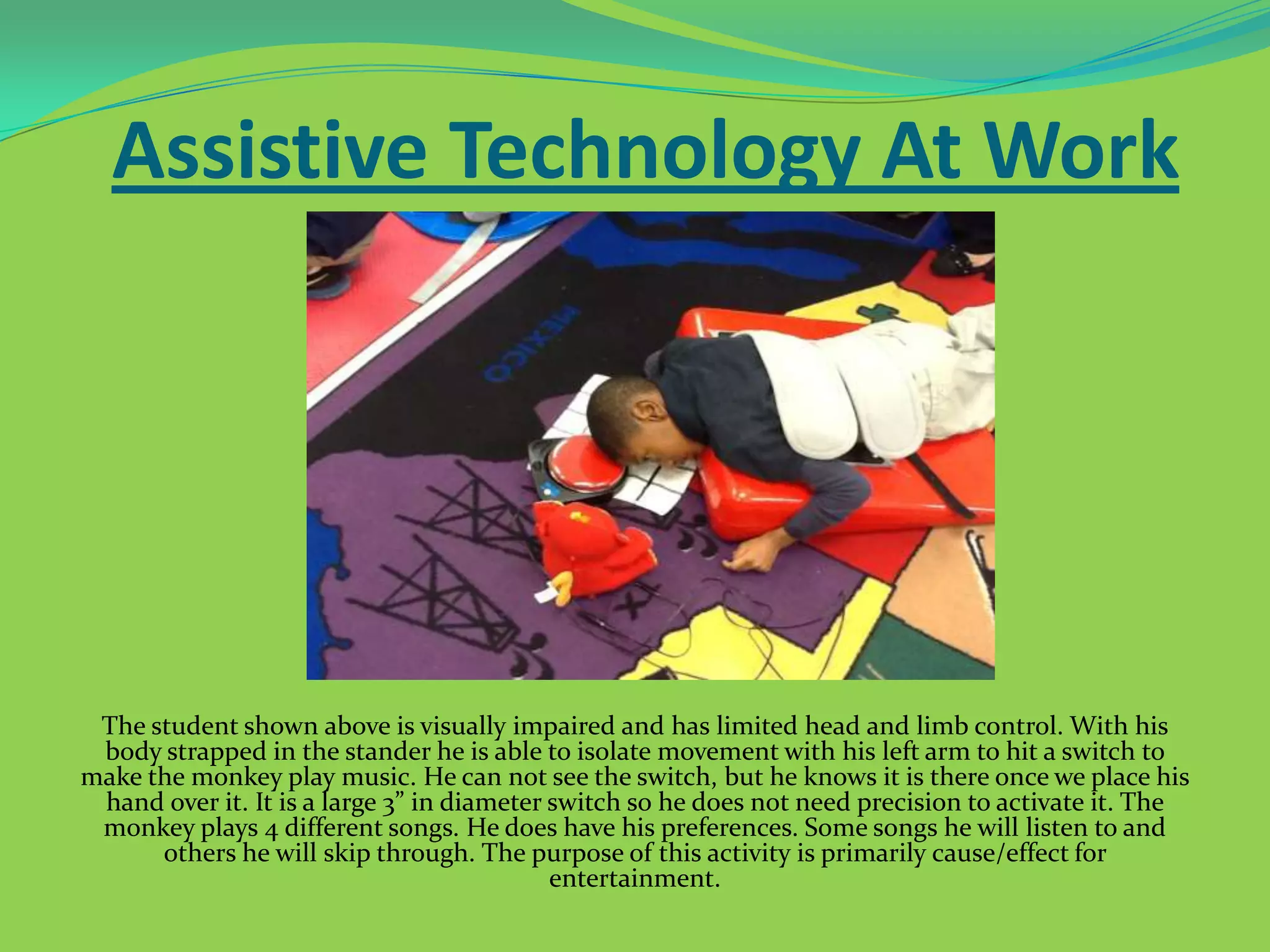
The student shown above is visually impaired and has limited head and limb control. With his
body strapped in the stander he is able to isolate movement with his left arm to hit a switch to
make the monkey play music. He can not see the switch, but he knows it is there once we place his
hand over it. It is a large 3” in diameter switch so he does not need precision to activate it. The
monkey plays 4 different songs. He does have his preferences. Some songs he will listen to and
others he will skip through. The purpose of this activity is primarily cause/effect for
entertainment.
Assistive Technology At Work

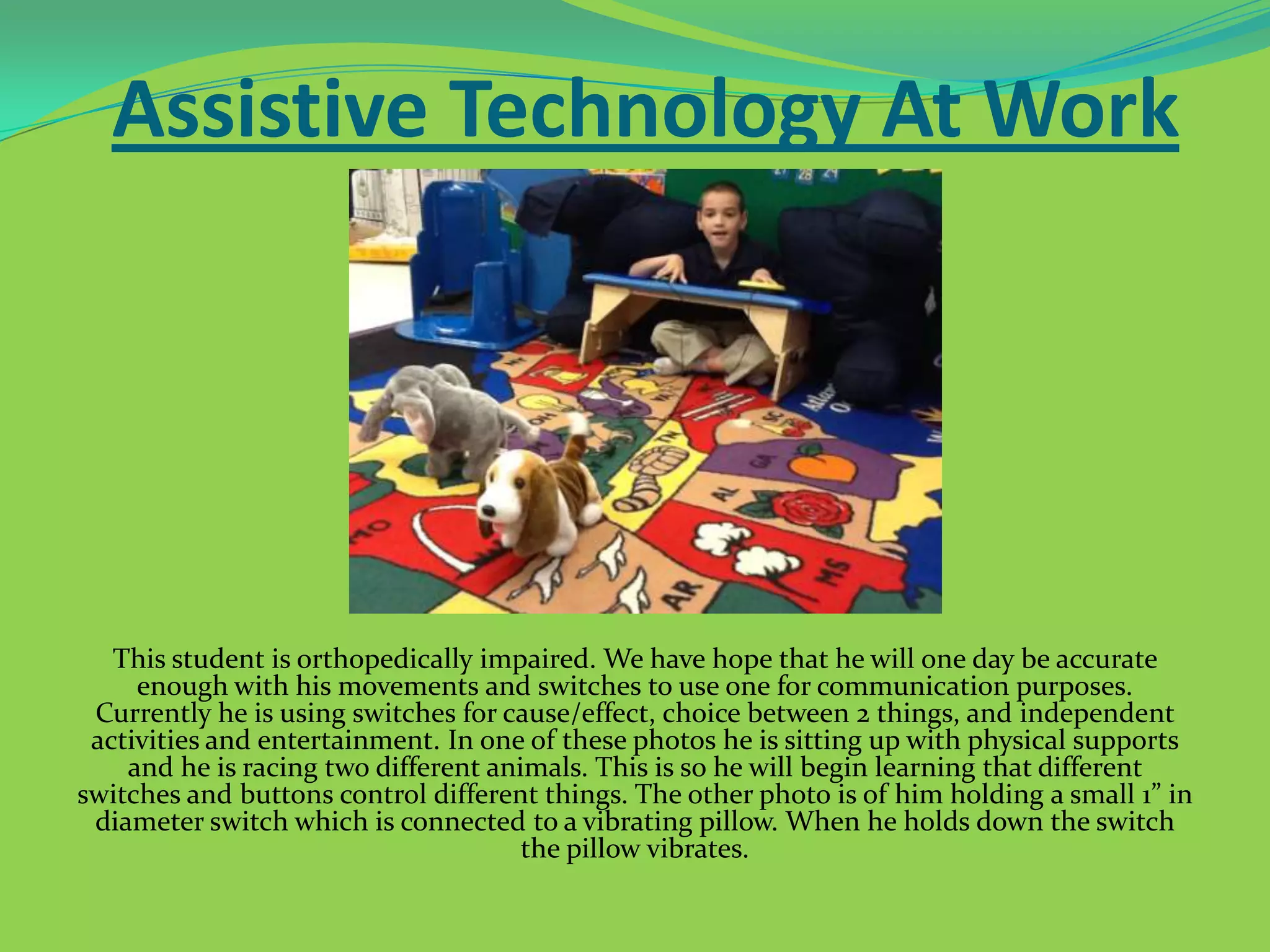
This student is orthopedically impaired. We have hope that he will one day be accurate
enough with his movements and switches to use one for communication purposes.
Currently he is using switches for cause/effect, choice between 2 things, and independent
activities and entertainment. In one of these photos he is sitting up with physical supports
and he is racing two different animals. This is so he will begin learning that different
switches and buttons control different things. The other photo is of him holding a small 1” in
diameter switch which is connected to a vibrating pillow. When he holds down the switch
the pillow vibrates.
Assistive Technology At Work
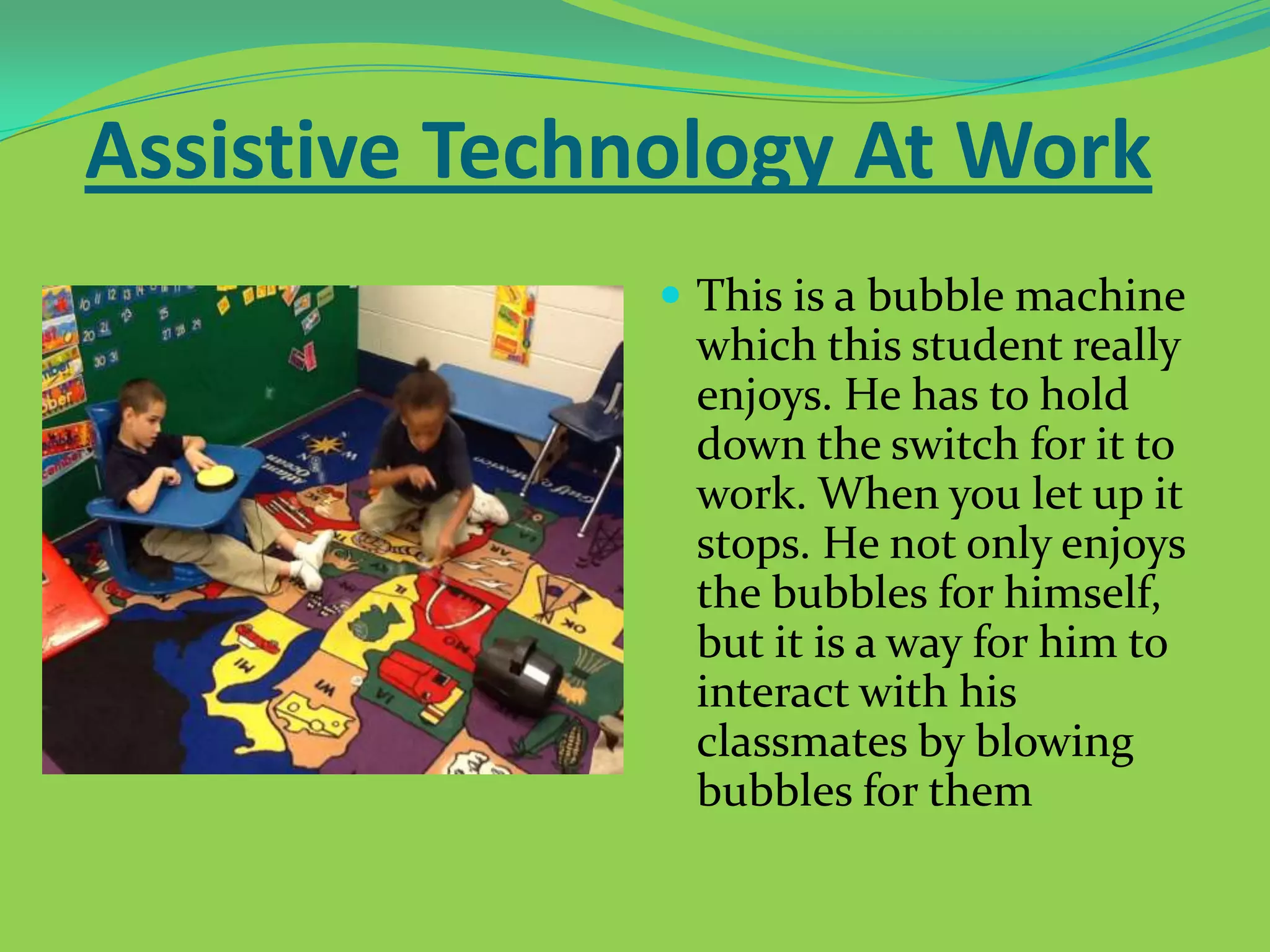
 These are voice recorders

that will hold up to 10
seconds of speech. These
are programmed currently
with student names, the
letter and sound they are
working on, and day of the
week. The students can
push the button. To give a
response in place of their
voice since they are all
non-verbal.
Assistive Technology At Work
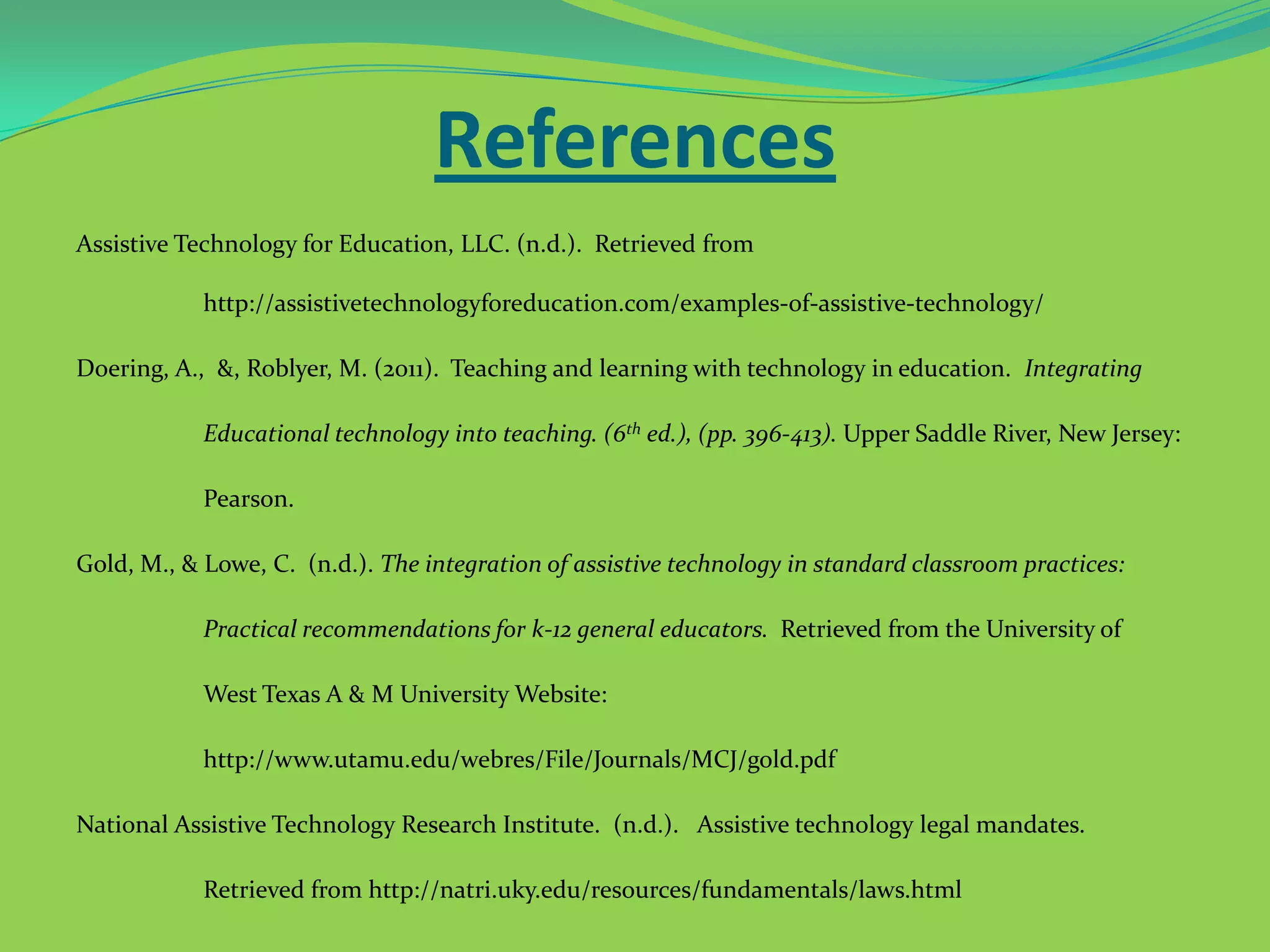
 This is a bubble machine

which this student really
enjoys. He has to hold
down the switch for it to
work. When you let up it
stops. He not only enjoys
the bubbles for himself,
but it is a way for him to
interact with his
classmates by blowing
bubbles for them
References
Assistive Technology for Education, LLC. (n.d.). Retrieved from
http://assistivetechnologyforeducation.com/examples-of-assistive-technology/
Doering, A., &, Roblyer, M. (2011). Teaching and learning with technology in education. Integrating
Educational technology into teaching. (6th ed.), (pp. 396-413). Upper Saddle River, New Jersey:
Pearson.

Gold, M., & Lowe, C. (n.d.). The integration of assistive technology in standard classroom practices:
Practical recommendations for k-12 general educators. Retrieved from the University of
West Texas A & M University Website:
http://www.utamu.edu/webres/File/Journals/MCJ/gold.pdf
National Assistive Technology Research Institute. (n.d.). Assistive technology legal mandates.
Retrieved from http://natri.uky.edu/resources/fundamentals/laws.html
References Continued
National Assistive Technology Research Institute. (n.d.). What is assistive technology? Retrieved
from http://natri.uky.edu/resources/fundamentals/defined.html
Raskind, M, &, Stanberry, K. (2009). Assistive technology for kids with learning disabilities: an overview.
Reading rockets. Retrieved from http://www.readingrockets.org/article/33074
Teach Thought. (2013.). 8 Helpful assistive technology tools for your classroom. Retrieved from
http://www.teachthought.com/technology/8-helpful-assistive-technology-tools-for-yourclassroom/

Assistive Technology

  • 1.
  • 2.
    According to theAssistive Technology Act of 1998, assistive technology refers to "any item, piece of equipment, or product that is used to increase, maintain, or improve functional capabilities of individuals with disabilities“ Watch this video to see how AT helps people reach their full potential!
  • 3.
  • 4.
  • 5.
    Importance of Assistive Technology Assistive Technology Watch this video to see how AT enables dreams to come true! allows students with impairments/disabilities to overcome barriers they face in the education and in life.  It allows these individuals to function at a level at which they otherwise would not be able to.
  • 6.
    Assistive Technology in theSchool  AT allows special education students to receive instruction in the general education classroom (inclusion), where they can learn the material in a way they understand it.  AT helps eliminate barriers students may face that prevent them from being at the same level as their classmates
  • 7.
    Making Cupcakes usingAT A self contained special education class makes cupcakes in the classroom. Students, no matter the disability, are able to participate using AT to complete the activity. AT such as switches and wireless adapters allow all to participate and stay safe.
  • 8.
    Laws Regarding Assistive Technology The Rehabilitation Amendments: identified discrimination amongst individuals with disabilities and ensured that these individuals have the same access rights to technology and are provided with proper adaptations.  The Americans with Disabilities Act: broadened the definition of those who are considered to have disabilities and the adaptations that must be provided for them
  • 9.
    Laws Regarding Assistive TechnologyCont.  The Individuals with Disabilities Act: led to the development of the Individualized Education Plan (IEP) and mandated that assistive technology options be considered for students with disabilities/impairments.  The Individuals with Disabilities Education Improvement Act of 2004 (IDEA): maintains the right of all children with disabilities to a free and appropriate public education in the least restrictive environment. It is closely aligned with the No Child Left Behind Act and maintains that IEP teams should consider assistive technology for students with disabilities.
  • 10.
    IDEA  The IDEAalso describes services that a school might need in place to ensure that the assistive technology is helpful to the student and that it aids in their educational success. Below is a list of these services.       Evaluation of the technology needs of the individual, including a functional evaluation in the individual’s environment. Purchasing, leasing or otherwise providing for the acquisition of assistive technology devices for individuals with disabilities. Selecting, designing, fitting, customizing, adapting, applying, maintaining, repairing or replacing of assistive technology devices. Coordinating and using other therapies, interventions or services with assistive technologies or devices, such as those associated with existing education and rehabilitation plans and programs (O.T., P.T., Speech). Assistive technology training or technical assistance with assistive technology for an individual with a disability, or where appropriate, the family of an individual with disabilities. Training or technical assistance for professionals, employers or other individuals who provide services to employ or otherwise are substantially involved in the major life functions of individuals with disabilities.
  • 11.
    Example of ATfor the Visually Impaired  Screen Readers are a software that can be installed to operate along side an operating system. Using a speech synthesizer, the program reads aloud all text that appears on the screen for the blind or visually impaired.  Screen magnifiers can also be attached to a computer monitor to enhance text that appears on the screen for visually impaired individuals.
  • 12.
    Example of ATfor the Physically Impaired  A tool that allows an individual who is physically disabled/impaired, such as a quadriplegic, the opportunity to interact with a computer. Manipulating the computer is possible through the use of a mouth stick, similar to a joystick, that operates by the user blowing air into the stick. The mouth stick and puffs of air work as a mouse and allow the individual to click on web pages, type, and perform various computer functions.
  • 13.
    Example of ATfor the Hearing Impaired  A personal FM listening system is a device that transmits a speaker's voice directly to the user's ear. By directly transmitting the sounds to the listener’s ear, other background noises and interferences are eliminated and allow the listener to focus on what the speaker is saying.  The speaker must wear a wireless transmitter that includes microphone and the listener wears an ear piece.
  • 14.
    Example of ATfor the Learning Disabled  Picture communication is an effective way of communicating with students who are learning disabled. For example, autistic children often do well with picture communication to follow the steps in a process, express emotions, or to refer to a schedule. Students can use pictures to also communicate when they are unable to process their words correctly or are nonverbal.
  • 15.
    Assistive Technology AtWork The student shown above is visually impaired and has limited head and limb control. With his body strapped in the stander he is able to isolate movement with his left arm to hit a switch to make the monkey play music. He can not see the switch, but he knows it is there once we place his hand over it. It is a large 3” in diameter switch so he does not need precision to activate it. The monkey plays 4 different songs. He does have his preferences. Some songs he will listen to and others he will skip through. The purpose of this activity is primarily cause/effect for entertainment.
  • 16.
    Assistive Technology AtWork This student is orthopedically impaired. We have hope that he will one day be accurate enough with his movements and switches to use one for communication purposes. Currently he is using switches for cause/effect, choice between 2 things, and independent activities and entertainment. In one of these photos he is sitting up with physical supports and he is racing two different animals. This is so he will begin learning that different switches and buttons control different things. The other photo is of him holding a small 1” in diameter switch which is connected to a vibrating pillow. When he holds down the switch the pillow vibrates.
  • 17.
    Assistive Technology AtWork  These are voice recorders that will hold up to 10 seconds of speech. These are programmed currently with student names, the letter and sound they are working on, and day of the week. The students can push the button. To give a response in place of their voice since they are all non-verbal.
  • 18.
    Assistive Technology AtWork  This is a bubble machine which this student really enjoys. He has to hold down the switch for it to work. When you let up it stops. He not only enjoys the bubbles for himself, but it is a way for him to interact with his classmates by blowing bubbles for them
  • 19.
    References Assistive Technology forEducation, LLC. (n.d.). Retrieved from http://assistivetechnologyforeducation.com/examples-of-assistive-technology/ Doering, A., &, Roblyer, M. (2011). Teaching and learning with technology in education. Integrating Educational technology into teaching. (6th ed.), (pp. 396-413). Upper Saddle River, New Jersey: Pearson. Gold, M., & Lowe, C. (n.d.). The integration of assistive technology in standard classroom practices: Practical recommendations for k-12 general educators. Retrieved from the University of West Texas A & M University Website: http://www.utamu.edu/webres/File/Journals/MCJ/gold.pdf National Assistive Technology Research Institute. (n.d.). Assistive technology legal mandates. Retrieved from http://natri.uky.edu/resources/fundamentals/laws.html
  • 20.
    References Continued National AssistiveTechnology Research Institute. (n.d.). What is assistive technology? Retrieved from http://natri.uky.edu/resources/fundamentals/defined.html Raskind, M, &, Stanberry, K. (2009). Assistive technology for kids with learning disabilities: an overview. Reading rockets. Retrieved from http://www.readingrockets.org/article/33074 Teach Thought. (2013.). 8 Helpful assistive technology tools for your classroom. Retrieved from http://www.teachthought.com/technology/8-helpful-assistive-technology-tools-for-yourclassroom/