Assistive Technology
For Students with
Learning Disabilities
By: Wendy Hembree
Assistive Technology:
Any piece of equipment or software system used by individuals
to perform tasks that might be otherwise difficult or impossible.
Assistive Technology includes products and services to help
people who have difficulty speaking, hearing, seeing, walking,
learning, etc.
Laws that impact the provision of Assistive
Technology:
Americans with Disabilities Act (ADA) prohibits discrimination on the
basis of disability in employment, state and local government, public
accommodations, commercial facilities, transportation, and
telecommunications.
Individuals with Disabilities Act (IDEA) was initially passed in 1975 as
P.L. 94-142 guaranteed that eligible children and youth with disabilities
would have a free and appropriate public education available to them,
designed to meet their educational needs.
Assistive Technology Act of 1998; An act to support programs of grants
to State to address the assistive technology needs of individuals with
disabilities.
Section 508 of the Rehabilitation Act: Requires that all electronic and
information technologies developed and used by any Federal
Government Agency must be accessible to people with disabilities.
Examples of Assistive Technology
for the Hearing Impaired:
1. Hearing Aids
2. FM Amplification Systems
3. Cochlear Implant
4. Live Speech Captioning
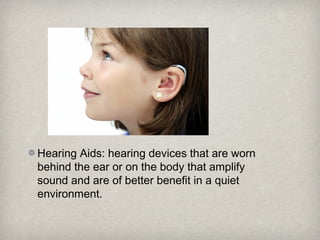
Hearing Aids: hearing devices that are worn
behind the ear or on the body that amplify
sound and are of better benefit in a quiet
environment.
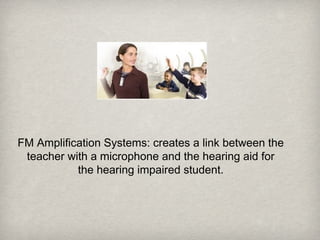
FM Amplification Systems: creates a link between the
teacher with a microphone and the hearing aid for
the hearing impaired student.
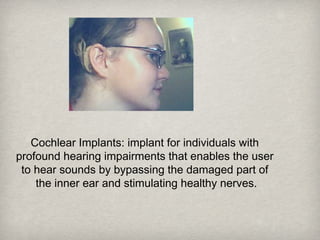
Cochlear Implants: implant for individuals with
profound hearing impairments that enables the user
to hear sounds by bypassing the damaged part of
the inner ear and stimulating healthy nerves.
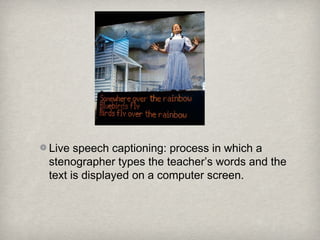
Live speech captioning: process in which a
stenographer types the teacher’s words and the
text is displayed on a computer screen.
Assistive Technology for the
Visually Impaired:
:
1. Braille
2. Screen Magnification
3. Screen Readers
4. Alternative Keyboards
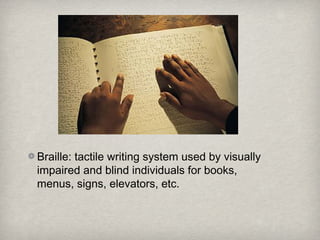
Braille: tactile writing system used by visually
impaired and blind individuals for books,
menus, signs, elevators, etc.
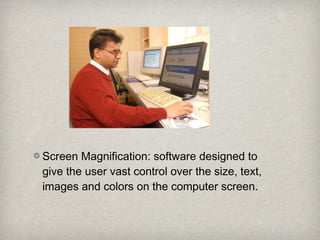
Screen Magnification: software designed to
give the user vast control over the size, text,
images and colors on the computer screen.
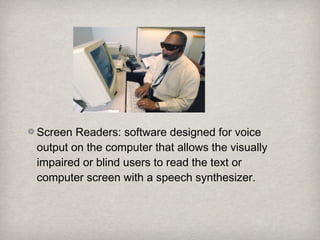
Screen Readers: software designed for voice
output on the computer that allows the visually
impaired or blind users to read the text or
computer screen with a speech synthesizer.
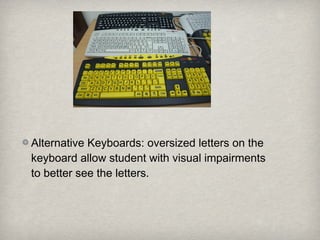
Alternative Keyboards: oversized letters on the
keyboard allow student with visual impairments
to better see the letters.
Assistive Technology for
Learning Disabled:
1. Reading Pens
2. Text-Reading Systems
3. Word Processors
4. Books on Tape
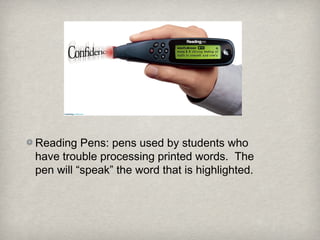
Reading Pens: pens used by students who
have trouble processing printed words. The
pen will “speak” the word that is highlighted.
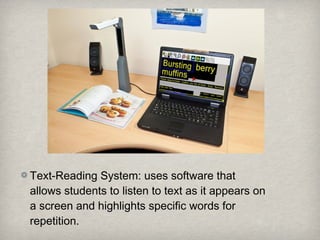
Text-Reading System: uses software that
allows students to listen to text as it appears on
a screen and highlights specific words for
repetition.
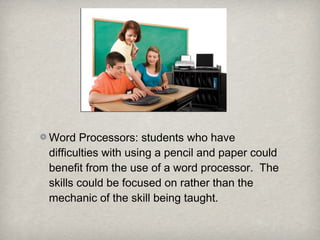
Word Processors: students who have
difficulties with using a pencil and paper could
benefit from the use of a word processor. The
skills could be focused on rather than the
mechanic of the skill being taught.
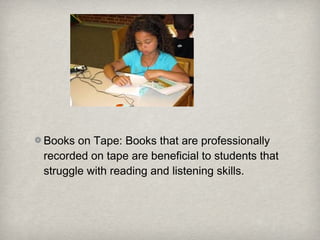
Books on Tape: Books that are professionally
recorded on tape are beneficial to students that
struggle with reading and listening skills.
Assistive Technology for the
Physically Disabled:
1. Mouth Stick
2. Head Wand
3. Eye-Tracking System
4. Rollerball Mice
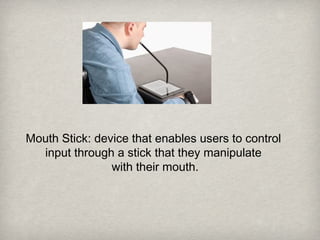
Mouth Stick: device that enables users to control
input through a stick that they manipulate
with their mouth.
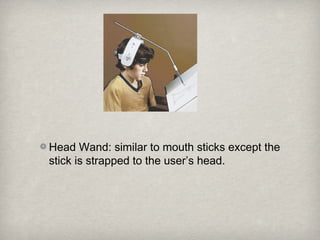
Head Wand: similar to mouth sticks except the
stick is strapped to the user’s head.
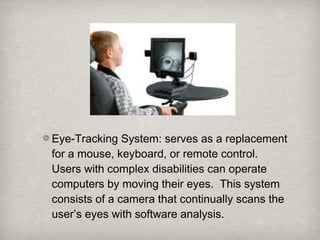
Eye-Tracking System: serves as a replacement
for a mouse, keyboard, or remote control.
Users with complex disabilities can operate
computers by moving their eyes. This system
consists of a camera that continually scans the
user’s eyes with software analysis.
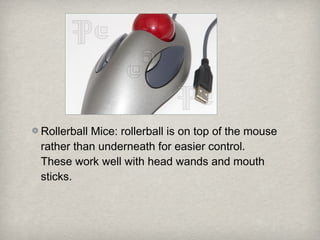
Rollerball Mice: rollerball is on top of the mouse
rather than underneath for easier control.
These work well with head wands and mouth
sticks.
References:Assistive Technology For Students With Hearing Impairments
(n.d.) Retrieved from www.sped.wikidot.com
What is Assistive Technology? How is it Funded (n.d.)
Retrieved from www.atia.org
Assistive Devices for People with Hearing, Voice, Speech, or
Language Disorders (n.d.) Retrieved from www.nidcd.nih.gov
Assistive Technology for Kids with LD: An Overview (n.d.)
Retrieved from www.greatschools.org
Assistive Technology for People with Physical Impairments
(n.d.) Retrieved from www.gmc-uk.org
Assistive Technologies for Writing (n.d.) Retrieved from
www.assistivetechnologyforwriting.blogspot.com

Assistive technology ppt

  • 1.
    Assistive Technology For Studentswith Learning Disabilities By: Wendy Hembree
  • 2.
    Assistive Technology: Any pieceof equipment or software system used by individuals to perform tasks that might be otherwise difficult or impossible. Assistive Technology includes products and services to help people who have difficulty speaking, hearing, seeing, walking, learning, etc.
  • 3.
    Laws that impactthe provision of Assistive Technology: Americans with Disabilities Act (ADA) prohibits discrimination on the basis of disability in employment, state and local government, public accommodations, commercial facilities, transportation, and telecommunications. Individuals with Disabilities Act (IDEA) was initially passed in 1975 as P.L. 94-142 guaranteed that eligible children and youth with disabilities would have a free and appropriate public education available to them, designed to meet their educational needs. Assistive Technology Act of 1998; An act to support programs of grants to State to address the assistive technology needs of individuals with disabilities. Section 508 of the Rehabilitation Act: Requires that all electronic and information technologies developed and used by any Federal Government Agency must be accessible to people with disabilities.
  • 4.
    Examples of AssistiveTechnology for the Hearing Impaired: 1. Hearing Aids 2. FM Amplification Systems 3. Cochlear Implant 4. Live Speech Captioning
  • 5.
    Hearing Aids: hearingdevices that are worn behind the ear or on the body that amplify sound and are of better benefit in a quiet environment.
  • 6.
    FM Amplification Systems:creates a link between the teacher with a microphone and the hearing aid for the hearing impaired student.
  • 7.
    Cochlear Implants: implantfor individuals with profound hearing impairments that enables the user to hear sounds by bypassing the damaged part of the inner ear and stimulating healthy nerves.
  • 8.
    Live speech captioning:process in which a stenographer types the teacher’s words and the text is displayed on a computer screen.
  • 9.
    Assistive Technology forthe Visually Impaired: : 1. Braille 2. Screen Magnification 3. Screen Readers 4. Alternative Keyboards
  • 10.
    Braille: tactile writingsystem used by visually impaired and blind individuals for books, menus, signs, elevators, etc.
  • 11.
    Screen Magnification: softwaredesigned to give the user vast control over the size, text, images and colors on the computer screen.
  • 12.
    Screen Readers: softwaredesigned for voice output on the computer that allows the visually impaired or blind users to read the text or computer screen with a speech synthesizer.
  • 13.
    Alternative Keyboards: oversizedletters on the keyboard allow student with visual impairments to better see the letters.
  • 14.
    Assistive Technology for LearningDisabled: 1. Reading Pens 2. Text-Reading Systems 3. Word Processors 4. Books on Tape
  • 15.
    Reading Pens: pensused by students who have trouble processing printed words. The pen will “speak” the word that is highlighted.
  • 16.
    Text-Reading System: usessoftware that allows students to listen to text as it appears on a screen and highlights specific words for repetition.
  • 17.
    Word Processors: studentswho have difficulties with using a pencil and paper could benefit from the use of a word processor. The skills could be focused on rather than the mechanic of the skill being taught.
  • 18.
    Books on Tape:Books that are professionally recorded on tape are beneficial to students that struggle with reading and listening skills.
  • 19.
    Assistive Technology forthe Physically Disabled: Physically Disabled: 1. Mouth Stick 2. Head Wand 3. Eye-Tracking System 4. Rollerball Mice
  • 20.
    Mouth Stick: devicethat enables users to control input through a stick that they manipulate with their mouth.
  • 21.
    Head Wand: similarto mouth sticks except the stick is strapped to the user’s head.
  • 22.
    Eye-Tracking System: servesas a replacement for a mouse, keyboard, or remote control. Users with complex disabilities can operate computers by moving their eyes. This system consists of a camera that continually scans the user’s eyes with software analysis.
  • 23.
    Rollerball Mice: rollerballis on top of the mouse rather than underneath for easier control. These work well with head wands and mouth sticks.
  • 24.
    References:Assistive Technology ForStudents With Hearing Impairments (n.d.) Retrieved from www.sped.wikidot.com What is Assistive Technology? How is it Funded (n.d.) Retrieved from www.atia.org Assistive Devices for People with Hearing, Voice, Speech, or Language Disorders (n.d.) Retrieved from www.nidcd.nih.gov Assistive Technology for Kids with LD: An Overview (n.d.) Retrieved from www.greatschools.org Assistive Technology for People with Physical Impairments (n.d.) Retrieved from www.gmc-uk.org Assistive Technologies for Writing (n.d.) Retrieved from www.assistivetechnologyforwriting.blogspot.com