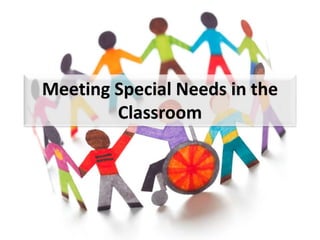
Meeting Special Needs in the 
Classroom
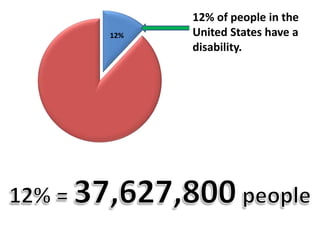
12% of people in the 
United States have a 
disability. 
12%
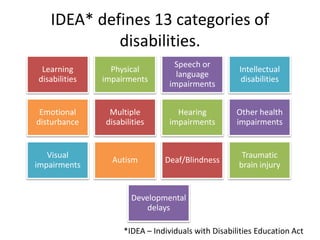
IDEA* defines 13 categories of 
disabilities. 
*IDEA – Individuals with Disabilities Education Act 
Learning 
disabilities 
Physical 
impairments 
Speech or 
language 
impairments 
Intellectual 
disabilities 
Emotional 
disturbance 
Multiple 
disabilities 
Hearing 
impairments 
Other health 
impairments 
Visual 
impairments 
Autism Deaf/Blindness 
Traumatic 
brain injury 
Developmental 
delays
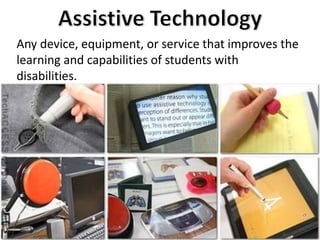
Any device, equipment, or service that improves the 
learning and capabilities of students with 
disabilities.
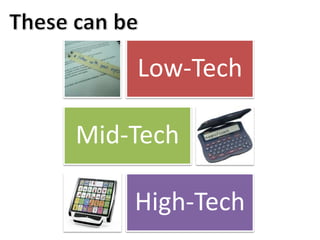
Low-Tech 
Mid-Tech 
High-Tech
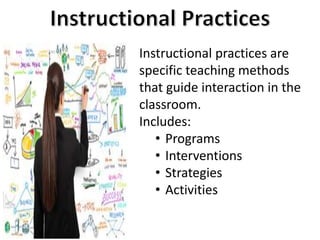
Instructional practices are 
specific teaching methods 
that guide interaction in the 
classroom. 
Includes: 
• Programs 
• Interventions 
• Strategies 
• Activities
Let’s move on to the specific 
needs of your classroom.
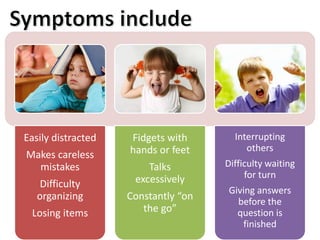
Easily distracted 
Makes careless 
mistakes 
Difficulty 
organizing 
Losing items 
Fidgets with 
hands or feet 
Talks 
excessively 
Constantly “on 
the go” 
Interrupting 
others 
Difficulty waiting 
for turn 
Giving answers 
before the 
question is 
finished
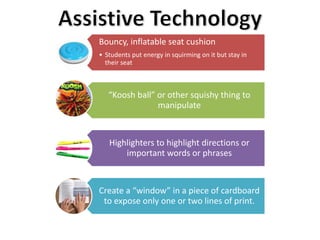
Bouncy, inflatable seat cushion 
• Students put energy in squirming on it but stay in 
their seat 
“Koosh ball” or other squishy thing to 
manipulate 
Highlighters to highlight directions or 
important words or phrases 
Create a “window” in a piece of cardboard 
to expose only one or two lines of print.
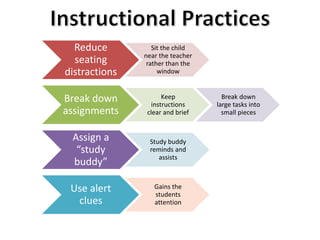
Reduce 
seating 
distractions 
Sit the child 
near the teacher 
rather than the 
window 
Break down 
assignments 
Keep 
instructions 
clear and brief 
Break down 
large tasks into 
small pieces 
Assign a 
“study 
buddy” 
Study buddy 
reminds and 
assists 
Use alert 
clues 
Gains the 
students 
attention
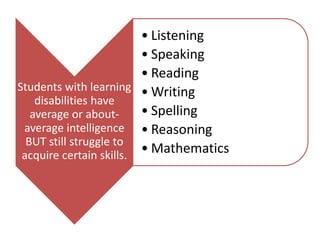
Students with learning 
disabilities have 
average or about-average 
intelligence 
BUT still struggle to 
acquire certain skills. 
• Listening 
• Speaking 
• Reading 
•Writing 
• Spelling 
• Reasoning 
• Mathematics
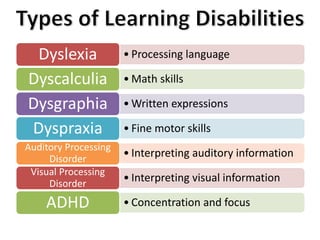
Dyslexia • Processing language 
Dyscalculia •Math skills 
Dysgraphia •Written expressions 
Dyspraxia • Fine motor skills 
• Interpreting auditory information Auditory Processing 
Disorder 
• Interpreting visual information Visual Processing 
Disorder 
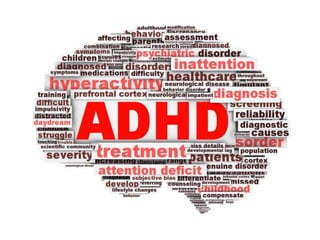
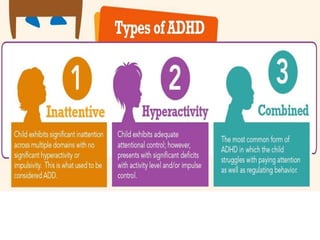
ADHD • Concentration and focus
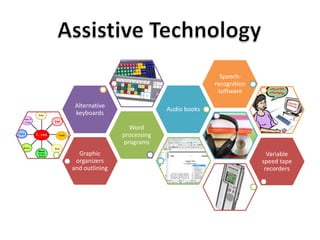
Graphic 
organizers 
and outlining 
Word 
processing 
programs 
Alternative 
keyboards 
Audio books 
Speech-recognition 
software 
Variable 
speed tape 
recorders
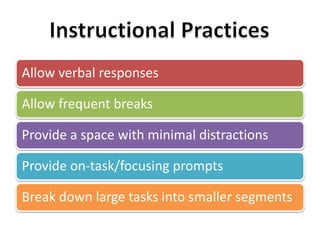
Allow verbal responses 
Allow frequent breaks 
Provide a space with minimal distractions 
Provide on-task/focusing prompts 
Break down large tasks into smaller segments
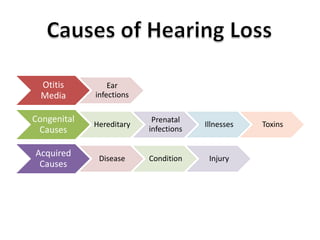
Otitis 
Media 
Ear 
infections 
Congenital 
Causes 
Hereditary 
Prenatal 
infections 
Illnesses Toxins 
Acquired 
Causes 
Disease Condition Injury
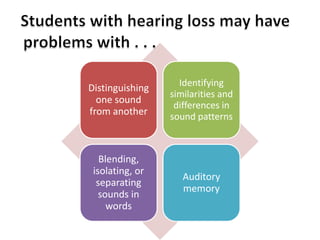
Distinguishing 
one sound 
from another 
Identifying 
similarities and 
differences in 
sound patterns 
Blending, 
isolating, or 
separating 
sounds in 
words 
Auditory 
memory
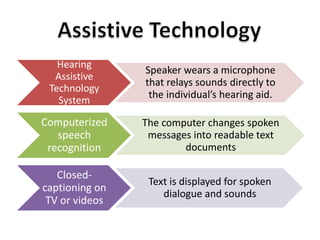
Hearing 
Assistive 
Technology 
System 
Speaker wears a microphone 
that relays sounds directly to 
the individual’s hearing aid. 
Computerized 
speech 
recognition 
The computer changes spoken 
messages into readable text 
documents 
Closed-captioning 
on 
TV or videos 
Text is displayed for spoken 
dialogue and sounds
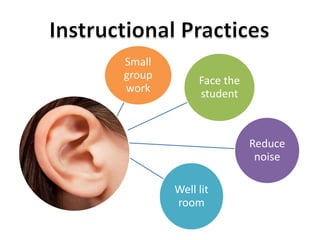
Face the 
student 
Reduce 
noise 
Well lit 
room 
Small 
group 
work
References 
American Speech-Language-Hearing Association. (2014). “Hearing Assistive 
Technology.” Retrieved Oct 01, 2014 from 
http://www.asha.org/public/hearing/Hearing-Assistive-Technology/ 
Behrmann, M., Jerome, M. C. (2002). “Assistive Technology for Students with Mild 
Disabilities” ERIC Clearinghouse on Disabilities and Gifted Education Arlington 
VA. Retrieved Oct 01, 2014 from http://www.ericdigests.org/2003-1/assistive.htm 
Erickson, W., Lee, C., von Schrader, S. (2014). Disability Statistics from the 2012 
American Community Survey (ACS). Ithaca, NY: Cornell University Employment 
and Disability Institute (EDI). Retrieved Oct 01, 2014 from 
www.disabilitystatistics.org 
Friend, M. (2014). Special Education: Contemporary Perspectives for School 
Professionals. (4th edition). New Jersey: Pearson. 
GreatSchools.org (2014). “Assistive Technology.” Oakland, CA. 
LD Online (2010). “Accommodations for Students with LD.” National Joint 
Committee on Learning Disabilities. Washington, D.C. Retrieved Oct 01, 2014 at 
http://www.ldonline.org/article/Accommodations_for_Students_with_LD 
North Shore Pediatric Therapy. (2014). “ADHDInfographic.com” Retrieved Oct 01, 
2014. 
Richert, Kit. (2014). “How to Help Your Student with an Auditory Processing 
Disorder.” Teaching Community. Retrieved Oct 02, 2014 from 
http://teaching.monster.com/benefits/articles/2324-how-to-help-your-student-with- 
an-auditory-processing-disorder

Assistive Technology

  • 1.
    Meeting Special Needsin the Classroom
  • 2.
    12% of peoplein the United States have a disability. 12%
  • 4.
    IDEA* defines 13categories of disabilities. *IDEA – Individuals with Disabilities Education Act Learning disabilities Physical impairments Speech or language impairments Intellectual disabilities Emotional disturbance Multiple disabilities Hearing impairments Other health impairments Visual impairments Autism Deaf/Blindness Traumatic brain injury Developmental delays
  • 7.
    Any device, equipment,or service that improves the learning and capabilities of students with disabilities.
  • 8.
  • 9.
    Instructional practices are specific teaching methods that guide interaction in the classroom. Includes: • Programs • Interventions • Strategies • Activities
  • 10.
    Let’s move onto the specific needs of your classroom.
  • 13.
    Easily distracted Makescareless mistakes Difficulty organizing Losing items Fidgets with hands or feet Talks excessively Constantly “on the go” Interrupting others Difficulty waiting for turn Giving answers before the question is finished
  • 14.
    Bouncy, inflatable seatcushion • Students put energy in squirming on it but stay in their seat “Koosh ball” or other squishy thing to manipulate Highlighters to highlight directions or important words or phrases Create a “window” in a piece of cardboard to expose only one or two lines of print.
  • 15.
    Reduce seating distractions Sit the child near the teacher rather than the window Break down assignments Keep instructions clear and brief Break down large tasks into small pieces Assign a “study buddy” Study buddy reminds and assists Use alert clues Gains the students attention
  • 17.
    Students with learning disabilities have average or about-average intelligence BUT still struggle to acquire certain skills. • Listening • Speaking • Reading •Writing • Spelling • Reasoning • Mathematics
  • 18.
    Dyslexia • Processinglanguage Dyscalculia •Math skills Dysgraphia •Written expressions Dyspraxia • Fine motor skills • Interpreting auditory information Auditory Processing Disorder • Interpreting visual information Visual Processing Disorder ADHD • Concentration and focus
  • 19.
    Graphic organizers andoutlining Word processing programs Alternative keyboards Audio books Speech-recognition software Variable speed tape recorders
  • 20.
    Allow verbal responses Allow frequent breaks Provide a space with minimal distractions Provide on-task/focusing prompts Break down large tasks into smaller segments
  • 22.
    Otitis Media Ear infections Congenital Causes Hereditary Prenatal infections Illnesses Toxins Acquired Causes Disease Condition Injury
  • 23.
    Distinguishing one sound from another Identifying similarities and differences in sound patterns Blending, isolating, or separating sounds in words Auditory memory
  • 24.
    Hearing Assistive Technology System Speaker wears a microphone that relays sounds directly to the individual’s hearing aid. Computerized speech recognition The computer changes spoken messages into readable text documents Closed-captioning on TV or videos Text is displayed for spoken dialogue and sounds
  • 25.
    Face the student Reduce noise Well lit room Small group work
  • 26.
    References American Speech-Language-HearingAssociation. (2014). “Hearing Assistive Technology.” Retrieved Oct 01, 2014 from http://www.asha.org/public/hearing/Hearing-Assistive-Technology/ Behrmann, M., Jerome, M. C. (2002). “Assistive Technology for Students with Mild Disabilities” ERIC Clearinghouse on Disabilities and Gifted Education Arlington VA. Retrieved Oct 01, 2014 from http://www.ericdigests.org/2003-1/assistive.htm Erickson, W., Lee, C., von Schrader, S. (2014). Disability Statistics from the 2012 American Community Survey (ACS). Ithaca, NY: Cornell University Employment and Disability Institute (EDI). Retrieved Oct 01, 2014 from www.disabilitystatistics.org Friend, M. (2014). Special Education: Contemporary Perspectives for School Professionals. (4th edition). New Jersey: Pearson. GreatSchools.org (2014). “Assistive Technology.” Oakland, CA. LD Online (2010). “Accommodations for Students with LD.” National Joint Committee on Learning Disabilities. Washington, D.C. Retrieved Oct 01, 2014 at http://www.ldonline.org/article/Accommodations_for_Students_with_LD North Shore Pediatric Therapy. (2014). “ADHDInfographic.com” Retrieved Oct 01, 2014. Richert, Kit. (2014). “How to Help Your Student with an Auditory Processing Disorder.” Teaching Community. Retrieved Oct 02, 2014 from http://teaching.monster.com/benefits/articles/2324-how-to-help-your-student-with- an-auditory-processing-disorder

Editor's Notes

  • #2 Title: Meeting Special Needs in the Classroom
  • #3 Fact: 12% of people in the United States have a disability. 37,627,800 people!
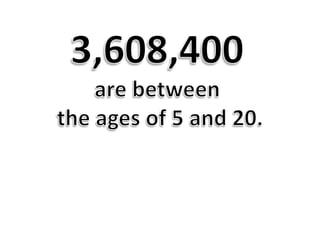
  • #4 3,608,400 are between the ages of 5 and 20.
  • #5 Disabilities include . . .
  • #6 How can we meet the needs of so many different students?
  • #7 Resources and instructional practices
  • #10 Instructional practices are . . .
  • #11 Let’s move on to the needs of select groups.
  • #12 ADHD
  • #15 Resources
  • #16 Instructional practices
  • #17 Learning Disabled
  • #18 What is it?
  • #19 Symptoms
  • #20 Assistive Technology
  • #21 Instructional Practices
  • #22 Auditory Disabilities
  • #23 What is it?
  • #24 Symptoms
  • #25 Assistive technology
  • #26 Instructive practices