Application development using Microsoft SQL Server 2000 Peter Ty Developer Evangelist .NET and Developer Group
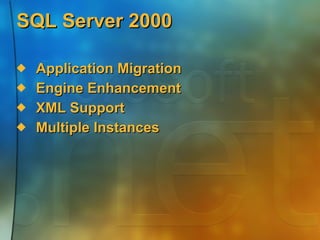
SQL Server 2000  Application Migration  Engine Enhancement XML Support Multiple Instances
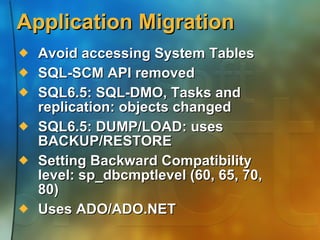
Application Migration Avoid accessing System Tables SQL-SCM API removed SQL6.5: SQL-DMO, Tasks and replication: objects changed SQL6.5: DUMP/LOAD: uses BACKUP/RESTORE Setting Backward Compatibility level:  sp_dbcmptlevel (60, 65, 70, 80) Uses ADO/ADO.NET
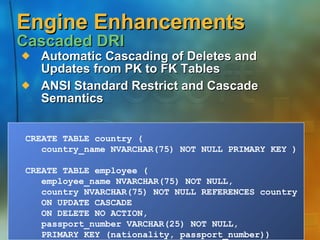
Automatic Cascading of Deletes and Updates from PK to FK Tables ANSI Standard Restrict and Cascade Semantics Engine Enhancements Cascaded DRI CREATE TABLE country (  country_name NVARCHAR(75) NOT NULL PRIMARY KEY )  CREATE TABLE employee (  employee_name NVARCHAR(75) NOT NULL, country NVARCHAR(75) NOT NULL REFERENCES country  ON UPDATE CASCADE  ON DELETE NO ACTION, passport_number VARCHAR(25) NOT NULL,  PRIMARY KEY (nationality, passport_number))
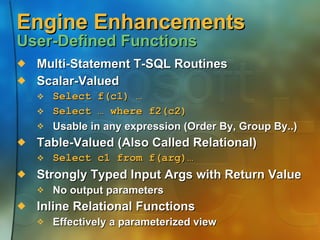
Engine Enhancements   User-Defined Functions Multi-Statement T-SQL Routines Scalar-Valued Select f(c1) …   Select … where f2(c2) Usable in any expression (Order By, Group By..) Table-Valued (Also Called Relational)  Select c1 from f(arg)… Strongly Typed Input Args with Return Value  No output parameters Inline Relational Functions Effectively a parameterized view
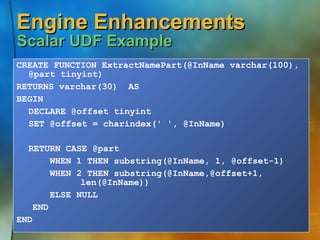
Engine Enhancements  Scalar UDF Example CREATE FUNCTION ExtractNamePart(@InName varchar(100), @part tinyint) RETURNS varchar(30)  AS BEGIN DECLARE @offset tinyint SET @offset = charindex(' ', @InName) RETURN CASE @part   WHEN 1 THEN substring(@InName, 1, @offset-1)   WHEN 2 THEN substring(@InName,@offset+1,  len(@InName))   ELSE NULL END END
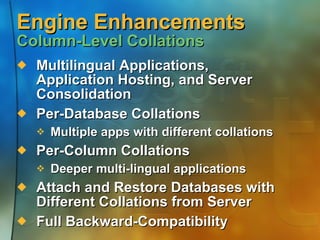
Engine Enhancements  Column-Level Collations Multilingual Applications, Application Hosting, and Server Consolidation Per-Database Collations Multiple apps with different collations Per-Column Collations Deeper multi-lingual applications Attach and Restore Databases with Different Collations from Server Full Backward-Compatibility
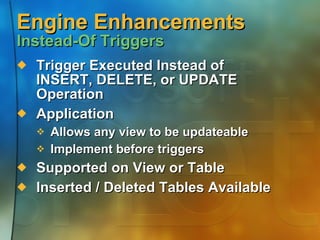
Engine Enhancements  Instead-Of Triggers Trigger Executed Instead of INSERT, DELETE, or UPDATE Operation Application Allows any view to be updateable Implement before triggers Supported on View or Table Inserted / Deleted Tables Available
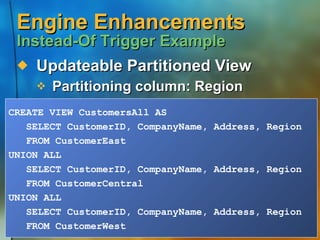
Engine Enhancements  Instead-Of Trigger Example Updateable Partitioned View Partitioning column: Region CREATE VIEW CustomersAll AS SELECT CustomerID, CompanyName, Address, Region FROM CustomerEast UNION ALL SELECT CustomerID, CompanyName, Address, Region FROM CustomerCentral UNION ALL SELECT CustomerID, CompanyName, Address, Region FROM CustomerWest
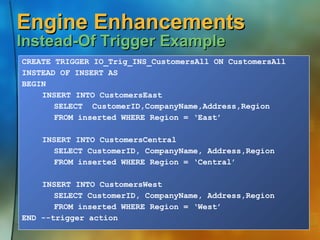
Engine Enhancements  Instead-Of Trigger Example CREATE TRIGGER IO_Trig_INS_CustomersAll ON CustomersAll INSTEAD OF INSERT AS BEGIN INSERT INTO CustomersEast  SELECT  CustomerID,CompanyName,Address,Region FROM inserted WHERE Region = ‘East’ INSERT INTO CustomersCentral  SELECT CustomerID, CompanyName, Address,Region FROM inserted WHERE Region = ‘Central’ INSERT INTO CustomersWest  SELECT CustomerID, CompanyName, Address,Region FROM inserted WHERE Region = ‘West’ END --trigger action
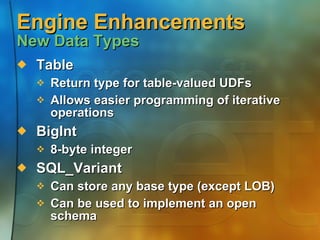
Engine Enhancements  New Data Types Table Return type for table-valued UDFs Allows easier programming of iterative operations BigInt 8-byte integer SQL_Variant Can store any base type (except LOB) Can be used to implement an open schema
Engine Enhancements  Indexes on Computed Columns Computed Columns Were Introduced in SQL Server 7.0 SQL Server 2000 Allows You to Create Indexes on Computed Columns The expression defining the computed column must be DETERMINISTIC Certain SET options must be specified
Engine Enhancements  Indexes on Views Defining an Index on a View A.k.a., Materialized views The view may be a join, an aggregation, or their combination Once the index is created, the contents of the view are persisted  The index is maintained automatically, as with any other index The optimizer may use the index on a view even if the view is not directly referenced in the query
Engine Enhancements  Indexes on Views Creating an Index on a View – Considerations SET options consideration and DETERMINISM  CREATE VIEW with SCHEMABINDING CREATE INDEX
XML Support XML Query Results SQL Language Extension SELECT… FROM… WHERE… ORDER BY… FOR XML (raw |  auto [, ELEMENTS] | explicit) [, XMLData] [, BINARY base64])
XML Support FOR XML – Raw Mode One <Row> Element Per Row in the Result Set No Nested Elements Columns / Values in the Result Set Are Attributes / Values on the <Row> Similar to CSV but in XML Format
XML Support FOR XML – Auto Mode Table / View Name in the Database Used for the Element Name Column Names Used for Attributes Supports Nested XML Output Nesting determined by ordering of columns in SELECT clause Sibling relationships not supported Change Names Using Table and Column Aliases
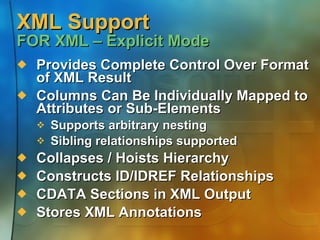
XML Support FOR XML – Explicit Mode Provides Complete Control Over Format of XML Result Columns Can Be Individually Mapped to Attributes or Sub-Elements Supports arbitrary nesting Sibling relationships supported Collapses / Hoists Hierarchy Constructs ID/IDREF Relationships CDATA Sections in XML Output Stores XML Annotations
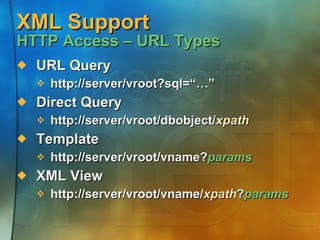
XML Support  HTTP Access – URL Types URL Query http://server/vroot?sql=“…” Direct Query http://server/vroot/dbobject/ xpath Template http://server/vroot/vname? params XML View http://server/vroot/vname/ xpath ? params
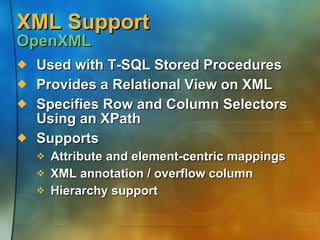
XML Support  OpenXML Used with T-SQL Stored Procedures Provides a Relational View on XML Specifies Row and Column Selectors Using an XPath Supports Attribute and element-centric mappings  XML annotation / overflow column Hierarchy support
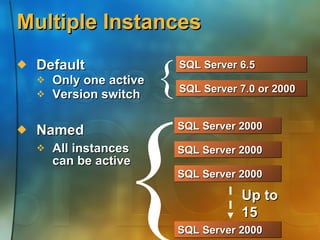
Multiple Instances Default Only one active Version switch Named All instances  can be active SQL Server 2000 { { SQL Server 2000 SQL Server 2000 SQL Server 2000 SQL Server 7.0 or 2000 SQL Server 6.5  Up to 15
Multiple Instances Support multiple SQL server instances on single machine Applications: Application hosting  Secured Application Isolation Development and testing Take Full advantage of powerful hardware
More Resources msdn.microsoft.com   www.microsoft.com/sql msdn.microsoft.com/sqlserver www.microsoft.com/technet/sql msdn.microsoft.com/xml
 

Application development using Microsoft SQL Server 2000

  • 1.
    Application development usingMicrosoft SQL Server 2000 Peter Ty Developer Evangelist .NET and Developer Group
  • 2.
    SQL Server 2000 Application Migration Engine Enhancement XML Support Multiple Instances
  • 3.
    Application Migration Avoidaccessing System Tables SQL-SCM API removed SQL6.5: SQL-DMO, Tasks and replication: objects changed SQL6.5: DUMP/LOAD: uses BACKUP/RESTORE Setting Backward Compatibility level: sp_dbcmptlevel (60, 65, 70, 80) Uses ADO/ADO.NET
  • 4.
    Automatic Cascading ofDeletes and Updates from PK to FK Tables ANSI Standard Restrict and Cascade Semantics Engine Enhancements Cascaded DRI CREATE TABLE country ( country_name NVARCHAR(75) NOT NULL PRIMARY KEY ) CREATE TABLE employee ( employee_name NVARCHAR(75) NOT NULL, country NVARCHAR(75) NOT NULL REFERENCES country ON UPDATE CASCADE ON DELETE NO ACTION, passport_number VARCHAR(25) NOT NULL, PRIMARY KEY (nationality, passport_number))
  • 5.
    Engine Enhancements User-Defined Functions Multi-Statement T-SQL Routines Scalar-Valued Select f(c1) … Select … where f2(c2) Usable in any expression (Order By, Group By..) Table-Valued (Also Called Relational) Select c1 from f(arg)… Strongly Typed Input Args with Return Value No output parameters Inline Relational Functions Effectively a parameterized view
  • 6.
    Engine Enhancements Scalar UDF Example CREATE FUNCTION ExtractNamePart(@InName varchar(100), @part tinyint) RETURNS varchar(30) AS BEGIN DECLARE @offset tinyint SET @offset = charindex(' ', @InName) RETURN CASE @part WHEN 1 THEN substring(@InName, 1, @offset-1) WHEN 2 THEN substring(@InName,@offset+1, len(@InName)) ELSE NULL END END
  • 7.
    Engine Enhancements Column-Level Collations Multilingual Applications, Application Hosting, and Server Consolidation Per-Database Collations Multiple apps with different collations Per-Column Collations Deeper multi-lingual applications Attach and Restore Databases with Different Collations from Server Full Backward-Compatibility
  • 8.
    Engine Enhancements Instead-Of Triggers Trigger Executed Instead of INSERT, DELETE, or UPDATE Operation Application Allows any view to be updateable Implement before triggers Supported on View or Table Inserted / Deleted Tables Available
  • 9.
    Engine Enhancements Instead-Of Trigger Example Updateable Partitioned View Partitioning column: Region CREATE VIEW CustomersAll AS SELECT CustomerID, CompanyName, Address, Region FROM CustomerEast UNION ALL SELECT CustomerID, CompanyName, Address, Region FROM CustomerCentral UNION ALL SELECT CustomerID, CompanyName, Address, Region FROM CustomerWest
  • 10.
    Engine Enhancements Instead-Of Trigger Example CREATE TRIGGER IO_Trig_INS_CustomersAll ON CustomersAll INSTEAD OF INSERT AS BEGIN INSERT INTO CustomersEast SELECT CustomerID,CompanyName,Address,Region FROM inserted WHERE Region = ‘East’ INSERT INTO CustomersCentral SELECT CustomerID, CompanyName, Address,Region FROM inserted WHERE Region = ‘Central’ INSERT INTO CustomersWest SELECT CustomerID, CompanyName, Address,Region FROM inserted WHERE Region = ‘West’ END --trigger action
  • 11.
    Engine Enhancements New Data Types Table Return type for table-valued UDFs Allows easier programming of iterative operations BigInt 8-byte integer SQL_Variant Can store any base type (except LOB) Can be used to implement an open schema
  • 12.
    Engine Enhancements Indexes on Computed Columns Computed Columns Were Introduced in SQL Server 7.0 SQL Server 2000 Allows You to Create Indexes on Computed Columns The expression defining the computed column must be DETERMINISTIC Certain SET options must be specified
  • 13.
    Engine Enhancements Indexes on Views Defining an Index on a View A.k.a., Materialized views The view may be a join, an aggregation, or their combination Once the index is created, the contents of the view are persisted The index is maintained automatically, as with any other index The optimizer may use the index on a view even if the view is not directly referenced in the query
  • 14.
    Engine Enhancements Indexes on Views Creating an Index on a View – Considerations SET options consideration and DETERMINISM CREATE VIEW with SCHEMABINDING CREATE INDEX
  • 15.
    XML Support XMLQuery Results SQL Language Extension SELECT… FROM… WHERE… ORDER BY… FOR XML (raw | auto [, ELEMENTS] | explicit) [, XMLData] [, BINARY base64])
  • 16.
    XML Support FORXML – Raw Mode One <Row> Element Per Row in the Result Set No Nested Elements Columns / Values in the Result Set Are Attributes / Values on the <Row> Similar to CSV but in XML Format
  • 17.
    XML Support FORXML – Auto Mode Table / View Name in the Database Used for the Element Name Column Names Used for Attributes Supports Nested XML Output Nesting determined by ordering of columns in SELECT clause Sibling relationships not supported Change Names Using Table and Column Aliases
  • 18.
    XML Support FORXML – Explicit Mode Provides Complete Control Over Format of XML Result Columns Can Be Individually Mapped to Attributes or Sub-Elements Supports arbitrary nesting Sibling relationships supported Collapses / Hoists Hierarchy Constructs ID/IDREF Relationships CDATA Sections in XML Output Stores XML Annotations
  • 19.
    XML Support HTTP Access – URL Types URL Query http://server/vroot?sql=“…” Direct Query http://server/vroot/dbobject/ xpath Template http://server/vroot/vname? params XML View http://server/vroot/vname/ xpath ? params
  • 20.
    XML Support OpenXML Used with T-SQL Stored Procedures Provides a Relational View on XML Specifies Row and Column Selectors Using an XPath Supports Attribute and element-centric mappings XML annotation / overflow column Hierarchy support
  • 21.
    Multiple Instances DefaultOnly one active Version switch Named All instances can be active SQL Server 2000 { { SQL Server 2000 SQL Server 2000 SQL Server 2000 SQL Server 7.0 or 2000 SQL Server 6.5 Up to 15
  • 22.
    Multiple Instances Supportmultiple SQL server instances on single machine Applications: Application hosting Secured Application Isolation Development and testing Take Full advantage of powerful hardware
  • 23.
    More Resources msdn.microsoft.com www.microsoft.com/sql msdn.microsoft.com/sqlserver www.microsoft.com/technet/sql msdn.microsoft.com/xml
  • 24.