

Ease of Doing Business
 About Us
◦ Company Intro
◦ Brief Portfolio
◦ Our Products
◦ The Team
 Introducing APEX ERP
 Features
 Customization Service
 System Requirements
 Software Specifications
 Demonstration
POSmart Systems Ltd is a Kenyan software company Offering ERP/Custom
Business Management solutions for SMEs in Retail, Manufacturing, and
Professional Services in public and private sector.
We provides complete product lifecycle services, ranging from new product
development and product advancement to product migration, re-
engineering, maintenance and support.
Registered in 2015, We began by offering affordable Point of Sale solutions
to Small Retailers and later grew to deploy more advanced solutions in ERP,
inventory & Warehouse Management, and custom business solutions
Ease of Doing
Business
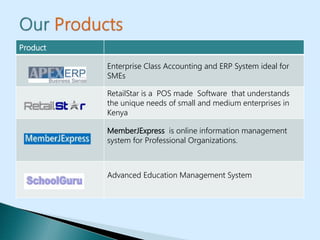
Product
Enterprise Class Accounting and ERP System ideal for
SMEs
RetailStar is a POS made Software that understands
the unique needs of small and medium enterprises in
Kenya
MemberJExpress is online information management
system for Professional Organizations.
Advanced Education Management System
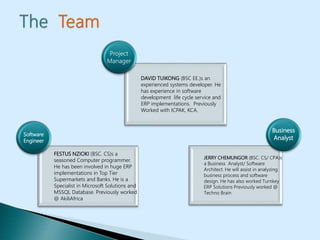
FESTUS NZIOKI (BSC. CS)s a
seasoned Computer programmer.
He has been involved in huge ERP
implementations in Top Tier
Supermarkets and Banks. He is a
Specialist in Microsoft Solutions and
MSSQL Database. Previously worked
@ AkiliAfrica
Software
Engineer
DAVID TUIKONG (BSC EE.)s an
experienced systems developer. He
has experience in software
development life cycle service and
ERP implementations. Previously
Worked with ICPAK, KCA.
Project
Manager
JERRY CHEMUNGOR (BSC. CS/ CPA)s
a Business Analyst/ Software
Architect. He will assist in analyzing
business process and software
design. He has also worked Turnkey
ERP Solutions Previously worked @
Techno Brain
Business
Analyst
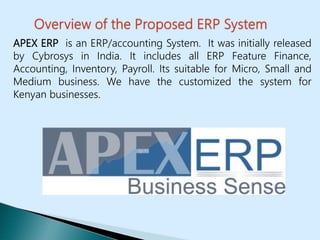
APEX ERP is an ERP/accounting System. It was initially released
by Cybrosys in India. It includes all ERP Feature Finance,
Accounting, Inventory, Payroll. Its suitable for Micro, Small and
Medium business. We have the customized the system for
Kenyan businesses.
APEX A P E X
Affordable Professional Efficient fleXible
M Manage
I Inventory
R Revenue
A Assets
C Capital
L Liability
E Expense
 Small and Medium Enterprises face a challenge
acquiring ERPs and Business Applications
 Enterprise Class ERPs( Dynamics/SAP/ Oracle) are
usually very expensive to buy, and costly to
customize. Often, they are too complex not
suitable for SMEs
 Accounting Packages on the other hand do not
meet the full requirements and are usually difficult
or impossible to customize and for a growing
business, the upgrades and licensing can be costly
and cumbersome.
 It’s the perfect middle level solution: covers all the
Accounting, finance and business functions at a
reasonable cost
 Easy to customize for any Business
 Runs on the strong and secure technology : Microsoft SQL
Server and C#.
 Its easily scalable and will grow with your business without
complex licensing issues. As you grow your Branches and
staff you will only have to worry about your hardware
 Strong local support. We have a team of proficient software
engineers and accountants to help with customization,
compliance with legal, financial reporting standards
Record transactions, maintain account balances,
and prepare financial statements and reports.
Manage Financial transactions across a full range of
accounting options almost invariably dependent
upon the size of business being catered for.
Manage Stock/Inventory/ Sales/ Purchases
Manage Payroll and Human Capital
Control Business Workflow and
 Accounting, Finance & Budgeting & Functions
 Sales Purchasing and Inventory Management
 Payroll Management
 Multi-Branch setup: accounts/ reports of each branch is handled
separately
 Option for setting different financial period , closed financial year
can be opened if user wants to do so
 Various settings which can be enabled or disabled at any time
 Better back up, restore facility so that users are free form issue of
system crash
 Provides multi user environment without license restriction
 Handles multi currency , exchange rate of currencies are taken
automatically
 Units of Measure Management
 Provides option for generating and printing of barcodes
 Maintain bill by bill details of parties
 Maintain payroll accounting
 Handles budgeting
 Automatic calculation of tax
 Option for setting price list
 Option for setting seasonal rate
 provides manufacturing journal
 keeping registers of all vouchers
 option for transferring goods between warehouses and
branches
 Option for selecting the method for stock value
calculation : we provides following methods :
 FIFO
 Average cost method
 Keeping address book / telephone directory for easy
access
 Option for sending mail to vendors from system itself
 Graphical User Interface with Context Sensitive Help
 Short cut keys, key board navigation for easy access
 Option for adding printers
 No special training is needed for running the system
 Paper usage can be completely eliminated by using this
system
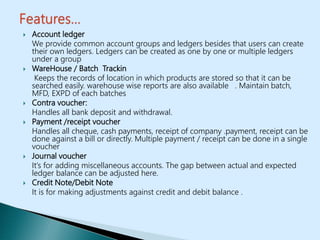
 Account ledger
We provide common account groups and ledgers besides that users can create
their own ledgers. Ledgers can be created as one by one or multiple ledgers
under a group
 WareHouse / Batch Trackin
Keeps the records of location in which products are stored so that it can be
searched easily. warehouse wise reports are also available . Maintain batch,
MFD, EXPD of each batches
 Contra voucher:
Handles all bank deposit and withdrawal.
 Payment /receipt voucher
Handles all cheque, cash payments, receipt of company .payment, receipt can be
done against a bill or directly. Multiple payment / receipt can be done in a single
voucher
 Journal voucher
It’s for adding miscellaneous accounts. The gap between actual and expected
ledger balance can be adjusted here.
 Credit Note/Debit Note
It is for making adjustments against credit and debit balance .
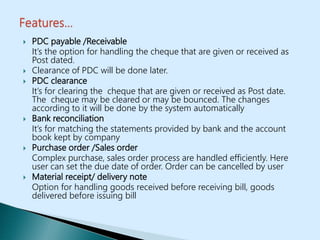
 PDC payable /Receivable
It’s the option for handling the cheque that are given or received as
Post dated.
 Clearance of PDC will be done later.
 PDC clearance
It’s for clearing the cheque that are given or received as Post date.
The cheque may be cleared or may be bounced. The changes
according to it will be done by the system automatically
 Bank reconciliation
It’s for matching the statements provided by bank and the account
book kept by company
 Purchase order /Sales order
Complex purchase, sales order process are handled efficiently. Here
user can set the due date of order. Order can be cancelled by user
 Material receipt/ delivery note
Option for handling goods received before receiving bill, goods
delivered before issuing bill
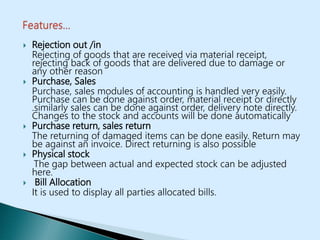
 Rejection out /in
Rejecting of goods that are received via material receipt,
rejecting back of goods that are delivered due to damage or
any other reason
 Purchase, Sales
Purchase, sales modules of accounting is handled very easily.
Purchase can be done against order, material receipt or directly
.similarly sales can be done against order, delivery note directly.
Changes to the stock and accounts will be done automatically
 Purchase return, sales return
The returning of damaged items can be done easily. Return may
be against an invoice. Direct returning is also possible
 Physical stock
The gap between actual and expected stock can be adjusted
here.
 Bill Allocation
It is used to display all parties allocated bills.
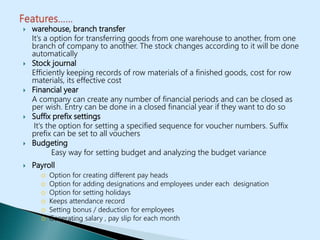
 warehouse, branch transfer
It’s a option for transferring goods from one warehouse to another, from one
branch of company to another. The stock changes according to it will be done
automatically
 Stock journal
Efficiently keeping records of row materials of a finished goods, cost for row
materials, its effective cost
 Financial year
A company can create any number of financial periods and can be closed as
per wish. Entry can be done in a closed financial year if they want to do so
 Suffix prefix settings
It’s the option for setting a specified sequence for voucher numbers. Suffix
prefix can be set to all vouchers
 Budgeting
Easy way for setting budget and analyzing the budget variance
 Payroll
o Option for creating different pay heads
o Option for adding designations and employees under each designation
o Option for setting holidays
o Keeps attendance record
o Setting bonus / deduction for employees
o Generating salary , pay slip for each month
 User management
o Option for creating different users with different privilege level for providing high level
of security
o Option for blocking delinquent users
o Keep track of activities of each users
 Reports:
o Powerful reports from each section
o Navigation form reports to lower level till the vouchers
o Almost all financial reports like profit and loss , balance sheet etc are available
o The fields in reports can be decided by users
o Sales man reports
o Area , market wise reports
o Reports of fast moving , slow moving reports
 Reminders
o Reminders for order on due , purchase ,sales on due etc
o Product expiry report
o Low stock reminder
o Option for settings users own reminders
o Option for disabling reminder option
System Requirements
◦ Required processor :Pentium 90 MHz or faster
◦ Required RAM :128 MB (256 or more recommended)
◦ 25 MB of available hard-disk space for installation
◦ 1,024x768 display (1,280x800 recommended)
Software Specification
◦ Operating system: .Net framework 4.0 version compatible software
platform.
◦ Front end: C#.NET
◦ Back end: Microsoft SQL Server 2008-12
POSmart Systems Ltd
Munyaka Kuna House,17, Kweria Road,Off
Kirinyaga Road.
Tel: (+254) 0720152151 / 771 211 102.
Email: sales@posmart.co.ke
Ease of Doing
Business
www.posmart.co.ke
APEX ERP Software Presentation

APEX ERP Software Presentation

  • 1.
    Ease of DoingBusiness
  • 2.
     About Us ◦Company Intro ◦ Brief Portfolio ◦ Our Products ◦ The Team  Introducing APEX ERP  Features  Customization Service  System Requirements  Software Specifications  Demonstration
  • 3.
    POSmart Systems Ltdis a Kenyan software company Offering ERP/Custom Business Management solutions for SMEs in Retail, Manufacturing, and Professional Services in public and private sector. We provides complete product lifecycle services, ranging from new product development and product advancement to product migration, re- engineering, maintenance and support. Registered in 2015, We began by offering affordable Point of Sale solutions to Small Retailers and later grew to deploy more advanced solutions in ERP, inventory & Warehouse Management, and custom business solutions Ease of Doing Business
  • 4.
    Product Enterprise Class Accountingand ERP System ideal for SMEs RetailStar is a POS made Software that understands the unique needs of small and medium enterprises in Kenya MemberJExpress is online information management system for Professional Organizations. Advanced Education Management System
  • 5.
    FESTUS NZIOKI (BSC.CS)s a seasoned Computer programmer. He has been involved in huge ERP implementations in Top Tier Supermarkets and Banks. He is a Specialist in Microsoft Solutions and MSSQL Database. Previously worked @ AkiliAfrica Software Engineer DAVID TUIKONG (BSC EE.)s an experienced systems developer. He has experience in software development life cycle service and ERP implementations. Previously Worked with ICPAK, KCA. Project Manager JERRY CHEMUNGOR (BSC. CS/ CPA)s a Business Analyst/ Software Architect. He will assist in analyzing business process and software design. He has also worked Turnkey ERP Solutions Previously worked @ Techno Brain Business Analyst
  • 6.
    APEX ERP isan ERP/accounting System. It was initially released by Cybrosys in India. It includes all ERP Feature Finance, Accounting, Inventory, Payroll. Its suitable for Micro, Small and Medium business. We have the customized the system for Kenyan businesses.
  • 7.
    APEX A PE X Affordable Professional Efficient fleXible M Manage I Inventory R Revenue A Assets C Capital L Liability E Expense
  • 8.
     Small andMedium Enterprises face a challenge acquiring ERPs and Business Applications  Enterprise Class ERPs( Dynamics/SAP/ Oracle) are usually very expensive to buy, and costly to customize. Often, they are too complex not suitable for SMEs  Accounting Packages on the other hand do not meet the full requirements and are usually difficult or impossible to customize and for a growing business, the upgrades and licensing can be costly and cumbersome.
  • 9.
     It’s theperfect middle level solution: covers all the Accounting, finance and business functions at a reasonable cost  Easy to customize for any Business  Runs on the strong and secure technology : Microsoft SQL Server and C#.  Its easily scalable and will grow with your business without complex licensing issues. As you grow your Branches and staff you will only have to worry about your hardware  Strong local support. We have a team of proficient software engineers and accountants to help with customization, compliance with legal, financial reporting standards
  • 10.
    Record transactions, maintainaccount balances, and prepare financial statements and reports. Manage Financial transactions across a full range of accounting options almost invariably dependent upon the size of business being catered for. Manage Stock/Inventory/ Sales/ Purchases Manage Payroll and Human Capital Control Business Workflow and
  • 11.
     Accounting, Finance& Budgeting & Functions  Sales Purchasing and Inventory Management  Payroll Management  Multi-Branch setup: accounts/ reports of each branch is handled separately  Option for setting different financial period , closed financial year can be opened if user wants to do so  Various settings which can be enabled or disabled at any time  Better back up, restore facility so that users are free form issue of system crash  Provides multi user environment without license restriction  Handles multi currency , exchange rate of currencies are taken automatically  Units of Measure Management
  • 12.
     Provides optionfor generating and printing of barcodes  Maintain bill by bill details of parties  Maintain payroll accounting  Handles budgeting  Automatic calculation of tax  Option for setting price list  Option for setting seasonal rate  provides manufacturing journal  keeping registers of all vouchers  option for transferring goods between warehouses and branches
  • 13.
     Option forselecting the method for stock value calculation : we provides following methods :  FIFO  Average cost method  Keeping address book / telephone directory for easy access  Option for sending mail to vendors from system itself  Graphical User Interface with Context Sensitive Help  Short cut keys, key board navigation for easy access  Option for adding printers  No special training is needed for running the system  Paper usage can be completely eliminated by using this system
  • 14.
     Account ledger Weprovide common account groups and ledgers besides that users can create their own ledgers. Ledgers can be created as one by one or multiple ledgers under a group  WareHouse / Batch Trackin Keeps the records of location in which products are stored so that it can be searched easily. warehouse wise reports are also available . Maintain batch, MFD, EXPD of each batches  Contra voucher: Handles all bank deposit and withdrawal.  Payment /receipt voucher Handles all cheque, cash payments, receipt of company .payment, receipt can be done against a bill or directly. Multiple payment / receipt can be done in a single voucher  Journal voucher It’s for adding miscellaneous accounts. The gap between actual and expected ledger balance can be adjusted here.  Credit Note/Debit Note It is for making adjustments against credit and debit balance .
  • 15.
     PDC payable/Receivable It’s the option for handling the cheque that are given or received as Post dated.  Clearance of PDC will be done later.  PDC clearance It’s for clearing the cheque that are given or received as Post date. The cheque may be cleared or may be bounced. The changes according to it will be done by the system automatically  Bank reconciliation It’s for matching the statements provided by bank and the account book kept by company  Purchase order /Sales order Complex purchase, sales order process are handled efficiently. Here user can set the due date of order. Order can be cancelled by user  Material receipt/ delivery note Option for handling goods received before receiving bill, goods delivered before issuing bill
  • 16.
     Rejection out/in Rejecting of goods that are received via material receipt, rejecting back of goods that are delivered due to damage or any other reason  Purchase, Sales Purchase, sales modules of accounting is handled very easily. Purchase can be done against order, material receipt or directly .similarly sales can be done against order, delivery note directly. Changes to the stock and accounts will be done automatically  Purchase return, sales return The returning of damaged items can be done easily. Return may be against an invoice. Direct returning is also possible  Physical stock The gap between actual and expected stock can be adjusted here.  Bill Allocation It is used to display all parties allocated bills.
  • 17.
     warehouse, branchtransfer It’s a option for transferring goods from one warehouse to another, from one branch of company to another. The stock changes according to it will be done automatically  Stock journal Efficiently keeping records of row materials of a finished goods, cost for row materials, its effective cost  Financial year A company can create any number of financial periods and can be closed as per wish. Entry can be done in a closed financial year if they want to do so  Suffix prefix settings It’s the option for setting a specified sequence for voucher numbers. Suffix prefix can be set to all vouchers  Budgeting Easy way for setting budget and analyzing the budget variance  Payroll o Option for creating different pay heads o Option for adding designations and employees under each designation o Option for setting holidays o Keeps attendance record o Setting bonus / deduction for employees o Generating salary , pay slip for each month
  • 18.
     User management oOption for creating different users with different privilege level for providing high level of security o Option for blocking delinquent users o Keep track of activities of each users  Reports: o Powerful reports from each section o Navigation form reports to lower level till the vouchers o Almost all financial reports like profit and loss , balance sheet etc are available o The fields in reports can be decided by users o Sales man reports o Area , market wise reports o Reports of fast moving , slow moving reports  Reminders o Reminders for order on due , purchase ,sales on due etc o Product expiry report o Low stock reminder o Option for settings users own reminders o Option for disabling reminder option
  • 19.
    System Requirements ◦ Requiredprocessor :Pentium 90 MHz or faster ◦ Required RAM :128 MB (256 or more recommended) ◦ 25 MB of available hard-disk space for installation ◦ 1,024x768 display (1,280x800 recommended) Software Specification ◦ Operating system: .Net framework 4.0 version compatible software platform. ◦ Front end: C#.NET ◦ Back end: Microsoft SQL Server 2008-12
  • 20.
    POSmart Systems Ltd MunyakaKuna House,17, Kweria Road,Off Kirinyaga Road. Tel: (+254) 0720152151 / 771 211 102. Email: sales@posmart.co.ke Ease of Doing Business www.posmart.co.ke