Department of Computer Science and Engineering


 GUI for Expense Finance Management

                                Group Members:
                           Sanket Ingale [ 09co36]
                         Laxmikant Patil [ 09co66 ]
                         Ambuj Lawania [09co08 ]
                              Adit Patel [ 09co05 ]
INTRODUCTION
 The main purpose of the application to develop and
  maintain an expense manager
 Application enables users to keep track of their expenses.
 Expense Management automation is the means by which
  an organization or person can significantly reduce
  transaction costs
 Improve management control when logging, calculating
  and processing corporate or personal expenses.
 Automated solution typically provides the ability to
  code, approve and report on expenses.
Aims and Objectives
                     Improving finance
                    management control
Import & Export                          Generate expenditure
amount activities                            by different
                                              categories


                        Expense
                       Management
                       Automation


  Graphical
Representation                           Schedule Payments


                     Reducing Paper-
                         work
Functional Requirements
 The application must provide the facility to debit &
  credit transactions.
 It should generate the overall report of expenses.
 eg. total monthly, yearly etc.


Non Functional Requirements
 The system should not disclose any transactions of one
  user to another.
 The business transactions should be in particular unit
  of currency defined by the managers.
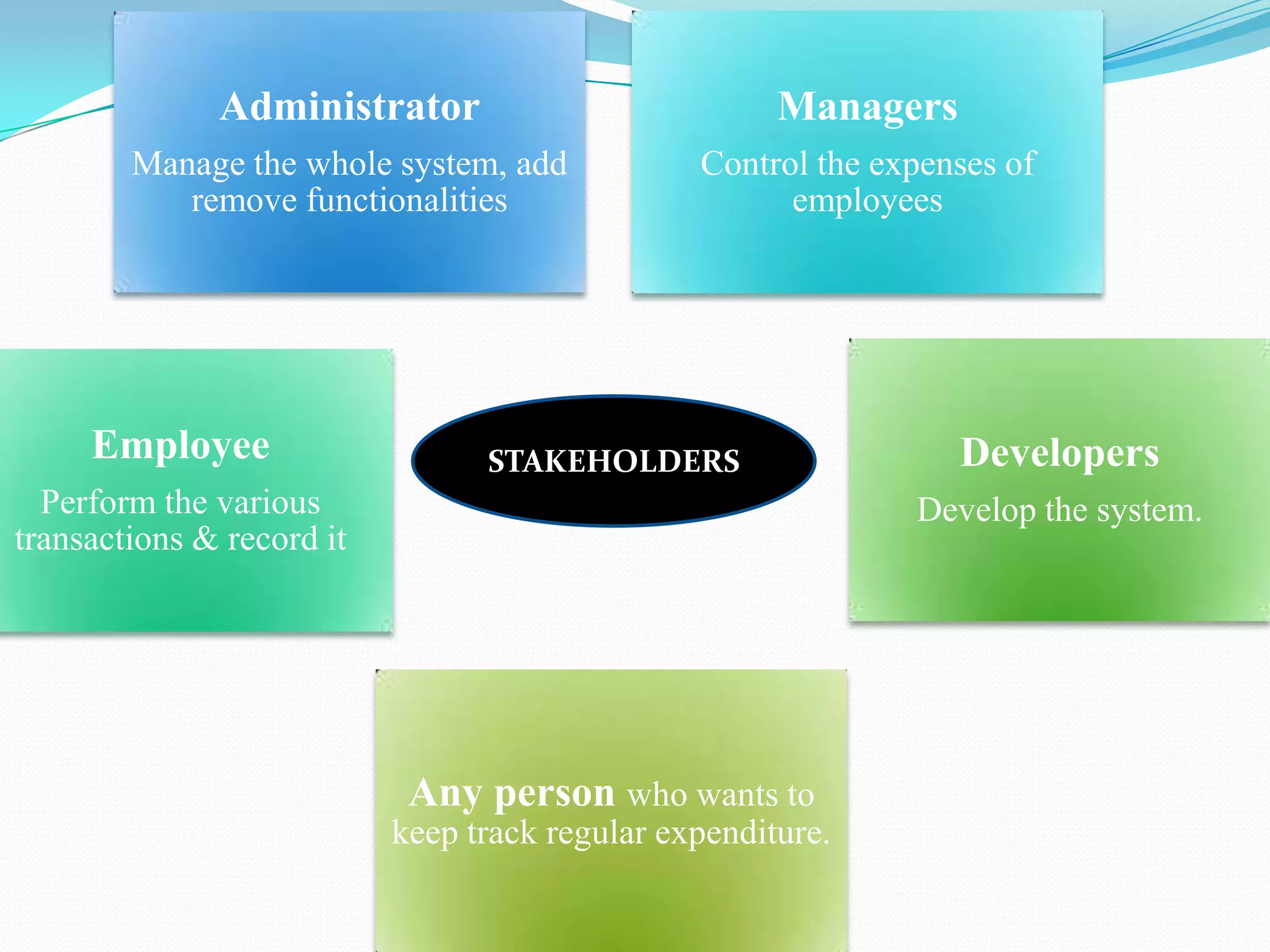
Administrator                           Managers
        Manage the whole system, add            Control the expenses of
           remove functionalities                     employees


     Employee                    STAKEHOLDERS                    Developers
  Perform the various                                         Develop the system.
transactions & record it


                            Any person who wants to
                           keep track regular expenditure.
Technologies & tools used for project

 Programming Language : Java
 Database : Mysql
 JDBC (for connecting to databases)
 User Interface : Java Swing
 Tools:
   - NetBeans IDE 6.8
   - Java Development Tools plugin.
SOFTWARE PROCESS MODEL
 The process model used is Evolutionary Development model
  Since-
 The time period for developing system-short (almost two months).
 The requirements are clearly defined.
 Objectives are well known.
 Each time the process involved can host the database server to cater the
  need of the employees of the organization.
 Idea of implementation:
 Initial implementation prototype               Exposing this to user
  comments              Refining this through many versions            final
  adequate system .
 Rather than have separate specification, development and validation
  activities, these are carried out concurrently with rapid feedback across the
  activities .
 Throw-away prototyping
Software Process Model
Why Evolutionary Model?
1.   Main component is GUI, so the feedback is necessary.
2.   The GUI is relatively small system as compare to the
     actual systems in reality.
3.   The problems of changing the existing system are
     avoided by re-implementing the system in its entirely
     whenever significant changes are required.
4.   need not be expensive.
5.   Since development in short lifetime of nearly two
     months,the system is developed to support some activity
     which is bounded in time.
6.   A system may be developed specifically for the launch of
     a new product or result.
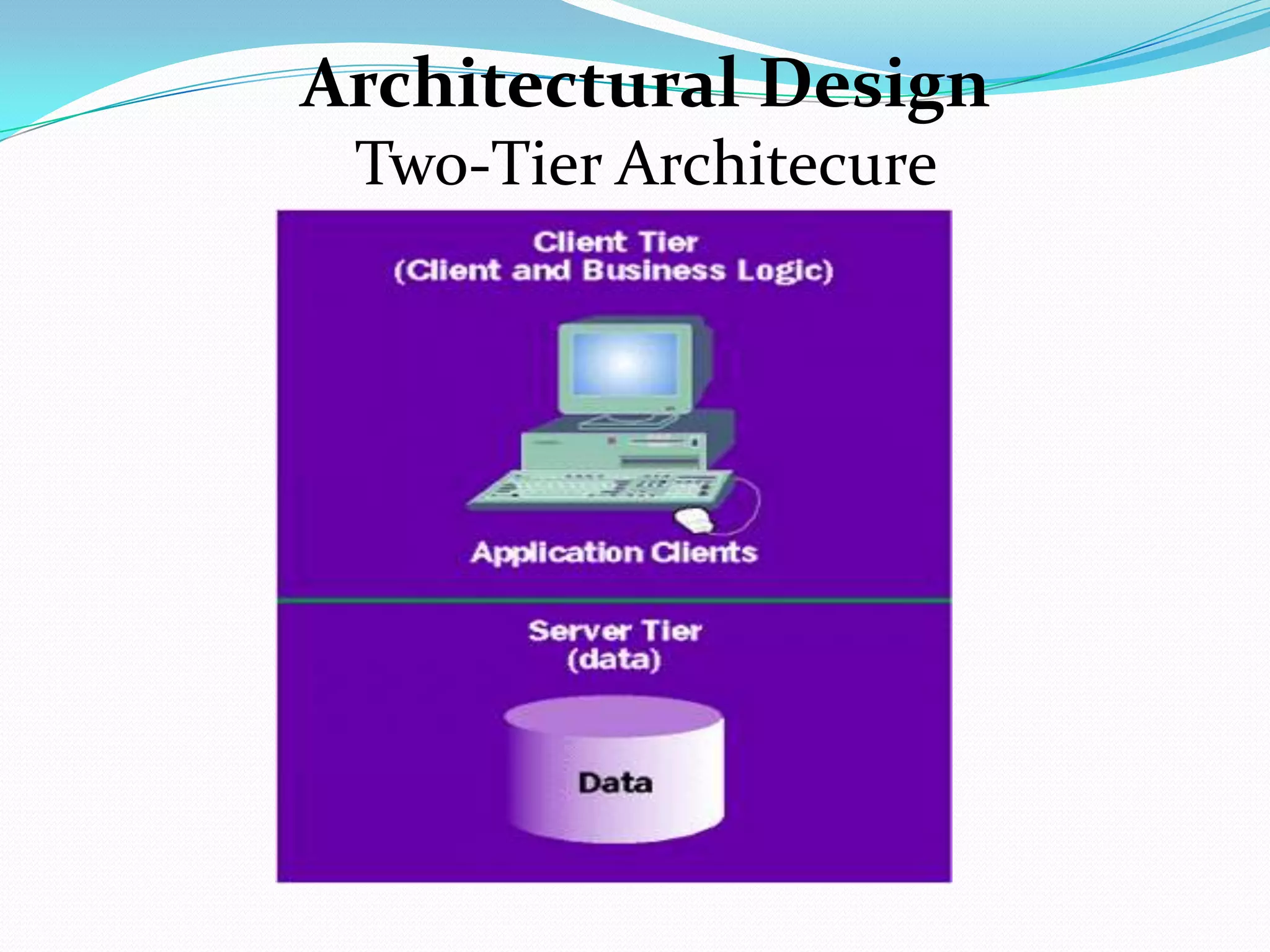
Architectural Design
 Two-Tier Architecure
1. Client Tier(Application UI)
 consists of the users of the application.
 provided with User Interface.
2. Server Machine Tier: (Data)
 JDBC is used to perform standard relational database operations
   (eg. managing database connections, SQL statements, result sets )
 An interface between the client tier & database.
 Performs the calculation part.
 Processing the data extracted .
 Eg. Adding the total expense of the month / category wise total.
 Various operations performed by this tier are:
1. Display
2. Add money
3. Spend/subtract money
4. Approve (used by manager)
5. Categorize the expense
User System Interaction
Our application uses multiple styles of interaction:
 GUI Based Interaction
 Via a graphical user interface which can be manipulated by the
  user.
 Using input device such as a mouse
 simple selection of
 List Based Interaction
 Choose from a given list of objects.
 Dynamic list and can be updated manually or automatically to
  reflect needs.
 Form Based Interaction
 Provided forms is one of the modes of user interaction.
 For employees to create or edit their profiles and specify the
  transaction summary a form based interaction is a necessity.
Activity Diagram
Activity Diagrams
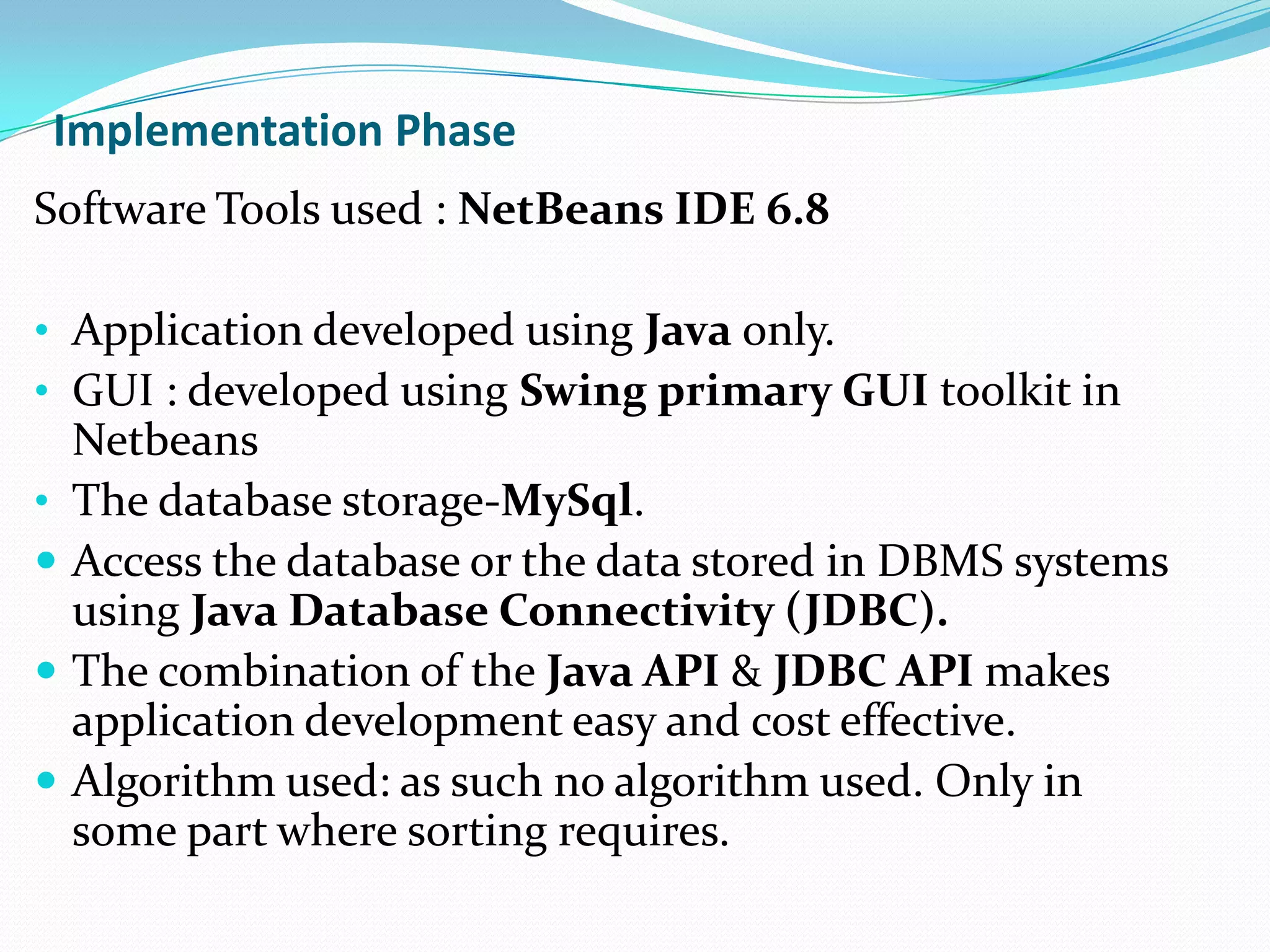
Implementation Phase
Software Tools used : NetBeans IDE 6.8

• Application developed using Java only.
• GUI : developed using Swing primary GUI toolkit in
    Netbeans
•   The database storage-MySql.
   Access the database or the data stored in DBMS systems
    using Java Database Connectivity (JDBC).
   The combination of the Java API & JDBC API makes
    application development easy and cost effective.
   Algorithm used: as such no algorithm used. Only in
    some part where sorting requires.
 Black box testing
Black box testing also called functional testing and behavioral
testing, focuses on determining whether or not a program
does what it is supposed to do based on its functional
requirements. Black box testing attempts to find errors in the
external behavior of the code in the following categories:
 Incorrect or missing functionality
 Interface errors
 Errors in data structures used by interfaces
 Behavior or performance errors
 Initialization and termination errors.
(since white box testing is implemented at unit level or the levels of the system , it might
not detect unimplemented parts of the specification or missing requirements.)
Decision Table Testing
We used Decision Table testing in Black box , since-
As this project mainly aims at GUI ,tables guarantee that
 we consider every possible combination of condition
 values.
Different inputs which result in different actions being
 taken.
 A business rule to test where there are different
 combination of inputs which result in different actions
works iteratively-the table that is drawn in the first
 iteration, acts as a stepping stone to derive new decision
 table(s), if the initial table is unsatisfactory.
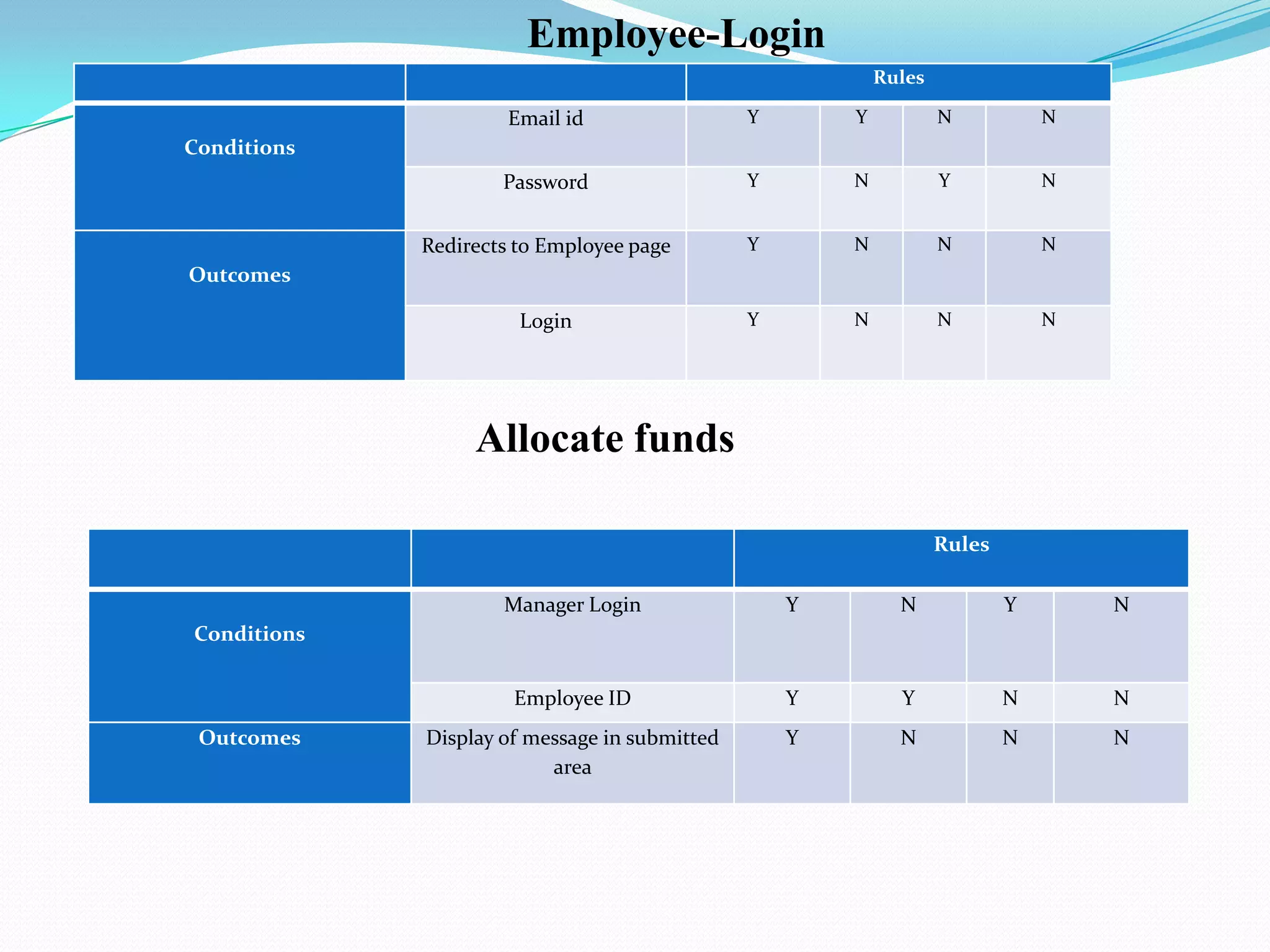
Employee-Login
                                                           Rules

                      Email id                 Y       Y           N           N
Conditions
                     Password                  Y       N           Y           N


             Redirects to Employee page        Y       N           N           N
Outcomes

                       Login                   Y       N           N           N


                  Allocate funds

                                                                   Rules

                     Manager Login                 Y         N             Y       N
Conditions


                      Employee ID                  Y         Y             N       N
 Outcomes    Display of message in submitted       Y         N             N       N
                          area
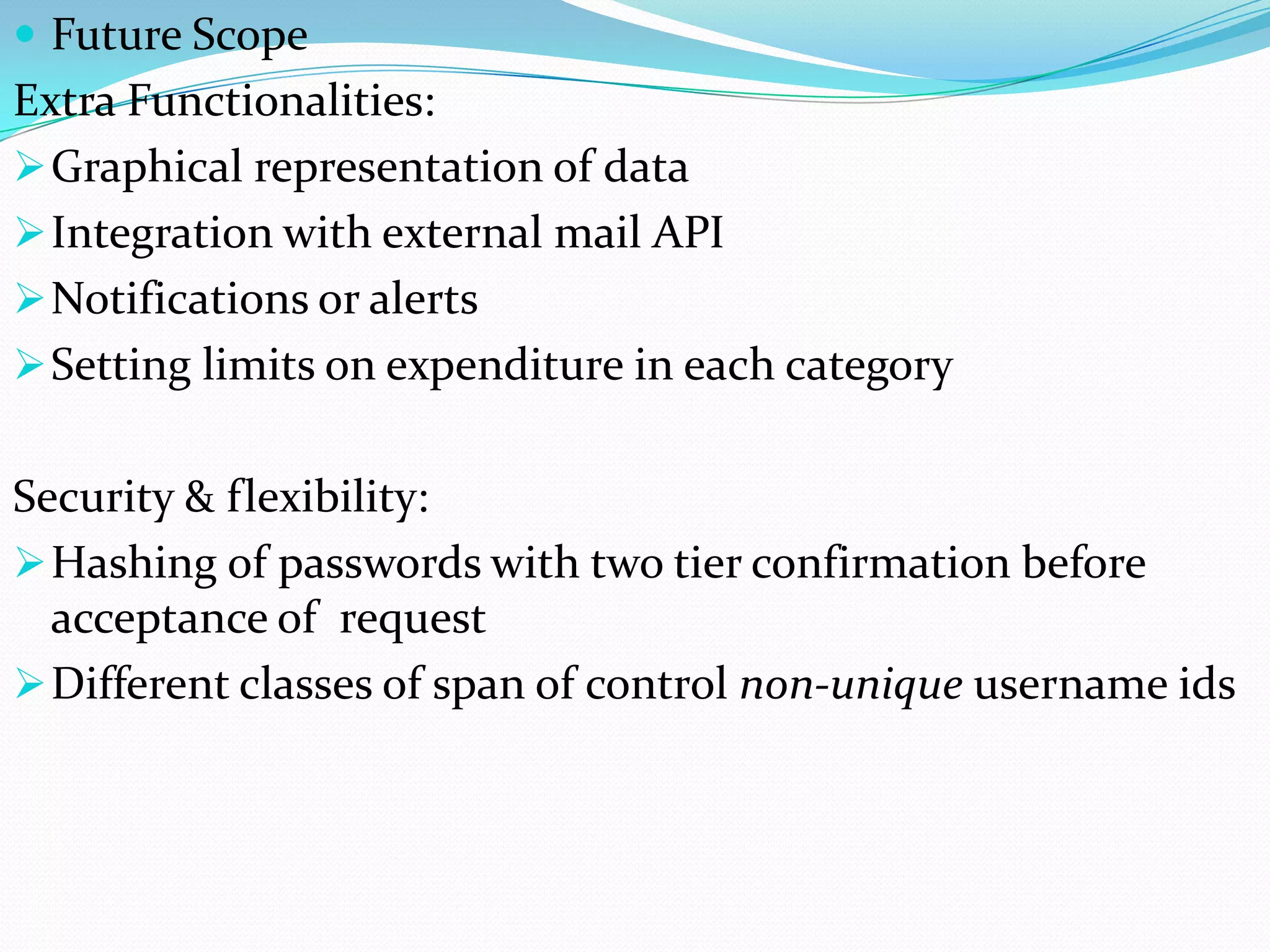
 Future Scope
Extra Functionalities:
 Graphical representation of data
 Integration with external mail API
 Notifications or alerts
 Setting limits on expenditure in each category


Security & flexibility:
 Hashing of passwords with two tier confirmation before
  acceptance of request
 Different classes of span of control non-unique username ids
Conclusion
 Efficient way of dealing with all the daily business &
  personal expenses.
 Reduces the time-consuming traditional paper work.
 Generates the report according to the specified format
  with graphical representation.
 Helps in managing the future expenditures.
 Overall, it enables an organization to have greater
  management control, bring transparency to
  expense spend and improve adherence to corporate
  policy.
Thank You

Expense Manager Application in JAVA

  • 1.
    Department of ComputerScience and Engineering GUI for Expense Finance Management Group Members: Sanket Ingale [ 09co36] Laxmikant Patil [ 09co66 ] Ambuj Lawania [09co08 ] Adit Patel [ 09co05 ]
  • 2.
    INTRODUCTION  The mainpurpose of the application to develop and maintain an expense manager  Application enables users to keep track of their expenses.  Expense Management automation is the means by which an organization or person can significantly reduce transaction costs  Improve management control when logging, calculating and processing corporate or personal expenses.  Automated solution typically provides the ability to code, approve and report on expenses.
  • 3.
    Aims and Objectives Improving finance management control Import & Export Generate expenditure amount activities by different categories Expense Management Automation Graphical Representation Schedule Payments Reducing Paper- work
  • 4.
    Functional Requirements  Theapplication must provide the facility to debit & credit transactions.  It should generate the overall report of expenses.  eg. total monthly, yearly etc. Non Functional Requirements  The system should not disclose any transactions of one user to another.  The business transactions should be in particular unit of currency defined by the managers.
  • 5.
    Administrator Managers Manage the whole system, add Control the expenses of remove functionalities employees Employee STAKEHOLDERS Developers Perform the various Develop the system. transactions & record it Any person who wants to keep track regular expenditure.
  • 6.
    Technologies & toolsused for project  Programming Language : Java  Database : Mysql  JDBC (for connecting to databases)  User Interface : Java Swing  Tools: - NetBeans IDE 6.8 - Java Development Tools plugin.
  • 7.
    SOFTWARE PROCESS MODEL The process model used is Evolutionary Development model Since-  The time period for developing system-short (almost two months).  The requirements are clearly defined.  Objectives are well known.  Each time the process involved can host the database server to cater the need of the employees of the organization.  Idea of implementation:  Initial implementation prototype Exposing this to user comments Refining this through many versions final adequate system .  Rather than have separate specification, development and validation activities, these are carried out concurrently with rapid feedback across the activities .  Throw-away prototyping
  • 8.
  • 9.
    Why Evolutionary Model? 1. Main component is GUI, so the feedback is necessary. 2. The GUI is relatively small system as compare to the actual systems in reality. 3. The problems of changing the existing system are avoided by re-implementing the system in its entirely whenever significant changes are required. 4. need not be expensive. 5. Since development in short lifetime of nearly two months,the system is developed to support some activity which is bounded in time. 6. A system may be developed specifically for the launch of a new product or result.
  • 10.
  • 11.
    1. Client Tier(ApplicationUI)  consists of the users of the application.  provided with User Interface. 2. Server Machine Tier: (Data)  JDBC is used to perform standard relational database operations (eg. managing database connections, SQL statements, result sets )  An interface between the client tier & database.  Performs the calculation part.  Processing the data extracted .  Eg. Adding the total expense of the month / category wise total.  Various operations performed by this tier are: 1. Display 2. Add money 3. Spend/subtract money 4. Approve (used by manager) 5. Categorize the expense
  • 12.
    User System Interaction Ourapplication uses multiple styles of interaction:  GUI Based Interaction  Via a graphical user interface which can be manipulated by the user.  Using input device such as a mouse  simple selection of  List Based Interaction  Choose from a given list of objects.  Dynamic list and can be updated manually or automatically to reflect needs.  Form Based Interaction  Provided forms is one of the modes of user interaction.  For employees to create or edit their profiles and specify the transaction summary a form based interaction is a necessity.
  • 14.
  • 15.
  • 16.
    Implementation Phase Software Toolsused : NetBeans IDE 6.8 • Application developed using Java only. • GUI : developed using Swing primary GUI toolkit in Netbeans • The database storage-MySql.  Access the database or the data stored in DBMS systems using Java Database Connectivity (JDBC).  The combination of the Java API & JDBC API makes application development easy and cost effective.  Algorithm used: as such no algorithm used. Only in some part where sorting requires.
  • 17.
     Black boxtesting Black box testing also called functional testing and behavioral testing, focuses on determining whether or not a program does what it is supposed to do based on its functional requirements. Black box testing attempts to find errors in the external behavior of the code in the following categories:  Incorrect or missing functionality  Interface errors  Errors in data structures used by interfaces  Behavior or performance errors  Initialization and termination errors. (since white box testing is implemented at unit level or the levels of the system , it might not detect unimplemented parts of the specification or missing requirements.)
  • 18.
    Decision Table Testing Weused Decision Table testing in Black box , since- As this project mainly aims at GUI ,tables guarantee that we consider every possible combination of condition values. Different inputs which result in different actions being taken.  A business rule to test where there are different combination of inputs which result in different actions works iteratively-the table that is drawn in the first iteration, acts as a stepping stone to derive new decision table(s), if the initial table is unsatisfactory.
  • 19.
    Employee-Login Rules Email id Y Y N N Conditions Password Y N Y N Redirects to Employee page Y N N N Outcomes Login Y N N N Allocate funds Rules Manager Login Y N Y N Conditions Employee ID Y Y N N Outcomes Display of message in submitted Y N N N area
  • 20.
     Future Scope ExtraFunctionalities:  Graphical representation of data  Integration with external mail API  Notifications or alerts  Setting limits on expenditure in each category Security & flexibility:  Hashing of passwords with two tier confirmation before acceptance of request  Different classes of span of control non-unique username ids
  • 21.
    Conclusion  Efficient wayof dealing with all the daily business & personal expenses.  Reduces the time-consuming traditional paper work.  Generates the report according to the specified format with graphical representation.  Helps in managing the future expenditures.  Overall, it enables an organization to have greater management control, bring transparency to expense spend and improve adherence to corporate policy.
  • 22.