
Apache Hadoop YARN: The Next-
generation Distributed Operating
System
Zhijie Shen & Jian He @ Hortonworks
About Us
● Two hats
o Software Engineer @ Hortonworks, Inc.
o Hadoop Committer @ The Apache Foundation
● We’re doing Apache YARN!
Agenda
● What Is YARN
● YARN Basics
● Recent Development
● Writing Your YARN Applications
What is YARN (1)
Frequent questions on mailing list:
● What is Hadoop 2.0?
● What is YARN?
Hadoop 2.0
= YARN
= the operating systems to run various
distributed data processing applications
What is YARN (2) - Motivation
● Hadoop is 8yr old
● World is significantly changed
o The hardware
o diverse data processing model: interaction,
streaming
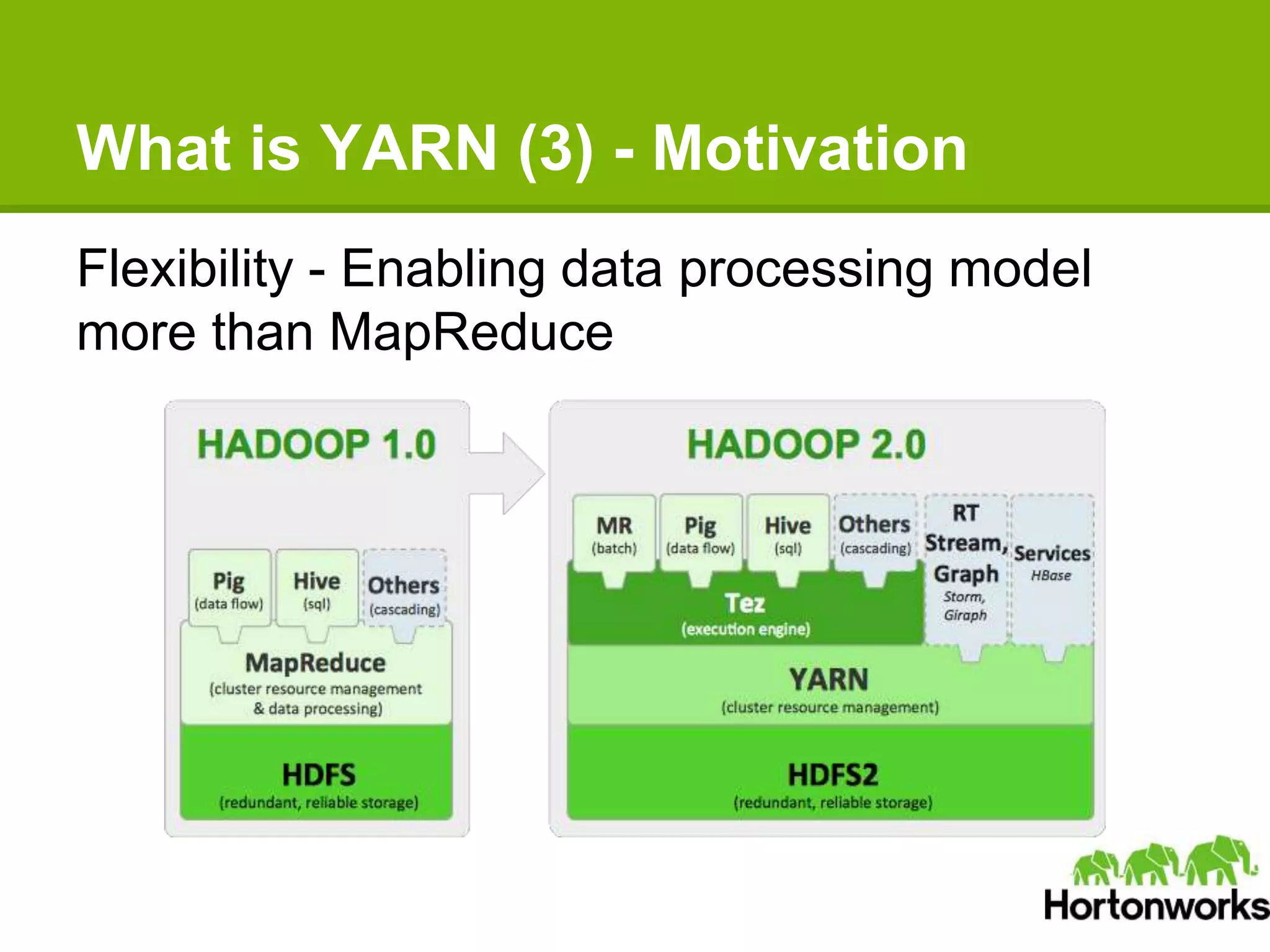
What is YARN (3) - Motivation
Flexibility - Enabling data processing model
more than MapReduce
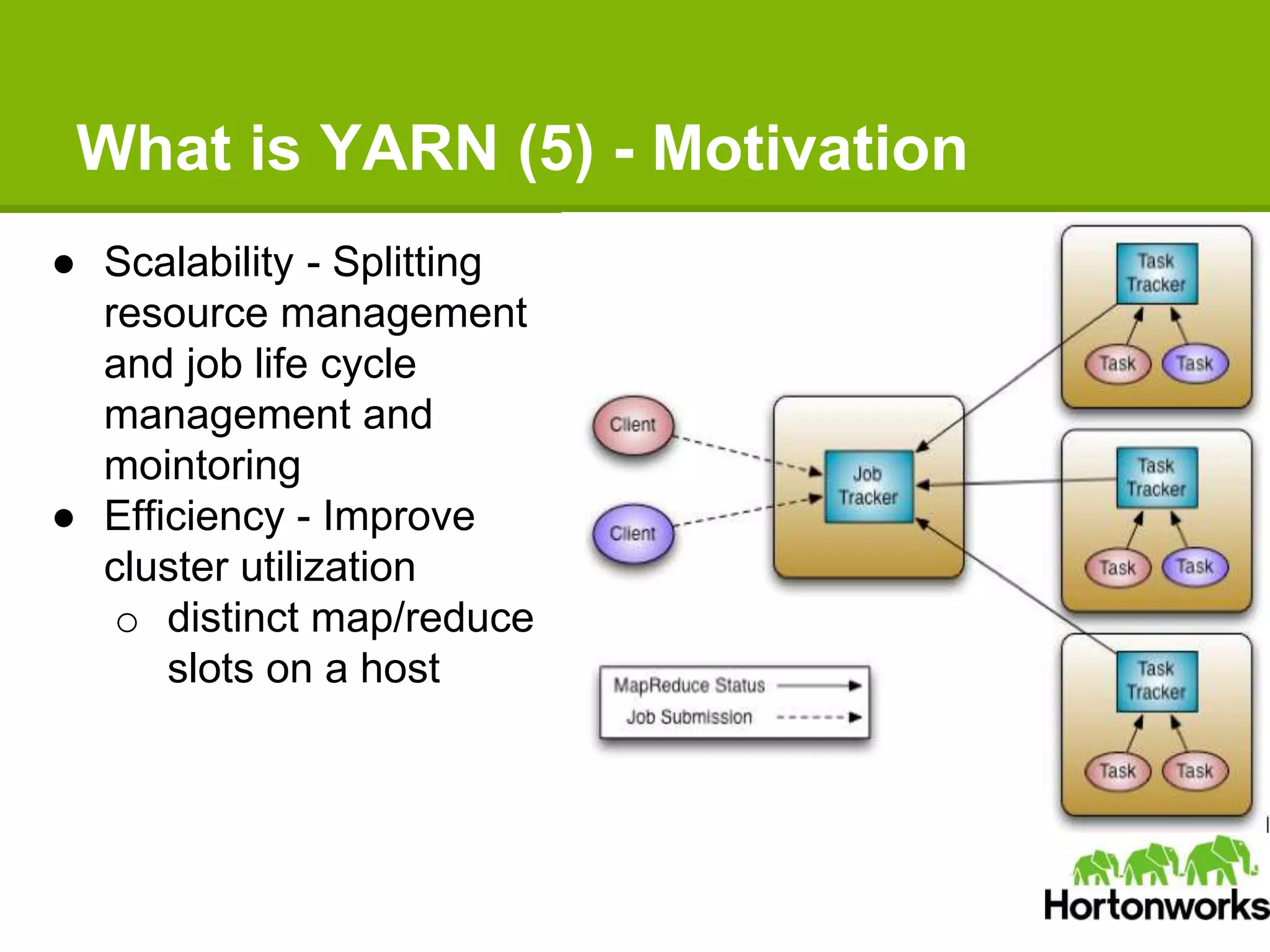
What is YARN (5) - Motivation
● Scalability - Splitting
resource management
and job life cycle
management and
mointoring
● Efficiency - Improve
cluster utilization
o distinct map/reduce
slots on a host
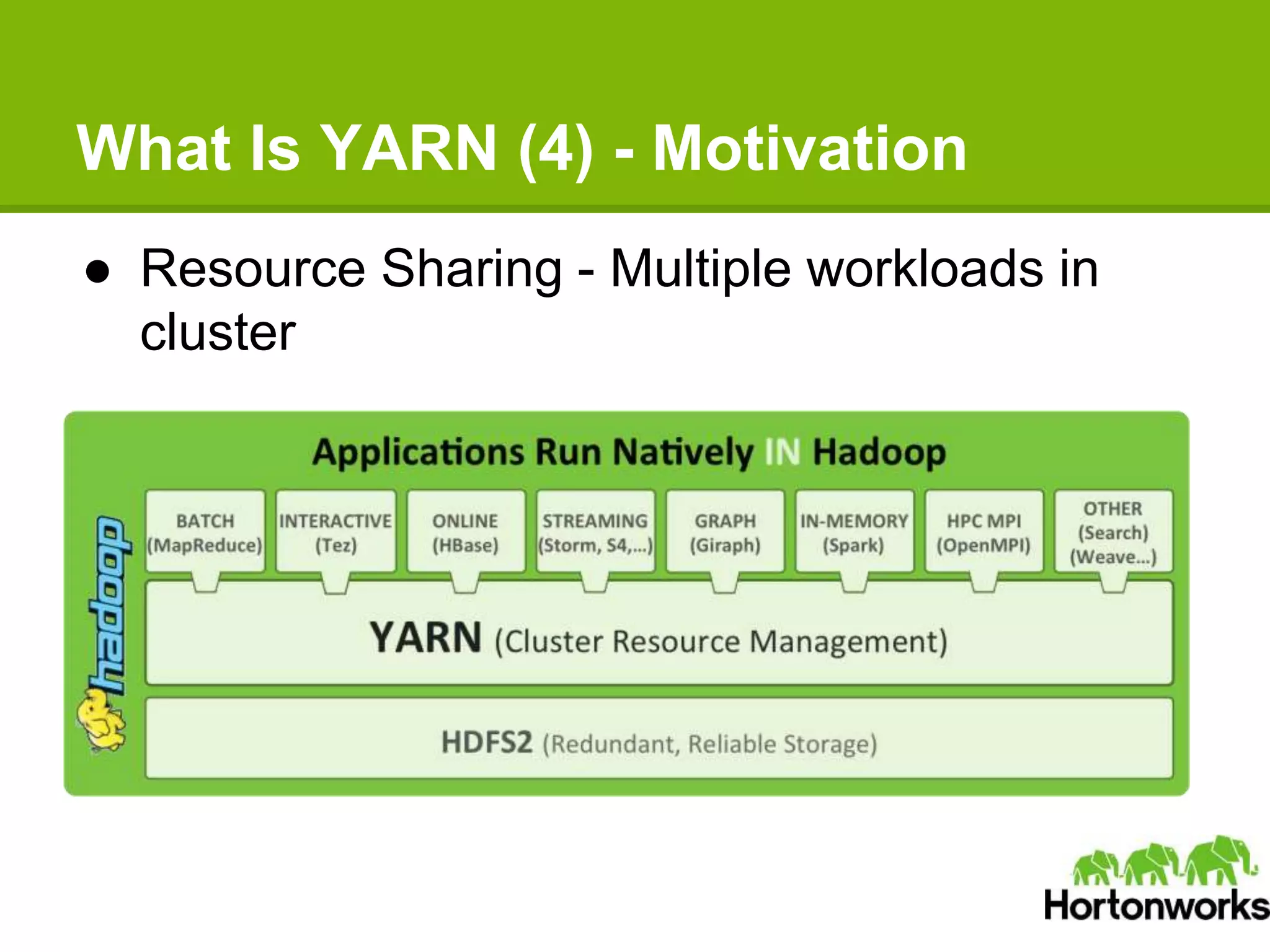
What Is YARN (4) - Motivation
● Resource Sharing - Multiple workloads in
cluster
What Is YARN (5) - Status
● YARN is shipped
● YARN is going to be better
● Hadoop 2.4 is coming this month!
● ResourceManager high availability
● Application historic data services
● Long-running applications optimization
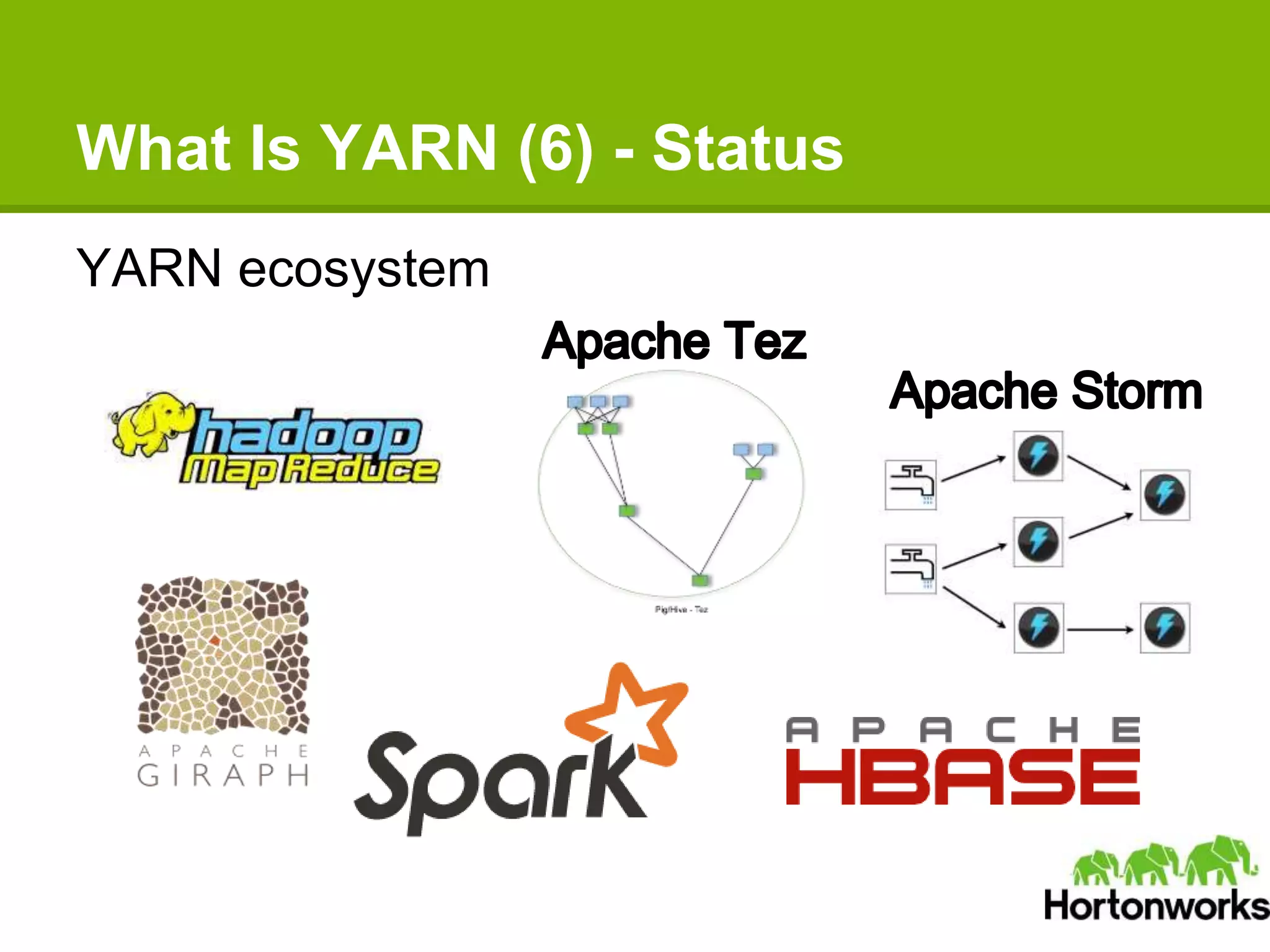
What Is YARN (6) - Status
YARN ecosystem
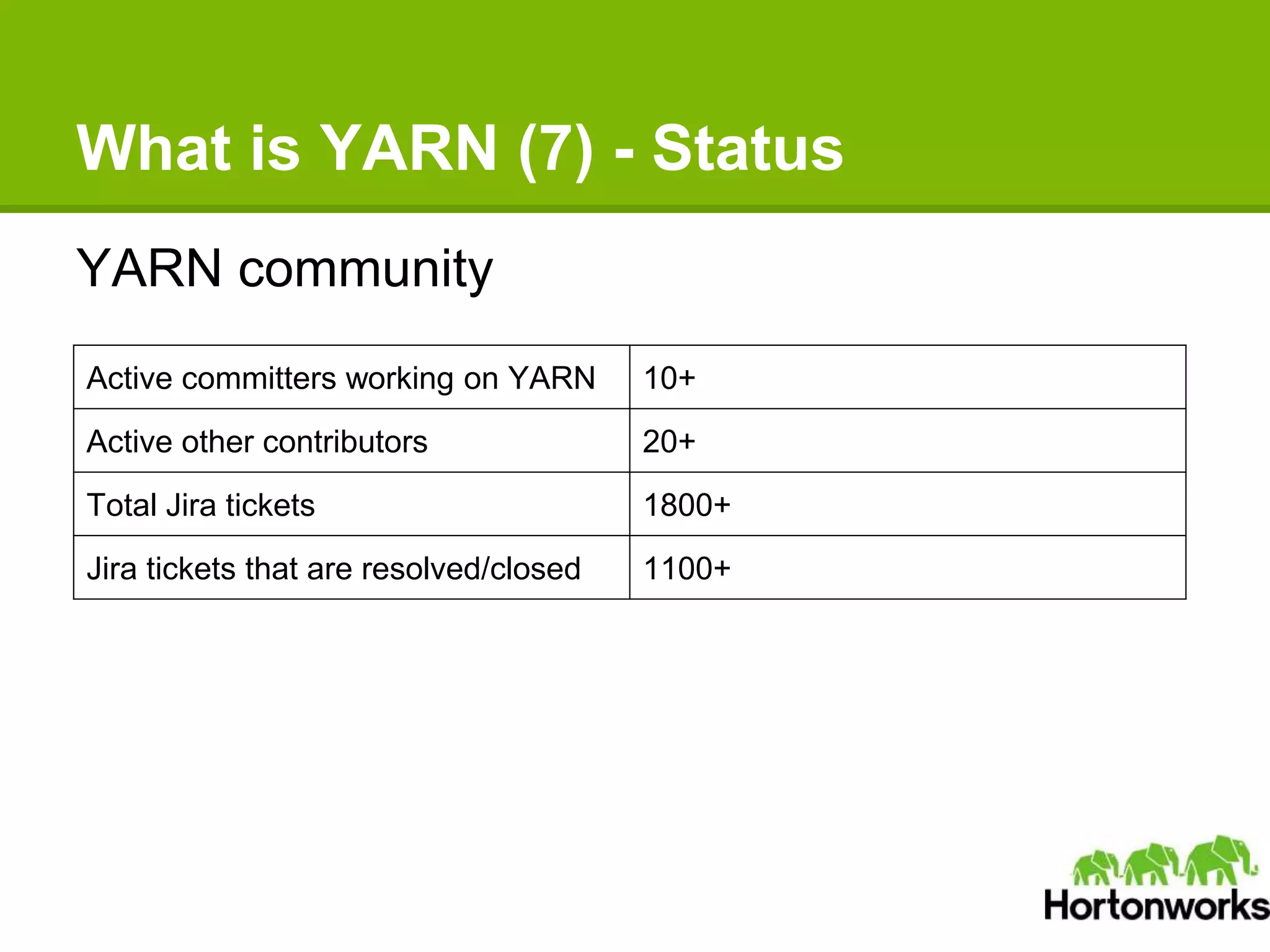
What is YARN (7) - Status
YARN community
Active committers working on YARN 10+
Active other contributors 20+
Total Jira tickets 1800+
Jira tickets that are resolved/closed 1100+
Agenda
● What Is YARN
● YARN Basics
● Recent Development
● Writing Your YARN Applications
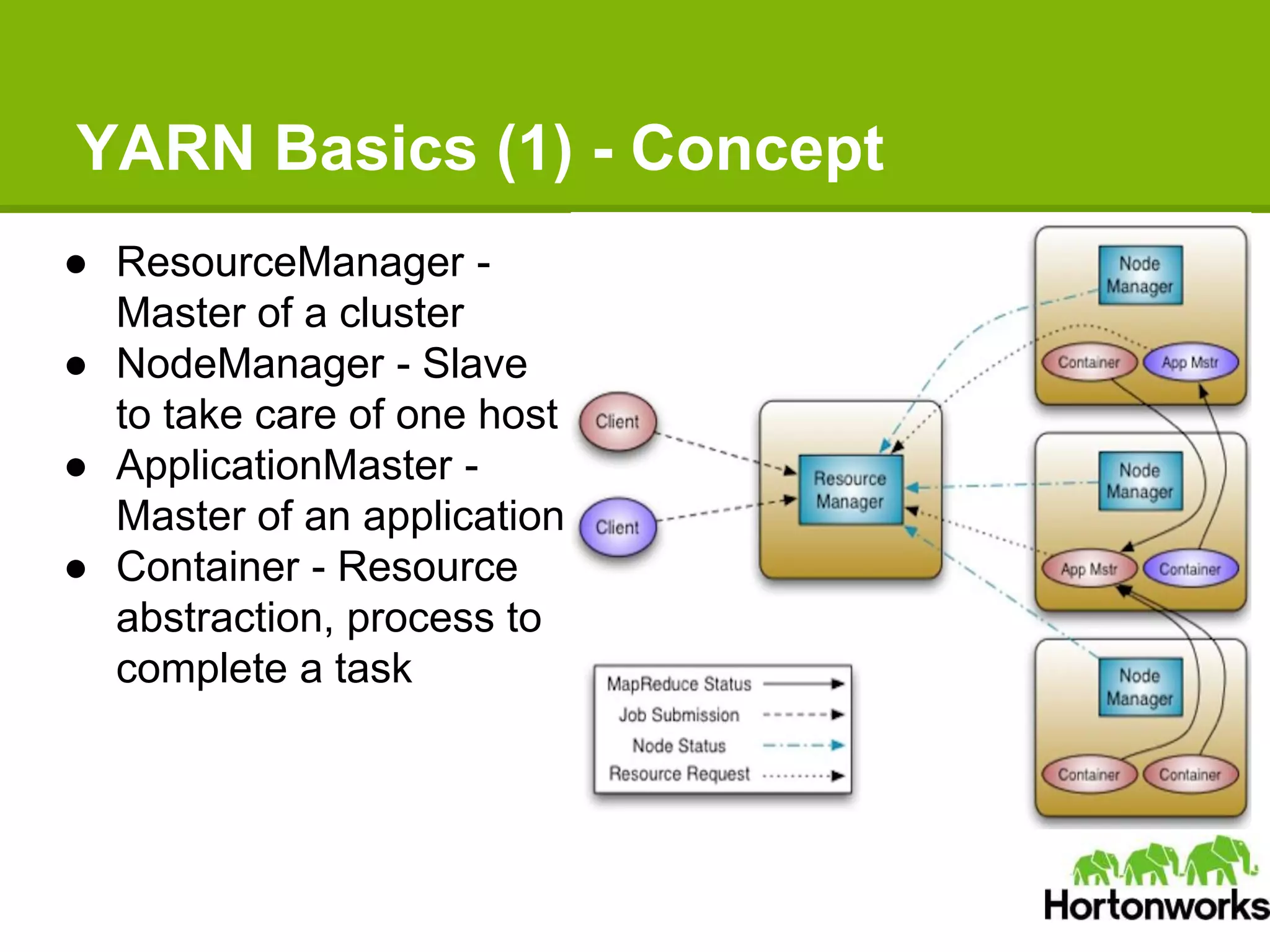
YARN Basics (1) - Concept
● ResourceManager -
Master of a cluster
● NodeManager - Slave
to take care of one host
● ApplicationMaster -
Master of an application
● Container - Resource
abstraction, process to
complete a task
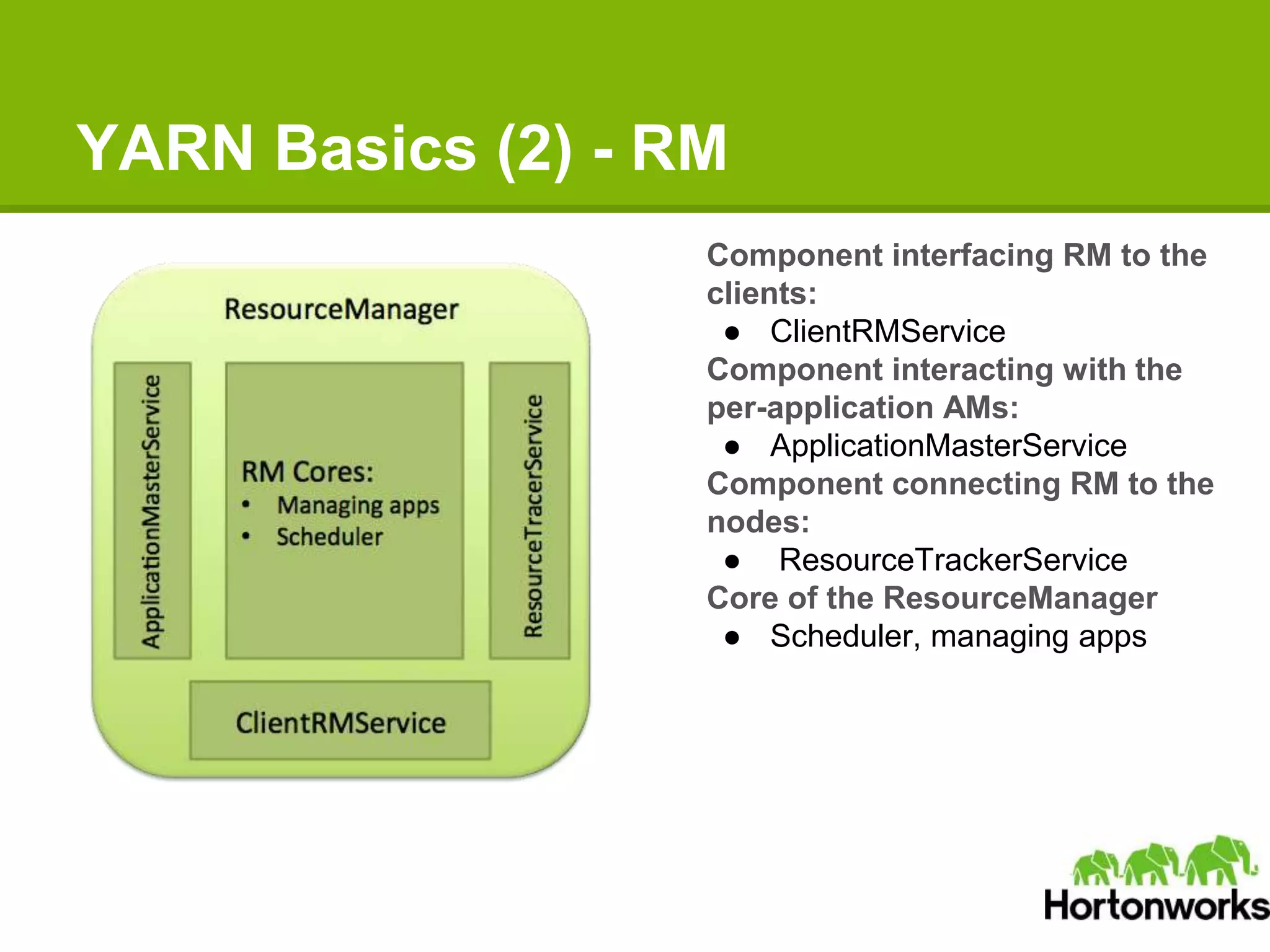
YARN Basics (2) - RM
Component interfacing RM to the
clients:
● ClientRMService
Component interacting with the
per-application AMs:
● ApplicationMasterService
Component connecting RM to the
nodes:
● ResourceTrackerService
Core of the ResourceManager
● Scheduler, managing apps
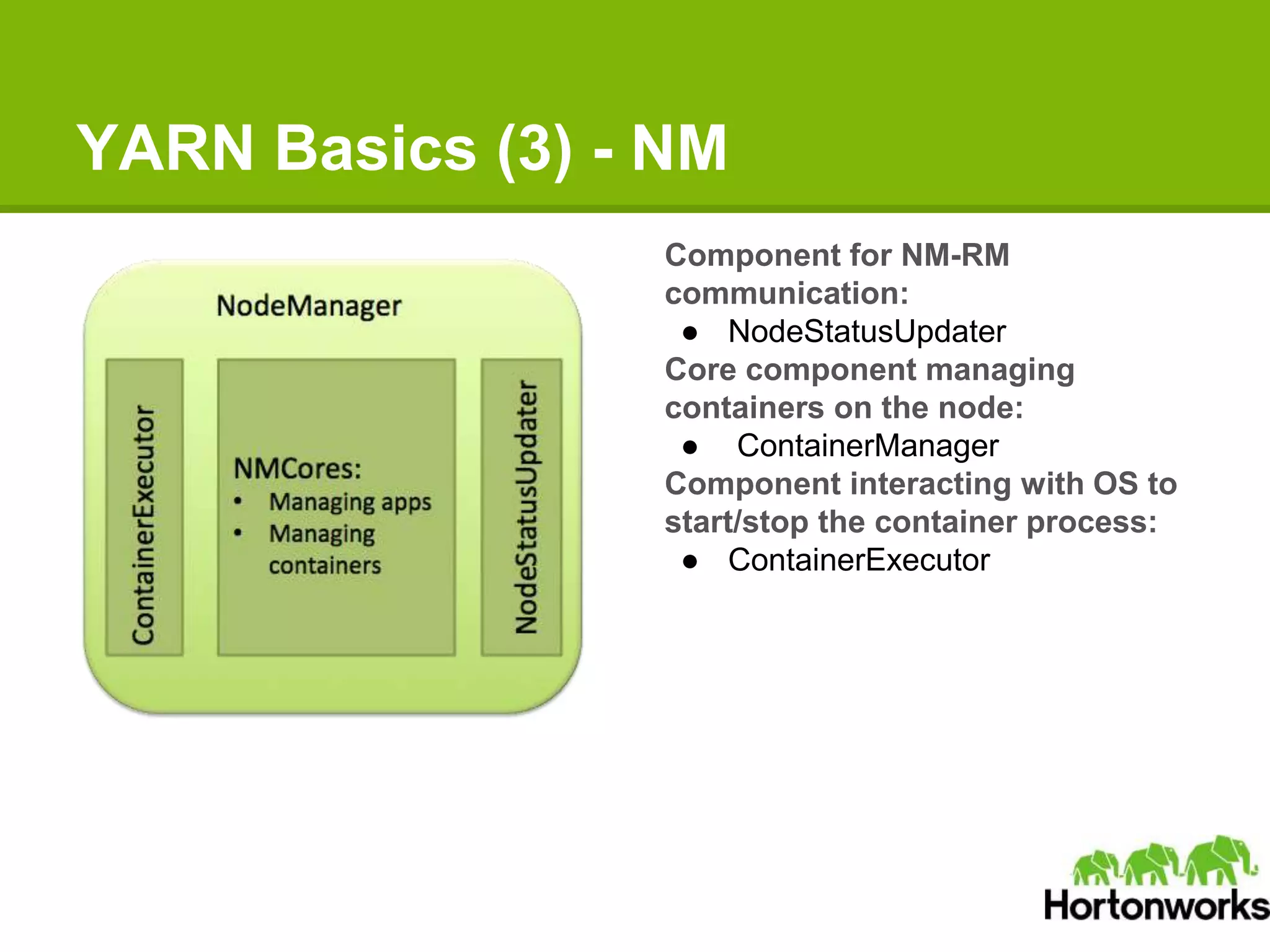
YARN Basics (3) - NM
Component for NM-RM
communication:
● NodeStatusUpdater
Core component managing
containers on the node:
● ContainerManager
Component interacting with OS to
start/stop the container process:
● ContainerExecutor
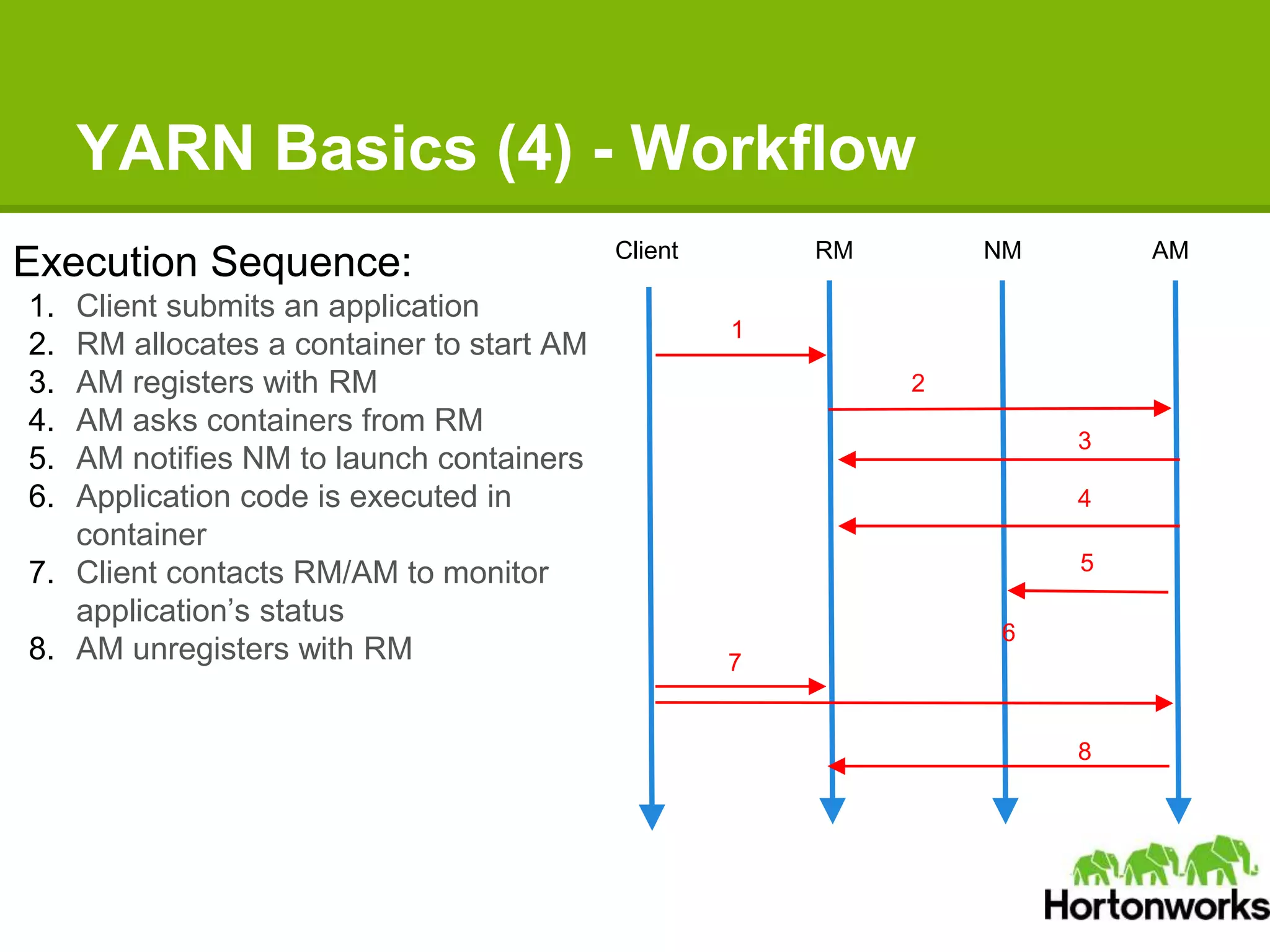
YARN Basics (4) - Workflow
Execution Sequence:
1. Client submits an application
2. RM allocates a container to start AM
3. AM registers with RM
4. AM asks containers from RM
5. AM notifies NM to launch containers
6. Application code is executed in
container
7. Client contacts RM/AM to monitor
application’s status
8. AM unregisters with RM
Client RM NM AM
1
2
3
4
5
7
8
6
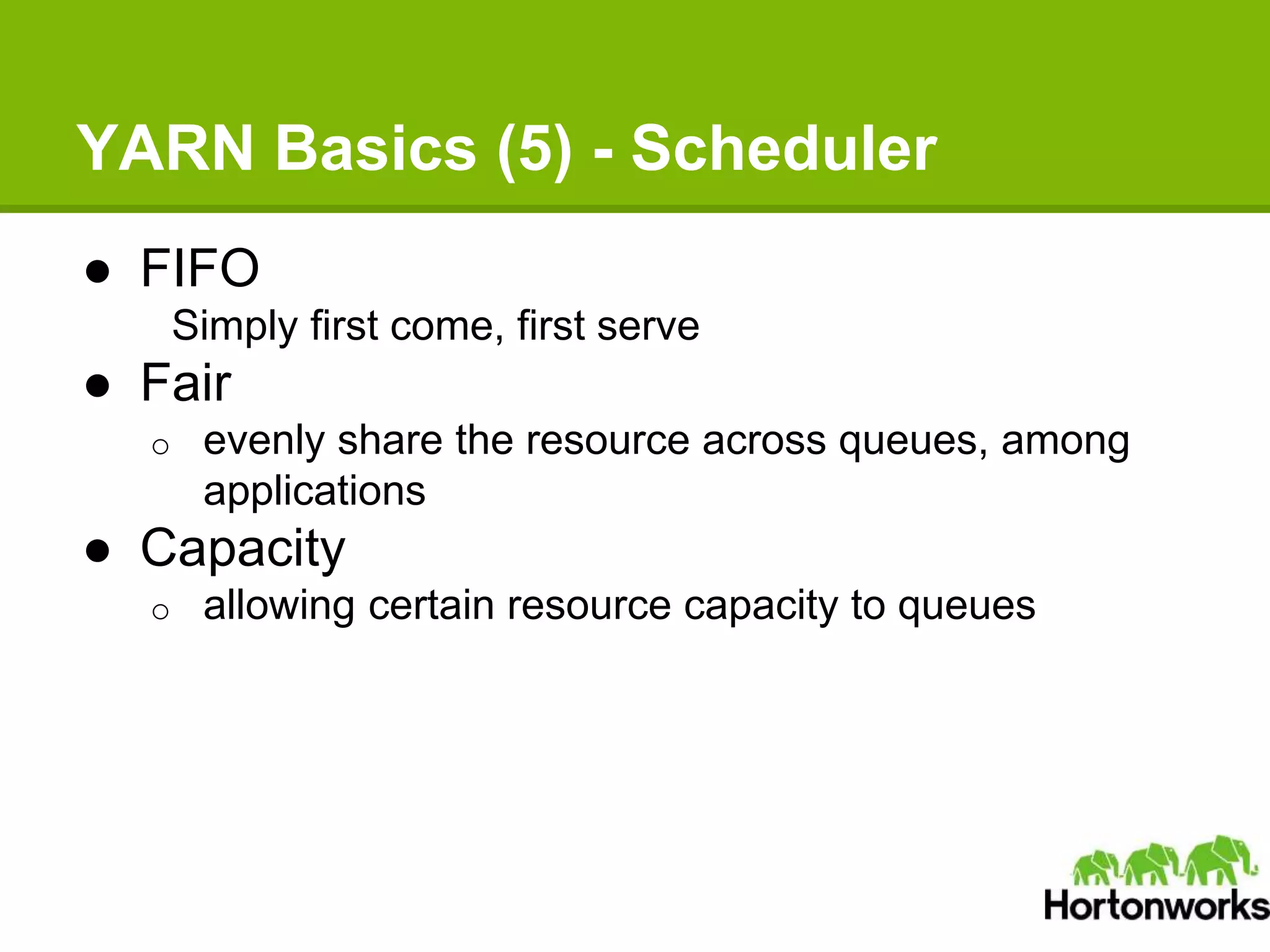
YARN Basics (5) - Scheduler
● FIFO
Simply first come, first serve
● Fair
o evenly share the resource across queues, among
applications
● Capacity
o allowing certain resource capacity to queues
Agenda
● What Is YARN
● YARN Basics
● Recent Development
● Writing Your YARN Applications
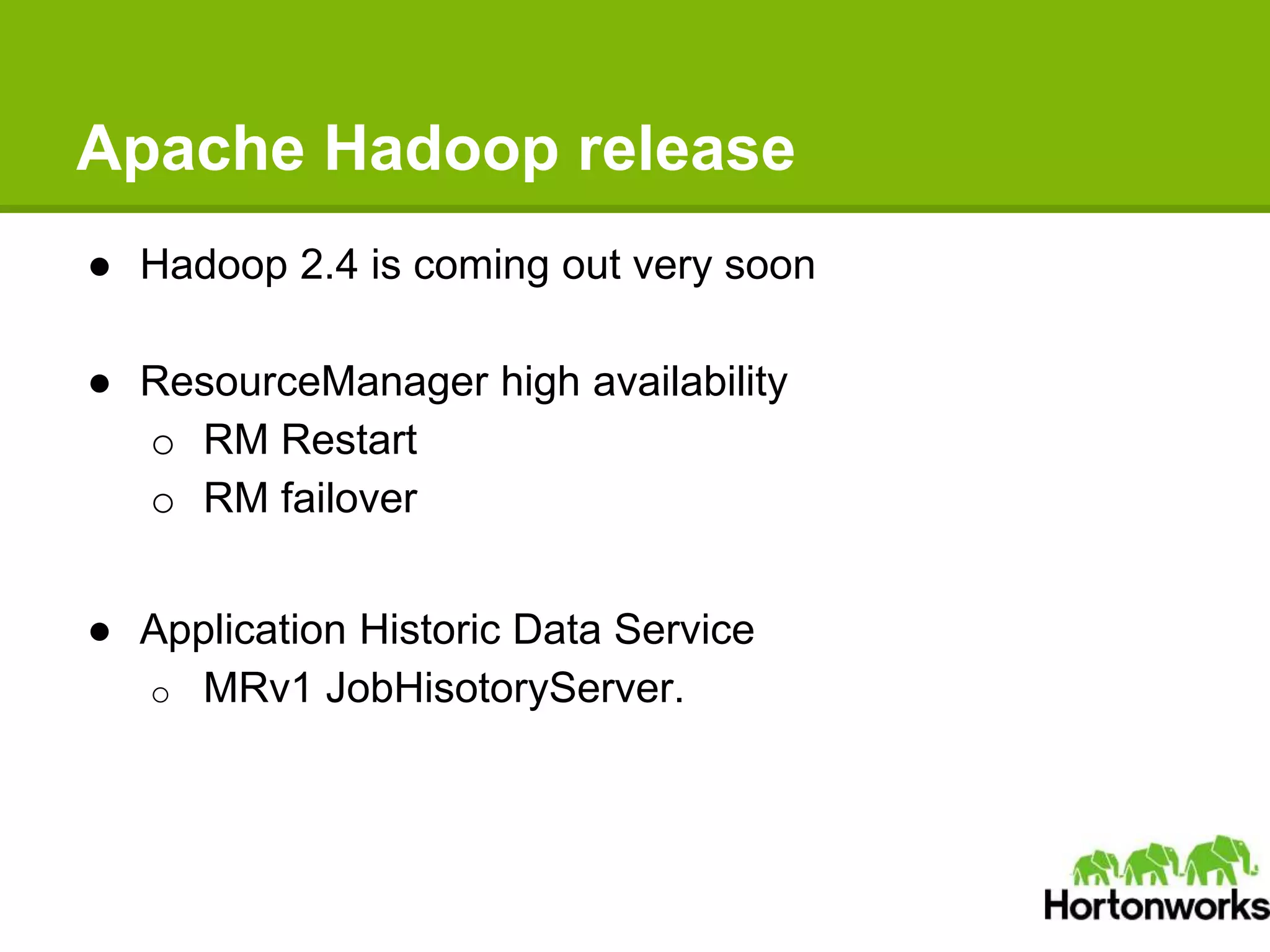
Apache Hadoop release
● Hadoop 2.4 is coming out very soon
● ResourceManager high availability
o RM Restart
o RM failover
● Application Historic Data Service
o MRv1 JobHisotoryServer.
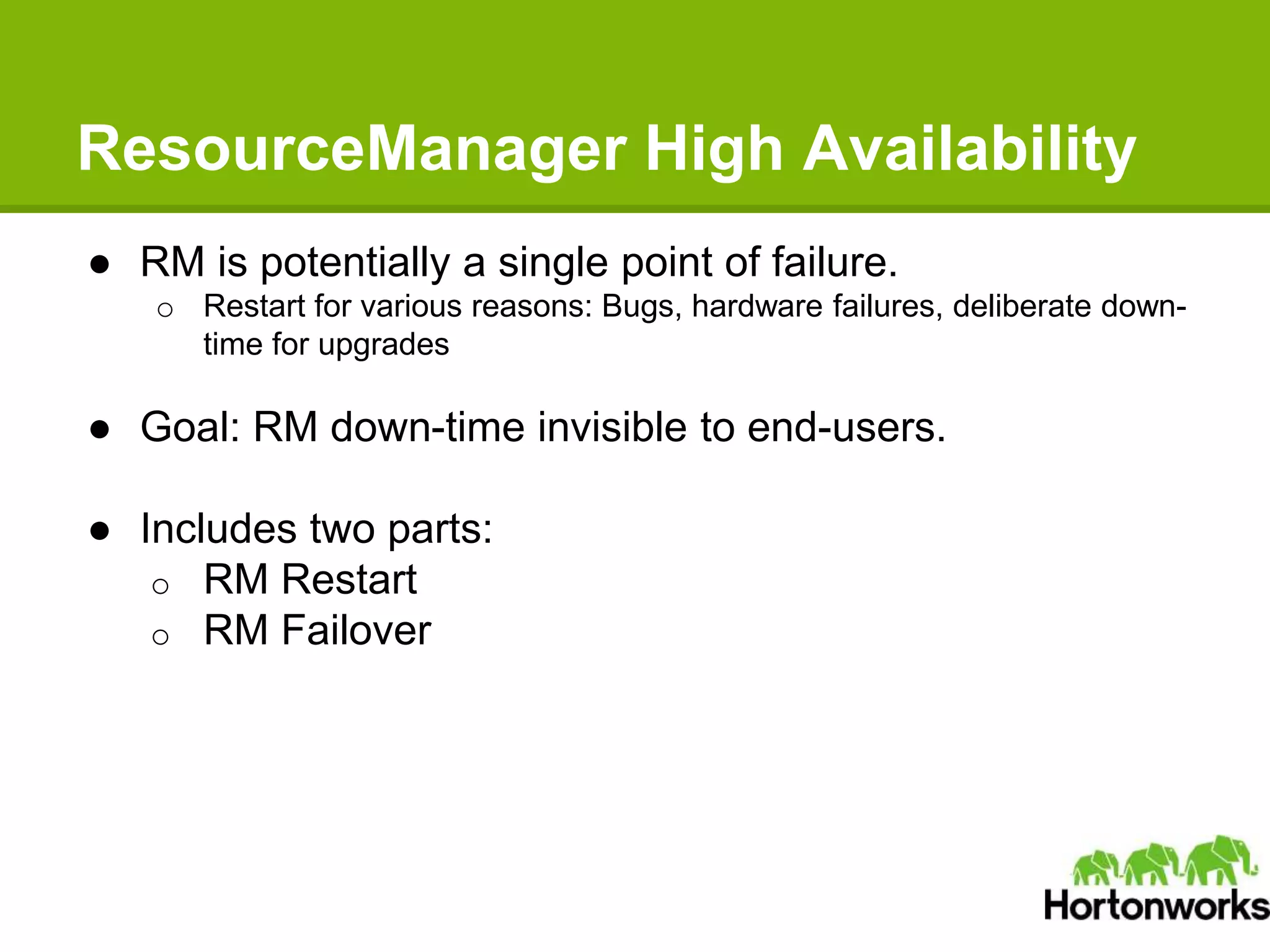
ResourceManager High Availability
● RM is potentially a single point of failure.
o Restart for various reasons: Bugs, hardware failures, deliberate down-
time for upgrades
● Goal: RM down-time invisible to end-users.
● Includes two parts:
o RM Restart
o RM Failover
ResourceManager Restart
● RMState includes:
o static state (appSubmissionContext, credentials) , belongs to RM
o running state - per AM
 scheduler state, i.e. per-app scheduling state, resource
consumptions
● Overly complex in MRv1 for the fact that JobTracker has to save too much
information: both static state and running state.
● YARN RM only persists static state, because AM and RM are running on
different machines on YARN
o Persist application submission metadata and gathers running state
from AM and NM
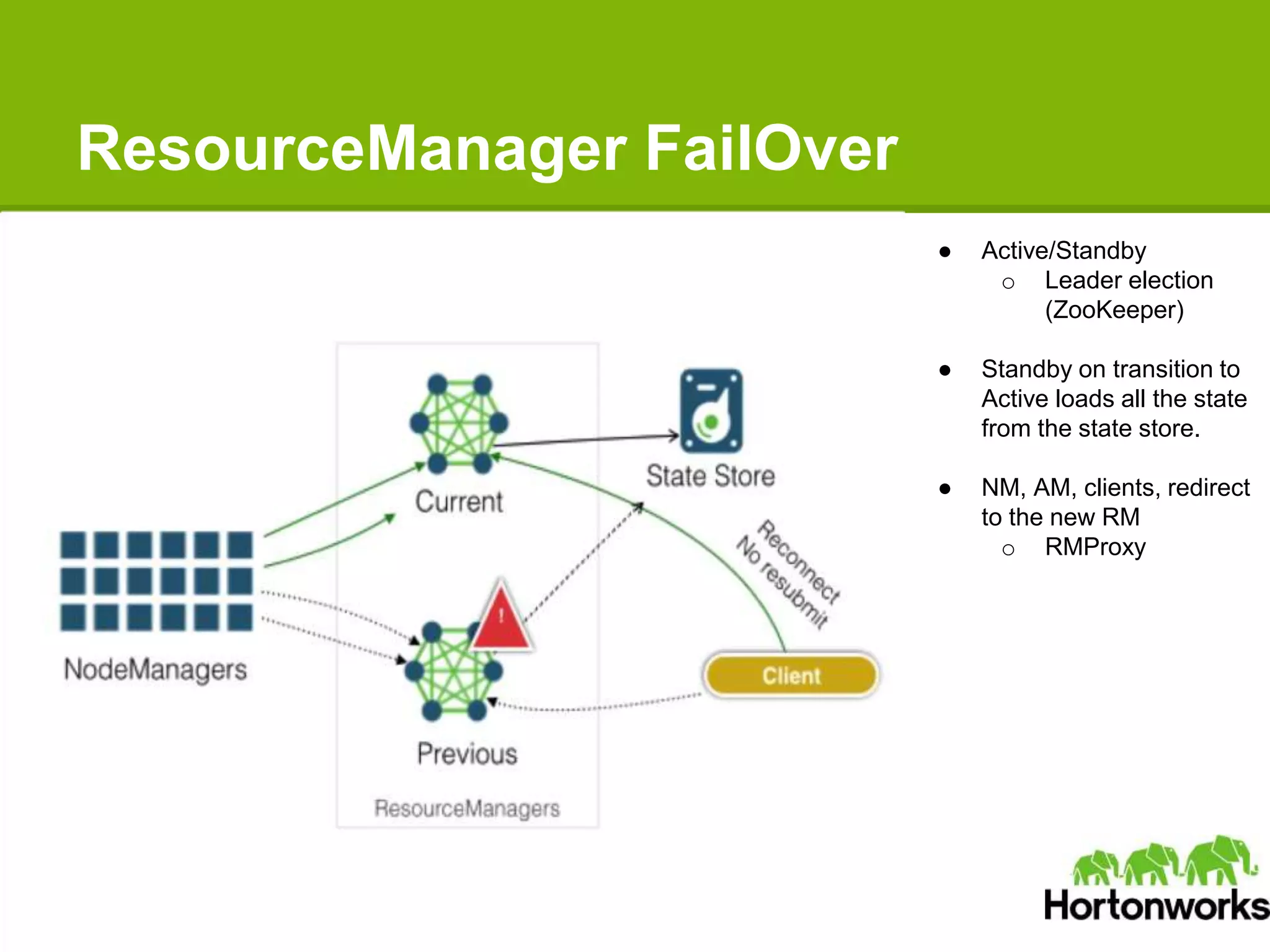
ResourceManager FailOver
● Active/Standby
o Leader election
(ZooKeeper)
● Standby on transition to
Active loads all the state
from the state store.
● NM, AM, clients, redirect
to the new RM
o RMProxy
Application Historic Data Service
● Motivation: MRv1 JobHisotoryServer
o MR job writes history data into HDFS.
o When job finishes and removes from memory, Clients request will be
redirected to JHS.
o Reads the this persistent history data in a on-demand way to serve
the requests.
Application Historic Data Service
● Goal: Solve the application-history problem in a generic
and more scalable way.
● A single application history server to serve all
applications’ requests.
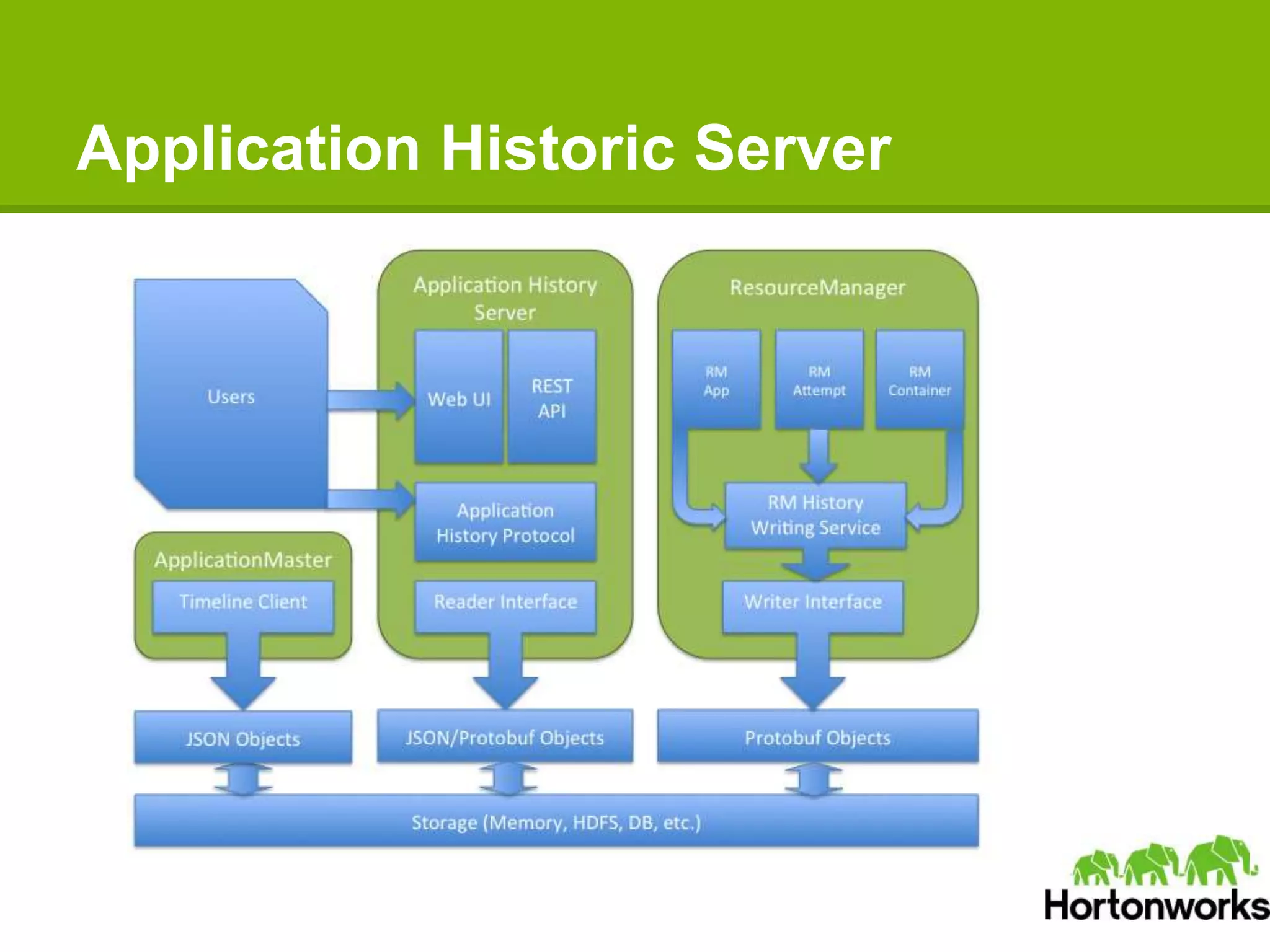
● ResourceManager records generic application information
o Application, ApplicationAttempt, Container
● ApplicationMaster writes framework specific information
o Free for users to define
● Multiple interfaces to inquiry the historic information
o RPC, RESTful Services
o History server Web UI
Application Historic Server
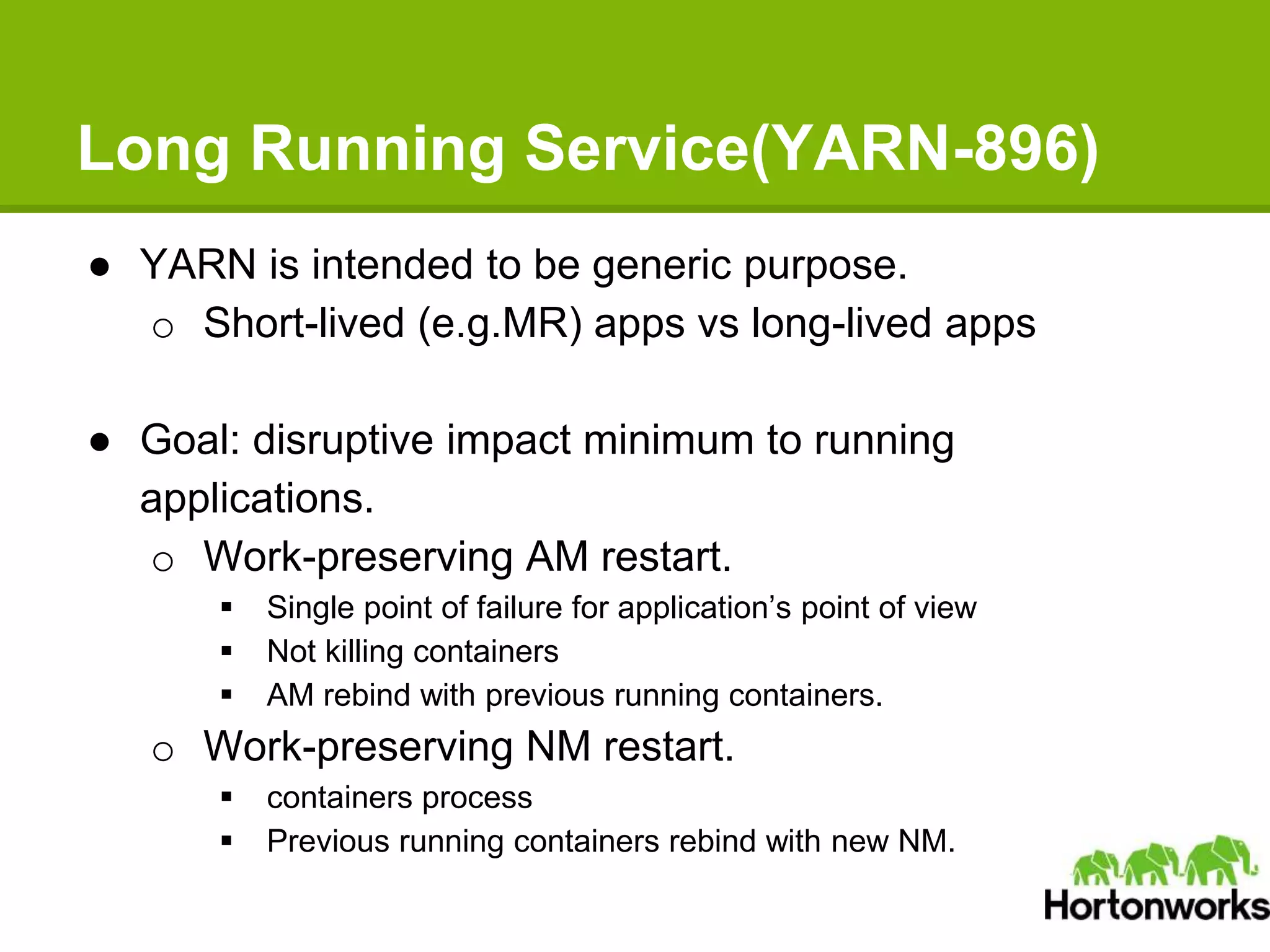
Long Running Service(YARN-896)
● YARN is intended to be generic purpose.
o Short-lived (e.g.MR) apps vs long-lived apps
● Goal: disruptive impact minimum to running
applications.
o Work-preserving AM restart.
 Single point of failure for application’s point of view
 Not killing containers
 AM rebind with previous running containers.
o Work-preserving NM restart.
 containers process
 Previous running containers rebind with new NM.
Agenda
● What Is YARN
● YARN Basics
● Recent Development
● Writing Your YARN Applications
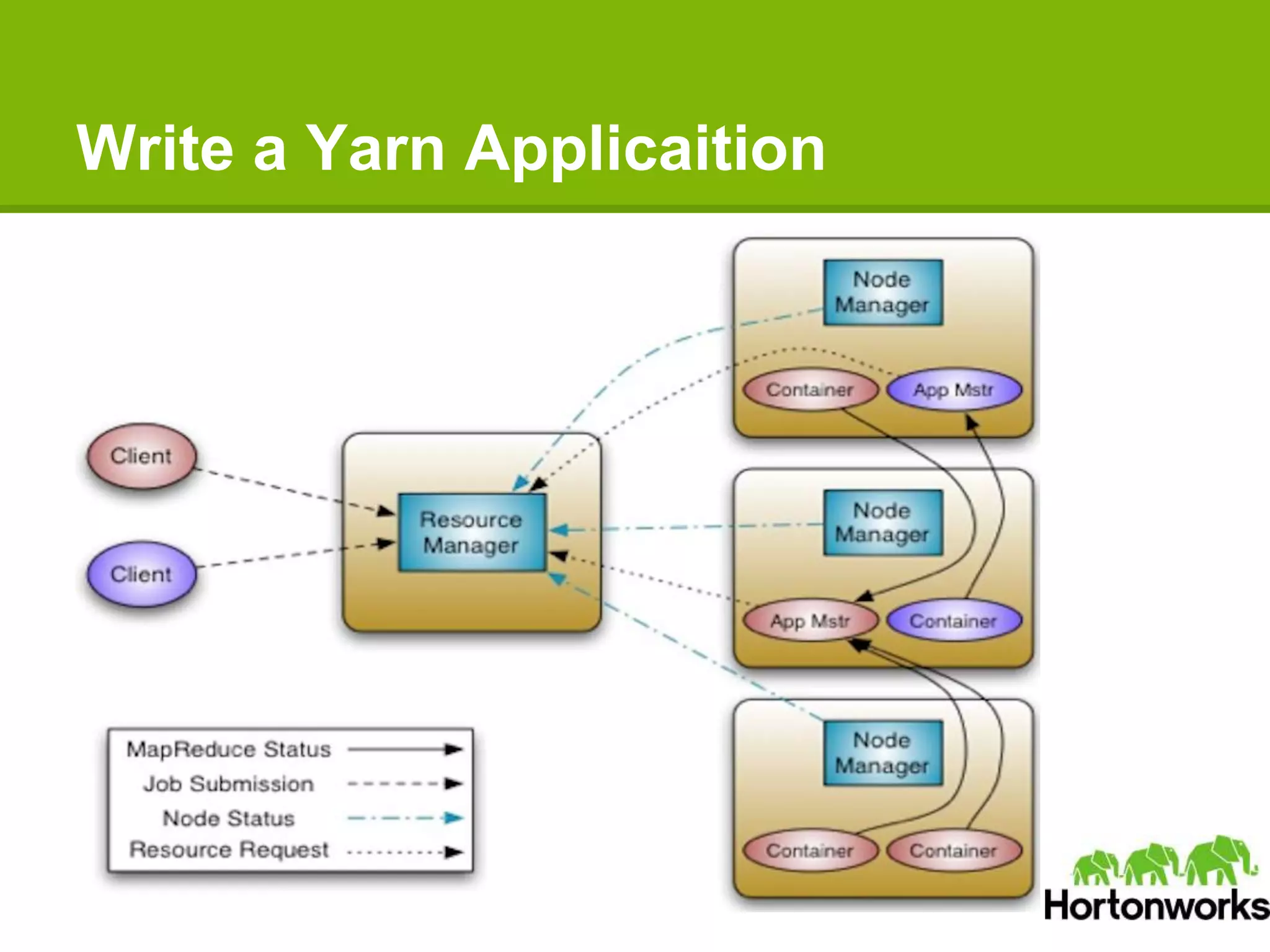
Write a Yarn Applicaition
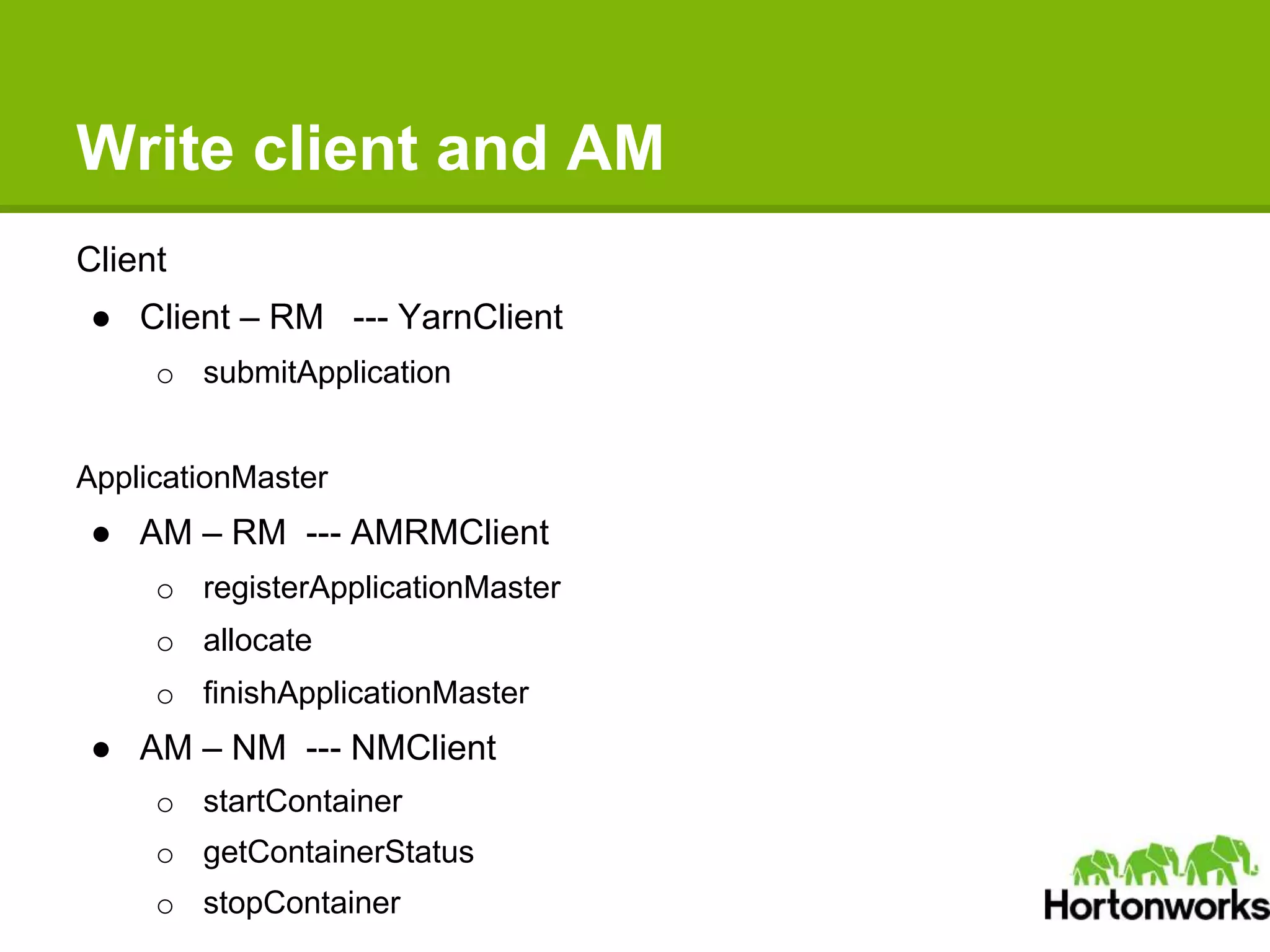
Write client and AM
Client
● Client – RM --- YarnClient
o submitApplication
ApplicationMaster
● AM – RM --- AMRMClient
o registerApplicationMaster
o allocate
o finishApplicationMaster
● AM – NM --- NMClient
o startContainer
o getContainerStatus
o stopContainer
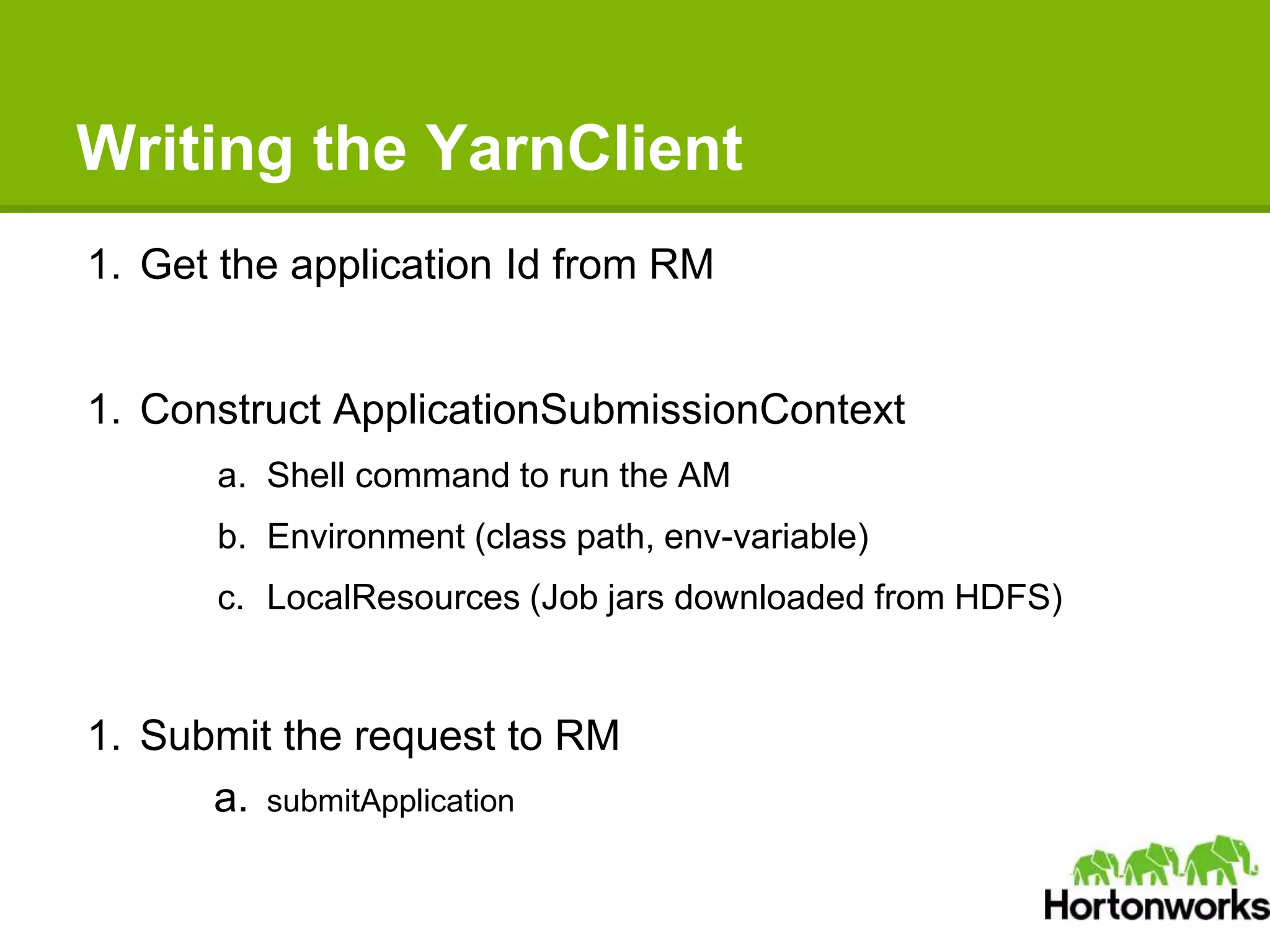
Writing the YarnClient
1. Get the application Id from RM
1. Construct ApplicationSubmissionContext
a. Shell command to run the AM
b. Environment (class path, env-variable)
c. LocalResources (Job jars downloaded from HDFS)
1. Submit the request to RM
a. submitApplication
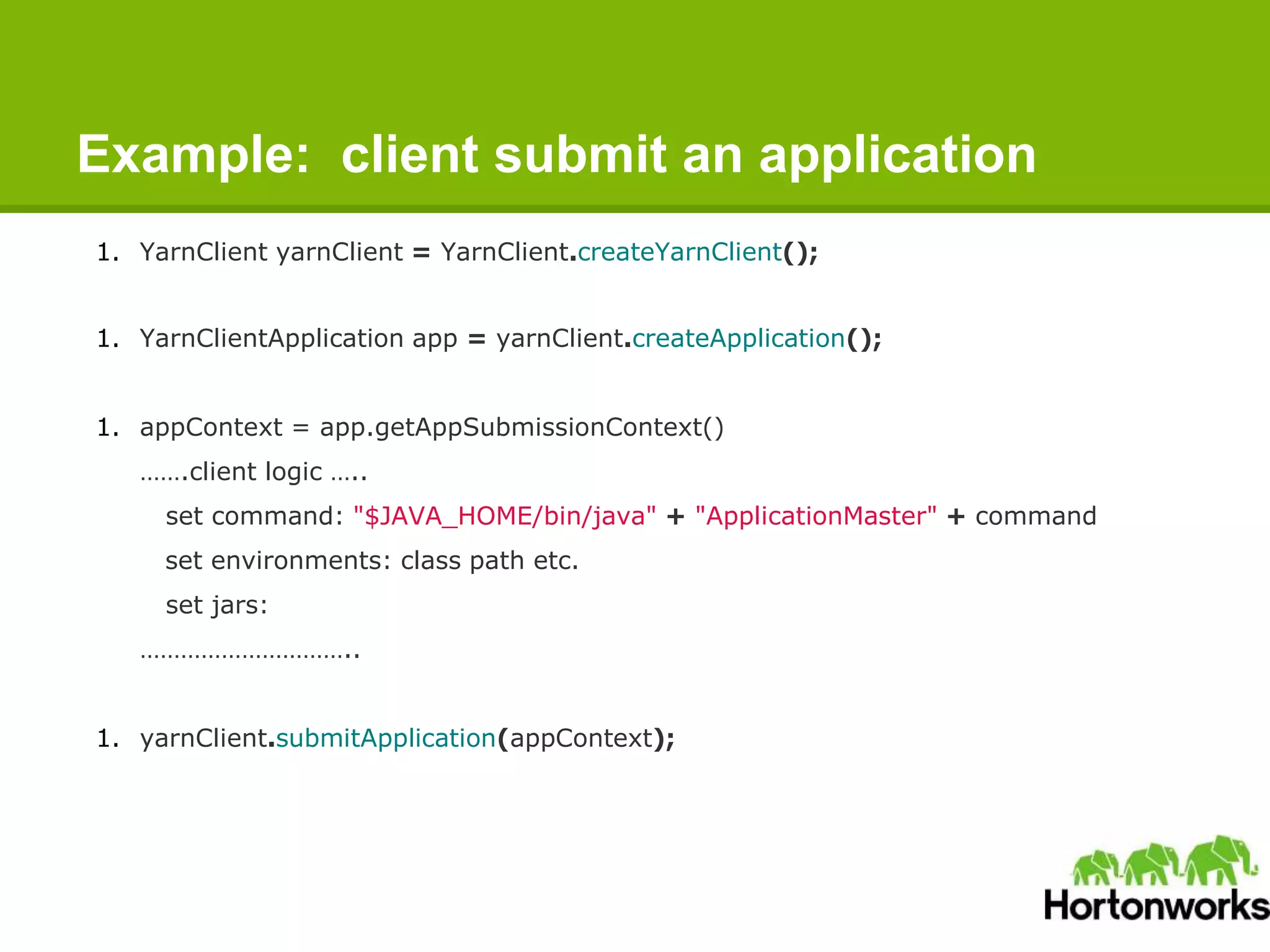
Example: client submit an application
1. YarnClient yarnClient = YarnClient.createYarnClient();
1. YarnClientApplication app = yarnClient.createApplication();
1. appContext = app.getAppSubmissionContext()
…….client logic …..
set command: "$JAVA_HOME/bin/java" + "ApplicationMaster" + command
set environments: class path etc.
set jars:
…………………………..
1. yarnClient.submitApplication(appContext);
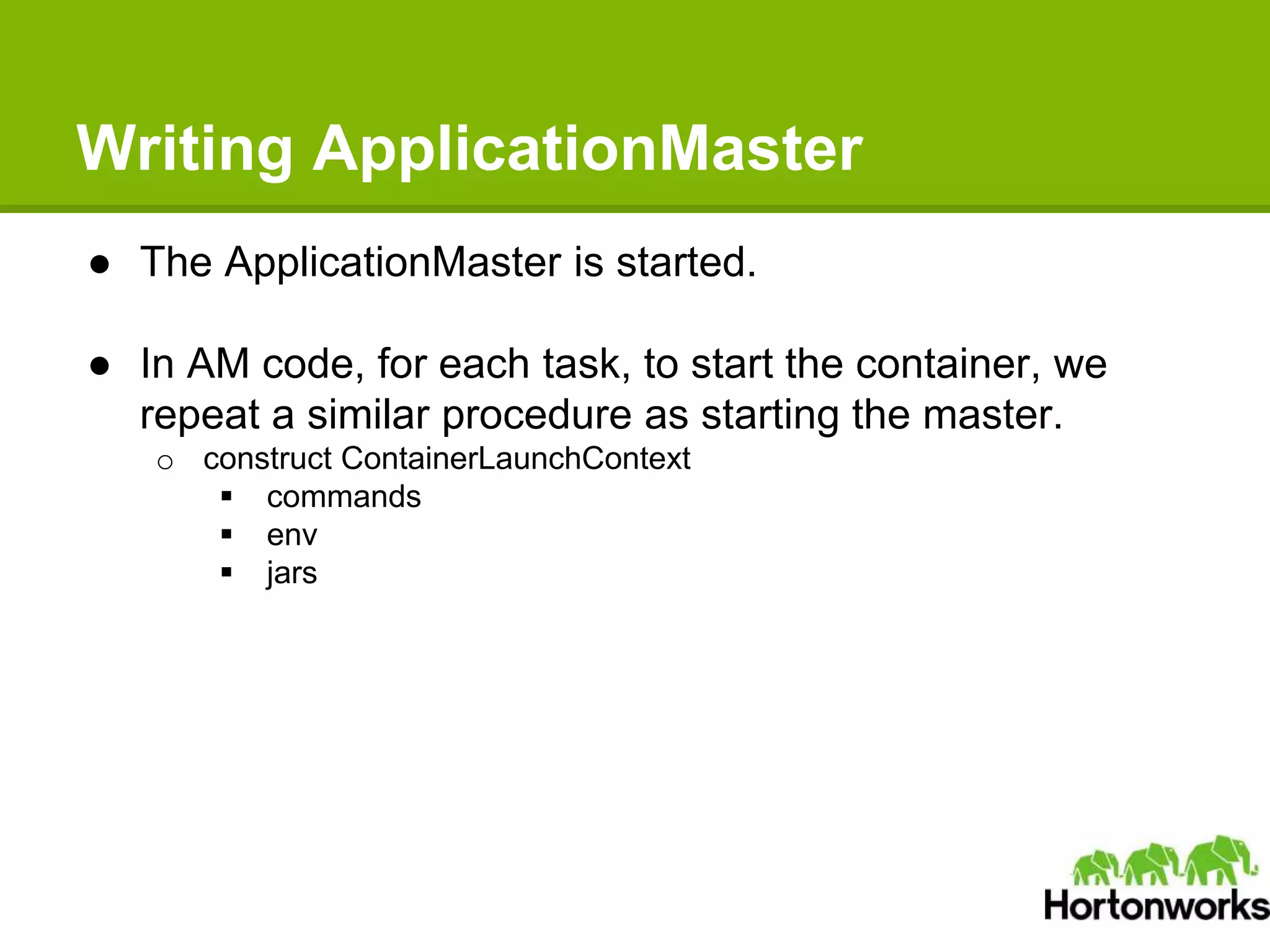
Writing ApplicationMaster
● The ApplicationMaster is started.
● In AM code, for each task, to start the container, we
repeat a similar procedure as starting the master.
o construct ContainerLaunchContext
 commands
 env
 jars
Writing ApplicationMaster
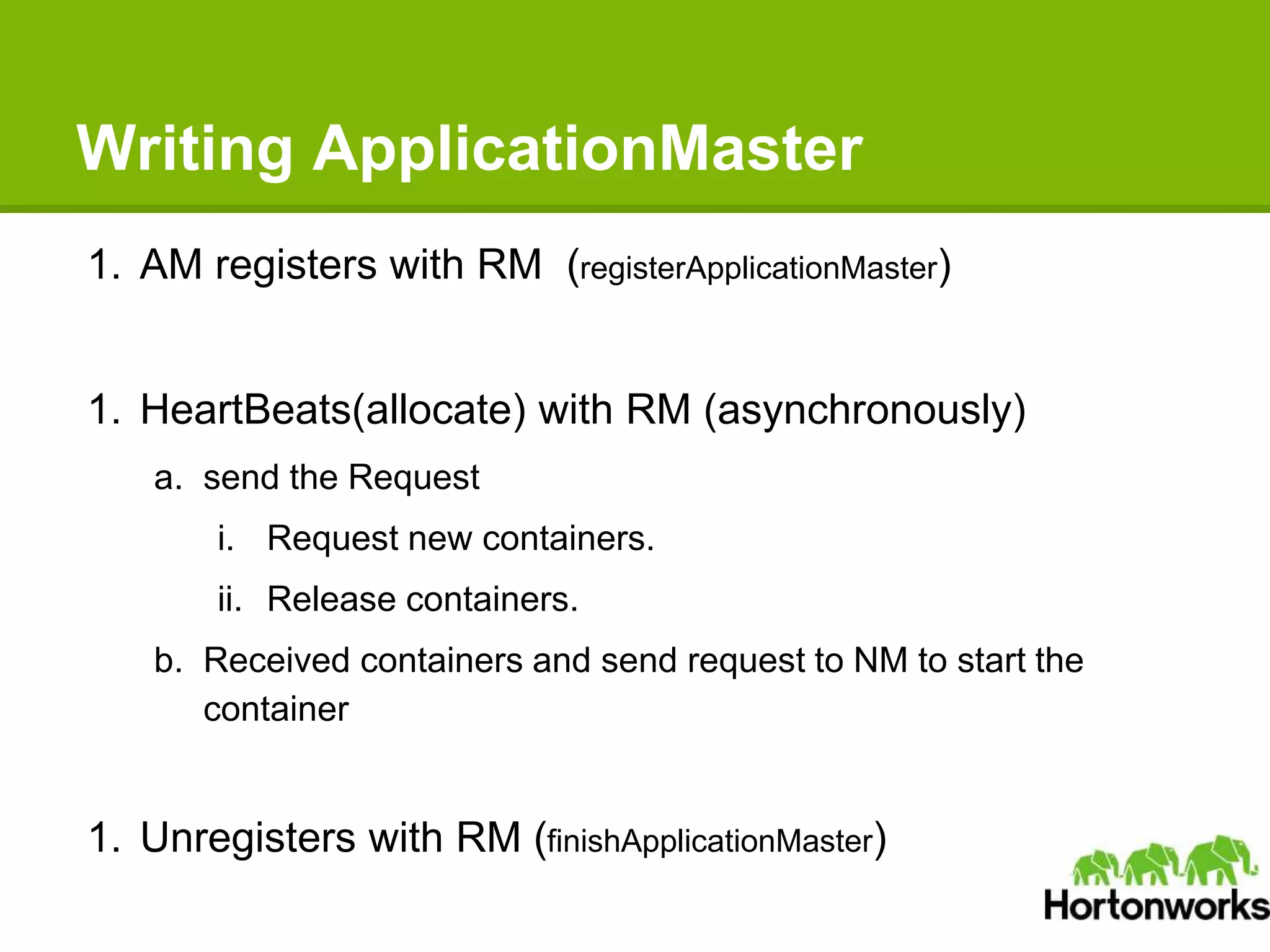
1. AM registers with RM (registerApplicationMaster)
1. HeartBeats(allocate) with RM (asynchronously)
a. send the Request
i. Request new containers.
ii. Release containers.
b. Received containers and send request to NM to start the
container
1. Unregisters with RM (finishApplicationMaster)
Writing ApplicationMaster
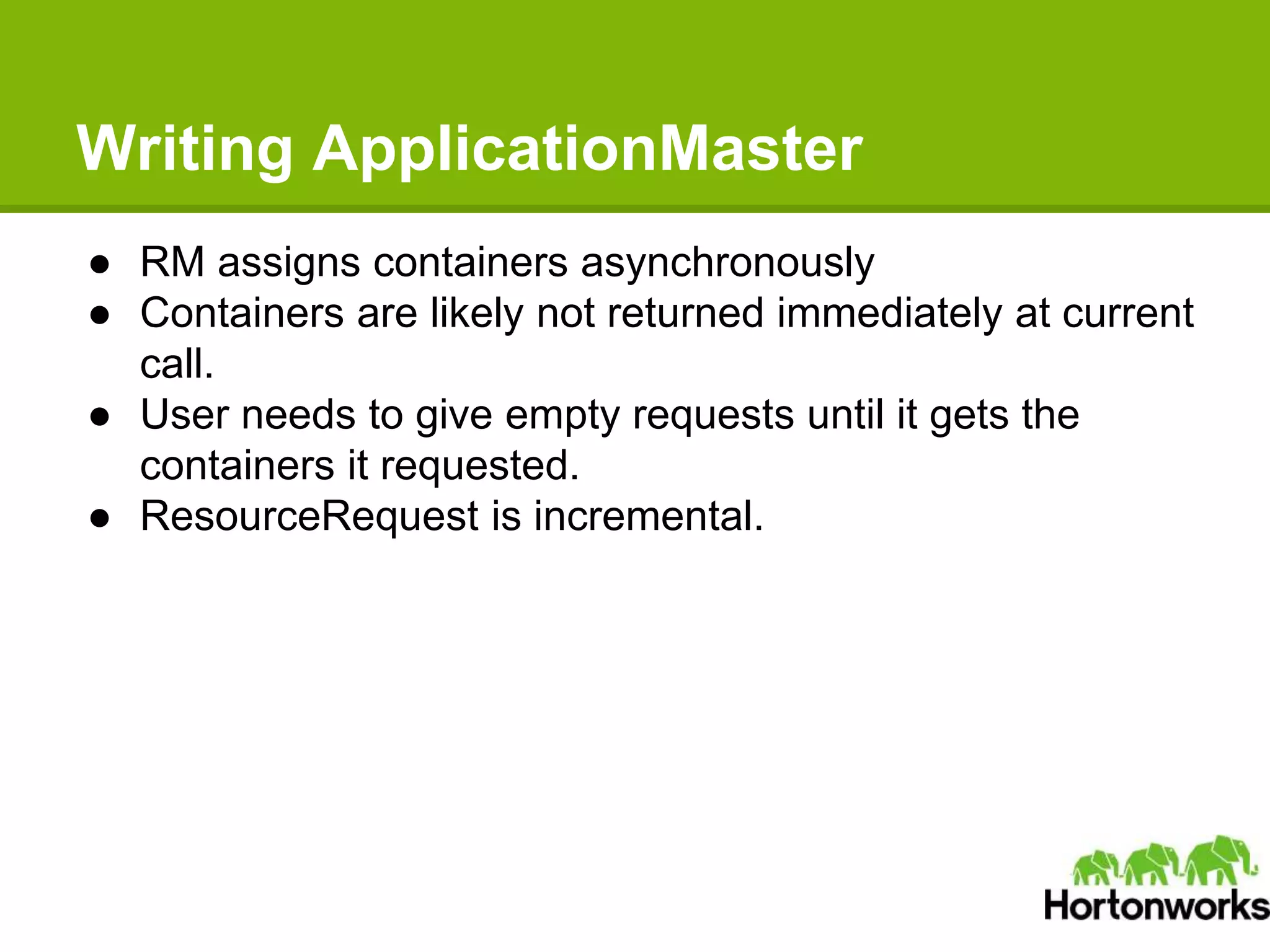
● RM assigns containers asynchronously
● Containers are likely not returned immediately at current
call.
● User needs to give empty requests until it gets the
containers it requested.
● ResourceRequest is incremental.
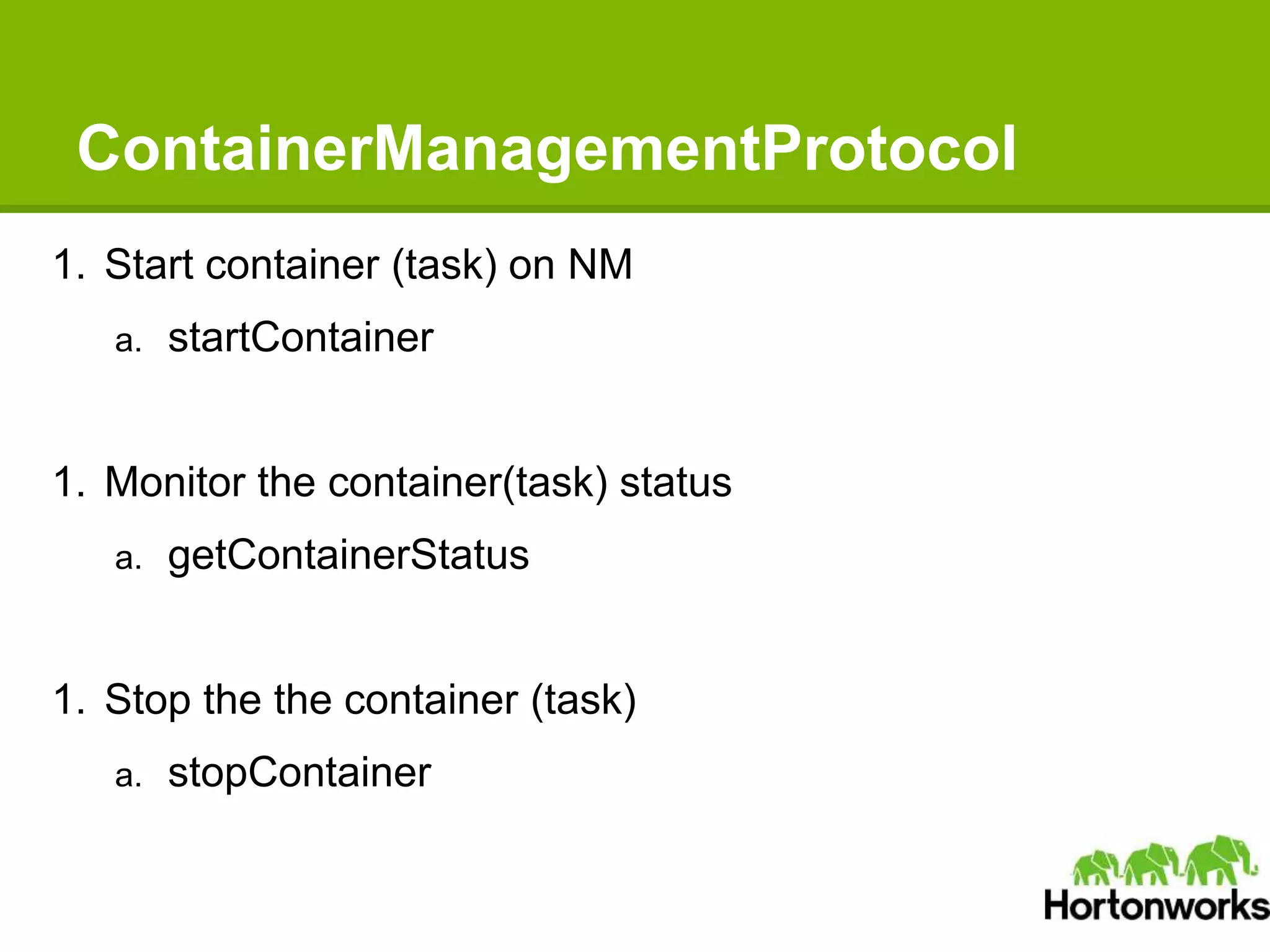
ContainerManagementProtocol
1. Start container (task) on NM
a. startContainer
1. Monitor the container(task) status
a. getContainerStatus
1. Stop the the container (task)
a. stopContainer
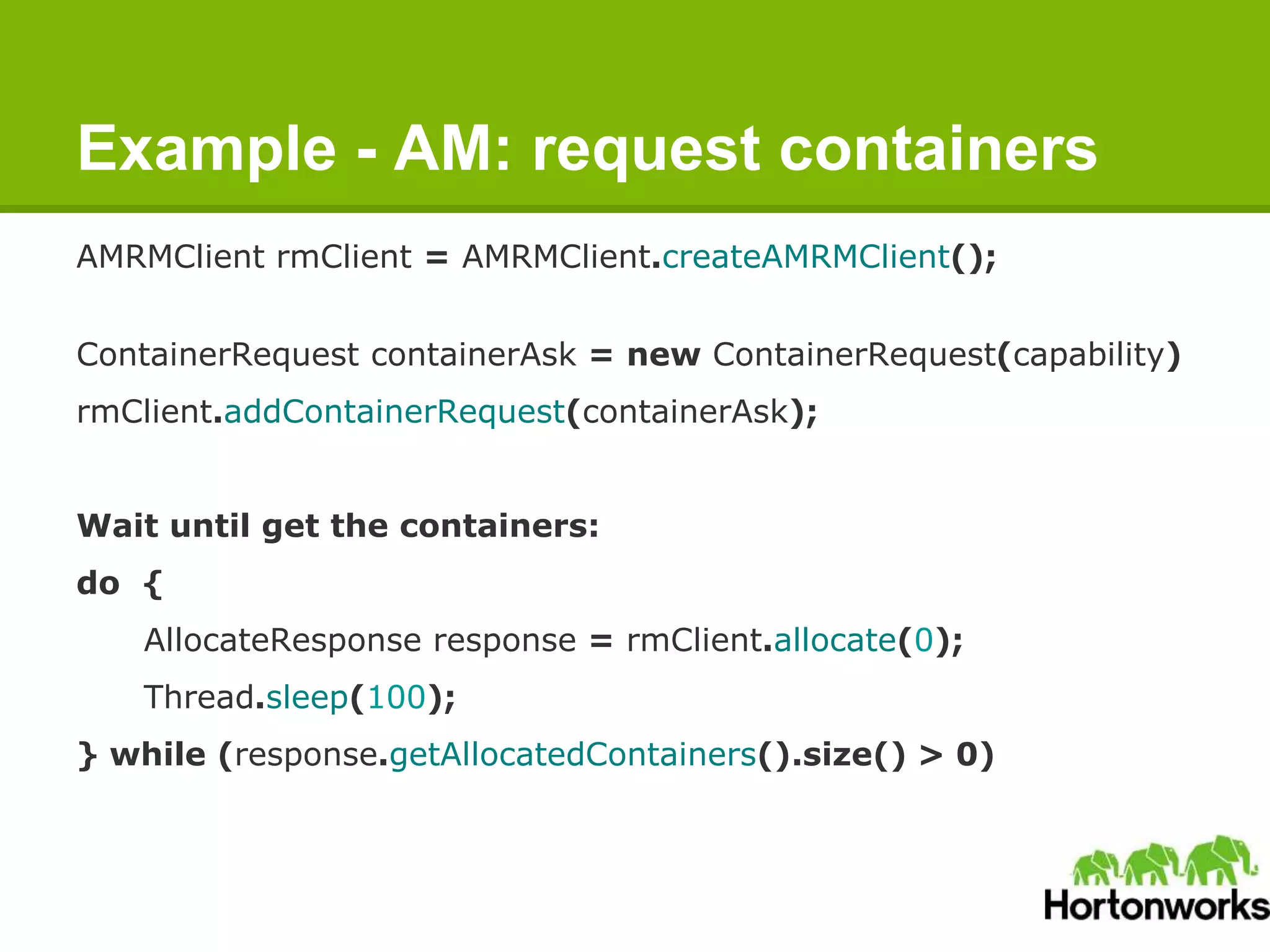
Example - AM: request containers
AMRMClient rmClient = AMRMClient.createAMRMClient();
ContainerRequest containerAsk = new ContainerRequest(capability)
rmClient.addContainerRequest(containerAsk);
Wait until get the containers:
do {
AllocateResponse response = rmClient.allocate(0);
Thread.sleep(100);
} while (response.getAllocatedContainers().size() > 0)
Example - AM: start/stop containers
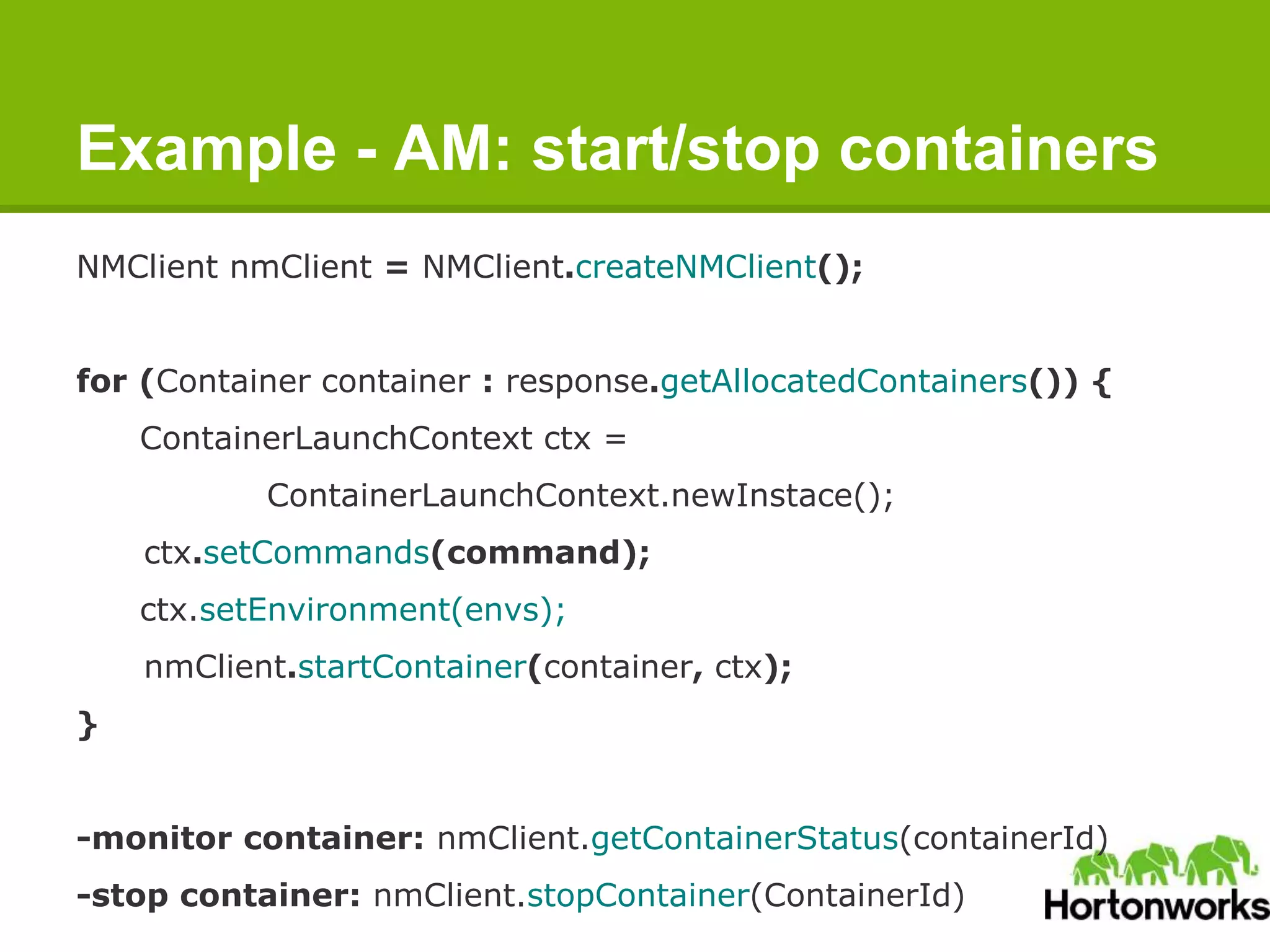
NMClient nmClient = NMClient.createNMClient();
for (Container container : response.getAllocatedContainers()) {
ContainerLaunchContext ctx =
ContainerLaunchContext.newInstace();
ctx.setCommands(command);
ctx.setEnvironment(envs);
nmClient.startContainer(container, ctx);
}
-monitor container: nmClient.getContainerStatus(containerId)
-stop container: nmClient.stopContainer(ContainerId)
Takeaway
1. YARN is a resource-management platform that can host different data-
processing frameworks (beyond MapReduce).
o No longer limited by MR, (batch process, interactive query, stream)
o All applications can now co-exist and share the same data on HDFS.
1. YARN is in production now.
o Yahoo, Ebay.
1. We welcome your contributions.
o patches, tests, writing applications on YARN
o https://issues.apache.org/jira/browse/YARN
o https://github.com/hortonworks/simple-yarn-app
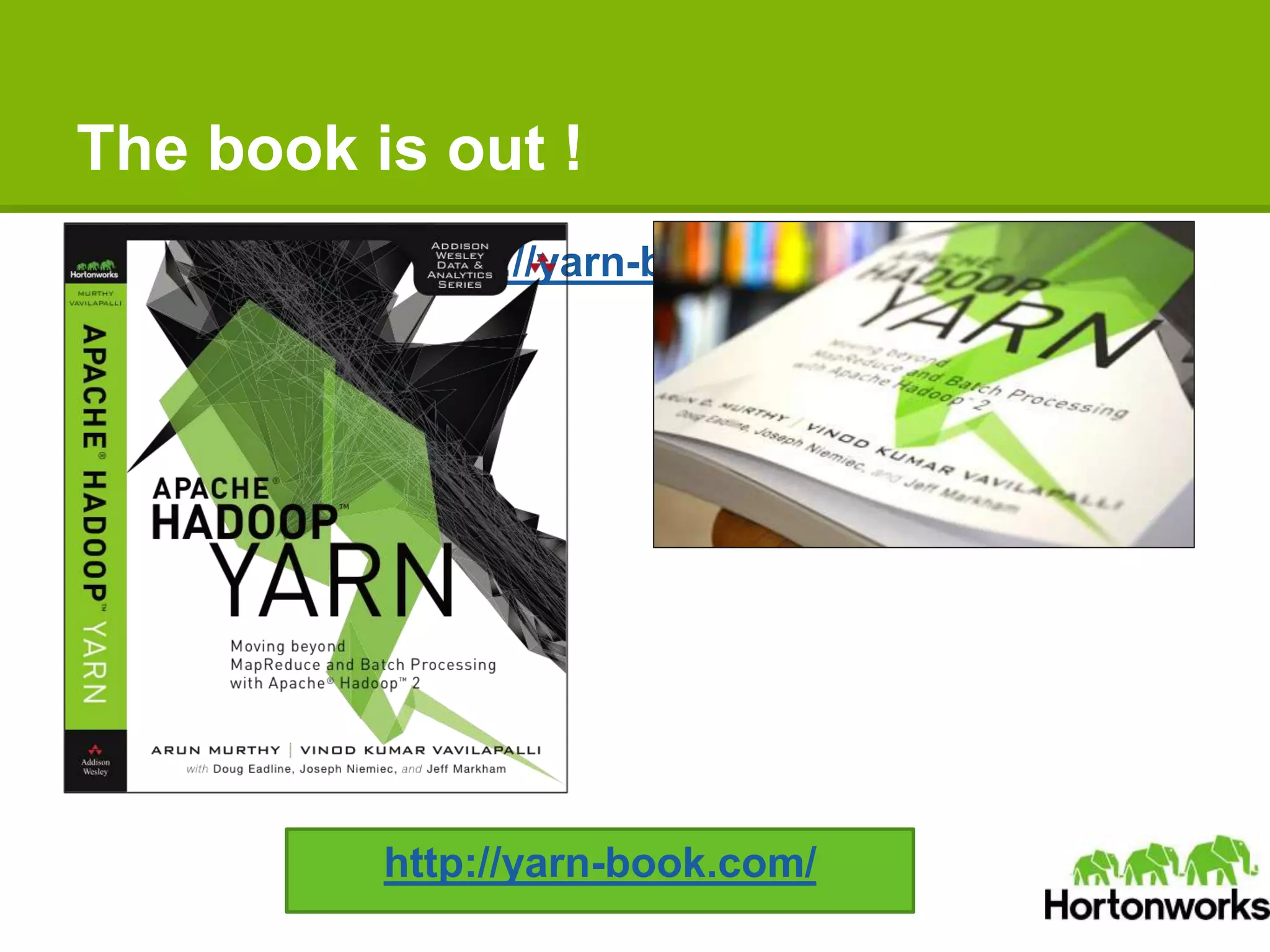
The book is out !
http://yarn-book.com/
ApacheCon North America 2014 - Apache Hadoop YARN: The Next-generation Distributed Operating System

ApacheCon North America 2014 - Apache Hadoop YARN: The Next-generation Distributed Operating System

  • 1.
    Apache Hadoop YARN:The Next- generation Distributed Operating System Zhijie Shen & Jian He @ Hortonworks
  • 2.
    About Us ● Twohats o Software Engineer @ Hortonworks, Inc. o Hadoop Committer @ The Apache Foundation ● We’re doing Apache YARN!
  • 3.
    Agenda ● What IsYARN ● YARN Basics ● Recent Development ● Writing Your YARN Applications
  • 4.
    What is YARN(1) Frequent questions on mailing list: ● What is Hadoop 2.0? ● What is YARN? Hadoop 2.0 = YARN = the operating systems to run various distributed data processing applications
  • 5.
    What is YARN(2) - Motivation ● Hadoop is 8yr old ● World is significantly changed o The hardware o diverse data processing model: interaction, streaming
  • 6.
    What is YARN(3) - Motivation Flexibility - Enabling data processing model more than MapReduce
  • 7.
    What is YARN(5) - Motivation ● Scalability - Splitting resource management and job life cycle management and mointoring ● Efficiency - Improve cluster utilization o distinct map/reduce slots on a host
  • 8.
    What Is YARN(4) - Motivation ● Resource Sharing - Multiple workloads in cluster
  • 9.
    What Is YARN(5) - Status ● YARN is shipped ● YARN is going to be better ● Hadoop 2.4 is coming this month! ● ResourceManager high availability ● Application historic data services ● Long-running applications optimization
  • 10.
    What Is YARN(6) - Status YARN ecosystem
  • 11.
    What is YARN(7) - Status YARN community Active committers working on YARN 10+ Active other contributors 20+ Total Jira tickets 1800+ Jira tickets that are resolved/closed 1100+
  • 12.
    Agenda ● What IsYARN ● YARN Basics ● Recent Development ● Writing Your YARN Applications
  • 13.
    YARN Basics (1)- Concept ● ResourceManager - Master of a cluster ● NodeManager - Slave to take care of one host ● ApplicationMaster - Master of an application ● Container - Resource abstraction, process to complete a task
  • 14.
    YARN Basics (2)- RM Component interfacing RM to the clients: ● ClientRMService Component interacting with the per-application AMs: ● ApplicationMasterService Component connecting RM to the nodes: ● ResourceTrackerService Core of the ResourceManager ● Scheduler, managing apps
  • 15.
    YARN Basics (3)- NM Component for NM-RM communication: ● NodeStatusUpdater Core component managing containers on the node: ● ContainerManager Component interacting with OS to start/stop the container process: ● ContainerExecutor
  • 16.
    YARN Basics (4)- Workflow Execution Sequence: 1. Client submits an application 2. RM allocates a container to start AM 3. AM registers with RM 4. AM asks containers from RM 5. AM notifies NM to launch containers 6. Application code is executed in container 7. Client contacts RM/AM to monitor application’s status 8. AM unregisters with RM Client RM NM AM 1 2 3 4 5 7 8 6
  • 17.
    YARN Basics (5)- Scheduler ● FIFO Simply first come, first serve ● Fair o evenly share the resource across queues, among applications ● Capacity o allowing certain resource capacity to queues
  • 18.
    Agenda ● What IsYARN ● YARN Basics ● Recent Development ● Writing Your YARN Applications
  • 19.
    Apache Hadoop release ●Hadoop 2.4 is coming out very soon ● ResourceManager high availability o RM Restart o RM failover ● Application Historic Data Service o MRv1 JobHisotoryServer.
  • 20.
    ResourceManager High Availability ●RM is potentially a single point of failure. o Restart for various reasons: Bugs, hardware failures, deliberate down- time for upgrades ● Goal: RM down-time invisible to end-users. ● Includes two parts: o RM Restart o RM Failover
  • 21.
    ResourceManager Restart ● RMStateincludes: o static state (appSubmissionContext, credentials) , belongs to RM o running state - per AM  scheduler state, i.e. per-app scheduling state, resource consumptions ● Overly complex in MRv1 for the fact that JobTracker has to save too much information: both static state and running state. ● YARN RM only persists static state, because AM and RM are running on different machines on YARN o Persist application submission metadata and gathers running state from AM and NM
  • 22.
    ResourceManager FailOver ● Active/Standby oLeader election (ZooKeeper) ● Standby on transition to Active loads all the state from the state store. ● NM, AM, clients, redirect to the new RM o RMProxy
  • 23.
    Application Historic DataService ● Motivation: MRv1 JobHisotoryServer o MR job writes history data into HDFS. o When job finishes and removes from memory, Clients request will be redirected to JHS. o Reads the this persistent history data in a on-demand way to serve the requests.
  • 24.
    Application Historic DataService ● Goal: Solve the application-history problem in a generic and more scalable way. ● A single application history server to serve all applications’ requests. ● ResourceManager records generic application information o Application, ApplicationAttempt, Container ● ApplicationMaster writes framework specific information o Free for users to define ● Multiple interfaces to inquiry the historic information o RPC, RESTful Services o History server Web UI
  • 25.
  • 26.
    Long Running Service(YARN-896) ●YARN is intended to be generic purpose. o Short-lived (e.g.MR) apps vs long-lived apps ● Goal: disruptive impact minimum to running applications. o Work-preserving AM restart.  Single point of failure for application’s point of view  Not killing containers  AM rebind with previous running containers. o Work-preserving NM restart.  containers process  Previous running containers rebind with new NM.
  • 27.
    Agenda ● What IsYARN ● YARN Basics ● Recent Development ● Writing Your YARN Applications
  • 28.
    Write a YarnApplicaition
  • 29.
    Write client andAM Client ● Client – RM --- YarnClient o submitApplication ApplicationMaster ● AM – RM --- AMRMClient o registerApplicationMaster o allocate o finishApplicationMaster ● AM – NM --- NMClient o startContainer o getContainerStatus o stopContainer
  • 30.
    Writing the YarnClient 1.Get the application Id from RM 1. Construct ApplicationSubmissionContext a. Shell command to run the AM b. Environment (class path, env-variable) c. LocalResources (Job jars downloaded from HDFS) 1. Submit the request to RM a. submitApplication
  • 31.
    Example: client submitan application 1. YarnClient yarnClient = YarnClient.createYarnClient(); 1. YarnClientApplication app = yarnClient.createApplication(); 1. appContext = app.getAppSubmissionContext() …….client logic ….. set command: "$JAVA_HOME/bin/java" + "ApplicationMaster" + command set environments: class path etc. set jars: ………………………….. 1. yarnClient.submitApplication(appContext);
  • 32.
    Writing ApplicationMaster ● TheApplicationMaster is started. ● In AM code, for each task, to start the container, we repeat a similar procedure as starting the master. o construct ContainerLaunchContext  commands  env  jars
  • 33.
    Writing ApplicationMaster 1. AMregisters with RM (registerApplicationMaster) 1. HeartBeats(allocate) with RM (asynchronously) a. send the Request i. Request new containers. ii. Release containers. b. Received containers and send request to NM to start the container 1. Unregisters with RM (finishApplicationMaster)
  • 34.
    Writing ApplicationMaster ● RMassigns containers asynchronously ● Containers are likely not returned immediately at current call. ● User needs to give empty requests until it gets the containers it requested. ● ResourceRequest is incremental.
  • 35.
    ContainerManagementProtocol 1. Start container(task) on NM a. startContainer 1. Monitor the container(task) status a. getContainerStatus 1. Stop the the container (task) a. stopContainer
  • 36.
    Example - AM:request containers AMRMClient rmClient = AMRMClient.createAMRMClient(); ContainerRequest containerAsk = new ContainerRequest(capability) rmClient.addContainerRequest(containerAsk); Wait until get the containers: do { AllocateResponse response = rmClient.allocate(0); Thread.sleep(100); } while (response.getAllocatedContainers().size() > 0)
  • 37.
    Example - AM:start/stop containers NMClient nmClient = NMClient.createNMClient(); for (Container container : response.getAllocatedContainers()) { ContainerLaunchContext ctx = ContainerLaunchContext.newInstace(); ctx.setCommands(command); ctx.setEnvironment(envs); nmClient.startContainer(container, ctx); } -monitor container: nmClient.getContainerStatus(containerId) -stop container: nmClient.stopContainer(ContainerId)
  • 38.
    Takeaway 1. YARN isa resource-management platform that can host different data- processing frameworks (beyond MapReduce). o No longer limited by MR, (batch process, interactive query, stream) o All applications can now co-exist and share the same data on HDFS. 1. YARN is in production now. o Yahoo, Ebay. 1. We welcome your contributions. o patches, tests, writing applications on YARN o https://issues.apache.org/jira/browse/YARN o https://github.com/hortonworks/simple-yarn-app
  • 39.
    The book isout ! http://yarn-book.com/ http://yarn-book.com/

Editor's Notes

  • #14 RescourceManager: Arbitrates resources among all the applications in the system NodeManager: the per-machine slave, which is responsible for launching the applications’ containers, monitoring their resource usage ApplicationMaster: Negatiate appropriate resource containers from the Scheduler, tracking their status and monitoring for progress Container: Unit of allocation incorporating resource elements such as memory, cpu, disk, network etc, to execute a specific task of the application (similar to map/reduce slots in MRv1)
  • #17 A client program submits the application ResourceManager allocates a specified container to start the ApplicationMaster ApplicationMaster, on boot-up, registers with ResourceManager ApplicationMaster negotiates with ResourceManager for appropriate resource containers On successful container allocations, ApplicationMaster contacts NodeManager to launch the container Application code is executed within the container, and then ApplicationMaster is responded with the execution status During execution, the client communicates directly with ApplicationMaster or ResourceManager to get status, progress updates etc. Once the application is complete, ApplicationMaster unregisters with ResourceManager and shuts down, allowing its own