The Android GUI Framework
Android experience day
December 2008

Markus Pilz
Peter Wlodarczak
Agenda
1. Introduction
2. Anatomy
3. A real word example
4. Life cycle
5. Trends
6. Findings
Why Android
 Android was designed as a platform for
software development
 Android is open
 Android is free
 Community support
 Tool support
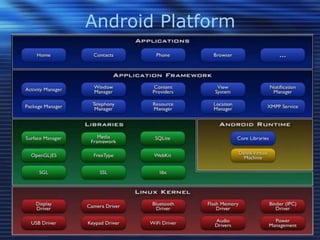
Android Platform
Anatomy I
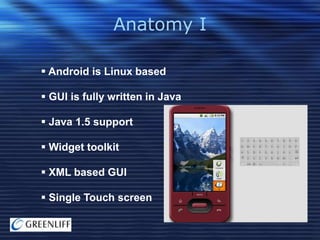
 Android is Linux based
 GUI is fully written in Java
 Java 1.5 support
 Widget toolkit
 XML based GUI
 Single Touch screen
Anatomy II
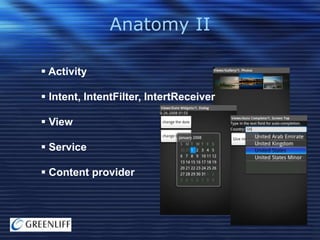
 Activity
 Intent, IntentFilter, IntertReceiver
 View
 Service
 Content provider
Anatomy III
 Storage
 AIDL
 Security
 Life cycle management
 Native calls (not officially)

 NLS support
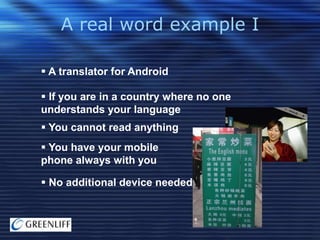
A real word example I
 A translator for Android
 If you are in a country where no one
understands your language

 You cannot read anything
 You have your mobile
phone always with you
 No additional device needed
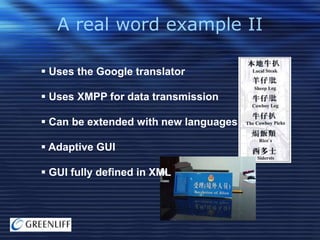
A real word example II
 Uses the Google translator
 Uses XMPP for data transmission
 Can be extended with new languages
 Adaptive GUI
 GUI fully defined in XML
A real word example III

Lets see it
A real word example IV
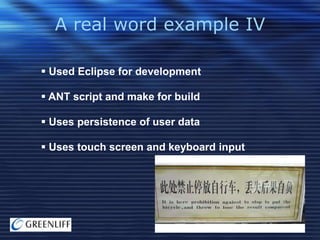
 Used Eclipse for development
 ANT script and make for build
 Uses persistence of user data
 Uses touch screen and keyboard input
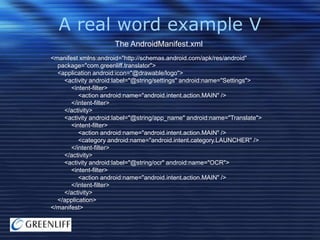
A real word example V
The AndroidManifest.xml
<manifest xmlns:android="http://schemas.android.com/apk/res/android"
package="com.greenliff.translator">
<application android:icon="@drawable/logo">
<activity android:label="@string/settings" android:name="Settings">
<intent-filter>
<action android:name="android.intent.action.MAIN" />
</intent-filter>
</activity>
<activity android:label="@string/app_name" android:name="Translate">
<intent-filter>
<action android:name="android.intent.action.MAIN" />
<category android:name="android.intent.category.LAUNCHER" />
</intent-filter>
</activity>
<activity android:label="@string/ocr" android:name="OCR">
<intent-filter>
<action android:name="android.intent.action.MAIN" />
</intent-filter>
</activity>
</application>
</manifest>
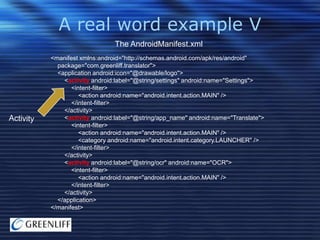
A real word example V
The AndroidManifest.xml
<manifest xmlns:android="http://schemas.android.com/apk/res/android"
package="com.greenliff.translator">
<application android:icon="@drawable/logo">
<activity android:label="@string/settings" android:name="Settings">
<intent-filter>
<action android:name="android.intent.action.MAIN" />
</intent-filter>
</activity>
<activity android:label="@string/app_name" android:name="Translate">
<intent-filter>
<action android:name="android.intent.action.MAIN" />
<category android:name="android.intent.category.LAUNCHER" />
</intent-filter>
</activity>
<activity android:label="@string/ocr" android:name="OCR">
<intent-filter>
<action android:name="android.intent.action.MAIN" />
</intent-filter>
</activity>
</application>
</manifest>
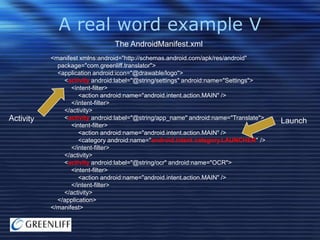
A real word example V
The AndroidManifest.xml
<manifest xmlns:android="http://schemas.android.com/apk/res/android"
package="com.greenliff.translator">
<application android:icon="@drawable/logo">
<activity android:label="@string/settings" android:name="Settings">
<intent-filter>
<action android:name="android.intent.action.MAIN" />
</intent-filter>
</activity>
<activity android:label="@string/app_name" android:name="Translate">
<intent-filter>
<action android:name="android.intent.action.MAIN" />
<category android:name="android.intent.category.LAUNCHER" />
</intent-filter>
</activity>
<activity android:label="@string/ocr" android:name="OCR">
<intent-filter>
<action android:name="android.intent.action.MAIN" />
</intent-filter>
</activity>
</application>
</manifest>

Launch
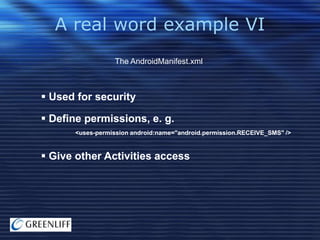
A real word example VI
The AndroidManifest.xml

 Used for security
 Define permissions, e. g.
<uses-permission android:name="android.permission.RECEIVE_SMS" />

 Give other Activities access
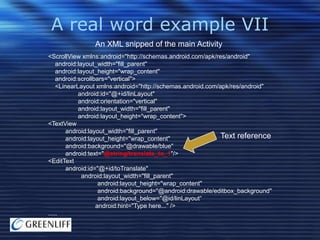
A real word example VII
An XML snipped of the main Activity
<ScrollView xmlns:android="http://schemas.android.com/apk/res/android"
android:layout_width="fill_parent"
android:layout_height="wrap_content"
android:scrollbars="vertical">
<LinearLayout xmlns:android="http://schemas.android.com/apk/res/android"
android:id="@+id/linLayout"
android:orientation="vertical"
android:layout_width="fill_parent"
android:layout_height="wrap_content">
<TextView
android:layout_width="fill_parent"
Text reference
android:layout_height="wrap_content"
android:background="@drawable/blue"
android:text="@string/translate_to_1"/>
<EditText
android:id="@+id/toTranslate"
android:layout_width="fill_parent"
android:layout_height="wrap_content"
android:background="@android:drawable/editbox_background"
android:layout_below="@id/linLayout“
android:hint="Type here..." />
.....
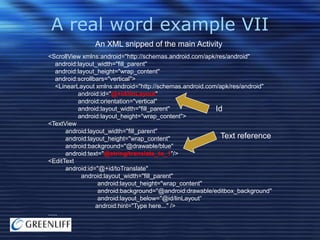
A real word example VII
An XML snipped of the main Activity
<ScrollView xmlns:android="http://schemas.android.com/apk/res/android"
android:layout_width="fill_parent"
android:layout_height="wrap_content"
android:scrollbars="vertical">
<LinearLayout xmlns:android="http://schemas.android.com/apk/res/android"
android:id="@+id/linLayout"
android:orientation="vertical"
android:layout_width="fill_parent"
android:layout_height="wrap_content">
<TextView
android:layout_width="fill_parent"
Text reference
android:layout_height="wrap_content"
android:background="@drawable/blue"
android:text="@string/translate_to_1"/>
<EditText
android:id="@+id/toTranslate"
android:layout_width="fill_parent"
android:layout_height="wrap_content"
android:background="@android:drawable/editbox_background"
android:layout_below="@id/linLayout“
android:hint="Type here..." />
.....
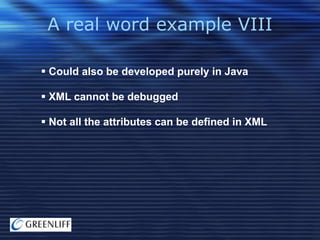
A real word example VIII
 Could also be developed purely in Java
 XML cannot be debugged
 Not all the attributes can be defined in XML
A real word example IX
A code snipped of the Translate Activity
@Override
public void onCreate(Bundle icicle) {
super.onCreate(icicle);
Window wp = getWindow();
mContext = wp.getContext();
setTheme(android.R.style.Theme_Light);
setContentView(R.layout.main);
mLayout = (LinearLayout) this.findViewById(R.id.linLayout);
mToTranslate = (EditText) this.findViewById(R.id.toTranslate);
setShowLanguages();
mEnge = (LinearLayout) this.findViewById(R.id.enge);
LANGUAGE_LAYOUT[0] = mEnge;
de2en = (Button) this.findViewById(R.id.de2en);
de2en.setOnClickListener(new View.OnClickListener() {
public void onClick(View view) {
if(!connect()) {
notLoggedInAlert();
} else {
doConnect("de2en@bot.talk.google.com");
rearrange(mEnge);
}
}
});
....
A real word example IX
A code snipped of the Translate Activity

Set layout

@Override
public void onCreate(Bundle icicle) {
super.onCreate(icicle);
Window wp = getWindow();
mContext = wp.getContext();
setTheme(android.R.style.Theme_Light);
setContentView(R.layout.main);
mLayout = (LinearLayout) this.findViewById(R.id.linLayout);
mToTranslate = (EditText) this.findViewById(R.id.toTranslate);
setShowLanguages();
mEnge = (LinearLayout) this.findViewById(R.id.enge);
LANGUAGE_LAYOUT[0] = mEnge;
de2en = (Button) this.findViewById(R.id.de2en);
de2en.setOnClickListener(new View.OnClickListener() {
public void onClick(View view) {
if(!connect()) {
notLoggedInAlert();
} else {
doConnect("de2en@bot.talk.google.com");
rearrange(mEnge);
}
}
});
....
A real word example IX
A code snipped of the Translate Activity

Set layout

@Override
public void onCreate(Bundle icicle) {
super.onCreate(icicle);
Find
Window wp = getWindow();
mContext = wp.getContext();
setTheme(android.R.style.Theme_Light);
setContentView(R.layout.main);
mLayout = (LinearLayout) this.findViewById(R.id.linLayout);
mToTranslate = (EditText) this.findViewById(R.id.toTranslate);
setShowLanguages();
mEnge = (LinearLayout) this.findViewById(R.id.enge);
LANGUAGE_LAYOUT[0] = mEnge;
de2en = (Button) this.findViewById(R.id.de2en);
de2en.setOnClickListener(new View.OnClickListener() {
public void onClick(View view) {
if(!connect()) {
notLoggedInAlert();
} else {
doConnect("de2en@bot.talk.google.com");
rearrange(mEnge);
}
}
});
....

elements
A real word example IX
A code snipped of the Translate Activity

Set layout

@Override
public void onCreate(Bundle icicle) {
super.onCreate(icicle);
Find
Window wp = getWindow();
mContext = wp.getContext();
setTheme(android.R.style.Theme_Light);
setContentView(R.layout.main);
mLayout = (LinearLayout) this.findViewById(R.id.linLayout);
mToTranslate = (EditText) this.findViewById(R.id.toTranslate);
setShowLanguages();
mEnge = (LinearLayout) this.findViewById(R.id.enge);
LANGUAGE_LAYOUT[0] = mEnge;
de2en = (Button) this.findViewById(R.id.de2en);
de2en.setOnClickListener(new View.OnClickListener() {
public void onClick(View view) {
if(!connect()) {
notLoggedInAlert();
} else {
doConnect("de2en@bot.talk.google.com");
rearrange(mEnge);
}
}
});

Add behavior

....

elements
A real word example X
Call an other Activity

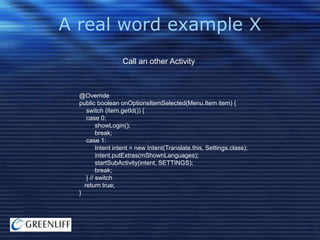
@Override
public boolean onOptionsItemSelected(Menu.Item item) {
switch (item.getId()) {
case 0:
showLogin();
break;
case 1:
Intent intent = new Intent(Translate.this, Settings.class);
intent.putExtras(mShownLanguages);
startSubActivity(intent, SETTINGS);
break;
} // switch
return true;
}
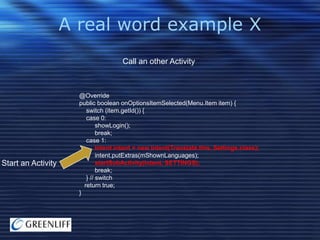
A real word example X
Call an other Activity

Start an Activity

@Override
public boolean onOptionsItemSelected(Menu.Item item) {
switch (item.getId()) {
case 0:
showLogin();
break;
case 1:
Intent intent = new Intent(Translate.this, Settings.class);
intent.putExtras(mShownLanguages);
startSubActivity(intent, SETTINGS);
break;
} // switch
return true;
}
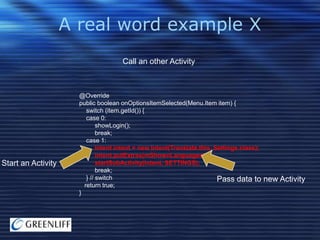
A real word example X
Call an other Activity

Start an Activity

@Override
public boolean onOptionsItemSelected(Menu.Item item) {
switch (item.getId()) {
case 0:
showLogin();
break;
case 1:
Intent intent = new Intent(Translate.this, Settings.class);
intent.putExtras(mShownLanguages);
startSubActivity(intent, SETTINGS);
break;
} // switch
Pass data to
return true;
}

new Activity
A real word example XI
Store user data

@Override
protected void onPause() {
Persistent store
super.onPause();
SharedPreferences.Editor ed = mPrefs.edit();
for(int i = 0; i < SUPPORTED_LANGUAGES.length; i++) {
ed.putBoolean(SUPPORTED_LANGUAGES[i],
mShownLanguages.getBoolean(SUPPORTED_LANGUAGES[i]));
}
ed.commit();
}
A real word example XII
Store user data
 Preferences
 Database
 Files

 Content provider
 Network
Life cycle
 Life cycle not directly controlled by application
 System can kill an application to free up
memory

 Controll through onCreate(), onPause(),
onStop() ... methods
 Android has different types of processes,
visible processes, service processes,
background processes ...

 Services can be used for long-lived
background processes
Trends I
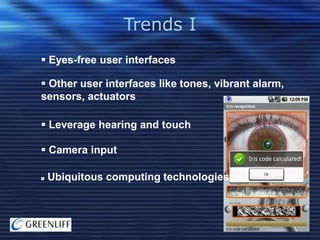
 Eyes-free user interfaces
 Other user interfaces like tones, vibrant alarm,
sensors, actuators
 Leverage hearing and touch
 Camera input


Ubiquitous computing technologies
Trends II
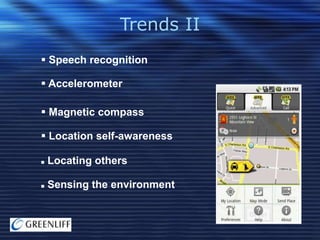
 Speech recognition
 Accelerometer
 Magnetic compass
 Location self-awareness


Locating others



Sensing the environment
Findings
 Android uses proven technology like Java,
XML and Linux
 It offers a rich API for application development
 There is an initial learning effort
 Android doesn‘t have many of the limitations
other mobile platforms have
 Trend towards eyes-free user interfaces
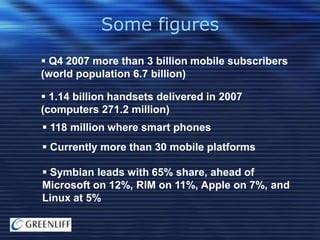
Some figures
 Q4 2007 more than 3 billion mobile subscribers
(world population 6.7 billion)
 1.14 billion handsets delivered in 2007
(computers 271.2 million)

 118 million where smart phones
 Currently more than 30 mobile platforms
 Symbian leads with 65% share, ahead of
Microsoft on 12%, RIM on 11%, Apple on 7%, and
Linux at 5%
Thank you for the attention

Questions?

Find out more at:
http://code.google.com/android

Android gui framework

  • 1.
    The Android GUIFramework Android experience day December 2008 Markus Pilz Peter Wlodarczak
  • 2.
    Agenda 1. Introduction 2. Anatomy 3.A real word example 4. Life cycle 5. Trends 6. Findings
  • 3.
    Why Android  Androidwas designed as a platform for software development  Android is open  Android is free  Community support  Tool support
  • 4.
  • 5.
    Anatomy I  Androidis Linux based  GUI is fully written in Java  Java 1.5 support  Widget toolkit  XML based GUI  Single Touch screen
  • 6.
    Anatomy II  Activity Intent, IntentFilter, IntertReceiver  View  Service  Content provider
  • 7.
    Anatomy III  Storage AIDL  Security  Life cycle management  Native calls (not officially)  NLS support
  • 8.
    A real wordexample I  A translator for Android  If you are in a country where no one understands your language  You cannot read anything  You have your mobile phone always with you  No additional device needed
  • 9.
    A real wordexample II  Uses the Google translator  Uses XMPP for data transmission  Can be extended with new languages  Adaptive GUI  GUI fully defined in XML
  • 10.
    A real wordexample III Lets see it
  • 11.
    A real wordexample IV  Used Eclipse for development  ANT script and make for build  Uses persistence of user data  Uses touch screen and keyboard input
  • 12.
    A real wordexample V The AndroidManifest.xml <manifest xmlns:android="http://schemas.android.com/apk/res/android" package="com.greenliff.translator"> <application android:icon="@drawable/logo"> <activity android:label="@string/settings" android:name="Settings"> <intent-filter> <action android:name="android.intent.action.MAIN" /> </intent-filter> </activity> <activity android:label="@string/app_name" android:name="Translate"> <intent-filter> <action android:name="android.intent.action.MAIN" /> <category android:name="android.intent.category.LAUNCHER" /> </intent-filter> </activity> <activity android:label="@string/ocr" android:name="OCR"> <intent-filter> <action android:name="android.intent.action.MAIN" /> </intent-filter> </activity> </application> </manifest>
  • 13.
    A real wordexample V The AndroidManifest.xml <manifest xmlns:android="http://schemas.android.com/apk/res/android" package="com.greenliff.translator"> <application android:icon="@drawable/logo"> <activity android:label="@string/settings" android:name="Settings"> <intent-filter> <action android:name="android.intent.action.MAIN" /> </intent-filter> </activity> <activity android:label="@string/app_name" android:name="Translate"> <intent-filter> <action android:name="android.intent.action.MAIN" /> <category android:name="android.intent.category.LAUNCHER" /> </intent-filter> </activity> <activity android:label="@string/ocr" android:name="OCR"> <intent-filter> <action android:name="android.intent.action.MAIN" /> </intent-filter> </activity> </application> </manifest>
  • 14.
    A real wordexample V The AndroidManifest.xml <manifest xmlns:android="http://schemas.android.com/apk/res/android" package="com.greenliff.translator"> <application android:icon="@drawable/logo"> <activity android:label="@string/settings" android:name="Settings"> <intent-filter> <action android:name="android.intent.action.MAIN" /> </intent-filter> </activity> <activity android:label="@string/app_name" android:name="Translate"> <intent-filter> <action android:name="android.intent.action.MAIN" /> <category android:name="android.intent.category.LAUNCHER" /> </intent-filter> </activity> <activity android:label="@string/ocr" android:name="OCR"> <intent-filter> <action android:name="android.intent.action.MAIN" /> </intent-filter> </activity> </application> </manifest> Launch
  • 15.
    A real wordexample VI The AndroidManifest.xml  Used for security  Define permissions, e. g. <uses-permission android:name="android.permission.RECEIVE_SMS" />  Give other Activities access
  • 16.
    A real wordexample VII An XML snipped of the main Activity <ScrollView xmlns:android="http://schemas.android.com/apk/res/android" android:layout_width="fill_parent" android:layout_height="wrap_content" android:scrollbars="vertical"> <LinearLayout xmlns:android="http://schemas.android.com/apk/res/android" android:id="@+id/linLayout" android:orientation="vertical" android:layout_width="fill_parent" android:layout_height="wrap_content"> <TextView android:layout_width="fill_parent" Text reference android:layout_height="wrap_content" android:background="@drawable/blue" android:text="@string/translate_to_1"/> <EditText android:id="@+id/toTranslate" android:layout_width="fill_parent" android:layout_height="wrap_content" android:background="@android:drawable/editbox_background" android:layout_below="@id/linLayout“ android:hint="Type here..." /> .....
  • 17.
    A real wordexample VII An XML snipped of the main Activity <ScrollView xmlns:android="http://schemas.android.com/apk/res/android" android:layout_width="fill_parent" android:layout_height="wrap_content" android:scrollbars="vertical"> <LinearLayout xmlns:android="http://schemas.android.com/apk/res/android" android:id="@+id/linLayout" android:orientation="vertical" android:layout_width="fill_parent" android:layout_height="wrap_content"> <TextView android:layout_width="fill_parent" Text reference android:layout_height="wrap_content" android:background="@drawable/blue" android:text="@string/translate_to_1"/> <EditText android:id="@+id/toTranslate" android:layout_width="fill_parent" android:layout_height="wrap_content" android:background="@android:drawable/editbox_background" android:layout_below="@id/linLayout“ android:hint="Type here..." /> .....
  • 18.
    A real wordexample VIII  Could also be developed purely in Java  XML cannot be debugged  Not all the attributes can be defined in XML
  • 19.
    A real wordexample IX A code snipped of the Translate Activity @Override public void onCreate(Bundle icicle) { super.onCreate(icicle); Window wp = getWindow(); mContext = wp.getContext(); setTheme(android.R.style.Theme_Light); setContentView(R.layout.main); mLayout = (LinearLayout) this.findViewById(R.id.linLayout); mToTranslate = (EditText) this.findViewById(R.id.toTranslate); setShowLanguages(); mEnge = (LinearLayout) this.findViewById(R.id.enge); LANGUAGE_LAYOUT[0] = mEnge; de2en = (Button) this.findViewById(R.id.de2en); de2en.setOnClickListener(new View.OnClickListener() { public void onClick(View view) { if(!connect()) { notLoggedInAlert(); } else { doConnect("de2en@bot.talk.google.com"); rearrange(mEnge); } } }); ....
  • 20.
    A real wordexample IX A code snipped of the Translate Activity Set layout @Override public void onCreate(Bundle icicle) { super.onCreate(icicle); Window wp = getWindow(); mContext = wp.getContext(); setTheme(android.R.style.Theme_Light); setContentView(R.layout.main); mLayout = (LinearLayout) this.findViewById(R.id.linLayout); mToTranslate = (EditText) this.findViewById(R.id.toTranslate); setShowLanguages(); mEnge = (LinearLayout) this.findViewById(R.id.enge); LANGUAGE_LAYOUT[0] = mEnge; de2en = (Button) this.findViewById(R.id.de2en); de2en.setOnClickListener(new View.OnClickListener() { public void onClick(View view) { if(!connect()) { notLoggedInAlert(); } else { doConnect("de2en@bot.talk.google.com"); rearrange(mEnge); } } }); ....
  • 21.
    A real wordexample IX A code snipped of the Translate Activity Set layout @Override public void onCreate(Bundle icicle) { super.onCreate(icicle); Find Window wp = getWindow(); mContext = wp.getContext(); setTheme(android.R.style.Theme_Light); setContentView(R.layout.main); mLayout = (LinearLayout) this.findViewById(R.id.linLayout); mToTranslate = (EditText) this.findViewById(R.id.toTranslate); setShowLanguages(); mEnge = (LinearLayout) this.findViewById(R.id.enge); LANGUAGE_LAYOUT[0] = mEnge; de2en = (Button) this.findViewById(R.id.de2en); de2en.setOnClickListener(new View.OnClickListener() { public void onClick(View view) { if(!connect()) { notLoggedInAlert(); } else { doConnect("de2en@bot.talk.google.com"); rearrange(mEnge); } } }); .... elements
  • 22.
    A real wordexample IX A code snipped of the Translate Activity Set layout @Override public void onCreate(Bundle icicle) { super.onCreate(icicle); Find Window wp = getWindow(); mContext = wp.getContext(); setTheme(android.R.style.Theme_Light); setContentView(R.layout.main); mLayout = (LinearLayout) this.findViewById(R.id.linLayout); mToTranslate = (EditText) this.findViewById(R.id.toTranslate); setShowLanguages(); mEnge = (LinearLayout) this.findViewById(R.id.enge); LANGUAGE_LAYOUT[0] = mEnge; de2en = (Button) this.findViewById(R.id.de2en); de2en.setOnClickListener(new View.OnClickListener() { public void onClick(View view) { if(!connect()) { notLoggedInAlert(); } else { doConnect("de2en@bot.talk.google.com"); rearrange(mEnge); } } }); Add behavior .... elements
  • 23.
    A real wordexample X Call an other Activity @Override public boolean onOptionsItemSelected(Menu.Item item) { switch (item.getId()) { case 0: showLogin(); break; case 1: Intent intent = new Intent(Translate.this, Settings.class); intent.putExtras(mShownLanguages); startSubActivity(intent, SETTINGS); break; } // switch return true; }
  • 24.
    A real wordexample X Call an other Activity Start an Activity @Override public boolean onOptionsItemSelected(Menu.Item item) { switch (item.getId()) { case 0: showLogin(); break; case 1: Intent intent = new Intent(Translate.this, Settings.class); intent.putExtras(mShownLanguages); startSubActivity(intent, SETTINGS); break; } // switch return true; }
  • 25.
    A real wordexample X Call an other Activity Start an Activity @Override public boolean onOptionsItemSelected(Menu.Item item) { switch (item.getId()) { case 0: showLogin(); break; case 1: Intent intent = new Intent(Translate.this, Settings.class); intent.putExtras(mShownLanguages); startSubActivity(intent, SETTINGS); break; } // switch Pass data to return true; } new Activity
  • 26.
    A real wordexample XI Store user data @Override protected void onPause() { Persistent store super.onPause(); SharedPreferences.Editor ed = mPrefs.edit(); for(int i = 0; i < SUPPORTED_LANGUAGES.length; i++) { ed.putBoolean(SUPPORTED_LANGUAGES[i], mShownLanguages.getBoolean(SUPPORTED_LANGUAGES[i])); } ed.commit(); }
  • 27.
    A real wordexample XII Store user data  Preferences  Database  Files  Content provider  Network
  • 28.
    Life cycle  Lifecycle not directly controlled by application  System can kill an application to free up memory  Controll through onCreate(), onPause(), onStop() ... methods  Android has different types of processes, visible processes, service processes, background processes ...  Services can be used for long-lived background processes
  • 29.
    Trends I  Eyes-freeuser interfaces  Other user interfaces like tones, vibrant alarm, sensors, actuators  Leverage hearing and touch  Camera input  Ubiquitous computing technologies
  • 30.
    Trends II  Speechrecognition  Accelerometer  Magnetic compass  Location self-awareness  Locating others  Sensing the environment
  • 31.
    Findings  Android usesproven technology like Java, XML and Linux  It offers a rich API for application development  There is an initial learning effort  Android doesn‘t have many of the limitations other mobile platforms have  Trend towards eyes-free user interfaces
  • 32.
    Some figures  Q42007 more than 3 billion mobile subscribers (world population 6.7 billion)  1.14 billion handsets delivered in 2007 (computers 271.2 million)  118 million where smart phones  Currently more than 30 mobile platforms  Symbian leads with 65% share, ahead of Microsoft on 12%, RIM on 11%, Apple on 7%, and Linux at 5%
  • 33.
    Thank you forthe attention Questions? Find out more at: http://code.google.com/android