
Busy Android Developer's Guide to UI Ted Neward Neward & Associates http://www.tedneward.com | ted@tedneward.com
Credentials Who is this guy? Architectural Consultant, Neudesic Software Principal, Architect, Consultant and Mentor ask me how I can help your project or your team Microsoft MVP (F#, C#, Architect) JSR 175, 277 Expert Group Member Author Professional F# 2.0 (w/Erickson, et al; Wrox, 2010) Effective Enterprise Java (Addison-Wesley, 2004) C# In a Nutshell (w/Drayton, et all; OReilly, 2003) SSCLI Essentials (w/Stutz, et al; OReilly, 2003) Server-Based Java Programming (Manning, 2000) Blog: http://blogs.tedneward.com Papers: http://www.tedneward.com/writings Twitter: @tedneward
Objectives Our goal here today is... ... to get familiar with the various Android UI elements ... to come to understand XML layouts ... to learn how to handle events within Android UIs
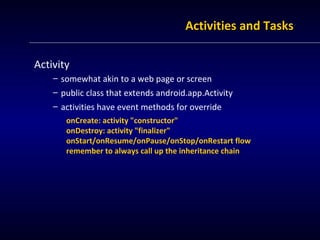
Activities and Tasks Activity somewhat akin to a web page or screen public class that extends android.app.Activity activities have event methods for override onCreate: activity "constructor" onDestroy: activity "finalizer" onStart/onResume/onPause/onStop/onRestart flow remember to always call up the inheritance chain
Activities and Tasks Tasks Tasks are the logical thread of use through Activities usually starting from the Home screen Tasks form a "back stack" of Activity instances "back" button removes the top card, destroys that activity Tasks are distinct from one another a new task creates a new stack of cards this means more than one Activity instance of the same type is possible Tasks cross applications and processes in this respect, Activities are like web pages
Viewables View and ViewGroups View is the base class for "widgets" ViewGroup is the base for Composite-patterned containers of other View objects (including other ViewGroup instances) Each Activity can hold one content View most often, this is a ViewGroup, forming a hierarchy Custom Views and ViewGroups you can do them, but it's pretty rare
Viewables Widgets (android.widget) "Push Me": Button, CompoundButton, CheckBox, ImageButton, RadioButton Text: EditText, TextView, NumberPicker, TextSwitcher Graphics: Gallery, ImageSwitcher, ImageView Selectors: RatingBar, SeekBar, Spinner, Switch Time: AnalogClock, DigitalClock, Chronometer, CalendarView, DatePicker, TimePicker Composite: ListView, SlidingDrawer, TabHost Media: MediaController Space (literally, just that--empty space!) ... and a few more
Viewables Layouts (android.widget) LinearLayout RelativeLayout TableLayout GridLayout AbsoluteLayout (bad!) FrameLayout (mostly useless!)
Viewables Dialogs (android.app) are a special case of Activity AlertDialog (OK/Cancel/Help, etc) ProgressDialog (56 of 100...) DatePickerDialog TimePickerDialog But Dialogs are not Activities Dialogs are always created and displayed as part of (and are "owned" by) an Activity; as such, they are intimately wrapped up in their host Activity's code AlertDialog is the workhorse here
Creation Two ways of creating UIs in Android either create UI "by hand" in Java or using XML-based layout (resource) file layout resources are not tied to an Activity; they are just a group of Views laid out in an XML file layout resources can be "inflated" from XML into UI objects (via a system service) Activity.setContentView() is a shortcut way to do this
Layout Resources Layout resources are in res/layout directory XML file name corresponds to R.layout.{filename} Root element is (usually) a ViewGroup (Layout class) android: namespace is mandatory element attributes describe "setter" values android:id is critical for manipulation "@+{prefix}/{name}" defines new R.{prefix}.{name} id {prefix} is most often "id" but isn't required IDs don't have to be unique across the entire tree (but usually are)
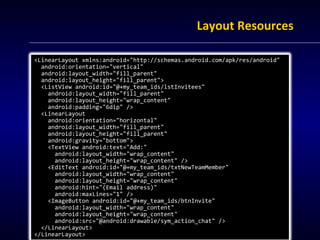
Layout Resources <LinearLayout xmlns:android=&quot;http://schemas.android.com/apk/res/android&quot; android:orientation=&quot;vertical&quot; android:layout_width=&quot;fill_parent&quot; android:layout_height=&quot;fill_parent&quot;> <ListView android:id=&quot;@+my_team_ids/lstInvitees&quot; android:layout_width=&quot;fill_parent&quot; android:layout_height=&quot;wrap_content&quot; android:padding=&quot;6dip&quot; /> <LinearLayout  android:orientation=&quot;horizontal&quot; android:layout_width=&quot;fill_parent&quot; android:layout_height=&quot;fill_parent&quot; android:gravity=&quot;bottom&quot;> <TextView android:text=&quot;Add:&quot; android:layout_width=&quot;wrap_content&quot; android:layout_height=&quot;wrap_content&quot; /> <EditText android:id=&quot;@+my_team_ids/txtNewTeamMember&quot; android:layout_width=&quot;wrap_content&quot; android:layout_height=&quot;wrap_content&quot; android:hint=&quot;(Email address)&quot; android:maxLines=&quot;1&quot; /> <ImageButton android:id=&quot;@+my_team_ids/btnInvite&quot; android:layout_width=&quot;wrap_content&quot; android:layout_height=&quot;wrap_content&quot; android:src=&quot;@android:drawable/sym_action_chat&quot; /> </LinearLayout> </LinearLayout>
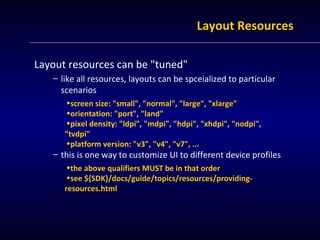
Layout Resources Layout resources can be &quot;tuned&quot; like all resources, layouts can be spceialized to particular scenarios screen size: &quot;small&quot;, &quot;normal&quot;, &quot;large&quot;, &quot;xlarge&quot; orientation: &quot;port&quot;, &quot;land&quot; pixel density: &quot;ldpi&quot;, &quot;mdpi&quot;, &quot;hdpi&quot;, &quot;xhdpi&quot;, &quot;nodpi&quot;, &quot;tvdpi&quot; platform version: &quot;v3&quot;, &quot;v4&quot;, &quot;v7&quot;, ... this is one way to customize UI to different device profiles the above qualifiers MUST be in that order see ${SDK}/docs/guide/topics/resources/providing-resources.html
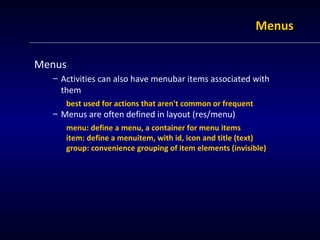
Menus Menus Activities can also have menubar items associated with them best used for actions that aren't common or frequent Menus are often defined in layout (res/menu) menu: define a menu, a container for menu items item: define a menuitem, with id, icon and title (text) group: convenience grouping of item elements (invisible)
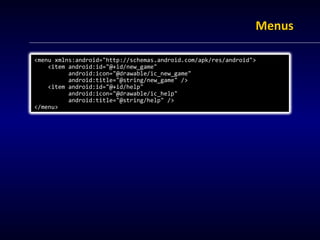
Menus <menu xmlns:android=&quot;http://schemas.android.com/apk/res/android&quot;> <item android:id=&quot;@+id/new_game&quot; android:icon=&quot;@drawable/ic_new_game&quot; android:title=&quot;@string/new_game&quot; /> <item android:id=&quot;@+id/help&quot; android:icon=&quot;@drawable/ic_help&quot; android:title=&quot;@string/help&quot; /> </menu>
Menus ActionBar (3.0+) A set of menus/menuitems appearing at the top generally only useful for tablets
Event-handling Most Views/ViewGroups offer events for code to subscribe to These are called &quot;InputEvents&quot; Most of the time, this is the classic &quot;Listener&quot; idiom View.OnClickListeners can be wired up in the XML layout Most of the time, these are wired up in onCreate()
Intents Moving from one Activity to another requires an Intent Intent = Action (verb) + Context (target) easiest Intent is the &quot;launch the Activity&quot; Intent Intent next = new Intent(this, NextActivity.class); startActivity(next);
Threading Good Thread hygiene is critical here This is a phone--you don't own the machine! Android isn't quite like Java, and has a slightly different &quot;take&quot; on the threads-and-UI position no blocking behaviors (in general) NO UI modifications from non-UI thread If the UI thread is inactive for more than 5 seconds, bye! Android provides Handlers, which can be sent Messages that will then be processed on the Activity's UI thread Java5 provides a few other constructs as well
Wrapping up &quot;What do you know?&quot;
Summary Android is a Java-based mobile device framework ... but it's not Java ... and it's not a web app technology ... and it's definitely not Swing or SWT
Resources Busy Coder’s Guide to Android Mark Murphy, http://www.commonsware.com Android website http://developer.android.com Presentations by this guy Busy Android Dev's Guide to Persistence Busy Android Dev's Guide to Communication ... and more

Android | Busy Java Developers Guide to Android: UI | Ted Neward

  • 1.
    Busy Android Developer'sGuide to UI Ted Neward Neward & Associates http://www.tedneward.com | ted@tedneward.com
  • 2.
    Credentials Who isthis guy? Architectural Consultant, Neudesic Software Principal, Architect, Consultant and Mentor ask me how I can help your project or your team Microsoft MVP (F#, C#, Architect) JSR 175, 277 Expert Group Member Author Professional F# 2.0 (w/Erickson, et al; Wrox, 2010) Effective Enterprise Java (Addison-Wesley, 2004) C# In a Nutshell (w/Drayton, et all; OReilly, 2003) SSCLI Essentials (w/Stutz, et al; OReilly, 2003) Server-Based Java Programming (Manning, 2000) Blog: http://blogs.tedneward.com Papers: http://www.tedneward.com/writings Twitter: @tedneward
  • 3.
    Objectives Our goalhere today is... ... to get familiar with the various Android UI elements ... to come to understand XML layouts ... to learn how to handle events within Android UIs
  • 4.
    Activities and TasksActivity somewhat akin to a web page or screen public class that extends android.app.Activity activities have event methods for override onCreate: activity &quot;constructor&quot; onDestroy: activity &quot;finalizer&quot; onStart/onResume/onPause/onStop/onRestart flow remember to always call up the inheritance chain
  • 5.
    Activities and TasksTasks Tasks are the logical thread of use through Activities usually starting from the Home screen Tasks form a &quot;back stack&quot; of Activity instances &quot;back&quot; button removes the top card, destroys that activity Tasks are distinct from one another a new task creates a new stack of cards this means more than one Activity instance of the same type is possible Tasks cross applications and processes in this respect, Activities are like web pages
  • 6.
    Viewables View andViewGroups View is the base class for &quot;widgets&quot; ViewGroup is the base for Composite-patterned containers of other View objects (including other ViewGroup instances) Each Activity can hold one content View most often, this is a ViewGroup, forming a hierarchy Custom Views and ViewGroups you can do them, but it's pretty rare
  • 7.
    Viewables Widgets (android.widget)&quot;Push Me&quot;: Button, CompoundButton, CheckBox, ImageButton, RadioButton Text: EditText, TextView, NumberPicker, TextSwitcher Graphics: Gallery, ImageSwitcher, ImageView Selectors: RatingBar, SeekBar, Spinner, Switch Time: AnalogClock, DigitalClock, Chronometer, CalendarView, DatePicker, TimePicker Composite: ListView, SlidingDrawer, TabHost Media: MediaController Space (literally, just that--empty space!) ... and a few more
  • 8.
    Viewables Layouts (android.widget)LinearLayout RelativeLayout TableLayout GridLayout AbsoluteLayout (bad!) FrameLayout (mostly useless!)
  • 9.
    Viewables Dialogs (android.app)are a special case of Activity AlertDialog (OK/Cancel/Help, etc) ProgressDialog (56 of 100...) DatePickerDialog TimePickerDialog But Dialogs are not Activities Dialogs are always created and displayed as part of (and are &quot;owned&quot; by) an Activity; as such, they are intimately wrapped up in their host Activity's code AlertDialog is the workhorse here
  • 10.
    Creation Two waysof creating UIs in Android either create UI &quot;by hand&quot; in Java or using XML-based layout (resource) file layout resources are not tied to an Activity; they are just a group of Views laid out in an XML file layout resources can be &quot;inflated&quot; from XML into UI objects (via a system service) Activity.setContentView() is a shortcut way to do this
  • 11.
    Layout Resources Layoutresources are in res/layout directory XML file name corresponds to R.layout.{filename} Root element is (usually) a ViewGroup (Layout class) android: namespace is mandatory element attributes describe &quot;setter&quot; values android:id is critical for manipulation &quot;@+{prefix}/{name}&quot; defines new R.{prefix}.{name} id {prefix} is most often &quot;id&quot; but isn't required IDs don't have to be unique across the entire tree (but usually are)
  • 12.
    Layout Resources <LinearLayoutxmlns:android=&quot;http://schemas.android.com/apk/res/android&quot; android:orientation=&quot;vertical&quot; android:layout_width=&quot;fill_parent&quot; android:layout_height=&quot;fill_parent&quot;> <ListView android:id=&quot;@+my_team_ids/lstInvitees&quot; android:layout_width=&quot;fill_parent&quot; android:layout_height=&quot;wrap_content&quot; android:padding=&quot;6dip&quot; /> <LinearLayout android:orientation=&quot;horizontal&quot; android:layout_width=&quot;fill_parent&quot; android:layout_height=&quot;fill_parent&quot; android:gravity=&quot;bottom&quot;> <TextView android:text=&quot;Add:&quot; android:layout_width=&quot;wrap_content&quot; android:layout_height=&quot;wrap_content&quot; /> <EditText android:id=&quot;@+my_team_ids/txtNewTeamMember&quot; android:layout_width=&quot;wrap_content&quot; android:layout_height=&quot;wrap_content&quot; android:hint=&quot;(Email address)&quot; android:maxLines=&quot;1&quot; /> <ImageButton android:id=&quot;@+my_team_ids/btnInvite&quot; android:layout_width=&quot;wrap_content&quot; android:layout_height=&quot;wrap_content&quot; android:src=&quot;@android:drawable/sym_action_chat&quot; /> </LinearLayout> </LinearLayout>
  • 13.
    Layout Resources Layoutresources can be &quot;tuned&quot; like all resources, layouts can be spceialized to particular scenarios screen size: &quot;small&quot;, &quot;normal&quot;, &quot;large&quot;, &quot;xlarge&quot; orientation: &quot;port&quot;, &quot;land&quot; pixel density: &quot;ldpi&quot;, &quot;mdpi&quot;, &quot;hdpi&quot;, &quot;xhdpi&quot;, &quot;nodpi&quot;, &quot;tvdpi&quot; platform version: &quot;v3&quot;, &quot;v4&quot;, &quot;v7&quot;, ... this is one way to customize UI to different device profiles the above qualifiers MUST be in that order see ${SDK}/docs/guide/topics/resources/providing-resources.html
  • 14.
    Menus Menus Activitiescan also have menubar items associated with them best used for actions that aren't common or frequent Menus are often defined in layout (res/menu) menu: define a menu, a container for menu items item: define a menuitem, with id, icon and title (text) group: convenience grouping of item elements (invisible)
  • 15.
    Menus <menu xmlns:android=&quot;http://schemas.android.com/apk/res/android&quot;><item android:id=&quot;@+id/new_game&quot; android:icon=&quot;@drawable/ic_new_game&quot; android:title=&quot;@string/new_game&quot; /> <item android:id=&quot;@+id/help&quot; android:icon=&quot;@drawable/ic_help&quot; android:title=&quot;@string/help&quot; /> </menu>
  • 16.
    Menus ActionBar (3.0+)A set of menus/menuitems appearing at the top generally only useful for tablets
  • 17.
    Event-handling Most Views/ViewGroupsoffer events for code to subscribe to These are called &quot;InputEvents&quot; Most of the time, this is the classic &quot;Listener&quot; idiom View.OnClickListeners can be wired up in the XML layout Most of the time, these are wired up in onCreate()
  • 18.
    Intents Moving fromone Activity to another requires an Intent Intent = Action (verb) + Context (target) easiest Intent is the &quot;launch the Activity&quot; Intent Intent next = new Intent(this, NextActivity.class); startActivity(next);
  • 19.
    Threading Good Threadhygiene is critical here This is a phone--you don't own the machine! Android isn't quite like Java, and has a slightly different &quot;take&quot; on the threads-and-UI position no blocking behaviors (in general) NO UI modifications from non-UI thread If the UI thread is inactive for more than 5 seconds, bye! Android provides Handlers, which can be sent Messages that will then be processed on the Activity's UI thread Java5 provides a few other constructs as well
  • 20.
    Wrapping up &quot;Whatdo you know?&quot;
  • 21.
    Summary Android isa Java-based mobile device framework ... but it's not Java ... and it's not a web app technology ... and it's definitely not Swing or SWT
  • 22.
    Resources Busy Coder’sGuide to Android Mark Murphy, http://www.commonsware.com Android website http://developer.android.com Presentations by this guy Busy Android Dev's Guide to Persistence Busy Android Dev's Guide to Communication ... and more