Microsoft PowerPoint is a program used to create slideshow presentations. It allows users to choose layouts, content, designs, templates, animations and transitions for their slides. Originally called PRESENTER and developed by Forethought, Inc., it was acquired by Microsoft in 1987 and renamed to PowerPoint. It provides templates, design options and tips to help users create effective presentations.
What is MicrosoftPowerPoint? It is a program designed in creating presentations. It is debated to be beneficial for it is widely among different industries especially in both business and academics. And it is the most effective tool in lectures and seminars.
3.
It uses graphicalapproaches to presentations in the form of slide shows that accompany the oral delivery of the topic. By this program, it allows user to choose the type of layout content in creating Presentations.
4.
Its HISTORY Itis originally designed by the Macintosh and its first release is called the PRESENTER. This is developed by Dennis Austin and Thomas Rudkin of Forethought, Inc. In 1987, it is renamed into PowerPoint due to the problem of trademarks.
5.
In August 1987,Forethought, Inc. was bought by the Microsoft and it became MS Graphics Business Unit which continued to developed the software further. And the program was officially launched on May 22,1990,thsame day that Microsoft released MS Windows 3.0
6.
What are itselements? The basic designs New slides and contents Layouts Design templates Animation Slide transitions
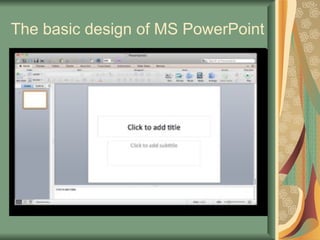
It allows usersto start making Presentation through the basic design before proceeding in applying the slide designs offered by these program. Familiarity is one of the key in attaining the knowledge of making slides.
New Presentation TaskPane A window within an Office application that provides commonly used commands. Its location and its size allows users to use the commands while still working on your files. It gives range in letting users to know about the creating Presentation.
11.
Existing Presentation Thiscommand creates a copy of an existing file in order to do changes and add-ons on your presentation.
12.
Design Template Itencloses the design concept of slides, fonts, color schemes and layouts. Allows users to create artistic views on their presentation Through this application, it made slides as a form of motivation especially when animations and transitions are put up together
13.
Templates with suggestedcontent Use the Auto content Wizard to apply a design template that includes suggestions for text on your slides.
14.
Template on WebA kind of template that let users to use the Web to create a presentation
15.
Microsoft.com Template Theoffered access of the program that allows users to choose templates from the Microsoft Office’s Template Gallery. These kind of templates are arranged according on what type of presentation a user will be making.
16.
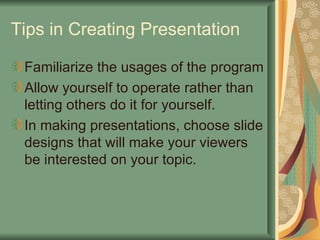
Tips in CreatingPresentation Familiarize the usages of the program Allow yourself to operate rather than letting others do it for yourself. In making presentations, choose slide designs that will make your viewers be interested on your topic.