AJAX Basics Tutorial by Bally
Chohan
Compiled by
Bally Chohan
Bally Chohan IT Solution
Web 2.0
• Definition
– The term has been coined and defined by O'Reilly for
designating the use of technologies that improve the
design of Web site, allows for collaborative work, create a
social networking.
– New tools allow to concentrate on the content that is
managed automatically.
– Web application and Web service become a bigger part of
the industry.
• Examples
• Gmail, LinkedIn, Facebook and Orkut etc.
By : Bally Chohan
Problems of Conventional Web Application
Interruption of user operation
 Users cannot perform any operation while waiting for
a response
Loss of operational context during refresh
 Loss of information on the screen
 Loss of scrolled position
No instant feedback's to user activities
 A user has to wait for the next page
Constrained by HTML
 Lack of useful widgets
By : Bally Chohan
Why Ajax?
• Spontaneous and natural user interaction
– No clicking required; mouse movement is a sufficient event trigger
• "Partial screen update" replaces the "click, wait, and refresh" user
interaction model
– Only user interface elements that contain new information are
updated (fast response)
– The rest of the user interface remains displayed without interruption
(no loss of operational context)
• Data-driven (as opposed to page-driven)
– UI is handled in the client while the server provides data
• Asynchronous communication replaces "synchronous request/response
model.”
– A user can continue to use the application while the client program
requests information from the server in the background
– Separation of displaying from data fetching
By : Bally Chohan
Defining Ajax
• Standards-based presentation using HTML
and CSS;
• Dynamic display and interaction using the
Document Object Model;
• Data interchange and manipulation using
JSON, XML and XSLT;
• Asynchronous data retrieval using
XMLHttpRequest;
• JavaScript binding everything together.
By : Bally Chohan
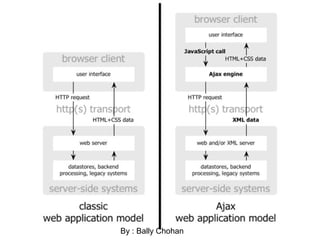
Classic Web Application Model
• Most user actions in the interface trigger an
HTTP request back to a web server.
• The server does some processing — retrieving
data, crunching numbers, talking to various
legacy systems — and then returns an HTML
page to the client.
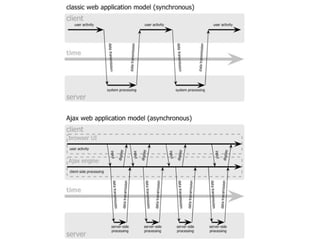
• Synchronous request response mechanism
By : Bally Chohan
By : Bally Chohan
Ajax Engine
 An Ajax application places an intermediary between the user and the
server called Ajax Engine (also known as JavaScript part of a web page).
 It seems like adding a layer to the application would make it less
responsive, but the opposite is true.
 Instead of loading a webpage, at the start of the session, the browser
loads an Ajax engine — written in JavaScript and usually tucked away in a
hidden frame.
 This engine is responsible for both rendering the interface the user sees
and communicating with the server on the user’s behalf.
 The Ajax engine allows the user’s interaction with the application to
happen asynchronously — independent of communication with the
server. So the user is never staring at a blank browser window and an
hourglass icon, waiting around for the server to do something.
By : Bally Chohan
How Ajax works?
 Every user action that normally would generate an HTTP request
takes the form of a JavaScript call to the Ajax Engine instead.
 Any response to a user action that doesn’t require a trip back to
the server — such as simple data validation, editing data in
memory, and even some navigation — the engine handles on its
own.
 If the engine needs something from the server in order to respond
— if it’s submitting data for processing, loading additional
interface code, or retrieving new data — the engine makes those
requests asynchronously, usually using XML, without stalling a
user’s interaction with the application.
By : Bally Chohan
Underlying technologies
 JavaScript
 Loosely typed scripting language
 JavaScript function is called when an event in a page occurs
 Glue for the whole AJAX operation
 DOM
 API for accessing and manipulating structured documents
 Represents the structure of XML and HTML documents
 CSS
 Allows for a clear separation of the presentation style from the
content and may be changed programmatically by JavaScript
 XMLHttpRequest
 JavaScript object that performs asynchronous interaction with
the server
By : Bally Chohan
Steps of Ajax Operation
By : Bally Chohan
Steps of Ajax Operation
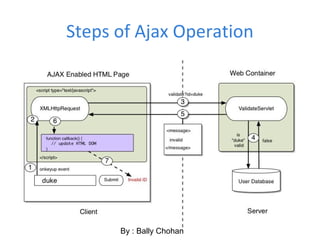
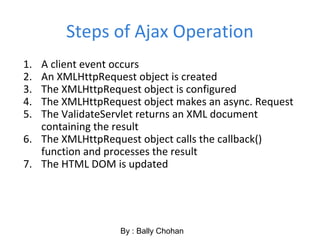
1. A client event occurs
2. An XMLHttpRequest object is created
3. The XMLHttpRequest object is configured
4. The XMLHttpRequest object makes an async. Request
5. The ValidateServlet returns an XML document
containing the result
6. The XMLHttpRequest object calls the callback()
function and processes the result
7. The HTML DOM is updated
By : Bally Chohan
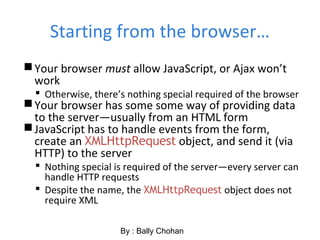
Starting from the browser…
Your browser must allow JavaScript, or Ajax won’t
work
 Otherwise, there’s nothing special required of the browser
Your browser has some some way of providing data
to the server—usually from an HTML form
JavaScript has to handle events from the form,
create an XMLHttpRequest object, and send it (via
HTTP) to the server
 Nothing special is required of the server—every server can
handle HTTP requests
 Despite the name, the XMLHttpRequest object does not
require XML
By : Bally Chohan
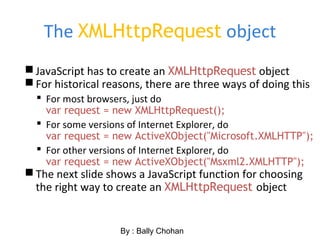
The XMLHttpRequest object
JavaScript has to create an XMLHttpRequest object
For historical reasons, there are three ways of doing this
 For most browsers, just do
var request = new XMLHttpRequest();
 For some versions of Internet Explorer, do
var request = new ActiveXObject("Microsoft.XMLHTTP");
 For other versions of Internet Explorer, do
var request = new ActiveXObject("Msxml2.XMLHTTP");
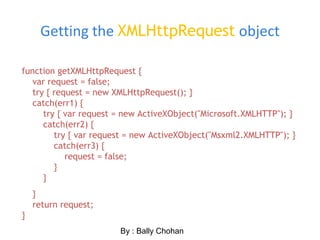
The next slide shows a JavaScript function for choosing
the right way to create an XMLHttpRequest object
By : Bally Chohan
Getting the XMLHttpRequest object
function getXMLHttpRequest {
var request = false;
try { request = new XMLHttpRequest(); }
catch(err1) {
try { var request = new ActiveXObject("Microsoft.XMLHTTP"); }
catch(err2) {
try { var request = new ActiveXObject("Msxml2.XMLHTTP"); }
catch(err3) {
request = false;
}
}
}
return request;
}
By : Bally Chohan
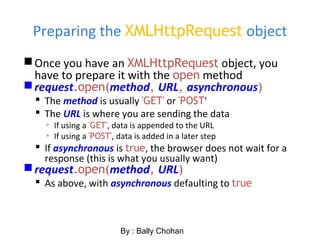
Preparing the XMLHttpRequest object
Once you have an XMLHttpRequest object, you
have to prepare it with the open method
request.open(method, URL, asynchronous)
 The method is usually 'GET' or 'POST'
 The URL is where you are sending the data
▪ If using a 'GET', data is appended to the URL
▪ If using a 'POST', data is added in a later step
 If asynchronous is true, the browser does not wait for a
response (this is what you usually want)
request.open(method, URL)
 As above, with asynchronous defaulting to true
By : Bally Chohan
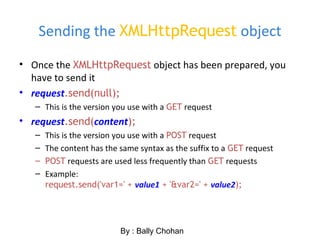
Sending the XMLHttpRequest object
• Once the XMLHttpRequest object has been prepared, you
have to send it
• request.send(null);
– This is the version you use with a GET request
• request.send(content);
– This is the version you use with a POST request
– The content has the same syntax as the suffix to a GET request
– POST requests are used less frequently than GET requests
– Example:
request.send('var1=' + value1 + '&var2=' + value2);
By : Bally Chohan
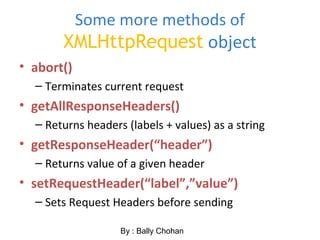
Some more methods of
XMLHttpRequest object
• abort()
– Terminates current request
• getAllResponseHeaders()
– Returns headers (labels + values) as a string
• getResponseHeader(“header”)
– Returns value of a given header
• setRequestHeader(“label”,”value”)
– Sets Request Headers before sending
By : Bally Chohan
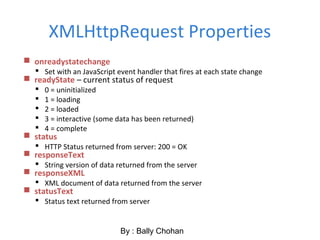
XMLHttpRequest Properties
 onreadystatechange
 Set with an JavaScript event handler that fires at each state change
 readyState – current status of request
 0 = uninitialized
 1 = loading
 2 = loaded
 3 = interactive (some data has been returned)
 4 = complete
 status
 HTTP Status returned from server: 200 = OK
 responseText
 String version of data returned from the server
 responseXML
 XML document of data returned from the server
 statusText
 Status text returned from server
By : Bally Chohan
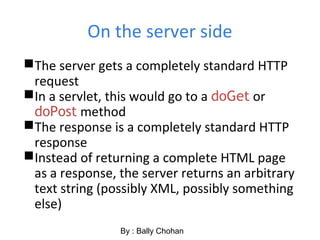
On the server side
The server gets a completely standard HTTP
request
In a servlet, this would go to a doGet or
doPost method
The response is a completely standard HTTP
response
Instead of returning a complete HTML page
as a response, the server returns an arbitrary
text string (possibly XML, possibly something
else)
By : Bally Chohan
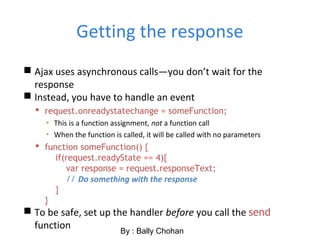
Getting the response
 Ajax uses asynchronous calls—you don’t wait for the
response
 Instead, you have to handle an event
 request.onreadystatechange = someFunction;
▪ This is a function assignment, not a function call
▪ When the function is called, it will be called with no parameters
 function someFunction() {
if(request.readyState == 4){
var response = request.responseText;
// Do something with the response
}
}
 To be safe, set up the handler before you call the send
function By : Bally Chohan
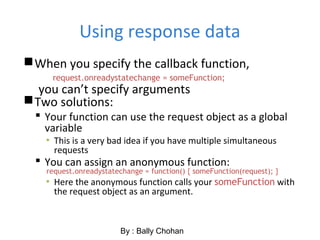
Using response data
When you specify the callback function,
request.onreadystatechange = someFunction;
you can’t specify arguments
Two solutions:
 Your function can use the request object as a global
variable
▪ This is a very bad idea if you have multiple simultaneous
requests
 You can assign an anonymous function:
request.onreadystatechange = function() { someFunction(request); }
▪ Here the anonymous function calls your someFunction with
the request object as an argument.
By : Bally Chohan
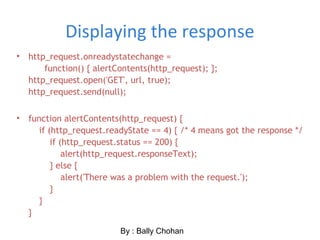
Displaying the response
• http_request.onreadystatechange =
function() { alertContents(http_request); };
http_request.open('GET', url, true);
http_request.send(null);
• function alertContents(http_request) {
if (http_request.readyState == 4) { /* 4 means got the response */
if (http_request.status == 200) {
alert(http_request.responseText);
} else {
alert('There was a problem with the request.');
}
}
}
By : Bally Chohan
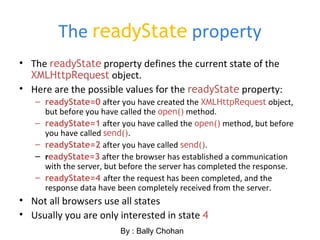
The readyState property
• The readyState property defines the current state of the
XMLHttpRequest object.
• Here are the possible values for the readyState property:
– readyState=0 after you have created the XMLHttpRequest object,
but before you have called the open() method.
– readyState=1 after you have called the open() method, but before
you have called send().
– readyState=2 after you have called send().
– readyState=3 after the browser has established a communication
with the server, but before the server has completed the response.
– readyState=4 after the request has been completed, and the
response data have been completely received from the server.
• Not all browsers use all states
• Usually you are only interested in state 4
By : Bally Chohan
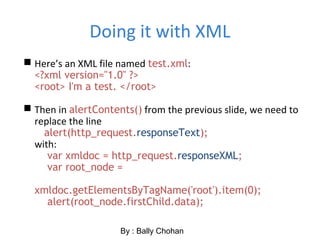
Doing it with XML
 Here’s an XML file named test.xml:
<?xml version="1.0" ?>
<root> I'm a test. </root>
 Then in alertContents() from the previous slide, we need to
replace the line
alert(http_request.responseText);
with:
var xmldoc = http_request.responseXML;
var root_node =
xmldoc.getElementsByTagName('root').item(0);
alert(root_node.firstChild.data);
By : Bally Chohan
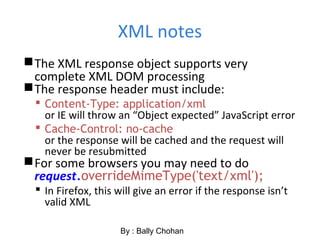
XML notes
The XML response object supports very
complete XML DOM processing
The response header must include:
 Content-Type: application/xml
or IE will throw an “Object expected” JavaScript error
 Cache-Control: no-cache
or the response will be cached and the request will
never be resubmitted
For some browsers you may need to do
request.overrideMimeType('text/xml');
 In Firefox, this will give an error if the response isn’t
valid XML
By : Bally Chohan
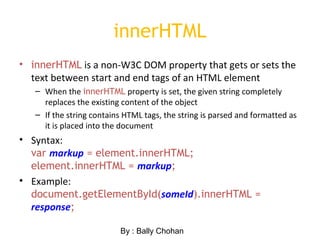
innerHTML
• innerHTML is a non-W3C DOM property that gets or sets the
text between start and end tags of an HTML element
– When the innerHTML property is set, the given string completely
replaces the existing content of the object
– If the string contains HTML tags, the string is parsed and formatted as
it is placed into the document
• Syntax:
var markup = element.innerHTML;
element.innerHTML = markup;
• Example:
document.getElementById(someId).innerHTML =
response;
By : Bally Chohan
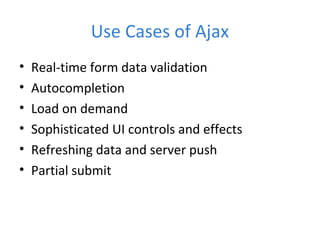
Use Cases of Ajax
• Real-time form data validation
• Autocompletion
• Load on demand
• Sophisticated UI controls and effects
• Refreshing data and server push
• Partial submit
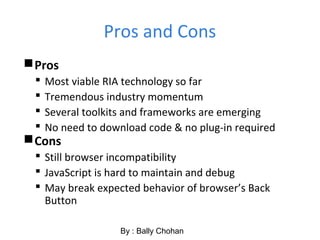
Pros and Cons
Pros
 Most viable RIA technology so far
 Tremendous industry momentum
 Several toolkits and frameworks are emerging
 No need to download code & no plug-in required
Cons
 Still browser incompatibility
 JavaScript is hard to maintain and debug
 May break expected behavior of browser’s Back
Button
By : Bally Chohan

Ajax Overview by Bally Chohan

  • 1.
    AJAX Basics Tutorialby Bally Chohan Compiled by Bally Chohan Bally Chohan IT Solution
  • 2.
    Web 2.0 • Definition –The term has been coined and defined by O'Reilly for designating the use of technologies that improve the design of Web site, allows for collaborative work, create a social networking. – New tools allow to concentrate on the content that is managed automatically. – Web application and Web service become a bigger part of the industry. • Examples • Gmail, LinkedIn, Facebook and Orkut etc. By : Bally Chohan
  • 3.
    Problems of ConventionalWeb Application Interruption of user operation  Users cannot perform any operation while waiting for a response Loss of operational context during refresh  Loss of information on the screen  Loss of scrolled position No instant feedback's to user activities  A user has to wait for the next page Constrained by HTML  Lack of useful widgets By : Bally Chohan
  • 4.
    Why Ajax? • Spontaneousand natural user interaction – No clicking required; mouse movement is a sufficient event trigger • "Partial screen update" replaces the "click, wait, and refresh" user interaction model – Only user interface elements that contain new information are updated (fast response) – The rest of the user interface remains displayed without interruption (no loss of operational context) • Data-driven (as opposed to page-driven) – UI is handled in the client while the server provides data • Asynchronous communication replaces "synchronous request/response model.” – A user can continue to use the application while the client program requests information from the server in the background – Separation of displaying from data fetching By : Bally Chohan
  • 5.
    Defining Ajax • Standards-basedpresentation using HTML and CSS; • Dynamic display and interaction using the Document Object Model; • Data interchange and manipulation using JSON, XML and XSLT; • Asynchronous data retrieval using XMLHttpRequest; • JavaScript binding everything together. By : Bally Chohan
  • 6.
    Classic Web ApplicationModel • Most user actions in the interface trigger an HTTP request back to a web server. • The server does some processing — retrieving data, crunching numbers, talking to various legacy systems — and then returns an HTML page to the client. • Synchronous request response mechanism By : Bally Chohan
  • 7.
    By : BallyChohan
  • 9.
    Ajax Engine  AnAjax application places an intermediary between the user and the server called Ajax Engine (also known as JavaScript part of a web page).  It seems like adding a layer to the application would make it less responsive, but the opposite is true.  Instead of loading a webpage, at the start of the session, the browser loads an Ajax engine — written in JavaScript and usually tucked away in a hidden frame.  This engine is responsible for both rendering the interface the user sees and communicating with the server on the user’s behalf.  The Ajax engine allows the user’s interaction with the application to happen asynchronously — independent of communication with the server. So the user is never staring at a blank browser window and an hourglass icon, waiting around for the server to do something. By : Bally Chohan
  • 10.
    How Ajax works? Every user action that normally would generate an HTTP request takes the form of a JavaScript call to the Ajax Engine instead.  Any response to a user action that doesn’t require a trip back to the server — such as simple data validation, editing data in memory, and even some navigation — the engine handles on its own.  If the engine needs something from the server in order to respond — if it’s submitting data for processing, loading additional interface code, or retrieving new data — the engine makes those requests asynchronously, usually using XML, without stalling a user’s interaction with the application. By : Bally Chohan
  • 11.
    Underlying technologies  JavaScript Loosely typed scripting language  JavaScript function is called when an event in a page occurs  Glue for the whole AJAX operation  DOM  API for accessing and manipulating structured documents  Represents the structure of XML and HTML documents  CSS  Allows for a clear separation of the presentation style from the content and may be changed programmatically by JavaScript  XMLHttpRequest  JavaScript object that performs asynchronous interaction with the server By : Bally Chohan
  • 12.
    Steps of AjaxOperation By : Bally Chohan
  • 13.
    Steps of AjaxOperation 1. A client event occurs 2. An XMLHttpRequest object is created 3. The XMLHttpRequest object is configured 4. The XMLHttpRequest object makes an async. Request 5. The ValidateServlet returns an XML document containing the result 6. The XMLHttpRequest object calls the callback() function and processes the result 7. The HTML DOM is updated By : Bally Chohan
  • 14.
    Starting from thebrowser… Your browser must allow JavaScript, or Ajax won’t work  Otherwise, there’s nothing special required of the browser Your browser has some some way of providing data to the server—usually from an HTML form JavaScript has to handle events from the form, create an XMLHttpRequest object, and send it (via HTTP) to the server  Nothing special is required of the server—every server can handle HTTP requests  Despite the name, the XMLHttpRequest object does not require XML By : Bally Chohan
  • 15.
    The XMLHttpRequest object JavaScripthas to create an XMLHttpRequest object For historical reasons, there are three ways of doing this  For most browsers, just do var request = new XMLHttpRequest();  For some versions of Internet Explorer, do var request = new ActiveXObject("Microsoft.XMLHTTP");  For other versions of Internet Explorer, do var request = new ActiveXObject("Msxml2.XMLHTTP"); The next slide shows a JavaScript function for choosing the right way to create an XMLHttpRequest object By : Bally Chohan
  • 16.
    Getting the XMLHttpRequestobject function getXMLHttpRequest { var request = false; try { request = new XMLHttpRequest(); } catch(err1) { try { var request = new ActiveXObject("Microsoft.XMLHTTP"); } catch(err2) { try { var request = new ActiveXObject("Msxml2.XMLHTTP"); } catch(err3) { request = false; } } } return request; } By : Bally Chohan
  • 17.
    Preparing the XMLHttpRequestobject Once you have an XMLHttpRequest object, you have to prepare it with the open method request.open(method, URL, asynchronous)  The method is usually 'GET' or 'POST'  The URL is where you are sending the data ▪ If using a 'GET', data is appended to the URL ▪ If using a 'POST', data is added in a later step  If asynchronous is true, the browser does not wait for a response (this is what you usually want) request.open(method, URL)  As above, with asynchronous defaulting to true By : Bally Chohan
  • 18.
    Sending the XMLHttpRequestobject • Once the XMLHttpRequest object has been prepared, you have to send it • request.send(null); – This is the version you use with a GET request • request.send(content); – This is the version you use with a POST request – The content has the same syntax as the suffix to a GET request – POST requests are used less frequently than GET requests – Example: request.send('var1=' + value1 + '&var2=' + value2); By : Bally Chohan
  • 19.
    Some more methodsof XMLHttpRequest object • abort() – Terminates current request • getAllResponseHeaders() – Returns headers (labels + values) as a string • getResponseHeader(“header”) – Returns value of a given header • setRequestHeader(“label”,”value”) – Sets Request Headers before sending By : Bally Chohan
  • 20.
    XMLHttpRequest Properties  onreadystatechange Set with an JavaScript event handler that fires at each state change  readyState – current status of request  0 = uninitialized  1 = loading  2 = loaded  3 = interactive (some data has been returned)  4 = complete  status  HTTP Status returned from server: 200 = OK  responseText  String version of data returned from the server  responseXML  XML document of data returned from the server  statusText  Status text returned from server By : Bally Chohan
  • 21.
    On the serverside The server gets a completely standard HTTP request In a servlet, this would go to a doGet or doPost method The response is a completely standard HTTP response Instead of returning a complete HTML page as a response, the server returns an arbitrary text string (possibly XML, possibly something else) By : Bally Chohan
  • 22.
    Getting the response Ajax uses asynchronous calls—you don’t wait for the response  Instead, you have to handle an event  request.onreadystatechange = someFunction; ▪ This is a function assignment, not a function call ▪ When the function is called, it will be called with no parameters  function someFunction() { if(request.readyState == 4){ var response = request.responseText; // Do something with the response } }  To be safe, set up the handler before you call the send function By : Bally Chohan
  • 23.
    Using response data Whenyou specify the callback function, request.onreadystatechange = someFunction; you can’t specify arguments Two solutions:  Your function can use the request object as a global variable ▪ This is a very bad idea if you have multiple simultaneous requests  You can assign an anonymous function: request.onreadystatechange = function() { someFunction(request); } ▪ Here the anonymous function calls your someFunction with the request object as an argument. By : Bally Chohan
  • 24.
    Displaying the response •http_request.onreadystatechange = function() { alertContents(http_request); }; http_request.open('GET', url, true); http_request.send(null); • function alertContents(http_request) { if (http_request.readyState == 4) { /* 4 means got the response */ if (http_request.status == 200) { alert(http_request.responseText); } else { alert('There was a problem with the request.'); } } } By : Bally Chohan
  • 25.
    The readyState property •The readyState property defines the current state of the XMLHttpRequest object. • Here are the possible values for the readyState property: – readyState=0 after you have created the XMLHttpRequest object, but before you have called the open() method. – readyState=1 after you have called the open() method, but before you have called send(). – readyState=2 after you have called send(). – readyState=3 after the browser has established a communication with the server, but before the server has completed the response. – readyState=4 after the request has been completed, and the response data have been completely received from the server. • Not all browsers use all states • Usually you are only interested in state 4 By : Bally Chohan
  • 26.
    Doing it withXML  Here’s an XML file named test.xml: <?xml version="1.0" ?> <root> I'm a test. </root>  Then in alertContents() from the previous slide, we need to replace the line alert(http_request.responseText); with: var xmldoc = http_request.responseXML; var root_node = xmldoc.getElementsByTagName('root').item(0); alert(root_node.firstChild.data); By : Bally Chohan
  • 27.
    XML notes The XMLresponse object supports very complete XML DOM processing The response header must include:  Content-Type: application/xml or IE will throw an “Object expected” JavaScript error  Cache-Control: no-cache or the response will be cached and the request will never be resubmitted For some browsers you may need to do request.overrideMimeType('text/xml');  In Firefox, this will give an error if the response isn’t valid XML By : Bally Chohan
  • 28.
    innerHTML • innerHTML isa non-W3C DOM property that gets or sets the text between start and end tags of an HTML element – When the innerHTML property is set, the given string completely replaces the existing content of the object – If the string contains HTML tags, the string is parsed and formatted as it is placed into the document • Syntax: var markup = element.innerHTML; element.innerHTML = markup; • Example: document.getElementById(someId).innerHTML = response; By : Bally Chohan
  • 29.
    Use Cases ofAjax • Real-time form data validation • Autocompletion • Load on demand • Sophisticated UI controls and effects • Refreshing data and server push • Partial submit
  • 30.
    Pros and Cons Pros Most viable RIA technology so far  Tremendous industry momentum  Several toolkits and frameworks are emerging  No need to download code & no plug-in required Cons  Still browser incompatibility  JavaScript is hard to maintain and debug  May break expected behavior of browser’s Back Button By : Bally Chohan