ADVANCED SHELL SCRIPTING
FOR ORACLE
PROFESSIONALS
JEVGEŅIJS REUTS
INTRO
• WHO?
- Oracle Applications Database Consultant @ Pythian
- Oracle Database Administrator Certified Professional
- Working with Oracle since 2006
- Not shell scripting guru
• WHY?
- Interesting case to share with community
© 2015 Pythian Confidential2
BUSINESS CASE
• Migrate users for particular department from on
premise Oracle Internet Directory 10g instance
to Oracle Internet Directory 11g instance located
in Amazon (AWS)
© 2015 Pythian Confidential3
CUSTOMER REQUIREMENTS
• Migrate users to new basedn or “tree” in OID 11g
• CSV with usernames provided
• Initial downtime requirement max 4h
• Later changed to “No Downtime allowed”
© 2015 Pythian Confidential4
INITIAL REVIEW
• CSV contains 2,2M usernames
• OID cn: attribute = username
– Example:
USER_ID,SOURCE_USER_ID
317149,SNOWLIS
• Usernames has no pattern for filtering
• Total amount of users in 10g OID 7,7M
© 2015 Pythian Confidential5
OID USER RECORD EXAMPLE
[oracle@oid10g ~]$ ldapsearch -h localhost -p 389 -D "cn=orcladmin" -w password -L -s sub -b "cn=users,dc=test,dc=example,dc=com" "(cn=SNOWLIS)" "*"
dn: cn=SNOWLIS, cn=users,dc=test,dc=example,dc=com
authpassword;oid: {SASL/MD5-DN}E5GNW+/uc5Q4vaUHTpoV8w==
authpassword;oid: {SASL/MD5-U}em8szBiI6lQe7oSZys9S6w==
authpassword;oid: {SASL/MD5}OIcK6dZZFlu7kZOw8+RxEQ==
authpassword;orclcommonpwd: {MD5}UVSevJPyPkXxUHoK1QMOfw==
authpassword;orclcommonpwd: {X- ORCLLMV}C5A7687D19248DD11D71060D896B7A46
authpassword;orclcommonpwd: {X- ORCLNTV}769F744EC914822D37C66B8EFBFD68F9
authpassword;orclcommonpwd: {X- ORCLIFSMD5}AMLZgqATptPU1TkLgpGh1w==
authpassword;orclcommonpwd: {X- ORCLWEBDAV}Fg/OrZz6AEATMeJMXWm19A==
cn: SNOWLIS
mail: test.test@example.com
objectclass: orcluserv2
objectclass: organizationalPerson
objectclass: top
objectclass: person
objectclass: inetorgperson
orclisenabled: ENABLED
orclpassword: {x- orcldbpwd}1.0:059A0F10E478B5BB
sn: SNOWLIS
uid: SNOWLIS
userpassword: {SHA}1btDzs8cj+zHwHLzsgEaUCJ0nn0=
© 2015 Pythian Confidential6
INITIAL APPROACH
• Create shell script
• Script will read usernames from csv line by line
• With ldapsearch will check if entry exists
• If exists with ldapsearch again dumping all the entry
content to ldif file
• Replace basedn or “tree” with sed
• Import users with native OID bulkload utility (uses
SQL*Loader, downtime required)
© 2015 Pythian Confidential7
INITIAL APPROACH EXAMPLE
cat ${v_base_dir}/usernames.csv | grep -v "USER_ID,SOURCE_USER_ID" | awk 'BEGIN
{FS=","}{print $2}' | while read v_username ; do
v_ldap_result=$(ldapsearch -h localhost -p 389 -D "cn=orcladmin" -w ${v_oid_pwd} -L -s
sub -b "cn=users,dc=test,dc=exaple,dc=com" "(cn=${v_username})" "dn" | wc -l)
if [ ${v_ldap_result} -gt 0 ] ; then
ldapsearch -h localhost -p 389 -D "cn=orcladmin" -w ${v_oid_pwd} -L -s sub -b
"cn=users,dc=test,dc=exaple,dc=com" "(cn=${v_username})" "*" >>
${v_base_dir}/content_generated_from_cvs.ldif
echo "" >> ${v_base_dir}/content_generated_from_cvs.ldif
else
echo ${v_username} >> ${v_base_dir}/users_not_in_oid.log
fi
done
© 2015 Pythian Confidential8
PROBLEM WITH INITIAL APPROACH
• Single ldapsearch operation takes ~1s
• For 2,2M users that is 2,2M seconds
• Or 611 hours or 25 days
• Not an option
© 2015 Pythian Confidential9
APPROACH 2
• Full export of OID basedn or “tree”
ldifwrite connect=“SID"
basedn="cn=users,dc=test,dc=example,dc=com"
ldiffile=content_generated_from_cvs.ldif threads=8
• Create shell script to read full export file and
compare usernames against CSV file
• If user exists dumping all the entry content to ldif file
• Replace basedn or “tree” with sed
• Import users with native OID bulkload utility (uses
SQL*Loader, downtime required)
© 2015 Pythian Confidential10
PROBLEM WITH APPROACH 2
• Full export file size 9GB
• Total 7,7M users x 21 attribute
• Huge amount of lines
• CSV file has 2,2M lines
• HOW TO HANDLE THIS EFFICIENTLY?
© 2015 Pythian Confidential11
WAY TO GO
• Use BASH associative array
• Load username from CSV to array
• Proceed reading full user dump file against array
• Loading 2,2M row from CSV to array took 50
minutes
• NOTE: BASH associative arrays are available
since bash version 4.0
© 2015 Pythian Confidential12
BASH ASSOCIATIVE ARRAY
# load csv to array
declare -A myarray1
while read line_data
do
myarray1[${line_data}]=1
done <<< "$(cat usernames.csv | grep -v "USER_ID,SOURCE_USER_ID"
| awk 'BEGIN {FS=","}{print $2}')“
[oracle@oid10g ~]$ echo ${myarray1[SNOWLIS]}
1
[oracle@oid10g ~]$ echo ${myarray1[SNOWLIS1]}
© 2015 Pythian Confidential13
BASH ASSOCIATIVE ARRAY
• Use BASH associative array
• Load username from CSV to array
• Proceed reading full user dump file against array
• Loading 2,2M row from CSV to array took 50
minutes
© 2015 Pythian Confidential14
CONSTRUCTING MAIN BLOCK
• Reading full dump file
• If dn: attribute, then extracting cn: user attribute
• Checking if cn: or username persist in array
• If persists in array, setting print flag and dumping
all line until next dn: attribute
© 2015 Pythian Confidential15
CONSTRUCTING MAIN BLOCK
while read v_user_entry_item ; do
v_user_entry_res=$(echo ${v_user_entry_item}| grep "^dn:" | wc -l)
if [ ${v_user_entry_res} -gt 0 ] ; then
v_username=$(echo ${v_user_entry_item} | awk 'BEGIN {FS=","}{print $1}' | awk 'BEGIN
{FS="="}{print $2}')
if [ "1" == "${myarray1[$v_username]}" ]; then
print_status=1
else
print_status=0
fi
fi
if [ ${print_status} = "1" ] ; then
echo ${v_user_entry_item} >> content_to_load.ldif
fi
done < ${v_base_dir}/content_generated_from_cvs.ldif
© 2015 Pythian Confidential16
RUNNING THE SCRIPT
• Script started, working as expected
• But still slow, target to complete > 24h
• Why script taking so long?
• strace -c -f -p <pid>
• Cat, grep, sed and awk utilities
• When bash runs a command it forks a child
process
© 2015 Pythian Confidential17
STRACE OUTPUT
strace -c -f -p 17011
% time seconds usecs/call calls errors syscall
------ ----------- ----------- --------- --------- ----------------
95.11 0.134360 1600 84 28 wait4
1.48 0.002091 6 336 fstat
1.16 0.001635 3 486 dup2
0.93 0.001316 0 3140 rt_sigprocmask
0.20 0.000280 1 249 write
0.19 0.000264 2 112 getegid
0.18 0.000251 1 420 mmap
0.17 0.000246 1 375 open
0.15 0.000213 0 841 57 close
0.10 0.000141 0 1035 fcntl
0.08 0.000111 0 280 84 stat
0.05 0.000072 1 140 28 access
0.04 0.000058 2 28 munmap
0.04 0.000056 0 1000 lseek
0.03 0.000049 1 84 brk
0.03 0.000041 0 196 mprotect
0.02 0.000030 0 621 rt_sigaction
0.02 0.000029 0 112 getuid
0.02 0.000028 0 557 557 ioctl
0.00 0.000000 0 669 read
------ ----------- ----------- --------- --------- ----------------
100.00 0.141271 11232 754 total
© 2015 Pythian Confidential18
BASH STRING PROCESSING
${parameter:offset:length}
sting="dn: cn=SNOWLIS, cn=users,dc=test,dc=example,dc=com"
echo ${string:0:3}
dn:
${parameter:offset}
sting= "cn: SNOWLIS"
echo ${string:4}
SNOWLIS
© 2015 Pythian Confidential19
BASH STRING PROCESSING
sting=snowlis
echo ${string^^}
SNOWLIS
sting=SNOWLIS
echo ${string,,}
snowlis
© 2015 Pythian Confidential20
REWRITTEN SCRIPT VERSION
echo "Processing full export LDIF..."
print_status=0
# Reading the user list
while read v_user_entry_item ; do
if [ "X${v_user_entry_item:0:3}" == "Xdn:" ] ; then
if [ ${print_status} = "1" ] ; then
echo "${TMP}" >> content_to_load.ldif
print_status=0
fi
TMP=""
fi
if [ "X${v_user_entry_item:0:4}" == "Xcn: " ] ; then
v_user_entry_item_cn=${v_user_entry_item:4}
if [ "1" == "${myarray1[${v_user_entry_item_cn^^}]}" ]; then
print_status=1
myarray1[${v_user_entry_item_cn^^}]=2
else
print_status=0
fi
fi
TMP="${TMP}
${v_user_entry_item}"
done < ${v_base_dir}/content_generated_from_cvs.ldif
if [ ${print_status} = "1" ] ; then
echo "${TMP}" >> content_to_load.ldif
fi
© 2015 Pythian Confidential21
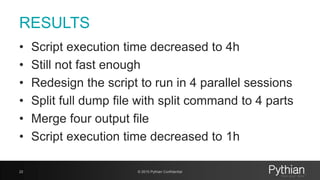
RESULTS
• Script execution time decreased to 4h
• Still not fast enough
• Redesign the script to run in 4 parallel sessions
• Split full dump file with split command to 4 parts
• Merge four output file
• Script execution time decreased to 1h
© 2015 Pythian Confidential22
POST PROCESSING & IMPORT
• Replace basedn or “tree” with sed
sed -i
"s/cn=Users,dc=test,dc=example,dc=com/cn=users,ou=he,dc=te
st,dc=example2,dc=net/g" content_to_load.ldif
• Remove internal OID attributes with sed
• Run import with ldapadd native OID tool
ldapadd -h localhost -p 3060 -D "cn=orcladmin" -w <pwd> -f
content_to_load.ldif -c
© 2015 Pythian Confidential23
CONCLUSION
• Cat, awk, sed and grep utilities are efficient and
useful working with small files
• Working with huge size files use bash string
processing where possible
• Bash associative arrays can help and improve
performance of your scripts
BEER TIME !!!!
© 2015 Pythian Confidential25

Advanced Shell Scripting for Oracle professionals

  • 1.
    ADVANCED SHELL SCRIPTING FORORACLE PROFESSIONALS JEVGEŅIJS REUTS
  • 2.
    INTRO • WHO? - OracleApplications Database Consultant @ Pythian - Oracle Database Administrator Certified Professional - Working with Oracle since 2006 - Not shell scripting guru • WHY? - Interesting case to share with community © 2015 Pythian Confidential2
  • 3.
    BUSINESS CASE • Migrateusers for particular department from on premise Oracle Internet Directory 10g instance to Oracle Internet Directory 11g instance located in Amazon (AWS) © 2015 Pythian Confidential3
  • 4.
    CUSTOMER REQUIREMENTS • Migrateusers to new basedn or “tree” in OID 11g • CSV with usernames provided • Initial downtime requirement max 4h • Later changed to “No Downtime allowed” © 2015 Pythian Confidential4
  • 5.
    INITIAL REVIEW • CSVcontains 2,2M usernames • OID cn: attribute = username – Example: USER_ID,SOURCE_USER_ID 317149,SNOWLIS • Usernames has no pattern for filtering • Total amount of users in 10g OID 7,7M © 2015 Pythian Confidential5
  • 6.
    OID USER RECORDEXAMPLE [oracle@oid10g ~]$ ldapsearch -h localhost -p 389 -D "cn=orcladmin" -w password -L -s sub -b "cn=users,dc=test,dc=example,dc=com" "(cn=SNOWLIS)" "*" dn: cn=SNOWLIS, cn=users,dc=test,dc=example,dc=com authpassword;oid: {SASL/MD5-DN}E5GNW+/uc5Q4vaUHTpoV8w== authpassword;oid: {SASL/MD5-U}em8szBiI6lQe7oSZys9S6w== authpassword;oid: {SASL/MD5}OIcK6dZZFlu7kZOw8+RxEQ== authpassword;orclcommonpwd: {MD5}UVSevJPyPkXxUHoK1QMOfw== authpassword;orclcommonpwd: {X- ORCLLMV}C5A7687D19248DD11D71060D896B7A46 authpassword;orclcommonpwd: {X- ORCLNTV}769F744EC914822D37C66B8EFBFD68F9 authpassword;orclcommonpwd: {X- ORCLIFSMD5}AMLZgqATptPU1TkLgpGh1w== authpassword;orclcommonpwd: {X- ORCLWEBDAV}Fg/OrZz6AEATMeJMXWm19A== cn: SNOWLIS mail: test.test@example.com objectclass: orcluserv2 objectclass: organizationalPerson objectclass: top objectclass: person objectclass: inetorgperson orclisenabled: ENABLED orclpassword: {x- orcldbpwd}1.0:059A0F10E478B5BB sn: SNOWLIS uid: SNOWLIS userpassword: {SHA}1btDzs8cj+zHwHLzsgEaUCJ0nn0= © 2015 Pythian Confidential6
  • 7.
    INITIAL APPROACH • Createshell script • Script will read usernames from csv line by line • With ldapsearch will check if entry exists • If exists with ldapsearch again dumping all the entry content to ldif file • Replace basedn or “tree” with sed • Import users with native OID bulkload utility (uses SQL*Loader, downtime required) © 2015 Pythian Confidential7
  • 8.
    INITIAL APPROACH EXAMPLE cat${v_base_dir}/usernames.csv | grep -v "USER_ID,SOURCE_USER_ID" | awk 'BEGIN {FS=","}{print $2}' | while read v_username ; do v_ldap_result=$(ldapsearch -h localhost -p 389 -D "cn=orcladmin" -w ${v_oid_pwd} -L -s sub -b "cn=users,dc=test,dc=exaple,dc=com" "(cn=${v_username})" "dn" | wc -l) if [ ${v_ldap_result} -gt 0 ] ; then ldapsearch -h localhost -p 389 -D "cn=orcladmin" -w ${v_oid_pwd} -L -s sub -b "cn=users,dc=test,dc=exaple,dc=com" "(cn=${v_username})" "*" >> ${v_base_dir}/content_generated_from_cvs.ldif echo "" >> ${v_base_dir}/content_generated_from_cvs.ldif else echo ${v_username} >> ${v_base_dir}/users_not_in_oid.log fi done © 2015 Pythian Confidential8
  • 9.
    PROBLEM WITH INITIALAPPROACH • Single ldapsearch operation takes ~1s • For 2,2M users that is 2,2M seconds • Or 611 hours or 25 days • Not an option © 2015 Pythian Confidential9
  • 10.
    APPROACH 2 • Fullexport of OID basedn or “tree” ldifwrite connect=“SID" basedn="cn=users,dc=test,dc=example,dc=com" ldiffile=content_generated_from_cvs.ldif threads=8 • Create shell script to read full export file and compare usernames against CSV file • If user exists dumping all the entry content to ldif file • Replace basedn or “tree” with sed • Import users with native OID bulkload utility (uses SQL*Loader, downtime required) © 2015 Pythian Confidential10
  • 11.
    PROBLEM WITH APPROACH2 • Full export file size 9GB • Total 7,7M users x 21 attribute • Huge amount of lines • CSV file has 2,2M lines • HOW TO HANDLE THIS EFFICIENTLY? © 2015 Pythian Confidential11
  • 12.
    WAY TO GO •Use BASH associative array • Load username from CSV to array • Proceed reading full user dump file against array • Loading 2,2M row from CSV to array took 50 minutes • NOTE: BASH associative arrays are available since bash version 4.0 © 2015 Pythian Confidential12
  • 13.
    BASH ASSOCIATIVE ARRAY #load csv to array declare -A myarray1 while read line_data do myarray1[${line_data}]=1 done <<< "$(cat usernames.csv | grep -v "USER_ID,SOURCE_USER_ID" | awk 'BEGIN {FS=","}{print $2}')“ [oracle@oid10g ~]$ echo ${myarray1[SNOWLIS]} 1 [oracle@oid10g ~]$ echo ${myarray1[SNOWLIS1]} © 2015 Pythian Confidential13
  • 14.
    BASH ASSOCIATIVE ARRAY •Use BASH associative array • Load username from CSV to array • Proceed reading full user dump file against array • Loading 2,2M row from CSV to array took 50 minutes © 2015 Pythian Confidential14
  • 15.
    CONSTRUCTING MAIN BLOCK •Reading full dump file • If dn: attribute, then extracting cn: user attribute • Checking if cn: or username persist in array • If persists in array, setting print flag and dumping all line until next dn: attribute © 2015 Pythian Confidential15
  • 16.
    CONSTRUCTING MAIN BLOCK whileread v_user_entry_item ; do v_user_entry_res=$(echo ${v_user_entry_item}| grep "^dn:" | wc -l) if [ ${v_user_entry_res} -gt 0 ] ; then v_username=$(echo ${v_user_entry_item} | awk 'BEGIN {FS=","}{print $1}' | awk 'BEGIN {FS="="}{print $2}') if [ "1" == "${myarray1[$v_username]}" ]; then print_status=1 else print_status=0 fi fi if [ ${print_status} = "1" ] ; then echo ${v_user_entry_item} >> content_to_load.ldif fi done < ${v_base_dir}/content_generated_from_cvs.ldif © 2015 Pythian Confidential16
  • 17.
    RUNNING THE SCRIPT •Script started, working as expected • But still slow, target to complete > 24h • Why script taking so long? • strace -c -f -p <pid> • Cat, grep, sed and awk utilities • When bash runs a command it forks a child process © 2015 Pythian Confidential17
  • 18.
    STRACE OUTPUT strace -c-f -p 17011 % time seconds usecs/call calls errors syscall ------ ----------- ----------- --------- --------- ---------------- 95.11 0.134360 1600 84 28 wait4 1.48 0.002091 6 336 fstat 1.16 0.001635 3 486 dup2 0.93 0.001316 0 3140 rt_sigprocmask 0.20 0.000280 1 249 write 0.19 0.000264 2 112 getegid 0.18 0.000251 1 420 mmap 0.17 0.000246 1 375 open 0.15 0.000213 0 841 57 close 0.10 0.000141 0 1035 fcntl 0.08 0.000111 0 280 84 stat 0.05 0.000072 1 140 28 access 0.04 0.000058 2 28 munmap 0.04 0.000056 0 1000 lseek 0.03 0.000049 1 84 brk 0.03 0.000041 0 196 mprotect 0.02 0.000030 0 621 rt_sigaction 0.02 0.000029 0 112 getuid 0.02 0.000028 0 557 557 ioctl 0.00 0.000000 0 669 read ------ ----------- ----------- --------- --------- ---------------- 100.00 0.141271 11232 754 total © 2015 Pythian Confidential18
  • 19.
    BASH STRING PROCESSING ${parameter:offset:length} sting="dn:cn=SNOWLIS, cn=users,dc=test,dc=example,dc=com" echo ${string:0:3} dn: ${parameter:offset} sting= "cn: SNOWLIS" echo ${string:4} SNOWLIS © 2015 Pythian Confidential19
  • 20.
    BASH STRING PROCESSING sting=snowlis echo${string^^} SNOWLIS sting=SNOWLIS echo ${string,,} snowlis © 2015 Pythian Confidential20
  • 21.
    REWRITTEN SCRIPT VERSION echo"Processing full export LDIF..." print_status=0 # Reading the user list while read v_user_entry_item ; do if [ "X${v_user_entry_item:0:3}" == "Xdn:" ] ; then if [ ${print_status} = "1" ] ; then echo "${TMP}" >> content_to_load.ldif print_status=0 fi TMP="" fi if [ "X${v_user_entry_item:0:4}" == "Xcn: " ] ; then v_user_entry_item_cn=${v_user_entry_item:4} if [ "1" == "${myarray1[${v_user_entry_item_cn^^}]}" ]; then print_status=1 myarray1[${v_user_entry_item_cn^^}]=2 else print_status=0 fi fi TMP="${TMP} ${v_user_entry_item}" done < ${v_base_dir}/content_generated_from_cvs.ldif if [ ${print_status} = "1" ] ; then echo "${TMP}" >> content_to_load.ldif fi © 2015 Pythian Confidential21
  • 22.
    RESULTS • Script executiontime decreased to 4h • Still not fast enough • Redesign the script to run in 4 parallel sessions • Split full dump file with split command to 4 parts • Merge four output file • Script execution time decreased to 1h © 2015 Pythian Confidential22
  • 23.
    POST PROCESSING &IMPORT • Replace basedn or “tree” with sed sed -i "s/cn=Users,dc=test,dc=example,dc=com/cn=users,ou=he,dc=te st,dc=example2,dc=net/g" content_to_load.ldif • Remove internal OID attributes with sed • Run import with ldapadd native OID tool ldapadd -h localhost -p 3060 -D "cn=orcladmin" -w <pwd> -f content_to_load.ldif -c © 2015 Pythian Confidential23
  • 24.
    CONCLUSION • Cat, awk,sed and grep utilities are efficient and useful working with small files • Working with huge size files use bash string processing where possible • Bash associative arrays can help and improve performance of your scripts
  • 25.
    BEER TIME !!!! ©2015 Pythian Confidential25