Copyright © 2014 Oracle and/or its affiliates. All rights reserved. |
Kellyn Pot’Vin-Gorman
Consulting Member of Enterprise Manager Technical Team
Strategic Customer Program
March, 2016
Oracle Confidential 2
From the Database, to the Cloud and
Everything in Between
Copyright © 2014 Oracle and/or its affiliates. All rights reserved. |
Safe Harbor Statement
The following is intended to outline our general product direction. It is intended for
information purposes only, and may not be incorporated into any contract. It is not a
commitment to deliver any material, code, or functionality, and should not be relied upon
in making purchasing decisions. The development, release, and timing of any features or
functionality described for Oracle’s products remains at the sole discretion of Oracle.
Oracle Confidential 3
Copyright © 2014 Oracle and/or its affiliates. All rights reserved. |
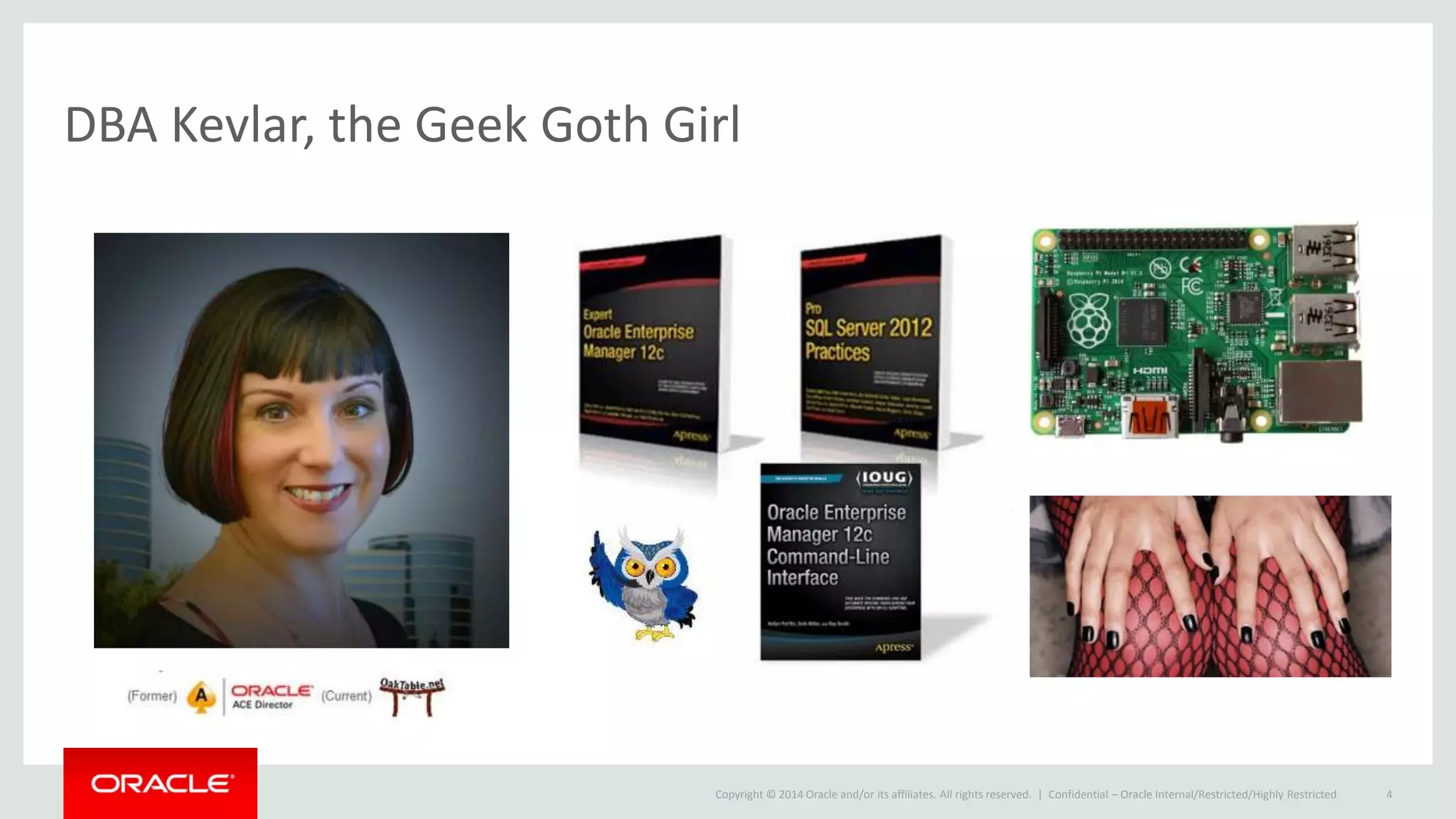
DBA Kevlar, the Geek Goth Girl
Confidential – Oracle Internal/Restricted/Highly Restricted 4
Copyright © 2014 Oracle and/or its affiliates. All rights reserved. |
Enhancements to Corrective Actions
• Corrective actions are one of the most powerful automation tools you can
implement in Enterprise Manager.
• With 13c, an enhancement to support all event types including Compliance
Standard Rule violations, Service Level Agreement (SLA) alerts, and job
status events.
• DevOps has been incorporated into corrective actions, offering the
administrator an easy way to develop, test and release to production where
before there wasn’t one.
• The Cloud Administrator can now respond automatically to to events with
common responses by scripting.
Copyright © 2014 Oracle and/or its affiliates. All rights reserved. |
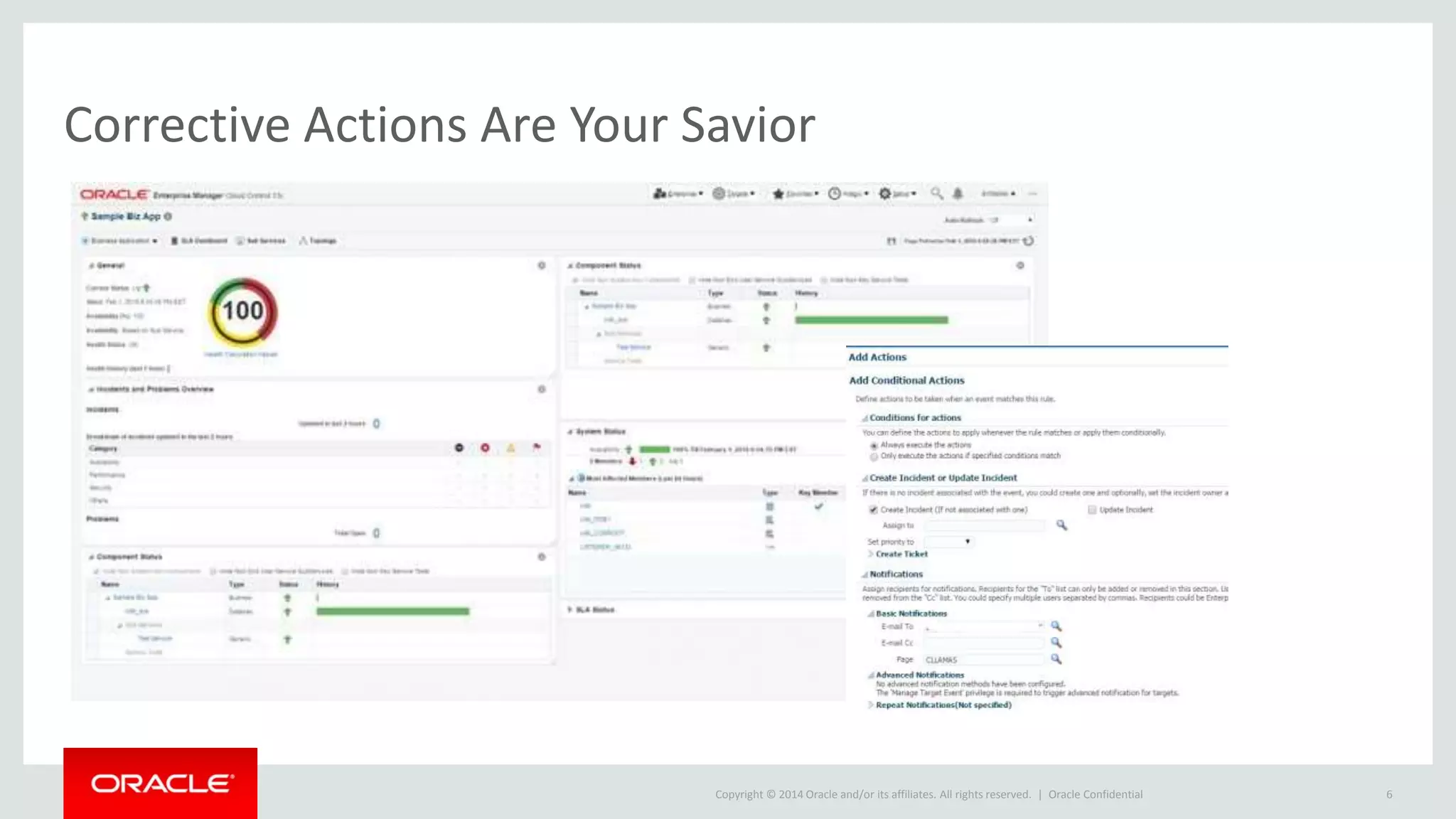
Corrective Actions Are Your Savior
Oracle Confidential 6
Copyright © 2014 Oracle and/or its affiliates. All rights reserved. |
Corrective Actons, Cont.
• Support for all event types.
• Support for compliance rules. This will allow users to associate corrective
actions with various compliance checks.
• Automated invocation using event rules.
• Ability to attach the latest corrective actions automatically.
Copyright © 2014 Oracle and/or its affiliates. All rights reserved. |
Save Repository Space with Intelligent Compression
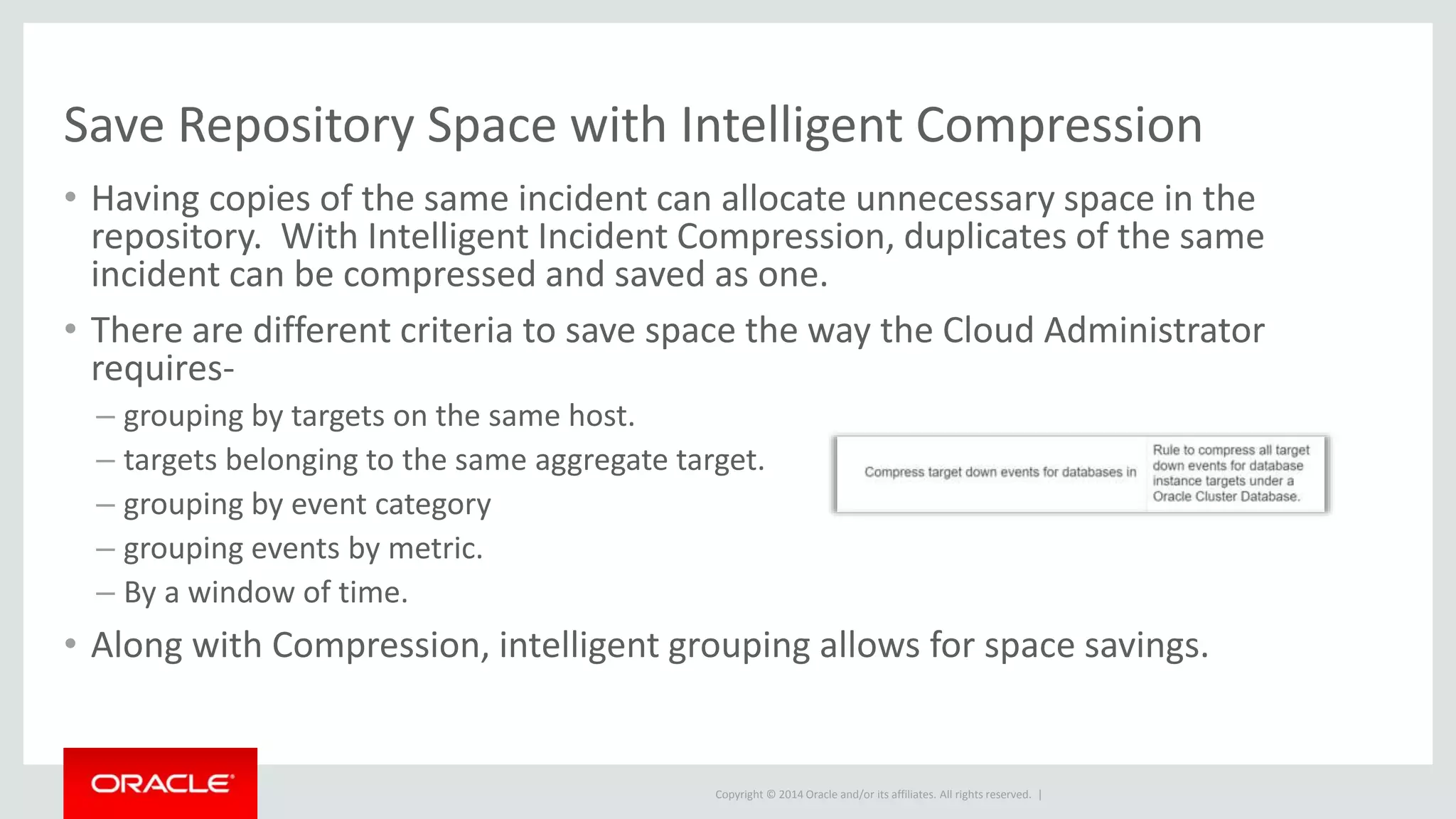
• Having copies of the same incident can allocate unnecessary space in the
repository. With Intelligent Incident Compression, duplicates of the same
incident can be compressed and saved as one.
• There are different criteria to save space the way the Cloud Administrator
requires-
– grouping by targets on the same host.
– targets belonging to the same aggregate target.
– grouping by event category
– grouping events by metric.
– By a window of time.
• Along with Compression, intelligent grouping allows for space savings.
Copyright © 2014 Oracle and/or its affiliates. All rights reserved. |
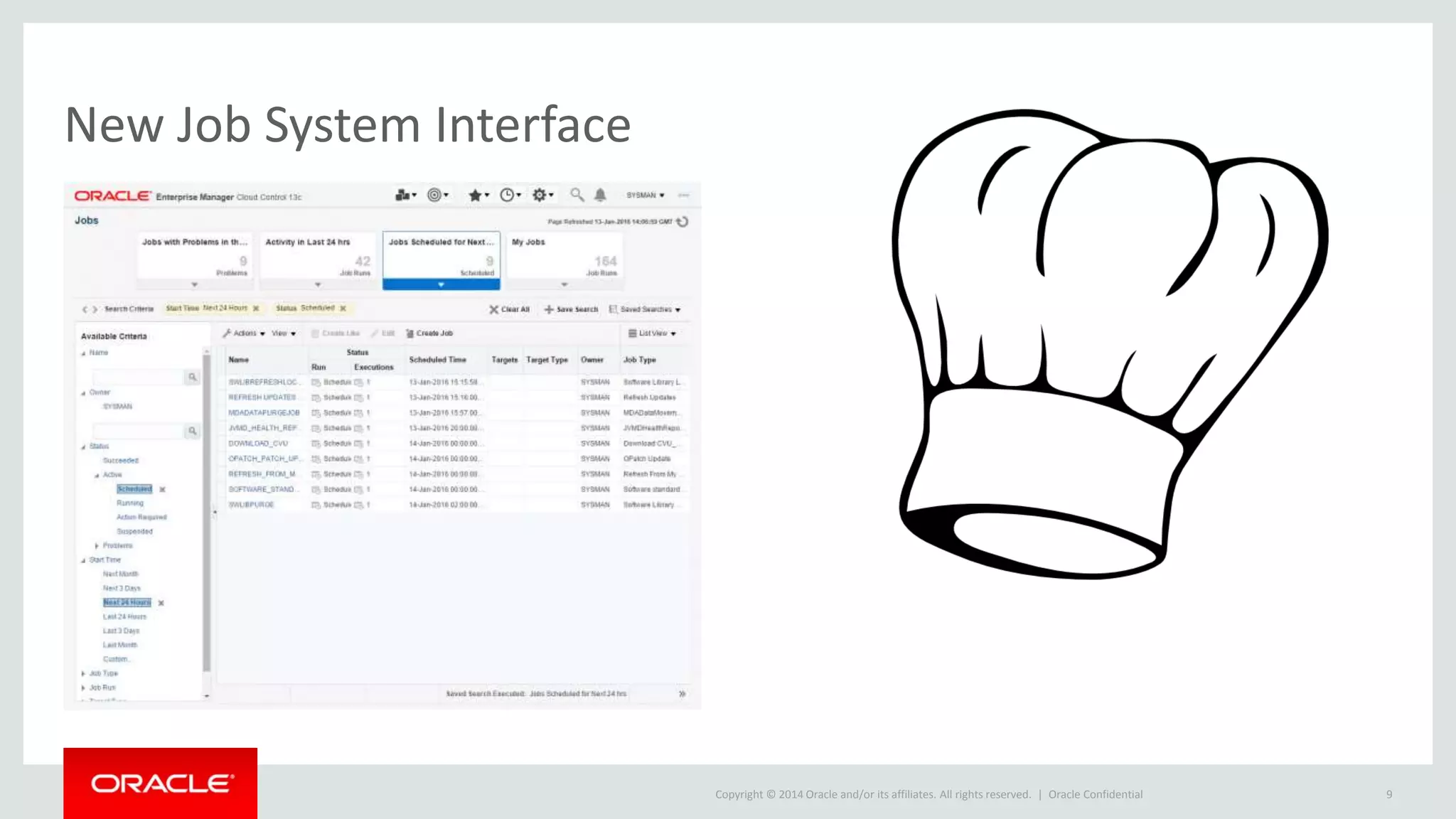
New Job System Interface
Oracle Confidential 9
Copyright © 2014 Oracle and/or its affiliates. All rights reserved. |
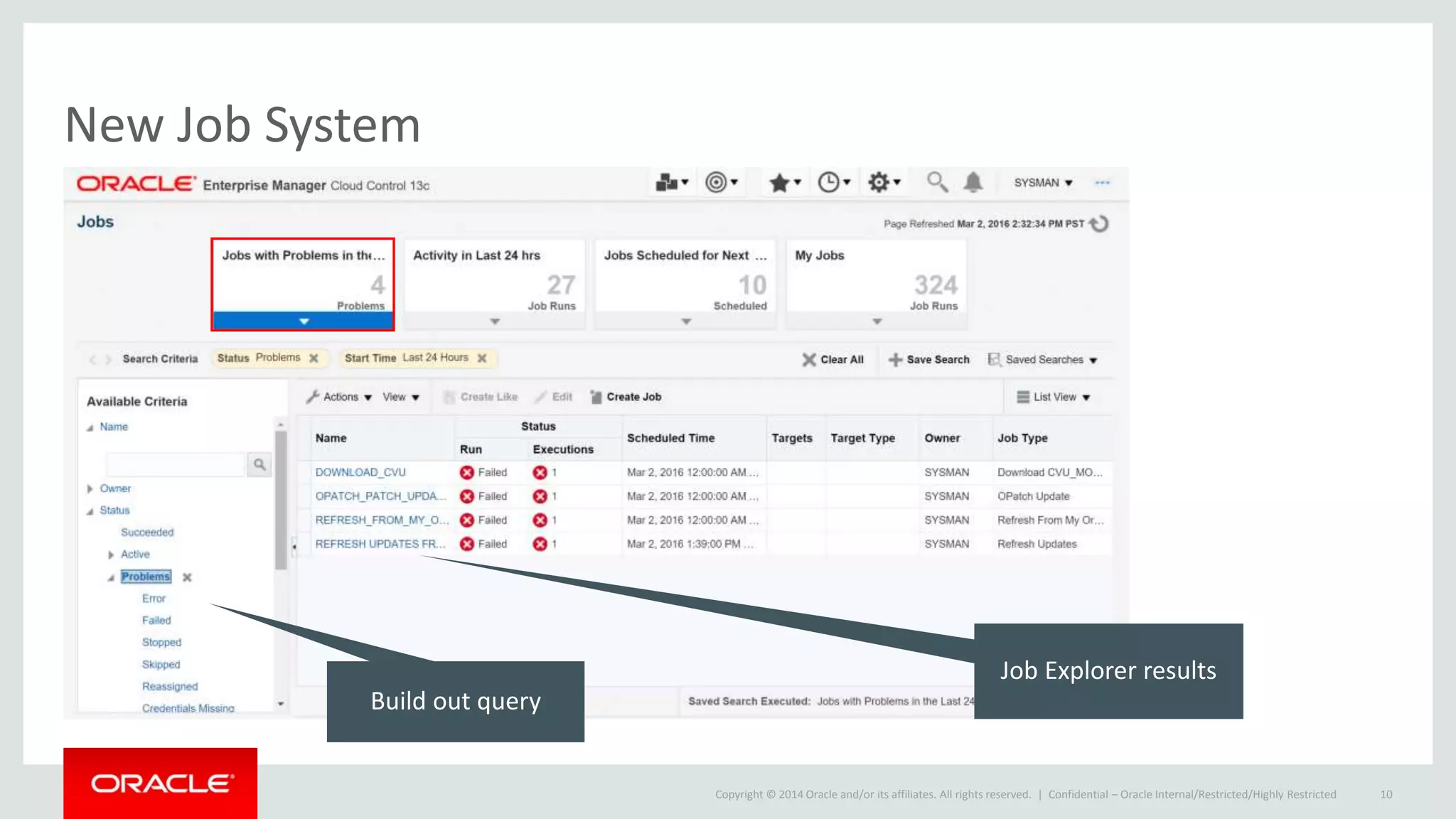
New Job System
Confidential – Oracle Internal/Restricted/Highly Restricted 10
Job Explorer results
Build out query
Copyright © 2014 Oracle and/or its affiliates. All rights reserved. |
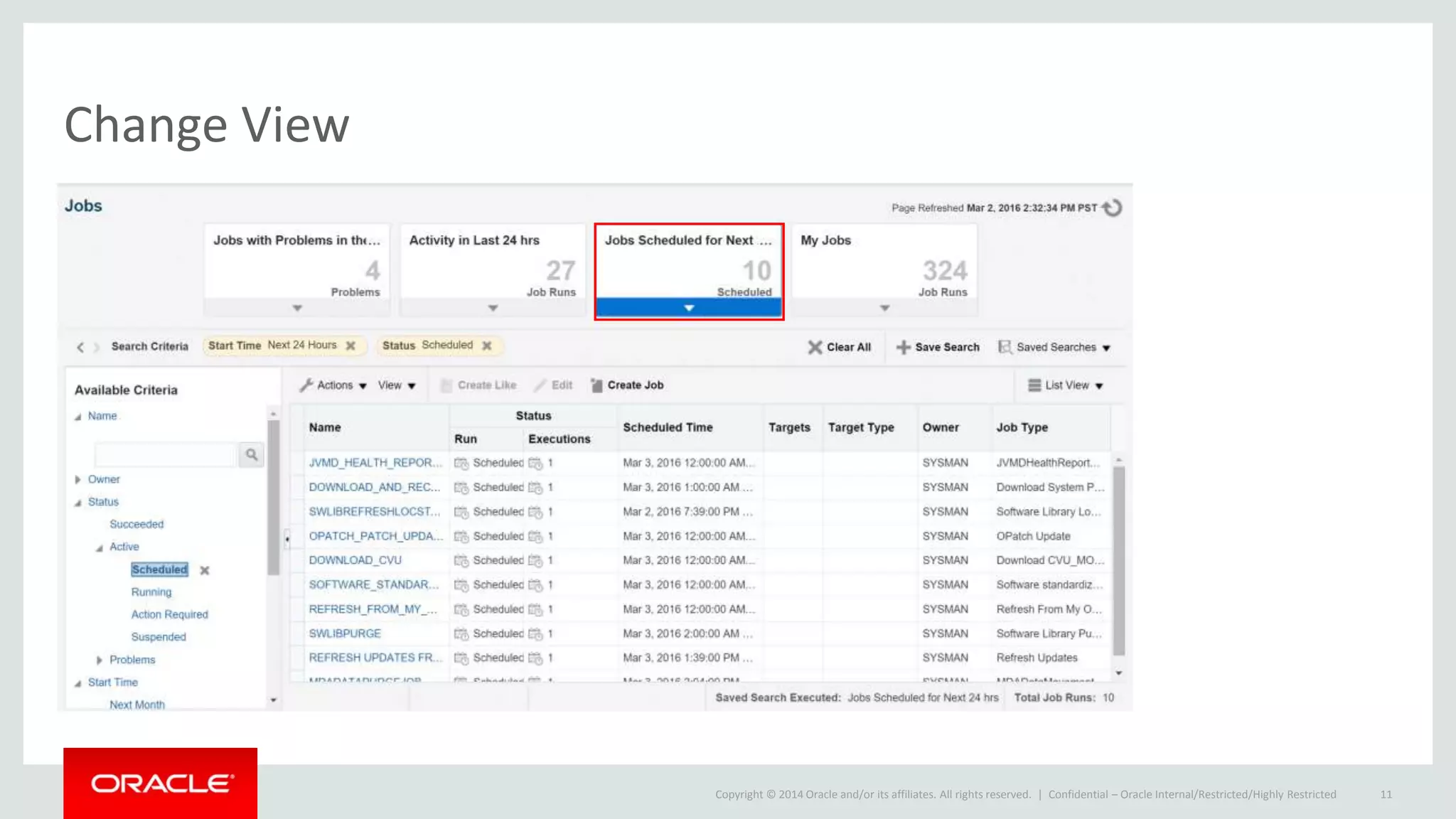
Change View
Confidential – Oracle Internal/Restricted/Highly Restricted 11
Copyright © 2014 Oracle and/or its affiliates. All rights reserved. |
The Job System Now Can Use Chef!
• EM13c has added a new job type, Chef!
• The software library now supports managing and accessing both Chef cookbooks
and recipes
• The deployment procedures have been extended to support the execution of
Chef recipes.
• Remember that the Chef cookbooks and recipes can exist either in the software
library or locally to a host target.
1. Ensure that chef-solo has been setup and is available.
2. Create a software library folder.
3. Upload a Chef cookbook.
4. Create a job using the Chef job type and submit it.
Copyright © 2014 Oracle and/or its affiliates. All rights reserved. |
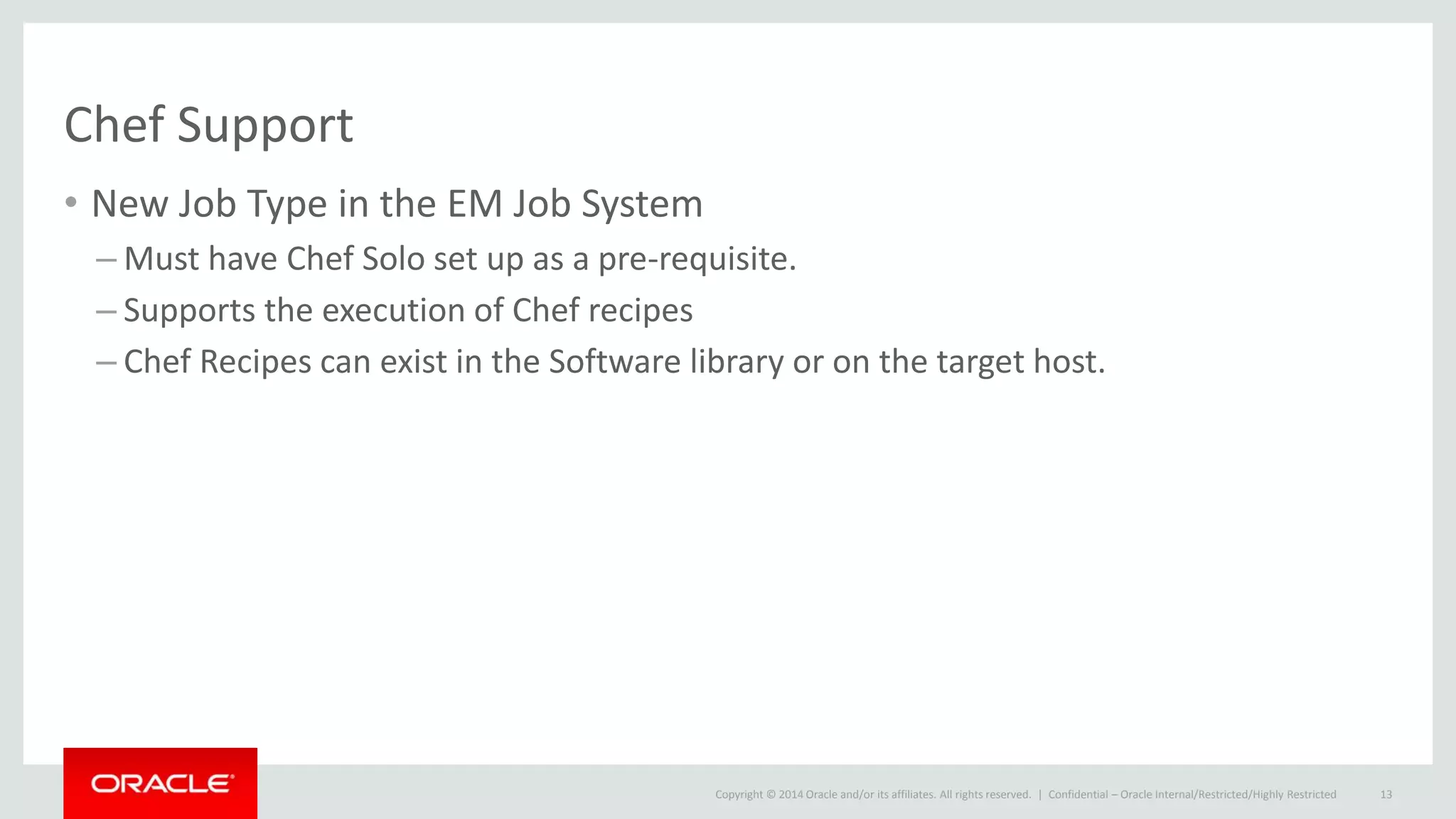
Chef Support
• New Job Type in the EM Job System
– Must have Chef Solo set up as a pre-requisite.
– Supports the execution of Chef recipes
– Chef Recipes can exist in the Software library or on the target host.
Confidential – Oracle Internal/Restricted/Highly Restricted 13
Copyright © 2014 Oracle and/or its affiliates. All rights reserved. |
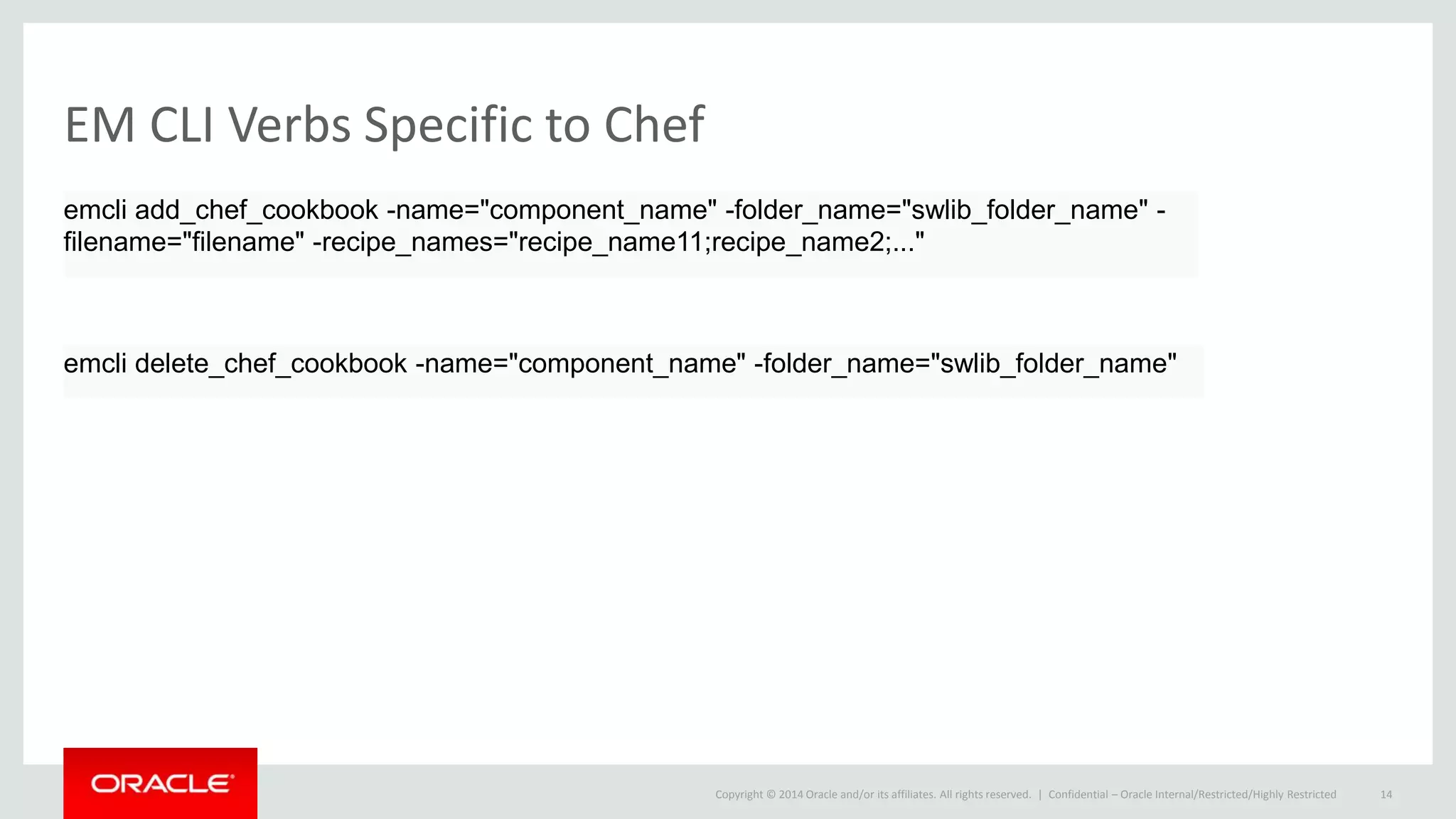
EM CLI Verbs Specific to Chef
Confidential – Oracle Internal/Restricted/Highly Restricted 14
emcli add_chef_cookbook -name="component_name" -folder_name="swlib_folder_name" -
filename="filename" -recipe_names="recipe_name11;recipe_name2;..."
emcli delete_chef_cookbook -name="component_name" -folder_name="swlib_folder_name"
Copyright © 2014 Oracle and/or its affiliates. All rights reserved. |
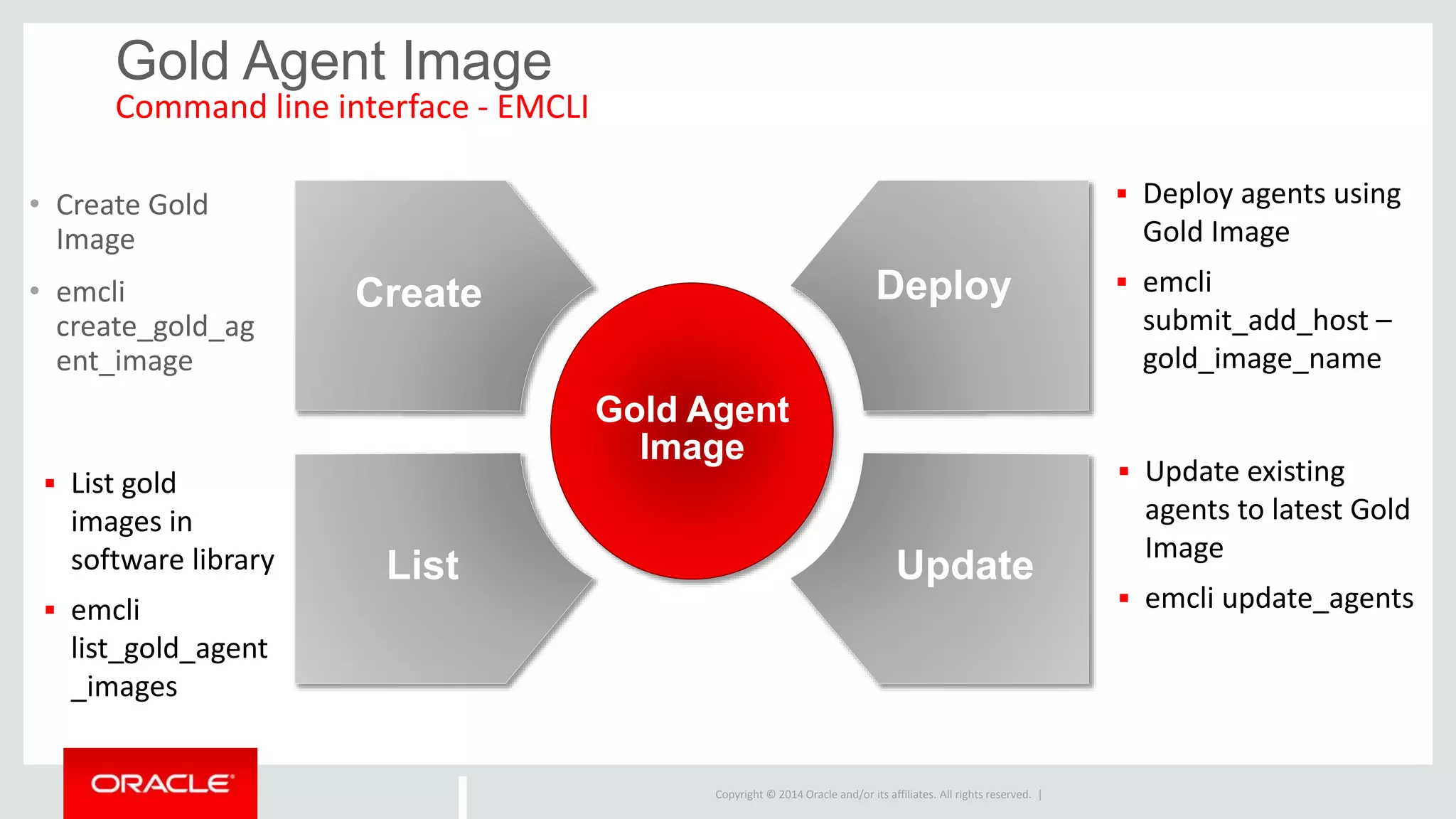
Gold Agent Image
Command line interface - EMCLI
Create
Gold Agent
Image
Deploy
List Update
• Create Gold
Image
• emcli
create_gold_ag
ent_image
 Deploy agents using
Gold Image
 emcli
submit_add_host –
gold_image_name
 Update existing
agents to latest Gold
Image
 emcli update_agents
 List gold
images in
software library
 emcli
list_gold_agent
_images
Copyright © 2014 Oracle and/or its affiliates. All rights reserved. |
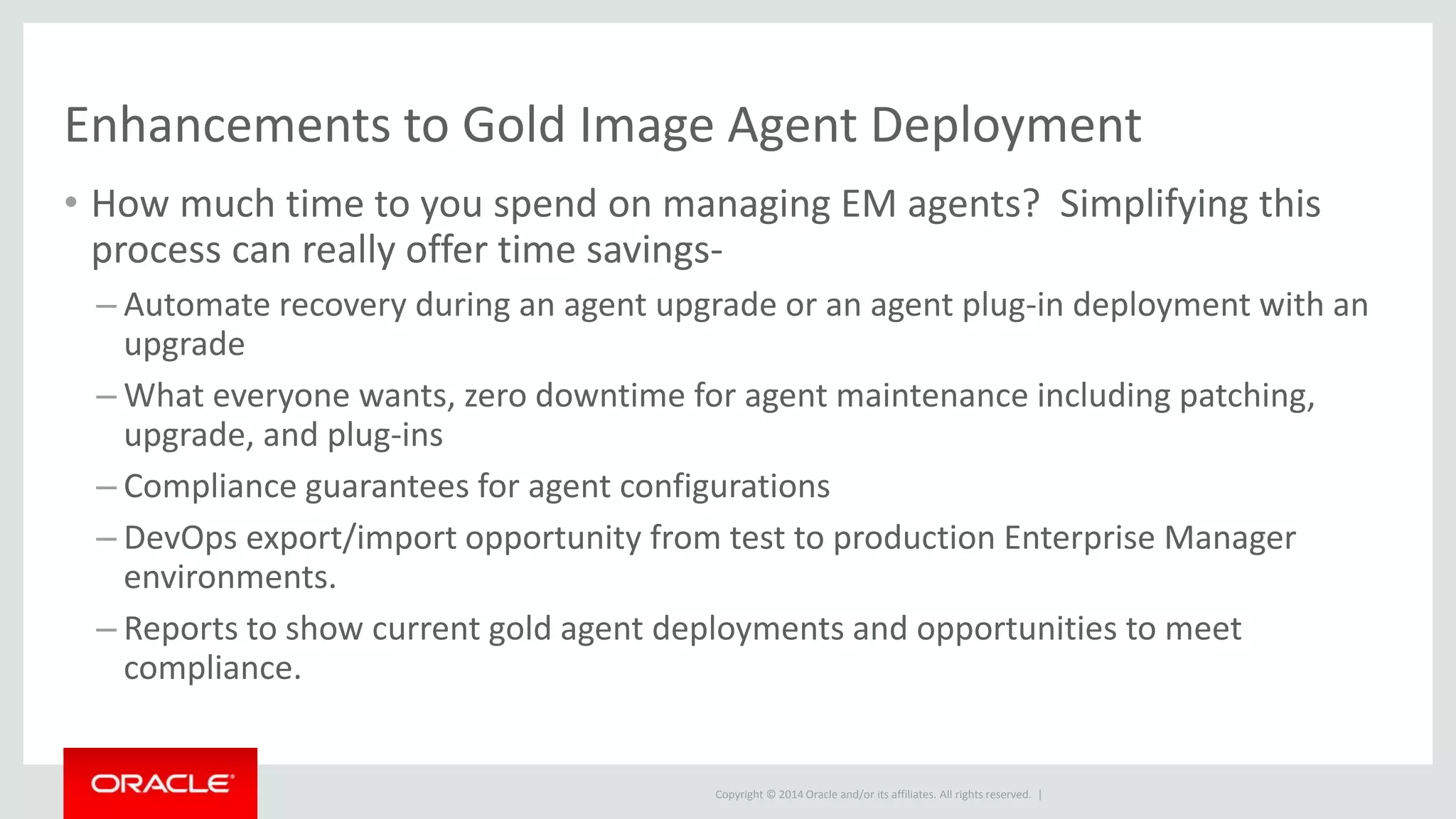
Enhancements to Gold Image Agent Deployment
• How much time to you spend on managing EM agents? Simplifying this
process can really offer time savings-
– Automate recovery during an agent upgrade or an agent plug-in deployment with an
upgrade
– What everyone wants, zero downtime for agent maintenance including patching,
upgrade, and plug-ins
– Compliance guarantees for agent configurations
– DevOps export/import opportunity from test to production Enterprise Manager
environments.
– Reports to show current gold agent deployments and opportunities to meet
compliance.
Copyright © 2014 Oracle and/or its affiliates. All rights reserved. |
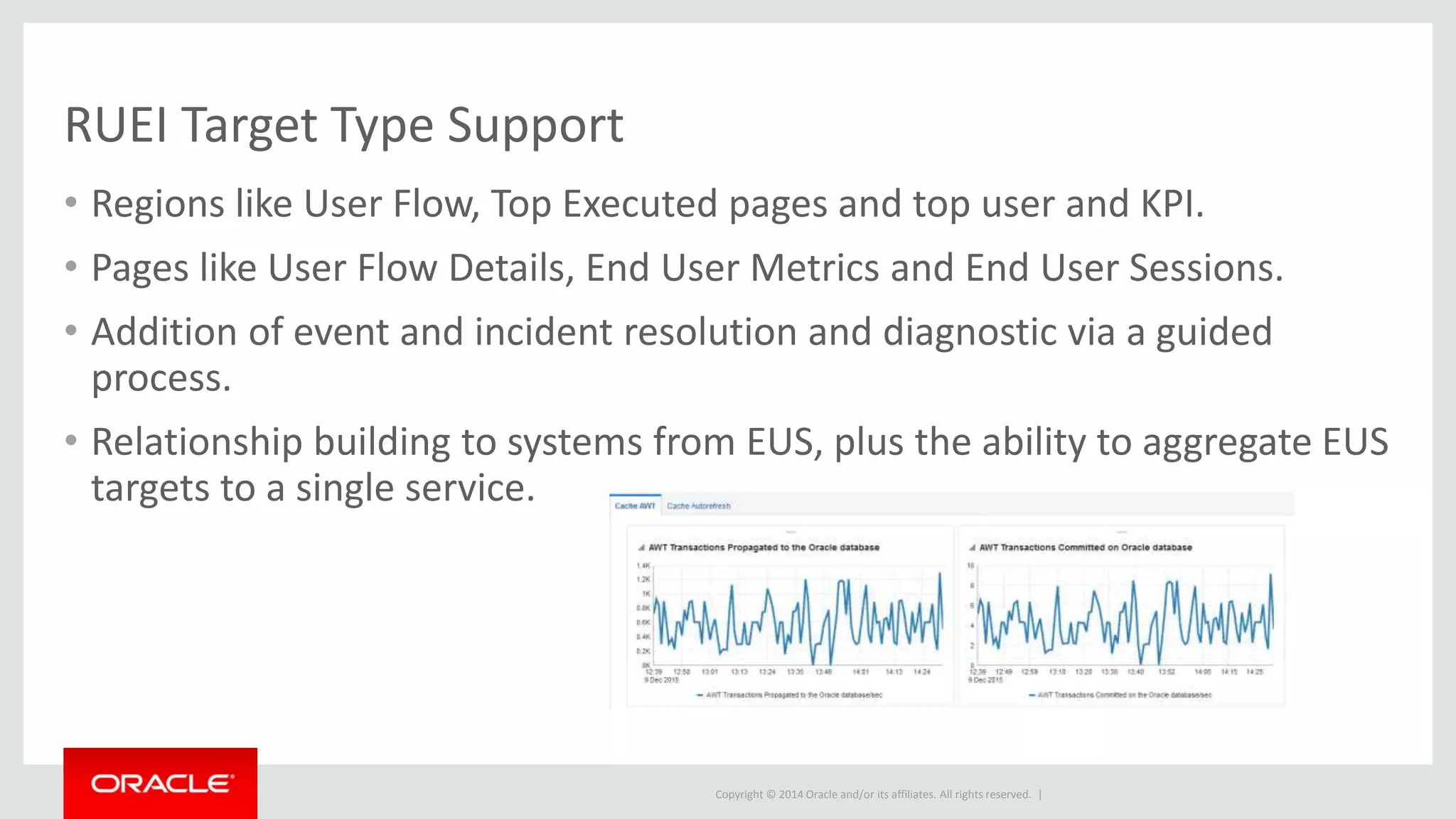
RUEI Target Type Support
• Regions like User Flow, Top Executed pages and top user and KPI.
• Pages like User Flow Details, End User Metrics and End User Sessions.
• Addition of event and incident resolution and diagnostic via a guided
process.
• Relationship building to systems from EUS, plus the ability to aggregate EUS
targets to a single service.
Copyright © 2014 Oracle and/or its affiliates. All rights reserved. |
Enhanced Software Library
• Performance when working with the software library can be very
important.
• The feature incorporates staging content and
• Efficiency has been added to the software library to increase performance
of large files over a WAN or remote servers.
• This improvement also includes remote geo locations, introducing the
concept of cache nodes which can stage content on servers local to that
subnet..
• All subsequent file transfers are initiated from the cache nodes, reducing
transfer time and required bandwidth.
Copyright © 2014 Oracle and/or its affiliates. All rights reserved. |
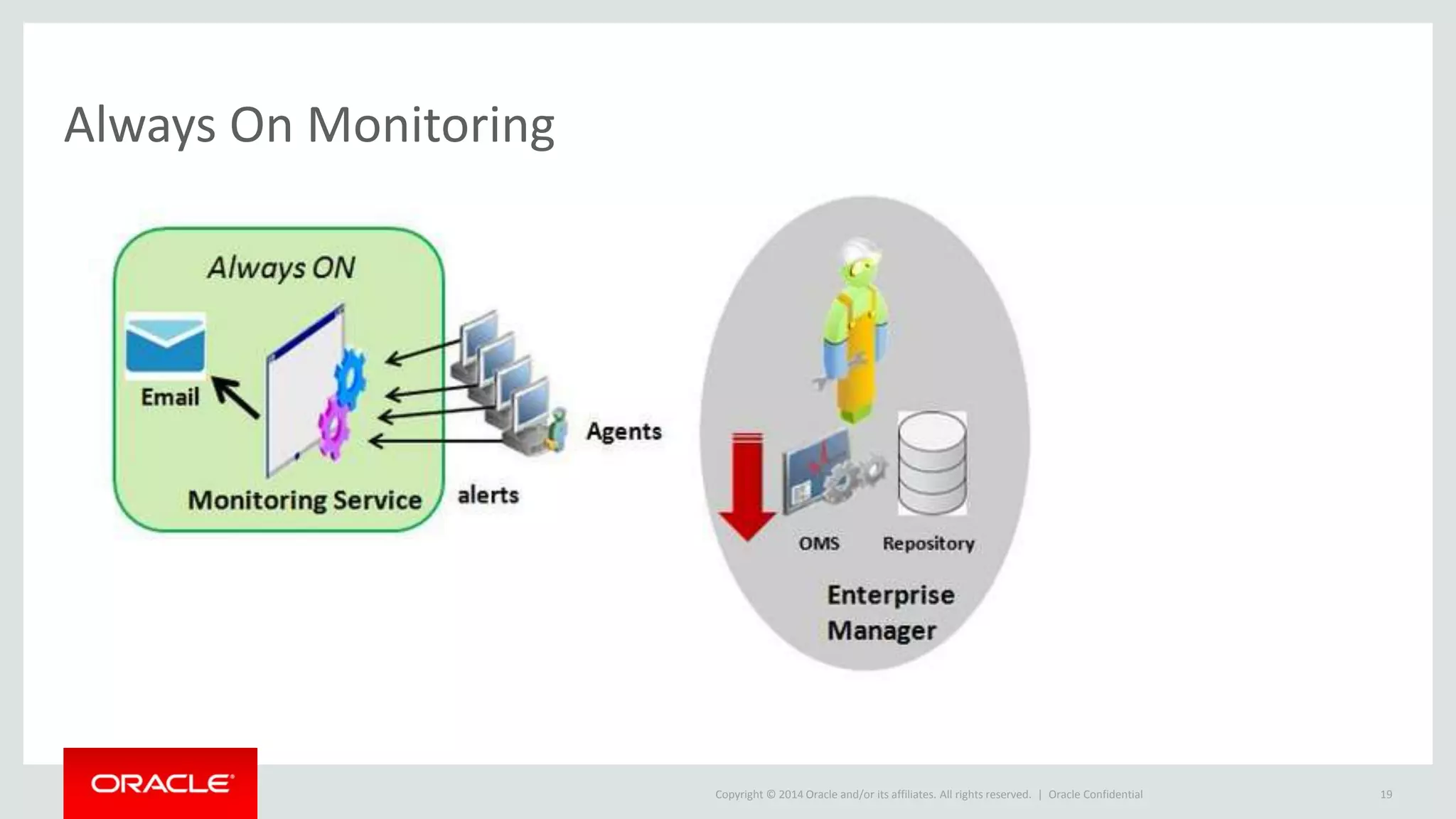
Always On Monitoring
Oracle Confidential 19
Copyright © 2014 Oracle and/or its affiliates. All rights reserved. |
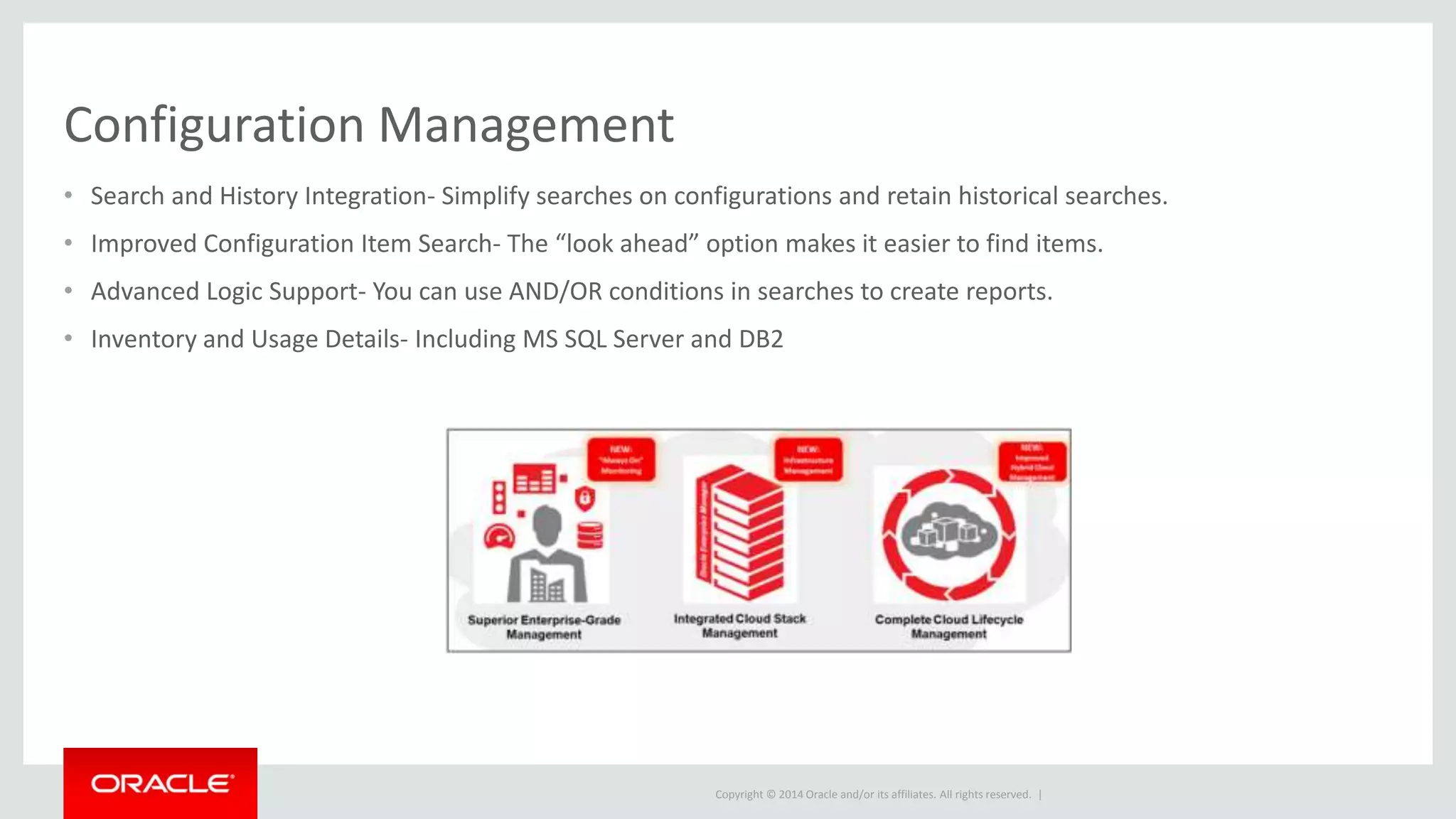
Configuration Management
• Search and History Integration- Simplify searches on configurations and retain historical searches.
• Improved Configuration Item Search- The “look ahead” option makes it easier to find items.
• Advanced Logic Support- You can use AND/OR conditions in searches to create reports.
• Inventory and Usage Details- Including MS SQL Server and DB2
Copyright © 2014 Oracle and/or its affiliates. All rights reserved. |
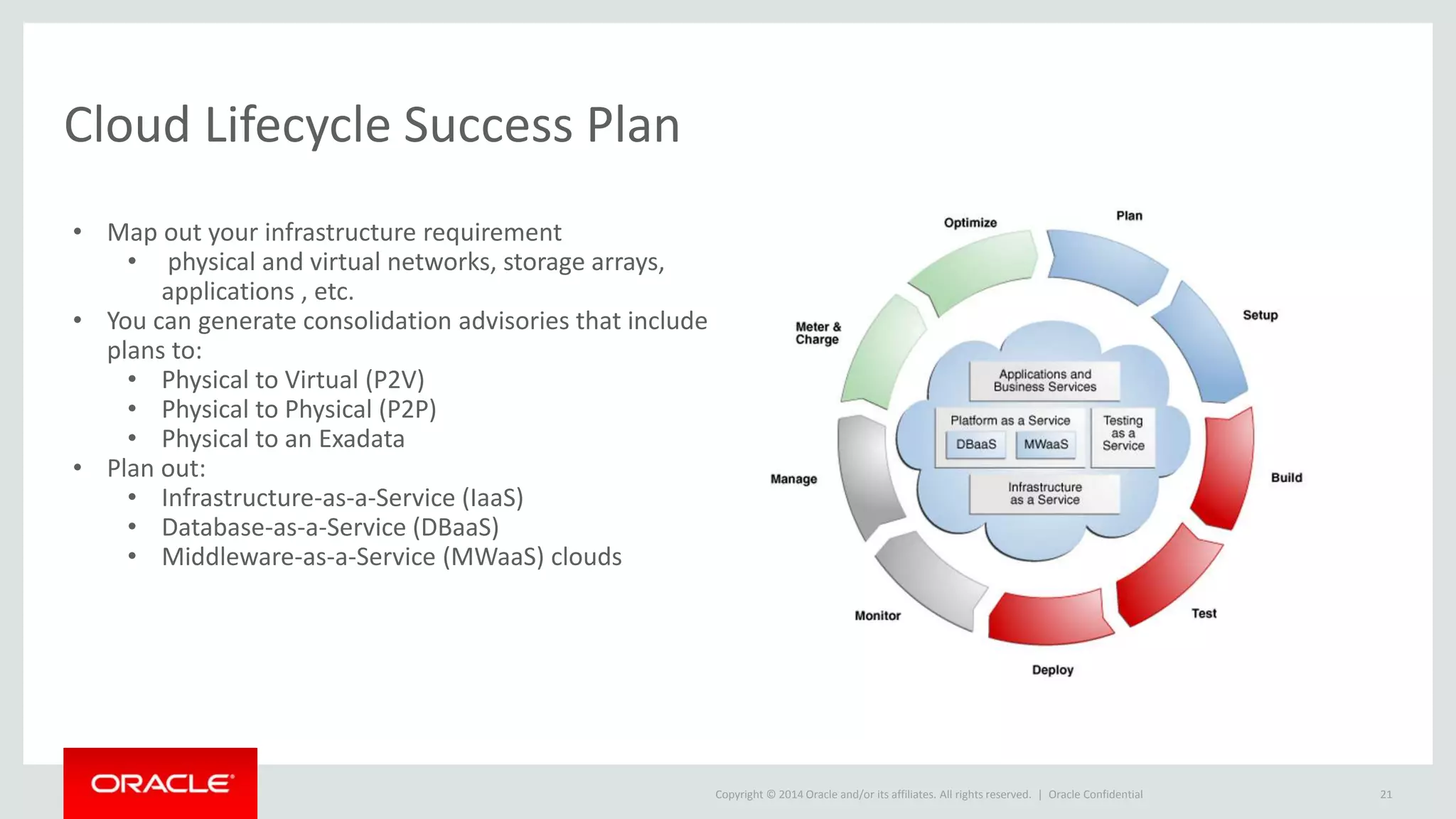
Cloud Lifecycle Success Plan
Oracle Confidential 21
• Map out your infrastructure requirement
• physical and virtual networks, storage arrays,
applications , etc.
• You can generate consolidation advisories that include
plans to:
• Physical to Virtual (P2V)
• Physical to Physical (P2P)
• Physical to an Exadata
• Plan out:
• Infrastructure-as-a-Service (IaaS)
• Database-as-a-Service (DBaaS)
• Middleware-as-a-Service (MWaaS) clouds
Copyright © 2014 Oracle and/or its affiliates. All rights reserved. |
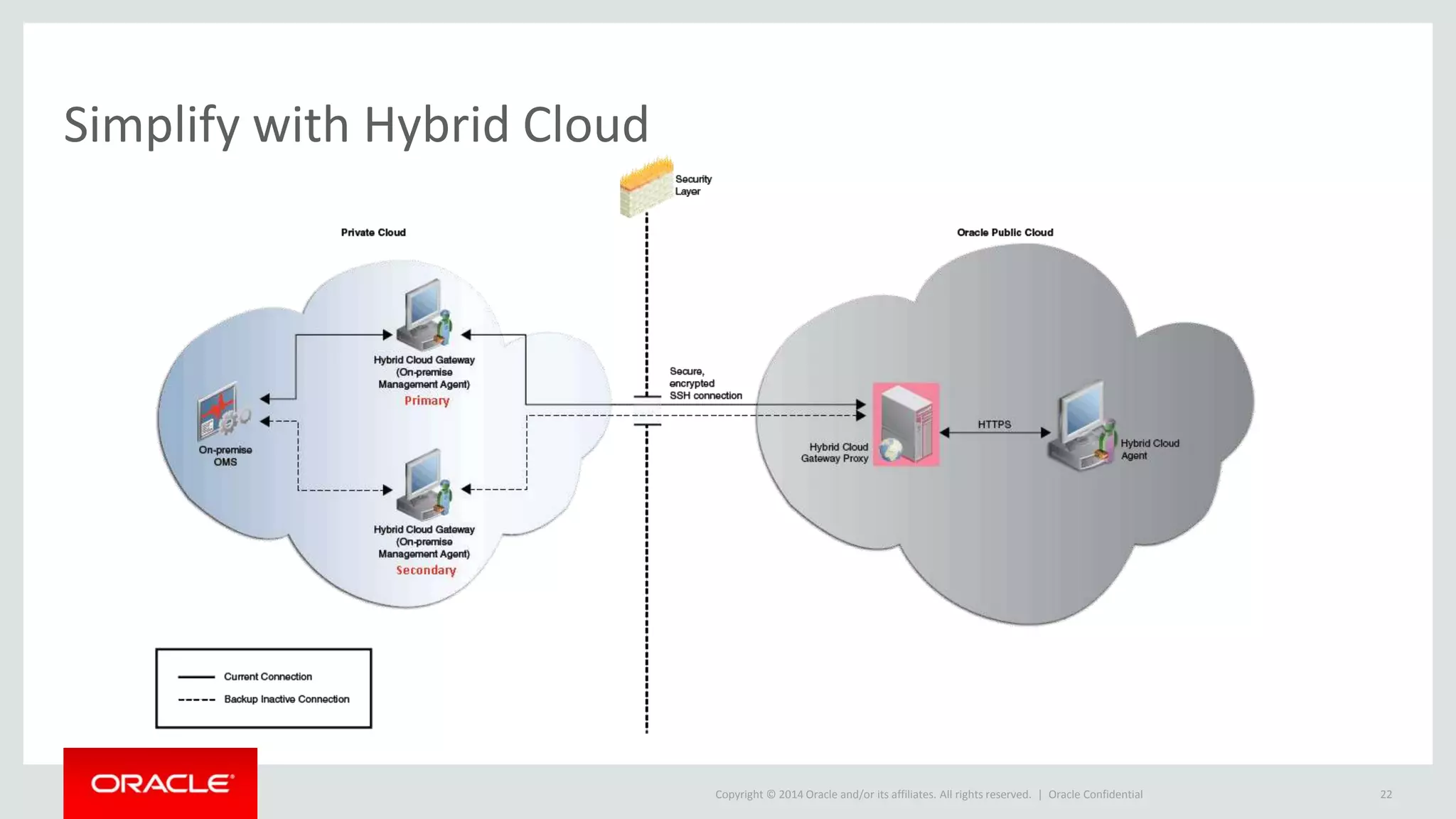
Simplify with Hybrid Cloud
Oracle Confidential 22
Copyright © 2014 Oracle and/or its affiliates. All rights reserved. |
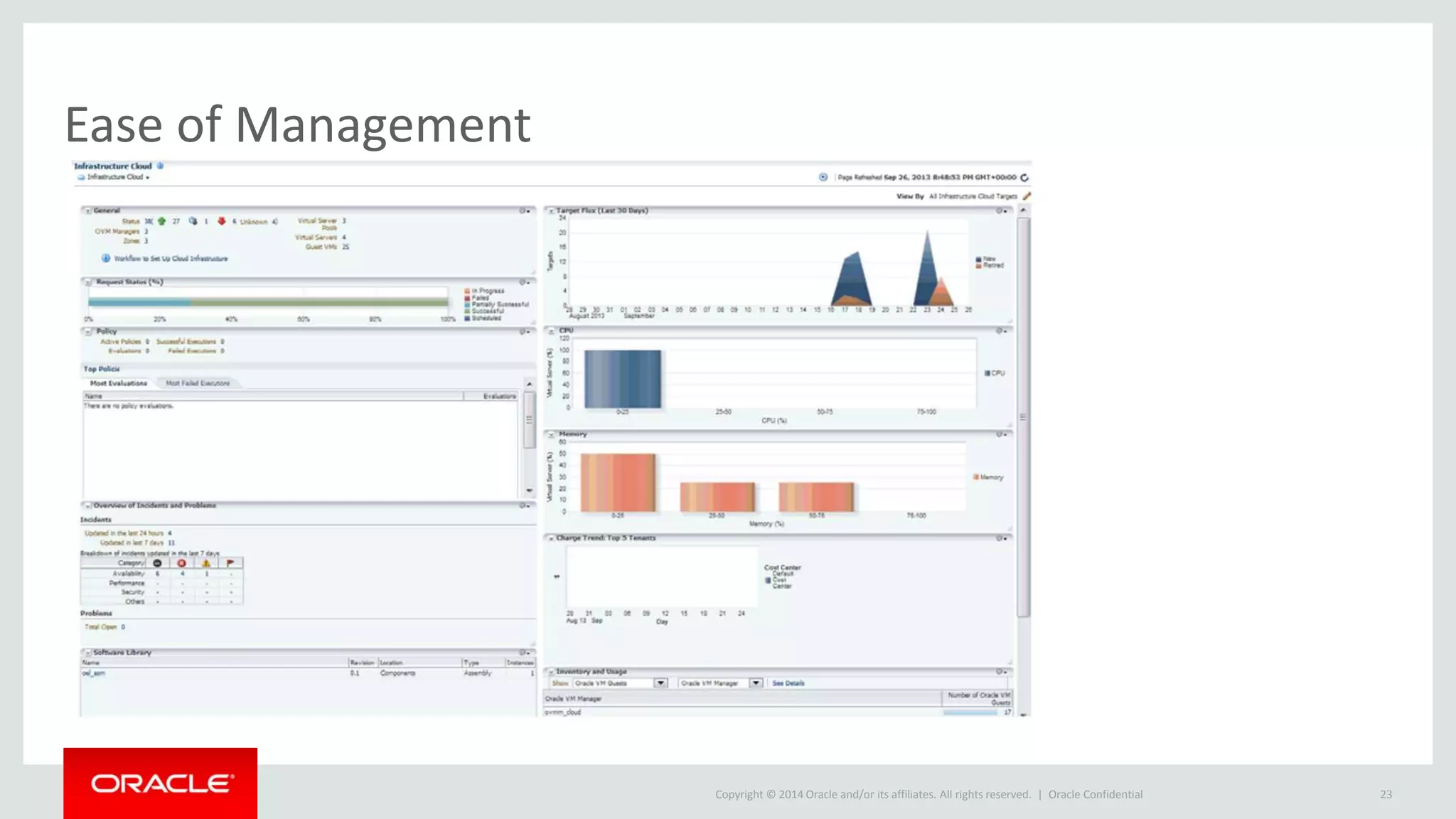
Ease of Management
Oracle Confidential 23
Copyright © 2014 Oracle and/or its affiliates. All rights reserved. |
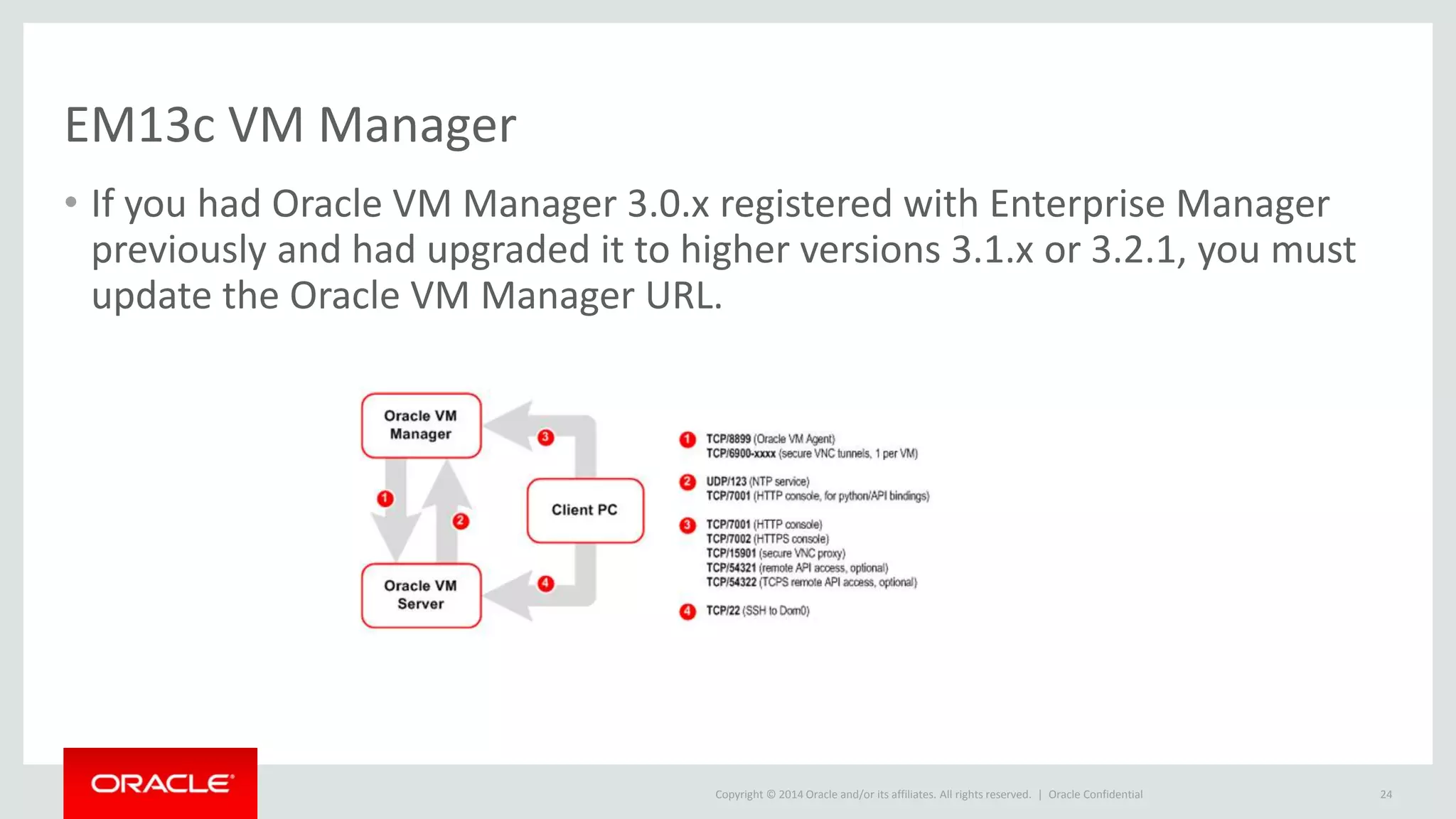
EM13c VM Manager
• If you had Oracle VM Manager 3.0.x registered with Enterprise Manager
previously and had upgraded it to higher versions 3.1.x or 3.2.1, you must
update the Oracle VM Manager URL.
Oracle Confidential 24
Copyright © 2014 Oracle and/or its affiliates. All rights reserved. |
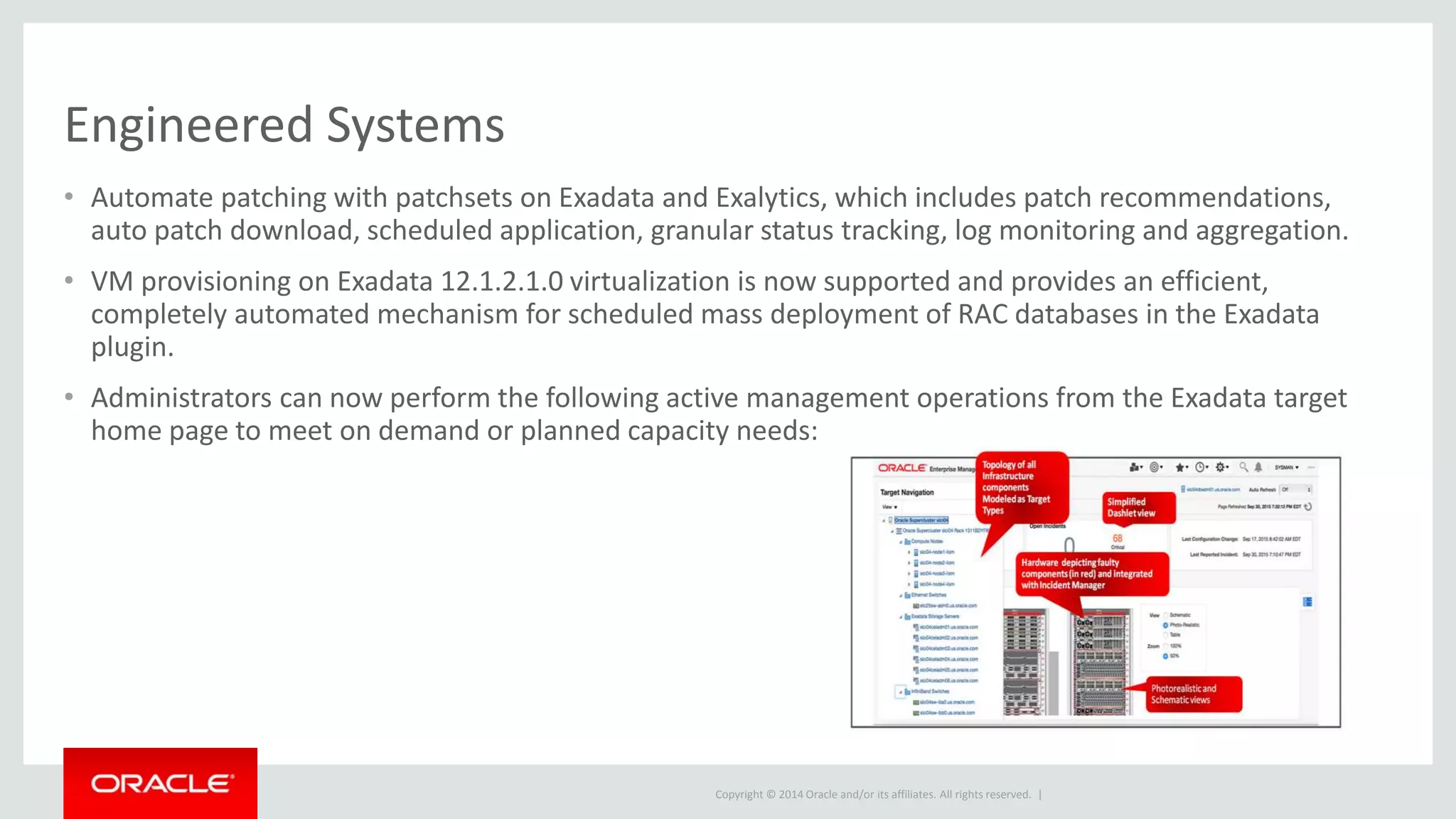
Engineered Systems
• Automate patching with patchsets on Exadata and Exalytics, which includes patch recommendations,
auto patch download, scheduled application, granular status tracking, log monitoring and aggregation.
• VM provisioning on Exadata 12.1.2.1.0 virtualization is now supported and provides an efficient,
completely automated mechanism for scheduled mass deployment of RAC databases in the Exadata
plugin.
• Administrators can now perform the following active management operations from the Exadata target
home page to meet on demand or planned capacity needs:
Copyright © 2014 Oracle and/or its affiliates. All rights reserved. |
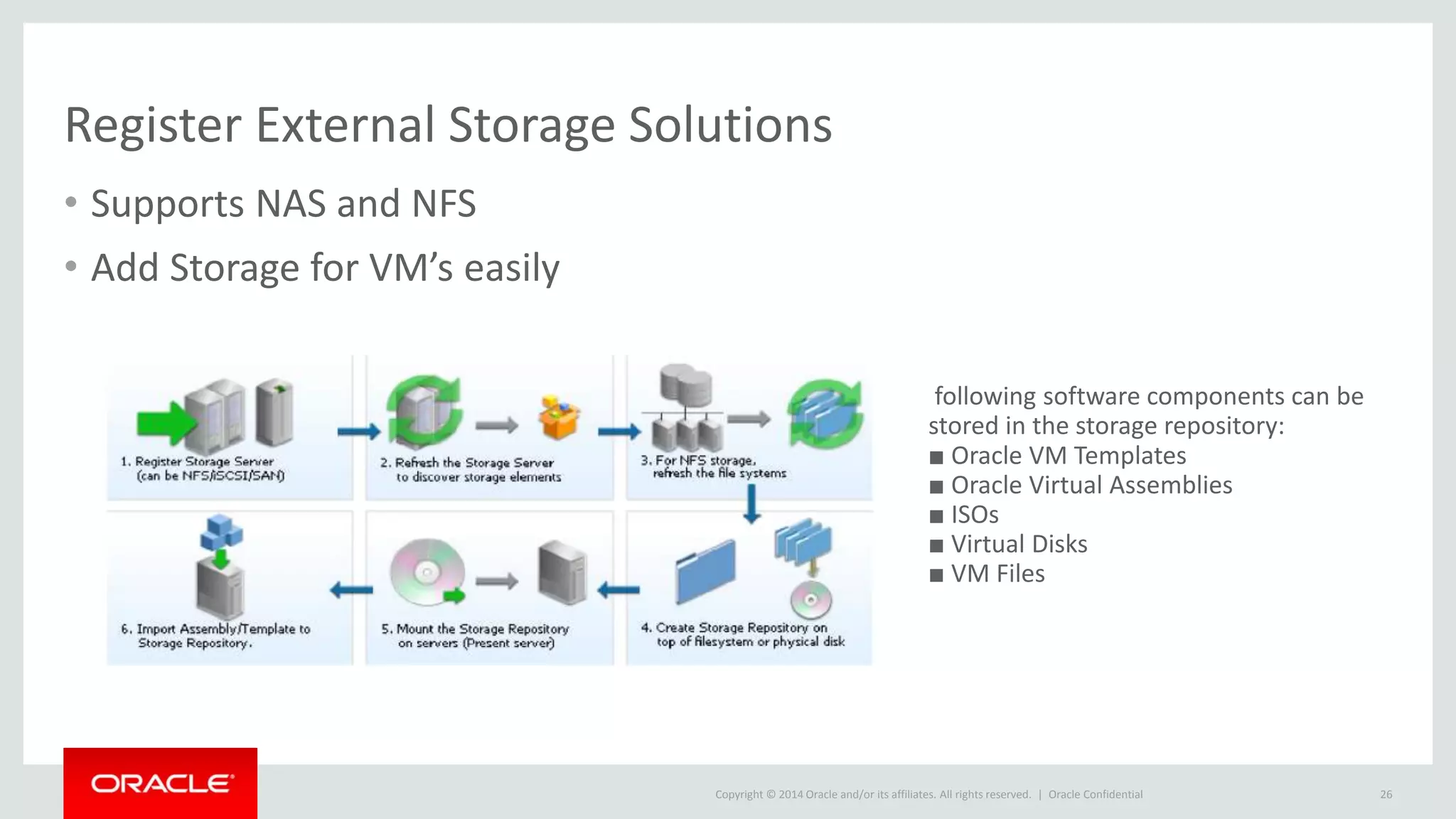
Register External Storage Solutions
• Supports NAS and NFS
• Add Storage for VM’s easily
Oracle Confidential 26
following software components can be
stored in the storage repository:
■ Oracle VM Templates
■ Oracle Virtual Assemblies
■ ISOs
■ Virtual Disks
■ VM Files
Copyright © 2014 Oracle and/or its affiliates. All rights reserved. | Oracle Confidential 27
Connect with me via Social Media:
Em13c New Features- Two of Two

Em13c New Features- Two of Two

  • 2.
    Copyright © 2014Oracle and/or its affiliates. All rights reserved. | Kellyn Pot’Vin-Gorman Consulting Member of Enterprise Manager Technical Team Strategic Customer Program March, 2016 Oracle Confidential 2 From the Database, to the Cloud and Everything in Between
  • 3.
    Copyright © 2014Oracle and/or its affiliates. All rights reserved. | Safe Harbor Statement The following is intended to outline our general product direction. It is intended for information purposes only, and may not be incorporated into any contract. It is not a commitment to deliver any material, code, or functionality, and should not be relied upon in making purchasing decisions. The development, release, and timing of any features or functionality described for Oracle’s products remains at the sole discretion of Oracle. Oracle Confidential 3
  • 4.
    Copyright © 2014Oracle and/or its affiliates. All rights reserved. | DBA Kevlar, the Geek Goth Girl Confidential – Oracle Internal/Restricted/Highly Restricted 4
  • 5.
    Copyright © 2014Oracle and/or its affiliates. All rights reserved. | Enhancements to Corrective Actions • Corrective actions are one of the most powerful automation tools you can implement in Enterprise Manager. • With 13c, an enhancement to support all event types including Compliance Standard Rule violations, Service Level Agreement (SLA) alerts, and job status events. • DevOps has been incorporated into corrective actions, offering the administrator an easy way to develop, test and release to production where before there wasn’t one. • The Cloud Administrator can now respond automatically to to events with common responses by scripting.
  • 6.
    Copyright © 2014Oracle and/or its affiliates. All rights reserved. | Corrective Actions Are Your Savior Oracle Confidential 6
  • 7.
    Copyright © 2014Oracle and/or its affiliates. All rights reserved. | Corrective Actons, Cont. • Support for all event types. • Support for compliance rules. This will allow users to associate corrective actions with various compliance checks. • Automated invocation using event rules. • Ability to attach the latest corrective actions automatically.
  • 8.
    Copyright © 2014Oracle and/or its affiliates. All rights reserved. | Save Repository Space with Intelligent Compression • Having copies of the same incident can allocate unnecessary space in the repository. With Intelligent Incident Compression, duplicates of the same incident can be compressed and saved as one. • There are different criteria to save space the way the Cloud Administrator requires- – grouping by targets on the same host. – targets belonging to the same aggregate target. – grouping by event category – grouping events by metric. – By a window of time. • Along with Compression, intelligent grouping allows for space savings.
  • 9.
    Copyright © 2014Oracle and/or its affiliates. All rights reserved. | New Job System Interface Oracle Confidential 9
  • 10.
    Copyright © 2014Oracle and/or its affiliates. All rights reserved. | New Job System Confidential – Oracle Internal/Restricted/Highly Restricted 10 Job Explorer results Build out query
  • 11.
    Copyright © 2014Oracle and/or its affiliates. All rights reserved. | Change View Confidential – Oracle Internal/Restricted/Highly Restricted 11
  • 12.
    Copyright © 2014Oracle and/or its affiliates. All rights reserved. | The Job System Now Can Use Chef! • EM13c has added a new job type, Chef! • The software library now supports managing and accessing both Chef cookbooks and recipes • The deployment procedures have been extended to support the execution of Chef recipes. • Remember that the Chef cookbooks and recipes can exist either in the software library or locally to a host target. 1. Ensure that chef-solo has been setup and is available. 2. Create a software library folder. 3. Upload a Chef cookbook. 4. Create a job using the Chef job type and submit it.
  • 13.
    Copyright © 2014Oracle and/or its affiliates. All rights reserved. | Chef Support • New Job Type in the EM Job System – Must have Chef Solo set up as a pre-requisite. – Supports the execution of Chef recipes – Chef Recipes can exist in the Software library or on the target host. Confidential – Oracle Internal/Restricted/Highly Restricted 13
  • 14.
    Copyright © 2014Oracle and/or its affiliates. All rights reserved. | EM CLI Verbs Specific to Chef Confidential – Oracle Internal/Restricted/Highly Restricted 14 emcli add_chef_cookbook -name="component_name" -folder_name="swlib_folder_name" - filename="filename" -recipe_names="recipe_name11;recipe_name2;..." emcli delete_chef_cookbook -name="component_name" -folder_name="swlib_folder_name"
  • 15.
    Copyright © 2014Oracle and/or its affiliates. All rights reserved. | Gold Agent Image Command line interface - EMCLI Create Gold Agent Image Deploy List Update • Create Gold Image • emcli create_gold_ag ent_image  Deploy agents using Gold Image  emcli submit_add_host – gold_image_name  Update existing agents to latest Gold Image  emcli update_agents  List gold images in software library  emcli list_gold_agent _images
  • 16.
    Copyright © 2014Oracle and/or its affiliates. All rights reserved. | Enhancements to Gold Image Agent Deployment • How much time to you spend on managing EM agents? Simplifying this process can really offer time savings- – Automate recovery during an agent upgrade or an agent plug-in deployment with an upgrade – What everyone wants, zero downtime for agent maintenance including patching, upgrade, and plug-ins – Compliance guarantees for agent configurations – DevOps export/import opportunity from test to production Enterprise Manager environments. – Reports to show current gold agent deployments and opportunities to meet compliance.
  • 17.
    Copyright © 2014Oracle and/or its affiliates. All rights reserved. | RUEI Target Type Support • Regions like User Flow, Top Executed pages and top user and KPI. • Pages like User Flow Details, End User Metrics and End User Sessions. • Addition of event and incident resolution and diagnostic via a guided process. • Relationship building to systems from EUS, plus the ability to aggregate EUS targets to a single service.
  • 18.
    Copyright © 2014Oracle and/or its affiliates. All rights reserved. | Enhanced Software Library • Performance when working with the software library can be very important. • The feature incorporates staging content and • Efficiency has been added to the software library to increase performance of large files over a WAN or remote servers. • This improvement also includes remote geo locations, introducing the concept of cache nodes which can stage content on servers local to that subnet.. • All subsequent file transfers are initiated from the cache nodes, reducing transfer time and required bandwidth.
  • 19.
    Copyright © 2014Oracle and/or its affiliates. All rights reserved. | Always On Monitoring Oracle Confidential 19
  • 20.
    Copyright © 2014Oracle and/or its affiliates. All rights reserved. | Configuration Management • Search and History Integration- Simplify searches on configurations and retain historical searches. • Improved Configuration Item Search- The “look ahead” option makes it easier to find items. • Advanced Logic Support- You can use AND/OR conditions in searches to create reports. • Inventory and Usage Details- Including MS SQL Server and DB2
  • 21.
    Copyright © 2014Oracle and/or its affiliates. All rights reserved. | Cloud Lifecycle Success Plan Oracle Confidential 21 • Map out your infrastructure requirement • physical and virtual networks, storage arrays, applications , etc. • You can generate consolidation advisories that include plans to: • Physical to Virtual (P2V) • Physical to Physical (P2P) • Physical to an Exadata • Plan out: • Infrastructure-as-a-Service (IaaS) • Database-as-a-Service (DBaaS) • Middleware-as-a-Service (MWaaS) clouds
  • 22.
    Copyright © 2014Oracle and/or its affiliates. All rights reserved. | Simplify with Hybrid Cloud Oracle Confidential 22
  • 23.
    Copyright © 2014Oracle and/or its affiliates. All rights reserved. | Ease of Management Oracle Confidential 23
  • 24.
    Copyright © 2014Oracle and/or its affiliates. All rights reserved. | EM13c VM Manager • If you had Oracle VM Manager 3.0.x registered with Enterprise Manager previously and had upgraded it to higher versions 3.1.x or 3.2.1, you must update the Oracle VM Manager URL. Oracle Confidential 24
  • 25.
    Copyright © 2014Oracle and/or its affiliates. All rights reserved. | Engineered Systems • Automate patching with patchsets on Exadata and Exalytics, which includes patch recommendations, auto patch download, scheduled application, granular status tracking, log monitoring and aggregation. • VM provisioning on Exadata 12.1.2.1.0 virtualization is now supported and provides an efficient, completely automated mechanism for scheduled mass deployment of RAC databases in the Exadata plugin. • Administrators can now perform the following active management operations from the Exadata target home page to meet on demand or planned capacity needs:
  • 26.
    Copyright © 2014Oracle and/or its affiliates. All rights reserved. | Register External Storage Solutions • Supports NAS and NFS • Add Storage for VM’s easily Oracle Confidential 26 following software components can be stored in the storage repository: ■ Oracle VM Templates ■ Oracle Virtual Assemblies ■ ISOs ■ Virtual Disks ■ VM Files
  • 27.
    Copyright © 2014Oracle and/or its affiliates. All rights reserved. | Oracle Confidential 27 Connect with me via Social Media:

Editor's Notes

  • #3 This is a Title Slide with Picture slide ideal for including a picture with a brief title, subtitle and presenter information. To customize this slide with your own picture: Right-click the slide area and choose Format Background from the pop-up menu. From the Fill menu, click Picture and texture fill. Under Insert from: click File. Locate your new picture and click Insert.
  • #4 This is a Safe Harbor Front slide, one of two Safe Harbor Statement slides included in this template. One of the Safe Harbor slides must be used if your presentation covers material affected by Oracle’s Revenue Recognition Policy To learn more about this policy, e-mail: Revrec-americasiebc_us@oracle.com For internal communication, Safe Harbor Statements are not required. However, there is an applicable disclaimer (Exhibit E) that should be used, found in the Oracle Revenue Recognition Policy for Future Product Communications. Copy and paste this link into a web browser, to find out more information.   http://my.oracle.com/site/fin/gfo/GlobalProcesses/cnt452504.pdf For all external communications such as press release, roadmaps, PowerPoint presentations, Safe Harbor Statements are required. You can refer to the link mentioned above to find out additional information/disclaimers required depending on your audience.
  • #5 This is a Remote Speaker Picture slide ideal for including a picture with the speaker’s name and title and company. To Replace the Picture on this sample slide (this applies to all slides in this template that contain replaceable pictures) Select the sample picture and press Delete. Click the icon inside the shape to open the Insert Picture dialog box. Navigate to the location where the picture is stored, select desired picture and click on the Insert button to fit the image proportionally within the shape. Note: Do not right-click the image to change the picture inside the picture placeholder. This will change the frame size of the picture placeholder. Instead, follow the steps outlined above.
  • #13 You only need to perform steps two and three if Chef cookbooks are loaded in the software library.
  • #17 You can also choose a source agent emd.property file