ENTERPRISE MANAGER:

WRITE POWERFUL
SCRIPTS WITH EMCLI
GOKHAN ATIL
INTRODUCTION
GOKHAN ATIL
▸ DBA Team Lead with 15+ years of experience
▸ Oracle ACE (since 2011)
▸ 10g/11g and R12 OCP
▸ Founding Member and Vice President of TROUG
▸ Co-author of Expert Oracle Enterprise Manager 12c
▸ Blogger (since 2008) gokhanatil.com
▸ Twitter: @gokhanatil
2
INTRODUCTION
AGENDA
▸ Introduction to EM CLI
▸ EM CLI Verbs
▸ Sample Verbs
▸ Fundamentals of Python
▸ EM CLI and Python
▸ Sample Scripts
▸ Summary
3
INTRODUCTION TO EM CLI
4
INTRODUCTION TO EM CLI
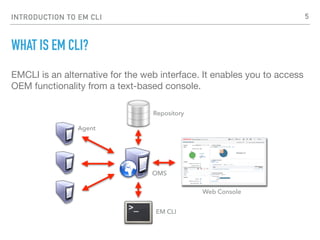
WHAT IS EM CLI?
EMCLI is an alternative for the web interface. It enables you to access
OEM functionality from a text-based console.
Repository
EM CLI
Agent
OMS
Web Console
5
INTRODUCTION TO EM CLI
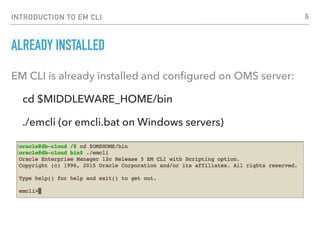
ALREADY INSTALLED
EM CLI is already installed and configured on OMS server:
cd $MIDDLEWARE_HOME/bin
./emcli (or emcli.bat on Windows servers)
6
INTRODUCTION TO EM CLI
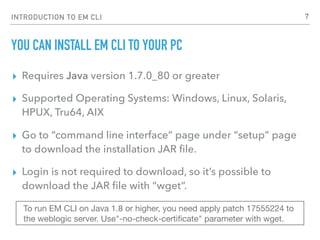
YOU CAN INSTALL EM CLI TO YOUR PC
▸ Requires Java version 1.7.0_80 or greater
▸ Supported Operating Systems: Windows, Linux, Solaris,
HPUX, Tru64, AIX
▸ Go to “command line interface” page under “setup” page
to download the installation JAR file.
▸ Login is not required to download, so it’s possible to
download the JAR file with “wget”.
To run EM CLI on Java 1.8 or higher, you need apply patch 17555224 to
the weblogic server. Use"-no-check-certificate" parameter with wget.
7
INTRODUCTION TO EM CLI
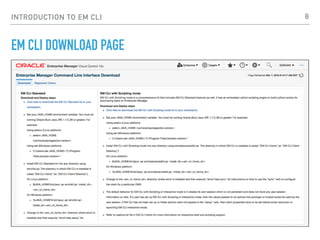
EM CLI DOWNLOAD PAGE
8
INTRODUCTION TO EM CLI
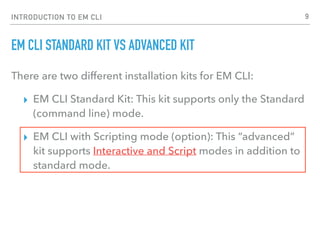
EM CLI STANDARD KIT VS ADVANCED KIT
There are two different installation kits for EM CLI:
▸ EM CLI Standard Kit: This kit supports only the Standard
(command line) mode.
▸ EM CLI with Scripting mode (option): This “advanced”
kit supports Interactive and Script modes in addition to
standard mode.
9
INTRODUCTION TO EM CLI
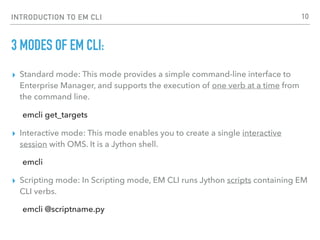
3 MODES OF EM CLI:
▸ Standard mode: This mode provides a simple command-line interface to
Enterprise Manager, and supports the execution of one verb at a time from
the command line.
emcli get_targets
▸ Interactive mode: This mode enables you to create a single interactive
session with OMS. It is a Jython shell.
emcli
▸ Scripting mode: In Scripting mode, EM CLI runs Jython scripts containing EM
CLI verbs.
emcli @scriptname.py
10
INTRODUCTION TO EM CLI
SOMEONE SAID JYTHON?
Jython is an implementation of the Python programming
language designed to run on the Java platform.
11
INTRODUCTION TO EM CLI
SO WHAT’S PYTHON?
▸ Widely used general-purpose, 

high-level programming language
▸ Supports multiple programming paradigms, including
OOP, imperative and functional programming
▸ Dynamic type system and automatic memory
management
▸ Batteries Included (!)
12
INTRODUCTION TO EM CLI
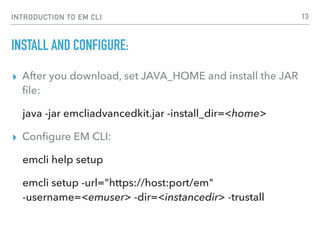
INSTALL AND CONFIGURE:
▸ After you download, set JAVA_HOME and install the JAR
file:
java -jar emcliadvancedkit.jar -install_dir=<home>
▸ Configure EM CLI:
emcli help setup
emcli setup -url="https://host:port/em" 

-username=<emuser> -dir=<instancedir> -trustall
13
EM CLI VERBS
14
EM CLI VERBS
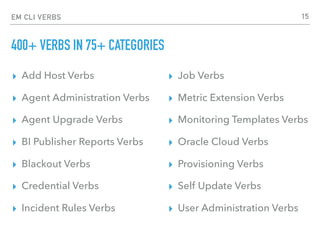
400+ VERBS IN 75+ CATEGORIES
▸ Add Host Verbs
▸ Agent Administration Verbs
▸ Agent Upgrade Verbs
▸ BI Publisher Reports Verbs
▸ Blackout Verbs
▸ Credential Verbs
▸ Incident Rules Verbs
▸ Job Verbs
▸ Metric Extension Verbs
▸ Monitoring Templates Verbs
▸ Oracle Cloud Verbs
▸ Provisioning Verbs
▸ Self Update Verbs
▸ User Administration Verbs
15
EM CLI VERBS
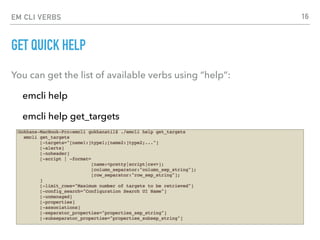
GET QUICK HELP
You can get the list of available verbs using “help”:
emcli help
emcli help get_targets
16
EM CLI VERBS
EM CLI VERBS IN STANDARD MODE
In standard mode, EM CLI expect you enter a verb as the first
parameter. Verbs may take zero or more arguments as input.
emcli verb -1st_argument="value" 

[ -2nd_ argument="value" ]

[ -3rd_ argument="value" ] 

[ -4th_ argument ]

…
17
EM CLI VERBS
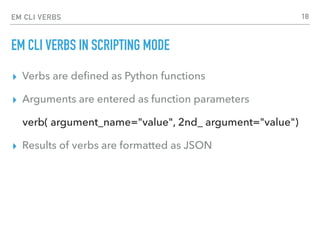
EM CLI VERBS IN SCRIPTING MODE
▸ Verbs are defined as Python functions
▸ Arguments are entered as function parameters
verb( argument_name="value", 2nd_ argument="value")
▸ Results of verbs are formatted as JSON
18
SAMPLE VERBS
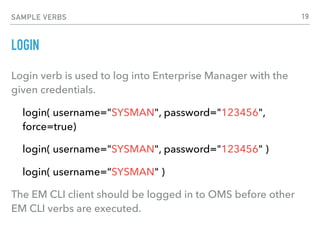
LOGIN
Login verb is used to log into Enterprise Manager with the
given credentials.
login( username="SYSMAN", password="123456",
force=true)
login( username="SYSMAN", password="123456" )
login( username=“SYSMAN" )
The EM CLI client should be logged in to OMS before other
EM CLI verbs are executed.
19
SAMPLE VERBS
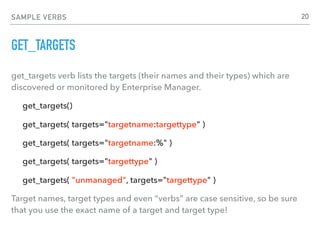
GET_TARGETS
get_targets verb lists the targets (their names and their types) which are
discovered or monitored by Enterprise Manager.
get_targets()
get_targets( targets="targetname:targettype" )
get_targets( targets="targetname:%" )
get_targets( targets="targettype" )
get_targets( "unmanaged", targets="targettype" )
Target names, target types and even “verbs” are case sensitive, so be sure
that you use the exact name of a target and target type!
20
SAMPLE VERBS
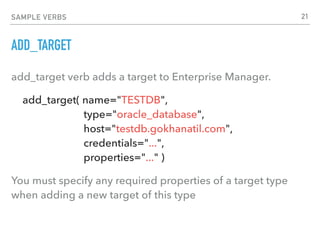
ADD_TARGET
add_target verb adds a target to Enterprise Manager.
add_target( name="TESTDB",

type="oracle_database",

host="testdb.gokhanatil.com",

credentials="...", 

properties="..." )
You must specify any required properties of a target type
when adding a new target of this type
21
SAMPLE VERBS
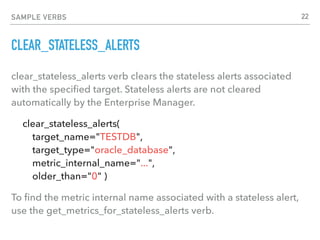
CLEAR_STATELESS_ALERTS
clear_stateless_alerts verb clears the stateless alerts associated
with the specified target. Stateless alerts are not cleared
automatically by the Enterprise Manager.
clear_stateless_alerts( 

target_name="TESTDB", 

target_type="oracle_database",

metric_internal_name="...",

older_than="0" )
To find the metric internal name associated with a stateless alert,
use the get_metrics_for_stateless_alerts verb.
22
SAMPLE VERBS
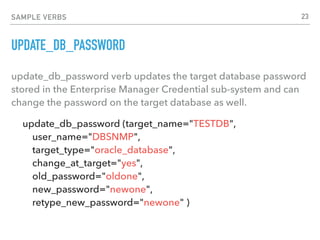
UPDATE_DB_PASSWORD
update_db_password verb updates the target database password
stored in the Enterprise Manager Credential sub-system and can
change the password on the target database as well.
update_db_password (target_name="TESTDB",

user_name="DBSNMP",

target_type="oracle_database",

change_at_target="yes",

old_password="oldone",

new_password="newone",

retype_new_password="newone" )
23
SAMPLE VERBS
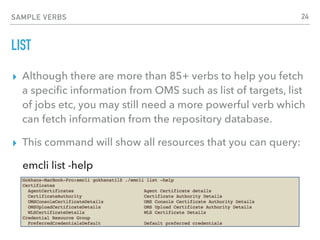
LIST
▸ Although there are more than 85+ verbs to help you fetch
a specific information from OMS such as list of targets, list
of jobs etc, you may still need a more powerful verb which
can fetch information from the repository database.
▸ This command will show all resources that you can query:
emcli list -help
24
SAMPLE VERBS
LIST
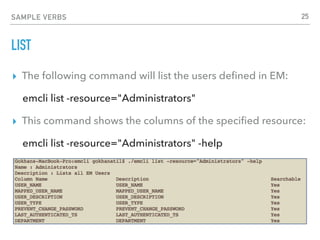
▸ The following command will list the users defined in EM:
emcli list -resource="Administrators"
▸ This command shows the columns of the specified resource:
emcli list -resource="Administrators" -help
25
SAMPLE VERBS
LIST
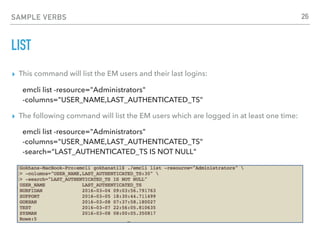
▸ This command will list the EM users and their last logins:
emcli list -resource="Administrators" 

-columns="USER_NAME,LAST_AUTHENTICATED_TS"
▸ The following command will list the EM users which are logged in at least one time:
emcli list -resource="Administrators"

-columns="USER_NAME,LAST_AUTHENTICATED_TS"

-search=“LAST_AUTHENTICATED_TS IS NOT NULL"
26
SAMPLE VERBS
LIST
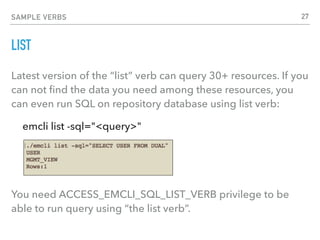
Latest version of the “list” verb can query 30+ resources. If you
can not find the data you need among these resources, you
can even run SQL on repository database using list verb:
emcli list -sql="<query>"
You need ACCESS_EMCLI_SQL_LIST_VERB privilege to be
able to run query using “the list verb”.
27
FUNDAMENTALS OF PYTHON
28
FUNDAMENTALS OF PYTHON
VARIABLES
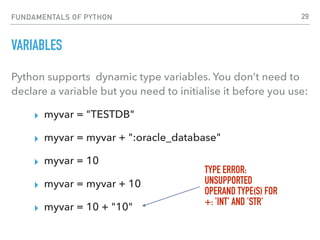
Python supports dynamic type variables. You don’t need to
declare a variable but you need to initialise it before you use:
▸ myvar = "TESTDB"
▸ myvar = myvar + ":oracle_database"
▸ myvar = 10
▸ myvar = myvar + 10
▸ myvar = 10 + "10"
TYPE ERROR:
UNSUPPORTED
OPERAND TYPE(S) FOR 

+: 'INT' AND 'STR'
29
FUNDAMENTALS OF PYTHON
CONVERSIONS
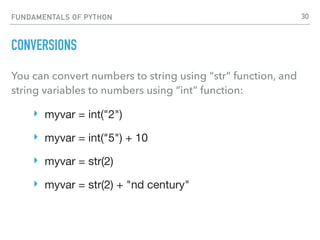
You can convert numbers to string using “str” function, and
string variables to numbers using “int” function:
‣ myvar = int("2")

‣ myvar = int("5") + 10

‣ myvar = str(2)

‣ myvar = str(2) + "nd century"

30
FUNDAMENTALS OF PYTHON
CONDITIONAL STATEMENTS AND CODE BLOCKS
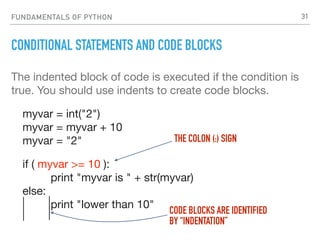
The indented block of code is executed if the condition is
true. You should use indents to create code blocks.

myvar = int("2")

myvar = myvar + 10

myvar = "2"

if ( myvar >= 10 ):

print "myvar is " + str(myvar)

else:

print "lower than 10"
CODE BLOCKS ARE IDENTIFIED
BY “INDENTATION”
THE COLON (:) SIGN
31
FUNDAMENTALS OF PYTHON
DICTIONARY AND LIST OBJECTS
Dictionary objects, list objects and iterations:
mydict = { 'Name':'Gokhan', 'Age':40 }

mydict['Name'] = "Gokhan"
mylist = ["Joe","William","Jack","Averell"] 

mylist[0] = "Joe"
for i in mylist:

print i
SIMILAR TO

JSON. KEY=VALUE
IT WILL PRINT ALL ELEMENTS IN “MYLIST”
ARRAY. USE INDEX TO REACH VALUE
32
EM CLI AND PYTHON
33
EM CLI AND PYTHON
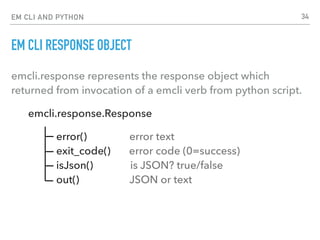
EM CLI RESPONSE OBJECT
emcli.response represents the response object which
returned from invocation of a emcli verb from python script.
emcli.response.Response
error() error text

exit_code() error code (0=success)

isJson() is JSON? true/false

out() JSON or text
34
EM CLI AND PYTHON
EM CLI RESPONSE OBJECT
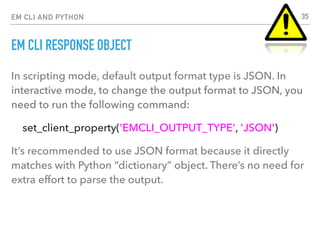
In scripting mode, default output format type is JSON. In
interactive mode, to change the output format to JSON, you
need to run the following command:
set_client_property('EMCLI_OUTPUT_TYPE', 'JSON')
It’s recommended to use JSON format because it directly
matches with Python “dictionary” object. There’s no need for
extra effort to parse the output.
35
EM CLI AND PYTHON
EM CLI RESPONSE OBJECT
Let’s get the response from a verb:
mytargets = get_targets( target="oracle_database" )
type(mytargets.out())

<type 'dict'>
mytargets.out()
{'data': [{'Status': 'Up', 'Warning': '6', 'Status ID': '0', 'Target
Type': 'oracle_database', 'Critical': '64', 'Target Name':
'TESTDB'}, {…}, {…}, {…}] }
36
EM CLI AND PYTHON
EM CLI RESPONSE OBJECT
A response always contain a “data” item which is a list object:
type(mytargets.out()['data'])

<type ‘list'>
mytargets.out()['data']
[ {'Status': 'Up', 'Warning': '6', 'Status ID': '0', 'Target Type':
'oracle_database', 'Critical': '64', 'Target Name': 'TESTDB'},{…},
{…}, {…} ]
type(mytargets.out()['data'][0])

<type 'dict'>
37
EM CLI AND PYTHON
EM CLI RESPONSE OBJECT
We can iterate over the items of the list:
for DB in mytargets.out()['data']:

print DB['Target Name'], DB['Status']
DICT / JSON
LIST (DATA)
DICT
DICT
DICT
DICT
DICT
38
SAMPLE SCRIPTS
39
SAMPLE SCRIPTS
CLEAR STATELESS ALERTS
Save the following code in a file (clearalerts.py) and run it as
“emcli @clearalerts.py”:
if login( username="GOKHAN" ).exit_code()==0:
mytargets=get_targets( targets="oracle_database" )
for DB in mytargets.out()['data']:

clear_stateless_alerts( 

target_name=DB['Target Name'], 

target_type=DB['Target Type'], older_than="0" )
40
SAMPLE SCRIPTS
CHANGE DBSNMP PASSWORDS
if len(sys.argv) <> 2:

print "Usage: emcli @change_dbsnmp_passwords.py oldpwd newpwd"

exit()

if login( username="GOKHAN" ).exit_code()==0:

mytargets=get_targets( targets="%_database" )

for DB in mytargets.out()['data']:

try: 

update_db_password (target_name=DB['Target Name'],

target_type=DB['Target Type'] ,

change_at_target="yes",user_name="dbsnmp",

old_password=sys.argv[0],

new_password=sys.argv[1],

retype_new_password=sys.argv[1])

except emcli.exception.VerbExecutionError, e:

print e.error()
41
SAMPLE SCRIPTS
PROMOTE UNMANAGED DATABASES
lg = login( username="SYSMAN" )
if lg.exit_code() <> 0:

print lg.error()

exit()
utargets=get_targets( "unmanaged", properties=True,
targets="oracle_database" )
for target in utargets.out()['data']:

add_target( name=target['Target Name'], type=target['Target Type'],

host=target['Host Info'].split(';')[0].split(':')[1],

credentials="UserName:dbsnmp;password:xyz;Role:Normal", 

properties=target['Properties'] )
POSITIONAL PARAMETERS
42
SUMMARY
43
SUMMARY
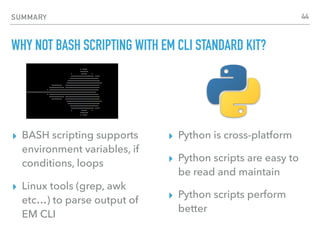
WHY NOT BASH SCRIPTING WITH EM CLI STANDARD KIT?
▸ BASH scripting supports
environment variables, if
conditions, loops
▸ Linux tools (grep, awk
etc…) to parse output of
EM CLI
▸ Python is cross-platform
▸ Python scripts are easy to
be read and maintain
▸ Python scripts perform
better
44
SUMMARY
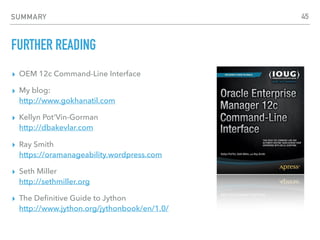
FURTHER READING
▸ OEM 12c Command-Line Interface
▸ My blog:

http://www.gokhanatil.com
▸ Kellyn Pot'Vin-Gorman

http://dbakevlar.com
▸ Ray Smith

https://oramanageability.wordpress.com
▸ Seth Miller

http://sethmiller.org
▸ The Definitive Guide to Jython

http://www.jython.org/jythonbook/en/1.0/
45
THANK YOU FOR ATTENDING! 

ANY QUESTIONS?
46

Enterprise Manager: Write powerful scripts with EMCLI

  • 1.
  • 2.
    INTRODUCTION GOKHAN ATIL ▸ DBATeam Lead with 15+ years of experience ▸ Oracle ACE (since 2011) ▸ 10g/11g and R12 OCP ▸ Founding Member and Vice President of TROUG ▸ Co-author of Expert Oracle Enterprise Manager 12c ▸ Blogger (since 2008) gokhanatil.com ▸ Twitter: @gokhanatil 2
  • 3.
    INTRODUCTION AGENDA ▸ Introduction toEM CLI ▸ EM CLI Verbs ▸ Sample Verbs ▸ Fundamentals of Python ▸ EM CLI and Python ▸ Sample Scripts ▸ Summary 3
  • 4.
  • 5.
    INTRODUCTION TO EMCLI WHAT IS EM CLI? EMCLI is an alternative for the web interface. It enables you to access OEM functionality from a text-based console. Repository EM CLI Agent OMS Web Console 5
  • 6.
    INTRODUCTION TO EMCLI ALREADY INSTALLED EM CLI is already installed and configured on OMS server: cd $MIDDLEWARE_HOME/bin ./emcli (or emcli.bat on Windows servers) 6
  • 7.
    INTRODUCTION TO EMCLI YOU CAN INSTALL EM CLI TO YOUR PC ▸ Requires Java version 1.7.0_80 or greater ▸ Supported Operating Systems: Windows, Linux, Solaris, HPUX, Tru64, AIX ▸ Go to “command line interface” page under “setup” page to download the installation JAR file. ▸ Login is not required to download, so it’s possible to download the JAR file with “wget”. To run EM CLI on Java 1.8 or higher, you need apply patch 17555224 to the weblogic server. Use"-no-check-certificate" parameter with wget. 7
  • 8.
    INTRODUCTION TO EMCLI EM CLI DOWNLOAD PAGE 8
  • 9.
    INTRODUCTION TO EMCLI EM CLI STANDARD KIT VS ADVANCED KIT There are two different installation kits for EM CLI: ▸ EM CLI Standard Kit: This kit supports only the Standard (command line) mode. ▸ EM CLI with Scripting mode (option): This “advanced” kit supports Interactive and Script modes in addition to standard mode. 9
  • 10.
    INTRODUCTION TO EMCLI 3 MODES OF EM CLI: ▸ Standard mode: This mode provides a simple command-line interface to Enterprise Manager, and supports the execution of one verb at a time from the command line. emcli get_targets ▸ Interactive mode: This mode enables you to create a single interactive session with OMS. It is a Jython shell. emcli ▸ Scripting mode: In Scripting mode, EM CLI runs Jython scripts containing EM CLI verbs. emcli @scriptname.py 10
  • 11.
    INTRODUCTION TO EMCLI SOMEONE SAID JYTHON? Jython is an implementation of the Python programming language designed to run on the Java platform. 11
  • 12.
    INTRODUCTION TO EMCLI SO WHAT’S PYTHON? ▸ Widely used general-purpose, 
 high-level programming language ▸ Supports multiple programming paradigms, including OOP, imperative and functional programming ▸ Dynamic type system and automatic memory management ▸ Batteries Included (!) 12
  • 13.
    INTRODUCTION TO EMCLI INSTALL AND CONFIGURE: ▸ After you download, set JAVA_HOME and install the JAR file: java -jar emcliadvancedkit.jar -install_dir=<home> ▸ Configure EM CLI: emcli help setup emcli setup -url="https://host:port/em" 
 -username=<emuser> -dir=<instancedir> -trustall 13
  • 14.
  • 15.
    EM CLI VERBS 400+VERBS IN 75+ CATEGORIES ▸ Add Host Verbs ▸ Agent Administration Verbs ▸ Agent Upgrade Verbs ▸ BI Publisher Reports Verbs ▸ Blackout Verbs ▸ Credential Verbs ▸ Incident Rules Verbs ▸ Job Verbs ▸ Metric Extension Verbs ▸ Monitoring Templates Verbs ▸ Oracle Cloud Verbs ▸ Provisioning Verbs ▸ Self Update Verbs ▸ User Administration Verbs 15
  • 16.
    EM CLI VERBS GETQUICK HELP You can get the list of available verbs using “help”: emcli help emcli help get_targets 16
  • 17.
    EM CLI VERBS EMCLI VERBS IN STANDARD MODE In standard mode, EM CLI expect you enter a verb as the first parameter. Verbs may take zero or more arguments as input. emcli verb -1st_argument="value" 
 [ -2nd_ argument="value" ]
 [ -3rd_ argument="value" ] 
 [ -4th_ argument ]
 … 17
  • 18.
    EM CLI VERBS EMCLI VERBS IN SCRIPTING MODE ▸ Verbs are defined as Python functions ▸ Arguments are entered as function parameters verb( argument_name="value", 2nd_ argument="value") ▸ Results of verbs are formatted as JSON 18
  • 19.
    SAMPLE VERBS LOGIN Login verbis used to log into Enterprise Manager with the given credentials. login( username="SYSMAN", password="123456", force=true) login( username="SYSMAN", password="123456" ) login( username=“SYSMAN" ) The EM CLI client should be logged in to OMS before other EM CLI verbs are executed. 19
  • 20.
    SAMPLE VERBS GET_TARGETS get_targets verblists the targets (their names and their types) which are discovered or monitored by Enterprise Manager. get_targets() get_targets( targets="targetname:targettype" ) get_targets( targets="targetname:%" ) get_targets( targets="targettype" ) get_targets( "unmanaged", targets="targettype" ) Target names, target types and even “verbs” are case sensitive, so be sure that you use the exact name of a target and target type! 20
  • 21.
    SAMPLE VERBS ADD_TARGET add_target verbadds a target to Enterprise Manager. add_target( name="TESTDB",
 type="oracle_database",
 host="testdb.gokhanatil.com",
 credentials="...", 
 properties="..." ) You must specify any required properties of a target type when adding a new target of this type 21
  • 22.
    SAMPLE VERBS CLEAR_STATELESS_ALERTS clear_stateless_alerts verbclears the stateless alerts associated with the specified target. Stateless alerts are not cleared automatically by the Enterprise Manager. clear_stateless_alerts( 
 target_name="TESTDB", 
 target_type="oracle_database",
 metric_internal_name="...",
 older_than="0" ) To find the metric internal name associated with a stateless alert, use the get_metrics_for_stateless_alerts verb. 22
  • 23.
    SAMPLE VERBS UPDATE_DB_PASSWORD update_db_password verbupdates the target database password stored in the Enterprise Manager Credential sub-system and can change the password on the target database as well. update_db_password (target_name="TESTDB",
 user_name="DBSNMP",
 target_type="oracle_database",
 change_at_target="yes",
 old_password="oldone",
 new_password="newone",
 retype_new_password="newone" ) 23
  • 24.
    SAMPLE VERBS LIST ▸ Althoughthere are more than 85+ verbs to help you fetch a specific information from OMS such as list of targets, list of jobs etc, you may still need a more powerful verb which can fetch information from the repository database. ▸ This command will show all resources that you can query: emcli list -help 24
  • 25.
    SAMPLE VERBS LIST ▸ Thefollowing command will list the users defined in EM: emcli list -resource="Administrators" ▸ This command shows the columns of the specified resource: emcli list -resource="Administrators" -help 25
  • 26.
    SAMPLE VERBS LIST ▸ Thiscommand will list the EM users and their last logins: emcli list -resource="Administrators" 
 -columns="USER_NAME,LAST_AUTHENTICATED_TS" ▸ The following command will list the EM users which are logged in at least one time: emcli list -resource="Administrators"
 -columns="USER_NAME,LAST_AUTHENTICATED_TS"
 -search=“LAST_AUTHENTICATED_TS IS NOT NULL" 26
  • 27.
    SAMPLE VERBS LIST Latest versionof the “list” verb can query 30+ resources. If you can not find the data you need among these resources, you can even run SQL on repository database using list verb: emcli list -sql="<query>" You need ACCESS_EMCLI_SQL_LIST_VERB privilege to be able to run query using “the list verb”. 27
  • 28.
  • 29.
    FUNDAMENTALS OF PYTHON VARIABLES Pythonsupports dynamic type variables. You don’t need to declare a variable but you need to initialise it before you use: ▸ myvar = "TESTDB" ▸ myvar = myvar + ":oracle_database" ▸ myvar = 10 ▸ myvar = myvar + 10 ▸ myvar = 10 + "10" TYPE ERROR: UNSUPPORTED OPERAND TYPE(S) FOR 
 +: 'INT' AND 'STR' 29
  • 30.
    FUNDAMENTALS OF PYTHON CONVERSIONS Youcan convert numbers to string using “str” function, and string variables to numbers using “int” function: ‣ myvar = int("2") ‣ myvar = int("5") + 10 ‣ myvar = str(2) ‣ myvar = str(2) + "nd century"
 30
  • 31.
    FUNDAMENTALS OF PYTHON CONDITIONALSTATEMENTS AND CODE BLOCKS The indented block of code is executed if the condition is true. You should use indents to create code blocks. myvar = int("2")
 myvar = myvar + 10
 myvar = "2" if ( myvar >= 10 ):
 print "myvar is " + str(myvar)
 else:
 print "lower than 10" CODE BLOCKS ARE IDENTIFIED BY “INDENTATION” THE COLON (:) SIGN 31
  • 32.
    FUNDAMENTALS OF PYTHON DICTIONARYAND LIST OBJECTS Dictionary objects, list objects and iterations: mydict = { 'Name':'Gokhan', 'Age':40 }
 mydict['Name'] = "Gokhan" mylist = ["Joe","William","Jack","Averell"] 
 mylist[0] = "Joe" for i in mylist:
 print i SIMILAR TO
 JSON. KEY=VALUE IT WILL PRINT ALL ELEMENTS IN “MYLIST” ARRAY. USE INDEX TO REACH VALUE 32
  • 33.
    EM CLI ANDPYTHON 33
  • 34.
    EM CLI ANDPYTHON EM CLI RESPONSE OBJECT emcli.response represents the response object which returned from invocation of a emcli verb from python script. emcli.response.Response error() error text
 exit_code() error code (0=success)
 isJson() is JSON? true/false
 out() JSON or text 34
  • 35.
    EM CLI ANDPYTHON EM CLI RESPONSE OBJECT In scripting mode, default output format type is JSON. In interactive mode, to change the output format to JSON, you need to run the following command: set_client_property('EMCLI_OUTPUT_TYPE', 'JSON') It’s recommended to use JSON format because it directly matches with Python “dictionary” object. There’s no need for extra effort to parse the output. 35
  • 36.
    EM CLI ANDPYTHON EM CLI RESPONSE OBJECT Let’s get the response from a verb: mytargets = get_targets( target="oracle_database" ) type(mytargets.out())
 <type 'dict'> mytargets.out() {'data': [{'Status': 'Up', 'Warning': '6', 'Status ID': '0', 'Target Type': 'oracle_database', 'Critical': '64', 'Target Name': 'TESTDB'}, {…}, {…}, {…}] } 36
  • 37.
    EM CLI ANDPYTHON EM CLI RESPONSE OBJECT A response always contain a “data” item which is a list object: type(mytargets.out()['data'])
 <type ‘list'> mytargets.out()['data'] [ {'Status': 'Up', 'Warning': '6', 'Status ID': '0', 'Target Type': 'oracle_database', 'Critical': '64', 'Target Name': 'TESTDB'},{…}, {…}, {…} ] type(mytargets.out()['data'][0])
 <type 'dict'> 37
  • 38.
    EM CLI ANDPYTHON EM CLI RESPONSE OBJECT We can iterate over the items of the list: for DB in mytargets.out()['data']:
 print DB['Target Name'], DB['Status'] DICT / JSON LIST (DATA) DICT DICT DICT DICT DICT 38
  • 39.
  • 40.
    SAMPLE SCRIPTS CLEAR STATELESSALERTS Save the following code in a file (clearalerts.py) and run it as “emcli @clearalerts.py”: if login( username="GOKHAN" ).exit_code()==0: mytargets=get_targets( targets="oracle_database" ) for DB in mytargets.out()['data']:
 clear_stateless_alerts( 
 target_name=DB['Target Name'], 
 target_type=DB['Target Type'], older_than="0" ) 40
  • 41.
    SAMPLE SCRIPTS CHANGE DBSNMPPASSWORDS if len(sys.argv) <> 2:
 print "Usage: emcli @change_dbsnmp_passwords.py oldpwd newpwd"
 exit()
 if login( username="GOKHAN" ).exit_code()==0:
 mytargets=get_targets( targets="%_database" )
 for DB in mytargets.out()['data']:
 try: 
 update_db_password (target_name=DB['Target Name'],
 target_type=DB['Target Type'] ,
 change_at_target="yes",user_name="dbsnmp",
 old_password=sys.argv[0],
 new_password=sys.argv[1],
 retype_new_password=sys.argv[1])
 except emcli.exception.VerbExecutionError, e:
 print e.error() 41
  • 42.
    SAMPLE SCRIPTS PROMOTE UNMANAGEDDATABASES lg = login( username="SYSMAN" ) if lg.exit_code() <> 0:
 print lg.error()
 exit() utargets=get_targets( "unmanaged", properties=True, targets="oracle_database" ) for target in utargets.out()['data']:
 add_target( name=target['Target Name'], type=target['Target Type'],
 host=target['Host Info'].split(';')[0].split(':')[1],
 credentials="UserName:dbsnmp;password:xyz;Role:Normal", 
 properties=target['Properties'] ) POSITIONAL PARAMETERS 42
  • 43.
  • 44.
    SUMMARY WHY NOT BASHSCRIPTING WITH EM CLI STANDARD KIT? ▸ BASH scripting supports environment variables, if conditions, loops ▸ Linux tools (grep, awk etc…) to parse output of EM CLI ▸ Python is cross-platform ▸ Python scripts are easy to be read and maintain ▸ Python scripts perform better 44
  • 45.
    SUMMARY FURTHER READING ▸ OEM12c Command-Line Interface ▸ My blog:
 http://www.gokhanatil.com ▸ Kellyn Pot'Vin-Gorman
 http://dbakevlar.com ▸ Ray Smith
 https://oramanageability.wordpress.com ▸ Seth Miller
 http://sethmiller.org ▸ The Definitive Guide to Jython
 http://www.jython.org/jythonbook/en/1.0/ 45
  • 46.
    THANK YOU FORATTENDING! 
 ANY QUESTIONS? 46