Using Advanced Features in EBSCO and InfoTrac DatabasesNovember Library LibLearn
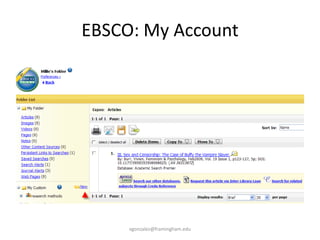
EBSCO: Advanced FeaturesMyEBSCOhost personal account: save articles, images, searches. Houses personal folders.Search historyRSS feed: search and journal alertsCustom and shared folders: create individual folders. Have ability to share folder with team.Cited references: identify researchers in field (can also be done in Google Scholar, Google Books and Arts and Humanities Citation Index)Thesaurus: MeSH, CINAHL Headings, BusinessSubject, people, places, image searchvgonzalez@framingham.edu
EBSCO: My Accountvgonzalez@framingham.edu
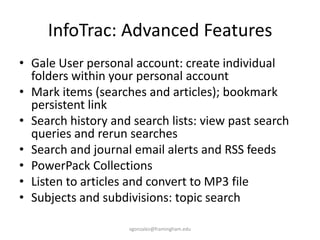
InfoTrac: Advanced FeaturesGale User personal account: create individual folders within your personal accountMark items (searches and articles); bookmark persistent linkSearch history and search lists: view past search queries and rerun searchesSearch and journal email alerts and RSS feedsPowerPack CollectionsListen to articles and convert to MP3 fileSubjects and subdivisions: topic searchvgonzalez@framingham.edu
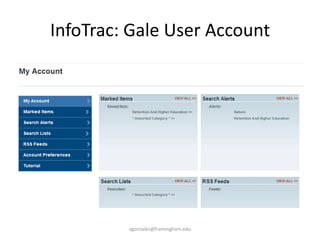
InfoTrac: Gale User Accountvgonzalez@framingham.edu
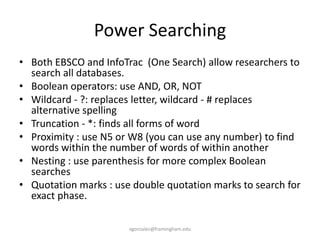
Power SearchingBoth EBSCO and InfoTrac  (One Search) allow researchers to search all databases.Boolean operators: use AND, OR, NOTWildcard - ?: replaces letter, wildcard - # replaces alternative spellingTruncation - *: finds all forms of wordProximity : use N5 or W8 (you can use any number) to find words within the number of words of within anotherNesting : use parenthesis for more complex Boolean searchesQuotation marks : use double quotation marks to search for exact phase.vgonzalez@framingham.edu
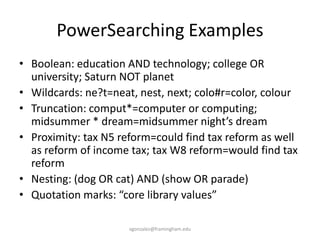
PowerSearching ExamplesBoolean: education AND technology; college OR university; Saturn NOT planetWildcards: ne?t=neat, nest, next; colo#r=color, colourTruncation: comput*=computer or computing; midsummer * dream=midsummer night’s dreamProximity: tax N5 reform=could find tax reform as well as reform of income tax; tax W8 reform=would find tax reformNesting: (dog OR cat) AND (show OR parade)Quotation marks: “core library values”vgonzalez@framingham.edu

Advanced Features In Ebsco And Infotrac

  • 1.
    Using Advanced Featuresin EBSCO and InfoTrac DatabasesNovember Library LibLearn
  • 2.
    EBSCO: Advanced FeaturesMyEBSCOhostpersonal account: save articles, images, searches. Houses personal folders.Search historyRSS feed: search and journal alertsCustom and shared folders: create individual folders. Have ability to share folder with team.Cited references: identify researchers in field (can also be done in Google Scholar, Google Books and Arts and Humanities Citation Index)Thesaurus: MeSH, CINAHL Headings, BusinessSubject, people, places, image searchvgonzalez@framingham.edu
  • 3.
  • 4.
    InfoTrac: Advanced FeaturesGaleUser personal account: create individual folders within your personal accountMark items (searches and articles); bookmark persistent linkSearch history and search lists: view past search queries and rerun searchesSearch and journal email alerts and RSS feedsPowerPack CollectionsListen to articles and convert to MP3 fileSubjects and subdivisions: topic searchvgonzalez@framingham.edu
  • 5.
    InfoTrac: Gale UserAccountvgonzalez@framingham.edu
  • 6.
    Power SearchingBoth EBSCOand InfoTrac (One Search) allow researchers to search all databases.Boolean operators: use AND, OR, NOTWildcard - ?: replaces letter, wildcard - # replaces alternative spellingTruncation - *: finds all forms of wordProximity : use N5 or W8 (you can use any number) to find words within the number of words of within anotherNesting : use parenthesis for more complex Boolean searchesQuotation marks : use double quotation marks to search for exact phase.vgonzalez@framingham.edu
  • 7.
    PowerSearching ExamplesBoolean: educationAND technology; college OR university; Saturn NOT planetWildcards: ne?t=neat, nest, next; colo#r=color, colourTruncation: comput*=computer or computing; midsummer * dream=midsummer night’s dreamProximity: tax N5 reform=could find tax reform as well as reform of income tax; tax W8 reform=would find tax reformNesting: (dog OR cat) AND (show OR parade)Quotation marks: “core library values”vgonzalez@framingham.edu