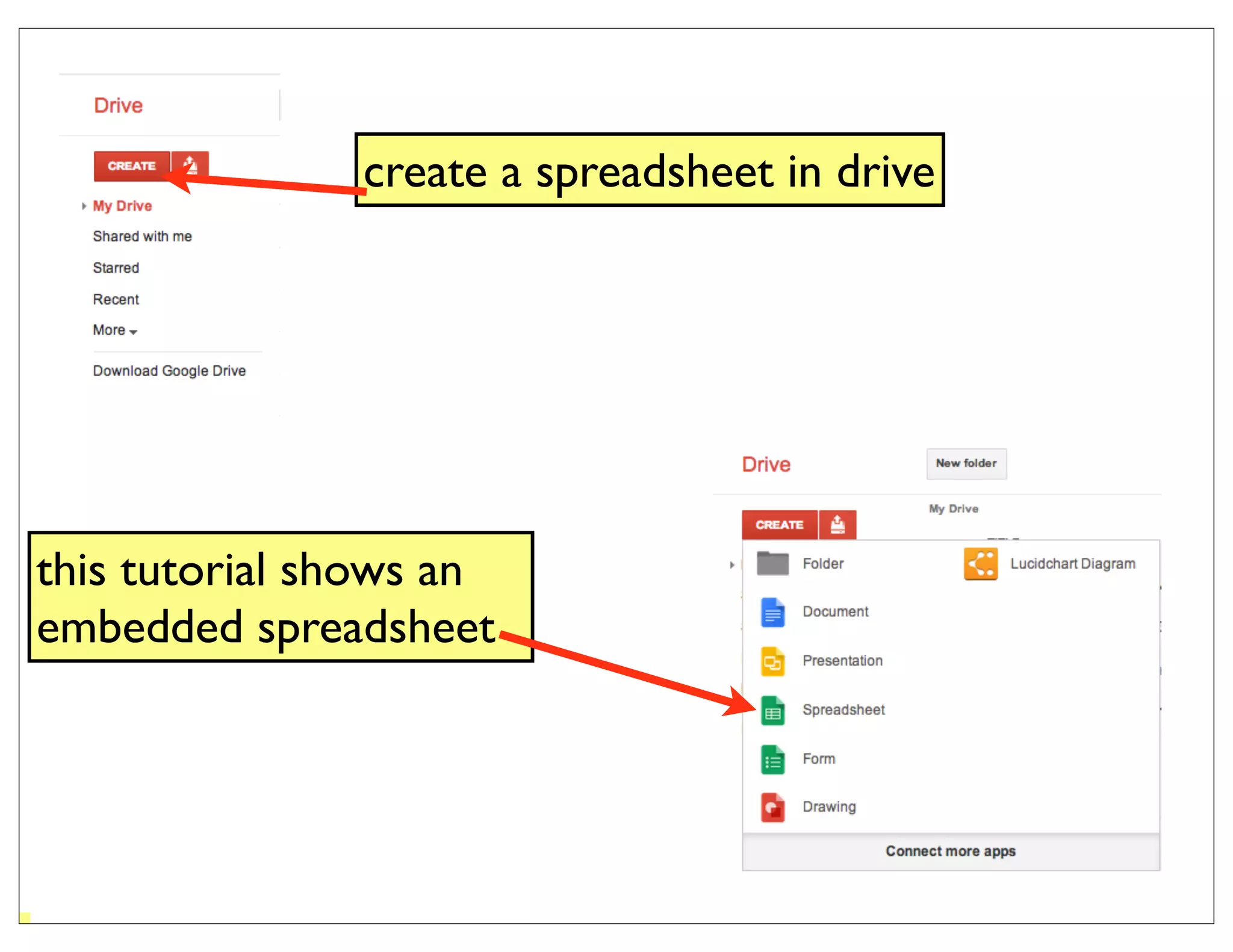
create a spreadsheet in drive


this tutorial shows an
embedded spreadsheet
create a spreadsheet &
                         name it


go to file > publish to
the web
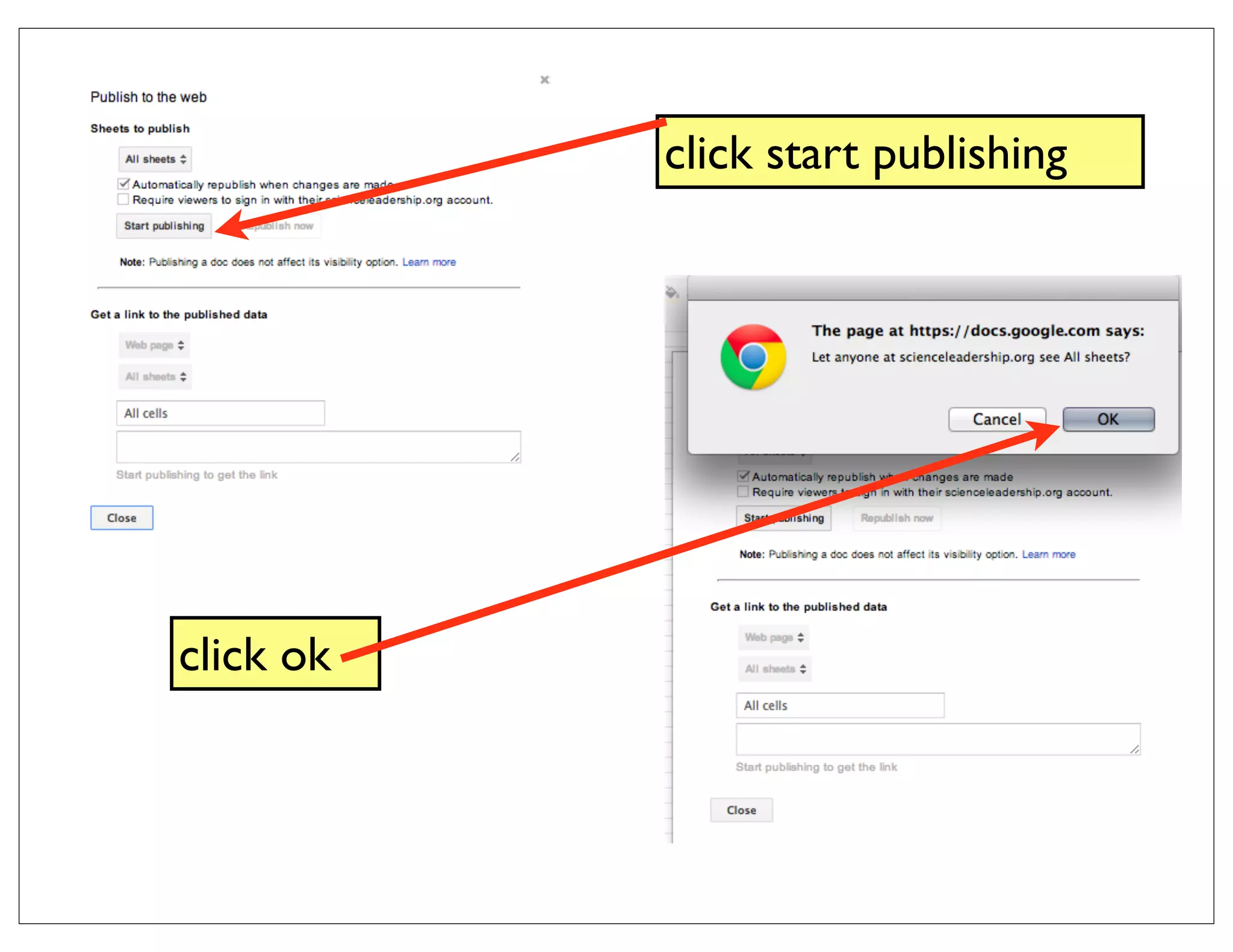
click start publishing


click ok
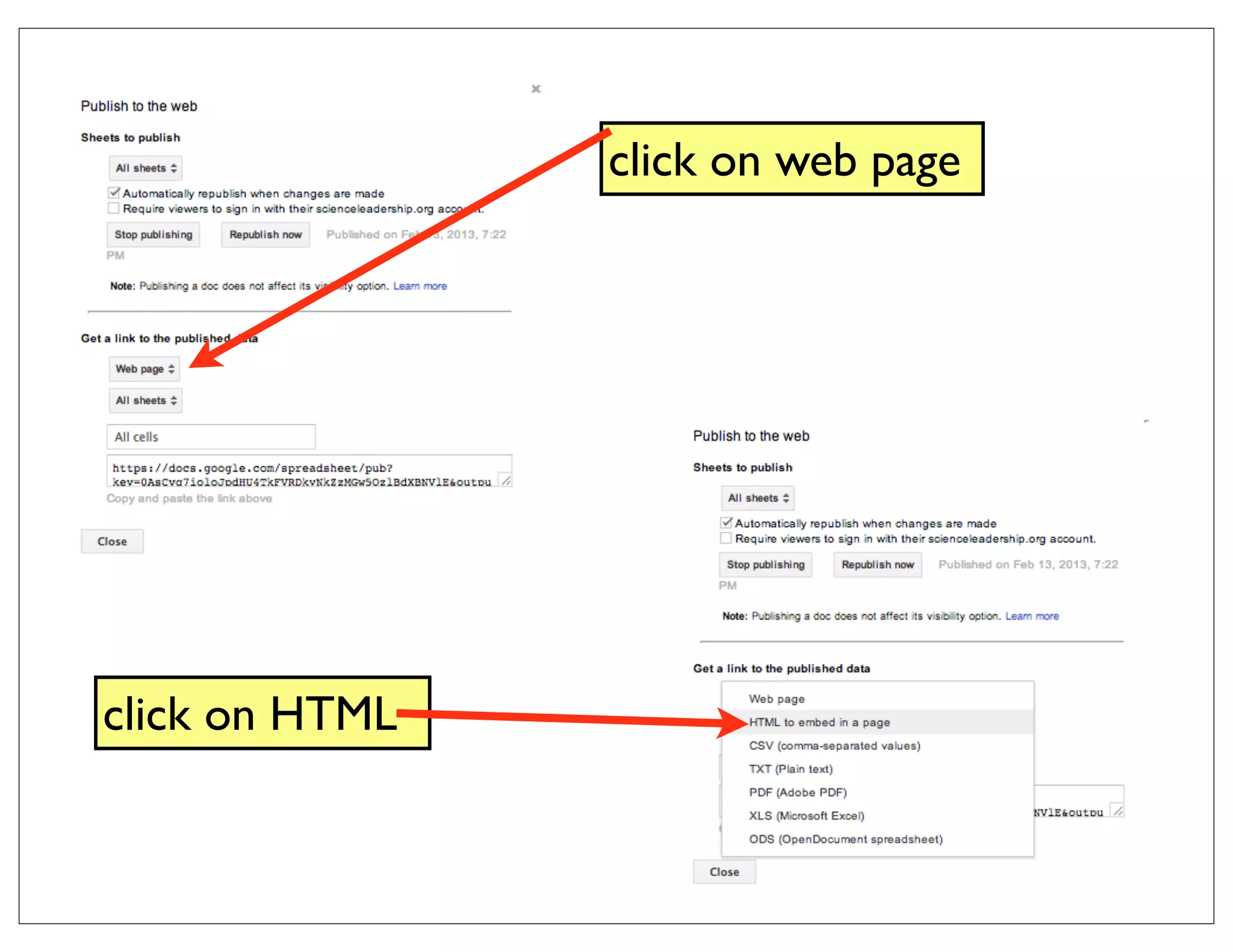
click on web page


click on HTML
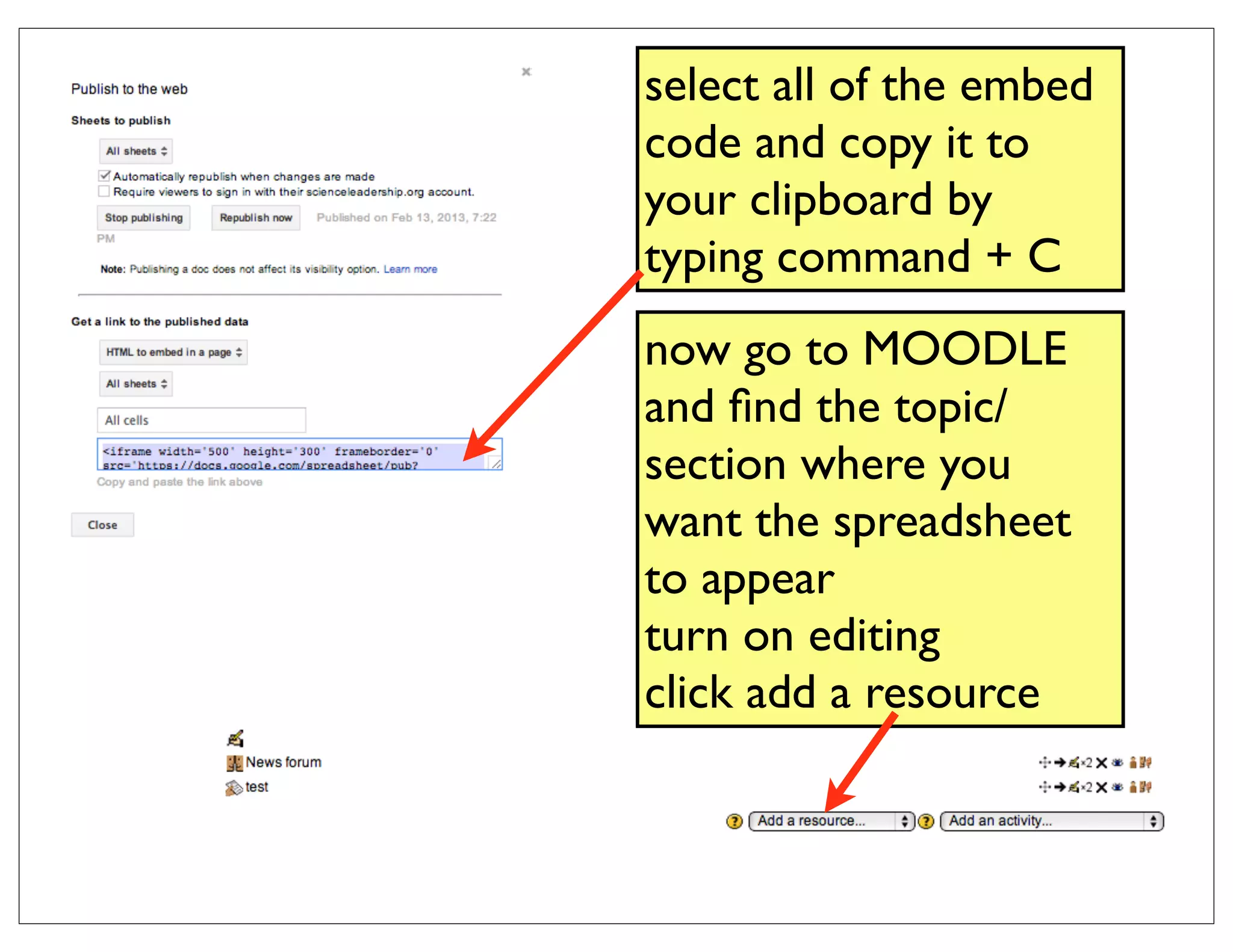
select all of the embed
code and copy it to
your clipboard by
typing command + C
now go to MOODLE
and find the topic/
section where you
want the spreadsheet
to appear
turn on editing
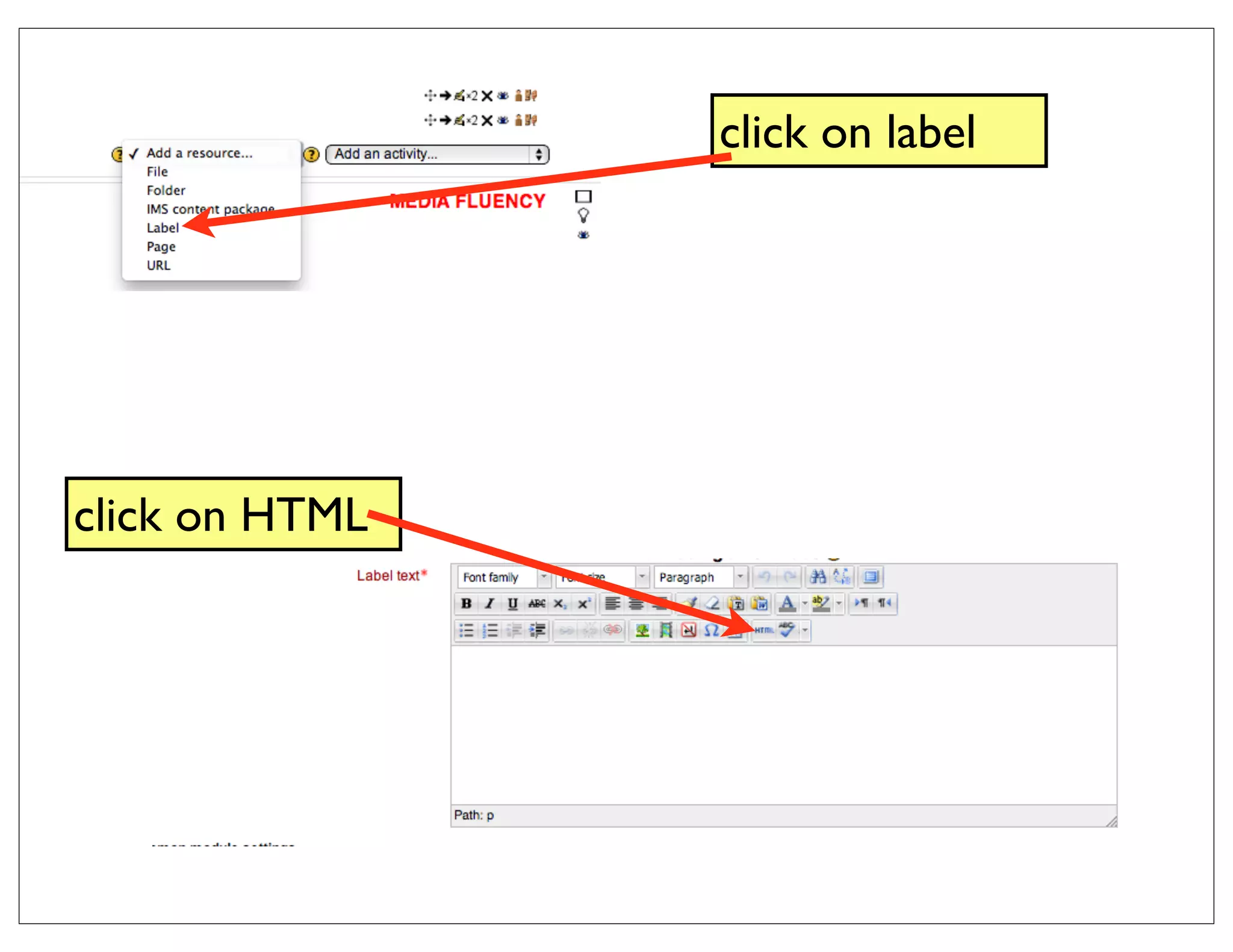
click add a resource
click on label


click on HTML
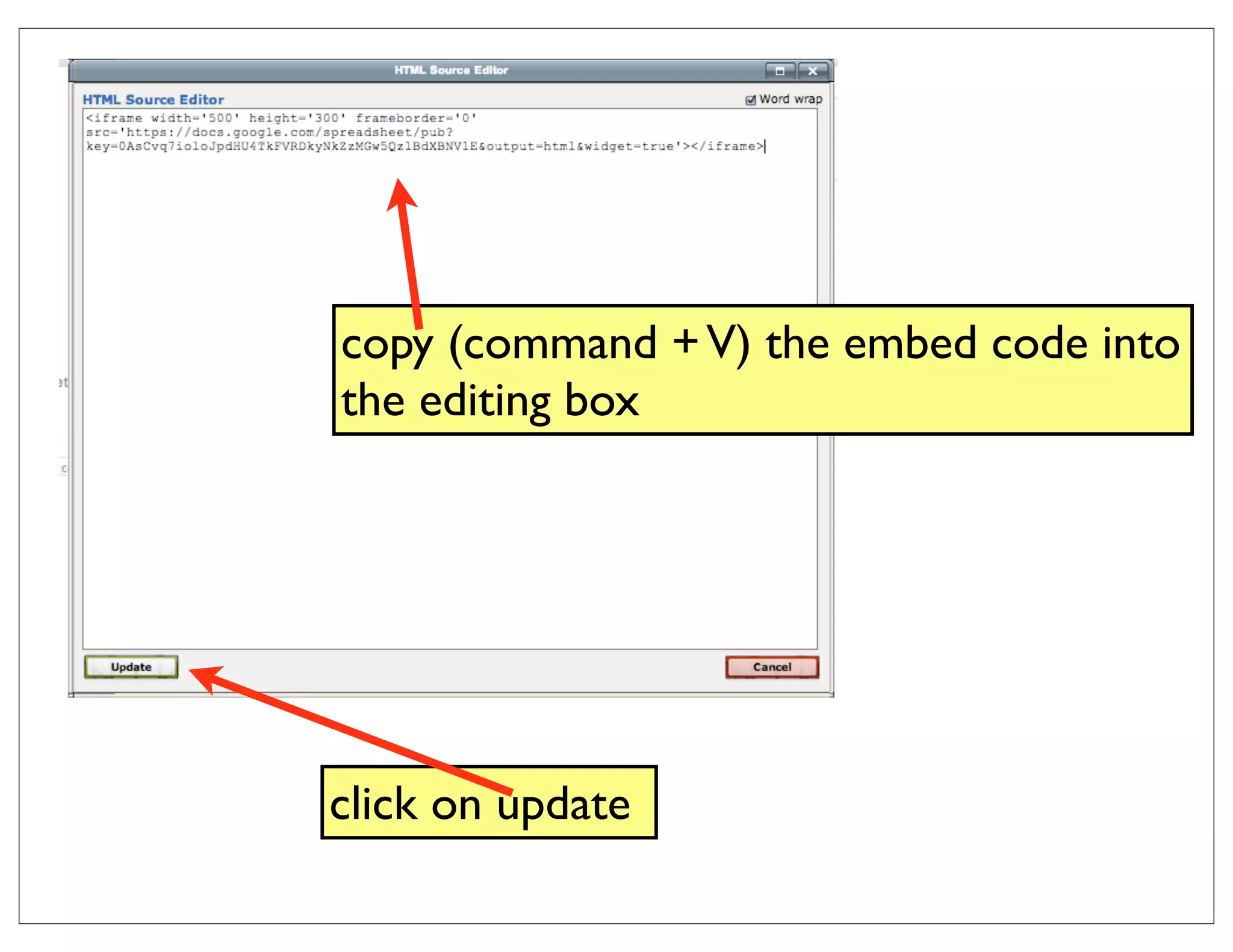
copy (command + V) the embed code into
the editing box


click on update
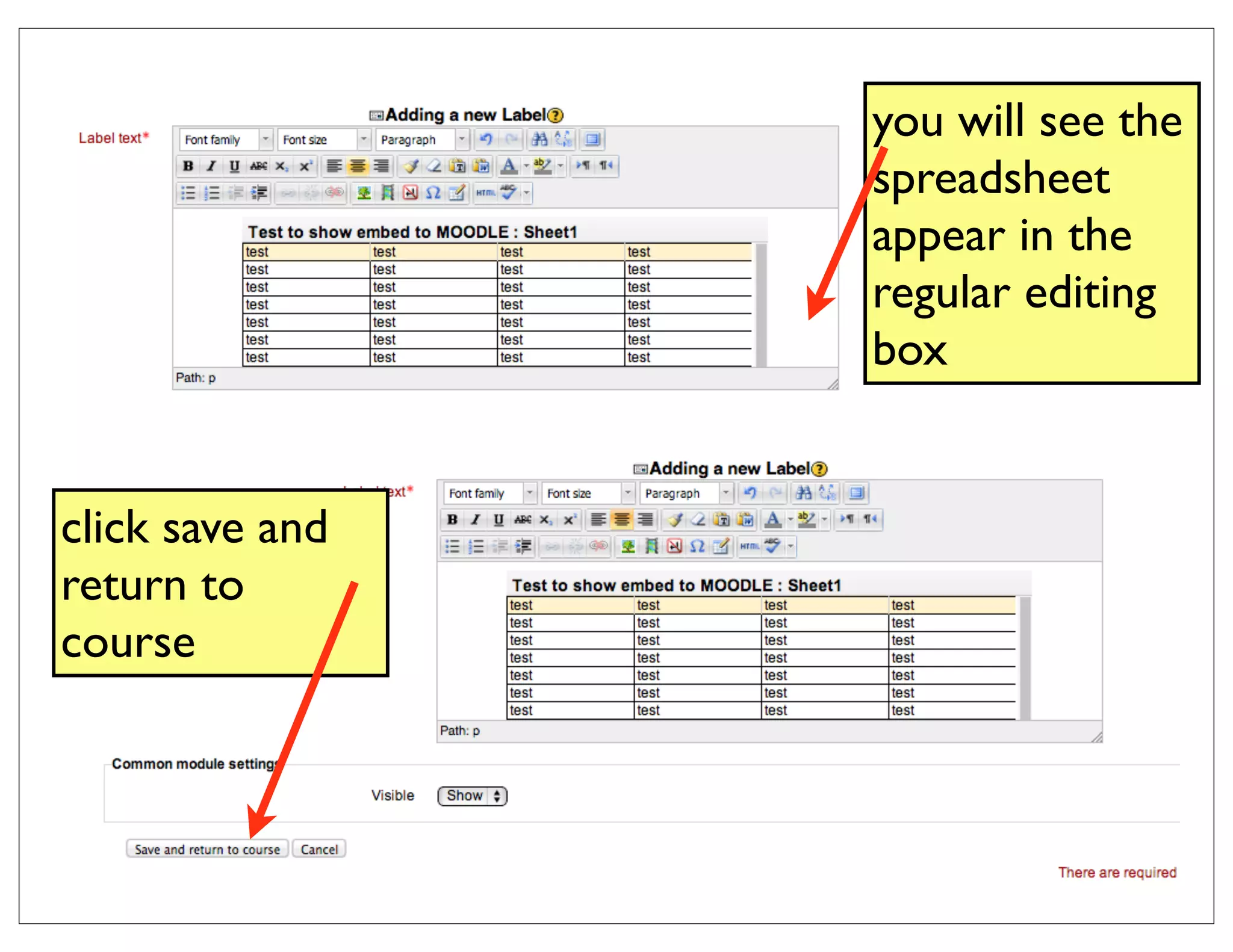
you will see the
                 spreadsheet
                 appear in the
                 regular editing
                 box


click save and
return to
course
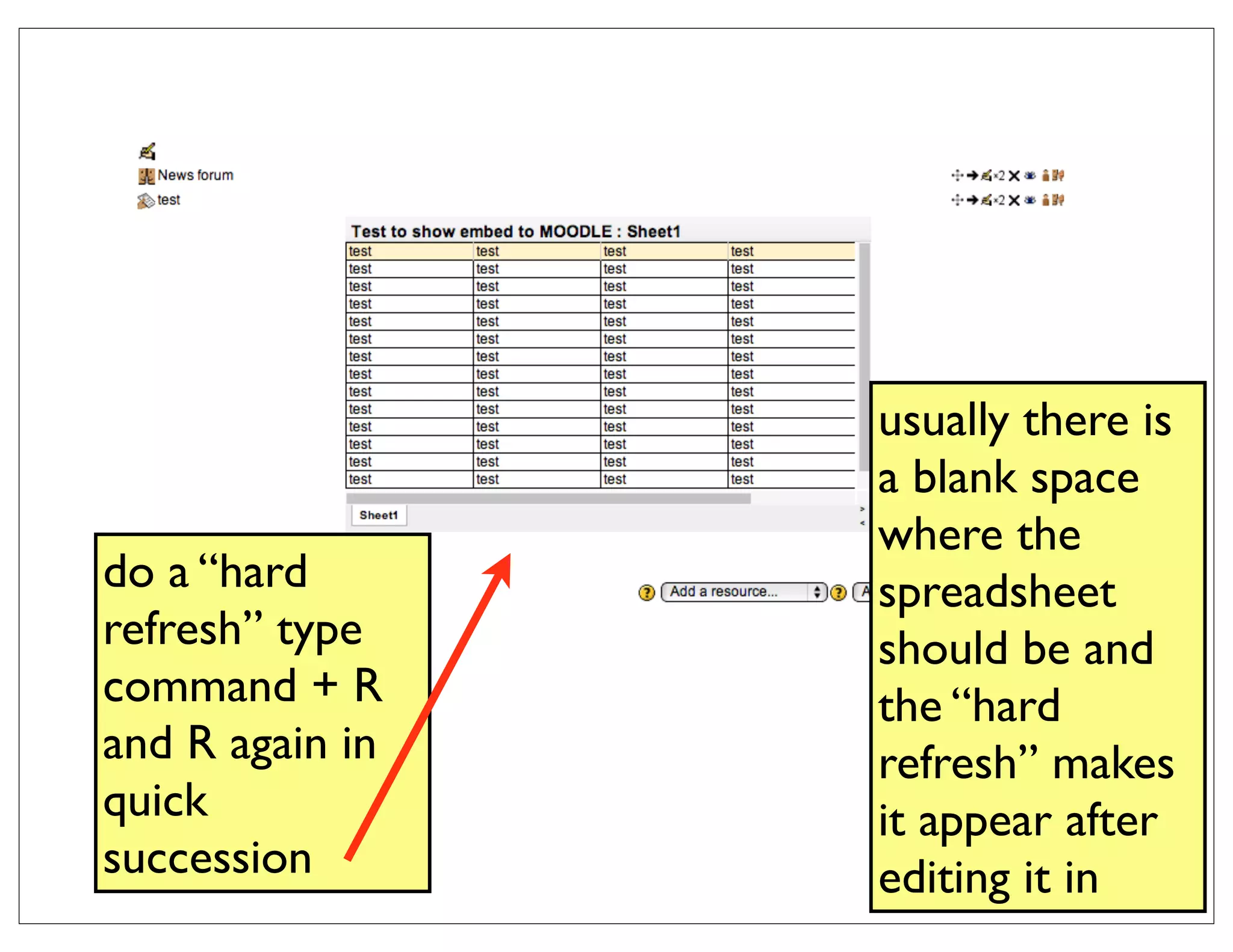
usually there is
                 a blank space
                 where the
do a “hard       spreadsheet
refresh” type    should be and
command + R      the “hard
and R again in   refresh” makes
quick            it appear after
succession       editing it in
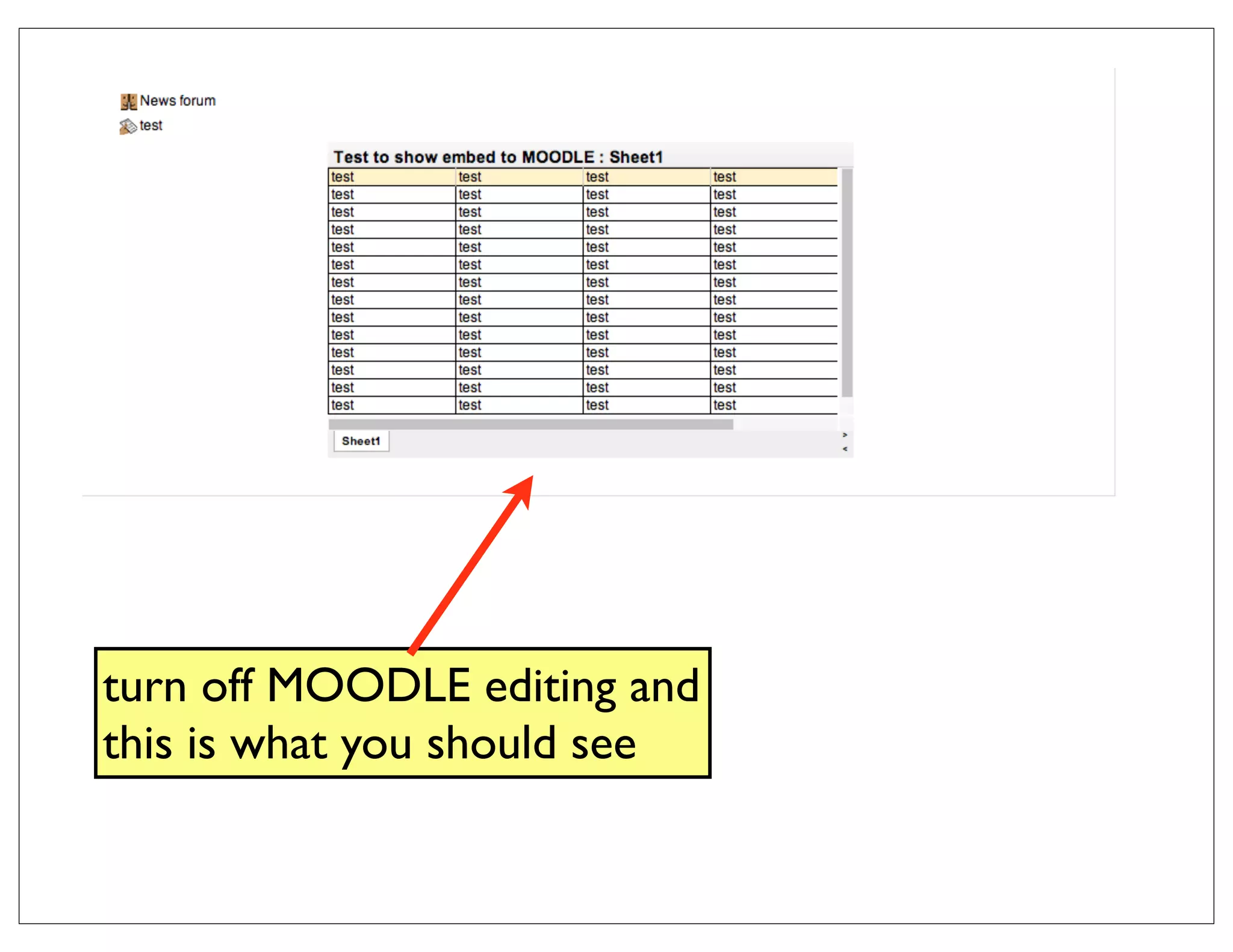
turn off MOODLE editing and
this is what you should see

embed spreadsheet to MOODLE

  • 1.
    create a spreadsheetin drive this tutorial shows an embedded spreadsheet
  • 2.
    create a spreadsheet& name it go to file > publish to the web
  • 3.
  • 4.
    click on webpage click on HTML
  • 5.
    select all ofthe embed code and copy it to your clipboard by typing command + C now go to MOODLE and find the topic/ section where you want the spreadsheet to appear turn on editing click add a resource
  • 6.
  • 7.
    copy (command +V) the embed code into the editing box click on update
  • 8.
    you will seethe spreadsheet appear in the regular editing box click save and return to course
  • 9.
    usually there is a blank space where the do a “hard spreadsheet refresh” type should be and command + R the “hard and R again in refresh” makes quick it appear after succession editing it in
  • 10.
    turn off MOODLEediting and this is what you should see