Excel Spreadsheets Berni Durham-Jones
Can make it easier to perform calculations and experiment with numbers.  You can type in formulas once, change the data many times and the computer will auto.matically re-doing the calculations
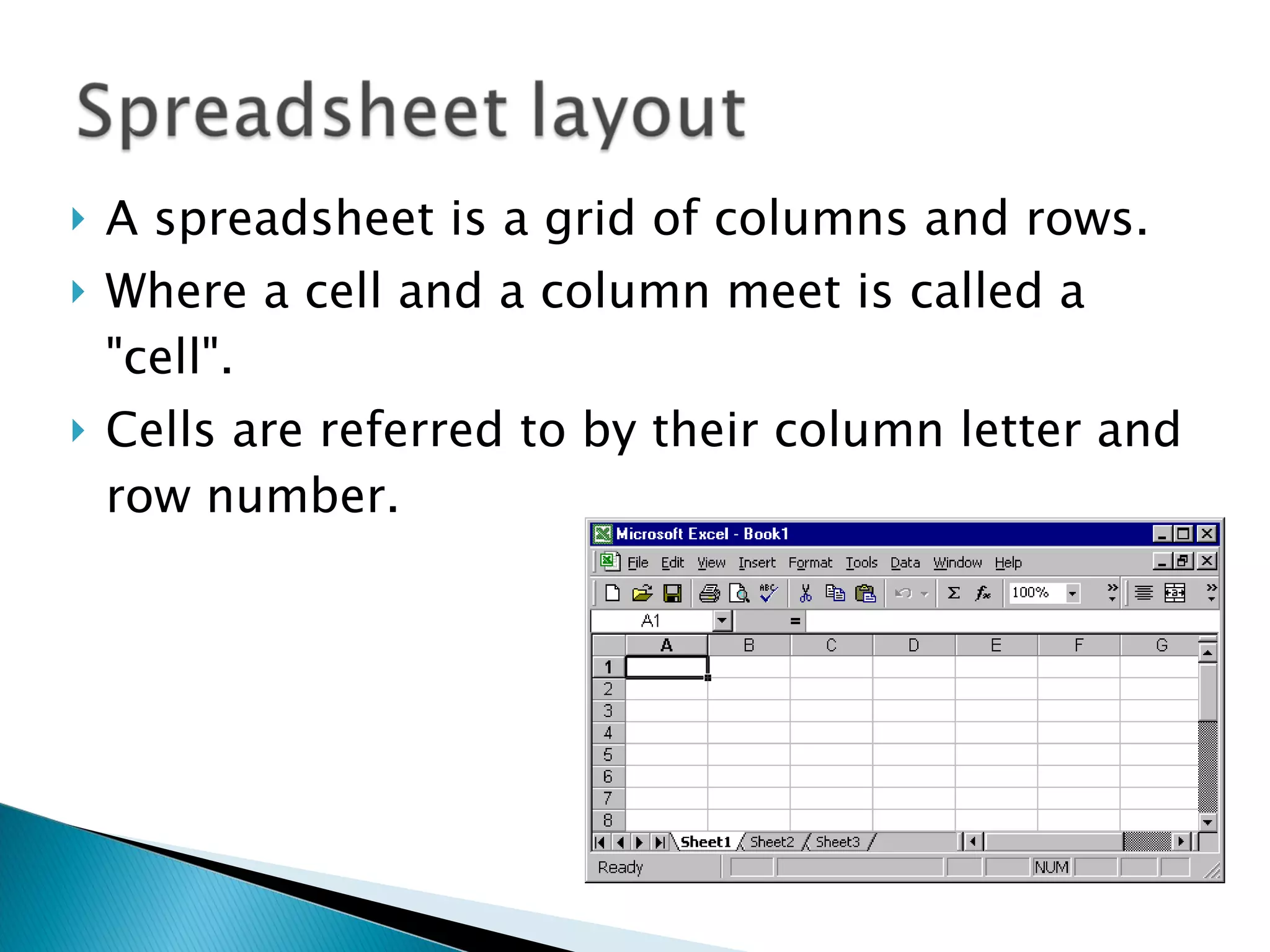
A spreadsheet is a grid of columns and rows. Where a cell and a column meet is called a "cell".  Cells are referred to by their column letter and row number.
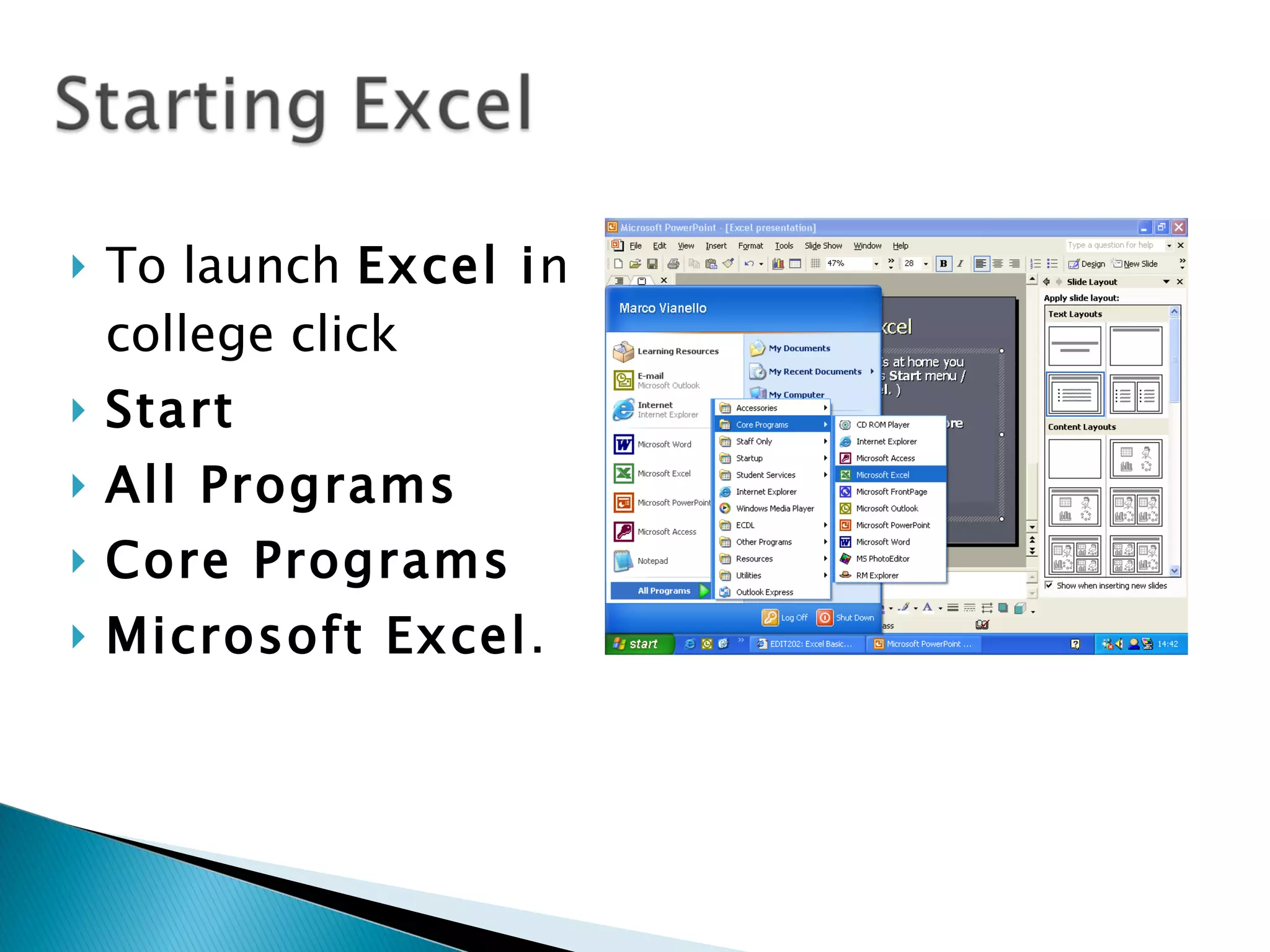
To launch  Excel i n college click  Start   All Programs  Core Programs  Microsoft Excel .
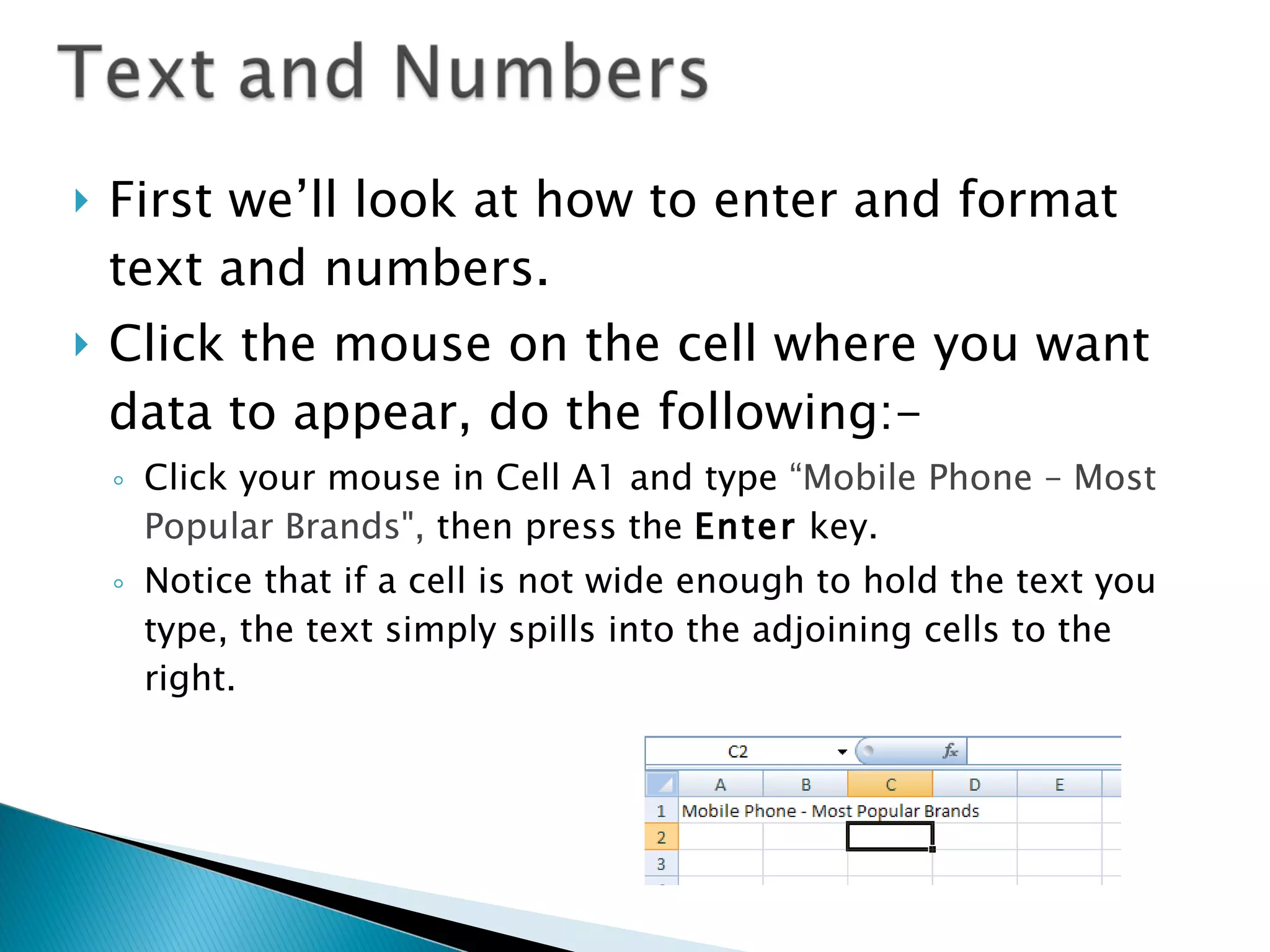
First we’ll look at how to enter and format text and numbers.  Click the mouse on the cell where you want data to appear, do the following:- Click your mouse in Cell A1 and type  “Mobile Phone – Most Popular Brands",  then press the  Enter  key.  Notice that if a cell is not wide enough to hold the text you type, the text simply spills into the adjoining cells to the right.
To make text bold, click on Cell A1 again, then click the  Bold  icon at the top of the screen (same as word processing, right?).  Still on Cell A1 ,  increase its font size by clicking on the  Font Size  drop-down list  (the example is set to 12 point).
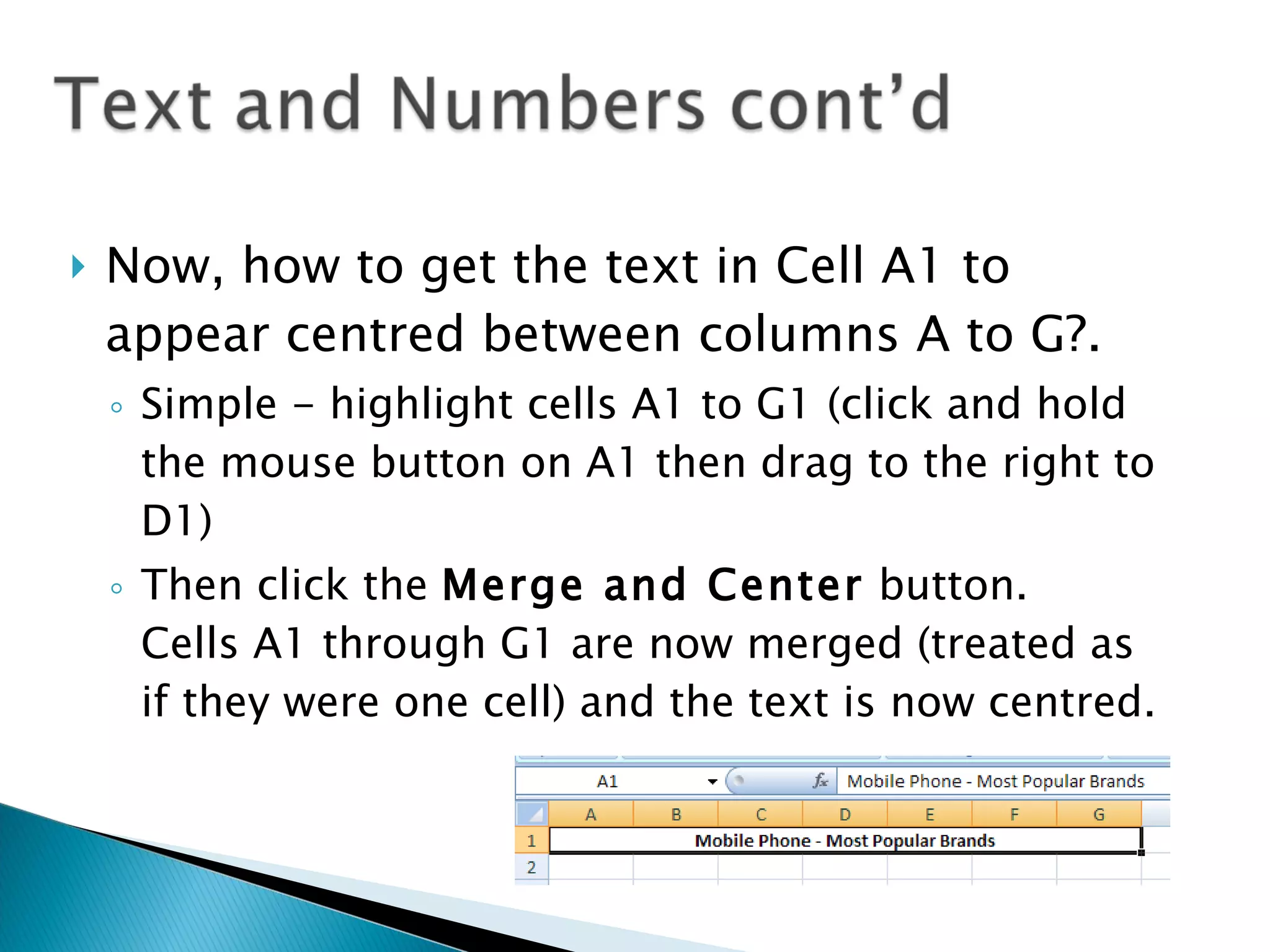
Now, how to get the text in Cell A1 to appear centred between columns A to G?. Simple - highlight cells A1 to G1 (click and hold the mouse button on A1 then drag to the right to D1) Then click the  Merge and Center  button.  Cells A1 through G1 are now merged (treated as if they were one cell) and the text is now centred.
Instead of typing the formula yourself, you can also the Autosum button.  This will automatically calculate the figures for you.  Delete the data in Cell B5 and use the autosum function instead. Change the figures and see what happens.

Excel Presentation

  • 1.
  • 2.
    Can make iteasier to perform calculations and experiment with numbers. You can type in formulas once, change the data many times and the computer will auto.matically re-doing the calculations
  • 3.
    A spreadsheet isa grid of columns and rows. Where a cell and a column meet is called a "cell". Cells are referred to by their column letter and row number.
  • 4.
    To launch Excel i n college click Start All Programs Core Programs Microsoft Excel .
  • 5.
    First we’ll lookat how to enter and format text and numbers. Click the mouse on the cell where you want data to appear, do the following:- Click your mouse in Cell A1 and type “Mobile Phone – Most Popular Brands", then press the Enter key. Notice that if a cell is not wide enough to hold the text you type, the text simply spills into the adjoining cells to the right.
  • 6.
    To make textbold, click on Cell A1 again, then click the Bold icon at the top of the screen (same as word processing, right?). Still on Cell A1 , increase its font size by clicking on the Font Size drop-down list (the example is set to 12 point).
  • 7.
    Now, how toget the text in Cell A1 to appear centred between columns A to G?. Simple - highlight cells A1 to G1 (click and hold the mouse button on A1 then drag to the right to D1) Then click the Merge and Center button. Cells A1 through G1 are now merged (treated as if they were one cell) and the text is now centred.
  • 8.
    Instead of typingthe formula yourself, you can also the Autosum button. This will automatically calculate the figures for you. Delete the data in Cell B5 and use the autosum function instead. Change the figures and see what happens.