This document discusses how to add an existing product to your Paytm Mall catalogue in 3 steps:
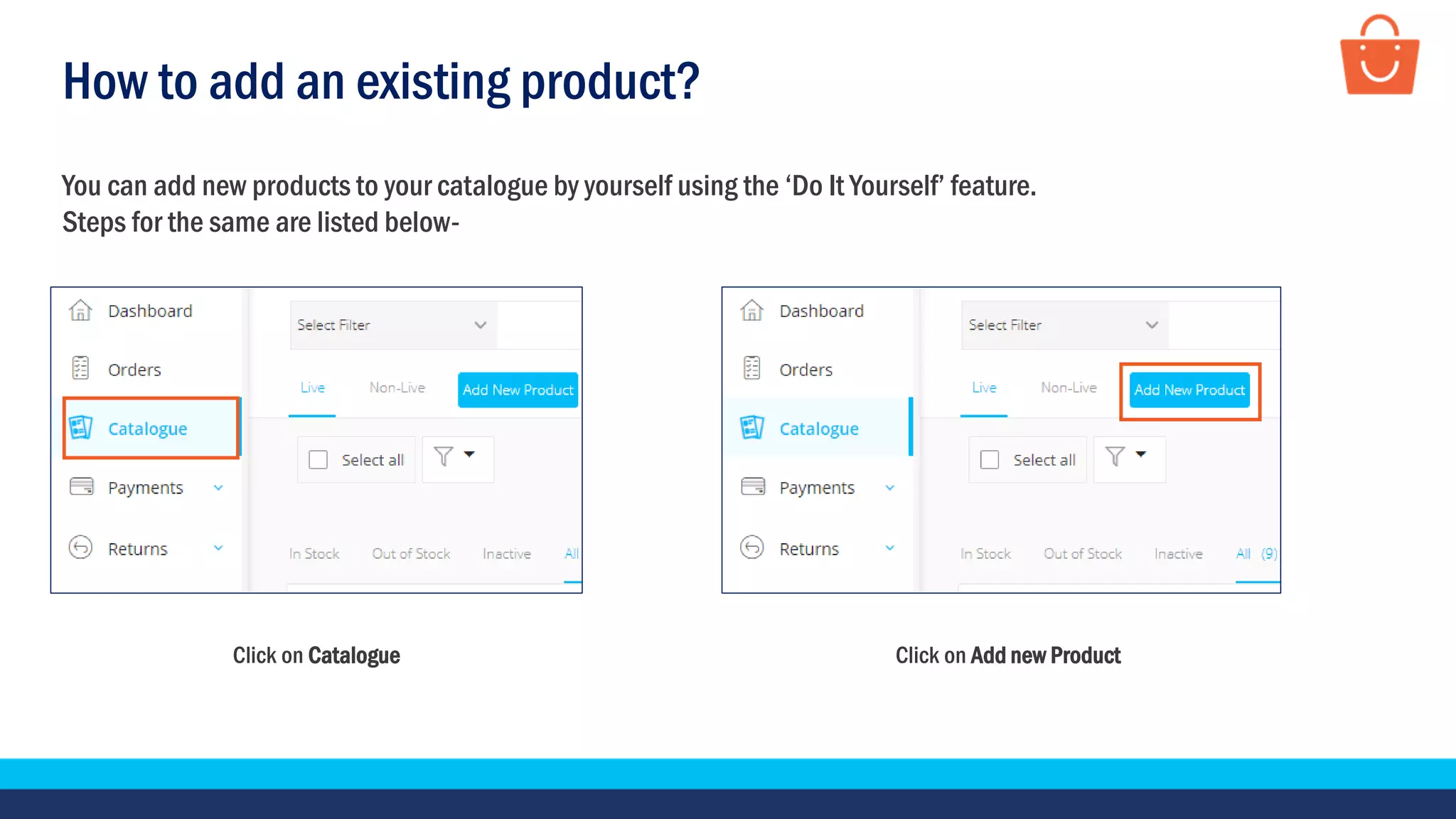
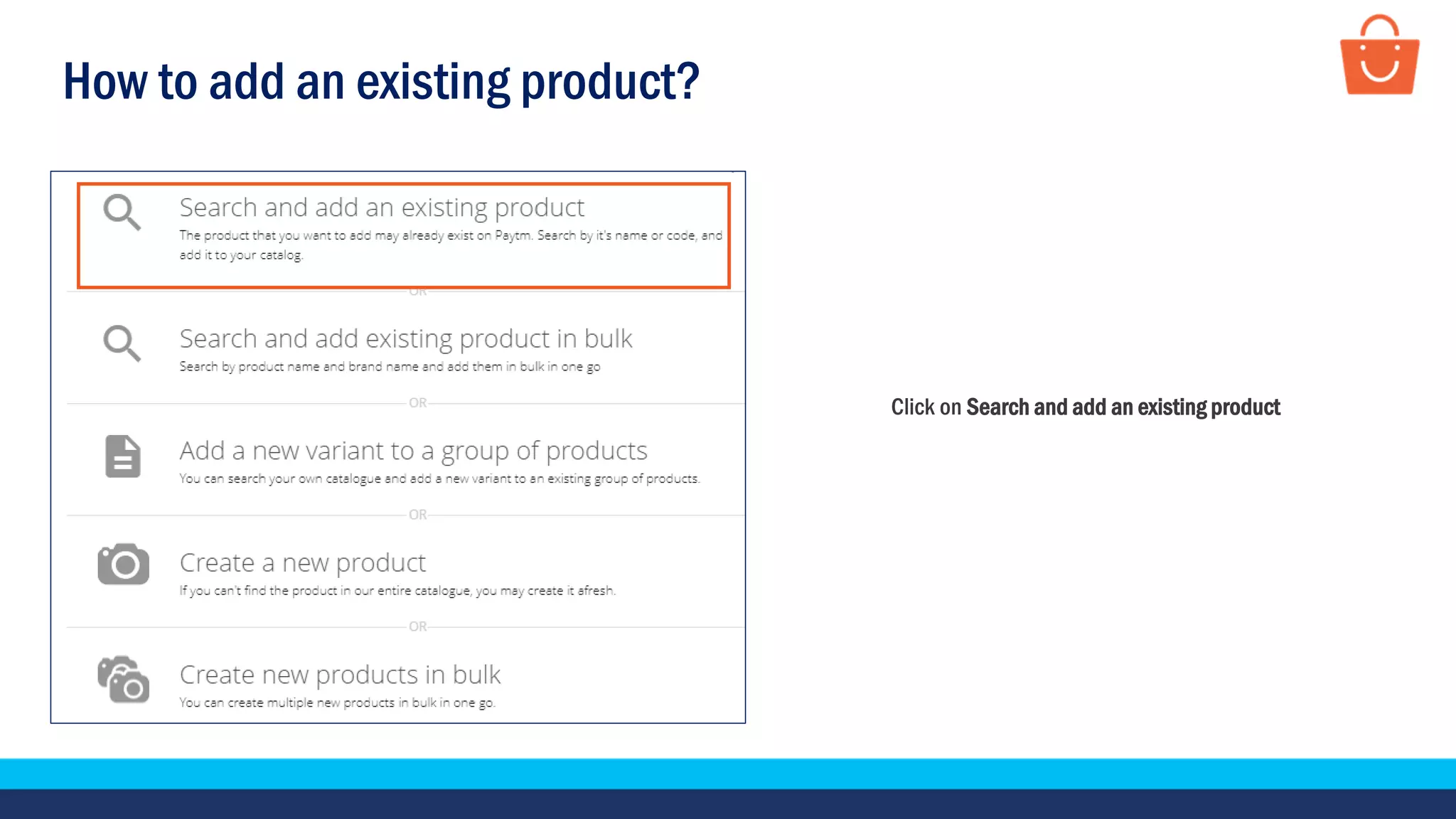
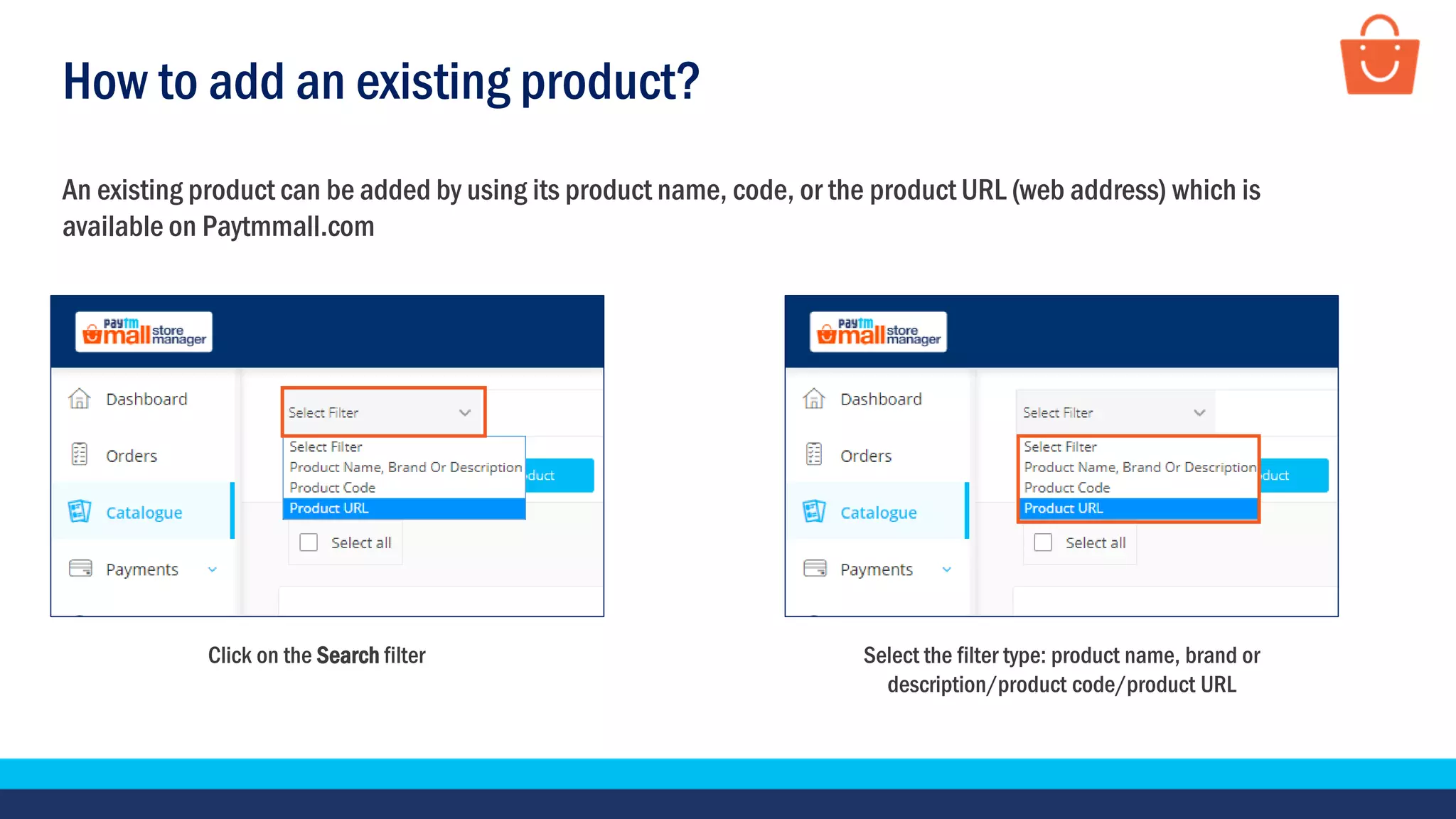
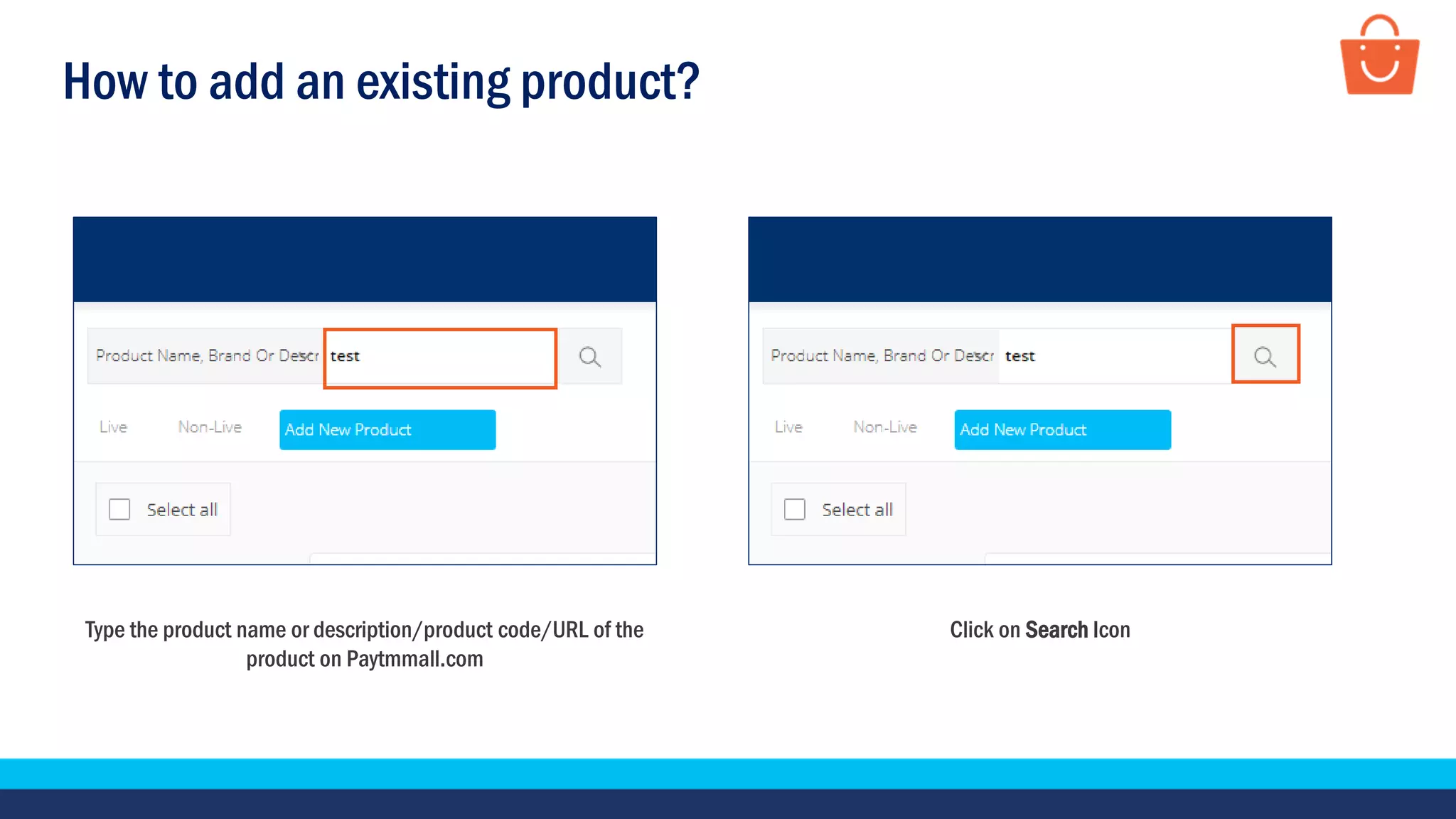
1. Click "Search and add existing product" and select a filter to search for the product by name, brand, or code/URL already listed on Paytm Mall.
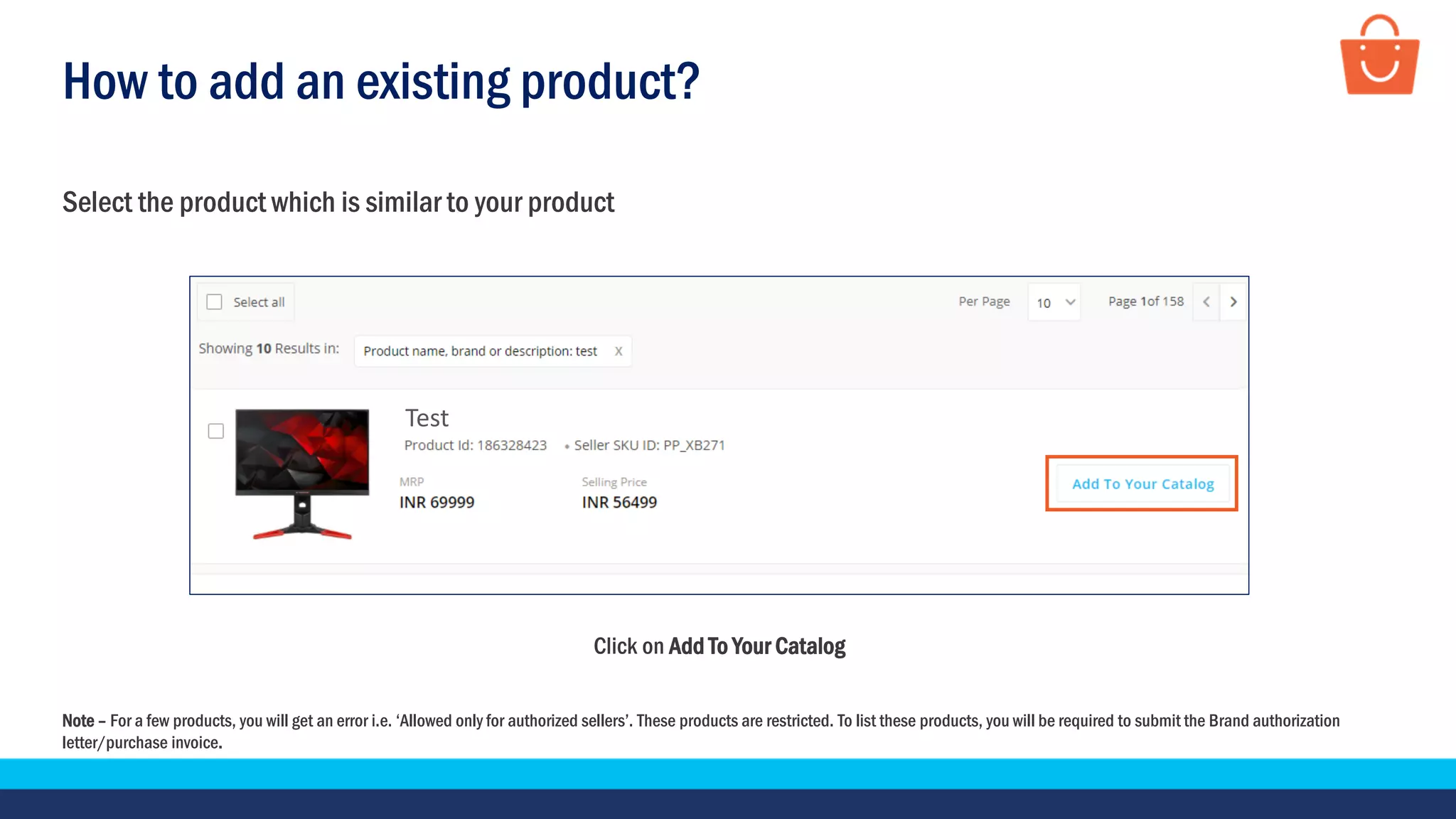
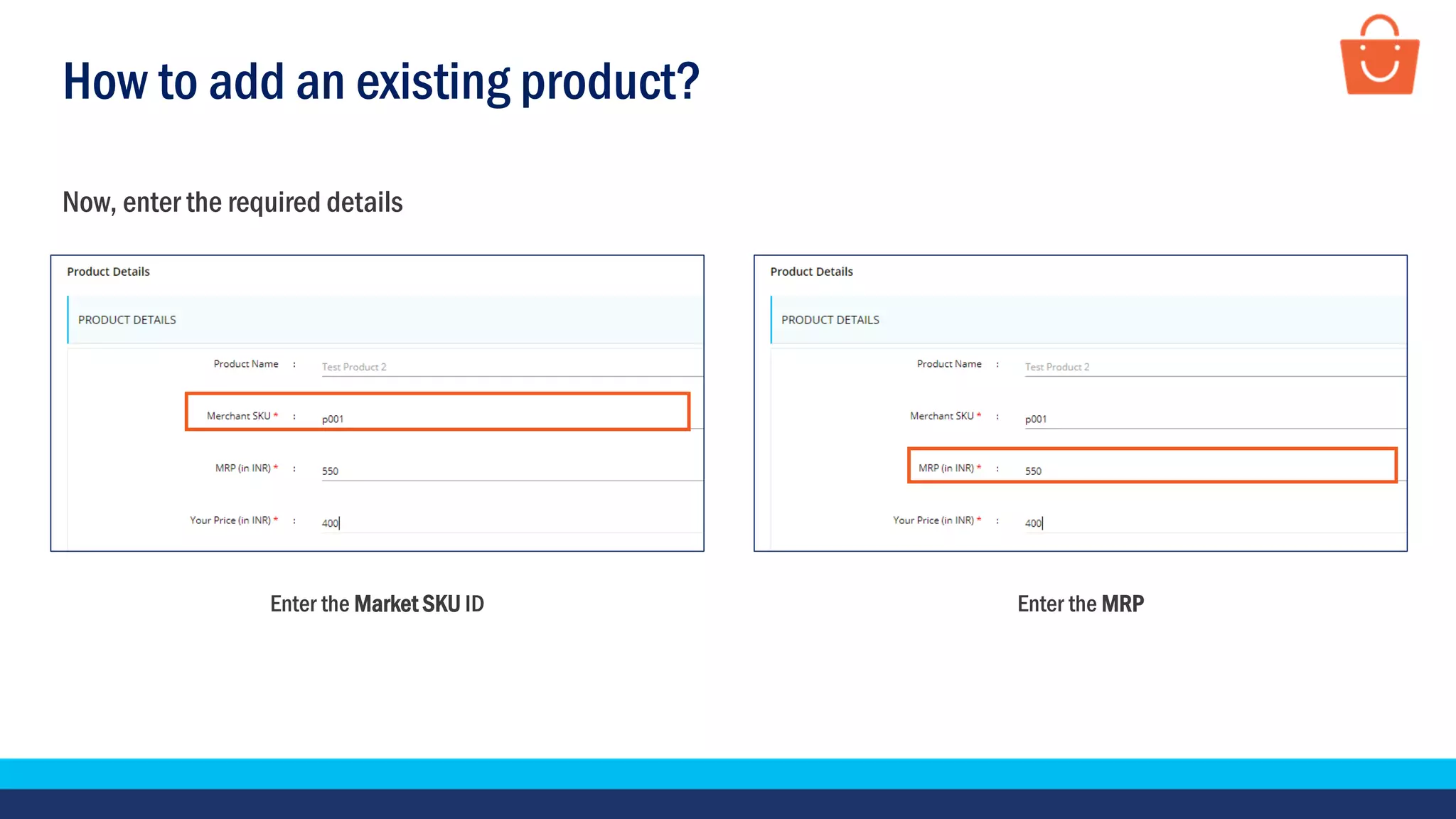
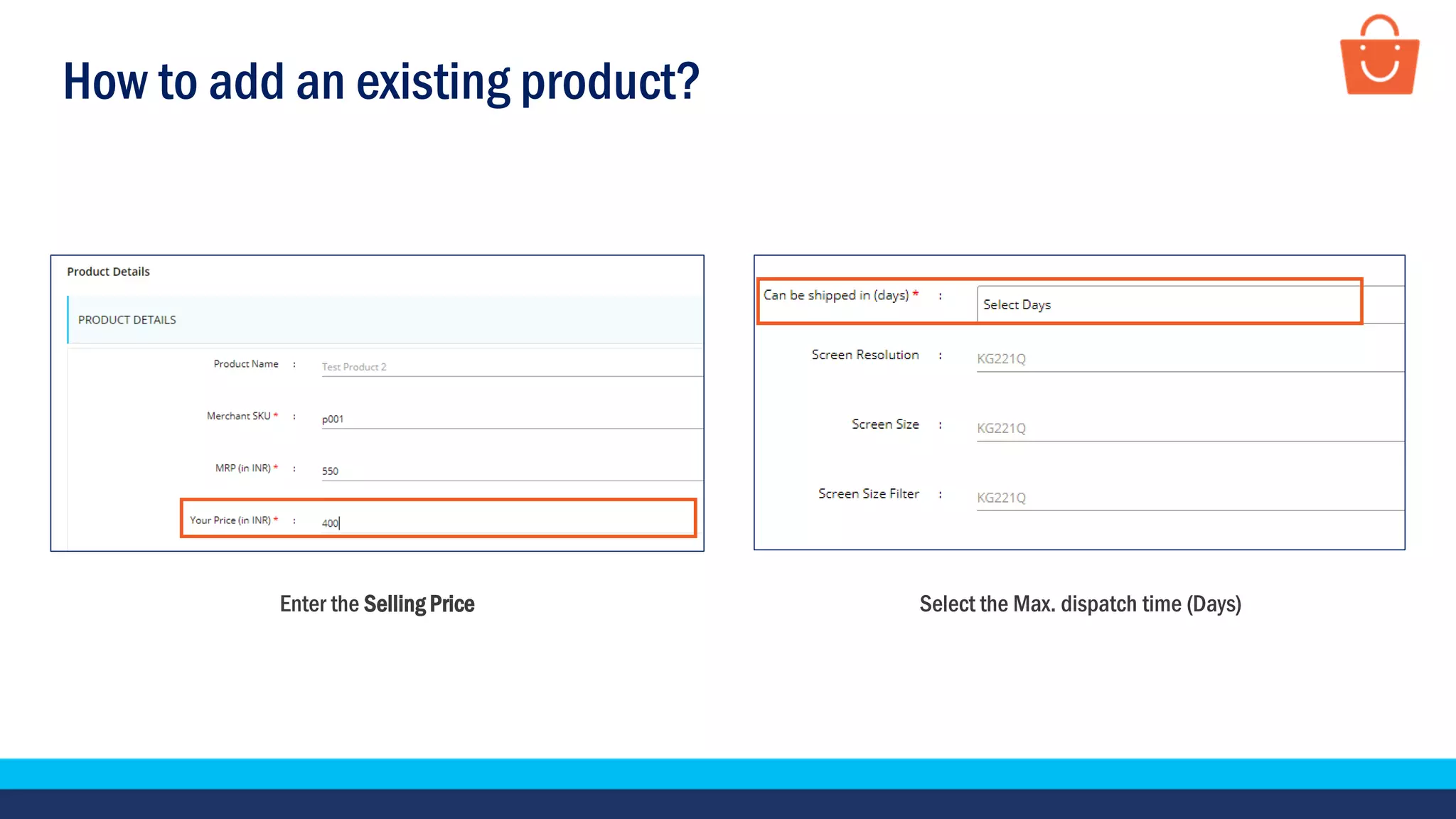
2. Find and select the matching product, then enter the required details like Market SKU ID, MRP, selling price, and maximum dispatch time.
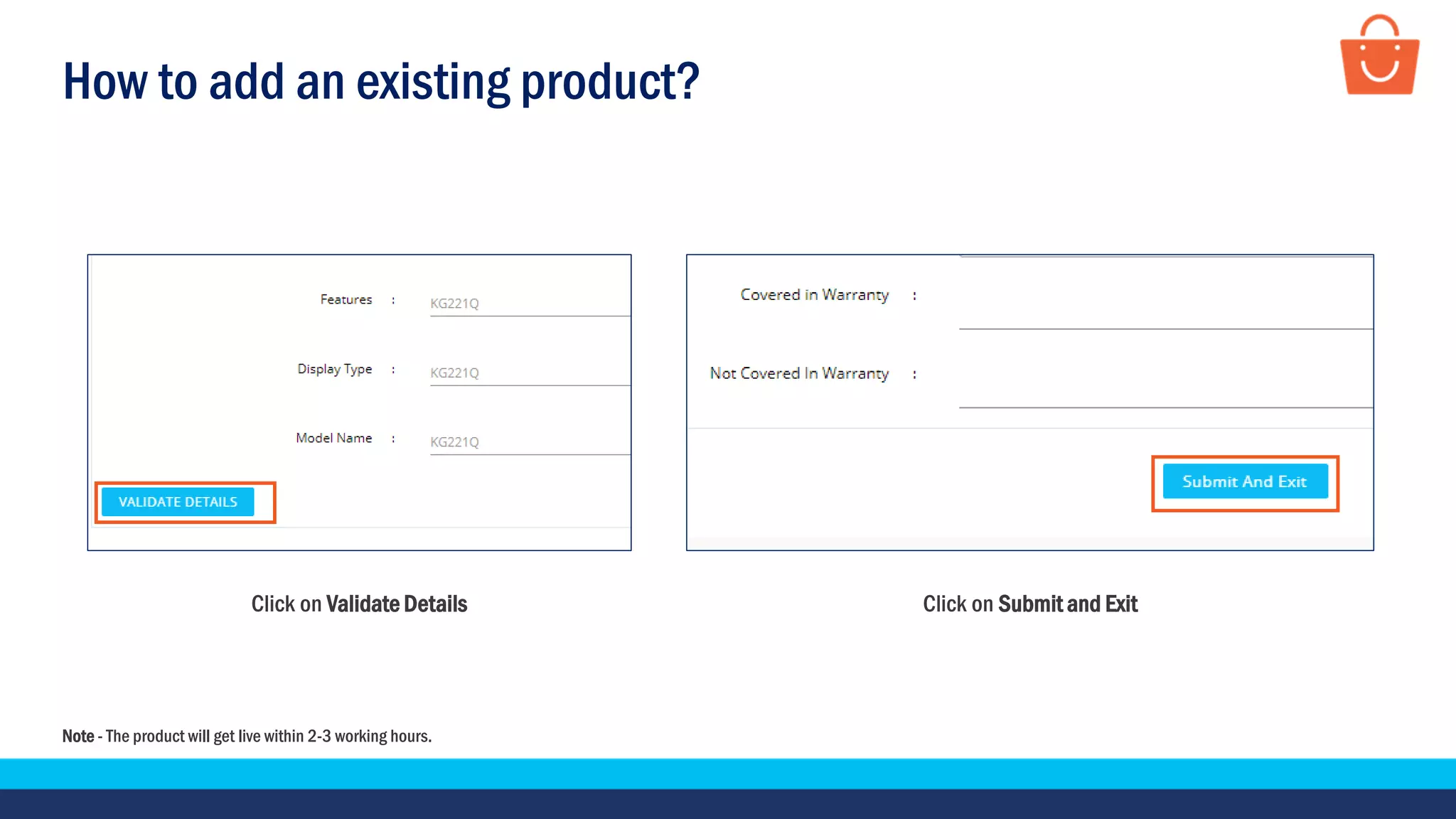
3. Click "Validate Details" and "Submit and Exit" to add the product to your catalogue, which will go live within 2-3 working hours.