Accessibility
An brief guide by Dushyant Kanungo
Objectives
• Gain a clear understanding of accessibility for digital interactions
• Why it matters
• How to achieve it
Accessibility
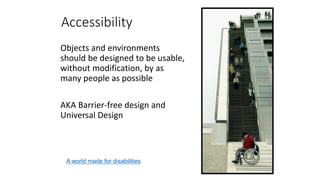
Objects and environments
should be designed to be usable,
without modification, by as
many people as possible
AKA Barrier-free design and
Universal Design
A world made for disabilities
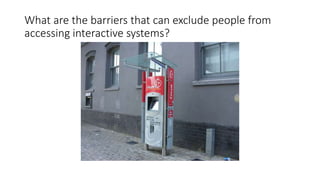
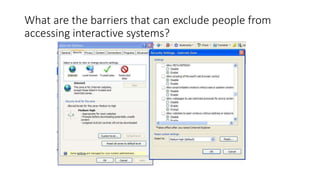
What are the barriers that can exclude people from
accessing interactive systems?
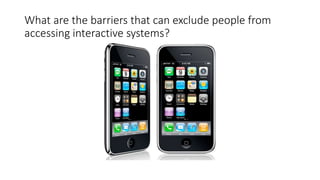
What are the barriers that can exclude people from
accessing interactive systems?
What are the barriers that can exclude people from
accessing interactive systems?
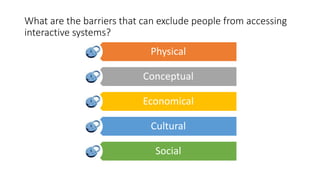
What are the barriers that can exclude people from accessing
interactive systems?
Physical
Conceptual
Economical
Cultural
Social
How people with disabilities use the web
• Stories of Web Users – Selected scenarios of people with a range of
disabilities
• Videos of how people with disabilities use ICT
• Screen Readers
• Importance of Page Layout
Potential Barriers for Accessibility to websites
• Visual Disabilities
• unlabeled graphics, undescribed video,
• poorly marked-up tables or frames,
• lack of keyboard support or screen reader compatibility
• Hearing Disabilities
• lack of captioning for audio,
• proliferation of text without graphics.
• Physical and Speech Disabilities
• lack of keyboard or single-switch support for menu commands;
• lack of alternatives for voice portals.
• Cognitive or neurological disabilities
• lack of consistent navigation structure,
• overly complex presentation or language,
• lack of illustrative non-text materials,
• flickering or strobing designs on pages.
• Example of a Before and After page
http://www.w3.org/WAI/guid-tech.html
Rules
The Law, the guideline and the compliance
Accessibility Guidelines
• Section 508
• ADA
• WAG 2.0
• WAG 2.1
Accessibility Guidelines
• Section 508 – Downgraded BUT still required for Federal Projects
• ADA – Americans with Disabilities Act
• WAG 2.0 – V1
• WAG 2.1 – V2
Web Content Accessibilities Guidelines
• By W3 Consortium
• Comes with various conformance levels
• A
• AA
• AAA
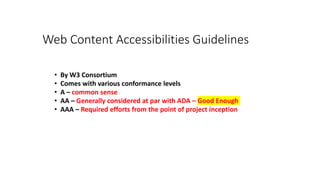
Web Content Accessibilities Guidelines
• By W3 Consortium
• Comes with various conformance levels
• A – common sense
• AA – Generally considered at par with ADA – Good Enough
• AAA – Required efforts from the point of project inception
Quality Engineering
Audit is the first step
Tools
• AATT by PayPal
• Wave Extension
• aXe Plugin
• More…
Manual Test
• Keyboard
• OSX Voice Over Utility
• JAWS Screen Reader
• More…
UX Design
Design is (also) the first step
Considerations
• Context
• Methods
• Interactions
• User Testing
• Evidence
• Motion Design
• Micro-Interactions
Tools
• Stark for Sketch
• User Test Results
• Common-Sense
Front-End Developers
The efforts
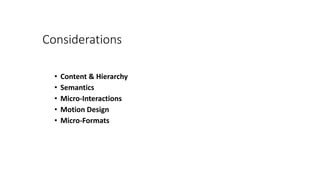
Considerations
• Content & Hierarchy
• Semantics
• Micro-Interactions
• Motion Design
• Micro-Formats
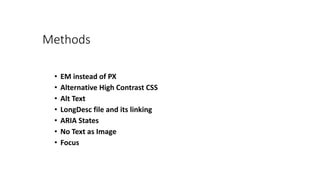
Methods
• EM instead of PX
• Alternative High Contrast CSS
• Alt Text
• LongDesc file and its linking
• ARIA States
• No Text as Image
• Focus
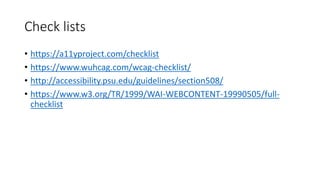
Check lists
• https://a11yproject.com/checklist
• https://www.wuhcag.com/wcag-checklist/
• http://accessibility.psu.edu/guidelines/section508/
• https://www.w3.org/TR/1999/WAI-WEBCONTENT-19990505/full-
checklist
WARNING
• This is a legal matter.
• If we say something is complaint, it better be.
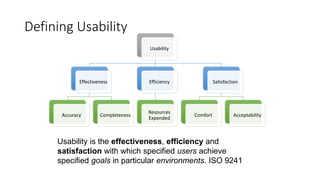
Defining Usability
Usability
Effectiveness
Accuracy Completeness
Efficiency
Resources
Expended
Satisfaction
Comfort Acceptability
Usability is the effectiveness, efficiency and
satisfaction with which specified users achieve
specified goals in particular environments. ISO 9241
Galaxy’s Accessibility Compliance Services
• Accessibility Compliance Audit
• Accessibility Compliance Implementation
• Accessibility Training
• Accessibility Recommendations
• Accessibility Compliance Certification (Future)
Thanks

Accessibility for Web

  • 1.
    Accessibility An brief guideby Dushyant Kanungo
  • 2.
    Objectives • Gain aclear understanding of accessibility for digital interactions • Why it matters • How to achieve it
  • 3.
    Accessibility Objects and environments shouldbe designed to be usable, without modification, by as many people as possible AKA Barrier-free design and Universal Design A world made for disabilities
  • 4.
    What are thebarriers that can exclude people from accessing interactive systems?
  • 5.
    What are thebarriers that can exclude people from accessing interactive systems?
  • 6.
    What are thebarriers that can exclude people from accessing interactive systems?
  • 7.
    What are thebarriers that can exclude people from accessing interactive systems? Physical Conceptual Economical Cultural Social
  • 8.
    How people withdisabilities use the web • Stories of Web Users – Selected scenarios of people with a range of disabilities • Videos of how people with disabilities use ICT • Screen Readers • Importance of Page Layout
  • 9.
    Potential Barriers forAccessibility to websites • Visual Disabilities • unlabeled graphics, undescribed video, • poorly marked-up tables or frames, • lack of keyboard support or screen reader compatibility • Hearing Disabilities • lack of captioning for audio, • proliferation of text without graphics. • Physical and Speech Disabilities • lack of keyboard or single-switch support for menu commands; • lack of alternatives for voice portals. • Cognitive or neurological disabilities • lack of consistent navigation structure, • overly complex presentation or language, • lack of illustrative non-text materials, • flickering or strobing designs on pages. • Example of a Before and After page http://www.w3.org/WAI/guid-tech.html
  • 10.
    Rules The Law, theguideline and the compliance
  • 11.
    Accessibility Guidelines • Section508 • ADA • WAG 2.0 • WAG 2.1
  • 12.
    Accessibility Guidelines • Section508 – Downgraded BUT still required for Federal Projects • ADA – Americans with Disabilities Act • WAG 2.0 – V1 • WAG 2.1 – V2
  • 13.
    Web Content AccessibilitiesGuidelines • By W3 Consortium • Comes with various conformance levels • A • AA • AAA
  • 14.
    Web Content AccessibilitiesGuidelines • By W3 Consortium • Comes with various conformance levels • A – common sense • AA – Generally considered at par with ADA – Good Enough • AAA – Required efforts from the point of project inception
  • 15.
  • 16.
    Tools • AATT byPayPal • Wave Extension • aXe Plugin • More…
  • 17.
    Manual Test • Keyboard •OSX Voice Over Utility • JAWS Screen Reader • More…
  • 18.
    UX Design Design is(also) the first step
  • 19.
    Considerations • Context • Methods •Interactions • User Testing • Evidence • Motion Design • Micro-Interactions
  • 20.
    Tools • Stark forSketch • User Test Results • Common-Sense
  • 21.
  • 22.
    Considerations • Content &Hierarchy • Semantics • Micro-Interactions • Motion Design • Micro-Formats
  • 23.
    Methods • EM insteadof PX • Alternative High Contrast CSS • Alt Text • LongDesc file and its linking • ARIA States • No Text as Image • Focus
  • 24.
    Check lists • https://a11yproject.com/checklist •https://www.wuhcag.com/wcag-checklist/ • http://accessibility.psu.edu/guidelines/section508/ • https://www.w3.org/TR/1999/WAI-WEBCONTENT-19990505/full- checklist
  • 25.
    WARNING • This isa legal matter. • If we say something is complaint, it better be.
  • 26.
    Defining Usability Usability Effectiveness Accuracy Completeness Efficiency Resources Expended Satisfaction ComfortAcceptability Usability is the effectiveness, efficiency and satisfaction with which specified users achieve specified goals in particular environments. ISO 9241
  • 27.
    Galaxy’s Accessibility ComplianceServices • Accessibility Compliance Audit • Accessibility Compliance Implementation • Accessibility Training • Accessibility Recommendations • Accessibility Compliance Certification (Future)
  • 28.