Thank You For Your Participation!
ACCESSIBILITY TESTING &
CONTINUOUS INTEGRATION
Keyur Shah
Distinguished Member of Technical Staff @ Verizon
https://www.linkedin.com/in/keyurkshah
About Me
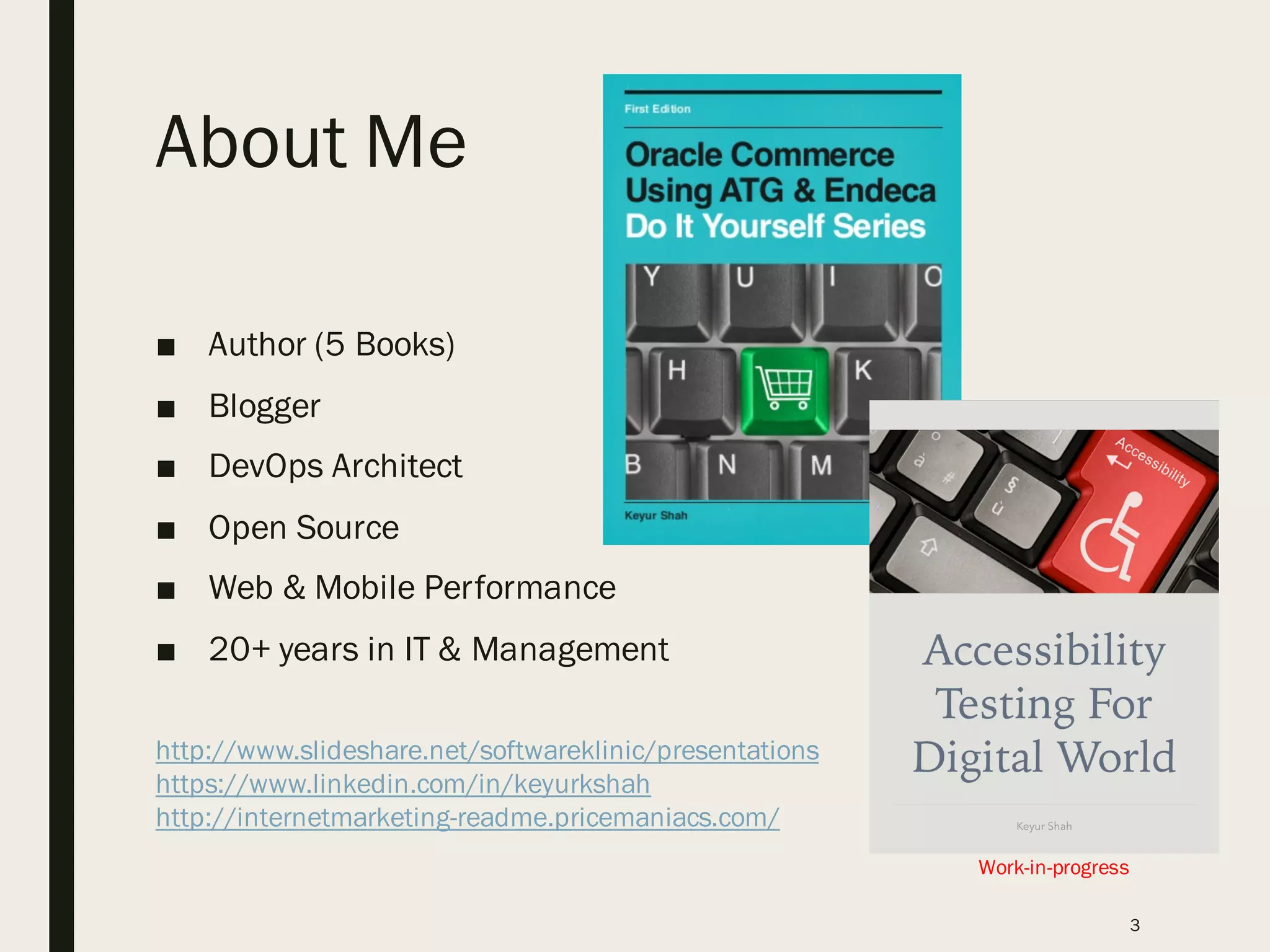
■ Author (5 Books)
■ Blogger
■ DevOps Architect
■ Open Source
■ Web & Mobile Performance
■ 20+ years in IT & Management
3
Work-in-progress
http://www.slideshare.net/softwareklinic/presentations
https://www.linkedin.com/in/keyurkshah
http://internetmarketing-readme.pricemaniacs.com/
AGENDA
• Accessibility Overview & Standards
• Cost of ignorance or non-compliance
• Target Audience: Everyone Engaged in a Project
• Again – how do we leverage Open Source?
• Asqatasun – Accessibility Testing Software
• Selenium Builder
4
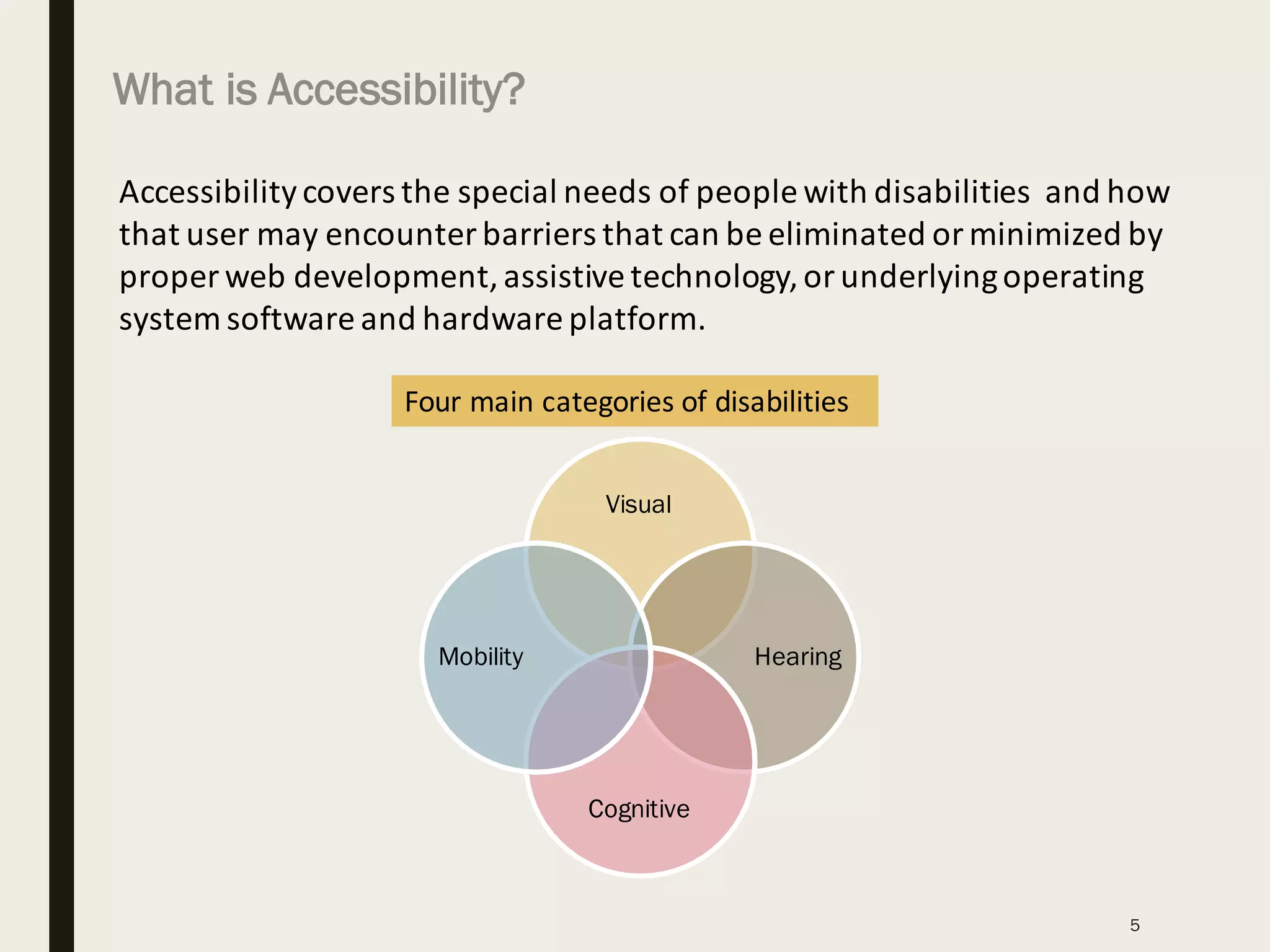
Accessibility	covers	the	special	needs	of	people	with	disabilities		and	how	
that	user	may	encounter	barriers	that	can	be	eliminated	or	minimized	by	
proper	web	development,	assistive	technology,	or	underlying	operating	
system	software	and	hardware	platform.
Four	main	categories	of	disabilities
Visual
Hearing
Cognitive
Mobility
What is Accessibility?
5
6
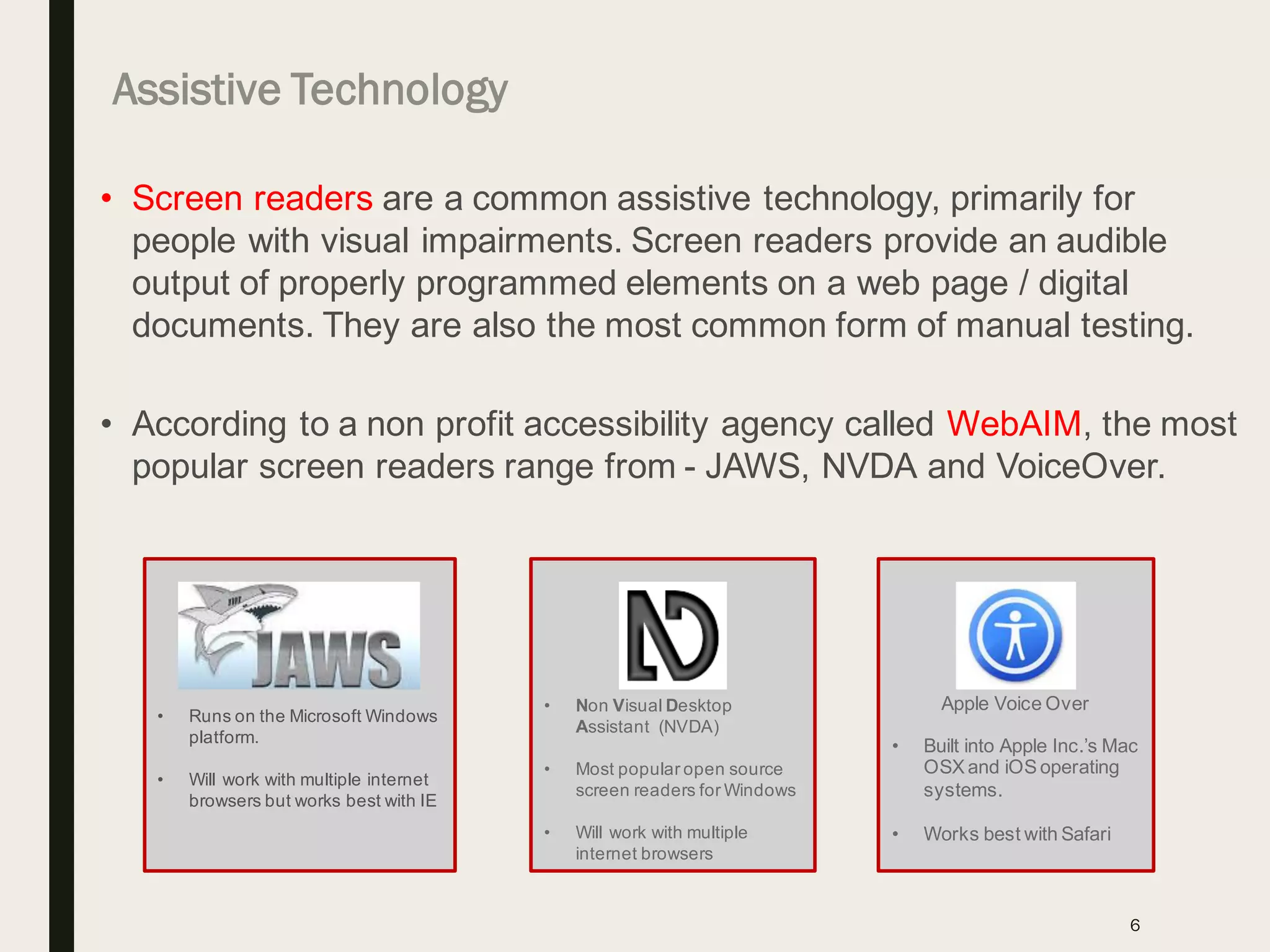
• Screen readers are a common assistive technology, primarily for
people with visual impairments. Screen readers provide an audible
output of properly programmed elements on a web page / digital
documents. They are also the most common form of manual testing.
• According to a non profit accessibility agency called WebAIM, the most
popular screen readers range from - JAWS, NVDA and VoiceOver.
• Runs on the Microsoft Windows
platform.
• Will work with multiple internet
browsers but works best with IE
• Non Visual Desktop
Assistant (NVDA)
• Most popular open source
screen readers for Windows
• Will work with multiple
internet browsers
Apple Voice Over
• Built into Apple Inc.’s Mac
OSX and iOS operating
systems.
• Works best with Safari
Assistive Technology
7
Remediation efforts
(one timecosts)
Training and education
(periodic costs)
Accessibility Assessment
(one timecosts)
Pre-existing site
(add accessibility after site built)
New/Re-design site
(build-in accessibility before design)
Tools and integration
(one-time& maintenance)
Governanceintegration
(one-time& maintenance)
Quality Assurance
(periodic costs)
Remediation
(less over time)
Project and Overhead
(schedule and costs)
Training and education
(periodic costs)
Tools and integration
(one-time& maintenance)
Governanceintegration
(one-time& maintenance)
Project and Overhead
(schedule and costs)
Quality Assurance
(periodic costs)
=
=
=
=
=
[avoid these costs]
[avoid these costs]
Accessibility is less expensive when “built-in”
Note: This slide is from oneof the IBM presentations
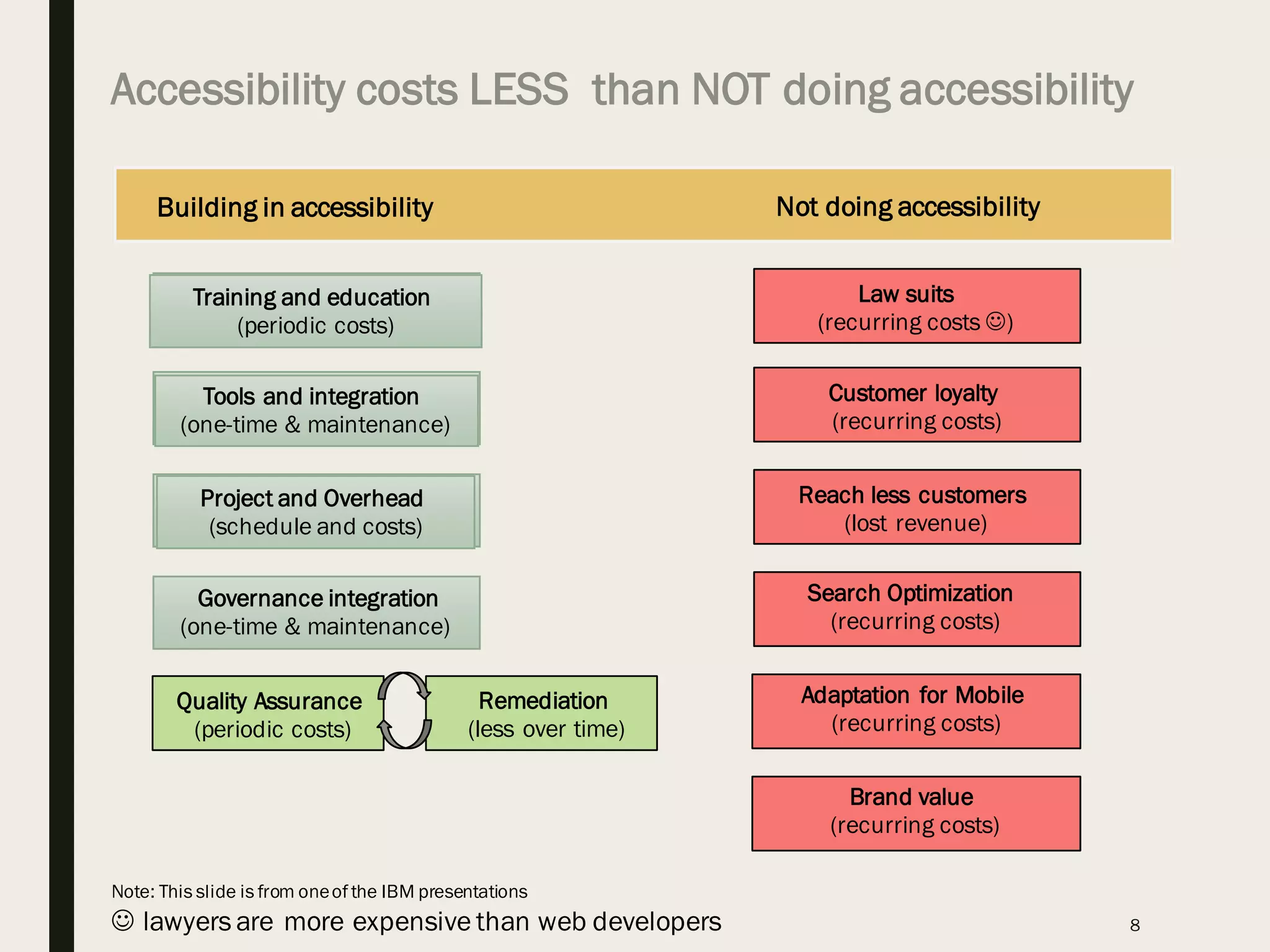
Accessibility costs LESS than NOT doing accessibility
8
Training and education
(periodic costs)
Building in accessibility Not doing accessibility
Tools and integration
(one-time & maintenance)
Governance integration
(one-time & maintenance)
Project and Overhead
(schedule and costs)
Law suits
(recurring costs J)
Customer loyalty
(recurring costs)
Search Optimization
(recurring costs)
Reach less customers
(lost revenue)
Adaptation for Mobile
(recurring costs)
Brand value
(recurring costs)
Quality Assurance
(periodic costs)
Remediation
(less over time)
J lawyers are more expensive than web developers
Note: This slide is from oneof the IBM presentations
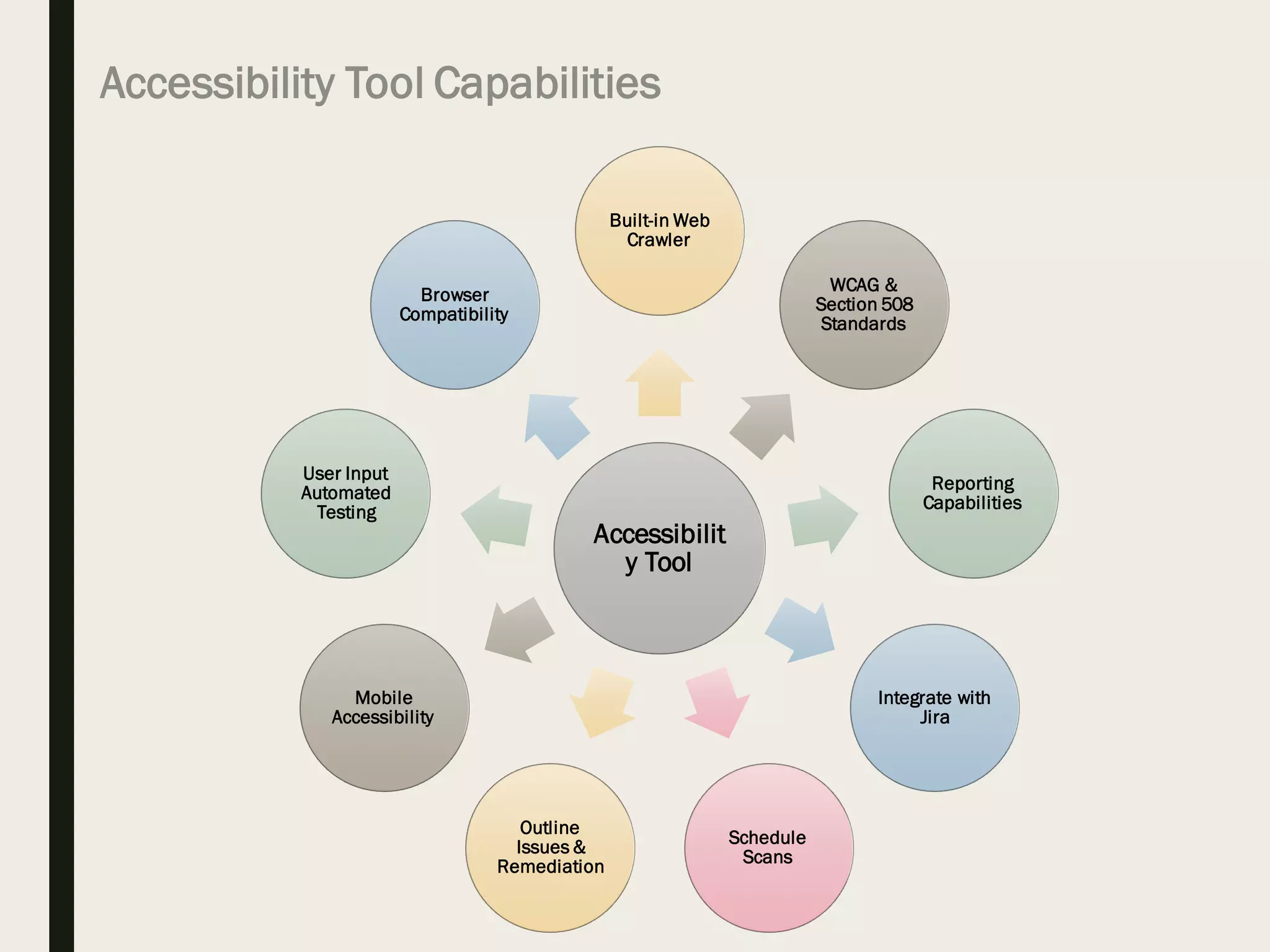
Accessibility Tool Capabilities
Accessibilit
y Tool
Built-in Web
Crawler
WCAG &
Section 508
Standards
Reporting
Capabilities
Integrate with
Jira
Schedule
Scans
Outline
Issues &
Remediation
Mobile
Accessibility
User Input
Automated
Testing
Browser
Compatibility
W3C Accessibility Demo – Before And After (BAD)
10
https://www.w3.org/WAI/demos/bad/
Open Source Options
■ Below are some of the open source options that we tried out for
testing Accessibility of Rich Internet Applications
• Quail - http://quailjs.org
• AXE-Core - https://github.com/dequelabs/axe-core
• Pa11y Command-line - http://pa11y.org
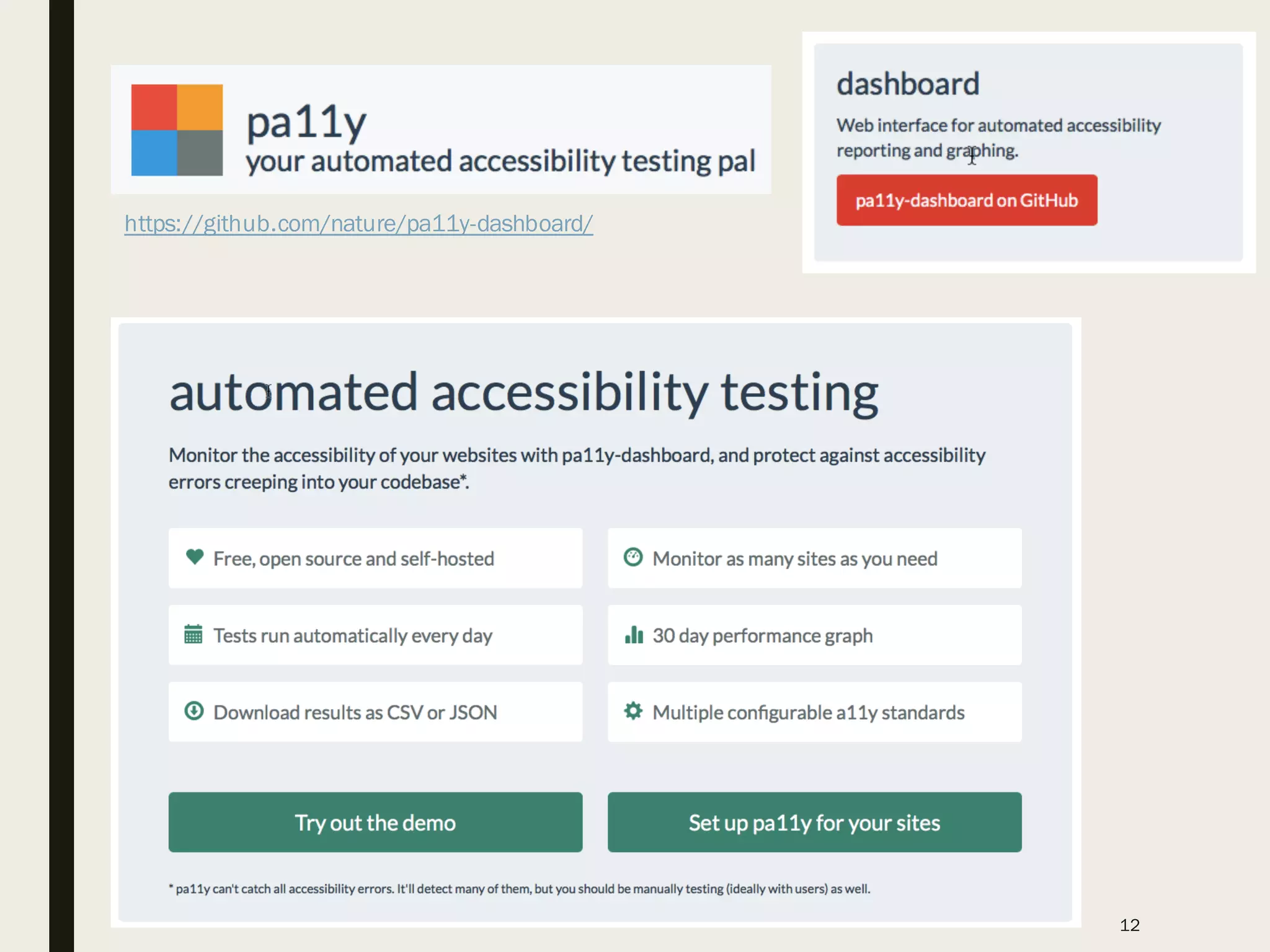
• Pa11y-Dashboard - https://github.com/nature/pa11y-dashboard/
• PayPal AATT - https://github.com/paypal/AATT
• Achecker - http://achecker.ca/checker/index.php or
https://github.com/inclusive-design/AChecker
• Asqatasun - http://asqatasun.org or
https://github.com/Asqatasun/Asqatasun
11
https://github.com/nature/pa11y-dashboard/
12
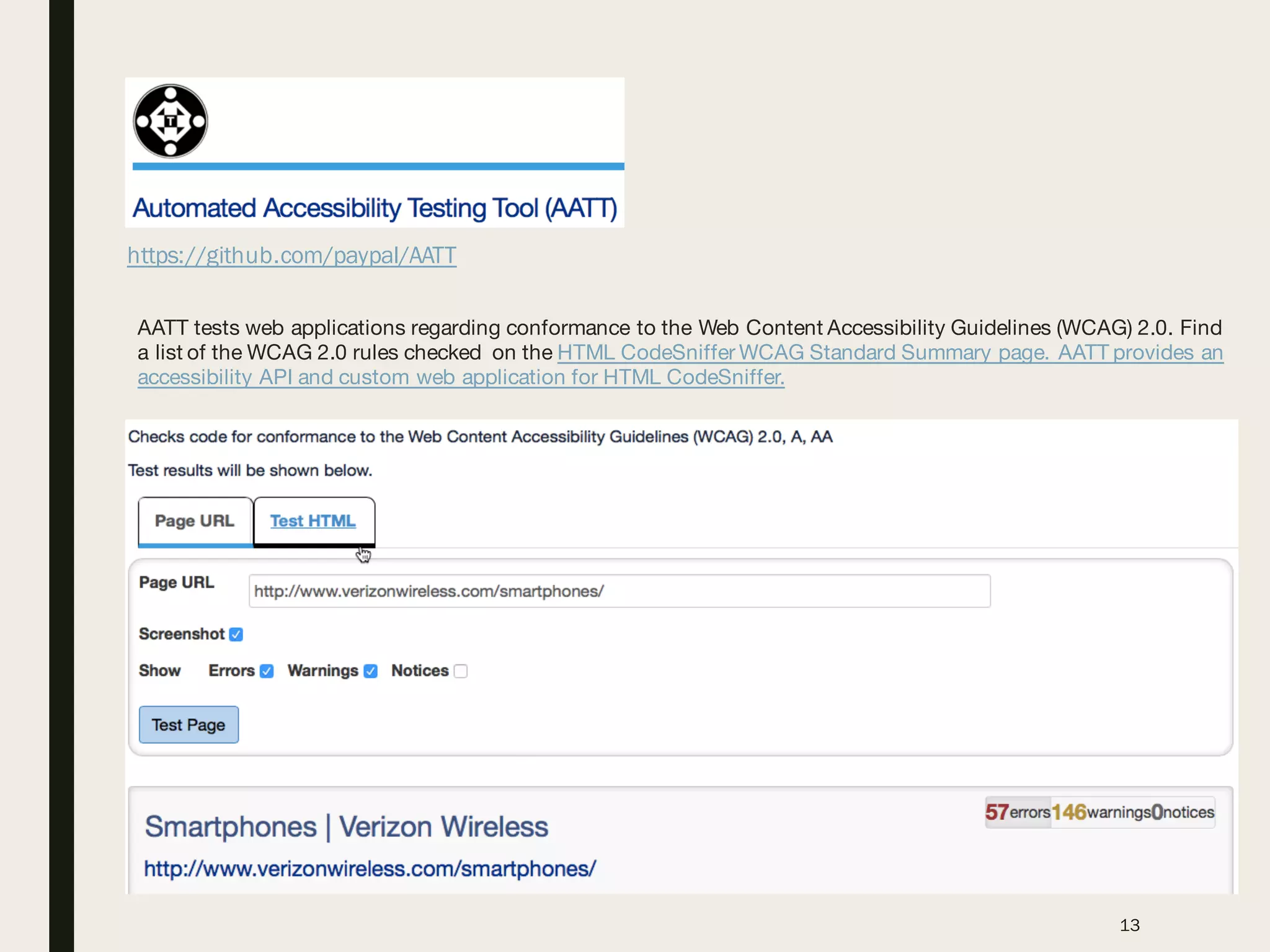
https://github.com/paypal/AATT
13
AATT tests web applications regarding conformance to the Web Content Accessibility Guidelines (WCAG) 2.0. Find
a list of the WCAG 2.0 rules checked on the HTML CodeSniffer WCAG Standard Summary page. AATT provides an
accessibility API and custom web application for HTML CodeSniffer.
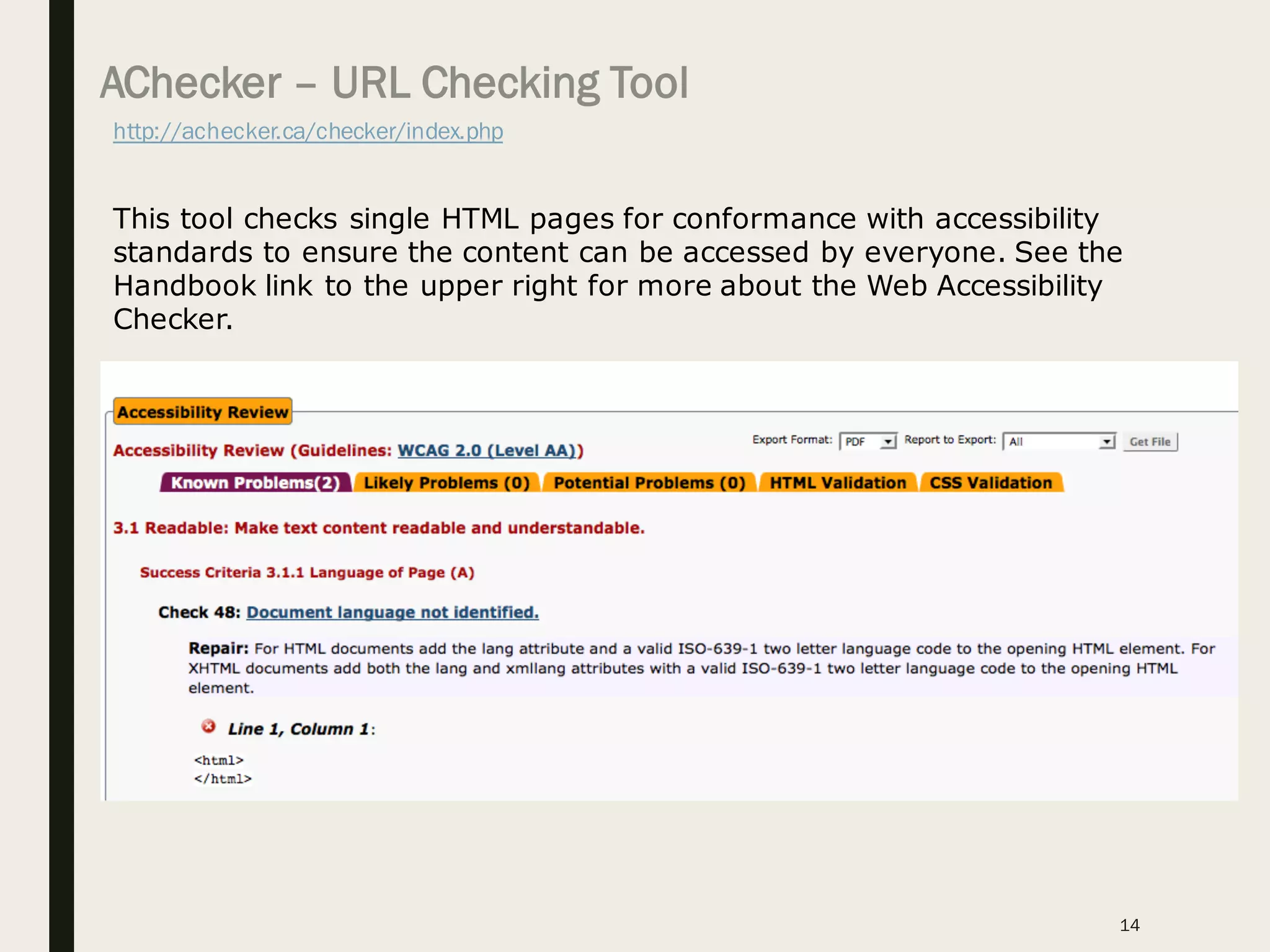
AChecker – URL Checking Tool
http://achecker.ca/checker/index.php
14
This tool checks single HTML pages for conformance with accessibility
standards to ensure the content can be accessed by everyone. See the
Handbook link to the upper right for more about the Web Accessibility
Checker.
15
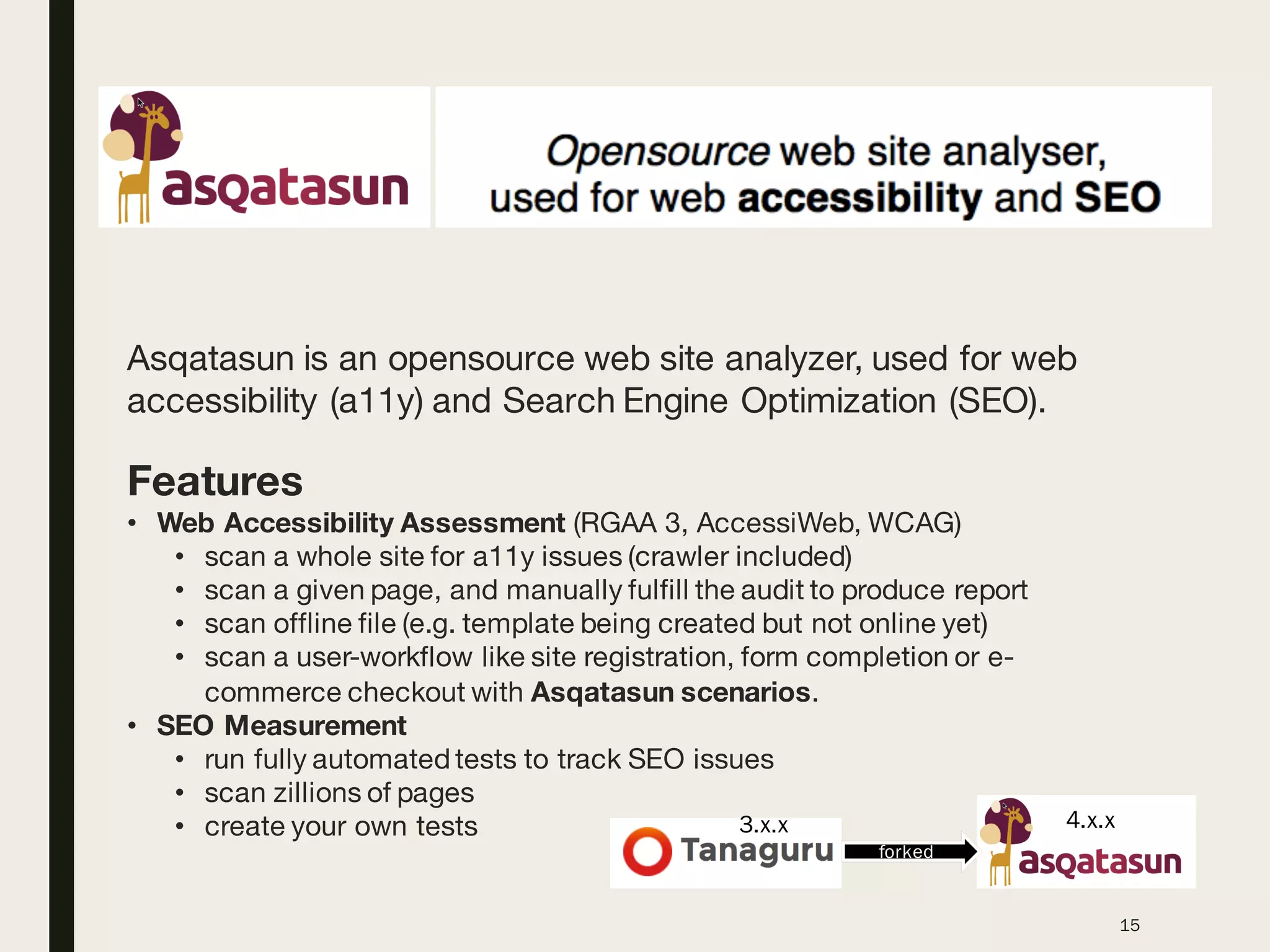
Asqatasun is an opensource web site analyzer, used for web
accessibility (a11y) and Search Engine Optimization (SEO).
Features
• Web Accessibility Assessment (RGAA 3, AccessiWeb, WCAG)
• scan a whole site for a11y issues (crawler included)
• scan a given page, and manually fulfill the audit to produce report
• scan offline file (e.g. template being created but not online yet)
• scan a user-workflow like site registration, form completion or e-
commerce checkout with Asqatasun scenarios.
• SEO Measurement
• run fully automated tests to track SEO issues
• scan zillions of pages
• create your own tests
forked
3.x.x 4.x.x
16
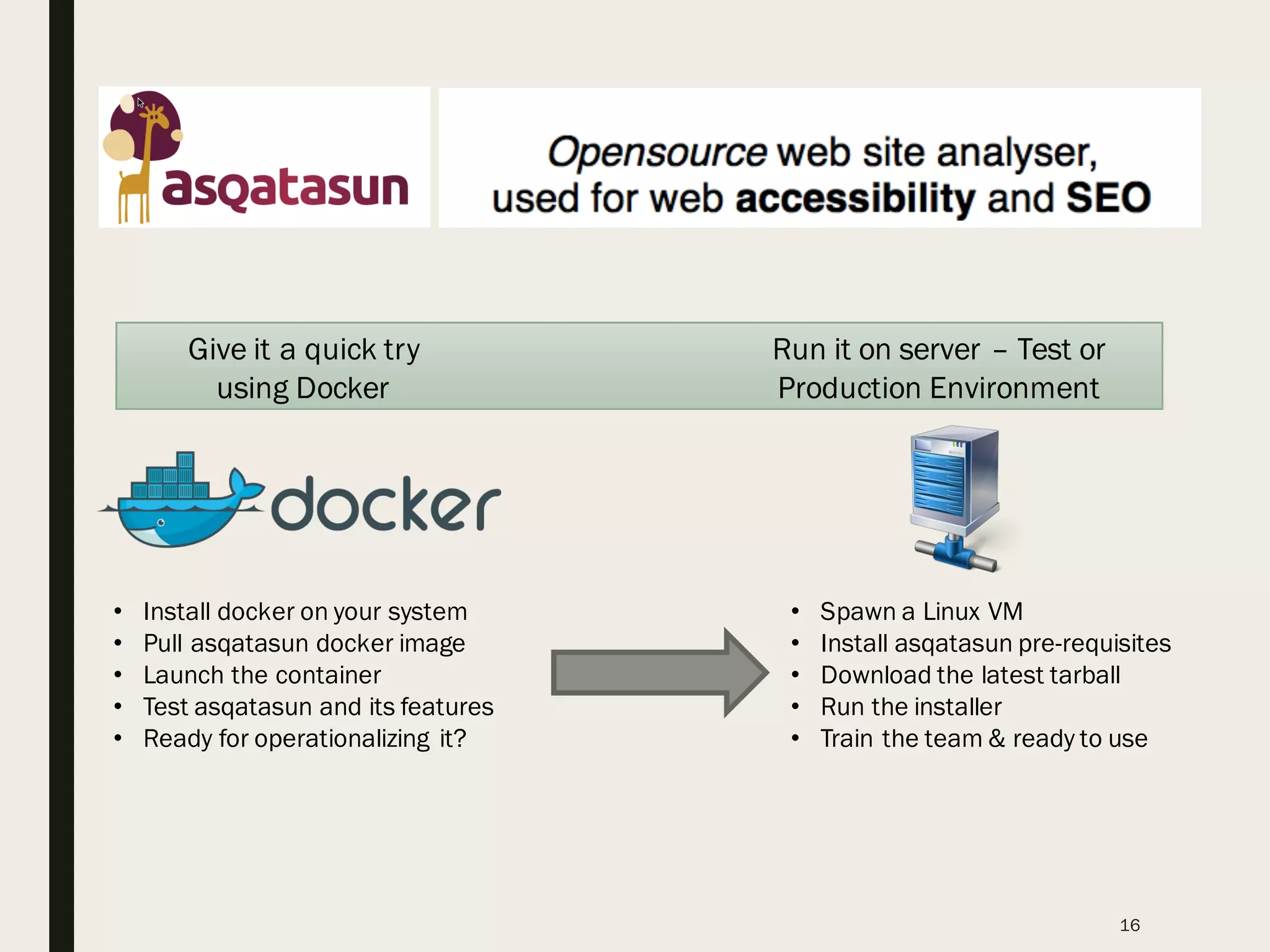
Give it a quick try
using Docker
Run it on server – Test or
Production Environment
• Install docker on your system
• Pull asqatasun docker image
• Launch the container
• Test asqatasun and its features
• Ready for operationalizing it?
• Spawn a Linux VM
• Install asqatasun pre-requisites
• Download the latest tarball
• Run the installer
• Train the team & ready to use
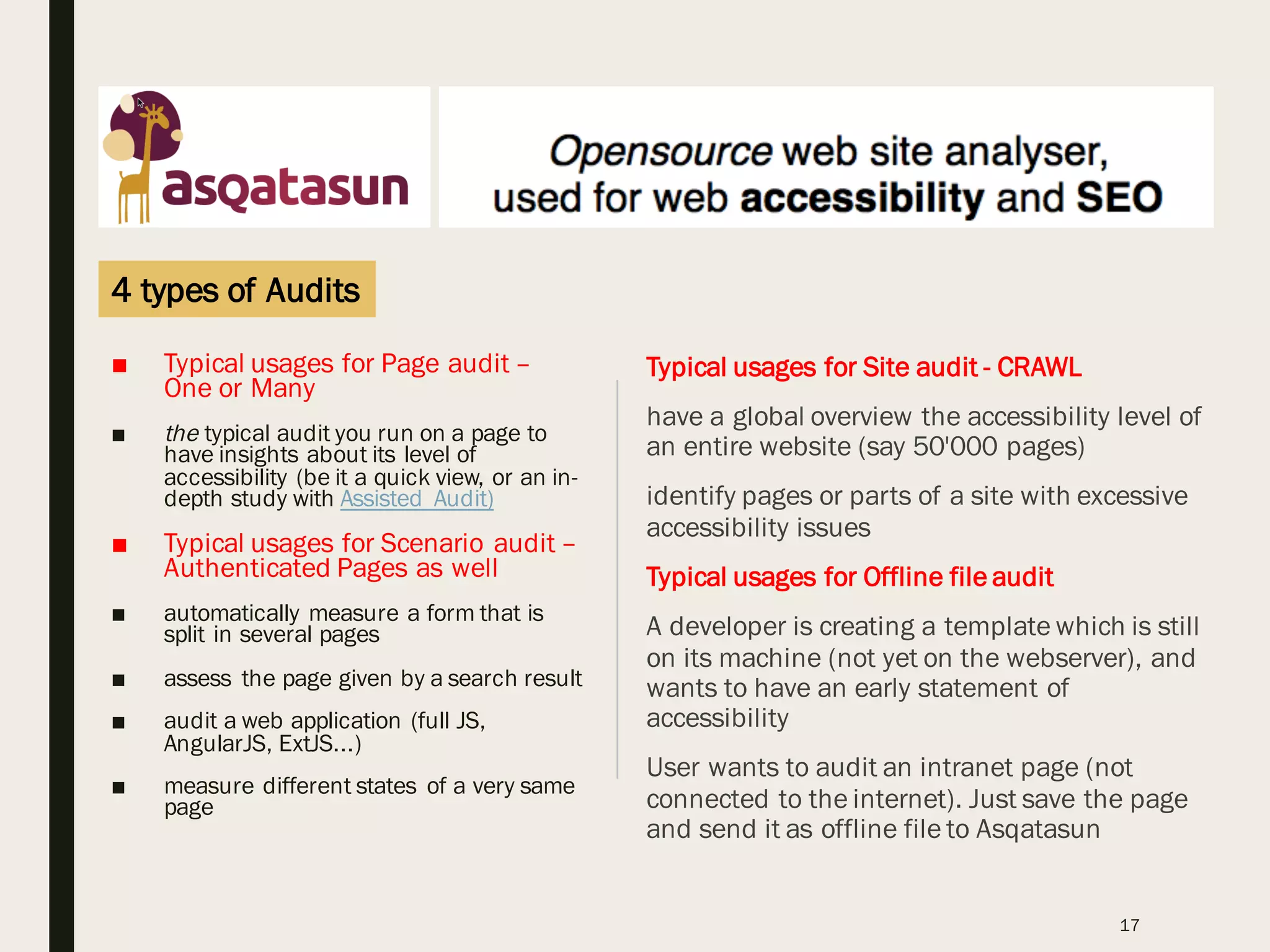
■ Typical usages for Page audit –
One or Many
■ the typical audit you run on a page to
have insights about its level of
accessibility (be it a quick view, or an in-
depth study with Assisted Audit)
■ Typical usages for Scenario audit –
Authenticated Pages as well
■ automatically measure a form that is
split in several pages
■ assess the page given by a search result
■ audit a web application (full JS,
AngularJS, ExtJS...)
■ measure different states of a very same
page
17
Typical usages for Site audit - CRAWL
have a global overview the accessibility level of
an entire website (say 50'000 pages)
identify pages or parts of a site with excessive
accessibility issues
Typical usages for Offline file audit
A developer is creating a template which is still
on its machine (not yet on the webserver), and
wants to have an early statement of
accessibility
User wants to audit an intranet page (not
connected to the internet). Just save the page
and send it as offline file to Asqatasun
4 types of Audits
Selenium Builder & Asqatasun
18
http://seleniumbuilder.github.io/se-builder/
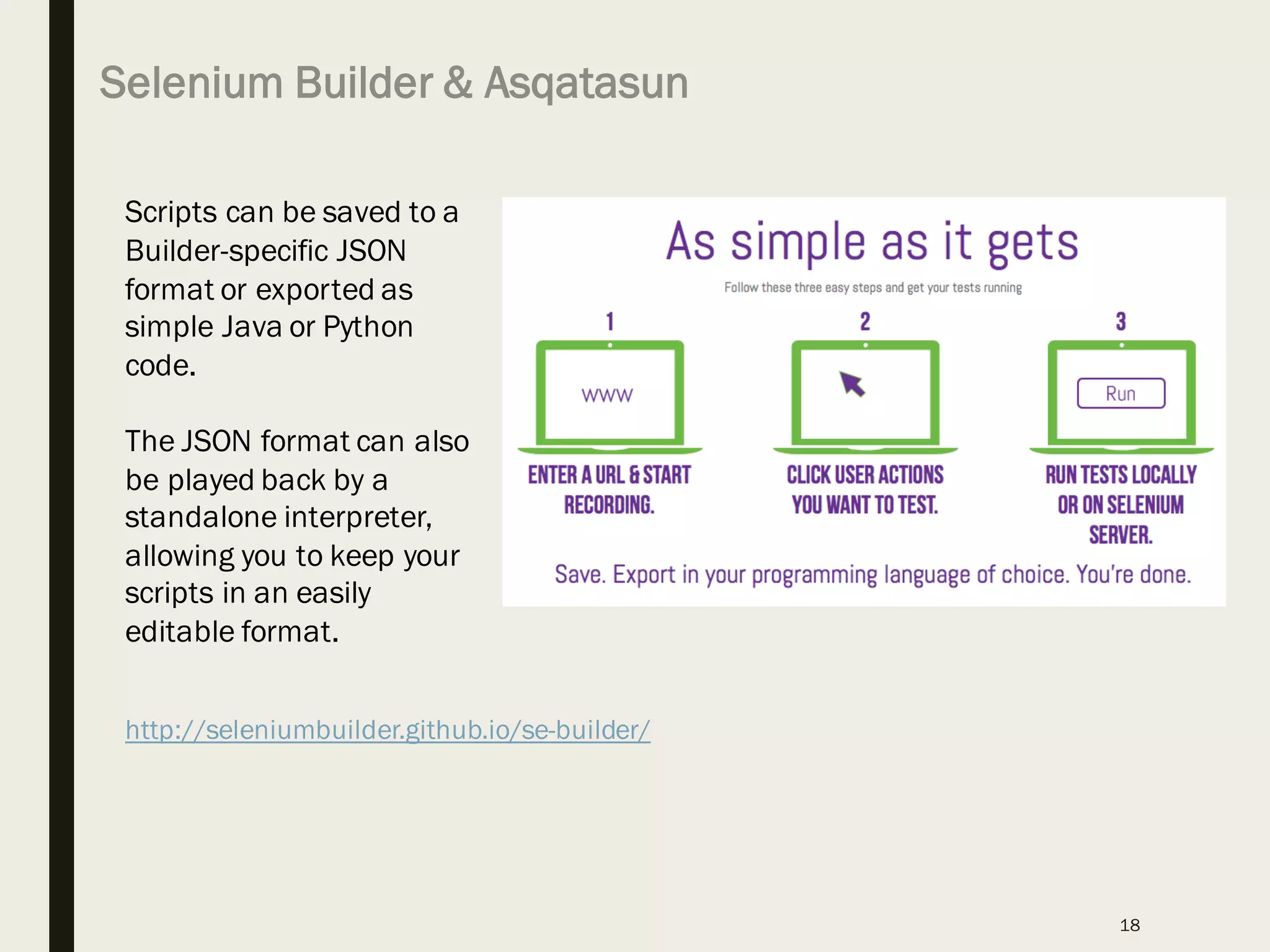
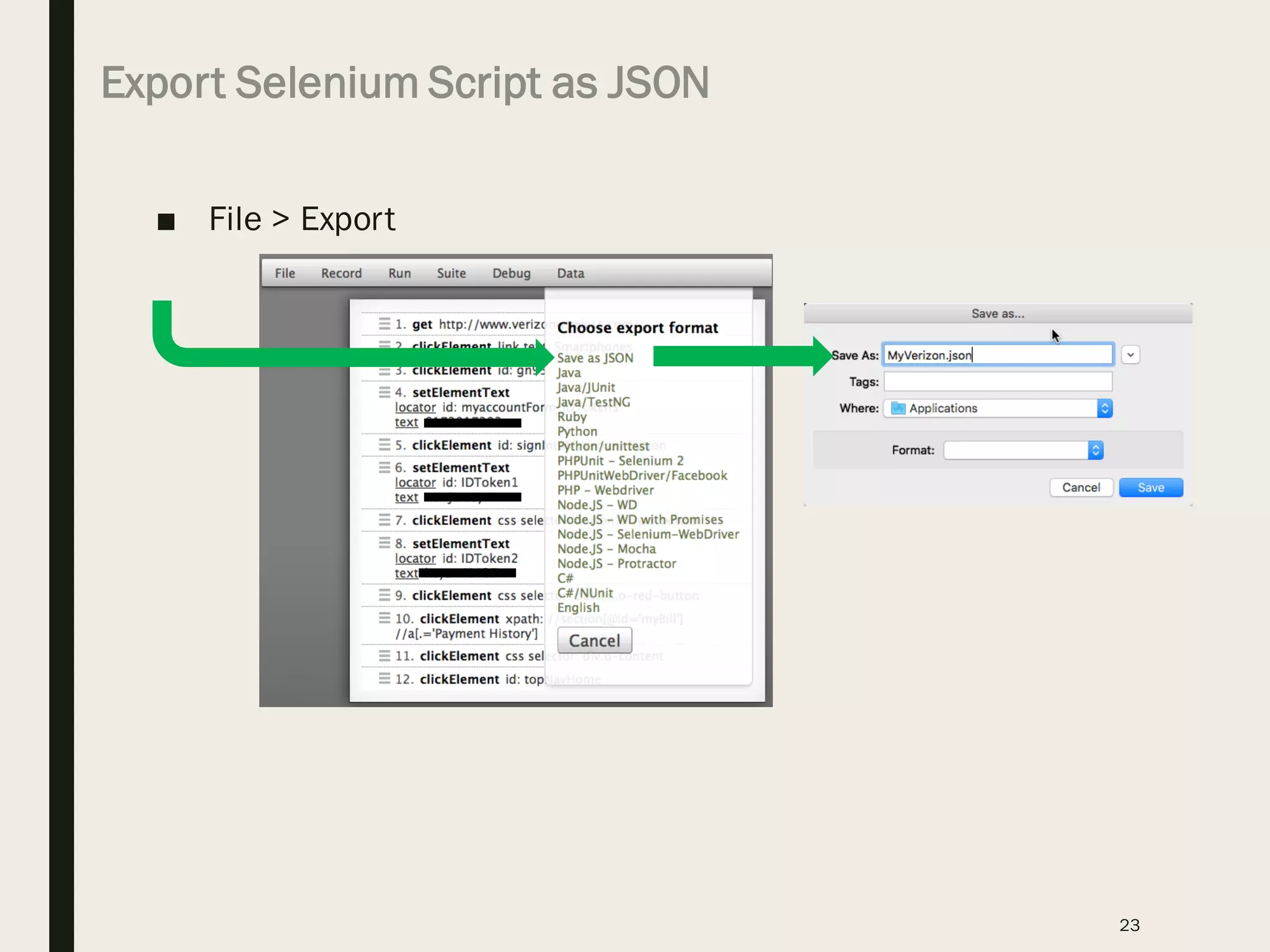
Scripts can be saved to a
Builder-specific JSON
format or exported as
simple Java or Python
code.
The JSON format can also
be played back by a
standalone interpreter,
allowing you to keep your
scripts in an easily
editable format.
Install Selenium Builder
19
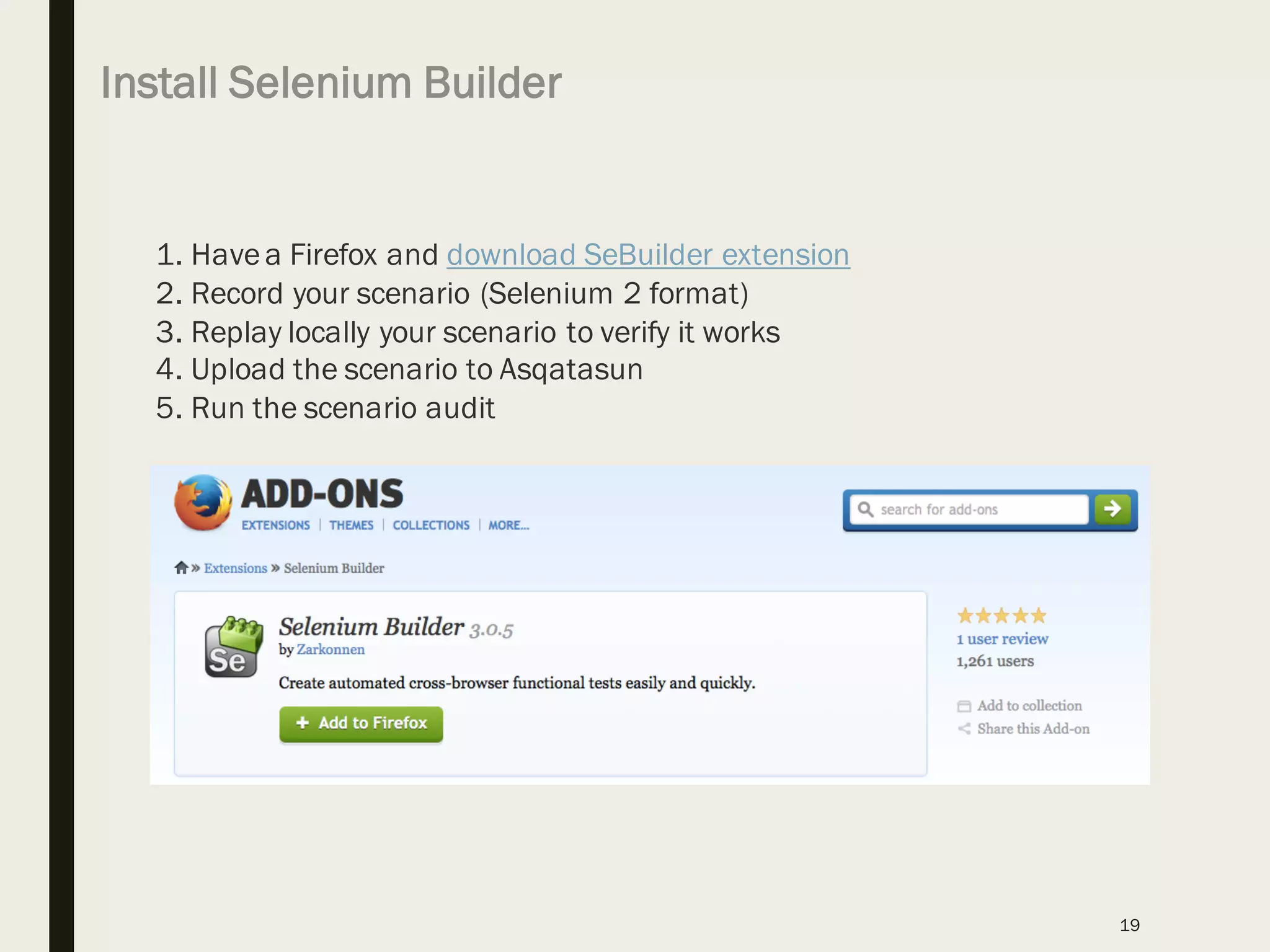
1. Havea Firefox and download SeBuilder extension
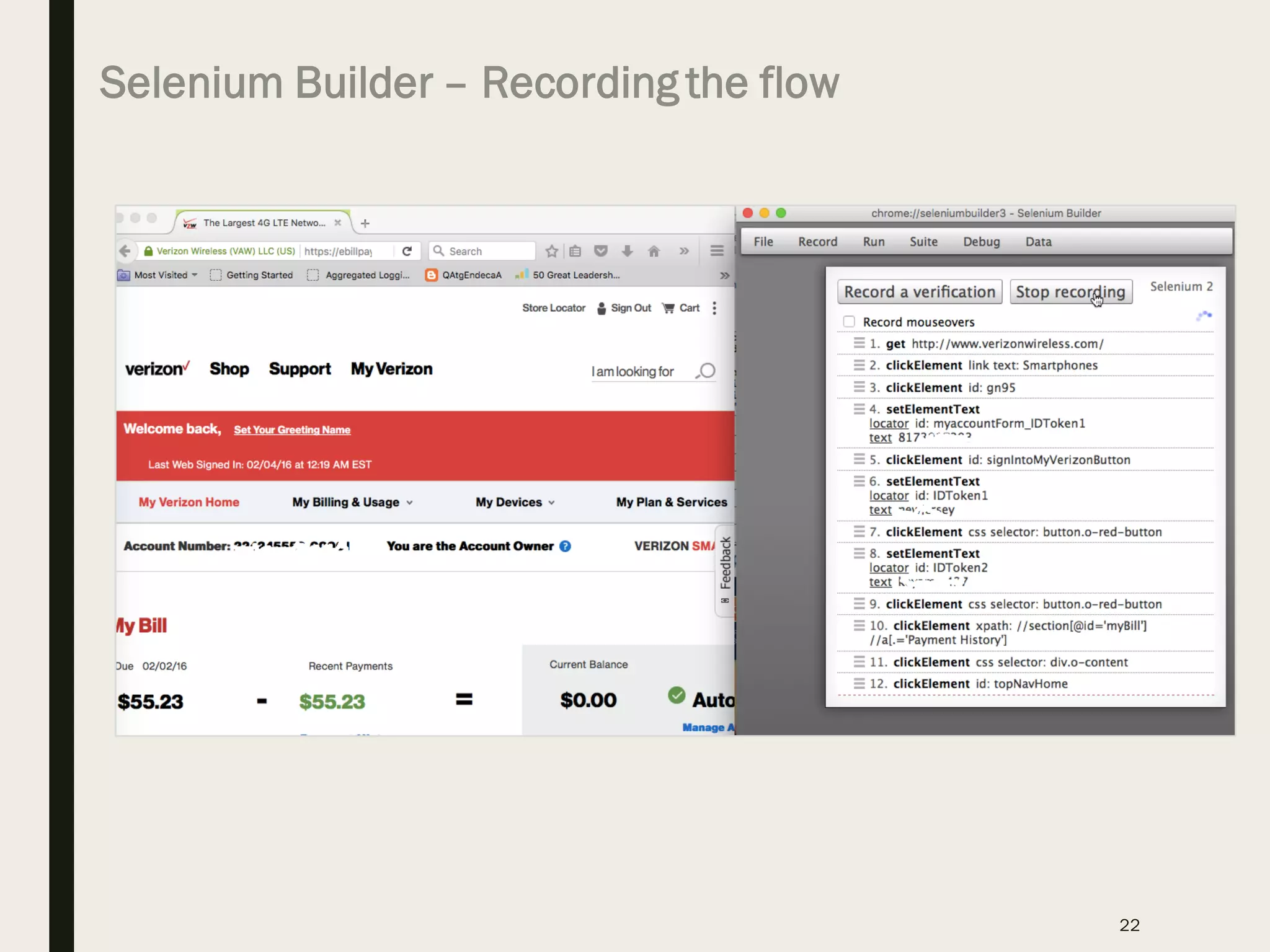
2. Record your scenario (Selenium 2 format)
3. Replay locally your scenario to verify it works
4. Upload the scenario to Asqatasun
5. Run the scenario audit
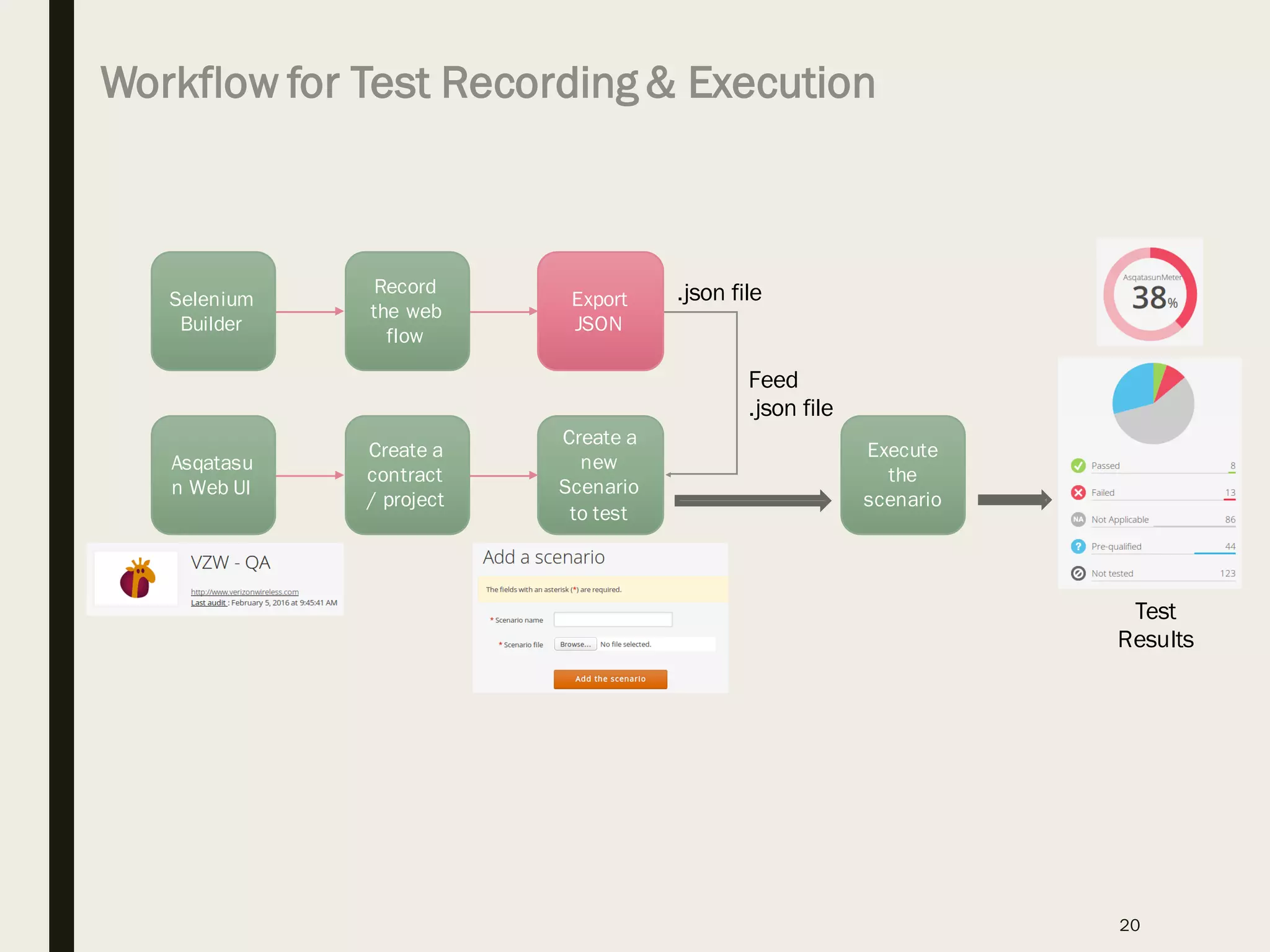
Workflow for Test Recording & Execution
20
Selenium
Builder
Record
the web
flow
Export
JSON
Asqatasu
n Web UI
Create a
contract
/ project
Create a
new
Scenario
to test
.json file
Execute
the
scenario
Test
Results
Feed
.json file
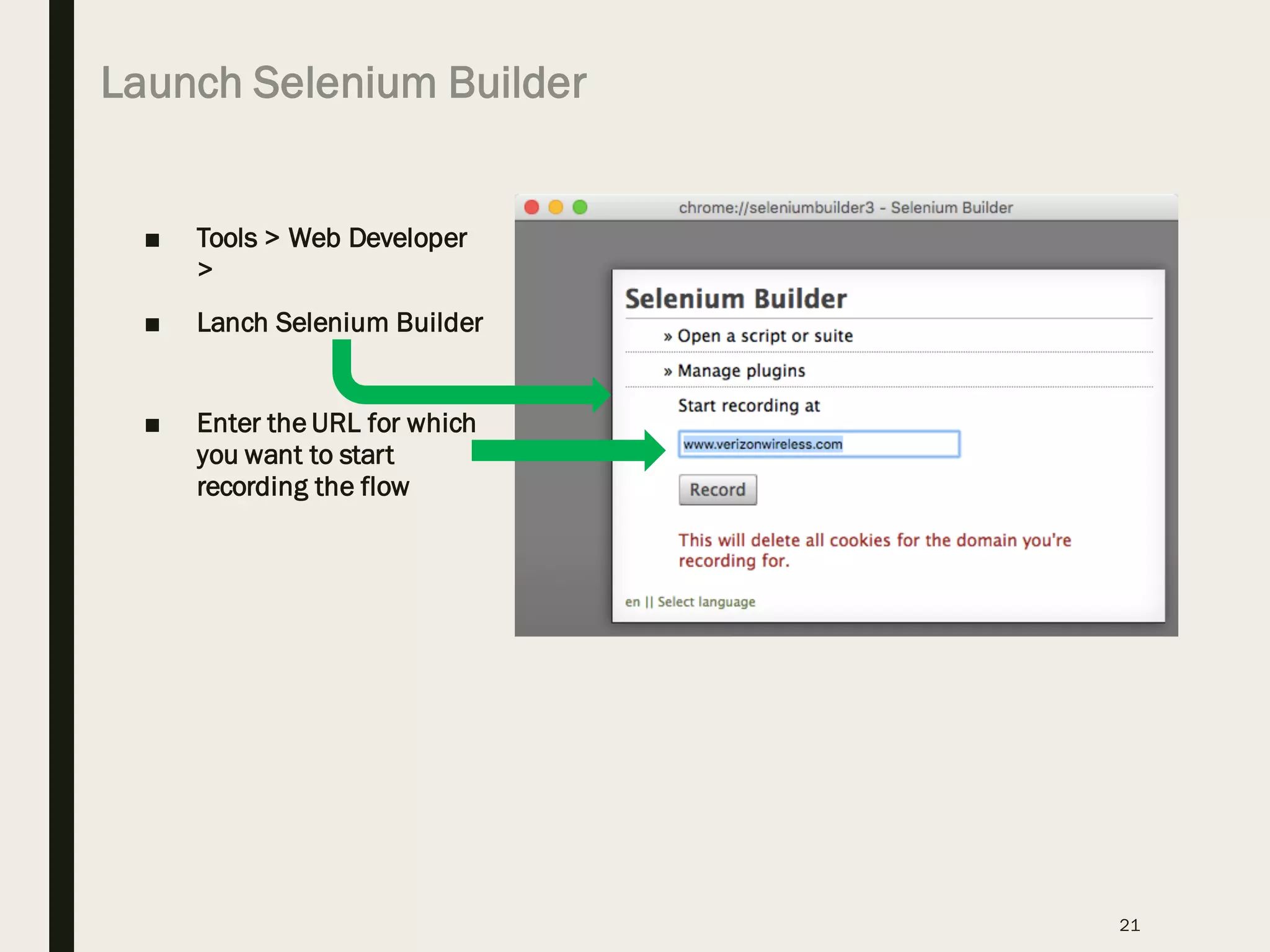
Launch Selenium Builder
■ Tools > Web Developer
>
■ Lanch Selenium Builder
■ Enter the URL for which
you want to start
recording the flow
21
Selenium Builder – Recording the flow
22
Export Selenium Script as JSON
■ File > Export
23
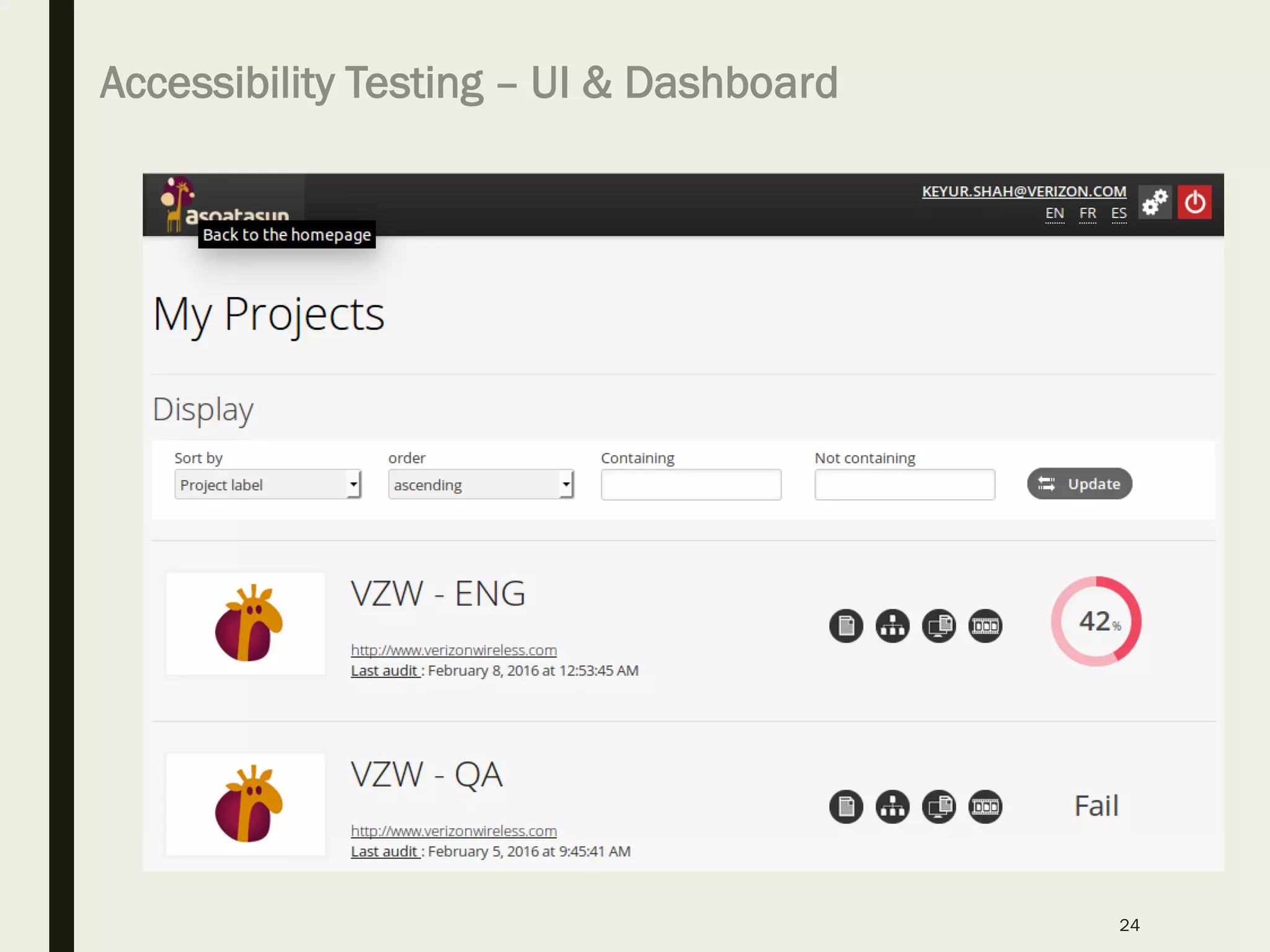
Accessibility Testing – UI & Dashboard
24
Asqatasun Demo – Accessibility Testing
25
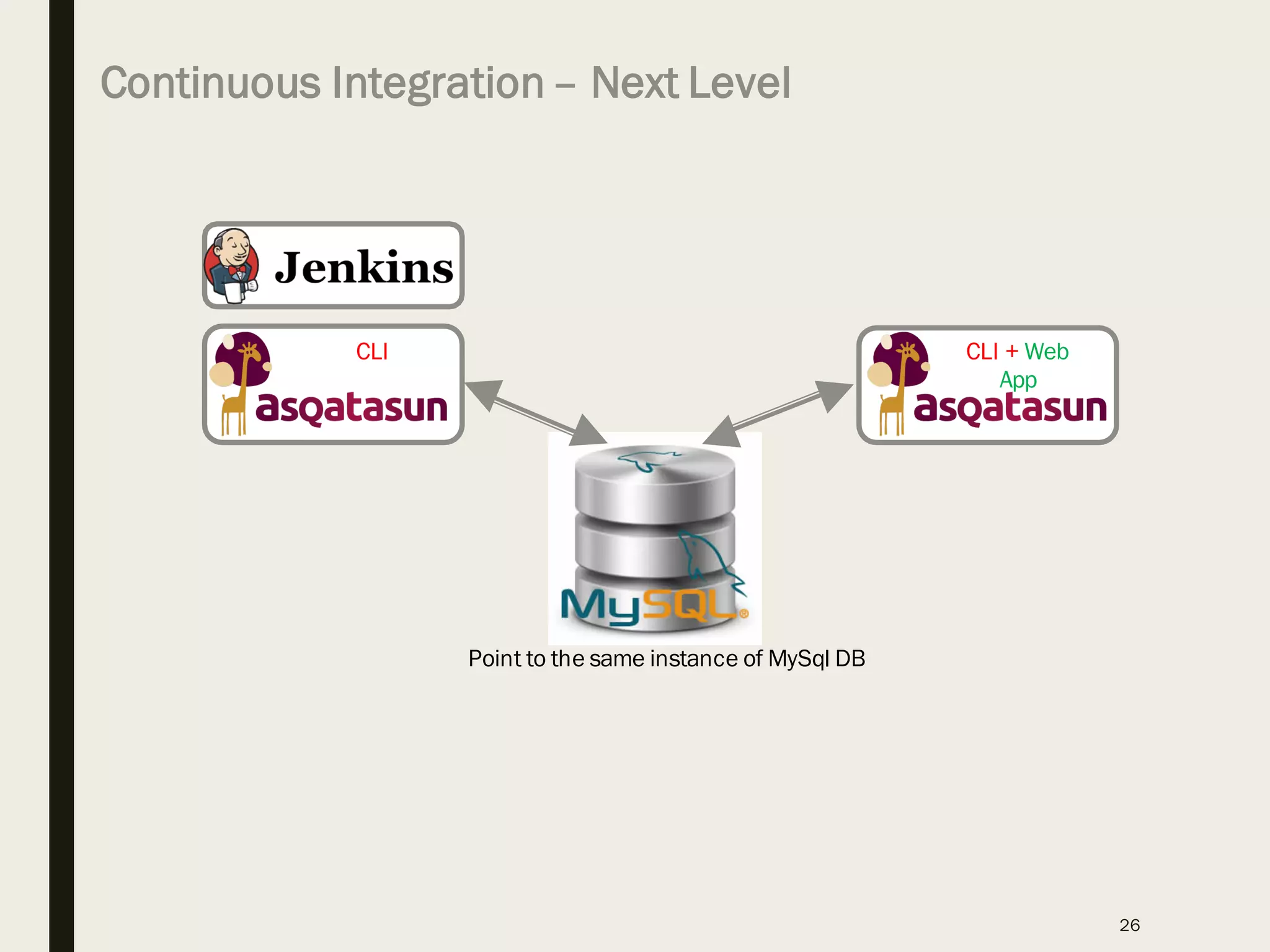
Continuous Integration– Next Level
26
CLI CLI + Web
App
Point to the same instance of MySql DB
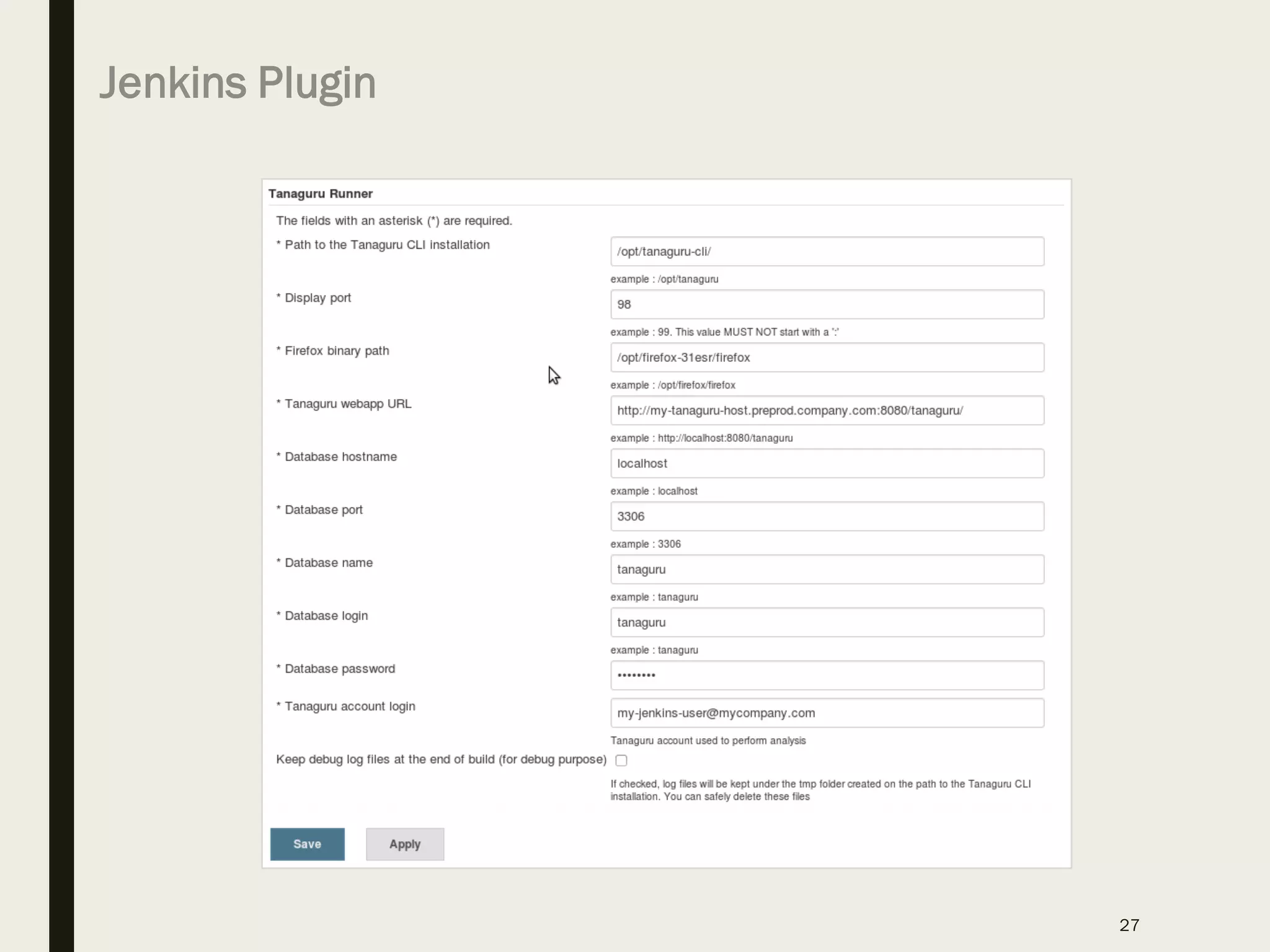
Jenkins Plugin
27
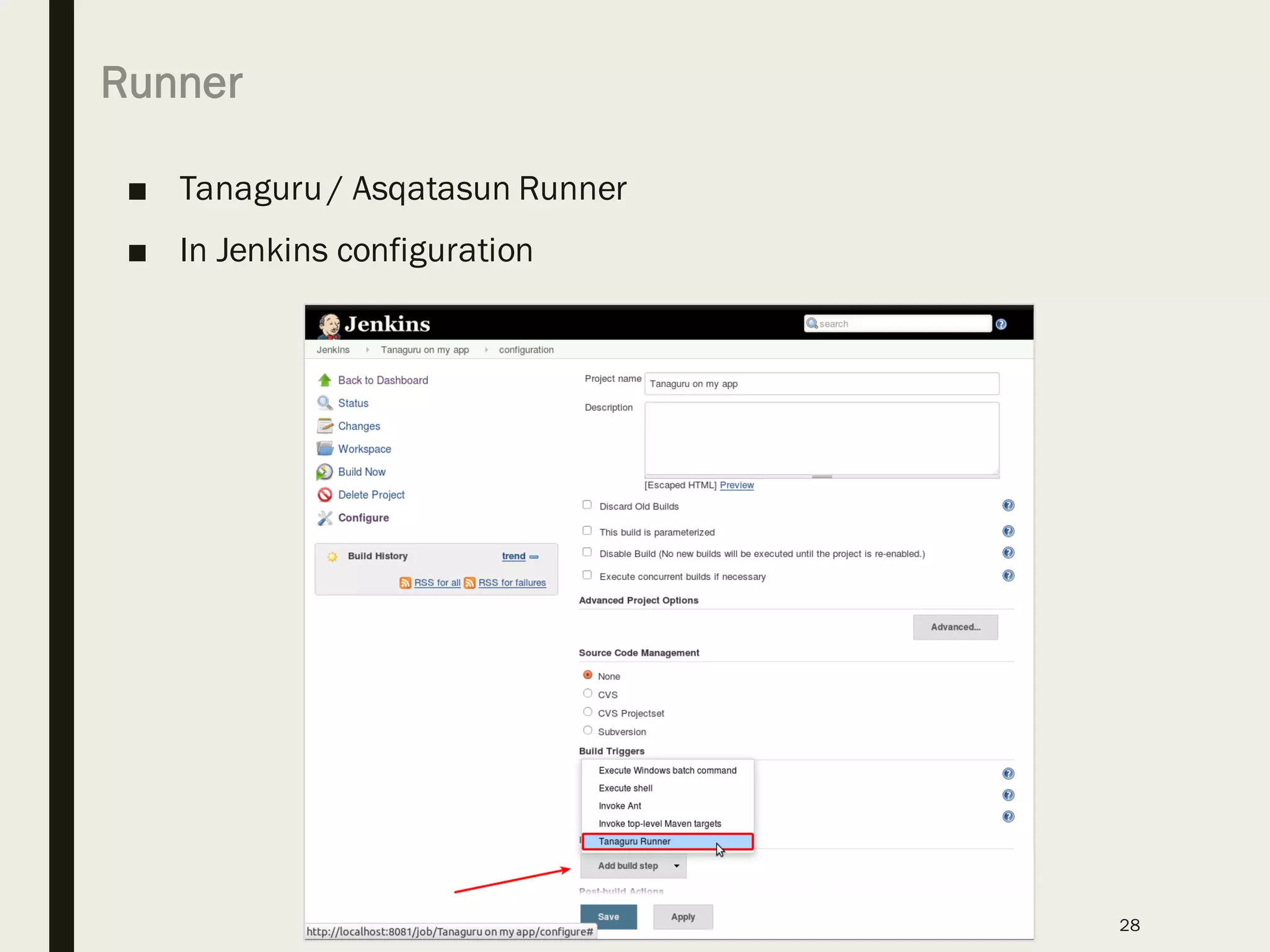
Runner
■ Tanaguru / Asqatasun Runner
■ In Jenkins configuration
28
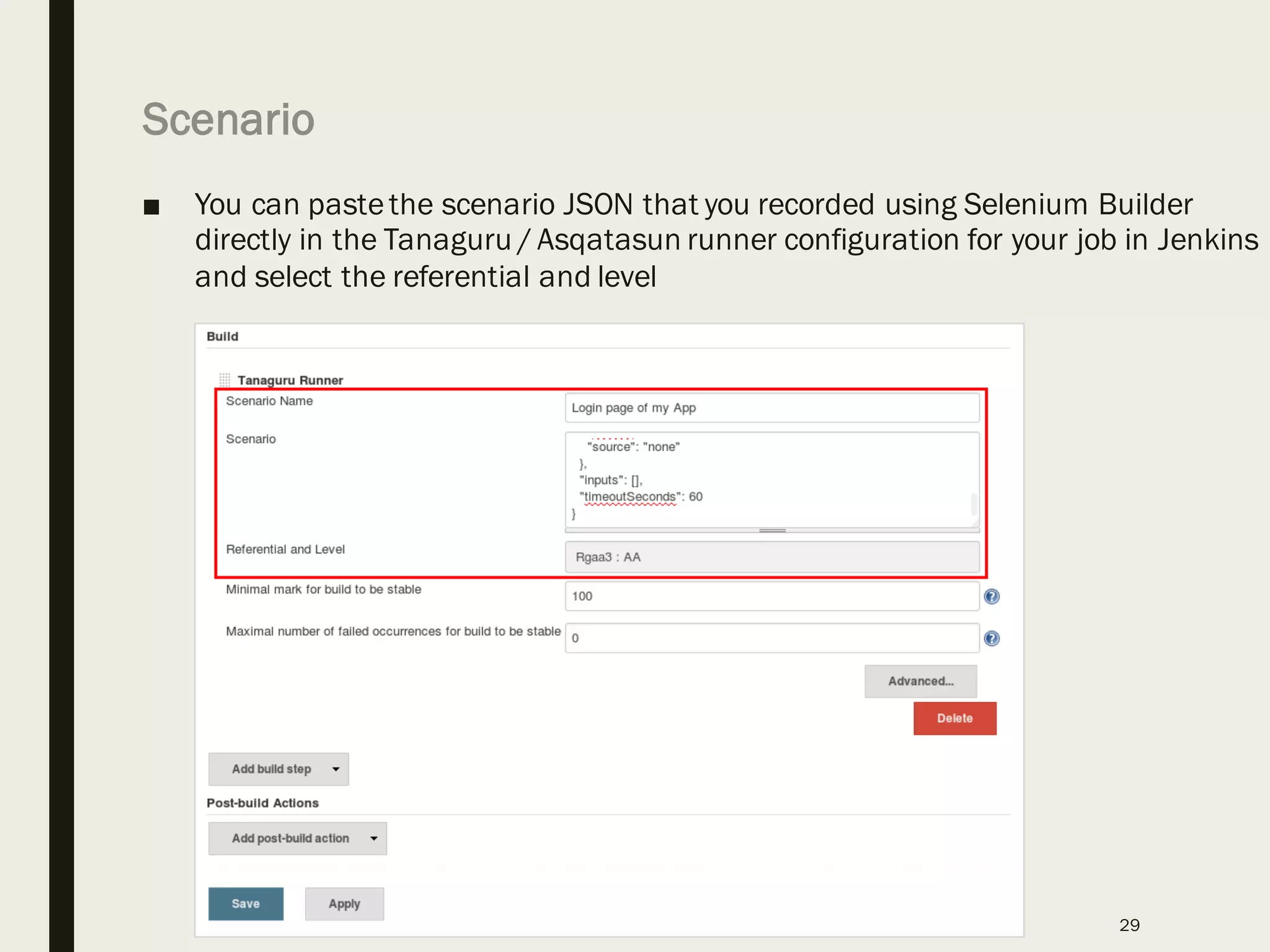
Scenario
■ You can pastethe scenario JSON that you recorded using Selenium Builder
directly in the Tanaguru / Asqatasun runner configuration for your job in Jenkins
and select the referential and level
29
Thank you.
30

Accessibility Testing - Using Asqatasun - Meetup Webinar

  • 1.
    Thank You ForYour Participation!
  • 2.
    ACCESSIBILITY TESTING & CONTINUOUSINTEGRATION Keyur Shah Distinguished Member of Technical Staff @ Verizon https://www.linkedin.com/in/keyurkshah
  • 3.
    About Me ■ Author(5 Books) ■ Blogger ■ DevOps Architect ■ Open Source ■ Web & Mobile Performance ■ 20+ years in IT & Management 3 Work-in-progress http://www.slideshare.net/softwareklinic/presentations https://www.linkedin.com/in/keyurkshah http://internetmarketing-readme.pricemaniacs.com/
  • 4.
    AGENDA • Accessibility Overview& Standards • Cost of ignorance or non-compliance • Target Audience: Everyone Engaged in a Project • Again – how do we leverage Open Source? • Asqatasun – Accessibility Testing Software • Selenium Builder 4
  • 5.
  • 6.
    6 • Screen readersare a common assistive technology, primarily for people with visual impairments. Screen readers provide an audible output of properly programmed elements on a web page / digital documents. They are also the most common form of manual testing. • According to a non profit accessibility agency called WebAIM, the most popular screen readers range from - JAWS, NVDA and VoiceOver. • Runs on the Microsoft Windows platform. • Will work with multiple internet browsers but works best with IE • Non Visual Desktop Assistant (NVDA) • Most popular open source screen readers for Windows • Will work with multiple internet browsers Apple Voice Over • Built into Apple Inc.’s Mac OSX and iOS operating systems. • Works best with Safari Assistive Technology
  • 7.
    7 Remediation efforts (one timecosts) Trainingand education (periodic costs) Accessibility Assessment (one timecosts) Pre-existing site (add accessibility after site built) New/Re-design site (build-in accessibility before design) Tools and integration (one-time& maintenance) Governanceintegration (one-time& maintenance) Quality Assurance (periodic costs) Remediation (less over time) Project and Overhead (schedule and costs) Training and education (periodic costs) Tools and integration (one-time& maintenance) Governanceintegration (one-time& maintenance) Project and Overhead (schedule and costs) Quality Assurance (periodic costs) = = = = = [avoid these costs] [avoid these costs] Accessibility is less expensive when “built-in” Note: This slide is from oneof the IBM presentations
  • 8.
    Accessibility costs LESSthan NOT doing accessibility 8 Training and education (periodic costs) Building in accessibility Not doing accessibility Tools and integration (one-time & maintenance) Governance integration (one-time & maintenance) Project and Overhead (schedule and costs) Law suits (recurring costs J) Customer loyalty (recurring costs) Search Optimization (recurring costs) Reach less customers (lost revenue) Adaptation for Mobile (recurring costs) Brand value (recurring costs) Quality Assurance (periodic costs) Remediation (less over time) J lawyers are more expensive than web developers Note: This slide is from oneof the IBM presentations
  • 9.
    Accessibility Tool Capabilities Accessibilit yTool Built-in Web Crawler WCAG & Section 508 Standards Reporting Capabilities Integrate with Jira Schedule Scans Outline Issues & Remediation Mobile Accessibility User Input Automated Testing Browser Compatibility
  • 10.
    W3C Accessibility Demo– Before And After (BAD) 10 https://www.w3.org/WAI/demos/bad/
  • 11.
    Open Source Options ■Below are some of the open source options that we tried out for testing Accessibility of Rich Internet Applications • Quail - http://quailjs.org • AXE-Core - https://github.com/dequelabs/axe-core • Pa11y Command-line - http://pa11y.org • Pa11y-Dashboard - https://github.com/nature/pa11y-dashboard/ • PayPal AATT - https://github.com/paypal/AATT • Achecker - http://achecker.ca/checker/index.php or https://github.com/inclusive-design/AChecker • Asqatasun - http://asqatasun.org or https://github.com/Asqatasun/Asqatasun 11
  • 12.
  • 13.
    https://github.com/paypal/AATT 13 AATT tests webapplications regarding conformance to the Web Content Accessibility Guidelines (WCAG) 2.0. Find a list of the WCAG 2.0 rules checked on the HTML CodeSniffer WCAG Standard Summary page. AATT provides an accessibility API and custom web application for HTML CodeSniffer.
  • 14.
    AChecker – URLChecking Tool http://achecker.ca/checker/index.php 14 This tool checks single HTML pages for conformance with accessibility standards to ensure the content can be accessed by everyone. See the Handbook link to the upper right for more about the Web Accessibility Checker.
  • 15.
    15 Asqatasun is anopensource web site analyzer, used for web accessibility (a11y) and Search Engine Optimization (SEO). Features • Web Accessibility Assessment (RGAA 3, AccessiWeb, WCAG) • scan a whole site for a11y issues (crawler included) • scan a given page, and manually fulfill the audit to produce report • scan offline file (e.g. template being created but not online yet) • scan a user-workflow like site registration, form completion or e- commerce checkout with Asqatasun scenarios. • SEO Measurement • run fully automated tests to track SEO issues • scan zillions of pages • create your own tests forked 3.x.x 4.x.x
  • 16.
    16 Give it aquick try using Docker Run it on server – Test or Production Environment • Install docker on your system • Pull asqatasun docker image • Launch the container • Test asqatasun and its features • Ready for operationalizing it? • Spawn a Linux VM • Install asqatasun pre-requisites • Download the latest tarball • Run the installer • Train the team & ready to use
  • 17.
    ■ Typical usagesfor Page audit – One or Many ■ the typical audit you run on a page to have insights about its level of accessibility (be it a quick view, or an in- depth study with Assisted Audit) ■ Typical usages for Scenario audit – Authenticated Pages as well ■ automatically measure a form that is split in several pages ■ assess the page given by a search result ■ audit a web application (full JS, AngularJS, ExtJS...) ■ measure different states of a very same page 17 Typical usages for Site audit - CRAWL have a global overview the accessibility level of an entire website (say 50'000 pages) identify pages or parts of a site with excessive accessibility issues Typical usages for Offline file audit A developer is creating a template which is still on its machine (not yet on the webserver), and wants to have an early statement of accessibility User wants to audit an intranet page (not connected to the internet). Just save the page and send it as offline file to Asqatasun 4 types of Audits
  • 18.
    Selenium Builder &Asqatasun 18 http://seleniumbuilder.github.io/se-builder/ Scripts can be saved to a Builder-specific JSON format or exported as simple Java or Python code. The JSON format can also be played back by a standalone interpreter, allowing you to keep your scripts in an easily editable format.
  • 19.
    Install Selenium Builder 19 1.Havea Firefox and download SeBuilder extension 2. Record your scenario (Selenium 2 format) 3. Replay locally your scenario to verify it works 4. Upload the scenario to Asqatasun 5. Run the scenario audit
  • 20.
    Workflow for TestRecording & Execution 20 Selenium Builder Record the web flow Export JSON Asqatasu n Web UI Create a contract / project Create a new Scenario to test .json file Execute the scenario Test Results Feed .json file
  • 21.
    Launch Selenium Builder ■Tools > Web Developer > ■ Lanch Selenium Builder ■ Enter the URL for which you want to start recording the flow 21
  • 22.
    Selenium Builder –Recording the flow 22
  • 23.
    Export Selenium Scriptas JSON ■ File > Export 23
  • 24.
    Accessibility Testing –UI & Dashboard 24
  • 25.
    Asqatasun Demo –Accessibility Testing 25
  • 26.
    Continuous Integration– NextLevel 26 CLI CLI + Web App Point to the same instance of MySql DB
  • 27.
  • 28.
    Runner ■ Tanaguru /Asqatasun Runner ■ In Jenkins configuration 28
  • 29.
    Scenario ■ You canpastethe scenario JSON that you recorded using Selenium Builder directly in the Tanaguru / Asqatasun runner configuration for your job in Jenkins and select the referential and level 29
  • 30.