Installation Guide
http://www.linkedin.com/in/keyurkshah
Agents in the contact center will be able to
perform following tasks using the ATG CSC
Module integration with its Commerce module







Create and manage customer profiles
Create and manage orders
Issue refunds and exchanges
Process returned items
Research customer activity
Manage shipping issues







JDK 1.6 or above
Supported Application Server (e.g. WLS)
Supported Database (e.g. Oracle Express)
2 Database users (admin & svcagent)
ATG Web Commerce Platform 10.2
ATG Web Commerce Reference Store 10.2
You need to ensure below tasks are complete
prior to installing ATG CSC:






Install Web Application software
Install Application server
Install ATG 10.2
Install and configure the Web Commerce 10.2
Install a supported database
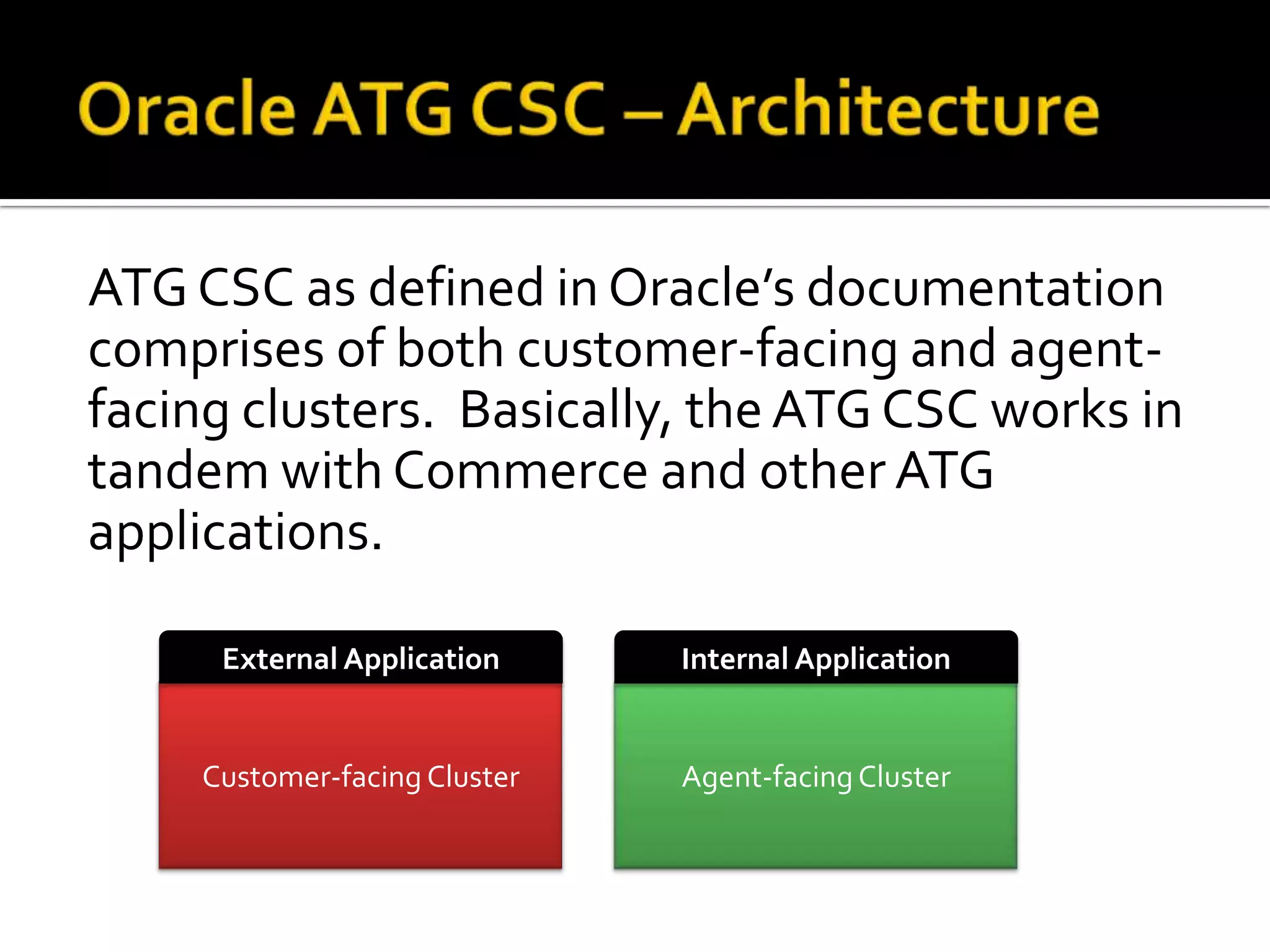
ATG CSC as defined in Oracle’s documentation
comprises of both customer-facing and agentfacing clusters. Basically, the ATG CSC works in
tandem with Commerce and other ATG
applications.
External Application

Internal Application

Customer-facing Cluster

Agent-facing Cluster










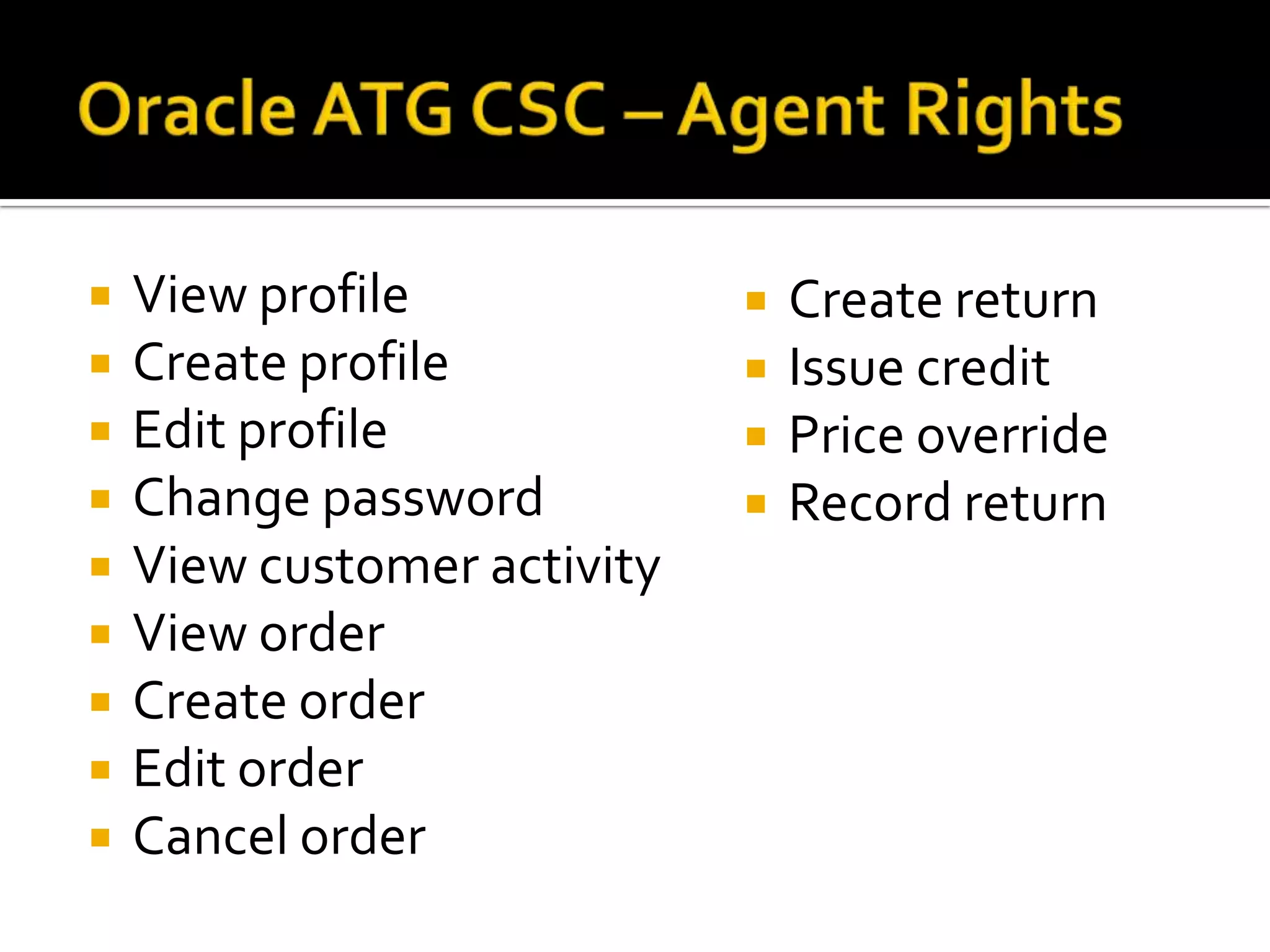
View profile
Create profile
Edit profile
Change password
View customer activity
View order
Create order
Edit order
Cancel order







Create return
Issue credit
Price override
Record return


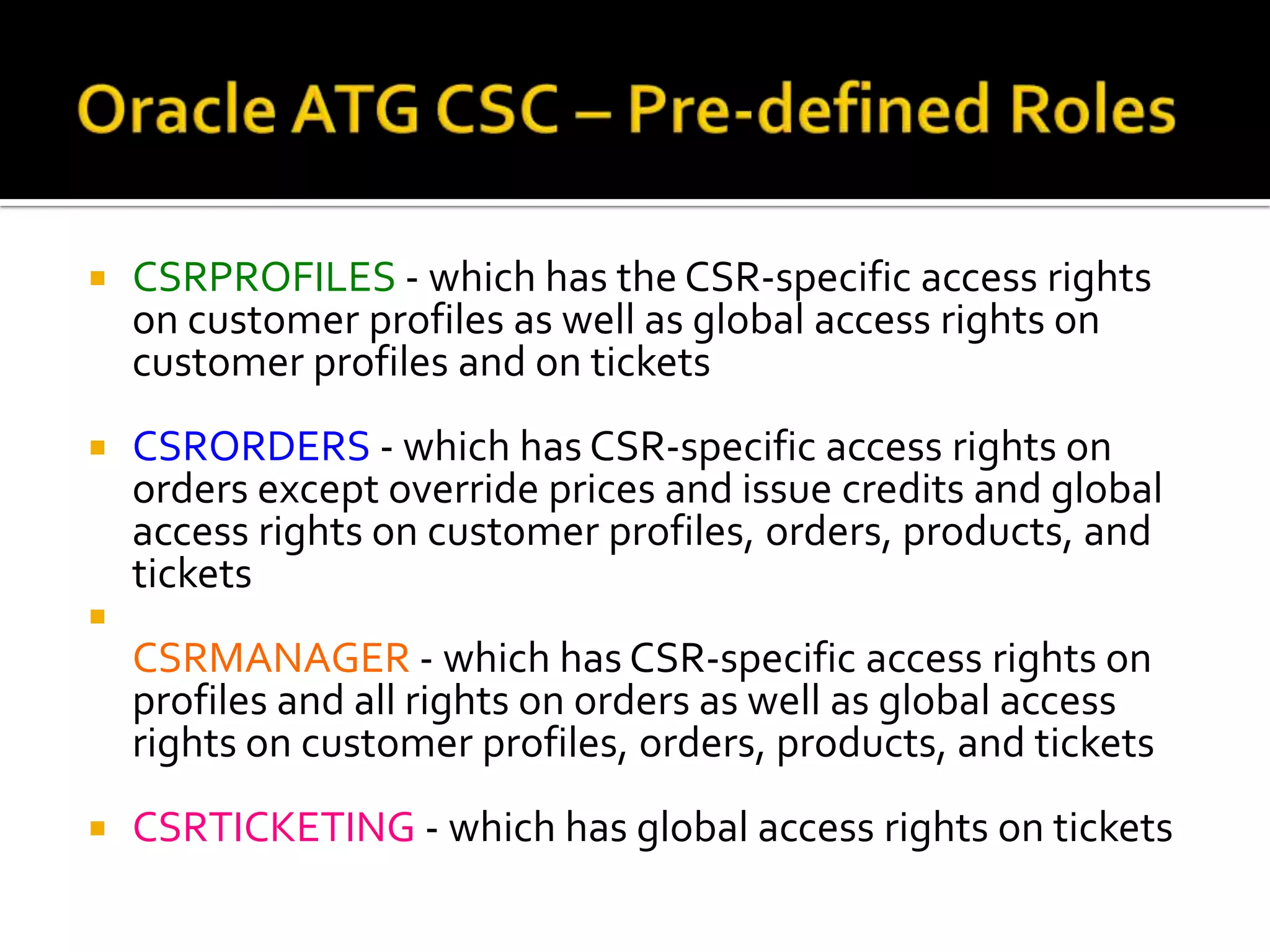
CSRPROFILES - which has the CSR-specific access rights
on customer profiles as well as global access rights on
customer profiles and on tickets



CSRORDERS - which has CSR-specific access rights on
orders except override prices and issue credits and global
access rights on customer profiles, orders, products, and
tickets



CSRMANAGER - which has CSR-specific access rights on
profiles and all rights on orders as well as global access
rights on customer profiles, orders, products, and tickets


CSRTICKETING - which has global access rights on tickets


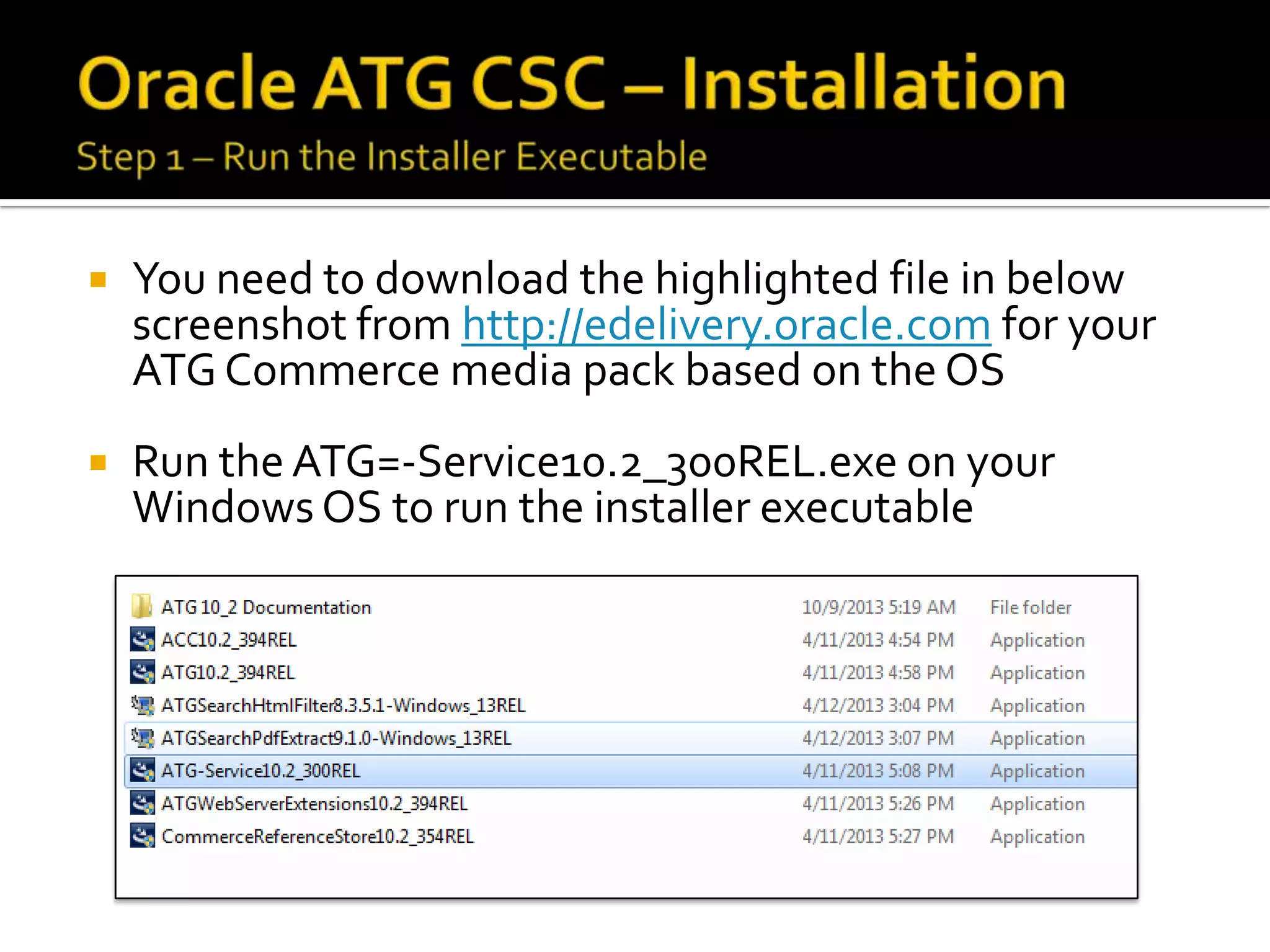
You need to download the highlighted file in below
screenshot from http://edelivery.oracle.com for your
ATG Commerce media pack based on the OS



Run the ATG=-Service10.2_300REL.exe on your
Windows OS to run the installer executable


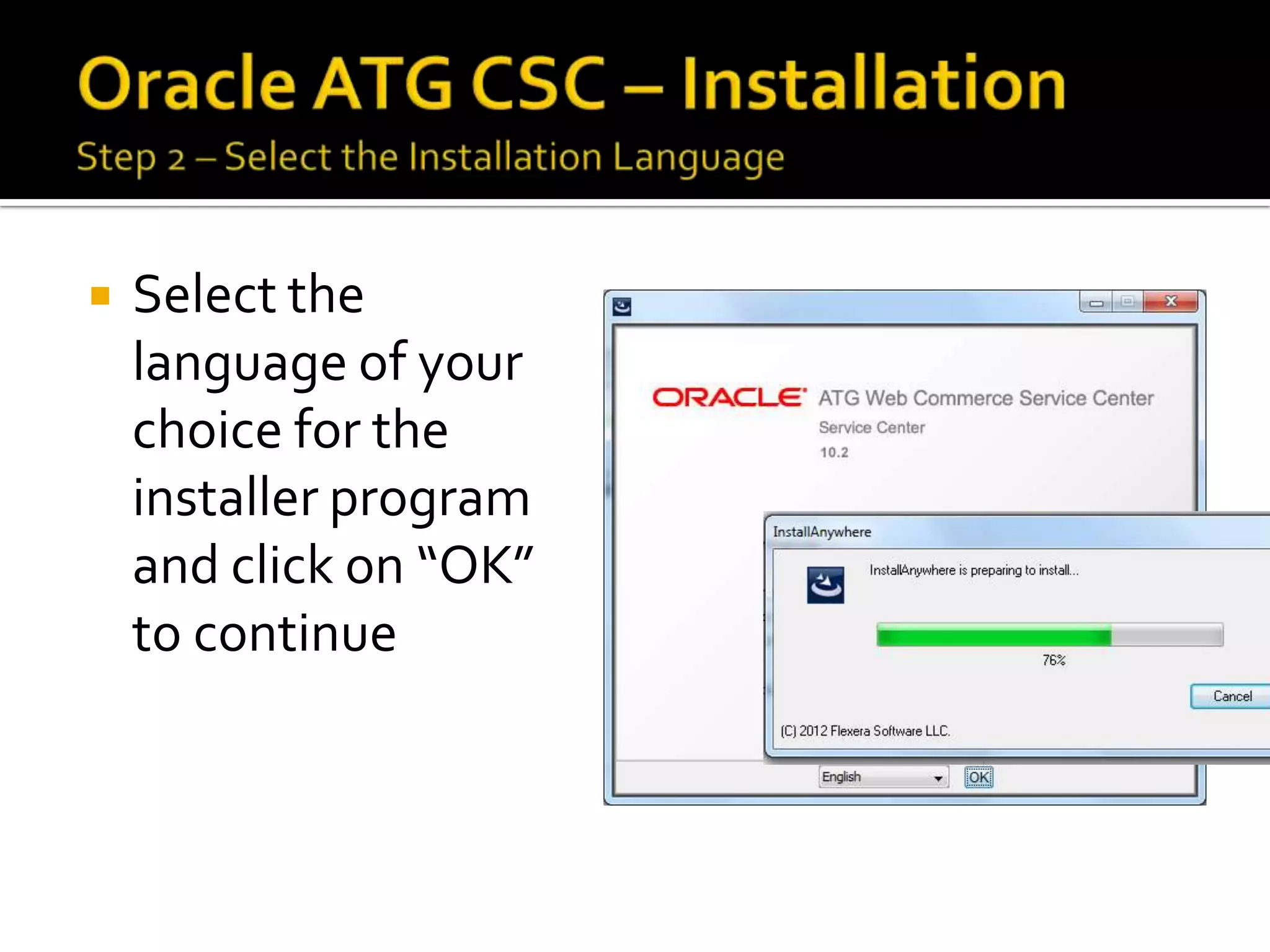
Select the
language of your
choice for the
installer program
and click on “OK”
to continue


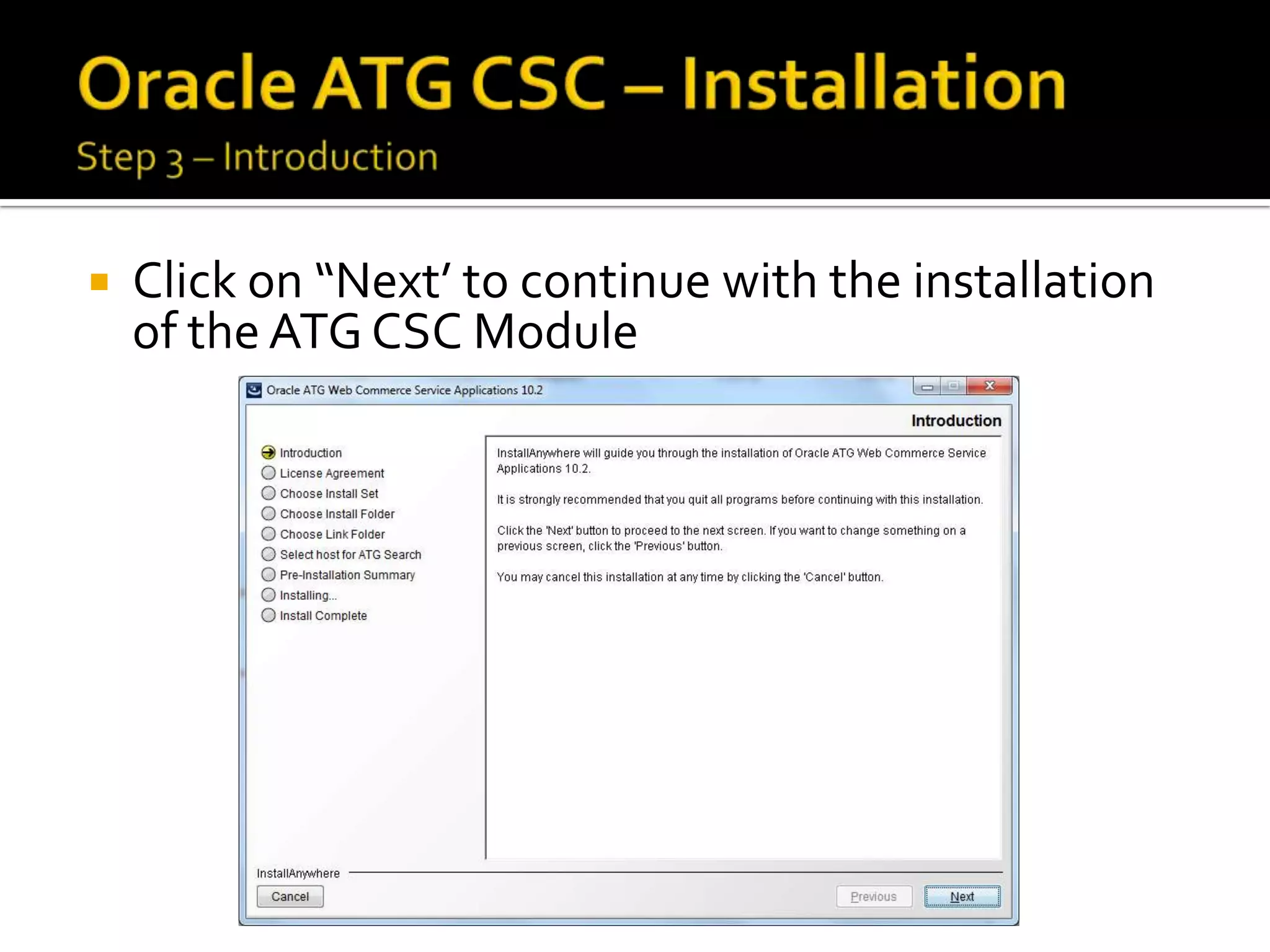
Click on “Next’ to continue with the installation
of the ATG CSC Module


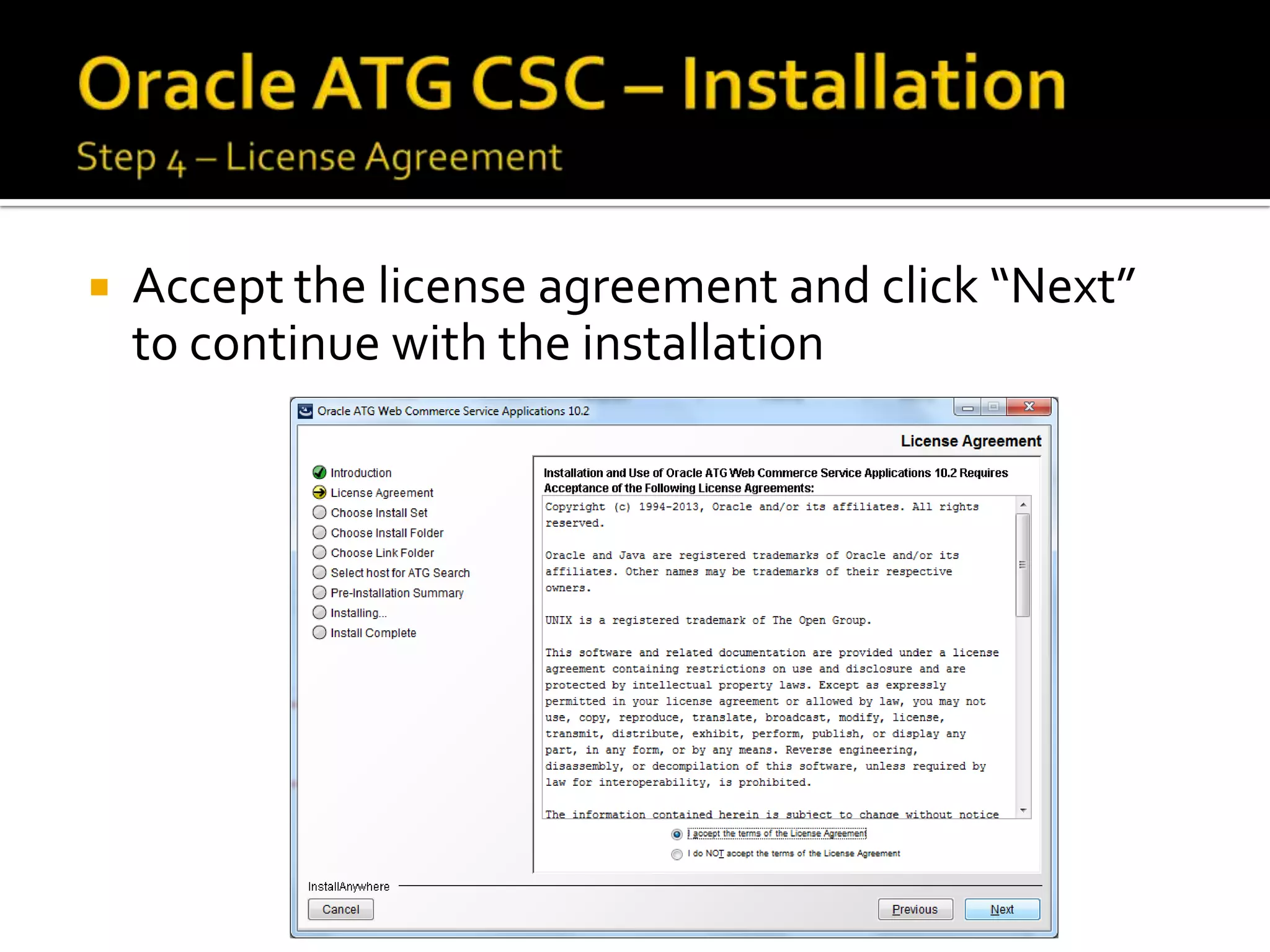
Accept the license agreement and click “Next”
to continue with the installation
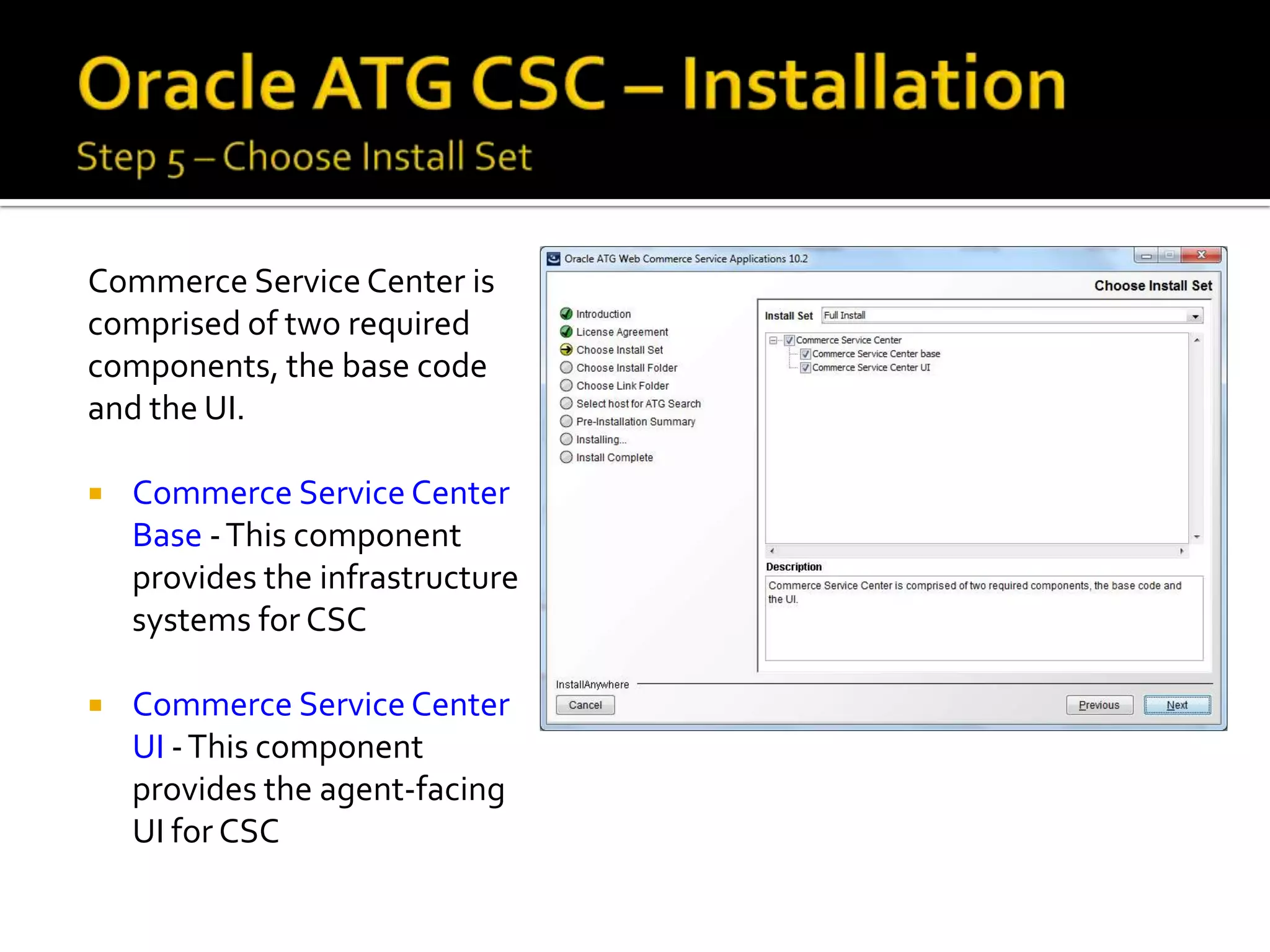
Commerce Service Center is
comprised of two required
components, the base code
and the UI.


Commerce Service Center
Base - This component
provides the infrastructure
systems for CSC



Commerce Service Center
UI - This component
provides the agent-facing
UI for CSC


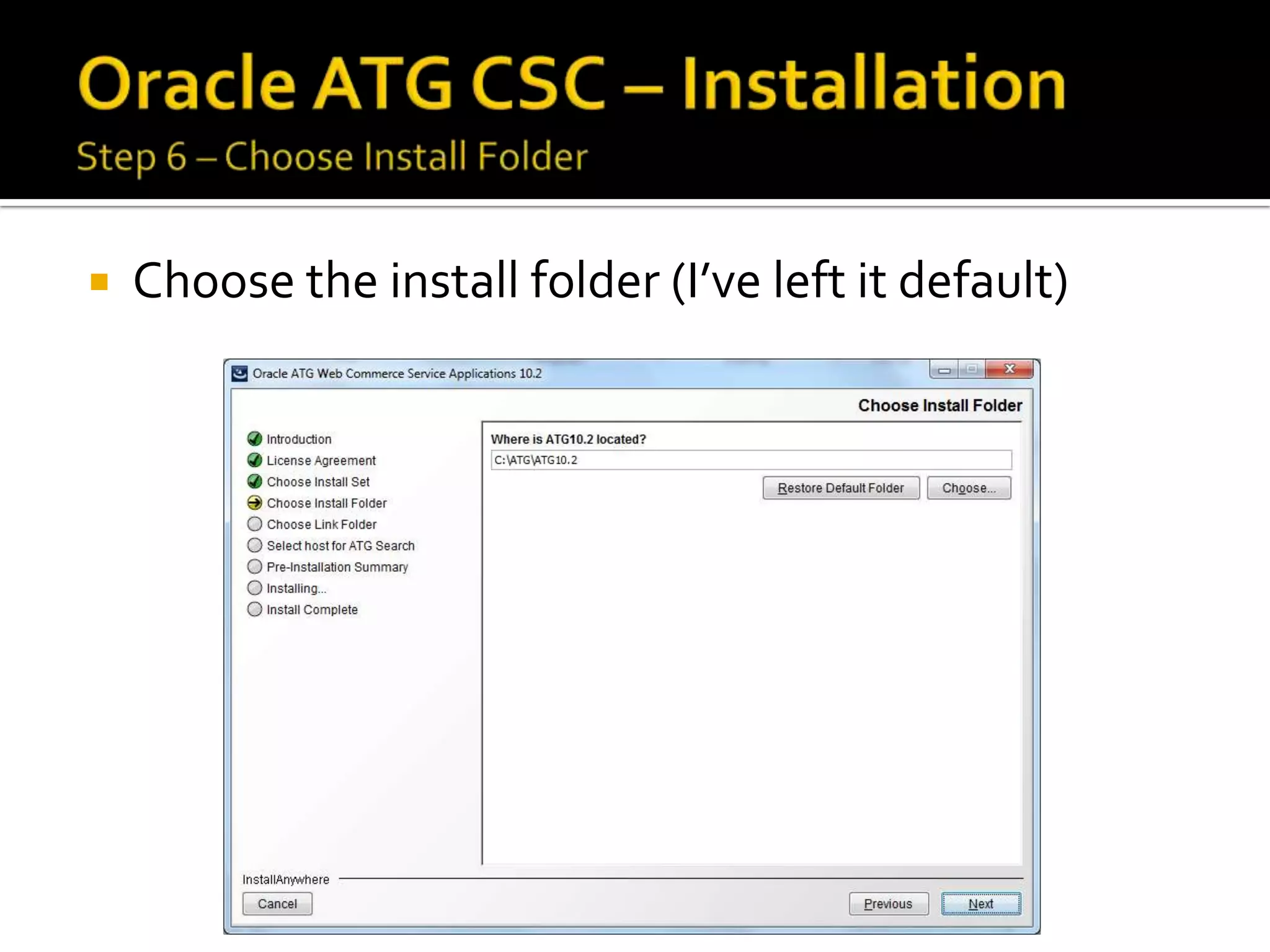
Choose the install folder (I’ve left it default)


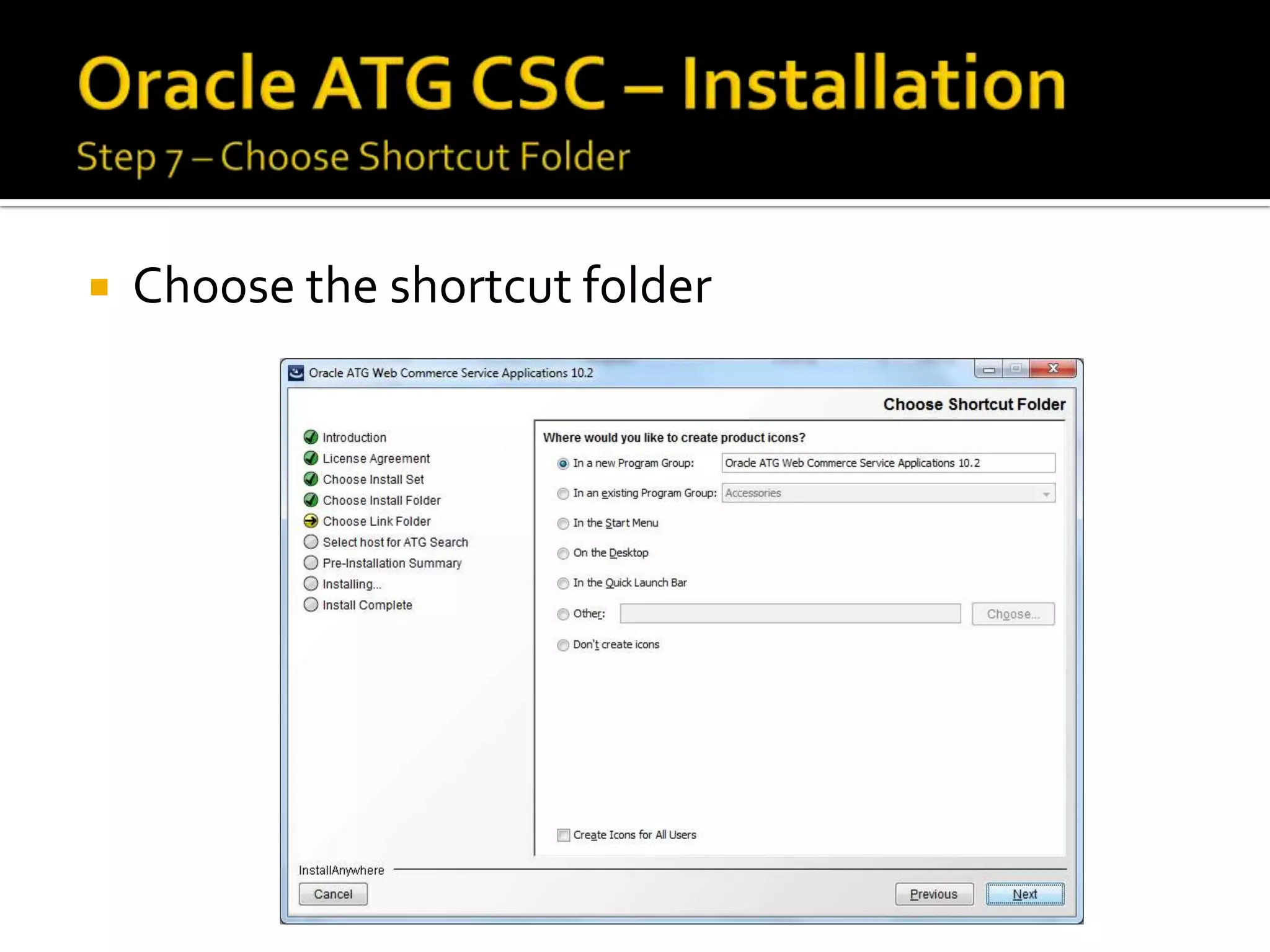
Choose the shortcut folder


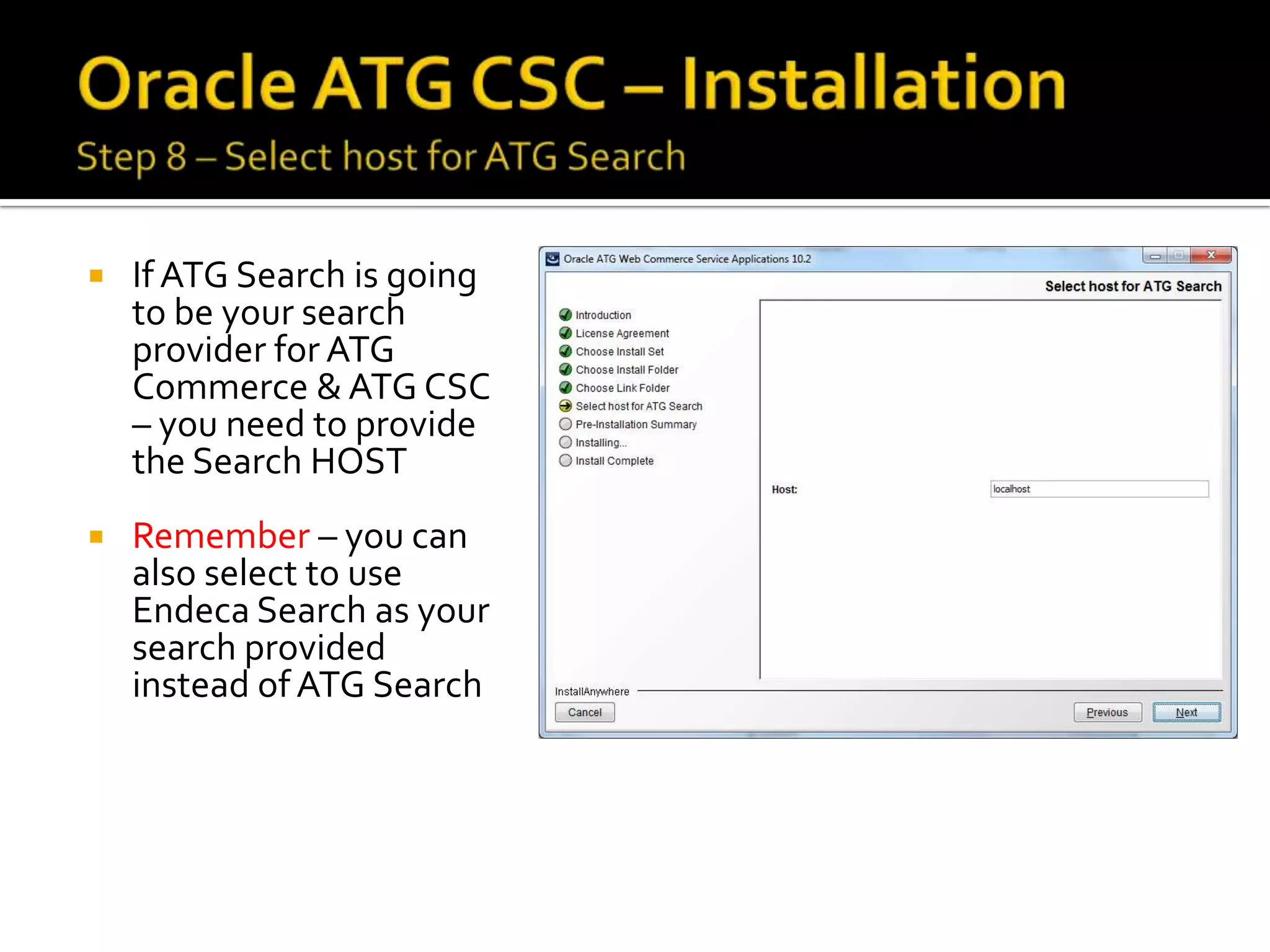
If ATG Search is going
to be your search
provider for ATG
Commerce & ATG CSC
– you need to provide
the Search HOST



Remember – you can
also select to use
Endeca Search as your
search provided
instead of ATG Search


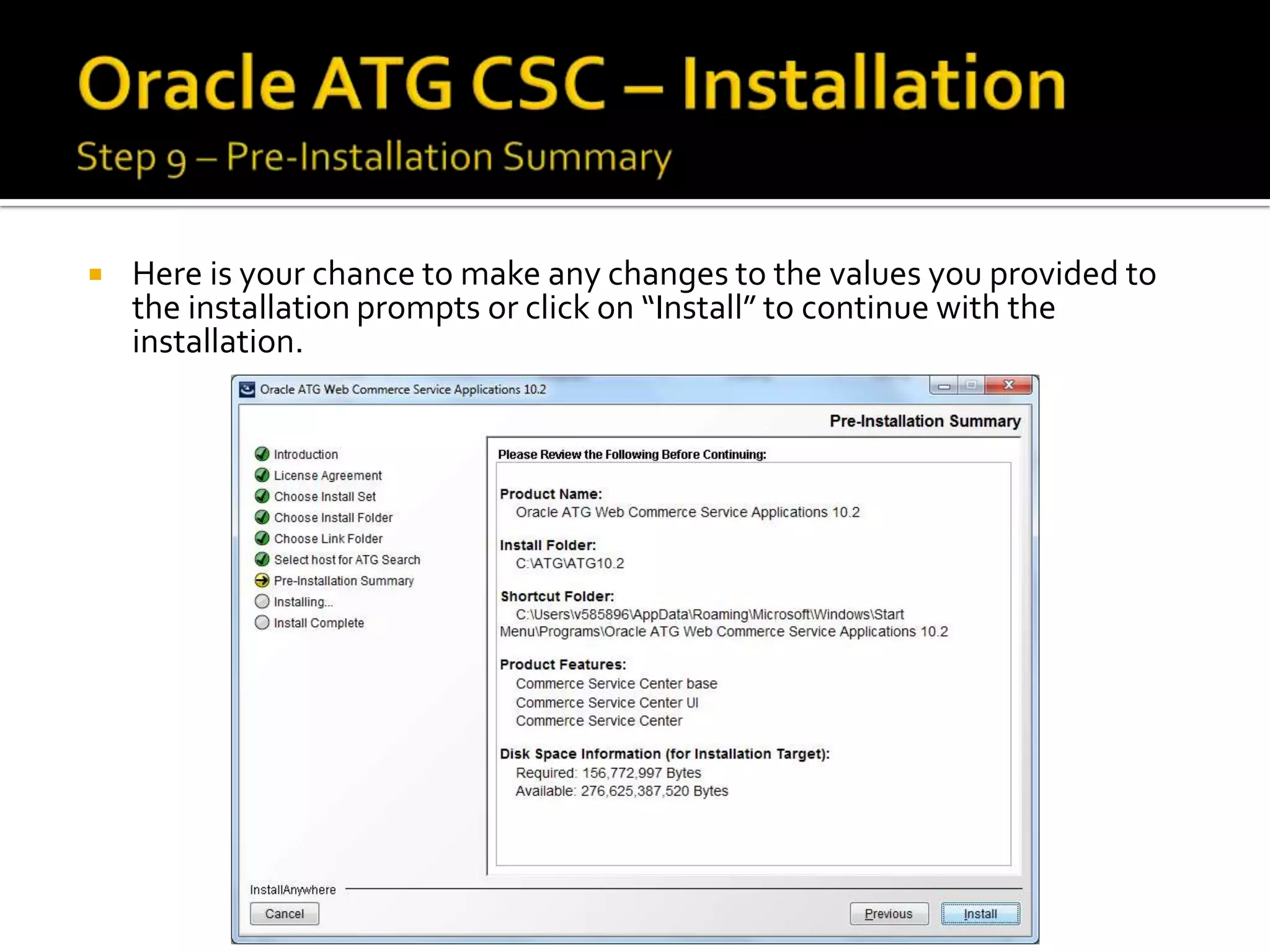
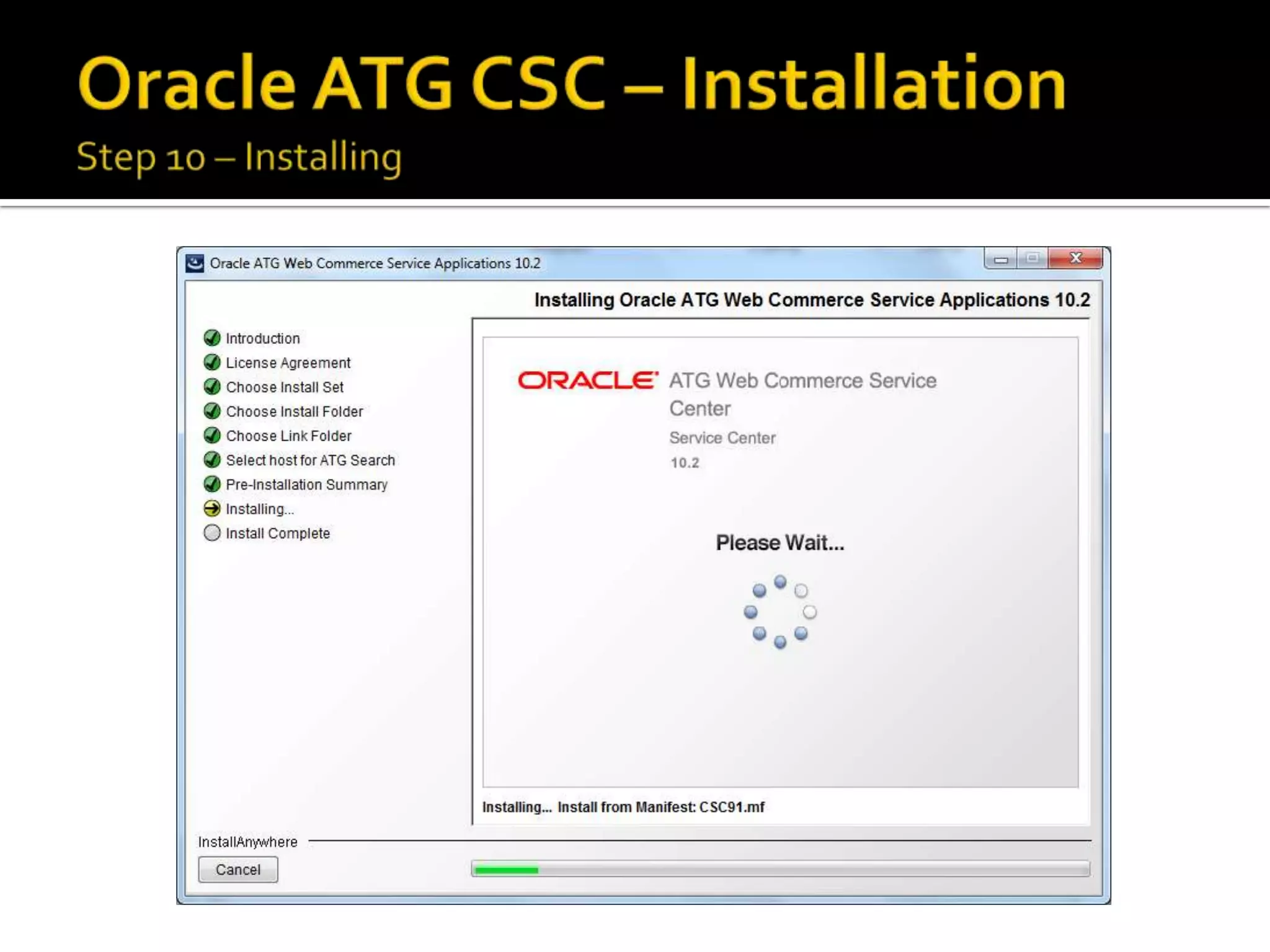
Here is your chance to make any changes to the values you provided to
the installation prompts or click on “Install” to continue with the
installation.
To install Commerce Service Center using CIM, do the following:


Install your application server



Install your application files



To start CIM, go to <ATG10dir>/home/bin and launch the CIM script:
./cim.sh | bat



Select the products you want to install



Select the add-ons that you want to install (CSC would be one of the addons)



Follow the CIM script according to the prompts



You can type H at any prompt for additional information


You can reach me @
http://www.linkedin.com/in/keyurkshah



Oracle ATG CIM Guide can cover detailed
steps on installing the add-ons such as Mobile
or CSC



Or else will create another GUIDE just for
outlining CIM instructions for configuring CSC

ATG - Commerce Service Center (CSC)

  • 1.
  • 2.
    Agents in thecontact center will be able to perform following tasks using the ATG CSC Module integration with its Commerce module       Create and manage customer profiles Create and manage orders Issue refunds and exchanges Process returned items Research customer activity Manage shipping issues
  • 3.
          JDK 1.6 orabove Supported Application Server (e.g. WLS) Supported Database (e.g. Oracle Express) 2 Database users (admin & svcagent) ATG Web Commerce Platform 10.2 ATG Web Commerce Reference Store 10.2
  • 4.
    You need toensure below tasks are complete prior to installing ATG CSC:      Install Web Application software Install Application server Install ATG 10.2 Install and configure the Web Commerce 10.2 Install a supported database
  • 5.
    ATG CSC asdefined in Oracle’s documentation comprises of both customer-facing and agentfacing clusters. Basically, the ATG CSC works in tandem with Commerce and other ATG applications. External Application Internal Application Customer-facing Cluster Agent-facing Cluster
  • 6.
             View profile Create profile Editprofile Change password View customer activity View order Create order Edit order Cancel order     Create return Issue credit Price override Record return
  • 7.
     CSRPROFILES - whichhas the CSR-specific access rights on customer profiles as well as global access rights on customer profiles and on tickets  CSRORDERS - which has CSR-specific access rights on orders except override prices and issue credits and global access rights on customer profiles, orders, products, and tickets  CSRMANAGER - which has CSR-specific access rights on profiles and all rights on orders as well as global access rights on customer profiles, orders, products, and tickets  CSRTICKETING - which has global access rights on tickets
  • 9.
     You need todownload the highlighted file in below screenshot from http://edelivery.oracle.com for your ATG Commerce media pack based on the OS  Run the ATG=-Service10.2_300REL.exe on your Windows OS to run the installer executable
  • 10.
     Select the language ofyour choice for the installer program and click on “OK” to continue
  • 11.
     Click on “Next’to continue with the installation of the ATG CSC Module
  • 12.
     Accept the licenseagreement and click “Next” to continue with the installation
  • 13.
    Commerce Service Centeris comprised of two required components, the base code and the UI.  Commerce Service Center Base - This component provides the infrastructure systems for CSC  Commerce Service Center UI - This component provides the agent-facing UI for CSC
  • 14.
     Choose the installfolder (I’ve left it default)
  • 15.
  • 16.
     If ATG Searchis going to be your search provider for ATG Commerce & ATG CSC – you need to provide the Search HOST  Remember – you can also select to use Endeca Search as your search provided instead of ATG Search
  • 17.
     Here is yourchance to make any changes to the values you provided to the installation prompts or click on “Install” to continue with the installation.
  • 20.
    To install CommerceService Center using CIM, do the following:  Install your application server  Install your application files  To start CIM, go to <ATG10dir>/home/bin and launch the CIM script: ./cim.sh | bat  Select the products you want to install  Select the add-ons that you want to install (CSC would be one of the addons)  Follow the CIM script according to the prompts  You can type H at any prompt for additional information
  • 21.
     You can reachme @ http://www.linkedin.com/in/keyurkshah  Oracle ATG CIM Guide can cover detailed steps on installing the add-ons such as Mobile or CSC  Or else will create another GUIDE just for outlining CIM instructions for configuring CSC