Technical Support

PC Repair and Troubleshooting
Technical Support
• refers to a range of services by which enterprises
  provide assistance to users of technology
  products
   – Mobiles
   – Computers
   – Software
• attempt to help the user solve specific problems
  with a product
• Via SMS, chat, email, phone, fax, forum, website,
  or remote access
Remote PC Repair
• method for troubleshooting software related problems
  via remote desktop connections
• Technicians use software that allows the technician to
  access the user's desktop via the Internet.
• With the user's permission, the technician can take
  control of the user's mouse and keyboard, transfer
  various diagnostic and repair applications to the user's
  desktop, run scans, install antivirus programs, etc.
• If the remote service permits it, the technician can
  even reboot the PC and reconnect remotely to
  continue his work without the user needing to assist.
Technical Support Common Activities
• installing and configuring computer hardware operating
  systems and applications;
• monitoring and maintaining computer systems and
  networks;
• talking staff/clients through a series of actions, either face
  to face or over the telephone;
• troubleshooting system and network problems and
  diagnosing and solving hardware/software faults;
• replacing parts as required;
• providing support, including procedural documentation;
• following diagrams and written instructions to repair a fault
  or set up a system;
• supporting the roll-out of new applications;
• setting up new users’ accounts and profiles and dealing
  with password issues;
• responding within agreed time limits to call-outs;
• working continuously on a task until completion (or referral
  to third parties, if appropriate);
• prioritising and managing many open cases at one time;
• rapidly establishing a good working relationship with
  customers and other professionals (e.g., software
  developers);
• testing and evaluating new technology;
• conducting electrical safety checks on computer equipment
Multi tiered technical support
• Technical support is often subdivided into tiers, or
  levels, in order to better serve a business or
  customer base
• The divisions of technicians is dependent on
   – the technicians’ understanding of their level of
     responsibility and commitments,
   – their customer response time commitments,
   – when to appropriately escalate an issue and to which
     level
• A common support structure revolves around a
  three-tiered technical support system
Tier 1 / Basic Support
• initial support level responsible for basic customer
  issues
• gather the customer’s information and to determine
  the customer’s issue by analysing the symptoms and
  figuring out the underlying problem
• Once identification of the underlying problem is
  established, the specialist can begin sorting through
  the possible solutions available using some kind of
  knowledge management tool
• 1st line support actually requires very good knowledge
  of the products, terms and conditions offered by the
  business rather than technical information itself
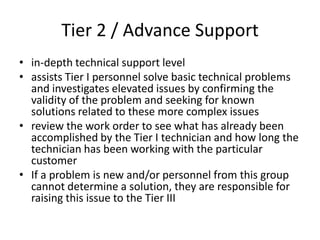
Tier 2 / Advance Support
• in-depth technical support level
• assists Tier I personnel solve basic technical problems
  and investigates elevated issues by confirming the
  validity of the problem and seeking for known
  solutions related to these more complex issues
• review the work order to see what has already been
  accomplished by the Tier I technician and how long the
  technician has been working with the particular
  customer
• If a problem is new and/or personnel from this group
  cannot determine a solution, they are responsible for
  raising this issue to the Tier III
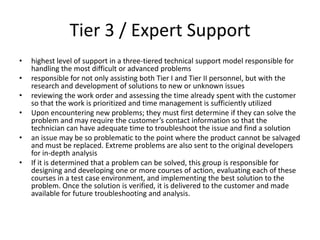
Tier 3 / Expert Support
•   highest level of support in a three-tiered technical support model responsible for
    handling the most difficult or advanced problems
•   responsible for not only assisting both Tier I and Tier II personnel, but with the
    research and development of solutions to new or unknown issues
•   reviewing the work order and assessing the time already spent with the customer
    so that the work is prioritized and time management is sufficiently utilized
•   Upon encountering new problems; they must first determine if they can solve the
    problem and may require the customer’s contact information so that the
    technician can have adequate time to troubleshoot the issue and find a solution
•   an issue may be so problematic to the point where the product cannot be salvaged
    and must be replaced. Extreme problems are also sent to the original developers
    for in-depth analysis
•   If it is determined that a problem can be solved, this group is responsible for
    designing and developing one or more courses of action, evaluating each of these
    courses in a test case environment, and implementing the best solution to the
    problem. Once the solution is verified, it is delivered to the customer and made
    available for future troubleshooting and analysis.

9 technical support

  • 1.
    Technical Support PC Repairand Troubleshooting
  • 2.
    Technical Support • refersto a range of services by which enterprises provide assistance to users of technology products – Mobiles – Computers – Software • attempt to help the user solve specific problems with a product • Via SMS, chat, email, phone, fax, forum, website, or remote access
  • 3.
    Remote PC Repair •method for troubleshooting software related problems via remote desktop connections • Technicians use software that allows the technician to access the user's desktop via the Internet. • With the user's permission, the technician can take control of the user's mouse and keyboard, transfer various diagnostic and repair applications to the user's desktop, run scans, install antivirus programs, etc. • If the remote service permits it, the technician can even reboot the PC and reconnect remotely to continue his work without the user needing to assist.
  • 4.
    Technical Support CommonActivities • installing and configuring computer hardware operating systems and applications; • monitoring and maintaining computer systems and networks; • talking staff/clients through a series of actions, either face to face or over the telephone; • troubleshooting system and network problems and diagnosing and solving hardware/software faults; • replacing parts as required; • providing support, including procedural documentation; • following diagrams and written instructions to repair a fault or set up a system;
  • 5.
    • supporting theroll-out of new applications; • setting up new users’ accounts and profiles and dealing with password issues; • responding within agreed time limits to call-outs; • working continuously on a task until completion (or referral to third parties, if appropriate); • prioritising and managing many open cases at one time; • rapidly establishing a good working relationship with customers and other professionals (e.g., software developers); • testing and evaluating new technology; • conducting electrical safety checks on computer equipment
  • 6.
    Multi tiered technicalsupport • Technical support is often subdivided into tiers, or levels, in order to better serve a business or customer base • The divisions of technicians is dependent on – the technicians’ understanding of their level of responsibility and commitments, – their customer response time commitments, – when to appropriately escalate an issue and to which level • A common support structure revolves around a three-tiered technical support system
  • 7.
    Tier 1 /Basic Support • initial support level responsible for basic customer issues • gather the customer’s information and to determine the customer’s issue by analysing the symptoms and figuring out the underlying problem • Once identification of the underlying problem is established, the specialist can begin sorting through the possible solutions available using some kind of knowledge management tool • 1st line support actually requires very good knowledge of the products, terms and conditions offered by the business rather than technical information itself
  • 8.
    Tier 2 /Advance Support • in-depth technical support level • assists Tier I personnel solve basic technical problems and investigates elevated issues by confirming the validity of the problem and seeking for known solutions related to these more complex issues • review the work order to see what has already been accomplished by the Tier I technician and how long the technician has been working with the particular customer • If a problem is new and/or personnel from this group cannot determine a solution, they are responsible for raising this issue to the Tier III
  • 9.
    Tier 3 /Expert Support • highest level of support in a three-tiered technical support model responsible for handling the most difficult or advanced problems • responsible for not only assisting both Tier I and Tier II personnel, but with the research and development of solutions to new or unknown issues • reviewing the work order and assessing the time already spent with the customer so that the work is prioritized and time management is sufficiently utilized • Upon encountering new problems; they must first determine if they can solve the problem and may require the customer’s contact information so that the technician can have adequate time to troubleshoot the issue and find a solution • an issue may be so problematic to the point where the product cannot be salvaged and must be replaced. Extreme problems are also sent to the original developers for in-depth analysis • If it is determined that a problem can be solved, this group is responsible for designing and developing one or more courses of action, evaluating each of these courses in a test case environment, and implementing the best solution to the problem. Once the solution is verified, it is delivered to the customer and made available for future troubleshooting and analysis.