9 Interesting Ways* to Teach Internet Safety in the Classroom *and tips source:  http://www.flickr.com/photos/katemonkey/122489910/ This work is licensed under a  Creative Commons  Attribution Noncommercial Share Alike 3.0 License.
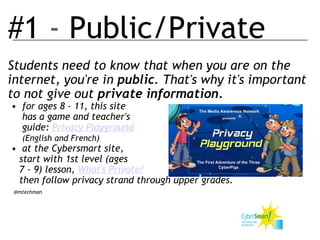
#1  -  Public/Private Students need to know that when you are on the internet, you're in  public . That's why it's important to not give out  private information. for ages 8 - 11, this site       has a game and teacher's       guide:  Privacy Playground       (English and French) at the Cybersmart site,      start with 1st level (ages      7 - 9) lesson,  What's Private?      then follow privacy strand through upper grades.    @mtechman   
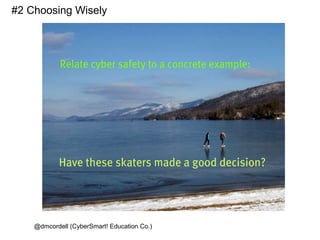
@dmcordell (CyberSmart! Education Co.) #2 Choosing Wisely
#3 - Mock Survey Set up a questionnaire via  Survey Monkey.   Ask children to assess how safe they feel they are online. Many will believe they are totally safe. ( Hmm you mean  totally  safe like... um... crossing a road?) Set up some questions including issues of personal information. Mix in instructions such as "type your password here". Display and discuss the results of the survey.  In my experience most children will  say  they should never tell their password to anyone and yet about half of them then happily type it when instructed to... The point is that it's not enough to know the rules - you need to follow them too. Delete the results of the survey at the end of the lesson
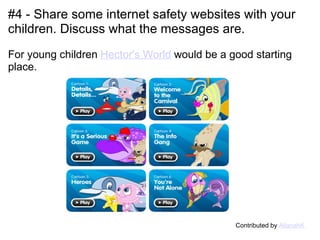
#4 - Share some internet safety websites with your children. Discuss what the messages are.     For young children  Hector's World  would be a good starting place.                                                Contributed by  AllanahK
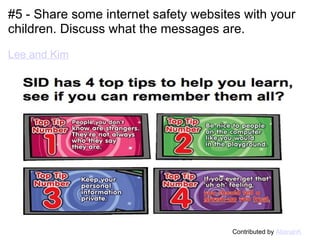
#5 - Share some internet safety websites with your children. Discuss what the messages are.   Lee and Kim                                                Contributed by  AllanahK
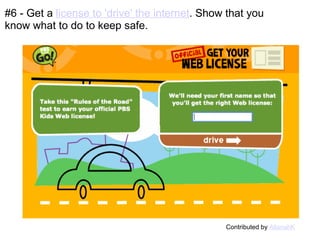
#6 - Get a  license to 'drive' the internet . Show that you know what to do to keep safe. Contributed by  AllanahK
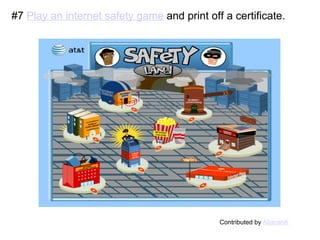
#7  Play an internet safety game  and print off a certificate. Contributed by  AllanahK
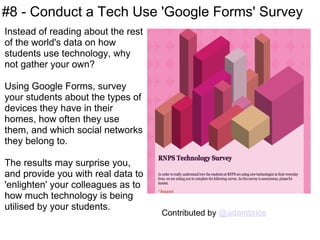
#8 - Conduct a Tech Use 'Google Forms' Survey Instead of reading about the rest of the world's data on how students use technology, why not gather your own?  Using Google Forms, survey your students about the types of devices they have in their homes, how often they use them, and which social networks they belong to. The results may surprise you, and provide you with real data to 'enlighten' your colleagues as to how much technology is being utilised by your students. Contributed by  @adambrice
#9 Learners Organise an e-Safety Evening for Parents Pupils present their knowledge of Internet Safety by making: short films (drama, documentary, or interviews with peers) presentations animations   Carry out a poll of peers' knowledge of internet safety and present the results (this can be quite an eye-opener) Invite guest speakers e.g. Head of ICT, local Community Police Officer with Internet Safety remit) Pupils offer tips to parents on how to keep their child safe online Contributed by  @Mark__C
If you would like to:  Contribute your ideas and tips to the presentation. Let me know how you have used the resource. Get in touch.  You can email me  or DM me on Twitter I am  tombarrett   Thanks for helping Tom Barrett   Image: ‘ Sharing ‘ If you add a tip (or even if you don't) please tweet about it + the link so more people can contribute. Other "Interesting Ways" Presentations. IWB   Google Earth   Google Docs   Pocket Videos Twitter    Wordle  

9 interesting ways_to_teach_internet_safety_in

  • 1.
    9 Interesting Ways*to Teach Internet Safety in the Classroom *and tips source: http://www.flickr.com/photos/katemonkey/122489910/ This work is licensed under a  Creative Commons  Attribution Noncommercial Share Alike 3.0 License.
  • 2.
    #1 - Public/Private Students need to know that when you are on the internet, you're in public . That's why it's important to not give out private information. for ages 8 - 11, this site      has a game and teacher's      guide: Privacy Playground      (English and French) at the Cybersmart site,     start with 1st level (ages     7 - 9) lesson, What's Private?     then follow privacy strand through upper grades.   @mtechman   
  • 3.
    @dmcordell (CyberSmart! EducationCo.) #2 Choosing Wisely
  • 4.
    #3 - MockSurvey Set up a questionnaire via  Survey Monkey.   Ask children to assess how safe they feel they are online. Many will believe they are totally safe. ( Hmm you mean  totally  safe like... um... crossing a road?) Set up some questions including issues of personal information. Mix in instructions such as "type your password here". Display and discuss the results of the survey.  In my experience most children will  say  they should never tell their password to anyone and yet about half of them then happily type it when instructed to... The point is that it's not enough to know the rules - you need to follow them too. Delete the results of the survey at the end of the lesson
  • 5.
    #4 - Sharesome internet safety websites with your children. Discuss what the messages are.     For young children Hector's World would be a good starting place.                                               Contributed by AllanahK
  • 6.
    #5 - Sharesome internet safety websites with your children. Discuss what the messages are.   Lee and Kim                                               Contributed by AllanahK
  • 7.
    #6 - Geta license to 'drive' the internet . Show that you know what to do to keep safe. Contributed by AllanahK
  • 8.
    #7 Playan internet safety game and print off a certificate. Contributed by AllanahK
  • 9.
    #8 - Conducta Tech Use 'Google Forms' Survey Instead of reading about the rest of the world's data on how students use technology, why not gather your own? Using Google Forms, survey your students about the types of devices they have in their homes, how often they use them, and which social networks they belong to. The results may surprise you, and provide you with real data to 'enlighten' your colleagues as to how much technology is being utilised by your students. Contributed by @adambrice
  • 10.
    #9 Learners Organisean e-Safety Evening for Parents Pupils present their knowledge of Internet Safety by making: short films (drama, documentary, or interviews with peers) presentations animations   Carry out a poll of peers' knowledge of internet safety and present the results (this can be quite an eye-opener) Invite guest speakers e.g. Head of ICT, local Community Police Officer with Internet Safety remit) Pupils offer tips to parents on how to keep their child safe online Contributed by @Mark__C
  • 11.
    If you wouldlike to:  Contribute your ideas and tips to the presentation. Let me know how you have used the resource. Get in touch.  You can email me  or DM me on Twitter I am tombarrett   Thanks for helping Tom Barrett   Image: ‘ Sharing ‘ If you add a tip (or even if you don't) please tweet about it + the link so more people can contribute. Other "Interesting Ways" Presentations. IWB   Google Earth   Google Docs   Pocket Videos Twitter    Wordle