This document is a result of work by the Network Startup Resource Center (NSRC at http://www.nsrc.org). This document may be freely
copied, modified, and otherwise re-used on the condition that any re-use acknowledge the NSRC as the original source.
DNS/DNSSEC Workshop
TSIG
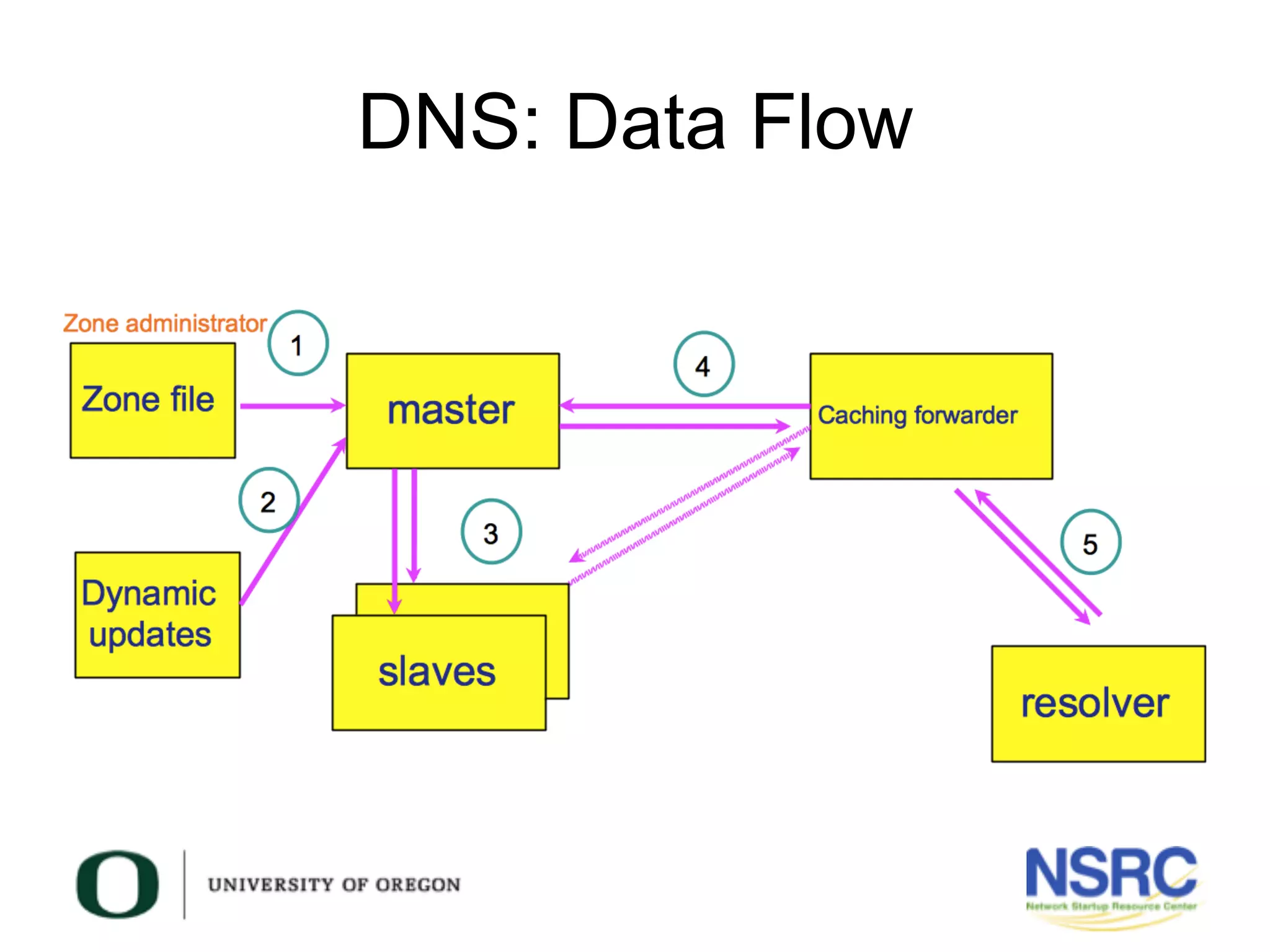
DNS: Data Flow
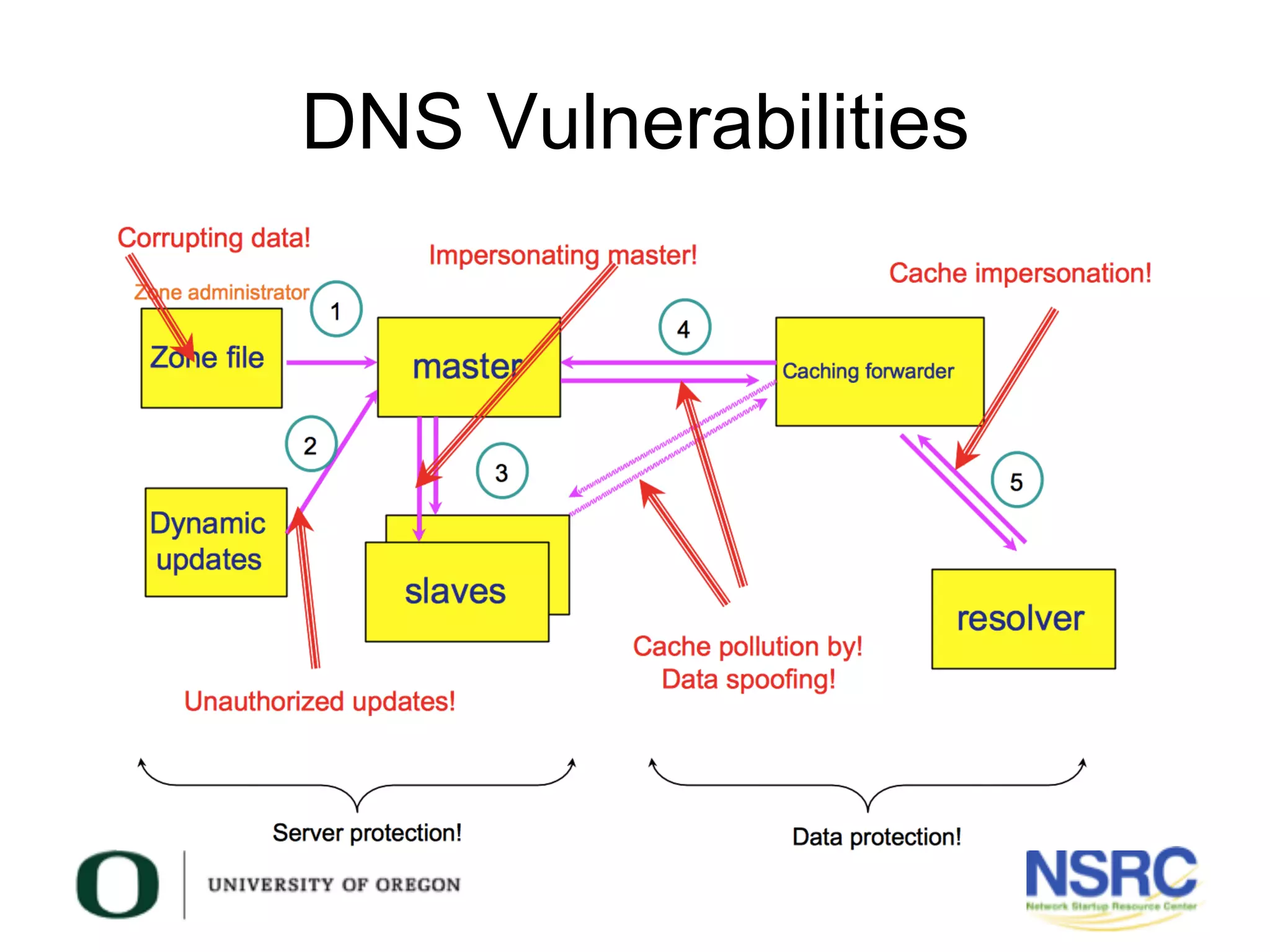
DNS Vulnerabilities
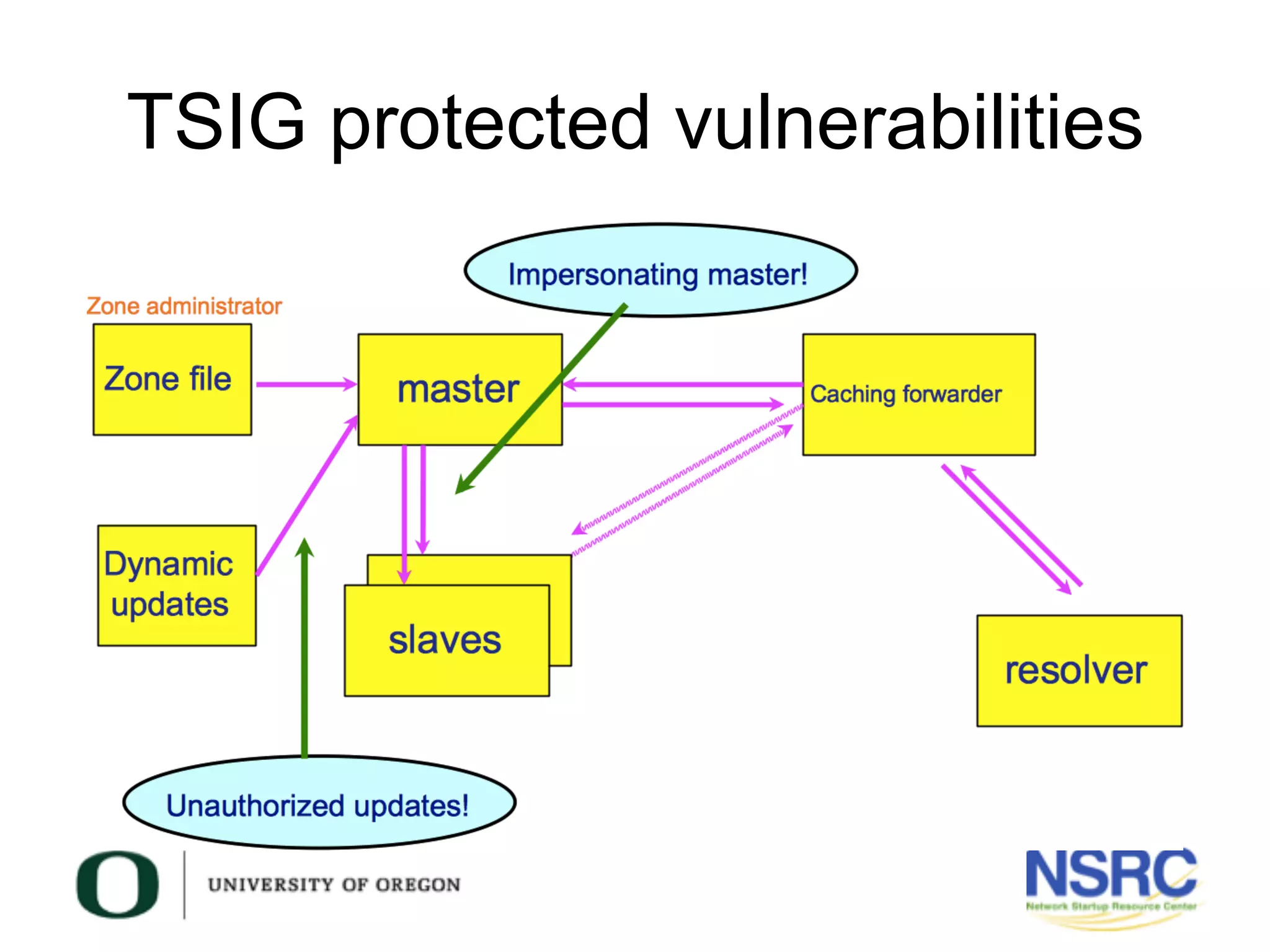
TSIG protected vulnerabilities
What is TSIG?
•  Transaction SIGnature
–  A mechanism for protecting communication between name
servers and between stub resolvers and nameservers
•  A keyed-hash is applied (like a digital signature), so
the recipient of the message can verify that it hasn’t
been tampered with:
–  DNS question / answer
–  timestamp
•  Based on a shared secret
–  Both the sender and recipient must be configured with it
–  ACLs
–  In some contexts, names of keys (more on this later)
What is TSIG?
•  RFC 2845 – TSIG
•  Can also be used to authorize:
– zone transfers
– dynamic updates
– authentication of caching forwarders
•  Used in server configuration – not in the
zone file
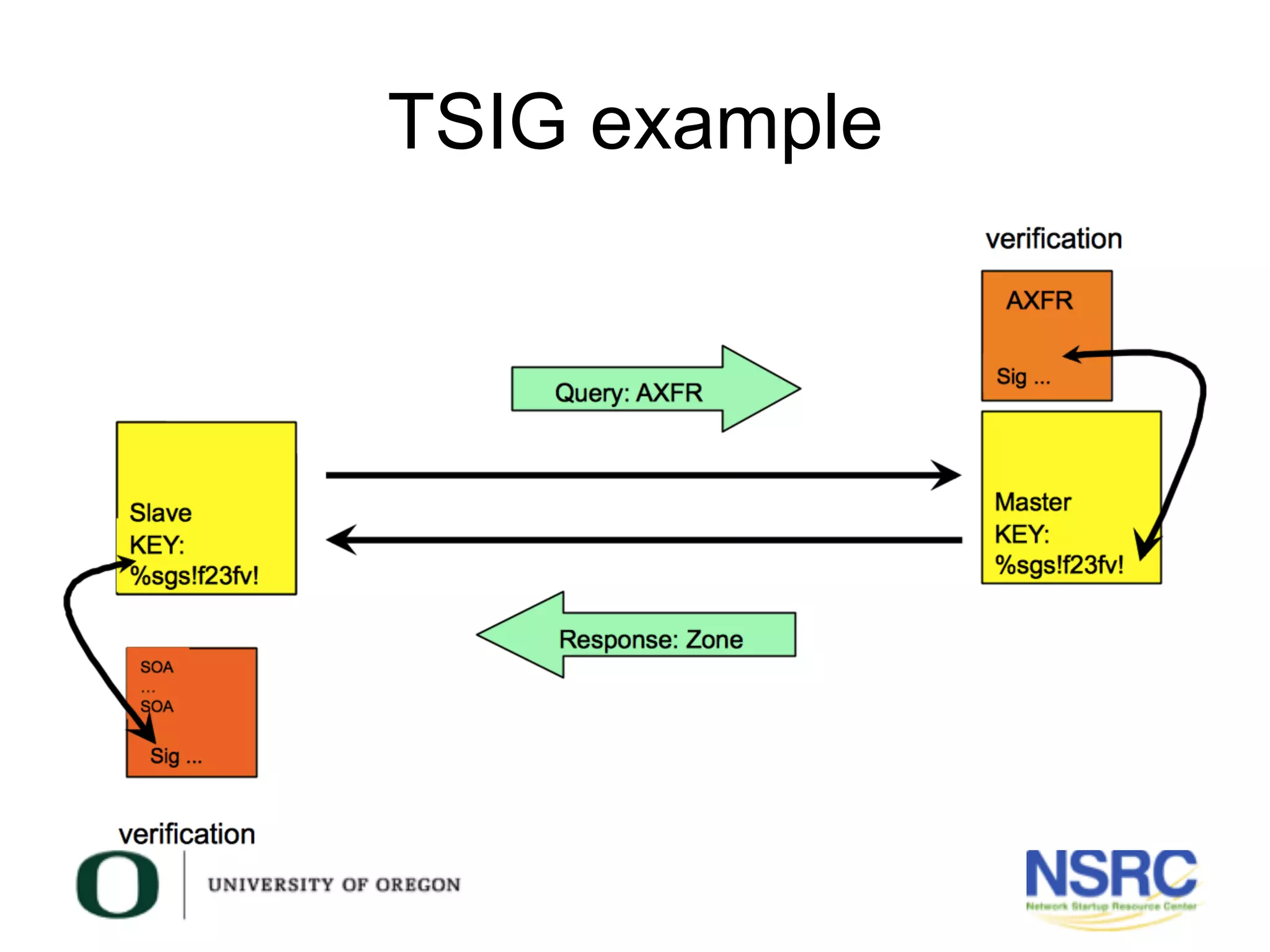
TSIG example
TSIG steps
•  Generate secret
•  Communicate secret
•  Configure servers
•  Test
TSIG – Names & Secrets
•  TSIG name
– A name is given to the key. The name is what
is transmitted in the message (so the receiver
knows what key the sender has used, out of
possibly many)
•  TSIG secret value
– A value determined during key generation
– Usually seen encoded in BASE64
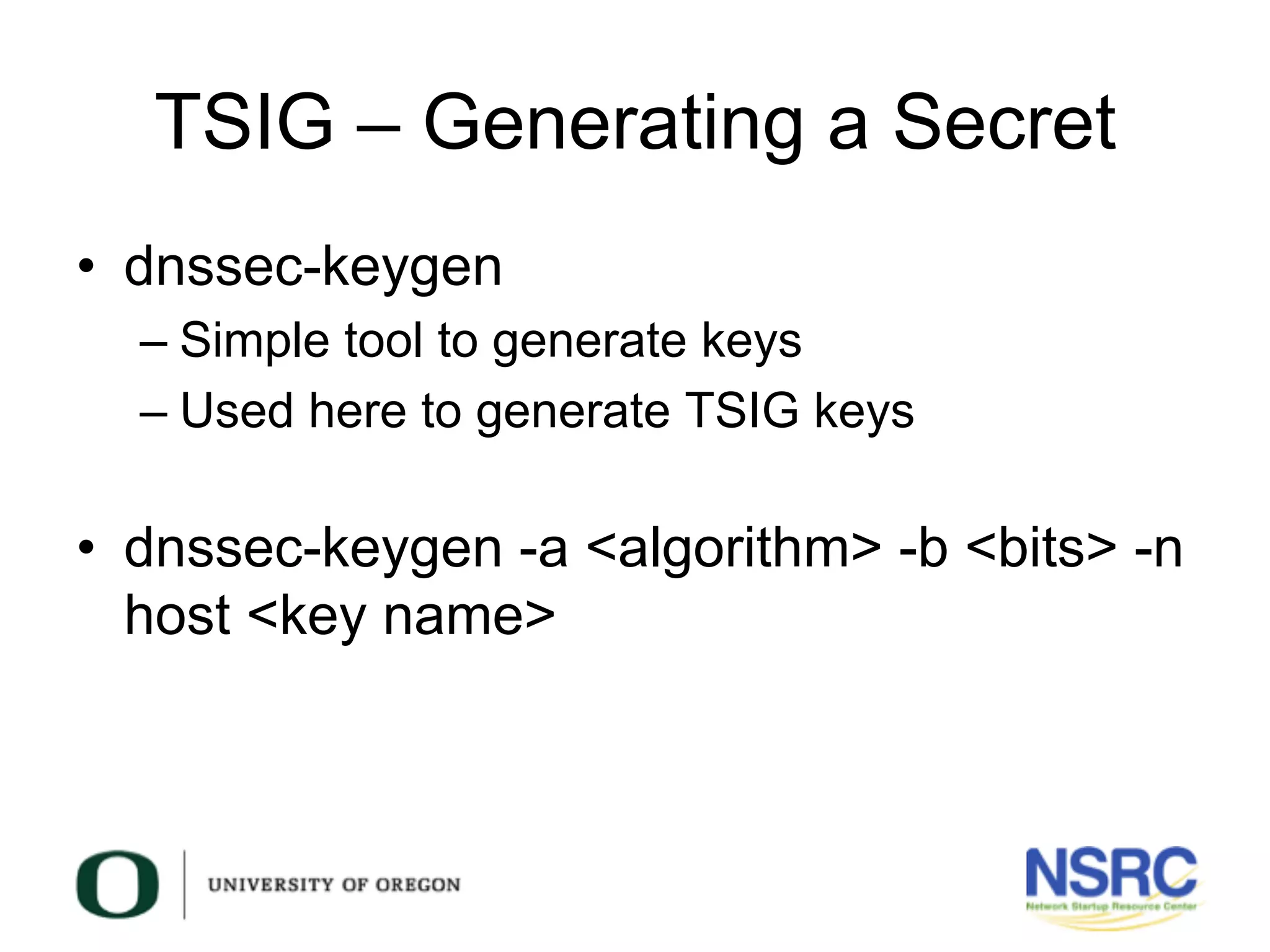
TSIG – Generating a Secret
•  dnssec-keygen
– Simple tool to generate keys
– Used here to generate TSIG keys
•  dnssec-keygen -a <algorithm> -b <bits> -n
host <key name>
TSIG – Generating a Secret
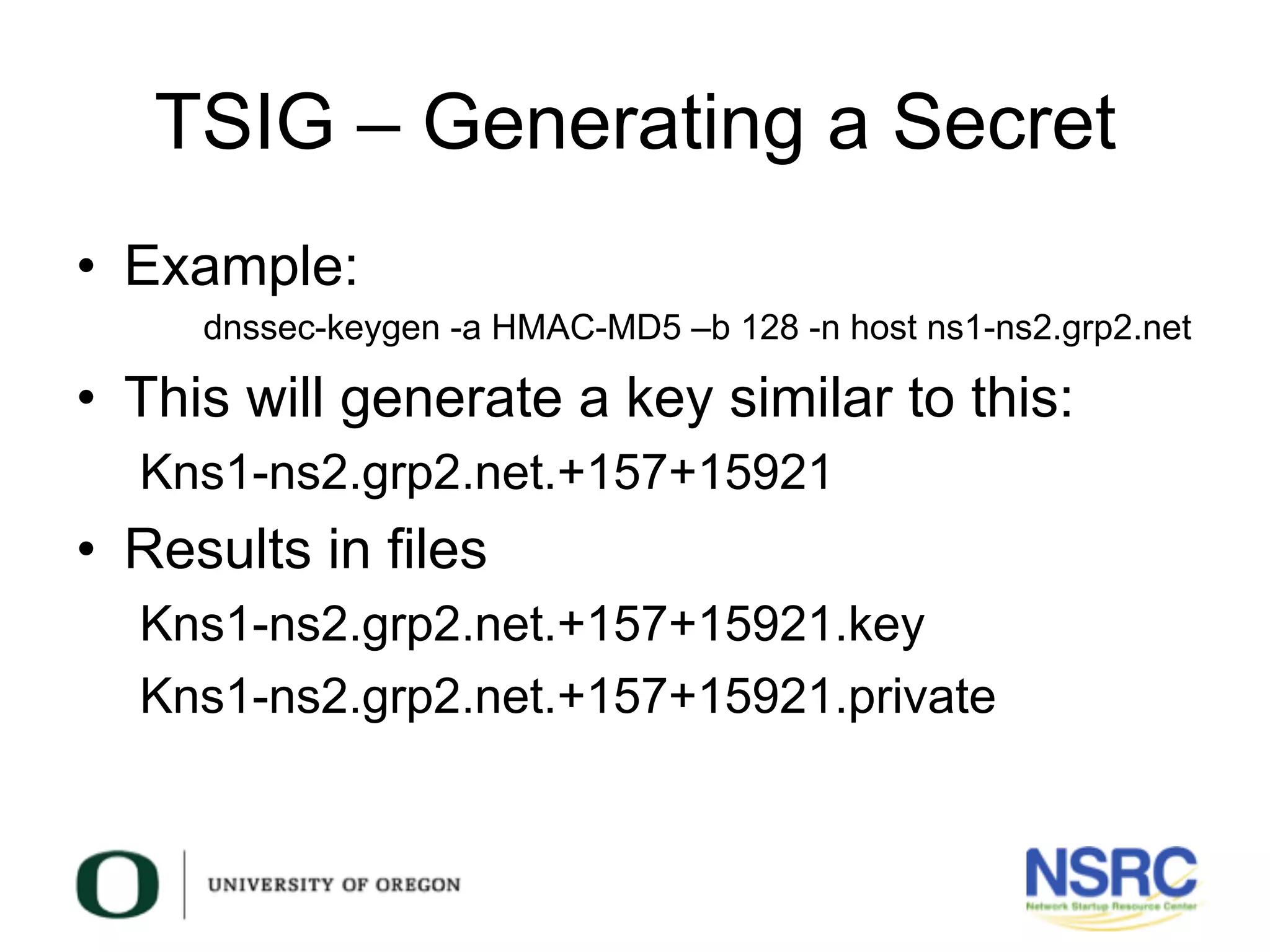
•  Example:
dnssec-keygen -a HMAC-MD5 –b 128 -n host ns1-ns2.grp2.net
•  This will generate a key similar to this:
Kns1-ns2.grp2.net.+157+15921
•  Results in files
Kns1-ns2.grp2.net.+157+15921.key
Kns1-ns2.grp2.net.+157+15921.private
TSIG – Generating a Secret
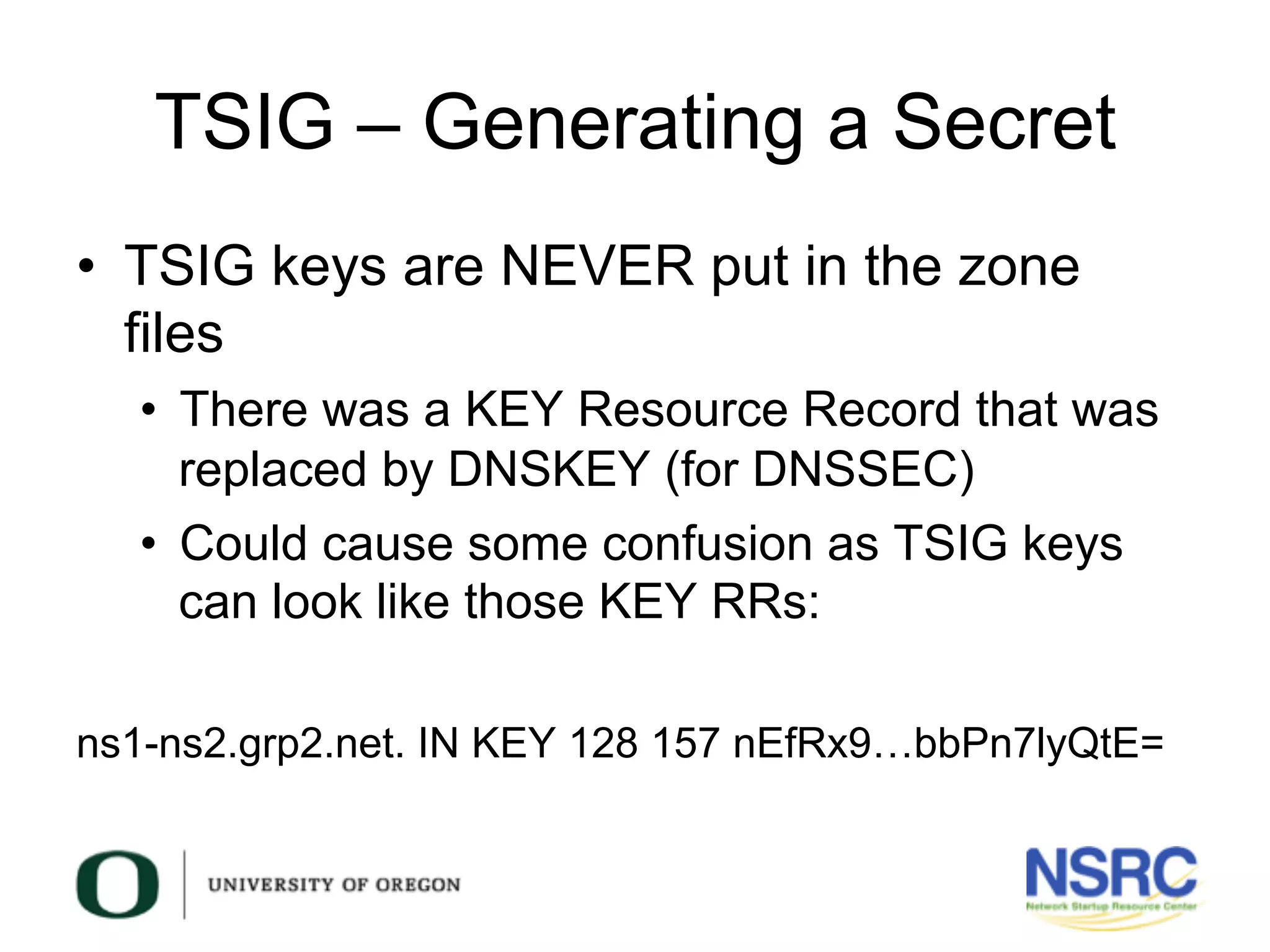
•  TSIG keys are NEVER put in the zone
files
•  There was a KEY Resource Record that was
replaced by DNSKEY (for DNSSEC)
•  Could cause some confusion as TSIG keys
can look like those KEY RRs:
ns1-ns2.grp2.net. IN KEY 128 157 nEfRx9…bbPn7lyQtE=
TSIG – Generating a Secret
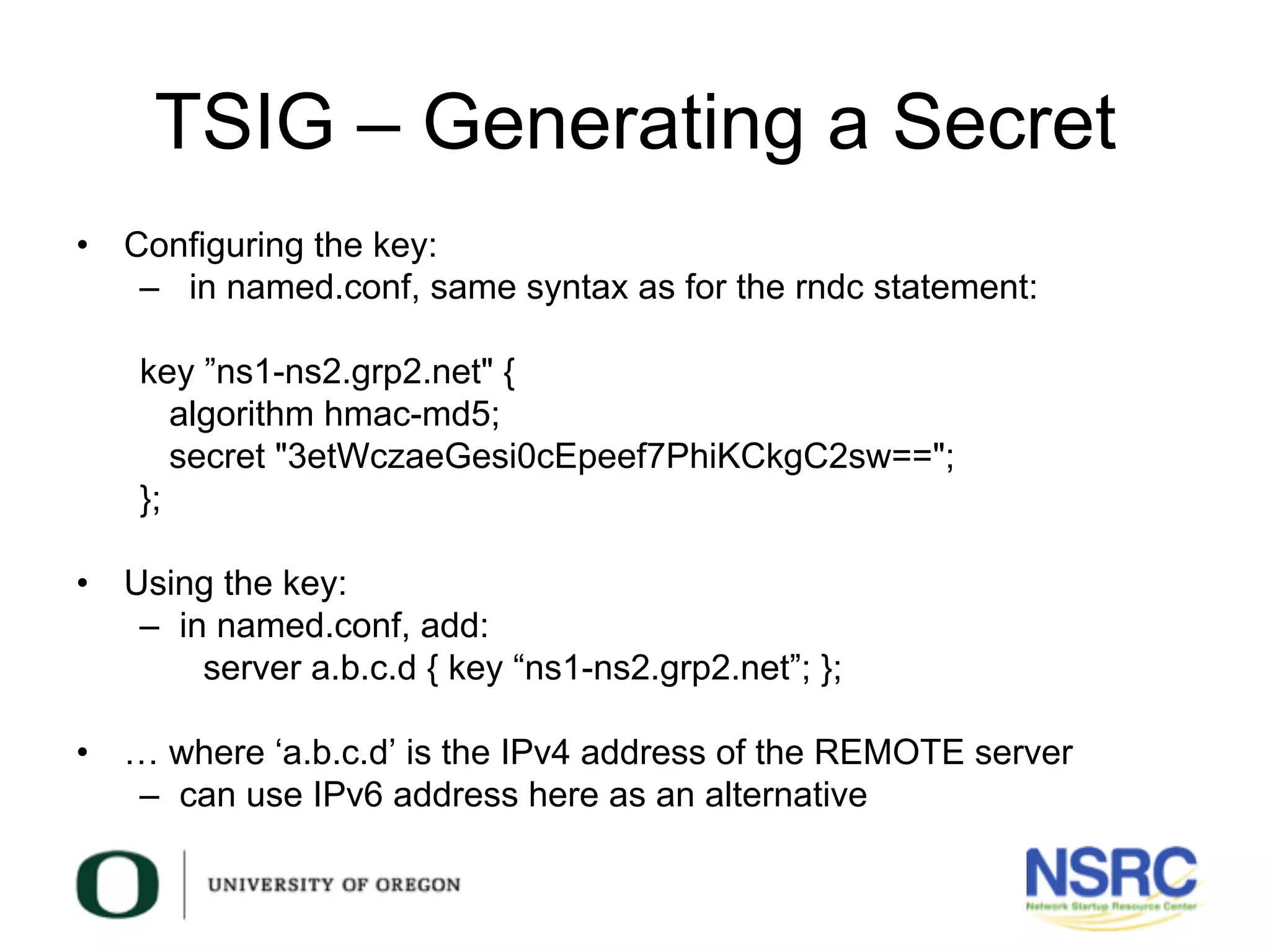
•  Configuring the key:
–  in named.conf, same syntax as for the rndc statement:
key ”ns1-ns2.grp2.net" {
algorithm hmac-md5;
secret "3etWczaeGesi0cEpeef7PhiKCkgC2sw==";
};
•  Using the key:
–  in named.conf, add:
server a.b.c.d { key “ns1-ns2.grp2.net”; };
•  … where ‘a.b.c.d’ is the IPv4 address of the REMOTE server
–  can use IPv6 address here as an alternative
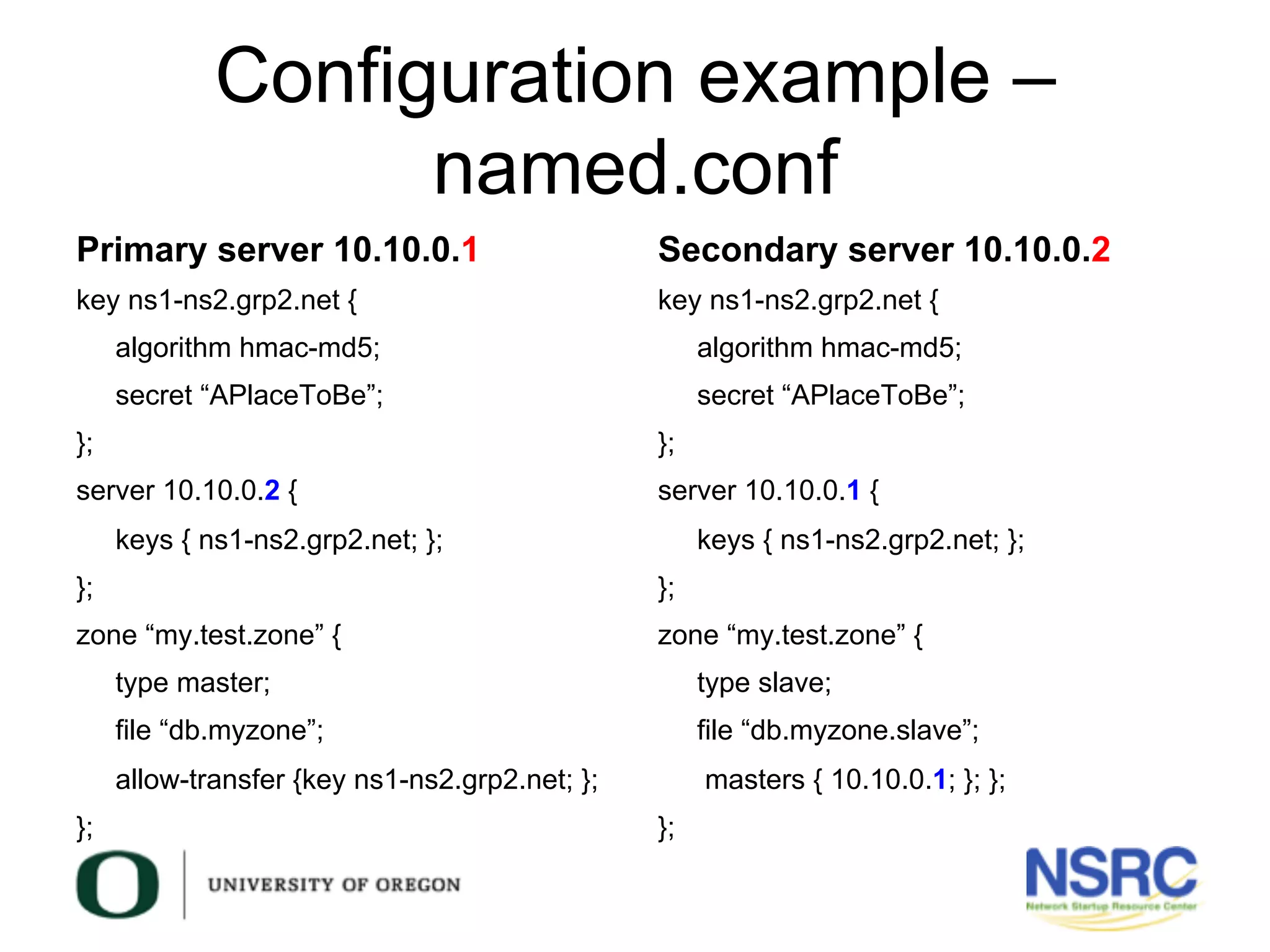
Configuration example –
named.conf
Primary server 10.10.0.1
key ns1-ns2.grp2.net {
algorithm hmac-md5;
secret “APlaceToBe”;
};
server 10.10.0.2 {
keys { ns1-ns2.grp2.net; };
};
zone “my.test.zone” {
type master;
file “db.myzone”;
allow-transfer {key ns1-ns2.grp2.net; };
};
Secondary server 10.10.0.2
key ns1-ns2.grp2.net {
algorithm hmac-md5;
secret “APlaceToBe”;
};
server 10.10.0.1 {
keys { ns1-ns2.grp2.net; };
};
zone “my.test.zone” {
type slave;
file “db.myzone.slave”;
masters { 10.10.0.1; }; };
};
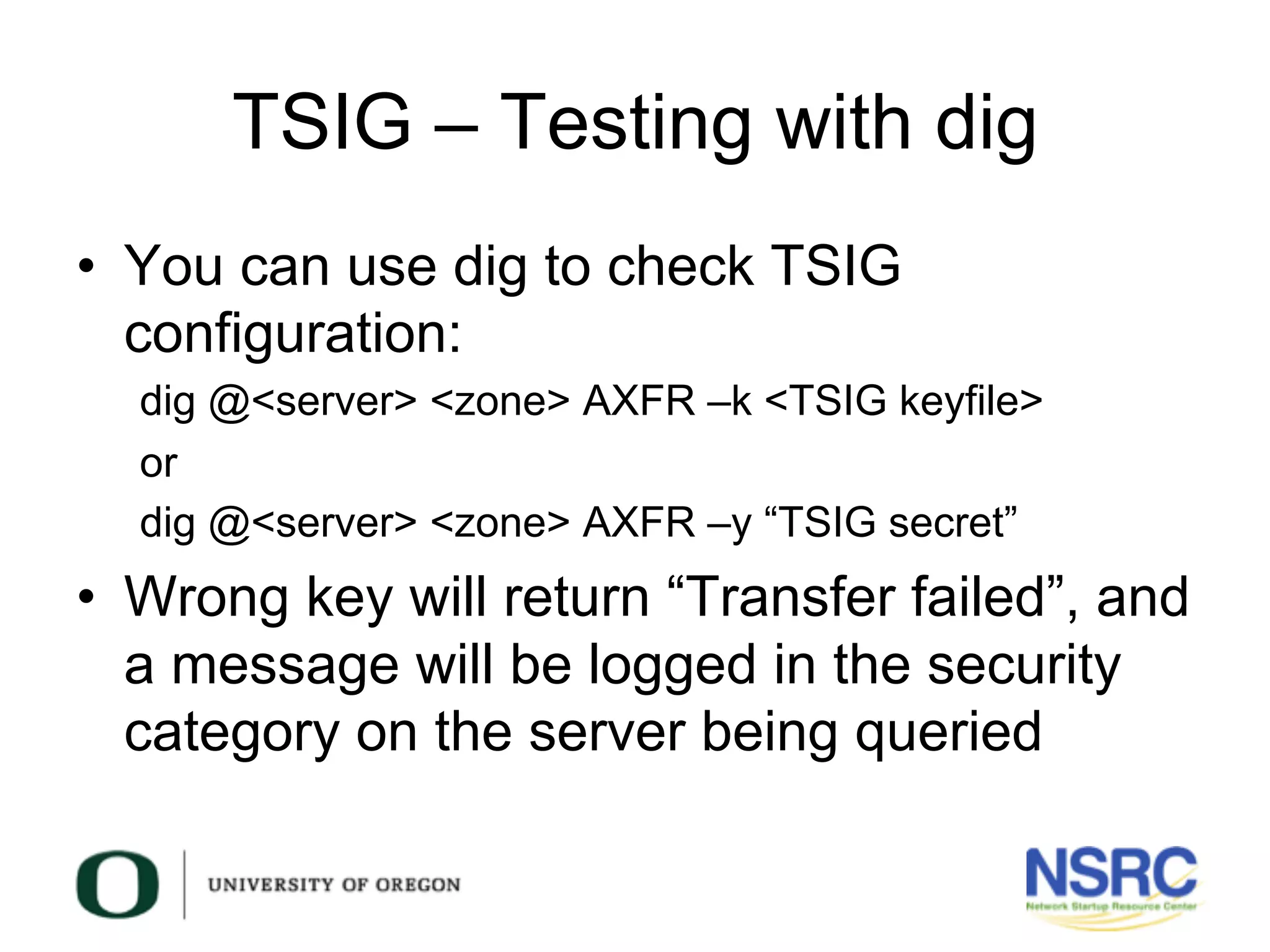
TSIG – Testing with dig
•  You can use dig to check TSIG
configuration:
dig @<server> <zone> AXFR –k <TSIG keyfile>
or
dig @<server> <zone> AXFR –y “TSIG secret”
•  Wrong key will return “Transfer failed”, and
a message will be logged in the security
category on the server being queried
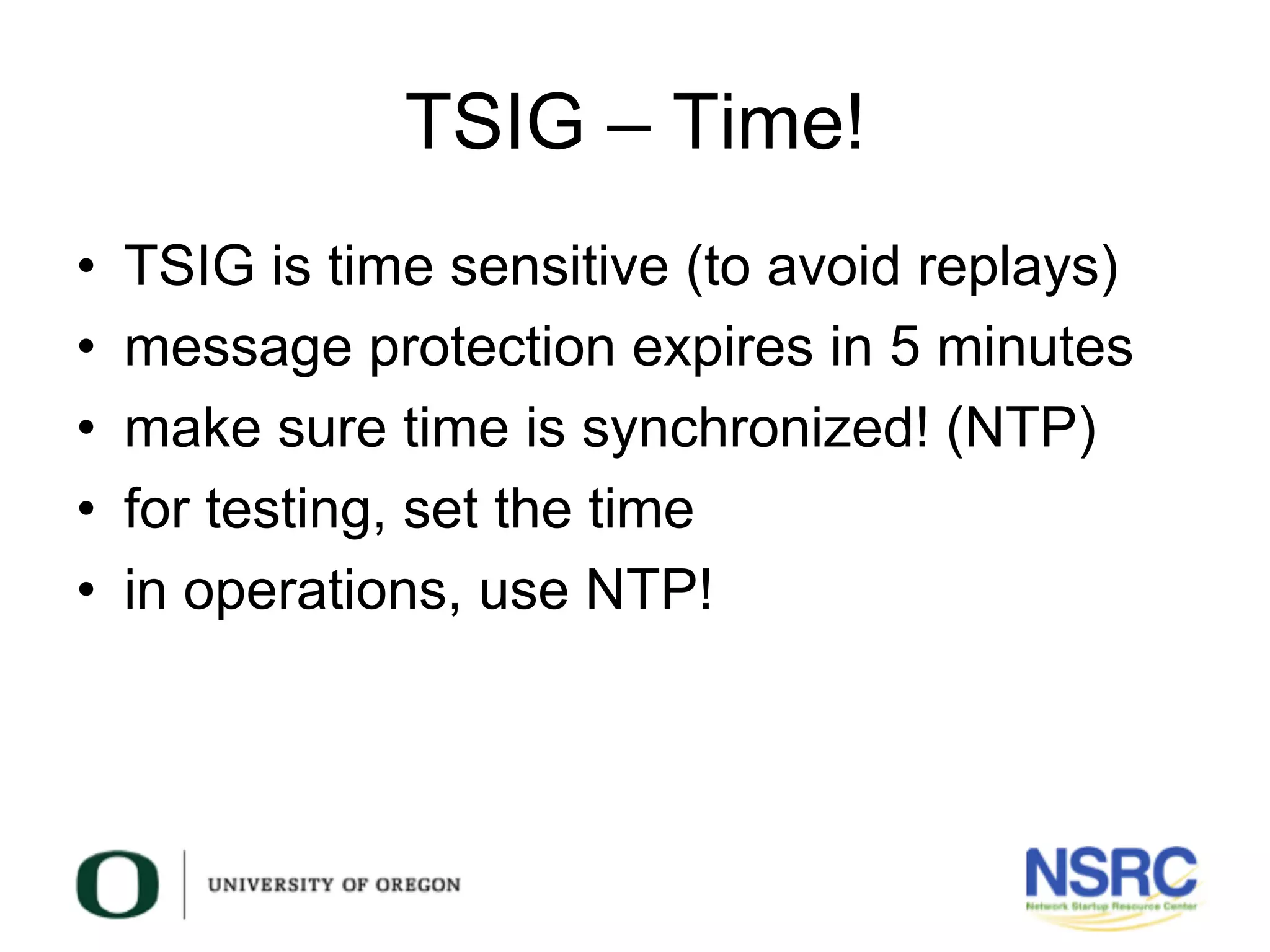
TSIG – Time!
•  TSIG is time sensitive (to avoid replays)
•  message protection expires in 5 minutes
•  make sure time is synchronized! (NTP)
•  for testing, set the time
•  in operations, use NTP!
Questions?
?

7 technical-dns-workshop-day3

  • 1.
    This document isa result of work by the Network Startup Resource Center (NSRC at http://www.nsrc.org). This document may be freely copied, modified, and otherwise re-used on the condition that any re-use acknowledge the NSRC as the original source. DNS/DNSSEC Workshop TSIG
  • 2.
  • 3.
  • 4.
  • 5.
    What is TSIG? • Transaction SIGnature –  A mechanism for protecting communication between name servers and between stub resolvers and nameservers •  A keyed-hash is applied (like a digital signature), so the recipient of the message can verify that it hasn’t been tampered with: –  DNS question / answer –  timestamp •  Based on a shared secret –  Both the sender and recipient must be configured with it –  ACLs –  In some contexts, names of keys (more on this later)
  • 6.
    What is TSIG? • RFC 2845 – TSIG •  Can also be used to authorize: – zone transfers – dynamic updates – authentication of caching forwarders •  Used in server configuration – not in the zone file
  • 7.
  • 8.
    TSIG steps •  Generatesecret •  Communicate secret •  Configure servers •  Test
  • 9.
    TSIG – Names& Secrets •  TSIG name – A name is given to the key. The name is what is transmitted in the message (so the receiver knows what key the sender has used, out of possibly many) •  TSIG secret value – A value determined during key generation – Usually seen encoded in BASE64
  • 10.
    TSIG – Generatinga Secret •  dnssec-keygen – Simple tool to generate keys – Used here to generate TSIG keys •  dnssec-keygen -a <algorithm> -b <bits> -n host <key name>
  • 11.
    TSIG – Generatinga Secret •  Example: dnssec-keygen -a HMAC-MD5 –b 128 -n host ns1-ns2.grp2.net •  This will generate a key similar to this: Kns1-ns2.grp2.net.+157+15921 •  Results in files Kns1-ns2.grp2.net.+157+15921.key Kns1-ns2.grp2.net.+157+15921.private
  • 12.
    TSIG – Generatinga Secret •  TSIG keys are NEVER put in the zone files •  There was a KEY Resource Record that was replaced by DNSKEY (for DNSSEC) •  Could cause some confusion as TSIG keys can look like those KEY RRs: ns1-ns2.grp2.net. IN KEY 128 157 nEfRx9…bbPn7lyQtE=
  • 13.
    TSIG – Generatinga Secret •  Configuring the key: –  in named.conf, same syntax as for the rndc statement: key ”ns1-ns2.grp2.net" { algorithm hmac-md5; secret "3etWczaeGesi0cEpeef7PhiKCkgC2sw=="; }; •  Using the key: –  in named.conf, add: server a.b.c.d { key “ns1-ns2.grp2.net”; }; •  … where ‘a.b.c.d’ is the IPv4 address of the REMOTE server –  can use IPv6 address here as an alternative
  • 14.
    Configuration example – named.conf Primaryserver 10.10.0.1 key ns1-ns2.grp2.net { algorithm hmac-md5; secret “APlaceToBe”; }; server 10.10.0.2 { keys { ns1-ns2.grp2.net; }; }; zone “my.test.zone” { type master; file “db.myzone”; allow-transfer {key ns1-ns2.grp2.net; }; }; Secondary server 10.10.0.2 key ns1-ns2.grp2.net { algorithm hmac-md5; secret “APlaceToBe”; }; server 10.10.0.1 { keys { ns1-ns2.grp2.net; }; }; zone “my.test.zone” { type slave; file “db.myzone.slave”; masters { 10.10.0.1; }; }; };
  • 15.
    TSIG – Testingwith dig •  You can use dig to check TSIG configuration: dig @<server> <zone> AXFR –k <TSIG keyfile> or dig @<server> <zone> AXFR –y “TSIG secret” •  Wrong key will return “Transfer failed”, and a message will be logged in the security category on the server being queried
  • 16.
    TSIG – Time! • TSIG is time sensitive (to avoid replays) •  message protection expires in 5 minutes •  make sure time is synchronized! (NTP) •  for testing, set the time •  in operations, use NTP!
  • 17.