
 Scopus is the largest abstract and citation database of peer-
reviewed literature: scientific journals, books and conference
proceedings.
 Delivering a comprehensive overview of the world's research
output in the fields of science, technology, medicine, social
sciences, and arts & humanities
 Scopus features smart tools to track, analyse and visualize
research.
 As research becomes increasingly global, interdisciplinary and
collaborative, you can make sure that critical research from around
the world is not missed when you choose Scopus.
Scopus
Features of Scopus:
 Research is a complex pursuit.
 More than ever, finding the right result is essential first step or as
important as
 Uncovering trends,
 Discovering sources & collaborators, and
 Analyzing results to yield further insights.
Scopus
Search: Effective search tools in Scopus help you to quickly identify
the right results from over 57 million records. Search in the following
ways:
 Document search: Search directly from the homepage and use
detailed search options to ensure you find the documents
 Author search: Search for a specific author by name or by ORCID
(Open Research and Contributor Identifier) ID
 Affiliation search: Identify and assess an affiliation’s scholarly
output, collaborating institutions and top authors.
 Advanced search: Narrow the scope of your search using field
codes, proximity operators and/or Boolean operators.
 Refine results: Scopus makes it easy to refine your results list to
specific categories of documents.
Features of Scopus:
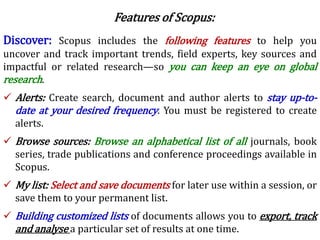
Discover: Scopus includes the following features to help you
uncover and track important trends, field experts, key sources and
impactful or related research—so you can keep an eye on global
research.
 Alerts: Create search, document and author alerts to stay up-to-
date at your desired frequency. You must be registered to create
alerts.
 Browse sources: Browse an alphabetical list of all journals, book
series, trade publications and conference proceedings available in
Scopus.
 My list: Select and save documents for later use within a session, or
save them to your permanent list.
 Building customized lists of documents allows you to export, track
and analyse a particular set of results at one time.
Features of Scopus:
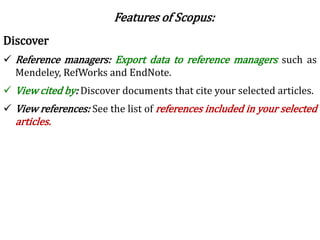
Discover
 Reference managers: Export data to reference managers such as
Mendeley, RefWorks and EndNote.
 View cited by: Discover documents that cite your selected articles.
 View references: See the list of references included in your selected
articles.
Features of Scopus:
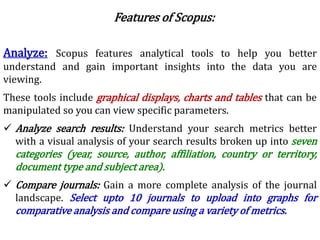
Analyze: Scopus features analytical tools to help you better
understand and gain important insights into the data you are
viewing.
These tools include graphical displays, charts and tables that can be
manipulated so you can view specific parameters.
 Analyze search results: Understand your search metrics better
with a visual analysis of your search results broken up into seven
categories (year, source, author, affiliation, country or territory,
document type and subject area).
 Compare journals: Gain a more complete analysis of the journal
landscape. Select upto 10 journals to upload into graphs for
comparative analysis and compare using a variety of metrics.
Features of Scopus:
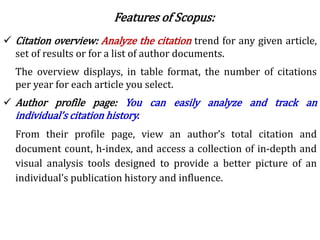
 Citation overview: Analyze the citation trend for any given article,
set of results or for a list of author documents.
The overview displays, in table format, the number of citations
per year for each article you select.
 Author profile page: You can easily analyze and track an
individual’s citation history.
From their profile page, view an author’s total citation and
document count, h-index, and access a collection of in-depth and
visual analysis tools designed to provide a better picture of an
individual’s publication history and influence.
Features of Scopus:
Who Uses of SCOPUS?
Academic Institutions:
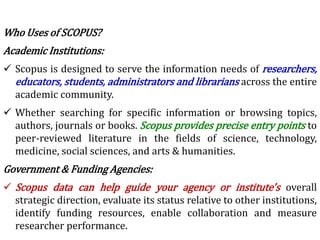
 Scopus is designed to serve the information needs of researchers,
educators, students, administrators and librarians across the entire
academic community.
 Whether searching for specific information or browsing topics,
authors, journals or books. Scopus provides precise entry points to
peer-reviewed literature in the fields of science, technology,
medicine, social sciences, and arts & humanities.
Government & Funding Agencies:
 Scopus data can help guide your agency or institute's overall
strategic direction, evaluate its status relative to other institutions,
identify funding resources, enable collaboration and measure
researcher performance.
Who Uses of SCOPUS?
Research & Development:
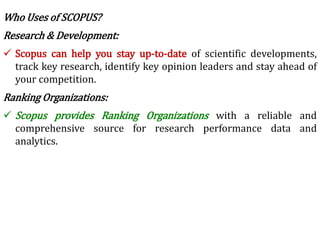
 Scopus can help you stay up-to-date of scientific developments,
track key research, identify key opinion leaders and stay ahead of
your competition.
Ranking Organizations:
 Scopus provides Ranking Organizations with a reliable and
comprehensive source for research performance data and
analytics.
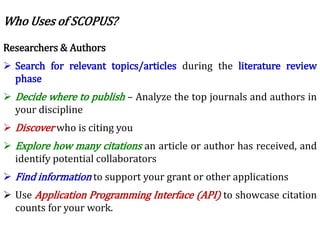
Researchers & Authors
 Search for relevant topics/articles during the literature review
phase
 Decide where to publish – Analyze the top journals and authors in
your discipline
 Discover who is citing you
 Explore how many citations an article or author has received, and
identify potential collaborators
 Find information to support your grant or other applications
 Use Application Programming Interface (API) to showcase citation
counts for your work.
Who Uses of SCOPUS?
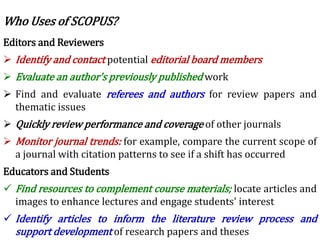
Editors and Reviewers
 Identify and contact potential editorial board members
 Evaluate an author's previously published work
 Find and evaluate referees and authors for review papers and
thematic issues
 Quickly review performance and coverage of other journals
 Monitor journal trends: for example, compare the current scope of
a journal with citation patterns to see if a shift has occurred
Educators and Students
 Find resources to complement course materials; locate articles and
images to enhance lectures and engage students' interest
 Identify articles to inform the literature review process and
support development of research papers and theses
Who Uses of SCOPUS?
Librarians
 Provide users with a global, comprehensive abstract and citation
database of peer-reviewed content
 Link quickly and accurately to full-text articles, optimizing your
institution's investments
 Increase the visibility of and access to other library resources
 Inform collection management decisions through analysis of highly
cited articles, journals and books
Research Administrators
 Allocate financial resources to researchers or departments by
tracking impact
 Check a researcher and tenure candidate's production, citations
and h-index and compare them to others in the same subject area
Who Uses of SCOPUS?
6 rm scopus

6 rm scopus

  • 2.
     Scopus isthe largest abstract and citation database of peer- reviewed literature: scientific journals, books and conference proceedings.  Delivering a comprehensive overview of the world's research output in the fields of science, technology, medicine, social sciences, and arts & humanities  Scopus features smart tools to track, analyse and visualize research.  As research becomes increasingly global, interdisciplinary and collaborative, you can make sure that critical research from around the world is not missed when you choose Scopus. Scopus
  • 3.
    Features of Scopus: Research is a complex pursuit.  More than ever, finding the right result is essential first step or as important as  Uncovering trends,  Discovering sources & collaborators, and  Analyzing results to yield further insights. Scopus
  • 4.
    Search: Effective searchtools in Scopus help you to quickly identify the right results from over 57 million records. Search in the following ways:  Document search: Search directly from the homepage and use detailed search options to ensure you find the documents  Author search: Search for a specific author by name or by ORCID (Open Research and Contributor Identifier) ID  Affiliation search: Identify and assess an affiliation’s scholarly output, collaborating institutions and top authors.  Advanced search: Narrow the scope of your search using field codes, proximity operators and/or Boolean operators.  Refine results: Scopus makes it easy to refine your results list to specific categories of documents. Features of Scopus:
  • 5.
    Discover: Scopus includesthe following features to help you uncover and track important trends, field experts, key sources and impactful or related research—so you can keep an eye on global research.  Alerts: Create search, document and author alerts to stay up-to- date at your desired frequency. You must be registered to create alerts.  Browse sources: Browse an alphabetical list of all journals, book series, trade publications and conference proceedings available in Scopus.  My list: Select and save documents for later use within a session, or save them to your permanent list.  Building customized lists of documents allows you to export, track and analyse a particular set of results at one time. Features of Scopus:
  • 6.
    Discover  Reference managers:Export data to reference managers such as Mendeley, RefWorks and EndNote.  View cited by: Discover documents that cite your selected articles.  View references: See the list of references included in your selected articles. Features of Scopus:
  • 7.
    Analyze: Scopus featuresanalytical tools to help you better understand and gain important insights into the data you are viewing. These tools include graphical displays, charts and tables that can be manipulated so you can view specific parameters.  Analyze search results: Understand your search metrics better with a visual analysis of your search results broken up into seven categories (year, source, author, affiliation, country or territory, document type and subject area).  Compare journals: Gain a more complete analysis of the journal landscape. Select upto 10 journals to upload into graphs for comparative analysis and compare using a variety of metrics. Features of Scopus:
  • 8.
     Citation overview:Analyze the citation trend for any given article, set of results or for a list of author documents. The overview displays, in table format, the number of citations per year for each article you select.  Author profile page: You can easily analyze and track an individual’s citation history. From their profile page, view an author’s total citation and document count, h-index, and access a collection of in-depth and visual analysis tools designed to provide a better picture of an individual’s publication history and influence. Features of Scopus:
  • 9.
    Who Uses ofSCOPUS? Academic Institutions:  Scopus is designed to serve the information needs of researchers, educators, students, administrators and librarians across the entire academic community.  Whether searching for specific information or browsing topics, authors, journals or books. Scopus provides precise entry points to peer-reviewed literature in the fields of science, technology, medicine, social sciences, and arts & humanities. Government & Funding Agencies:  Scopus data can help guide your agency or institute's overall strategic direction, evaluate its status relative to other institutions, identify funding resources, enable collaboration and measure researcher performance.
  • 10.
    Who Uses ofSCOPUS? Research & Development:  Scopus can help you stay up-to-date of scientific developments, track key research, identify key opinion leaders and stay ahead of your competition. Ranking Organizations:  Scopus provides Ranking Organizations with a reliable and comprehensive source for research performance data and analytics.
  • 11.
    Researchers & Authors Search for relevant topics/articles during the literature review phase  Decide where to publish – Analyze the top journals and authors in your discipline  Discover who is citing you  Explore how many citations an article or author has received, and identify potential collaborators  Find information to support your grant or other applications  Use Application Programming Interface (API) to showcase citation counts for your work. Who Uses of SCOPUS?
  • 12.
    Editors and Reviewers Identify and contact potential editorial board members  Evaluate an author's previously published work  Find and evaluate referees and authors for review papers and thematic issues  Quickly review performance and coverage of other journals  Monitor journal trends: for example, compare the current scope of a journal with citation patterns to see if a shift has occurred Educators and Students  Find resources to complement course materials; locate articles and images to enhance lectures and engage students' interest  Identify articles to inform the literature review process and support development of research papers and theses Who Uses of SCOPUS?
  • 13.
    Librarians  Provide userswith a global, comprehensive abstract and citation database of peer-reviewed content  Link quickly and accurately to full-text articles, optimizing your institution's investments  Increase the visibility of and access to other library resources  Inform collection management decisions through analysis of highly cited articles, journals and books Research Administrators  Allocate financial resources to researchers or departments by tracking impact  Check a researcher and tenure candidate's production, citations and h-index and compare them to others in the same subject area Who Uses of SCOPUS?