Production Reflection
Celina Smith
Process
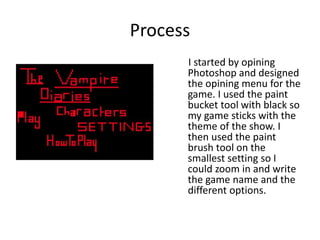
I started by opining
Photoshop and designed
the opining menu for the
game. I used the paint
bucket tool with black so
my game sticks with the
theme of the show. I
then used the paint
brush tool on the
smallest setting so I
could zoom in and write
the game name and the
different options.
Process
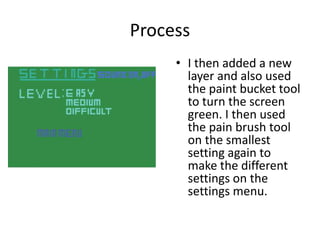
• I then added a new
layer and also used
the paint bucket tool
to turn the screen
green. I then used
the pain brush tool
on the smallest
setting again to
make the different
settings on the
settings menu.
Process
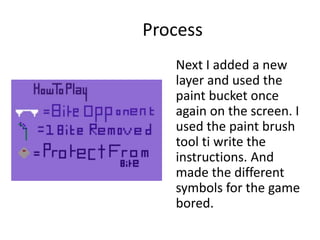
Next I added a new
layer and used the
paint bucket once
again on the screen. I
used the paint brush
tool ti write the
instructions. And
made the different
symbols for the game
bored.
Process
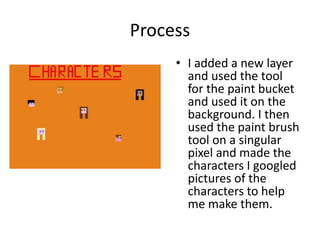
• I added a new layer
and used the tool
for the paint bucket
and used it on the
background. I then
used the paint brush
tool on a singular
pixel and made the
characters I googled
pictures of the
characters to help
me make them.
Process
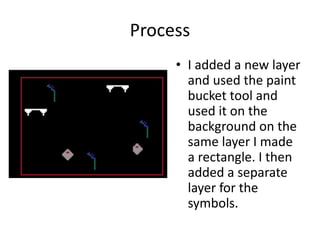
• I added a new layer
and used the paint
bucket tool and
used it on the
background on the
same layer I made
a rectangle. I then
added a separate
layer for the
symbols.
Process
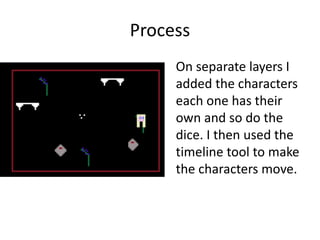
On separate layers I
added the characters
each one has their
own and so do the
dice. I then used the
timeline tool to make
the characters move.

6. production reflection(2)

  • 1.
  • 2.
    Process I started byopining Photoshop and designed the opining menu for the game. I used the paint bucket tool with black so my game sticks with the theme of the show. I then used the paint brush tool on the smallest setting so I could zoom in and write the game name and the different options.
  • 3.
    Process • I thenadded a new layer and also used the paint bucket tool to turn the screen green. I then used the pain brush tool on the smallest setting again to make the different settings on the settings menu.
  • 4.
    Process Next I addeda new layer and used the paint bucket once again on the screen. I used the paint brush tool ti write the instructions. And made the different symbols for the game bored.
  • 5.
    Process • I addeda new layer and used the tool for the paint bucket and used it on the background. I then used the paint brush tool on a singular pixel and made the characters I googled pictures of the characters to help me make them.
  • 6.
    Process • I addeda new layer and used the paint bucket tool and used it on the background on the same layer I made a rectangle. I then added a separate layer for the symbols.
  • 7.
    Process On separate layersI added the characters each one has their own and so do the dice. I then used the timeline tool to make the characters move.

Editor's Notes

  • #3 Discuss the tools and processes used in your production. Log your thoughts and feelings about your work.
  • #4 Discuss the tools and processes used in your production. Log your thoughts and feelings about your work.
  • #5 Discuss the tools and processes used in your production. Log your thoughts and feelings about your work.
  • #6 Discuss the tools and processes used in your production. Log your thoughts and feelings about your work.
  • #7 Discuss the tools and processes used in your production. Log your thoughts and feelings about your work.
  • #8 Discuss the tools and processes used in your production. Log your thoughts and feelings about your work.