A Cybersecurity Planning Guide
for CFOs
Scams & Fraud, Developing a Plan,Tips, and Resources
Presented by André Nel, CPA
1
WHY IS DATA SECURITY CRITICAL?
Theft of digital information has become the most commonly reported
fraud, surpassing physical theft.
Customer and client information, payment information, personal files, bank
account details - all of this information is often impossible to replace if lost,
and dangerous in the hands of criminals.
Data lost due to disasters, such as a flood or fire, is devastating, but losing
it to hackers or a malware infection can have far greater consequences.
How you handle and protect your data is central to the security of your
business and the privacy expectations of customers, employees and
partners.
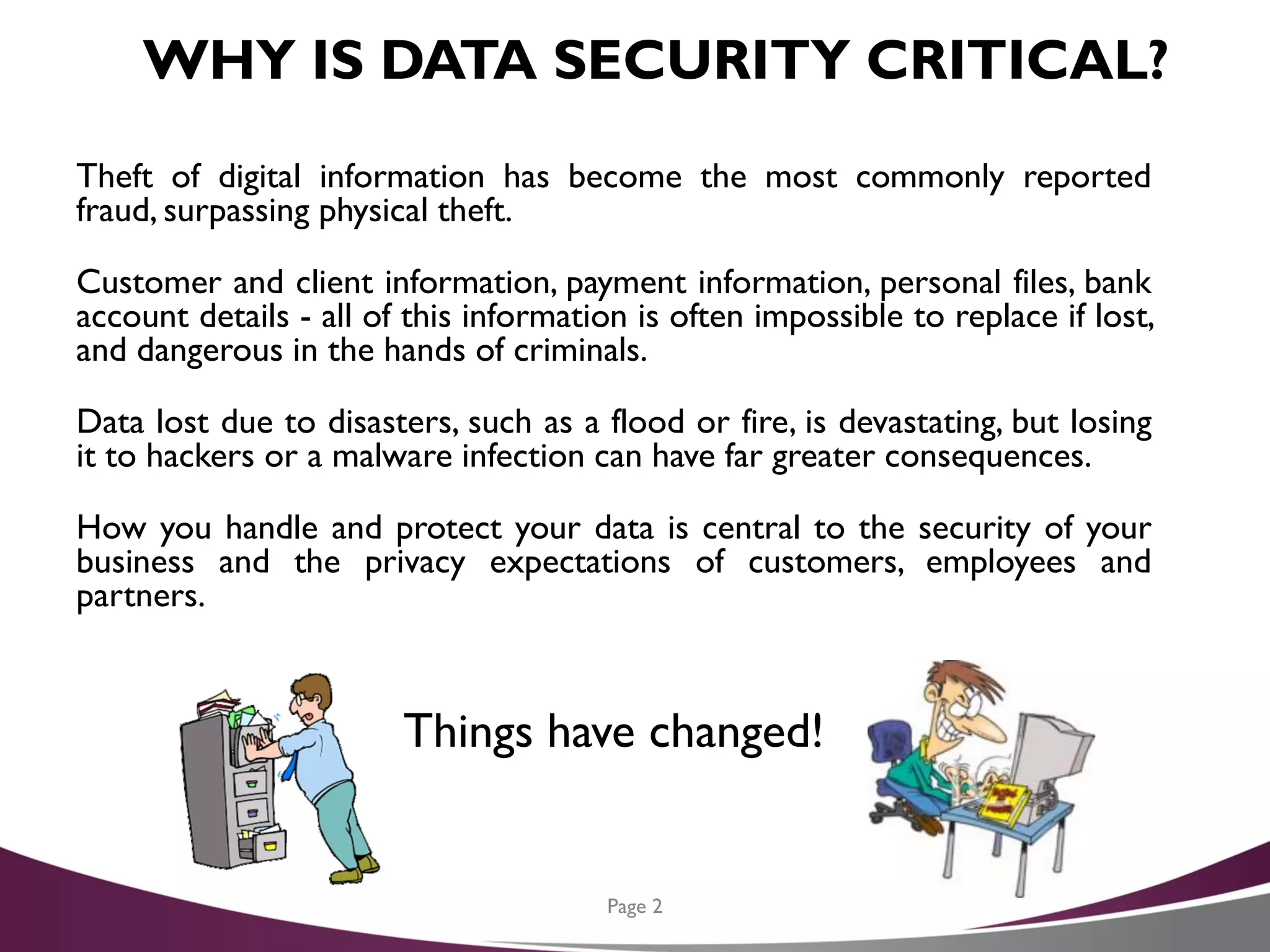
Things have changed!
Page 2
AGENDA FORTODAY
1. Scams and Fraud
2. Data Security – Developing an Action Plan
3. CybersecurityTips
4. Resources
Page 3
SCAMS AND FRAUD
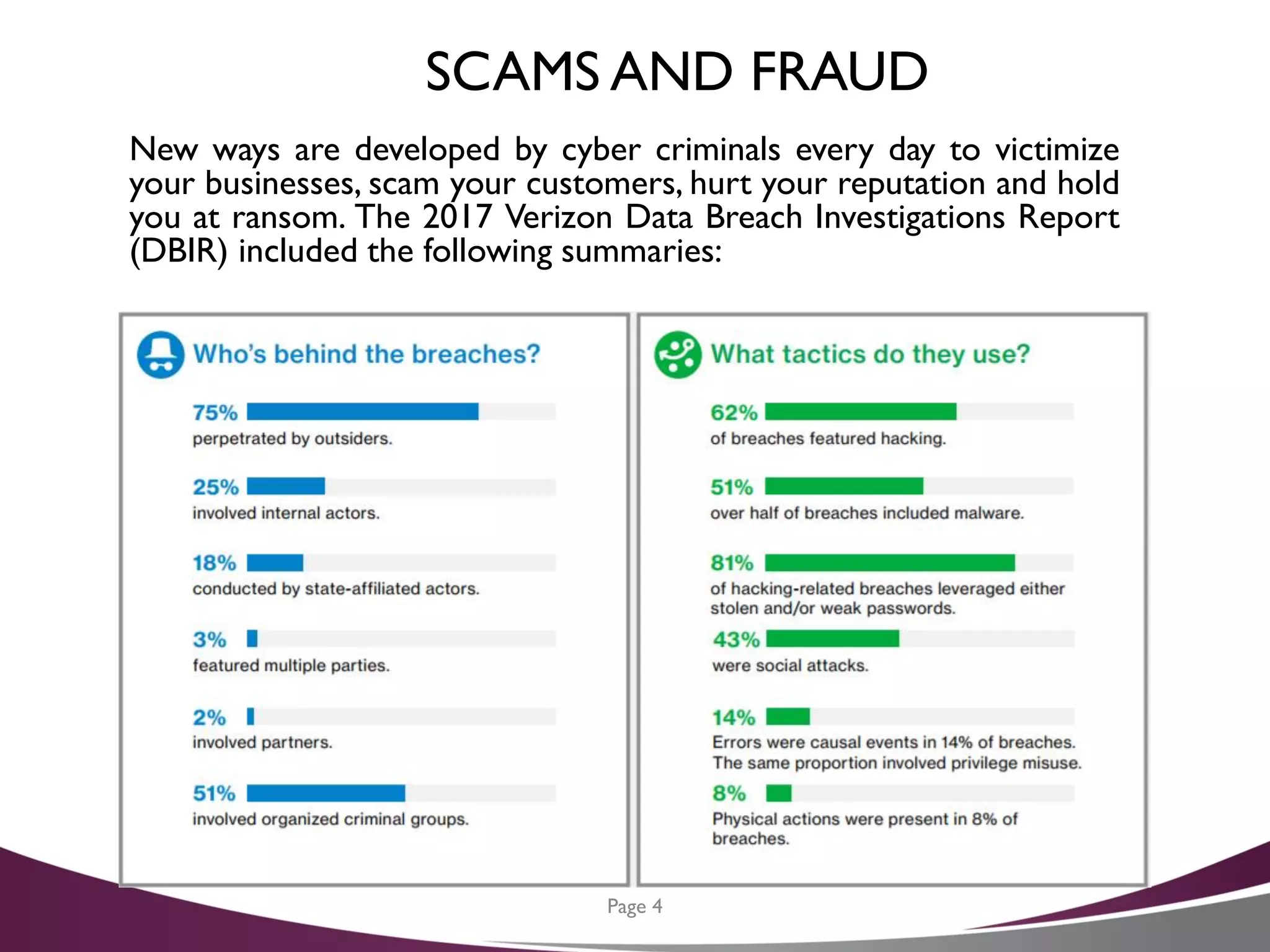
New ways are developed by cyber criminals every day to victimize
your businesses, scam your customers, hurt your reputation and hold
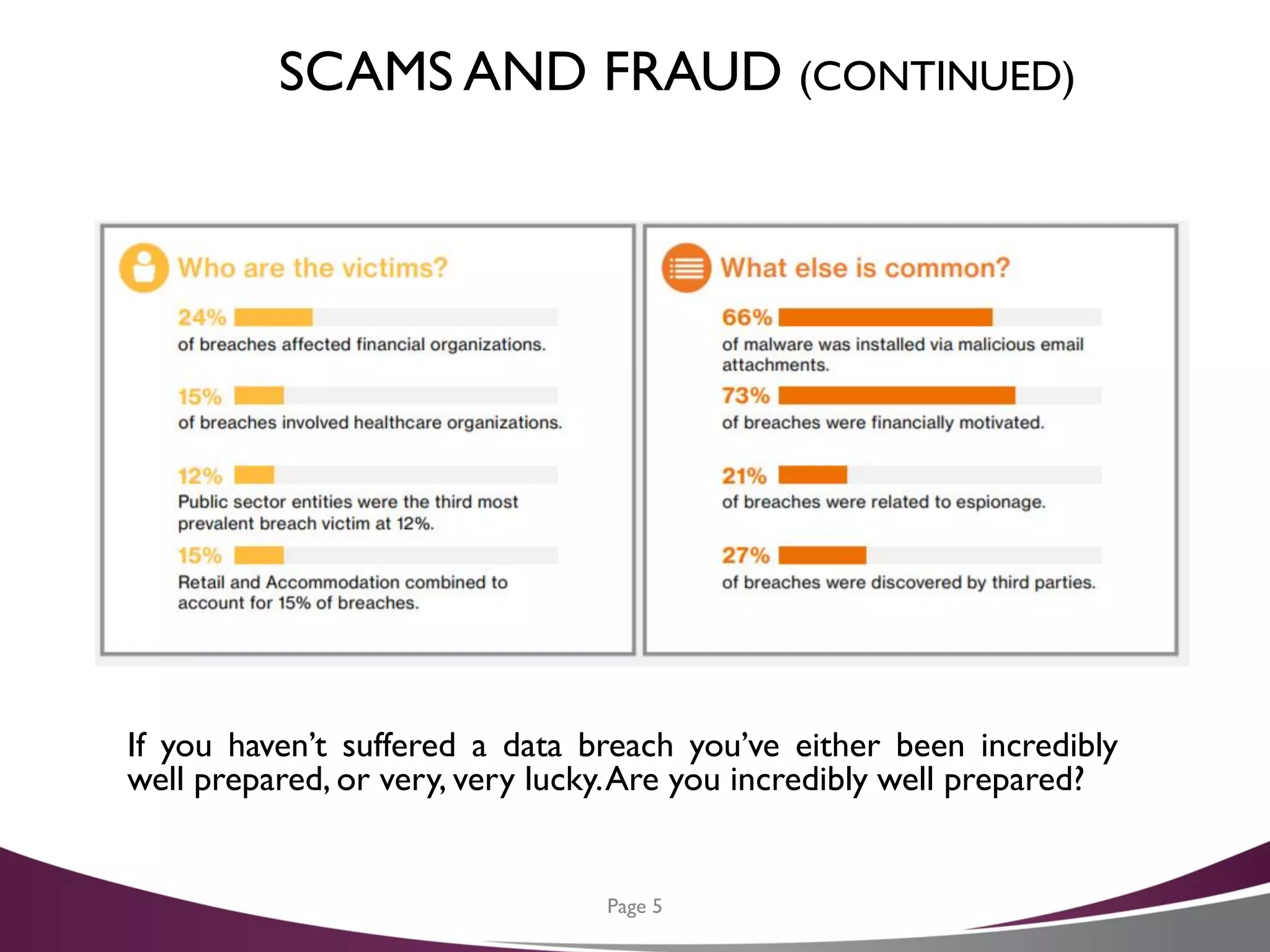
you at ransom. The 2017 Verizon Data Breach Investigations Report
(DBIR) included the following summaries:
Page 4
SCAMS AND FRAUD (CONTINUED)
If you haven’t suffered a data breach you’ve either been incredibly
well prepared, or very, very lucky.Are you incredibly well prepared?
Page 5
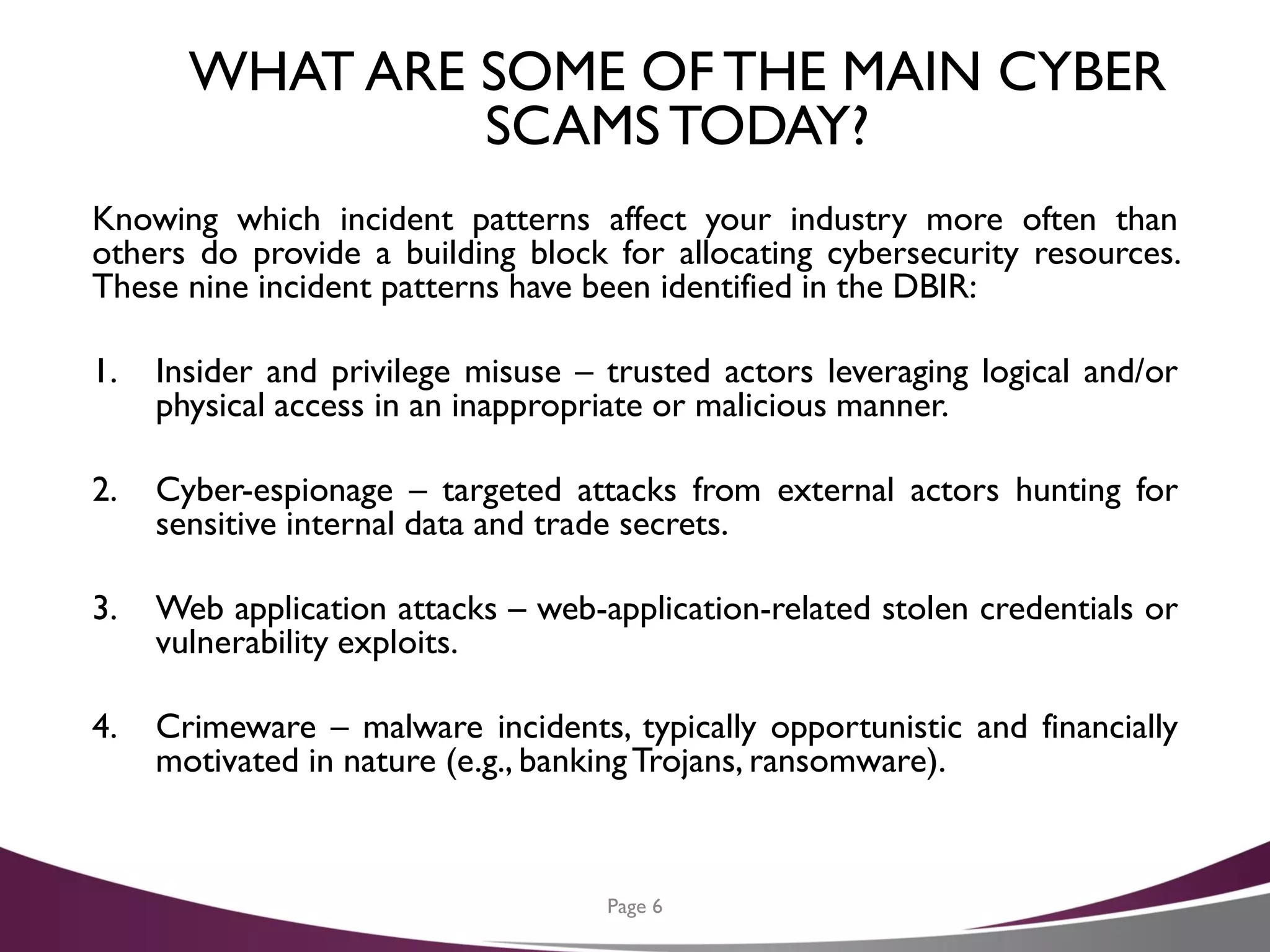
WHAT ARE SOME OF THE MAIN CYBER
SCAMSTODAY?
Knowing which incident patterns affect your industry more often than
others do provide a building block for allocating cybersecurity resources.
These nine incident patterns have been identified in the DBIR:
1. Insider and privilege misuse – trusted actors leveraging logical and/or
physical access in an inappropriate or malicious manner.
2. Cyber-espionage – targeted attacks from external actors hunting for
sensitive internal data and trade secrets.
3. Web application attacks – web-application-related stolen credentials or
vulnerability exploits.
4. Crimeware – malware incidents, typically opportunistic and financially
motivated in nature (e.g., bankingTrojans, ransomware).
Page 6
WHAT ARE SOME OF THE MAIN CYBER
SCAMSTODAY? (CONTINUED)
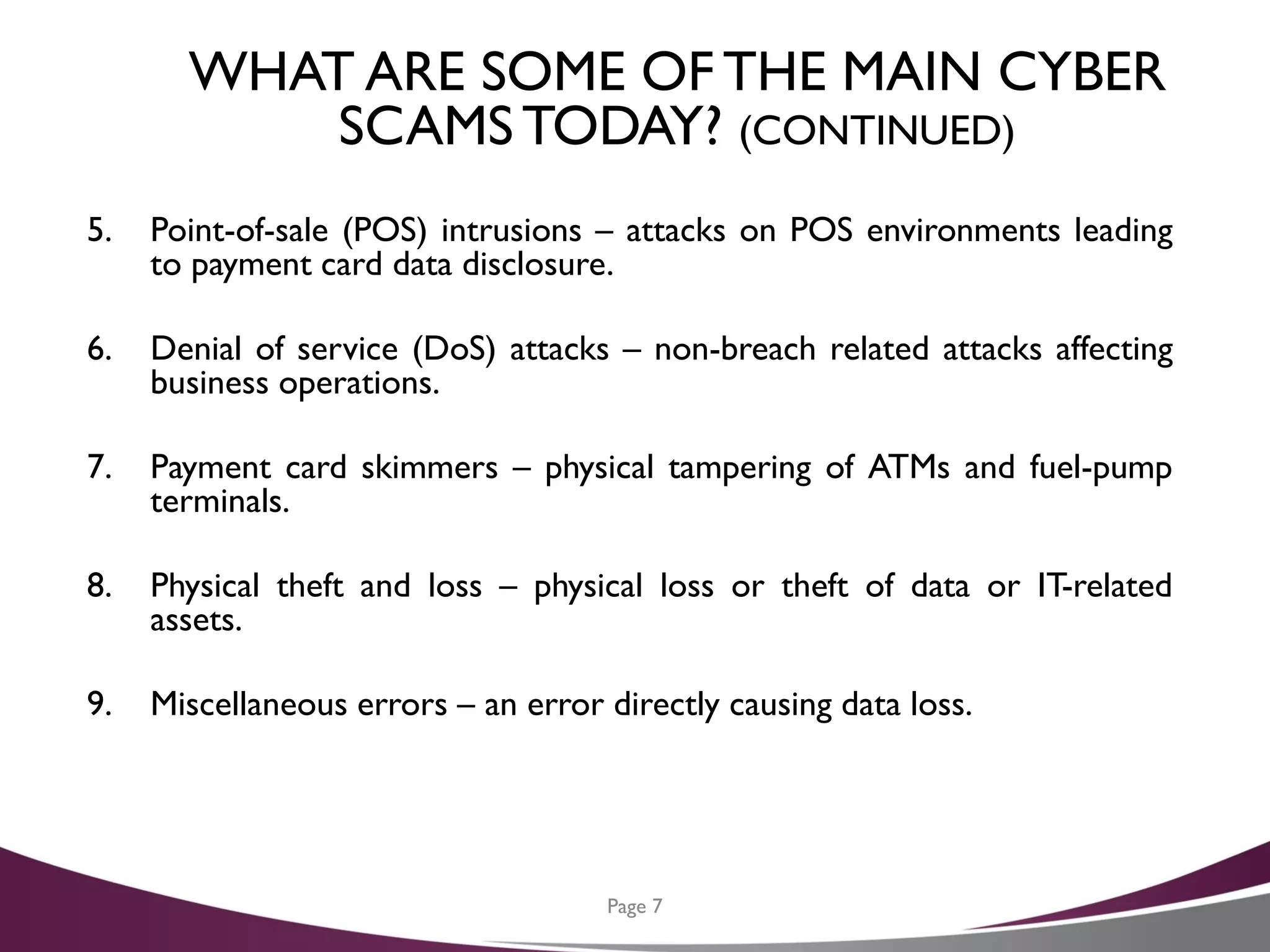
5. Point-of-sale (POS) intrusions – attacks on POS environments leading
to payment card data disclosure.
6. Denial of service (DoS) attacks – non-breach related attacks affecting
business operations.
7. Payment card skimmers – physical tampering of ATMs and fuel-pump
terminals.
8. Physical theft and loss – physical loss or theft of data or IT-related
assets.
9. Miscellaneous errors – an error directly causing data loss.
Page 7
QUESTIONS AND COMMENTS
Any questions or experiences to share with the group before we move on
to the next item on the agenda?
Page 8
AGENDA FORTODAY
1. Scams and fraud
2. Data security – Developing an Action plan
3. CybersecurityTips
4. Resources
Page 9
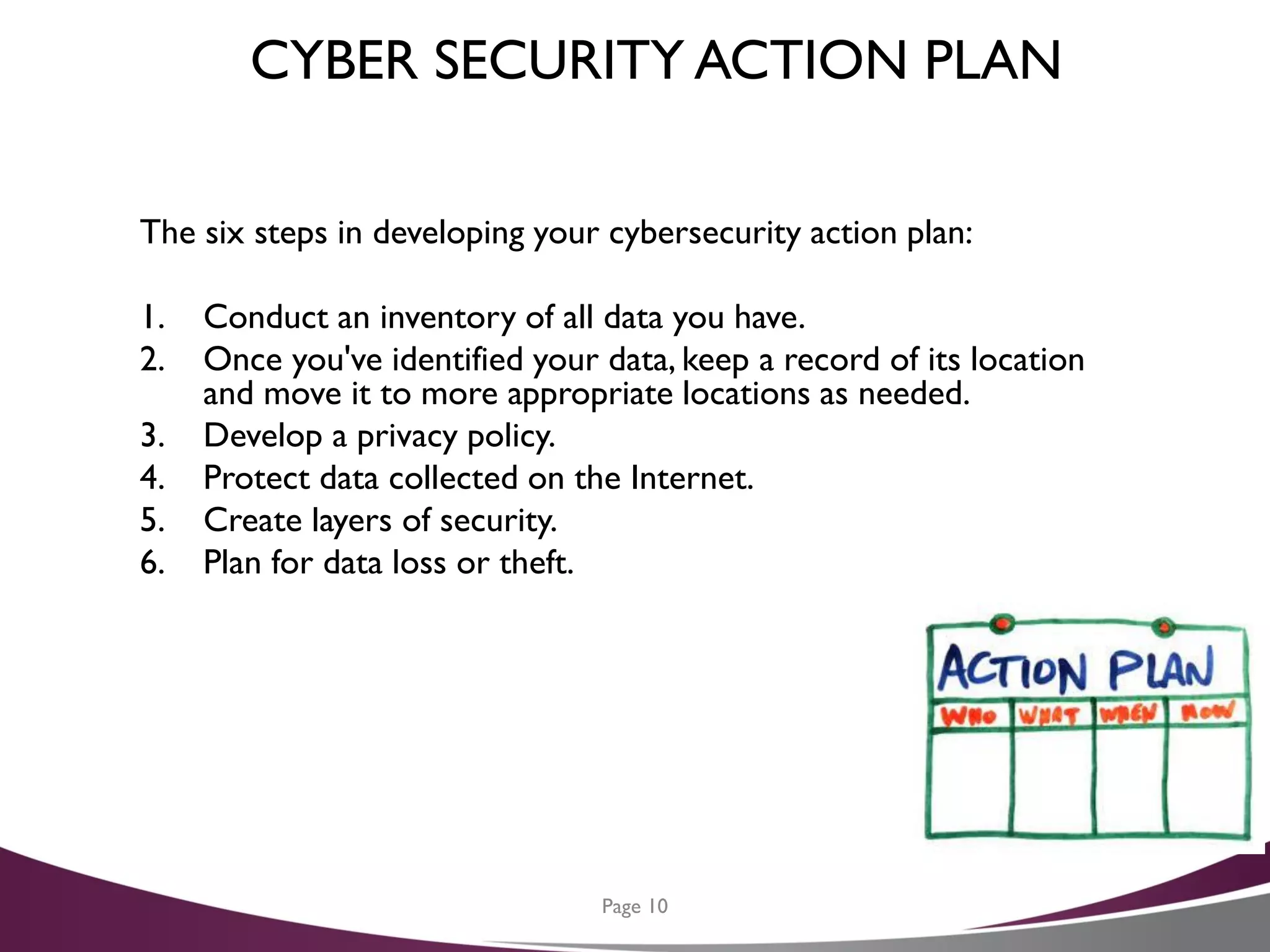
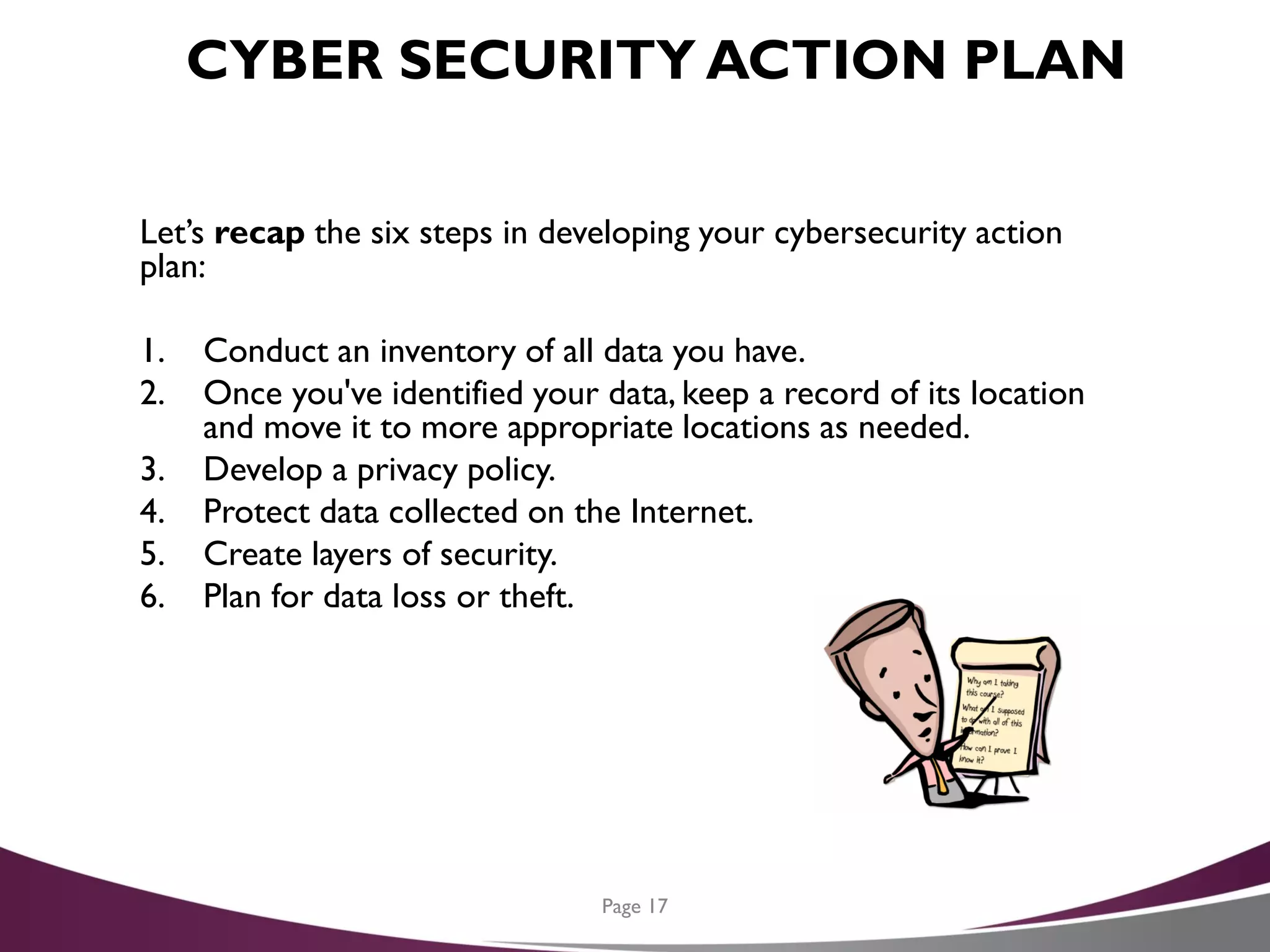
CYBER SECURITY ACTION PLAN
The six steps in developing your cybersecurity action plan:
1. Conduct an inventory of all data you have.
2. Once you've identified your data, keep a record of its location
and move it to more appropriate locations as needed.
3. Develop a privacy policy.
4. Protect data collected on the Internet.
5. Create layers of security.
6. Plan for data loss or theft.
Page 10
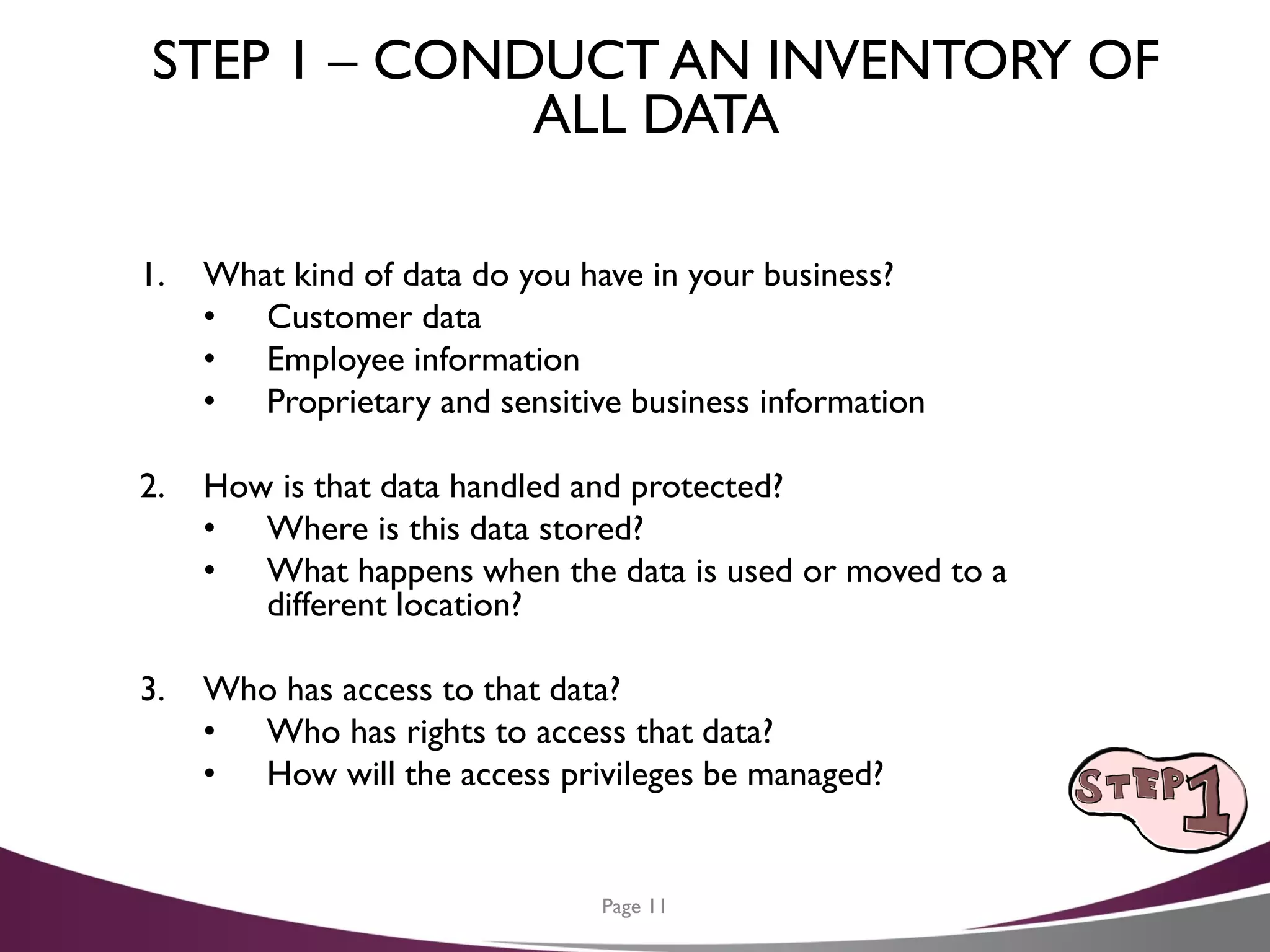
STEP 1 – CONDUCT AN INVENTORY OF
ALL DATA
1. What kind of data do you have in your business?
• Customer data
• Employee information
• Proprietary and sensitive business information
2. How is that data handled and protected?
• Where is this data stored?
• What happens when the data is used or moved to a
different location?
3. Who has access to that data?
• Who has rights to access that data?
• How will the access privileges be managed?
Page 11
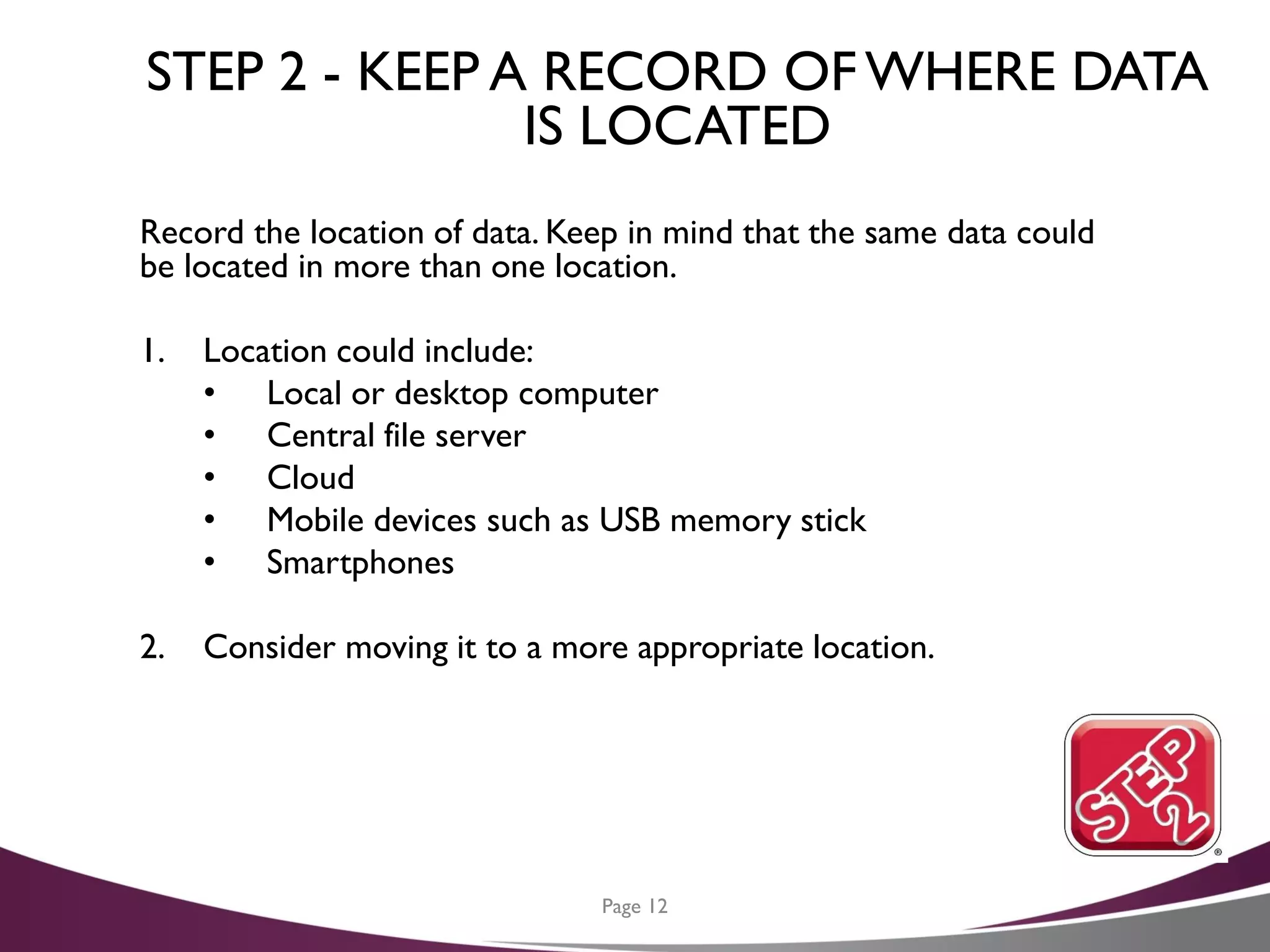
STEP 2 - KEEP A RECORD OFWHERE DATA
IS LOCATED
Record the location of data. Keep in mind that the same data could
be located in more than one location.
1. Location could include:
• Local or desktop computer
• Central file server
• Cloud
• Mobile devices such as USB memory stick
• Smartphones
2. Consider moving it to a more appropriate location.
Page 12
STEP 3 – DEVELOP A PRIVACY POLICY
Your privacy policy is a pledge to your customers that you will use
and protect their information in ways that they expect and that
adhere to your legal obligations.
1. Create your privacy policy with care.
2. Growing number of regulations protecting customer and
employee privacy.
• There are costly penalties if you do not comply
• You will be held accountable for what you claim and offer in
your policy
3. Share your policy, rules and expectations with all employees.
• There is a growing trend to post privacy policies on
company websites
4. Policy should address the following types of data:
• Personally Identifiable information
• Personal Health Information
• Customer Information
Page 13
STEP 4 – PROTECT DATA COLLECTED ON
THE INTERNET
Your website can be a great place to collect information, but that
comes with a responsibility to protect that data.
1. Data collected can include:
• Transactions and payment information
• Newsletter sign-ups
• Online inquiries
• Customer requests or orders
2. Data collected from your website can be stored in different
places.
• When you host your own website, it may be stored on your
own servers
• When hosted by a third party be sure that party protects
that data fully
3. That protection includes protection from:
• Hackers and outsiders
• Employees of the hosting company
Page 14
STEP 5 – CREATE LAYERS OF SECURITY
The idea of layering security is simple: You cannot and should not
rely on just one security mechanism – such as a password – to
protect something sensitive. If that security mechanism fails, you have
nothing left to protect you.
1. Classify your data:
• HIGHLY CONFIDENTIAL
• SENSITIVE
• INTERNAL USE ONLY
2. Control access to your data.
3. Secure your data:
• Passwords – Random, complex and long
• Encryption
4. Back up your data.
• Put a policy in place that specify what data is backed up,
how often, who is responsible, how and where backups are
stored and who has access.
• Physical media used to store data is vulnerable, so make
sure it is encrypted.
Page 15
STEP 6 – PLAN FOR DATA RECOVERY AFTER
A LOSS OR THEFT
Plan for the unexpected, including the loss or theft of data.
1. Be prepared for a rapid and coordinated response to any loss or
theft of data.
2. Employees and contractors should understand that they should
report any loss or theft to the appropriate company official.
3. Test your data recovery from backup systems on a regular basis.
Page 16
CYBER SECURITY ACTION PLAN
Let’s recap the six steps in developing your cybersecurity action
plan:
1. Conduct an inventory of all data you have.
2. Once you've identified your data, keep a record of its location
and move it to more appropriate locations as needed.
3. Develop a privacy policy.
4. Protect data collected on the Internet.
5. Create layers of security.
6. Plan for data loss or theft.
Page 17
QUESTIONS AND COMMENTS
Any questions or experiences to share with the group before we move on
to the next item on the agenda?
Page 18
AGENDA FORTODAY
1. Scams and
2. Data security – Developing an Action plan
3. CybersecurityTips
4. Resources
Page 19
CYBERSECURITYTIPS
1. Don’t ever say “It won’t happen to me.”
2. Train employees in security principles.
Establish basic security practices and policies for employees,
such as requiring strong passwords and establish appropriate
Internet use guidelines, that detail penalties for violating
company cybersecurity policies. Establish rules of behavior
describing how to handle and protect customer information and
other vital data.
3. Always be careful when clicking on attachments or links
in email.
If it’s unexpected or suspicious for any reason, don’t click on it.
Double check the URL of the website the link takes you to; bad
actors will often take advantage of spelling mistakes to direct
you to a harmful domain.
Page 20
CYBERSECURITYTIPS (CONTINUED)
4. Watch what you’re sharing on social networks.
Criminals can befriend you and easily gain access to a shocking
amount of information—where you go to school, where you
work, when you’re on vacation—that could help them gain
access to more valuable data.
5. Offline, be wary of social engineering, where someone
attempts to gain information from you through
manipulation.
If someone calls or emails you asking for sensitive information,
it’s okay to say no. You can always call the company directly to
verify credentials before giving out any information.
Page 21
CYBERSECURITYTIPS (CONTINUED)
6. Protect information, computers, and networks
from cyber attacks.
Keep clean machines: having the latest security software, web
browser, and operating system are the best defenses against
viruses, malware, and other online threats. Set antivirus software
to run a scan after each update. Install other key software
updates as soon as they are available.
7. Provide firewall security for your Internet connection.
A firewall is a set of related programs that prevent outsiders
from accessing data on a private network. Make sure the
operating system’s firewall is enabled or install free firewall
software available online. If employees work from home, ensure
that their home systems are protected by a firewall.
Page 22
CYBERSECURITYTIPS (CONTINUED)
8. Create a mobile device action plan.
Mobile devices can create significant security
and management challenges, especially if they hold confidential
information or can access the corporate network. Require users
to password protect their devices, encrypt their data, and install
security apps to prevent criminals from stealing information
while the phone is on public networks. Be sure to set reporting
procedures for lost or stolen equipment.
9. Make backup copies of important business data and
information.
Regularly backup the data on all computers. Critical data
includes word processing documents, electronic spreadsheets,
databases, financial files, human resources files, and accounts
receivable/payable files. Backup data automatically if possible, or
at least weekly and store the copies either offsite or in the
cloud.
Page 23
CYBERSECURITYTIPS (CONTINUED)
10. Control physical access to your computers and
create user accounts for each employee.
Prevent access or use of business computers by unauthorized
individuals. Laptops can be particularly easy targets for theft or
can be lost, so lock them up when unattended. Make sure a
separate user account is created for each employee and require
strong passwords. Administrative privileges should only be given
to trusted IT staff and key personnel.
11. Secure yourWi-Fi networks.
If you have a Wi-Fi network for your workplace, make sure it is
secure, encrypted, and hidden. To hide your Wi-Fi network, set
up your wireless access point or router so it does not broadcast
the network name, known as the Service Set Identifier (SSID).
Password protect access to the router.
Page 24
CYBERSECURITYTIPS (CONTINUED)
12. Employ best practices on payment cards.
Work with banks or processors to ensure the most trusted and
validated tools and anti-fraud services are being used. You may
also have additional security obligations pursuant to agreements
with your bank or processor. Isolate payment systems from
other, less secure programs and don’t use the same computer to
process payments and surf the Internet.
13. Limit employee access to data and information, and
limit authority to install software.
Do not provide any one employee with access to all data
systems. Employees should only be given access to the specific
data systems that they need for their jobs, and should not be
able to install any software without permission.
Page 25
CYBERSECURITYTIPS (CONTINUED)
14. Passwords and authentication.
Require employees to use unique passwords and change
passwords every three months. Consider implementing
multifactor authentication that requires additional information
beyond a password to gain entry. Check with your vendors that
handle sensitive data, especially financial institutions, to see if
they offer multifactor authentication for your account.
15. Be sure to monitor your accounts for any suspicious
activity.
If you see something unfamiliar, it could be a sign that you’ve
been compromised.
Page 26
CYBERSECURITYTIPS (CONTINUED)
16. Identify a senior-level employee or qualified third
party to lead your firm’s cybersecurity program.
17. Examine your insurance policies to ensure adequate
cyber coverage levels.
Page 27
HOW CAN GPP HELPYOU?
Don’t feel as though you need to come up with cyber strategies on
your own. We are experienced in providing comments on control
related matters to management. In addition, as a member of the
BDO Alliance USA, we have access to resources that can help your
organization as you navigate the cybersecurity risk and compliance
landscape, including:
• Guidance on conducting a cyber risk assessment
• How to take inventory of your sensitive information
• Develop and implement an incident response plan
Page 28
RESOURCES, REFERENCES AND CREDITS
Page 29
1. Federal Communications Commission (FCC)
i. https://www.fcc.gov/cyberplanner
ii. https://apps.fcc.gov/edocs_public/attachmatch/DOC-
343096A1.pdf
iii. https://apps.fcc.gov/edocs_public/attachmatch/DOC-
306595A1.pdf
2. 2017Verizon Data Breach Investigations Report (DBIR)
http://www.verizonenterprise.com/verizon-insights-
lab/dbir/2017/
QUESTIONS AND COMMENTS?
André Nel
(214)-635-2607
anel@gppcpa.com
Page 30
If you have any questions please
feel free to contact André Nel
at:
(214)-635-2607
anel@gppcpa.com

A Cybersecurity Planning Guide for CFOs

  • 1.
    A Cybersecurity PlanningGuide for CFOs Scams & Fraud, Developing a Plan,Tips, and Resources Presented by André Nel, CPA 1
  • 2.
    WHY IS DATASECURITY CRITICAL? Theft of digital information has become the most commonly reported fraud, surpassing physical theft. Customer and client information, payment information, personal files, bank account details - all of this information is often impossible to replace if lost, and dangerous in the hands of criminals. Data lost due to disasters, such as a flood or fire, is devastating, but losing it to hackers or a malware infection can have far greater consequences. How you handle and protect your data is central to the security of your business and the privacy expectations of customers, employees and partners. Things have changed! Page 2
  • 3.
    AGENDA FORTODAY 1. Scamsand Fraud 2. Data Security – Developing an Action Plan 3. CybersecurityTips 4. Resources Page 3
  • 4.
    SCAMS AND FRAUD Newways are developed by cyber criminals every day to victimize your businesses, scam your customers, hurt your reputation and hold you at ransom. The 2017 Verizon Data Breach Investigations Report (DBIR) included the following summaries: Page 4
  • 5.
    SCAMS AND FRAUD(CONTINUED) If you haven’t suffered a data breach you’ve either been incredibly well prepared, or very, very lucky.Are you incredibly well prepared? Page 5
  • 6.
    WHAT ARE SOMEOF THE MAIN CYBER SCAMSTODAY? Knowing which incident patterns affect your industry more often than others do provide a building block for allocating cybersecurity resources. These nine incident patterns have been identified in the DBIR: 1. Insider and privilege misuse – trusted actors leveraging logical and/or physical access in an inappropriate or malicious manner. 2. Cyber-espionage – targeted attacks from external actors hunting for sensitive internal data and trade secrets. 3. Web application attacks – web-application-related stolen credentials or vulnerability exploits. 4. Crimeware – malware incidents, typically opportunistic and financially motivated in nature (e.g., bankingTrojans, ransomware). Page 6
  • 7.
    WHAT ARE SOMEOF THE MAIN CYBER SCAMSTODAY? (CONTINUED) 5. Point-of-sale (POS) intrusions – attacks on POS environments leading to payment card data disclosure. 6. Denial of service (DoS) attacks – non-breach related attacks affecting business operations. 7. Payment card skimmers – physical tampering of ATMs and fuel-pump terminals. 8. Physical theft and loss – physical loss or theft of data or IT-related assets. 9. Miscellaneous errors – an error directly causing data loss. Page 7
  • 8.
    QUESTIONS AND COMMENTS Anyquestions or experiences to share with the group before we move on to the next item on the agenda? Page 8
  • 9.
    AGENDA FORTODAY 1. Scamsand fraud 2. Data security – Developing an Action plan 3. CybersecurityTips 4. Resources Page 9
  • 10.
    CYBER SECURITY ACTIONPLAN The six steps in developing your cybersecurity action plan: 1. Conduct an inventory of all data you have. 2. Once you've identified your data, keep a record of its location and move it to more appropriate locations as needed. 3. Develop a privacy policy. 4. Protect data collected on the Internet. 5. Create layers of security. 6. Plan for data loss or theft. Page 10
  • 11.
    STEP 1 –CONDUCT AN INVENTORY OF ALL DATA 1. What kind of data do you have in your business? • Customer data • Employee information • Proprietary and sensitive business information 2. How is that data handled and protected? • Where is this data stored? • What happens when the data is used or moved to a different location? 3. Who has access to that data? • Who has rights to access that data? • How will the access privileges be managed? Page 11
  • 12.
    STEP 2 -KEEP A RECORD OFWHERE DATA IS LOCATED Record the location of data. Keep in mind that the same data could be located in more than one location. 1. Location could include: • Local or desktop computer • Central file server • Cloud • Mobile devices such as USB memory stick • Smartphones 2. Consider moving it to a more appropriate location. Page 12
  • 13.
    STEP 3 –DEVELOP A PRIVACY POLICY Your privacy policy is a pledge to your customers that you will use and protect their information in ways that they expect and that adhere to your legal obligations. 1. Create your privacy policy with care. 2. Growing number of regulations protecting customer and employee privacy. • There are costly penalties if you do not comply • You will be held accountable for what you claim and offer in your policy 3. Share your policy, rules and expectations with all employees. • There is a growing trend to post privacy policies on company websites 4. Policy should address the following types of data: • Personally Identifiable information • Personal Health Information • Customer Information Page 13
  • 14.
    STEP 4 –PROTECT DATA COLLECTED ON THE INTERNET Your website can be a great place to collect information, but that comes with a responsibility to protect that data. 1. Data collected can include: • Transactions and payment information • Newsletter sign-ups • Online inquiries • Customer requests or orders 2. Data collected from your website can be stored in different places. • When you host your own website, it may be stored on your own servers • When hosted by a third party be sure that party protects that data fully 3. That protection includes protection from: • Hackers and outsiders • Employees of the hosting company Page 14
  • 15.
    STEP 5 –CREATE LAYERS OF SECURITY The idea of layering security is simple: You cannot and should not rely on just one security mechanism – such as a password – to protect something sensitive. If that security mechanism fails, you have nothing left to protect you. 1. Classify your data: • HIGHLY CONFIDENTIAL • SENSITIVE • INTERNAL USE ONLY 2. Control access to your data. 3. Secure your data: • Passwords – Random, complex and long • Encryption 4. Back up your data. • Put a policy in place that specify what data is backed up, how often, who is responsible, how and where backups are stored and who has access. • Physical media used to store data is vulnerable, so make sure it is encrypted. Page 15
  • 16.
    STEP 6 –PLAN FOR DATA RECOVERY AFTER A LOSS OR THEFT Plan for the unexpected, including the loss or theft of data. 1. Be prepared for a rapid and coordinated response to any loss or theft of data. 2. Employees and contractors should understand that they should report any loss or theft to the appropriate company official. 3. Test your data recovery from backup systems on a regular basis. Page 16
  • 17.
    CYBER SECURITY ACTIONPLAN Let’s recap the six steps in developing your cybersecurity action plan: 1. Conduct an inventory of all data you have. 2. Once you've identified your data, keep a record of its location and move it to more appropriate locations as needed. 3. Develop a privacy policy. 4. Protect data collected on the Internet. 5. Create layers of security. 6. Plan for data loss or theft. Page 17
  • 18.
    QUESTIONS AND COMMENTS Anyquestions or experiences to share with the group before we move on to the next item on the agenda? Page 18
  • 19.
    AGENDA FORTODAY 1. Scamsand 2. Data security – Developing an Action plan 3. CybersecurityTips 4. Resources Page 19
  • 20.
    CYBERSECURITYTIPS 1. Don’t eversay “It won’t happen to me.” 2. Train employees in security principles. Establish basic security practices and policies for employees, such as requiring strong passwords and establish appropriate Internet use guidelines, that detail penalties for violating company cybersecurity policies. Establish rules of behavior describing how to handle and protect customer information and other vital data. 3. Always be careful when clicking on attachments or links in email. If it’s unexpected or suspicious for any reason, don’t click on it. Double check the URL of the website the link takes you to; bad actors will often take advantage of spelling mistakes to direct you to a harmful domain. Page 20
  • 21.
    CYBERSECURITYTIPS (CONTINUED) 4. Watchwhat you’re sharing on social networks. Criminals can befriend you and easily gain access to a shocking amount of information—where you go to school, where you work, when you’re on vacation—that could help them gain access to more valuable data. 5. Offline, be wary of social engineering, where someone attempts to gain information from you through manipulation. If someone calls or emails you asking for sensitive information, it’s okay to say no. You can always call the company directly to verify credentials before giving out any information. Page 21
  • 22.
    CYBERSECURITYTIPS (CONTINUED) 6. Protectinformation, computers, and networks from cyber attacks. Keep clean machines: having the latest security software, web browser, and operating system are the best defenses against viruses, malware, and other online threats. Set antivirus software to run a scan after each update. Install other key software updates as soon as they are available. 7. Provide firewall security for your Internet connection. A firewall is a set of related programs that prevent outsiders from accessing data on a private network. Make sure the operating system’s firewall is enabled or install free firewall software available online. If employees work from home, ensure that their home systems are protected by a firewall. Page 22
  • 23.
    CYBERSECURITYTIPS (CONTINUED) 8. Createa mobile device action plan. Mobile devices can create significant security and management challenges, especially if they hold confidential information or can access the corporate network. Require users to password protect their devices, encrypt their data, and install security apps to prevent criminals from stealing information while the phone is on public networks. Be sure to set reporting procedures for lost or stolen equipment. 9. Make backup copies of important business data and information. Regularly backup the data on all computers. Critical data includes word processing documents, electronic spreadsheets, databases, financial files, human resources files, and accounts receivable/payable files. Backup data automatically if possible, or at least weekly and store the copies either offsite or in the cloud. Page 23
  • 24.
    CYBERSECURITYTIPS (CONTINUED) 10. Controlphysical access to your computers and create user accounts for each employee. Prevent access or use of business computers by unauthorized individuals. Laptops can be particularly easy targets for theft or can be lost, so lock them up when unattended. Make sure a separate user account is created for each employee and require strong passwords. Administrative privileges should only be given to trusted IT staff and key personnel. 11. Secure yourWi-Fi networks. If you have a Wi-Fi network for your workplace, make sure it is secure, encrypted, and hidden. To hide your Wi-Fi network, set up your wireless access point or router so it does not broadcast the network name, known as the Service Set Identifier (SSID). Password protect access to the router. Page 24
  • 25.
    CYBERSECURITYTIPS (CONTINUED) 12. Employbest practices on payment cards. Work with banks or processors to ensure the most trusted and validated tools and anti-fraud services are being used. You may also have additional security obligations pursuant to agreements with your bank or processor. Isolate payment systems from other, less secure programs and don’t use the same computer to process payments and surf the Internet. 13. Limit employee access to data and information, and limit authority to install software. Do not provide any one employee with access to all data systems. Employees should only be given access to the specific data systems that they need for their jobs, and should not be able to install any software without permission. Page 25
  • 26.
    CYBERSECURITYTIPS (CONTINUED) 14. Passwordsand authentication. Require employees to use unique passwords and change passwords every three months. Consider implementing multifactor authentication that requires additional information beyond a password to gain entry. Check with your vendors that handle sensitive data, especially financial institutions, to see if they offer multifactor authentication for your account. 15. Be sure to monitor your accounts for any suspicious activity. If you see something unfamiliar, it could be a sign that you’ve been compromised. Page 26
  • 27.
    CYBERSECURITYTIPS (CONTINUED) 16. Identifya senior-level employee or qualified third party to lead your firm’s cybersecurity program. 17. Examine your insurance policies to ensure adequate cyber coverage levels. Page 27
  • 28.
    HOW CAN GPPHELPYOU? Don’t feel as though you need to come up with cyber strategies on your own. We are experienced in providing comments on control related matters to management. In addition, as a member of the BDO Alliance USA, we have access to resources that can help your organization as you navigate the cybersecurity risk and compliance landscape, including: • Guidance on conducting a cyber risk assessment • How to take inventory of your sensitive information • Develop and implement an incident response plan Page 28
  • 29.
    RESOURCES, REFERENCES ANDCREDITS Page 29 1. Federal Communications Commission (FCC) i. https://www.fcc.gov/cyberplanner ii. https://apps.fcc.gov/edocs_public/attachmatch/DOC- 343096A1.pdf iii. https://apps.fcc.gov/edocs_public/attachmatch/DOC- 306595A1.pdf 2. 2017Verizon Data Breach Investigations Report (DBIR) http://www.verizonenterprise.com/verizon-insights- lab/dbir/2017/
  • 30.
    QUESTIONS AND COMMENTS? AndréNel (214)-635-2607 anel@gppcpa.com Page 30
  • 31.
    If you haveany questions please feel free to contact André Nel at: (214)-635-2607 anel@gppcpa.com