Security Awareness
     Training
            July, 2007
             Dan Wallace
            Program Manager
  Information Security & PCI Compliance
Agenda
•    Why? Why Now?
•    21st Century B&E
•    PCI DSS
•    Security Objectives, Framework, Challenges
•    Data Classification
•    Security Responsibilities
•    Q&A


    July 2007                 2
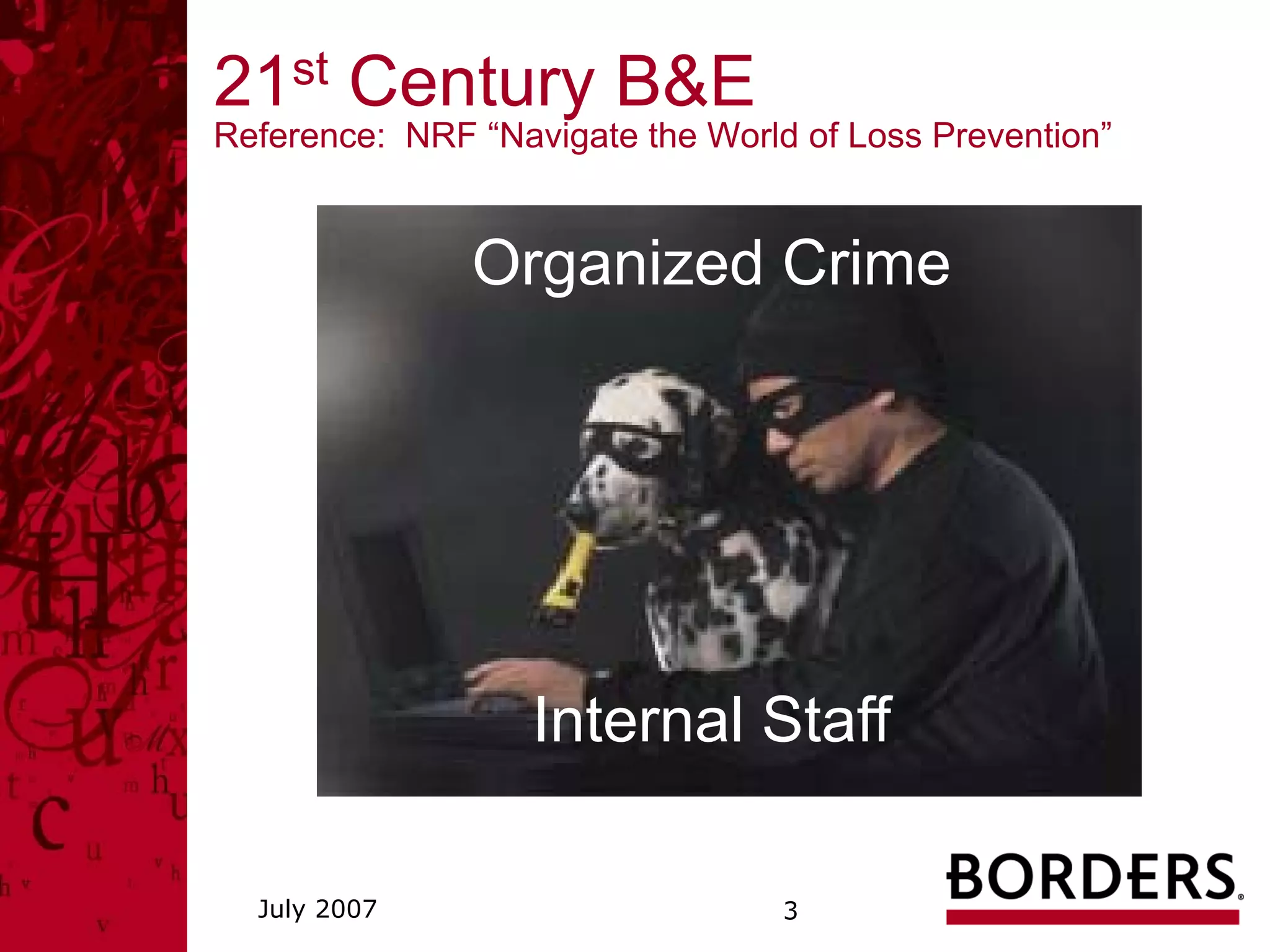
21st Century B&E
Reference: NRF “Navigate the World of Loss Prevention”


               Organized Crime


                   Internal Staff

  July 2007                       3
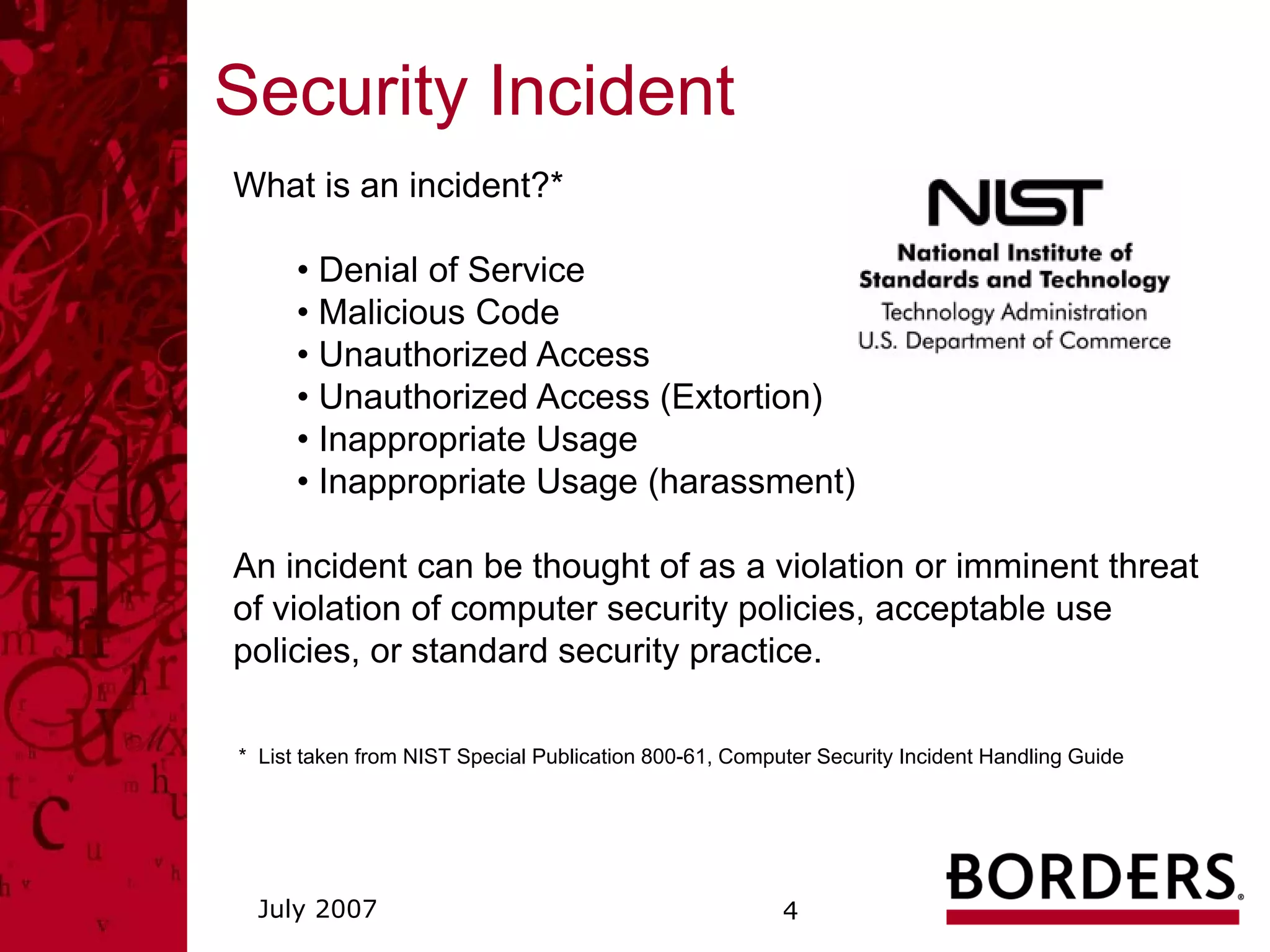
Security Incident
What is an incident?*

      • Denial of Service
      • Malicious Code
      • Unauthorized Access
      • Unauthorized Access (Extortion)
      • Inappropriate Usage
      • Inappropriate Usage (harassment)

An incident can be thought of as a violation or imminent threat
of violation of computer security policies, acceptable use
policies, or standard security practice.

* List taken from NIST Special Publication 800-61, Computer Security Incident Handling Guide


  July 2007                                             4
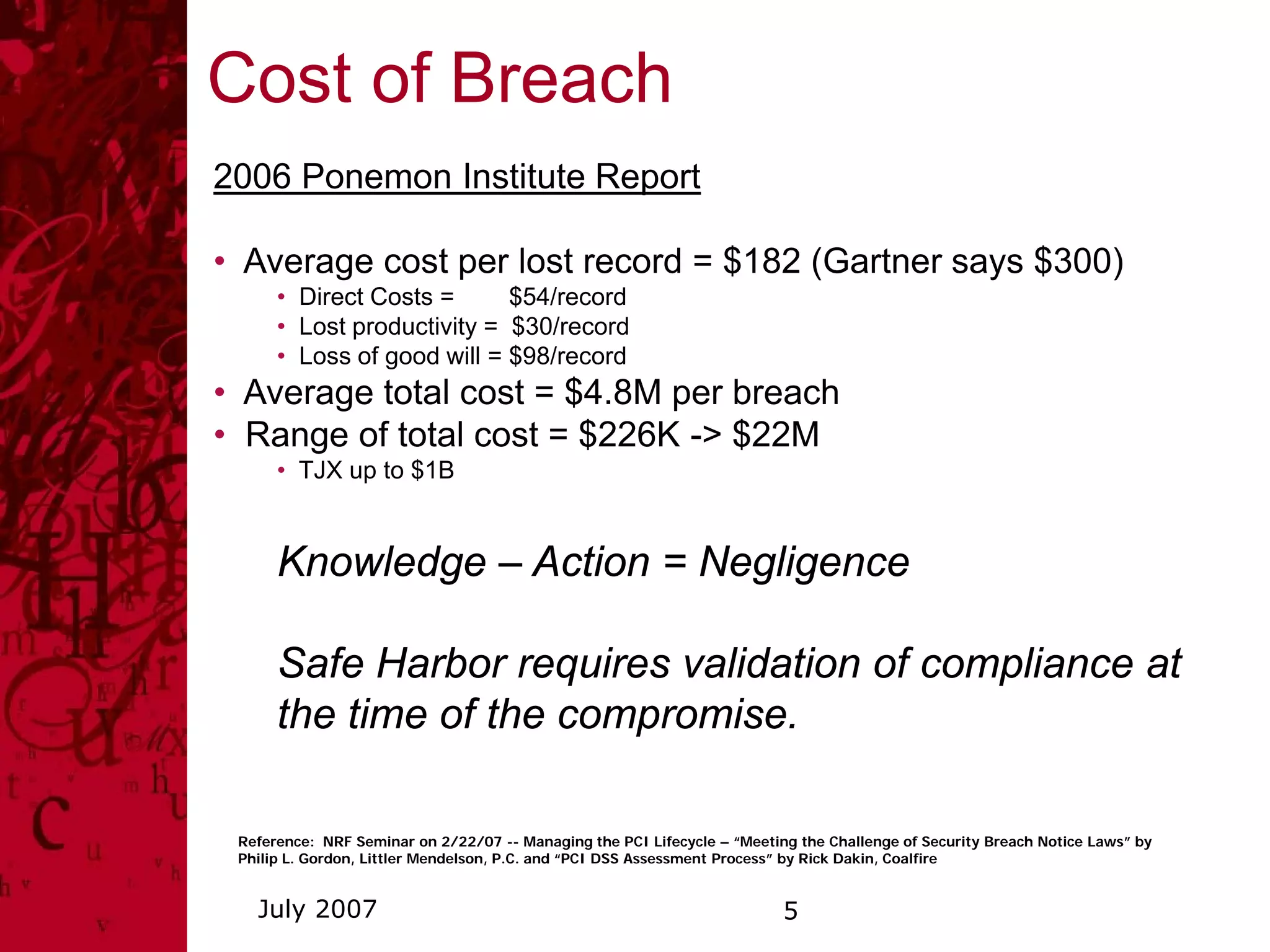
Cost of Breach
2006 Ponemon Institute Report

• Average cost per lost record = $182 (Gartner says $300)
      • Direct Costs =      $54/record
      • Lost productivity = $30/record
      • Loss of good will = $98/record
• Average total cost = $4.8M per breach
• Range of total cost = $226K -> $22M
      • TJX up to $1B


      Knowledge – Action = Negligence

      Safe Harbor requires validation of compliance at
      the time of the compromise.

 Reference: NRF Seminar on 2/22/07 -- Managing the PCI Lifecycle – “Meeting the Challenge of Security Breach Notice Laws” by
 Philip L. Gordon, Littler Mendelson, P.C. and “PCI DSS Assessment Process” by Rick Dakin, Coalfire


   July 2007                                                              5
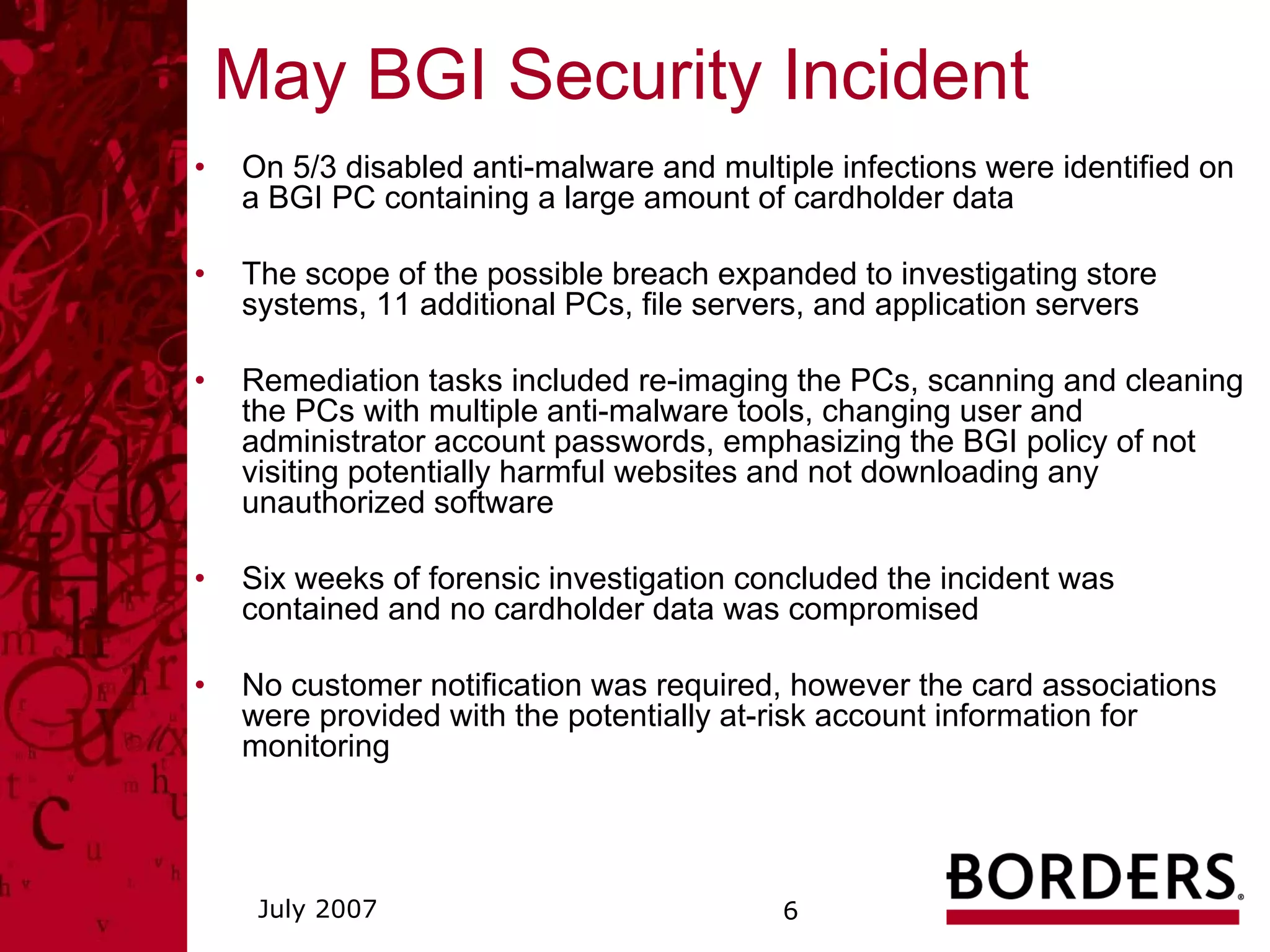
May BGI Security Incident
•   On 5/3 disabled anti-malware and multiple infections were identified on
    a BGI PC containing a large amount of cardholder data

•   The scope of the possible breach expanded to investigating store
    systems, 11 additional PCs, file servers, and application servers

•   Remediation tasks included re-imaging the PCs, scanning and cleaning
    the PCs with multiple anti-malware tools, changing user and
    administrator account passwords, emphasizing the BGI policy of not
    visiting potentially harmful websites and not downloading any
    unauthorized software

•   Six weeks of forensic investigation concluded the incident was
    contained and no cardholder data was compromised

•   No customer notification was required, however the card associations
    were provided with the potentially at-risk account information for
    monitoring


     July 2007                            6
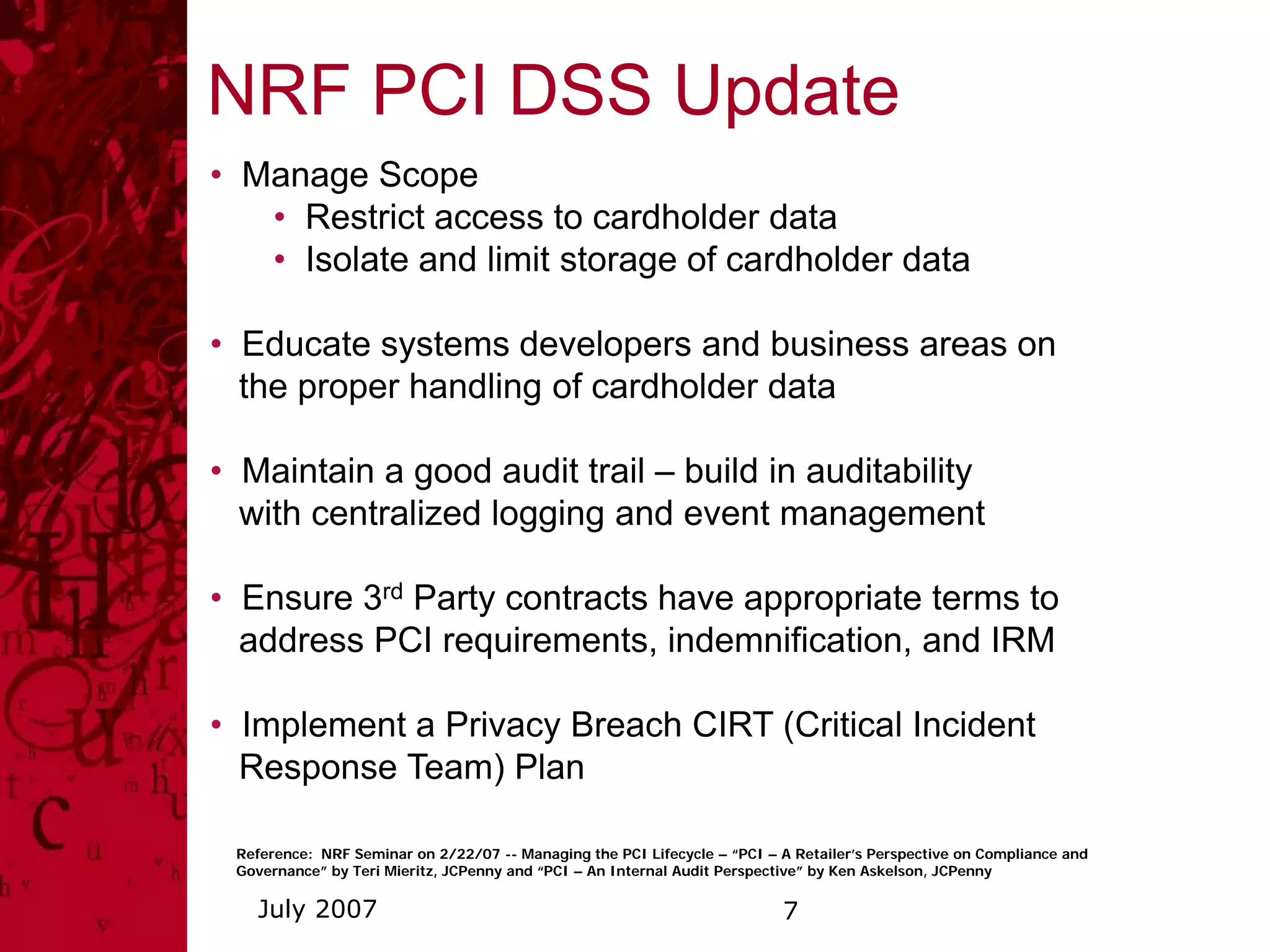
NRF PCI DSS Update
• Manage Scope
   • Restrict access to cardholder data
   • Isolate and limit storage of cardholder data

• Educate systems developers and business areas on
  the proper handling of cardholder data

• Maintain a good audit trail – build in auditability
  with centralized logging and event management

• Ensure 3rd Party contracts have appropriate terms to
  address PCI requirements, indemnification, and IRM

• Implement a Privacy Breach CIRT (Critical Incident
  Response Team) Plan

 Reference: NRF Seminar on 2/22/07 -- Managing the PCI Lifecycle – “PCI – A Retailer’s Perspective on Compliance and
 Governance” by Teri Mieritz, JCPenny and “PCI – An Internal Audit Perspective” by Ken Askelson, JCPenny

   July 2007                                                              7
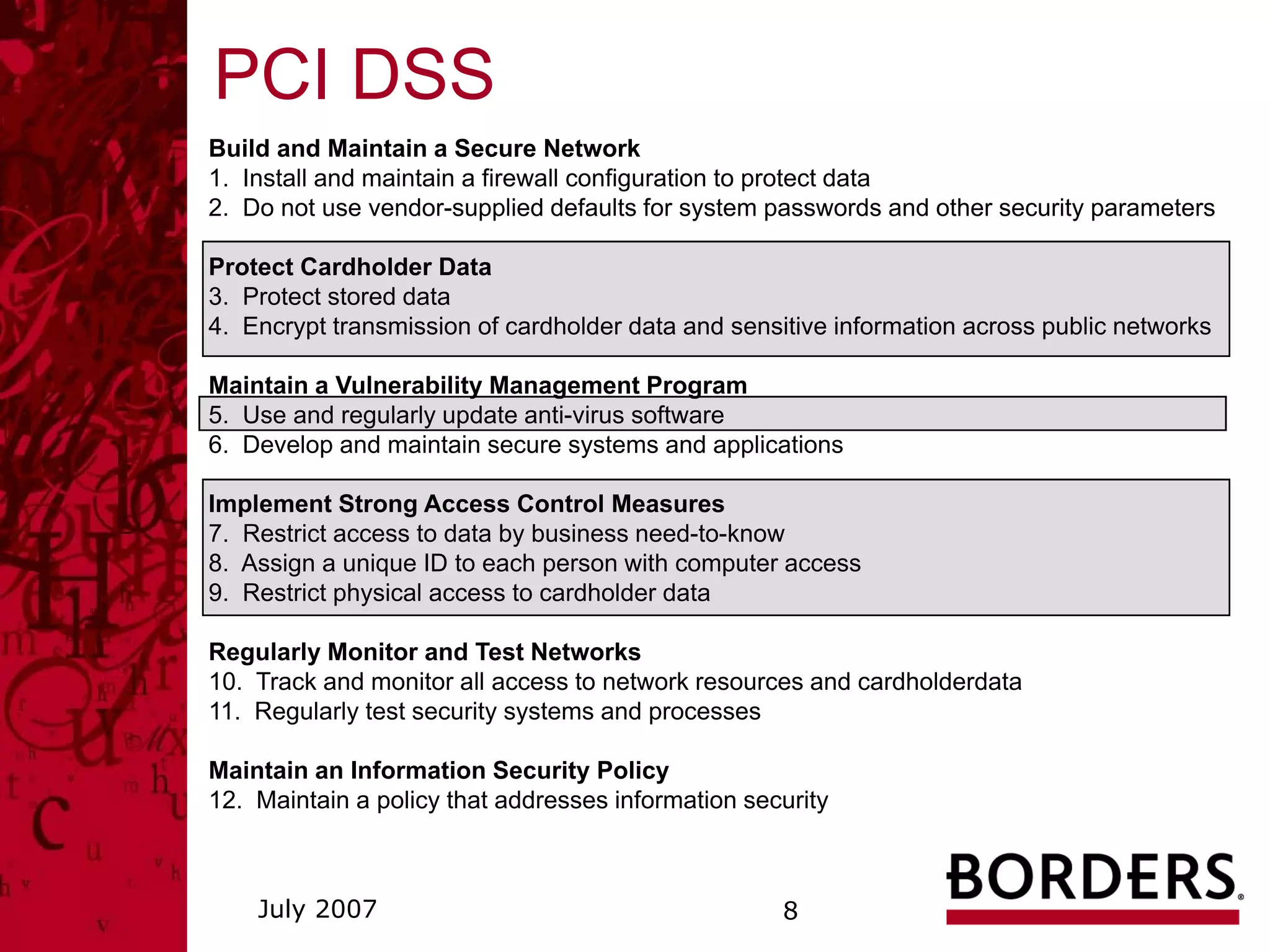
PCI DSS
Build and Maintain a Secure Network
1. Install and maintain a firewall configuration to protect data
2. Do not use vendor-supplied defaults for system passwords and other security parameters

Protect Cardholder Data
3. Protect stored data
4. Encrypt transmission of cardholder data and sensitive information across public networks

Maintain a Vulnerability Management Program
5. Use and regularly update anti-virus software
6. Develop and maintain secure systems and applications

Implement Strong Access Control Measures
7. Restrict access to data by business need-to-know
8. Assign a unique ID to each person with computer access
9. Restrict physical access to cardholder data

Regularly Monitor and Test Networks
10. Track and monitor all access to network resources and cardholderdata
11. Regularly test security systems and processes

Maintain an Information Security Policy
12. Maintain a policy that addresses information security


    July 2007                                       8
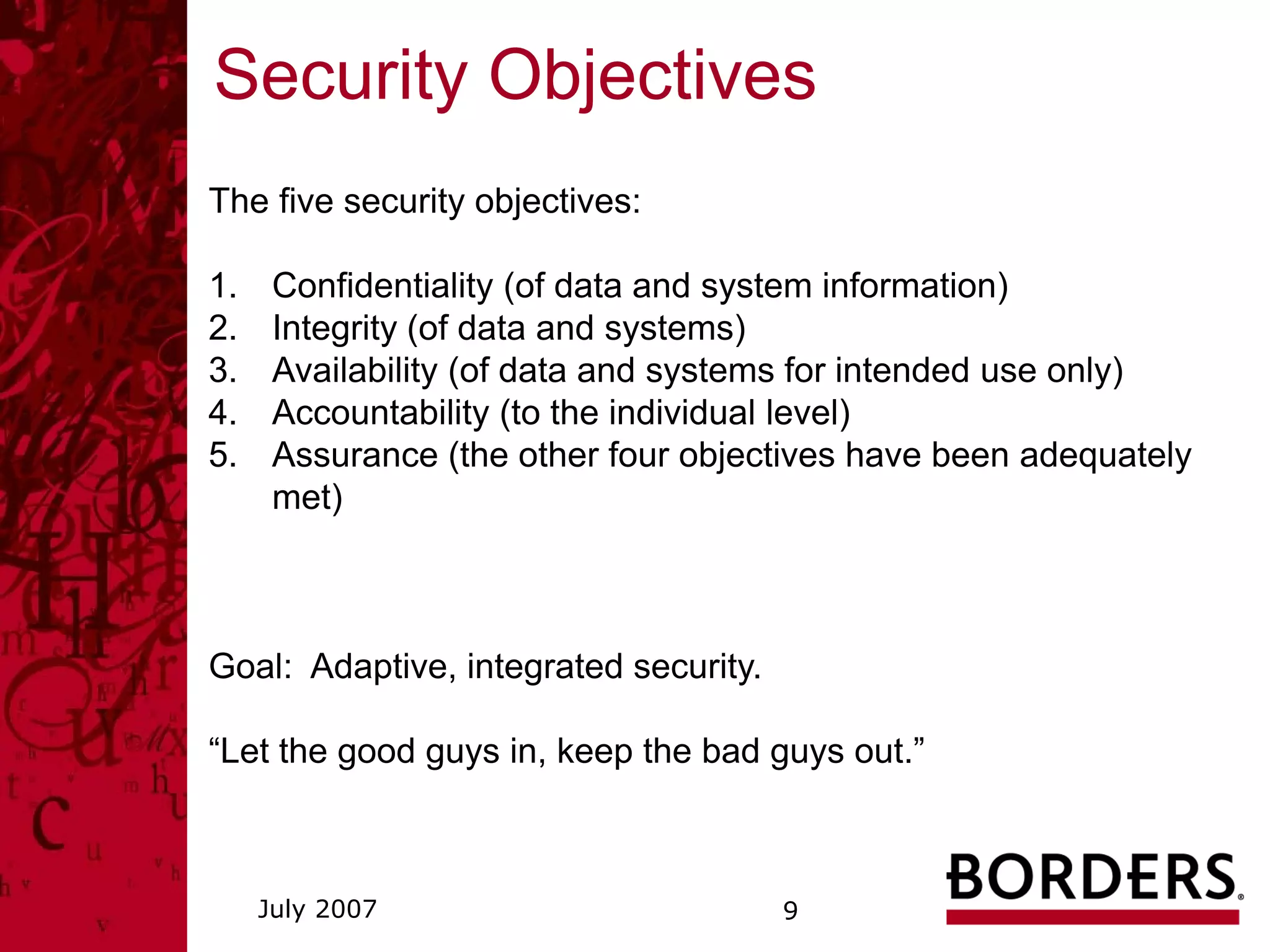
Security Objectives
The five security objectives:

1.    Confidentiality (of data and system information)
2.    Integrity (of data and systems)
3.    Availability (of data and systems for intended use only)
4.    Accountability (to the individual level)
5.    Assurance (the other four objectives have been adequately
      met)


Goal: Adaptive, integrated security.

“Let the good guys in, keep the bad guys out.”


     July 2007                         9
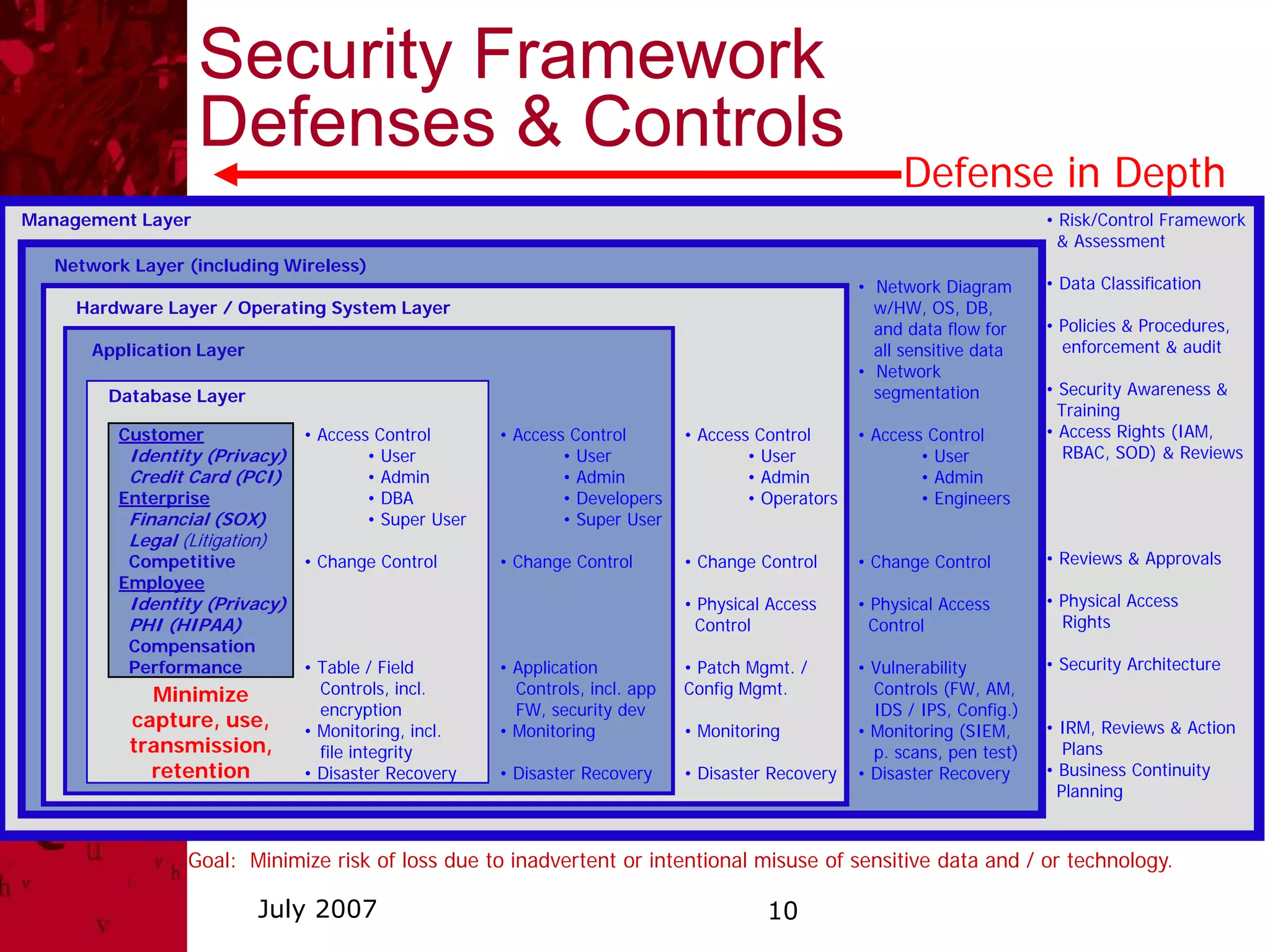
Security Framework
                    Defenses & Controls
                                                                                                          Defense in Depth
Management Layer                                                                                                             • Risk/Control Framework
                                                                                                                               & Assessment
   Network Layer (including Wireless)
                                                                                                     • Network Diagram       • Data Classification
     Hardware Layer / Operating System Layer                                                           w/HW, OS, DB,
                                                                                                       and data flow for     • Policies & Procedures,
       Application Layer                                                                               all sensitive data      enforcement & audit
                                                                                                     • Network
        Database Layer                                                                                 segmentation          • Security Awareness &
                                                                                                                               Training
         Customer               • Access Control       • Access Control        • Access Control      • Access Control        • Access Rights (IAM,
           Identity (Privacy)           • User                 • User                  • User                • User             RBAC, SOD) & Reviews
           Credit Card (PCI)            • Admin                • Admin                 • Admin               • Admin
         Enterprise                     • DBA                  • Developers            • Operators           • Engineers
           Financial (SOX)              • Super User           • Super User
           Legal (Litigation)
          Competitive           • Change Control       • Change Control        • Change Control      • Change Control        • Reviews & Approvals
         Employee
           Identity (Privacy)                                                  • Physical Access     • Physical Access       • Physical Access
           PHI (HIPAA)                                                           Control               Control                 Rights
           Compensation
           Performance          • Table / Field        • Application           • Patch Mgmt. /       • Vulnerability         • Security Architecture
             Minimize             Controls, incl.        Controls, incl. app   Config Mgmt.            Controls (FW, AM,
                                  encryption             FW, security dev                              IDS / IPS, Config.)
           capture, use,        • Monitoring, incl.    • Monitoring            • Monitoring          • Monitoring (SIEM,     • IRM, Reviews & Action
           transmission,          file integrity                                                       p. scans, pen test)      Plans
             retention          • Disaster Recovery    • Disaster Recovery     • Disaster Recovery   • Disaster Recovery     • Business Continuity
                                                                                                                               Planning


                  Goal: Minimize risk of loss due to inadvertent or intentional misuse of sensitive data and / or technology.

                           July 2007                                                     10
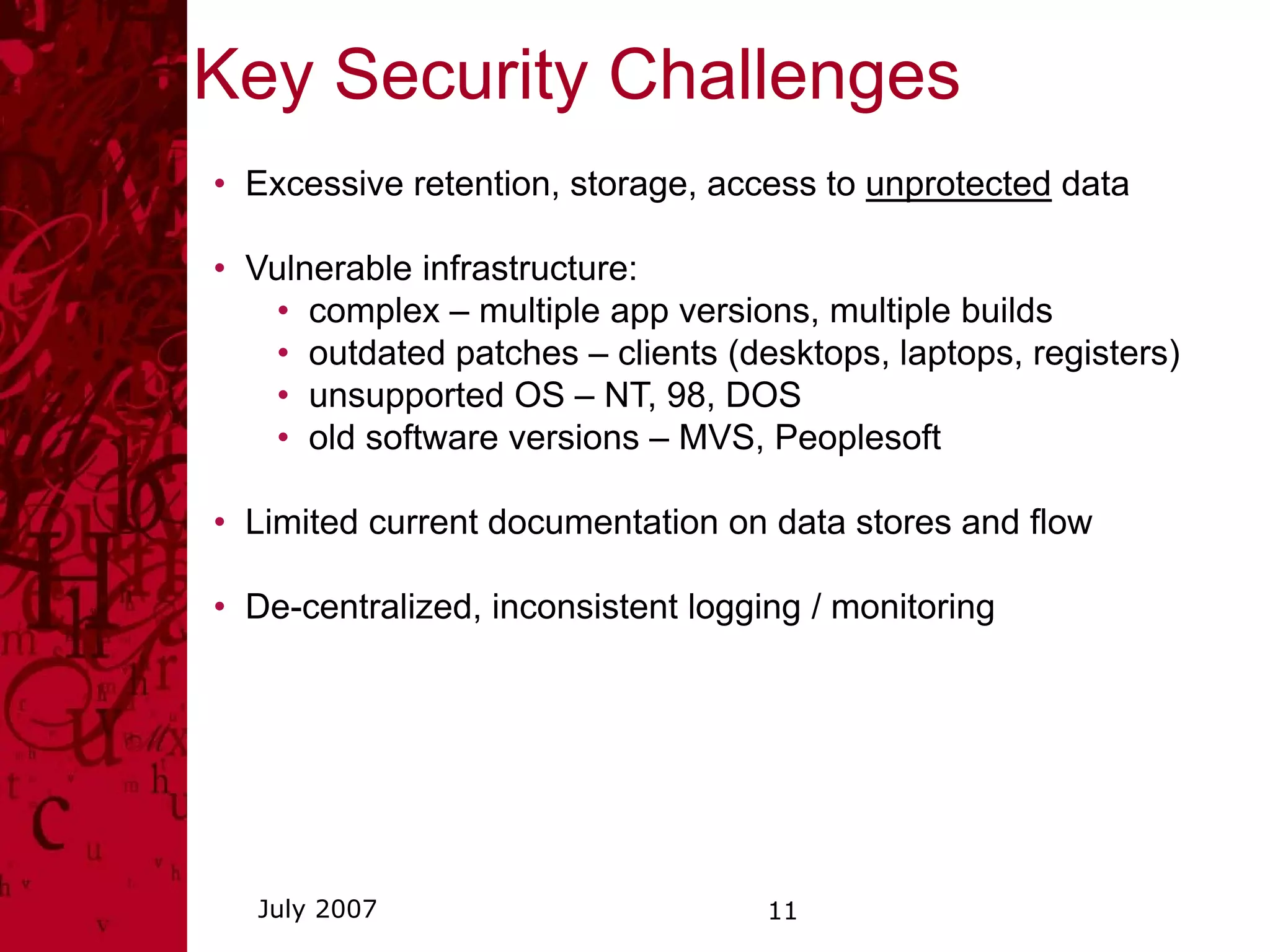
Key Security Challenges
• Excessive retention, storage, access to unprotected data

• Vulnerable infrastructure:
   • complex – multiple app versions, multiple builds
   • outdated patches – clients (desktops, laptops, registers)
   • unsupported OS – NT, 98, DOS
   • old software versions – MVS, Peoplesoft

• Limited current documentation on data stores and flow

• De-centralized, inconsistent logging / monitoring


  July 2007                         11
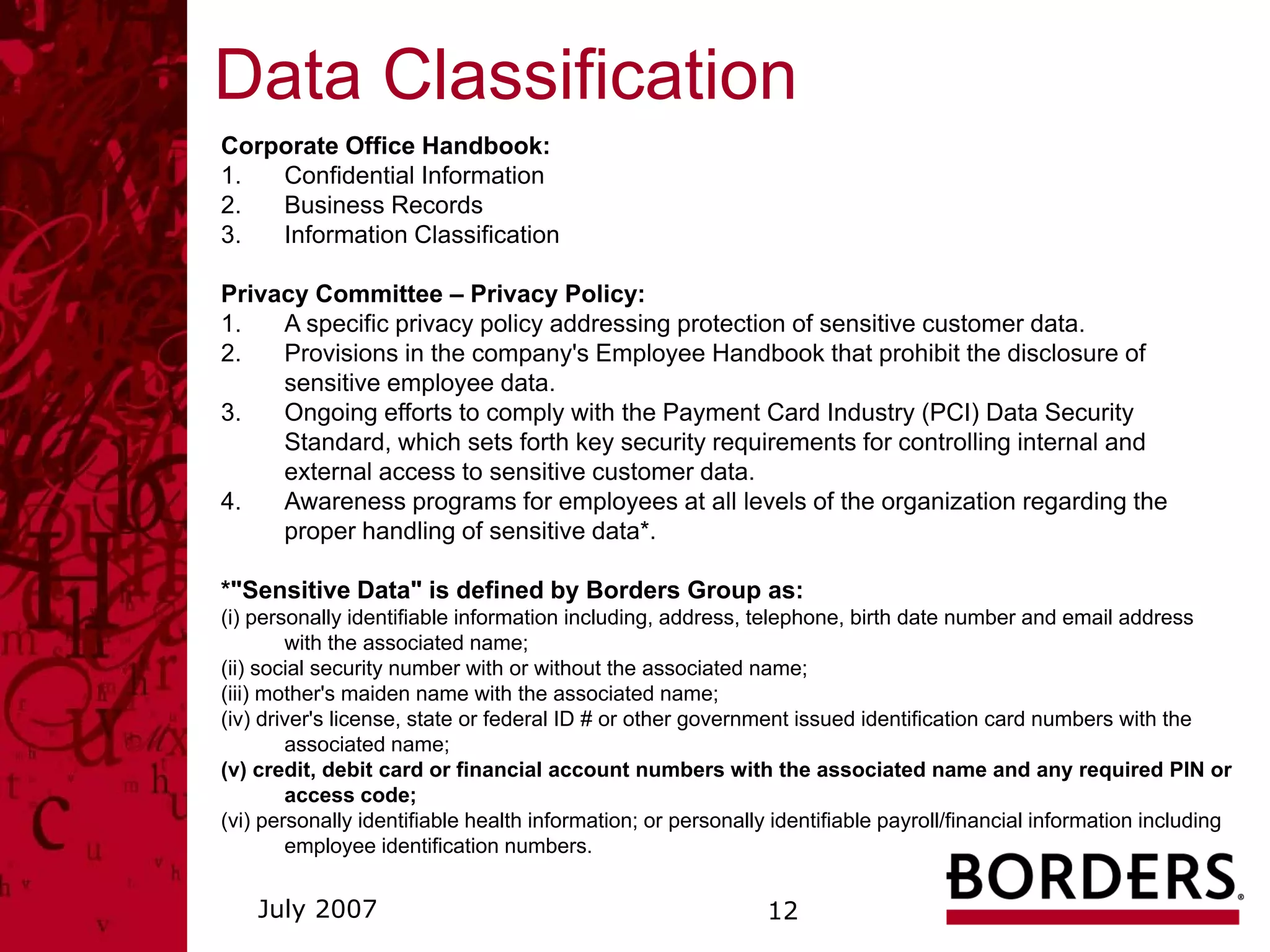
Data Classification
Corporate Office Handbook:
1.  Confidential Information
2.  Business Records
3.  Information Classification

Privacy Committee – Privacy Policy:
1.   A specific privacy policy addressing protection of sensitive customer data.
2.   Provisions in the company's Employee Handbook that prohibit the disclosure of
     sensitive employee data.
3.   Ongoing efforts to comply with the Payment Card Industry (PCI) Data Security
     Standard, which sets forth key security requirements for controlling internal and
     external access to sensitive customer data.
4.   Awareness programs for employees at all levels of the organization regarding the
     proper handling of sensitive data*.

*"Sensitive Data" is defined by Borders Group as:
(i) personally identifiable information including, address, telephone, birth date number and email address
        with the associated name;
(ii) social security number with or without the associated name;
(iii) mother's maiden name with the associated name;
(iv) driver's license, state or federal ID # or other government issued identification card numbers with the
        associated name;
(v) credit, debit card or financial account numbers with the associated name and any required PIN or
        access code;
(vi) personally identifiable health information; or personally identifiable payroll/financial information including
        employee identification numbers.


    July 2007                                                 12
Security Responsibilities
Know:

  computer system usage policies and procedures
  loss prevention policies and procedures
  classification and appropriate handling of information

  privacy policy (The Beat, coming soon to Corp Info)
  actions required to report a potential incident

Sources:

  Corp Info
  Corporate Office Handbook


  July 2007                       13
Security Responsibilities
Protect sensitive information by:

   Being aware of phishing, pharming, DoS, spyware, and
   social engineering.
   Not using email or fax to exchange sensitive information,
   unless encrypted.
   Not replying or clicking on links in any message requesting
   personal or financial information.
   Not downloading or installing any applications and
   contacting the Service Desk for all software requests.
   Not storing sensitive information on portable devices such
   as laptops, PDAs and USB drives or on remote/home
   systems unless there is appropriate authorization and the
   information is encrypted and properly deleted in a timely
   manner.
   Appropriately securing and deleting secondary data stores –
   i.e. Access databases, Excel spreadsheets, etc.

 July 2007                          14
Phishing
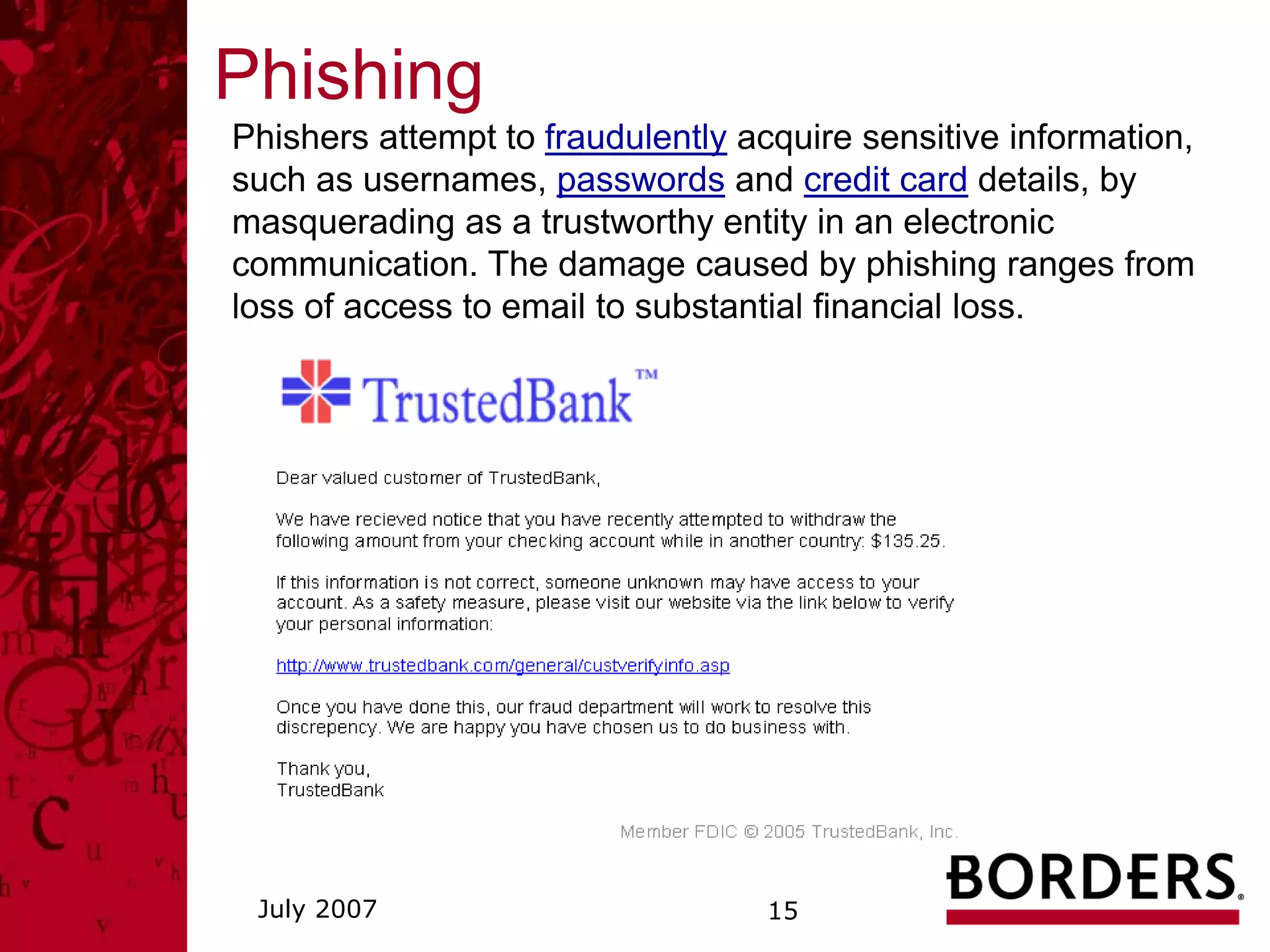
Phishers attempt to fraudulently acquire sensitive information,
such as usernames, passwords and credit card details, by
masquerading as a trustworthy entity in an electronic
communication. The damage caused by phishing ranges from
loss of access to email to substantial financial loss.


 July 2007                         15
Pharming
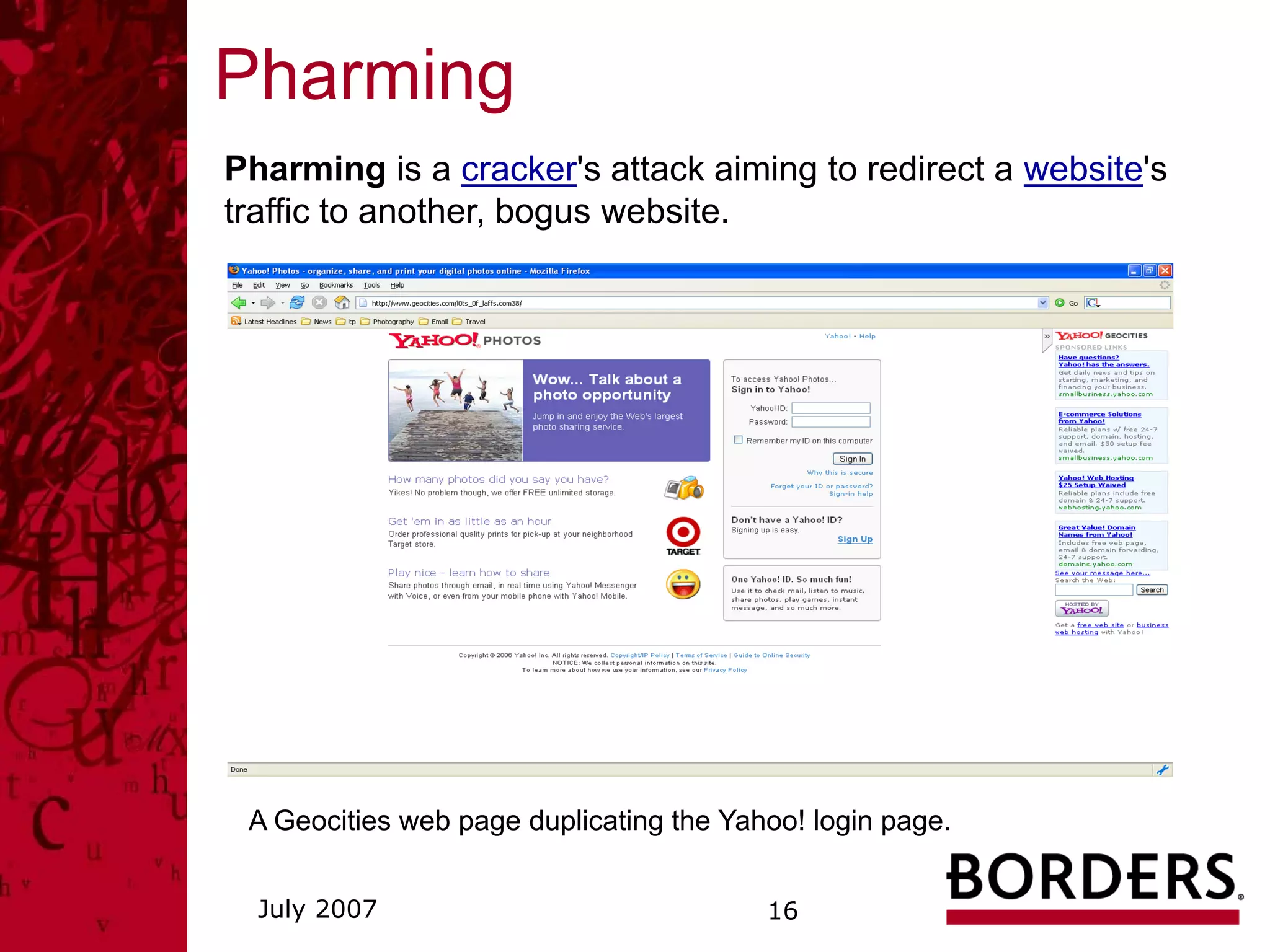
Pharming is a cracker's attack aiming to redirect a website's
traffic to another, bogus website.


 A Geocities web page duplicating the Yahoo! login page.


  July 2007                              16
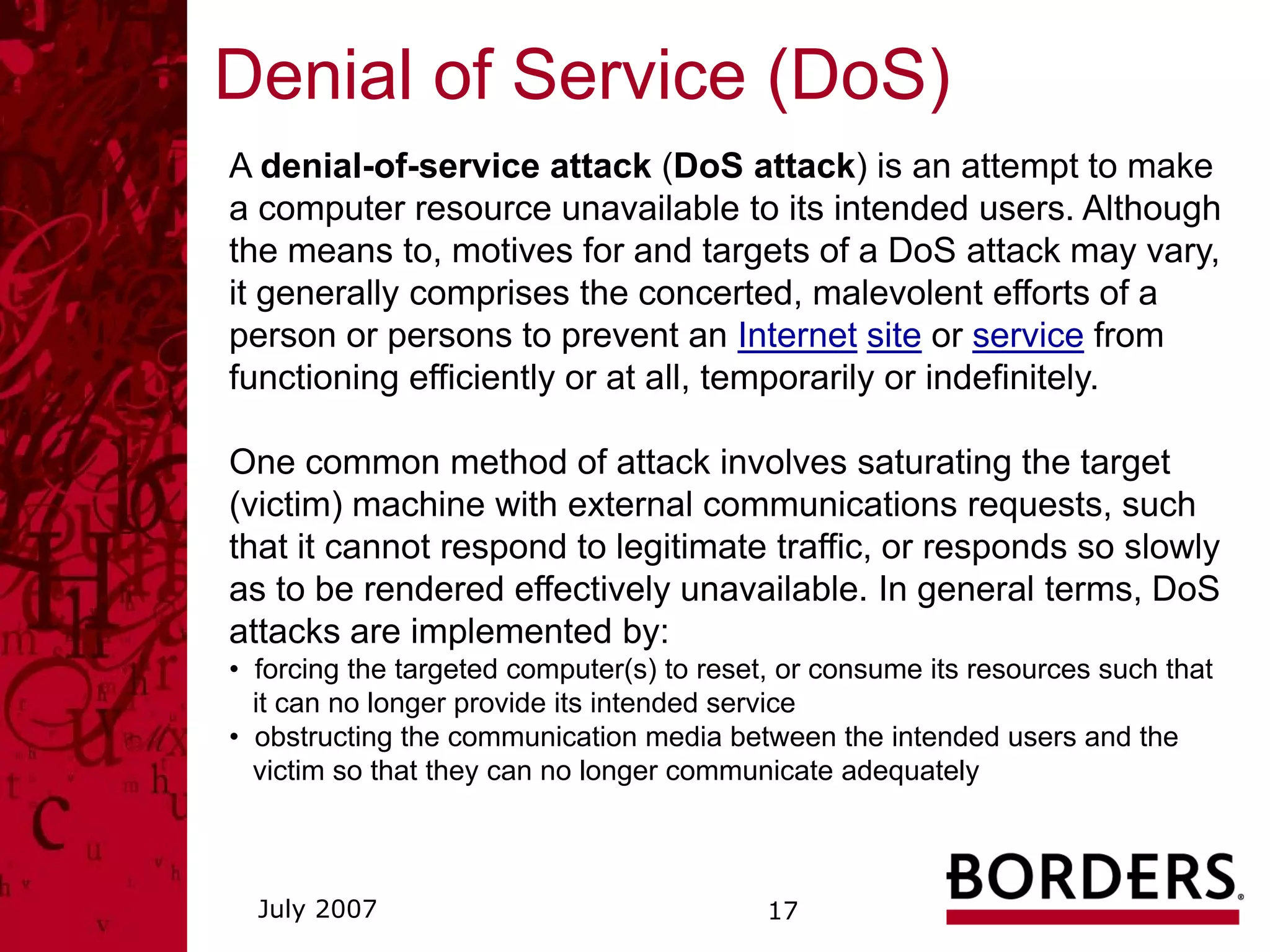
Denial of Service (DoS)
A denial-of-service attack (DoS attack) is an attempt to make
a computer resource unavailable to its intended users. Although
the means to, motives for and targets of a DoS attack may vary,
it generally comprises the concerted, malevolent efforts of a
person or persons to prevent an Internet site or service from
functioning efficiently or at all, temporarily or indefinitely.

One common method of attack involves saturating the target
(victim) machine with external communications requests, such
that it cannot respond to legitimate traffic, or responds so slowly
as to be rendered effectively unavailable. In general terms, DoS
attacks are implemented by:
• forcing the targeted computer(s) to reset, or consume its resources such that
  it can no longer provide its intended service
• obstructing the communication media between the intended users and the
  victim so that they can no longer communicate adequately


  July 2007                                17
Security Responsibilities
Cooperate fully to support incident response management by:

    Following procedures for incident notification in a timely
    manner.
    Providing detailed information to assist in the investigation.
    Complying immediately with all actions requested.

Procedures for incident notification:
1. Corporate:
    * IRTeam@bordersgroupinc.com (Incident Response Team)
    * Corp Info – Home / BGI Policies / Employee Complaint Procedures
      (866) 356-4636 (U.S. Domestic employees)
    * Service Desk – IT Security Incident
      (734) 477-4357

2. Stores:
    * Store Hot Line – Shrink Link
      (888) 273-9546


  July 2007                             18
Security Responsibilities
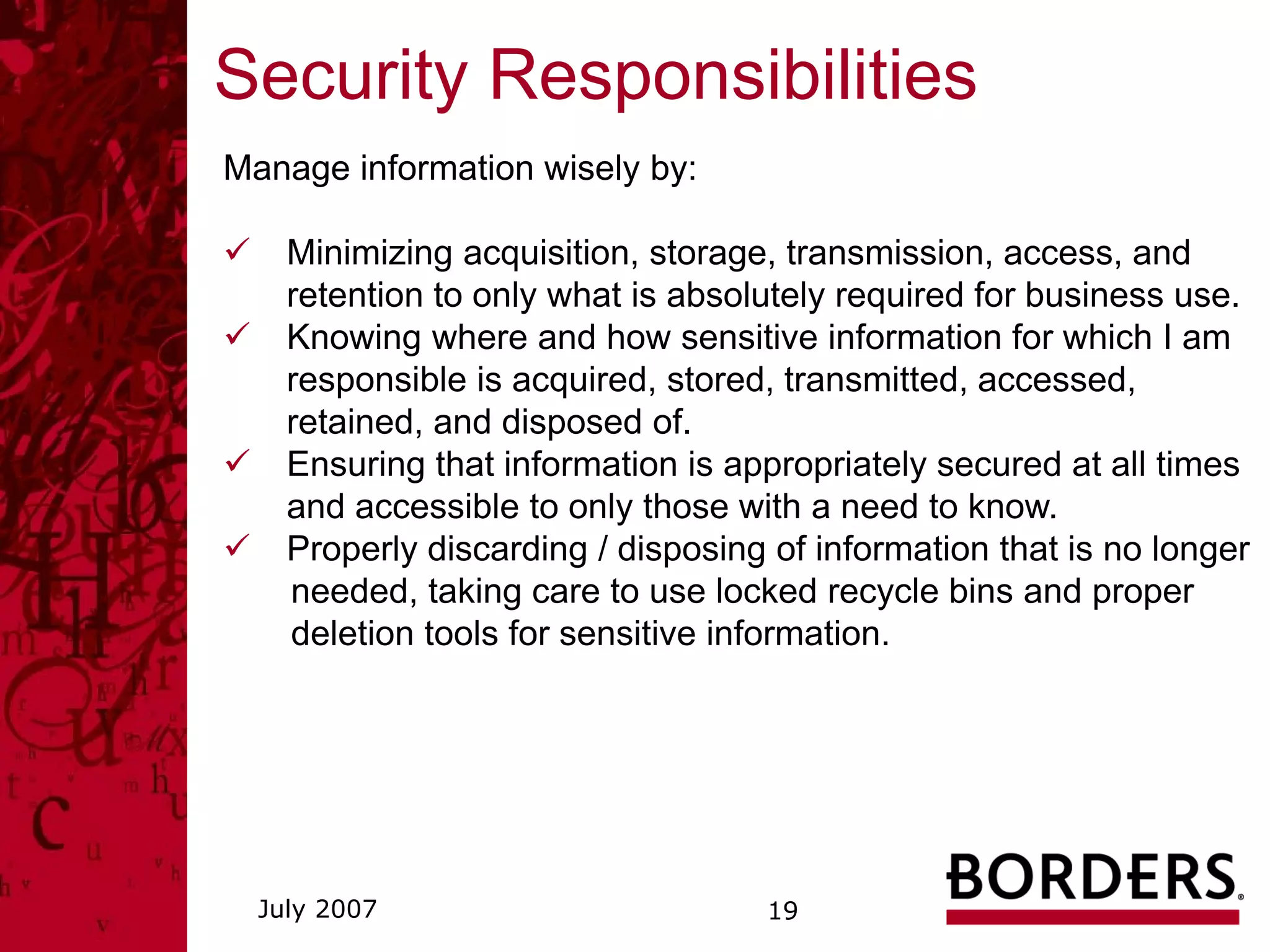
Manage information wisely by:

    Minimizing acquisition, storage, transmission, access, and
    retention to only what is absolutely required for business use.
    Knowing where and how sensitive information for which I am
    responsible is acquired, stored, transmitted, accessed,
    retained, and disposed of.
    Ensuring that information is appropriately secured at all times
    and accessible to only those with a need to know.
    Properly discarding / disposing of information that is no longer
    needed, taking care to use locked recycle bins and proper
    deletion tools for sensitive information.


  July 2007                        19
Security Responsibilities
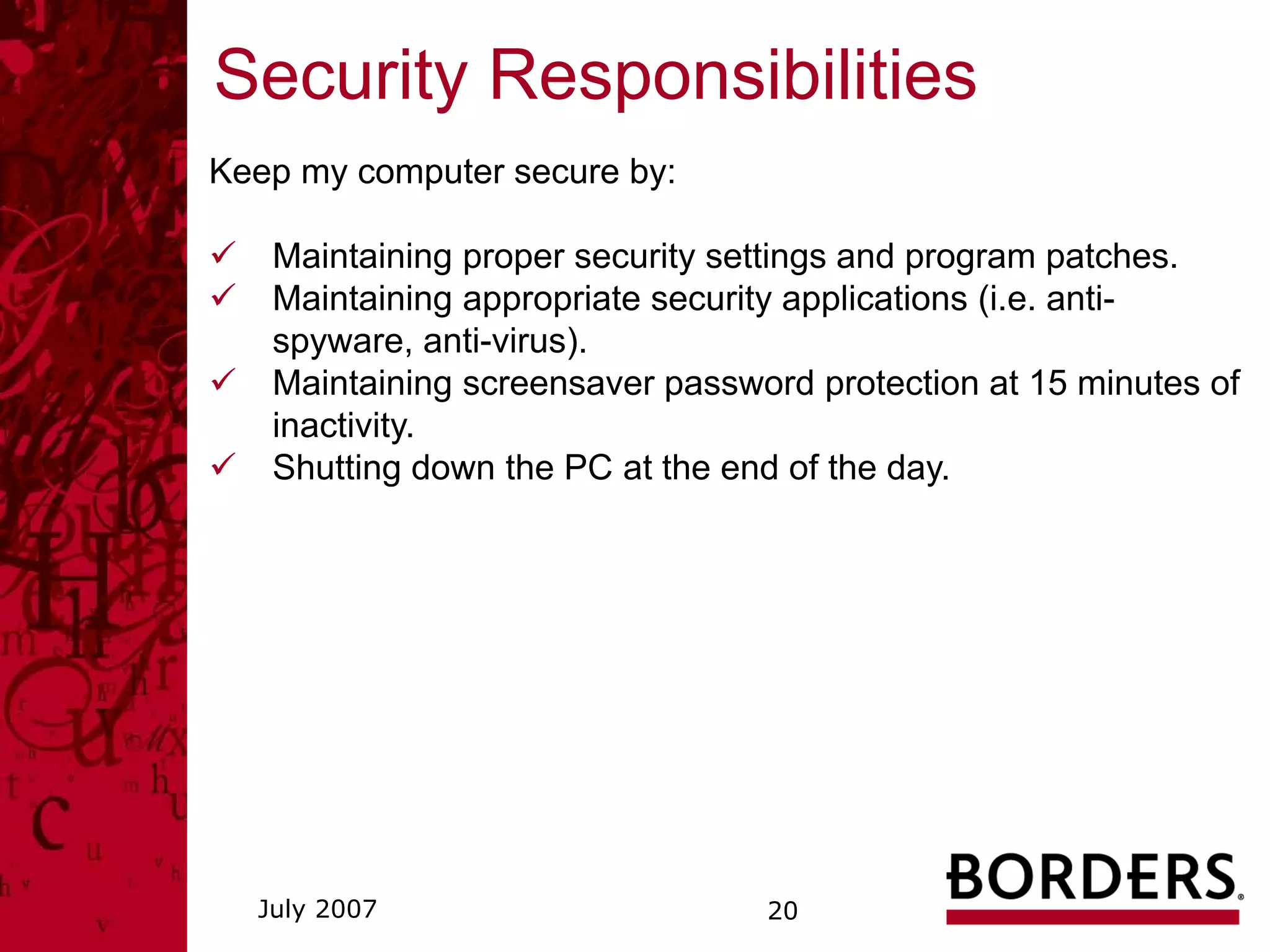
Keep my computer secure by:

   Maintaining proper security settings and program patches.
   Maintaining appropriate security applications (i.e. anti-
   spyware, anti-virus).
   Maintaining screensaver password protection at 15 minutes of
   inactivity.
   Shutting down the PC at the end of the day.


  July 2007                      20
Security Responsibilities
Practice safe access by:

    Being conscious of the existence, dangers, and symptoms
    of malware.
    Being careful about opening any email attachments.
    Using only your account or authorized accounts for
    application or data access.
    Abiding by the password policy and using strong password
    controls, including not sharing or writing down the password.
    Accessing only the applications and information required by
    my job responsibilities, and requesting change of such
    access as required.


  July 2007                        21
Security Responsibilities
Avoid Internet dangers by:

    Being suspicious about the trustworthiness of all Internet
    use, and alert to potential misuse.
    Restricting the sharing of information to “need to know” for
    business reasons only, and using proper security to protect
    sensitive information.
    Be responsible about Internet surfing -- i.e. avoid gaming
    sites, free download sites, etc.


 July 2007                         22
Security Responsibilities
Key points:

    Protect sensitive information

    Cooperate fully to support incident response management

    Manage information wisely

    Keep my computer secure

    Practice safe access

    Avoid Internet dangers


 July 2007                          23
Q&A


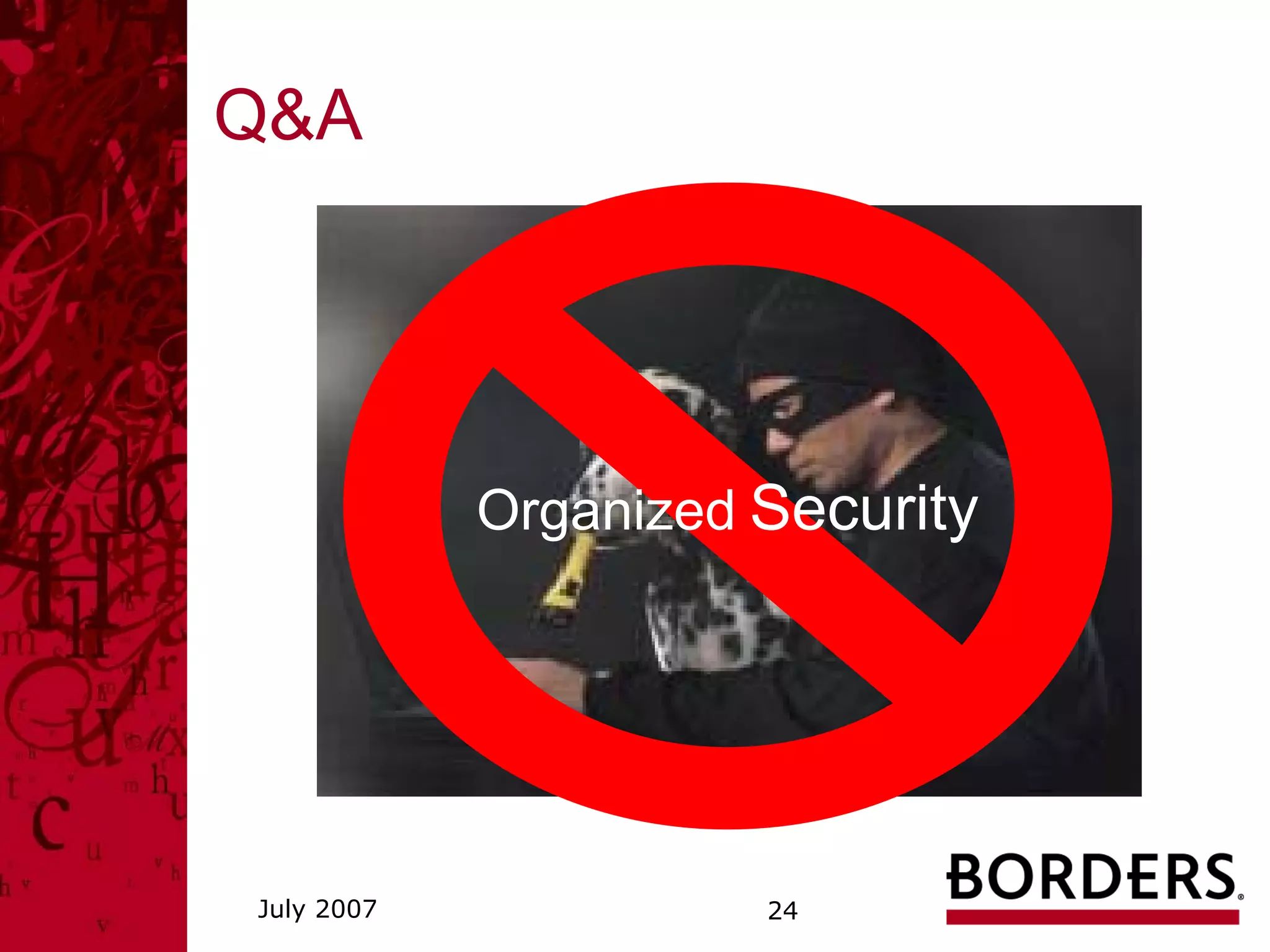
            Organized Security


July 2007             24

Security Awareness Training

  • 1.
    Security Awareness Training July, 2007 Dan Wallace Program Manager Information Security & PCI Compliance
  • 2.
    Agenda • Why? Why Now? • 21st Century B&E • PCI DSS • Security Objectives, Framework, Challenges • Data Classification • Security Responsibilities • Q&A July 2007 2
  • 3.
    21st Century B&E Reference:NRF “Navigate the World of Loss Prevention” Organized Crime Internal Staff July 2007 3
  • 4.
    Security Incident What isan incident?* • Denial of Service • Malicious Code • Unauthorized Access • Unauthorized Access (Extortion) • Inappropriate Usage • Inappropriate Usage (harassment) An incident can be thought of as a violation or imminent threat of violation of computer security policies, acceptable use policies, or standard security practice. * List taken from NIST Special Publication 800-61, Computer Security Incident Handling Guide July 2007 4
  • 5.
    Cost of Breach 2006Ponemon Institute Report • Average cost per lost record = $182 (Gartner says $300) • Direct Costs = $54/record • Lost productivity = $30/record • Loss of good will = $98/record • Average total cost = $4.8M per breach • Range of total cost = $226K -> $22M • TJX up to $1B Knowledge – Action = Negligence Safe Harbor requires validation of compliance at the time of the compromise. Reference: NRF Seminar on 2/22/07 -- Managing the PCI Lifecycle – “Meeting the Challenge of Security Breach Notice Laws” by Philip L. Gordon, Littler Mendelson, P.C. and “PCI DSS Assessment Process” by Rick Dakin, Coalfire July 2007 5
  • 6.
    May BGI SecurityIncident • On 5/3 disabled anti-malware and multiple infections were identified on a BGI PC containing a large amount of cardholder data • The scope of the possible breach expanded to investigating store systems, 11 additional PCs, file servers, and application servers • Remediation tasks included re-imaging the PCs, scanning and cleaning the PCs with multiple anti-malware tools, changing user and administrator account passwords, emphasizing the BGI policy of not visiting potentially harmful websites and not downloading any unauthorized software • Six weeks of forensic investigation concluded the incident was contained and no cardholder data was compromised • No customer notification was required, however the card associations were provided with the potentially at-risk account information for monitoring July 2007 6
  • 7.
    NRF PCI DSSUpdate • Manage Scope • Restrict access to cardholder data • Isolate and limit storage of cardholder data • Educate systems developers and business areas on the proper handling of cardholder data • Maintain a good audit trail – build in auditability with centralized logging and event management • Ensure 3rd Party contracts have appropriate terms to address PCI requirements, indemnification, and IRM • Implement a Privacy Breach CIRT (Critical Incident Response Team) Plan Reference: NRF Seminar on 2/22/07 -- Managing the PCI Lifecycle – “PCI – A Retailer’s Perspective on Compliance and Governance” by Teri Mieritz, JCPenny and “PCI – An Internal Audit Perspective” by Ken Askelson, JCPenny July 2007 7
  • 8.
    PCI DSS Build andMaintain a Secure Network 1. Install and maintain a firewall configuration to protect data 2. Do not use vendor-supplied defaults for system passwords and other security parameters Protect Cardholder Data 3. Protect stored data 4. Encrypt transmission of cardholder data and sensitive information across public networks Maintain a Vulnerability Management Program 5. Use and regularly update anti-virus software 6. Develop and maintain secure systems and applications Implement Strong Access Control Measures 7. Restrict access to data by business need-to-know 8. Assign a unique ID to each person with computer access 9. Restrict physical access to cardholder data Regularly Monitor and Test Networks 10. Track and monitor all access to network resources and cardholderdata 11. Regularly test security systems and processes Maintain an Information Security Policy 12. Maintain a policy that addresses information security July 2007 8
  • 9.
    Security Objectives The fivesecurity objectives: 1. Confidentiality (of data and system information) 2. Integrity (of data and systems) 3. Availability (of data and systems for intended use only) 4. Accountability (to the individual level) 5. Assurance (the other four objectives have been adequately met) Goal: Adaptive, integrated security. “Let the good guys in, keep the bad guys out.” July 2007 9
  • 10.
    Security Framework Defenses & Controls Defense in Depth Management Layer • Risk/Control Framework & Assessment Network Layer (including Wireless) • Network Diagram • Data Classification Hardware Layer / Operating System Layer w/HW, OS, DB, and data flow for • Policies & Procedures, Application Layer all sensitive data enforcement & audit • Network Database Layer segmentation • Security Awareness & Training Customer • Access Control • Access Control • Access Control • Access Control • Access Rights (IAM, Identity (Privacy) • User • User • User • User RBAC, SOD) & Reviews Credit Card (PCI) • Admin • Admin • Admin • Admin Enterprise • DBA • Developers • Operators • Engineers Financial (SOX) • Super User • Super User Legal (Litigation) Competitive • Change Control • Change Control • Change Control • Change Control • Reviews & Approvals Employee Identity (Privacy) • Physical Access • Physical Access • Physical Access PHI (HIPAA) Control Control Rights Compensation Performance • Table / Field • Application • Patch Mgmt. / • Vulnerability • Security Architecture Minimize Controls, incl. Controls, incl. app Config Mgmt. Controls (FW, AM, encryption FW, security dev IDS / IPS, Config.) capture, use, • Monitoring, incl. • Monitoring • Monitoring • Monitoring (SIEM, • IRM, Reviews & Action transmission, file integrity p. scans, pen test) Plans retention • Disaster Recovery • Disaster Recovery • Disaster Recovery • Disaster Recovery • Business Continuity Planning Goal: Minimize risk of loss due to inadvertent or intentional misuse of sensitive data and / or technology. July 2007 10
  • 11.
    Key Security Challenges •Excessive retention, storage, access to unprotected data • Vulnerable infrastructure: • complex – multiple app versions, multiple builds • outdated patches – clients (desktops, laptops, registers) • unsupported OS – NT, 98, DOS • old software versions – MVS, Peoplesoft • Limited current documentation on data stores and flow • De-centralized, inconsistent logging / monitoring July 2007 11
  • 12.
    Data Classification Corporate OfficeHandbook: 1. Confidential Information 2. Business Records 3. Information Classification Privacy Committee – Privacy Policy: 1. A specific privacy policy addressing protection of sensitive customer data. 2. Provisions in the company's Employee Handbook that prohibit the disclosure of sensitive employee data. 3. Ongoing efforts to comply with the Payment Card Industry (PCI) Data Security Standard, which sets forth key security requirements for controlling internal and external access to sensitive customer data. 4. Awareness programs for employees at all levels of the organization regarding the proper handling of sensitive data*. *"Sensitive Data" is defined by Borders Group as: (i) personally identifiable information including, address, telephone, birth date number and email address with the associated name; (ii) social security number with or without the associated name; (iii) mother's maiden name with the associated name; (iv) driver's license, state or federal ID # or other government issued identification card numbers with the associated name; (v) credit, debit card or financial account numbers with the associated name and any required PIN or access code; (vi) personally identifiable health information; or personally identifiable payroll/financial information including employee identification numbers. July 2007 12
  • 13.
    Security Responsibilities Know: computer system usage policies and procedures loss prevention policies and procedures classification and appropriate handling of information privacy policy (The Beat, coming soon to Corp Info) actions required to report a potential incident Sources: Corp Info Corporate Office Handbook July 2007 13
  • 14.
    Security Responsibilities Protect sensitiveinformation by: Being aware of phishing, pharming, DoS, spyware, and social engineering. Not using email or fax to exchange sensitive information, unless encrypted. Not replying or clicking on links in any message requesting personal or financial information. Not downloading or installing any applications and contacting the Service Desk for all software requests. Not storing sensitive information on portable devices such as laptops, PDAs and USB drives or on remote/home systems unless there is appropriate authorization and the information is encrypted and properly deleted in a timely manner. Appropriately securing and deleting secondary data stores – i.e. Access databases, Excel spreadsheets, etc. July 2007 14
  • 15.
    Phishing Phishers attempt tofraudulently acquire sensitive information, such as usernames, passwords and credit card details, by masquerading as a trustworthy entity in an electronic communication. The damage caused by phishing ranges from loss of access to email to substantial financial loss. July 2007 15
  • 16.
    Pharming Pharming is acracker's attack aiming to redirect a website's traffic to another, bogus website. A Geocities web page duplicating the Yahoo! login page. July 2007 16
  • 17.
    Denial of Service(DoS) A denial-of-service attack (DoS attack) is an attempt to make a computer resource unavailable to its intended users. Although the means to, motives for and targets of a DoS attack may vary, it generally comprises the concerted, malevolent efforts of a person or persons to prevent an Internet site or service from functioning efficiently or at all, temporarily or indefinitely. One common method of attack involves saturating the target (victim) machine with external communications requests, such that it cannot respond to legitimate traffic, or responds so slowly as to be rendered effectively unavailable. In general terms, DoS attacks are implemented by: • forcing the targeted computer(s) to reset, or consume its resources such that it can no longer provide its intended service • obstructing the communication media between the intended users and the victim so that they can no longer communicate adequately July 2007 17
  • 18.
    Security Responsibilities Cooperate fullyto support incident response management by: Following procedures for incident notification in a timely manner. Providing detailed information to assist in the investigation. Complying immediately with all actions requested. Procedures for incident notification: 1. Corporate: * IRTeam@bordersgroupinc.com (Incident Response Team) * Corp Info – Home / BGI Policies / Employee Complaint Procedures (866) 356-4636 (U.S. Domestic employees) * Service Desk – IT Security Incident (734) 477-4357 2. Stores: * Store Hot Line – Shrink Link (888) 273-9546 July 2007 18
  • 19.
    Security Responsibilities Manage informationwisely by: Minimizing acquisition, storage, transmission, access, and retention to only what is absolutely required for business use. Knowing where and how sensitive information for which I am responsible is acquired, stored, transmitted, accessed, retained, and disposed of. Ensuring that information is appropriately secured at all times and accessible to only those with a need to know. Properly discarding / disposing of information that is no longer needed, taking care to use locked recycle bins and proper deletion tools for sensitive information. July 2007 19
  • 20.
    Security Responsibilities Keep mycomputer secure by: Maintaining proper security settings and program patches. Maintaining appropriate security applications (i.e. anti- spyware, anti-virus). Maintaining screensaver password protection at 15 minutes of inactivity. Shutting down the PC at the end of the day. July 2007 20
  • 21.
    Security Responsibilities Practice safeaccess by: Being conscious of the existence, dangers, and symptoms of malware. Being careful about opening any email attachments. Using only your account or authorized accounts for application or data access. Abiding by the password policy and using strong password controls, including not sharing or writing down the password. Accessing only the applications and information required by my job responsibilities, and requesting change of such access as required. July 2007 21
  • 22.
    Security Responsibilities Avoid Internetdangers by: Being suspicious about the trustworthiness of all Internet use, and alert to potential misuse. Restricting the sharing of information to “need to know” for business reasons only, and using proper security to protect sensitive information. Be responsible about Internet surfing -- i.e. avoid gaming sites, free download sites, etc. July 2007 22
  • 23.
    Security Responsibilities Key points: Protect sensitive information Cooperate fully to support incident response management Manage information wisely Keep my computer secure Practice safe access Avoid Internet dangers July 2007 23
  • 24.
    Q&A Organized Security July 2007 24