3DIR: Exploiting
Topological
Relationships in Three-
Dimensional
Information Retrieval
from BIM Environments
Peter Demian, Kirti Ruikar, Tarun Sahu, Anne Morris
Presented by Peter Demian, ICCCBE2016, July 2016, Osaka, Japan
Look for this presentation on SlideShare.net
• Introduction, The Problem
• Literature
– BIM and CAD
– Topology in Building Models
• Method
• Results
– 3DIR User Interface
– Exploiting Topology in 3DIR
– Evaluation of augmented 3DIR
• Conclusions
Outline
The Problem: Information Overload
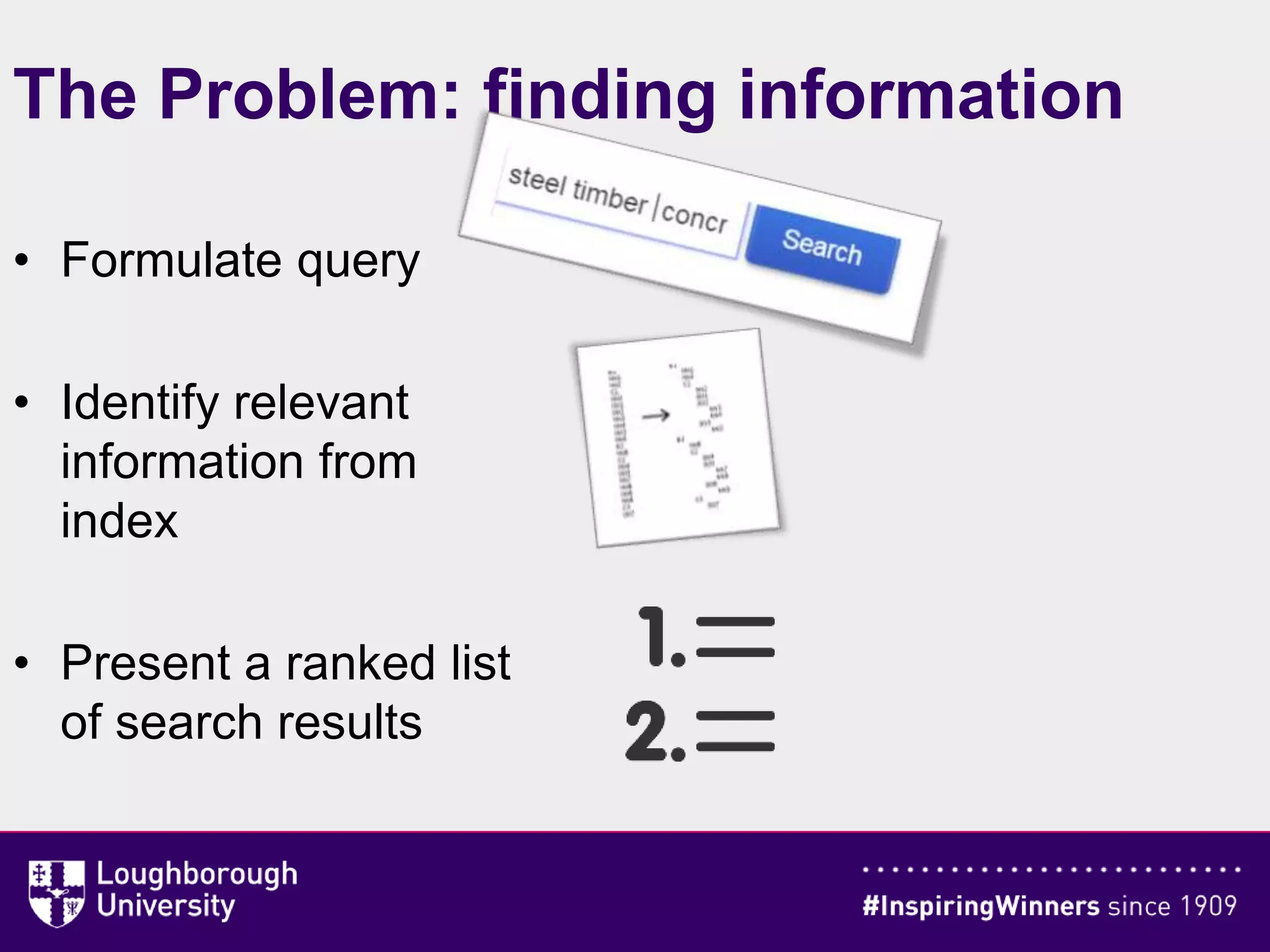
The Problem: finding information
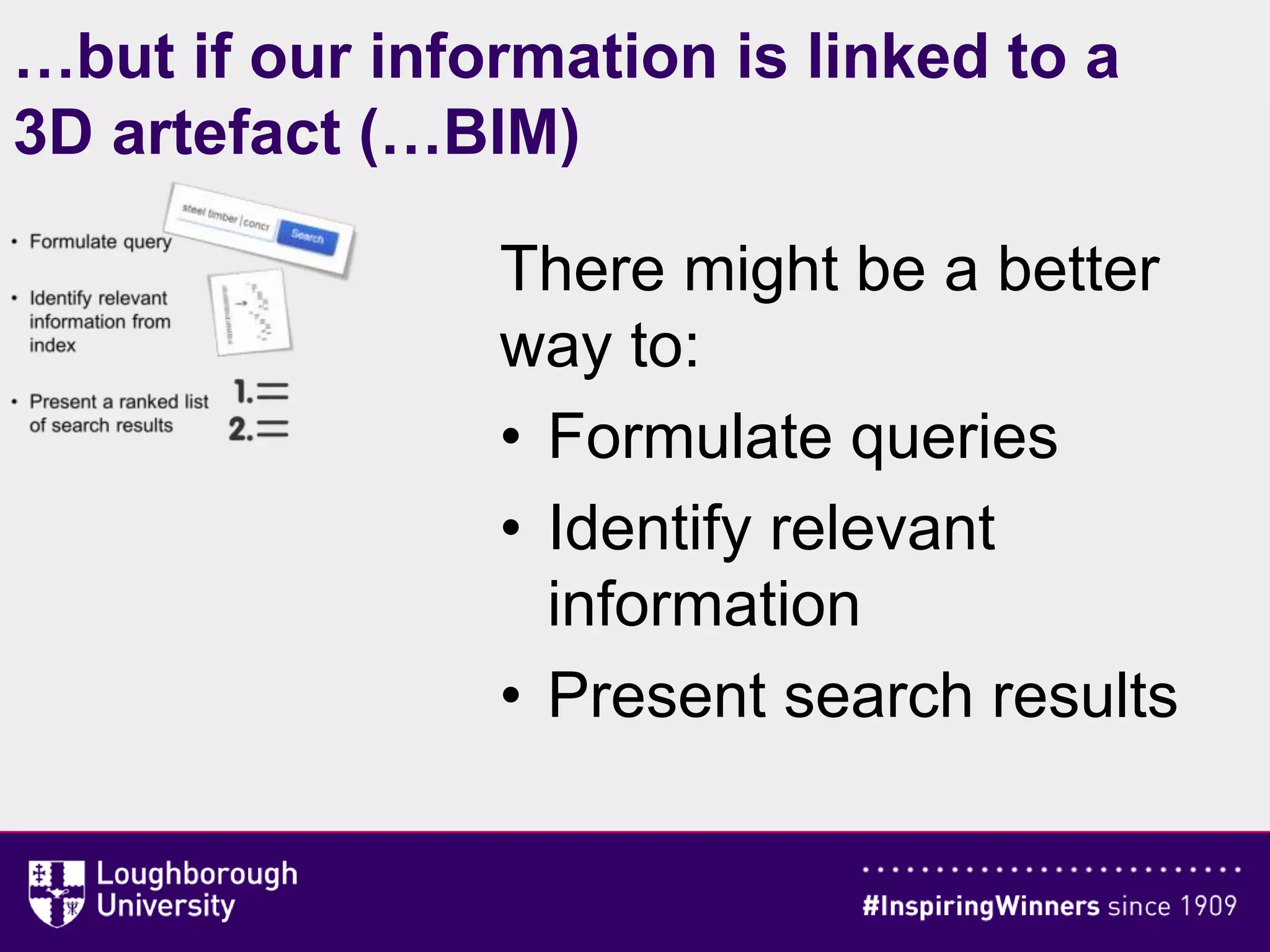
• Formulate query
• Identify relevant
information from
index
• Present a ranked list
of search results
…but if our information is linked to a
3D artefact (…BIM)
There might be a better
way to:
• Formulate queries
• Identify relevant
information
• Present search results
Literature: BIM and CAD
• CAD models: geometry
• BIM models can contain much more information
– Attributes of 3D objects
– Nongeometric objects
• 3D model not fully exploited as a visual index, no
information scent (Pirolli &Card 1999)
Literature: Topology
• “Study of the way in which constituent parts are
interrelated or arranged”
(Oxford English Dictionary)
• Mathematics: topology is the study of a collection of
open sets
• Spatial modelling: topology is concerned with notions of
“interior”, “boundary”, or “exterior”.
• For us: any relationships between 3D building elements
in a model which may enhance information retrieval:
– Strictly topological ,concerned with interior/boundary/exterior
– More general spatial/directional relationships
– Or even relationships in general
Research Method
• “Needs” workshops at “Architects” and
“Contractors”
• Prototype development (Autodesk Revit; good
Application Programming Interface)
• 3DIR augmented to exploit topology
– Hosting
– Touching
– Intersecting
• “Evaluation” workshops
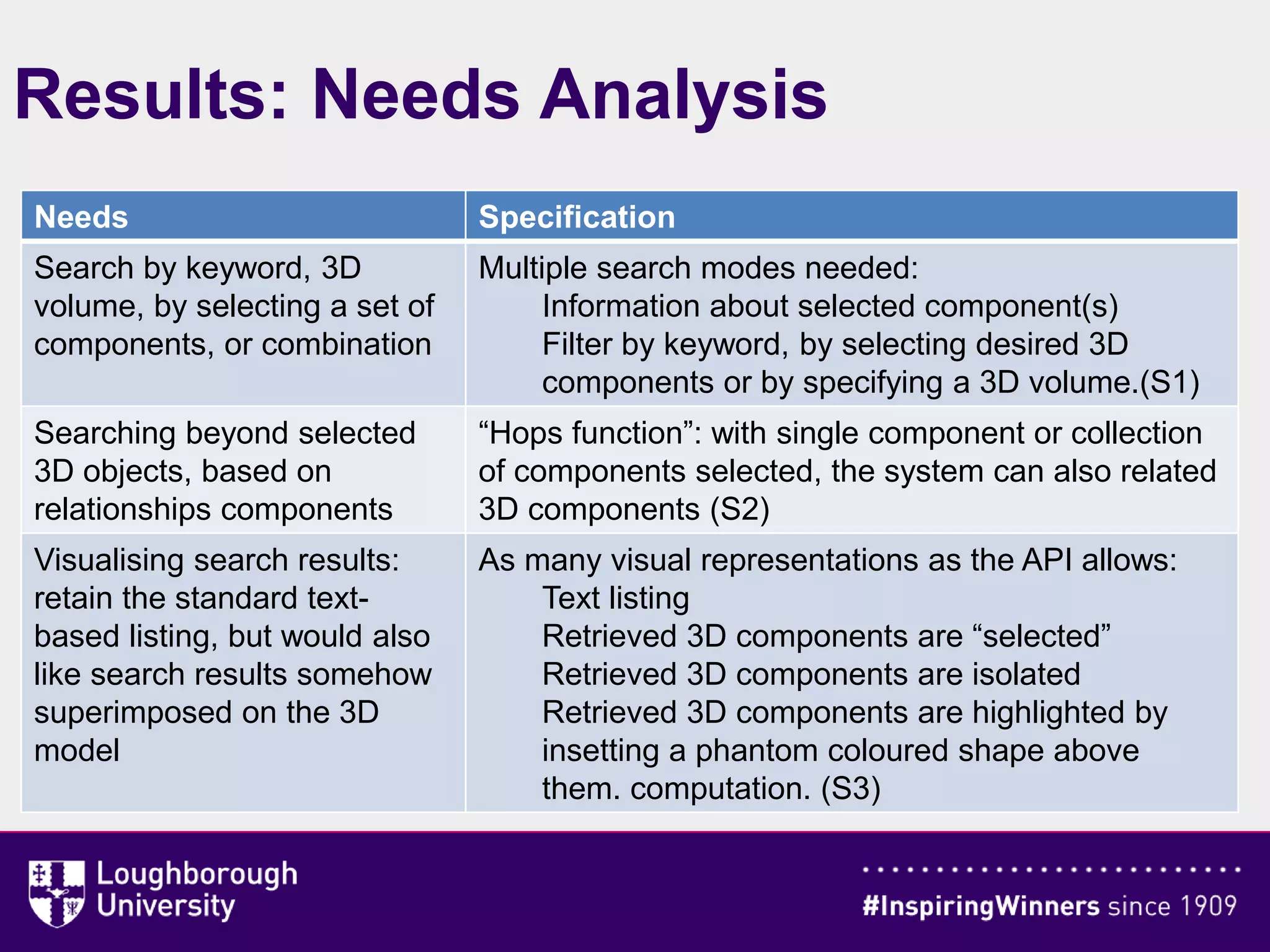
Results: Needs Analysis
Needs Specification
Search by keyword, 3D
volume, by selecting a set of
components, or combination
Multiple search modes needed:
Information about selected component(s)
Filter by keyword, by selecting desired 3D
components or by specifying a 3D volume.(S1)
Searching beyond selected
3D objects, based on
relationships components
“Hops function”: with single component or collection
of components selected, the system can also related
3D components (S2)
Visualising search results:
retain the standard text-
based listing, but would also
like search results somehow
superimposed on the 3D
model
As many visual representations as the API allows:
Text listing
Retrieved 3D components are “selected”
Retrieved 3D components are isolated
Retrieved 3D components are highlighted by
insetting a phantom coloured shape above
them. computation. (S3)
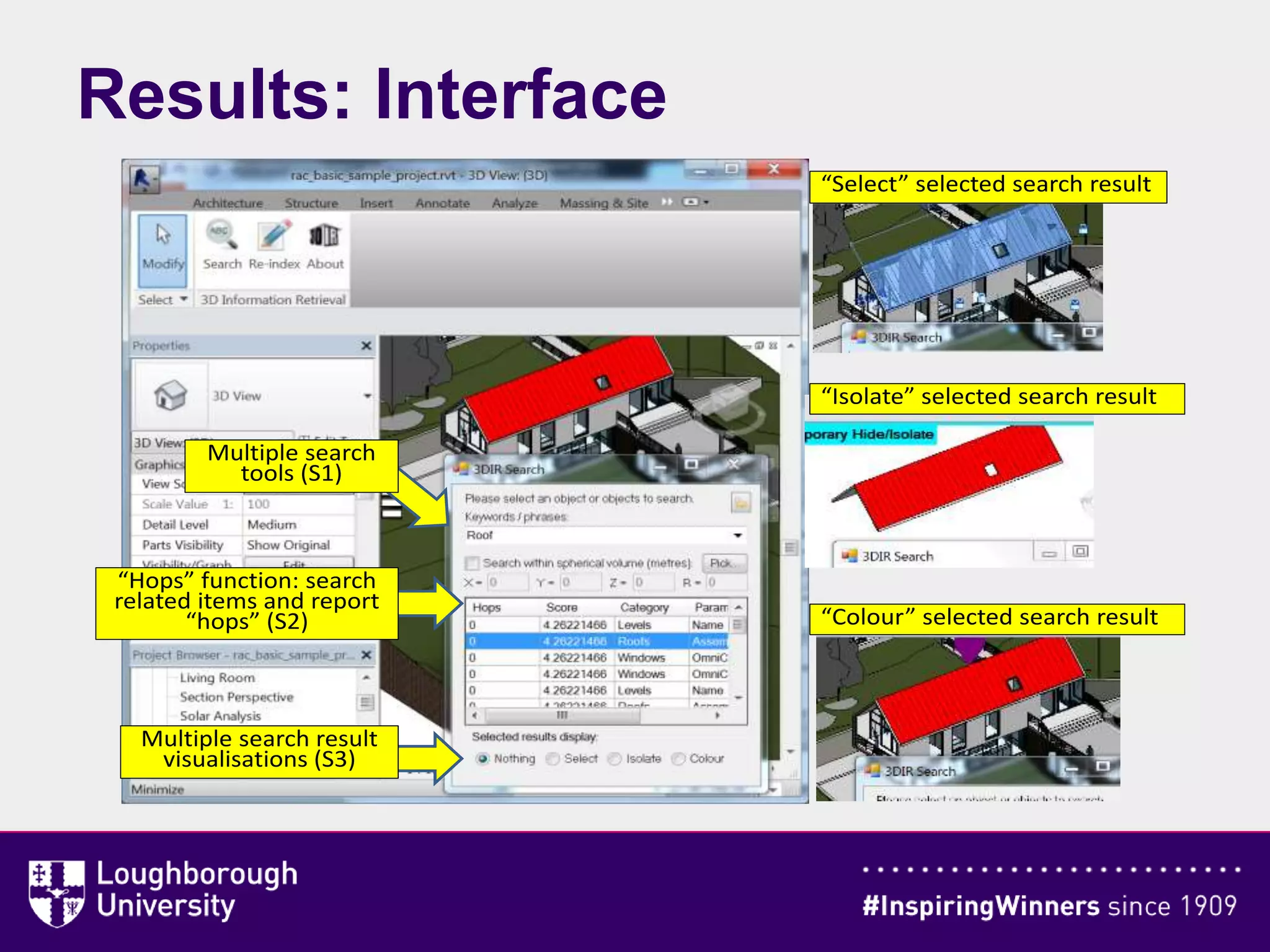
Results: Interface
“Select” selected search result
Multiple search
tools (S1)
“Hops” function: search
related items and report
“hops” (S2)
Multiple search result
visualisations (S3)
“Isolate” selected search result
“Colour” selected search result
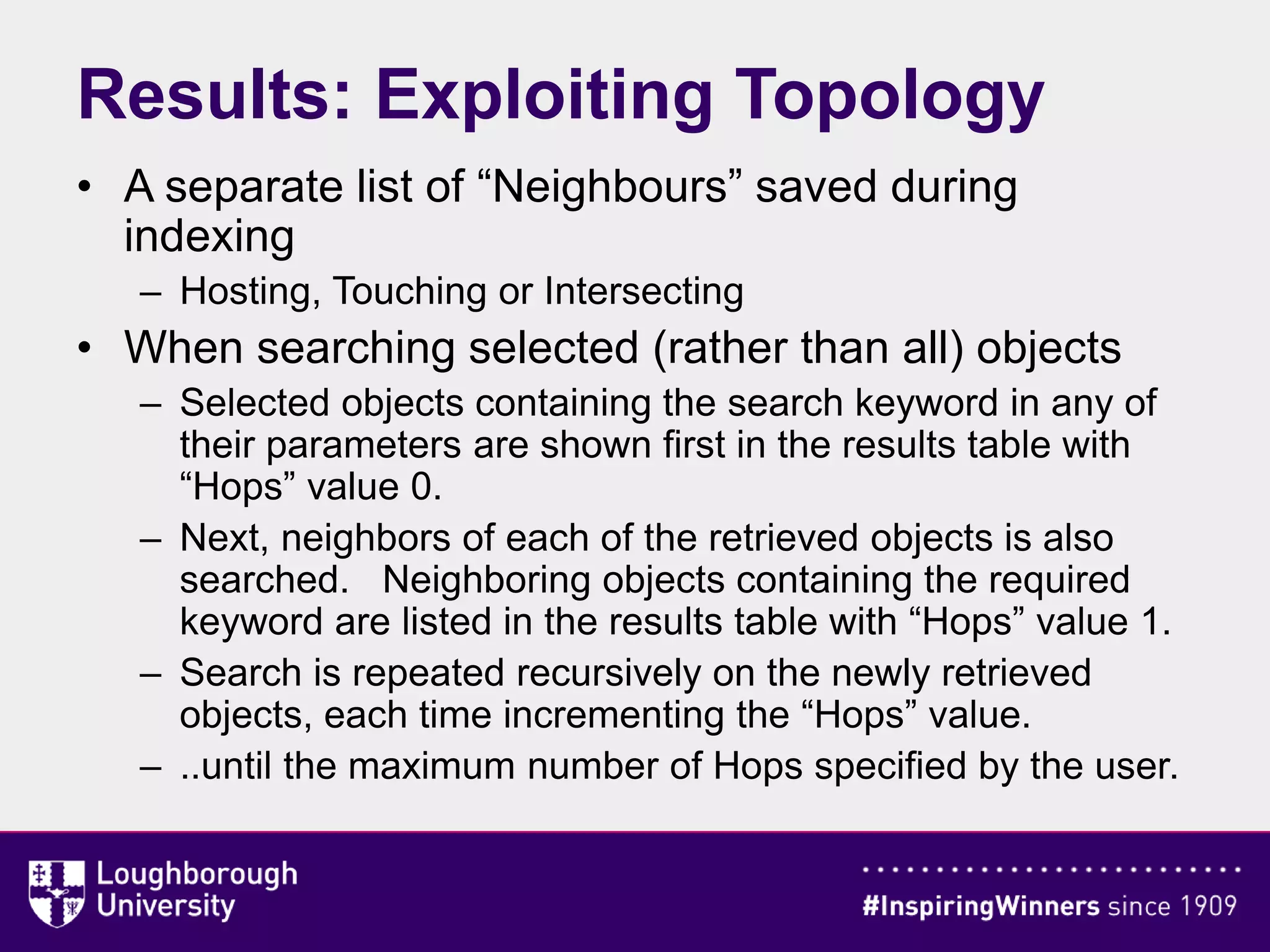
• A separate list of “Neighbours” saved during
indexing
– Hosting, Touching or Intersecting
• When searching selected (rather than all) objects
– Selected objects containing the search keyword in any of
their parameters are shown first in the results table with
“Hops” value 0.
– Next, neighbors of each of the retrieved objects is also
searched. Neighboring objects containing the required
keyword are listed in the results table with “Hops” value 1.
– Search is repeated recursively on the newly retrieved
objects, each time incrementing the “Hops” value.
– ..until the maximum number of Hops specified by the user.
Results: Exploiting Topology
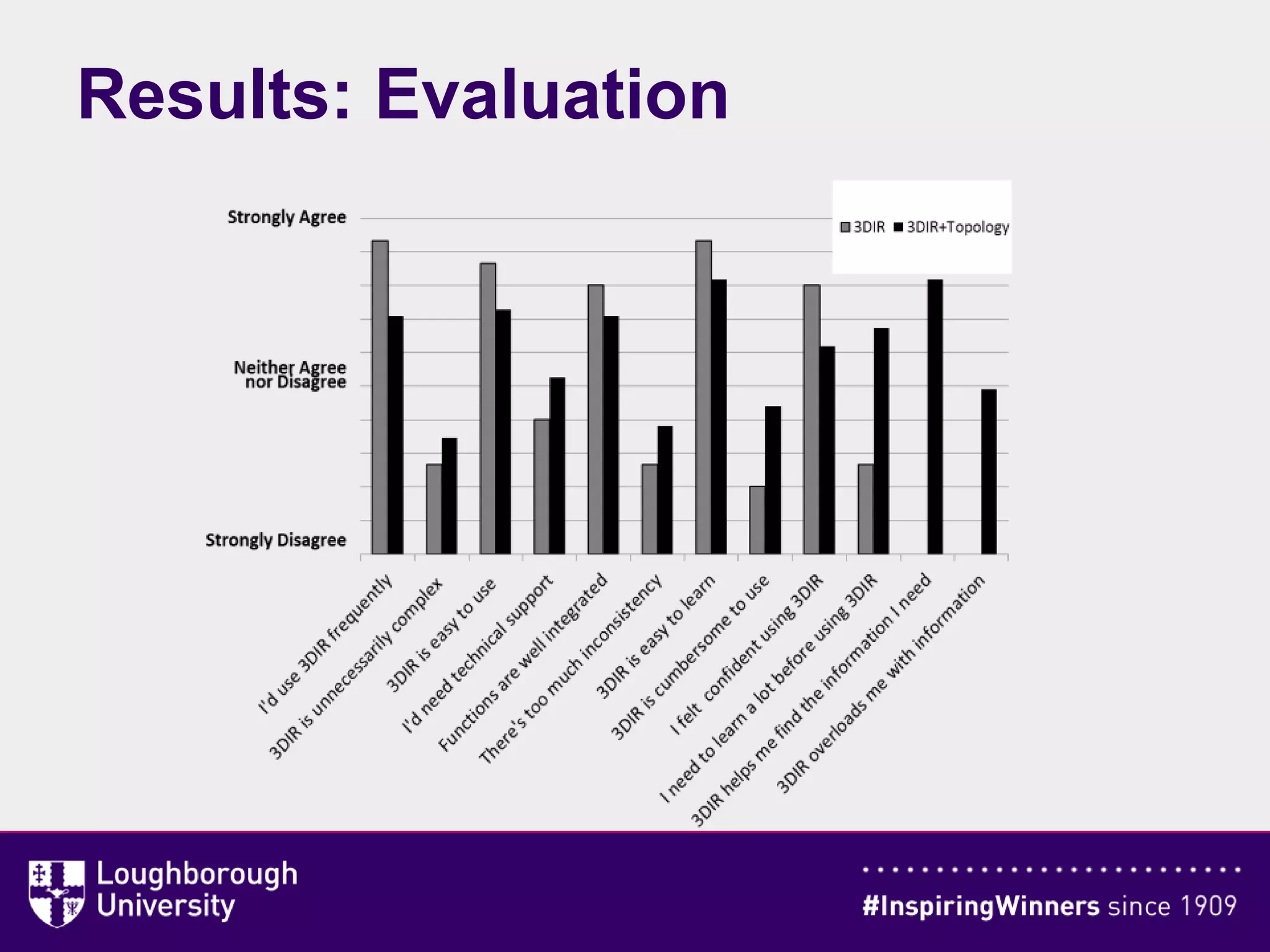
Results: Evaluation
• 3DIR creates index of all text data attached to a Building Information
Model
• The user is able to search by
– Selecting specific 3D objects
– Specifying a spherical region of the model
– Entering search keywords
• Search results are displayed by
– Highlighting 3D objects in the 3D model
– Isolating them
– Indicating them using a colored balloon shape.
• 3DIR+Topology system exploits model topology
• 3DIR+Topology, users agree less strongly with positive statements
and disagree less strongly with negative statements.
• Topology is still useful….
• ….more careful interface design needed to mitigate added
complexity
Conclusions
THANK YOU
Free download from link at www.3dir.org
• Late Dr Ann O’Brien
• Brian Mercer Feasibility Award from the Royal Society
• Loughborough University’s Higher Education Innovation Fund
• Autodesk, through Autodesk Developer Network.

3DIR: Exploiting Topological Relationships in Three-dimensional Information Retrieval from BIM Environments

  • 1.
    3DIR: Exploiting Topological Relationships inThree- Dimensional Information Retrieval from BIM Environments Peter Demian, Kirti Ruikar, Tarun Sahu, Anne Morris Presented by Peter Demian, ICCCBE2016, July 2016, Osaka, Japan Look for this presentation on SlideShare.net
  • 2.
    • Introduction, TheProblem • Literature – BIM and CAD – Topology in Building Models • Method • Results – 3DIR User Interface – Exploiting Topology in 3DIR – Evaluation of augmented 3DIR • Conclusions Outline
  • 3.
  • 4.
    The Problem: findinginformation • Formulate query • Identify relevant information from index • Present a ranked list of search results
  • 5.
    …but if ourinformation is linked to a 3D artefact (…BIM) There might be a better way to: • Formulate queries • Identify relevant information • Present search results
  • 6.
    Literature: BIM andCAD • CAD models: geometry • BIM models can contain much more information – Attributes of 3D objects – Nongeometric objects • 3D model not fully exploited as a visual index, no information scent (Pirolli &Card 1999)
  • 7.
    Literature: Topology • “Studyof the way in which constituent parts are interrelated or arranged” (Oxford English Dictionary) • Mathematics: topology is the study of a collection of open sets • Spatial modelling: topology is concerned with notions of “interior”, “boundary”, or “exterior”. • For us: any relationships between 3D building elements in a model which may enhance information retrieval: – Strictly topological ,concerned with interior/boundary/exterior – More general spatial/directional relationships – Or even relationships in general
  • 8.
    Research Method • “Needs”workshops at “Architects” and “Contractors” • Prototype development (Autodesk Revit; good Application Programming Interface) • 3DIR augmented to exploit topology – Hosting – Touching – Intersecting • “Evaluation” workshops
  • 9.
    Results: Needs Analysis NeedsSpecification Search by keyword, 3D volume, by selecting a set of components, or combination Multiple search modes needed: Information about selected component(s) Filter by keyword, by selecting desired 3D components or by specifying a 3D volume.(S1) Searching beyond selected 3D objects, based on relationships components “Hops function”: with single component or collection of components selected, the system can also related 3D components (S2) Visualising search results: retain the standard text- based listing, but would also like search results somehow superimposed on the 3D model As many visual representations as the API allows: Text listing Retrieved 3D components are “selected” Retrieved 3D components are isolated Retrieved 3D components are highlighted by insetting a phantom coloured shape above them. computation. (S3)
  • 10.
    Results: Interface “Select” selectedsearch result Multiple search tools (S1) “Hops” function: search related items and report “hops” (S2) Multiple search result visualisations (S3) “Isolate” selected search result “Colour” selected search result
  • 11.
    • A separatelist of “Neighbours” saved during indexing – Hosting, Touching or Intersecting • When searching selected (rather than all) objects – Selected objects containing the search keyword in any of their parameters are shown first in the results table with “Hops” value 0. – Next, neighbors of each of the retrieved objects is also searched. Neighboring objects containing the required keyword are listed in the results table with “Hops” value 1. – Search is repeated recursively on the newly retrieved objects, each time incrementing the “Hops” value. – ..until the maximum number of Hops specified by the user. Results: Exploiting Topology
  • 12.
  • 13.
    • 3DIR createsindex of all text data attached to a Building Information Model • The user is able to search by – Selecting specific 3D objects – Specifying a spherical region of the model – Entering search keywords • Search results are displayed by – Highlighting 3D objects in the 3D model – Isolating them – Indicating them using a colored balloon shape. • 3DIR+Topology system exploits model topology • 3DIR+Topology, users agree less strongly with positive statements and disagree less strongly with negative statements. • Topology is still useful…. • ….more careful interface design needed to mitigate added complexity Conclusions
  • 14.
    THANK YOU Free downloadfrom link at www.3dir.org • Late Dr Ann O’Brien • Brian Mercer Feasibility Award from the Royal Society • Loughborough University’s Higher Education Innovation Fund • Autodesk, through Autodesk Developer Network.