3-D Password SchemeFor more secure authentication
 AuthenticationAuthentication is a process of validating who are you to whom you claimed to beHuman authentication techniques are as follows:Knowledge Base (What you know)Token Based(what you have)Biometrics(what you are)Recognition Based(What you recognise)
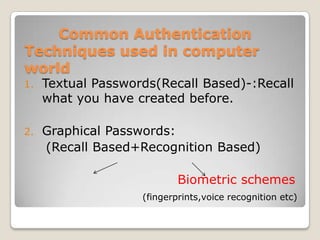
       Common Authentication        Techniques used in computer        worldTextual Passwords(Recall Based)-:Recall what you have created before.Graphical Passwords:     (Recall Based+Recognition Based)Biometric schemes (fingerprints,voice recognition etc)
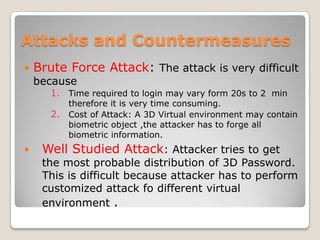
               DrawbacksTextual Password:Textual Passwords should be easy to remember at the same time hard to guessFull password space for 8 characters consisting of both numbers and characters is 2 X 10¹⁴ From an research 25% of the passwords out of 15,000 users can guessed correctly by using brute force dictionary
               DrawbacksGraphical PasswordGraphical passwords can be easily recorded as these schemes take a long time.One main drawback of applying biometric is its intrusiveness upon a users personnel characteristics.They require special scanning device to authenticate the user which is not acceptable for remote and internet users.
3D PASSWORD SCHEMEThe 3D Password scheme is a new authentication scheme that combine RECOGNITION                   + RECALL                                  +TOKENS                                           +BIOMETRICIn one authentication system
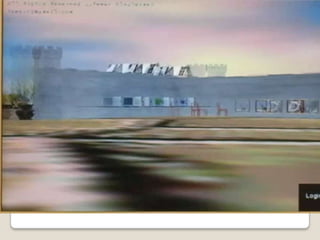
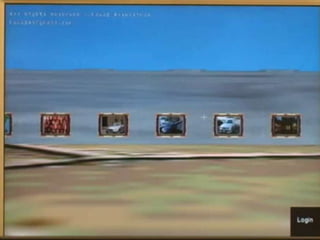
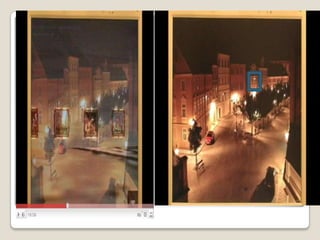
The 3D password presents a virtual environment containing various virtual objects.The user walks through the environment and interacts with the objects  The 3d Password is simply the combination and sequence of user interactions that occur in the 3D environment
3D Password selectionVirtual objects can be any object we encounter in real life:A computer on which the user can type
A fingerprint reader that requires users fingerprint
A paper or white board on which user can type
A Automated teller(ATM) machine that requires a token
A light that can be switched on/off
A television or radio
A car that can be driven
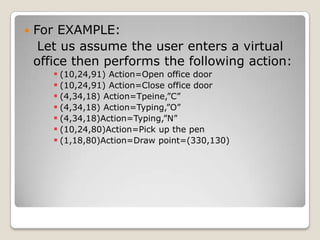
A graphical password schemeFor EXAMPLE:   Let us assume the user enters a virtual office then performs the following action:(10,24,91) Action=Open office door
(10,24,91) Action=Close office door
(4,34,18) Action=Tpeine,”C”

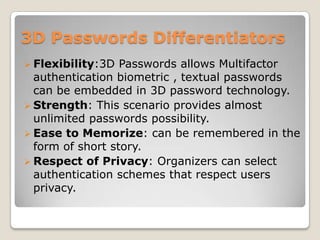
3d passwords

  • 1.
    3-D Password SchemeFormore secure authentication
  • 2.
    AuthenticationAuthentication isa process of validating who are you to whom you claimed to beHuman authentication techniques are as follows:Knowledge Base (What you know)Token Based(what you have)Biometrics(what you are)Recognition Based(What you recognise)
  • 3.
    Common Authentication Techniques used in computer worldTextual Passwords(Recall Based)-:Recall what you have created before.Graphical Passwords: (Recall Based+Recognition Based)Biometric schemes (fingerprints,voice recognition etc)
  • 4.
    DrawbacksTextual Password:Textual Passwords should be easy to remember at the same time hard to guessFull password space for 8 characters consisting of both numbers and characters is 2 X 10¹⁴ From an research 25% of the passwords out of 15,000 users can guessed correctly by using brute force dictionary
  • 5.
    DrawbacksGraphical PasswordGraphical passwords can be easily recorded as these schemes take a long time.One main drawback of applying biometric is its intrusiveness upon a users personnel characteristics.They require special scanning device to authenticate the user which is not acceptable for remote and internet users.
  • 6.
    3D PASSWORD SCHEMEThe3D Password scheme is a new authentication scheme that combine RECOGNITION + RECALL +TOKENS +BIOMETRICIn one authentication system
  • 7.
    The 3D passwordpresents a virtual environment containing various virtual objects.The user walks through the environment and interacts with the objects The 3d Password is simply the combination and sequence of user interactions that occur in the 3D environment
  • 8.
    3D Password selectionVirtualobjects can be any object we encounter in real life:A computer on which the user can type
  • 9.
    A fingerprint readerthat requires users fingerprint
  • 10.
    A paper orwhite board on which user can type
  • 11.
    A Automated teller(ATM)machine that requires a token
  • 12.
    A light thatcan be switched on/off
  • 13.
  • 14.
    A car thatcan be driven
  • 15.
    A graphical passwordschemeFor EXAMPLE: Let us assume the user enters a virtual office then performs the following action:(10,24,91) Action=Open office door
  • 16.
  • 17.