3 FUNDAMENTAL ELEMENTS
OF COMPUTER
 SYSTEM UNIT
 INPUT DEVICES
 OUTPUT DEVICES
Czak Kizer A. Pastelero
SYSTEM UNIT
The core of a computer is responsible
for processing and storing data and
controls all computer functions. It is in
the system unit that raw data is
processed into information. The system
unit works with the computer’s
peripheral devices.
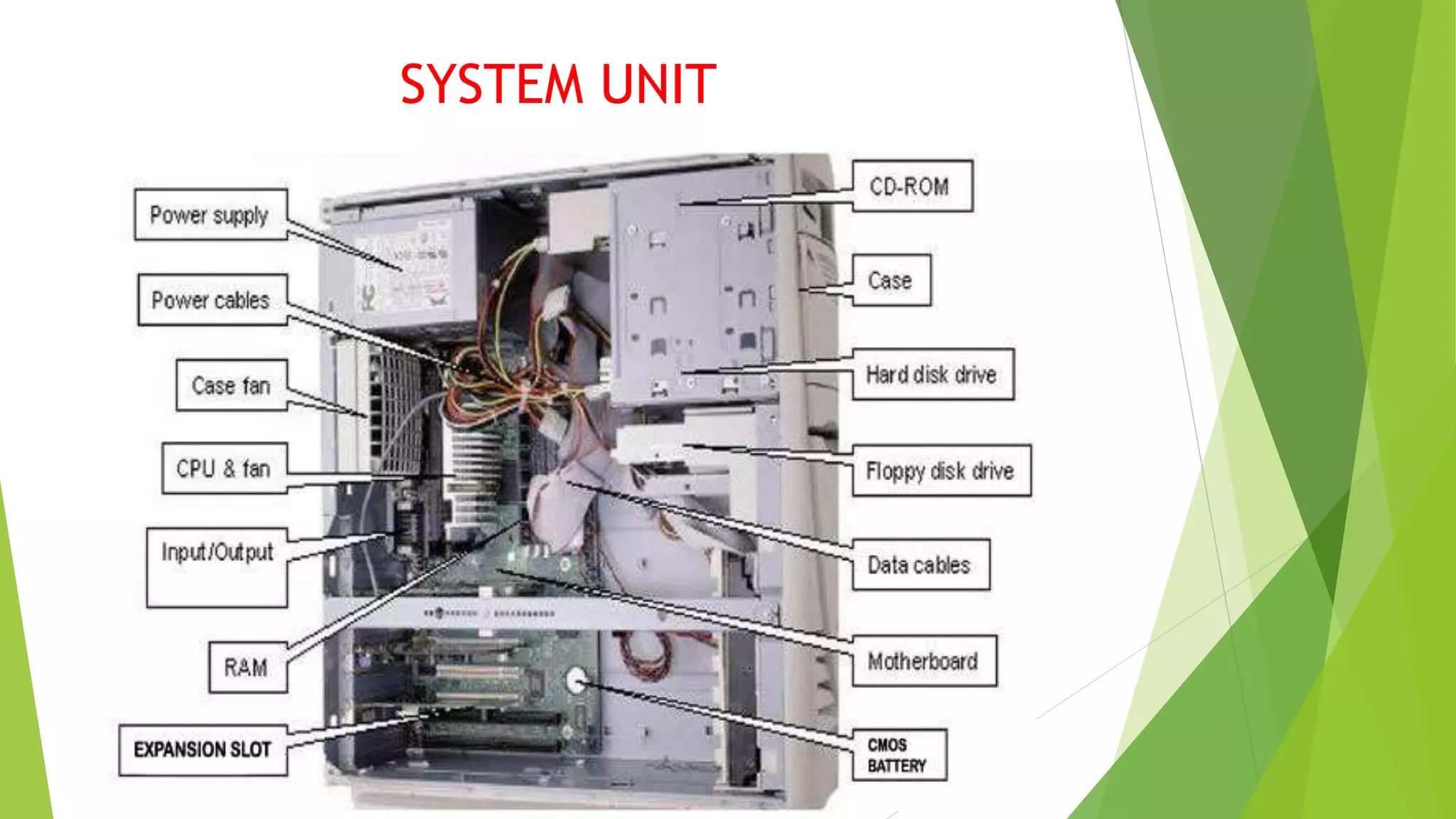
SYSTEM UNIT
The System Case
- Is a plastic and metal box that houses
components such as the
motherboard, disk drives and power
supply unit.
Types of System Case
Desktop case Full-tower case Mini-tower case
Tower case Midi-tower case
MOTHER BOARD
The motherboard is the most
important component of your
computer. At one point or another,
every other component connects to
the motherboard. Motherboard is the
largest board of the computer system.
 Typically, the motherboard contains the
CPU, BIOS, memory, mass storage
interfaces, serial and parallel ports,
expansion slots, and all the controllers
required to control standard peripheral
devices, such as the display screen,
keyboard, and disk drive.
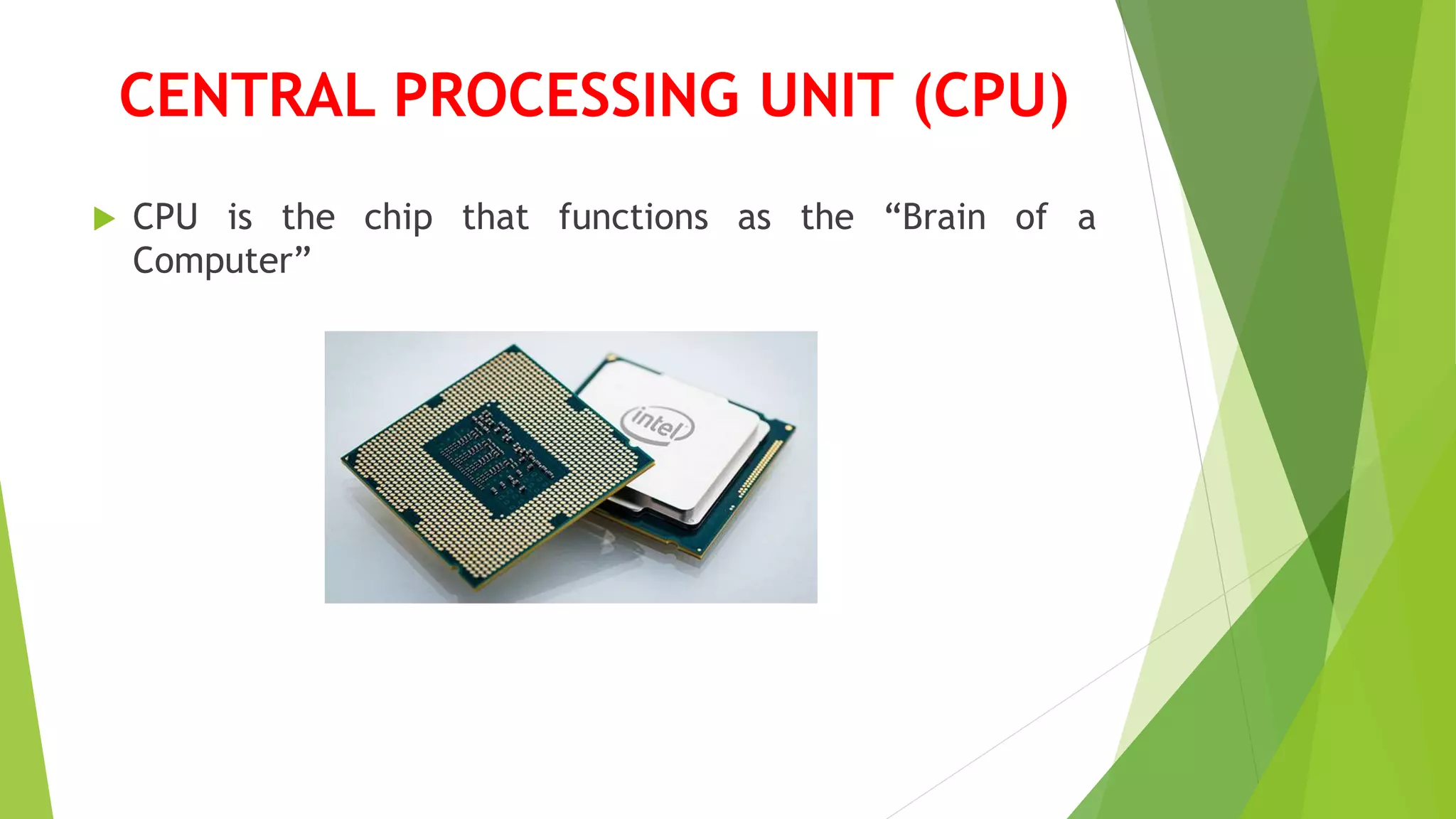
CENTRAL PROCESSING UNIT (CPU)
 CPU is the chip that functions as the “Brain of a
Computer”
MEMORY
 The memory in a computer system is of two fundamental types:
 The Main memory
 Secondary Memory
Main Memory:
- Very closely connected to the processor
- The contents are quickly and easily changed
- Holds the programs and data that the processor is actively
working with.
- Interacts with the processor millions of times per second
MAIN MEMORY
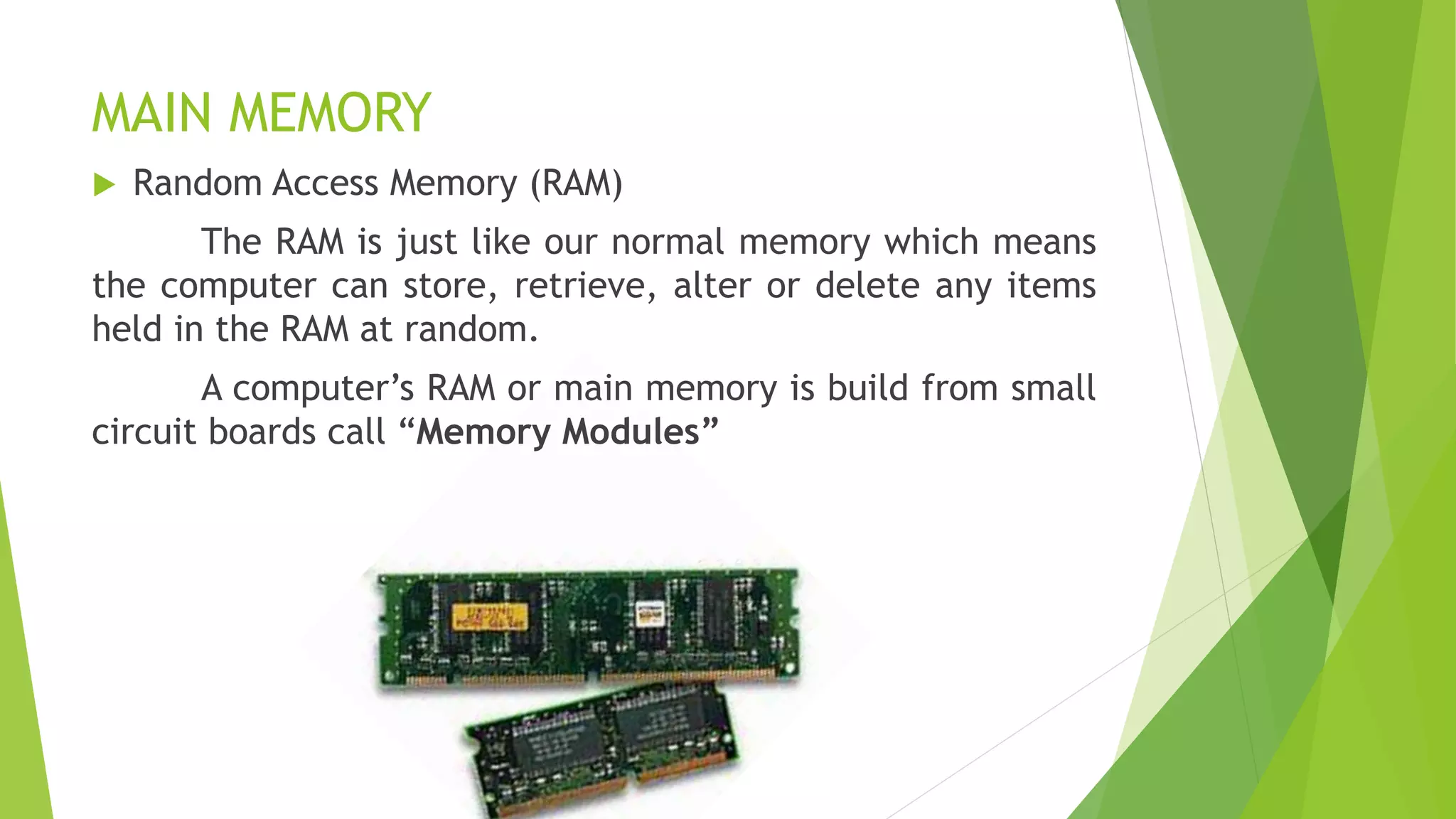
 Random Access Memory (RAM)
The RAM is just like our normal memory which means
the computer can store, retrieve, alter or delete any items
held in the RAM at random.
A computer’s RAM or main memory is build from small
circuit boards call “Memory Modules”
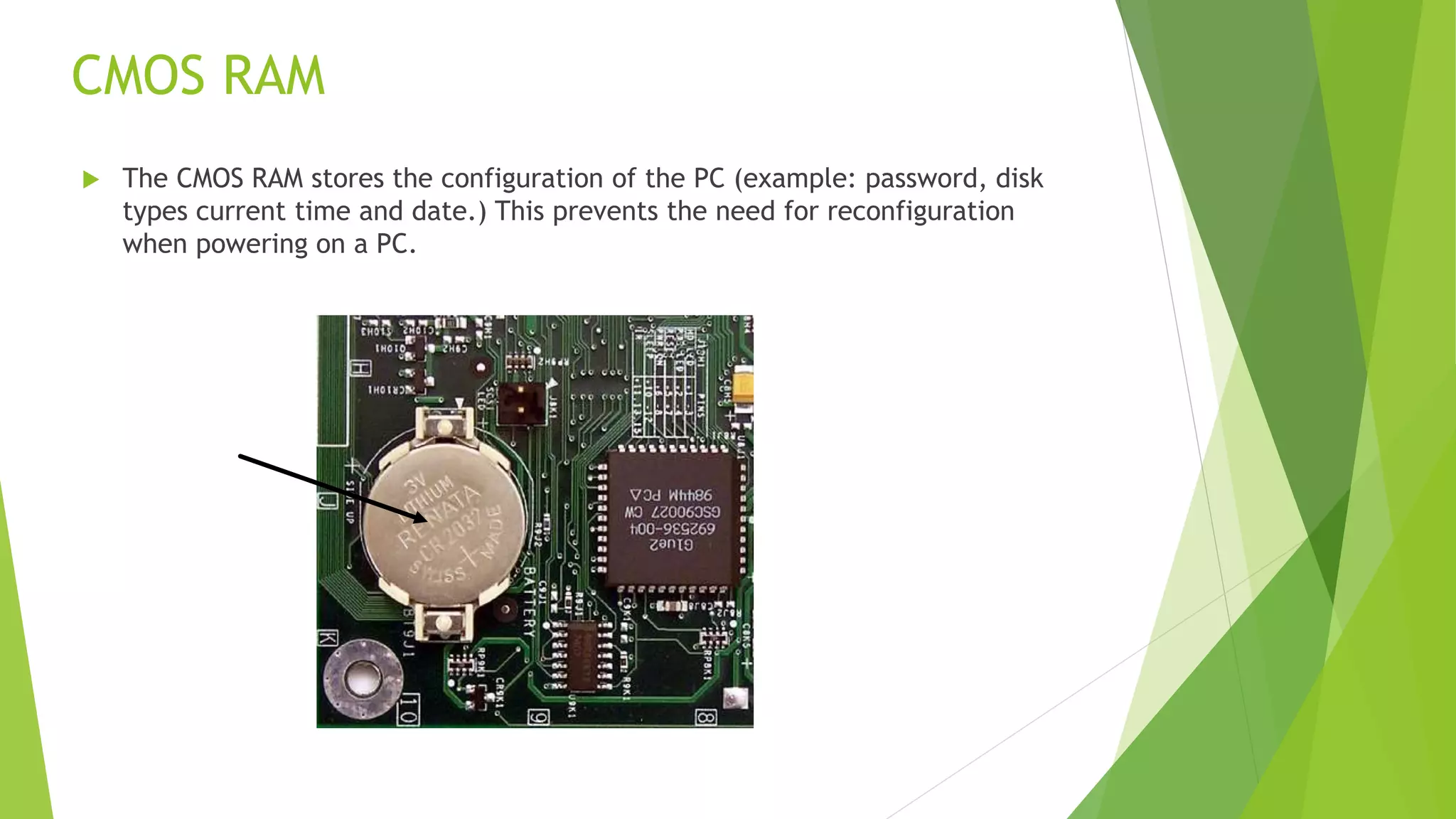
CMOS RAM
 The CMOS RAM stores the configuration of the PC (example: password, disk
types current time and date.) This prevents the need for reconfiguration
when powering on a PC.
MAIN MEMORY
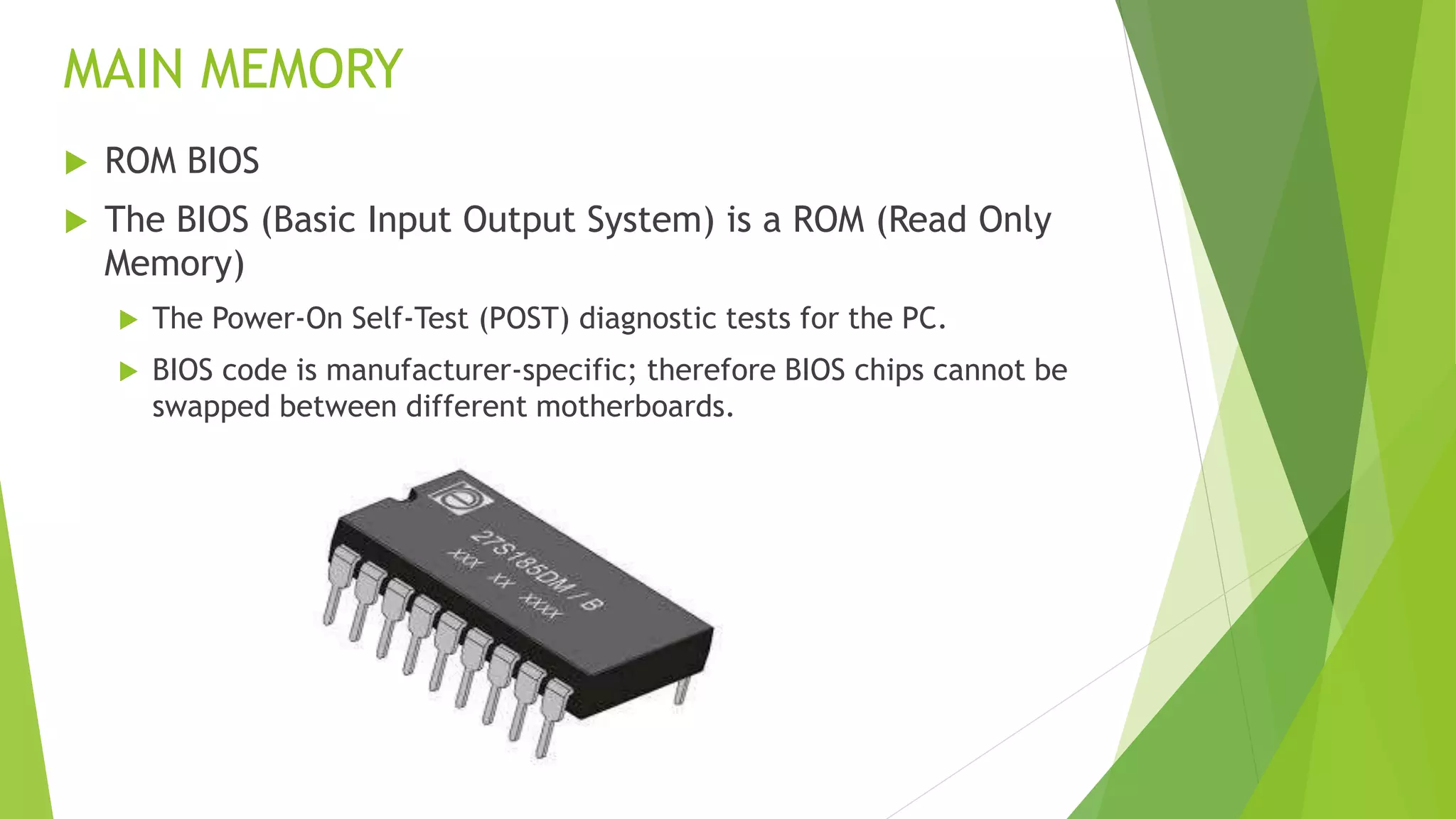
 ROM BIOS
 The BIOS (Basic Input Output System) is a ROM (Read Only
Memory)
 The Power-On Self-Test (POST) diagnostic tests for the PC.
 BIOS code is manufacturer-specific; therefore BIOS chips cannot be
swapped between different motherboards.
SECONDARY MEMORY
 Connected to main memory through the bus and a controller
 Used for long-term storage of programs and data
 The processor only occasionally interacts with secondary memory
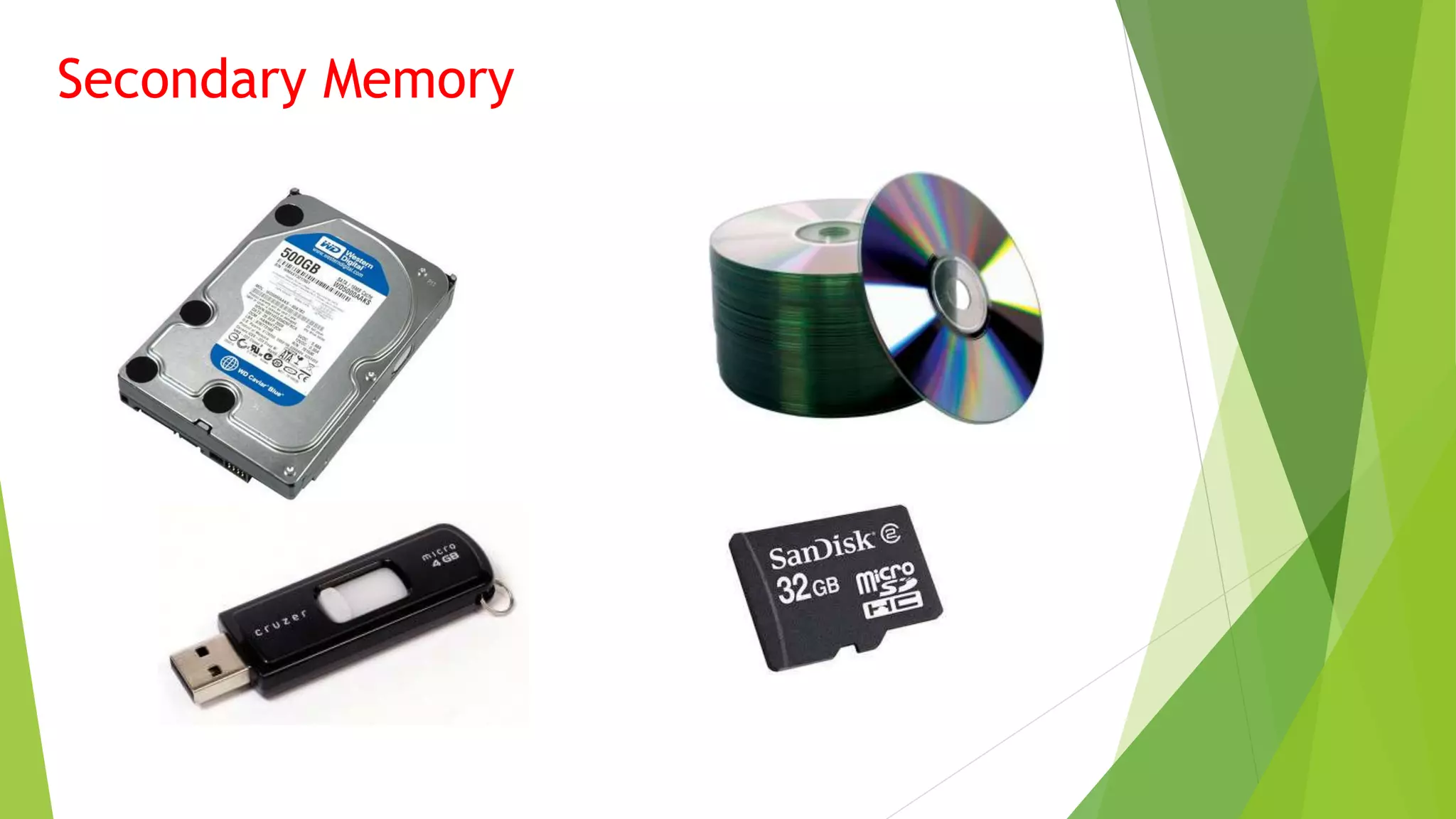
Examples of Secondary Memory
 Hard disk
 Flash drive
 CD
 DVD
Secondary Memory

3 fundamentals of computer

  • 1.
    3 FUNDAMENTAL ELEMENTS OFCOMPUTER  SYSTEM UNIT  INPUT DEVICES  OUTPUT DEVICES Czak Kizer A. Pastelero
  • 2.
    SYSTEM UNIT The coreof a computer is responsible for processing and storing data and controls all computer functions. It is in the system unit that raw data is processed into information. The system unit works with the computer’s peripheral devices.
  • 3.
  • 4.
    The System Case -Is a plastic and metal box that houses components such as the motherboard, disk drives and power supply unit. Types of System Case Desktop case Full-tower case Mini-tower case Tower case Midi-tower case
  • 5.
    MOTHER BOARD The motherboardis the most important component of your computer. At one point or another, every other component connects to the motherboard. Motherboard is the largest board of the computer system.
  • 6.
     Typically, themotherboard contains the CPU, BIOS, memory, mass storage interfaces, serial and parallel ports, expansion slots, and all the controllers required to control standard peripheral devices, such as the display screen, keyboard, and disk drive.
  • 7.
    CENTRAL PROCESSING UNIT(CPU)  CPU is the chip that functions as the “Brain of a Computer”
  • 8.
    MEMORY  The memoryin a computer system is of two fundamental types:  The Main memory  Secondary Memory Main Memory: - Very closely connected to the processor - The contents are quickly and easily changed - Holds the programs and data that the processor is actively working with. - Interacts with the processor millions of times per second
  • 9.
    MAIN MEMORY  RandomAccess Memory (RAM) The RAM is just like our normal memory which means the computer can store, retrieve, alter or delete any items held in the RAM at random. A computer’s RAM or main memory is build from small circuit boards call “Memory Modules”
  • 10.
    CMOS RAM  TheCMOS RAM stores the configuration of the PC (example: password, disk types current time and date.) This prevents the need for reconfiguration when powering on a PC.
  • 11.
    MAIN MEMORY  ROMBIOS  The BIOS (Basic Input Output System) is a ROM (Read Only Memory)  The Power-On Self-Test (POST) diagnostic tests for the PC.  BIOS code is manufacturer-specific; therefore BIOS chips cannot be swapped between different motherboards.
  • 12.
    SECONDARY MEMORY  Connectedto main memory through the bus and a controller  Used for long-term storage of programs and data  The processor only occasionally interacts with secondary memory Examples of Secondary Memory  Hard disk  Flash drive  CD  DVD
  • 13.