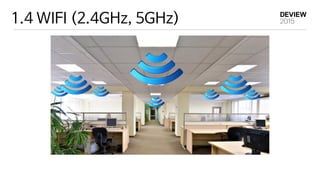
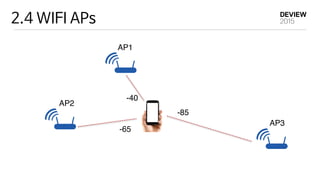
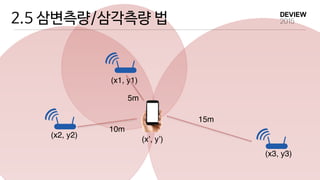
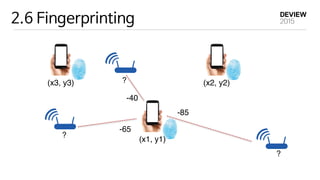
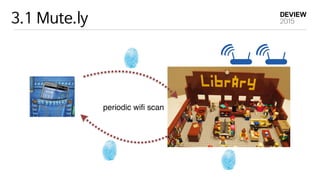
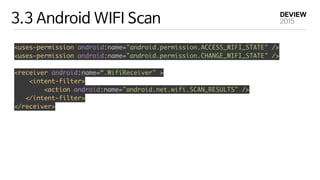
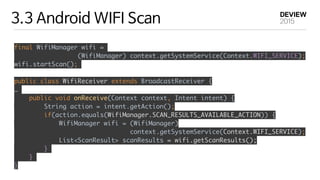
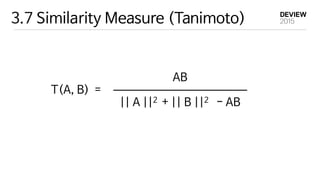
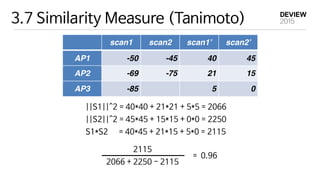
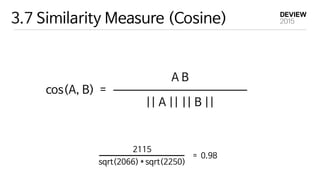
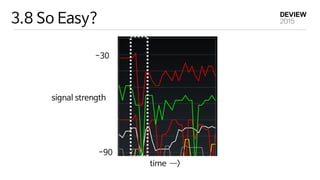
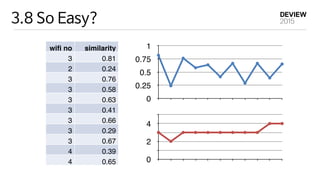
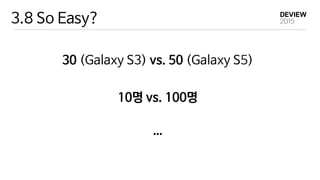
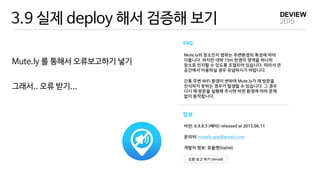
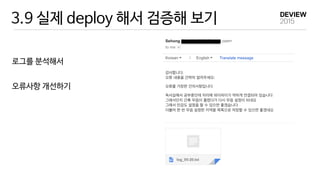
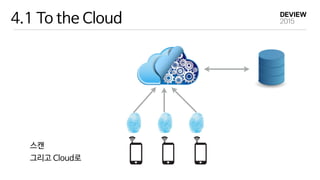
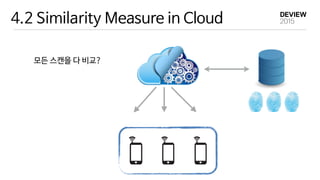
WIFI를 이용한 실내 장소 인식 기술에 대해 설명합니다. WIFI 신호 강도를 이용한 지문 기법으로 실내 위치를 추정할 수 있습니다. Android에서 WIFI 스캔을 수행하여 AP 정보와 신호 강도를 수집한 후 유사도 측정 알고리즘을 이용하여 가장 유사한 지문과 매칭하여 장소를 인식합니다. 하지만 실제 배포 환경
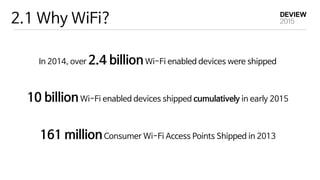
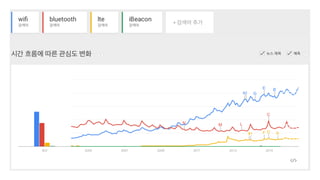
2.1 Why WiFi?
In2014, over 2.4 billionWi-Fi enabled devices were shipped
10 billionWi-Fi enabled devices shipped cumulatively in early 2015
161 millionConsumer Wi-Fi Access Points Shipped in 2013
15.
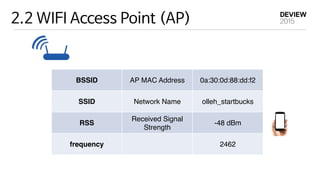
2.2 WIFI AccessPoint (AP)
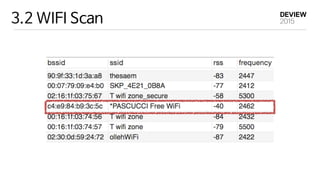
BSSID AP MAC Address 0a:30:0d:88:dd:f2
SSID Network Name olleh_startbucks
RSS
Received Signal
Strength
-48 dBm
frequency 2462
16.
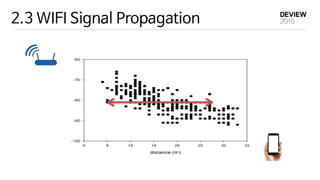
2.3 WIFI SignalPropagation
distance
rss
15~20 dBm
Previous studies show that the indoor
law: σXldnPri +−= )(log10 0100
, w
strength at the distance l0 from tran
represents the shadow noise and is mo
standard deviation σ dB [Rappa96].
depends on the surrounding environm
measurement position, the distance idˆ
(2.1)
ous studies show that the indoor pathloss model follows the distance power
σXldnPri +−= )(log10 0100
, where ri is the RSS in dB, P0 the signal
th at the distance l0 from transmitter, and n the pathloss exponent. Xσ
ents the shadow noise and is modeled as a normal random variable with the
ard deviation σ dB [Rappa96]. Typically, l0 is set to 1 m. The value of n
ds on the surrounding environments. Given the measurement ri at the ith
urement position, the distance idˆ from AP can be estimated as:
(2.2)
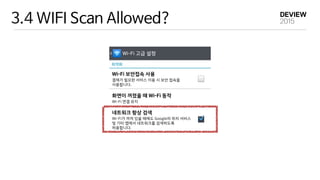
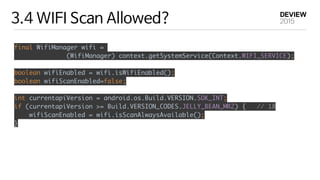
3.4 WIFI ScanAllowed?
final WifiManager wifi =
(WifiManager) context.getSystemService(Context.WIFI_SERVICE);
boolean wifiEnabled = wifi.isWifiEnabled();
boolean wifiScanEnabled=false;
int currentapiVersion = android.os.Build.VERSION.SDK_INT;
if (currentapiVersion >= Build.VERSION_CODES.JELLY_BEAN_MR2) { // 18
wifiScanEnabled = wifi.isScanAlwaysAvailable();
}
29.
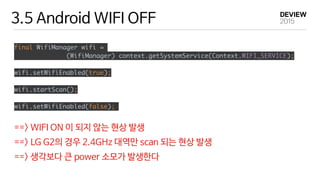
3.5 Android WIFIOFF
final WifiManager wifi =
(WifiManager) context.getSystemService(Context.WIFI_SERVICE);
wifi.setWifiEnabled(true);
wifi.startScan();
wifi.setWifiEnabled(false);
==> WIFI ON 이 되지 않는 현상 발생
==> LG G2의 경우 2.4GHz 대역만 scan 되는 현상 발생
==> 생각보다 큰 power 소모가 발생한다
30.
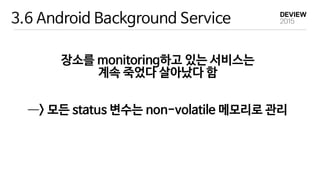
3.6 Android BackgroundService
장소를 monitoring하고 있는 서비스는
계속 죽었다 살아났다 함
—―> 모든 status 변수는 non-volatile 메모리로 관리


![2.3 WIFI Signal Propagation
distance
rss
15~20 dBm
Previous studies show that the indoor
law: σXldnPri +−= )(log10 0100
, w
strength at the distance l0 from tran
represents the shadow noise and is mo
standard deviation σ dB [Rappa96].
depends on the surrounding environm
measurement position, the distance idˆ
(2.1)
ous studies show that the indoor pathloss model follows the distance power
σXldnPri +−= )(log10 0100
, where ri is the RSS in dB, P0 the signal
th at the distance l0 from transmitter, and n the pathloss exponent. Xσ
ents the shadow noise and is modeled as a normal random variable with the
ard deviation σ dB [Rappa96]. Typically, l0 is set to 1 m. The value of n
ds on the surrounding environments. Given the measurement ri at the ith
urement position, the distance idˆ from AP can be estimated as:
(2.2)](https://image.slidesharecdn.com/224wifi-150915025827-lva1-app6892/85/242-wifi-16-320.jpg)






![[233] level 2 network programming using packet ngin rtos](https://cdn.slidesharecdn.com/ss_thumbnails/233level2networkprogrammingusingpacketnginrtos-150915022357-lva1-app6891-thumbnail.jpg?width=640&height=640&fit=bounds)
![[213] ethereum](https://cdn.slidesharecdn.com/ss_thumbnails/231ethereum-150915024025-lva1-app6891-thumbnail.jpg?width=640&height=640&fit=bounds)


![[211] 인공지능이 인공지능 챗봇을 만든다](https://cdn.slidesharecdn.com/ss_thumbnails/211chatbot-181106094835-thumbnail.jpg?width=640&height=640&fit=bounds)
![[233] 대형 컨테이너 클러스터에서의 고가용성 Network Load Balancing: Maglev Hashing Scheduler i...](https://cdn.slidesharecdn.com/ss_thumbnails/233networkloadbalancing-181018151852-thumbnail.jpg?width=640&height=640&fit=bounds)
![[215] Druid로 쉽고 빠르게 데이터 분석하기](https://cdn.slidesharecdn.com/ss_thumbnails/215druid-181012071910-thumbnail.jpg?width=640&height=640&fit=bounds)
![[245]Papago Internals: 모델분석과 응용기술 개발](https://cdn.slidesharecdn.com/ss_thumbnails/245papagointernals1-181012045005-thumbnail.jpg?width=640&height=640&fit=bounds)
![[236] 스트림 저장소 최적화 이야기: 아파치 드루이드로부터 얻은 교훈](https://cdn.slidesharecdn.com/ss_thumbnails/236deview2018jihoonson-final-181012031726-thumbnail.jpg?width=640&height=640&fit=bounds)
![[235]Wikipedia-scale Q&A](https://cdn.slidesharecdn.com/ss_thumbnails/235deview2018julienperezwikipediaqa12oct2018-181012030613-thumbnail.jpg?width=640&height=640&fit=bounds)
![[244]로봇이 현실 세계에 대해 학습하도록 만들기](https://cdn.slidesharecdn.com/ss_thumbnails/244deview2018tomisilanderrobotsrealworldfinal11oct2018-181012024720-thumbnail.jpg?width=640&height=640&fit=bounds)
![[243] Deep Learning to help student’s Deep Learning](https://cdn.slidesharecdn.com/ss_thumbnails/243deeplearningtohelpstudentsdeeplearning-181012024530-thumbnail.jpg?width=640&height=640&fit=bounds)
![[234]Fast & Accurate Data Annotation Pipeline for AI applications](https://cdn.slidesharecdn.com/ss_thumbnails/234fastaccuratedataannotationpipelineforaiapplications1-181012024230-thumbnail.jpg?width=640&height=640&fit=bounds)
![Old version: [233]대형 컨테이너 클러스터에서의 고가용성 Network Load Balancing](https://cdn.slidesharecdn.com/ss_thumbnails/233largecontainerclusternetworkloadbalancing-181012024225-thumbnail.jpg?width=640&height=640&fit=bounds)
![[226]NAVER 광고 deep click prediction: 모델링부터 서빙까지](https://cdn.slidesharecdn.com/ss_thumbnails/226naveraddeepclickprediction-181012024116-thumbnail.jpg?width=640&height=640&fit=bounds)
![[225]NSML: 머신러닝 플랫폼 서비스하기 & 모델 튜닝 자동화하기](https://cdn.slidesharecdn.com/ss_thumbnails/225nsmlmachinelearningntuningautomize-181012023407-thumbnail.jpg?width=640&height=640&fit=bounds)
![[224]네이버 검색과 개인화](https://cdn.slidesharecdn.com/ss_thumbnails/224naversearchnpersonalizationfinal-181012022631-thumbnail.jpg?width=640&height=640&fit=bounds)
![[216]Search Reliability Engineering (부제: 지진에도 흔들리지 않는 네이버 검색시스템)](https://cdn.slidesharecdn.com/ss_thumbnails/216sresearchreliabilityengineering-181012022623-thumbnail.jpg?width=640&height=640&fit=bounds)
![[214] Ai Serving Platform: 하루 수 억 건의 인퍼런스를 처리하기 위한 고군분투기](https://cdn.slidesharecdn.com/ss_thumbnails/214aiservingplatforminference-181012022603-thumbnail.jpg?width=640&height=640&fit=bounds)
![[213] Fashion Visual Search](https://cdn.slidesharecdn.com/ss_thumbnails/213fashionvisualsearchreduced-181012022540-thumbnail.jpg?width=640&height=640&fit=bounds)
![[232] TensorRT를 활용한 딥러닝 Inference 최적화](https://cdn.slidesharecdn.com/ss_thumbnails/232dlinferenceoptimizationusingtensorrt1-181012014455-thumbnail.jpg?width=640&height=640&fit=bounds)
![[242]컴퓨터 비전을 이용한 실내 지도 자동 업데이트 방법: 딥러닝을 통한 POI 변화 탐지](https://cdn.slidesharecdn.com/ss_thumbnails/242pcdpublic-181012011734-thumbnail.jpg?width=640&height=640&fit=bounds)
![[212]C3, 데이터 처리에서 서빙까지 가능한 하둡 클러스터](https://cdn.slidesharecdn.com/ss_thumbnails/212c3-181012011644-thumbnail.jpg?width=640&height=640&fit=bounds)
![[223]기계독해 QA: 검색인가, NLP인가?](https://cdn.slidesharecdn.com/ss_thumbnails/2232018-181012010149-thumbnail.jpg?width=640&height=640&fit=bounds)


