Attacking Modern Environments
through SQL Server with PowerUpSQL
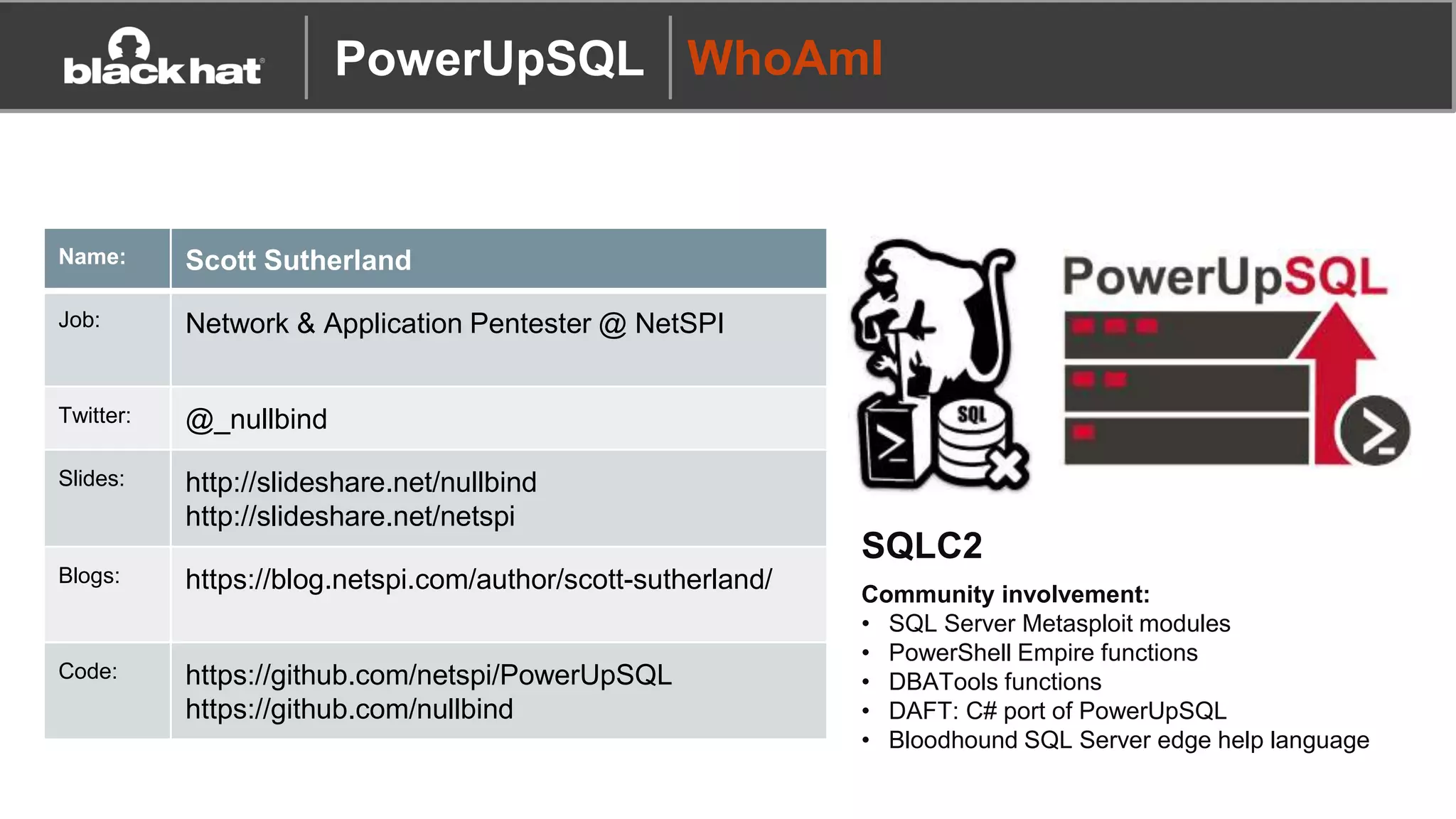
PowerUpSQL WhoAmI
Name: Scott Sutherland
Job: Network & Application Pentester @ NetSPI
Twitter: @_nullbind
Slides: http://slideshare.net/nullbind
http://slideshare.net/netspi
Blogs: https://blog.netspi.com/author/scott-sutherland/
Code: https://github.com/netspi/PowerUpSQL
https://github.com/nullbind
SQLC2
Community involvement:
• SQL Server Metasploit modules
• PowerShell Empire functions
• DBATools functions
• DAFT: C# port of PowerUpSQL
• Bloodhound SQL Server edge help language
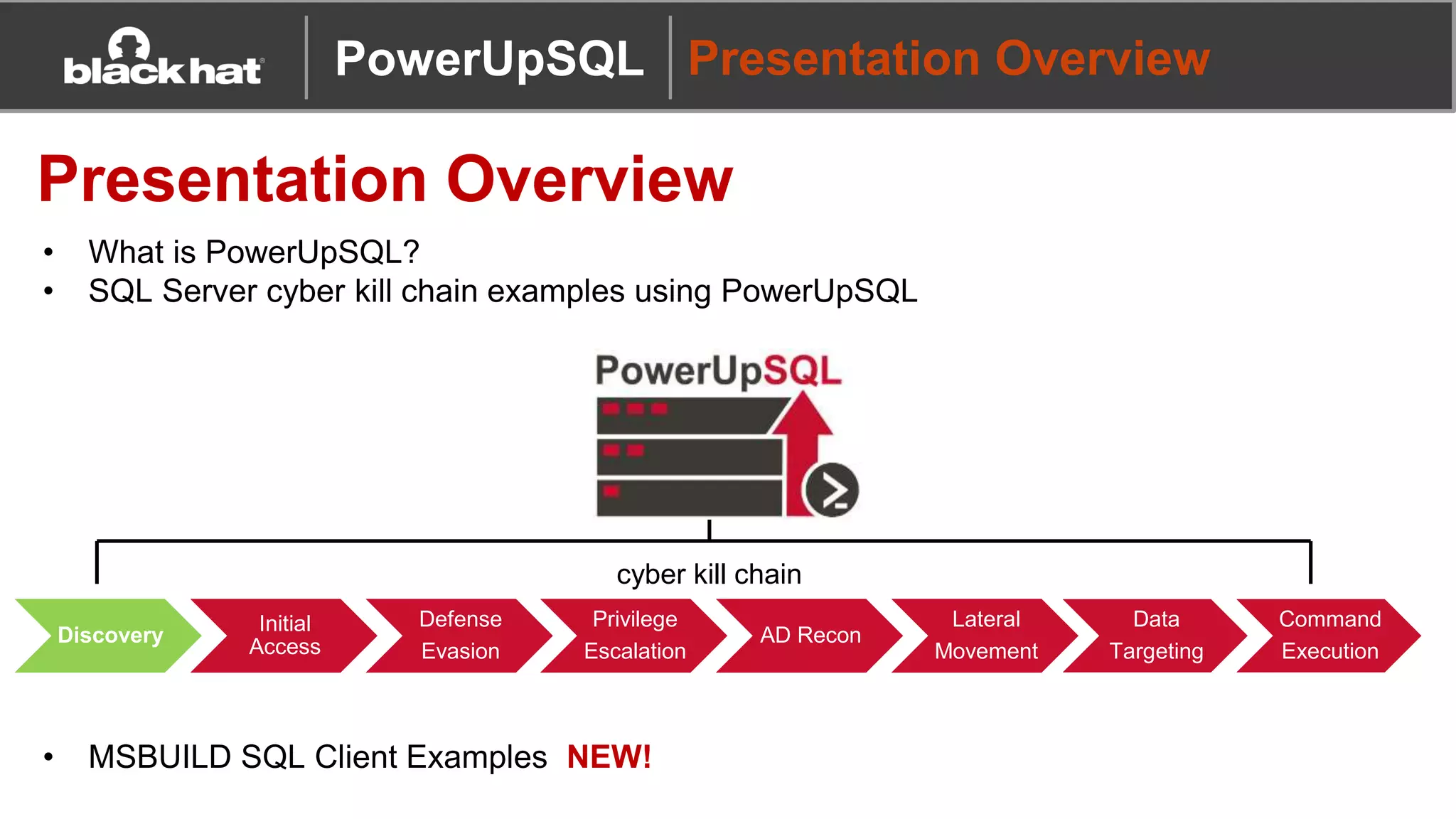
Data
Targeting
Command
Execution
Privilege
Escalation
AD Recon
Lateral
Movement
Discovery
Initial
Access
Defense
Evasion
• What is PowerUpSQL?
• SQL Server cyber kill chain examples using PowerUpSQL
• MSBUILD SQL Client Examples NEW!
PowerUpSQL Presentation Overview
Presentation Overview
cyber kill chain
Tool Overview
A
CB
PowerUpSQL
Tool Overview
Why SQL Server?
• Used in almost all enterprise environments
• Supports Windows authentication both locally and on the domain
• Lots of integration with other Windows services and tools
PowerUpSQL
Tool Overview
Why PowerShell?
• Native to Windows
• Run commands in memory
• Run managed .net code
• Run unmanaged code
• Avoid detection by weak Anti-virus / EDR configurations… at
least it used to be ;)
PowerUpSQL
Tool Overview
What problem are we solving?
• There weren’t a lot of flexible SQL Server attack tools available
• Available tools often required DBA level knowledge to perform
privilege escalation, so common attack techniques weren’t very
accessible
• Conclusion
Let’s make a flexible tool for hacking SQL Servers on scale
that you can use without having to be a DBA 
PowerUpSQL
Tool Overview
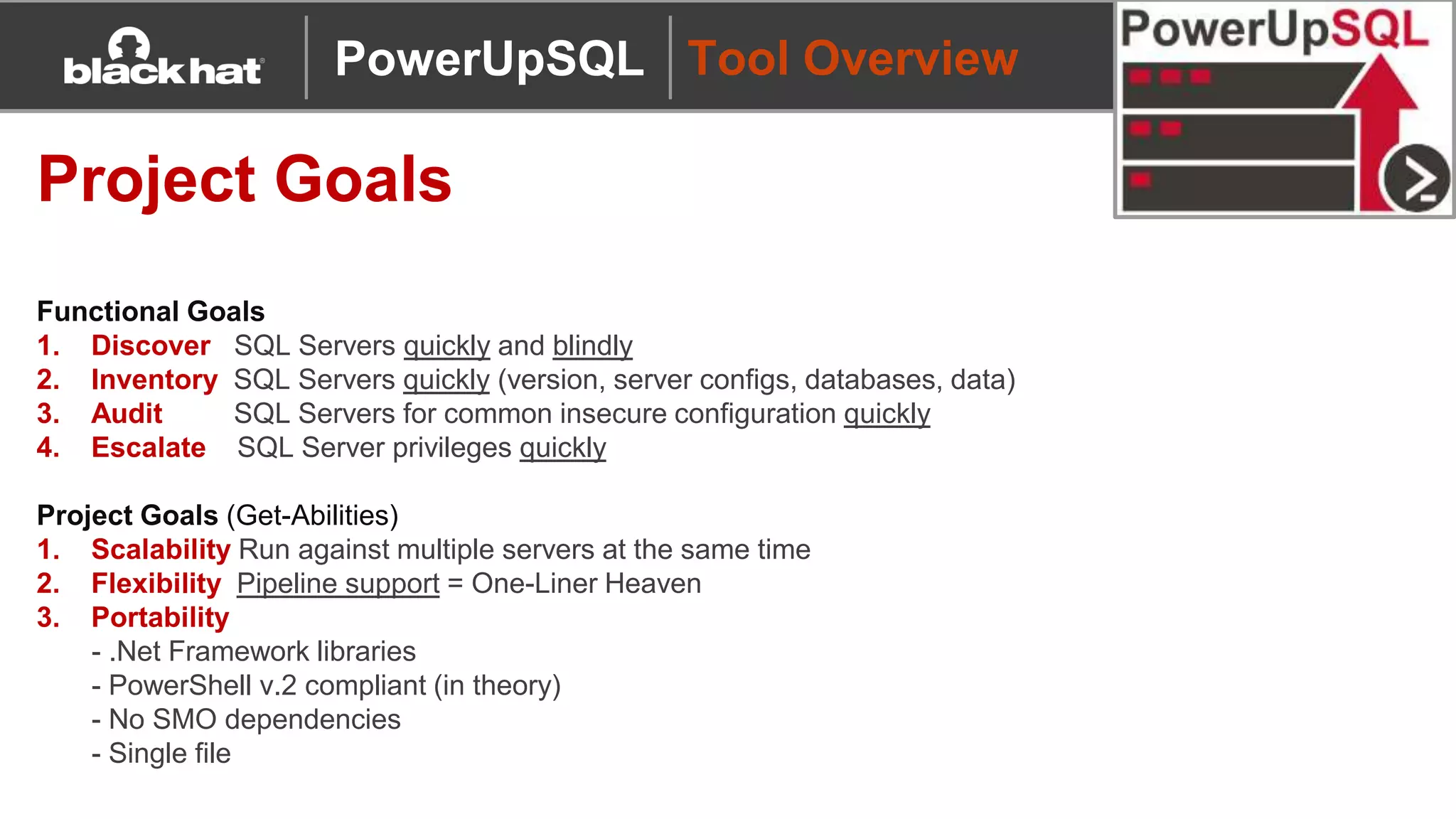
Project Goals
Functional Goals
1. Discover SQL Servers quickly and blindly
2. Inventory SQL Servers quickly (version, server configs, databases, data)
3. Audit SQL Servers for common insecure configuration quickly
4. Escalate SQL Server privileges quickly
Project Goals (Get-Abilities)
1. Scalability Run against multiple servers at the same time
2. Flexibility Pipeline support = One-Liner Heaven
3. Portability
- .Net Framework libraries
- PowerShell v.2 compliant (in theory)
- No SMO dependencies
- Single file
PowerUpSQL
Wiki
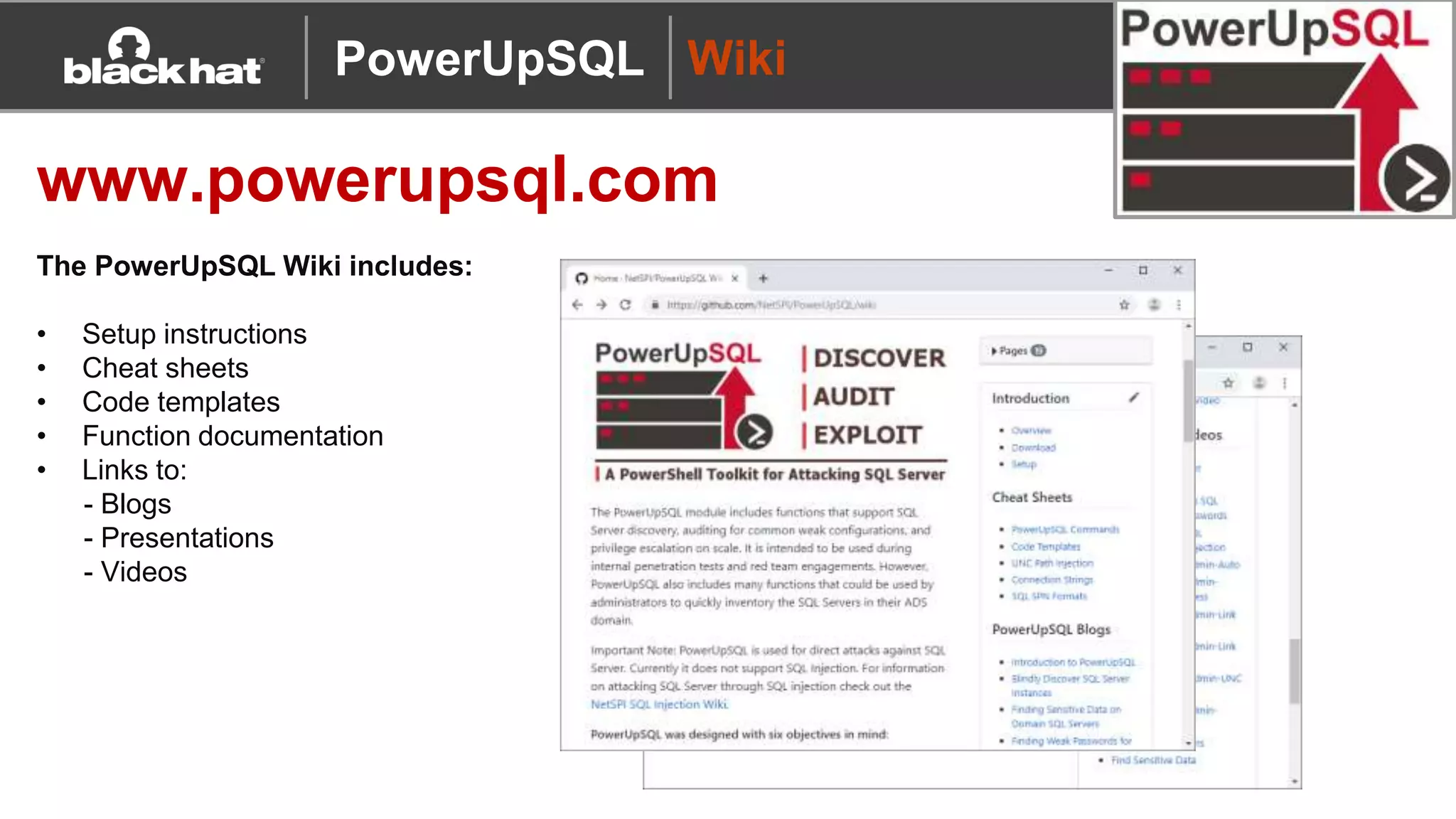
www.powerupsql.com
The PowerUpSQL Wiki includes:
• Setup instructions
• Cheat sheets
• Code templates
• Function documentation
• Links to:
- Blogs
- Presentations
- Videos
PowerUpSQL
Code Templates
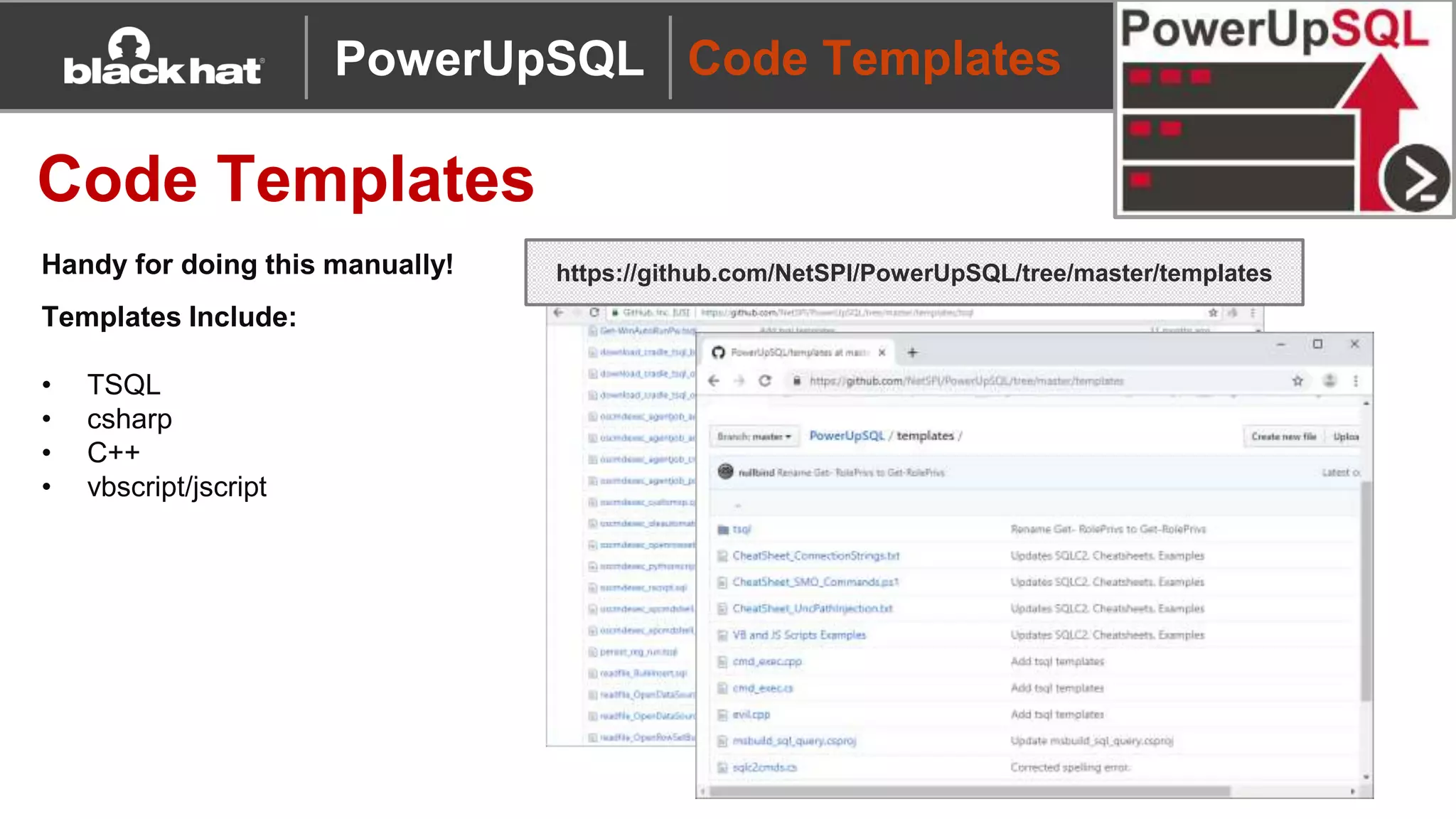
Code Templates
https://github.com/NetSPI/PowerUpSQL/tree/master/templates
PowerUpSQL
Templates Include:
• TSQL
• csharp
• C++
• vbscript/jscript
Handy for doing this manually!
Setup
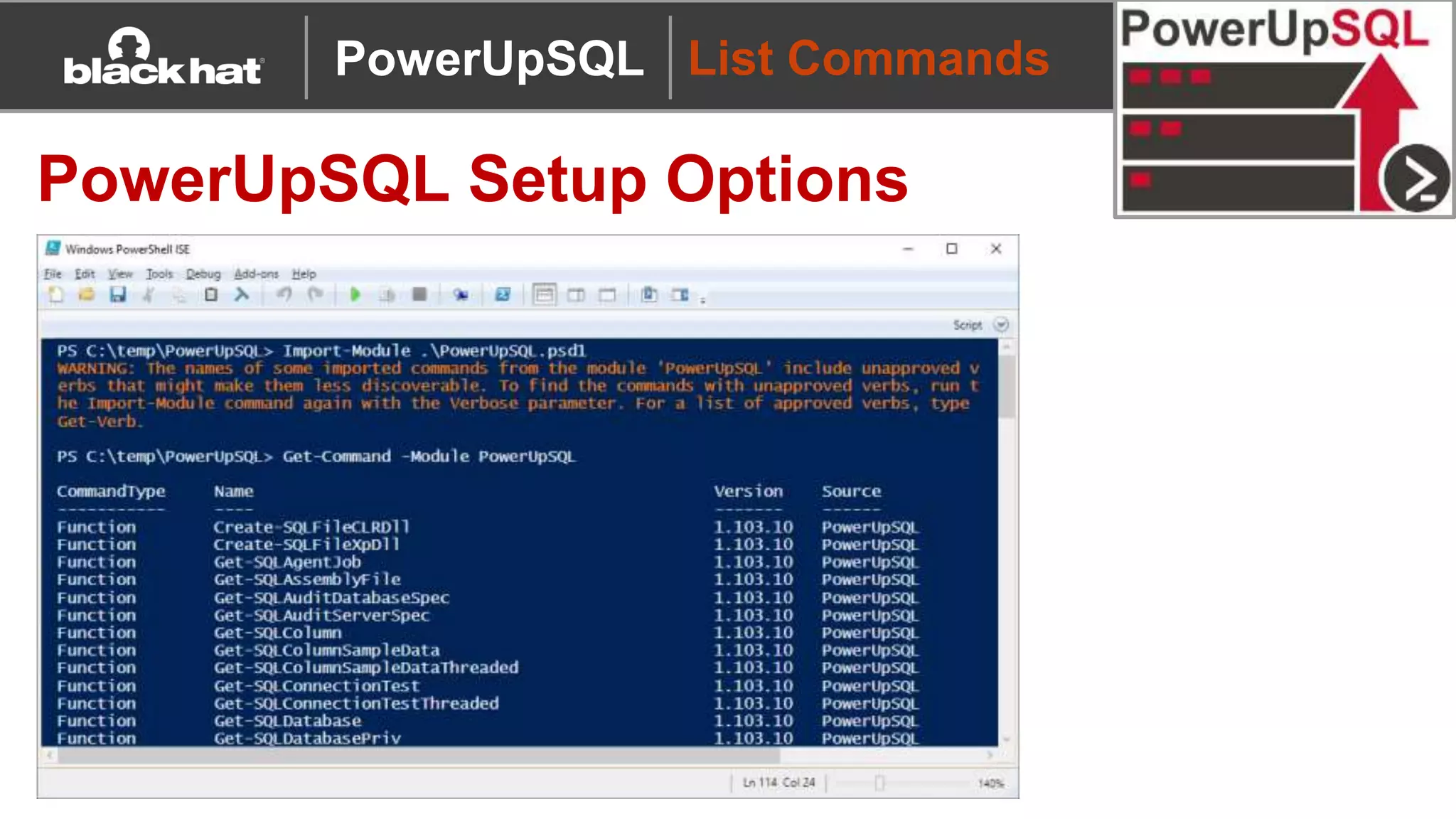
PowerUpSQL Setup Options
Description Command
Download to Disk + Import Module Download from https://github.com/NetSPI/PowerUpSQL
Import-Module PowerUpSQL.psd1
Download/Import to Memory:
Download Cradle 1
IEX(New-Object
System.Net.WebClient).DownloadString("https://raw.githubuserconte
nt.com/NetSPI/PowerUpSQL/master/PowerUpSQL.ps1")
Download/Import to Memory:
Common Download Cradle 2
&([scriptblock]::Create((new-object
net.webclient).downloadstring("https://raw.githubusercontent.com/Net
SPI/PowerUpSQL/master/PowerUpSQL.ps1")))
Install Module from
PowerShell Gallery
Install-Module -Name PowerUpSQL
PowerUpSQL
List Commands
PowerUpSQL Setup Options
PowerUpSQL
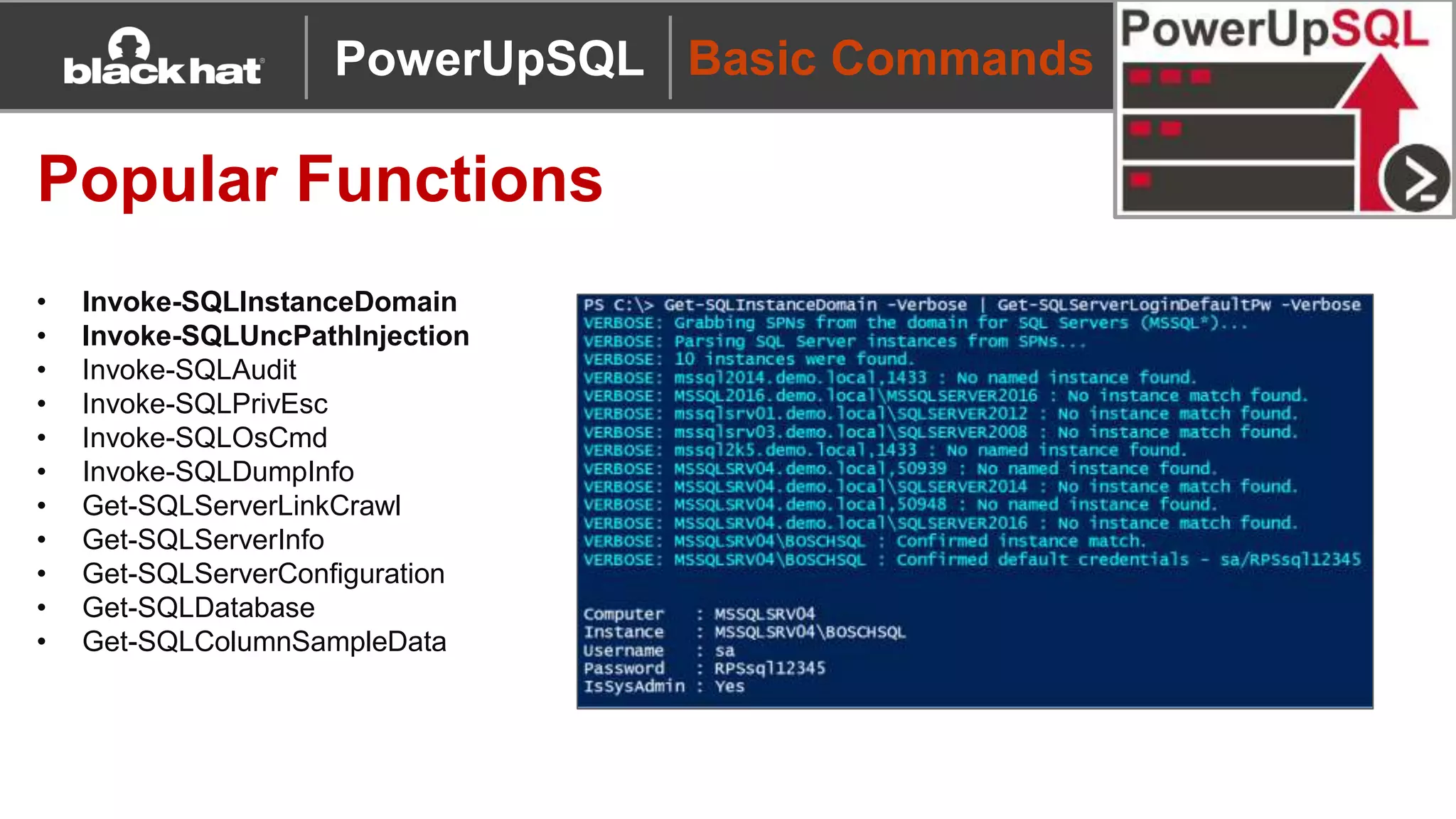
Basic Commands
Popular Functions
• Invoke-SQLInstanceDomain
• Invoke-SQLUncPathInjection
• Invoke-SQLAudit
• Invoke-SQLPrivEsc
• Invoke-SQLOsCmd
• Invoke-SQLDumpInfo
• Get-SQLServerLinkCrawl
• Get-SQLServerInfo
• Get-SQLServerConfiguration
• Get-SQLDatabase
• Get-SQLColumnSampleData
PowerUpSQL
SQL Server Discovery
A
CB
PowerUpSQL
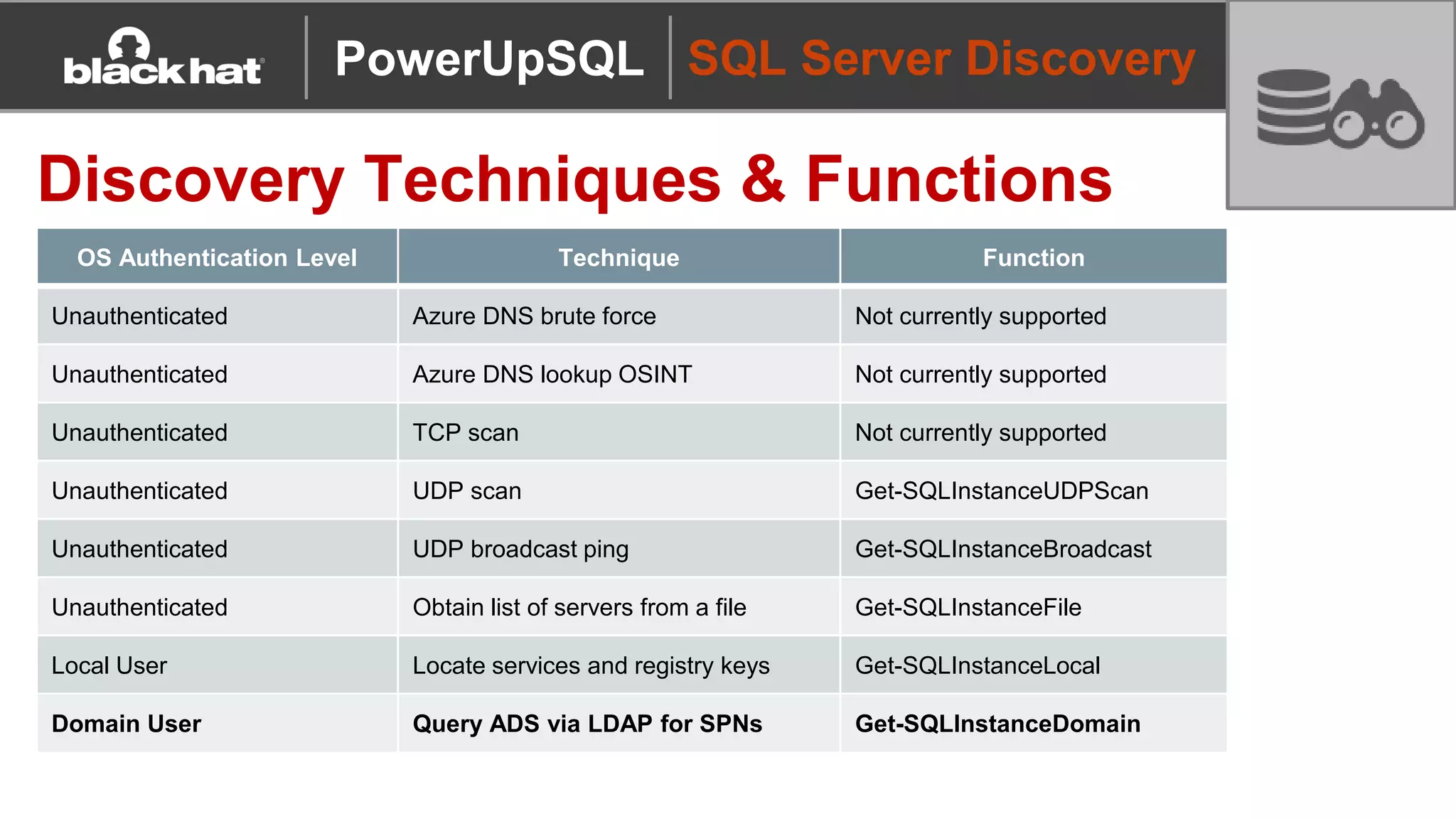
OS Authentication Level Technique Function
Unauthenticated Azure DNS brute force Not currently supported
Unauthenticated Azure DNS lookup OSINT Not currently supported
Unauthenticated TCP scan Not currently supported
Unauthenticated UDP scan Get-SQLInstanceUDPScan
Unauthenticated UDP broadcast ping Get-SQLInstanceBroadcast
Unauthenticated Obtain list of servers from a file Get-SQLInstanceFile
Local User Locate services and registry keys Get-SQLInstanceLocal
Domain User Query ADS via LDAP for SPNs Get-SQLInstanceDomain
SQL Server Discovery
Discovery Techniques & Functions
PowerUpSQL
SQL Server Discovery
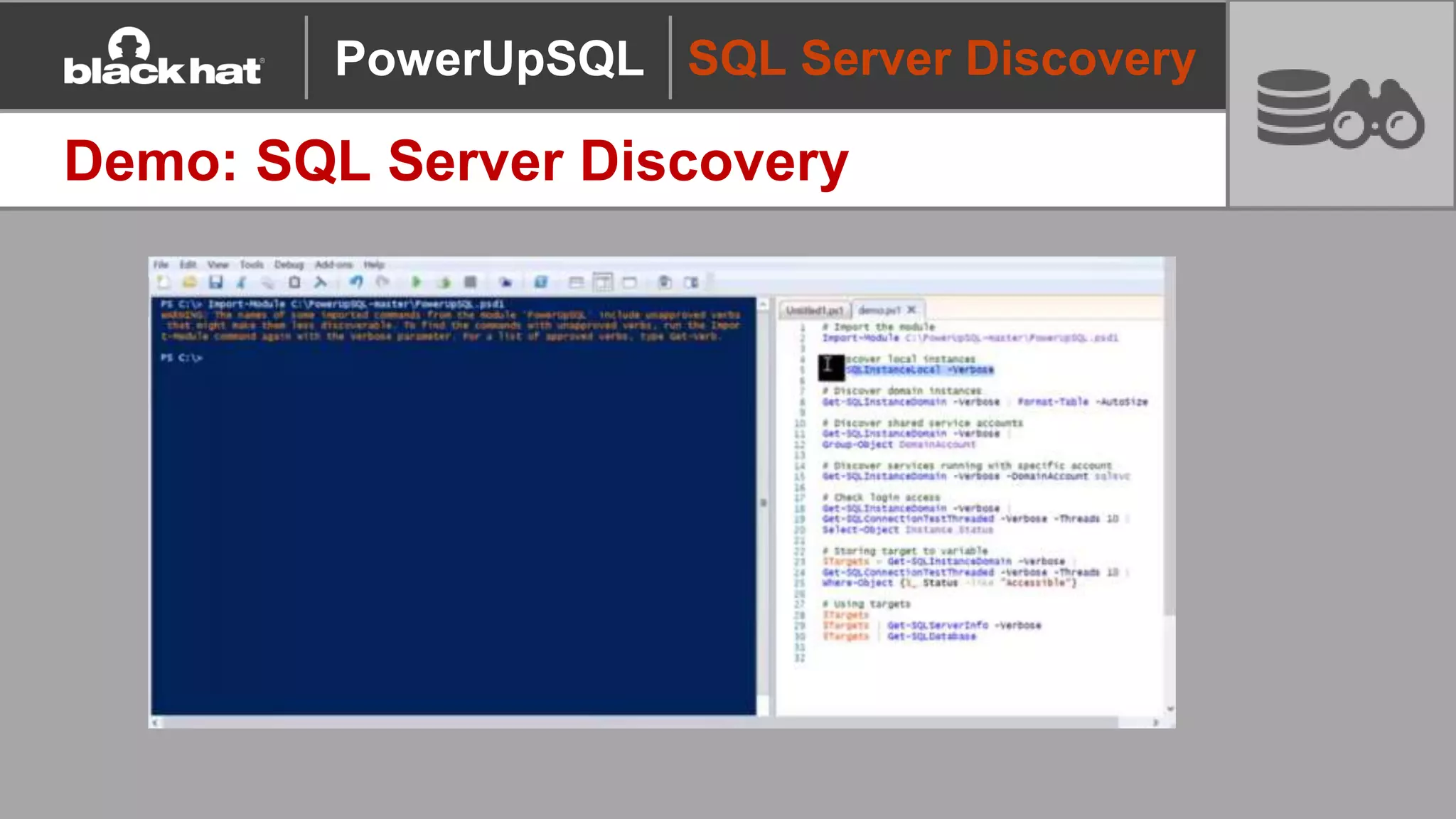
Demo: SQL Server Discovery
PowerUpSQL
Initial Access
PowerUpSQL
Initial Access
How do I get access?
Common Methods
• Attempt to login with local or domain user privileges (Very Common)
- Computer accounts work too 
• Weak SQL Server login passwords
• Default SQL Server login passwords
• Default SQL Server login passwords associated with 3rd party applications
PowerUpSQL
Initial Access
Demo: Authenticated Password Guessing
Invoke-SQLAuditWeakLoginPw
1. Blindly enumerates all SQL
logins with least privilege SQL
login
2. Attempt user name as
password
3. Custom user/password lists
can be provided
Get-SQLFuzzDomainAccount
1. Blindly enumerate domain users
and group associated with the
SQL Server domain with least
privilege SQL login
PowerUpSQL
Initial Access
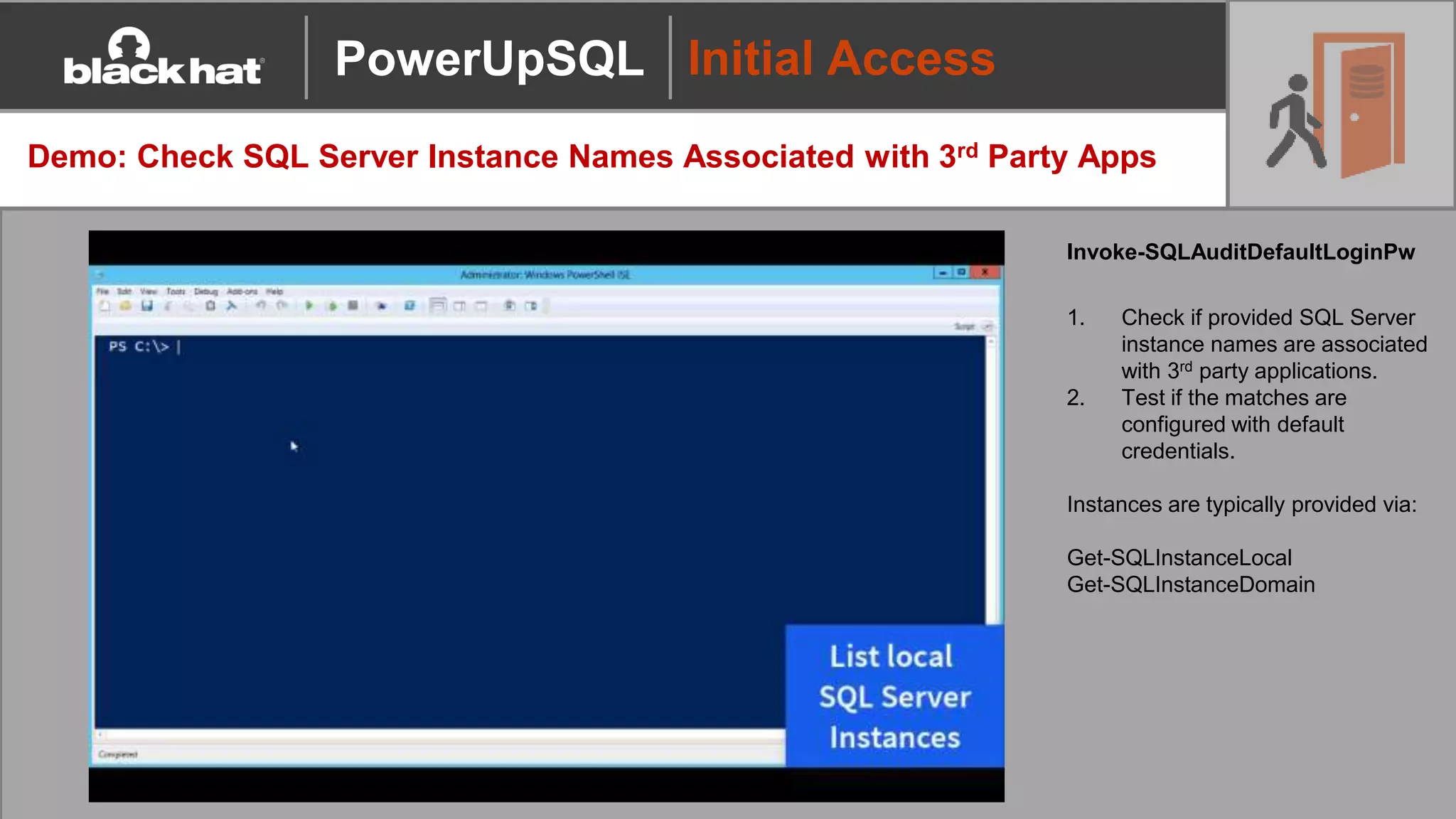
Demo: Check SQL Server Instance Names Associated with 3rd Party Apps
Invoke-SQLAuditDefaultLoginPw
1. Check if provided SQL Server
instance names are associated
with 3rd party applications.
2. Test if the matches are
configured with default
credentials.
Instances are typically provided via:
Get-SQLInstanceLocal
Get-SQLInstanceDomain
PowerUpSQL
Defense Evasion
PowerUpSQL
Defense Evasion
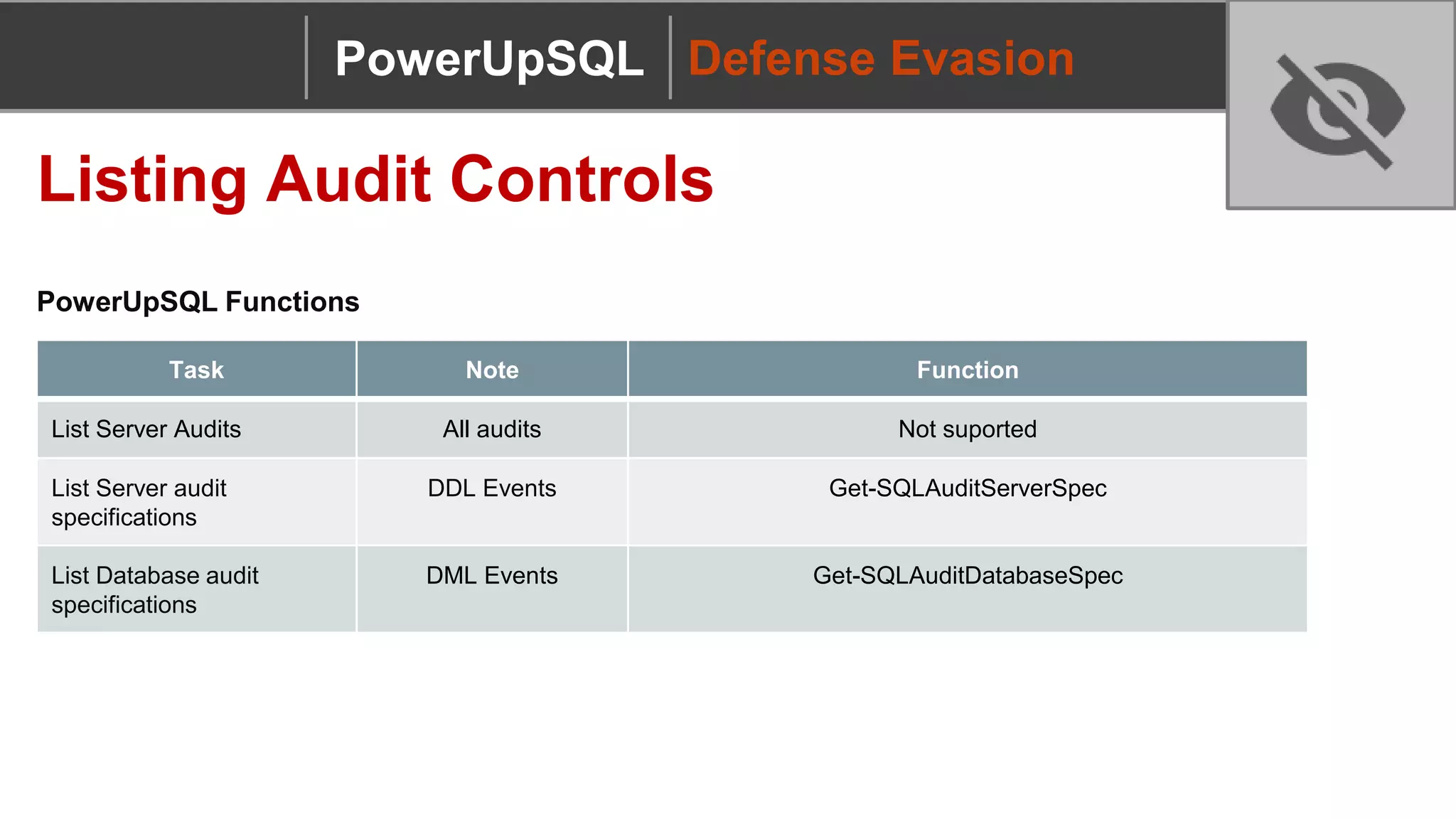
Listing Audit Controls
PowerUpSQL Functions
Task Note Function
List Server Audits All audits Not suported
List Server audit
specifications
DDL Events Get-SQLAuditServerSpec
List Database audit
specifications
DML Events Get-SQLAuditDatabaseSpec
PowerUpSQL
Defense Evasion
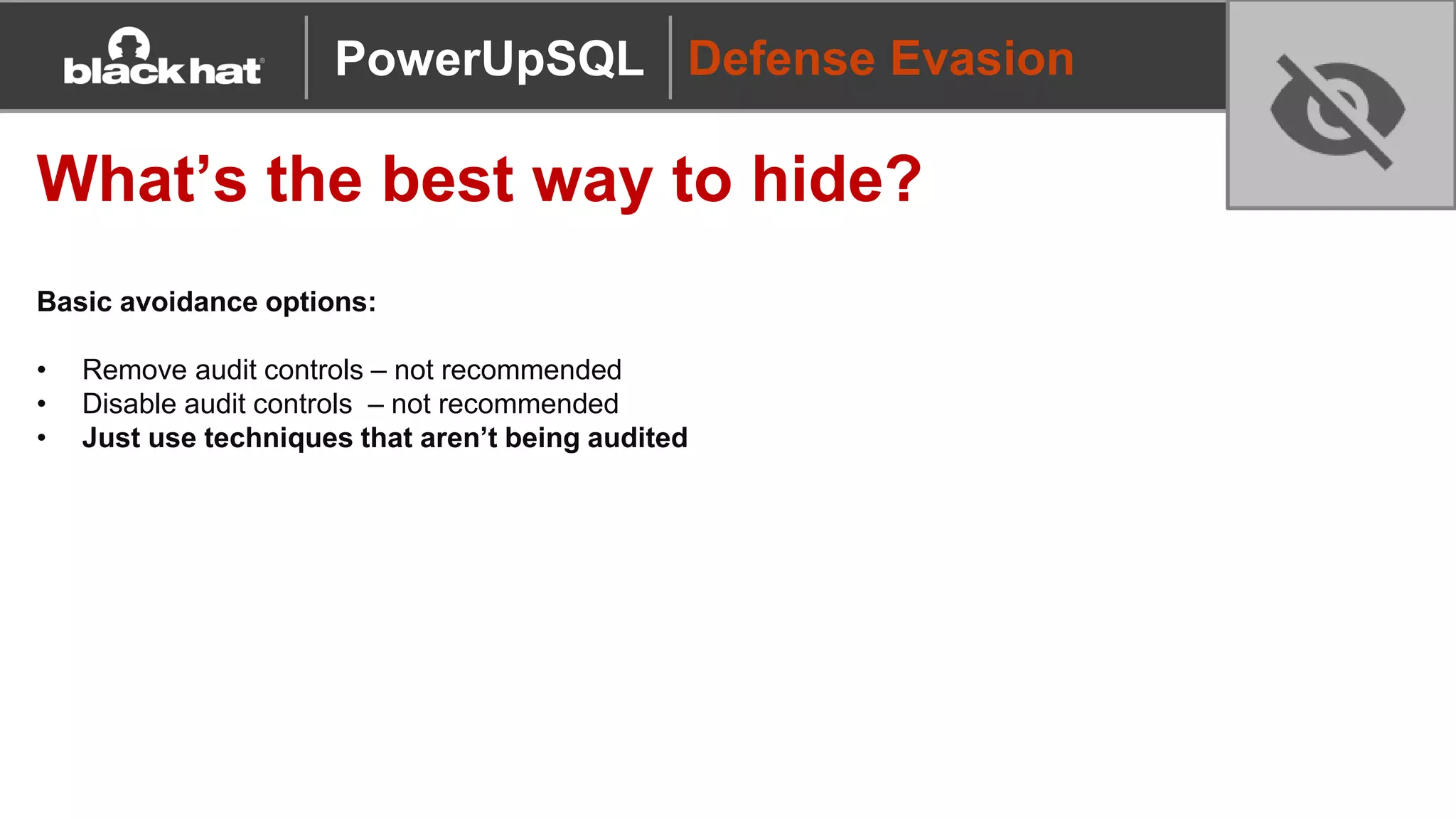
What’s the best way to hide?
Basic avoidance options:
• Remove audit controls – not recommended
• Disable audit controls – not recommended
• Just use techniques that aren’t being audited
PowerUpSQL
Privilege Escalation
PowerUpSQL
Privilege Escalation
Service Accounts, Sysadmins, and
Explicit Permissions
Summary of Points
• OS Commands can be executed if you have a sysadmin login or have been provided explicit
permissions to sensitive functionality
• Most command execution options in SQL Server run as the SQL Server service account
• SQL Server account can be configured as: local user, domain user, domain admin, etc
• SQL Server service account = Sysadmin (and implicitly the SQL Server service process)
PowerUpSQL
Privilege Escalation
Demo: Local Admin to Sysadmin
Invoke-SQLImpersonateService
Impersonating the
SQL Server service account (sysadmin)
using the PowerUpSQL function Invoke-
SQLImpersonateService that wraps Joe Bialek’s
Invoke-TokenManipulation
PowerUpSQL
Privilege Escalation
Domain User/SQL Login to Sysadmin
Insecure configurations are very common…
• Weak passwords
- default SQL Server, default third party applications, custom SQL logins
- user enumeration helps ;)
• Excessive permissions
- startup procedures, dangerous stored procedures (RWX), xp creation, CLR creation
- impersonation, database ownership, database links, agent jobs
• SQL Injection
- EXECUTE AS LOGIN
- Signed procedures
• Out of date versions
PowerUpSQL
Privilege Escalation
Domain User/SQL Login to Sysadmin
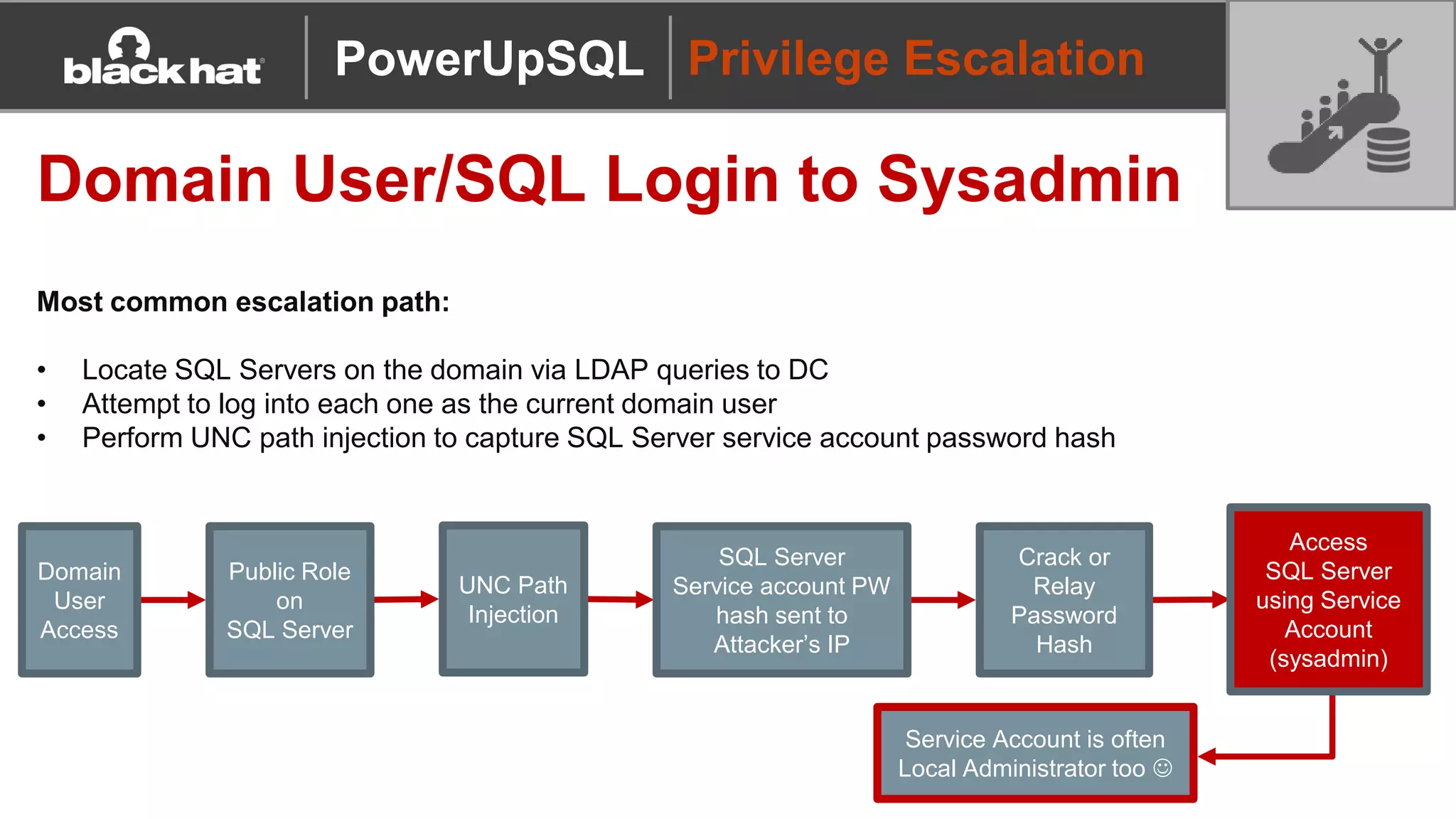
Most common escalation path:
• Locate SQL Servers on the domain via LDAP queries to DC
• Attempt to log into each one as the current domain user
• Perform UNC path injection to capture SQL Server service account password hash
Domain
User
Access
Public Role
on
SQL Server
UNC Path
Injection
SQL Server
Service account PW
hash sent to
Attacker’s IP
Crack or
Relay
Password
Hash
Access
SQL Server
using Service
Account
(sysadmin)
Service Account is often
Local Administrator too 
PowerUpSQL
Privilege Escalation
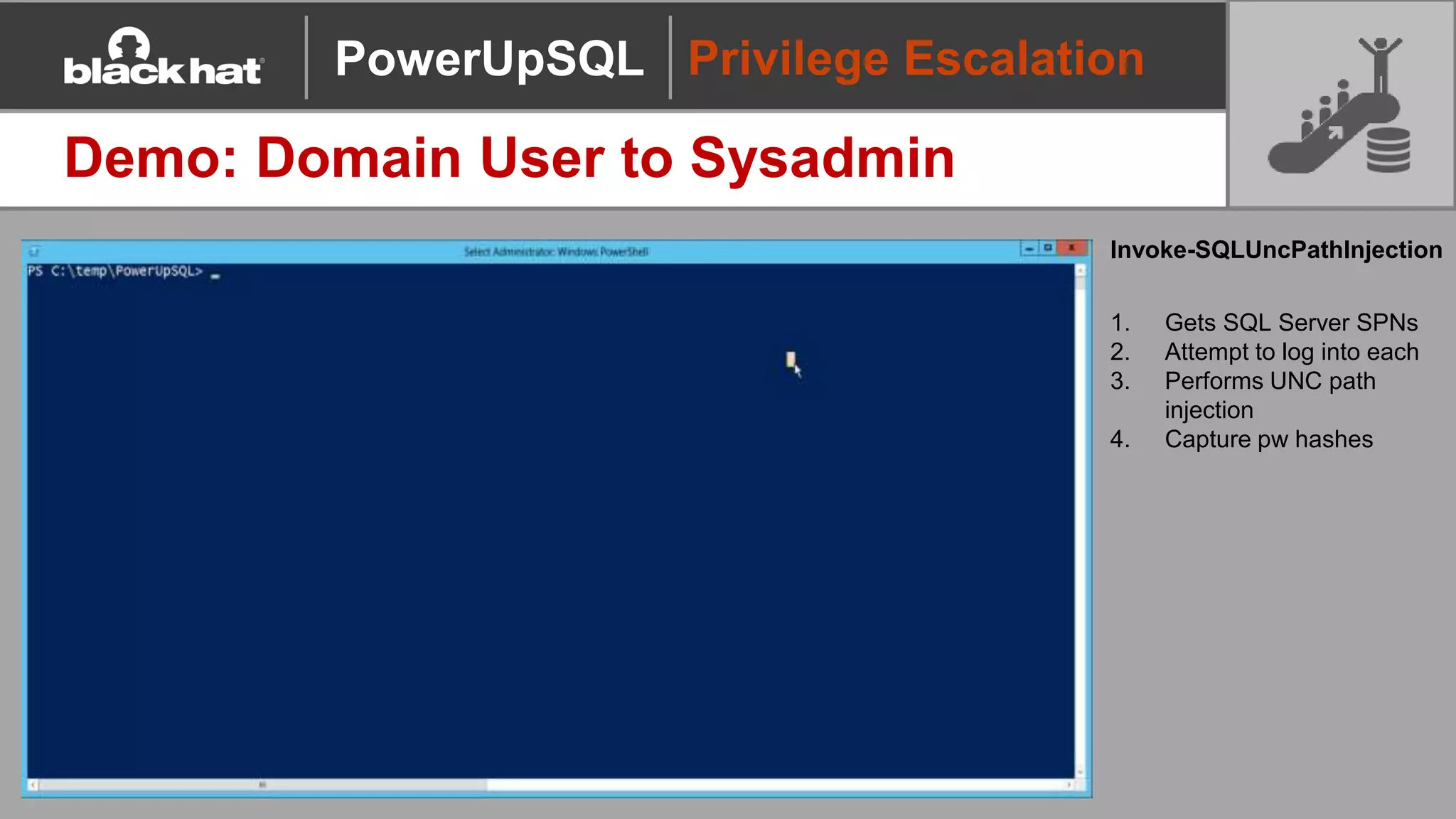
Demo: Domain User to Sysadmin
Invoke-SQLUncPathInjection
1. Gets SQL Server SPNs
2. Attempt to log into each
3. Performs UNC path
injection
4. Capture pw hashes
PowerUpSQL
Command Execution
PowerUpSQL
Command Execution
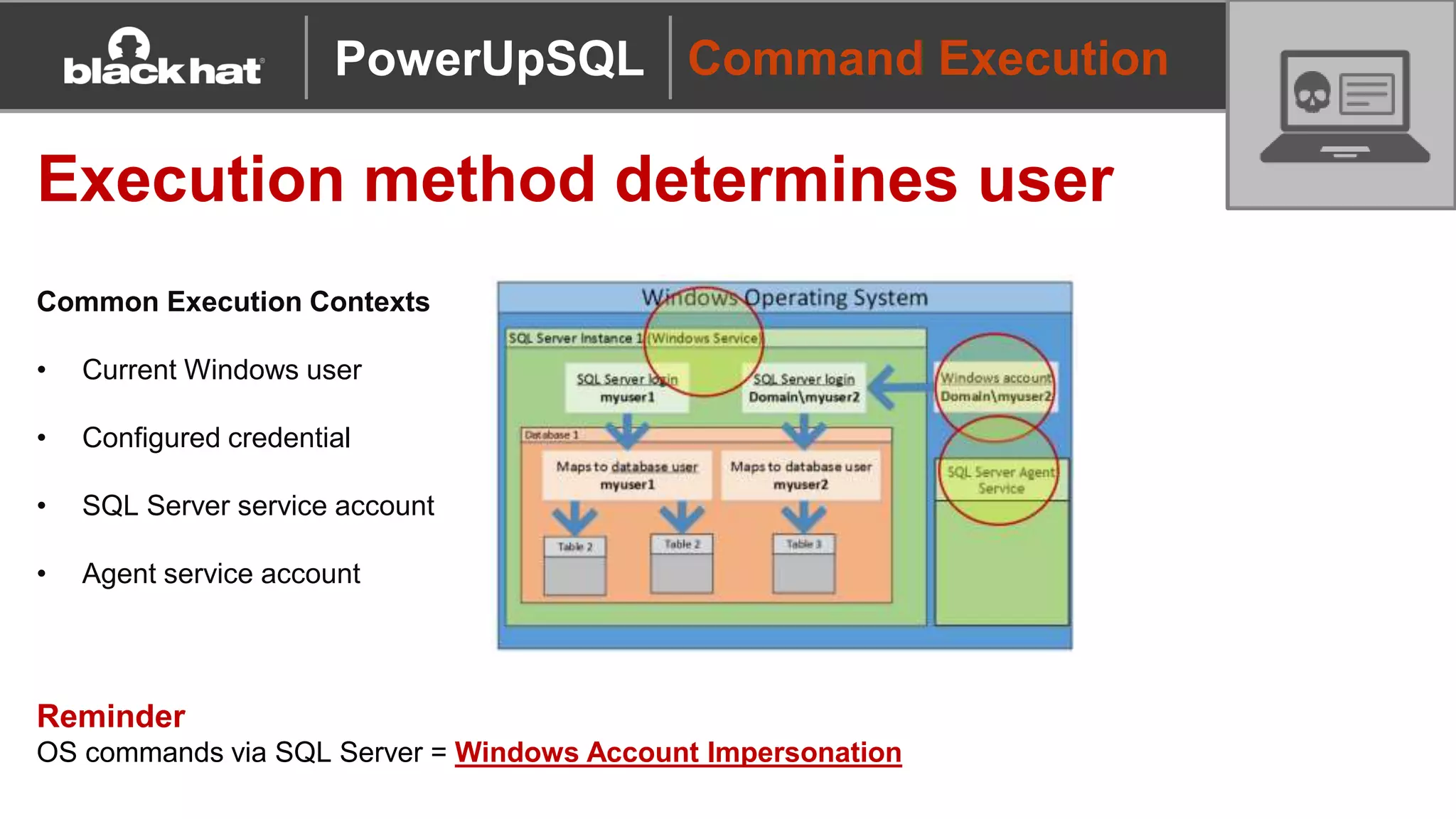
Execution method determines user
Common Execution Contexts
• Current Windows user
• Configured credential
• SQL Server service account
• Agent service account
Reminder
OS commands via SQL Server = Windows Account Impersonation
PowerUpSQL
Command Execution
So many options…
PowerUpSQL
Command Execution
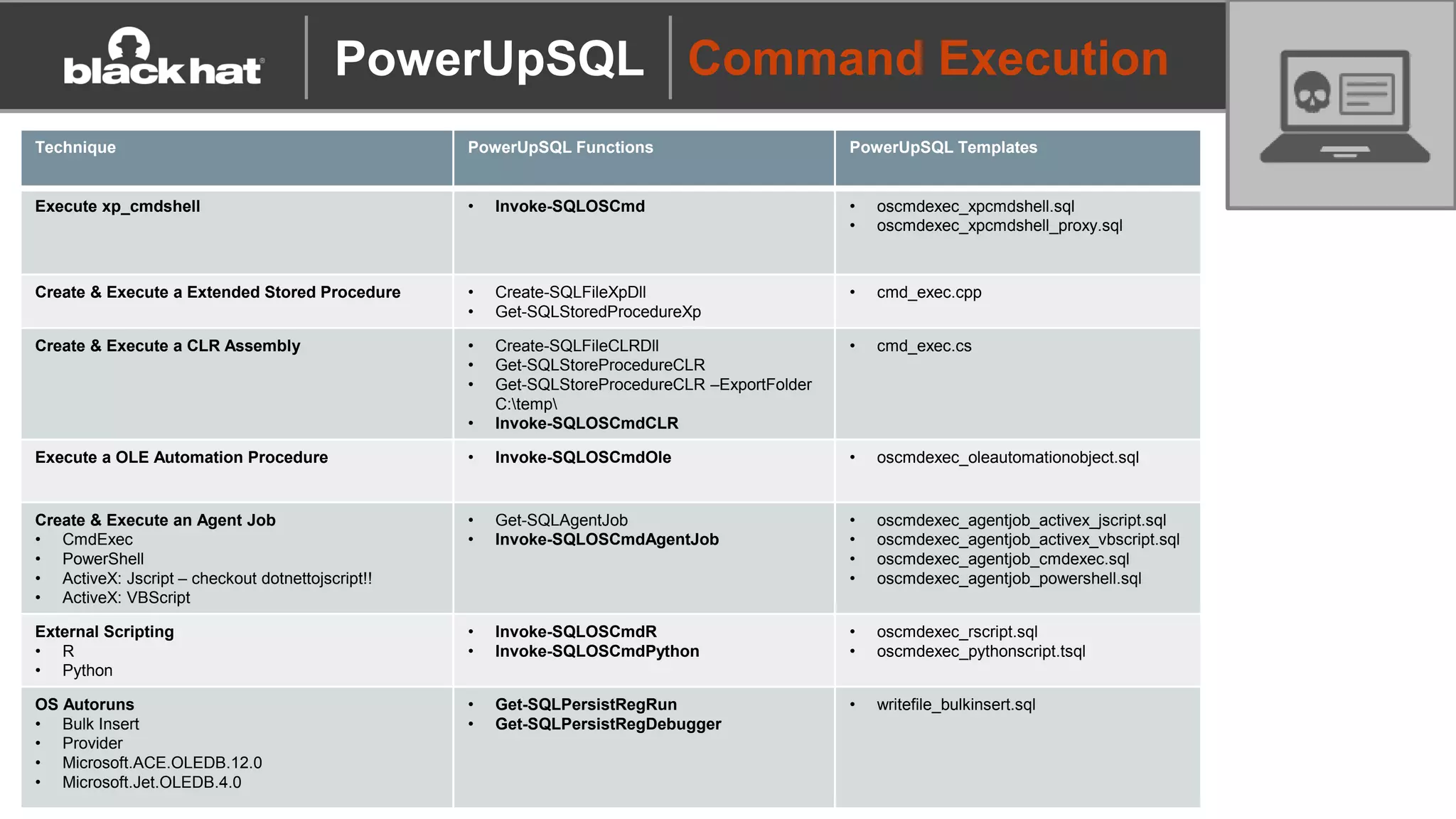
Technique PowerUpSQL Functions PowerUpSQL Templates
Execute xp_cmdshell • Invoke-SQLOSCmd • oscmdexec_xpcmdshell.sql
• oscmdexec_xpcmdshell_proxy.sql
Create & Execute a Extended Stored Procedure • Create-SQLFileXpDll
• Get-SQLStoredProcedureXp
• cmd_exec.cpp
Create & Execute a CLR Assembly • Create-SQLFileCLRDll
• Get-SQLStoreProcedureCLR
• Get-SQLStoreProcedureCLR –ExportFolder
C:temp
• Invoke-SQLOSCmdCLR
• cmd_exec.cs
Execute a OLE Automation Procedure • Invoke-SQLOSCmdOle • oscmdexec_oleautomationobject.sql
Create & Execute an Agent Job
• CmdExec
• PowerShell
• ActiveX: Jscript – checkout dotnettojscript!!
• ActiveX: VBScript
• Get-SQLAgentJob
• Invoke-SQLOSCmdAgentJob
• oscmdexec_agentjob_activex_jscript.sql
• oscmdexec_agentjob_activex_vbscript.sql
• oscmdexec_agentjob_cmdexec.sql
• oscmdexec_agentjob_powershell.sql
External Scripting
• R
• Python
• Invoke-SQLOSCmdR
• Invoke-SQLOSCmdPython
• oscmdexec_rscript.sql
• oscmdexec_pythonscript.tsql
OS Autoruns
• Bulk Insert
• Provider
• Microsoft.ACE.OLEDB.12.0
• Microsoft.Jet.OLEDB.4.0
• Get-SQLPersistRegRun
• Get-SQLPersistRegDebugger
• writefile_bulkinsert.sql
PowerUpSQL
Command Execution
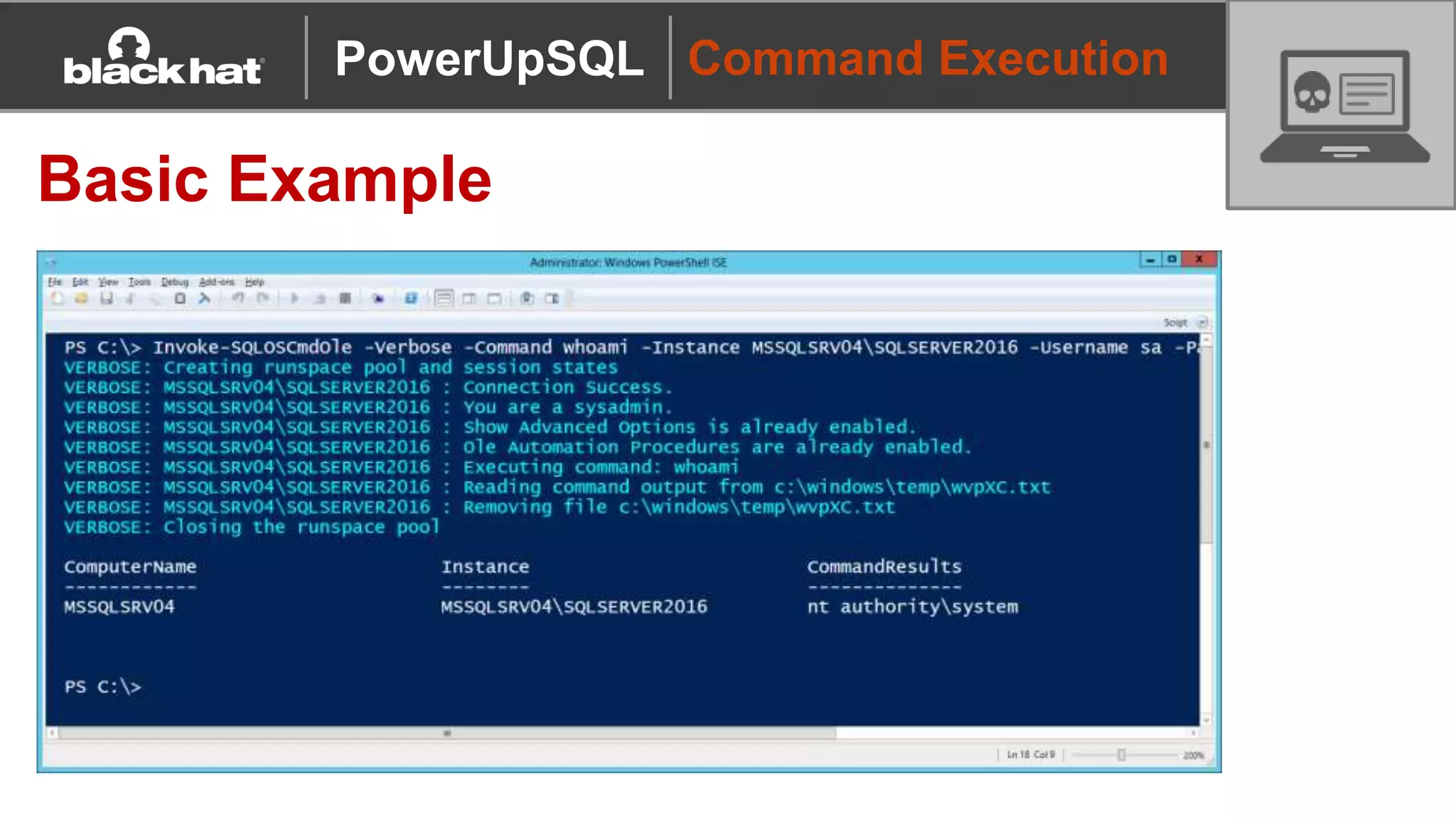
Basic Example
PowerUpSQL
Persistence
Leveraging CLR Assemblies
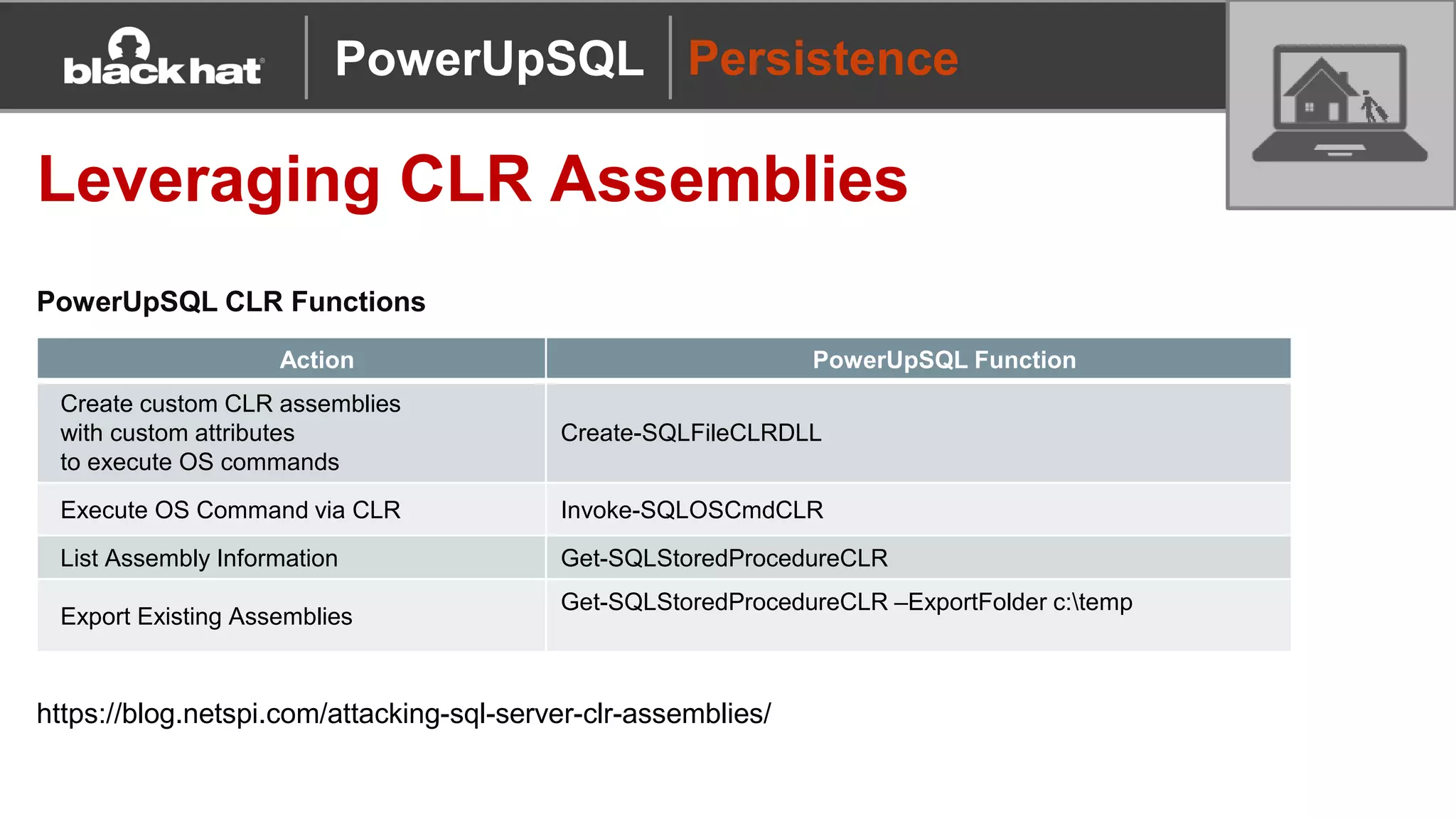
PowerUpSQL CLR Functions
Action PowerUpSQL Function
Create custom CLR assemblies
with custom attributes
to execute OS commands
Create-SQLFileCLRDLL
Execute OS Command via CLR Invoke-SQLOSCmdCLR
List Assembly Information Get-SQLStoredProcedureCLR
Export Existing Assemblies
Get-SQLStoredProcedureCLR –ExportFolder c:temp
https://blog.netspi.com/attacking-sql-server-clr-assemblies/
PowerUpSQL
Persistence
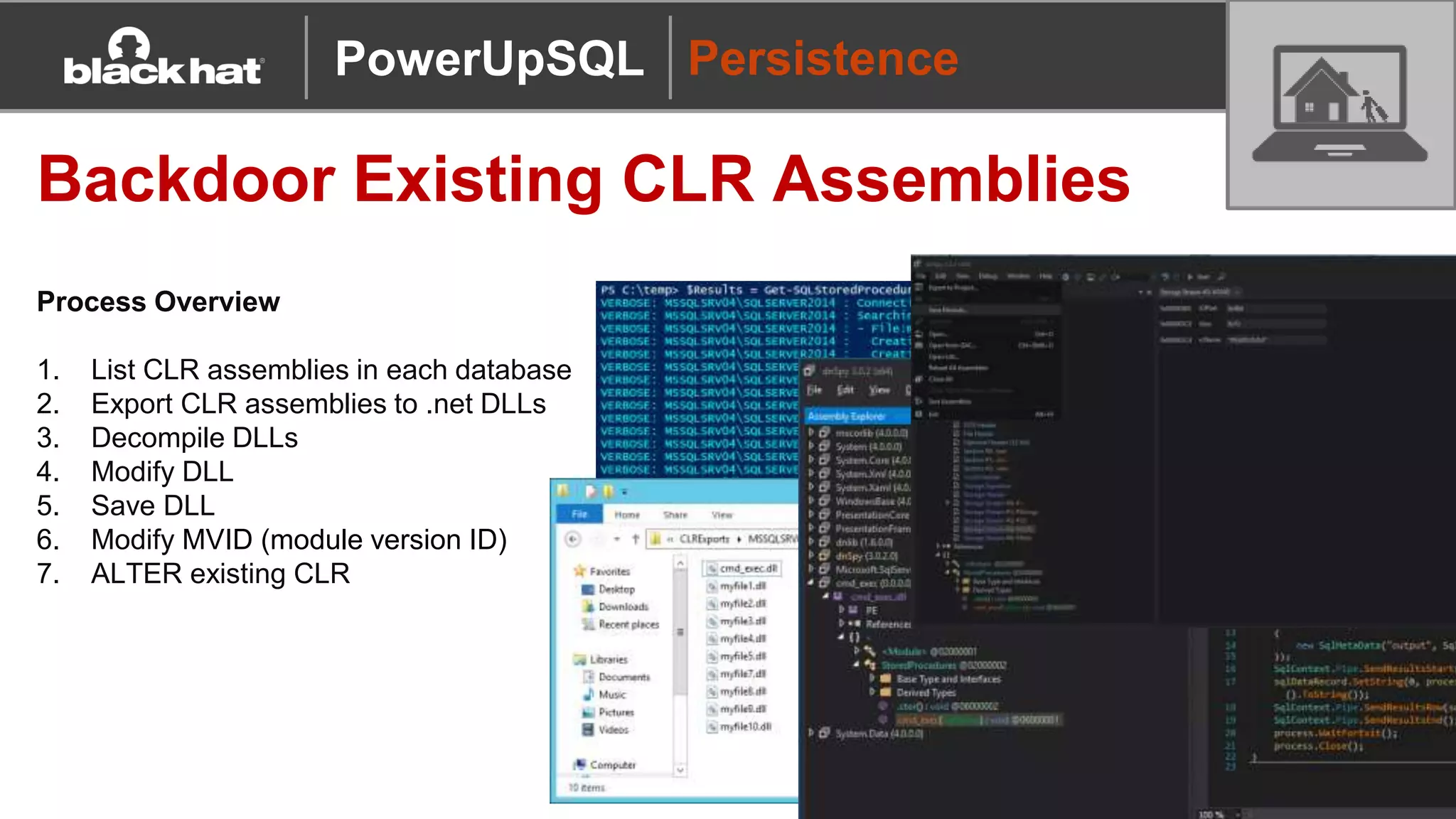
Backdoor Existing CLR Assemblies
Process Overview
1. List CLR assemblies in each database
2. Export CLR assemblies to .net DLLs
3. Decompile DLLs
4. Modify DLL
5. Save DLL
6. Modify MVID (module version ID)
7. ALTER existing CLR
PowerUpSQL
Data Targeting
PowerUpSQL
Data Targeting
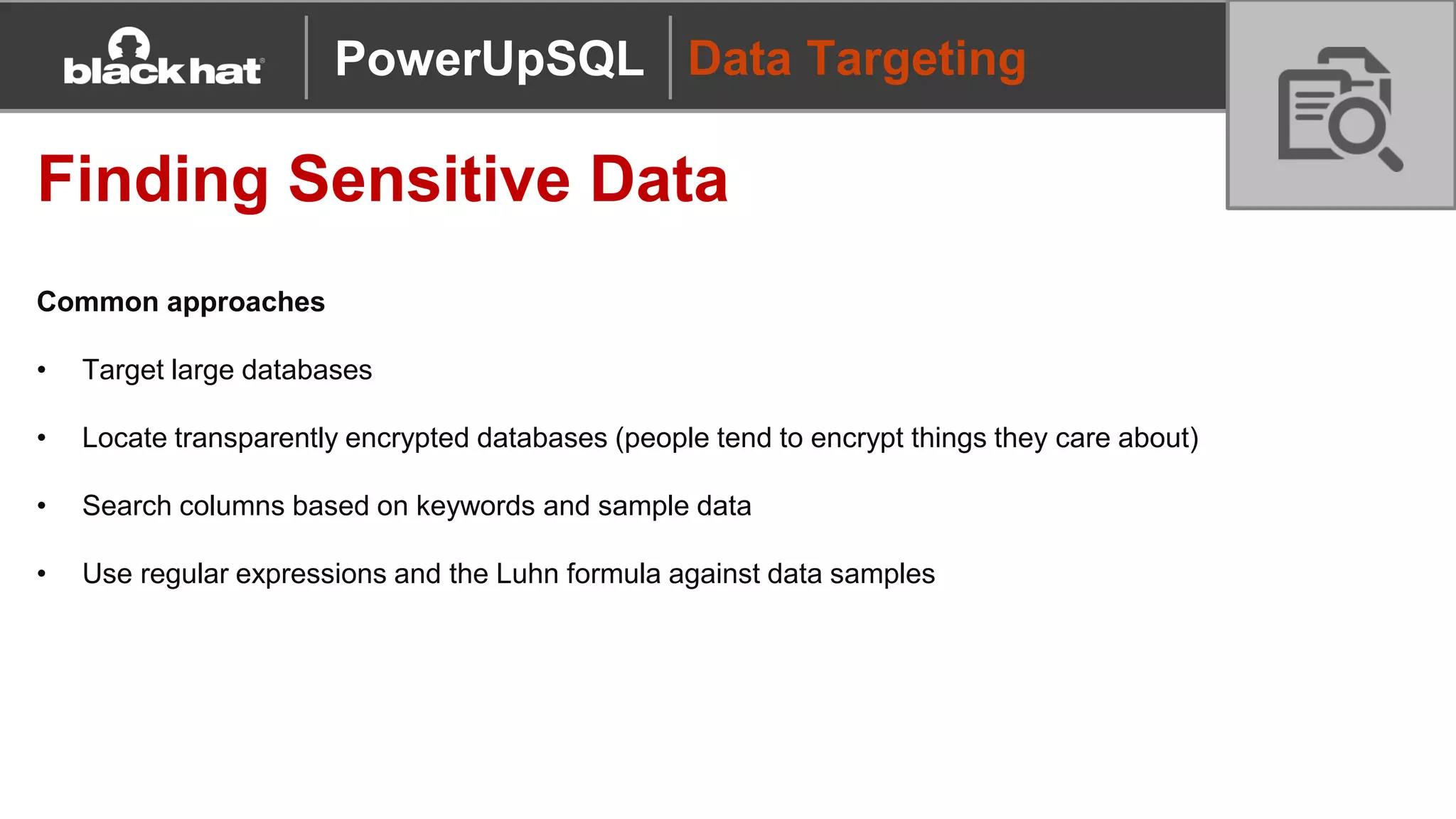
Finding Sensitive Data
Common approaches
• Target large databases
• Locate transparently encrypted databases (people tend to encrypt things they care about)
• Search columns based on keywords and sample data
• Use regular expressions and the Luhn formula against data samples
PowerUpSQL
Data Targeting
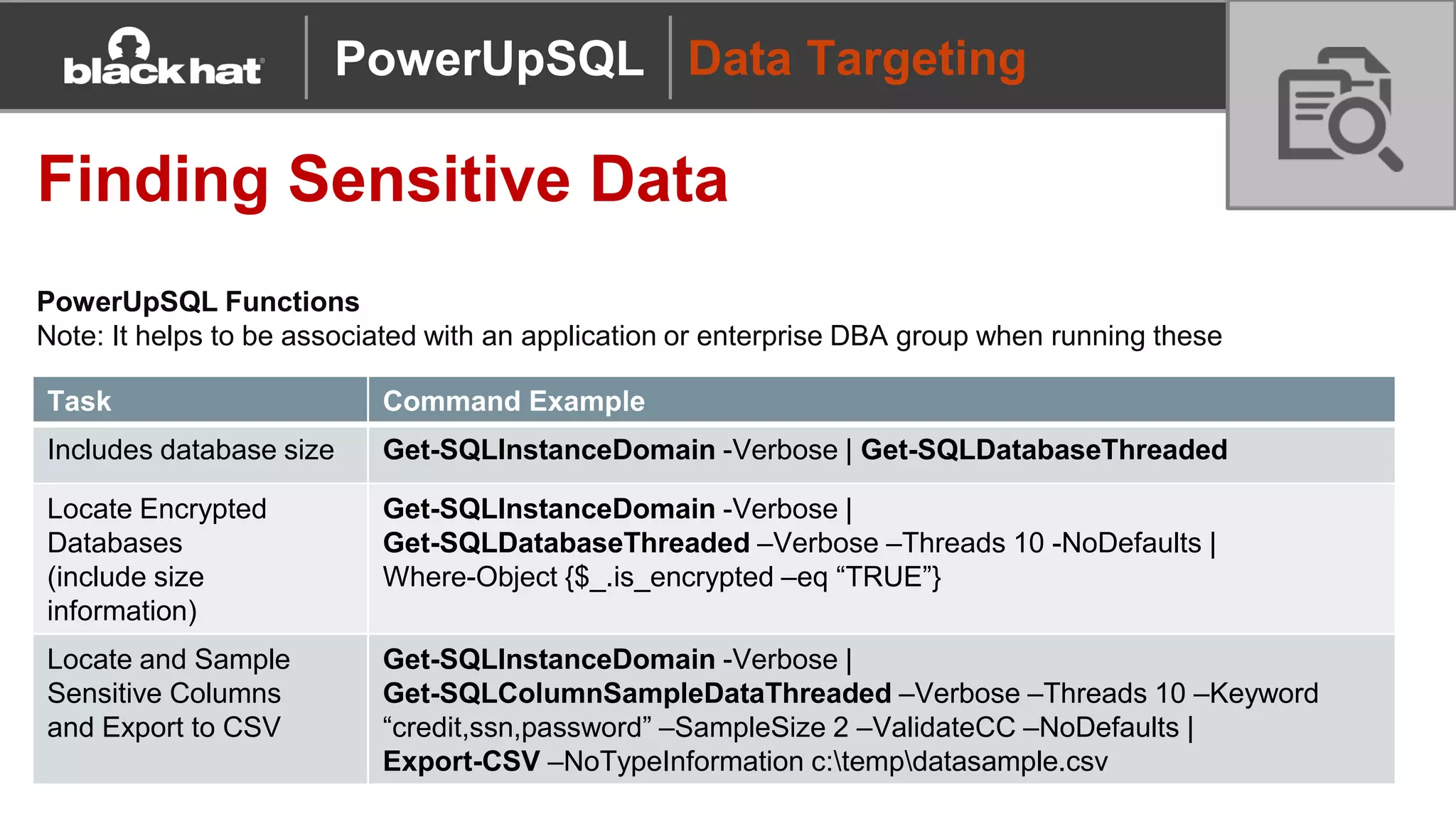
Finding Sensitive Data
PowerUpSQL Functions
Note: It helps to be associated with an application or enterprise DBA group when running these
Task Command Example
Includes database size Get-SQLInstanceDomain -Verbose | Get-SQLDatabaseThreaded
Locate Encrypted
Databases
(include size
information)
Get-SQLInstanceDomain -Verbose |
Get-SQLDatabaseThreaded –Verbose –Threads 10 -NoDefaults |
Where-Object {$_.is_encrypted –eq “TRUE”}
Locate and Sample
Sensitive Columns
and Export to CSV
Get-SQLInstanceDomain -Verbose |
Get-SQLColumnSampleDataThreaded –Verbose –Threads 10 –Keyword
“credit,ssn,password” –SampleSize 2 –ValidateCC –NoDefaults |
Export-CSV –NoTypeInformation c:tempdatasample.csv
PowerUpSQL
Data Targeting
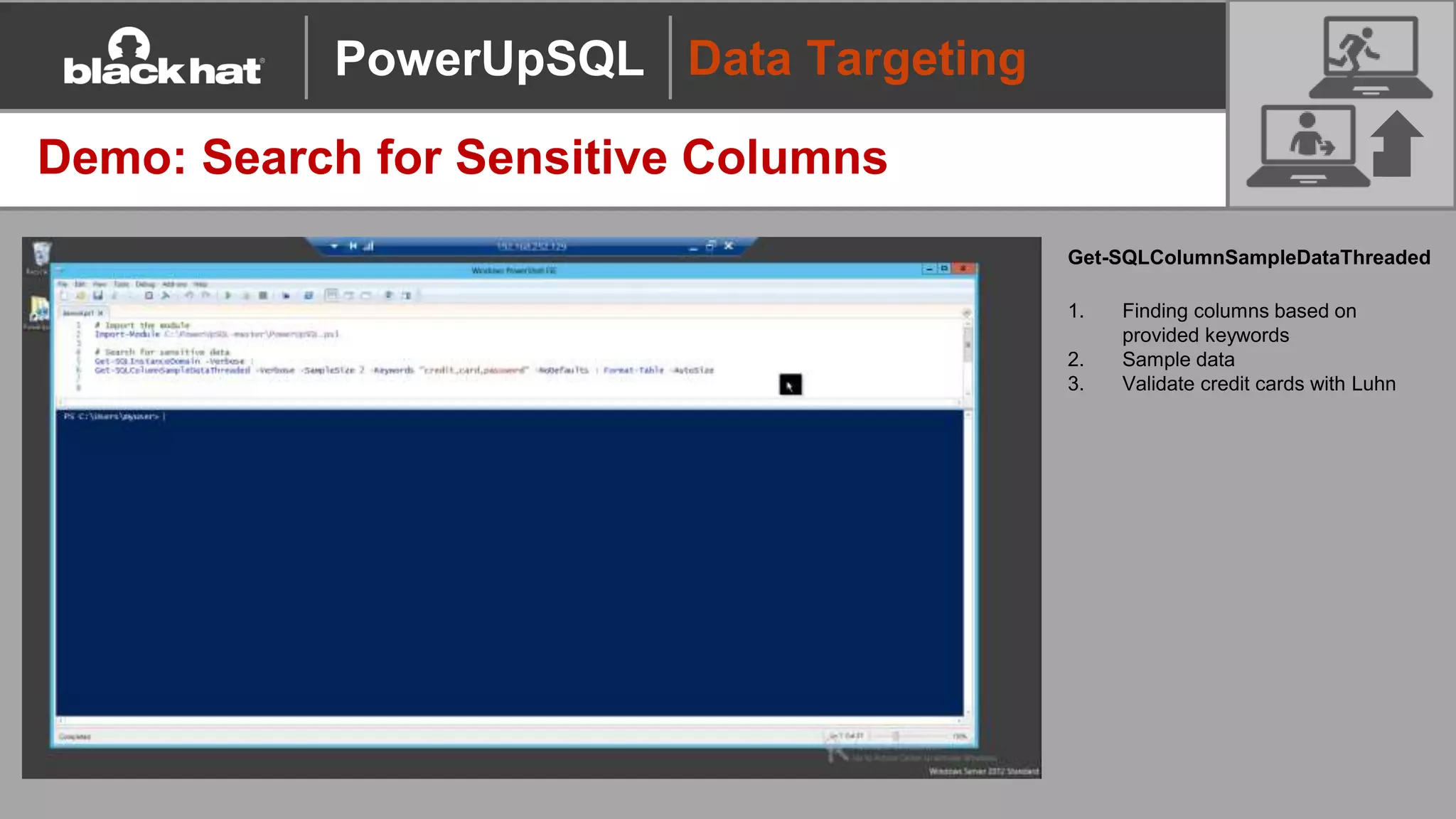
Demo: Search for Sensitive Columns
Get-SQLColumnSampleDataThreaded
1. Finding columns based on
provided keywords
2. Sample data
3. Validate credit cards with Luhn
PowerUpSQL
MSBUILD SQL Client
MSBUILD SQL Server Client Console
Overview
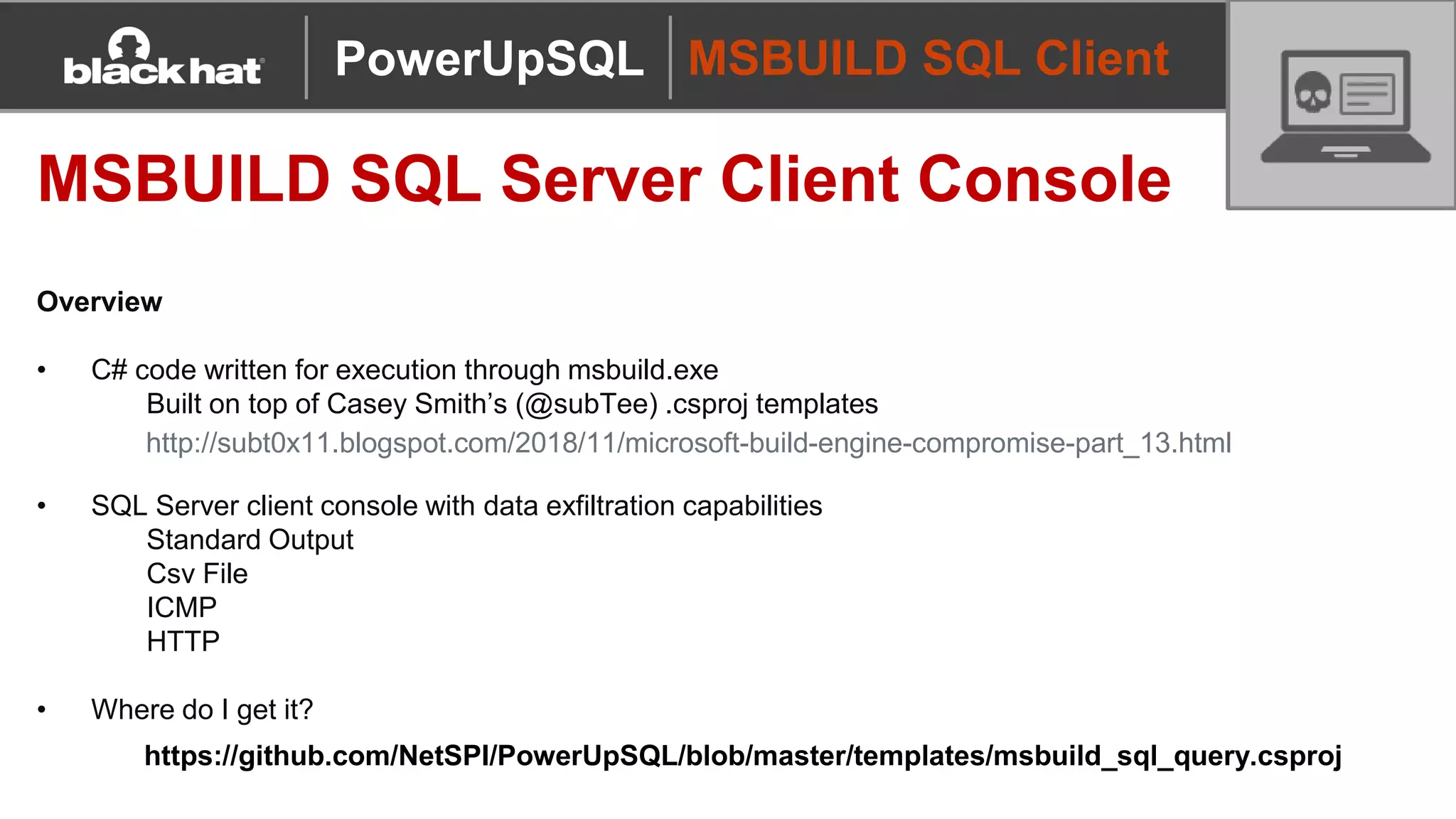
• C# code written for execution through msbuild.exe
Built on top of Casey Smith’s (@subTee) .csproj templates
• SQL Server client console with data exfiltration capabilities
Standard Output
Csv File
ICMP
HTTP
• Where do I get it?
PowerUpSQL
http://subt0x11.blogspot.com/2018/11/microsoft-build-engine-compromise-part_13.html
https://github.com/NetSPI/PowerUpSQL/blob/master/templates/msbuild_sql_query.csproj
MSBUILD SQL Client
MSBUILD SQL Server Client Console
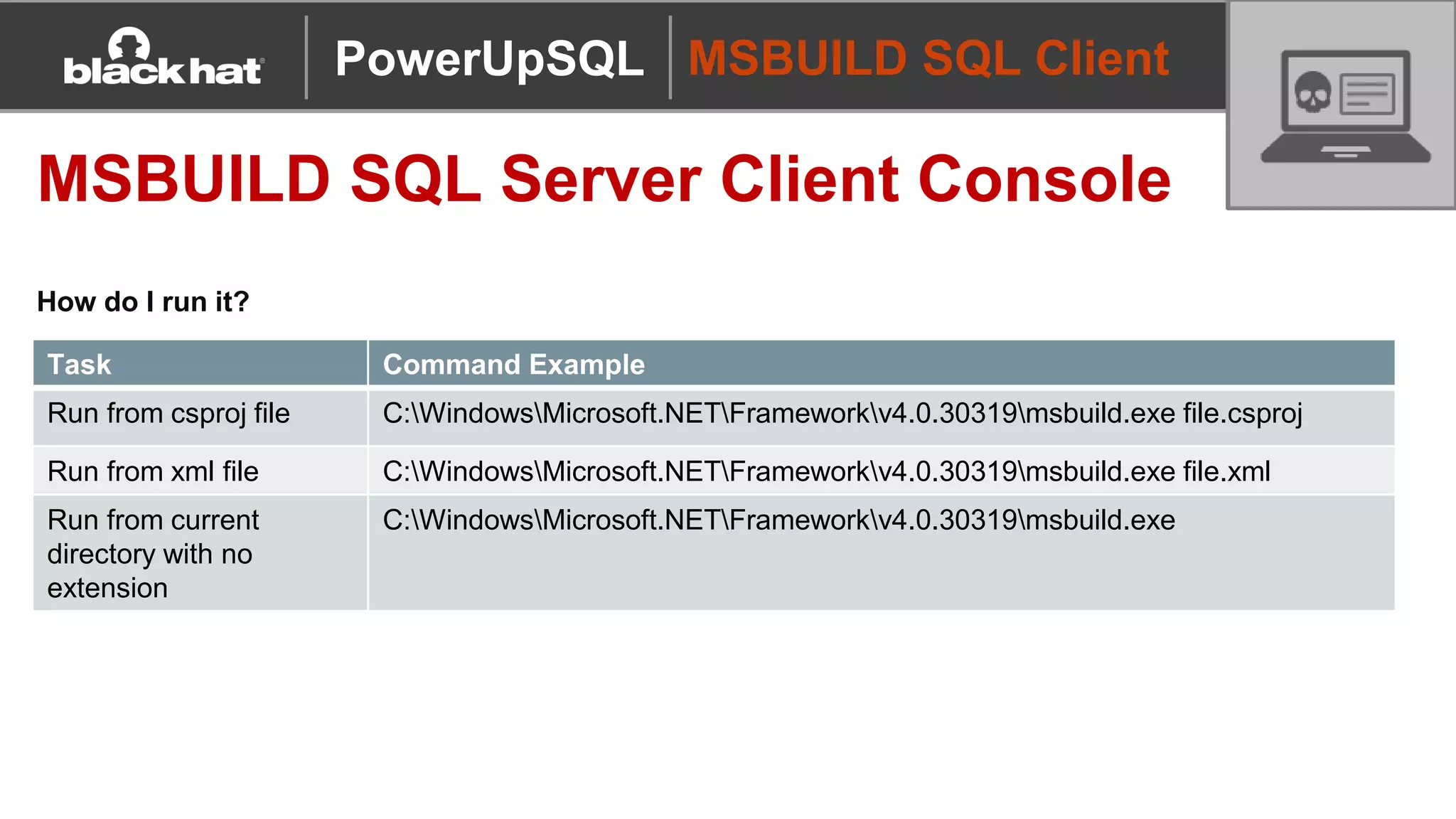
How do I run it?
PowerUpSQL
Task Command Example
Run from csproj file C:WindowsMicrosoft.NETFrameworkv4.0.30319msbuild.exe file.csproj
Run from xml file C:WindowsMicrosoft.NETFrameworkv4.0.30319msbuild.exe file.xml
Run from current
directory with no
extension
C:WindowsMicrosoft.NETFrameworkv4.0.30319msbuild.exe
MSBUILD SQL Client
MSBUILD SQL Server Client Console
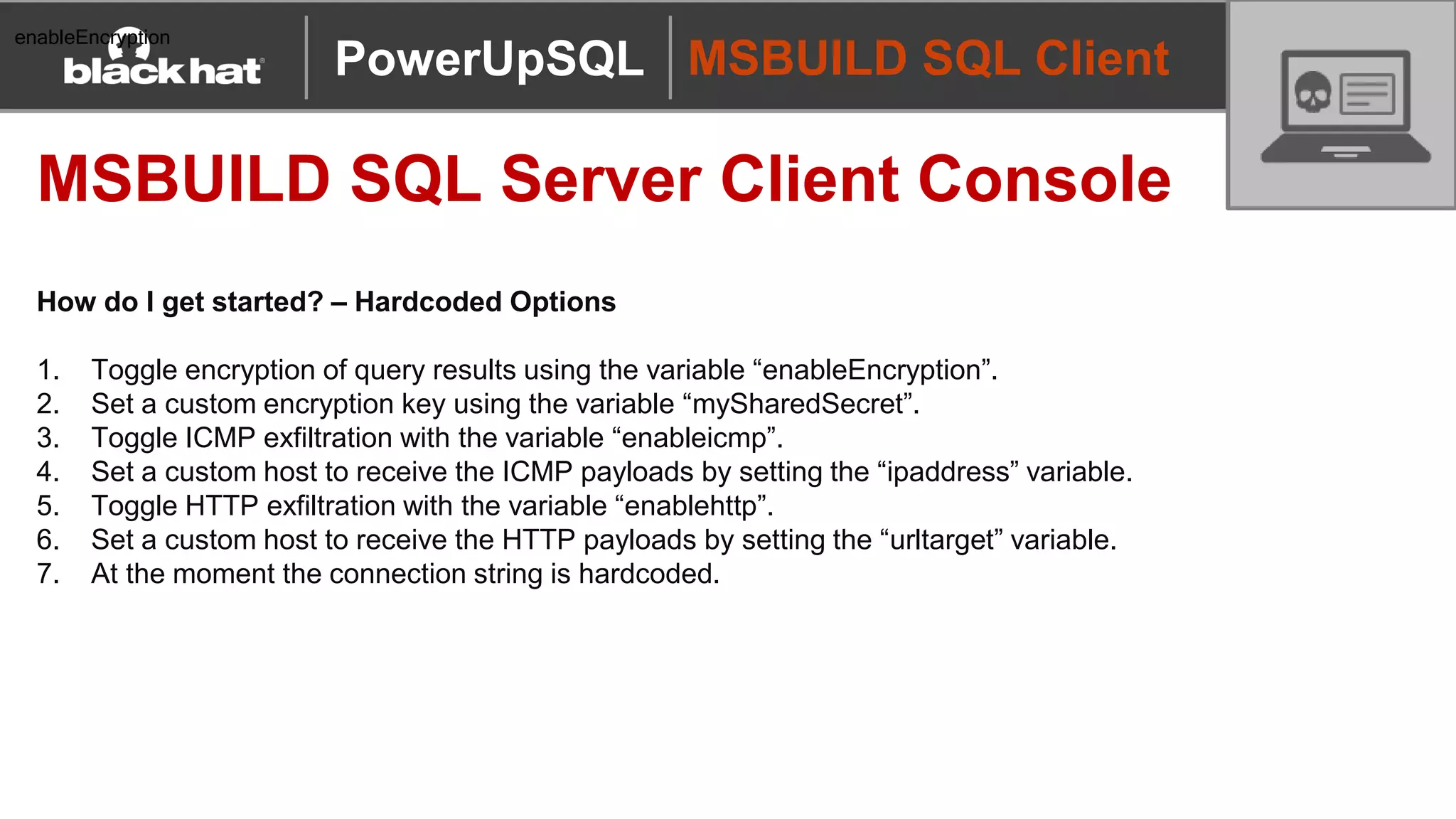
How do I get started? – Hardcoded Options
1. Toggle encryption of query results using the variable “enableEncryption”.
2. Set a custom encryption key using the variable “mySharedSecret”.
3. Toggle ICMP exfiltration with the variable “enableicmp”.
4. Set a custom host to receive the ICMP payloads by setting the “ipaddress” variable.
5. Toggle HTTP exfiltration with the variable “enablehttp”.
6. Set a custom host to receive the HTTP payloads by setting the “urltarget” variable.
7. At the moment the connection string is hardcoded.
PowerUpSQL
enableEncryption
MSBUILD SQL Client
MSBUILD SQL Server Client Console
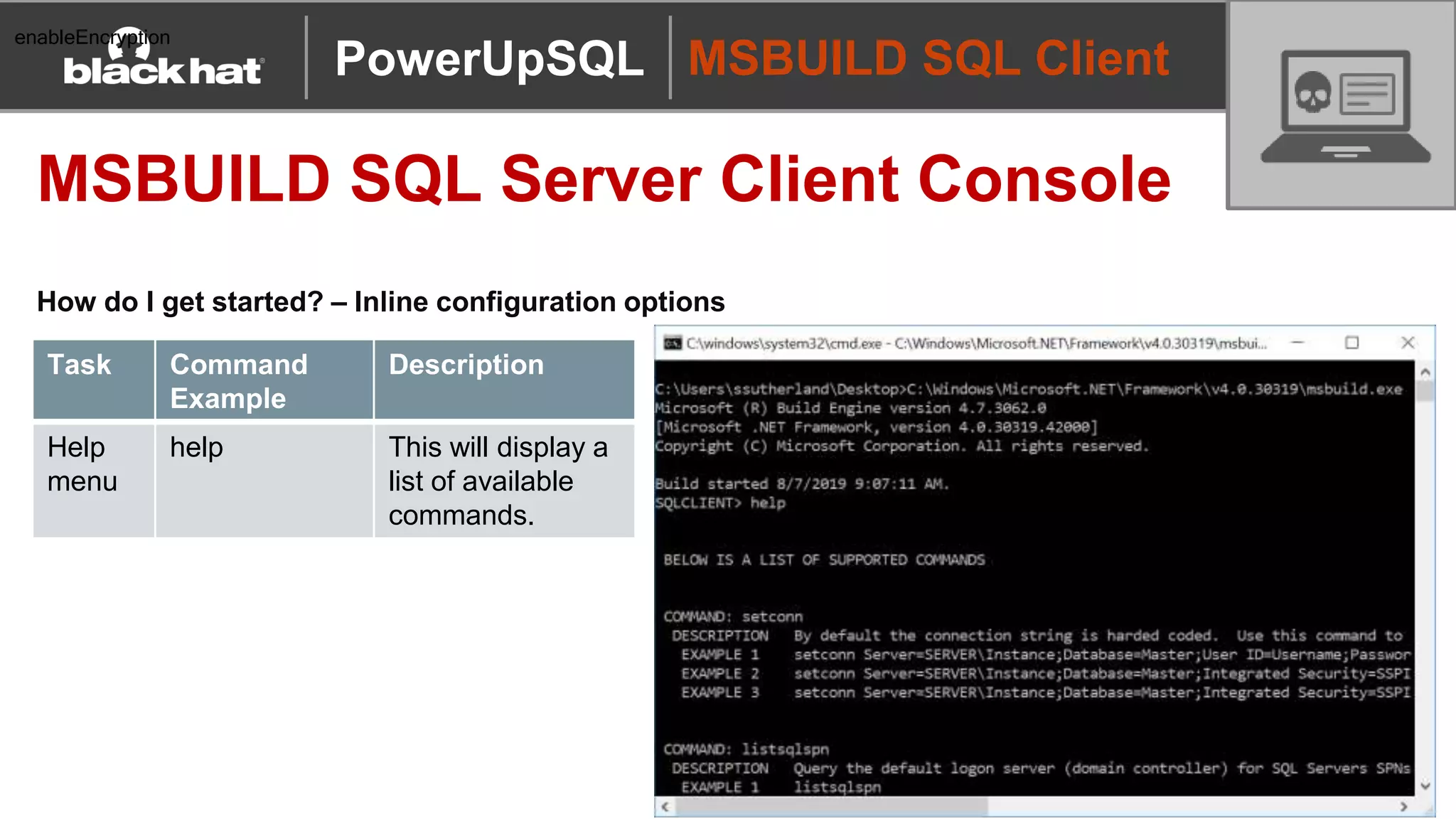
How do I get started? – Inline configuration options
PowerUpSQL
enableEncryption
Task Command
Example
Description
Help
menu
help This will display a
list of available
commands.
MSBUILD SQL Client
MSBUILD SQL Server Client Console
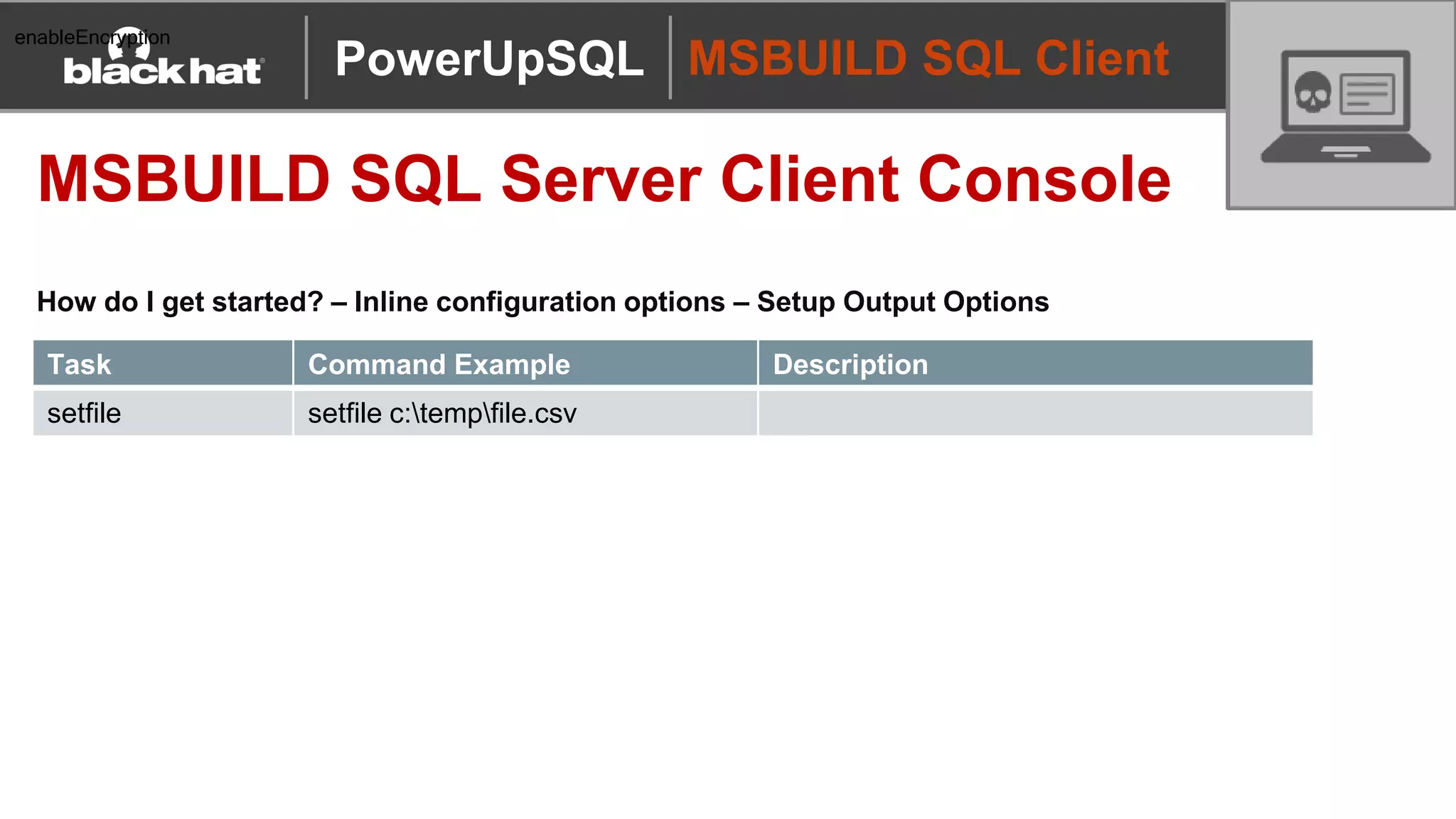
How do I get started? – Inline configuration options – Setup Output Options
PowerUpSQL
enableEncryption
Task Command Example Description
setfile setfile c:tempfile.csv
MSBUILD SQL Client
MSBUILD SQL Server Client Console
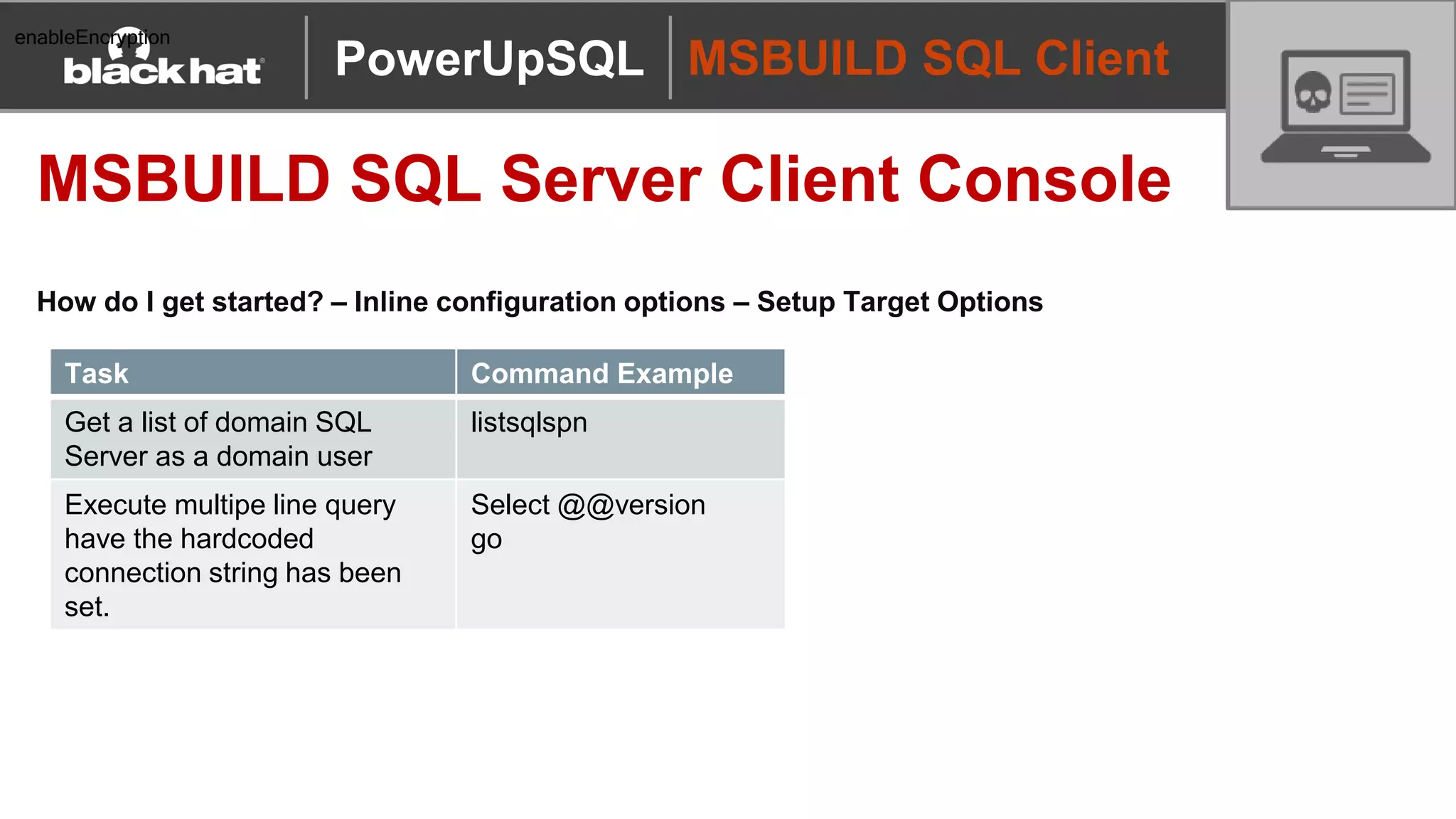
How do I get started? – Inline configuration options – Setup Target Options
PowerUpSQL
enableEncryption
Task Command Example
Get a list of domain SQL
Server as a domain user
listsqlspn
Execute multipe line query
have the hardcoded
connection string has been
set.
Select @@version
go
MSBUILD SQL Client
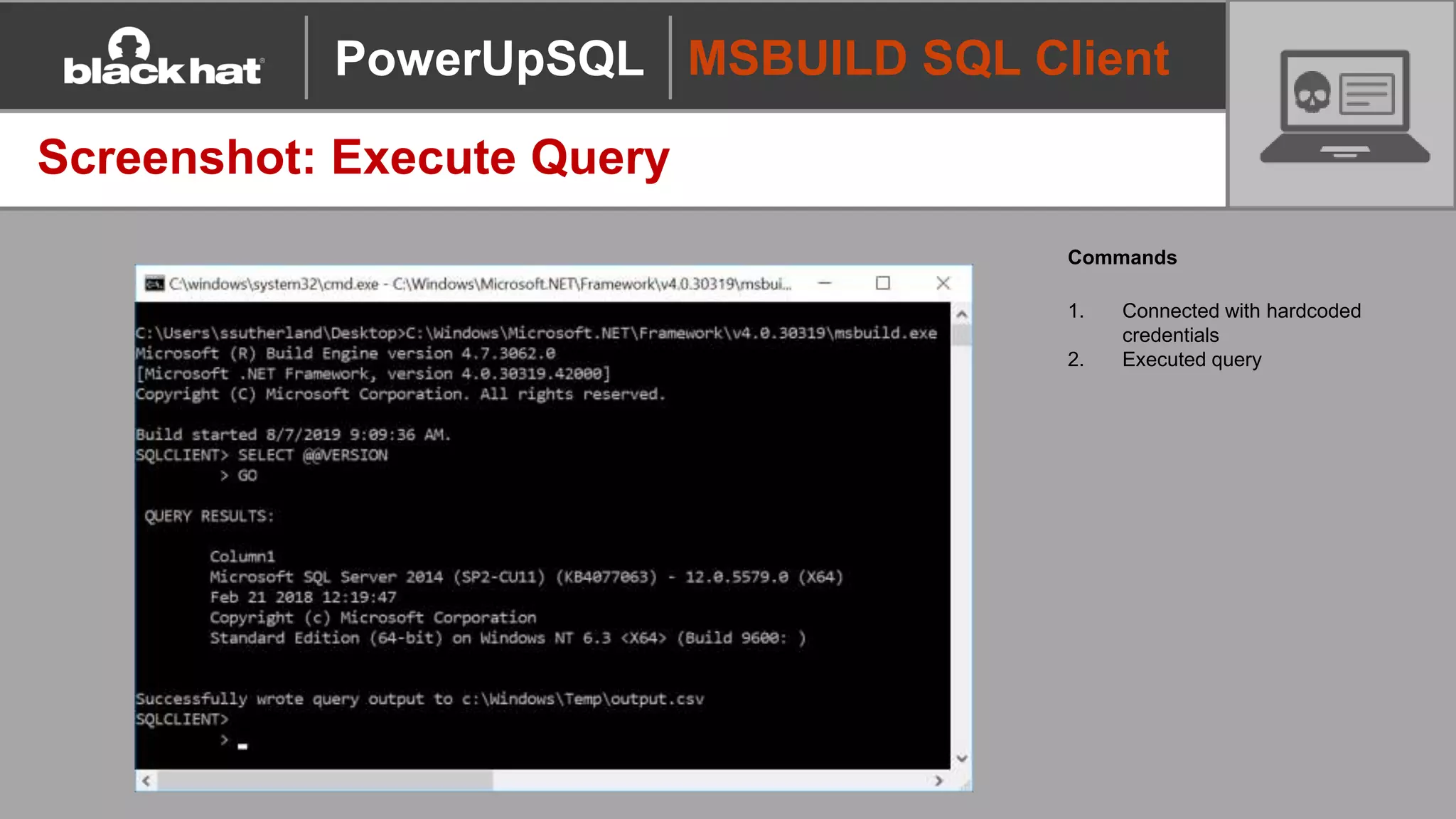
Screenshot: Execute Query
Commands
1. Connected with hardcoded
credentials
2. Executed query
PowerUpSQL
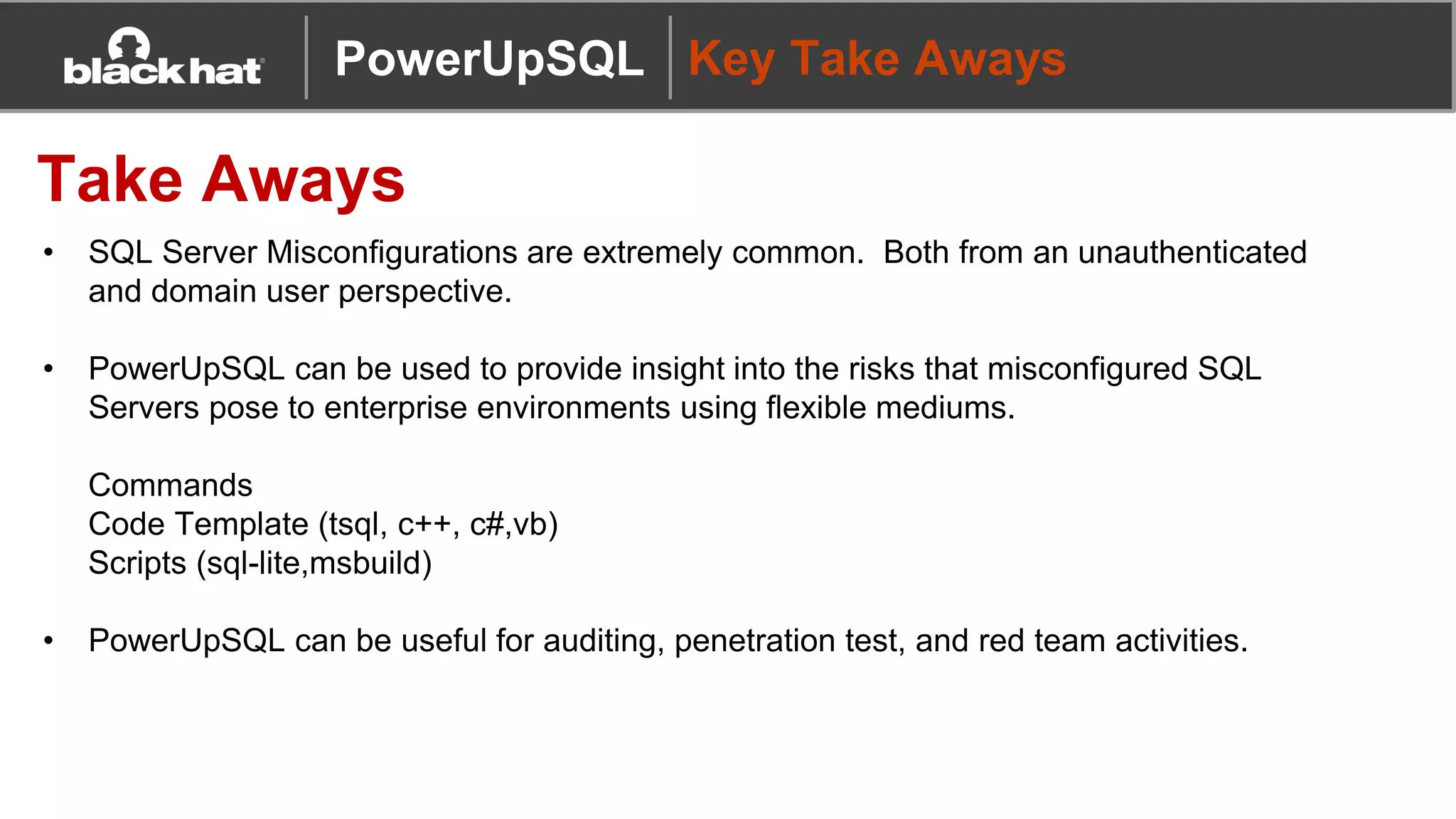
PowerUpSQL Key Take Aways
Take Aways
• SQL Server Misconfigurations are extremely common. Both from an unauthenticated
and domain user perspective.
• PowerUpSQL can be used to provide insight into the risks that misconfigured SQL
Servers pose to enterprise environments using flexible mediums.
Commands
Code Template (tsql, c++, c#,vb)
Scripts (sql-lite,msbuild)
• PowerUpSQL can be useful for auditing, penetration test, and red team activities.
PowerUpSQL Hack Responsibly!

2019 Blackhat Booth Presentation - PowerUpSQL

  • 1.
    Attacking Modern Environments throughSQL Server with PowerUpSQL
  • 2.
    PowerUpSQL WhoAmI Name: ScottSutherland Job: Network & Application Pentester @ NetSPI Twitter: @_nullbind Slides: http://slideshare.net/nullbind http://slideshare.net/netspi Blogs: https://blog.netspi.com/author/scott-sutherland/ Code: https://github.com/netspi/PowerUpSQL https://github.com/nullbind SQLC2 Community involvement: • SQL Server Metasploit modules • PowerShell Empire functions • DBATools functions • DAFT: C# port of PowerUpSQL • Bloodhound SQL Server edge help language
  • 3.
    Data Targeting Command Execution Privilege Escalation AD Recon Lateral Movement Discovery Initial Access Defense Evasion • Whatis PowerUpSQL? • SQL Server cyber kill chain examples using PowerUpSQL • MSBUILD SQL Client Examples NEW! PowerUpSQL Presentation Overview Presentation Overview cyber kill chain
  • 4.
  • 5.
    Tool Overview Why SQLServer? • Used in almost all enterprise environments • Supports Windows authentication both locally and on the domain • Lots of integration with other Windows services and tools PowerUpSQL
  • 6.
    Tool Overview Why PowerShell? •Native to Windows • Run commands in memory • Run managed .net code • Run unmanaged code • Avoid detection by weak Anti-virus / EDR configurations… at least it used to be ;) PowerUpSQL
  • 7.
    Tool Overview What problemare we solving? • There weren’t a lot of flexible SQL Server attack tools available • Available tools often required DBA level knowledge to perform privilege escalation, so common attack techniques weren’t very accessible • Conclusion Let’s make a flexible tool for hacking SQL Servers on scale that you can use without having to be a DBA  PowerUpSQL
  • 8.
    Tool Overview Project Goals FunctionalGoals 1. Discover SQL Servers quickly and blindly 2. Inventory SQL Servers quickly (version, server configs, databases, data) 3. Audit SQL Servers for common insecure configuration quickly 4. Escalate SQL Server privileges quickly Project Goals (Get-Abilities) 1. Scalability Run against multiple servers at the same time 2. Flexibility Pipeline support = One-Liner Heaven 3. Portability - .Net Framework libraries - PowerShell v.2 compliant (in theory) - No SMO dependencies - Single file PowerUpSQL
  • 9.
    Wiki www.powerupsql.com The PowerUpSQL Wikiincludes: • Setup instructions • Cheat sheets • Code templates • Function documentation • Links to: - Blogs - Presentations - Videos PowerUpSQL
  • 10.
    Code Templates Code Templates https://github.com/NetSPI/PowerUpSQL/tree/master/templates PowerUpSQL TemplatesInclude: • TSQL • csharp • C++ • vbscript/jscript Handy for doing this manually!
  • 11.
    Setup PowerUpSQL Setup Options DescriptionCommand Download to Disk + Import Module Download from https://github.com/NetSPI/PowerUpSQL Import-Module PowerUpSQL.psd1 Download/Import to Memory: Download Cradle 1 IEX(New-Object System.Net.WebClient).DownloadString("https://raw.githubuserconte nt.com/NetSPI/PowerUpSQL/master/PowerUpSQL.ps1") Download/Import to Memory: Common Download Cradle 2 &([scriptblock]::Create((new-object net.webclient).downloadstring("https://raw.githubusercontent.com/Net SPI/PowerUpSQL/master/PowerUpSQL.ps1"))) Install Module from PowerShell Gallery Install-Module -Name PowerUpSQL PowerUpSQL
  • 12.
  • 13.
    Basic Commands Popular Functions •Invoke-SQLInstanceDomain • Invoke-SQLUncPathInjection • Invoke-SQLAudit • Invoke-SQLPrivEsc • Invoke-SQLOsCmd • Invoke-SQLDumpInfo • Get-SQLServerLinkCrawl • Get-SQLServerInfo • Get-SQLServerConfiguration • Get-SQLDatabase • Get-SQLColumnSampleData PowerUpSQL
  • 14.
  • 15.
    OS Authentication LevelTechnique Function Unauthenticated Azure DNS brute force Not currently supported Unauthenticated Azure DNS lookup OSINT Not currently supported Unauthenticated TCP scan Not currently supported Unauthenticated UDP scan Get-SQLInstanceUDPScan Unauthenticated UDP broadcast ping Get-SQLInstanceBroadcast Unauthenticated Obtain list of servers from a file Get-SQLInstanceFile Local User Locate services and registry keys Get-SQLInstanceLocal Domain User Query ADS via LDAP for SPNs Get-SQLInstanceDomain SQL Server Discovery Discovery Techniques & Functions PowerUpSQL
  • 16.
    SQL Server Discovery Demo:SQL Server Discovery PowerUpSQL
  • 17.
  • 18.
    Initial Access How doI get access? Common Methods • Attempt to login with local or domain user privileges (Very Common) - Computer accounts work too  • Weak SQL Server login passwords • Default SQL Server login passwords • Default SQL Server login passwords associated with 3rd party applications PowerUpSQL
  • 19.
    Initial Access Demo: AuthenticatedPassword Guessing Invoke-SQLAuditWeakLoginPw 1. Blindly enumerates all SQL logins with least privilege SQL login 2. Attempt user name as password 3. Custom user/password lists can be provided Get-SQLFuzzDomainAccount 1. Blindly enumerate domain users and group associated with the SQL Server domain with least privilege SQL login PowerUpSQL
  • 20.
    Initial Access Demo: CheckSQL Server Instance Names Associated with 3rd Party Apps Invoke-SQLAuditDefaultLoginPw 1. Check if provided SQL Server instance names are associated with 3rd party applications. 2. Test if the matches are configured with default credentials. Instances are typically provided via: Get-SQLInstanceLocal Get-SQLInstanceDomain PowerUpSQL
  • 21.
  • 22.
    Defense Evasion Listing AuditControls PowerUpSQL Functions Task Note Function List Server Audits All audits Not suported List Server audit specifications DDL Events Get-SQLAuditServerSpec List Database audit specifications DML Events Get-SQLAuditDatabaseSpec PowerUpSQL
  • 23.
    Defense Evasion What’s thebest way to hide? Basic avoidance options: • Remove audit controls – not recommended • Disable audit controls – not recommended • Just use techniques that aren’t being audited PowerUpSQL
  • 24.
  • 25.
    Privilege Escalation Service Accounts,Sysadmins, and Explicit Permissions Summary of Points • OS Commands can be executed if you have a sysadmin login or have been provided explicit permissions to sensitive functionality • Most command execution options in SQL Server run as the SQL Server service account • SQL Server account can be configured as: local user, domain user, domain admin, etc • SQL Server service account = Sysadmin (and implicitly the SQL Server service process) PowerUpSQL
  • 26.
    Privilege Escalation Demo: LocalAdmin to Sysadmin Invoke-SQLImpersonateService Impersonating the SQL Server service account (sysadmin) using the PowerUpSQL function Invoke- SQLImpersonateService that wraps Joe Bialek’s Invoke-TokenManipulation PowerUpSQL
  • 27.
    Privilege Escalation Domain User/SQLLogin to Sysadmin Insecure configurations are very common… • Weak passwords - default SQL Server, default third party applications, custom SQL logins - user enumeration helps ;) • Excessive permissions - startup procedures, dangerous stored procedures (RWX), xp creation, CLR creation - impersonation, database ownership, database links, agent jobs • SQL Injection - EXECUTE AS LOGIN - Signed procedures • Out of date versions PowerUpSQL
  • 28.
    Privilege Escalation Domain User/SQLLogin to Sysadmin Most common escalation path: • Locate SQL Servers on the domain via LDAP queries to DC • Attempt to log into each one as the current domain user • Perform UNC path injection to capture SQL Server service account password hash Domain User Access Public Role on SQL Server UNC Path Injection SQL Server Service account PW hash sent to Attacker’s IP Crack or Relay Password Hash Access SQL Server using Service Account (sysadmin) Service Account is often Local Administrator too  PowerUpSQL
  • 29.
    Privilege Escalation Demo: DomainUser to Sysadmin Invoke-SQLUncPathInjection 1. Gets SQL Server SPNs 2. Attempt to log into each 3. Performs UNC path injection 4. Capture pw hashes PowerUpSQL
  • 30.
  • 31.
    Command Execution Execution methoddetermines user Common Execution Contexts • Current Windows user • Configured credential • SQL Server service account • Agent service account Reminder OS commands via SQL Server = Windows Account Impersonation PowerUpSQL
  • 32.
    Command Execution So manyoptions… PowerUpSQL
  • 33.
    Command Execution Technique PowerUpSQLFunctions PowerUpSQL Templates Execute xp_cmdshell • Invoke-SQLOSCmd • oscmdexec_xpcmdshell.sql • oscmdexec_xpcmdshell_proxy.sql Create & Execute a Extended Stored Procedure • Create-SQLFileXpDll • Get-SQLStoredProcedureXp • cmd_exec.cpp Create & Execute a CLR Assembly • Create-SQLFileCLRDll • Get-SQLStoreProcedureCLR • Get-SQLStoreProcedureCLR –ExportFolder C:temp • Invoke-SQLOSCmdCLR • cmd_exec.cs Execute a OLE Automation Procedure • Invoke-SQLOSCmdOle • oscmdexec_oleautomationobject.sql Create & Execute an Agent Job • CmdExec • PowerShell • ActiveX: Jscript – checkout dotnettojscript!! • ActiveX: VBScript • Get-SQLAgentJob • Invoke-SQLOSCmdAgentJob • oscmdexec_agentjob_activex_jscript.sql • oscmdexec_agentjob_activex_vbscript.sql • oscmdexec_agentjob_cmdexec.sql • oscmdexec_agentjob_powershell.sql External Scripting • R • Python • Invoke-SQLOSCmdR • Invoke-SQLOSCmdPython • oscmdexec_rscript.sql • oscmdexec_pythonscript.tsql OS Autoruns • Bulk Insert • Provider • Microsoft.ACE.OLEDB.12.0 • Microsoft.Jet.OLEDB.4.0 • Get-SQLPersistRegRun • Get-SQLPersistRegDebugger • writefile_bulkinsert.sql PowerUpSQL
  • 34.
  • 35.
    Persistence Leveraging CLR Assemblies PowerUpSQLCLR Functions Action PowerUpSQL Function Create custom CLR assemblies with custom attributes to execute OS commands Create-SQLFileCLRDLL Execute OS Command via CLR Invoke-SQLOSCmdCLR List Assembly Information Get-SQLStoredProcedureCLR Export Existing Assemblies Get-SQLStoredProcedureCLR –ExportFolder c:temp https://blog.netspi.com/attacking-sql-server-clr-assemblies/ PowerUpSQL
  • 36.
    Persistence Backdoor Existing CLRAssemblies Process Overview 1. List CLR assemblies in each database 2. Export CLR assemblies to .net DLLs 3. Decompile DLLs 4. Modify DLL 5. Save DLL 6. Modify MVID (module version ID) 7. ALTER existing CLR PowerUpSQL
  • 37.
  • 38.
    Data Targeting Finding SensitiveData Common approaches • Target large databases • Locate transparently encrypted databases (people tend to encrypt things they care about) • Search columns based on keywords and sample data • Use regular expressions and the Luhn formula against data samples PowerUpSQL
  • 39.
    Data Targeting Finding SensitiveData PowerUpSQL Functions Note: It helps to be associated with an application or enterprise DBA group when running these Task Command Example Includes database size Get-SQLInstanceDomain -Verbose | Get-SQLDatabaseThreaded Locate Encrypted Databases (include size information) Get-SQLInstanceDomain -Verbose | Get-SQLDatabaseThreaded –Verbose –Threads 10 -NoDefaults | Where-Object {$_.is_encrypted –eq “TRUE”} Locate and Sample Sensitive Columns and Export to CSV Get-SQLInstanceDomain -Verbose | Get-SQLColumnSampleDataThreaded –Verbose –Threads 10 –Keyword “credit,ssn,password” –SampleSize 2 –ValidateCC –NoDefaults | Export-CSV –NoTypeInformation c:tempdatasample.csv PowerUpSQL
  • 40.
    Data Targeting Demo: Searchfor Sensitive Columns Get-SQLColumnSampleDataThreaded 1. Finding columns based on provided keywords 2. Sample data 3. Validate credit cards with Luhn PowerUpSQL
  • 41.
    MSBUILD SQL Client MSBUILDSQL Server Client Console Overview • C# code written for execution through msbuild.exe Built on top of Casey Smith’s (@subTee) .csproj templates • SQL Server client console with data exfiltration capabilities Standard Output Csv File ICMP HTTP • Where do I get it? PowerUpSQL http://subt0x11.blogspot.com/2018/11/microsoft-build-engine-compromise-part_13.html https://github.com/NetSPI/PowerUpSQL/blob/master/templates/msbuild_sql_query.csproj
  • 42.
    MSBUILD SQL Client MSBUILDSQL Server Client Console How do I run it? PowerUpSQL Task Command Example Run from csproj file C:WindowsMicrosoft.NETFrameworkv4.0.30319msbuild.exe file.csproj Run from xml file C:WindowsMicrosoft.NETFrameworkv4.0.30319msbuild.exe file.xml Run from current directory with no extension C:WindowsMicrosoft.NETFrameworkv4.0.30319msbuild.exe
  • 43.
    MSBUILD SQL Client MSBUILDSQL Server Client Console How do I get started? – Hardcoded Options 1. Toggle encryption of query results using the variable “enableEncryption”. 2. Set a custom encryption key using the variable “mySharedSecret”. 3. Toggle ICMP exfiltration with the variable “enableicmp”. 4. Set a custom host to receive the ICMP payloads by setting the “ipaddress” variable. 5. Toggle HTTP exfiltration with the variable “enablehttp”. 6. Set a custom host to receive the HTTP payloads by setting the “urltarget” variable. 7. At the moment the connection string is hardcoded. PowerUpSQL enableEncryption
  • 44.
    MSBUILD SQL Client MSBUILDSQL Server Client Console How do I get started? – Inline configuration options PowerUpSQL enableEncryption Task Command Example Description Help menu help This will display a list of available commands.
  • 45.
    MSBUILD SQL Client MSBUILDSQL Server Client Console How do I get started? – Inline configuration options – Setup Output Options PowerUpSQL enableEncryption Task Command Example Description setfile setfile c:tempfile.csv
  • 46.
    MSBUILD SQL Client MSBUILDSQL Server Client Console How do I get started? – Inline configuration options – Setup Target Options PowerUpSQL enableEncryption Task Command Example Get a list of domain SQL Server as a domain user listsqlspn Execute multipe line query have the hardcoded connection string has been set. Select @@version go
  • 47.
    MSBUILD SQL Client Screenshot:Execute Query Commands 1. Connected with hardcoded credentials 2. Executed query PowerUpSQL
  • 48.
    PowerUpSQL Key TakeAways Take Aways • SQL Server Misconfigurations are extremely common. Both from an unauthenticated and domain user perspective. • PowerUpSQL can be used to provide insight into the risks that misconfigured SQL Servers pose to enterprise environments using flexible mediums. Commands Code Template (tsql, c++, c#,vb) Scripts (sql-lite,msbuild) • PowerUpSQL can be useful for auditing, penetration test, and red team activities.
  • 49.