Next Level LinkedIn
7x7x7 Ground Rules
1.Each EXPERT will have SEVEN MINUTES to share their
TIP.
2.A one-minute warning will sound.
3.Once the signal sounds, no more TIPS!
4.Please hold all questions until the end.
5.There will be approximately 30 minutes for questions
and answers after all have shared.
6.Questions should be directed to the moderator.
7.Please keep track of TIPS on the back of your info
sheet.
Our Moderator
Veronica Williams
@VJWBranding
The Hidden Tools.
Dave Rubel
@DaveRubel
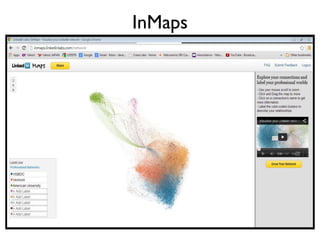
InMaps
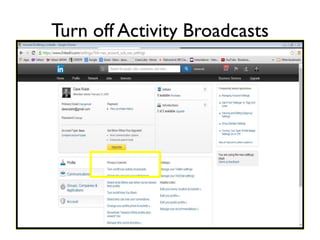
Turn off Activity Broadcasts
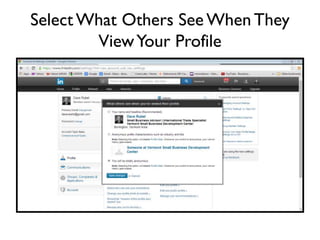
Select What Others See When
They View Your Profile
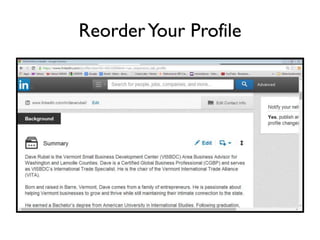
Reorder Your Profile
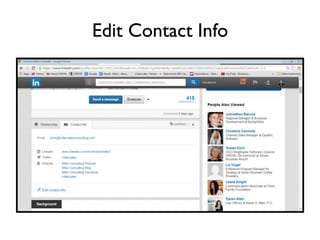
Edit Contact Info
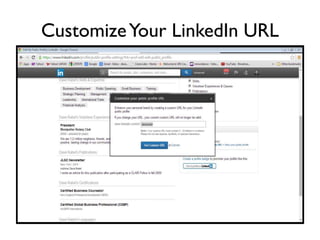
Customize Your LinkedIn URL
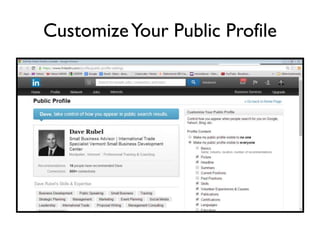
Customize Your Public Profile
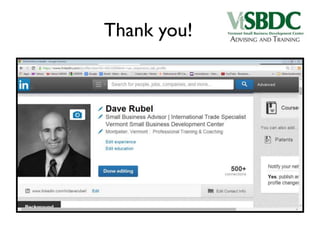
Thank you!
Drive Your Sales.
Christine Miller
@millersales
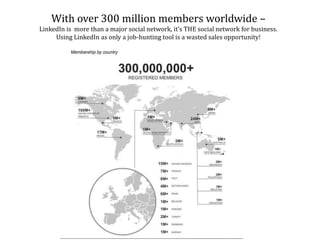
With over 300 million members worldwide –
LinkedIn is more than a major social network, it’s THE social network for business.
Using LinkedIn as only a job-hunting tool is a wasted sales opportunity!
My Tip?
Use LinkedIn to Drive Sales!
• Seven Mini Tips (less than a minute each) to get it
done!
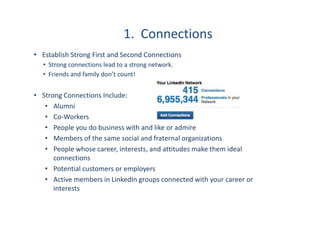
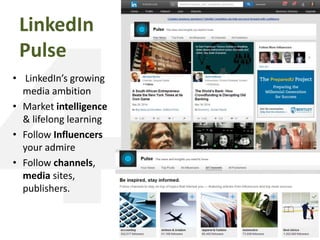
1. Connections
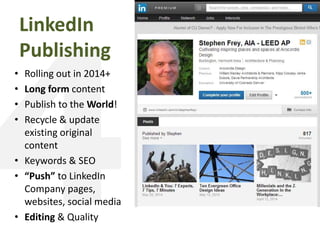
• Establish Strong First and Second Connections
• Strong connections lead to a strong network.
• Friends and family don’t count!
• Strong Connections Include:
• Alumni
• Co-Workers
• People you do business with and like or admire
• Members of the same social and fraternal organizations
• People whose career, interests, and attitudes make them ideal
connections
• Potential customers or employers
• Active members in LinkedIn groups connected with your career or
interests
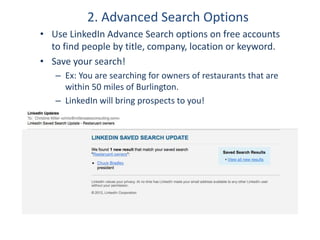
2. Advanced Search Options
• Use LinkedIn Advance Search options on free accounts
to find people by title, company, location or keyword.
• Save your search!
– Ex: You are searching for owners of restaurants that are
within 50 miles of Burlington.
– LinkedIn will bring prospects to you!
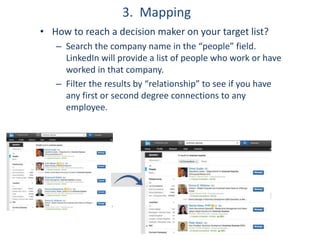
3. Mapping
• How to reach a decision maker on your target list?
– Search the company name in the “people” field.
LinkedIn will provide a list of people who work or have
worked in that company.
– Filter the results by “relationship” to see if you have
any first or second degree connections to any
employee.
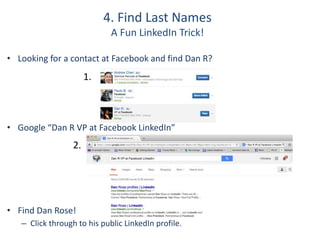
4. Find Last Names
A Fun LinkedIn Trick!
• Looking for a contact at Facebook and find Dan R?
• Google “Dan R VP at Facebook LinkedIn”
• Find Dan Rose!
– Click through to his public LinkedIn profile.
1.
2.
5. Join LinkedIn Groups
(or start one!)
• As a Member of a Group…
• You can bypass the need to be a first degree
connection to message them.
• You can view the profiles of the members without
being connected.
• Start Your Own Group…
• Establish yourself as a thought leader in your industry.
• Grow a community of advocates.
• Acquire new leads!
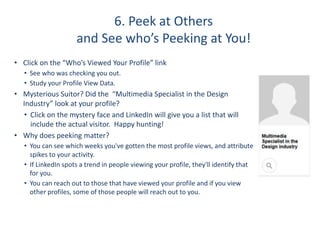
6. Peek at Others
and See who’s Peeking at You!
• Click on the “Who’s Viewed Your Profile” link
• See who was checking you out.
• Study your Profile View Data.
• Mysterious Suitor? Did the “Multimedia Specialist in the Design
Industry” look at your profile?
• Click on the mystery face and LinkedIn will give you a list that will
include the actual visitor. Happy hunting!
• Why does peeking matter?
• You can see which weeks you've gotten the most profile views, and attribute
spikes to your activity.
• If LinkedIn spots a trend in people viewing your profile, they'll identify that
for you.
• You can reach out to those that have viewed your profile and if you view
other profiles, some of those people will reach out to you.
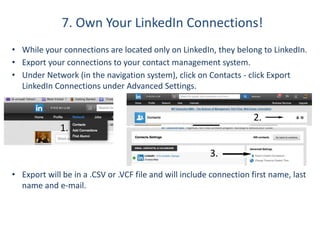
7. Own Your LinkedIn Connections!
• While your connections are located only on LinkedIn, they belong to LinkedIn.
• Export your connections to your contact management system.
• Under Network (in the navigation system), click on Contacts - click Export
LinkedIn Connections under Advanced Settings.
• Export will be in a .CSV or .VCF file and will include connection first name, last
name and e-mail.
1.
2.
3.
Tangible revenue and new accounts can be derived from LinkedIn.
Use it as a sales tool and you can expect better results!
Be a superhero.
Sonya Endreva-Cisar
@comcastbusiness
Agenda
• Outcome – are you a superhero yet?
• Traditional business model accelerated.
• More tips to stay visible.
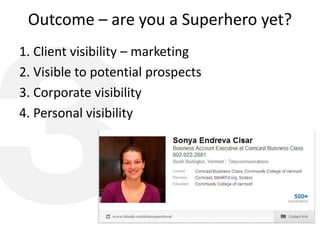
Outcome – are you a Superhero yet?
1. Client visibility – marketing
2. Visible to potential prospects
3. Corporate visibility
4. Personal visibility
Traditional business model accelerated
• What is a traditional business model?
• How do we leverage it?
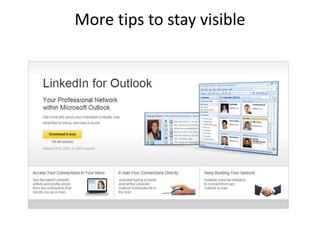
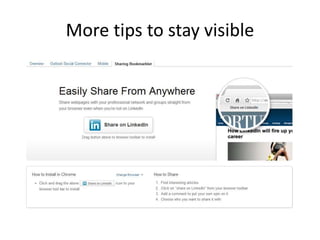
More tips to stay visible
Resources to help You become a
Superhero!
Last but not least…
Always have fun and believe
in the superhero of YOU!
Powerful updates and posts.
Stephen Frey
@arocordisdesign
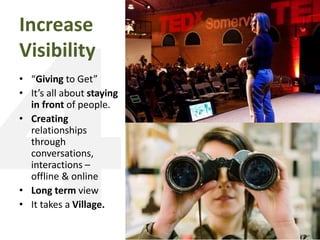
Increase
Visibility
• “Giving to Get”
• It’s all about staying
in front of people.
• Creating
relationships
through
conversations,
interactions –
offline & online

• Long term view
• It takes a Village.
Figure Out
Your Goals
• What is your plan?
• What: Define your
subject matter
expertise areas.
• Who are your
audiences?
• How often to do it?
• What are
conversions for
you?
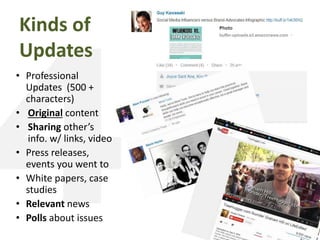
Kinds of
Updates
• Professional
Updates (500 +
characters)
• Original content
• Sharing other’s
info. w/ links, video
• Press releases,
events you went to
• White papers, case
studies
• Relevant news
• Polls about issues
Optimizing
Updates
• Cross-link to
Twitter & WeChat
• Hashtags #
• @Symbols in words
• Times of day, week,
weekend
• Global vs. local
• Link updates to
Facebook, Google +
• But Don’t Spam
LinkedIn
Pulse
• LinkedIn’s growing
media ambition
• Market intelligence
& lifelong learning
• Follow Influencers
your admire
• Follow channels,
media sites,
publishers.
LinkedIn
Publishing
• Rolling out in 2014+
• Long form content
• Publish to the World!
• Recycle & update
existing original
content
• Keywords & SEO
• “Push” to LinkedIn
Company pages,
websites, social media
• Editing & Quality
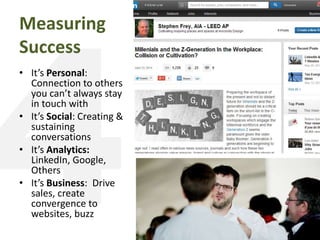
Measuring
Success
• It’s Personal:
Connection to others
you can’t always stay
in touch with
• It’s Social: Creating &
sustaining
conversations
• It’s Analytics:
LinkedIn, Google,
Others
• It’s Business: Drive
sales, create
convergence to
websites, buzz
For More….
• Use LinkedIn search to find
out who’s publishing in your
expertise.
• Wayne Berefruth:
Power+Formula
• LinkedIn Publishing:
– LinkedIn Blog: The Definitive
Publishing Platform
– Social Media Examiner: LInkedIn
Publishing, What Marketer’s need to
know
– Entrepreneur Blog: Should You Join
LinkedIn’s Expanded Influencer
Program
Groups, filtering and talent recruitment.
Emily Pendergraft
@EPendergraft
Groups, Filtering and Talent
recruitment
Tailoring your search to meet your outreach needs
Our assumptions:
• ME:
– Anyone who creates a LinkedIn profile is open and willing to recruiters
contacting the.
• THEM:
– I (the recruiter) am a real person.
– The company exists and you can learn more directly from the recruiter’s page.
• US:
– LinkedIn is growing- approx.. 2 new members every second- and will continue to
grow.
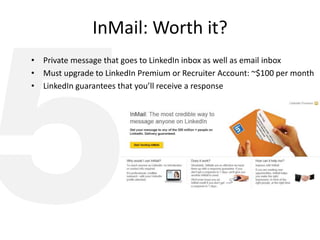
InMail: Worth it?
• Private message that goes to LinkedIn inbox as well as email inbox
• Must upgrade to LinkedIn Premium or Recruiter Account: ~$100 per month
• LinkedIn guarantees that you’ll receive a response
I’m not paying $100 per month!
I don’t want to/can’t afford to pay for InMail!
Now what?
– Use groups
– Use search filters
– Use Google
– Export your connections
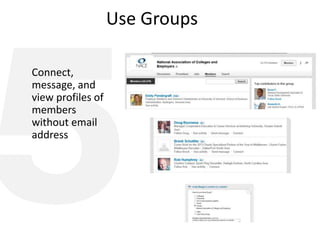
Use Groups
Connect,
message, and
view profiles of
members
without email
address
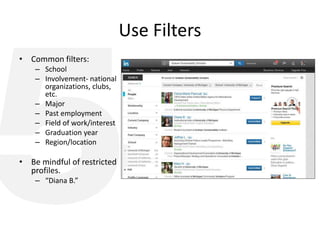
Use Filters
• Common filters:
– School
– Involvement- national
organizations, clubs,
etc.
– Major
– Past employment
– Field of work/interest
– Graduation year
– Region/location
• Be mindful of restricted
profiles.
– “Diana B.”
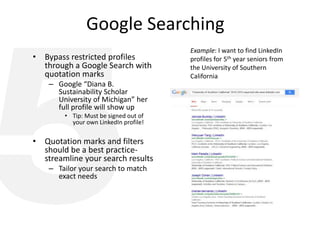
Google Searching
• Bypass restricted profiles
through a Google Search with
quotation marks
– Google “Diana B.
Sustainability Scholar
University of Michigan” her
full profile will show up
• Tip: Must be signed out of
your own LinkedIn profile!
• Quotation marks and filters
should be a best practice-
streamline your search results
– Tailor your search to match
exact needs
Example: I want to find LinkedIn
profiles for 5th year seniors from
the University of Southern
California
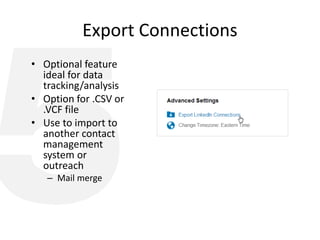
Export Connections
• Optional feature
ideal for data
tracking/analysis
• Option for .CSV or
.VCF file
• Use to import to
another contact
management
system or
outreach
– Mail merge
Use LinkedIn for talent recruitment, but tailor your
approach to meet your business needs.
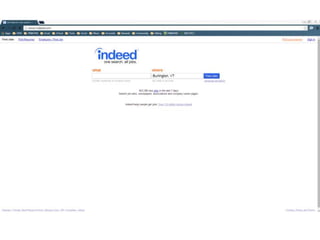
Indeed!
Ted Adler
@TedAdler
Be selfish.
Bibi Mukherjee
@WookieSam
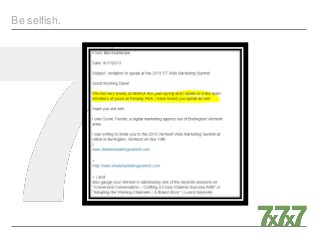
Be selfish.
MY SELFISH AGENDA
Be selfish.
Be selfish.
Be selfish.
Be selfish.
Questions?
• Please direct either towards a
specific panelist or in general
for any to answer
• Use hashtag #777LinkedIn
Thank you for attending today.
Copies of today’s presentation are available for
sharing or download at:
• www.twitter.com/FamBizSuccess
• www.slideshare.com/dvdv

2014 7x7x7 Next Level LinkedIn.

  • 1.
  • 2.
    7x7x7 Ground Rules 1.EachEXPERT will have SEVEN MINUTES to share their TIP. 2.A one-minute warning will sound. 3.Once the signal sounds, no more TIPS! 4.Please hold all questions until the end. 5.There will be approximately 30 minutes for questions and answers after all have shared. 6.Questions should be directed to the moderator. 7.Please keep track of TIPS on the back of your info sheet.
  • 3.
  • 4.
    The Hidden Tools. DaveRubel @DaveRubel
  • 5.
  • 6.
  • 7.
    Select What OthersSee When They View Your Profile
  • 8.
  • 9.
  • 10.
  • 11.
  • 12.
  • 13.
    Drive Your Sales. ChristineMiller @millersales
  • 14.
    With over 300million members worldwide – LinkedIn is more than a major social network, it’s THE social network for business. Using LinkedIn as only a job-hunting tool is a wasted sales opportunity!
  • 15.
    My Tip? Use LinkedInto Drive Sales! • Seven Mini Tips (less than a minute each) to get it done!
  • 16.
    1. Connections • EstablishStrong First and Second Connections • Strong connections lead to a strong network. • Friends and family don’t count! • Strong Connections Include: • Alumni • Co-Workers • People you do business with and like or admire • Members of the same social and fraternal organizations • People whose career, interests, and attitudes make them ideal connections • Potential customers or employers • Active members in LinkedIn groups connected with your career or interests
  • 17.
    2. Advanced SearchOptions • Use LinkedIn Advance Search options on free accounts to find people by title, company, location or keyword. • Save your search! – Ex: You are searching for owners of restaurants that are within 50 miles of Burlington. – LinkedIn will bring prospects to you!
  • 18.
    3. Mapping • Howto reach a decision maker on your target list? – Search the company name in the “people” field. LinkedIn will provide a list of people who work or have worked in that company. – Filter the results by “relationship” to see if you have any first or second degree connections to any employee.
  • 19.
    4. Find LastNames A Fun LinkedIn Trick! • Looking for a contact at Facebook and find Dan R? • Google “Dan R VP at Facebook LinkedIn” • Find Dan Rose! – Click through to his public LinkedIn profile. 1. 2.
  • 20.
    5. Join LinkedInGroups (or start one!) • As a Member of a Group… • You can bypass the need to be a first degree connection to message them. • You can view the profiles of the members without being connected. • Start Your Own Group… • Establish yourself as a thought leader in your industry. • Grow a community of advocates. • Acquire new leads!
  • 21.
    6. Peek atOthers and See who’s Peeking at You! • Click on the “Who’s Viewed Your Profile” link • See who was checking you out. • Study your Profile View Data. • Mysterious Suitor? Did the “Multimedia Specialist in the Design Industry” look at your profile? • Click on the mystery face and LinkedIn will give you a list that will include the actual visitor. Happy hunting! • Why does peeking matter? • You can see which weeks you've gotten the most profile views, and attribute spikes to your activity. • If LinkedIn spots a trend in people viewing your profile, they'll identify that for you. • You can reach out to those that have viewed your profile and if you view other profiles, some of those people will reach out to you.
  • 22.
    7. Own YourLinkedIn Connections! • While your connections are located only on LinkedIn, they belong to LinkedIn. • Export your connections to your contact management system. • Under Network (in the navigation system), click on Contacts - click Export LinkedIn Connections under Advanced Settings. • Export will be in a .CSV or .VCF file and will include connection first name, last name and e-mail. 1. 2. 3.
  • 23.
    Tangible revenue andnew accounts can be derived from LinkedIn. Use it as a sales tool and you can expect better results!
  • 24.
    Be a superhero. SonyaEndreva-Cisar @comcastbusiness
  • 25.
    Agenda • Outcome –are you a superhero yet? • Traditional business model accelerated. • More tips to stay visible.
  • 26.
    Outcome – areyou a Superhero yet? 1. Client visibility – marketing 2. Visible to potential prospects 3. Corporate visibility 4. Personal visibility
  • 27.
    Traditional business modelaccelerated • What is a traditional business model? • How do we leverage it?
  • 28.
    More tips tostay visible
  • 29.
    More tips tostay visible
  • 30.
    Resources to helpYou become a Superhero!
  • 31.
    Last but notleast… Always have fun and believe in the superhero of YOU!
  • 32.
    Powerful updates andposts. Stephen Frey @arocordisdesign
  • 33.
    Increase Visibility • “Giving toGet” • It’s all about staying in front of people. • Creating relationships through conversations, interactions – offline & online • Long term view • It takes a Village.
  • 34.
    Figure Out Your Goals •What is your plan? • What: Define your subject matter expertise areas. • Who are your audiences? • How often to do it? • What are conversions for you?
  • 35.
    Kinds of Updates • Professional Updates(500 + characters) • Original content • Sharing other’s info. w/ links, video • Press releases, events you went to • White papers, case studies • Relevant news • Polls about issues
  • 36.
    Optimizing Updates • Cross-link to Twitter& WeChat • Hashtags # • @Symbols in words • Times of day, week, weekend • Global vs. local • Link updates to Facebook, Google + • But Don’t Spam
  • 37.
    LinkedIn Pulse • LinkedIn’s growing mediaambition • Market intelligence & lifelong learning • Follow Influencers your admire • Follow channels, media sites, publishers.
  • 38.
    LinkedIn Publishing • Rolling outin 2014+ • Long form content • Publish to the World! • Recycle & update existing original content • Keywords & SEO • “Push” to LinkedIn Company pages, websites, social media • Editing & Quality
  • 39.
    Measuring Success • It’s Personal: Connectionto others you can’t always stay in touch with • It’s Social: Creating & sustaining conversations • It’s Analytics: LinkedIn, Google, Others • It’s Business: Drive sales, create convergence to websites, buzz
  • 40.
    For More…. • UseLinkedIn search to find out who’s publishing in your expertise. • Wayne Berefruth: Power+Formula • LinkedIn Publishing: – LinkedIn Blog: The Definitive Publishing Platform – Social Media Examiner: LInkedIn Publishing, What Marketer’s need to know – Entrepreneur Blog: Should You Join LinkedIn’s Expanded Influencer Program
  • 41.
    Groups, filtering andtalent recruitment. Emily Pendergraft @EPendergraft
  • 42.
    Groups, Filtering andTalent recruitment Tailoring your search to meet your outreach needs
  • 43.
    Our assumptions: • ME: –Anyone who creates a LinkedIn profile is open and willing to recruiters contacting the. • THEM: – I (the recruiter) am a real person. – The company exists and you can learn more directly from the recruiter’s page. • US: – LinkedIn is growing- approx.. 2 new members every second- and will continue to grow.
  • 44.
    InMail: Worth it? •Private message that goes to LinkedIn inbox as well as email inbox • Must upgrade to LinkedIn Premium or Recruiter Account: ~$100 per month • LinkedIn guarantees that you’ll receive a response
  • 45.
    I’m not paying$100 per month! I don’t want to/can’t afford to pay for InMail! Now what? – Use groups – Use search filters – Use Google – Export your connections
  • 46.
    Use Groups Connect, message, and viewprofiles of members without email address
  • 47.
    Use Filters • Commonfilters: – School – Involvement- national organizations, clubs, etc. – Major – Past employment – Field of work/interest – Graduation year – Region/location • Be mindful of restricted profiles. – “Diana B.”
  • 48.
    Google Searching • Bypassrestricted profiles through a Google Search with quotation marks – Google “Diana B. Sustainability Scholar University of Michigan” her full profile will show up • Tip: Must be signed out of your own LinkedIn profile! • Quotation marks and filters should be a best practice- streamline your search results – Tailor your search to match exact needs Example: I want to find LinkedIn profiles for 5th year seniors from the University of Southern California
  • 49.
    Export Connections • Optionalfeature ideal for data tracking/analysis • Option for .CSV or .VCF file • Use to import to another contact management system or outreach – Mail merge
  • 50.
    Use LinkedIn fortalent recruitment, but tailor your approach to meet your business needs.
  • 51.
  • 53.
  • 54.
  • 55.
  • 56.
  • 57.
  • 58.
  • 59.
    Questions? • Please directeither towards a specific panelist or in general for any to answer • Use hashtag #777LinkedIn
  • 60.
    Thank you forattending today. Copies of today’s presentation are available for sharing or download at: • www.twitter.com/FamBizSuccess • www.slideshare.com/dvdv

Editor's Notes

  • #26 Why do I want to be a superhero?Well don’t we all want to be superheroesat the work placeAt home Amongst each otherYES!If we are not superheroes than we are only strangers