


BYOD:
Managing the Risks of
Bring Your Own Device
Policies
Prof. Jonathan I. Ezor
Director
Touro Law Center for Innovation
in Business, Law and Technology
jezor@tourolaw.edu
Nassau County Bar Association
Corporation/ Banking & Securities Law Committee
October 8, 2013
Wireless Devices
Key to Modern
Business
• Access to data
• Communications
– Colleagues
– Clients/Customers
– Others
• Mobile workforce
• 24/7/365 workcycle
• Instant responsiveness demands
jezor@tourolaw.edu
Challenges of Mobile
Implementation
• Cost
• Platform choice
• Updates/Upgrades
• Training
• Support
• Vendor changes (e.g. Blackberry)
jezor@tourolaw.edu
BYOD: Leveraging
Employee Choices
• Employees increasingly buying/updating
personal devices
• May be more sophisticated than company
standard
• Employees may cover some/all costs
• Personal familiarity may reduce training need
• Major platforms increasingly interoperate
jezor@tourolaw.edu
Balancing BYOD
Benefits and Risks
• BYOD not without risks, including
– Employee-driven vs. mission-driven
– Complexity and cost of support
– Software and licensing
– Security
– Confidentiality
– Personal vs. professional
– Compliance
– Litigation
• Must balance risks with rewards
jezor@tourolaw.edu
jezor@tourolaw.edu
• Choice of approved devices should reflect
business needs
– IT platform
– Applications & functionality
– Security
• Employee requests can conflict
• Failure to support owned devices can undermine
BYOD intention
• Consumer devices for business purposes
Employee-Driven Vs.
Mission-Driven
jezor@tourolaw.edu
Complexity And Cost
Of Support
• Diversity of hardware/OSes means almost
unlimited potential support obligation
• Everything from setup to chargers to software
• Employees may expect or demand support from
IT staff
• Refresh cycle a factor as well
jezor@tourolaw.edu
Software and
Licensing
• Organization’s software may include licensing
restrictions
– Enterprise vs. personal devices
– Number of total/concurrent users
– Expiration of licenses/versions/support
• Older licensed software may not support new
mobile platforms
• Need to consider existing licenses, negotiate new
ones with BYOD in mind
• Interoperability of software also a factor
jezor@tourolaw.edu
Security
• Multiple potential security breach vectors on
mobile devices
– Malware
– Insecure WiFi
– Unencrypted connections
– Utilities
– Older versions of OS
• Consumer devices may offer fewer security
options than business-specific ones
• Some devices support VPN, push profiles for
security settings
jezor@tourolaw.edu
Confidentiality
• Every mobile device a potential data breach
channel
– Mass storage
– Lost/stolen devices
– Backups
• Employees may share devices with family, others
• Use may violate NDAs, regulatory/legal
requirements
• Risks of accidental breaches
– GPS
– EXIF data
– Social media
jezor@tourolaw.edu
Personal Vs.
Professional
• Boundaries always a problem for mobile
workforce
• Use of personal devices exacerbates challenges
• Harder to establish, enforce limitations on
personal use
• Labor laws also potentially involved
http://ezor.org/a7k4n
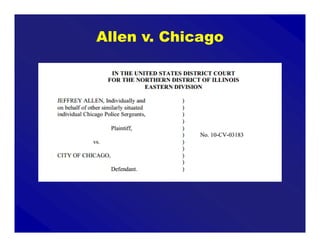
Allen v. Chicago
jezor@tourolaw.edu
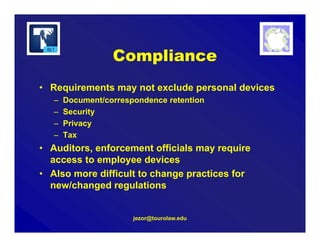
Compliance
• Requirements may not exclude personal devices
– Document/correspondence retention
– Security
– Privacy
– Tax
• Auditors, enforcement officials may require
access to employee devices
• Also more difficult to change practices for
new/changed regulations
jezor@tourolaw.edu
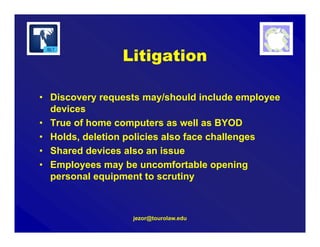
Litigation
• Discovery requests may/should include employee
devices
• True of home computers as well as BYOD
• Holds, deletion policies also face challenges
• Shared devices also an issue
• Employees may be uncomfortable opening
personal equipment to scrutiny
jezor@tourolaw.edu
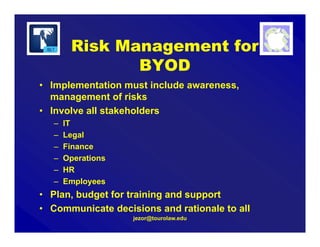
Risk Management for
BYOD
• Implementation must include awareness,
management of risks
• Involve all stakeholders
– IT
– Legal
– Finance
– Operations
– HR
– Employees
• Plan, budget for training and support
• Communicate decisions and rationale to all
jezor@tourolaw.edu
• Written policy on supported devices/platforms/uses
• IT infrastructure chosen/configured to enhance security as
well as convenience
• Educational materials for most-common devices
– Setup
– Security
– Remote wiping
– Encryption
• Ongoing review of implementation, issues
• Verify insurance and other risk management coverage
Best Practices for
BYOD
Professor Jonathan I. Ezor
jezor@tourolaw.edu
@ProfJonathan on Twitter
Questions?

10-8-13 BYOD Risk Presentation for Nassau County Bar Committee

  • 1.
    BYOD: Managing the Risksof Bring Your Own Device Policies Prof. Jonathan I. Ezor Director Touro Law Center for Innovation in Business, Law and Technology jezor@tourolaw.edu Nassau County Bar Association Corporation/ Banking & Securities Law Committee October 8, 2013
  • 2.
    Wireless Devices Key toModern Business • Access to data • Communications – Colleagues – Clients/Customers – Others • Mobile workforce • 24/7/365 workcycle • Instant responsiveness demands jezor@tourolaw.edu
  • 4.
    Challenges of Mobile Implementation •Cost • Platform choice • Updates/Upgrades • Training • Support • Vendor changes (e.g. Blackberry) jezor@tourolaw.edu
  • 5.
    BYOD: Leveraging Employee Choices •Employees increasingly buying/updating personal devices • May be more sophisticated than company standard • Employees may cover some/all costs • Personal familiarity may reduce training need • Major platforms increasingly interoperate jezor@tourolaw.edu
  • 6.
    Balancing BYOD Benefits andRisks • BYOD not without risks, including – Employee-driven vs. mission-driven – Complexity and cost of support – Software and licensing – Security – Confidentiality – Personal vs. professional – Compliance – Litigation • Must balance risks with rewards jezor@tourolaw.edu
  • 7.
    jezor@tourolaw.edu • Choice ofapproved devices should reflect business needs – IT platform – Applications & functionality – Security • Employee requests can conflict • Failure to support owned devices can undermine BYOD intention • Consumer devices for business purposes Employee-Driven Vs. Mission-Driven
  • 8.
    jezor@tourolaw.edu Complexity And Cost OfSupport • Diversity of hardware/OSes means almost unlimited potential support obligation • Everything from setup to chargers to software • Employees may expect or demand support from IT staff • Refresh cycle a factor as well
  • 9.
    jezor@tourolaw.edu Software and Licensing • Organization’ssoftware may include licensing restrictions – Enterprise vs. personal devices – Number of total/concurrent users – Expiration of licenses/versions/support • Older licensed software may not support new mobile platforms • Need to consider existing licenses, negotiate new ones with BYOD in mind • Interoperability of software also a factor
  • 10.
    jezor@tourolaw.edu Security • Multiple potentialsecurity breach vectors on mobile devices – Malware – Insecure WiFi – Unencrypted connections – Utilities – Older versions of OS • Consumer devices may offer fewer security options than business-specific ones • Some devices support VPN, push profiles for security settings
  • 11.
    jezor@tourolaw.edu Confidentiality • Every mobiledevice a potential data breach channel – Mass storage – Lost/stolen devices – Backups • Employees may share devices with family, others • Use may violate NDAs, regulatory/legal requirements • Risks of accidental breaches – GPS – EXIF data – Social media
  • 12.
    jezor@tourolaw.edu Personal Vs. Professional • Boundariesalways a problem for mobile workforce • Use of personal devices exacerbates challenges • Harder to establish, enforce limitations on personal use • Labor laws also potentially involved
  • 13.
  • 14.
  • 15.
    jezor@tourolaw.edu Compliance • Requirements maynot exclude personal devices – Document/correspondence retention – Security – Privacy – Tax • Auditors, enforcement officials may require access to employee devices • Also more difficult to change practices for new/changed regulations
  • 16.
    jezor@tourolaw.edu Litigation • Discovery requestsmay/should include employee devices • True of home computers as well as BYOD • Holds, deletion policies also face challenges • Shared devices also an issue • Employees may be uncomfortable opening personal equipment to scrutiny
  • 17.
    jezor@tourolaw.edu Risk Management for BYOD •Implementation must include awareness, management of risks • Involve all stakeholders – IT – Legal – Finance – Operations – HR – Employees • Plan, budget for training and support • Communicate decisions and rationale to all
  • 18.
    jezor@tourolaw.edu • Written policyon supported devices/platforms/uses • IT infrastructure chosen/configured to enhance security as well as convenience • Educational materials for most-common devices – Setup – Security – Remote wiping – Encryption • Ongoing review of implementation, issues • Verify insurance and other risk management coverage Best Practices for BYOD
  • 19.
    Professor Jonathan I.Ezor jezor@tourolaw.edu @ProfJonathan on Twitter Questions?